

Table of Contents
The Tab-Switching Trap Nobody Talks About
It was a Wednesday afternoon in Bengaluru. Meera, a 30-year-old SaaS founder, had 11 browser tabs open.
ChatGPT on tab 3. Claude on tab 5. Gemini on tab 8. Perplexity somewhere she couldn’t remember.
She was trying to write a product launch strategy — and instead of writing it, she was spending forty minutes copy-pasting the same prompt across four different tools, waiting, comparing, and losing context every single time she switched.
Sound familiar?
If you’ve ever tried to use multiple chat AI at once the manual way — juggling separate subscriptions, different interfaces, and isolated conversations — you already know how exhausting it is. The irony is painful: the tools built to save you time are eating your time just to use them.
But here’s what most people still haven’t figured out: you don’t have to use multiple chat AI at once by switching between them. You can run them all in a single, unified workspace — and the results are dramatically better.
This guide is going to show you exactly how that works, why it matters, and how platforms like Aizolo are making it possible for anyone — founders, developers, marketers, students, and freelancers — to use multiple chat AI at once without the chaos.
Why Using Just One AI Is Silently Holding You Back
Most people pick one AI model and stick with it. It feels easier. Safer. Familiar.
But every AI has blind spots.
ChatGPT (GPT-4) is creative and fast, but it can be overconfident. Claude is analytical and careful, but it sometimes hedges when you need a bold answer.
Gemini is great with Google data and recent web context, but it may miss nuanced reasoning. Perplexity dominates when you need cited research, but it’s not built for deep creative work.
When you use multiple chat AI at once, you stop depending on one model’s strengths and cover all the gaps simultaneously.
Here’s what’s really happening when you rely on a single AI:
- You’re getting one perspective on every decision — and that perspective has biases baked into the training data
- You’re missing accuracy checks — single AI models hallucinate, and there’s no one to catch the mistake
- You’re leaving better answers on the table — answers that exist in another model, just one tab away
The smartest AI users in 2026 don’t ask “which AI is best?” They ask: “How do I use multiple chat AI at once, intelligently?”
The Real Cost of Managing Multiple AI Subscriptions Separately
Let’s talk money for a second — because this is where the problem becomes impossible to ignore.
If you want access to the top AI models individually:
- ChatGPT Plus: $20/month
- Claude Pro: $20/month
- Google Gemini Advanced: $20/month
- Perplexity Pro: $20/month
- Grok Premium: $30/month
Total: $110/month. Every single month.
That’s $1,320 per year — just to use multiple chat AI at once the hard way.
And that doesn’t count the time cost. Every tab switch, every re-login, every lost context, every repeated prompt. Researchers at McKinsey found that knowledge workers lose over 20% of their productivity to unnecessary task-switching. When you use multiple chat AI at once across separate platforms, you’re doing the most expensive kind of task-switching possible.
There’s a smarter path. And it costs $9.90 a month.
What It Actually Means to Use Multiple Chat AI at Once — The Right Way
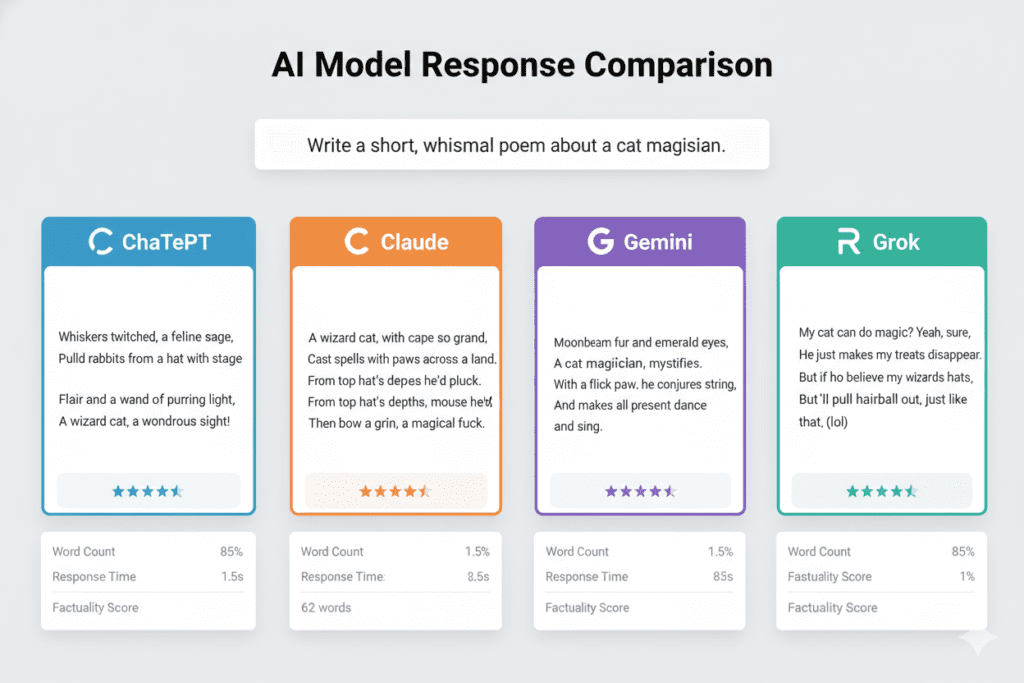
When most people think about how to use multiple chat AI at once, they imagine opening several tabs and manually comparing. But that’s the slow, expensive version.
The real power of using multiple chat AI at once comes from three things:
1. Simultaneous Prompting
You type your question once. Every AI model you’ve selected responds at the same time. GPT-4’s creative answer lands next to Claude’s analytical breakdown next to Gemini’s research-backed take — all in one view, in real time.
No copy-pasting. No re-prompting. No context loss.
2. Side-by-Side Response Comparison
When you can see every AI’s answer at once, patterns emerge. You see where models agree (high-confidence territory). You see where they diverge (nuanced or contested territory — proceed carefully). You spot gaps in one model that another model fills beautifully.
This is how professional researchers, senior developers, and high-output founders actually use multiple chat AI at once to make better decisions faster.
3. Cross-Model Verification
This one is underrated. When you use multiple chat AI at once, you get built-in fact-checking. If ChatGPT gives you a statistic and Claude contradicts it, that’s a signal to dig deeper. When all four models agree on a technical implementation, your confidence skyrockets.
Single-AI workflows have no safety net. Multi-AI workflows do.
Introducing Aizolo: Built to Help You Use Multiple Chat AI at Once
Aizolo was built from the ground up to solve exactly this problem — and it does it at a price that makes every other approach look unnecessarily expensive.
Aizolo is an all-in-one AI subscription platform trusted by over 5,000 AI enthusiasts. For $9.90/month (or $99.90/year), you get access to ChatGPT, Claude, Gemini, Perplexity, Grok, and more — all in one workspace, all at once, all compared side by side.
That’s the $110/month problem solved for under $10.
But Aizolo isn’t just a price play. It’s genuinely the most practical workspace for anyone who wants to use multiple chat AI at once in their daily workflow.
What Makes Aizolo Different
Compare All Premium AIs Simultaneously
Ask one question, get every AI’s answer instantly. Compare responses in real time without leaving a single interface. Save hours of manual comparison every week.
Smart Prompt Manager
Build a personal library of your best prompts. Save them once, fire them across all AI models instantly. Stop re-typing your best ideas.
AI Memory
Aizolo remembers your preferences, context, and conversation history. The more you use it, the more personalized and accurate every response becomes. No other multi-AI platform does this as smoothly.
Custom API Key Support
Already paying for OpenAI or Anthropic API access? Bring your own keys. They’re encrypted, stored securely, and unlock unlimited token usage.
Import Chats from ChatGPT or Claude
Don’t lose your history. Migrate your existing conversations into Aizolo’s unified interface with a single click.
Video, Image & Audio Generation — All Included
Using multiple chat AI at once isn’t just about text. Aizolo includes AI video generation, AI image generation (DALL-E and more), and AI audio/voice generation — all in the same subscription.
Dynamic, Customizable Layout
Resize, rearrange, and organize your AI panels however your workflow demands. This isn’t a static comparison grid — it’s a real workspace.
Explore more insights on Aizolo → aizolo.com
Real-World Use Cases: Who Benefits Most from Using Multiple Chat AI at Once

For Founders & Startup Builders
Imagine you’re launching a new feature. You need a go-to-market strategy, a product positioning angle, and a competitor analysis — all by Friday.
With Aizolo, you use multiple chat AI at once like this:
- Perplexity researches current competitor landscape with citations
- Claude analyzes the strategic implications and identifies positioning gaps
- GPT-4 generates three different positioning angles with creative copy
- Gemini reviews everything and suggests refinements based on current market data
What would have taken a full week of research and writing now takes an afternoon. And the output is better because four expert perspectives went into it.
For Developers
You’re debugging a tricky API integration. You paste your code and error message into Aizolo and use multiple chat AI at once to get:
- GPT-4’s quick fix suggestion (usually gets you 80% of the way there)
- Claude’s deeper analysis of what’s actually causing the structural issue
- Gemini‘s check against the most recent documentation
When GPT-4 and Claude agree on the fix, you ship with confidence. When they disagree, you know to investigate further before touching production.
Read more expert developer guides on Aizolo → aizolo.com/blog
For Content Marketers & Creators
You’re writing a long-form blog post (like this one). Here’s how you use multiple chat AI at once to produce better content faster:
- Perplexity finds recent statistics and authoritative sources
- Claude builds the outline with logical structure and clear argument flow
- GPT-4 writes the engaging, story-driven sections
- Gemini reviews for SEO, readability, and gap analysis
This isn’t content generation. This is content orchestration. The result doesn’t sound AI-written — it sounds like the best version of your thinking, organized and refined.
For Students & Researchers
When you use multiple chat AI at once for academic research, you gain something invaluable: intellectual triangulation.
Ask all four models to explain a complex theory. See where they agree (established consensus). See where they diverge (active debate in the field). Use that map to guide your own critical thinking.
Students who use multiple chat AI at once this way aren’t cheating — they’re learning how to think with AI as a thinking partner rather than an answer machine.
For Freelancers
As a freelancer, your reputation rides on the quality of your work. Using multiple chat AI at once is like having a team of specialists behind you. Your client brief goes to all four AIs. You synthesize the best ideas. The proposal you submit is stronger than anything a single AI could produce — and stronger than most teams would build in the same time.
For SaaS Builders
When you’re building a product that needs to incorporate AI, knowing how each model behaves with different inputs is critical. Aizolo lets SaaS builders use multiple chat AI at once to run rapid A/B tests on model outputs, identify the best model for each feature, and make architecture decisions based on real behavior — not marketing claims.
Start building smarter with Aizolo → aizolo.com
How to Actually Build a Multi-AI Workflow (Step by Step)
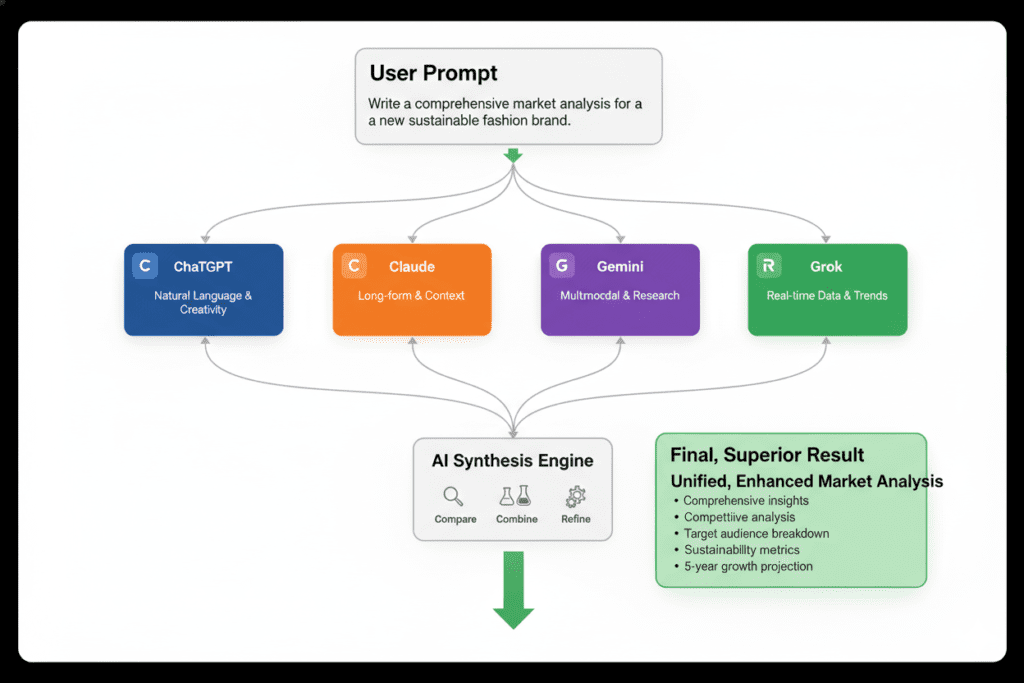
Here’s a practical framework for anyone who wants to use multiple chat AI at once without feeling overwhelmed.
Step 1: Define Your Task Type
Different tasks benefit from different AI combinations. Before you start, ask: Is this task primarily about creativity, analysis, research, or verification?
- Creative tasks → lead with GPT-4, validate with Claude
- Analytical tasks → lead with Claude, verify with Gemini
- Research tasks → lead with Perplexity, synthesize with GPT-4
- Code tasks → use GPT-4 and Claude together, check against documentation
Step 2: Write One Master Prompt
The advantage of using multiple chat AI at once in Aizolo is that you only need one prompt. Make it good. Be specific about the output format you want, the context you’re providing, and what “good” looks like.
A weak prompt gives you weak outputs from all four models simultaneously — which is still useful for comparison, but starts from a lower baseline.
Step 3: Compare, Don’t Just Pick
When you use multiple chat AI at once and get responses, resist the temptation to just grab the first good-looking answer. Actually read all of them. Look for:
- Where do they agree? That’s your foundation.
- Where do they differ? That’s where your judgment matters.
- What did one model say that the others missed? That’s often the most valuable insight.
Step 4: Synthesize Into a Final Output
The real output of using multiple chat AI at once isn’t any single model’s response — it’s the synthesis you create by combining the best elements of each. You’re the editor. The AIs are your specialist writers.
Step 5: Save Your Workflow
Once you’ve found a multi-AI workflow that works for a recurring task, save the prompt template in Aizolo’s Prompt Manager. Run it again next time in seconds.
Learn from real-world experience at Aizolo → aizolo.com/blog
The SEO and Productivity Research Backs This Up
Industry data consistently shows that using multiple AI models together outperforms single-model reliance across every major task category:
- Accuracy: Cross-model verification reduces AI hallucination risk significantly. When models disagree, it’s a red flag. When they agree, confidence in the output is much higher.
- Output quality: Studies from AI research labs show that ensemble approaches — using multiple models — consistently outperform single-model outputs on complex, open-ended tasks.
- Time efficiency: Building a structured workflow to use multiple chat AI at once takes investment upfront. But once built, it cuts research and production time dramatically compared to manual single-model workflows.
- Cost: Platforms like Aizolo consolidate access to all premium models at a fraction of the individual subscription cost — making it economically irrational to stay in the old model.
Sources: OpenAI Research, Anthropic Model Card
Why Aizolo Is the Best Platform to Use Multiple Chat AI at Once in 2026
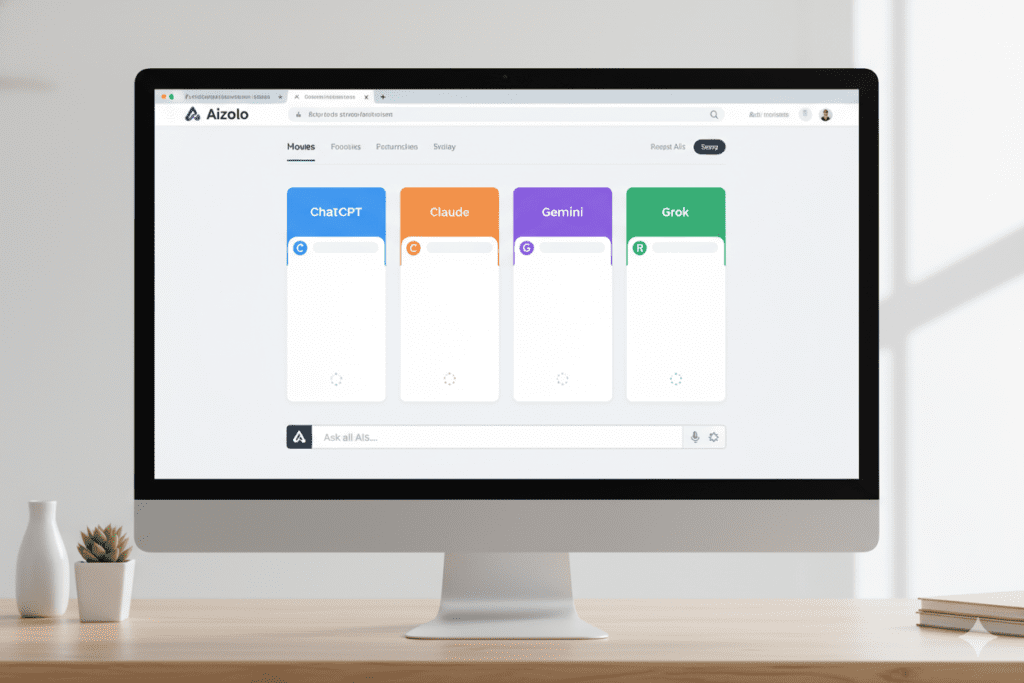
There are other platforms that let you use multiple chat AI at once. But Aizolo stands apart for a few reasons that matter to real users:
Price-to-value ratio: $9.90/month for access to ChatGPT, Claude, Gemini, Perplexity, Grok, and more — plus image, video, and audio generation. The next closest competitor charges significantly more for less.
No learning curve: Aizolo’s interface is clean and immediately usable. You don’t need technical skills to start. Sign up, type your prompt, get multiple AI responses in seconds.
Prompt Manager + AI Memory: These two features together mean that Aizolo gets smarter for you over time. Your saved prompts, your conversation history, your preferences — they all carry forward into a more personalized experience than any single AI platform offers.
Free to start: You can try Aizolo before spending a rupee. The free tier gives you real access to explore whether multi-AI workflows are right for your use case.
Trusted by 5,000+ users: Aizolo isn’t a new experiment. It’s a proven platform with a growing community of developers, founders, creators, and professionals who use multiple chat AI at once as a core part of their daily workflow.
Follow Aizolo for practical tech & startup insights → aizolo.com/blog
Common Mistakes People Make When They Use Multiple Chat AI at Once
Even with the right platform, there are habits that reduce the effectiveness of a multi-AI approach:
Mistake 1: Treating it like a voting system
Majority-rules doesn’t work with AI. If three models give one answer and one gives a different answer, don’t automatically go with the majority. The dissenting model might be catching something the others missed.
Mistake 2: Using the same prompt for every task
Different task types need differently structured prompts. A research prompt and a creative writing prompt should feel different — even when you use multiple chat AI at once for both.
Mistake 3: Not saving workflows
Every time you build a good multi-AI workflow and don’t save it, you’re doing extra work the next time. Aizolo’s Prompt Manager exists for exactly this reason.
Mistake 4: Skipping synthesis
The whole point of using multiple chat AI at once is to synthesize. If you’re just picking the “best” answer without combining insights, you’re leaving value behind.
The Future of Work Is Multi-AI — And It’s Already Here
We’re past the era of “which AI should I use?” That question made sense in 2023, when AI models were expensive, siloed, and hard to access.
In 2026, the question is different: How do I use multiple chat AI at once, smartly, to do the work that matters?
The people answering that question well — the founders building faster, the developers shipping cleaner code, the creators producing better content, the students thinking more critically — they’re not doing it by being smarter. They’re doing it by using better tools.
Aizolo is that tool.
It’s not just an AI aggregator. It’s a workspace built on the belief that the best output comes from combining the best models — and that this power should be affordable and accessible to everyone, not just enterprises with massive budgets.
Conclusion: Stop Juggling. Start Comparing. Start Winning.
If you’ve been manually trying to use multiple chat AI at once by flipping between tabs, copying prompts, and losing context — you now know there’s a better way.
Use multiple chat AI at once in a unified workspace. Build workflows that let your models build on each other. Compare, synthesize, and produce outputs that no single AI could give you alone.
Aizolo makes all of this possible for $9.90/month — with a free plan to start today.
The AI tools you need to do your best work are already here. The question is whether you’re using them smartly.
👉 Start building smarter with Aizolo — Try for Free
👉 Explore more expert AI insights on the Aizolo Blog
