
Quick Summary
While using multiple AI models can provide you with different perspectives on a particular matter, you have to switch between them, which can become tiresome.
Grok 4.6 and GPT-6 Astra approaches to complex problems are not the same, so comparing the two can be helpful if you want to get accurate information or need help with specific operations.
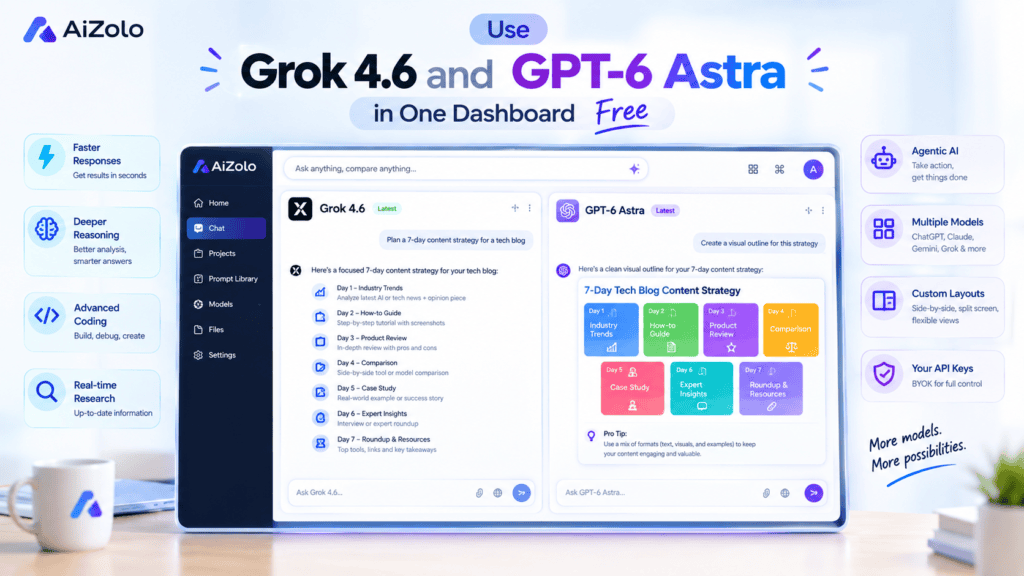
To achieve this, you would have to switch between multiple tabs containing different AI models. Alternatively, you can use both these models, as well as many others, from a single dashboard called AiZolo.
This way, you can not only switch between different models but also send similar prompts to each and compare the results.
If your only goal today is the setup steps, jump ahead to “How to Use Grok 4.6 and GPT 6 Astra in One Dashboard Free” below. Everyone else, keep reading for the full model breakdown first.
Table of Contents
Most of the users of multiple AI tools still end up switching between separate tabs for ChatGPT, Grok, Claude, Gemini, and other platforms. It works, but comparing models this way can quickly become slow and difficult to manage.
The easier approach is to bring multiple models into one workspace. With the help of AiZolo, you can access models such as Grok 4.6 and GPT-6 Astra from one dashboard, run the same prompt through different models, and compare their responses without constantly changing platforms.
This guide is longer than most “top 5 tools” roundups on purpose. Model choice affects real output quality, and a shallow comparison won’t tell you which one fits your actual workflow.
By the end, you’ll know exactly how to use Grok 4.6 and GPT 6 Astra in one dashboard free, when to reach for each model, and what a realistic monthly budget looks like once you stop paying for overlapping subscriptions.
What Changed: Grok 4.6 and GPT-6 Astra Explained
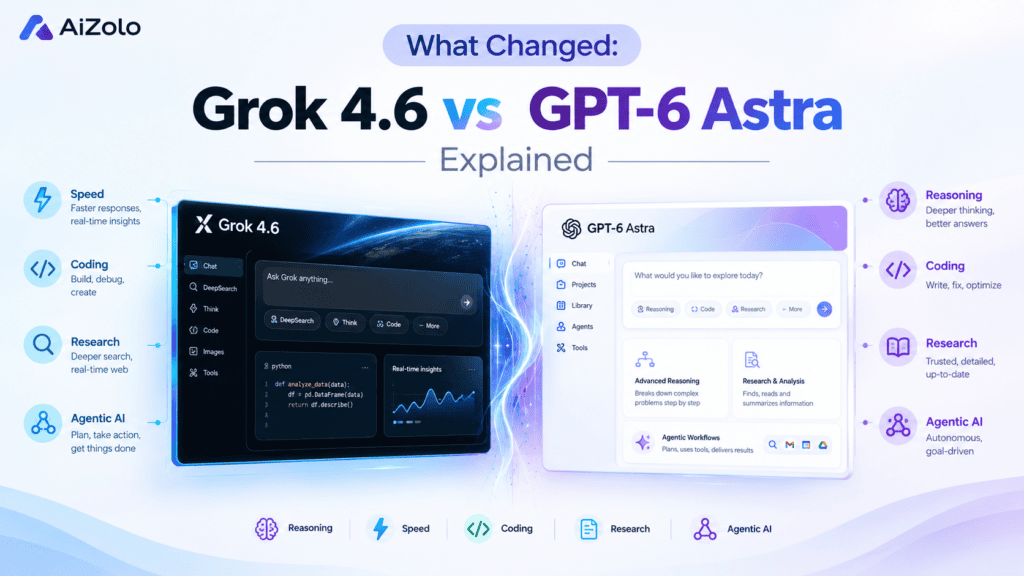
The latest generation of AI models is moving beyond simple question-and-answer chat. Current flagship models are increasingly designed to handle multi-step reasoning, coding, research, computer interaction, and longer workflows.
Grok 4.6
Grok 4.6 is xAI’s latest flagship model. xAI says the model builds on Grok 4.5 with a particular focus on long-running agents and more ambitious interactive and visual work. It is designed to stay with complex tasks across multiple steps, including research, information analysis, working across codebases, and turning ideas into polished applications or work artifacts.
GPT-6 Astra
GPT-6 Astra is OpenAI’s current flagship model for demanding AI work. OpenAI describes Astra as state-of-the-art for computer use, browsing, software engineering, science, cybersecurity, and professional work. It can handle multi-step workflows such as online research, document creation, software testing, data analysis, and computer-based tasks.
The difference is important for users who work across several types of AI tasks. Rather than assuming one model is suitable for everything, you can compare Grok 4.6 and GPT-6 Astra on the same prompt and see how their approaches differ.
That makes a multi-model workspace useful: you can test models against your actual workflow instead of choosing a model based only on its release announcement or benchmark scores.
Grok 4.6 vs GPT-6 Astra: Side-by-Side Comparison
| Feature | Grok 4.6 | GPT-6 Astra |
|---|---|---|
| Developer | xAI | OpenAI |
| Model position | Current flagship | Current flagship |
| Main focus | Long-running agents, coding, interactive and visual work | Complex reasoning, computer use, software engineering, research |
| Agentic workflows | Yes | Yes |
| Coding | Strong | Strong |
| Computer use | Supported workflows | Core capability |
| Research | Yes | Yes |
| Visual / interactive work | Strong focus | Supported |
| Professional workflows | Yes | Yes |
| Context | 500K tokens | 1.05M tokens |
| API pricing | $2 / 1M input, $6 / 1M output | $10 / 1M input, $50 / 1M output |
Neither model needs to be treated as a universal replacement for the other. Grok 4.6 and GPT-6 Astra overlap in areas such as coding, research, and multi-step tasks, but they emphasize different workflows.
Grok 4.6 puts particular emphasis on long-running agents and interactive work, while GPT-6 Astra emphasizes complex reasoning, computer use, software engineering, and professional workflows.
This is precisely why relying on a single subscription limits you. A unified AI workspace lets you run the same prompt through both and compare the output before you commit.
Benchmark Snapshot
Benchmark scores can help explain where a model performs well, but they do not always predict which model will produce the most useful answer for a particular workflow.
Grok 4.6 is designed around long-running agentic and interactive tasks, while GPT-6 Astra is positioned by OpenAI around complex reasoning, computer use, software engineering, browsing, science, and professional work.
For practical users, a direct side-by-side test can therefore be useful. Give both models the same prompt, then compare the results based on the factors that matter to you, such as accuracy, reasoning, structure, coding quality, completeness, and instruction-following.
Pricing Reality Check
API pricing and consumer subscription pricing are different, and it is important not to conflate the two.
xAI currently lists Grok 4.6 at $2 per million input tokens and $6 per million output tokens; OpenAI lists GPT-6 Astra at $10 per million input tokens and $50 per million output tokens.
Meanwhile, for a user seeking to make a direct comparison between models, API pricing may well be a non-issue: the comparison is much easier to make within a multi-model workspace, in which like is compared to like.
Before selecting a particular paid tier, it is important to consider what models are available, and at what level of usage, from the platform being considered.
Why One Model Is Seldom Enough
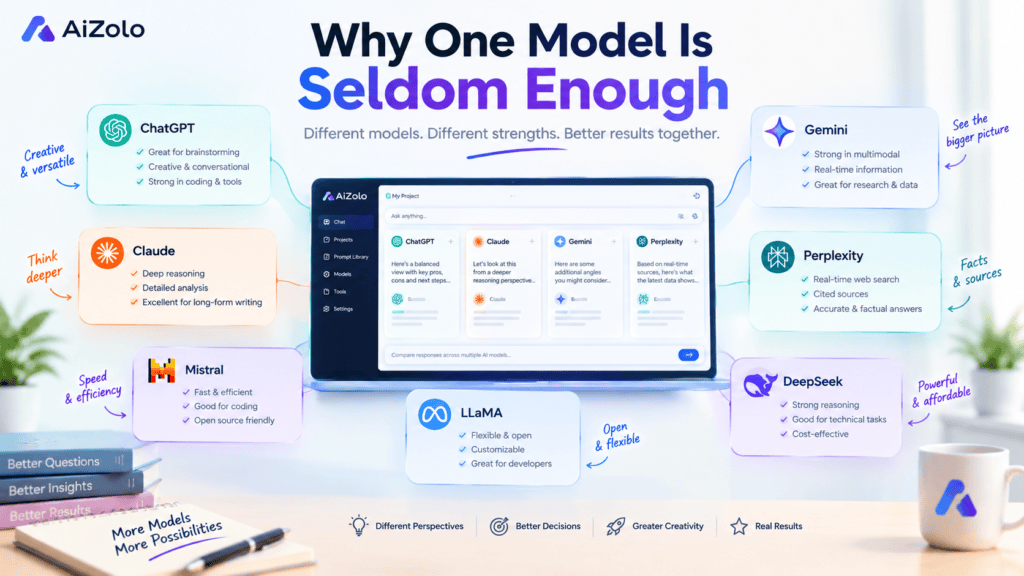
Different models can solve the same task using completely different methods. Grok 4.6 is optimized for extended agents and interactive processes, while GPT-6 Astra is focused on complex reasoning, computer use, software engineering, and professional work.
Only by using different models can you see and understand how different solutions were obtained. Getting the same prompt processed by multiple LLMs helps compare and contrast different approaches and results.
There’s also a financial angle. A separate subscription to X Premium for Grok access plus a ChatGPT Plus or Pro plan for GPT-5.6 can run well past $40 to $50 a month combined.
Add Claude, Gemini, or Perplexity into the mix, and the bill climbs further. Anyone comparing a full AI model comparison tool against buying each app separately usually finds the combined subscription route more expensive and less flexible.
Then there’s context loss. Every time you copy a conversation from one app to another, you lose formatting, chat history, and the small details that made the first response useful.
There’s a third cost that’s easy to overlook: decision fatigue. Choosing which app to open before you’ve even typed a prompt adds friction to a task that should take seconds.
Teams feel this even more acutely than solo users. When five people on a marketing team each pick a different AI tool, nobody can review or reuse anyone else’s prompts, and consistency across campaigns quietly breaks down.
A shared workspace fixes all three problems at once. You stop paying for redundant seats, you stop losing context between apps, and you stop making a tool decision before every single task.
This is the core reason so many teams are moving to use Grok 4.5 and GPT 5.6 in one dashboard free rather than maintaining separate accounts for each model.
How to Use Grok 4.6 and GPT-6 Astra in One Dashboard Free
Here’s the practical part. If both models are available in your AiZolo workspace, you can compare them from one place without needing separate browser tabs for every task.
Step 1: Create a Free AiZolo Account
Go to AiZolo and create an account. Check the current free-plan limits and model availability before starting your comparison.
Step 2: Open the Model Selector
Open the model selector inside your workspace and look for Grok 4.6 and GPT-6 Astra, along with the other models currently available on AiZolo.
Step 3: Run the Same Prompt Through Both
For an important task, give both models the same prompt. Keeping the instructions identical makes the comparison more meaningful.
Step 4: Compare the Responses
Review the outputs side by side. Compare the reasoning, structure, accuracy, completeness, coding approach, and how well each model followed your instructions.
Step 5: Save What Works
Save useful prompts and responses so you can reuse successful workflows instead of rebuilding them from scratch.
Step 6: Organize Your Work by Project
Keep related conversations together by project or task. This makes it easier to return to research, content, coding, or client work later.
The basic workflow is simple: choose the models, use the same prompt, compare the results, and continue with the response that best fits your requirements.
Prompting Tips for Grok 4.6 and GPT-6 Astra
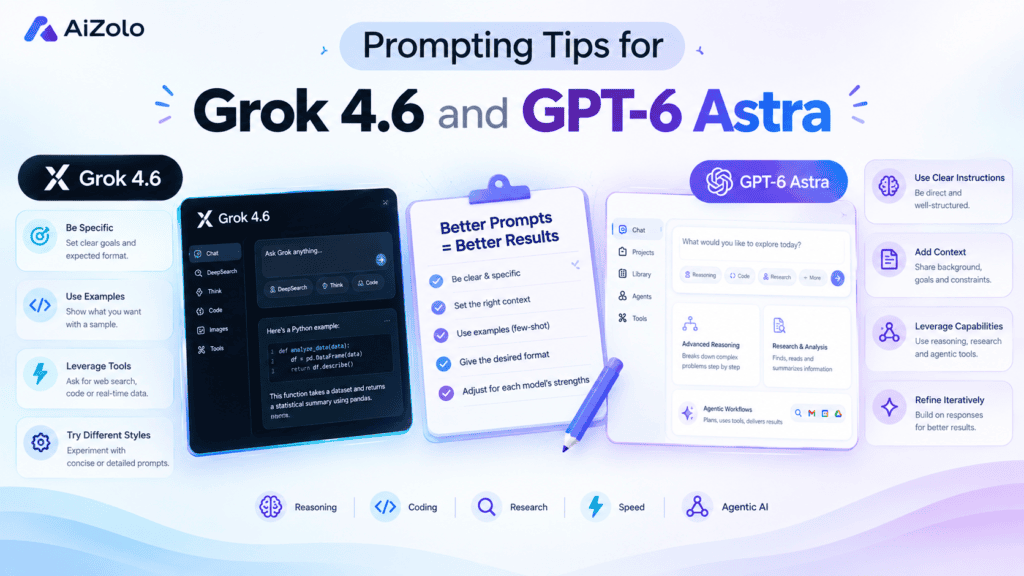
To get the best results it is not enough to choose the right model but also to formulate the prompt correctly.
Prompting Tips for Grok 4.6
For complex tasks, describe the end result that you want the model to achieve and give it the context it needs to understand the query. When working with code, provide information about errors, files, requirements, and expected results, not just the problem statement.
For research, interactive activities, or similar exercises, be sure to narrow the scope of the task and explain to the model what information or result you need.
Prompting Tips for GPT-6 Astra
For complex tasks, make sure to specify instructions, limitations, and desired format. To do multi-step tasks, break them down into separate steps and provide them to the model as a numbered list.
For professional activities (e.g., writing reports), research activities, and working with code, provide the model with the necessary source data and describe in detail what you want it to achieve.
For both models
If you are unsure which model is best suited for the task, try asking both and then analyzing the answers. To select the most suitable response, compare the two results using the following criteria: accuracy, logic, depth, completeness, and strictness of following instructions.
Who Should Actually Make the Switch
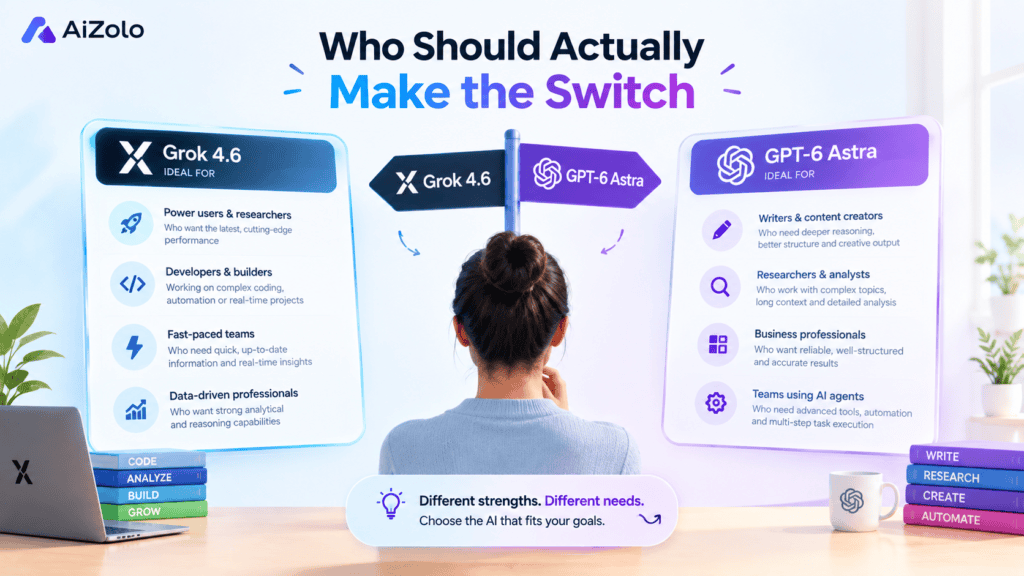
While many people would not need two different AIs, having an option to use both could benefit individuals who work with different fields.
Developers can contrast different approaches to code writing, debugging, structure building, and technical issues
Content creation and SEO specialists could brainstorm and write with various AIs to analyze and view topics from differing perspectives
Researchers may find the option to use and compare multiple AIs beneficial for contrasting dissimilar approaches to technical queries, summarizing, and organization.
Our guide to the best AI for analyzing scientific figures and complex charts covers that specific use case in more depth.
Startups can store research, planning, code, and other work within one workspace.
Students can contrast and compare dissimilar answers and use multiple AIs as a reference point for their own work.
Teams evaluating a best all-in-one AI platform for shared use tend to land on the same conclusion: a unified dashboard scales better than individual logins per employee.
An agency or freelancer could organize multiple client projects and have access to several AIs for their projects.
The key difference between these AIs are that someone can select which AI to use for specific projects and tasks rather than using one default option.
Free vs Paid: What You Should Know About What You Can Get
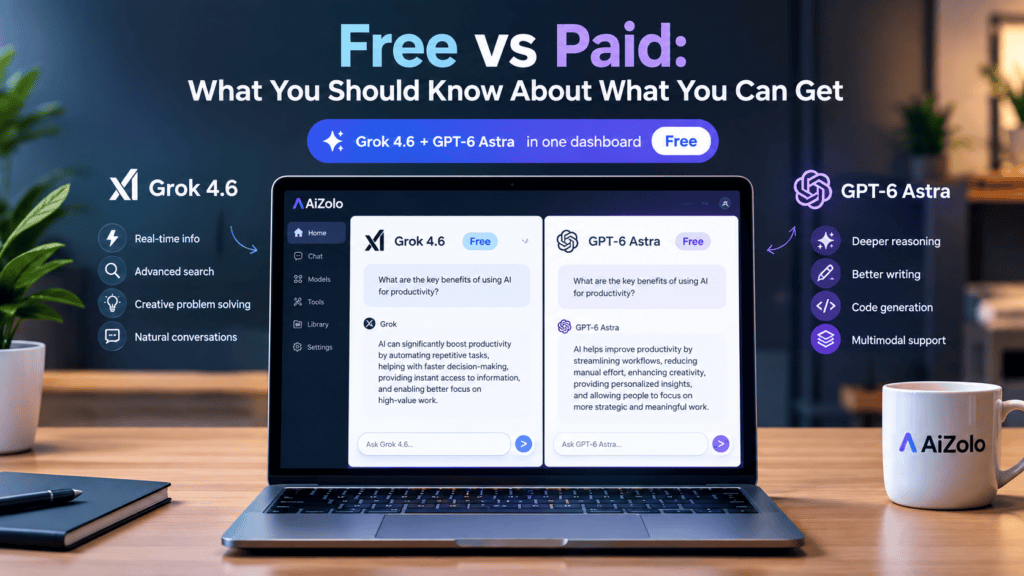
Both a free multi-model workspace and paid plans have their use. The former should be enough for casual use cases, such as experimentation, research, writing assistance, or small-scale coding tasks. The choice between the two options depends on particular needs and preferences, as well as the available budget.
The paid option becomes more attractive when a higher level of performance is required, a greater variety of models is needed, or one wants to benefit from additional features and services. At the same time, when a choice has to be made between subscriptions that offer different sets of services and features, one should not be misled by price alone. It is essential to compare the types of models, limitations, features, APIs, and other available tools, as well as the ability to access the most needed AI models.
Prior to upgrading, it might be a good idea to review AiZolo’s current offers and see what plans are available and which features and limitations they involve.
If you’re weighing free access against a paid plan, our breakdown of affordable AI subscription plans covers the math in more detail.
Either way, the free tier alone is usually enough proof to confirm whether you can comfortably use Grok 4.5 and GPT 5.6 in one dashboard free for your typical week before deciding on an upgrade.
How AiZolo Compares to Other Multi-Model Tools
AiZolo isn’t the only aggregator on the market, and it’s worth knowing how it stacks up before you commit.
Compared to ChatGPT Plus alone, AiZolo adds access to models OpenAI doesn’t offer, which our Aizolo vs ChatGPT Plus comparison covers step by step.
Against research-focused tools, our Aizolo vs Perplexity Pro analysis breaks down where each platform’s search and citation features differ.
If you’re specifically choosing between newer frontier models outside of Grok and GPT, our Kimi K3 vs Claude Opus 5 comparison is a useful next read, and developers weighing coding-specific models may also want our Claude vs Gemini for coding breakdown.
For a full list of platforms, our guide to the best free AI chatbots available in 2026 is a good starting point if you want more than just Grok 4.6 and GPT-6 Astra.
Common Mistakes to Avoid
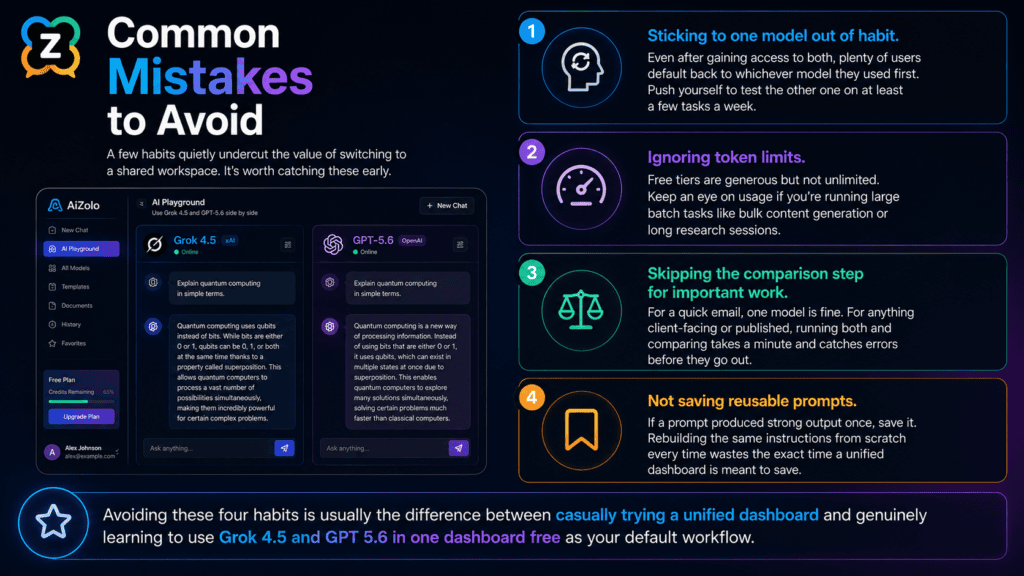
A few habits quietly undercut the value of switching to a shared workspace. It’s worth catching these early.
Sticking to one model out of habit. Even after gaining access to both, plenty of users default back to whichever model they used first. Push yourself to test the other one on at least a few tasks a week.
Ignoring token limits. Free tiers are generous but not unlimited. Keep an eye on usage if you’re running large batch tasks like bulk content generation or long research sessions.
Skipping the comparison step for important work. For a quick email, one model is fine. For anything client-facing or published, running both and comparing takes a minute and catches errors before they go out.
Not saving reusable prompts. If a prompt produced strong output once, save it. Rebuilding the same instructions from scratch every time wastes the exact time a unified dashboard is meant to save.
Avoiding these four habits is usually the difference between casually trying a unified dashboard and genuinely learning to use Grok 4.6 and GPT-6 Astra in one dashboard free as your default workflow.
Data Privacy and Security Basics
Before connecting any AI tool to real work, it’s worth understanding how your data is handled. This applies whether you’re using Grok, GPT, or a dashboard that aggregates both.
AiZolo encrypts stored API keys and does not use free-tier conversations to train external models without disclosure. Review the platform’s privacy policy directly for the most current terms before uploading sensitive documents.
If you’re working with client data, financial information, or anything under an NDA, treat any AI platform, including a unified one, the same way you’d treat cloud storage: check the policy, not just the marketing page.
A Note on Trust and Accuracy
A Note on Trust and Accuracy
Having multiple AI models available does not mean every response will be correct. Grok 4.6 and GPT-6 Astra can both produce useful answers, but important information should still be checked against reliable sources.
Side-by-side comparison is useful because different models may interpret the same prompt differently. If the responses disagree, treat that disagreement as a reason to investigate further rather than automatically choosing one answer.
For research, published content, technical work, or important decisions, verify factual claims against primary sources whenever possible.
Frequently Asked Questions
Can I use Grok 4.6 and GPT-6 Astra together?
If both models are currently available in your AiZolo workspace, you can use them from the same dashboard and compare their responses on the same task.
Is Grok 4.6 available for free?
Grok access depends on the product, platform, and plan. xAI provides Grok through its products and API, with API access priced according to usage. Check the current platform you’re using for the latest availability and limits.
Is GPT-6 Astra available for free?
OpenAI says GPT-6 Astra is being made available across eligible ChatGPT plans as well as through its API and other supported platforms. API access is usage-based.
Which is better for coding, Grok 4.6 or GPT-6 Astra?
Both models support advanced coding workflows. xAI highlights Grok 4.6’s coding and long-running agent capabilities, while OpenAI describes GPT-6 Astra as its best software-engineering model to date. The most useful choice can depend on the specific coding task, so testing both on your own prompt can provide a more relevant comparison.
Does AiZolo let me compare multiple AI models?
AiZolo is designed as a multi-model AI workspace, allowing users to work with multiple available models from one environment. Check the current model selector for the latest supported models.
Can I switch between models?
If the feature is available in your current AiZolo workspace, you can select different models for your workflow without maintaining separate AI interfaces.
Do I need coding experience?
No. You can use a multi-model AI workspace for ordinary writing, research, brainstorming, summarization, and other tasks without coding experience.
Should I use one model or compare multiple models?
For simple tasks, one model may be enough. For important or complex work, comparing multiple models can help you identify differences in reasoning, structure, and output quality.
Conclusion
Conclusion
Grok 4.6 and GPT-6 Astra are both excellent but have different major fields of operation. Grok 4.6 is developed to perform well on long-agent workloads, coding, and visual or interactive tasks. GPT-6 Astra is meant to carry out sophisticated reasoning, utilize computers, software development, web browsing, science, and professional fields.
You can work with both models to compare their performance on a given task. You can use a similar prompt to determine which AI model can perform better on a particular task or set of tasks.
This is why working with a unified workspace is essential. You can compare different AI models and work with multiple prompts to identify the most appropriate tasks for each model. It is advisable to develop a personalized system of prompts for each AI model. The same approach will be useful when working with other models like GPT-6 Astra.
If you want to work with different AI models to achieve the best results, consider exploring the options available in AiZolo and compare their performance.
About the Author
Jeevesh Tripathi Email: jeevesh@aizolo.com
Jeevesh Tripathi is a researcher and content strategist at AiZolo, where he covers frontier AI model releases, platform comparisons, and practical workflow guidance for developers, marketers, and content teams. His work is grounded in primary-source documentation from model providers, hands-on platform testing, and ongoing tracking of search quality guidelines from Google.
Jeevesh follows the E-E-A-T framework in every piece he publishes: verifying claims against official release notes, disclosing pricing and limitations accurately, and updating articles as new model versions ship.
Follow more comparisons and workflow guides at aizolo.com/blog.

Pingback: The Best All in One AI Platform in 2026 | AiZolo
Pingback: What Are the Best Free AI Chatbots in 2026? Full Guide
Pingback: how long does perchance video generator take shocking (2026)