
Introduction
Running a small business in 2026 means doing more with less. Costs keep climbing, staff are stretched thin, and customers expect fast answers around the clock.
That’s exactly why so many small business owners are finally trying AI this year, not because it’s trendy, but because it’s the first genuinely useful lever they’ve had for reclaiming time without adding headcount. Platforms like Aizolo make it easier to access multiple AI capabilities without needing a big budget or a technical team to start using them.
The problem isn’t finding an AI tool. There are hundreds. The problem is knowing where to start: which task to hand off first, how to test a tool without wasting a week, and how to avoid the trap of collecting five different AI apps that each do twenty percent of a job.
This guide isn’t a list of tools. It’s the framework: how to think about AI adoption as a small business owner, in four steps, starting today with zero budget.
Looking for specific tool recommendations instead? Skip ahead to our full tool-by-tool breakdown, pricing, free-plan limits, and honest pros and cons for ten-plus platforms.
Table of Contents
Why Small Businesses Need AI in 2026
Small business owners are dealing with rising software costs, tighter margins, and smaller teams than ever. Hiring help for writing, design, or admin work isn’t always realistic.
Free AI tools change that math. A one-person shop can now draft marketing emails, design social posts, and answer customer questions using the same underlying technology that large companies pay thousands for.
This isn’t about replacing people. It’s about giving small teams leverage they didn’t have a few years ago.
The tools have also matured. Free tiers in 2026 are genuinely usable, not just watered-down demos meant to push you toward a paid plan on day one. That said, most free plans do come with real limits — message caps, credit ceilings, or feature gates — and knowing where those limits sit is part of using AI for small business wisely.
Benefits of Free AI Tools for Small Businesses
Lower costs. You get writing, design, and research help without adding a line item to your budget.
Faster turnaround. Draft a newsletter, product description, or social caption in minutes instead of hours.
Fewer bottlenecks. Solo founders and lean teams can produce content and handle support tickets without waiting on outside help.
Better decision-making. AI research and analytics tools help you spot patterns in sales or customer feedback you might otherwise miss.
A real testing ground. Free plans let you try a tool with your actual workflow before you commit any budget to it — which matters, because not every AI tool fits every business.
The catch: free plans exist because companies want you to eventually upgrade. That’s a reasonable business model, but it means you should treat free tiers as a starting point, not a permanent operating system for a growing company.
Real Business Scenarios: How Small Businesses Can Use Free AI Tools in 2026
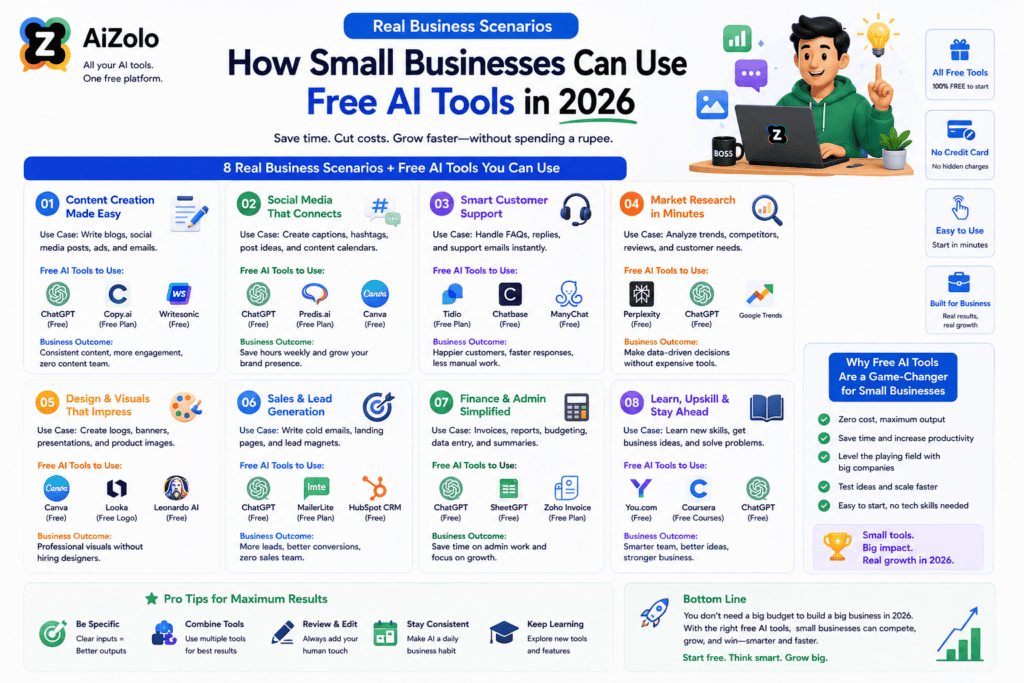
The examples below are illustrative scenarios showing how a small business might combine free AI tools — they are not verified case studies of specific named companies, since actual results vary by business and usage.
A coffee shop could use Canva’s free plan to design weekly specials for Instagram, and a free scheduling tool to manage staff shifts more predictably.
A small marketing agency might use ChatGPT’s free tier for first-draft client copy, then Grammarly’s free plan to clean up tone and grammar before sending it for approval.
An online store owner could combine a free chatbot for common shipping questions with Canva’s Dream Lab image credits for product lifestyle shots.
An independent consultant might use a free meeting-notes tool to capture client calls and Notion’s free plan to keep project notes organized in one workspace.
A restaurant could use a free AI-assisted email tool to send simple weekly specials to their subscriber list without hiring outside marketing help.
A gym owner might rely on a free scheduling tool with AI availability suggestions to reduce no-shows and manual booking emails.
A freelancer could use Perplexity’s free tier to quickly research a client’s industry before a pitch call, without paying for a research subscription.
In each case, the pattern is the same: free AI tools remove small, repetitive tasks so the business owner’s time goes toward higher-value work.
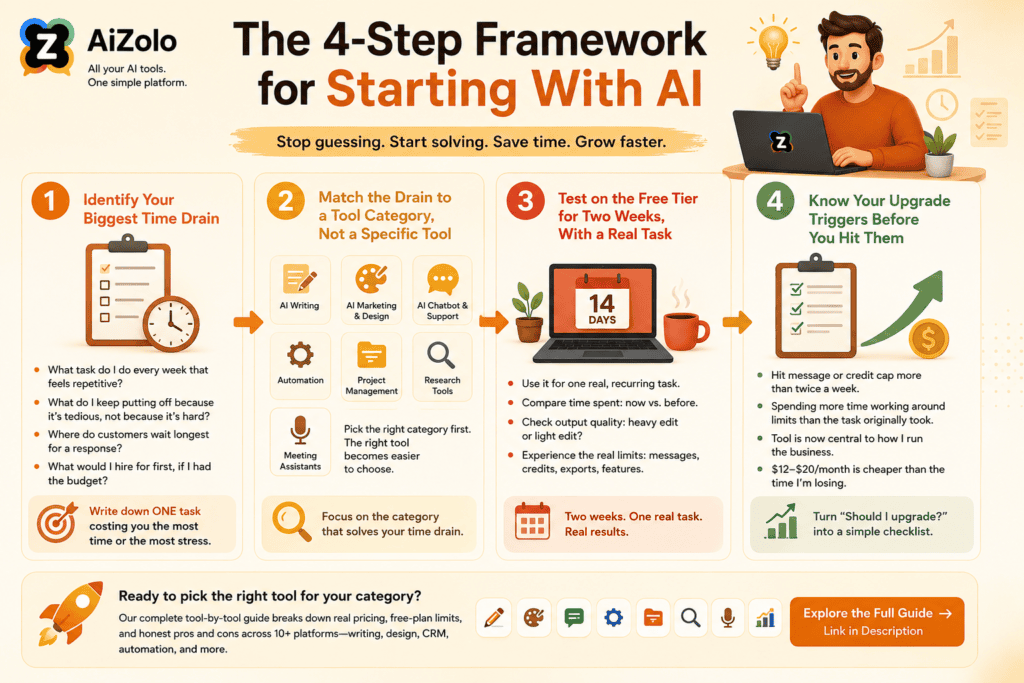
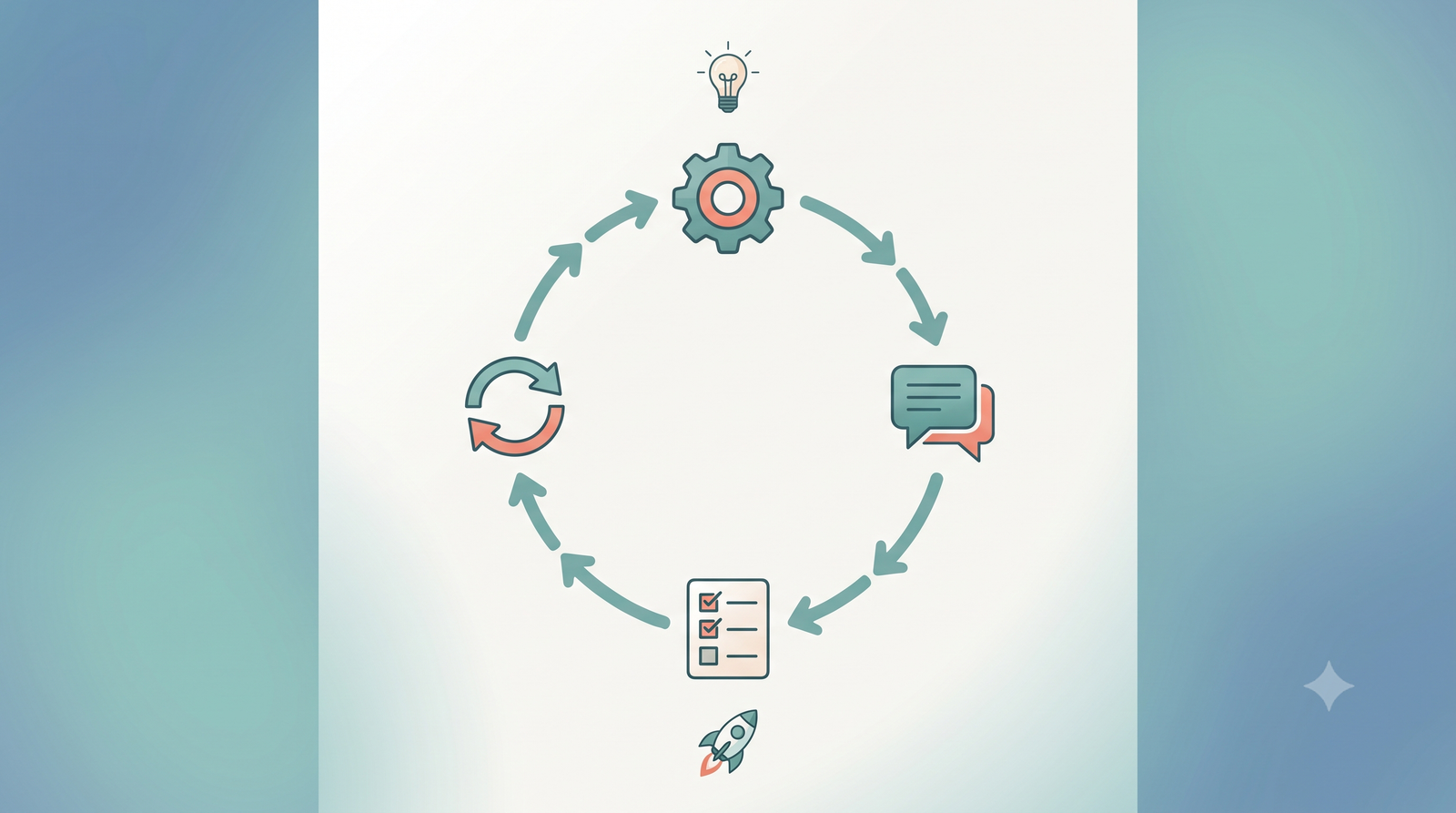
The 4-Step Framework for Starting With AI
Most small business owners get stuck before they even try a tool, because they’re trying to solve “should I use AI” instead of “what’s eating my week.” Here’s a simpler way in.
Step 1: Identify Your Biggest Time Drain
Don’t start by browsing AI tools, start by looking at your own week. Ask yourself: What task do I do every single week that feels repetitive? What’s the task I keep putting off because it’s tedious, not because it’s hard? Where do customers wait longest for a response from me? What would I hire for first, if I had the budget?
Write down one answer. Just one. Trying to fix five workflows at once is the fastest way to abandon AI adoption altogether, pick the single task costing you the most time or the most stress.
Step 2: Match the Drain to a Tool Category, Not a Specific Tool
This is the step most owners skip, and it’s where they go wrong. They see a “best AI tools” list, pick whatever’s ranked first, and try to force-fit it to their problem.
Instead, match your time drain to a category first. If your time drain is writing emails, captions, or drafts from scratch, look at AI writing tools. If it’s designing social posts, flyers, or graphics, look at AI marketing and design tools. If it’s answering the same customer questions repeatedly, look at AI chatbot and customer support tools.
If it’s manually moving data between two apps, look at AI workflow automation. If it’s organizing notes, projects, or client info, look at AI project management tools. If it’s researching competitors or your market, look at AI research tools. If it’s transcribing or summarizing calls, look at AI meeting assistants.
Once you know the category, picking the specific tool is a much smaller decision, and it’s one you can make later, with a clear head, rather than under pressure to just try something.
Step 3: Test on the Free Tier for Two Weeks, With a Real Task
Don’t evaluate a tool by playing with it. Evaluate it by running one real, recurring task through it for two weeks straight.
Use it for the actual customer email, not a hypothetical one. Use it for this week’s real social post, not a test post. Track how long the task takes you now, versus before.
Two weeks is enough time to hit a free plan’s actual limits, message caps, credit ceilings, and to know honestly whether the output needs heavy editing or light editing. Anything shorter and you’re just guessing.
Step 4: Know Your Upgrade Triggers Before You Hit Them
Free plans exist because companies want you to eventually upgrade, that’s a reasonable business model, but it means you should decide your upgrade criteria before you’re frustrated and rushing a decision.
Set your own trigger points in advance, such as: if I hit the message or credit cap more than twice a week, I’ll consider upgrading. If I’m spending more time working around a limitation than the task originally took, it’s time to pay. If this tool is now central to how I run the business, a twelve to twenty dollar a month plan is cheaper than the time I’m losing.
Deciding this in advance turns “should I upgrade” from an emotional decision into a simple checklist.
Ready to actually pick a tool for your category? Our complete tool-by-tool guide breaks down real pricing, free-plan limits, and honest pros and cons across ten-plus platforms, writing, design, CRM, automation, and more.
Common Mistakes Small Businesses Make with Free AI Tools
Relying entirely on AI output. AI drafts are a starting point, not a finished product — every piece of customer-facing content still needs a human read-through.
Ignoring privacy and data handling. Free tools vary widely in how they store and use your data; check a platform’s privacy policy before feeding it customer information or financial details.
Poor prompting. Vague requests produce vague results — the more specific you are about audience, tone, and goal, the better the output.
Skipping human editing. Even strong AI writing benefits from a second pass for accuracy, brand voice, and tone.
No fact-checking. AI tools can state incorrect information confidently — always verify numbers, claims, and legal or financial details before publishing or acting on them.
Future Trends in AI for Small Business
AI agents that can complete multi-step tasks on their own — not just draft a reply but actually schedule the follow-up — are expanding across CRM and automation platforms in 2026, though the most capable agent features generally remain paid.
Deeper automation between tools (CRM, email, accounting) is becoming more accessible without custom development, thanks to no-code platforms like Zapier.
Voice AI is showing up more in customer service, letting small businesses offer phone-based automated support that sounds more natural than older interactive voice systems.
Multimodal AI — tools that handle text, images, and voice together — is making it easier to go from an idea to a finished piece of marketing content in one workflow.
“AI employees” is a phrase gaining traction for bundled AI agents that handle a full function (like first-line customer support) rather than a single task, though how well this works in practice still varies a lot by vendor and use case.
Small business adoption of these tools is accelerating largely because the free tiers give owners a low-risk way to test before paying for anything.
Frequently Asked Questions
I’ve never used an AI tool before, where do I actually start? Pick one task from Step 1 that already frustrates you weekly. Starting with an existing frustration means you’ll actually notice the time savings, which makes it much easier to stick with.
How do I know which AI tool to try first? Match your biggest time drain to a category, Step 2, before you look at specific tools. Trying to pick “the best AI tool” without knowing your category first is how most owners end up with a tool that doesn’t fit their actual problem.
Do I need any technical skill to use these tools? No. Most free-tier AI tools built for small businesses are designed around plain chat interfaces or simple templates, no coding or setup required.
How much time should I actually expect to save? It varies widely by business and task. Many owners report meaningful time savings on repetitive writing and admin work, but treat any specific “hours saved” claim from a vendor with some skepticism until you’ve tested it yourself on your own task.
Is it risky to put customer data into a free AI tool? Not always, but it’s worth checking. Review a platform’s privacy policy before pasting in customer names, financial details, or anything sensitive, since free tools vary in how they store and use that data.
When should I stop using the free plan and start paying? When you hit your upgrade triggers from Step 4, usually when you’re hitting usage caps regularly, or spending more time working around a limitation than the task saves you.
Can AI replace hiring someone for marketing or admin work? It can cover a lot of the repetitive ground, but strategy, brand judgment, and campaign planning still benefit from human expertise, especially as the business grows.
Conclusion
Starting with AI in your small business isn’t about finding the “best” tool, it’s about finding your bottleneck, matching it to the right category, testing it honestly, and knowing in advance when it’s time to pay for more.
Start small. Pick one repetitive task that eats up your week, run it through a free tool for two weeks, and see what comes back. Human review still matters at every step, but the time you save on the first draft adds up fast.
Once you know your category, the next step is picking the actual tool. Head over to our complete, tool-by-tool guide for real pricing, free-plan limits, and honest pros and cons across ChatGPT, Canva, Zapier, HubSpot, Notion, Grammarly, Perplexity, and more.
Author Bio
Jeevesh Tripathi SEO Researcher and AI Technology Writer at Aizolo.
Jeevesh Tripathi researches artificial intelligence, automation, productivity software, and emerging business technology. His work focuses on helping businesses understand AI through practical, evidence-based guides that prioritize accuracy, transparency, and real-world implementation.
Email: jeevesh@aizolo.com


Pingback: AI TikTok Video Generator: Create Viral Videos Fast & Free
Pingback: Why an All-in-One Free AI Platform Is Changing How 10,000+ Users Work (And How You Can Join Them)
Pingback: AI Cover Art Generator: 5x Stunning Album Covers Fast 2026
Pingback: 7 AI Joke Generators for Viral Laughs Creators Love
Pingback: 9 AI Facebook Post Generators for 5x Engagement Now (2026)
Pingback: Instagram Username Generator AI: 10x Brand Recall Fast 2026
Pingback: All AI Tools in One Website | Ultimate 2026 Guide to AI Platforms