
If you’ve spent any time on TikTok lately, you’ve probably noticed something. A lot of the polished, fast-cut, caption-heavy videos flooding your feed weren’t edited by hand.
They were built with an ai tiktok video generator — software that turns a script, a photo, or a rough idea into a finished short-form video in minutes instead of hours.
This guide breaks down exactly what these tools are, how they work under the hood, which ones are actually worth your money, and how platforms like Aizolo can simplify your workflow. No hype, no fluff—just what you need to make a smart decision.
By the end, you’ll know how to choose a tool that fits your budget, your skill level, and your content goals.
Table of Contents
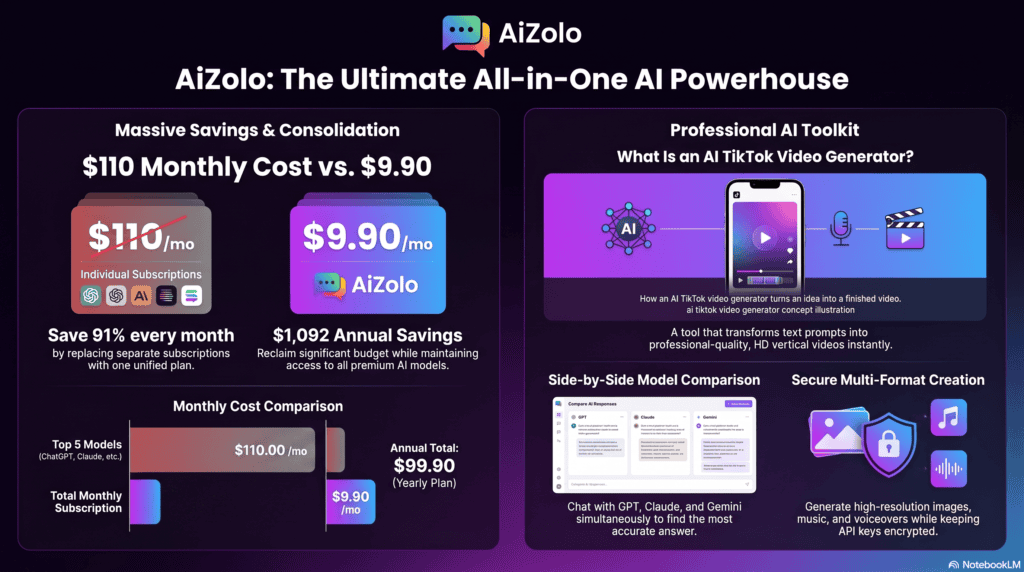
What Is an AI TikTok Video Generator?
An ai tiktok video generator is a software platform that uses artificial intelligence to automatically produce short-form vertical videos suited for TikTok, Reels, and YouTube Shorts.
Instead of manually filming, cutting clips, adding captions, and syncing music, you feed the tool an input — a topic, a script, a blog post, or even a product photo. The AI handles the rest.
Real-world example: A small skincare brand types in “5 benefits of niacinamide serum.” Within minutes, the tool generates a scripted video with an AI avatar presenter, background footage, subtitles, and trending background music — ready to post.
These tools sit at the intersection of generative AI video, text-to-speech, and automated editing. They’re not just filters or templates; they’re closer to a virtual production assistant.
Marketers, solo creators, and agencies increasingly rely on this category because short-form video now drives a huge share of social discovery and e-commerce traffic.
Why This Category Grew So Fast
Short-form video consumption has exploded, and platforms like TikTok reward creators who post frequently and consistently — something manual production struggles to sustain at scale.
At the same time, Aizolo leveraged generative AI models for text, voice, and video that matured enough to produce genuinely usable output rather than obviously synthetic clips.
That combination — high platform demand plus capable enough AI — is what turned this from a novelty into a mainstream production category in a very short time.
How Does an AI TikTok Video Generator Work?
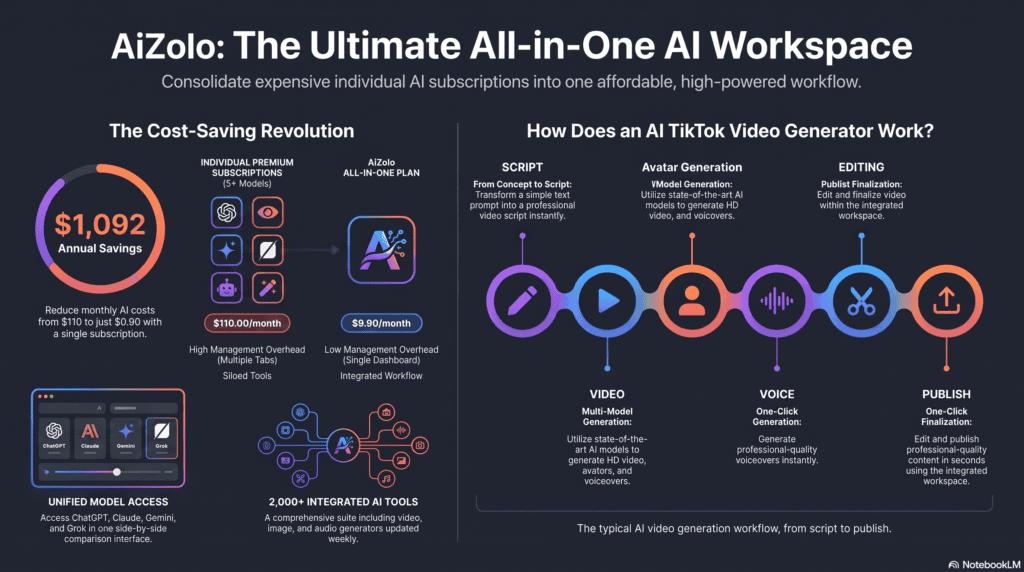
Most platforms follow a similar pipeline, even if the interface looks different. Understanding each stage helps you judge whether a tool is genuinely useful or just a gimmick.
1. AI Scripting
The process usually starts with a prompt or topic. The AI writes a short-form script optimized for retention — a strong hook, a clear middle, and a call to action.
2. Text-to-Video Conversion
The script gets matched with relevant stock footage, AI-generated scenes, or user-uploaded clips. Some tools generate entirely new video frames from text using diffusion-based models.
3. AI Avatars
Many platforms offer digital presenters — AI avatars that “speak” your script on camera. This is popular for creators who don’t want to appear on video themselves.
4. Voice Generation
AI voice generators convert the script into natural-sounding narration in dozens of languages and accents, often with adjustable tone and pacing.
5. AI Editing
The software automatically times cuts, adds b-roll, applies zoom effects, and paces the video for short attention spans — mimicking what a skilled human editor would do manually.
6. Subtitles
Auto-generated captions are burned into the video, since most TikTok viewers watch with sound off. Accuracy and styling vary a lot between tools.
7. Transitions and Music
The platform layers in trending sounds, transition effects, and pacing cues designed to match TikTok’s algorithm preferences.
8. Publishing Workflow
Some generators connect directly to TikTok, Instagram, and YouTube Shorts for one-click scheduling and publishing, closing the loop from idea to live post.
What Happens Behind the Scenes
Most of these platforms are built on a mix of large language models for scripting and diffusion or transformer-based video models for generating visuals.
The text-to-speech layer usually relies on neural voice models trained on large voice datasets, which is why quality has improved so dramatically over the past couple of years.
Editing automation often uses scene-detection to identify natural cut points in footage, then applies pacing rules learned from analyzing high-performing short-form content.
None of this requires the user to understand the technical layer — but knowing it exists helps explain both the strengths and the occasional quirks you’ll notice in the output.
Types of AI TikTok Video Generators
Not every tool does the same job. Picking the right category matters more than picking the “best” brand name.
Text-to-video generators create entirely new visual scenes from a written prompt, useful for concept videos or product storytelling. They’re best when you have no footage at all and need something visual built from scratch.
Avatar generators use a digital human presenter to deliver your script, ideal for faceless brands or non-native speakers. These tools have improved a lot on lip-sync accuracy, though eye movement can still look slightly unnatural in some cases.
Talking photo generators animate a single static image so it appears to speak — popular for testimonials or personal branding without filming. They work well for quick founder updates or simple explainer clips.
AI video editors take existing raw footage and automatically cut, caption, and pace it, saving hours of manual editing work. This category is often the most reliable, since it’s enhancing real footage rather than generating new visuals.
Script generators focus purely on writing — hooks, outlines, and calls to action — leaving the filming to you. They’re a good fit for creators who are comfortable on camera but struggle with writing engaging openings.
AI voice generators specialize in narration, dubbing, and voice cloning rather than full video production. Many creators pair a dedicated voice tool with a separate editor for more control over tone.
Short-form content generators are all-in-one platforms combining several of the above into a single workflow. These are the most convenient option for beginners, though they sometimes trade flexibility for simplicity.
Benefits of Using an AI TikTok Video Generator
These tools solve real production bottlenecks, especially for people without a video editing background.
- Saves time — a video that took three hours can be drafted in under ten minutes. That time savings compounds quickly for anyone posting daily.
- Faster editing — automated cuts and captions remove the most tedious manual steps. You still get final say over pacing, but the first draft is already usable.
- Better engagement — AI-optimized pacing and hooks are built around retention data. Many tools analyze what keeps viewers watching and apply that pattern automatically.
- Consistency — brands can maintain a steady posting schedule without burning out a team. This matters because TikTok’s algorithm rewards consistent posting cadence.
- Low production cost — no camera crew, studio, or expensive editing software required. A single monthly subscription often replaces several separate tools.
- Better marketing reach — more content volume means more chances to be discovered. Testing more hooks and formats increases the odds of a breakout video.
- Beginner friendly — no editing experience needed to produce something usable. Most platforms are designed so a first-time user can publish within an hour.
- Brand growth — consistent, polished output builds recognition over time. Viewers start to recognize a consistent visual and voice style across videos.
Limitations and Honest Drawbacks
No tool in this category is magic. It’s worth knowing the real limitations before you commit budget or time.
Copyright concerns — AI-generated footage, music, or avatars can sometimes overlap with licensed material, so always check each platform’s commercial usage terms. This is especially important for brands running paid campaigns.
AI hallucinations — script generators occasionally produce inaccurate facts or awkward phrasing that needs human review. Never publish a fact-based script without checking it against a reliable source first.
Voice quality — even the best AI voices can sound slightly flat or mispronounce brand names and niche terms. It’s worth testing pronunciation before generating a full batch of videos.
Editing limitations — fully automated edits sometimes miss context, pairing the wrong footage with the wrong sentence. A quick manual review before publishing catches most of these mismatches.
Watermarks — many free plans add a visible watermark, which can hurt brand credibility if left unedited. Factor the cost of watermark removal into your budget comparison.
Platform restrictions — TikTok has occasionally flagged fully synthetic content, so disclosure and moderation policies matter. Staying current with the platform’s synthetic media rules helps avoid unexpected takedowns.
None of this makes these tools unusable — it just means human review is still part of a responsible workflow.
Best AI TikTok Video Generators
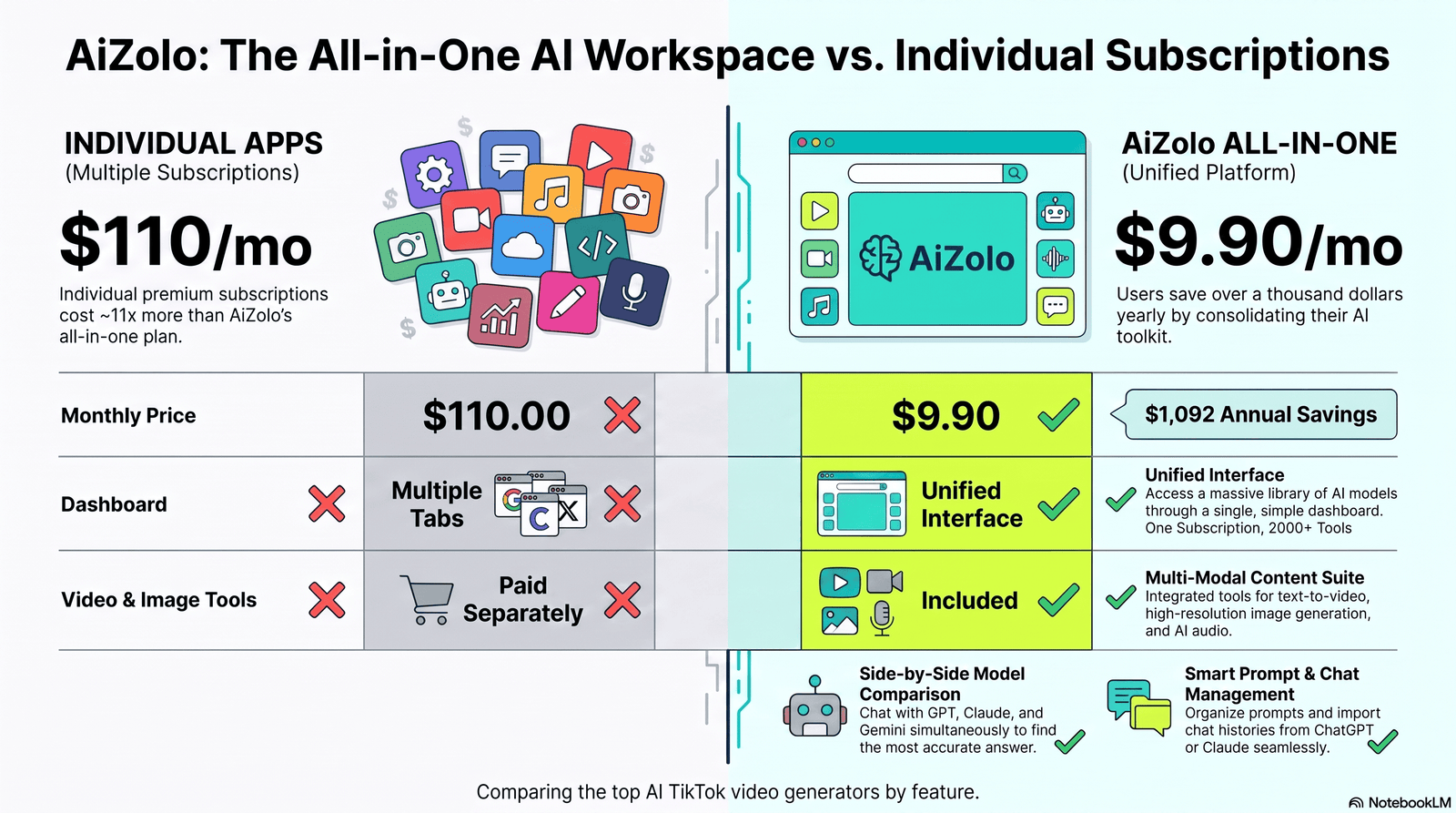
Here’s a balanced look at the major players. No tool is universally “best” — the right pick depends on your budget and use case.
| Tool | Best For | AI Avatars | Text to Video | AI Voice | Free Plan | Pricing (starting) | Pros | Cons |
|---|---|---|---|---|---|---|---|---|
| CapCut | Beginners, mobile editing | Limited | Yes | Yes | Yes | Free / Pro from ~$7.99/mo | Easy, mobile-first, huge template library | Fewer advanced AI features |
| InVideo AI | Full script-to-video automation | Yes | Yes | Yes | Yes (limited) | From ~$20/mo | Fast full-video generation | Stock footage can feel generic |
| Pika | Creative/experimental video | No | Yes | No | Yes (limited) | From ~$8/mo | Strong generative video quality | Less TikTok-specific tooling |
| Kling AI | High-fidelity video generation | No | Yes | No | Limited access | Credit-based | Impressive visual realism | Access and rendering limits |
| Vidu AI | Short cinematic clips | No | Yes | No | Yes (limited) | Credit-based | Good motion consistency | Smaller community/support |
| Runway | Advanced generative editing | No | Yes | No | Yes (limited) | From ~$15/mo | Powerful pro-grade tools | Steeper learning curve |
| VEED | Captions and quick editing | Yes | Limited | Yes | Yes | From ~$12/mo | Excellent auto-captions | Full AI video generation is basic |
| Canva | Design + simple video | Limited | Limited | Yes | Yes | From ~$12.99/mo | Great for branded templates | Not a dedicated video AI engine |
| Synthesia | Corporate avatar videos | Yes | No | Yes | No | From ~$18/mo | Professional, realistic avatars | Not built for viral TikTok style |
| HeyGen | Avatar-led social content | Yes | Limited | Yes | Yes (limited) | From ~$24/mo | Strong avatar lip-sync quality | Pricier for high-volume use |
| Adobe Express | Quick branded edits | Limited | Limited | Yes | Yes | From ~$9.99/mo | Trusted Adobe ecosystem | Fewer generative video features |
| Descript | Podcast-to-video repurposing | Limited | No | Yes | Yes (limited) | From ~$12/mo | Great for editing by transcript | Not built for pure generation |
Pricing and feature sets change frequently, so always confirm current details directly on each provider’s website before subscribing.
A Quick Note on Testing Before You Buy
Almost every tool on this list offers some kind of free trial or limited free tier. Use it before committing to an annual plan.
Generate the exact type of video you plan to post regularly — not a demo topic — so you can judge real output quality for your niche.
Pay close attention to how the voice handles your specific industry terms, product names, and any non-English words you might need.
Understanding Pricing Models
Most tools in this space use one of three pricing structures, and knowing the difference helps you avoid surprise costs.
Flat monthly subscriptions give unlimited or high-limit access for a fixed fee, which works well for consistent, predictable output.
Credit-based pricing charges per generation or per minute of rendered video, which can get expensive quickly for high-volume creators but suits occasional users.
Freemium tiers offer limited free usage with watermarks or resolution caps, useful for testing but rarely viable for serious brand use long-term.
Before subscribing annually, calculate your expected monthly video count and multiply it against the credit or usage cost to see the real projected spend.
How to Choose the Right AI TikTok Video Generator
Before subscribing to anything, run through these factors.
Budget — Decide your monthly ceiling first. Some tools bill per credit, others per seat, which changes the real cost at scale.
Features — Match the feature set to your actual workflow. A talking-head creator needs avatars; an editor repurposing footage needs auto-captioning.
Templates — A strong template library speeds up production, especially for teams posting daily.
Voice quality — Test the voice generator with your brand’s specific vocabulary before committing.
Languages — If you target international audiences, confirm multilingual voice and subtitle support.
Export quality — Check maximum resolution and frame rate, since TikTok compresses video further after upload.
Commercial license — Confirm the plan explicitly allows commercial and monetized use, not just personal projects.
Learning curve — Some platforms are usable in minutes; others need a few hours of onboarding.
Integrations — Direct publishing to TikTok, Instagram, and YouTube Shorts saves real time over manual exports.
Beginner vs Professional Priorities
Beginners usually get the most value from templates, ease of use, and a generous free tier, since the goal is learning the workflow without early cost pressure.
Professional creators and agencies should weigh export quality, commercial licensing, and integrations more heavily, since those factors directly affect client deliverables and monetization.
Small businesses often land in the middle — prioritizing budget and voice quality, since brand consistency matters but a full production team usually isn’t realistic yet.
Best Practices for AI-Generated TikTok Content
Using AI doesn’t remove the need for strategy. These fundamentals still decide whether a video performs.
- Hook within 3 seconds — the first line has to earn attention immediately, since TikTok’s swipe-away behavior punishes slow openings hard.
- Captions — always keep auto-generated subtitles on, since most viewers watch muted, especially in public or workplace settings.
- Trending sounds — pairing AI video with a currently trending audio boosts discoverability, since the algorithm favors content using popular sounds.
- Hashtags — use a mix of broad and niche tags relevant to the content, rather than stuffing in unrelated high-volume tags.
- AI prompts — write specific, detailed prompts; vague prompts produce generic output that blends into the feed instead of standing out.
- Video length — keep most videos between 15–34 seconds unless the format calls for longer, since shorter videos tend to get rewatched more.
- Consistency — post on a predictable schedule so the algorithm and audience both adjust, ideally at least three to five times per week.
- Storytelling — even a 20-second AI video needs a beginning, tension, and payoff, not just a list of facts read aloud.
- CTA — always end with a clear next step, whether that’s a follow, comment, or link click, stated plainly rather than implied.
- A/B testing — try multiple hooks or thumbnails for the same core video to see which version the algorithm pushes further.
- Analytics — review watch-time and drop-off data to refine future scripts, paying close attention to exactly where viewers stop watching.
Content Strategy Tips by Niche
E-commerce brands tend to perform best with quick product demo hooks that show the item solving a specific, relatable problem in the first few seconds.
Educators and coaches benefit from a clear “you’ll learn X” promise stated early, since informational content lives or dies on a clear value proposition.
Personal brands and influencers should balance AI-generated segments with some real, unscripted moments to preserve authenticity and avoid feeling overly automated.
Local businesses often see strong results from talking-photo or avatar videos that feel personal, paired with location-specific hashtags.
Common Mistakes to Avoid
- Using AI voices without proofreading the script for factual errors, which can quietly damage credibility if wrong information goes live.
- Ignoring platform watermarks on free-tier exports, which makes content look unpolished and less trustworthy to viewers.
- Overusing AI avatars in every single video, which can feel repetitive and reduce authentic connection with an audience.
- Skipping human review before publishing generated content, especially when a script includes statistics or claims.
- Choosing stock footage that doesn’t match the brand’s tone, creating a disjointed viewer experience.
- Forgetting to check commercial licensing terms, which can create legal risk for monetized or ad-boosted content.
- Posting without captions, hurting accessibility and watch time since most viewers browse muted.
- Relying on one tool for everything instead of matching tools to tasks, which often produces weaker results than a hybrid workflow.
- Ignoring analytics and repeating the same underperforming format, instead of adjusting based on retention data.
- Failing to disclose AI-generated content where platform policy requires it, risking moderation action.
- Generating videos that are too long for the hook they open with, causing early drop-off before the payoff.
- Not testing voice pronunciation of brand or product names, leading to awkward mispronunciations in the final video.
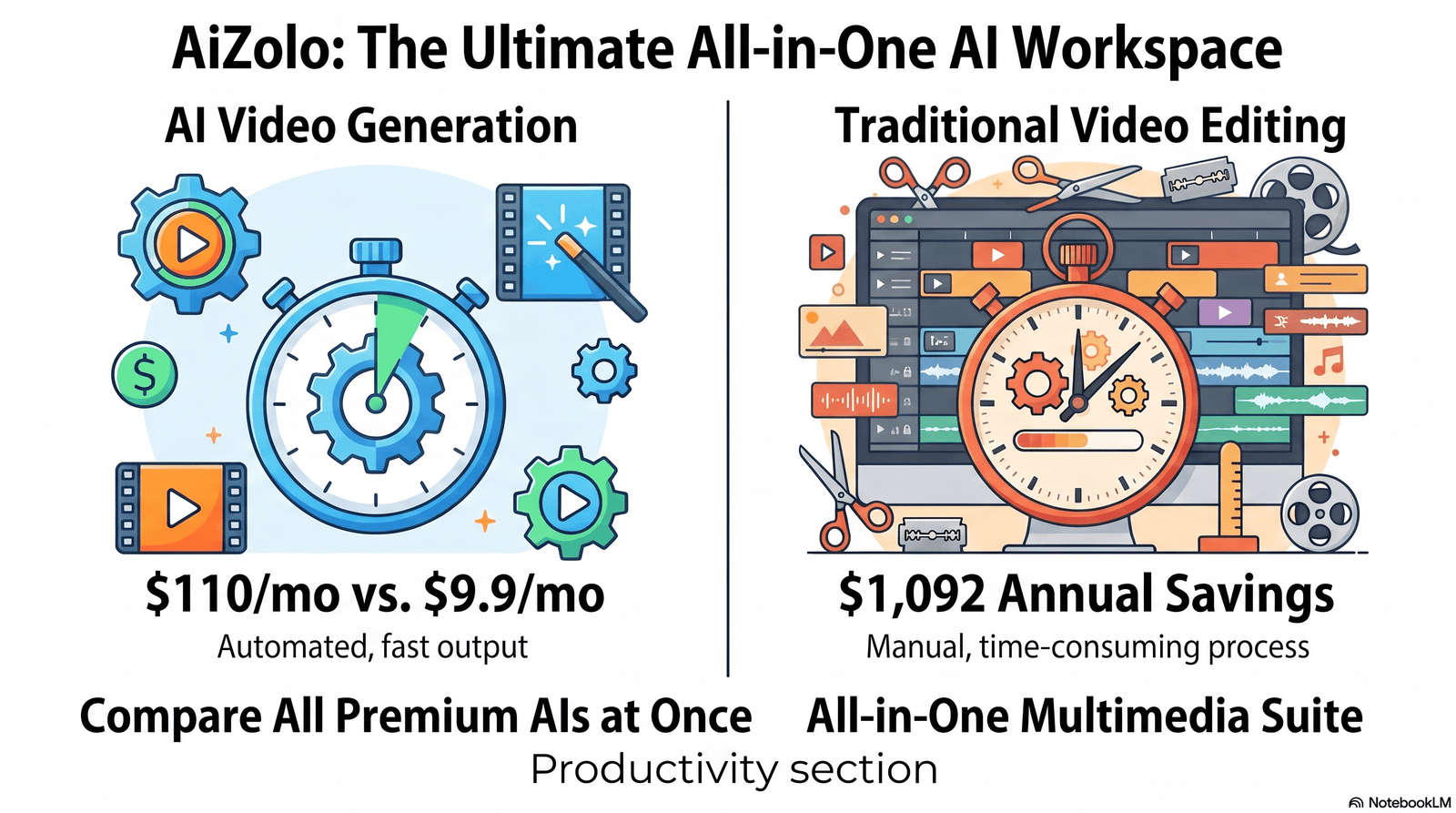
AI TikTok Video Generator vs Traditional Video Editing
| Factor | AI Video Generator | Traditional Editing |
|---|---|---|
| Speed | Minutes per video | Hours per video |
| Cost | Low monthly subscription | Software, equipment, possible crew |
| Skill required | Minimal | Moderate to advanced |
| Creative control | Good, but template-influenced | Full creative control |
| Consistency | High, easy to scale | Depends on editor availability |
| Best for | High-volume, fast-turnaround content | Cinematic, highly custom projects |
Neither approach fully replaces the other — many creators blend both, using AI for volume and manual editing for flagship content.
When Traditional Editing Still Wins
Big brand campaigns, cinematic storytelling, and anything requiring precise emotional pacing usually still benefit from a skilled human editor’s judgment.
AI tools are catching up quickly on nuance, but subtle creative decisions — like exact comedic timing or emotional beats — remain an area where experienced editors still have an edge.
The most practical approach for many teams is a hybrid one: use AI generation for daily or high-volume content, and reserve traditional editing for hero pieces like launch videos or brand campaigns.
Real-World Use Cases
Marketing and business — brands generate daily product highlight videos without hiring a full creative team. This keeps campaigns fresh without the overhead of constant reshoots.
Education — instructors turn lesson notes into digestible explainer videos for younger, mobile-first audiences. Complex topics become easier to retain in a short, visual format.
Real estate — agents use talking-photo tools to narrate property walkthroughs quickly. This is especially useful for listings that need fast turnaround before a weekend open house.
Affiliate marketing — creators produce high-volume comparison and review videos to test which angles convert. AI generation makes it realistic to test dozens of hook variations per week.
Influencers — personal brands scale content output without filming every single day. This helps maintain a consistent presence even during busy periods.
YouTube Shorts and Instagram Reels — the same AI-generated video is repurposed across all three short-form platforms, multiplying reach from a single production effort.
Product demos — e-commerce sellers create quick demo videos straight from product photos, which is especially useful for stores with large catalogs.
UGC-style content — brands simulate authentic-feeling testimonials using avatar or talking-photo tools, though transparency about AI use is important here.
Freelancers and agencies — service providers offer AI video production as a scalable client deliverable, increasing output without proportionally increasing headcount.
Future Trends
AI agents will likely handle end-to-end workflows — researching trends, writing scripts, generating video, and publishing without manual input, turning today’s multi-step process into something closer to a single command.
Real-time video generation is improving quickly, which could enable live or near-live AI-assisted content, opening the door to AI-supported livestreaming and reactive content.
Personalized content — the same base video could soon be automatically customized per viewer segment, adjusting language, tone, or examples based on audience data.
Voice cloning will keep improving in naturalness, but will likely face tighter platform disclosure requirements as regulators and platforms respond to misuse concerns.
Automatic trend detection — tools are starting to suggest scripts based on what’s currently performing well on TikTok, reducing the manual research creators currently do themselves.
Multimodal AI — combining text, image, video, and audio generation into a single seamless creative pipeline is the clear direction the whole industry is heading, and current tools are early versions of what’s coming.
Creators and brands who build workflows around today’s tools will likely find it easier to adapt as these capabilities roll out, rather than starting from scratch later.
FAQs
1. What is the best free AI TikTok video generator? CapCut offers one of the most capable free plans, including auto-captions, templates, and basic AI editing tools. Most platforms with a free tier add watermarks or limit exports, so test a few before committing to a paid plan.
2. Can AI TikTok videos actually go viral? Yes, virality depends more on hook strength, pacing, and trend timing than on whether a human or AI produced the video. AI tools can help you test more hooks faster, but they don’t guarantee performance.
3. Is it legal to use AI-generated avatars on TikTok? Generally yes, as long as you follow the platform’s synthetic media disclosure policies and the tool’s commercial license terms. Always check TikTok’s current community guidelines before posting AI avatar content.
4. Do AI TikTok video generators support multiple languages? Most major platforms support dozens of languages for both voice narration and subtitles. Quality varies by language, so test your target language before relying on it for a full campaign.
5. How much does an AI TikTok video generator cost? Pricing ranges from free with limitations to around $20–$30 per month for professional plans. Credit-based tools can cost more at high volume, so estimate your monthly video count first.
6. Can I use my own footage with an AI video generator? Yes, most platforms let you upload your own clips and combine them with AI-generated captions, voice, or editing. This hybrid approach often produces more authentic-feeling results than fully synthetic video.
7. Will AI-generated videos hurt my TikTok reach? Not inherently — TikTok’s algorithm prioritizes watch time and engagement, not production method. Low-quality or clearly generic AI content can underperform simply because it’s less engaging, not because it’s AI-made.
8. What’s the difference between an AI avatar and a talking photo generator? An AI avatar is typically a fully digital, often customizable presenter, while a talking photo animates a real photo to appear to speak. Avatars tend to look more polished; talking photos can feel more personal.
9. Are AI voices detectable by viewers? Sometimes — even advanced AI voices can carry a slightly synthetic tone, especially with unusual words or names. Testing the voice output before publishing helps catch anything that sounds off.
10. Can small businesses realistically use these tools without a marketing team? Yes, that’s one of the main appeals — a single person can produce a week’s worth of content in an afternoon. The tools are specifically designed to lower the skill and time barrier for small teams.
11. Do I need editing experience to use an AI TikTok video generator? No, most platforms are built for beginners with drag-and-drop interfaces and pre-set templates. Some advanced customization still benefits from basic editing knowledge.
12. How long does it take to generate a TikTok video with AI? Most short videos generate within a few minutes, though render times increase with video length and resolution. Script writing and review usually take longer than the actual generation step.
13. Can AI TikTok video generators help with content strategy, not just editing? Many tools now include trend and hashtag suggestions alongside script generation. They’re not a replacement for a full strategy, but they can speed up ideation significantly.
14. What file formats do these tools export? Most export in MP4 format optimized for vertical 9:16 video, which is TikTok’s native aspect ratio. Some platforms also offer horizontal or square exports for cross-platform use.
15. Is it worth paying for a premium AI TikTok video generator? If you’re posting regularly or managing content for a brand, a paid plan usually pays for itself in saved time and removed watermarks. Casual or occasional users may get by fine on free tiers.
Final Verdict
An ai tiktok video generator genuinely solves a real problem — producing consistent, decent-quality short-form video without a full production team.
It’s not a replacement for strong storytelling or strategy, and it won’t guarantee virality on its own. Treat it as a production accelerator, not a creative shortcut.
For most beginners and small businesses, starting with a free or low-cost tool like CapCut or InVideo AI is a sensible way to test the workflow before investing in a premium plan.
Professional creators and agencies managing higher volume will likely get more value from a dedicated avatar or full-generation platform like HeyGen or InVideo AI, where the time saved justifies the higher monthly cost.
Whichever tool you choose, the fundamentals still decide performance: a strong hook, honest value, and consistent posting will always matter more than which software rendered the final clip.
Author Bio
Jeevesh Tripathi — AI Researcher & SEO Content Strategist Email: jeevesh@aizolo.com
Jeevesh Tripathi specializes in evaluating generative AI tools, SaaS platforms, and emerging content technologies, with a focus on accurate, transparent, and user-first reporting. His work centers on hands-on testing rather than marketing claims, helping readers separate genuinely useful AI tools from overhyped ones. He regularly researches SEO trends, platform policy changes, and generative AI developments to keep guides like this one current and trustworthy.
