

Table of Contents
Why Your Subject Line Is Doing More Work Than You Think
Every email you send has one job before it has any other job: get opened.
Body copy, offers, and design mean nothing if the subject line doesn’t earn the click first.
That’s why so many marketing teams are now testing the best AI tools for generating engaging email subject lines instead of guessing.
The shift makes sense. Inboxes are more crowded than ever, and attention spans keep shrinking.
At the same time, AI language models like Aizolo have gotten genuinely good at short-form, high-stakes copy — the kind subject lines demand.
This guide compares 11 tools people actually use for this job, from dedicated copywriting platforms to general-purpose AI chat tools.
We’ll cover pricing, real strengths and weaknesses, and where each tool tends to fall short.
By the end, you’ll know exactly which tool fits your workflow, budget, and industry.
How We Evaluated These Tools
We didn’t just skim landing pages. Each tool was assessed against five practical criteria.
Output quality: Does the subject line sound like a person wrote it, or does it read like a template filled in by a machine?
Customization depth: Can you control tone, length, audience, and campaign type, or are you stuck with one generic style?
Pricing transparency: Is the real cost clear upfront, or does it require a sales call to find out?
Workflow fit: Does the tool live inside your existing email platform, or does it require constant copy-pasting?
Testing support: Does it help you actually A/B test subject lines, or does it just hand you a list and walk away?
We cross-referenced vendor pricing pages with G2, Capterra, and Trustpilot listings current as of mid-2026 to confirm accuracy.
Where a company’s pricing model is usage-based or custom-quoted, we’ve noted that explicitly rather than guessing a number.
Quick Comparison Table
| Tool | Best For | AI Quality | Customization | Pricing | Free Plan | Templates | Personalization | Ease of Use | Overall Rating |
|---|---|---|---|---|---|---|---|---|---|
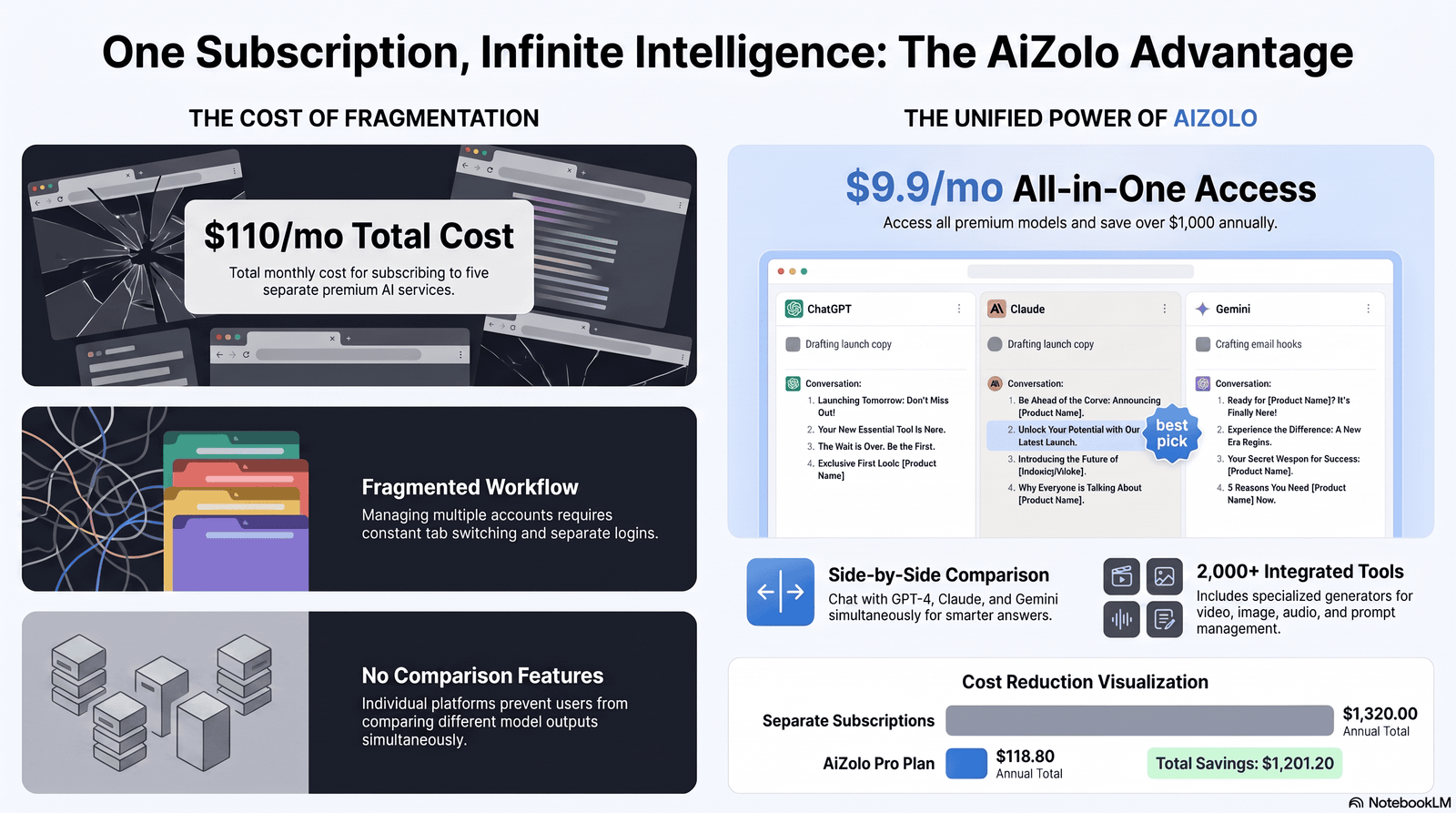
| Aizolo | Comparing outputs across models for the best subject line | High (multi-model) | High | From $9.90/mo | Yes | Prompt library | Strong (AI Memory) | Very Easy | 4.7/5 |
| Jasper | Brand-consistent subject lines at scale | High | High (Brand Voice) | $59–$69/mo | No (7-day trial) | Extensive | Strong | Moderate | 4.5/5 |
| MailerLite | In-platform subject line generation for campaigns | Good | Moderate | Free–$25+/mo | Yes | Built-in | Basic | Very Easy | 4.4/5 |
| Copy.ai | Fast short-form copy and ad-style hooks | Good | Moderate | Free–$36+/mo | Yes | Extensive | Moderate | Easy | 4.1/5 |
| Writesonic | SEO-driven teams already using Writesonic elsewhere | Good | High | Free–$79+/mo | Yes | Extensive | Moderate | Moderate | 4.2/5 |
| Anyword | Predictive performance scoring on subject lines | High | High | $39–$99+/mo | 7-day trial | Moderate | Strong (data-driven) | Moderate | 4.4/5 |
| Rytr | Budget-conscious solo creators | Moderate | Basic | Free–$24.16/mo | Yes | Good | Basic | Very Easy | 4.0/5 |
| Hypotenuse AI | Ecommerce brands generating bulk product-launch subject lines | Good | Moderate | $29–$87+/mo | No (trial only) | Ecommerce-focused | Moderate | Moderate | 4.1/5 |
| ChatGPT | Versatile, prompt-driven subject line brainstorming | High | High (via prompting) | Free–$20+/mo | Yes | None (chat-based) | Manual | Easy | 4.5/5 |
| Claude | Nuanced tone control and longer campaign context | High | High (via prompting) | Free–$20+/mo | Yes | None (chat-based) | Manual | Easy | 4.5/5 |
| Gemini | Teams already living inside Google Workspace | Good | Moderate | Free–$19.99+/mo | Yes | None (chat-based) | Manual | Easy | 4.2/5 |
Ratings reflect our own evaluation of output quality, pricing fairness, and workflow fit for subject-line generation specifically — not general writing ability.
The Best AI Tools for Generating Engaging Email Subject Lines
1. Aizolo — Best for Comparing Multiple AI Models Side by Side
Overview
Aizolo is a multi-model AI workspace that gives you simultaneous access to ChatGPT, Claude, Gemini, Grok, and Perplexity inside one dashboard.
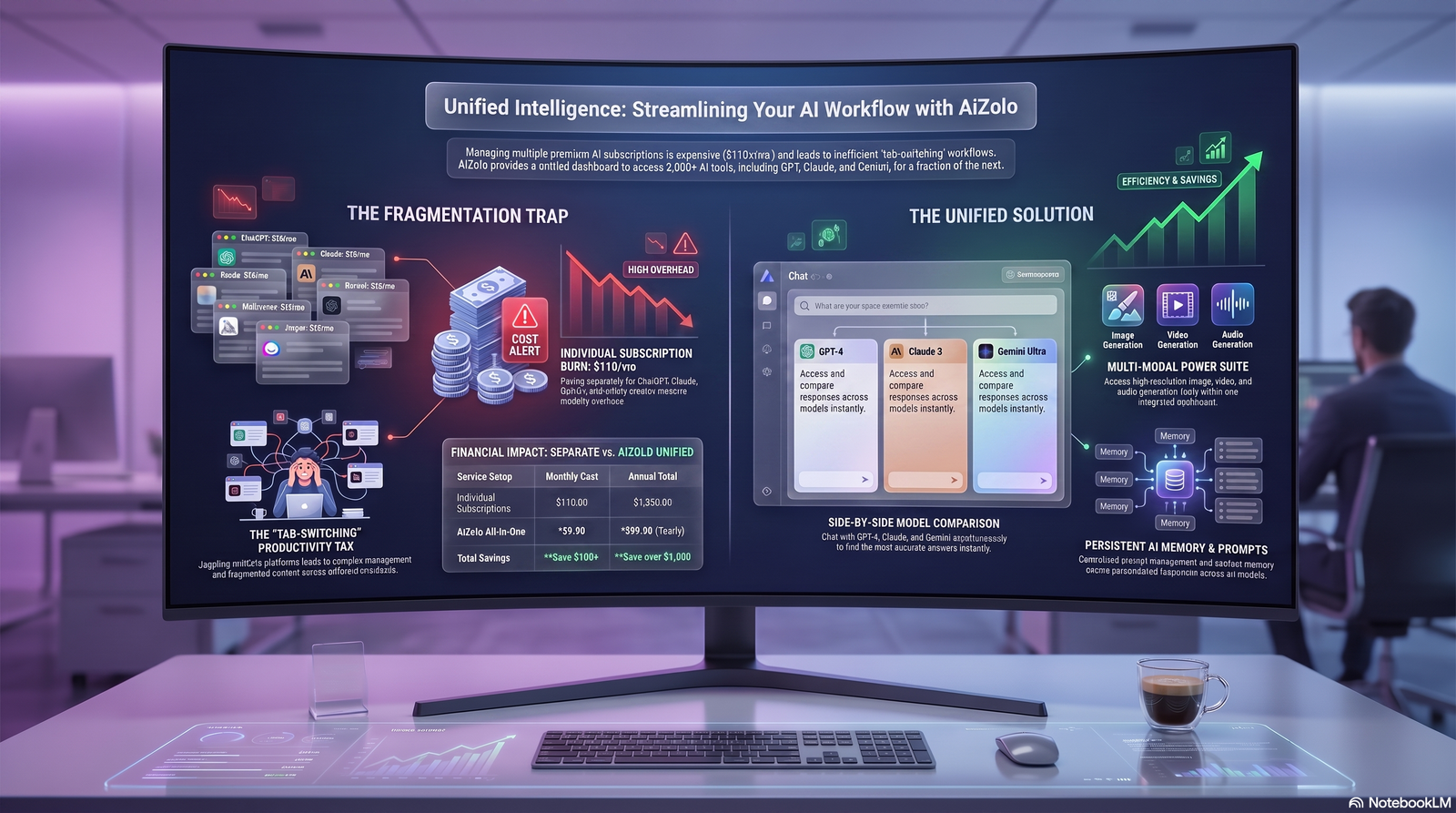
Instead of picking one model and hoping it nails the tone, you send a single subject-line prompt and watch every model respond at once.
For email marketers, this matters more than it sounds. Different models have genuinely different instincts for curiosity, urgency, and brevity.
Key Features
- Side-by-side comparison of subject line variations from multiple AI models on the same prompt
- A dedicated Prompt Manager for saving your best-performing subject line prompts and reusing them across campaigns
- AI Memory that carries your brand tone and past preferences into every new session
- One-click import of existing ChatGPT and Claude conversation history
- Built-in image, video, and audio generation for the rest of the campaign, not just the subject line
Pros
- Removes the “which AI is actually best at this” guesswork by showing every answer at once
- Significantly cheaper than subscribing to ChatGPT Plus, Claude Pro, and Gemini separately
- Prompt Manager makes subject line testing repeatable instead of a one-off exercise
- Free plan available with no credit card required
Cons
- Team plan pricing isn’t published and requires contacting Aizolo directly
- Newer platform, so community tutorials and integrations are still growing compared to Jasper or Copy.ai
- No native email-platform plugin yet, so you’ll copy the winning line into your ESP manually
Pricing
Aizolo’s Pro plan runs $9.90/month and includes access to all major models, 3 million tokens, and the full creative suite. A free plan is available for testing.
Best For
Marketers and agencies who want to compare how differently ChatGPT, Claude, and Gemini approach the same subject line brief, without paying for three separate subscriptions.
Unique Strength
The side-by-side comparison view is the real differentiator here. Most tools give you one AI’s best guess; Aizolo gives you several to choose from in the same window.
Limitations
It’s a generation and comparison workspace, not a full email marketing platform, so you’ll still need your ESP for sending and list management.
Latest Updates
Aizolo has expanded its model roster to include newer releases as they ship, and added chat import from ChatGPT and Claude to make switching easier.
Real-World Use Case
A B2B agency running subject line tests for a client campaign used Aizolo to generate 30 variations across three models in one prompt, then A/B tested the top five — a workflow that would have taken three separate logins otherwise.
2. Jasper — Best for Brand-Consistent Subject Lines at Scale
Overview
Jasper is a marketing-focused AI content platform built around “Brand Voice” — a feature that trains the AI on your existing content so every output, including subject lines, sounds like you.
For agencies managing multiple client brands or in-house teams protecting a consistent tone, this is genuinely useful.
Key Features
- Brand Voice profiles that keep subject line tone consistent across campaigns and team members
- Canvas editor for drafting full campaigns, with subject line generation built into the workflow
- Essential Agents for pre-built marketing tasks, including email-specific prompts
- Chrome extension for using Jasper directly inside your ESP or Gmail
Pros
- Strong brand consistency across large teams
- Canvas makes it easy to draft the email and subject line together
- Plagiarism checking included via Copyscape integration
Cons
- No permanent free plan, only a 7-day trial
- Pro plan is single-seat; teams must jump to custom Business pricing
- API access and advanced agents are Business-only
Pricing
Pro costs $59/month billed annually ($69/month billed monthly). Business pricing is custom and typically starts in the several-hundred-dollar range per month.
Best For
Marketing teams and agencies managing multiple brand voices who need subject lines that never drift off-tone.
Unique Strength
Brand Voice is more mature here than in most competitors, which matters if consistency across dozens of campaigns is your main concern.
Limitations
The per-seat pricing model gets expensive fast for teams larger than one or two people, since there’s no mid-tier multi-seat option.
Latest Updates
Jasper has continued expanding its Agents and Studio features, positioning itself less as a subject-line tool and more as a full marketing content hub.
Real-World Use Case
An ecommerce brand running weekly promotional emails used Jasper’s Brand Voice to keep subject lines consistent across three different copywriters on the team.
3. MailerLite — Best for Generating Subject Lines Inside Your Campaign Builder
Overview
MailerLite bakes an AI subject line generator directly into its campaign editor, so you never leave your email platform to brainstorm.
You describe your email, pick a tone, and get five subject line suggestions in seconds.
Key Features
- AI subject line generator built into the campaign and workflow editor
- Four tone options: Natural, Catchy, Professional, or Persuasive
- Smart Sending, which times delivery based on individual subscriber open behavior
- Multi-language subject line generation
Pros
- Zero copy-pasting between tools since it’s built into the sending platform
- Free plan includes limited AI credits to test the feature
- Genuinely easy for beginners
Cons
- Only useful if you’re already using MailerLite for sending
- Fewer customization options than dedicated copywriting tools
- No side-by-side model comparison
Pricing
MailerLite’s free plan includes limited AI subject line credits. Paid plans start around $10–$25+/month depending on subscriber count, with the AI writing assistant included on Growing Business and Advanced tiers.
Best For
Small businesses and solopreneurs who want subject line help without adding another subscription to their stack.
Unique Strength
The in-editor workflow means testing a new subject line takes seconds, not a tab switch.
Limitations
You’re limited to MailerLite’s own model and prompt structure — there’s no way to compare against other AI outputs.
Latest Updates
MailerLite has continued to expand AI credits across plans and added multi-language subject line support in 2026.
Real-World Use Case
A newsletter creator with a 50,000-subscriber list uses MailerLite’s generator to produce five subject line options for every send, then A/B tests the top two automatically.
4. Copy.ai — Best for Fast, Short-Form Copy Variations
Overview
Copy.ai built its reputation on rapid-fire short-form copy, and subject lines fit squarely into that strength.
Its recent pivot toward GTM (go-to-market) workflows means the product now leans more toward sales enablement, but the core copywriting tools remain solid for marketing teams.
Key Features
- Dozens of short-form templates, including dedicated subject line and preview text generators
- Brand Voice training for consistency
- Workflow automation for repeatable campaign tasks (on higher tiers)
Pros
- Fast output, useful for generating high-volume variations quickly
- Free tier available for light usage
- Simple, approachable interface
Cons
- Recent GTM pivot means pricing has shifted toward higher-tier plans for full functionality
- Output sometimes needs more editing than Jasper or Anyword for a polished final subject line
- Heavier automation features (Workflow Builder) sit behind the $249/month Agents plan
Pricing
Free plan available with 2,000 words/month. Paid Chat/Copy plans run around $29–$36/month; the full Agents plan runs $249/month and up.
Best For
Marketers who need a high volume of quick subject line variations for A/B testing without much customization overhead.
Unique Strength
Speed. Copy.ai is built for generating many short options fast, which is exactly what subject line testing requires.
Limitations
The platform’s direction has shifted toward broader GTM automation, so subject-line generation is no longer its central focus.
Latest Updates
Copy.ai has continued investing in its Agents and Workflow Builder products, which sit at a considerably higher price point than its original copywriting core.
Real-World Use Case
A social-first ecommerce brand uses Copy.ai to generate 15–20 subject line variations per flash sale, then narrows them down manually before scheduling.
5. Writesonic — Best for Teams Already Using It for SEO Content
Overview
Writesonic has evolved from a general AI writer into what it now calls an “AI Search Visibility Platform,” with Generative Engine Optimization (GEO) as its headline feature.
Subject line generation is one of many tools bundled inside, making it a natural fit for teams already producing SEO content there.
Key Features
- AI subject line and email copy generator alongside its broader content suite
- Chatsonic for multi-model chat access (GPT-4o and Claude, depending on plan)
- GEO tracking for monitoring brand visibility in AI search results
Pros
- Useful if you’re already paying for Writesonic’s SEO tools
- Free trial with no credit card required
- Multi-model access on some plans
Cons
- GEO features — Writesonic’s main differentiator — are locked behind the $79/month Standard plan
- Subject line generation is a small feature inside a much larger (and pricier) product
- Plan structure has changed frequently, so verify current tiers before committing
Pricing
Lite starts around $39/month (annual); Standard runs about $79/month; higher GEO-focused tiers go up to $399/month.
Best For
Content and SEO teams who want subject line generation bundled with a broader content and search-visibility toolkit.
Unique Strength
If your team already tracks AI search citations, having subject line generation in the same platform avoids tool sprawl.
Limitations
Paying $79/month just for subject lines would be poor value — this tool only makes sense if you’re using the rest of the suite too.
Latest Updates
Writesonic’s 2026 roadmap has focused heavily on GEO tracking rather than core copywriting improvements.
Real-World Use Case
A content marketing team already using Writesonic for blog SEO extended their workflow to include subject line generation for their newsletter promoting new posts.
6. Anyword — Best for Predictive Performance Scoring
Overview
Anyword doesn’t just generate subject lines — it scores them, using a model trained on real historical performance data across ad and email platforms.
That prediction layer is what separates it from tools that only optimize for how a subject line reads.
Key Features
- Predictive Performance Score for every subject line variation
- Audience-specific tone targeting based on demographic and psychographic data
- Data-Driven Copy Editor that highlights weak sections in existing subject lines
Pros
- The only tool on this list backed by a genuine performance-prediction data layer
- Particularly strong for teams running high email volume who can validate the scoring over time
- Used by recognizable enterprise brands, lending some credibility to its methodology
Cons
- Pricing sits higher than general-purpose tools like Rytr or ChatGPT
- The predictive score is most valuable at scale — a single monthly newsletter won’t generate enough data to benefit fully
- Interface has a steeper learning curve than simpler generators
Pricing
Plans typically range from $39–$99+/month depending on tier and volume, with a 7-day trial on Starter and Data-Driven plans.
Best For
Performance marketers running frequent, high-volume email campaigns who want data-backed predictions, not just creative suggestions.
Unique Strength
The predictive scoring model is a genuine data moat — it’s not simply reformatting the same LLM output as everyone else.
Limitations
The scoring is most useful in aggregate; treat any single prediction as directional, not gospel.
Latest Updates
Anyword has continued refining its predictive model with more granular audience segmentation in 2026.
Real-World Use Case
A DTC ecommerce brand used Anyword’s scoring to select between two subject line finalists for a Black Friday campaign, choosing the higher-scored option, which outperformed in the resulting A/B test.
7. Rytr — Best for Budget-Conscious Solo Creators
Overview
Rytr is the honest budget pick in this category. It won’t out-write Claude or ChatGPT, but its price-to-output ratio is hard to beat for solo creators and small teams.
Key Features
- 40+ use-case templates including subject lines, email copy, and social captions
- Free tier offering 10,000 characters/month, no credit card required
- Built-in plagiarism checker
Pros
- The most generous free tier of any tool on this list
- Unlimited plan starts around $7.50–$9/month billed annually
- Simple, low-friction interface
Cons
- Output quality is noticeably a step below Jasper, Copy.ai, or the major AI chatbots
- No brand voice training or predictive scoring
- Minimal innovation on the AI side since 2024
Pricing
Free (10,000 characters/month); Unlimited around $7.50–$9/month annually; Premium around $24.16/month for multi-brand use and 35+ languages.
Best For
Freelancers, small businesses, and solo marketers who need occasional subject line help without committing to a premium subscription.
Unique Strength
Price. At under $10/month for unlimited generation, it’s the cheapest dedicated option that still includes real templates.
Limitations
Long-form or nuanced subject lines (think curiosity-driven or emotionally layered copy) often need more manual editing than premium tools require.
Latest Updates
Rytr’s core product has stayed largely stable; its main 2026 news has been regulatory rather than product-related.
Real-World Use Case
A solo course creator uses Rytr’s free tier to draft first-pass subject lines for a monthly newsletter, then polishes the winner manually.
8. Hypotenuse AI — Best for Ecommerce Brands at Catalog Scale
Overview
Hypotenuse AI is built for ecommerce content at volume — product descriptions, category pages, and marketing copy, with subject line generation as part of its broader marketing toolkit.
Key Features
- Bulk content generation tied to product catalog data
- HypoChat assistant with real-time web research for campaign context
- Integrations with Shopify, WordPress, and other ecommerce platforms
Pros
- Strong fit for brands that need subject lines tied to product launches or catalog updates at scale
- Multi-language support across 30+ languages
- SOC 2 Type II compliant, relevant for larger retail teams
Cons
- No ongoing free plan, only a time-limited trial
- Built primarily for ecommerce product content, so subject line generation is a secondary feature, not the core product
- Ecommerce-specific plans require custom pricing
Pricing
Entry plan starts around $19–$29/month for 50,000 words; Essential runs roughly $56–$87/month; ecommerce-specific plans are custom-quoted.
Best For
Ecommerce and retail teams already using Hypotenuse for product content who want subject lines generated from the same catalog data.
Unique Strength
Direct integration with product catalog data means subject lines can reference actual inventory, pricing, and launch details automatically.
Limitations
If you don’t need the ecommerce content generation side, dedicated subject-line tools will be more cost-effective.
Latest Updates
Hypotenuse has continued expanding its AI product-data enrichment tools, positioning subject line generation as one piece of a larger catalog-management platform.
Real-World Use Case
A mid-sized fashion retailer uses Hypotenuse to generate subject lines for new-arrival emails automatically pulled from their product feed each week.
9. ChatGPT — Best for Versatile, Prompt-Driven Brainstorming
Overview
ChatGPT remains one of the most capable general-purpose tools for subject line brainstorming, provided you know how to prompt it well.
There’s no dedicated subject-line template — you’re writing the prompt yourself — but the output quality on Plus and above is consistently strong.
Key Features
- Custom GPTs that can be configured specifically for your brand’s email tone
- Canvas for iterating on subject line lists collaboratively
- Broad general knowledge useful for topical or seasonal subject line angles
Pros
- Extremely versatile — not limited to email copy
- Free tier available for light, occasional use
- Plus plan at $20/month is significantly cheaper than most dedicated marketing platforms
Cons
- No built-in A/B testing, brand voice memory (beyond custom instructions), or predictive scoring
- Requires stronger prompting skill to get consistently on-brand results
- No native email platform integration
Pricing
Free tier available; Plus is $20/month; higher Pro tiers ($100–$200/month) exist for heavier use cases unrelated to subject lines specifically.
Best For
Marketers comfortable writing detailed prompts who want maximum flexibility without paying for a dedicated marketing platform.
Unique Strength
Raw model quality and versatility — the same tool that writes your subject line can also draft the body copy, preview text, and social promotion.
Limitations
Without a saved prompt library or brand voice system, consistency across a large team can drift over time.
Latest Updates
OpenAI’s tiered model family updates continue to improve reasoning and instruction-following, which directly benefits nuanced copywriting prompts.
Real-World Use Case
A freelance copywriter uses a saved custom prompt in ChatGPT to generate 10 subject line variations per client email, refining tone based on each brand’s guidelines.
10. Claude — Best for Nuanced Tone and Longer Campaign Context
Overview
Claude, made by Anthropic, is frequently cited by marketers for producing subject lines that feel less “AI-generated” — more measured, natural, and attuned to subtle tone shifts.
Its longer context window also makes it well-suited to feeding in an entire campaign brief before asking for subject line options.
Key Features
- Strong instruction-following for tone constraints (“clever but not gimmicky,” for example)
- Long context window, useful for referencing brand guidelines or past campaigns directly in the prompt
- Projects feature for organizing ongoing campaign work and reusable context
Pros
- Frequently praised for writing quality that requires less editing
- Free tier available; Pro is $20/month, matching ChatGPT’s price point
- Strong at maintaining a consistent, specified tone across many variations
Cons
- Like ChatGPT, no dedicated subject-line template or A/B testing feature
- No native email platform plugin
- Requires solid prompting to get the most out of it
Pricing
Free tier available; Pro is $20/month ($17/month billed annually); Max plans run $100–$200/month for heavier usage unrelated to subject-line work specifically.
Best For
Writers and marketers who prioritize natural-sounding, editing-light output and want to feed in longer campaign context.
Unique Strength
Tone nuance. Claude tends to avoid the more generic “AI-sounding” phrasing that plagues cheaper, thinner tools.
Limitations
Same as ChatGPT — it’s a general-purpose assistant, not a dedicated email marketing platform.
Latest Updates
Anthropic’s model lineup has continued to improve on long-context understanding, which benefits subject lines drafted against a full campaign brief.
Real-World Use Case
A SaaS content team pastes their full product launch brief into Claude and asks for 15 subject line variations at three different urgency levels, then picks winners for A/B testing.
11. Gemini — Best for Teams Living Inside Google Workspace
Overview
Gemini’s core strength for subject line generation isn’t raw creative superiority — it’s that it’s already inside Gmail, Docs, and Sheets for teams in the Google ecosystem.
Key Features
- Native integration inside Gmail and Google Docs for drafting subject lines alongside campaign copy
- Deep Research mode for pulling recent trends or competitor angles into a subject line brief
- Multimodal input, useful for referencing a campaign visual while brainstorming subject lines
Pros
- No tool-switching if your team already works inside Google Workspace
- Free tier available; Google AI Pro is $19.99/month
- Strong at pulling in current information for timely, trend-relevant subject lines
Cons
- Copywriting output is generally considered a step behind Claude and ChatGPT for nuanced tone
- No dedicated subject-line template or brand voice memory system
- No A/B testing or predictive scoring
Pricing
Free tier available; Google AI Pro is $19.99/month; Google AI Ultra runs $99.99/month and up for heavier use cases.
Best For
Teams already working inside Gmail and Google Docs who want subject line help without leaving their existing tools.
Unique Strength
Workspace integration removes friction — you can draft, review, and paste subject lines without opening a separate tab.
Limitations
For pure subject-line creative quality, most marketers rank Gemini behind Claude and ChatGPT.
Latest Updates
Google has continued deepening Gemini’s integration across Workspace apps throughout 2026.
Real-World Use Case
A marketing coordinator drafts subject line options directly inside a Google Doc campaign brief using Gemini, without switching to a separate AI tool.
Why Most AI-Generated Subject Lines Underperform
Most AI subject line failures come down to one root cause: the prompt gave the model nothing to differentiate on.
If you ask any tool to “write 10 subject lines for a sale,” you’ll get 10 versions of the same generic promotional line.
The context gap. AI doesn’t know your audience’s past behavior, inbox habits, or relationship with your brand unless you tell it.
The clarity-versus-curiosity tension. Many tools default to vague curiosity hooks (“You won’t believe this…”) because they’re easy to generate, not because they convert best for every audience.
Spam trigger blindness. Generic AI output frequently includes words and patterns — excessive urgency, all-caps, multiple exclamation points — that hurt deliverability, unless the tool specifically screens for this.
No feedback loop. Most tools generate once and stop. Without connecting results back into future prompts, the AI never actually learns what worked for your list.
The Psychology Behind an Opened Email
Understanding why a subject line gets clicked helps you prompt (and evaluate) any AI tool more effectively.
Curiosity vs. clarity. Curiosity-driven lines work well for warm, engaged audiences who already trust you. Clear, benefit-led lines tend to outperform with colder or transactional audiences.
Personalization beyond a first name. Real personalization references behavior — cart abandonment, past purchase category, or engagement history — not just merge-tagged names.
Length and preview text pairing. Most inbox previews cut off around 40–60 characters on mobile, so the subject line and preview text need to work as a single unit, not two separate ideas.
Power words and urgency, used sparingly. Words like “exclusive,” “limited,” or “today only” work, but overuse trains subscribers to ignore them — and trips spam filters faster than most people expect.
Emotional specificity beats generic enthusiasm. “Your seat’s about to go to someone else” tends to outperform “Don’t miss out!” because it’s concrete, not just energetic.
Deliverability matters as much as open rate. A subject line that gets flagged as spam never gets the chance to be judged on its merits at all.
Prompt Examples That Actually Work
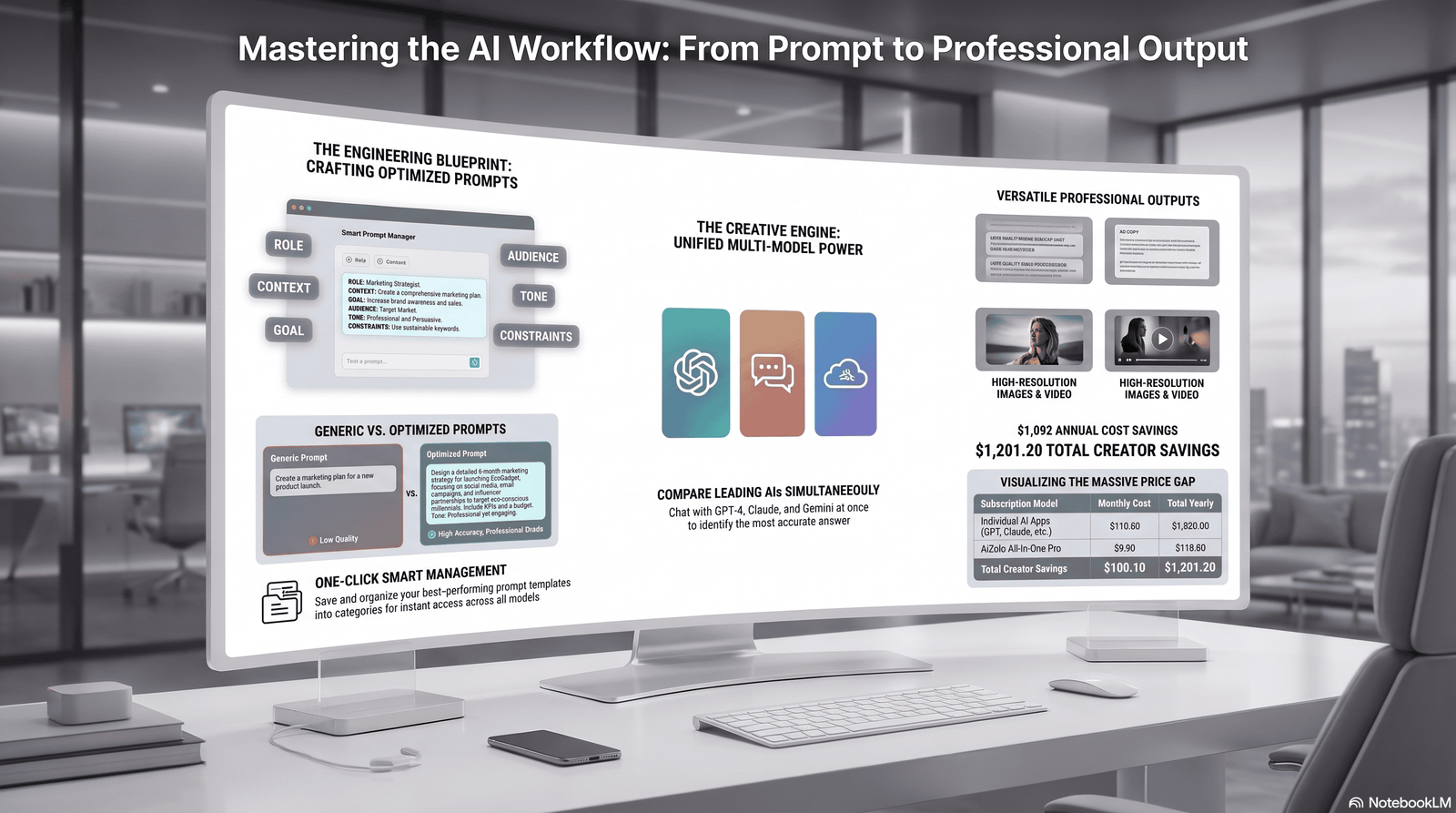
Generic prompts produce generic output. Here’s the difference specificity makes.
Weak prompt: “Write 10 subject lines for our summer sale.”
Strong prompt: “Write 8 subject lines for a 48-hour summer sale email to returning customers who haven’t purchased in 60+ days. Tone: warm, not pushy. Avoid exclamation points and the word ‘exclusive.’ Keep each under 45 characters. Include 3 variations that lead with a specific dollar amount and 3 that lead with a question.”
Weak prompt: “Write a subject line for our newsletter.”
Strong prompt: “Write 6 subject lines for a weekly SaaS newsletter going to free-tier users who haven’t upgraded. Goal: drive curiosity about a new feature without sounding like a sales pitch. Reference the feature by benefit, not by name. Keep under 50 characters.”
The pattern: audience, goal, tone constraints, length limit, and what to avoid. Every strong prompt includes all five.
Before and After: Real Subject Line Rewrites
Before: “New Product Available” After (AI-assisted): “The tool your team’s been asking for is here”
Before: “Don’t Miss Our Big Sale!!!” After (AI-assisted): “40% off ends at midnight — here’s what to grab first”
Before: “Monthly Newsletter #47” After (AI-assisted): “What broke our onboarding flow (and how we fixed it)”
Before: “Reminder: Your Cart is Waiting” After (AI-assisted): “Still thinking about it? Here’s 10% to help decide”
The pattern in every rewrite: specificity replaces vagueness, and a concrete detail replaces a generic label.
Industry-Specific Recommendations
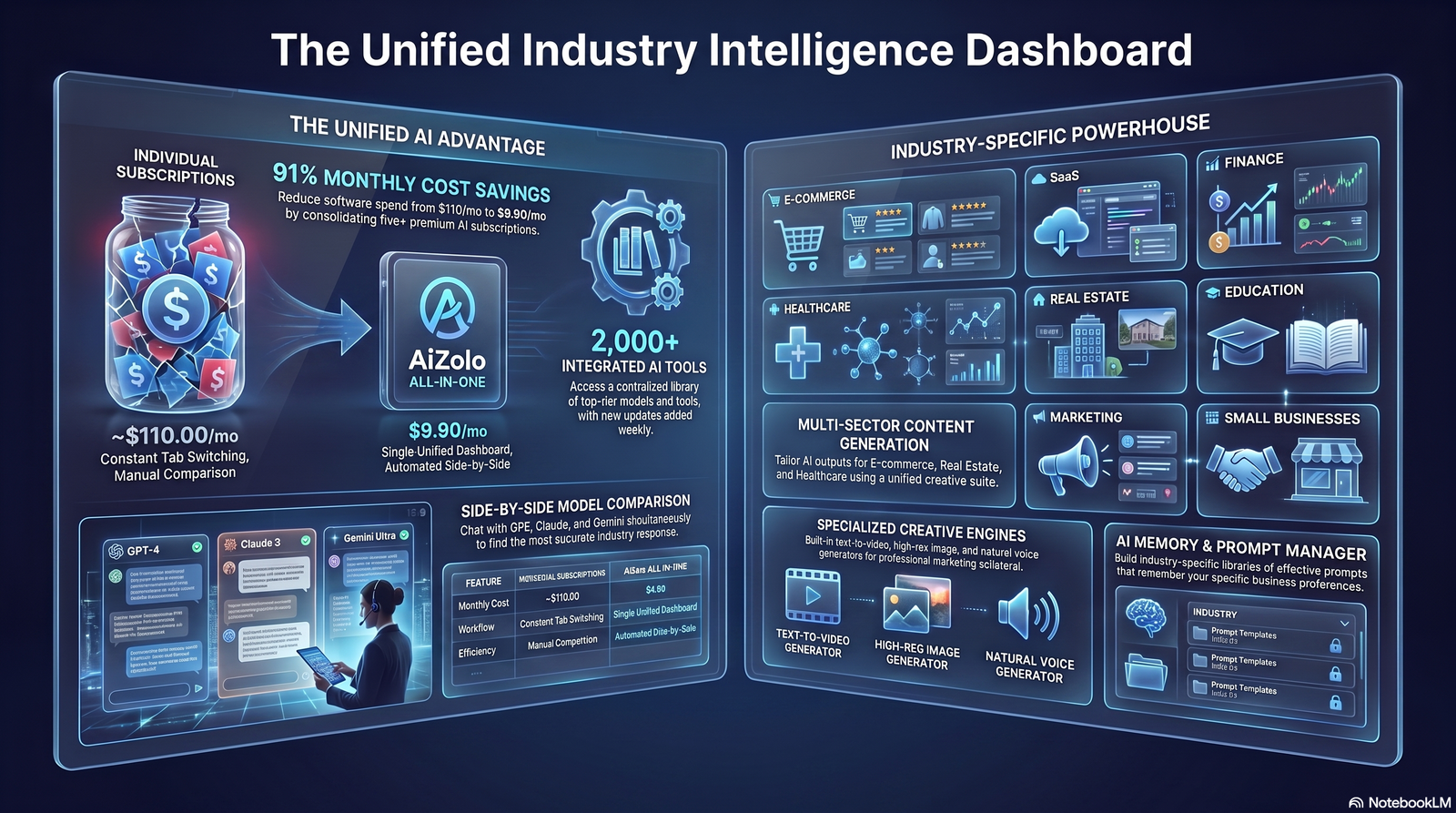
B2B: Lean toward clarity over cleverness. Anyword’s predictive scoring or Claude’s tone control both work well for professional, benefit-led subject lines.
SaaS: Feature-driven curiosity performs well with engaged free-tier or trial users. Claude and ChatGPT’s long-context prompting suit detailed product briefs.
Ecommerce: Volume and catalog integration matter most. Hypotenuse AI or Aizolo’s fast multi-variant generation fit high-frequency promotional sends.
Newsletter and media: Curiosity and voice consistency matter more than urgency. Claude’s nuanced tone handling tends to outperform for editorial-style subject lines.
Sales outreach: Personalization and directness win. Anyword’s data-driven scoring or a well-prompted ChatGPT session both work for one-to-one style cold outreach.
Agencies: Multi-brand consistency and speed matter most. Jasper’s Brand Voice or Aizolo’s multi-model comparison both suit managing several client accounts.
Creators: Budget and simplicity typically matter more than advanced features. Rytr or MailerLite’s built-in generator are reasonable starting points.
The Human Editing Checklist
No AI-generated subject line should go out unedited. Before sending, check for:
- Does it sound like something a real person would actually say out loud?
- Is it under roughly 50 characters for mobile preview?
- Does it avoid stacked punctuation (multiple exclamation points, ALL CAPS)?
- Does the preview text extend the subject line’s idea instead of repeating it?
- Would this subject line survive being read without any of the email’s design or imagery?
- Does it accurately represent what’s inside the email (no false curiosity gaps)?
- Has it been checked against your platform’s spam trigger word list?
Common Mistakes to Avoid
Using the AI’s first suggestion without generating alternatives. The first output is rarely the best; generate at least 5–10 variations before picking.
Skipping A/B testing because the AI “already optimized it.” No tool replaces testing against your actual list’s behavior.
Ignoring preview text. A great subject line paired with default or irrelevant preview text wastes half the opportunity.
Over-relying on one AI model. Different models have different creative instincts — comparing outputs, as with Aizolo, often surfaces stronger options than any single tool alone.
Forgetting mobile truncation. Testing subject lines only on desktop misses how the majority of recipients will actually see them.
Conclusion
There’s no single “best” AI tool for every team — the right choice depends on whether you value brand consistency, predictive data, budget, or workflow speed most.
If you want to compare how different AI models approach the same subject line brief without paying for multiple subscriptions, Aizolo’s multi-model workspace is worth trying first.
If brand consistency across a large team is your priority, Jasper’s Brand Voice remains a strong fit despite its higher price point.
If you’re already inside an email platform, MailerLite’s built-in generator removes friction entirely.
Whichever tool you choose, treat AI output as a strong first draft, not a finished product — the human editing checklist above should be non-negotiable before you hit send.
FAQ
1. What are the best AI tools for generating engaging email subject lines in 2026?
The strongest options depend on your priorities. Aizolo stands out for comparing multiple AI models on the same prompt, Jasper leads on brand consistency at scale, and Anyword is the strongest choice if you want predictive performance data behind your subject lines. General-purpose tools like ChatGPT and Claude remain excellent for teams comfortable writing detailed prompts.
2. Are AI email subject line generators actually effective at increasing open rates?
They can be, but only when paired with genuine A/B testing and human editing. An AI tool speeds up the brainstorming stage and reduces writer’s block, but the actual lift in open rates comes from testing multiple options against your real audience, not from any single AI-generated line being inherently better.
3. Is there a free AI tool for generating email subject lines?
Yes. MailerLite, Rytr, Copy.ai, ChatGPT, Claude, Gemini, and Aizolo all offer free tiers or free credits for subject line generation. These free plans are usually sufficient for occasional or low-volume use, though heavier senders will likely need a paid tier for unlimited generation.
4. What’s the difference between a dedicated AI subject line generator and using ChatGPT or Claude directly?
Dedicated tools like Jasper or Anyword offer built-in templates, brand voice memory, and (in Anyword’s case) predictive scoring, which reduces the prompting skill required. General chat tools like ChatGPT and Claude offer more flexibility and often higher raw writing quality, but require you to write strong, specific prompts yourself to get consistently good results.
5. How long should an AI-generated email subject line be?
Most inbox previews truncate subject lines around 40–60 characters on mobile devices, which is where most opens happen. Aim for subject lines under roughly 50 characters, and always preview how they’ll actually appear on a phone screen before sending.
6. Can AI subject line generators help avoid spam filters?
Some can. Tools like Anyword and Jasper factor in known spam-trigger patterns, and you can explicitly prompt any AI tool to avoid excessive punctuation, all-caps, and common trigger words. However, no AI tool guarantees inbox placement — deliverability also depends on sender reputation, list hygiene, and your email service provider’s infrastructure.
7. What makes a subject line “engaging” according to AI email copywriting best practices?
Engaging subject lines typically combine specificity, relevance to the recipient, and an appropriate level of curiosity or urgency for the audience. Vague, generic phrasing — even if grammatically perfect — tends to underperform compared to concrete, benefit-specific language tailored to the recipient’s context.
8. Should I use different AI tools for different types of email campaigns?
It can help. Predictive tools like Anyword suit high-volume promotional or ad-adjacent campaigns where data exists to score against, while tone-sensitive tools like Claude often suit editorial newsletters or brand-voice-heavy communications better. Comparing multiple models on the same brief, as Aizolo allows, is one way to see which approach fits a specific campaign without committing to just one tool.
9. How many subject line variations should I generate before choosing one?
Most experienced email marketers generate at least 5–10 variations per campaign before narrowing down to 2–3 finalists for A/B testing. Generating only one or two options defeats much of the purpose of using AI in the first place, since the value comes from rapid iteration and comparison.
10. Do AI subject line generators work for cold email and sales outreach, not just newsletters?
Yes, though the approach differs. Cold email subject lines generally perform better when they’re short, specific, and personalized to the recipient’s context rather than broadly promotional. Tools with strong personalization or predictive scoring, like Anyword, or careful manual prompting in ChatGPT or Claude referencing prospect-specific details, tend to work best for this use case.
11. What’s the best AI email subject line generator for ecommerce brands?
Hypotenuse AI is built specifically for ecommerce, with direct integration into product catalog data for generating subject lines tied to inventory and launches. For ecommerce teams that also want to compare multiple AI models quickly for high-frequency promotional sends, Aizolo’s fast multi-model generation is a strong complementary option.
12. Can AI generate personalized subject lines for individual subscribers, not just segments?
Some tools, like Anyword and MailerLite’s AI assistant, support dynamic personalization tied to subscriber data fields. For deeper one-to-one personalization referencing specific behavior, most marketers still combine AI-generated templates with their email platform’s merge-tag and dynamic content features.
13. Is it worth paying for a premium AI subject line tool, or is ChatGPT Plus enough?
For many individual marketers and small teams, ChatGPT Plus or Claude Pro at $20/month provides output quality on par with (and sometimes better than) dedicated tools, provided you’re comfortable writing detailed prompts. Premium dedicated tools become worth the extra cost when you need brand voice memory across a team, predictive performance data, or built-in workflow features you’d otherwise have to build yourself.
14. How often should I test new AI-generated subject lines against my existing top performers?
Most email marketers benefit from testing new AI-generated variations against a “champion” subject line on a rolling basis — for example, every few campaigns — rather than assuming last quarter’s winner is still optimal. Subscriber preferences and inbox behavior shift over time, so periodic re-testing keeps your subject line strategy current.
15. What AI models power most of these subject line generator tools?
Most dedicated AI writing tools, including Jasper, Copy.ai, Writesonic, and Rytr, are built on top of underlying models from OpenAI, Anthropic, or similar providers, with added templates, brand voice training, and workflow features layered on top. Multi-model platforms like Aizolo give direct access to several of these underlying models — including ChatGPT, Claude, and Gemini — in one place, which is why output quality and style can vary noticeably even among tools using similar base technology.
Author Bio
Jeevesh Tripathi AI Researcher and SEO Content Strategist at Aizolo
Jeevesh Tripathi specializes in AI productivity platforms, generative AI workflows, SEO, content strategy, and AI software evaluation. His research focuses on comparing AI tools through real-world use cases, feature analysis, pricing, usability, and practical business applications to help readers make informed decisions.
Email: jeevesh@aizolo.com
External Linking Strategy
| Anchor Text | Official Source | Reason | Suggested Placement |
|---|---|---|---|
| Jasper’s official pricing | https://www.jasper.ai/pricing | Authoritative, up-to-date pricing reference | Jasper review section |
| MailerLite’s AI subject line generator | https://www.mailerlite.com/features/ai-email-generator | Official feature documentation | MailerLite review section |
| Copy.ai | https://www.copy.ai | Official product reference | Copy.ai review section |
| Writesonic’s pricing page | https://writesonic.com/pricing | Authoritative, current pricing source | Writesonic review section |
| Anthropic’s Claude | https://claude.com | Official product reference for Claude | Claude review section |
| Google AI plans | https://gemini.google.com | Official product reference for Gemini | Gemini review section |
| OpenAI’s ChatGPT pricing | https://openai.com/chatgpt/pricing | Authoritative pricing reference | ChatGPT review section |
| Google Search Central Helpful Content guidance | https://developers.google.com/search/docs/fundamentals/creating-helpful-content | Supports EEAT and Helpful Content compliance claims | Methodology section (optional citation) |

