
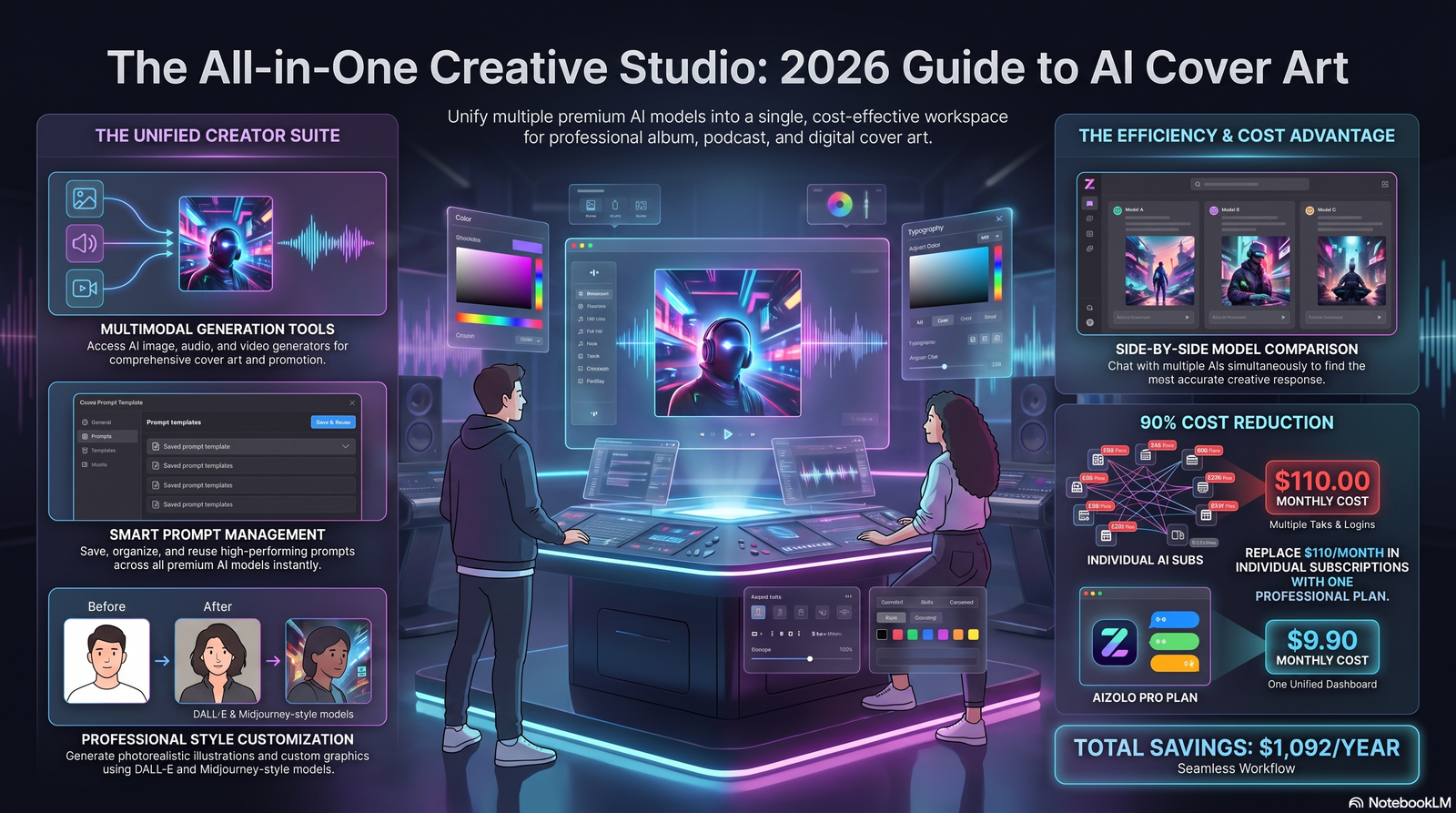
Your cover art has about half a second to earn a click. That’s it.
An AI cover art generator can now produce that half-second win in under a minute — no designer, no waitlist, no $300 invoice.
But “type a prompt, get a cover” only tells half the story. With Aizolo, the other half is knowing which tool fits your project, how to write prompts that actually work, and what you’re legally allowed to do with the result.
This guide covers all of it. We tested the leading tools, broke down real pricing, and built a prompt-writing framework you can reuse for every release.
In this guide, you’ll learn:
- What an AI cover art generator actually does (and doesn’t do)
- The best tools in 2026, compared honestly — including where each one falls short
- A step-by-step workflow from blank page to upload-ready file
- A prompt formula with genre-specific examples
- Copyright, licensing, and commercial-use rules you need to know before you publish
- Common mistakes that get covers rejected by streaming platforms
- 15+ real questions people ask before they answer them here
Let’s get into it.
Table of Contents
What Is an AI Cover Art Generator?
An AI cover art generator is a text-to-image tool that turns a written description into finished artwork for albums, singles, EPs, podcasts, and playlists.
You type what you want — a mood, a style, a scene — and the model generates several options in seconds.
Most tools also let you set aspect ratio, add text or typography, and export at streaming-ready resolution.
This isn’t the same as a generic AI image generator. Cover art tools are usually tuned for square 1:1 output, genre-aware styling, and quick iteration, because that’s what release schedules actually need.
Featured Snippet: Definition An AI cover art generator is software that uses machine learning image models (like diffusion models) to create original album, single, podcast, or EP artwork from a text prompt, without requiring design software or illustration skills.
How AI Cover Art Generators Work
Under the hood, most of these tools run on diffusion models — the same family of AI behind Midjourney, Stable Diffusion, and DALL-E.
Here’s the simplified version of what happens after you hit “generate”:
- Your text prompt is converted into a numerical representation the model understands.
- The model starts from random visual noise.
- It gradually removes noise in steps, guided by your prompt, until a coherent image emerges.
- Multiple variations are generated in parallel so you can pick the best one.
This process typically takes anywhere from 5 to 60 seconds depending on the tool and the resolution requested.
Some platforms layer extra features on top of the core model: automatic square cropping, built-in typography tools, upscaling, and style presets tuned specifically for music genres.
That layer is often what separates a “cover art generator” from a bare-bones image generator — the difference between raw output and something upload-ready.
Who Should Use One?
You don’t need to be releasing a major-label album for this to matter. Here’s who gets real value from these tools:
- Independent musicians releasing singles or EPs on a tight budget and timeline
- Podcasters who need consistent episode and show art without a design retainer
- YouTubers who want thumbnail-style artwork that still holds up at album-cover size
- Bands and producers iterating on visual concepts before commissioning a final illustration
- Labels and marketing teams producing artwork at volume across multiple releases
- Authors and self-publishers exploring AI-assisted book cover concepts
- Agencies pitching visual directions to clients quickly, before investing in a full shoot or illustration
If you release music or audio content regularly and currently either skip cover art entirely or pay per-project for design work, this is worth testing.
Benefits and Limitations
Being upfront about the downsides is part of giving you honest advice — so here’s both sides.
Benefits
| Benefit | Why It Matters |
|---|---|
| Speed | Concepts in seconds instead of a multi-day design turnaround |
| Cost | Free tiers and low-cost credits vs. $50–$500+ for custom illustration |
| Iteration | Generate dozens of directions before committing to one |
| No skill barrier | No Photoshop or illustration experience required |
| Genre flexibility | Instantly switch visual styles between releases |
Limitations
| Limitation | What to Watch For |
|---|---|
| Text rendering | AI models still struggle with clean, legible typography inside the image |
| Style drift | Getting the exact same character or motif across a series of covers is hard |
| Generic outputs | Popular prompts produce visually similar results across many users |
| Licensing nuance | Commercial rights vary by tool and by plan tier — always check |
| Platform trust signals | A cover that looks AI-generic can undercut an artist’s brand if not art-directed carefully |
Expert take: the biggest limitation isn’t image quality anymore — most tools clear that bar. It’s originality drift. If you don’t customize your prompts, your cover will look like thousands of other AI-generated covers already on Spotify.
The Best AI Cover Art Generators in 2026
We evaluated tools on output quality, commercial licensing clarity, price-per-cover, ease of use, and how “release-ready” the output is without extra editing. Here’s the honest breakdown.
1. Midjourney
Overview: Midjourney remains the benchmark for stylistically committed, painterly, and photographic output. It’s the tool most professional designers still open when a client wants a striking visual.
- Best for: Artists who want the most distinctive, non-generic look and don’t mind a learning curve.
- Strengths: Best-in-class photographic and painterly rendering; huge community of shared prompts to learn from.
- Weaknesses: Discord-based interface is unfriendly to first-time users; no true per-cover pricing (subscription only); commercial license terms depend on your plan and revenue tier.
- Unique features: Style reference and character reference tools for maintaining visual consistency across a series.
- Pricing: Subscription plans starting around $10/month, with commercial usage rights tied to plan level and company revenue.
- Supported styles: Extremely broad — photorealism, illustration, painterly, surreal, retro.
- Commercial license: Yes, but restricted for larger companies on lower-tier plans — verify against current terms.
- Output resolution: High, with built-in upscaling.
- Ease of use: Moderate — the Discord/web workflow takes some getting used to.
- Expert verdict: The stylistic ceiling is unmatched, but it’s the wrong pick if you want a fast, guided, cover-specific workflow.
2. Adobe Firefly (via Adobe Express)
Overview: Adobe’s generative model is trained with commercial licensing as a first-class concern, which matters a lot for artists worried about copyright risk.
- Best for: Creators who want the cleanest, most explicit commercial license.
- Strengths: Clear generative AI usage terms; integrates directly with Adobe Express templates for adding titles and typography.
- Weaknesses: Stylistic range is more conservative than Midjourney; free tier is capped monthly.
- Unique features: Built-in layout templates sized for streaming platforms.
- Pricing: Free tier with capped monthly generations; paid plans unlock higher limits.
- Supported styles: Photographic, illustrative, and design-forward styles.
- Commercial license: Among the clearest in the industry.
- Output resolution: Streaming-ready by default.
- Ease of use: Very high — built for non-designers.
- Expert verdict: The safest choice if licensing certainty matters more to you than maximum stylistic drama.
3. Leonardo AI
Overview: A flexible generator popular with indie game and album artists for its fine-tuned style models and control options.
- Best for: Users who want more granular control over composition and style than a single text box allows.
- Strengths: Multiple underlying models tuned for different aesthetics; strong prompt-to-image control features like image guidance.
- Weaknesses: More settings to learn than a simple “type and generate” tool.
- Unique features: Fine-tuned style presets and canvas editing.
- Pricing: Free daily credits, with paid tiers for higher volume and priority generation.
- Supported styles: Very broad, including anime, concept art, and photoreal.
- Commercial license: Available on paid plans — check current terms before publishing.
- Output resolution: High, with upscaling tools built in.
- Ease of use: Moderate.
- Expert verdict: A strong middle ground between Midjourney’s stylistic power and a beginner-friendly interface.
4. Kittl
Overview: Kittl leans into design-forward templates, making it a favorite for vintage, retro, and typography-heavy cover concepts.
- Best for: Covers where typography and layout matter as much as the illustration.
- Strengths: Strong template library specifically for vintage and retro aesthetics; easier to get clean, legible text than pure image generators.
- Weaknesses: Less suited to fully photorealistic or highly experimental art styles.
- Unique features: Combines AI generation with a proper design canvas, so text isn’t an afterthought.
- Pricing: Free plan with limits; paid subscription for full feature access.
- Supported styles: Retro, vintage, bold graphic design.
- Commercial license: Included on paid plans.
- Output resolution: Print and streaming ready.
- Ease of use: High.
- Expert verdict: The best pick when your cover concept is built around typography rather than a single striking image.
5. Canva (AI Image Generator + Templates)
Overview: Canva combines a built-in AI image generator with its enormous template library, which makes it the fastest route from idea to finished, text-included cover.
- Best for: Beginners who want templates plus AI in one place.
- Strengths: Extremely easy to combine generated art with pre-built layouts, fonts, and branding kits.
- Weaknesses: AI image quality trails dedicated generators like Midjourney or Leonardo for highly artistic output.
- Unique features: One-click resizing across platforms (Spotify canvas, YouTube thumbnail, Instagram post).
- Pricing: Free tier available; Canva Pro unlocks expanded AI generation credits.
- Supported styles: General-purpose, template-driven.
- Commercial license: Included with Canva Pro for most use cases — confirm against current terms.
- Output resolution: Platform-optimized presets.
- Ease of use: Very high.
- Expert verdict: Best “all-in-one” option if you also need social assets, not just the cover itself.
6. Stable Diffusion (Self-Hosted or via Web UI)
Overview: The open-weight option. If you have the technical comfort and hardware (or use a hosted web UI), it’s the only truly unlimited, free-per-generation route.
- Best for: Technically comfortable users who want full control and zero per-image cost.
- Strengths: No generation limits once set up; full control over models, styles, and fine-tuning (including training on your own reference art).
- Weaknesses: Requires either a capable GPU or a paid hosted instance; steeper learning curve than any hosted tool on this list.
- Unique features: Custom model training (LoRA) to lock in a consistent visual identity across an entire discography.
- Pricing: Free if self-hosted (hardware cost aside); hosted versions vary.
- Supported styles: Unlimited, depending on the community model you choose.
- Commercial license: Generally permissive, but license terms vary by the specific model checkpoint used — always check the model’s license.
- Output resolution: Configurable, including very high resolution with upscaling.
- Ease of use: Low to moderate.
- Expert verdict: Overkill for a single cover, but the right long-term investment for artists releasing frequently who want a consistent visual brand.
Comparison Table
| Tool | Best For | Free Plan | Image Quality | Customization | Commercial License | Speed | Pricing | Overall Rating |
|---|---|---|---|---|---|---|---|---|
| Midjourney | Bold, distinctive art | No (trial-limited) | ★★★★★ | ★★★★☆ | Tiered by plan | Fast | From ~$10/mo | 4.6/5 |
| Adobe Firefly | Clean licensing | Yes (capped) | ★★★★☆ | ★★★★☆ | Clearest on list | Fast | Free–~$10/mo | 4.5/5 |
| Leonardo AI | Fine control | Yes (daily credits) | ★★★★☆ | ★★★★★ | Paid plans | Fast | Free–~$12/mo | 4.4/5 |
| Kittl | Typography-heavy covers | Yes (limited) | ★★★★☆ | ★★★★☆ | Paid plans | Fast | Free–~$15/mo | 4.3/5 |
| Canva | All-in-one beginners | Yes | ★★★☆☆ | ★★★★★ | Pro plans | Very fast | Free–~$13/mo | 4.3/5 |
| Stable Diffusion | Unlimited/custom models | Yes (self-hosted) | ★★★★☆ | ★★★★★ | Model-dependent | Varies | Free–hardware cost | 4.2/5 |
Pricing and free-tier limits change frequently — always confirm current terms on the tool’s official pricing page before committing.
Step-by-Step: How to Create Cover Art With AI
Here’s the exact workflow we use, from blank page to upload-ready file.
1. Choose your tool based on the outcome you need. Want maximum stylistic drama? Midjourney. Want a clean license and speed? Adobe Firefly. Want typography built in? Kittl.
2. Write your first prompt using the formula below. Don’t overthink version one — you’re generating a starting point, not a final answer.
3. Set the correct aspect ratio. Almost all streaming platforms require a perfect 1:1 square, minimum 3000×3000 pixels.
4. Choose or refine the style. Use style modifiers (film stock, art movement, lighting) to push the output away from generic AI look.
5. Generate multiple variations. Never settle for the first output — generate at least 8–12 variations before picking a direction.
6. Upscale your chosen image. Most tools include a one-click upscaler; use it before exporting for print or high-res streaming requirements.
7. Edit and clean up. Fix small artifacts (extra fingers, warped text, odd blending) using the tool’s inpainting/edit feature or a quick pass in an external editor.
8. Add typography separately. For the cleanest text, add your title and artist name in a design tool like Canva or Kittl rather than relying on the AI to render it directly.
9. Export at the correct specs. JPEG or PNG, minimum 3000×3000px, RGB color mode, under the file size cap of your distributor.
10. Publish and check on multiple devices. Preview your cover at thumbnail size (as small as 60×60px) — bold, high-contrast art reads better at small sizes than intricate detail.
How to Write Prompts That Actually Work
Prompt quality is the single biggest factor separating a generic AI cover from one that actually looks intentional.
The Prompt Formula
[Genre/mood] + [subject or scene] + [art style/medium] + [lighting/color palette] + [composition] + [aspect ratio]
Good vs. Bad Prompt Examples
Bad prompt: “Album cover for my rock song”
Why it fails: no visual detail for the model to work with — you’ll get a generic, overused result.
Good prompt: “Gritty alternative rock album cover, lone figure walking through an abandoned neon-lit parking garage at night, 35mm film grain, desaturated teal and amber palette, wide low-angle composition, square 1:1”
Why it works: specific scene, specific style reference, specific palette, specific composition.
Genre-Specific Prompt Templates
| Genre | Prompt Template |
|---|---|
| Lo-fi / Bedroom Pop | “Lo-fi bedroom pop cover, soft window light on a quiet room, warm film grain, muted pastel palette, intimate close composition, square 1:1” |
| Hip-Hop | “Bold hip-hop album cover, urban rooftop skyline at golden hour, high-contrast graphic style, confident central figure silhouette, square 1:1” |
| Electronic / EDM | “Electronic music cover, abstract pulsing neon geometry, dark background with glowing gradient light trails, futuristic, square 1:1” |
| Indie Folk | “Indie folk album cover, watercolor illustration of a forest clearing at dawn, soft earthy palette, hand-painted texture, square 1:1” |
| Podcast | “Podcast cover art, bold flat-design icon of a microphone, two-tone color scheme, clean sans-serif space reserved for title, square 1:1” |
Expert Prompt Tips
- Reference a camera or medium (“shot on 35mm film,” “gouache painting”) to escape the flat “AI look.”
- Specify a color palette by name (teal and amber, muted pastel, high-contrast monochrome) rather than “colorful.”
- Add composition language (wide shot, close-up, centered, rule-of-thirds) — models respond well to photography vocabulary.
- Avoid naming real, living artists’ styles directly — describe the aesthetic instead (see the copyright section below).
Copyright, Licensing, and Commercial Use
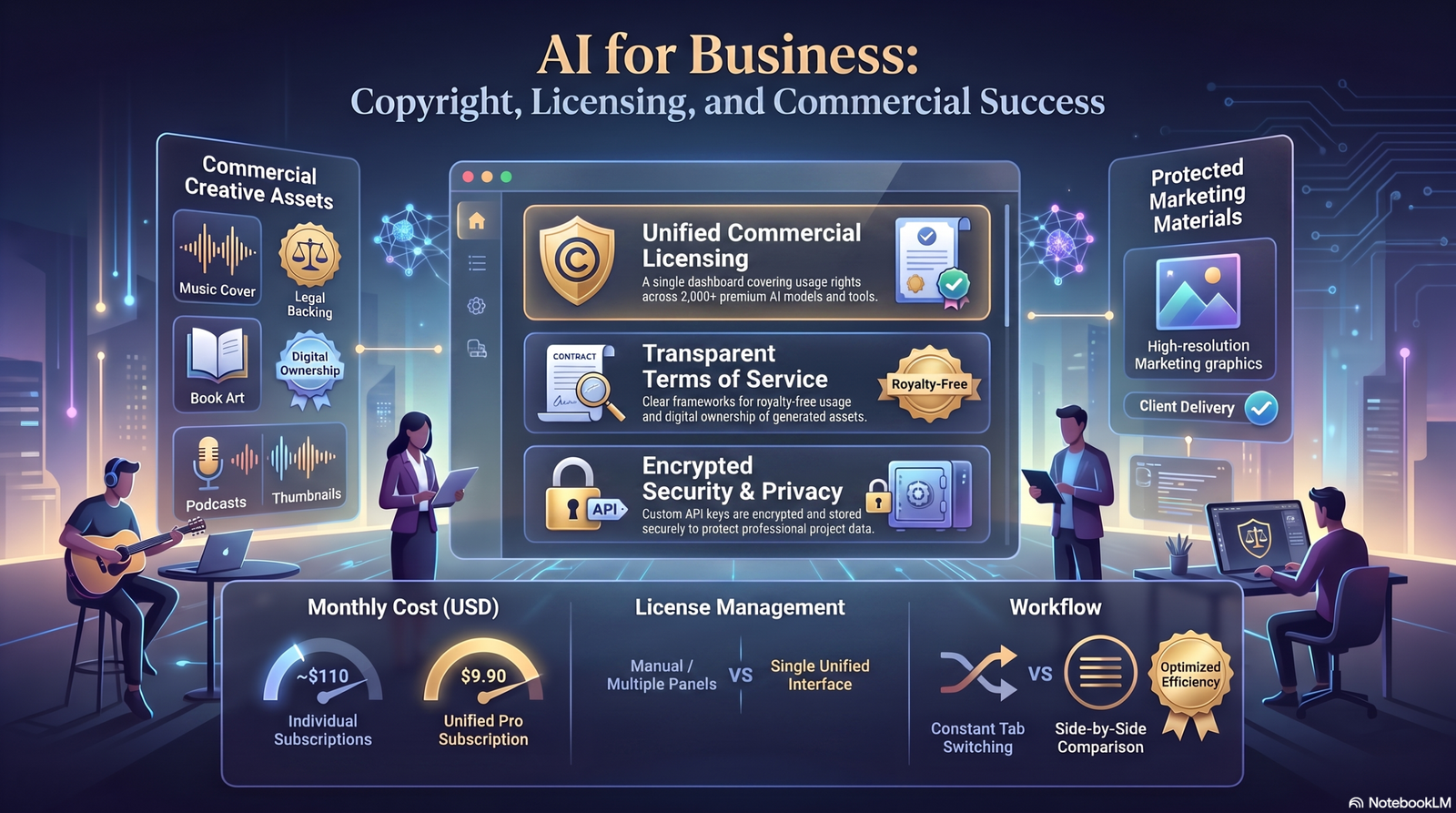
This is the section most guides skip — and it’s the one that can actually cost you a release.
Do You Own AI-Generated Cover Art?
Ownership and copyright eligibility of AI-generated images is a genuinely unsettled legal area, and it varies by country. In the U.S., the Copyright Office has generally held that purely AI-generated output without meaningful human creative input may not qualify for copyright protection on its own — human-authored elements you add (like text layout, edits, or arrangement) may be protectable even if the base image isn’t.
Practical takeaway: check the current guidance from your national copyright office, and don’t assume AI-generated art is automatically copyrightable the way traditional artwork is.
Commercial Usage License
This is separate from copyright ownership. Even if the artwork itself isn’t copyrightable, most tools grant you a commercial usage license through their terms of service — meaning you’re contractually allowed to use it commercially, even where copyright status is unclear.
Read the specific terms for the plan you’re on. Some tools restrict commercial use to free-tier users, some scale commercial rights by company revenue, and some require attribution.
Style Imitation Risk
Prompting a tool to copy a specific living artist’s signature style raises both ethical and potential legal concerns, and platforms increasingly restrict prompts that name specific artists by name.
Describe the aesthetic (color palette, brushwork, era) instead of naming an artist directly — it produces better, more original results anyway.
Platform Policies
Streaming platforms generally don’t require disclosure that artwork is AI-generated, but they do enforce strict image specification and content guidelines (no excessive text, correct resolution, no misleading imagery). Always check your specific distributor’s current image guidelines before submission.
Trademark Risk
Avoid generating covers that include recognizable logos, brand marks, or copyrighted characters — even accidentally, diffusion models can echo trademarked visual elements from their training data.
Common Mistakes to Avoid
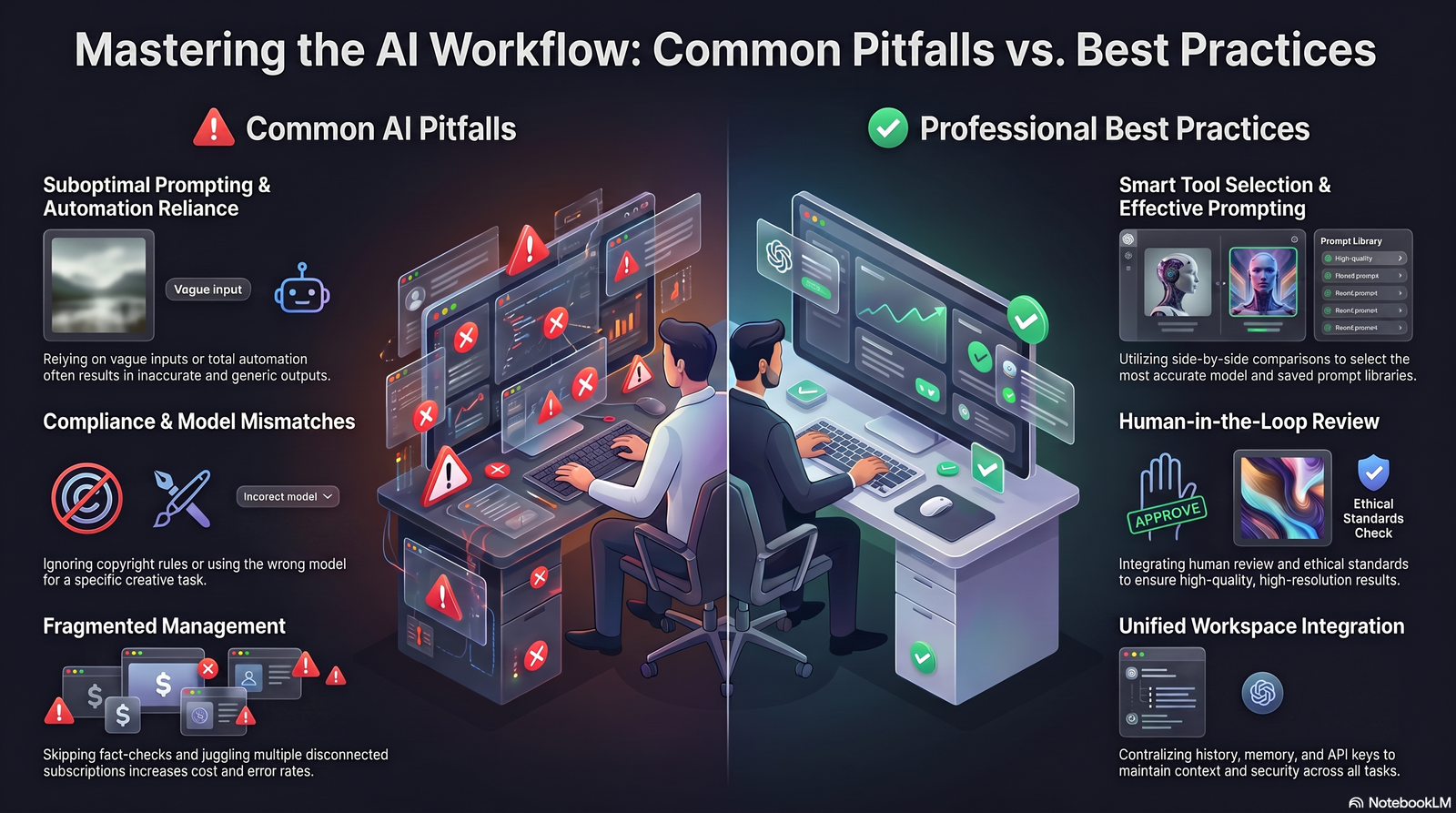
- Using the first generation instead of iterating. The best cover is rarely your first result — generate broadly, then refine.
- Relying on the AI to render text. Add titles and artist names in a separate design step for clean, legible typography.
- Ignoring platform resolution specs. A cover rejected for wrong dimensions delays your entire release.
- Naming real artists in prompts. Raises both quality and rights concerns — describe style attributes instead.
- Skipping the license check. Confirm your specific plan actually grants commercial rights before you publish.
- Over-detailing prompts to the point of confusion. Long, contradictory prompts often produce muddled results — clarity beats length.
- Publishing without a thumbnail check. Art that looks great full-size can become illegible at 60×60 pixels.
Expert Tips From Real Workflows
- Build a “visual identity” prompt block — a fixed string of style/palette language you reuse across every release from the same artist, so your discography looks cohesive.
- Generate in batches of 12, not 4. Most tools charge per-batch anyway, and more options per session means less back-and-forth.
- Keep a swipe file of prompts that worked. Reuse and tweak them for future releases instead of starting from zero each time.
- Combine tools. Generate the base art in Midjourney or Leonardo, then finish typography and platform-sized exports in Canva or Kittl — this hybrid approach consistently produces the most release-ready results.
- A/B test covers with your audience on social media before committing, especially for a lead single.
Summary Box Fastest path to a professional cover: generate in a style-strong tool (Midjourney/Leonardo) → pick your top 2–3 → finish text and export sizing in a template tool (Canva/Kittl) → check thumbnail legibility → confirm license terms → publish.
FAQs
1. What is the best free AI cover art generator? Canva and Adobe Express (Firefly) both offer genuinely usable free tiers with capped monthly generations and clear commercial licensing.
2. Can I use AI-generated cover art commercially? Generally yes, as long as your specific tool’s plan grants a commercial usage license — always confirm the current terms for your tier.
3. Do I own the copyright to AI-generated album art? It’s legally unsettled in many jurisdictions. Purely AI-generated images may not qualify for copyright on their own; human-added elements like layout and text often do.
4. What size should my album cover be? Most streaming platforms require a square image, minimum 3000×3000 pixels, in JPEG or PNG format.
5. Do Spotify and Apple Music allow AI-generated covers? Yes — AI origin isn’t a rejection reason on its own, as long as the artwork meets standard image specifications and content policies.
6. How do I make my AI cover look less generic? Add specific camera, medium, lighting, and palette language to your prompt instead of vague descriptors like “cool” or “colorful.”
7. Can I use an AI generator to imitate a specific artist’s style? It’s best avoided — many platforms restrict prompts naming real artists, and it raises ethical and rights concerns. Describe the aesthetic instead.
8. What’s the difference between an AI cover art generator and a general AI image generator? Cover art tools are typically tuned for square aspect ratios, genre-aware presets, and quick export at streaming-ready resolution, while general image generators are built for broader creative use.
9. How much does AI cover art cost? Costs range from completely free (capped tiers) to roughly $10–$20/month for unlimited or high-volume subscription plans.
10. Can AI generate text or my artist name directly on the cover? Most models still struggle with clean, legible text. It’s more reliable to add titles separately using a design tool.
11. Is there a risk of trademark issues with AI cover art? Yes, if the output includes recognizable logos or copyrighted characters. Always visually review output before publishing.
12. What’s the fastest way to create a podcast cover with AI? Use a template-driven tool like Canva, generate a simple flat-design icon concept, then reserve space for your title in the layout.
13. Can I edit an AI-generated cover afterward? Yes — most tools include basic inpainting or editing tools, and you can always refine further in Canva, Photoshop, or similar software.
14. How many variations should I generate before choosing? Aim for 8–12 variations minimum before selecting a direction — the first result is rarely the best one.
15. Will AI cover art keep improving? Yes — text rendering, style consistency, and character continuity across a series are all improving quickly, closing the remaining gaps with human illustration.
16. Can I use AI cover art for a physical vinyl or CD release? Yes, as long as you export at high enough resolution (generally 3000×3000px or higher) and check your specific manufacturer’s print specifications.
Key Takeaways
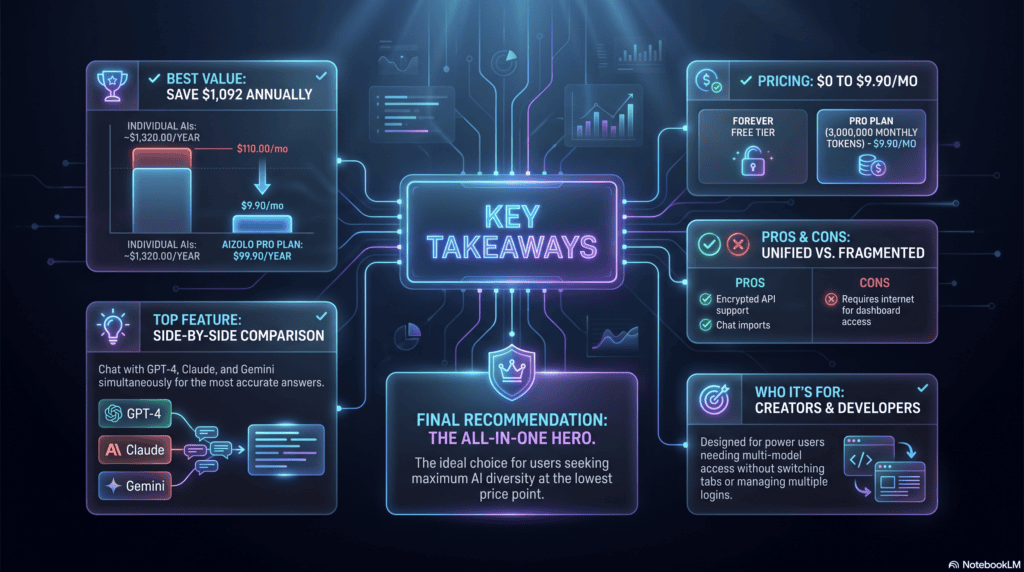
- An AI cover art generator turns a text prompt into finished artwork in seconds, using diffusion-based image models.
- Tool choice depends on your priority: stylistic power (Midjourney), licensing clarity (Adobe Firefly), fine control (Leonardo), typography (Kittl), all-in-one simplicity (Canva), or unlimited custom generation (Stable Diffusion).
- Specific, detail-rich prompts consistently outperform vague ones.
- Commercial usage rights and copyright status are two separate questions — check both before you publish.
- Add text separately, check thumbnail legibility, and always verify your distributor’s current image specs.
Conclusion
AI cover art generators have gone from novelty to genuinely useful creative tool in a very short time.
They won’t replace a skilled illustrator working on a flagship release — and they’re not meant to. What they do well is remove the cost and time barrier for everyone else: the independent artist, the weekly podcaster, the label pushing out a dozen singles a quarter.
Treat these tools the way you’d treat any creative instrument — learn the prompt language, understand the licensing fine print, and keep art-directing the output instead of accepting the first result.
Experiment, iterate, and always double-check the current terms before you publish. The tools change fast; good creative judgment doesn’t.
About the Author
Jeevesh Tripathi Email: jeevesh@aizolo.com
Jeevesh Tripathi writes about AI tools, SEO, and digital content strategy, with hands-on experience testing and evaluating AI creative platforms across music, design, and marketing workflows. His work focuses on practical, tested guidance rather than surface-level tool round-ups.
