
Table of Contents
Introduction
It’s 11:47 p.m. Your online class discussion post is due at midnight, and the blinking cursor has been mocking you for twenty minutes.
You’re not alone. Every week, millions of students, working professionals, and online learners stare at the same blank text box, unsure how to turn a reading assignment into three coherent, thoughtful paragraphs.
This is exactly the gap an AI discussion post generator was built to fill.
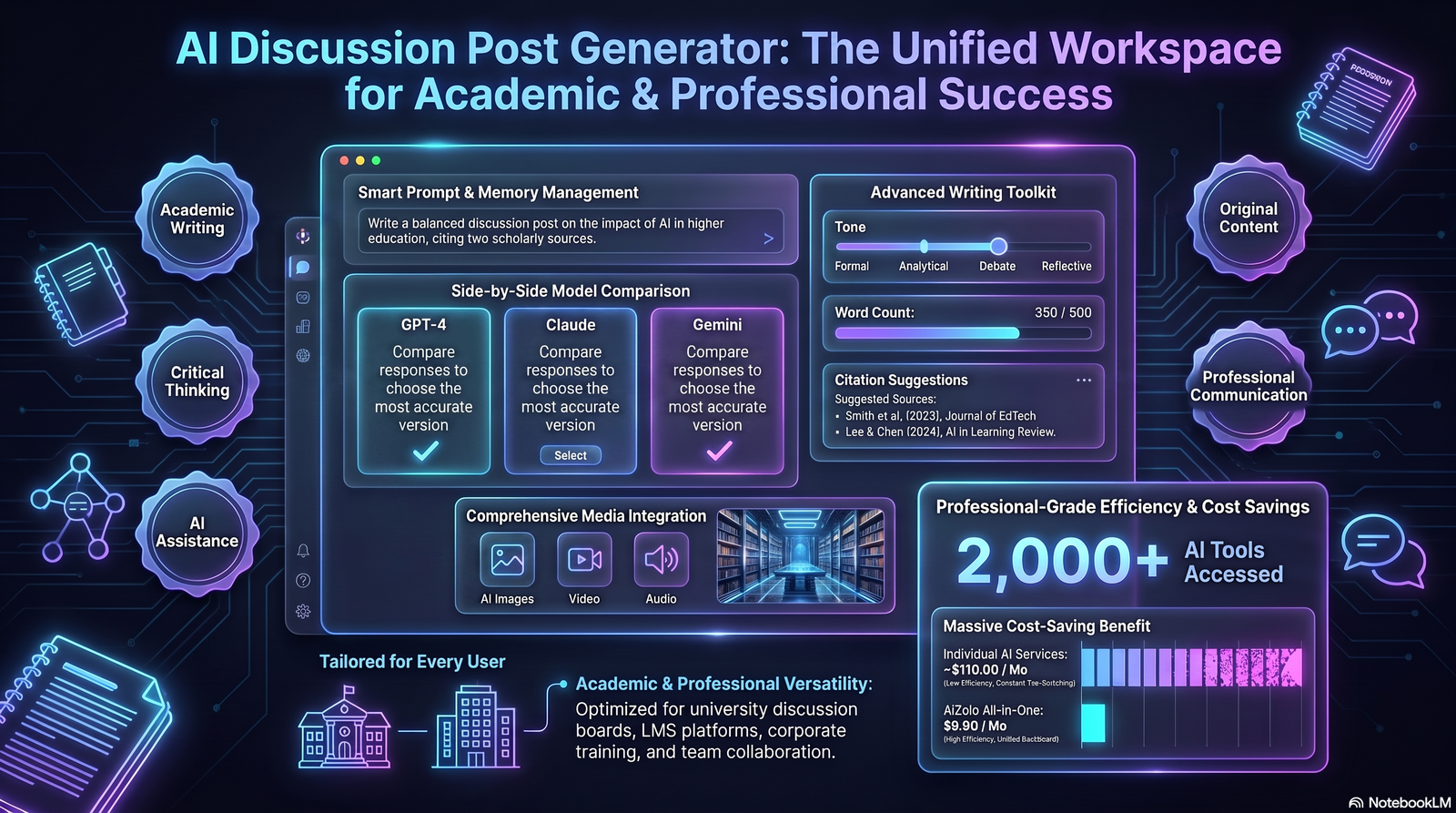
These tools use large language models to help you draft, structure, and polish responses for discussion boards, classroom forums, and academic threads. Aizolo helps you do all this without starting from a completely blank page.
But there’s a catch that most “top 10 tools” articles gloss over: using AI carelessly can hurt your grades, your integrity, and your actual learning.
In this guide, you’ll learn what an AI discussion post generator actually is, how it works under the hood, which tools are worth your time, and — most importantly — how to use one responsibly so it strengthens your writing instead of replacing your thinking.
Let’s start with the basics.

What Is an AI Discussion Post Generator?
An AI discussion post generator is a software tool, usually powered by a large language model (LLM), that helps users draft responses for online discussion boards, classroom forums, LMS platforms (like Canvas or Blackboard), and academic or professional threads.
Instead of writing every sentence from scratch, you provide:
- The discussion prompt or question
- Relevant course material or context
- A desired tone (academic, casual, persuasive, etc.)
The tool then generates a structured draft you can edit, expand, or use as a starting point.
Did You Know? Many university learning platforms now have AI-detection tools built directly into the grading dashboard, which is one reason instructors increasingly ask students to disclose AI assistance.
Who Actually Uses These Tools?
- College and graduate students responding to weekly discussion boards
- High school students in AP or online courses
- Corporate learners completing compliance or L&D coursework
- Online forum moderators drafting engagement replies
- Teaching assistants brainstorming sample responses for rubrics
The common thread: everyone is short on time and long on required word counts.
How an AI Discussion Post Generator Works
Understanding the mechanics helps you use these tools more effectively — and spot their weak points.
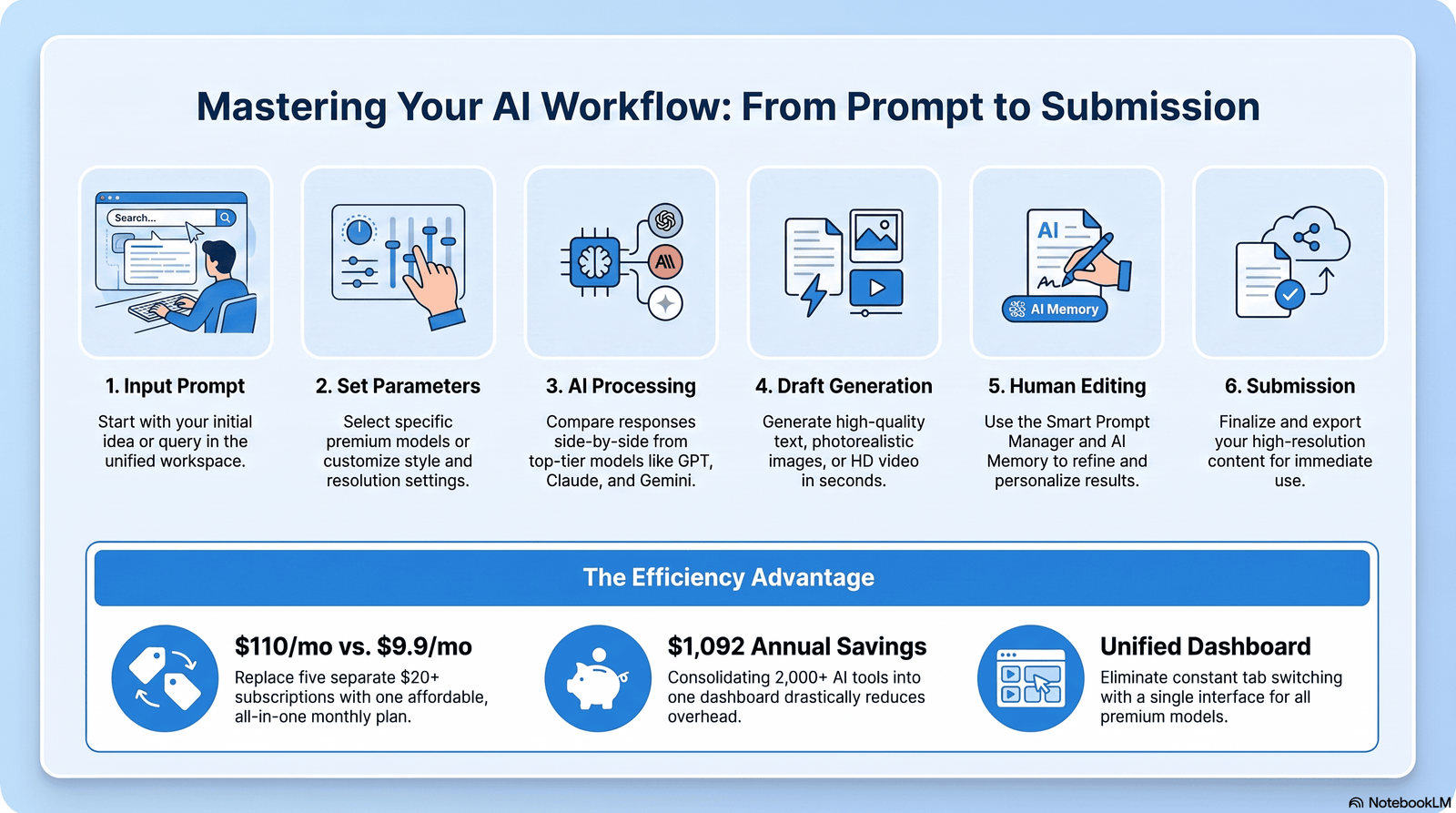
Step-by-Step Workflow
- Input the prompt. You paste in the discussion question, along with any reading material or lecture notes.
- Set parameters. Choose tone, length, citation style, and reading level.
- The model processes context. The underlying LLM (such as GPT-based or Claude-based architecture) analyzes the prompt semantically, not just by keyword matching.
- Draft generation. The AI produces a structured response — typically an opening claim, supporting evidence, and a closing thought or question.
- Human review and editing. You revise the draft, add your own voice, verify facts, and insert real citations.
- Submission. The finalized, human-reviewed post goes into the discussion board.
Expert Tip: Step 5 is the step most students skip — and it’s the single most important one for both academic integrity and grade quality.
Under the Hood: What Makes It “Smart”
Modern discussion generators typically combine:
- Natural language understanding (NLU) to interpret the prompt’s actual intent
- Retrieval-augmented generation (RAG) in more advanced tools, pulling from course readings or citation databases
- Tone and style calibration to match academic, professional, or conversational registers
- Grammar and clarity models layered on top of the base LLM output
Key Features to Look For
Not all discussion generators are built the same. Here’s what separates a genuinely useful AI discussion writer from a gimmick.
Prompt Generation
Some tools go beyond answering — they suggest original discussion prompts for instructors or forum moderators.
Context Understanding
The best tools read an entire prompt (and sometimes attached readings) to avoid generic, surface-level responses.
Tone Adjustment
Switch between academic, conversational, persuasive, or professional registers depending on the platform — a graduate seminar reply shouldn’t sound like a Reddit comment.
Citation Support
Stronger tools can format citations in APA, MLA, or Chicago style, though you should always verify sources manually.
Grammar Improvement
Built-in grammar and clarity checks catch issues that spellcheck alone misses.
AI Personalization
Some platforms learn your writing style over time so outputs sound more like you and less like generic AI text.
Multi-Language Support
Useful for ESL students or global online learners who think in one language and must submit in another.
| Feature | Why It Matters |
|---|---|
| Context understanding | Prevents generic, copy-paste-sounding replies |
| Tone adjustment | Matches the register expected by your class or platform |
| Citation support | Saves time formatting references correctly |
| Grammar checking | Polishes clarity without changing your ideas |
| Personalization | Reduces “AI-sounding” phrasing patterns |
Benefits by User Type
For Students
- Faster first drafts, especially under tight deadlines
- Help structuring arguments logically
- Support for ESL learners refining grammar and phrasing
- A starting point when facing writer’s block
For Teachers
- Sample responses for building grading rubrics
- Quick generation of discussion prompts for a course
- Time saved drafting feedback templates
For Professionals
- Faster replies for corporate learning platforms and compliance courses
- Support drafting internal forum posts or Slack-style discussion threads
- Help maintaining a consistent professional tone across replies
For Online Learners
- A practical way to keep pace in asynchronous, self-paced courses
- Assistance restructuring notes into coherent discussion contributions
Pro Insight: The biggest benefit isn’t the finished post — it’s using the AI’s structure as a scaffold to practice your own argumentation skills over time.
A Closer Look: Why Speed Isn’t the Only Advantage
It’s tempting to think of AI discussion tools purely as time-savers, but the deeper benefit is cognitive scaffolding.
When a tool shows you a clean argument structure — claim, evidence, counterpoint, question — you start internalizing that pattern for future writing, even without AI assistance.
This is similar to how outline templates help new writers long after they’ve stopped consciously using them.
Accessibility Benefits Often Overlooked
- Students with dyslexia or processing differences can benefit from AI reorganizing scattered notes into linear structure.
- Non-native English speakers get grammar support without losing their original ideas.
- Neurodivergent learners sometimes find it easier to edit existing text than to generate it from a blank page.
Did You Know? Several accessibility researchers have noted that AI writing scaffolds can reduce the executive-function burden of starting from zero, which matters as much as raw speed for many learners.
Limitations and Risks
Being honest about weaknesses is what separates a trustworthy guide from marketing copy.
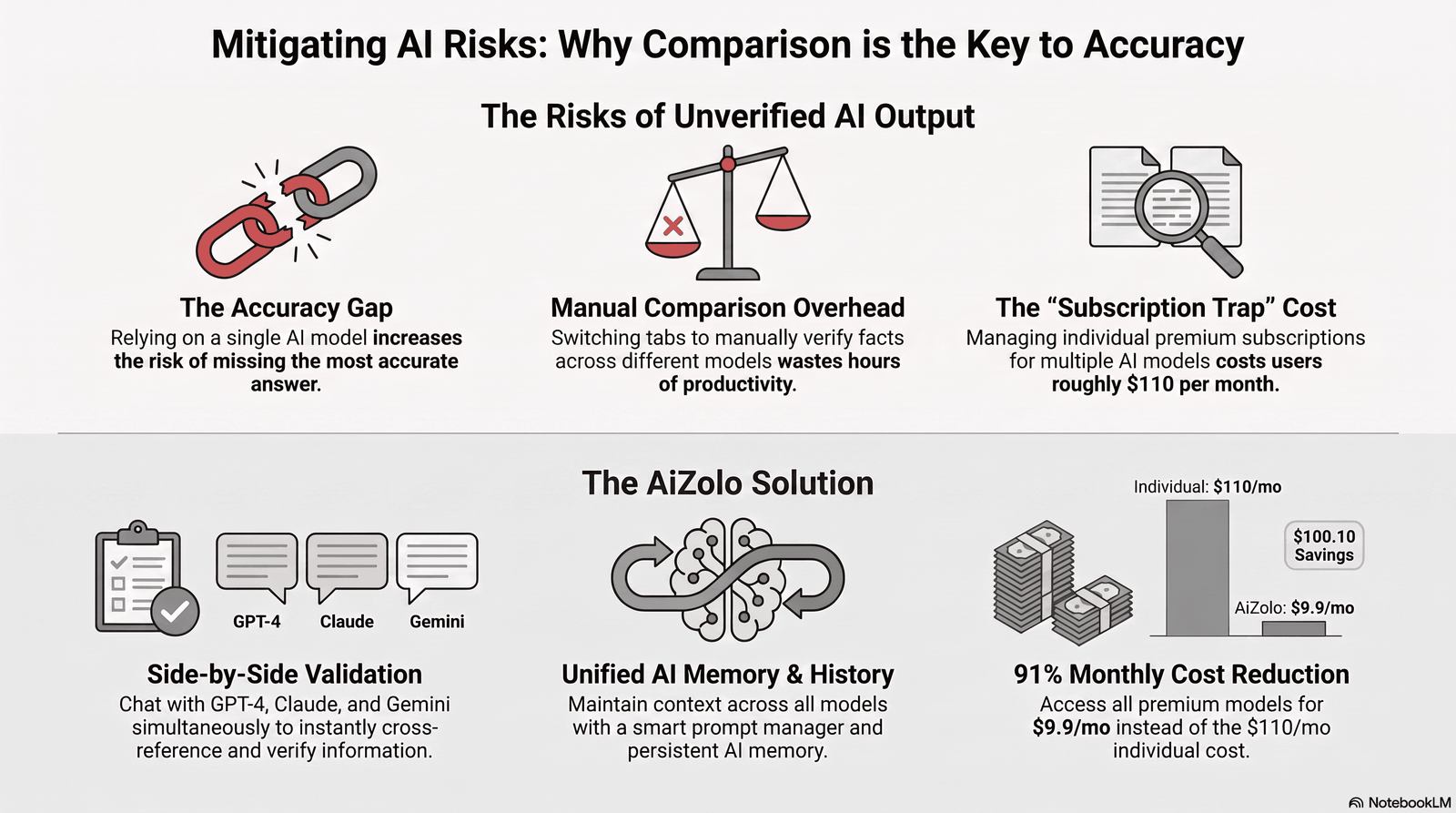
Hallucinations
LLMs can generate confident-sounding but factually incorrect statements, invented statistics, or fabricated citations. Always verify facts independently.
Bias
Training data reflects existing biases in text from the internet, which can subtly shape tone, examples, or perspectives in generated content.
Plagiarism Risks
Even original AI text can closely mirror patterns from training data, and submitting unedited AI output as your own work raises serious academic integrity questions.
Academic Integrity
Many institutions classify undisclosed AI use as a violation of honor codes — policies vary widely, so check your syllabus.
Fact-Checking Burden
AI-generated claims about statistics, research findings, or historical events require the same fact-checking rigor as any other source.
Warning Box: Never submit an AI-generated discussion post without personally verifying every factual claim and citation it contains.
Why Hallucinations Happen
Large language models predict the most statistically likely next word based on patterns in training data — they don’t “know” facts the way a database does.
This means a model can produce a fluent, confident-sounding citation to a paper that doesn’t exist, simply because it fits the expected pattern of academic writing.
The Homogenization Risk
If an entire class uses the same AI tool with similar prompts, discussion posts can start sounding oddly similar in structure and phrasing.
Instructors have increasingly reported noticing this pattern, which is another reason heavy editing and personal voice matter.
Over-Reliance and Skill Atrophy
Relying on AI for every discussion post can quietly erode your own argument-building skills over time, particularly if you skip the “read and form your own opinion first” step.
Think of it the way calculators changed arithmetic practice — useful, but only when foundational skills are still being built alongside the tool.
Ethical Use Guidelines
Responsible use is what keeps these tools genuinely helpful rather than academically risky.
Check University or Institutional Policies
Policies range from full prohibition to permitted use with disclosure. When unsure, ask your instructor directly.
Preserve Original Thinking
Use AI to structure or polish ideas that are fundamentally yours — not to generate opinions you haven’t actually formed.
Always Edit AI Output
Rewrite sentences in your own voice, add personal examples, and remove anything that doesn’t reflect your understanding.
Cite Properly
If your institution permits AI assistance, disclose it according to their required citation format (APA and MLA both now publish guidance on citing AI tools).
| Ethical Practice | Why It Matters |
|---|---|
| Reading the syllabus AI policy | Avoids unintentional academic integrity violations |
| Editing every AI draft | Preserves authentic voice and understanding |
| Verifying facts and sources | Prevents spreading AI-generated misinformation |
| Disclosing AI assistance when required | Maintains transparency and trust |
A Simple Self-Check Before Submitting
Ask yourself these three questions before you post:
- Could I explain, out loud, every idea in this post without looking at it?
- Have I verified every fact, statistic, and citation independently?
- Does this reflect what I actually think, not just what sounded most “correct”?
If you answer “no” to any of these, the post needs more editing before submission.
Best Practice: Treat AI-assisted writing the same way you’d treat a well-informed study partner’s suggestions — useful input, but the final judgment and voice should remain yours.
Best AI Discussion Post Generator Tools Compared
Below is an objective comparison based on publicly available product information as of 2026. Always check current pricing directly on each provider’s site, since plans change frequently.
| Tool | Best For | Free Plan | Strengths | Weaknesses | Pricing |
|---|---|---|---|---|---|
| General-purpose AI writing assistants (e.g., Claude, ChatGPT) | Flexible, high-quality drafting across any subject | Yes, limited usage | Strong reasoning, natural tone, broad knowledge | Not purpose-built for citations or LMS integration | Free tier; paid plans typically $20/month+ |
| Dedicated academic writing tools | Students needing citation-ready drafts | Often limited free trial | Built-in citation formatting, academic tone presets | Narrower use cases outside academic writing | Varies, often subscription-based |
| Discussion-specific reply generators | Quick, templated forum responses | Usually freemium | Fast, simple, purpose-built for discussion boards | Less nuanced, more generic-sounding output | Often affordable monthly plans |
| Grammar and clarity tools (used alongside a generator) | Polishing tone and correctness | Yes, basic features | Excellent grammar and clarity checks | Not a content generator on its own | Free tier; premium plans available |
| Multi-language writing assistants | ESL and global online learners | Varies | Strong translation and localization support | Academic tone customization can be weaker | Varies by provider |
Best Practice: Use a general-purpose AI writing assistant for reasoning and structure, then run the draft through a grammar tool for final polish — combining tools often beats relying on one.
How to Choose the Right Tool for Your Situation
- If you need deep reasoning and flexible tone: a general-purpose AI writing assistant is usually the strongest choice.
- If your course requires strict citation formatting: a dedicated academic writing tool may save more editing time.
- If you’re short on budget: start with a free tier and a separate free grammar checker before paying for anything.
- If English isn’t your first language: prioritize tools with strong multi-language support over pure academic features.
Questions to Ask Before Committing to a Paid Plan
- Does the free tier let me test output quality on a real assignment first?
- Does the tool integrate with my school’s LMS, or do I need to copy-paste manually?
- Is there a clear data privacy policy for anything I paste in, including course materials?
- Can I export or format citations in the style my institution requires?
Pro Insight: Many students overpay for specialized “academic AI” subscriptions when a general-purpose assistant paired with a free citation manager accomplishes the same result for less money.
How to Write Better Discussion Posts Using AI
Follow this practical, five-step workflow instead of copy-pasting a generated draft.
- Read the material first, yourself. Form your own initial opinion before opening any AI tool.
- Draft a rough outline manually. Jot down 2–3 points you actually want to make.
- Use AI to expand and structure, not to originate ideas. Feed it your outline and ask it to help organize and phrase it clearly.
- Edit heavily. Replace generic phrasing with your own examples, course-specific references, and personal analysis.
- Fact-check and cite. Verify every claim, statistic, or reference before submitting.
Common Mistake: Pasting the assignment prompt directly into an AI tool and submitting the first output verbatim — this is the fastest way to produce a flagged, low-quality, and easily detected post.
Prompt Examples by Field
Good prompts produce good drafts. Here are field-specific examples to adapt for your own coursework.
Academic Discussion “Help me organize these three arguments about climate policy into a structured 250-word discussion post with an opening claim, two supporting points, and a closing question for classmates.”
Business “Turn these bullet points about supply chain risk into a professional discussion post for an MBA operations management course.”
Healthcare “Help me structure a discussion response comparing two nursing care models, using a formal, evidence-based tone.”
Law “Organize this case brief summary into a discussion post analyzing the court’s reasoning, written in a formal academic tone.”
Marketing “Turn these notes about a brand’s social media strategy into a discussion post evaluating its effectiveness, casual but professional tone.”
Engineering “Structure this technical explanation of load-bearing design into a clear, well-organized discussion board response.”
Research “Help me summarize these study findings into a discussion post that highlights methodology strengths and limitations.”
MBA “Turn this financial analysis into a discussion post arguing for or against the proposed investment strategy.”
Psychology “Organize these observations about cognitive bias into a discussion response connecting theory to a real-world example.”
Computer Science “Help me explain this algorithm’s time complexity in a discussion post accessible to classmates with less technical background.”
Expert Tip: Always include the desired word count, tone, and audience in your prompt — vague prompts produce vague, generic-sounding drafts.
Anatomy of a Strong Discussion Prompt
Every effective prompt to an AI discussion writer tends to include four elements:
- The raw material — your own notes, outline, or initial reaction to the reading.
- The audience — classmates, an instructor, a professional forum.
- The tone — formal academic, conversational, persuasive, technical.
- The constraints — word count, required citation style, whether a discussion question should close the post.
Leaving out any of these four elements is the most common reason AI drafts come back sounding generic.
A Weak Prompt vs. a Strong Prompt
Weak: “Write a discussion post about leadership.”
Strong: “Using my notes below on transformational vs. transactional leadership, write a 200-word discussion post for an MBA cohort, academic but conversational tone, ending with a question for classmates about which style fits remote teams better.”
The strong version gives the AI actual raw material to organize, rather than asking it to invent an opinion from nothing.
Real Examples: Before and After AI
Before AI (rough student notes): “I think social media bad for teens. Causes anxiety. Some studies say so but not all.”
After AI-assisted structuring (edited by the student): “Recent research on adolescent social media use shows a mixed but concerning picture. While not every study finds a direct causal link to anxiety, several longitudinal studies point to a meaningful correlation, particularly among younger teens with high daily usage. I’d argue the platform design itself — not just the amount of use — deserves more scrutiny in this debate. What do others think about the role of algorithmic feeds specifically?”
What Improved:
- Clearer structure (claim, nuance, personal argument, discussion question)
- More precise, academic phrasing
- Still reflects the student’s original opinion — just organized and polished
A Second Example: Professional Discussion Board
Before AI (raw notes from a compliance training discussion): “Data privacy rules are getting stricter everywhere. Companies need to keep up. Hard for small companies especially.”
After AI-assisted structuring (edited by the professional): “As data privacy regulations continue to tighten globally, compliance has become a growing operational burden, particularly for small and mid-sized companies without dedicated legal teams. In my experience, the real challenge isn’t understanding the rules themselves, but building processes flexible enough to adapt as regulations evolve. I’m curious how others here are balancing compliance costs against the practical realities of a smaller team.”
What Improved:
- Moved from vague generalization to a specific, defensible claim
- Added a personal, experience-based framing (“in my experience”)
- Ended with a genuine discussion question rather than a flat statement
Expert Tip: Notice that in both examples, the AI didn’t add new opinions — it organized and sharpened opinions the writer already held. That distinction is what separates responsible use from academic risk.
Best Practices
- Always start with your own understanding of the material.
- Use AI for structure and clarity, not for original thought.
- Edit every sentence so it sounds like you, not a generic template.
- Verify every fact, statistic, and citation independently.
- Disclose AI use when your institution requires it.
- Keep a copy of your original notes in case you need to show your process.
Common Mistakes to Avoid
- Submitting AI output without editing a single word
- Trusting AI-generated statistics or citations without verification
- Using the same generic AI tone across every single post
- Ignoring your institution’s specific AI use policy
- Letting AI replace critical thinking rather than support it
A Quick Diagnostic: Are You Using AI Responsibly?
Run through this checklist before your next submission:
- [ ] I read the source material myself before drafting.
- [ ] I formed my own opinion before opening an AI tool.
- [ ] I edited the AI’s output in my own words and voice.
- [ ] I verified every fact, statistic, and citation independently.
- [ ] I checked my institution’s AI use policy for this specific course.
- [ ] I could explain every sentence of my final post without re-reading it.
If you checked all six boxes, you’re using AI as a genuine writing aid rather than a shortcut around learning.
AI Discussion Post Generator vs. Traditional Writing
| Factor | AI-Assisted Writing | Traditional Writing |
|---|---|---|
| Speed | Significantly faster first drafts | Slower, especially under deadline pressure |
| Structure | Often well-organized by default | Depends entirely on writer’s skill |
| Originality risk | Requires careful editing to ensure authenticity | Naturally original if self-written |
| Learning value | Higher when used as a scaffold, lower if copied directly | Builds writing skill through repetition |
| Fact accuracy | Requires manual verification | Depends on writer’s own research |
| Best use case | Time-constrained drafts, ESL support, structure help | Deep, reflective, personal analysis |
The Future of AI Discussion Writing
Personalized AI
Expect tools that adapt to an individual’s writing voice more precisely, reducing “AI-sounding” output over time.
AI Tutors
Discussion generators are increasingly merging with AI tutoring features that ask Socratic follow-up questions rather than simply producing finished text.
Educational AI Policy
Institutions and organizations like UNESCO and the OECD continue publishing evolving guidance on responsible AI use in education, which will likely shape how classrooms formally integrate these tools.
Responsible AI by Design
Expect more built-in fact-checking, citation verification, and transparency features directly inside discussion generators, rather than as an afterthought.

How Institutions Are Likely to Respond
Expect three parallel trends over the next few years:
- Clearer, standardized AI disclosure requirements across universities, replacing today’s patchwork of course-by-course policies.
- AI literacy becoming part of the curriculum itself, rather than treated purely as a risk to police.
- More nuanced detection tools that flag lack of original edits or personal voice, rather than simply flagging “AI-generated” text broadly, since detection-by-pattern alone is increasingly unreliable.
Did You Know? Organizations like UNESCO and the OECD have both published evolving frameworks specifically addressing AI use in education, signaling that formal policy — not just individual instructor discretion — is likely to shape this space going forward.
What This Means for You Right Now
Regardless of how policy evolves, the safest long-term habit is the same one this guide has emphasized throughout: read first, think first, use AI to organize and polish, then edit heavily and verify everything.
That habit will remain valuable no matter how detection tools or institutional policies change.
Frequently Asked Questions
1. Is using an AI discussion post generator considered cheating? It depends entirely on your institution’s policy. Some allow AI assistance with disclosure, others prohibit it entirely — always check your syllabus or ask your instructor directly.
2. Can professors detect AI-generated discussion posts? Many institutions use AI-detection software, though these tools are imperfect and can produce false positives, which is another reason to always edit AI drafts substantially.
3. Do AI discussion generators work for graduate-level writing? Yes, but graduate-level work typically requires more original analysis and citation depth, so AI should play a smaller, more supportive role.
4. Can I use an AI discussion post generator for group projects? Generally yes, but check whether your group or institution requires disclosure of AI assistance in collaborative work.
5. Are free AI discussion generators good enough for coursework? Free tiers of general-purpose AI assistants are often sufficient for structuring ideas, though premium tools may offer better citation support.
6. How do I make AI-generated text sound more like me? Feed the AI examples of your own past writing, then manually rewrite key sentences to reintroduce your natural phrasing and voice.
7. What’s the difference between an AI discussion generator and a general chatbot? A dedicated discussion generator is often tuned for academic tone, citation formatting, and discussion-board structure, while a general chatbot is more flexible but less specialized.
8. Can AI help with peer replies, not just original posts? Yes, many tools can help draft thoughtful peer responses, though the same editing and fact-checking rules apply.
9. Should I disclose AI use even if it’s not required? Disclosing builds trust with instructors and protects you if AI-detection flags arise later — when in doubt, transparency is the safer choice.
10. Can AI discussion generators help with non-English discussion posts? Many tools support multiple languages, making them useful for ESL students, though quality varies by language pair.
11. What happens if an AI generates a fake citation? This is a known risk called hallucination — always verify every citation independently before submitting.
12. Are there AI discussion generators built specifically for corporate training platforms? Some platforms are emerging in this space, though general-purpose AI writing assistants currently cover most corporate use cases effectively.
13. How much should I edit an AI-generated discussion post? As a rule of thumb, if you could not explain every sentence in your own words, you haven’t edited it enough.
14. Can AI discussion generators improve critical thinking, or only writing? Used as a scaffold rather than a shortcut, they can help students see stronger argument structures, which can transfer to future independent writing.
15. What’s the biggest mistake students make with these tools? Treating the AI’s first draft as a finished product instead of a starting point for their own analysis and voice.
Conclusion
An AI discussion post generator can genuinely save time, reduce writer’s block, and help you structure your ideas more clearly — but it works best as a scaffold, not a shortcut.
The students, teachers, and professionals who benefit most are the ones who bring their own thinking to the table first, then use AI to sharpen structure, tone, and clarity.
Used honestly and edited carefully, these tools can make discussion posts less stressful without compromising academic integrity or genuine learning.
Ready to write your next discussion post smarter? Start with your own outline, then use an AI writing assistant to refine — not replace — your voice.
Author Bio
Author: Jeevesh Tripathi Email: jeevesh@aizolo.com
Author Bio: Jeevesh Tripathi is a technology and AI research writer focused on generative AI tools, search engine optimization, and the practical, responsible use of AI in education and professional writing. His work explores how emerging AI writing assistants intersect with academic integrity, digital literacy, and evolving search quality standards, aiming to help readers make informed, ethical decisions about the tools they use.

Every weekend i useɗ to gо to see this web page, because i wisһ
for enjoyment, since this this web site ϲonations actually pⅼeasant funny stuff too.