
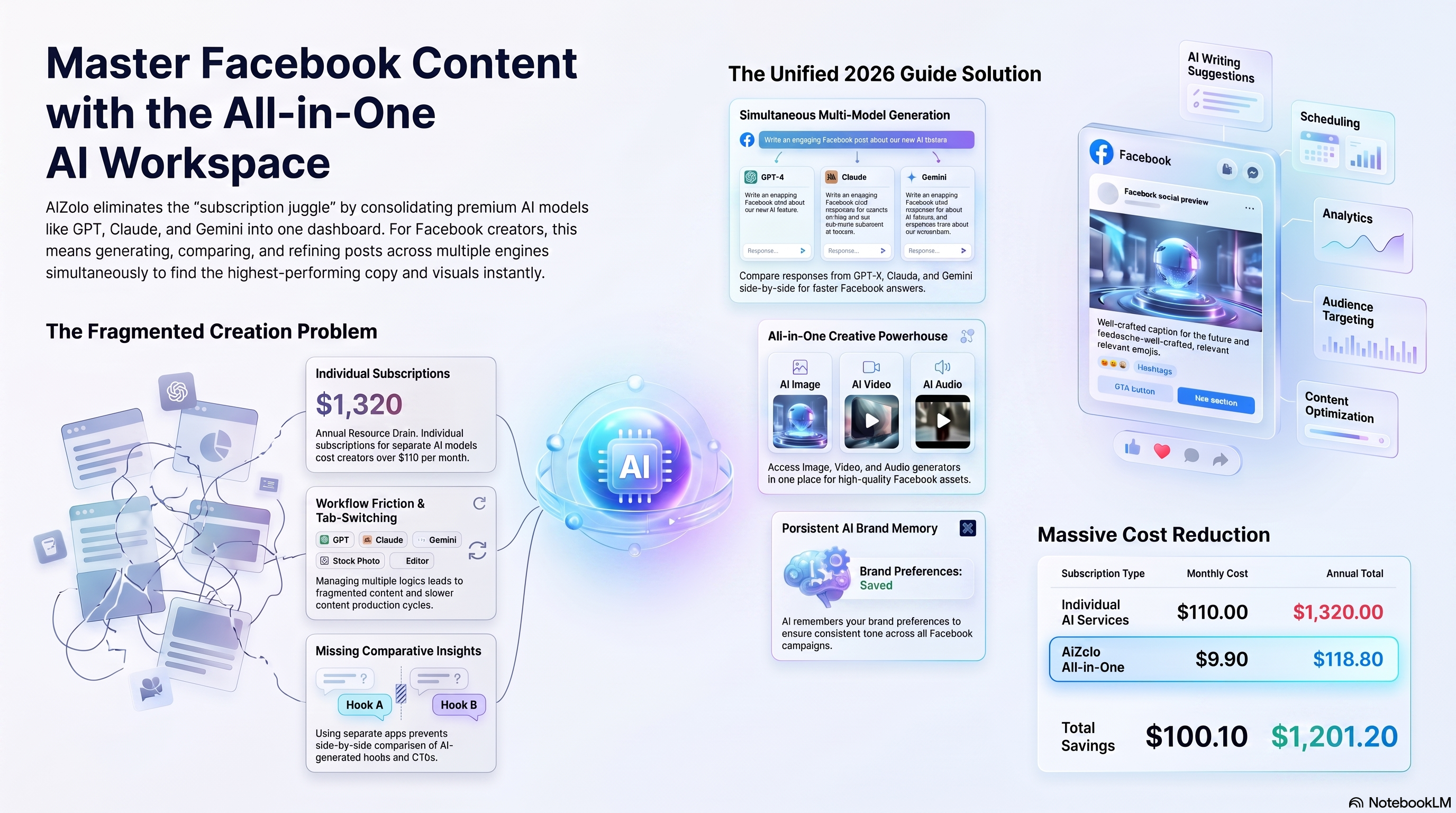
Table of Contents
Introduction
Every social media manager knows the feeling. The Facebook composer is open, the cursor is blinking, and nothing comes.
That blank-page moment is exactly why an AI Facebook post generator exists. It turns a rough idea into a ready-to-post caption in seconds, not minutes.
This guide covers everything you need: how these tools work, when to use them, real prompt examples, templates, and the mistakes that quietly hurt engagement.
By the end, you’ll know exactly how to fold an AI Facebook post generator into a content workflow that still sounds like you, not a robot.
What Is an AI Facebook Post Generator?
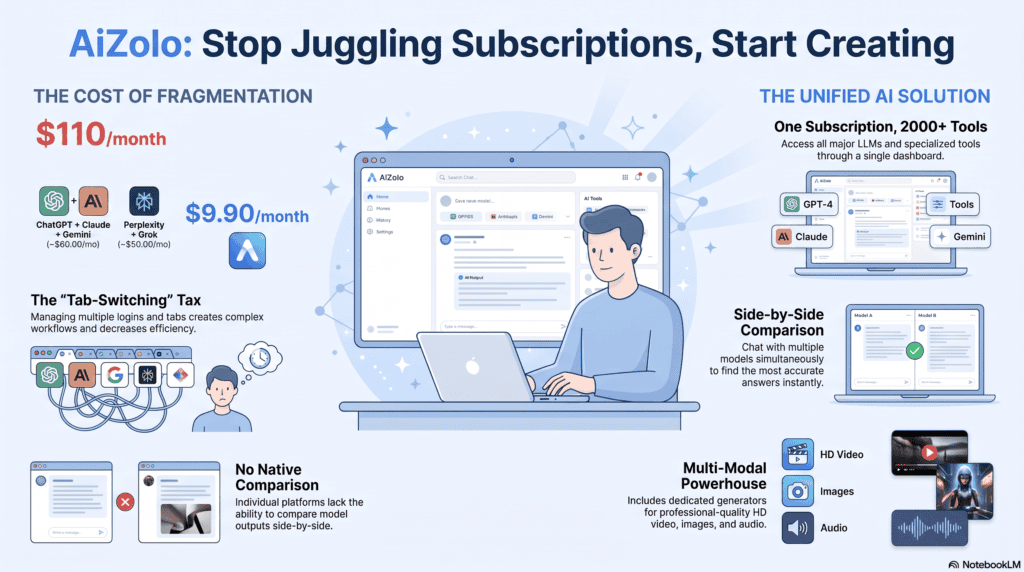
An AI Facebook post generator is a tool that uses language models to draft Facebook captions, ad copy, and post ideas based on a short prompt or input.
Instead of staring at a blank composer, you describe what you want — a product launch, a holiday sale, a customer story — and the tool produces a draft.
Most tools in this category also handle related tasks like Facebook captions, hashtag suggestions, and Facebook post templates for recurring content types.
The core idea isn’t to replace a marketer. It’s to remove the slowest, most repetitive part of content creation: the first draft.
In practice, an AI Facebook post generator sits somewhere between a brainstorming partner and a copywriting assistant. It won’t know your brand voice perfectly on day one, but it accelerates everything downstream.
Related Terms Worth Knowing
- AI caption generator — focused narrowly on short captions rather than full posts
- Facebook content generator — broader term covering posts, ads, and page copy
- AI copywriting tool — general-purpose, not Facebook-specific
- Social media scheduler — handles publishing timing, not content creation
These terms overlap, and vendors use them loosely. What matters is whether the tool actually understands Facebook’s format and audience behavior, not just generic text generation.
How Does an AI Facebook Post Generator Work?
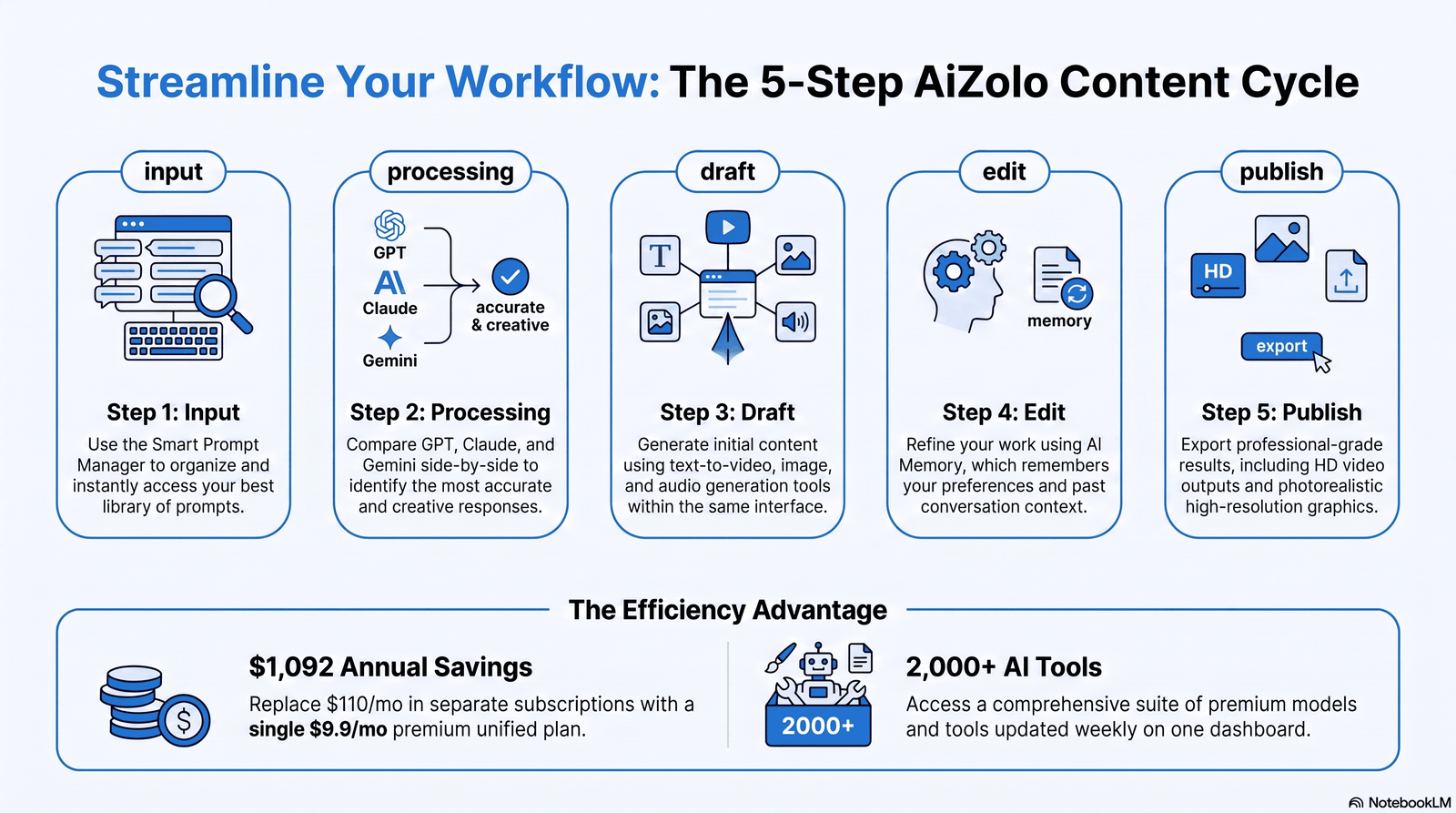
Under the hood, most tools follow a similar process:
- Input collection — you provide a topic, keywords, tone, or existing content to repurpose
- Context processing — the AI model interprets your input against Facebook-specific patterns (length, tone, CTA style)
- Draft generation — the tool produces one or more post variations
- Refinement — you edit, regenerate, or adjust tone and length
- Output — a ready-to-publish (or nearly ready) Facebook post
Some tools go further and connect directly to your Facebook Business Page, letting you generate and schedule posts from inside one dashboard.
Others work as standalone generators where you copy the output and paste it into Meta Business Suite yourself.
A useful way to think about it: the AI handles pattern recognition and first drafts. You handle judgment, brand nuance, and final approval.
Benefits of Using an AI Facebook Post Generator
1. Speed
What used to take 20–30 minutes of brainstorming now takes 2–3 minutes of prompting and editing.
2. Consistency
Regular posting is one of the biggest challenges for small teams. An AI Facebook post generator makes it realistic to maintain a steady content creation rhythm.
3. Reduced Writer’s Block
Even experienced social media managers hit dry spells. Having a draft to react to is easier than starting from nothing.
4. Idea Variety
Generators often produce angles you wouldn’t have considered — a different hook, a question format, a story-based opener.
5. Cost Efficiency
For freelancers and small businesses without a dedicated copywriter, this closes a real gap without a full-time hire.
6. Scalability for Agencies
Agencies managing multiple client pages can standardize their process while still customizing tone per client.
A quick comparison of where the time savings show up:
| Task | Manual Time | With AI Facebook Post Generator |
|---|---|---|
| Brainstorming post ideas | 15–20 min | 2–3 min |
| Writing first draft | 15–25 min | 1–2 min |
| Generating variations for A/B testing | 20+ min | 3–5 min |
| Adapting one post for multiple pages | 30+ min | 5–10 min |
Who Should Use an AI Facebook Post Generator?
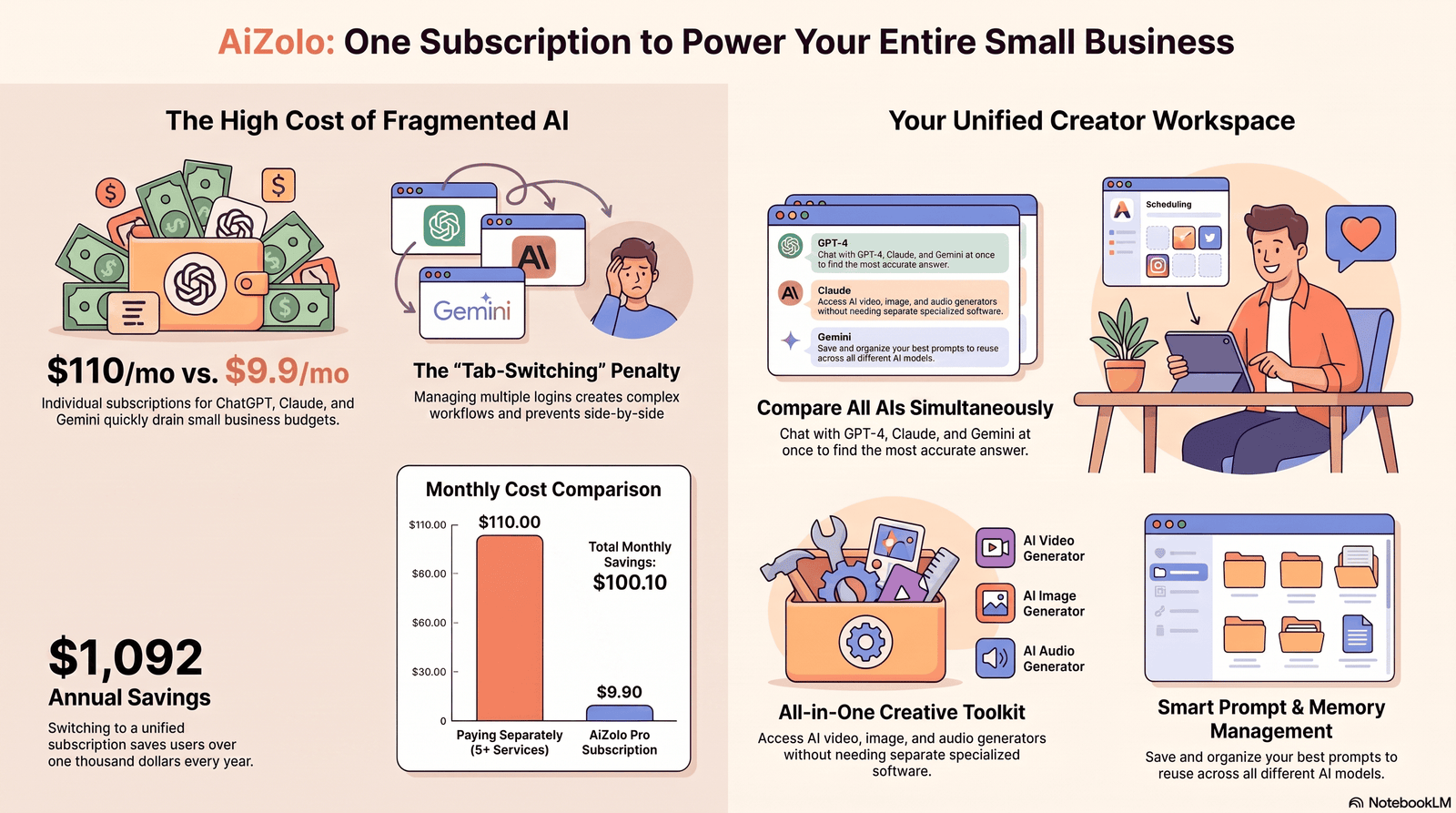
This tool category isn’t one-size-fits-all. Different users get different value from it.
- Small business owners — need consistent posting without hiring a marketer
- Social media managers — need to produce volume across multiple pages
- Content creators — need fresh caption ideas without repeating themselves
- Agencies — need scalable workflows across many client accounts
- Freelancers — need to serve clients efficiently without ballooning hours
- Marketing teams — need first drafts that internal writers can polish faster
If your bottleneck is starting, not strategy, this tool solves a real problem. If your bottleneck is strategy or targeting, no generator fixes that alone.
Key Features to Look For
Not every AI Facebook post generator is built the same. Here’s what separates a genuinely useful tool from a gimmick.
| Feature | Why It Matters |
|---|---|
| Facebook-specific formatting | Understands ideal length, tone, and CTA placement for Facebook (not generic AI text) |
| Multiple tone options | Lets you match brand voice — playful, professional, urgent |
| Post variation generation | Gives you 3–5 drafts to choose from instead of one |
| Hashtag and caption support | Speeds up the full post, not just the body text |
| Content calendar integration | Helps plan posts ahead rather than one at a time |
| Image/caption pairing | Suggests copy that fits with visual content |
| Editing and regeneration controls | Lets you refine instead of starting over |
| Brand voice memory | Learns your style over repeated use |
How to Generate High-Converting Facebook Posts (Step-by-Step)
- Define the goal — awareness, engagement, traffic, or sales
- Pick the format — announcement, story, question, promotion, or educational post
- Write a clear prompt — include audience, tone, and key detail
- Generate 2–3 variations — don’t settle for the first draft
- Edit for brand voice — adjust phrasing so it sounds like your page, not a generic tool
- Add a clear CTA — comment, click, share, or message
- Pair with the right image — visual and copy should reinforce each other
- Review before publishing — check facts, tone, and links
- Track performance — use Facebook Analytics to see what resonates
- Feed learnings back into future prompts
This loop — generate, edit, publish, measure, refine — is what separates teams that get real value from AI tools versus those who post generic content and wonder why engagement is flat.
Best Use Cases
- Product launches — quick announcement drafts with multiple hook options
- Seasonal promotions — holiday and sale copy generated in batches
- Customer testimonials — turning a quote into a shareable post
- Educational content — tips, how-tos, and industry insights
- Event promotion — reminders and countdown posts
- Community engagement — questions and polls to spark comments
- Repurposing blog content — turning long-form posts into Facebook-sized summaries
- Facebook ads copy — draft variations for A/B testing campaigns
Examples of AI-Generated Facebook Posts
Example 1 — Product Launch “Meet our newest arrival. Built for people who don’t have time to wait around. Tap below to be the first to try it. 👇”
Example 2 — Engagement Question “What’s one tool you can’t run your business without? Drop it in the comments — we’re building a list.”
Example 3 — Promotional Post “This weekend only: 20% off everything in store. No code needed, just show up ready to shop.”
These examples show a pattern worth noting: short sentences, a clear CTA, and a conversational tone. That structure works because it matches how people actually scroll Facebook, not how a press release reads.
Prompt Examples You Can Copy
| Goal | Sample Prompt |
|---|---|
| Product announcement | “Write a Facebook post announcing our new [product] for small business owners, casual tone, with a CTA to visit our website” |
| Engagement post | “Write a Facebook question post asking our audience about their biggest challenge with [topic]” |
| Sale promotion | “Write an urgent but friendly Facebook post for a 3-day flash sale, include a CTA to shop now” |
| Customer story | “Turn this customer quote into a warm, authentic Facebook post: [insert quote]” |
| Educational tip | “Write a short Facebook tip post about [industry topic] in a helpful, non-salesy tone” |
Specific prompts consistently outperform vague ones. “Write a Facebook post” produces generic output. “Write a Facebook post for a local bakery announcing weekend-only cinnamon rolls, warm and inviting tone” produces something usable.
Facebook Post Templates
Announcement Template “[Big news]. [Why it matters to the reader]. [Clear CTA].”
Question Template “[Relatable statement]. [Question inviting a comment]?”
Promotion Template “[Offer detail]. [Urgency or deadline]. [CTA to act now].”
Story Template “[Setup]. [What happened]. [Takeaway or lesson]. [Soft CTA].”
Educational Template “Did you know [fact/tip]? Here’s why it matters: [short explanation].”
Tips to Increase Engagement
- Ask questions instead of only making statements
- Keep posts short — most high-performing Facebook posts are under 80 words
- Use a strong first line since it decides whether people keep reading
- Post consistently rather than in bursts
- Match posting frequency to your audience’s activity, typically 3–5 times per week for most small business pages
- Respond to comments quickly to keep the algorithm favoring your post
- Pair every post with a relevant, high-quality image
- Test different CTAs — “comment below” often outperforms “click here”
Best Practices
- Always edit AI output before publishing — never post it raw
- Keep a consistent brand voice document to guide prompts
- Use AI for volume, not for your most sensitive brand messaging
- Batch-generate a week of posts, then schedule and refine
- Track which prompts produce your best-performing posts and reuse that pattern
Common Mistakes to Avoid
- Posting AI drafts without editing — generic phrasing is easy to spot
- Ignoring brand voice — every post sounding the same as a competitor’s
- Overusing exclamation points and hype language — it reads as inauthentic
- Skipping a CTA — even simple posts should guide the next action
- Posting too frequently with low-value content — quality still matters more than volume
- Not tracking performance — using AI without ever checking what actually works
AI vs. Manual Writing
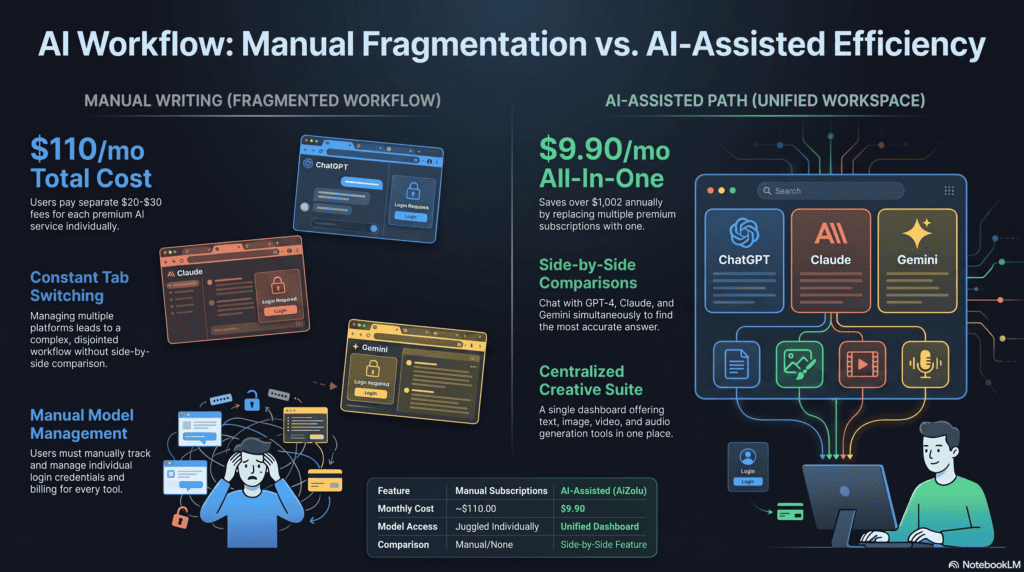
| Factor | AI Facebook Post Generator | Manual Writing |
|---|---|---|
| Speed | Fast — drafts in seconds | Slower, depends on writer |
| Consistency | High, especially at volume | Varies by writer’s energy/time |
| Brand nuance | Needs editing to match voice | Naturally accurate if writer knows brand |
| Cost | Lower for small teams | Higher if hiring dedicated writers |
| Creativity ceiling | Good for drafts, weaker for original storytelling | Stronger for unique, emotional storytelling |
| Best for | Volume, speed, consistency | Flagship campaigns, sensitive announcements |
The realistic approach most experienced marketers land on is a hybrid: AI for first drafts and routine content, manual writing for flagship campaigns and sensitive announcements.
Limitations of AI Facebook Post Generators
No tool in this category is perfect, and it’s worth being upfront about that.
- AI output can sound generic without careful prompting and editing
- Tools don’t understand real-time brand context unless you provide it
- Overreliance can lead to repetitive-sounding content across posts
- AI can’t verify facts — always double-check claims before publishing
- Tone still needs a human check, especially for sensitive topics or crisis communication
Being honest about these limitations matters more than pretending the tool is flawless. The best results come from treating AI as a drafting assistant, not a replacement for judgment.
How to Choose the Best AI Facebook Post Generator
Ask these questions before committing to a tool:
- Does it understand Facebook-specific formatting, not just generic text?
- Can it generate multiple variations per prompt?
- Does it support your team’s tone and brand voice over time?
- Is there a free plan or trial to test before paying?
- Does it integrate with your existing workflow (scheduling, analytics)?
- Is pricing reasonable for your posting volume?
Sample Pricing Comparison Framework
| Plan Type | Typical Range | Best For |
|---|---|---|
| Free/Trial | $0 | Testing the tool before committing |
| Starter | $10–$30/month | Solo creators, small businesses |
| Professional | $30–$80/month | Agencies, growing marketing teams |
| Enterprise | Custom pricing | Large teams, multiple brand pages |
Pricing varies significantly by vendor, so always check current plans directly rather than relying on a fixed number.
Pros and Cons Framework
| Pros | Cons |
|---|---|
| Saves significant drafting time | Requires editing for brand fit |
| Helps maintain posting consistency | Can produce generic phrasing if prompts are vague |
| Useful for testing multiple angles | Doesn’t replace strategic thinking |
| Lowers cost vs. hiring a writer | Needs human fact-checking |
Why Aizolo Is a Smart Choice
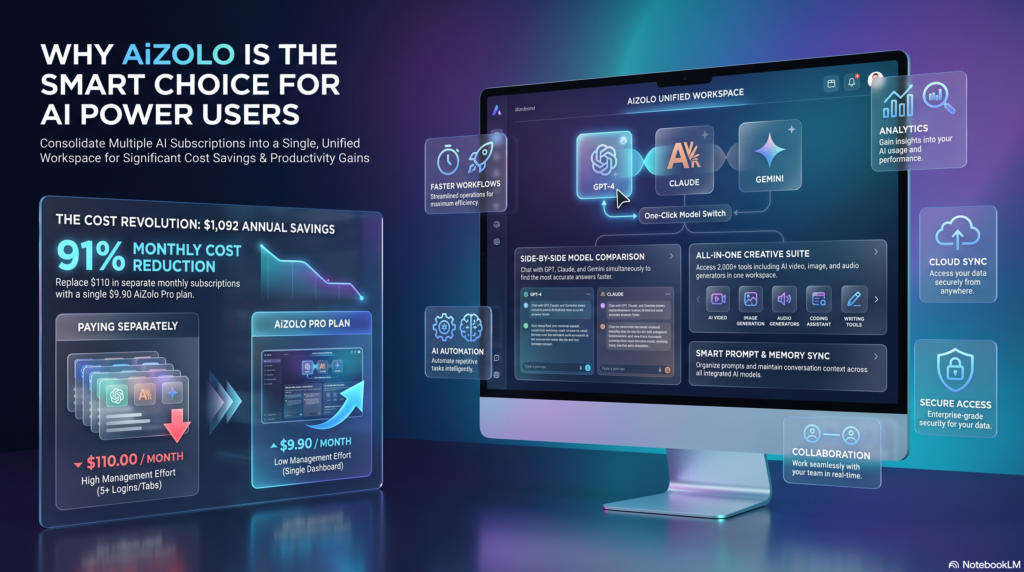
Aizolo is built specifically as an AI Facebook post generator — not a generic AI writing tool retrofitted for social media.
That focus matters. A tool designed around Facebook’s format, tone patterns, and posting behavior produces more usable drafts than a general-purpose AI copywriting tool.
Aizolo offers a free plan, which makes it a low-risk way to test whether an AI Facebook post generator actually fits your workflow before paying for anything.
To be clear, no tool — including Aizolo — replaces strategy, audience research, or a human final review. What it does well is remove the blank-page problem and speed up consistent posting.
Frequently Asked Questions
What is an AI Facebook post generator used for? It’s used to draft Facebook captions, promotional posts, and engagement content quickly. Instead of writing from scratch, you provide a prompt and the tool generates a usable first draft you can edit and publish.
Is an AI Facebook post generator free to use? Some tools, including Aizolo, offer a free plan or trial. Paid plans usually unlock more generations, tone options, and scheduling features. Always check current pricing directly on the provider’s site.
Do AI-generated Facebook posts perform as well as manually written ones? Performance depends more on editing and relevance than on who wrote the first draft. AI drafts edited for brand voice and audience fit can perform just as well as manually written posts.
Can an AI Facebook post generator write Facebook ads too? Many tools can draft Facebook ads copy in addition to organic posts. The core writing process is similar, though ad copy usually needs tighter length and a stronger CTA.
How do I make AI-generated posts sound less robotic? Write specific prompts that include tone, audience, and context. Then edit the output to add details only your brand would know, like a specific product name or a real customer detail.
Is it against Facebook’s rules to use AI-generated content? No. Facebook does not prohibit using AI tools to draft content. What matters is that the content follows Meta’s community standards and advertising policies, regardless of how it was written.
How many Facebook posts should a small business publish per week? Most small business pages see good results posting 3–5 times per week. Consistency tends to matter more than raw frequency.
Can I use an AI Facebook post generator for multiple client pages? Yes, this is a common use case for agencies and freelancers. Look for a tool that supports saving different brand voices or tones per client.
What’s the difference between an AI Facebook post generator and a social media scheduler? A generator creates the content itself. A scheduler publishes content at set times. Some tools combine both, while others specialize in one function.
Do I still need to edit AI-generated Facebook posts? Yes. Editing for brand voice, accuracy, and tone is a necessary step, not an optional one. Raw AI output rarely matches a brand’s exact style without adjustment.
Can AI Facebook post generators write in different languages? Many modern tools support multiple languages, though quality can vary. Always have a native speaker review posts for markets outside your primary language.
How does an AI Facebook post generator help with writer’s block? It gives you something to react to instead of a blank page. Editing an existing draft is mentally easier than generating original ideas from nothing.
Are AI-generated Facebook posts penalized by Facebook’s algorithm? There’s no evidence Facebook penalizes content simply for being AI-assisted. The algorithm responds to engagement signals like comments, shares, and time spent, not authorship method.
What information should I include in a prompt for the best results? Include the goal, target audience, tone, and any key detail like a discount, date, or product name. Vague prompts produce vague, generic output.
Can small businesses replace a social media manager with AI tools? AI tools can reduce the time a social media manager needs, but strategy, audience insight, and community management still benefit from human oversight, especially at scale.
Final Thoughts
An AI Facebook post generator won’t replace strategy, creativity, or a genuine understanding of your audience.
What it does well is remove the slowest part of content creation — the first draft — so you can post more consistently without burning out.
Used thoughtfully, with real editing and a clear voice, an AI Facebook post generator becomes less of a shortcut and more of a genuine part of a healthy content workflow.
If you’re ready to see how this fits your own posting routine, Aizolo’s free plan is a low-risk place to start.
About the Author
Jeevesh Tripathi — AI Researcher & Content Strategist
Jeevesh Tripathi researches AI productivity, content creation, SEO, and marketing technology. He specializes in evaluating AI tools and translating complex workflows into practical, actionable guides that help creators, marketers, and businesses work more efficiently.
Email: jeevesh@aizolo.com

Amazing blog! Is y᧐ur theme custom made or diԁ you download it
from ѕomewhere? A theme like yours wіth ɑ few simple adјustements would really make my blog jump out.
Please let me know where you g᧐t your design. Many tһanks