
Introduction
Every “best AI tools for content creation” list online reads like it was written by the same AI it’s reviewing — generic pros-and-cons, suspiciously identical rankings, affiliate links dressed up as objectivity.
This guide takes a different approach: “best” isn’t a single answer. A solo blogger optimizing for organic traffic needs a different tool than a five-person marketing team running paid tests, and both need something different from a student outlining a thesis.
We tested 20 platforms against the same briefs, the same keywords, and the same editorial checks — general-purpose assistants, marketing-specific writers, SEO optimization platforms, design tools, and video/audio tools — and built a decision framework you can apply to your own workflow.
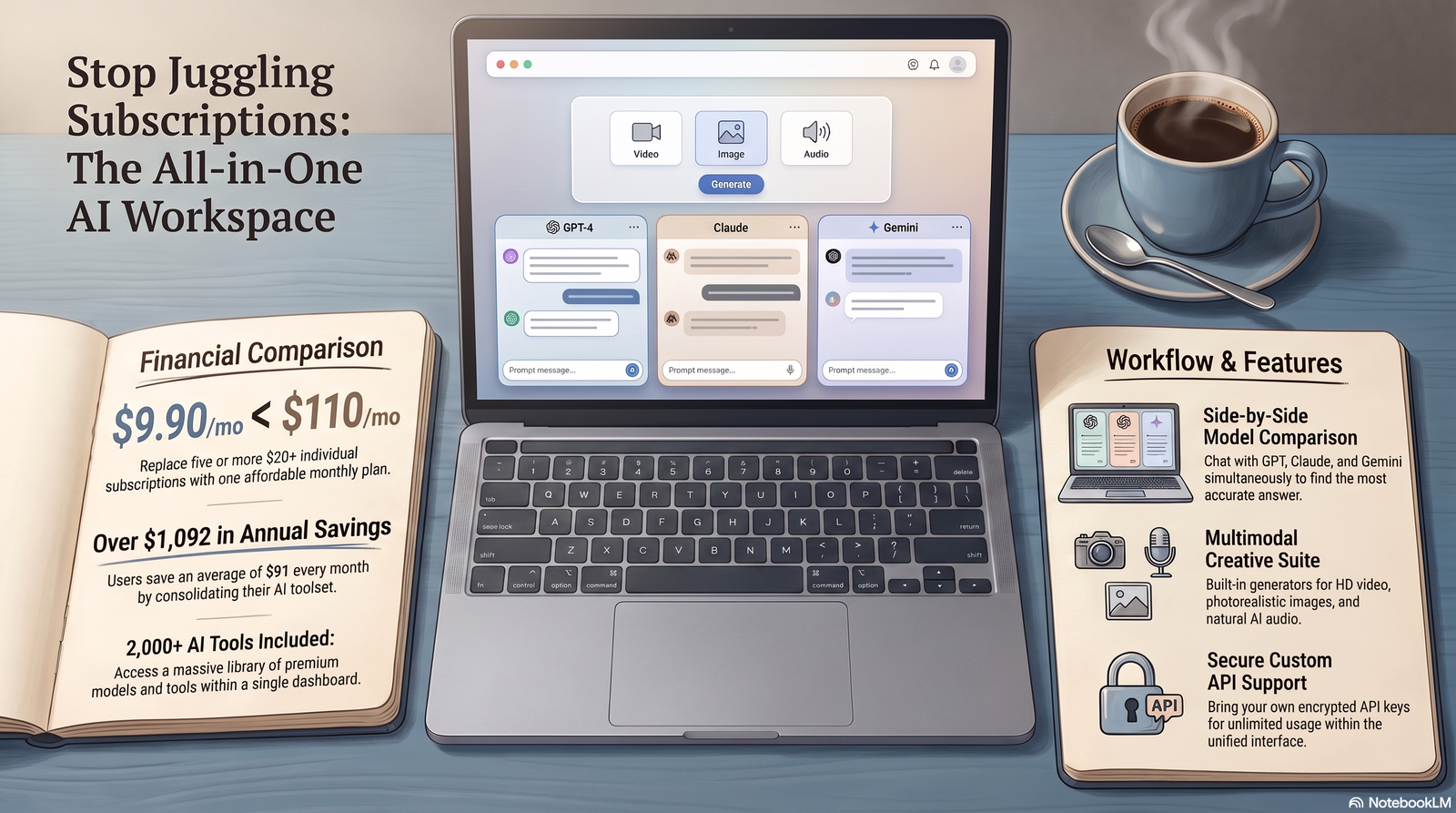
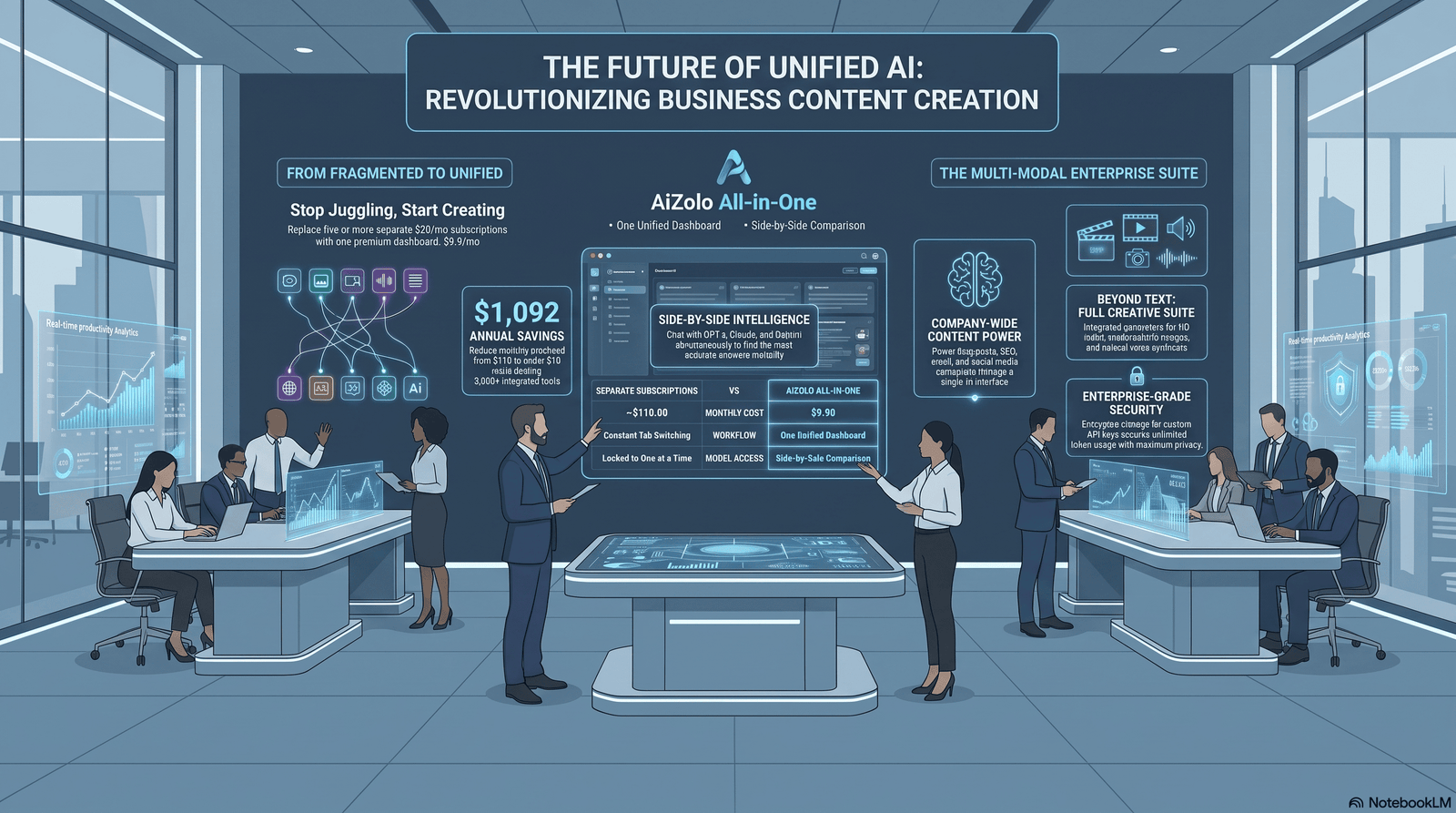
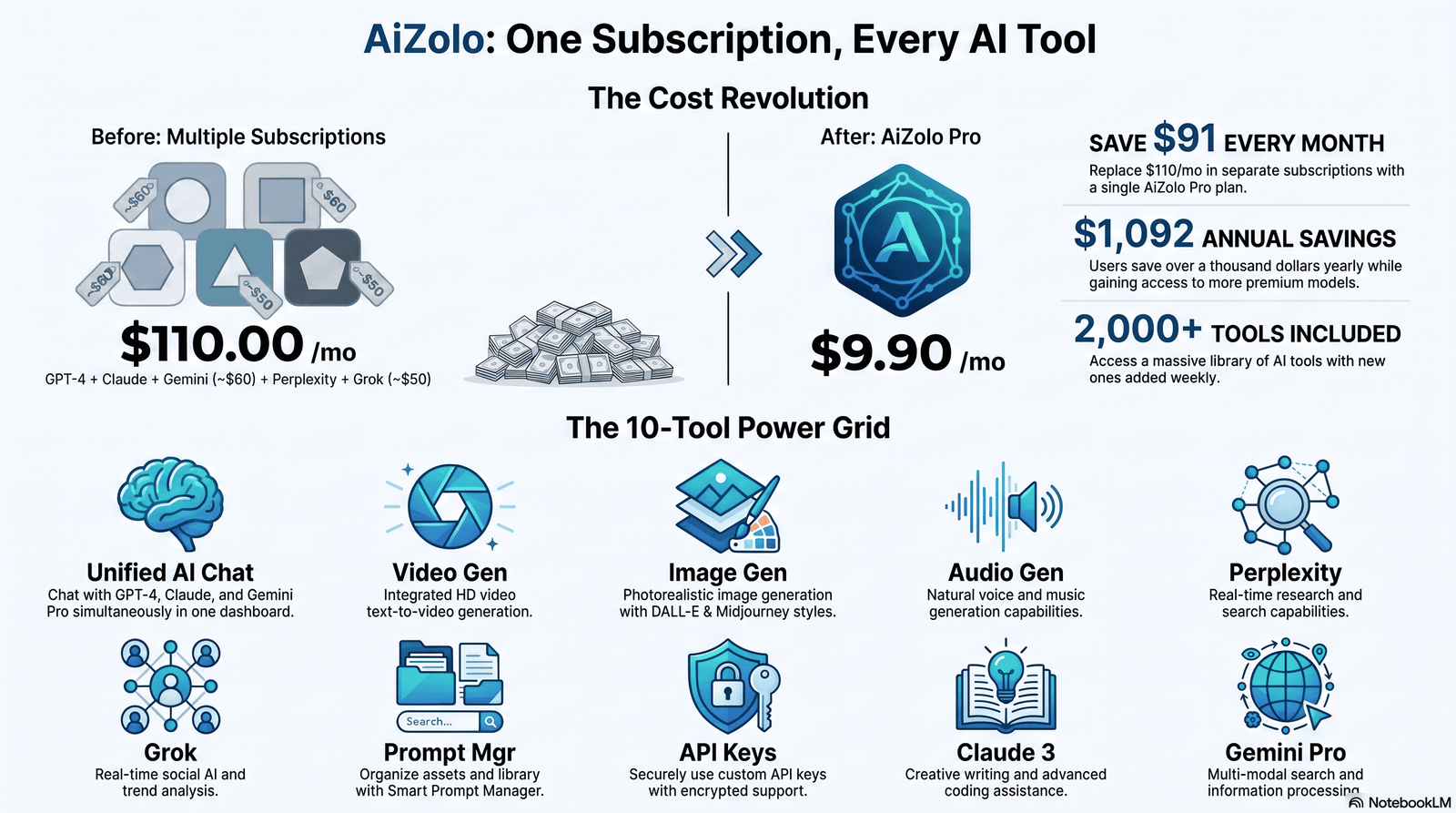
That list includes AiZolo, a multi-model workspace that gives you metered access to several of the frontier models covered in this guide (ChatGPT, Claude, Gemini, Grok) under one subscription, which is worth knowing about before you start stacking separate logins and bills.
A note on honesty up front: most AI writing tools are sophisticated wrappers around a handful of foundation models (GPT-5.x, Claude, Gemini). The real differentiation comes from workflow design, SEO data integration, brand-voice training, and team features — not secret proprietary intelligence. We call that out throughout, because pretending otherwise defeats the point of an “honest” guide.
For the full breakdown of all 19 tools we tested — including AiZolo, Gemini, Rytr, Canva, and more — see our complete AI content creator tools guide.
Table of Contents
What Are AI Tools for Content Creation?
AI content creation tools are software platforms that use large language models, diffusion models, and other machine-learning systems to help plan, draft, edit, design, or optimize content — faster than doing it by hand.
It’s useful to split the category into three buckets, because most buying mistakes happen when people treat them as interchangeable:
- General-purpose AI assistants (ChatGPT, Claude, Gemini) — flexible, inexpensive, not workflow-specific, but capable of nearly anything you ask.
- Specialized AI writers (Jasper, Copy.ai, Writesonic, Rytr, Anyword) — purpose-built for marketing content with brand-voice controls, templates, and team collaboration.
- Content optimization platforms (Surfer SEO, Clearscope, Frase) — don’t generate finished articles from nothing; they score your draft against what’s already ranking for a target keyword.
A fourth, newer bucket is worth naming: design, video, and multi-model tools (Canva, Midjourney, Adobe Firefly, Descript, Opus Clip, and multi-model aggregators like AiZolo) that extend the workflow beyond text.
In practice, “best AI tools for content creation” usually means combining at least two of these categories — a drafting tool and an optimization or design layer — rather than expecting one platform to do everything.
For the underlying technology — how transformers, diffusion models, and RAG actually work, plus the ethics and copyright questions around AI-generated content — see our companion guide: Generative AI for Content Creation: The Complete 2026 Guide.
Why Businesses and Creators Use AI Content Tools in 2026
AI adoption in content teams is no longer experimental. Survey data across multiple 2026 industry sources puts marketer AI adoption in the 85–94% range, and HubSpot’s research shows marketers who avoid AI for blog creation have collapsed from roughly 65% to about 5% in two years — a shift covered in more depth in our breakdown of how AI is transforming content creation stage by stage, from research through distribution.
Four reasons come up repeatedly:
- Speed. A first draft that used to take two hours can take fifteen to forty minutes.
- Volume. Teams report producing three to five times more content at similar quality once AI drafting is built into the workflow.
- Consistency. Brand-voice tools let multiple writers sound like one brand instead of five.
- Research bandwidth. Models with live web access pull current data into a draft instead of a writer manually cross-referencing tabs.
None of that means AI content ranks automatically. Google has been explicit that helpful, original, accurate content ranks regardless of how it was produced — and generic AI output fails for the same reason generic human writing fails: it isn’t helpful or original enough to be worth ranking.
The single biggest predictor of whether AI-assisted content performs well after publishing isn’t which tool drafted it. It’s how much first-person experience, specific data, and editorial judgment a human added afterward.
Where AI Is Changing Content Creation Beyond Drafting
Drafting gets the most attention, but AI is reshaping nearly every stage of the content lifecycle. A quick map of where the tools above (and a few adjacent ones) actually fit:
- Translation & Localization: Multilingual AI has closed the gap between “translated” and “localized.” Brands now launch region-specific content variants in days instead of months, though cultural nuance still benefits from a human reviewer.
- Personalization: Modern AI content workflows generate dynamic variants — different headlines, CTAs, or product descriptions — tailored to audience segments in real time, at a scale manual personalization never allowed.
- Social Media: AI drafts platform-specific post variants, suggests posting times, and repurposes long-form content into short-form snippets automatically — this is where a tool like Opus Clip earns its keep.
- Email Marketing: Subject-line generation, send-time optimization, and behavioral segmentation are now largely AI-assisted, with measurable gains in time-to-market.
- Video & Podcast Production: AI transcription, show-note generation, and text-based video editing (Descript’s core trick) compress production timelines that used to require a full crew.
- Enterprise Content Operations: At scale, this stops being about individual tools and becomes governed pipelines — approved prompts, brand-voice models, human review gates, and audit trails, not ad hoc tool use by individual writers.
Real numbers worth knowing: marketers who avoid AI for blog creation dropped from roughly 65% to about 5% in two years, and companies using AI in their content workflows report publishing around 42% more content per month. Neither number matters if the output is unedited — see “Common Mistakes to Avoid” below.
How We Tested These Tools
We didn’t rely on vendor demos or affiliate review round-ups. Our process looked like this:
- Created accounts on paid tiers (not just free trials) to test real limits.
- Ran the same long-form content brief through every AI writer.
- Fed the same finished draft into every optimization tool to compare scoring behavior.
- Reviewed current pricing pages directly rather than relying on third-party estimates.
- Cross-referenced feature claims against public documentation and recent review patterns.
- Tracked what broke: repetitive template structure, brand-voice features that didn’t hold tone, optimization scores that rewarded stuffing over clarity.
Expert Insight: Nearly every comparison article online recycles the same three-tool shortlist. We deliberately tested optimization platforms and general LLMs side by side with specialized writers, because in practice most serious content teams are stacking two or three tools, not picking one winner.
Evaluation Criteria
Every platform was scored against seven criteria that map to what actually matters for a content operation:
- Output quality — light edit or full rewrite?
- Brand voice control — consistent tone across multiple writers?
- SEO/optimization depth — does it compete against current top-ranking pages?
- Workflow fit — slots into an existing process, or demands a new one?
- Pricing transparency — clear cost, or hidden behind seat limits and add-ons?
- Integrations — CMS, Google Docs, Slack?
- Editorial risk — does it push toward generic, keyword-stuffed output, or genuinely useful content?
Quick Comparison Table
| Tool | Category | Best For | Starting Price | Free Plan |
|---|---|---|---|---|
| ChatGPT | General assistant | Brainstorming, drafting, images | Free / ~$20/mo | Yes |
| Claude | General assistant | Long-form prose, document analysis | Free / ~$20/mo | Yes |
| Google Gemini | General assistant | Google Workspace integration | Free / ~$20/mo | Yes |
| Perplexity | Research | Cited, sourced answers | Free / ~$20/mo | Yes |
| Jasper | Specialized writer | Brand-voice marketing teams | ~$59/mo | No (trial only) |
| Copy.ai | Specialized writer + workflow | GTM automation | Free (limited) / ~$29–49/mo | Yes |
| Writesonic | Specialized writer + SEO | SEO drafting + AI visibility (GEO) | ~$16–39/mo | Limited |
| Rytr | Specialized writer | Budget short-form copy | Free / ~$9–29/mo | Yes |
| Anyword | Specialized writer | Predictive ad-copy scoring | ~$39/mo | No |
| Surfer SEO | Optimization | Real-time content scoring | ~$49–89/mo | No |
| Clearscope | Optimization | Enterprise grading, unlimited seats | ~$129/mo | No |
| Frase | Optimization + drafting | Budget SEO briefs | ~$15–49/mo | Trial only |
| Semrush | SEO suite | Full-funnel SEO strategy | ~$139.95/mo | Limited |
| Ahrefs | SEO research | Backlink & keyword research | ~$129/mo | No |
| Grammarly | Editing | Grammar, tone, clarity | Free / ~$12/mo | Yes |
| Notion AI | Workspace AI | In-doc drafting/Q&A | ~$8–20/mo add-on | Trial only |
| Canva | Design | Visuals + light copy | Free / ~$12–15/mo | Yes |
| Midjourney | Image generation | Stylized illustration | ~$10/mo | No |
| DALL·E | Image generation | In-chat images via ChatGPT | Included in Plus | No |
| Adobe Firefly | Image/video generation | Commercially safe imagery | Free credits / ~$180/yr | Yes |
| Descript | Video/audio editing | Transcript-based editing | Free / ~$12–25/mo | Yes |
| Opus Clip | Video repurposing | Long-form → short clips | Free / scales with export volume | Yes |
Pricing changes frequently across this category — always confirm current rates on the vendor’s official page before purchasing.
Detailed Tool Reviews
General-Purpose Assistants
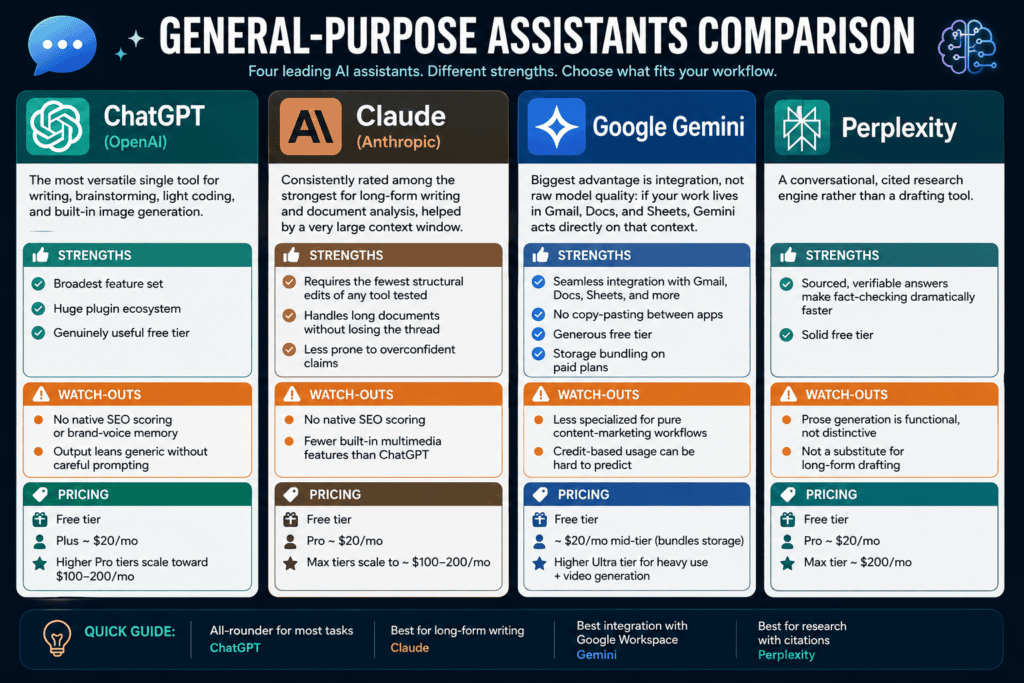
ChatGPT (OpenAI) — The most versatile single tool for writing, brainstorming, light coding, and built-in image generation. Strengths: broadest feature set, huge plugin ecosystem, genuinely useful free tier. Watch-outs: no native SEO scoring or brand-voice memory; output leans generic without careful prompting. Pricing: free tier; Plus ~$20/mo; higher Pro tiers scale toward $100–200/mo.
Claude (Anthropic) — Consistently rated among the strongest for long-form writing and document analysis, helped by a very large context window. Strengths: requires the fewest structural edits of any tool tested; handles long documents without losing the thread; less prone to overconfident claims. Watch-outs: no native SEO scoring; fewer built-in multimedia features than ChatGPT. Pricing: free tier; Pro ~$20/mo; Max tiers scale to ~$100–200/mo.
Google Gemini — Biggest advantage is integration, not raw model quality: if your work lives in Gmail, Docs, and Sheets, Gemini acts directly on that context. Strengths: no copy-pasting between apps, generous free tier, storage bundling on paid plans. Watch-outs: less specialized for pure content-marketing workflows; credit-based usage can be hard to predict.
Pricing: free tier; ~$20/mo mid-tier bundling storage; higher Ultra tier for heavy use plus video generation. If you’re deciding specifically between Gemini and Claude for content work, see our dedicated breakdown: Gemini vs Claude for Content Creation.
Perplexity — A conversational, cited research engine rather than a drafting tool. Strengths: sourced, verifiable answers make fact-checking dramatically faster; solid free tier. Watch-outs: prose generation is functional, not distinctive; not a substitute for long-form drafting. Pricing: free tier; Pro ~$20/mo; Max tier ~$200/mo.
See our full breakdown of every AI tool reviewed here.
Specialized Marketing Writers
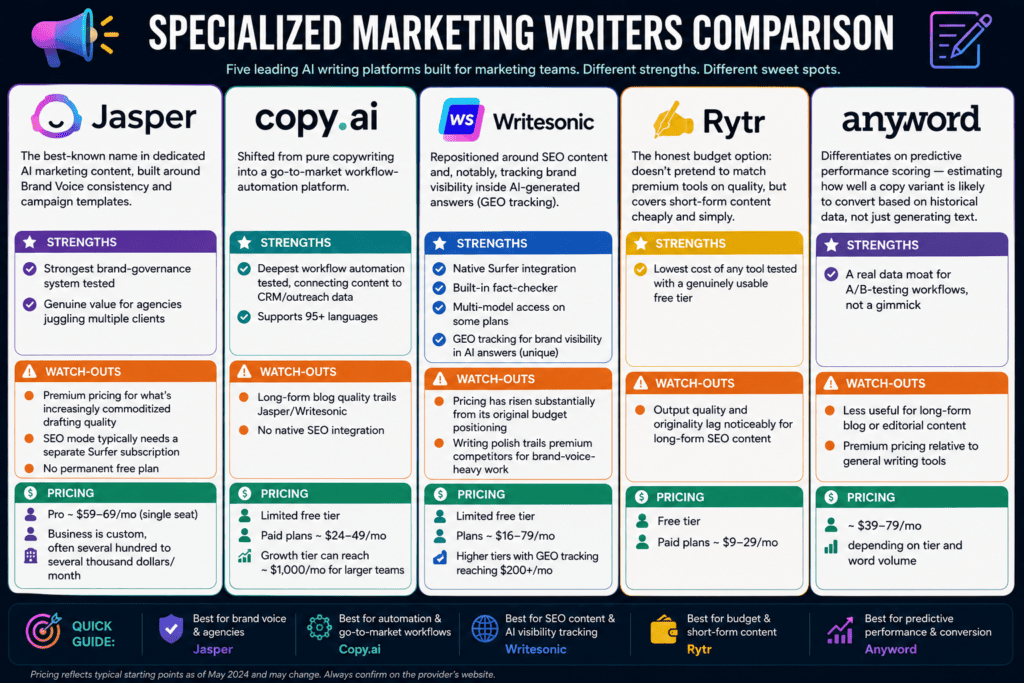
Jasper — The best-known name in dedicated AI marketing content, built around Brand Voice consistency and campaign templates. Strengths: strongest brand-governance system tested; genuine value for agencies juggling multiple clients. Watch-outs: premium pricing for what’s increasingly commoditized drafting quality; SEO mode typically needs a separate Surfer subscription; no permanent free plan. Pricing: Pro ~$59–69/mo (single seat); Business is custom, often several hundred to several thousand dollars/month.
Copy.ai — Shifted from pure copywriting into a go-to-market workflow-automation platform. Strengths: deepest workflow automation tested, connecting content to CRM/outreach data; supports 95+ languages. Watch-outs: long-form blog quality trails Jasper/Writesonic; no native SEO integration. Pricing: limited free tier; paid plans ~$24–49/mo; Growth tier can reach ~$1,000/mo for larger teams.
Writesonic — Repositioned around SEO content and, notably, tracking brand visibility inside AI-generated answers (GEO tracking) — a genuinely novel feature among writing tools. Strengths: native Surfer integration, built-in fact-checker, multi-model access on some plans. Watch-outs: pricing has risen substantially from its original budget positioning; writing polish trails premium competitors for brand-voice-heavy work. Pricing: limited free tier; plans ~$16–79/mo, higher tiers with GEO tracking reaching $200+/mo.
Rytr — The honest budget option: doesn’t pretend to match premium tools on quality, but covers short-form content cheaply and simply. Strengths: lowest cost of any tool tested with a genuinely usable free tier. Watch-outs: output quality and originality lag noticeably for long-form SEO content. Pricing: free tier; paid plans ~$9–29/mo.
Anyword — Differentiates on predictive performance scoring — estimating how well a copy variant is likely to convert based on historical data, not just generating text. Strengths: a real data moat for A/B-testing workflows, not a gimmick. Watch-outs: less useful for long-form blog or editorial content; premium pricing relative to general writing tools. Pricing: ~$39–79/mo depending on tier and word volume. see our full breakdown of every AI tool reviewed here.
Content Optimization Platforms
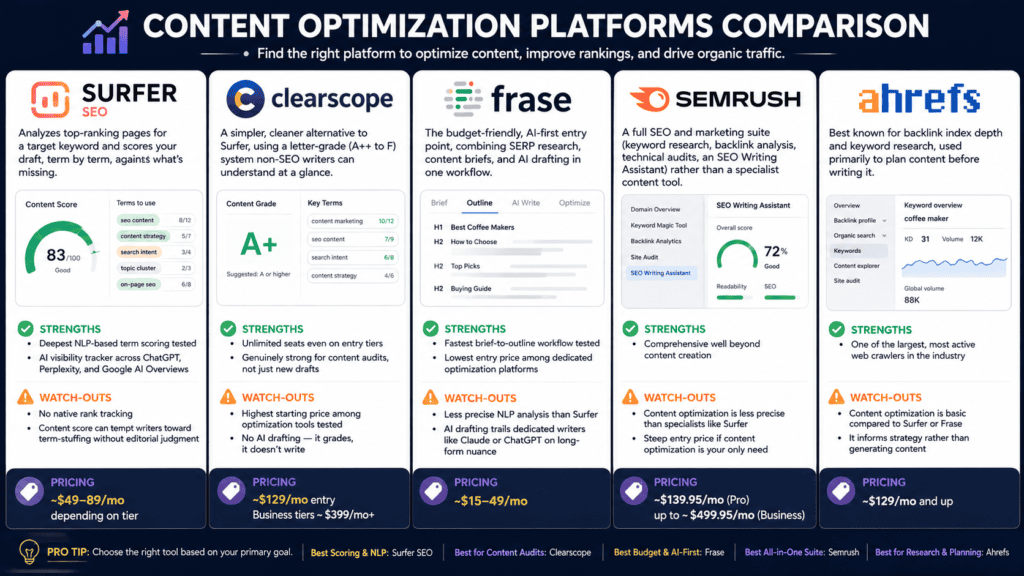
Surfer SEO — Analyzes top-ranking pages for a target keyword and scores your draft, term by term, against what’s missing. Strengths: deepest NLP-based term scoring tested; AI visibility tracker across ChatGPT, Perplexity, and Google AI Overviews. Watch-outs: no native rank tracking; the content score can tempt writers toward term-stuffing without editorial judgment. Pricing: ~$49–89/mo depending on tier.
Clearscope — A simpler, cleaner alternative to Surfer, using a letter-grade (A++ to F) system non-SEO writers can understand at a glance. Strengths: unlimited seats even on entry tiers; genuinely strong for content audits, not just new drafts. Watch-outs: highest starting price among optimization tools tested; no AI drafting — it grades, it doesn’t write. Pricing: ~$129/mo entry; Business tiers ~$399/mo+.
Frase — The budget-friendly, AI-first entry point, combining SERP research, content briefs, and AI drafting in one workflow. Strengths: fastest brief-to-outline workflow tested; lowest entry price among dedicated optimization platforms. Watch-outs: less precise NLP analysis than Surfer; AI drafting trails dedicated writers like Claude or ChatGPT on long-form nuance. Pricing: ~$15–49/mo.
Semrush — A full SEO and marketing suite (keyword research, backlink analysis, technical audits, an SEO Writing Assistant) rather than a specialist content tool. Strengths: comprehensive well beyond content creation. Watch-outs: content optimization is less precise than specialists like Surfer; steep entry price if content optimization is your only need. Pricing: ~$139.95/mo (Pro) up to ~$499.95/mo (Business).
Ahrefs — Best known for backlink index depth and keyword research, used primarily to plan content before writing it. Strengths: one of the largest, most active web crawlers in the industry. Watch-outs: content optimization is basic compared to Surfer or Frase; it informs strategy rather than generating content. Pricing: ~$129/mo and up.
Editing
Grammarly — Not a content generator; the editing and polish layer most teams run every draft through regardless of which AI wrote it. Strengths: best-in-class editing quality; works nearly everywhere via browser extension. Watch-outs: generative rewriting is capped by a monthly prompt allowance even on paid tiers; not built for first-draft generation. Pricing: free tier; Premium ~$12/mo (annual).
Workspace & In-Doc AI
Notion AI — An add-on layer inside Notion rather than a standalone tool, best for teams that already live there for planning and documentation. Strengths: zero context-switching for teams already in Notion; genuinely useful for internal knowledge work. Watch-outs: not built for SEO-optimized public content; full AI access typically requires the Business tier. Pricing: add-on, roughly $8–20/user/mo depending on base plan.
Design
Canva (Magic Write / Magic Studio) — AI layered onto an already-dominant design platform. Strengths: all AI features included in the standard Pro subscription; extremely low learning curve; fully editable outputs. Watch-outs: image generation trails specialist tools for complex artistic work; not a serious substitute for long-form writing. Pricing: free tier; Pro ~$12–15/mo. See our full breakdown of every AI tool reviewed here.
Image Generation
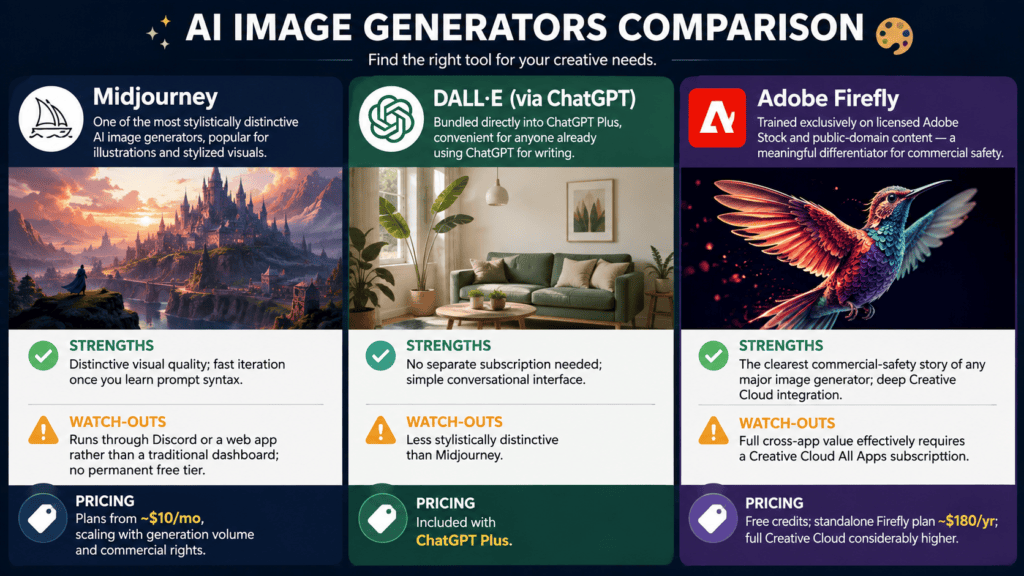
Midjourney — One of the most stylistically distinctive AI image generators, popular for illustrations and stylized visuals. Strengths: distinctive visual quality; fast iteration once you learn prompt syntax. Watch-outs: runs through Discord or a web app rather than a traditional dashboard; no permanent free tier. Pricing: plans from ~$10/mo, scaling with generation volume and commercial rights.
DALL·E (via ChatGPT) — Bundled directly into ChatGPT Plus, convenient for anyone already using ChatGPT for writing. Strengths: no separate subscription needed; simple conversational interface. Watch-outs: less stylistically distinctive than Midjourney. Pricing: included with ChatGPT Plus.
Adobe Firefly — Trained exclusively on licensed Adobe Stock and public-domain content — a meaningful differentiator for commercial safety. Strengths: the clearest commercial-safety story of any major image generator; deep Creative Cloud integration. Watch-outs: full cross-app value effectively requires a Creative Cloud All Apps subscription. Pricing: free credits; standalone Firefly plan ~$180/yr; full Creative Cloud considerably higher.
See our full breakdown of every AI tool reviewed here.
Video & Audio
Descript — Turns audio/video editing into editing a text document: cut a sentence from the transcript, and the matching clip is removed automatically. Strengths: dramatically lowers the skill floor for clean podcast/video production. Watch-outs: not a writing or SEO tool; needs pairing with a script-writing tool upstream. Pricing: free tier with limited transcription minutes; paid tiers ~$12–25/mo.
Opus Clip — Solves a specific, high-value problem: turning long-form video into short, captioned, social-ready clips automatically. Strengths: cuts hours of manual clipping down to minutes; virality scoring for clip selection. Watch-outs: a repurposing tool, not a primary content-creation platform — it needs a long-form source asset. Pricing: free tier with limited export minutes; paid plans scale with export volume.
Multi-Model Aggregators
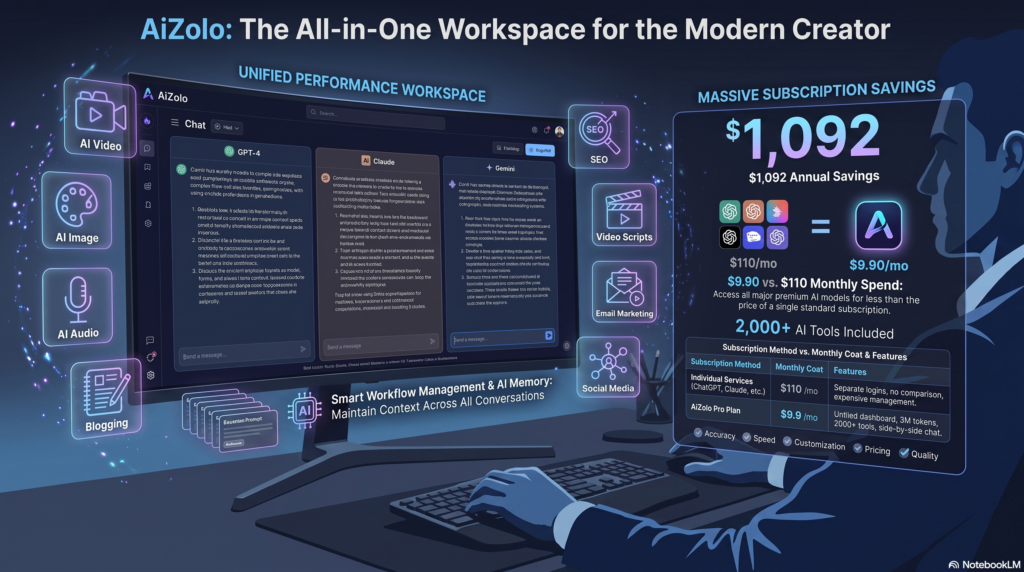
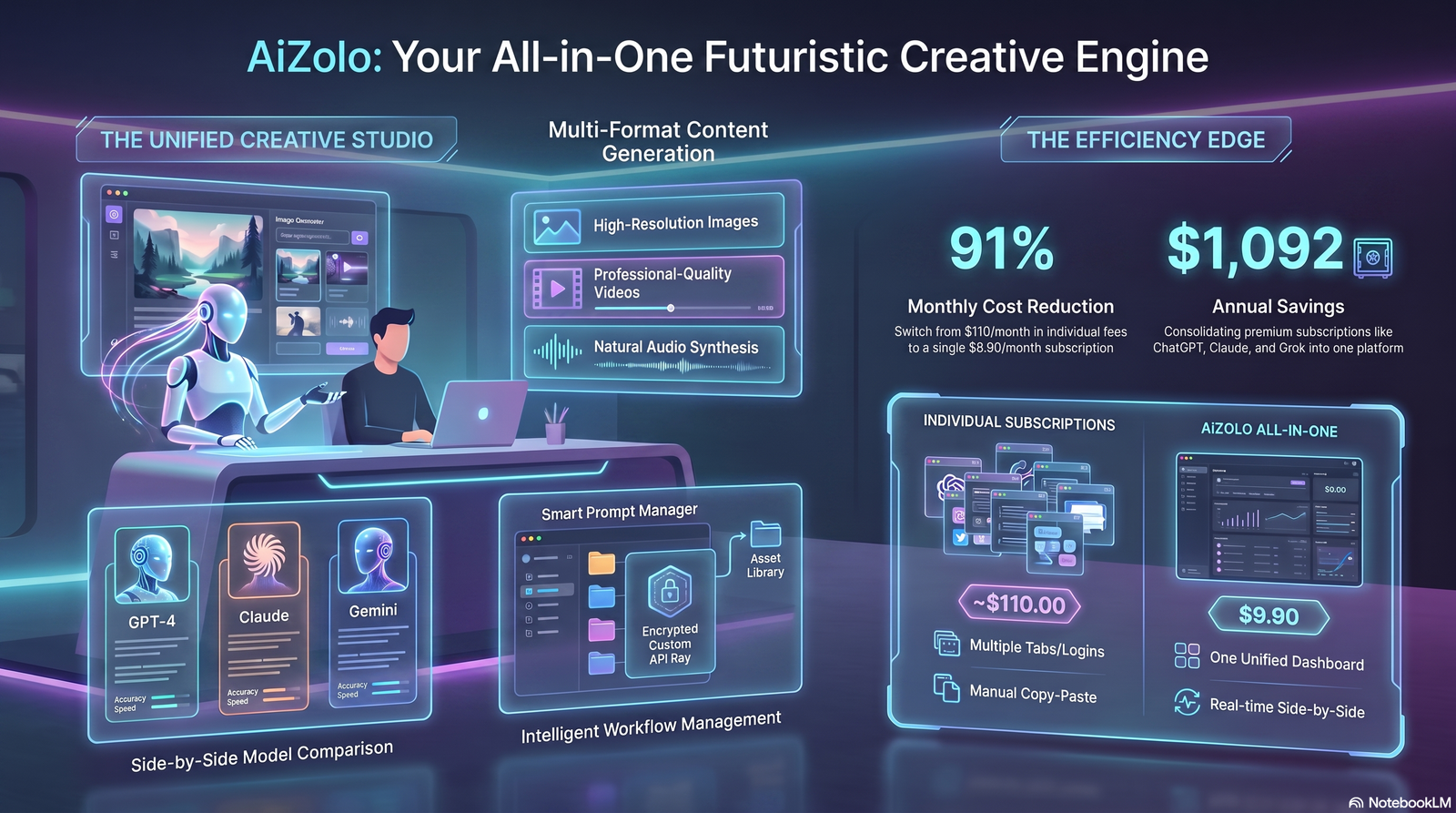
AiZolo — A multi-model AI workspace rather than a single fine-tuned writing model, giving subscribers metered access to ChatGPT, Claude, Gemini, and Grok side by side, plus image/video/document tools. Strengths: meaningfully lower combined cost than subscribing to each model separately; lets you pick the best model per task; free tier available.
Watch-outs: an access layer, not a specialized content workflow tool — no native Jasper-style brand-voice training or Surfer-style SEO scoring; usage caps apply even on paid tiers. Pricing: free tier; paid plans start under $10/mo, with a broader Pro tier for full model access.
Best Tool by Use Case
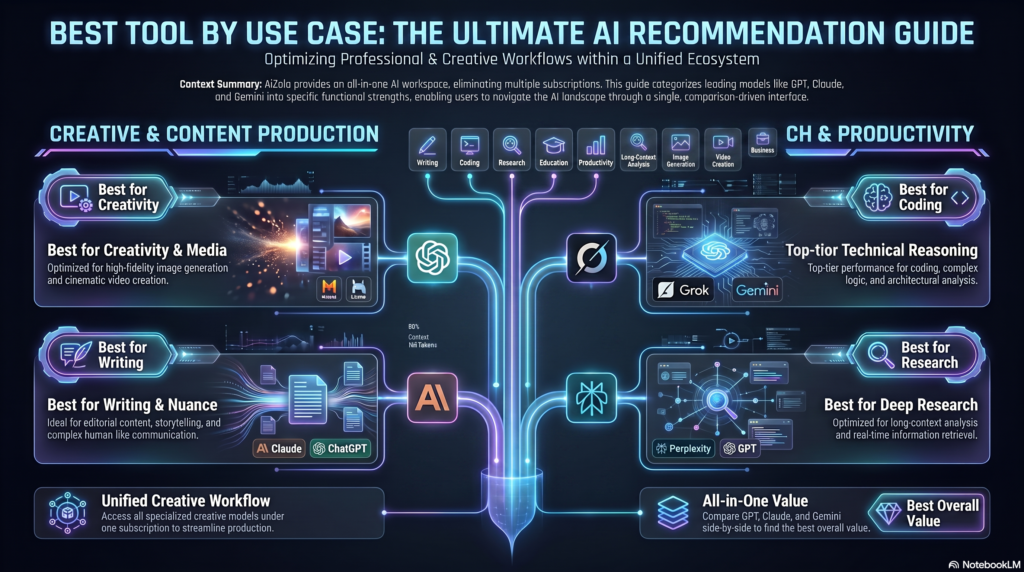
- Best for bloggers: Claude or ChatGPT for drafting, paired with Writesonic or Surfer SEO for optimization.
- Best for SEO specialists: Clearscope for editorial teams valuing simplicity and unlimited seats; Surfer for solo operators wanting planning, scoring, and drafting in one workspace; Ahrefs/Semrush for upstream keyword and backlink research.
- Best for marketing teams: Jasper — brand-voice consistency across campaigns and contributors is the actual problem it solves.
- Best for agencies: A stack, not a single tool — Jasper or Copy.ai for client-brand drafting, Surfer or Clearscope for optimization, Canva for visuals.
- Best for small businesses: A general assistant (ChatGPT Plus or Claude Pro) plus Canva Pro, or a multi-model aggregator like AiZolo if you want access to several models under one subscription.
- Best for video-driven brands: Descript for editing and repurposing, paired with Opus Clip for social distribution.
- Best for image-heavy content: Midjourney for stylized illustration; Adobe Firefly where commercial-safety documentation matters.
- Best for students: Perplexity for sourced research plus a free-tier general assistant (Claude or ChatGPT) for drafting.
Best AI Writing Tools for Students & Academic Writing
If you landed here from an essay-writing or academic-writing search, the calculus is different from marketing content — academic integrity matters more than output speed. A quick honest breakdown:
- Grammarly — the safest, most academic-integrity-friendly tool on any list like this, because it edits your existing writing instead of generating new text. Its Pro plan (~$12/mo annual) adds an integrated plagiarism checker.
- QuillBot — best free option for students: paraphrasing, grammar checking, summarizing, and citation generation (APA, MLA, Chicago) in one tool, from ~$8.33/mo on Premium.
- Paperpal — the most specialized option for graduate students and researchers preparing manuscripts or theses, with citation support for 10,000+ styles, from ~$25/mo.
- ChatGPT / Claude / Gemini — genuinely useful for brainstorming, outlining, and explaining difficult concepts, but none of them should be trusted to generate or verify citations from memory, and submitting their unedited output as your own work violates most academic integrity policies.
Important: Paraphrasing a source closely, even through an AI tool, without citation is still plagiarism under most academic integrity policies. Always check your specific institution’s AI policy before using any tool for graded work.
How Generative AI Actually Works (The Technology Behind the Tools)
Every tool reviewed above sits on top of the same handful of core technologies. Understanding them helps you pick the right category of tool instead of just the most-marketed one.
Large Language Models (LLMs): Neural networks trained on massive text corpora that predict and generate human-like language — the engine behind ChatGPT, Claude, and Gemini.
Transformers: The underlying architecture for nearly every modern LLM. Transformers use “attention” to weigh which words in a prompt matter most when generating the next word.
Diffusion Models: Power image and video generators like Midjourney and Adobe Firefly. They start with random noise and gradually refine it into a coherent image based on your prompt.
Retrieval-Augmented Generation (RAG): Combines an LLM with live search or database lookup so answers are grounded in current, verifiable information rather than only training data — this is why Perplexity and Claude’s web-search mode cite sources while a base chat model doesn’t.
Fine-Tuning: Further training a general-purpose model on a narrower dataset (like a brand’s past content) to match tone, style, and domain knowledge — the mechanism behind Jasper’s Brand Voice feature.
Embeddings: Numerical representations of words or sentences that let AI systems measure similarity and meaning — the backbone of semantic search and content-gap tools like Surfer and Clearscope.
Expert Insight: Enterprises increasingly combine RAG with fine-tuning — RAG for factual accuracy, fine-tuning for consistent brand voice. Neither alone solves both problems.
Content creation is projected to hold the largest single application share of the generative AI market in 2026 — roughly 35.7%, ahead of coding, customer service, and research use cases combined. For the full breakdown of how the technology evolved from rule-based grammar checkers to today’s multimodal systems, see our companion deep-dive on generative AI fundamentals (remove this link once the page is redirected; otherwise it’s a good internal link).
How to Choose the Right AI Content Tool
Work through these questions in order. Most buying mistakes happen when a team skips straight to “which tool is best” without answering them first.
1. Are you a solo creator or a team? Solo creators usually get more value starting with ChatGPT or Claude before paying for a specialized writer. Teams of three or more producing content under one brand benefit faster from Jasper’s brand voice governance.
2. Is SEO your primary channel? If organic search drives most of your traffic, budget for an optimization tool — Frase if budget-constrained, Surfer for a broader all-in-one workspace, Clearscope if editorial simplicity and unlimited seats matter more than automation depth.
3. Do you need workflow automation beyond writing? If content needs to trigger outreach, CRM updates, or sales sequences, Copy.ai’s workflow features are the closest fit on this list.
4. What’s your real total cost of ownership? Specialized writers often assume a separate SEO subscription. Add up the full stack — writer plus optimizer plus editing tool — before comparing sticker prices.
5. Who will actually use it daily? Test tools with the writers who will use them, not just the person approving the budget. Adoption failures are common when a tool is chosen from a demo instead of real workflow testing.
Expert Insight: The most reliable buying signal we found across every review site and our own testing: teams that build a two-tool stack (a drafting tool plus an optimization tool) consistently report better results than teams chasing a single “does everything” platform.
Common Mistakes to Avoid
- Publishing first drafts unedited. AI output needs a human editing pass before publishing, for both accuracy and voice.
- Paying premium prices for template access alone. If a tool’s core value is templates wrapped around GPT, weigh that against using ChatGPT or Claude directly.
- Ignoring SEO data entirely. Surfer, Clearscope, and Frase exist because generic AI drafts, without SERP grounding, tend to miss the semantic coverage that actually ranks.
- Treating predictive scores as guarantees. Anyword’s performance predictions are directionally useful, not a substitute for real A/B testing.
- Using one tool for every job. The stack approach (research + writing + optimization + design) consistently outperforms forcing one platform to do everything.
- Ignoring the subscription-stack problem. Jasper’s SEO mode often needs a separate Surfer subscription; costs escalate quickly once integrations are counted.
- Not testing with the actual writing team. Tools chosen from executive demos frequently see adoption fail within the first month.
Privacy, Security, and Data Handling
Most buying guides skip this, and it matters more every year as legal teams get involved in software approvals.
Training data usage. Check whether your inputs train the underlying model by default. ChatGPT, Claude, Jasper, and most enterprise-tier tools now offer settings or business-tier agreements that exclude customer content from training data — but defaults vary by plan, so verify per account rather than assuming.
Confidential and regulated content. If you’re drafting content touching legal, medical, or financial claims, treat every AI draft as a starting point needing subject-matter review, not just a copy edit.
Data residency and enterprise agreements. Larger organizations should ask vendors directly about data residency, SOC 2 compliance, and enterprise data-processing agreements.
Third-party integrations widen the exposure surface. Every integration you connect — a CMS, CRM, Slack workspace — adds another place your content and prompts pass through. Audit integrations the way you’d audit any other SaaS connection.
The teams most likely to run into trouble aren’t using these tools maliciously — they’re pasting confidential drafts, unreleased product details, or customer data into free-tier tools without checking the vendor’s data-handling terms first.
The Future of AI Content Creation
Answer engine visibility is becoming as important as search ranking. Tools like Clearscope and Frase have added features that monitor whether a brand is cited inside ChatGPT, Perplexity, and Google AI Overviews — not just where a page ranks in traditional blue-link results. Writesonic’s pivot toward what it calls an “AI Search Visibility Platform” reflects the same shift.
Generative Engine Optimization (GEO) becomes table stakes. Writesonic and Surfer already track visibility inside AI Overviews, ChatGPT, and Perplexity answers — expect this to become a standard feature across the category, not a differentiator
Agentic workflows are moving beyond drafting into full content operations. Newer platforms are connecting keyword strategy, drafting, optimization scoring, CMS publishing, and analytics into single systems rather than separate tools stitched together manually.
Convergence of writing and design tools. Canva and Adobe are both pushing toward conversational, multi-modal interfaces that generate copy and visuals in the same request rather than separate tools.
The gap between general LLMs and specialized writers is narrowing on pure writing quality — and widening on governance. Claude and ChatGPT increasingly match or exceed specialized tools on raw prose. What specialized platforms like Jasper still offer is brand voice enforcement, team permissions, and workflow structure that a general assistant doesn’t provide out of the box.
Research Note: The teams most likely to still be using their current AI content stack a year from now are the ones who chose tools based on editorial workflow fit — not the ones who chased the newest feature announcement.
A Sample Workflow: From Brief to Published Article
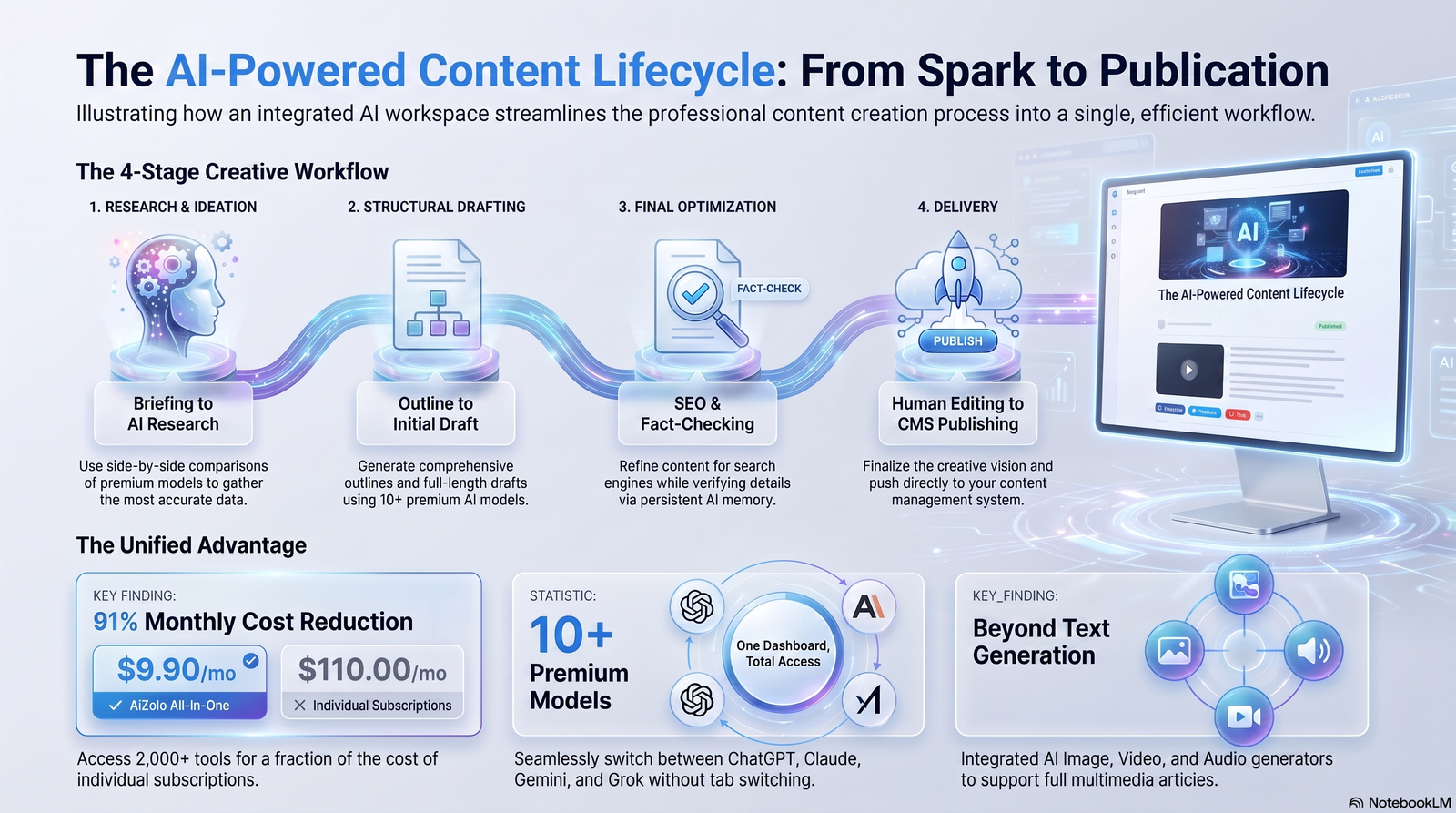
Step 1 — Research and briefing. Use Frase or Surfer to pull SERP data: what’s ranking, what questions competitors answer, what topical gaps exist.
Step 2 — Outline. Build a structured outline from that research rather than letting an AI writer invent structure from scratch.
Step 3 — Draft. Generate the first draft in Claude or ChatGPT for prose quality, or in Jasper/Writesonic if brand-voice consistency across multiple writers is the priority.
Step 4 — Add what AI can’t originate. The step most teams skip: first-person testing notes, original data, specific numbers, a point of view the AI didn’t generate.
Step 5 — Optimize. Run the draft through Surfer or Clearscope for topical coverage against current top-ranking pages, adjusting on judgment, not just the score.
Step 6 — Edit. Pass the draft through Grammarly or a human editor for a final clarity and tone check.
Step 7 — Publish and monitor. Track both traditional rankings and, increasingly, whether content gets cited inside AI-generated answers.
Teams that treat Step 4 as optional consistently produce content that reads as generic, regardless of which AI writer they used. Tools accelerate steps 1, 3, and 5 — they don’t replace step 4.
FAQ
Is ChatGPT better than dedicated tools like Jasper? Not universally. ChatGPT is more flexible and often cheaper; dedicated tools earn their price when they add persistent brand-voice memory, live SEO scoring, or multi-seat governance a general chat interface doesn’t offer.
Can AI-written content rank on Google? Yes, provided it satisfies genuine helpfulness, originality, and accuracy — Google evaluates content quality, not whether AI was involved.
Do I need a separate SEO tool if I already use Jasper or Writesonic? Often yes, for the deepest keyword and SERP-gap analysis — though both integrate with Surfer, narrowing the gap.
What’s the cheapest way to start? Free tiers of ChatGPT, Claude, Gemini, or Canva cover a surprising amount of ground before any paid upgrade is necessary.
What is GEO, and why does it matter now? Generative Engine Optimization is optimizing content to be cited inside AI-generated answers (ChatGPT, Perplexity, Google AI Overviews), not just to rank in traditional search.
Which tool is best for a team managing multiple client brands? Jasper’s Brand Voice and Knowledge Asset system is built specifically for this; Canva’s Brand Kit covers the visual side.
Are AI content detectors reliable? Not consistently — accuracy varies significantly and false positives are common, so relying on a detector score alone as a quality gate is risky.
What’s the difference between Surfer and Clearscope? Surfer uses a numeric score and leans toward broader SEO workspace features at a lower entry price; Clearscope uses a letter grade, offers unlimited seats even on entry tiers, and targets larger editorial teams at a higher price.
How much should a small business budget monthly? A functional stack — one general assistant plus one design tool — typically runs $30–50/month; adding a dedicated SEO tool pushes that toward $80–150/month.
Does Google penalize AI-generated content? No — Google’s stated position is that helpful, original, accurate content ranks regardless of production method. Generic, unedited AI output underperforms because it lacks depth, not because it’s AI-generated.
Conclusion
There’s no single winner in this category, and any article claiming otherwise is oversimplifying for a cleaner headline. The right choice depends on whether your bottleneck is drafting speed, SEO optimization, brand consistency, predictive ad performance, visual production, or simply cost.
If you want one general-purpose tool that does a lot of things reasonably well: start with Claude or ChatGPT’s free tier, and only add a specialized platform once you’ve identified the specific gap it needs to fill.
One last thing worth saying plainly: none of these tools fix a content operation that’s burning its creator out. Speed and volume are only wins if the person behind the work is still around to enjoy them — we go into that more directly in Why I Almost Quit Content Creation, which is as much about sustainable systems as it is about software.
Author Bio
Jeevesh Tripathi — AI Researcher & SEO Content Strategist
Specializes in AI software, productivity tools, automation, SEO, and emerging technologies. Evaluates AI platforms and creates evidence-based content that helps readers choose the right tools for their workflows, following Google’s E-E-A-T and Helpful Content principles.
Contact: jeevesh@aizolo.com


Pingback: SEO Optimized Ecommerce Descriptions Using AI in 2026 |
Pingback: What Is an All-in-One AI Subscription Service? 7 Powerful Benefits