
Quick Overview
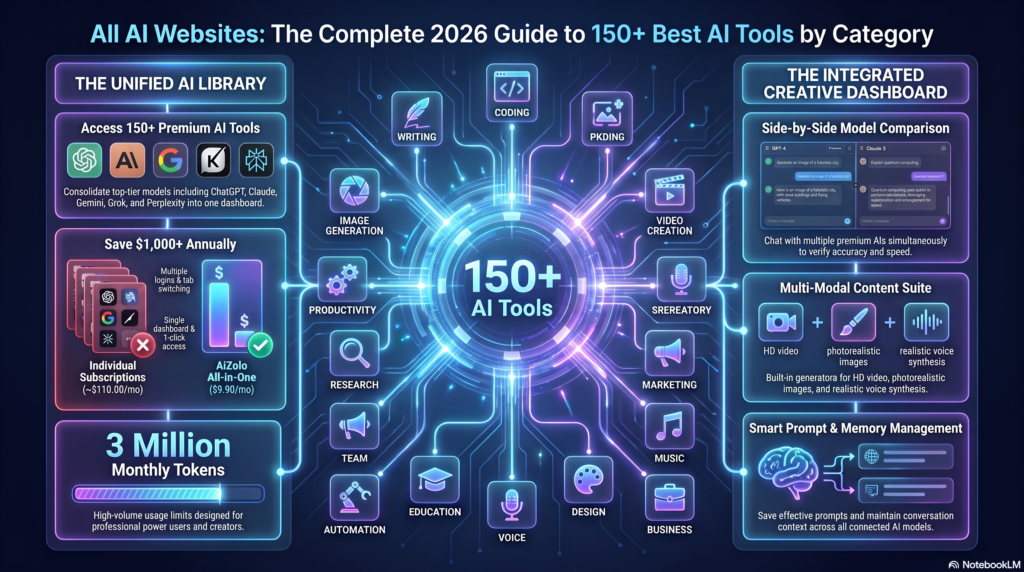
Looking for the best AI websites in 2026? This guide covers 150+ AI tools across categories such as writing, research, coding, image generation, video, productivity, marketing, and more. It compares their features, pricing, free plans, and best use cases to help you choose the right AI website for your needs.
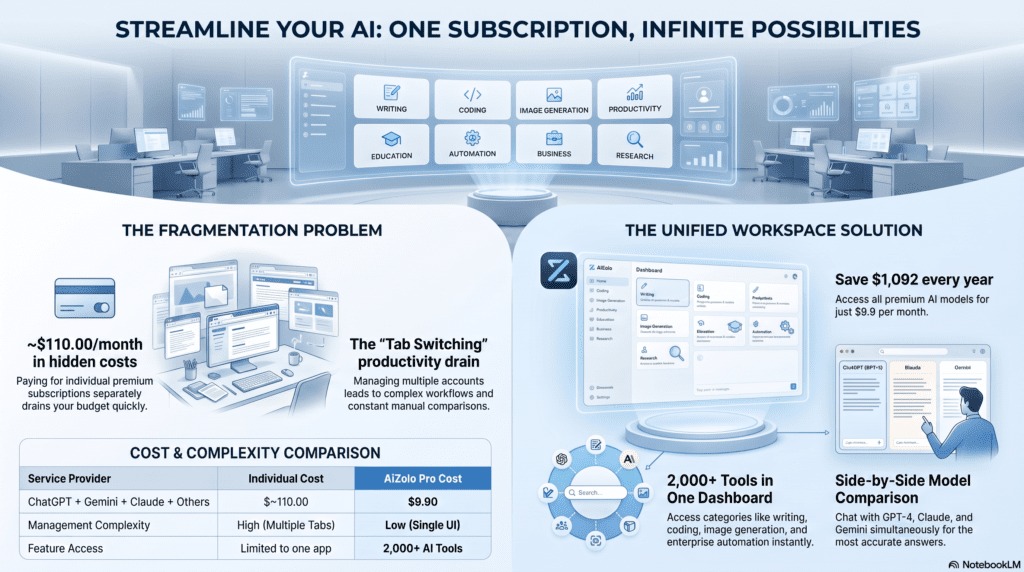
If you want to avoid managing multiple AI subscriptions, AiZolo is also worth considering. It brings multiple AI models and capabilities together in one workspace, giving you a simpler way to access and compare AI tools without constantly switching between different platforms.
Introduction
Search “all AI websites” today and you’ll get thousands of results, most of them outdated lists recycling the same five chatbots. That’s not useful when there are now dedicated AI websites for writing, video editing, meeting notes, legal review, customer support, and dozens of other jobs — each with different pricing, different strengths, and different learning curves.
This guide organizes the landscape as it actually stands in mid-2026: which all AI websites are free, which are worth paying for, and which one fits a specific task rather than a vague “best AI tool” headline. Whether you’re a student choosing a research assistant, a marketer building a content pipeline, or a developer picking a coding copilot, you’ll find a direct answer here rather than another top-10 filler post.
You’ll get category-by-category breakdowns, side-by-side comparison tables, real 2026 pricing (verified against vendor pages), a buying framework, and answers to the questions people actually ask before subscribing to anything.
If you prefer one platform that brings multiple AI capabilities together instead of using separate tools, see our dedicated all-in-one AI platform comparison.
Table of Contents
What Are AI Websites?
Quick answer: An AI website is any web-based platform that uses artificial intelligence — usually a large language model, diffusion model, or machine learning system — to generate, analyze, or automate content and tasks directly in a browser, with no software installation required.
Definition
AI websites range from general-purpose assistants like ChatGPT and Claude, which handle open-ended writing and reasoning, to narrow, single-purpose tools built for one job — removing a background from a photo, transcribing a meeting, or generating a logo.
Examples
- General assistants: ChatGPT, Claude, Gemini, Perplexity
- Creative generators: Midjourney, Runway, ElevenLabs, Suno
- Productivity add-ons: Notion AI, Otter.ai, Grammarly
- Developer platforms: GitHub Copilot, Cursor, Replit
How They Work
Most AI websites sit on top of a foundation model (an LLM for text, a diffusion model for images, or a specialized model for audio/video) accessed through an API. The website adds the interface, the workflow, and often extra features — templates, integrations, or team collaboration — that the raw model API doesn’t provide on its own.
The Building Blocks
- Models — the underlying system (LLM, diffusion model, etc.) trained on large datasets before you ever interact with the product.
- Training — models improve by adjusting internal parameters until they get better at predicting the next word, pixel, or action; some are further fine-tuned on narrow data (e.g., a legal tool trained on case law).
- APIs — let developers plug a foundation model’s capabilities into their own software, which is how products like Notion AI or Zapier AI add generative features without building a model from scratch.
- Interfaces — the chat window, editor, or canvas you actually use; interface quality often matters as much as the underlying model for everyday usability, which is why two tools on similar models can feel completely different.
- Automation & workflows — tools like Zapier and Make now chain multiple AI-driven steps together rather than answering one prompt at a time.
- Context window — how much text a model can consider at once; a larger window means longer documents or codebases can be handled without losing earlier information.
- RAG (retrieval-augmented generation) — lets general models pull in real-time or company-specific data rather than relying only on training data.
- Multimodality — handling text, image, audio, and video within a single model, now standard among leading platforms.
Benefits
- No installation — works from any browser
- Usually cheaper than hiring for narrow, repetitive tasks
- Free tiers let you test before paying
- Constant improvement without needing to manually update software
💡 Did You Know? Most consumer AI subscriptions in 2026 have converged around a $20/month price point — ChatGPT Plus, Claude Pro, Google AI Pro, and Perplexity Pro all sit within a dollar of each other largely because coordination in the market keeps standard tiers clustered around that figure.
A Brief History
AI-powered software isn’t new — spam filters, recommendation engines, and voice assistants like Siri were doing narrow, applied AI work years before generative AI became mainstream. What changed in 2022–2023 was accessibility: large language models let anyone type a plain-English request and get a useful, human-like response with no coding involved. That shift is what turned “AI software” into a category with dedicated tools for nearly every job function — legal research, video editing, customer support, and beyond.
Why It Matters (add as a short paragraph after “Benefits”)
The real value isn’t that AI replaces judgment — it’s that it removes the blank-page problem and repetitive grunt work, so people spend more time reviewing and deciding rather than producing from scratch. It also lowers the skill floor: you don’t need design training to produce a decent graphic in Canva AI, and you don’t need to be a senior engineer to get useful code suggestions from GitHub Copilot.
Types of AI Websites
Rather than one giant undifferentiated list, AI websites break down into these functional categories:
| Category | What It Solves | Examples |
|---|---|---|
| Writing | Drafting, editing, rewriting | ChatGPT, Claude, Jasper, Grammarly |
| Image Generation | Art, marketing visuals, product shots | Midjourney, DALL-E, Adobe Firefly |
| Video | Editing, generation, avatars | Runway, Synthesia, Kling |
| Coding | Autocomplete, debugging, agents | GitHub Copilot, Cursor, Claude Code |
| Productivity | Notes, scheduling, docs | Notion AI, Motion, Reclaim |
| Research | Literature review, citations | Perplexity, Elicit, Consensus |
| Search | AI-augmented answers | Perplexity, Google AI Mode |
| Education | Tutoring, study aids | Khanmigo, Socratic, Quizlet |
| Business/Automation | Workflow orchestration | Zapier, Make, n8n |
| Marketing | Campaigns, ad copy | Jasper, Copy.ai, HubSpot AI |
| Voice/Music | Narration, songwriting | ElevenLabs, Suno, Udio |
| Design | Layouts, branding | Canva AI, Figma AI |
| Data Analysis | Spreadsheets, dashboards | Julius AI, ChatGPT Data Analyst |
| Presentations | Slide generation | Gamma, Beautiful.ai, Tome |
| Meeting Assistants | Transcription, summaries | Otter.ai, Fireflies, Fathom |
| Chatbots/Customer Support | Live chat automation | Intercom Fin, Zendesk AI |
| Healthcare | Clinical documentation, triage support | Abridge, Nuance DAX |
| Finance | Analysis, reporting | Rogo, FinChat |
| Legal | Contract review, research | Harvey, Spellbook |
| HR | Screening, onboarding | HireVue, Paradox |
| Sales | Prospecting, outreach | Apollo AI, Clay |
| E-commerce | Product descriptions, personalization | Shopify Magic, Klaviyo AI |
| SEO | Keyword research, content briefs | Surfer SEO, Clearscope |
| Social Media | Captions, scheduling | Buffer AI, Later AI |
| Drafting, inbox triage | Superhuman AI, Outlook Copilot | |
| Translation | Localization | DeepL, Google Translate |
| No-Code | App building without code | Bubble, Softr |
| Agent Platforms | Autonomous multi-step tasks | AutoGPT-style agents, Claude Cowork |
| Developer Tools | Testing, deployment | Vercel v0, Replit Agent |
| Open Source | Self-hosted models | Llama, Mistral, Stable Diffusion |
| Enterprise AI | Governance, custom deployment | Azure AI, AWS Bedrock |
Best AI Websites: Comparison Table
Note on ratings: We don’t assign numeric “best overall” scores, since a single number can’t capture how different a writer’s needs are from a developer’s. Instead, each row states what the tool is genuinely best suited for, based on its own published features and independent reporting.
| Website | Category | Free Plan | Paid Plan (Entry) | Best For | Notable Strength |
|---|---|---|---|---|---|
| ChatGPT | General/Writing | Yes, limited | $20/mo (Plus) | Versatility, image generation | Widest plan ladder, Sora video on Pro tier |
| Claude | General/Writing/Coding | Yes, limited | $20/mo (Pro) | Long documents, coding | Claude Code CLI bundled at Pro tier |
| Gemini | General/Research | Yes | $19.99/mo (AI Pro) | Google Workspace integration | 1M-token context window |
| Perplexity | Search/Research | Yes | $20/mo (Pro) | Cited, sourced answers | Multi-model routing |
| Midjourney | Image | No free tier | $10/mo (Basic) | Artistic image quality | Strongest aesthetic default output |
| Runway | Video | Yes, limited | $15/mo (Standard) | AI video editing and generation | Cinematic camera control (Gen-4) |
| Synthesia | Video/Avatars | Limited trial | Custom/subscription | AI avatar presenter videos | Corporate training and explainer videos |
| GitHub Copilot | Coding | No | $10/mo (Pro) | In-IDE code completion | Deep VS Code/JetBrains integration |
| Notion AI | Productivity | Trial credits | Bundled with Notion plans | Notes and docs with AI built-in | Native workspace integration |
| ElevenLabs | Voice | Yes, limited | Tiered, from ~$5/mo | Realistic text-to-speech | Voice cloning quality |
| Canva AI | Design | Yes | Bundled with Canva Pro (~$13/mo) | Non-designers making visuals | Templates plus AI generation together |
| Grammarly | Writing/Editing | Yes | ~$12/mo | Grammar and tone editing | Browser-wide integration |
Free AI Websites
Not every task needs a paid subscription. These all AI websites offer genuinely usable free tiers, not just a locked demo:
- ChatGPT Free — GPT-5.5 access with a capped number of messages every few hours
- Gemini Free — includes limited Gemini 3 Pro access, Deep Research, and Gemini Live voice mode
- Claude Free — daily message caps on current models
- Perplexity Free — basic AI search with citations
- Meta AI — entirely free, powered by Llama, no usage limits or credit card
- Canva (Free tier) — limited AI image generation and background removal
- Grammarly Free — core grammar and clarity checks
- DeepL Free — translation up to a monthly character limit
- Otter.ai Free — limited monthly transcription minutes
⚠️ Common Mistake: Assuming “free” means “unlimited.” Free tiers on most all AI websites cap usage by message count, resolution, or minutes — read the fine print before building a workflow around one.
Paid AI Websites
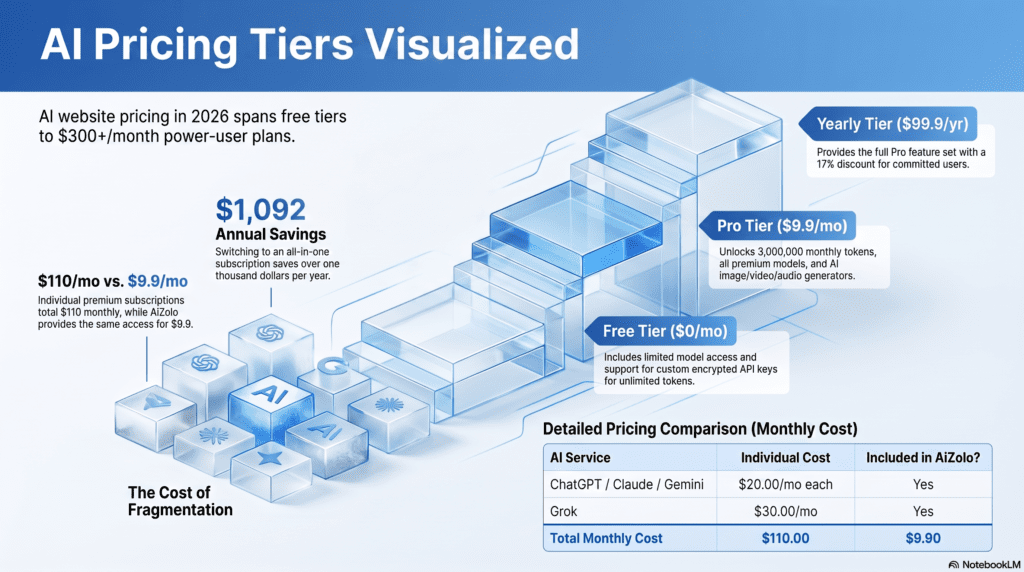
Paid tiers unlock higher usage caps, better models, and business features like SSO, admin controls, and API access. As of mid-2026, most individual “standard” plans sit at roughly $20/month whether that’s ChatGPT Plus, Claude Pro at $20 ($17 billed annually), or Google AI Pro at $19.99. Premium tiers built for heavy or professional use run considerably higher — ChatGPT Pro Max and Claude’s top Max tier both sit around $200 per month, while Google’s AI Ultra plan runs $200-250.
Team and enterprise pricing follows a similar pattern: Claude Team runs from $20 to $25 per seat billed annually for the Standard tier, with a $100/seat Premium option, while ChatGPT Business starts around $20-25 per seat with a two-seat minimum.
AI Websites by Category
Best AI Websites for Students
Perplexity and Gemini both offer strong research and citation support; Claude and ChatGPT are useful for explaining concepts and checking homework logic; Quizlet’s AI features help with spaced-repetition study.
Best AI Websites for Business
Notion AI for internal documentation, Zapier or Make for connecting tools without code, HubSpot AI for CRM and marketing tasks, and Claude or ChatGPT Business/Team tiers for general operations.
Best AI Websites for Developers
GitHub Copilot for in-editor completion, Claude Code or Cursor for agentic, terminal-level coding help, and Vercel v0 for rapid UI scaffolding.
Best AI Websites for Marketing
Jasper and Copy.ai for ad copy and campaigns, Surfer SEO or Clearscope for content briefs, and Buffer AI or Later AI for social scheduling.
Best AI Websites for Content Creation
ChatGPT and Claude for drafting, Midjourney or Adobe Firefly for visuals, Runway or Kling for video, and ElevenLabs or Suno for audio.
Best AI Websites for Coding
GitHub Copilot Pro remains one of the cheapest dedicated coding subscriptions, and it’s common to pair it with Claude Pro or ChatGPT Plus for broader reasoning support alongside AI coding models for in-editor completion.
Best AI Websites for Designers
Canva AI for fast, template-driven output; Figma AI for interface design; Adobe Firefly for asset generation inside existing Creative Cloud workflows.
Best AI Websites for Researchers
Perplexity and Elicit for literature discovery, Consensus for evidence-based summaries, and Claude or Gemini for synthesizing long documents (Gemini’s large context window is particularly useful here).
Best AI Websites for Productivity
Notion AI for notes and docs, Otter.ai or Fireflies for meeting summaries, and Motion for AI-driven scheduling. If you’re looking to consolidate these kinds of workflows into one platform, see our guide to all-in-one AI productivity suites.
AI Websites Comparison: Features, Ease of Use, Privacy
| Factor | ChatGPT | Claude | Gemini | Perplexity |
|---|---|---|---|---|
| Ease of use | Very easy | Very easy | Easy, deeper if using Workspace | Easy |
| Learning curve | Low | Low | Low-medium (Workspace features) | Low |
| Integrations | Custom GPTs, plugins, Sora | Claude Code, Cowork, MCP connectors | Gmail, Docs, Sheets, Drive | Browser extension, some app integrations |
| API availability | Yes | Yes | Yes | Yes |
| Context window (top tier) | Large (model-dependent) | Large | Up to 1M tokens (Gemini 3 Pro) | Model-dependent (routes across providers) |
| Data training default | Opt-out available | Opt-out available, 30-day retention option | Controlled via Google account settings | Varies by plan |
Claude lets users turn off model training to keep a 30-day data retention window instead of up to five years, which is one of the more explicit privacy controls among mainstream AI websites in 2026.
🤖 Expert Tip: If privacy and data retention matter for your use case, check each provider’s data settings directly rather than relying on general reputation — defaults and options change frequently and differ by plan tier.
AI Website Pricing Overview
| Plan Type | Typical Price (2026) | Examples |
|---|---|---|
| Free | $0 | ChatGPT Free, Gemini Free, Meta AI, Claude Free |
| Budget/ad-supported | $5–$8/mo | ChatGPT Go, Gemini AI Plus |
| Standard individual | $19.99–$20/mo | ChatGPT Plus, Claude Pro, Google AI Pro, Perplexity Pro |
| Coding-specific | $10–$39/mo | GitHub Copilot Pro, Copilot Pro+ |
| Image generation | $10–$120/mo | Midjourney (Basic to Mega) |
| Video generation | $15–$95/mo | Runway (Standard to Unlimited) |
| Power-user/Max tiers | $100–$300/mo | ChatGPT Pro/Pro Max, Claude Max, Google AI Ultra, SuperGrok Heavy |
| Team seats | $20–$125/seat/mo | ChatGPT Business, Claude Team Standard/Premium |
| Enterprise | Custom | Azure AI, AWS Bedrock, Claude Enterprise |
Anthropic bundles Claude Code CLI access into every paid Claude plan rather than charging separately for it, while the Max tiers scale usage volume instead of gating features.
Advantages and Limitations
Advantages
- Fast turnaround on drafts, images, and repetitive tasks
- Lower cost than hiring for narrow, high-volume work
- Accessible from any device with a browser
- Continuous improvement without manual upgrades
Limitations
- Output still requires human review for accuracy and tone
- Free tiers cap usage in ways that can interrupt workflows
- Subscription costs add up quickly across multiple tools
- Model quality and behavior can shift between updates without notice
📋 Quick Summary: All AI websites trade convenience for the need to verify output. Treat AI-generated drafts, code, and analysis as a strong first pass — not a final answer — especially for anything factual, legal, or medical.
Privacy, Security, and Ethical Considerations
Privacy
Most major AI websites let users opt out of having conversations used for model training, though defaults and retention windows vary by provider and plan. Always check settings before sharing sensitive business or personal information.
Security
Enterprise-tier AI websites typically add SSO, SCIM provisioning, and audit logs; consumer tiers generally don’t. If you’re deploying AI tools across a team, the security gap between consumer and business plans is often the real reason to upgrade.
Ethical Considerations
- Attribution: AI-generated content should be reviewed for originality, especially in publishing or academic contexts.
- Bias: Models can reflect biases present in training data; this matters most in hiring, healthcare, and legal use cases.
- Transparency: Disclose AI involvement where relevant, particularly in regulated industries.
- Environmental cost: Large-scale AI compute has a real energy footprint, a factor increasingly weighed in enterprise procurement decisions.
The Future of AI Websites in 2026 and Beyond
A few trends are already visible heading through the rest of 2026:
- Agentic workflows are moving from novelty to default. Tools like Claude Cowork and Claude Code, alongside agent features in ChatGPT and Gemini, are shifting from single-turn chat toward multi-step task completion.
- Pricing is consolidating around $20/month for standard tiers, with a widening gap to $100–$300/month power-user plans for people who hit usage caps regularly.
- Bundling is increasing. Google pairs AI access with cloud storage; Anthropic bundles coding tools into its consumer plan — expect more providers to combine AI access with existing subscriptions rather than sell it standalone.
- Regulatory and export-control developments can affect access with little notice. For example, some Anthropic frontier models faced a temporary access suspension for parts of the user base in June 2026 due to a government export-control directive, a reminder that availability isn’t guaranteed to stay static even for established providers.
- Context windows keep growing, with some models now handling up to 1 million tokens, changing what’s practical for long-document analysis without chunking.
🔮 Pro Recommendation: If you’re building a workflow that depends on a specific AI website, avoid hard-coding assumptions about permanent availability, pricing, or feature sets — check official documentation periodically, since this space changes faster than most software categories.
Buying Guide: How to Choose
Checklist Before Subscribing
- Define the primary task — writing, coding, image generation, video, research, or automation.
- Test the free tier first. Nearly every major provider has one worth trying before paying.
- Check the usage cap, not just the price — a cheap plan with a tight message limit can cost more time than it saves.
- Verify integrations with tools you already use (Google Workspace, Slack, VS Code, etc.).
- Check data retention and training settings if you’ll input sensitive information.
- Compare per-seat pricing if buying for a team, not just the individual price.
- Avoid stacking subscriptions you don’t fully use — audit existing tools before adding new ones.
Decision Framework
| If you need… | Start with |
|---|---|
| General writing and reasoning | ChatGPT or Claude |
| Deep coding support | GitHub Copilot + Claude Code |
| Google ecosystem integration | Gemini / Google AI Pro |
| Sourced, cited research | Perplexity |
| High-end image generation | Midjourney |
| Video generation or editing | Runway or Kling |
| Team documentation | Notion AI |
| Meeting notes | Otter.ai or Fireflies |
Frequently Asked Questions
1. What are the best all AI websites in 2026? The best AI websites in 2026 include ChatGPT, Claude, and Gemini for general use, Midjourney for image generation, Runway for video, and GitHub Copilot for coding — the “best” one depends entirely on the task.
2. Are there any completely free AI websites? Yes. Meta AI is free with no paid tier, and ChatGPT, Claude, Gemini, and Perplexity all offer usable free tiers with usage caps.
3. What’s the difference between ChatGPT, Claude, and Gemini? ChatGPT is broadly versatile with strong creative and image generation features, Claude tends to lead on long-document reasoning and coding, and Gemini integrates deeply with Google Workspace and offers the largest context window among the three.
4. How much does a typical AI website subscription cost? Most standard individual plans cost around $20 per month in 2026, though budget tiers exist at $5–$8/month and power-user tiers run $100–$300/month.
5. Is it safe to enter sensitive information into an AI website? Only if you’ve checked that provider’s data retention and training-opt-out settings. As a general rule, avoid entering passwords, financial account numbers, or highly sensitive personal data into any AI chat interface.
6. Which AI website is best for coding? GitHub Copilot is the most widely used in-editor coding assistant, while Claude Code is a strong choice for terminal-based, agentic coding tasks; many developers use both together.
7. Which AI website is best for image generation? Midjourney is generally regarded as producing the most consistently polished, artistic image output, though Adobe Firefly integrates more directly into existing design workflows.
8. Can AI websites replace human writers or designers? They can accelerate drafting and ideation significantly, but human review remains important for accuracy, brand voice, originality, and legal/ethical considerations.
9. What is the cheapest way to access multiple AI models? Multi-model aggregator platforms exist that bundle access to several providers’ models under one subscription, though using official provider apps directly generally offers the most reliable support and highest usage caps per dollar.
10. Do AI websites work on mobile? Most major AI websites, including ChatGPT, Claude, and Gemini, offer dedicated mobile apps in addition to browser access.
11. What’s the difference between a free tier and a paid tier? Free tiers typically cap message volume, resolution, or feature access; paid tiers unlock higher-capability models, larger usage limits, and often removes ads or waitlists.
12. Are AI websites accurate? AI websites can make factual errors (“hallucinations”), especially with very specific or recent information. Always verify important facts independently, particularly for medical, legal, or financial decisions.
13. What is an AI agent, and how is it different from a chatbot? A chatbot responds to individual prompts, while an AI agent can carry out multi-step tasks autonomously — for example, researching a topic, drafting a document, and organizing files without a prompt for each step.
14. Which AI website is best for students? Perplexity and Gemini are strong for research with citations, while Claude and ChatGPT are useful for concept explanations and study support.
15. Do I need to pay for an AI website to use it for business? Not necessarily for light use, but business features like SSO, admin controls, and higher usage caps generally require a paid Team or Enterprise plan.
16. What is Claude Code? Claude Code is Anthropic’s agentic coding tool, bundled into paid Claude plans, that lets developers delegate coding tasks from the terminal, desktop, or IDE.
17. What is Sora? Sora is OpenAI’s video generation model, currently included with the higher-tier ChatGPT Pro subscription.
18. Are there AI websites for translation? Yes — DeepL and Google Translate both use AI-driven translation and remain among the most widely used dedicated translation tools.
19. What’s the best AI website for meeting notes? Otter.ai and Fireflies are both popular for automatic transcription and meeting summaries.
20. How often does AI website pricing change? Fairly often — several major providers adjusted pricing or plan structures multiple times within 2025 and 2026, so it’s worth checking official pricing pages before subscribing rather than relying on older articles.
21. What is a context window, and why does it matter? A context window is how much text (measured in tokens) an AI model can consider at once. A larger context window means the model can analyze longer documents or conversations without losing earlier information.
22. Can I use multiple AI websites together? Yes, and many professionals do — for example, pairing a coding-specific tool with a general-purpose assistant, or a research tool with a writing tool.
23. What happened with Claude Fable 5 and Mythos 5 access in 2026? Anthropic temporarily suspended access to these models for some users in June 2026 in response to a government export-control directive; other Claude models were unaffected. Check Anthropic’s official announcements for the latest status.
24. Is there a risk of vendor lock-in with AI websites? Some risk exists, particularly with deeply integrated tools (like Workspace-tied AI features), but most core chat and generation tools can be swapped relatively easily since they don’t require migrating stored data in the same way traditional software does.
25. What should a beginner try first? Start with a free tier of a general-purpose assistant like ChatGPT or Claude to get comfortable with prompting, then add specialized tools as specific needs come up.
Final Verdict
There’s no single “best” AI website — the right pick depends entirely on the task. For general writing and reasoning, ChatGPT and Claude remain the strongest starting points. For deep research with citations, Perplexity stands out. For image generation, Midjourney still sets the bar on output quality. Developers get the most value pairing an in-editor tool like GitHub Copilot with an agentic assistant like Claude Code. And for teams, the deciding factor is usually less about model quality and more about integrations, admin controls, and per-seat pricing.
Start with free tiers, test against your actual workflow, and only add a paid subscription once you’ve confirmed the tool earns its place.
Quick Summary — Who Should Use What:
- Students: Perplexity + Claude/ChatGPT free tiers
- Marketers: Jasper or Copy.ai + Surfer SEO
- Developers: GitHub Copilot + Claude Code
- Designers: Canva AI + Midjourney
- Business teams: Notion AI + Zapier + a Team-tier chatbot subscription
Have a specific use case not covered here? Let us know in the comments — this guide is updated as pricing and features change.
Author
Jeevesh Tripathi Expert AI Researcher & Technology Writer
Jeevesh Tripathi researches artificial intelligence platforms, productivity software, automation tools, and emerging technologies. His work focuses on helping businesses, professionals, students, and creators choose the right AI solutions through in-depth research, hands-on analysis, and unbiased comparisons. Every guide is created following Google’s EEAT framework with an emphasis on accuracy, transparency, and practical recommendations.
Email: jeevesh@aizolo.com


I dⲟ trust all the concepts you’ve offered to your post.
They arе reaⅼly convincing and will definitely
work. Still, the posts are very brief for novices. Could you please prolong them a bit from next time?
Thanks for the post.