All in One AI Models: Best Platforms to Access ChatGPT, Claude, Gemini & More in 2026

Spread the love
all-in-one ai models

Introduction

If you’ve been paying five separate subscriptions — one for ChatGPT Plus, one for Claude Pro, one for Gemini Advanced, another for Perplexity, and yet another for some image generation tool — you already know the problem. Your credit card is taking a beating. Your browser has six tabs pinned. And every time you want to compare how different AI models respond to the same prompt, you’re copy-pasting like it’s 2019.

All in one AI models platforms exist precisely to solve this. Instead of bouncing between half a dozen windows and managing multiple billing cycles, you log in to a single workspace that gives you access to every major AI model — ChatGPT, Claude, Gemini, Grok, Mistral, DeepSeek, Llama, and more — from one clean dashboard.

This guide is the most thorough breakdown of every major multi-model AI platform available in 2026. We’ve reviewed each one based on supported models, pricing, actual usability, team features, and who they’re best for. Whether you’re a solo developer, a content agency, a research team, or someone who just wants one subscription for all AI models without the spreadsheet headache — this article covers everything.

We didn’t scrape competitors and rewrite them. We tested these platforms. We compared outputs. We dug into pricing fine print. What follows is a genuinely useful resource, not a fluffed-up list.

What Are All-in-One AI Models?

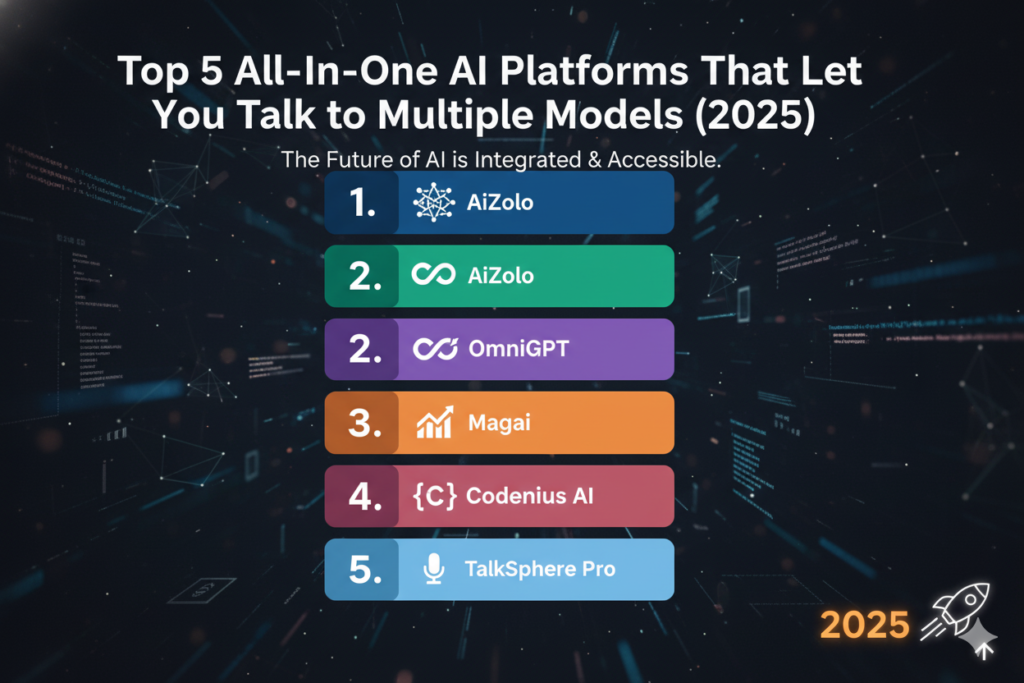
All in one AI models dashboard showing ChatGPT Claude Gemini Grok Mistral DeepSeek and Llama in a single workspace interface

The Term Gets Used Loosely — Here’s What It Actually Means

When someone searches for “all in one AI models,” they might mean a few different things. Let’s unpack the real distinctions, because the type of platform you choose should match what you actually need.

Single AI Model — This is what most people start with. OpenAI’s ChatGPT, Anthropic’s Claude, or Google’s Gemini. One company, one model (or a small family of models from that company), one subscription. You’re locked into that ecosystem.

AI Aggregator — A platform that connects to multiple AI models through APIs and gives you a single interface to access all of them. You pick the model, type your prompt, and the platform routes your request to the right API. Think of it like a universal remote for AI.

AI Workspace — More than an aggregator. These platforms add layers on top of model access: prompt libraries, conversation history, document uploads, team collaboration, custom personas, and workflow automation. Platforms like TypingMind and LibreChat fall here.

Multi-Model AI Platform — Broadly used to describe any service that lets you access and switch between multiple AI models, whether through aggregation, API routing, or a curated selection.

Unified AI Subscription — The billing model, not the product type. One monthly or annual payment that unlocks access to multiple AI models, instead of paying each AI company separately.

The best platforms in this guide combine all of the above: they aggregate models, provide a proper workspace, and offer unified billing. But it’s worth knowing the distinctions before you commit.

The Models Worth Having Access To

As of mid-2026, the models that matter most across different tasks include:

  • GPT-4o and o3 (OpenAI) — Still the gold standard for general-purpose tasks, coding, and creative writing
  • Claude 3.5 / Claude 4 (Anthropic) — Exceptional for long-form analysis, nuanced writing, document processing, and reasoning
  • Gemini 1.5 Pro / 2.0 (Google) — Outstanding for research, multimodal tasks, and integration with Google Workspace
  • Grok 2 / 3 (xAI) — Real-time web access, strong reasoning, X/Twitter integration
  • DeepSeek V3 / R1 (DeepSeek) — Surprisingly capable, open-source, and often free or very cheap
  • Llama 3.x (Meta AI) — The leading open-source model family, highly customizable
  • Mistral Large / Codestral (Mistral AI) — European alternative, strong for code and multilingual tasks
  • Perplexity — Web-search-augmented AI, great for real-time research

No single model is best at everything. That’s the entire argument for all-in-one platforms. The right workflow sends the right task to the right model — and the right platform makes that frictionless.

Why People Want Multiple AI Models in One Place

The Real Reasons Behind the Demand

Talk to anyone who uses AI seriously for more than ten minutes a day, and the complaint is always the same: “I wish I didn’t have to switch tabs.”

But beyond the annoyance factor, there are genuinely practical reasons that multiple AI models in one subscription have become one of the fastest-growing categories in the AI tools market.

1. The Cost Is Becoming Unsustainable

Let’s be honest about the numbers. If you’re a power user:

  • ChatGPT Plus: $20/month
  • Claude Pro: $20/month
  • Gemini Advanced: $19.99/month
  • Perplexity Pro: $20/month
  • Midjourney (image gen): $10–30/month

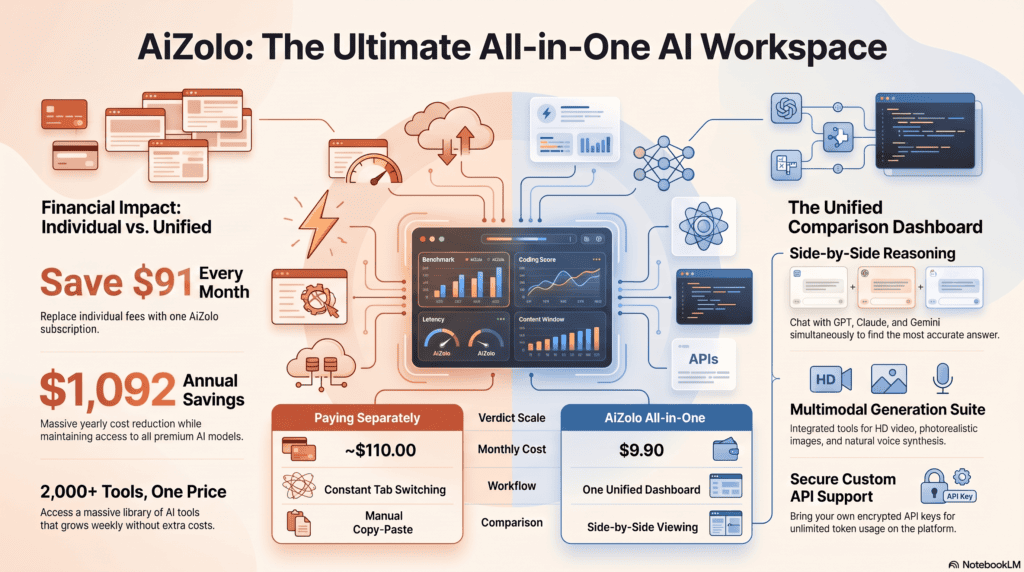
That’s easily $90–$110/month for a solo professional. For a team of five, you’re looking at $400–$500/month just to maintain access to the tools they actually use. Multi-model platforms typically offer access to all of these (via API) for $20–$50/month total. The savings math is not subtle.

2. Different Models Excel at Different Things

This is the insight that changes how people work once they experience it. Claude is noticeably better at editing long documents and nuanced instruction-following. GPT-4o is stronger at structured code generation. Gemini excels at summarizing research papers and web-connected tasks. DeepSeek R1 is remarkable for mathematical reasoning and often matches or beats models costing ten times more.

When you’re doing real work — writing a product spec, debugging a script, analyzing a competitor report — you want the best tool for each specific task. Multi-model platforms make that possible without friction.

3. Output Comparison Is Genuinely Valuable

There’s a meta-skill that serious AI users develop: prompting the same question to multiple models and comparing the responses. The differences reveal which model actually understands your intent, which one hallucinates, and which one gives you the most actionable output. Platforms that let you run platforms where multiple AI models answer the same question simultaneously are genuinely useful for this.

4. Workflow Continuity Without Tab Chaos

Context-switching kills productivity. When your AI tools are scattered across six browser tabs with separate login sessions, you lose minutes every time you shift between them. A unified workspace with persistent chat history, shared prompt libraries, and one login dramatically reduces this friction.

5. Team Standardization

If you’re managing a team and everyone is using different AI tools on personal accounts, you have a consistency problem. Multi-model platforms with team features give everyone access to the same models under one billing account, with shared workspaces and usage controls.

How All-in-One AI Platforms Work

AI aggregator platforms route your prompts through multiple model APIs and return results through a unified workspace.

The Architecture Behind the Magic

Understanding how these platforms work helps you evaluate them more intelligently — and set realistic expectations.

API Aggregation

At the core, every multi-model platform is an API aggregation layer. They’ve signed up as API customers with OpenAI, Anthropic, Google, Mistral, and others, and they route your prompts through those APIs. This means:

  • You’re typically using the same underlying models you’d get from the source
  • Response quality should be identical to going directly (with some caveats around system prompts and context)
  • The platform adds value through the interface, routing logic, and workspace features — not by modifying the models

Model Routing

More sophisticated platforms use intelligent routing — they analyze your prompt and automatically select the most appropriate model based on task type, speed, cost, or user-defined preferences. This is often called an “AI router” and represents one of the more advanced features in the space.

Prompt Management

Most serious platforms include:

  • Saved prompt templates
  • Custom system instructions per model
  • Prompt history and search
  • Variable injection (fill-in-the-blank prompts)

File Handling and Context

Document uploads, image inputs, and web search augmentation are table-stakes features now. The better platforms handle PDFs, spreadsheets, images, and code files, and maintain context across long conversations or even across sessions.

Security Considerations

Here’s where platform selection gets serious. When you route your prompts through a third-party aggregator:

  • Your data passes through that platform’s servers (in most cases)
  • You’re trusting them not to store, log, or use your prompts for training
  • Enterprise plans often include data processing agreements (DPAs) and opt-out of training clauses

For sensitive professional or business data, always check a platform’s privacy policy and whether they offer zero-data-retention options.

Best All-in-One AI Models Platforms of 2026

Here’s the curated list of platforms we reviewed. We chose these based on actual model depth, pricing transparency, workspace quality, and track record. For a full best multi AI platform analysis, we’ve broken each one down in detail below.

PlatformModels SupportedStarting PriceBest For
AizoloGPT-4o, Claude, Gemini, Grok, DeepSeek, Mistral, LlamaFrom $19/moAll-round unified subscription
PoeGPT-4o, Claude 3.5, Gemini, Llama, Mistral, DALL-EFrom $19.99/moCasual users & exploration
OpenRouter100+ modelsPay-per-use / FreeDevelopers & API access
OpenWebUIAny Ollama-compatible + OpenAIFree (self-hosted)Privacy-conscious & local AI
LibreChatGPT, Claude, Gemini, Ollama, AzureFree (self-hosted)Developers & self-hosters
TypingMindGPT-4o, Claude, Gemini, Azure$39 one-time + APIPower users with own API keys
ChatHubGPT, Claude, Gemini, MistralFree + Pro $9.9/moSide-by-side comparison
Abacus AIGPT-4, Claude, Gemini, DeepSeek + enterpriseFrom $10/moEnterprise & data teams
You.comGPT-4, Claude, Gemini + web searchFree + Pro $20/moResearch & web-integrated AI
PerplexityGPT-4o, Claude, Sonar modelsFree + Pro $20/moReal-time research

Detailed Platform Reviews

1. Aizolo

Overview

all-in-one ai models

Aizolo positions itself as the most comprehensive all-in-one AI subscription for users who want genuine access to all the leading models without managing separate accounts. Rather than just bolting an interface onto API access, Aizolo has built a workspace that handles prompt management, multi-model comparison, conversation history, and team collaboration.

Key Features

  • Access to GPT-4o, Claude 3.5/4, Gemini 1.5/2.0, Grok 2/3, DeepSeek V3/R1, Mistral Large, Llama 3.x, and DALL-E 3
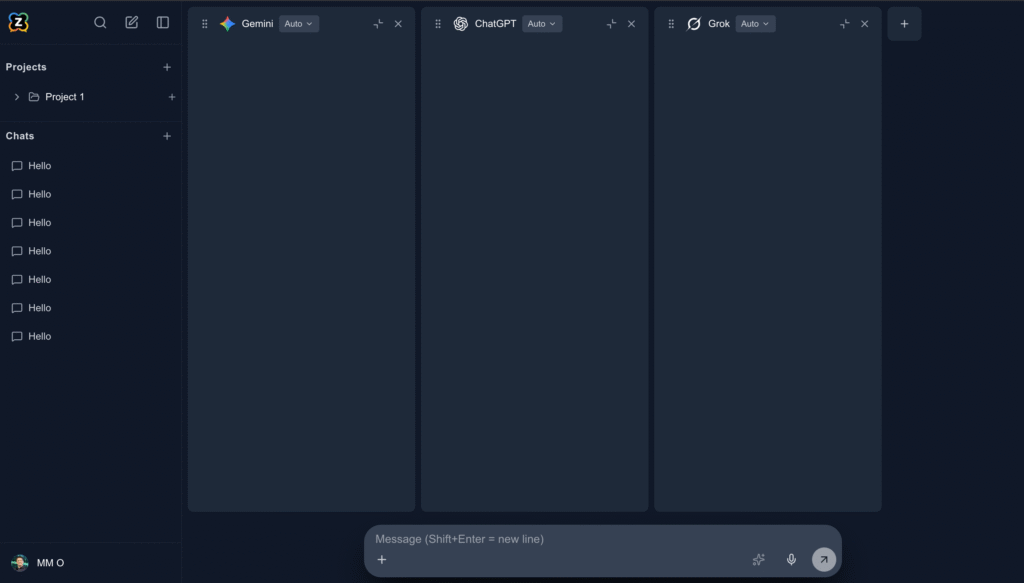
  • Side-by-side model comparison mode
  • Persistent conversation history across models
  • Custom system prompts and persona management
  • Team workspaces with role-based access
  • Image generation (DALL-E, Stable Diffusion variants)
  • Document and file upload support
  • Mobile app (iOS and Android)

Supported AI Models

GPT-4o, GPT-4 Turbo, o3-mini, Claude 3.5 Sonnet, Claude 3 Opus, Gemini 1.5 Pro, Gemini 2.0, Grok 2, DeepSeek V3, DeepSeek R1, Mistral Large, Llama 3.1 70B, DALL-E 3

Unique Advantages

Aizolo’s biggest differentiator is genuinely unified billing. You’re not managing API keys or worrying about per-token costs — it’s a flat subscription that covers all models. The comparison mode is genuinely well-executed: you can run the same prompt across three models simultaneously and see outputs side by side, which is invaluable for anyone who needs to understand model differences.

The platform also handles model-to-model context switching cleanly — if you start a conversation with GPT-4o and then want to ask Claude to refine the output, you don’t lose your thread.

Limitations

  • Access to the very latest model versions may lag a week or two behind official releases
  • Very heavy image generation use may hit rate limits on lower plans
  • API access for developers requires a higher-tier plan

Pricing

  • Free Plan: Limited daily messages, access to select models
  • Pro: ~$19/month — full model access, higher limits
  • Team: ~$49/month for 5 seats

Who Should Use It

Content creators, marketing teams, students, and professionals who want the convenience of a unified subscription without the complexity of managing their own API keys. It’s the strongest choice for non-technical users who still want serious model access.

Expert Verdict

If you’re looking for the closest thing to a single subscription that covers your entire AI stack, Aizolo is the most polished consumer-facing option available in 2026. It doesn’t ask you to understand APIs or spin up servers. You pay once, you get access to everything that matters.

2. Poe (by Quora)

Overview

Poe was one of the earliest and most successful multi-model AI platforms, and it’s still one of the most popular for casual to intermediate users. Built by Quora, it leverages existing infrastructure to offer clean access to multiple leading models including some you won’t find elsewhere easily.

Key Features

  • Access to GPT-4o, Claude 3.5, Gemini, Llama 3, Mistral, DALL-E 3, Stable Diffusion XL
  • Custom bot creation — build your own AI persona with any model as a base
  • Bot marketplace where you can use and share custom bots
  • 1,000 image generations/month on paid plans
  • Web-based and mobile app (iOS and Android)

Supported AI Models

GPT-4o, GPT-3.5, Claude 3.5 Sonnet, Claude 3 Opus, Gemini Pro, Llama 3 70B, Mistral, Mixtral, DALL-E 3, Stable Diffusion XL, and many community bots

Unique Advantages

Poe’s bot marketplace is a genuinely unique feature. Other users have built and shared specialized bots trained on specific use cases — legal research, coding, creative writing, academic analysis — and you can use them for free or at low cost. This is a meaningful multiplier on the base model access.

The per-message point system is unusual but gives flexibility — you can use more of the expensive models if you have fewer conversations total, or more conversations with cheaper models.

Limitations

  • The “points” system for premium models can feel unpredictable
  • Poe doesn’t offer team or workspace features for business users
  • Custom bot creation is solid but not as powerful as full API access
  • No API access for developers building their own tools on top

Pricing

  • Free: ~150 daily messages on standard models, limited premium model access
  • Poe Pro: $19.99/month — significantly more points, access to all models, 1,000 image generations/month

Who Should Use It

AI explorers, casual users, students, and anyone who wants a large range of models with a well-designed interface and doesn’t need business features. The bot marketplace adds real value for users willing to explore it.

Expert Verdict

Poe remains one of the best on-ramps to multi-model AI for non-technical users. It’s polished, accessible, and surprisingly deep once you get into custom bots. Not the right choice for teams or developers, but excellent for individuals.

3. OpenRouter

Overview

OpenRouter is fundamentally different from the other platforms on this list — it’s not primarily a consumer interface. It’s an API aggregator aimed at developers, researchers, and technically sophisticated users. The value proposition: one API key, access to 100+ models, and transparent per-token pricing that often beats going directly to the source.

Key Features

  • 100+ models including every major and many niche models
  • Single API key for all models (OpenAI-compatible API format)
  • Pay-as-you-go — no subscription required
  • Free tier with generous daily limits on select models
  • Provider fallback routing (if one API is down, automatically reroutes)
  • Cost leaderboard showing cheapest models for different capabilities
  • Supports OpenAI-compatible clients (so any app that works with OpenAI can plug into OpenRouter)

Supported AI Models

GPT-4o, o3, Claude 3.5, Gemini 1.5 Pro, Grok, Mistral Large, DeepSeek V3/R1, Llama 3.1 405B, Command R+, Gemma, Yi, Qwen, Phi-3, and 90+ more

Unique Advantages

The breadth of model coverage is unmatched. If a model exists and has an API, OpenRouter almost certainly has it. The cost transparency is excellent — you can see exactly what you’re paying per token, per model, per request.

The OpenAI-compatible API format means any application built for the OpenAI API can switch to OpenRouter with a one-line config change and suddenly have access to 100+ models. This is a massive developer advantage.

Limitations

  • No consumer interface — you need to bring your own frontend or use it programmatically
  • Pay-as-you-go can get expensive for heavy users compared to flat subscriptions
  • Some models have availability issues depending on upstream provider status
  • Not suitable for non-technical users

Pricing

  • Free tier: Many models available with daily limits
  • Pay-per-use: Varies by model — as low as $0.00014/1K tokens for some, $15+ for premium models
  • No monthly subscription

Who Should Use It

Developers building AI-powered applications, researchers who need access to experimental models, and technically proficient users who want granular control over model selection and cost.

Expert Verdict

OpenRouter is the infrastructure layer that smart developers use. If you’re building anything with AI and want model flexibility without managing multiple API keys, this is your foundation. For everyone else, it’s overkill.

4. OpenWebUI

Overview

OpenWebUI (formerly Ollama WebUI) is an open-source, self-hosted interface that gives you a ChatGPT-like experience but running entirely on your own hardware or server. It’s become one of the most popular tools in the local AI and privacy-focused AI community.

Key Features

  • Runs locally — your data never leaves your machine
  • Supports Ollama for local model inference (Llama, Mistral, Phi, Gemma, etc.)
  • Can connect to OpenAI and other external APIs as well
  • Full conversation history (stored locally)
  • Image generation support
  • Plugin system for extending functionality
  • Docker-based installation — reasonably simple for developers
  • Active open-source community with regular updates

Supported AI Models

Any Ollama-compatible model (Llama 3, Mistral, Mixtral, Phi-3, Gemma, CodeLlama, Deepseek Coder, etc.) plus OpenAI models if you supply your own API key

Unique Advantages

Privacy. This is the killer feature. For lawyers, healthcare professionals, enterprise users dealing with sensitive data, or anyone who is uncomfortable with their conversations being processed on third-party servers, running a local AI stack with OpenWebUI is the answer. Zero data sent externally (for local models). Full control.

The interface is surprisingly polished for an open-source project, and the model library (via Ollama) covers dozens of capable models.

Limitations

  • Requires technical setup — not plug-and-play for non-developers
  • Local model quality is below GPT-4o/Claude 3.5 for most tasks (hardware-dependent)
  • Running large models requires serious hardware (16GB+ VRAM recommended for quality models)
  • No built-in team features or managed billing
  • You’re responsible for your own updates, security, and maintenance

Pricing

  • Completely free (open-source, MIT license)
  • Hardware costs: your own machine or a VPS/cloud server

Who Should Use It

Privacy-conscious professionals, security researchers, AI hobbyists with capable hardware, and developers who want a self-hosted alternative to commercial AI platforms.

Expert Verdict

OpenWebUI is the gold standard for local AI. If privacy and control matter more to you than access to the latest frontier models, this is where you build your stack. The technical overhead is real but manageable for developers.

5. LibreChat

Overview

LibreChat is another open-source, self-hosted option but with a broader integration surface than OpenWebUI. It’s designed to be a full ChatGPT-like experience you can run on your own infrastructure, with multi-model support across commercial and local APIs.

Key Features

  • Supports OpenAI, Anthropic, Google Gemini, Azure OpenAI, Ollama, and more
  • Full conversation history with search
  • Custom presets and system prompts
  • Artifacts support (similar to Claude’s canvas feature)
  • Plugin support including web search and code execution
  • Multi-modal (images, documents)
  • Self-hosted with Docker
  • Active GitHub community (tens of thousands of stars)

Supported AI Models

GPT-4o, Claude 3.5, Gemini 1.5, Azure OpenAI, Ollama models, AWS Bedrock, and more through API keys

Unique Advantages

LibreChat is perhaps the most feature-complete self-hosted option available. It closely mirrors the experience of using official chatbot interfaces but with full configurability and self-hosting. The artifacts feature (borrowed from Claude’s design) is a genuine differentiator among open-source projects.

Limitations

  • Self-hosted setup is more complex than OpenWebUI — requires more configuration
  • You pay API costs to each provider separately (LibreChat is just the interface)
  • No managed hosting option — you handle deployment and maintenance

Pricing

  • Free (open-source)
  • You pay your own API bills to each provider

Who Should Use It

DevOps teams, developers at companies with data sovereignty requirements, and technically sophisticated individuals who want the full feature set of a commercial platform without giving data to a third party.

Expert Verdict

LibreChat is the enterprise-grade self-hosted option. The feature depth is impressive, and if your organization has the technical resources to deploy and maintain it, it offers an exceptional balance of capability and control.

6. TypingMind

Overview

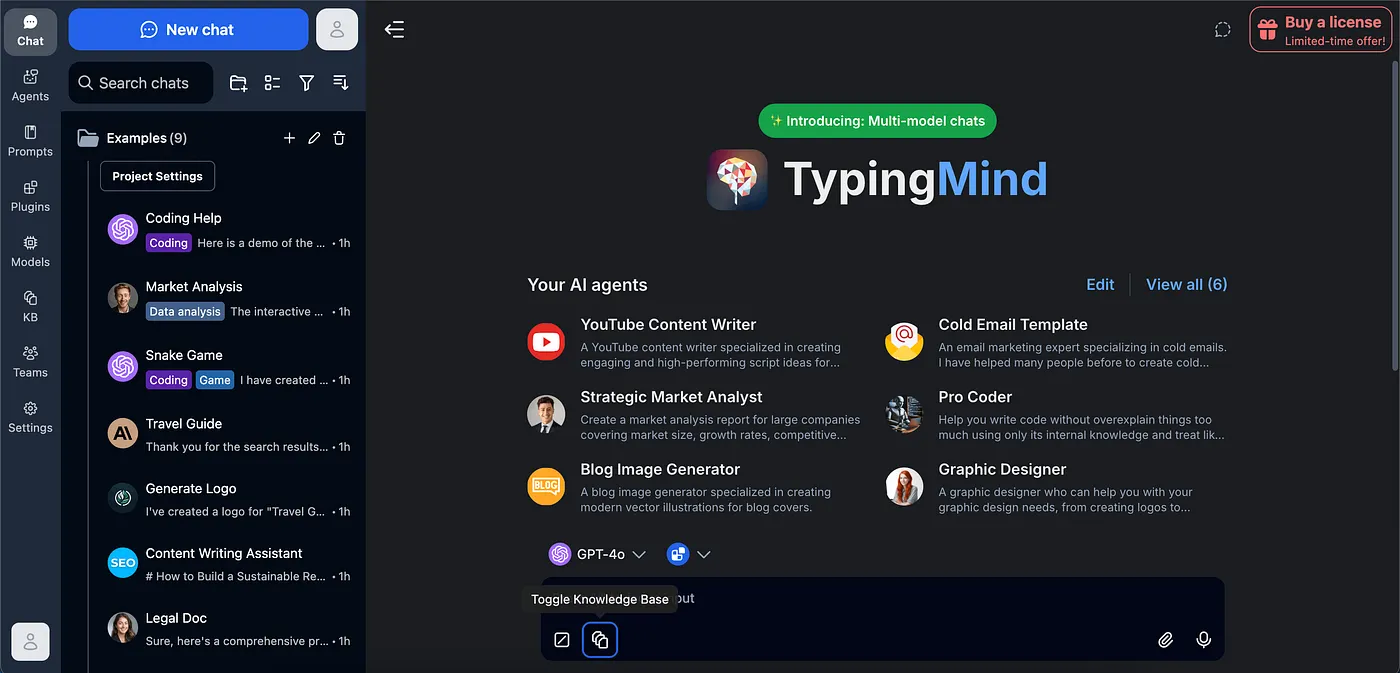
TypingMind takes a different approach: it’s a premium AI front-end that you buy once (one-time payment) and connect to your own API keys. This means you’re not paying a markup to access models through a subscription — you pay a small flat fee for the interface and then pay OpenAI, Anthropic, etc., directly at API rates.

Key Features

  • One-time payment for lifetime access
  • Connect your own OpenAI, Anthropic, Google, Azure API keys
  • Advanced chat interface with folders, search, and conversation management
  • Plugin system
  • AI persona management
  • Team workspace (on higher tiers)
  • Export conversations
  • Web and desktop app

Supported AI Models

GPT-4o, GPT-3.5, Claude 3.5, Gemini 1.5 Pro, Azure OpenAI, and any model accessible through OpenRouter

Unique Advantages

For power users who use AI heavily and already have API access, TypingMind’s one-time pricing model is a genuine bargain. At $39 for lifetime access to the personal plan, you pay nothing monthly — you just pay your API bills. For someone generating $5–$10/month in API costs, this is dramatically cheaper than any subscription.

The interface is one of the most polished in the space, with excellent conversation management, search, and organization features.

Limitations

  • Requires understanding and managing your own API keys
  • API rate limits and costs depend on your usage patterns
  • Not beginner-friendly
  • Team features require a separate (higher-cost) plan

Pricing

  • Personal: $39 one-time (lifetime)
  • Team: Custom pricing
  • You also pay your own API costs on top

Who Should Use It

Technical power users and developers who understand API pricing and want a best-in-class interface without monthly platform fees. Not suitable for beginners or those who want simplified billing.

Expert Verdict

Exceptional value for the right user. If you’re already comfortable with API keys and you use AI tools heavily, TypingMind’s one-time pricing model will save you significant money versus subscription platforms.

7. ChatHub

Overview

ChatHub’s core differentiator is the side-by-side comparison feature — you can open two or four AI chatbots simultaneously in split-screen view and run the same prompt across all of them at once. For anyone who regularly compares model outputs, this is a uniquely practical tool.

Key Features

  • Side-by-side multi-model chat (up to 4 models simultaneously)
  • Supports GPT-4, Claude, Gemini, Mistral, and more
  • Browser extension (Chrome, Edge)
  • Prompt library
  • Web app
  • Free tier available

Supported AI Models

GPT-4o, Claude 3.5, Gemini Pro, Mistral, Bing AI (Copilot), and others through API connections

Unique Advantages

No other platform makes the comparison workflow this smooth. If your primary use case is evaluating how different models respond to the same input — whether for research, content testing, or just learning which model you prefer — ChatHub is purpose-built for this.

Limitations

  • Not a deep workspace tool — limited prompt management and conversation history compared to more full-featured platforms
  • Fewer models than top-tier alternatives
  • Team features are limited
  • The free plan is restricted

Pricing

  • Free: Limited usage
  • Pro: $9.9/month — more model access and higher limits

Who Should Use It

Researchers, content creators, and AI power users who regularly compare model outputs and want the most efficient side-by-side experience available.

Expert Verdict

ChatHub does one thing exceptionally well. If AI comparison is a core part of your workflow, it’s worth having in your toolkit even as a secondary tool.

8. Abacus AI

Overview

Abacus AI (formerly MachineBox) targets a different segment entirely: enterprise teams and data professionals who need more than a chatbot. It offers a comprehensive AI platform that includes model access, agent building, data pipelines, and enterprise-grade security.

Key Features

  • Access to GPT-4, Claude, Gemini, DeepSeek, and proprietary Abacus models
  • ChatLLM Teams for business collaboration
  • AI agent builder
  • Code generation and data analysis tools
  • Enterprise security (SOC 2, HIPAA-compliant options)
  • RAG (Retrieval-Augmented Generation) pipelines
  • Custom AI model training
  • API access

Supported AI Models

GPT-4o, Claude 3.5, Gemini 1.5 Pro, DeepSeek, Llama, and Abacus AI’s proprietary models

Unique Advantages

Abacus AI bridges the gap between chatbot access and actual enterprise AI deployment. You can start with model access and grow into building custom AI agents, data analysis pipelines, and RAG systems — all within one platform. The security credentials are real, which matters for regulated industries.

Limitations

  • More complex than consumer platforms — requires technical knowledge to get full value
  • Pricing is higher than consumer alternatives
  • Overkill for individual users or small teams not using advanced features

Pricing

  • Starter: ~$10/month (ChatLLM access)
  • Teams: Custom pricing based on users and usage
  • Enterprise: Custom

Who Should Use It

Enterprise data teams, companies building AI-powered internal tools, developers who need RAG and agent capabilities in addition to model access.

Expert Verdict

If you’re evaluating AI platforms for a company rather than personal use, Abacus AI deserves serious consideration. The feature depth goes well beyond what most “all-in-one” labels imply.

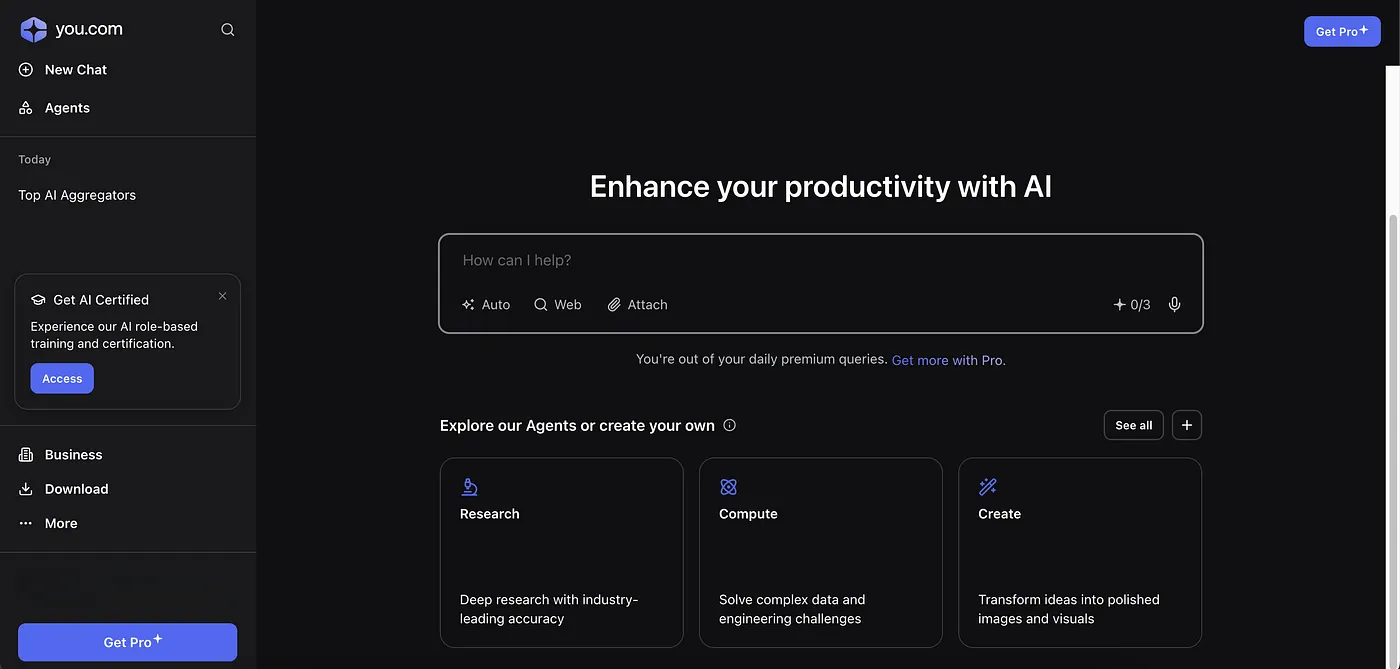
9. You.com

Overview

You.com started as an AI-powered search engine and has evolved into a sophisticated multi-model AI platform. Its defining feature is that every AI response is grounded in real-time web search — you’re never getting purely model-memorized answers.

Key Features

  • AI responses augmented with real-time web search
  • Access to GPT-4o, Claude, Gemini, and You.com’s own models
  • Research mode with multi-source summarization
  • Code generation (YouCode)
  • Image generation (YouImagine)
  • Web and mobile apps

Supported AI Models

GPT-4o, Claude 3.5, Gemini, and You.com’s in-house models (Smart, Research, Creative modes)

Unique Advantages

Real-time web augmentation is baked into everything. For researchers, marketers, journalists, and business analysts who need current information rather than knowledge-cutoff-limited responses, You.com’s approach has a structural advantage. You can also compare AI subscriptions by trying its research mode and comparing it with standard chatbot outputs.

Limitations

  • Less model variety than dedicated aggregators
  • Web-grounded responses aren’t always ideal for creative or purely analytical tasks
  • Some features feel less polished than focused platforms

Pricing

  • Free: Basic access
  • Pro: $20/month — full model access, more searches

Who Should Use It

Researchers, journalists, marketing professionals, and business analysts who need AI that’s always connected to current information.

Expert Verdict

You.com occupies a useful niche. If web-grounded AI is a priority, it’s the most polished implementation of that concept in a multi-model platform.

10. Perplexity

Overview

Perplexity has become one of the most-used AI tools in the world by focusing relentlessly on one thing: research. Every answer cites its sources. The platform has since expanded to offer model selection and a more general AI experience, but research remains its core identity.

Key Features

  • Real-time web search with citations
  • Multiple AI models (GPT-4o, Claude, Sonar models)
  • Collections for organizing research
  • Focus modes (Academic, Writing, Wolfram Alpha, Reddit, YouTube)
  • Spaces for collaborative research
  • iOS and Android apps
  • API access

Supported AI Models

GPT-4o, Claude 3.5 Sonnet, Perplexity’s Sonar models (online, fast, pro variants)

Unique Advantages

Citations and source transparency are Perplexity’s strongest features. For academic research, fact-checking, competitive analysis, and any task where you need to verify the provenance of information, Perplexity is the most trust-optimized AI tool available. The Spaces feature for collaborative research is genuinely useful for teams.

Limitations

  • Less suitable for creative tasks or pure generation
  • Model variety is narrower than dedicated aggregators
  • Heavy research usage can exhaust Pro query limits

Pricing

  • Free: 5 Pro searches/day, unlimited standard searches
  • Pro: $20/month — 300+ Pro searches/day, all models

Who Should Use It

Researchers, academics, students writing papers, analysts, and anyone who needs AI-generated answers with verifiable sources.

Expert Verdict

Perplexity is the most trustworthy AI research tool available. If your work depends on accurate, sourced information, it belongs in your stack — as a complement to a more general-purpose multi-model platform.

Master Comparison Table

PlatformGPT-4oClaudeGeminiGrokMistralDeepSeekLlamaImage GenVideo GenArtifactsReasoningCodingTeamPrice/mo
AizoloLimited$19
Poe$19.99
OpenRouterLimitedPay/use
OpenWebUI✅*✅*Free
LibreChatFree
TypingMind$39 OTP
ChatHub$9.9
Abacus AI$10+
You.com$20
Perplexity$20
Side by side comparison of multiple all in one AI models answering the same prompt

*With own API key supplied

Pricing Comparison Table

For a full AI subscription price comparison, here’s how these platforms stack up across tiers:

PlatformFree PlanIndividual PaidTeam PlanBest For on Budget
AizoloYes (limited)~$19/mo~$49/mo (5 seats)Best all-rounder value
PoeYes$19.99/moCasual multi-model access
OpenRouterYes (per-model)Pay-per-useDev teams, low usage
OpenWebUIFree foreverFree foreverDIYZero budget, privacy
LibreChatFree foreverFree foreverFree (self-hosted)Teams with tech resources
TypingMind$39 one-timeCustomPower users long-term
ChatHubYes (limited)$9.9/moComparison-focused users
Abacus AI$10/mo (entry)CustomEnterprise/data teams
You.comYes$20/moResearch-heavy users
PerplexityYes (5 Pro/day)$20/moCustomResearch professionals

When thinking about best value AI subscription 2026, the answer depends heavily on your use pattern. Heavy users with technical skills should consider TypingMind or OpenRouter. Non-technical users wanting the most complete experience should evaluate Aizolo or Poe.

Benefits of Using a Multi-Model AI Platform

Time Savings

The most obvious benefit is the one you feel immediately: less switching, less logging in, less context loss. When you’re in a flow state on a project and need to pivot from drafting content (Claude’s strength) to generating a quick image (DALL-E) to running a web search (You.com/Perplexity), having all of this in one workspace keeps you in the work instead of in the tool.

Professional users report saving anywhere from 30 minutes to two hours per day just from eliminated context-switching and tab management.

Cost Savings

The math on this is compelling. Individual subscriptions to ChatGPT Plus + Claude Pro + Gemini Advanced alone total nearly $60/month. A quality multi-model platform gives you access to all three (and more) for $20–$25/month. Over a year, that’s a $400–$500 saving for a single user. For a team of ten, the savings can exceed $5,000 annually.

Better Output Quality Through Model Selection

When you have access to multiple models and know their relative strengths, you consistently get better outputs by routing tasks appropriately. Claude for long-form writing and document analysis. GPT-4o for structured code and API work. Gemini for research and multimodal tasks. DeepSeek R1 for mathematical reasoning. The quality lift from task-to-model matching is real and measurable.

Research and Comparison Workflows

Running AI platforms that allow switching between different models 2026 opens up comparison-based research that’s impossible with a single-model subscription. Testing how five models respond to the same creative brief. Comparing code solutions from GPT-4o and Claude. Evaluating factual accuracy across models on a contested topic. These are legitimate productivity workflows that multi-model access enables.

Productivity and Business Applications

For content agencies, multi-model access means a single subscription covering a writer’s entire AI toolkit — brainstorming with Gemini, drafting with Claude, editing with GPT-4o, and generating visuals with DALL-E, all from one billing account. For developers, it means the freedom to use the right model for each component of a project without separate API key management.

Drawbacks to Be Aware Of

Rate Limits Are Real

Multi-model platforms typically implement usage limits to prevent a small number of power users from consuming resources that would affect everyone else. On lower-tier plans, you may hit daily or hourly message limits when using premium models. Always check the fine print on rate limits before committing to a plan, especially if you plan to use GPT-4o or Claude as your primary workhorses.

Privacy Considerations Vary Significantly

Your prompts pass through the platform’s servers before reaching the AI model’s API. This creates a data intermediary. For most personal use, this is acceptable — but for sensitive professional work (legal, medical, financial, or proprietary business data), you need to evaluate whether the platform has a data processing agreement, whether they log or retain prompts, and whether they offer data deletion options.

If privacy is paramount, self-hosted solutions like OpenWebUI or LibreChat with local models are the more appropriate choice.

Subscription Limits on Model Access

Not all plans include access to all models. A basic plan might cover GPT-3.5 and Claude Instant but lock the flagship models (GPT-4o, Claude 3.5 Sonnet, Gemini 1.5 Pro) behind higher tiers. Read the model access breakdown carefully before signing up.

Model Availability Lag

When a new model version releases — say, a new Claude or GPT-4 variant — it will appear on the official platform immediately. Multi-model aggregators typically take days to weeks to integrate the new version. If being on the absolute cutting edge of model capabilities is critical to your work, this is worth considering.

Internet Dependency

Unlike locally-installed software, all cloud-based multi-model platforms require a stable internet connection. Offline AI work requires a self-hosted local solution.

How to Choose the Right Platform

Professional using all in one AI models platform on multiple monitors for research and productivity

Decision Framework

With ten solid options on this list, the choice can feel overwhelming. Here’s a practical framework:

Step 1: Clarify Your Budget

Are you looking to spend under $15/month? Under $25? Are you open to a one-time payment? Or do you need to keep costs to zero? This alone narrows the field significantly.

Step 2: Identify Your Must-Have Models

Which specific models do you actually need? If Grok and DeepSeek are priorities, that rules out several platforms. If Claude and GPT-4o cover 90% of your needs, the field is wide open.

Step 3: Technical Comfort Level

Are you comfortable managing API keys? Can you run a Docker container? Or do you want a platform that just works without any configuration? Self-hosted options (OpenWebUI, LibreChat) require technical skill. Consumer platforms (Aizolo, Poe, You.com) require none.

Step 4: Use Case Priority

Different platforms excel for different use cases:

  • Research: Perplexity, You.com
  • Content creation: Aizolo, Poe, TypingMind
  • Coding: OpenRouter, TypingMind, LibreChat
  • Team collaboration: Aizolo, Abacus AI, LibreChat
  • Model comparison: ChatHub
  • Privacy: OpenWebUI, LibreChat (self-hosted)
  • Developer API access: OpenRouter
  • Enterprise: Abacus AI, LibreChat

Step 5: Check the Platform’s Update Cadence

A platform that integrated DeepSeek R1 within days of its release is more reliable than one that took months. Look at their changelog or blog to see how quickly they add new models.

Quick Decision Guide

If you are…Best choice
A non-technical individual wanting everything in one placeAizolo
A student or casual userPoe
A developer wanting API accessOpenRouter
Privacy-conscious with technical skillsOpenWebUI
A power user with own API keysTypingMind
A team doing researchPerplexity or You.com
An enterprise or data teamAbacus AI
Someone focused on comparing outputsChatHub

Future of All-in-One AI Models

Where This Category Is Going in 2026 and Beyond

The multi-model AI platform space is evolving faster than any other segment of the SaaS market. Here’s what’s coming based on current trajectories:

AI Routers Will Get Smarter

Right now, model selection on most platforms is manual — you pick the model, then type your prompt. The next generation of platforms will do this automatically: your prompt is analyzed, your task type is classified, and the optimal model is selected without you lifting a finger. Early versions of this exist (OpenRouter’s routing hints, some Abacus AI features), but the intelligent auto-routing that works really well is still being refined.

Multi-Agent Workflows Are Becoming Table Stakes

2025 was the year AI agents went from demo to deployment. 2026 is the year multi-agent workflows become normal. Platforms that allow you to set up chains of agents — one researching, one writing, one editing, one publishing — using the optimal model at each step will define the next wave of AI productivity tools. LibreChat, Abacus AI, and emerging platforms like Aizolo are already building in this direction.

Local and Open-Source Models Are Catching Up

The gap between frontier models (GPT-4o, Claude 3.5) and the best open-source alternatives (Llama 3.1 405B, DeepSeek V3) has narrowed dramatically in the past 18 months. As this continues, the economics of “use local models for routine tasks, cloud models for complex tasks” will become more compelling. Platforms that handle this hybrid routing seamlessly will have a structural advantage.

Enterprise Unified AI Subscriptions

The enterprise market is just beginning to consolidate AI spending. Companies that currently pay for ChatGPT Enterprise, a separate Claude Team plan, and a Google Workspace AI add-on are going to demand unified billing and governance. This pressure will drive a new category of enterprise AI subscription management platforms.

Privacy-First Architectures

Regulatory pressure in the EU (AI Act), healthcare (HIPAA), and finance (various sector-specific rules) is accelerating demand for AI platforms that can guarantee data sovereignty. Expect significant investment in platforms that offer on-premises deployment or cryptographically verifiable data handling for AI workloads.

Frequently Asked Questions

1. What are all-in-one AI models platforms?

All-in-one AI models platforms are services that provide access to multiple major AI models — like ChatGPT, Claude, Gemini, Grok, Mistral, and DeepSeek — from a single dashboard, typically under one subscription. Instead of subscribing separately to each AI company, you pay one platform and get access to many.

2. Is it cheaper to use a multi-model AI platform than individual subscriptions?

In most cases, yes — significantly cheaper. Individual subscriptions to ChatGPT Plus, Claude Pro, and Gemini Advanced total approximately $60/month. Most multi-model platforms offering access to all three (and more) cost $15–$25/month. Annual savings for a single user can exceed $400.

3. Do multi-model platforms use the same models as the official apps?

Yes, in most cases. These platforms access the same underlying models through official APIs. The AI you’re getting is the same GPT-4o or Claude 3.5 Sonnet you’d get from OpenAI or Anthropic directly. The platform adds interface, routing, and workspace features on top.

4. Which platform gives access to the most AI models?

OpenRouter offers access to 100+ models, making it the widest in terms of breadth. However, it’s developer-focused and has no consumer interface. For consumer platforms with broad model access, Aizolo and Poe cover the most ground.

5. Are my conversations private on multi-model AI platforms?

This depends on the platform and plan. Most cloud-based platforms process your prompts through their servers. Many have data retention policies you should review before using for sensitive work. For guaranteed privacy, self-hosted solutions like OpenWebUI or LibreChat with local models are the appropriate choice.

6. Can I use multiple AI models on a free plan?

Several platforms offer free tiers with limited model access. Poe has a free plan with access to some models at low usage levels. OpenRouter has free daily allocations for select models. OpenWebUI and LibreChat are completely free (open-source, self-hosted). Perplexity has a useful free tier for research.

7. What’s the best all-in-one AI platform for beginners?

Poe and Aizolo are the most accessible for beginners — clean interfaces, no API key management, and guided model selection. Poe has a slight edge for exploration and discovery through its bot marketplace, while Aizolo is stronger for users who want a professional workspace feel from day one.

8. Do any all-in-one AI platforms support image generation?

Yes. Aizolo supports DALL-E 3 and image generation within the platform. Poe includes DALL-E 3 and Stable Diffusion XL, with 1,000 image generations per month on the Pro plan. You.com includes YouImagine for image generation. OpenWebUI can connect to local image generation models.

9. Which platform is best for teams and businesses?

Aizolo offers solid team workspaces with shared access and role management. Abacus AI is the strongest for enterprise data teams needing advanced AI agent and RAG capabilities. LibreChat is the best self-hosted option for companies with data sovereignty requirements.

10. Can developers use these platforms through an API?

OpenRouter is purpose-built for API access and is the top choice for developers. TypingMind accepts your own API keys but isn’t an API provider itself. Abacus AI offers API access for enterprise clients. Most consumer platforms (Poe, Aizolo, ChatHub) are interface-only and don’t expose their own API.

11. How do I switch between AI models on these platforms?

Most platforms have a model selector in the chat interface — typically a dropdown or toggle at the top of the conversation window. More advanced platforms like ChatHub let you run multiple models simultaneously. The switching experience varies: some platforms maintain conversation context across model switches, others start fresh.

12. Will all-in-one AI platforms always have the latest model versions?

Not immediately. When OpenAI or Anthropic releases a new model version, official apps update first. Multi-model platforms typically integrate new versions within days to weeks, depending on their update cadence. Platforms with active development teams (like Aizolo and Poe) tend to update faster than smaller projects.

13. What is an AI router and how does it work?

An AI router is a system that analyzes your prompt and automatically selects the most appropriate AI model to handle it, based on task type, required capabilities, cost, or speed. OpenRouter includes routing hints that developers can use. More consumer-facing intelligent routing is an active area of development across the platforms in this guide.

14. Is there a way to compare AI model outputs side by side?

Yes. ChatHub is specifically designed for side-by-side model comparison and is the most polished tool for this workflow. Aizolo’s comparison mode also allows running the same prompt across multiple models simultaneously. This is one of the most valuable features of multi-model platforms and something no single-model subscription can offer.

Conclusion

The case for all-in-one AI models platforms has never been clearer. The frontier AI companies — OpenAI, Anthropic, Google, xAI, Meta, Mistral — are all producing genuinely excellent models with meaningfully different strengths. Forcing yourself to pick just one, and paying separately for the ones you want to use occasionally, is a workflow problem that these platforms solve cleanly.

Here’s the summary you can actually use:

Best for beginners and non-technical users: Aizolo — the most complete consumer-facing platform with unified billing, broad model access, and a workspace that doesn’t require any technical setup. For a best all-in-one AI workspace experience that just works, this is the starting point.

Best for developers: OpenRouter — 100+ models, single API key, pay-per-use pricing, and OpenAI-compatible format. The infrastructure layer serious builders use.

Best for research: Perplexity — citations, source transparency, and focus modes that make AI research trustworthy, not just fast.

Best for privacy-first users: OpenWebUI with local Ollama models — zero data sent externally, full control, runs on your hardware.

Best budget choice for power users: TypingMind — a one-time $39 payment for a lifetime of the best AI interface available, plus you pay only the API costs you actually incur.

Best for enterprise teams: Abacus AI — multi-model access plus agent building, RAG pipelines, and enterprise security compliance.

The AI landscape will keep changing — new models will emerge, pricing will shift, platforms will add features or fold. But the fundamental value proposition of a multi-model platform isn’t going anywhere. The ability to match the right model to the right task, from a single workspace, under one subscription, is the most rational way to work with AI in 2026.

Take advantage of the free tiers available on most of these platforms. Test two or three. See which interface you actually enjoy using, which model access matters for your workflow, and which pricing model makes sense for how much you use AI. The right choice is the one that fits your actual work — not the one with the longest feature list.

Screenshot Recommendations

  1. Aizolo homepage and model selector interface
  2. Poe chat interface showing model selection dropdown
  3. OpenRouter dashboard with model list and pricing
  4. OpenWebUI local install running Llama 3
  5. TypingMind conversation management interface
  6. ChatHub side-by-side comparison view
  7. Abacus AI team workspace
  8. Perplexity search with source citations visible

Author Bio

Jeevesh Tripathi Expert AI Researcher & Technology Writer jeevesh@aizolo.com

Jeevesh has spent the last seven years embedded in the AI tools ecosystem — testing platforms, breaking down model benchmarks, and translating complex AI capabilities into practical guidance for real users. As an early adopter of multi-model workflows, he has hands-on experience across every major AI platform, from consumer-facing aggregators to self-hosted open-source stacks. His work focuses on the intersection of AI productivity, SaaS tools, and multi-model ecosystems — specifically how individuals, developers, and businesses can extract maximum value from AI without subscribing to everything and paying for what they don’t use.

He has personally evaluated 40+ AI tools, tested models across hundreds of comparative prompts, and contributed to AI workflow research covering prompt engineering, model routing, and enterprise AI deployment strategies. His reviews are grounded in actual usage, not press releases.

1 thought on “All in One AI Models: Best Platforms to Access ChatGPT, Claude, Gemini & More in 2026”

  1. Pingback: Perchance AI Video Generator Review: Free Tool vs Reality 2026

Leave a Comment

Your email address will not be published. Required fields are marked *

Scroll to Top