
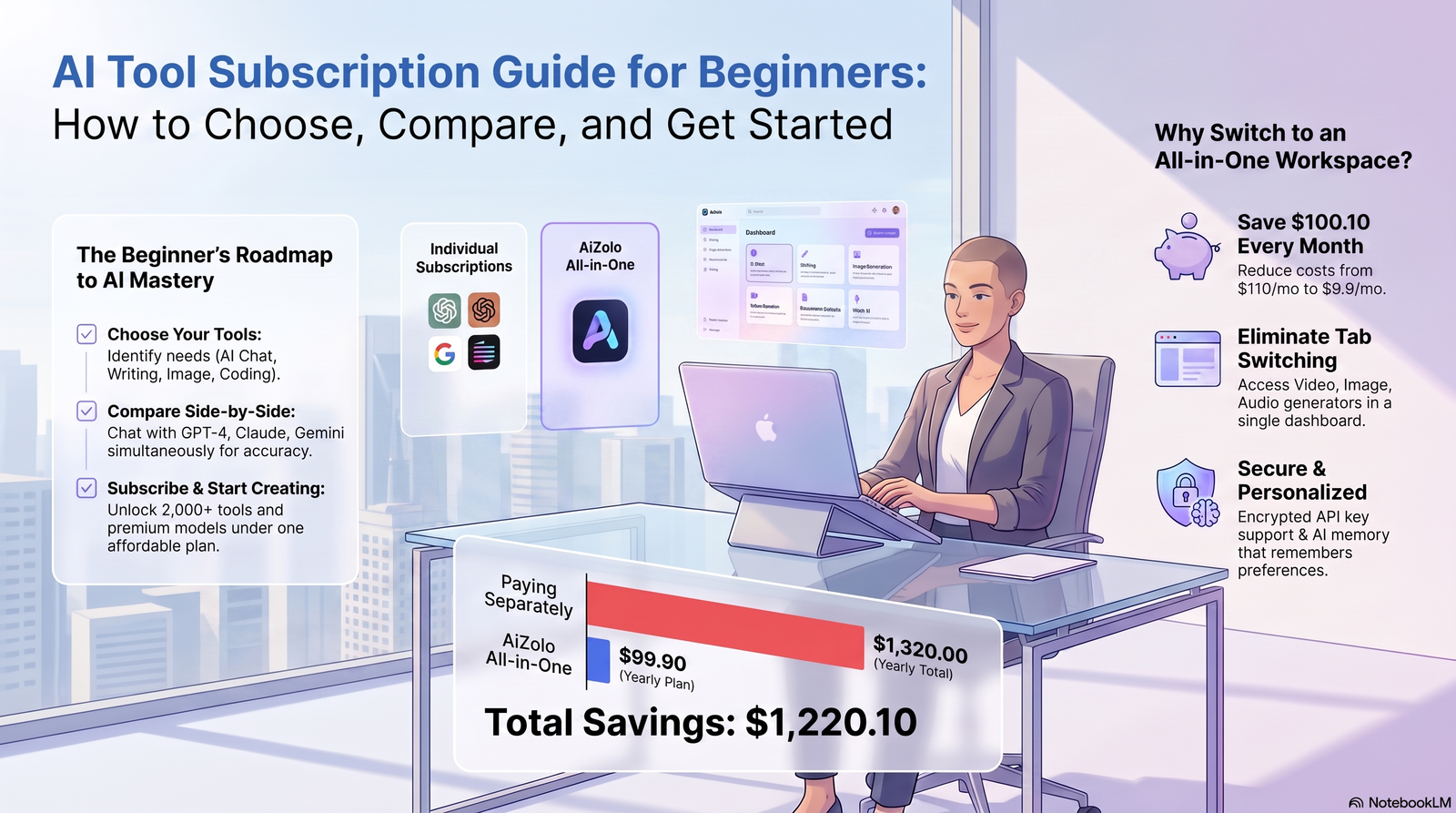
Introduction
A few years ago, “using AI” meant playing around with a chatbot for fun. Today, it means running your job, your studies, or your side hustle through a handful of AI tools every single day.
That shift has created a new problem: too many tools, too many prices, and no clear starting point. If you’ve typed “AI tool subscription guide for beginners” into Google, you’re probably staring at ten browser tabs — ChatGPT, Claude, Gemini, Midjourney, Notion AI — wondering which one actually deserves your money.
This guide is written for exactly that moment. No jargon, no hype, no “10 AI tools that will change your life” filler. Just a clear, honest walkthrough of how AI subscriptions work, what beginners consistently get wrong, and how to pick a plan that fits your actual needs.
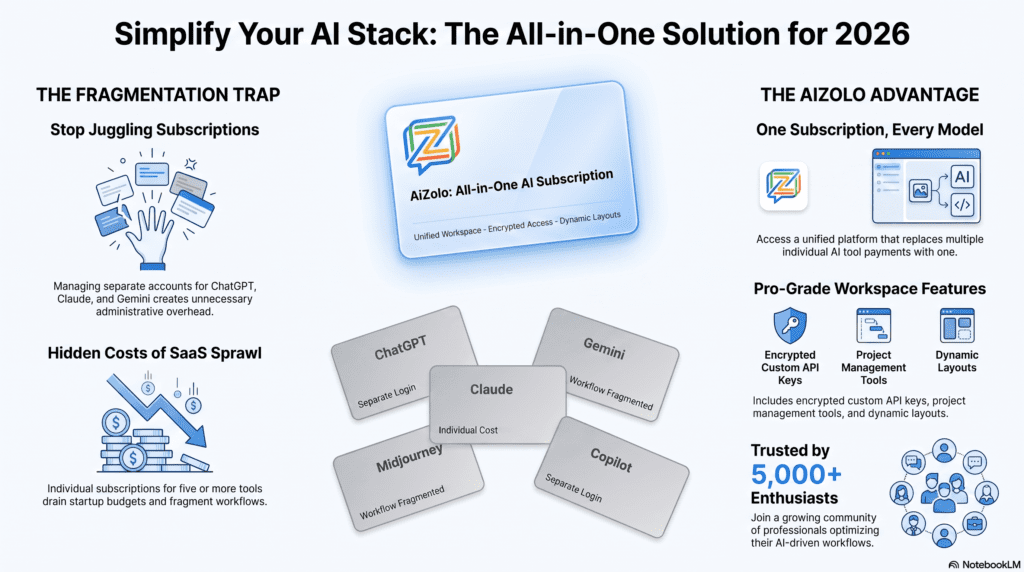
Along the way, we’ll also look at platforms like Aizolo, which take a different approach by bundling access to multiple premium AI models under a single subscription — a model that’s becoming increasingly relevant as the number of “must-have” AI tools keeps growing.
Table of Contents
What Is an AI Tool Subscription?
An AI tool subscription is simply a recurring payment — usually monthly or yearly — that gives you ongoing access to an AI model or platform, instead of paying once or using it for free with heavy restrictions.
Think of it the same way you think about a Netflix or Spotify subscription. You’re not buying the software outright. You’re paying for continued access, updates, and usage capacity.
Most AI subscriptions follow one of four structures:
- Monthly plans — cancel anytime, most beginner-friendly.
- Annual plans — discounted, better once you know you’ll stay long-term.
- Token or credit systems — you pay for what you actually use.
- Premium tiers — faster responses, higher limits, more advanced models.
We expand on each of these in Section 6. For the fuller definition — including how consumer subscriptions differ from developer API pricing, and where each tier sits on the $8 / $20 / $100+ ladder — see what an AI subscription actually includes.
Why Beginners Should Use AI Subscriptions
If you’re new to AI tools, the free version of almost anything will get you started — but free tiers are intentionally limited, and in 2026 several have added ads on top of tighter caps. Here’s exactly what free tiers hold back compared to paid ones. Below is why paying for a subscription, even a cheap one, usually makes sense early on.
Lower learning curve
Paid tiers usually come with better onboarding, more stable performance, and fewer “you’ve hit your limit” interruptions while you’re still learning how the tool works.
Affordability at entry-level pricing
Most beginner-friendly AI tools sit in a low monthly range specifically because providers know first-time users are price-sensitive. You don’t need an enterprise budget to get real value.
Productivity gains that compound
A freelance graphic designer we’ll call Meera started using an AI writing assistant purely for client emails. Within a month, she was using it for proposals, project briefs, and social captions too — the time saved kept snowballing.
Convenience of one login, one workflow
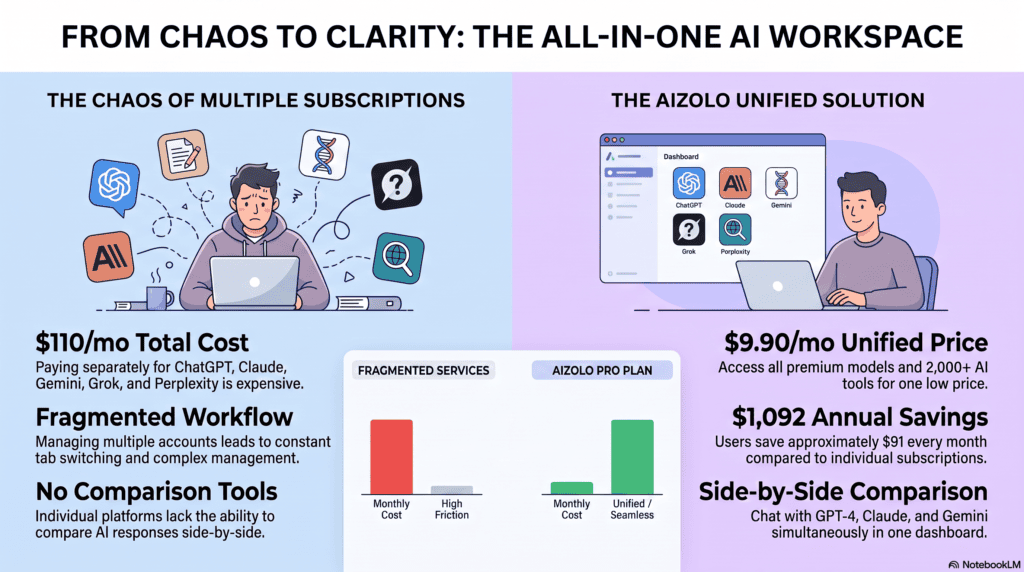
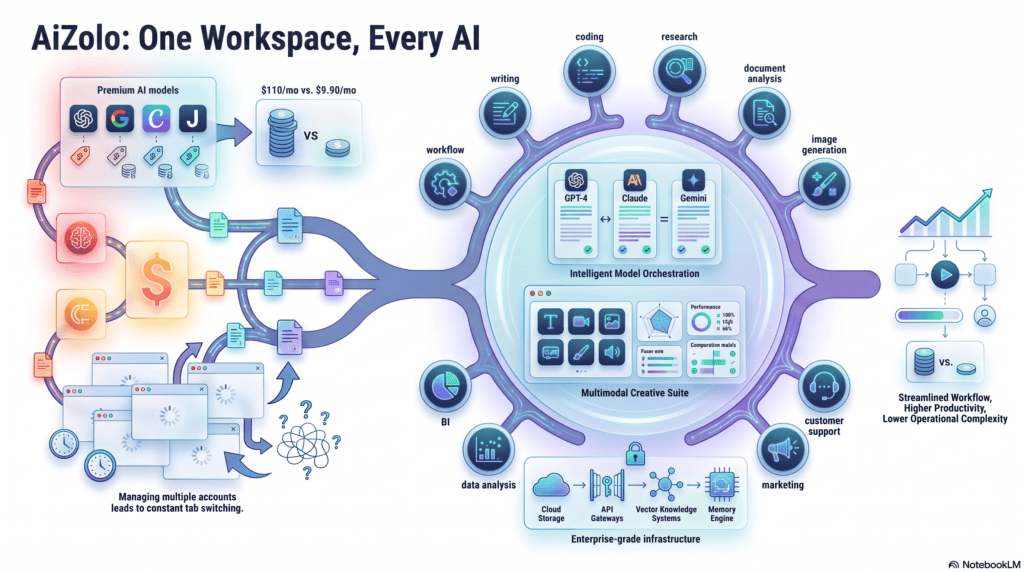
Instead of hopping between five free tools with five different accounts, a subscription often centralizes your work in one dashboard.
Access to multiple AI tools under one roof
This is where platforms offering multiple AI models in one subscription start to matter — especially for beginners who don’t yet know which specific model suits their style of work.
One caveat before you commit: a single AI subscription can absorb two or three narrow tools you’d otherwise buy separately — but not all of them. See the full stack-vs-single-subscription cost comparison before you cancel anything you’re already paying for.
Types of AI Tools Beginners Actually Use
Not all AI tools do the same job. Here’s a practical breakdown of the categories beginners run into most often.
AI chatbots
General-purpose assistants for answering questions, brainstorming, drafting text, and explaining concepts in plain language.
Image generators
Turn text prompts into original visuals — useful for marketing, concept art, social media graphics, and quick mockups.
Coding assistants
Help write, debug, and explain code, even for people who aren’t professional developers.
Research assistants
Summarize long documents, pull together information from multiple sources, and help structure findings.
Writing assistants
Focus specifically on tone, grammar, structure, and clarity — great for emails, essays, and content drafts. If writing is your primary use case, start with our guide to the best affordable AI writing software in 2026.
Presentation generators
Convert an outline or rough notes into a formatted slide deck automatically.
Video generators
Create short video clips, avatars, or voiceover-synced content from text prompts.
Voice generators
Produce realistic narration, dubbing, or voiceovers without hiring a voice actor.
Productivity tools
AI-powered scheduling, note-taking, task management, and meeting summarization.
A first-time user rarely needs all of these at once. The smarter move is identifying which two or three categories actually match your daily work, then finding a subscription that covers those well.
Features to Look For Before You Subscribe
Before entering your card details, run through this checklist.
- Easy interface — can a non-technical person use it without a learning curve?
- Privacy protections — is your data used to train models, and can you opt out?
- Commercial usage rights — can you legally use outputs for client work or business purposes?
- Mobile support — can you use it on your phone, not just desktop?
- Collaboration features — can teammates or classmates share the workspace?
Those five matter on day one. A second layer of checks only becomes relevant once you’re comparing specific paid tiers — which exact model the plan includes, how the usage cap resets, whether an annual discount or student rate applies. Run through the full pre-purchase checklist before entering your card details.
If a platform is vague about any of these — especially privacy and commercial usage — treat that as a warning sign, not a minor detail.
Common Beginner Mistakes
Almost everyone makes at least one of these when they first start paying for AI tools.
Buying expensive plans too early
Start small and upgrade when you actually hit limits — the $100–$200 power-user tiers exist for people who exceed standard caps, not for beginners. More on the costliest subscription mistakes.
Ignoring usage limits
Token limits, message caps, and generation quotas are easy to miss at signup and easy to blow through in week one. This matters more in 2026 than it used to, because several providers have moved to credit-based billing where overages bill like a raw API invoice. Here’s how usage-based billing turns a $28 bill into a $700 one.
Choosing based only on hype
The most talked-about AI tool on social media isn’t automatically the best fit for your specific task.
Forgetting about privacy
Not reading how your data, prompts, or uploaded files are stored and used is one of the most common — and riskiest — beginner mistakes.
Using AI output without verification
AI models can sound confident while being wrong. Treat AI-generated facts, statistics, and citations as a draft that needs checking, not a finished answer.
AI Subscription Pricing Explained
You’ll run into a handful of pricing structures as a beginner: free and freemium tiers, flat monthly or annual subscriptions, and usage-based token or credit systems. Monthly plans are the safest starting point — cancel anytime, no long-term commitment — while annual plans and token-based pricing make more sense once you know your actual usage pattern.
For a full provider-by-provider price table — ChatGPT, Claude, Gemini, and budget and all-in-one alternatives — see our complete 2026 AI subscription pricing comparison.
How to Choose the Best AI Subscription
Here’s a simple framework beginners can follow instead of guessing.
This framework assumes you’re starting from zero. If you already pay for two or more AI tools, you need a stack audit instead — a different process, covered in our SaaS-vs-AI subscription buying guide.
Step 1 — List your actual tasks. Writing? Coding? Design? Research? Be specific, not aspirational.
Step 2 — Match tasks to tool categories. Use the breakdown in Section 3 to identify which 2–3 categories matter most right now.
Step 3 — Set a realistic monthly budget. Beginners rarely need to spend more than the cost of a couple of coffees per week when starting out.
Step 4 — Check for multi-model flexibility. A platform that lets you access more than one AI model reduces the risk of picking “the wrong one” early on.
Step 5 — Start monthly, not annual. Test for at least one full billing cycle before locking into a yearly plan.
Step 6 — Reassess after 30 days. Compare what you actually used against what you expected to use, then adjust. By that point you’re no longer choosing blind, so it’s worth checking which AI companies deliver the best value for money against your real usage pattern.
This is also where the idea of an all-in-one AI subscription becomes genuinely practical for beginners, since it removes the pressure of picking one “correct” model on day one.
Comparison Table
| Plan Type | Best For | Typical Structure | Flexibility | Beginner Fit |
|---|---|---|---|---|
| Free / Freemium | Testing basic features | No cost, capped usage | Low | High for exploration, low for real work |
| Monthly Subscription | Trying a tool short-term | Fixed monthly fee | Medium | High |
| Annual Subscription | Long-term committed users | Discounted yearly fee | Low | Medium (only after testing monthly) |
| Token/Credit-Based | Variable or occasional usage | Pay per usage amount | High | Medium — requires usage tracking |
| Unlimited Tier | Heavy, daily users | Higher flat fee | High | Low initially, high once usage grows |
| Multi-Model Bundle (e.g., Aizolo-style platforms) | Beginners unsure which model fits their needs | One subscription, multiple models | High | Very High |
If you’re still unsure which row fits you, benchmark it against real prices — here are the cheapest AI subscription options ranked from lowest monthly cost upward, with what each one gives up at that price.
Benefits of AI Subscriptions
- Consistent access — no daily rate limits interrupting your workflow.
- Faster response times — paid tiers are typically prioritized over free users.
- Access to newer, more capable models — free tiers often run older or lighter versions.
- Commercial usage rights — critical for freelancers and small businesses using AI output professionally.
- Better support — paid users often get faster customer service response.
- Cost predictability — one fixed monthly charge instead of scattered renewal dates.
- Less tool-switching — every hop between tools costs a context reset, and that adds up faster than most people measure. See what context switching actually costs.
Limitations You Should Know About
Honesty matters here — AI subscriptions aren’t a perfect solution.
- AI hallucinations — even premium models can generate confident but incorrect information. Always verify facts, especially for professional or academic use.
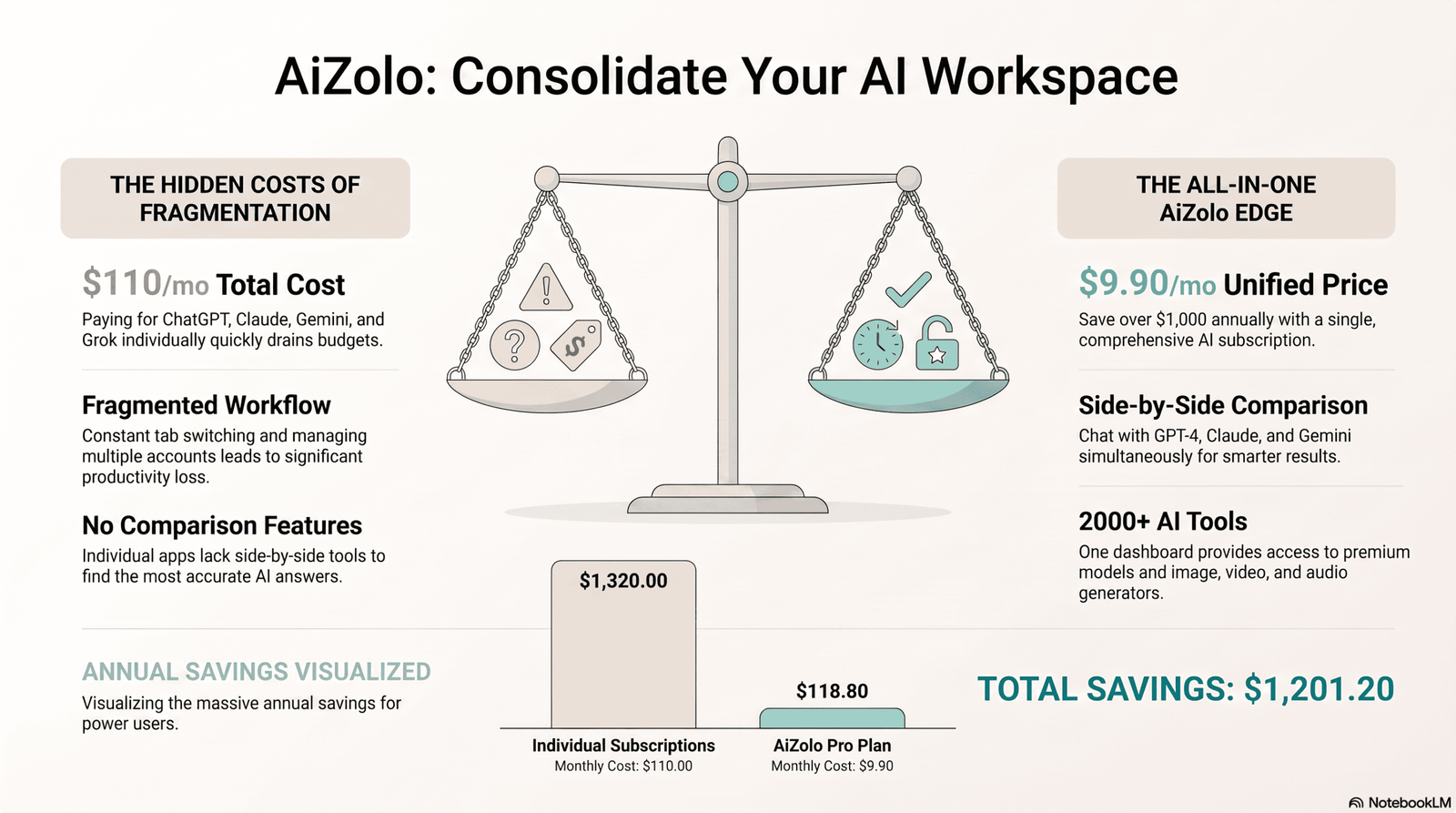
- Ongoing cost — subscriptions add up, and the monthly bill is rarely the whole story once feature overlap, idle seats, and usage overages are counted. Here’s the full breakdown of what multiple AI subscriptions really cost.
- Privacy trade-offs — some platforms use conversation data for model training unless you actively opt out; always read the privacy policy.
- Feature overlap confusion — many tools claim to do “everything,” which makes genuine comparison harder for beginners.
- Learning curve for advanced features — while basic use is simple, getting real productivity gains often takes a few weeks of practice.
Being aware of these limitations upfront prevents the most common beginner regret: subscribing to something that doesn’t match expectations. Before committing to any paid plan, it’s also worth reviewing Google’s guidance on evaluating AI-generated content and helpful information to set realistic expectations.
The Future of AI Subscriptions
The subscription landscape is shifting fast, and a few trends are worth knowing about even as a beginner.
AI agents
Future subscriptions are moving beyond simple chat responses toward agents that can complete multi-step tasks autonomously — booking, research, scheduling — with minimal supervision.
Multimodal AI
Text, image, voice, and video capabilities are increasingly bundled into single models rather than separate tools.
Unified subscriptions
The trend toward single subscription, multiple AI models is accelerating, driven by user fatigue with managing five or six separate billing cycles.
Model switching
More platforms are letting users switch between AI models mid-conversation based on which one performs best for a specific task — a feature beginners will likely come to expect as standard.
Personalized AI
Expect subscriptions to increasingly adapt to individual writing style, work patterns, and preferences over time, rather than offering a one-size-fits-all experience.
Those are product trends. Where pricing is headed is a separate question — budget tiers becoming standard, flagship plans holding near $20, and usage-based power tiers multiplying above that. We track those shifts here.
Conclusion
Choosing your first AI subscription doesn’t need to be complicated, even though the market makes it feel that way. Start by understanding your actual tasks, not the tool everyone else is talking about. Test with a monthly plan before committing annually. Pay attention to privacy and usage limits, not just the price tag.
And if you’re someone who doesn’t want to pick just one AI model and hope it’s the right one — platforms like Aizolo, which give you access to multiple premium AI models under a single subscription, are worth exploring specifically because they remove that early guesswork.
There’s no single “best” AI subscription for everyone. There’s only the one that fits how you actually work — and the one you can justify at the price. When you’re ready to compare real numbers instead of categories, start with our full breakdown of the cheapest AI subscription in 2026.
FAQs
1. What is the best AI subscription for absolute beginners? There’s no single “best” option — it depends on your main task. General chatbots suit most beginners, while multi-model platforms offer more flexibility if you’re unsure what you need yet.
2. Do I need to pay for AI tools, or is free enough? Free tiers work fine for casual, occasional use. If you’re using AI daily for work or study, a paid plan usually offers better speed, accuracy, and usage limits.
3. What’s the difference between a monthly and annual AI subscription? Monthly plans offer flexibility and lower commitment; annual plans are usually cheaper overall but require confidence that you’ll keep using the tool long-term.
4. Are AI subscriptions safe for personal data? Safety varies by provider. Always check whether your data is used for model training and whether you can opt out before entering sensitive information.
5. Can I use AI subscription output for commercial projects? It depends on the plan. Many free tiers restrict commercial use, while paid tiers typically include explicit commercial usage rights — always confirm before using outputs professionally.
6. What are AI tokens, and why do they matter? Tokens are units of text (roughly parts of words) that AI models process. Token-based pricing charges you according to how much text you send and receive.
7. Is it better to subscribe to one AI tool or several? For beginners, a single bundled subscription offering multiple models is often more cost-effective and less confusing than juggling several separate subscriptions.
8. How do I know if I’m overpaying for an AI subscription? Compare your actual monthly usage against the plan’s limits — if you consistently use a small fraction of what you pay for, drop a tier. Full audit process here.
9. What should I check before subscribing to any AI tool? Privacy policy, usage limits, commercial rights, pricing structure, and whether the model or feature set actually matches your task.
10. Can AI subscriptions be canceled anytime? Most monthly subscriptions can be canceled anytime before the next billing cycle. Annual plans may have stricter refund or cancellation terms — always check before purchasing.
11. Why do some platforms offer multiple AI models instead of just one? Different models perform better at different tasks — some excel at writing, others at coding or reasoning. Multi-model platforms let beginners access the right tool for each task without separate subscriptions.
12. Is AI-generated content always accurate? No. AI models can produce confident but incorrect information, known as hallucination. Always verify important facts, statistics, or citations independently.
13. How much should a beginner expect to spend on AI subscriptions monthly? Entry-level plans start well under $10/month, with flagship tiers around $20. Current prices, ranked lowest first.
14. What’s the biggest mistake beginners make with AI subscriptions? Subscribing to an expensive plan before understanding their actual usage pattern, then either underusing it or hitting limits on a plan that’s too small.
15. Will AI subscriptions get more expensive in the future? Flagship pricing has held steady, but the structure is changing. Where AI pricing is headed.
Author Bio
Author: Jeevesh Tripathi Email: jeevesh@aizolo.com
About the Author: Jeevesh Tripathi writes about artificial intelligence platforms, SaaS products, and productivity software, with a focus on helping non-technical readers make confident, informed decisions. His work centers on breaking down complex AI subscription models, pricing structures, and platform comparisons into practical guidance that reflects real user needs rather than industry hype. Drawing on hands-on research into AI tools and ongoing coverage of the AI ecosystem, Jeevesh aims to give readers accurate, up-to-date, and genuinely useful information — in line with the standards of experience, expertise, authoritativeness, and trustworthiness that responsible technology writing requires.
Hey there! Do you know if they make any plugins to assist with Search Engine Optimization? I’m trying to get my blog to rank for some targeted keywords but I’m not seeing very good success. If you know of any please share. Cheers!