Table of Contents
Introduction
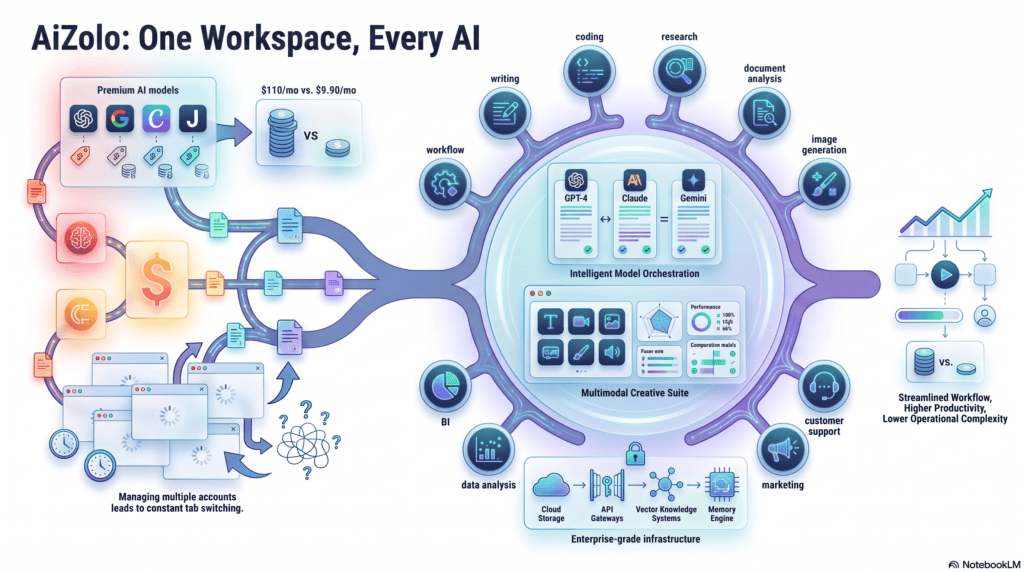
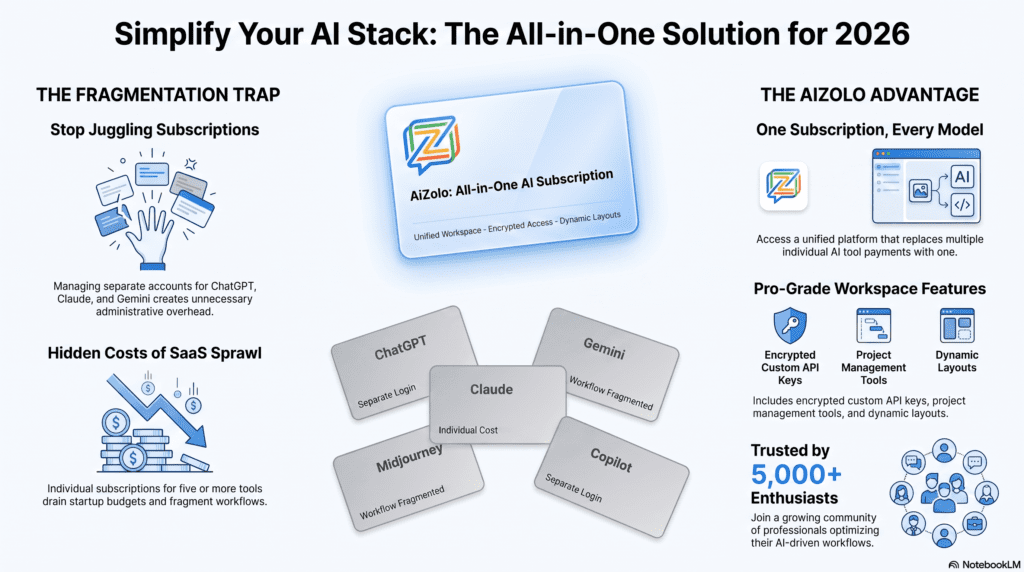
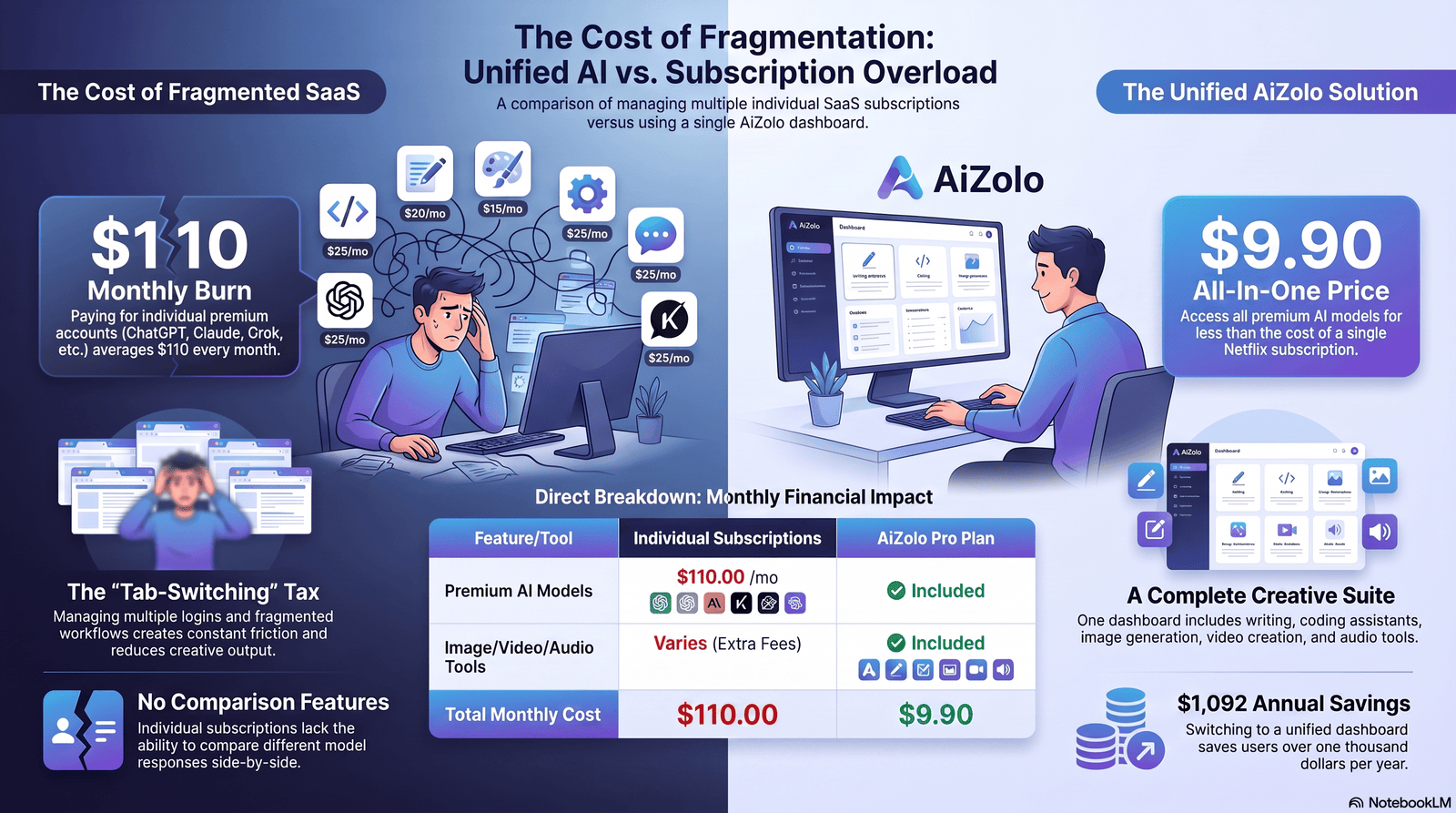
Software bills creep up quietly. A writing tool here, a design app there, a meeting-notes subscription nobody remembers approving—and suddenly a freelancer or small team is paying for eight or nine logins a month. Aizolo helps reduce that sprawl by bringing multiple AI tools together under a single subscription.
This is the problem driving one of the most common questions in software budgeting today: does one AI subscription actually beat paying for a stack of individual SaaS tools?
AI subscription savings compared to individual SaaS tools aren’t hypothetical. When you add up what most solo professionals and small teams already pay for writing help, image generation, meeting transcription, basic automation, and research tools, the individual-tool stack often runs $150–$400 a month. A single AI subscription at $20–$200 a month can absorb a meaningful chunk of that stack — though, as you’ll see below, not all of it.
or check our full breakdown of every AI subscription price in 2026 if you just want the cheapest plan itself
This guide walks through where AI subscriptions genuinely save money, where dedicated SaaS tools still earn their keep, and how to run the math for your own situation. Expect real pricing tables, freelancer and startup budget examples, and an honest look at the limitations of “replace everything with one AI app” thinking.
A note on numbers: software pricing changes often. The figures in this article reflect publicly listed prices as of mid-2026. Always confirm current pricing on the vendor’s own pricing page before budgeting.
Why SaaS Costs Keep Increasing
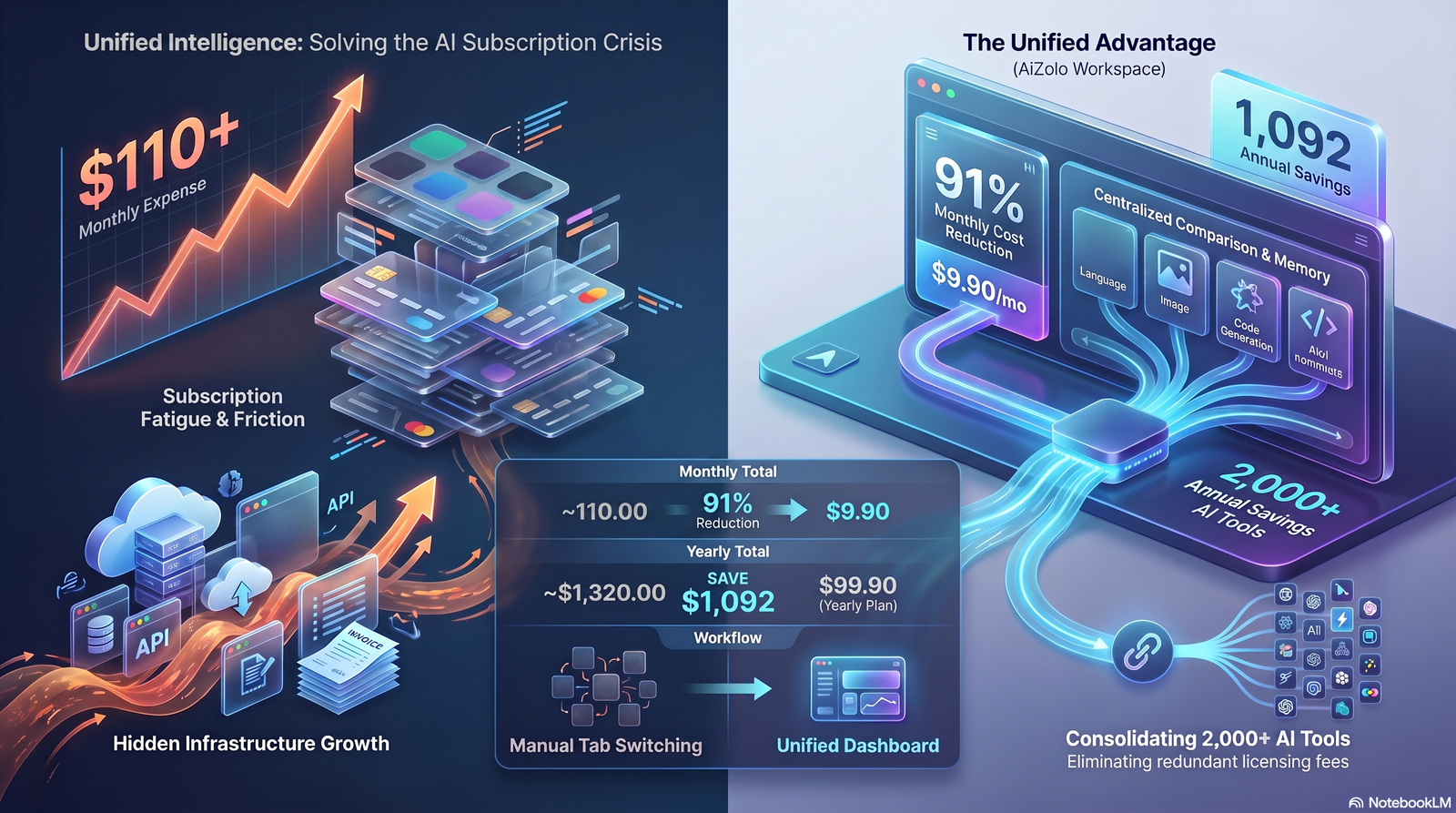
Software spending rarely drops on its own. A few structural reasons explain why:
Seat-based pricing scales faster than headcount growth feels like it should. Add three people to a twelve-tool stack and the bill jumps by 36 line items, not three.
Feature lock-in pushes upgrades. Vendors gate the features teams actually need — advanced reporting, integrations, higher usage caps — behind the next pricing tier up.
Usage limits quietly force renewals at a higher tier. Hit a monthly export cap or API limit twice and most teams upgrade rather than manage around it.
Overlap goes unnoticed. A writing tool, a grammar checker, and a content optimizer often do 70% of the same job, but nobody audits the stack often enough to catch it.
Annual contracts hide true monthly cost. A tool billed once a year rarely shows up on a monthly mental tally, so it survives budget reviews that catch monthly subscriptions first.
What Are Individual SaaS Tools?
“Individual SaaS tools” means software bought separately for a single job. A typical solo professional or small team stack might include:
- Writing: Grammarly, Jasper, Copy.ai
- Image generation/design: Canva Pro, Midjourney
- Meeting notes: Otter.ai, Fireflies, Notta
- Automation: Zapier, Make
- Coding assistance: GitHub Copilot, Cursor
- Research: Perplexity Pro, dedicated SEO tools
- Presentations: Canva, Beautiful.ai
- Email: Superhuman, dedicated cold-outreach tools
- Marketing: Jasper, HubSpot marketing add-ons
- CRM: HubSpot, Pipedrive
- Design: Canva, Figma
Each tool is excellent at its one job. The cost problem shows up when someone is paying for six or seven of these at once, several of which quietly overlap.
What Is an All-in-One AI Subscription?
An all-in-one AI subscription bundles multiple capabilities — writing, research, coding, image generation, voice, and document analysis — into a single dashboard and a single bill. Instead of logging into eight apps, you work inside one interface that can shift between tasks.
The appeal is straightforward: multiple AI models or modes under one login, a shared workspace for projects and files, and one predictable monthly charge instead of a scattered list of renewal dates. For many individuals and small teams, that consolidation alone is worth something even before the dollar savings are counted — fewer passwords, fewer invoices, one place to search past work.
AI Subscription Savings Compared to Individual SaaS Tools
This is the core question, so let’s get specific. Below are the current list prices for the major AI subscriptions as of mid-2026, followed by realistic individual SaaS tool costs, and then the actual savings math.
Major AI Subscription Pricing (2026)
| AI Subscription | Monthly Price | What’s Included |
|---|---|---|
| ChatGPT Plus | $20/month | Advanced chat model, image generation, file uploads, limited deep research, coding help |
| ChatGPT Go | $8/month | Budget tier, higher limits than free, no deep research |
| ChatGPT Pro | $100–$200/month | Top-tier model access, high usage caps, video generation |
| Claude Pro | $20/month ($17/month billed annually) | Advanced chat model, coding assistant, document analysis, projects |
| Claude Max | $100–$200/month | 5x–20x Claude Pro usage, priority access |
| Gemini Advanced (Google AI Pro/Ultra) | ~$20–$250/month depending on tier | Google Workspace integration, advanced model access |
A single mid-tier AI subscription — $20/month for ChatGPT Plus or Claude Pro — can reasonably substitute for parts of several SaaS categories at once: first-draft writing, brainstorming, basic image generation, meeting-note cleanup (when paired with a transcription source), light coding help, and research summarization.
Individual SaaS Tool Pricing (2026)
| SaaS Tool | Category | Monthly Price |
|---|---|---|
| Grammarly Premium | Writing/grammar | $12–$30/month |
| Jasper | AI marketing copy | $36–$186/month |
| Canva Pro | Design | ~$13/month (individual) |
| Notion Plus | Knowledge management | $10/month per user |
| Notion AI add-on | AI inside Notion | ~$10/month per user |
| Otter.ai / Notta | Meeting transcription | $14–$28/month |
| Zapier | Automation | $20–$70+/month depending on tier |
| GitHub Copilot | Coding assistant | $10–$39/month |
If writing tools specifically are your biggest expense, our guide to the best affordable AI writing software in 2026 breaks down cheaper Grammarly and Jasper alternatives.
Stack five or six of these for one person and the monthly total lands somewhere between $150 and $250 — before adding a CRM, a presentation tool, or a research subscription.
The Direct Comparison
| Scenario | Individual SaaS Stack (Monthly) | AI Subscription (Monthly) | Estimated Monthly Savings |
|---|---|---|---|
| Solo freelancer (writing + design + meeting notes) | $12 (Grammarly) + $13 (Canva) + $14 (Otter) = $39 | $20 (Claude Pro or ChatGPT Plus) | ~$19/month if the AI tool fully replaces two of the three |
| Content marketer (writing + copy + research) | $36 (Jasper) + $12 (Grammarly) + $20 (research tool) = $68 | $20 (AI subscription) | ~$30–$48/month depending on overlap |
| Small team (5 people, writing + automation + meeting notes) | ($12 + $20 + $14) × 5 = $230 | $100/month (5 seats at $20 each) | ~$130/month, or ~$1,560/year |
These numbers assume the AI subscription can genuinely absorb the workload of the tool it’s replacing. That is not always true — see the “When Individual SaaS Tools Are Better” section further down. Treat these as directional estimates, not guarantees; your actual savings depend entirely on how much of your workflow the AI tool can realistically cover.
Cost Comparison Table: Full Stack vs. Consolidated AI Subscription
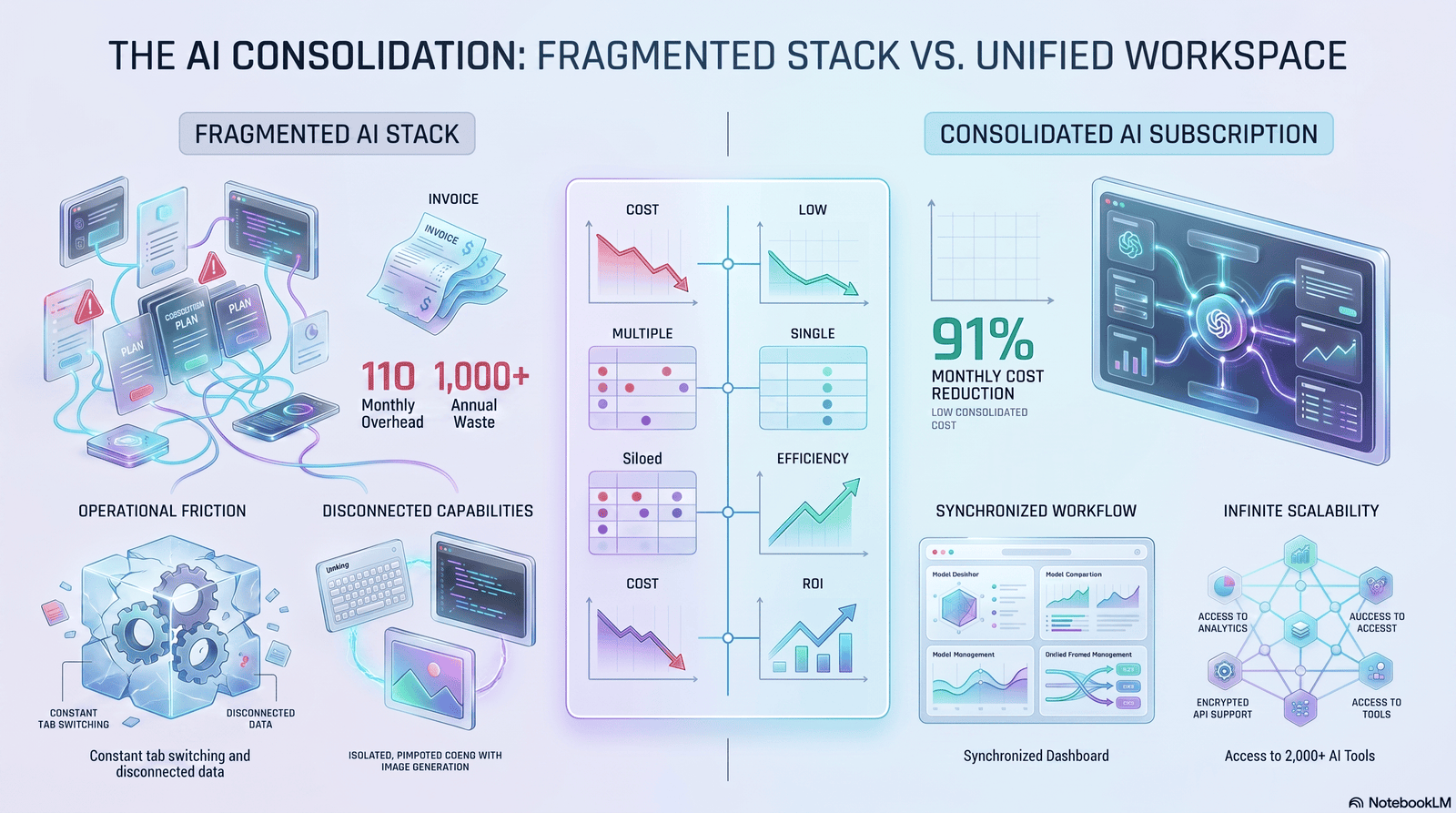
| Line Item | Individual SaaS (Monthly) | Individual SaaS (Yearly) | AI Subscription Equivalent (Monthly) | AI Subscription Equivalent (Yearly) |
|---|---|---|---|---|
| Writing/grammar tool | $12 | $144 | Included | Included |
| Marketing copy tool | $36 | $432 | Included (with more prompting effort) | Included |
| Meeting transcription | $14 | $168 | Not fully covered — see limitations | N/A |
| Basic image generation | $13 | $156 | Included (basic use cases only) | Included |
| Research/summarization tool | $20 | $240 | Included | Included |
| Total | $95/month | $1,140/year | $20/month | $240/year |
| Estimated Savings | $75/month | $900/year |
The gap looks dramatic, but notice the caveat under “meeting transcription” — this is exactly where over-claiming happens in most AI-vs-SaaS content. An AI subscription can summarize a transcript you paste in; it generally cannot record and transcribe a live call itself without a separate tool or integration. Read the “Hidden Costs” and “When SaaS Wins” sections before assuming 100% replacement is realistic.
Freelancer Example
Before: SaaS-only stack
- Grammarly Premium: $12/month
- Canva Pro: $13/month
- Otter.ai: $14/month
- Total: $39/month ($468/year)
After: AI subscription-first stack
- Claude Pro or ChatGPT Plus: $20/month
- Otter.ai retained for actual call recording: $14/month (AI can’t record calls on its own)
- Total: $34/month ($408/year)
Savings: roughly $60/year, plus a meaningfully more capable writing and brainstorming tool than Grammarly or Canva’s built-in AI alone. The bigger win for freelancers usually isn’t the dollar figure — it’s replacing three narrow tools with one flexible one that also handles proposals, client emails, and research.
Startup Example
Before: 8-person team, SaaS-only stack
- Grammarly Business: $15/seat = $120/month
- Zapier Team: ~$70/month (shared)
- Notion Business: $20/seat = $160/month
- Otter.ai Business: ~$28/seat = $224/month
- Total: ~$574/month ($6,888/year)
After: AI subscription-first stack
- Claude Team or ChatGPT Business (8 seats at ~$25/seat): $200/month
- Zapier retained for actual integrations: $70/month (AI subscriptions don’t replace automation plumbing)
- Otter.ai retained for two people who run client calls: $56/month
- Total: ~$326/month ($3,912/year)
Savings: roughly $248/month, or $2,976/year — mainly by consolidating writing, documentation, and research tools that were previously spread across Grammarly and Notion AI add-ons.
Marketing Team Example
Before: SaaS-only stack (5-person marketing team)
- Jasper (2 seats): $72/month
- Canva Pro (5 seats): $65/month
- Grammarly Business (5 seats): $75/month
- SEO research tool: $99/month
- Total: $311/month ($3,732/year)
After: AI subscription + retained specialist tools
- Claude Team or ChatGPT Business (5 seats): $125/month
- Canva Pro retained for on-brand, print-ready design output: $65/month
- SEO research tool retained (AI models don’t have live rank-tracking data): $99/month
- Total: $289/month ($3,468/year)
Savings: roughly $22/month, or $264/year. This example is deliberately modest — it shows why marketing teams often see smaller percentage savings than freelancers do. Design and SEO tooling have specialized data and outputs that general AI subscriptions don’t fully replace, so the savings come mostly from consolidating copywriting and grammar tools, not the whole stack.
Hidden Costs People Ignore
Before assuming an AI subscription is automatically cheaper, account for these often-missed costs:
Duplicate subscriptions. Teams frequently pay for both an AI subscription and the AI add-on inside an existing SaaS tool (like Notion AI) without realizing they overlap.
Unused seats. Team AI plans billed per seat waste money just as fast as SaaS seats do if half the team logs in once a month.
Usage-based AI credits. Some AI subscriptions cap usage and charge extra for overages — image generation and video credits in particular can add $20–$100/month if you exceed the included allotment.
Storage and file limits. Uploading large documents or datasets regularly can hit context or storage caps that push you to a higher tier.
Integration gaps. Connecting an AI subscription to your existing tools (CRM, calendar, email) sometimes requires a separate automation tool like Zapier — an extra cost the “just switch to AI” pitch often leaves out.
Training time. Migrating a team from familiar SaaS tools to an AI-first workflow costs hours, not dollars, but that time has a real cost that rarely appears in a pricing comparison.
For a deeper dive into overage shocks, context-switching costs, and subscription fatigue, see our full guide on the hidden cost of multiple AI subscriptions.
When Individual SaaS Tools Are Better
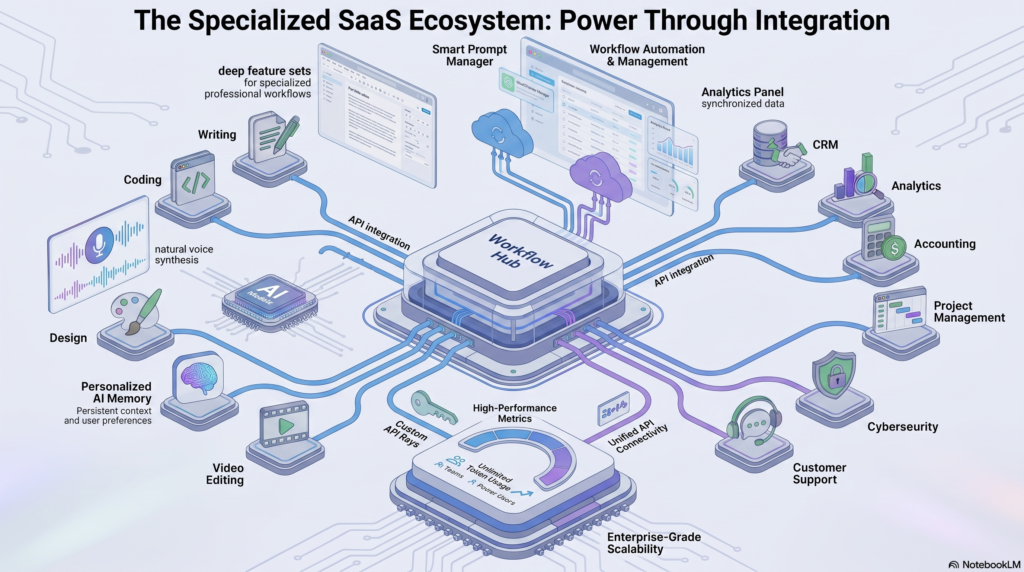
Being honest here matters more than selling the switch. Individual SaaS tools still win in several clear situations:
Specialized, regulated, or compliance-heavy work. A dedicated CRM, accounting platform, or legal document management system has audit trails, compliance certifications, and integrations that a general AI subscription cannot replace.
Real-time collaboration at scale. Tools built for simultaneous multi-user editing, version control, and permissions (think Figma, dedicated project management platforms) outperform a single AI chat window for team workflows.
Live data and connected systems. SEO rank trackers, ad platforms, and CRMs pull live, continuously updated data. An AI subscription can analyze data you give it, but it doesn’t independently track your Google rankings or your Salesforce pipeline in real time.
High-volume, narrow, repetitive tasks. If a team runs thousands of the same transcription or automation job monthly, a purpose-built tool with volume pricing is often cheaper and more reliable than an AI subscription’s usage caps.
Design and brand consistency at scale. Dedicated design platforms hold brand kits, templates, and export formats that general AI image generation doesn’t reliably replicate.
If your workflow depends heavily on any of the above, budget for both an AI subscription and the specialized SaaS tool — not one instead of the other.
Pros of Consolidating Into an AI Subscription
- Lower total monthly cost for teams juggling three or more overlapping tools
- One login, one invoice, simpler admin
- Flexibility to shift between writing, research, coding, and brainstorming without switching apps
- Faster onboarding for new hires (one tool to learn instead of six)
- Often includes capabilities (coding help, document analysis) that weren’t in the original SaaS stack at all
Cons of Consolidating Into an AI Subscription
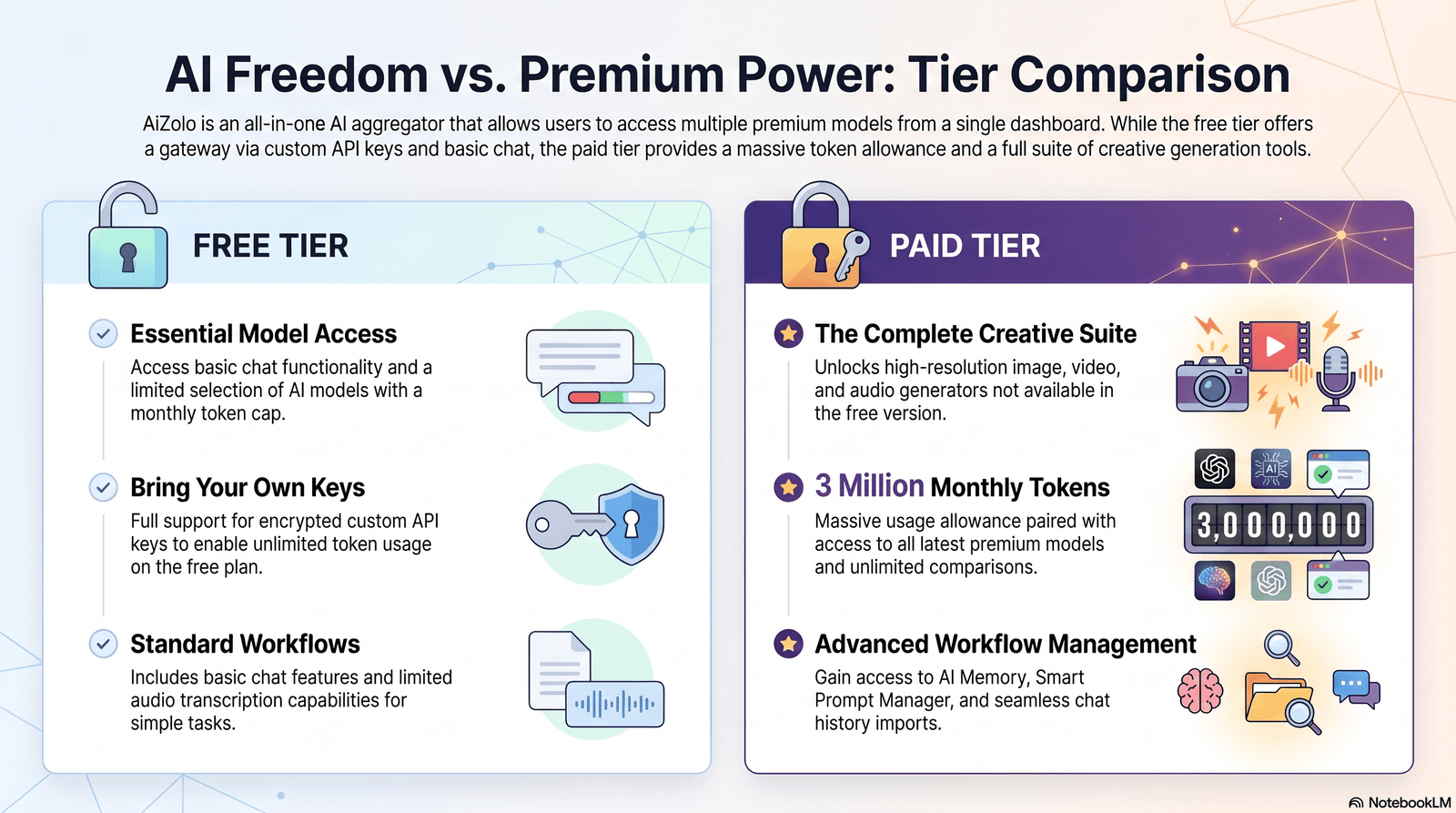
- Doesn’t fully replace tools with live data feeds, compliance certifications, or deep collaboration features
- Usage caps can force an upgrade to a pricier tier
- Output quality for specialized tasks (brand design, legal drafting, financial modeling) may need more editing than a purpose-built tool
- Team plans still charge per seat, so savings shrink if adoption is uneven
- Switching costs (retraining, re-building workflows) are real even if they don’t show up on an invoice
Common Mistakes
Assuming 100% replacement. Most teams realistically replace 40–70% of their SaaS stack with an AI subscription, not all of it.
Not auditing the existing stack first. You can’t calculate savings accurately without knowing exactly what you’re currently paying for and how often each tool is actually used.
Ignoring seat utilization. Buying AI subscription seats for an entire team when only half will use it daily erases most of the projected savings.
Skipping a trial period. Committing to an annual AI plan before testing whether it handles your team’s actual daily tasks is how the “savings” turn into wasted spend.
Forgetting integration costs. Assuming an AI subscription will slot into existing workflows without any automation glue in between.
Buying Guide: How to Decide
- List every SaaS tool you currently pay for, including annual ones easy to forget, and note the monthly cost of each. New to this entirely? Start with our AI tool subscription guide for beginners before running this audit.
- Mark which tools have overlapping functions — writing tools and grammar checkers are the most common overlap.
- Identify tools with live data, compliance needs, or deep collaboration features. These usually stay regardless of what else changes.
- Trial one AI subscription for 30 days against your actual daily tasks before cancelling anything.
- Calculate realistic replacement percentage, not full replacement, based on the trial.
- Re-run the math using the tables above as a template, substituting your own tool list and prices.
- Reassess quarterly. Both AI subscription pricing and SaaS pricing change often enough that a comparison from six months ago may already be outdated.
Frequently Asked Questions
Is an AI subscription actually cheaper than individual SaaS tools? Often yes, when you’re replacing three or more overlapping tools like writing assistants, grammar checkers, and basic research tools. It’s less clear-cut once specialized tools with live data or compliance needs are involved.
Can one AI subscription replace my entire software stack? No. It can typically replace 40–70% of a general productivity stack, but tools tied to live data, compliance, or deep collaboration usually need to stay.
Should I pay for ChatGPT Plus and Claude Pro at the same time? Only if you have a specific reason — different strengths for different tasks, or a team split across both. For most individuals, one $20/month subscription is enough to start.
Is ChatGPT Plus or Claude Pro a better value for freelancers? Both cost $20/month with similar core capability. The better choice usually comes down to which one performs better for your specific tasks (writing, coding, research) rather than price, since the price is nearly identical.
Do AI subscriptions replace meeting transcription tools? Not fully. Most AI subscriptions can summarize a transcript you provide, but they don’t record and transcribe live calls the way dedicated tools like Otter.ai or Notta do.
How much can a small team realistically save by switching to an AI subscription? Based on the examples above, small teams often save $100–$300/month by consolidating overlapping writing, documentation, and research tools, while keeping specialized tools like CRMs and automation platforms.
What hidden costs should I watch for with AI subscriptions? Usage caps on image or video generation, per-seat waste on unused team licenses, and the cost of integrating the AI subscription with existing tools.
Are annual AI subscription plans worth it? Usually, if you’re confident you’ll use the tool consistently — annual billing typically saves 15–20% over monthly billing. Skip annual commitments until after a trial period confirms fit.
What’s the biggest mistake businesses make when switching to AI subscriptions? Assuming full replacement of the existing stack without auditing which tools have unique, hard-to-replace functionality.
Do AI subscriptions save money for solo freelancers or mainly for teams? Both, but the percentage savings are often larger for teams because per-seat SaaS costs multiply faster than AI subscription seat costs in team pricing tiers.
Final Verdict
AI subscription savings compared to individual SaaS tools are real, but they’re partial, not total. The clearest wins show up when you’re consolidating overlapping writing, research, and documentation tools — that’s where a $20/month AI subscription can realistically replace $50–$150/month of narrow SaaS spend. The savings shrink, sometimes to nearly nothing, once your stack includes tools with live data, compliance requirements, or deep collaboration features that a general AI subscription isn’t built to replace.
and for a wider look at which providers deliver the strongest return, see which AI companies offer the best value for money.
The right move isn’t “cancel everything and buy one AI subscription.” It’s auditing your actual stack, trialing an AI subscription against your real daily tasks, and keeping the specialized tools that still earn their cost. Do that, and most freelancers and small teams land somewhere between $50 and $300 a month in genuine savings — without losing the tools their workflow actually depends on.
Author Bio
Jeevesh Tripathi AI Researcher & SEO Content Strategist
Jeevesh Tripathi researches AI software, SaaS pricing models, automation platforms, and emerging productivity technologies. His work focuses on helping businesses and professionals make informed decisions through evidence-based comparisons, practical buying guides, and in-depth analyses of AI tools and subscription models.
Email: jeevesh@aizolo.com