
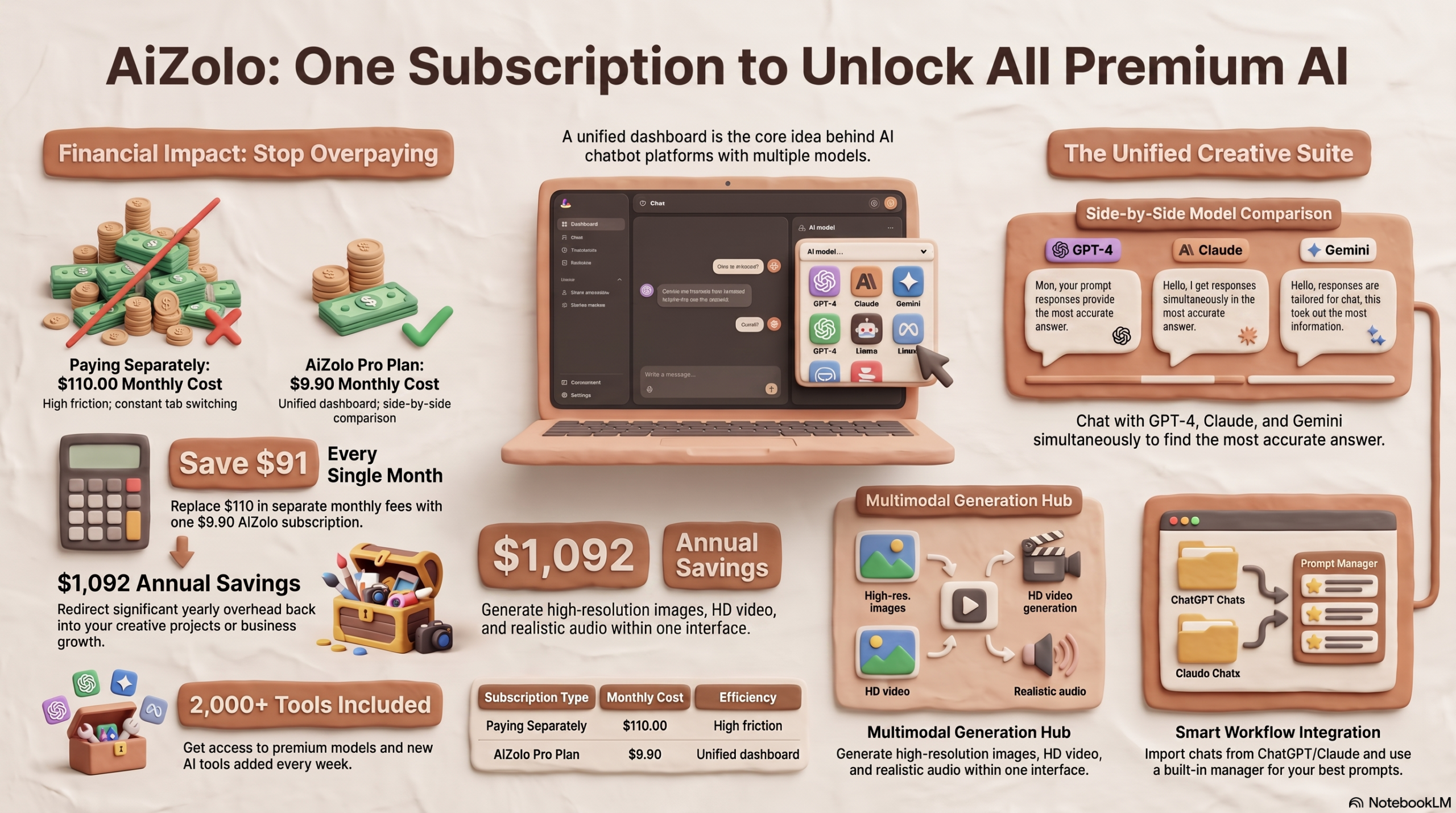
If you’ve ever paid for ChatGPT Plus, then added Claude Pro, then caved and got Gemini too, you already know the problem. Somewhere around month two, you’re spending $60–$110 a month and still copy-pasting the same prompt into three different tabs.
That’s exactly why AI chatbot platforms with multiple models exist. Instead of picking one AI provider and living with its blind spots, these platforms put GPT, Claude, Gemini, DeepSeek, Grok, Mistral, and other leading models inside a single workspace — one login, one bill, and no more tab-switching.
This guide breaks down what these platforms actually are, how they work, which ones are worth your money in 2026, and how to pick the right one for your specific workflow — whether you’re a solo freelancer, a student, or a 50-person marketing team.
Table of Contents
Key Takeaways
- AI chatbot platforms with multiple models let you access GPT, Claude, Gemini, DeepSeek, Grok, and other models from one interface instead of juggling separate subscriptions.
- The standard direct subscription price across OpenAI, Anthropic, Google, and Perplexity has converged around $20/month per provider — meaning three subscriptions alone can cost $60/month before you add anything else.
- Multi-model platforms typically cost $8–$30/month and bundle access to several providers, though usage caps and included models vary widely.
- No single AI model wins every category — GPT-family models lead in some coding benchmarks, Claude is known for long-document reasoning and writing quality, and Gemini offers the largest context windows and Google Workspace integration.
- The right platform depends on whether you need individual use, browser-based quick access, or team collaboration with shared workspaces.
- Always check whether a platform uses its own bundled credits or BYOK (Bring Your Own Key), since this significantly affects total cost and data handling.
Did You Know? Model provider pricing has become almost identical at the entry level. ChatGPT Plus, Claude Pro, and Perplexity Pro all sit at $20/month, while Google AI Pro (formerly Gemini Advanced) is priced at $19.99/month. That convergence is exactly what makes multi-model aggregator platforms financially attractive — one aggregator subscription can replace two or three of these.
What Are AI Chatbot Platforms With Multiple Models?
AI chatbot platforms with multiple models are software products that connect several large language models (LLMs) — such as GPT, Claude, Gemini, DeepSeek, Grok, Mistral, and Llama — inside a single chat interface.
Instead of opening separate apps for each AI provider, you log into one dashboard, pick a model from a dropdown (or let the platform choose for you), and start chatting. Some platforms even let you send the same prompt to several models at once and compare the answers side by side.
Think of it like a universal remote for AI. You don’t need a different device for every channel — you need one interface that talks to all of them.
These platforms generally fall into three categories:
- Personal AI workspaces — built for individuals who want flexibility without multiple subscriptions (e.g., Poe, Merlin).
- Team collaboration platforms — add shared chat history, roles, and workspace-level billing (e.g., Team-GPT, TeamAI).
- Developer/BYOK routers — let you plug in your own API keys and pay providers directly at wholesale rates, while the platform just handles routing and UI (e.g., TypingMind).
Definition in one sentence
An AI chatbot platform with multiple models is a unified workspace that gives users access to two or more AI providers’ models through one subscription and one chat interface, enabling model comparison, switching, and collaboration without maintaining separate accounts.
Why They Are Becoming Popular
A few years ago, “the best AI” was a simple question. In 2026, it isn’t. Four frontier labs — OpenAI, Anthropic, Google, and xAI — now ship competitive models on overlapping but different strengths, and DeepSeek, Mistral, and Meta’s Llama have added serious open-weight competition on top.
That fragmentation created three pressures that pushed multi-model platforms into the mainstream:
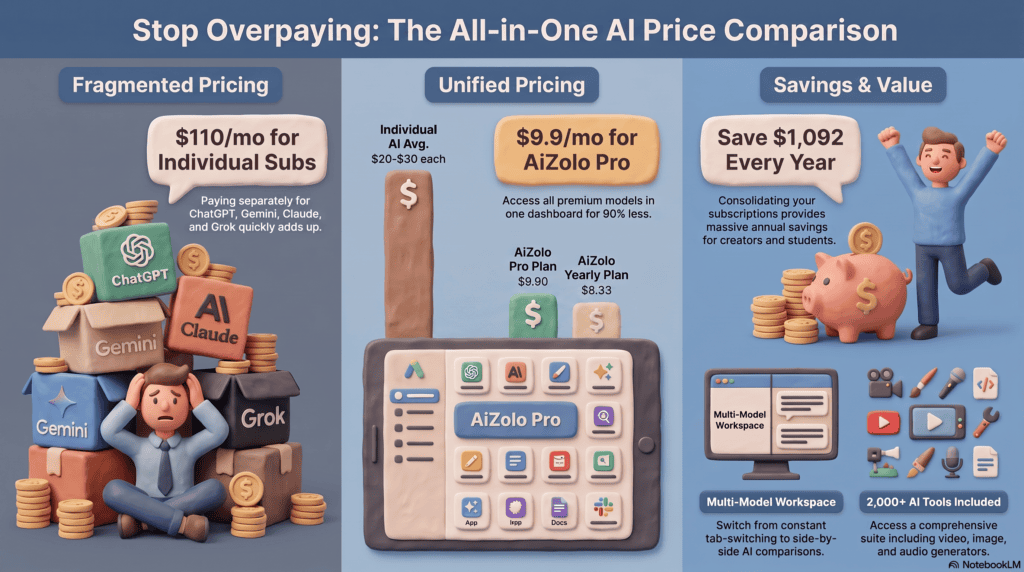
- Subscription fatigue. Paying $20/month for ChatGPT, another $20 for Claude, and another $19.99 for Google AI Pro adds up to roughly $60/month — before tools like Grok or Perplexity even enter the picture.
- No single model wins everything. Reasoning, coding, writing, and multimodal tasks are led by different models depending on the benchmark and the month.
- Workflow interruption. Copy-pasting prompts between browser tabs breaks context and wastes time that adds up across a workday.
Multi-model platforms solve this by centralizing access, letting users switch models mid-conversation, and often layering in file uploads, memory, and team features on top.
Expert Tip: Before subscribing to any multi-model platform, list the 3–4 tasks you do most often (writing, coding, research, image generation) and check which underlying models the platform actually gives you full access to for those tasks — not just which logos are on its homepage.
Benefits of Using One Platform for Multiple AI Models
Cost savings. One subscription in the $10–$30/month range can replace two or three $20/month direct subscriptions, especially for users who don’t need heavy daily usage of every provider.
Model-to-task matching. You can route creative writing to one model, technical debugging to another, and research summarization to a third — without re-authenticating anywhere.
Built-in comparison. Many platforms let you fire one prompt at multiple models simultaneously and view the outputs side by side, which is useful for fact-checking or picking the most usable draft.
Shared context and history. Because everything runs through one workspace, your chat history, files, and prompts stay together instead of being scattered across apps.
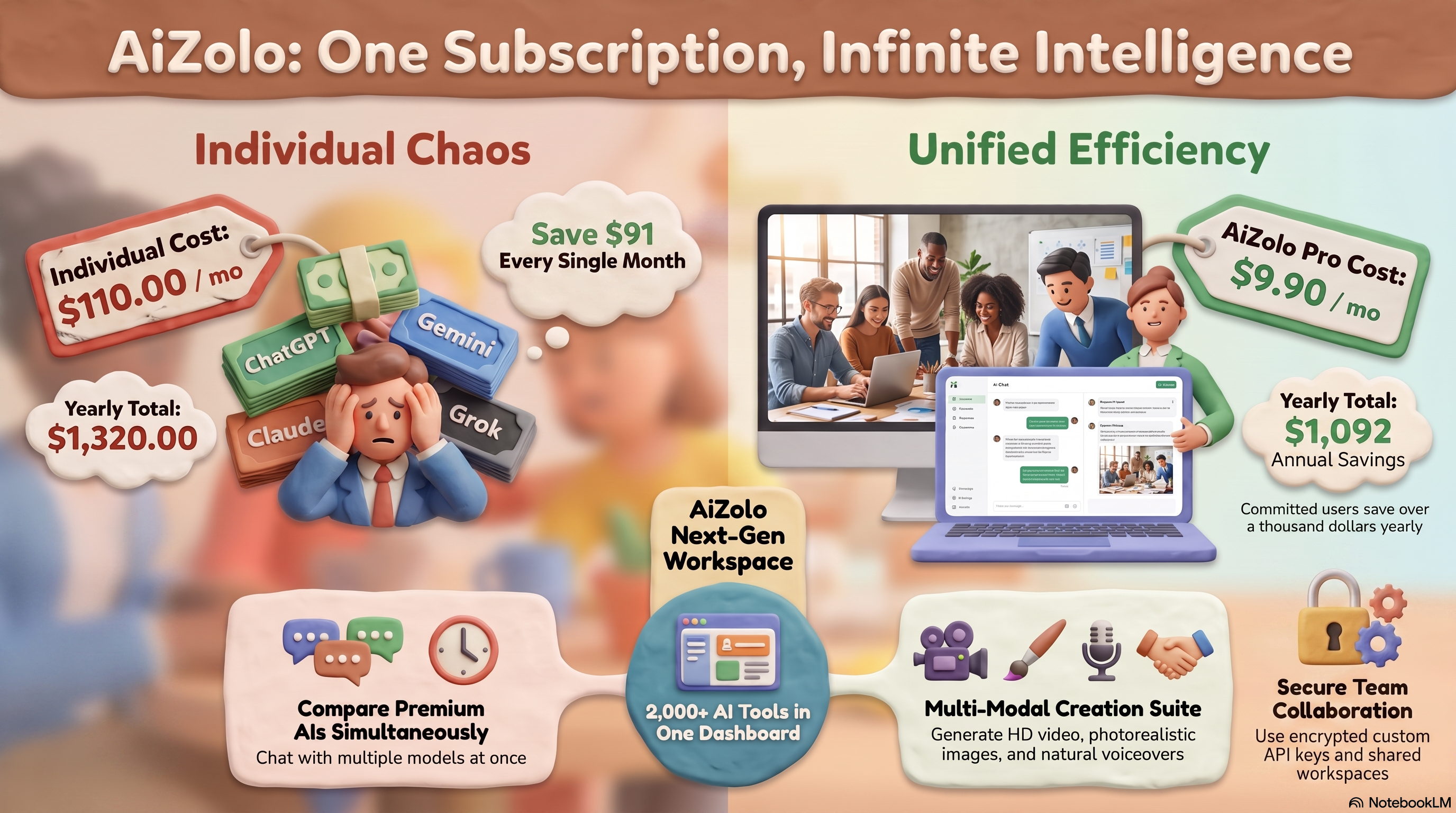
Team collaboration. Business-tier platforms add shared workspaces, roles, and centralized billing — useful for agencies and departments that need consistent AI access across a team.
Reduced vendor lock-in. If one provider raises prices or degrades a model, you can shift more of your usage to another model without abandoning your workflow or history.
Drawbacks to Be Aware Of
- Usage caps and credits. Many aggregators meter usage through credits rather than unlimited access, so heavy users can still hit limits.
- Feature lag. Aggregators sometimes take weeks to support a provider’s newest model release or exclusive feature (like a provider’s native voice mode).
- Data handling questions. Routing your prompts through a third-party platform adds another party to your data flow — always check the privacy policy.
- Not always cheaper for single-model power users. If you exclusively need one flagship model at maximum usage, a direct subscription can still be the better value.
How Multi-Model AI Platforms Work
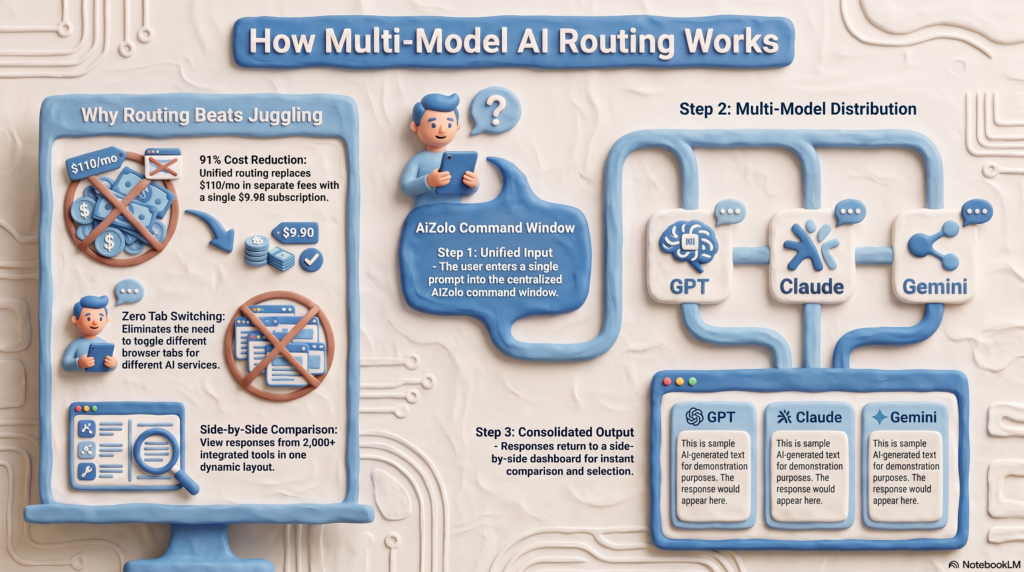
Most multi-model platforms follow a similar technical pattern:
- Routing. When you send a prompt, the platform routes it to the model you selected (or to a default/auto-selected model) through that provider’s API.
- Unified interface. Regardless of which model answers, the response appears in the same chat window, using the same formatting, file handling, and history.
- Comparison mode. Some platforms send your prompt to multiple models in parallel and display the results in separate columns so you can compare tone, accuracy, and depth.
- Memory and context. Chat history and any uploaded files are typically stored on the platform itself (not the model providers), which is what lets you keep working with the same context even if you switch models mid-conversation.
- Billing. The platform either bundles model usage into its own subscription tiers, or offers BYOK (Bring Your Own Key), where you connect your own OpenAI, Anthropic, or Google API key and pay each provider directly at raw API rates while the platform charges only for the interface and features.
Bundled Credits vs. BYOK — Which Is Better?
| Approach | How It Works | Best For |
|---|---|---|
| Bundled subscription | Platform pays providers in bulk and resells access via credits/messages | Non-technical users who want simplicity |
| BYOK (Bring Your Own Key) | You connect your own API keys; platform is just the interface | Developers and teams who want cost control and data ownership |
Key Features to Look For
When evaluating any multi model AI platform, run through this checklist:
- Model breadth — Does it genuinely include GPT-4.1/GPT-5-class models, Claude 4/Sonnet-class models, and Gemini 2.5/3-class models, or just older/cheaper versions?
- Model switching — Can you swap models mid-conversation without losing context?
- Side-by-side comparison — Can you send one prompt to multiple models and compare answers?
- File and document support — PDFs, spreadsheets, and images should be usable across models, not just one.
- Team workspace features — Shared chats, roles, and centralized billing if you’re buying for a team.
- BYOK support — Important for developers and privacy-conscious teams.
- Integrations — Slack, Notion, Google Drive, and GitHub connections save real time.
- Transparent pricing — Clear credit systems or message limits, not vague “fair use” language.
- Data controls — Options to opt out of training use and clear retention policies.
Pro Insight: A platform that supports all AI models in one place isn’t automatically the best choice. A platform with fewer, well-integrated models and strong file/document handling often outperforms one that lists 100+ models but implements most of them shallowly.
Best AI Chatbot Platforms With Multiple Models
Every platform below has been reviewed for the models it supports, its pricing structure, and who it’s actually built for. Pricing shown reflects publicly listed rates as of mid-2026 — always verify current pricing directly with the provider before subscribing, since AI pricing changes frequently.
1. Poe (by Quora)
Overview: Poe is one of the longest-running multi-model chat platforms, originally built by Quora to let users chat with multiple AI bots from one interface.
Best for: Individuals who want to compare AI chatbot responses side by side before settling on one for a task.
Features: Access to numerous third-party and first-party bots, custom bot creation without coding, and credit-based usage for premium models.
Supported AI models: GPT-family models, Claude models, Gemini models, and various open-source models, depending on current bot listings.
Pros:
- Easy side-by-side testing of different AI chatbot responses
- No coding needed to build a custom bot/persona
- Long track record and large bot ecosystem
Cons:
- Poe is no longer free for meaningful usage — it now runs on daily/monthly credits
- Heavy users can burn through credits quickly on premium models
Pricing: Free tier with limited credits; paid tier around $19.99/month for expanded access (confirm current pricing on Poe’s site).
Who should use it: Curious professionals and creators who want to test-drive different models before committing to one for a specific task.
2. Merlin AI
Overview: Merlin is a browser extension–first multi-model assistant that overlays AI directly onto webpages, PDFs, Gmail, and search results.
Best for: Researchers, writers, and anyone who wants AI assistance without leaving the page they’re already on.
Features: In-browser chat overlay, PDF and webpage summarization, and support for switching models depending on the task.
Supported AI models: ChatGPT-family models, Claude, Gemini, Grok, DeepSeek, Mistral, and Llama, depending on plan.
Pros:
- Works inside the browser without switching tabs
- Strong for summarizing long articles, PDFs, and search results
- Reasonable free tier for casual use
Cons:
- Browser-extension format is less suited to long, structured projects
- Deeper features are gated behind the paid tier
Pricing: Free tier available; Pro around $19/month.
Who should use it: People whose AI usage revolves around browsing, research, and quick in-page assistance rather than long project-based work.
3. Aymo AI (formerly Geeky.chat)
Overview: Aymo AI is a workspace-style aggregator built for individuals and teams that want a private, collaborative environment with broad model access.
Best for: Small teams and professionals who want shared workspaces plus multi-model access in one product.
Features: Access to a wide range of models, real-time team collaboration, file uploads, and BYOK privacy options on business plans.
Supported AI models: GPT-family, Claude, Gemini, DeepSeek, Grok, Mistral, and Llama models.
Pros:
- Strong balance of individual and team-oriented features
- BYOK support on higher tiers for privacy-conscious teams
- Broad model coverage in one workspace
Cons:
- Some integrations (e.g., certain third-party app connections) are still rolling out
- Full feature set is best realized on paid/business tiers rather than free usage
Pricing: Tiered plans from a low-cost individual tier up to business plans with BYOK; check current pricing on the provider’s pricing page.
Who should use it: Small-to-mid-size teams that want one collaborative AI workspace instead of managing several separate tools.
4. TypingMind
Overview: TypingMind is a lightweight, developer-friendly interface that sits on top of your own API keys, giving you a polished chat UI for multiple providers without reselling model access.
Best for: Developers and technically comfortable users who want full cost control via BYOK.
Features: Custom interface for multiple LLM providers, prompt libraries, plugin support, and self-hosting options for advanced users.
Supported AI models: Any provider you connect via API key — commonly GPT, Claude, Gemini, and open-source models through routers.
Pros:
- You pay providers directly at raw API rates — no markup on model usage
- Full control over data flow since you own the API keys
- Highly customizable for power users
Cons:
- Requires comfort with API keys and basic technical setup
- Not ideal for non-technical users who want a plug-and-play experience
Pricing: One-time or low recurring license fee for the interface; model usage billed separately by each provider based on your API usage.
Who should use it: Developers, technical founders, and cost-conscious power users who don’t mind managing their own API keys.
5. Team-GPT
Overview: Team-GPT is built specifically around collaborative workspaces, combining models from multiple providers with shared prompt libraries and structured team workflows.
Best for: Marketing teams, agencies, and departments that need consistent, shared AI workflows.
Features: Shared workspaces, prompt templates, folders for organizing projects, and centralized billing for teams.
Supported AI models: GPT-family models, Claude Sonnet-class models, and Gemini, with more providers added over time.
Pros:
- Purpose-built for team collaboration rather than retrofitted from a solo tool
- Prompt libraries reduce repeated work across a team
- Centralized admin and billing simplify procurement
Cons:
- Less useful for solo users who don’t need team features
- Model breadth is narrower than some individual-focused aggregators
Pricing: Free plan available for light use; Business plan around $25/user/month.
Who should use it: Agencies and marketing/content teams that want structured, shared AI workflows across multiple people.
6. GlobalGPT
Overview: GlobalGPT positions itself as a broad, all-in-one hub covering not just text models but image and video generation tools alongside chat.
Best for: Creators and small businesses who want text, image, and video AI tools under one account.
Features: Unified dashboard for chat plus creative generation tools, document analysis, and research-oriented model access.
Supported AI models: A wide range of text models (including major GPT, Claude, and DeepSeek options) alongside image/video generation tools.
Pros:
- Covers content types beyond text, which reduces the need for separate creative tools
- Useful for small teams producing multi-format content
Cons:
- Breadth can come at the cost of depth in any single model or tool
- Best value typically requires a mid-or-higher tier plan
Pricing: Multiple tiers; confirm current plan pricing directly on the provider’s site since creative-tool credits affect real cost.
Who should use it: Small content and marketing teams that need text generation plus image/video tools in one subscription. <br>
Common Mistake: Choosing a platform purely because it lists the most model logos on its homepage. What matters is whether it gives you meaningful access to the specific models you’ll actually use — not a long list of rarely-updated integrations.
Comparison Table: AI Chatbot Platforms With Multiple Models
| Platform | Supported Models | Pricing (approx.) | Best For | Free Plan | Team Features |
|---|---|---|---|---|---|
| Poe | GPT, Claude, Gemini, others | Free tier + ~$19.99/mo | Comparing model responses | Yes (limited credits) | No |
| Merlin AI | GPT, Claude, Gemini, Grok, DeepSeek | Free tier + ~$19/mo | In-browser research & writing | Yes | Limited |
| Aymo AI | GPT, Claude, Gemini, DeepSeek, Grok, Mistral, Llama | Individual & business tiers | Team + individual workspace | Yes | Yes |
| TypingMind | Any provider via BYOK | Low interface fee + API costs | Developers wanting cost control | Trial only | Limited |
| Team-GPT | GPT, Claude, Gemini | Free tier + ~$25/user/mo | Agencies and marketing teams | Yes | Yes |
| GlobalGPT | GPT, Claude, DeepSeek + image/video tools | Tiered plans | Multi-format content creation | Limited | Yes |
Pricing changes frequently across all AI providers and aggregators — treat the figures above as directional and verify current numbers before purchasing.
How to Choose the Right Platform
Work through these questions in order:
- What’s your primary use case? Writing, coding, research, and team collaboration each favor different platforms.
- Solo or team? Team-oriented platforms add shared workspaces and centralized billing that solo users don’t need — and often pay extra for.
- Do you want bundled credits or BYOK? BYOK gives more control and often lower cost for heavy users; bundled credits are simpler for casual users.
- Which specific models do you rely on? If your work depends on a specific flagship model’s newest version, confirm the aggregator actually supports it — not just the provider’s brand.
- What’s your monthly usage volume? If you send hundreds of prompts daily, check the platform’s rate limits or credit consumption before committing.
- What does your data policy require? Regulated industries (healthcare, finance, legal) should prioritize platforms with clear data retention and training opt-outs.
Expert Tip: Run the same real work task — not a generic test prompt — through a platform’s free trial before subscribing. A quick “write me a poem” test won’t reveal how well it handles your actual documents, code, or brand voice.
Common Mistakes When Choosing a Multi-Model AI Platform
- Assuming “unlimited” means unlimited. Most platforms meter usage through credits, message caps, or fair-use policies, even when marketing says “unlimited.”
- Ignoring which model version is actually being served. Some aggregators lag behind on the newest flagship releases while still advertising the provider’s name.
- Skipping the privacy policy. Routing data through a third party changes your data flow — know where prompts and files are stored and whether they’re used for training.
- Buying team seats before testing. Test with 1–2 seats before rolling a platform out to an entire department.
- Focusing only on price. The cheapest option isn’t a bargain if it can’t reliably handle your core task.
Security and Privacy Considerations
Because multi-model platforms sit between you and multiple AI providers, they introduce an additional layer in your data pipeline. Before subscribing, check for:
- Encryption in transit and at rest for chats and uploaded files.
- Clear opt-out options for using your data in model training.
- Data residency information, especially for regulated industries or EU-based users under GDPR.
- Access controls and audit logs on team/enterprise plans.
- BYOK options, which can reduce how much of your data passes through the aggregator’s own infrastructure, since some requests route more directly to the provider.
For authoritative guidance, Anthropic, OpenAI, and Google each publish their own data usage and enterprise privacy documentation, which is worth reviewing directly if you’re evaluating platforms for business use.
Did You Know? Even when a platform doesn’t train on your data by default, uploaded files and chat logs are often still retained for a period for abuse monitoring and debugging — read the retention window, not just the training-use clause.
Real-World Use Cases
Marketing: A content team routes ideation to one model, drafts long-form copy with another known for natural prose, and uses a third for fast headline variations — all inside one shared workspace.
Coding: A developer uses one model for quick autocomplete-style suggestions and switches to a stronger reasoning model for debugging a gnarly, multi-file issue.
Research: A graduate student uploads a stack of PDFs, summarizes each with one model, then cross-checks key claims by asking a second model the same question to catch inconsistencies.
Students: A student uses a multi-model platform’s free tier to get a concept explained two different ways when the first explanation doesn’t click.
Agencies: An agency serving multiple clients keeps each client’s chat history and files in separate workspace folders while giving account managers access to whichever model performs best for that client’s tone.
Business: A small business owner uses a platform’s document-analysis features to summarize contracts, then switches models to draft a plain-language explanation for a non-legal team member.
Writing: A novelist drafts with one model, then asks a second model to critique pacing and continuity from a different “voice.”
Customer Support: A support team drafts response templates with AI assistance, then have a second model check the tone against brand guidelines before publishing.
The Future of Multi-Model AI Platforms
A few trends are shaping where these platforms go next:
- Smarter auto-routing. Instead of manually picking a model, more platforms are shipping systems that automatically choose the best model for a given prompt based on task type.
- Agentic workflows. Aggregators are increasingly layering in AI agents that can chain steps across models — for example, researching with one model and drafting with another automatically.
- Deeper enterprise controls. Expect more granular admin, audit, and compliance tooling as larger organizations adopt these platforms.
- Consolidation. As pricing converges across providers, some smaller aggregators will likely merge or shut down, while a handful of well-funded platforms consolidate market share.
- Tighter integration with productivity suites. Slack, Notion, and Google Workspace integrations are becoming standard rather than optional.
Final Verdict
There is no single “best” AI chatbot platform with multiple models — the right choice depends on how you work.
If you’re comparing AI outputs casually, Poe remains a solid entry point. If your AI usage happens mostly while browsing, Merlin fits naturally into that habit. Teams that need shared workspaces and structured collaboration are better served by Team-GPT or Aymo AI, while developers who want full cost control should look at TypingMind with BYOK.
Rather than chasing the platform with the longest list of supported models, evaluate based on your actual daily tasks, your team size, and how much control you need over your data. A multi-model AI chatbot platform earns its subscription fee by saving you time and money compared to running several separate AI subscriptions — make sure the one you pick actually does that for your specific workflow.
Frequently Asked Questions
1. What are AI chatbot platforms with multiple models? They are unified AI workspaces that give users access to several large language models — such as GPT, Claude, Gemini, and DeepSeek — through one login and one interface, instead of requiring separate subscriptions for each provider.
2. Are AI chatbot platforms with multiple models cheaper than individual subscriptions? Often yes. Since direct subscriptions from major providers typically cost around $20/month each, a multi-model aggregator priced between $10–$30/month can be cheaper if you don’t need unlimited heavy usage of every included model.
3. Which AI models are usually included in multi-model platforms? Most platforms include GPT-family models, Claude, and Gemini as a baseline, with many also adding DeepSeek, Grok, Mistral, and Llama depending on the provider and pricing tier.
4. Is Claude AI available on multi-model platforms? Yes, Claude is commonly included on multi-model AI platforms, though the exact Claude model version (such as Sonnet or Opus-class models) depends on the platform’s plan and integration.
5. What’s the difference between BYOK and bundled credits? BYOK (Bring Your Own Key) lets you connect your own provider API keys and pay providers directly, while bundled credits mean the platform pays providers in bulk and resells access through its own subscription tiers.
6. Are multi-model AI platforms safe to use for business data? Many are, but you should confirm encryption practices, data retention windows, and training opt-out policies before uploading sensitive business documents, especially in regulated industries.
7. Can I switch AI models mid-conversation on these platforms? Yes, most multi-model AI chatbot platforms let you switch models mid-conversation while keeping your existing chat context intact.
8. Do multi-model platforms always have the newest model versions? Not always immediately. Aggregators sometimes take time to integrate a provider’s newest flagship release, so it’s worth checking which specific model version is active before relying on it for critical work.
9. Are these platforms good for students? Yes, especially free or low-cost tiers, since students can get multiple explanations of the same concept from different models without paying for several separate subscriptions.
10. What should businesses look for in a multi-model AI platform? Businesses should prioritize team workspace features, centralized billing, admin controls, audit logging, and clear data privacy policies alongside model access.
11. Do multi-model AI platforms support file uploads and document analysis? Most established platforms support PDF, document, and sometimes spreadsheet uploads, though the depth of document analysis varies by platform and plan.
12. Is it worth paying for a multi-model AI chatbot platform if I only use one model most of the time? If you mostly rely on a single model at high volume, a direct provider subscription may offer better value; multi-model platforms shine when you regularly use two or more providers.
13. How do multi-model AI platforms make money if pricing is so low? They typically negotiate bulk API rates with providers, meter usage through credits, and upsell higher-usage or team tiers — similar to how many SaaS freemium models operate.
14. Can teams collaborate inside multi-model AI chatbot platforms? Yes, platforms like Team-GPT and Aymo AI are built specifically for team collaboration, offering shared workspaces, prompt libraries, and centralized billing.
15. What is the best way to test an AI chatbot platform with multiple models before subscribing? Use the free trial or free tier to run one or two of your actual real-world tasks — not generic test prompts — through the platform’s supported models before committing to a paid plan.
About the Author
Jeevesh Tripathi is an AI tools and SaaS analyst who researches and tests AI platforms, subscription pricing, and productivity software for a living. His work focuses on translating fast-changing AI product landscapes — model releases, pricing shifts, and platform features — into practical, unbiased buying guidance for professionals, teams, and businesses. He has covered AI subscription pricing, multi-model platforms, and AI workflow tools extensively, with a focus on verified, transparent comparisons rather than sponsored placement.
Contact: jeevesh@aizolo.com
