
Table of Contents
Introduction
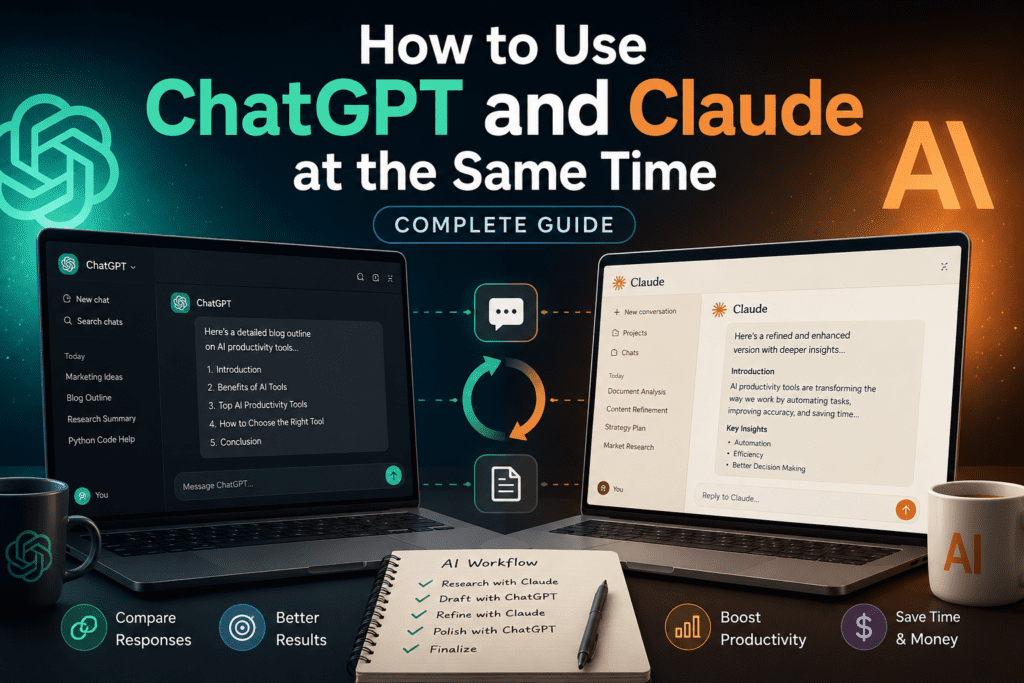
Most professionals who rely on AI daily have already figured out something that casual users haven’t: no single AI model is best at everything.
ChatGPT is fast, flexible, and excellent at structured tasks. Claude thinks more carefully, writes more naturally, and handles nuance better. Together, they cover more ground than either does alone.
This isn’t a niche power-user trick. Marketers, developers, founders, researchers, and content teams are increasingly running both models on the same project—using each one where it genuinely outperforms the other, rather than forcing one tool to do everything adequately.
This guide explains exactly how to use ChatGPT and Claude at the same time: what that means in practice, which tasks belong to which model, the best methods for running both without friction, and how to build a workflow that actually saves time instead of adding complexity.
Key Takeaways
- ChatGPT and Claude have different strengths. Using both produces better results than relying on either alone.
- You can run them simultaneously via browser tabs, desktop apps, APIs, or a multi-model platform like Aizolo.
- The most effective approach assigns tasks to models based on their actual capabilities, not habit.
- Comparing responses from both models catches errors, reduces AI hallucinations, and improves output quality.
- A single subscription through an all-in-one AI platform can replace two separate paid accounts.
- The core workflow: use Claude for research, nuanced writing, and document analysis; use ChatGPT for iteration, structured output, and speed.
- Comparing AI responses is a skill—knowing when models agree signals confidence; disagreement signals a topic worth verifying.
Featured Snippet Answer
Can you use ChatGPT and Claude at the same time? Yes. You can run ChatGPT and Claude simultaneously using separate browser tabs, desktop apps, both APIs in code, or an all-in-one AI platform like Aizolo. The most effective approach assigns different tasks to each model based on their distinct strengths—Claude for nuanced analysis and writing, ChatGPT for fast iteration and structured output—then compares or chains their responses for higher-quality results.
What Does It Mean to Use ChatGPT and Claude Together?
Using ChatGPT and Claude together means running both models as part of the same workflow, rather than picking one and ignoring the other.
In practice, this can look like:
- Sending the same prompt to both models and comparing their answers before deciding which to use
- Assigning different stages of a project to each model based on what each does well
- Using one model to review or challenge the output of the other
- Accessing both from a single workspace without switching between multiple platforms
The concept is simple but the implications are significant. When you rely on a single AI model, you inherit all of its blind spots along with its strengths. ChatGPT can be overconfident. Claude can over-qualify. Both hallucinate. Running them together means each acts as a check on the other.
Common misconception: Many people assume using two AI models doubles the complexity. In practice, a well-designed workflow reduces cognitive load because each model has a clear role. The confusion comes from using both models without a system—which is genuinely inefficient.
Another misconception: That you need to pay for two separate subscriptions. Several platforms, including Aizolo, provide access to multiple AI models under a single plan, making the cost comparable to or lower than one premium subscription.
Why People Use Multiple AI Models
The shift toward multi-model AI workflows reflects a practical reality: different tasks genuinely benefit from different models.
Marketing teams use Claude to draft campaign copy with a careful, brand-consistent tone, then send that draft to ChatGPT to rapidly generate 10 variant headlines for A/B testing. The combination handles both quality and volume.
Developers use ChatGPT to generate boilerplate code quickly, then pass that code to Claude for a detailed review of edge cases, security issues, and architectural concerns. Claude’s longer context window also makes it better for analyzing entire codebases rather than isolated functions.
Researchers and students use Claude to read and summarize lengthy documents or PDFs, then use ChatGPT to help format findings into structured reports, presentations, or study guides.
Founders and business owners run strategic decisions past Claude for nuanced pros-and-cons analysis, then use ChatGPT to draft the resulting emails, decks, or operational documents quickly.
Content creators and SEO professionals use Claude to research and outline content with careful reasoning, then use ChatGPT to accelerate drafting and generate meta descriptions, titles, and social snippets.
Legal and compliance teams use Claude’s careful, caveat-aware responses for contract review and risk identification, then use ChatGPT to convert findings into plain-language summaries.
Agencies running client work use compare mode—sending the same brief to both models, then selecting the better output or synthesizing the two—to raise quality floors without proportionally increasing time.
In every case, the underlying logic is the same: match the task to the model that handles it best.
ChatGPT vs Claude: Detailed Comparison
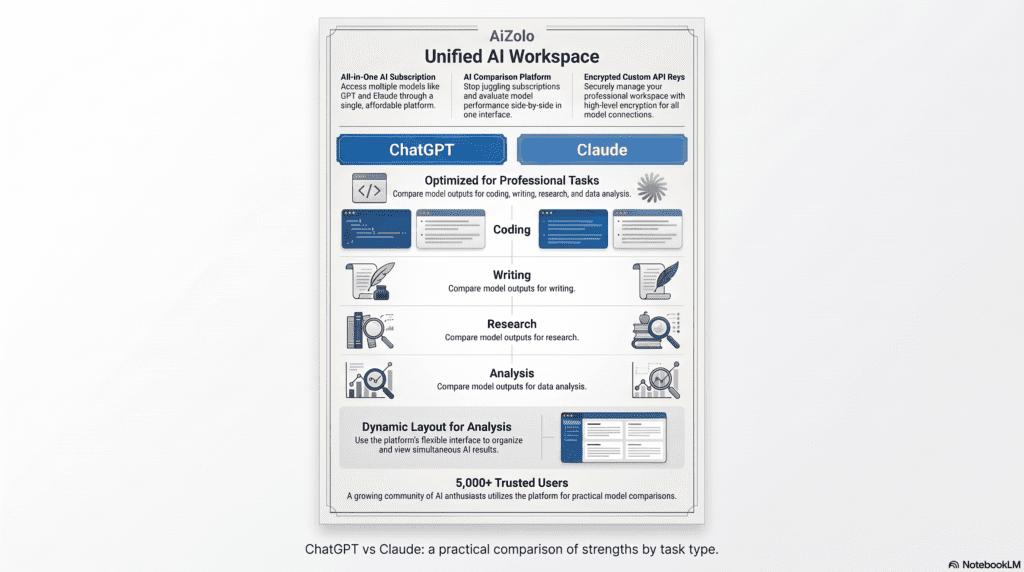
Understanding where each model genuinely excels is the foundation of any effective multi-AI workflow. This comparison is based on direct testing across common professional tasks.
Head-to-Head Comparison Table
| Feature / Task | ChatGPT (GPT-4o) | Claude (Sonnet / Opus) |
|---|---|---|
| Reasoning | Strong structured reasoning; good at step-by-step logic | Excellent nuanced reasoning; handles ambiguity well |
| Creative Writing | Versatile; adapts tone quickly | More natural prose; better stylistic consistency |
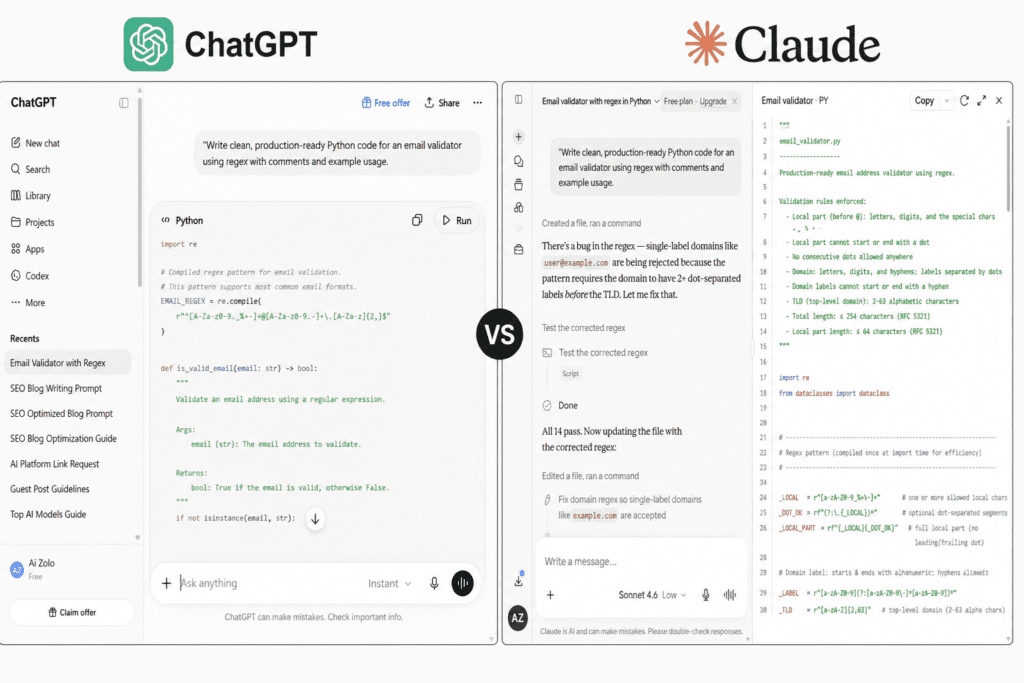
| Coding | Very strong; fast, accurate, wide language support | Strong; better at reviewing and critiquing code than generating it from scratch |
| Math | Strong with o1/o3 reasoning models | Good but slightly behind GPT on complex math |
| Research Summarization | Good; can over-simplify | Excellent; more careful with caveats and accuracy |
| Document Analysis | Good; limited by context in base model | Excellent; 200k context window handles long documents |
| Memory | Persistent memory across sessions (on Plus) | Projects-based memory; good within-project recall |
| Context Window | 128k tokens (GPT-4o) | Up to 200k tokens (Claude 3.5 Sonnet/Opus) |
| Response Speed | Generally faster | Slightly slower on complex prompts |
| Tone | Confident, direct, sometimes overconfident | Careful, nuanced, sometimes over-qualified |
| Hallucination Rate | Moderate; overconfident errors common | Lower; more likely to say “I’m not sure” |
| Instruction Following | Excellent | Excellent; sometimes more literal |
| Pricing (paid) | $20/month (Plus) | $20/month (Pro) |
| API Availability | Yes (OpenAI API) | Yes (Anthropic API) |
| Best For | Speed, iteration, structured output, coding | Analysis, writing quality, long documents, nuance |
Pricing Comparison
| Plan | ChatGPT | Claude | Aizolo (Both + More) |
|---|---|---|---|
| Free | GPT-4o (limited) | Claude 3.5 (limited) | Multiple models (limited) |
| Paid | $20/month (Plus) | $20/month (Pro) | Competitive single plan |
| API | Pay-per-token | Pay-per-token | Unified access |
| Team | $30/user/month | $30/user/month | Consolidated billing |
Can You Use ChatGPT and Claude at the Same Time?
Yes, and there are four practical ways to do it. Each has meaningful trade-offs.
Method 1: Separate Browser Tabs
The simplest approach. Open chat.openai.com in one tab and claude.ai in another. Copy prompts between them manually.
Pros: No setup required. Works immediately. Free tier available for both.
Cons: No shared context between models. Each conversation is isolated. Copying and pasting between tabs is slow and breaks flow. You lose the ability to compare responses in a structured way. Context from one session doesn’t carry to the other.
Best for: Occasional comparisons. Testing a specific prompt on both models before committing to a workflow.
Method 2: Desktop Apps
Both OpenAI and Anthropic offer desktop applications. You can run them side by side with keyboard shortcuts to switch between windows. Some power users use split-screen layouts.
Pros: Faster switching than browser tabs. Better keyboard integration. Slightly more focused experience.
Cons: Still separate applications with no shared context. Manual copying still required. Two apps consuming system resources.
Method 3: API Integration
Developers can call both the OpenAI API and the Anthropic API from the same codebase, passing outputs between models programmatically. Claude handles research; its output becomes ChatGPT’s input for formatting. The result is a genuine AI pipeline, not just parallel use.
# Simplified example: Claude researches, ChatGPT formats
from anthropic import Anthropic
from openai import OpenAI

anthropic_client = Anthropic(api_key="YOUR_ANTHROPIC_KEY")
openai_client = OpenAI(api_key="YOUR_OPENAI_KEY")

# Step 1: Claude analyzes and summarizes
claude_response = anthropic_client.messages.create(
    model="claude-sonnet-4-5",
    max_tokens=1000,
    messages=[{"role": "user", "content": "Analyze the key risks in this market: [your content]"}]
)

# Step 2: ChatGPT formats the analysis into a structured report
gpt_response = openai_client.chat.completions.create(
    model="gpt-4o",
    messages=[
        {"role": "system", "content": "Format this analysis as an executive summary with bullet points."},
        {"role": "user", "content": claude_response.content[0].text}
    ]
)

print(gpt_response.choices[0].message.content)
Pros: Fully automated pipelines. Models can genuinely collaborate. No manual copying. Customizable orchestration.
Cons: Requires coding ability. API costs can add up. Setup time is significant for non-developers.
Best for: Teams building internal tools, automated content pipelines, or product features that use AI.
Method 4: All-in-One AI Platform

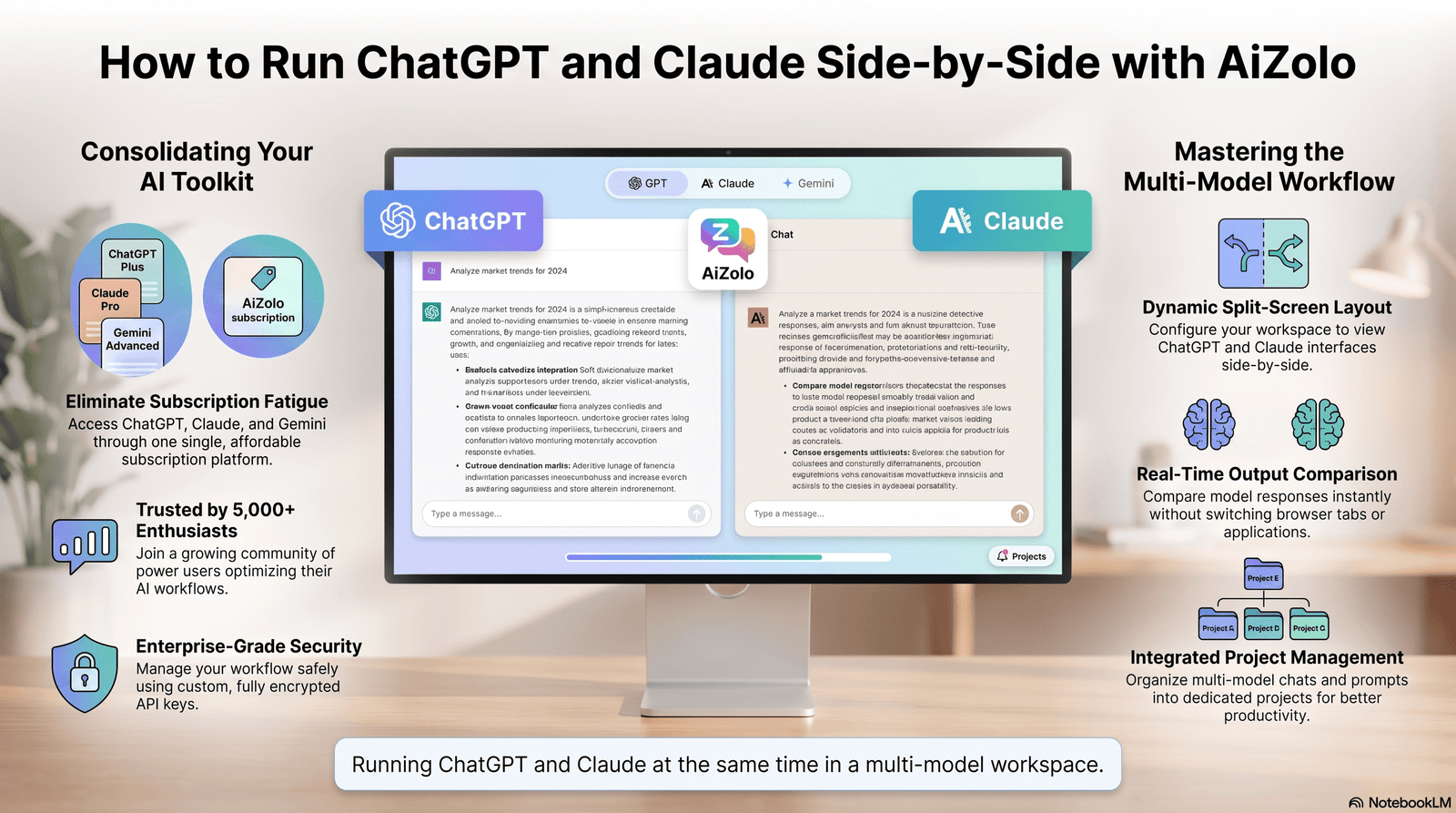
Platforms like Aizolo provide access to ChatGPT, Claude, and other leading AI models from a single dashboard. You can switch between models in seconds, compare responses side by side, and maintain context across your session—without copying between tabs or managing multiple subscriptions.
For most professionals, this is the most practical option. The workflow stays clean, costs are consolidated, and compare mode makes the value of using both models immediately visible.
Pros: Single subscription covers multiple models. Instant model switching. Side-by-side comparison. Shared workspace. No manual copying.
Cons: Dependent on the platform’s reliability and which model versions it provides access to. Requires trusting a third-party service with your prompts.
Best for: Marketers, content teams, researchers, agencies, and anyone who regularly uses both models in their work.
Step-by-Step Workflow: Using ChatGPT and Claude Together
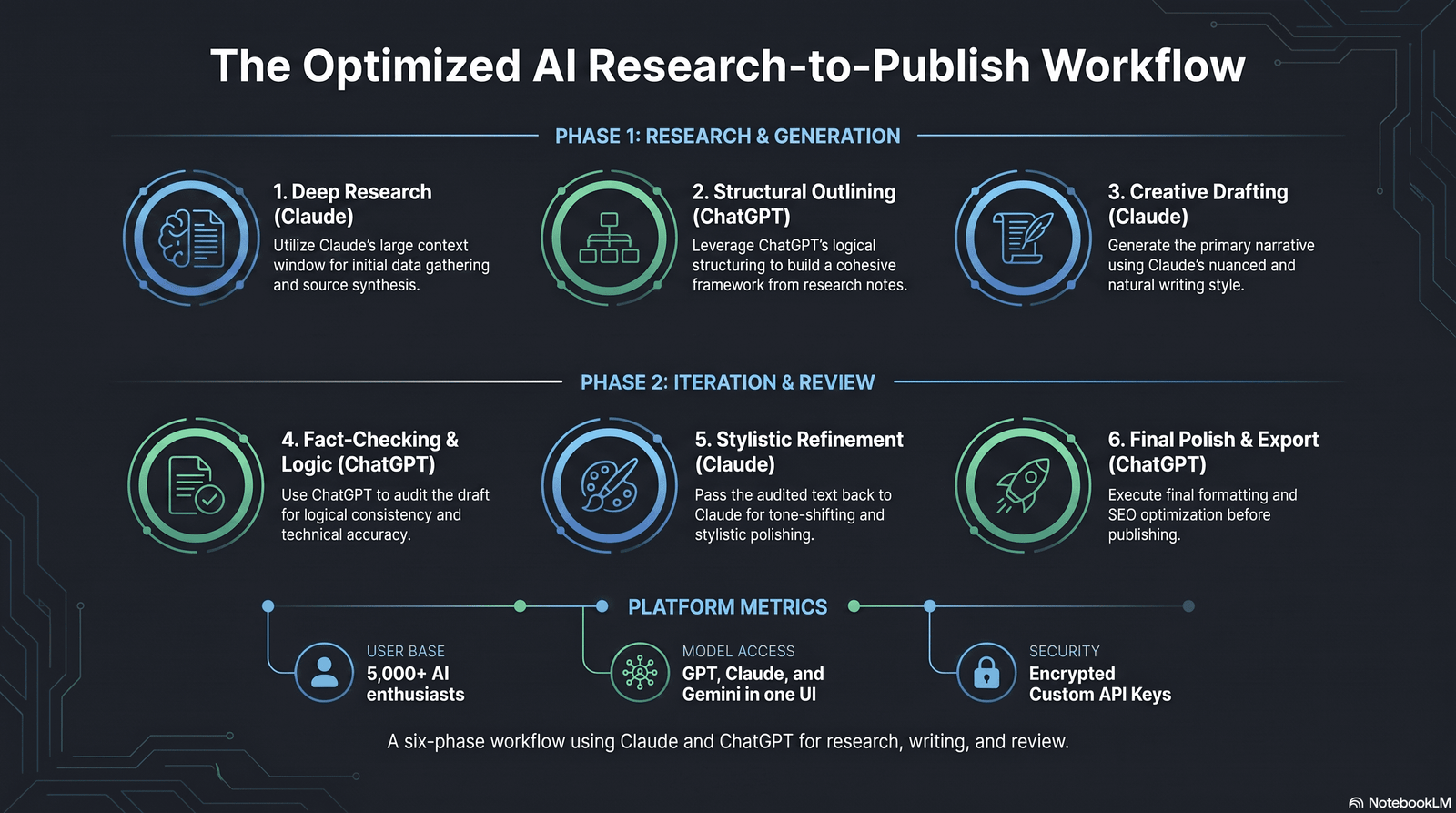
This is the core workflow that professionals use when running both models on the same project. It’s not about using both simultaneously for every task—it’s about routing tasks to the model that handles them best, then combining the outputs.
The Research-to-Publish Workflow
PHASE 1: RESEARCH
│
└── Claude
    Prompt: "Analyze [topic]. Identify the 5 most important
    considerations and flag anything you're uncertain about."
    Why: Claude's 200k context window handles long sources.
    It's more careful about flagging gaps and caveats.
│
▼
PHASE 2: STRUCTURE
│
└── ChatGPT
    Prompt: "Here's Claude's research summary: [paste].
    Create a structured outline for a 2,000-word article.
    Include H2s, key points per section, and a CTA."
    Why: ChatGPT structures and formats content quickly.
│
▼
PHASE 3: DRAFT
│
└── Claude
    Prompt: "Using this outline [paste], write the full
    article. Prioritize clear prose over comprehensiveness.
    Match this tone: [example]."
    Why: Claude produces more natural, readable prose
    for long-form content.
│
▼
PHASE 4: ITERATION
│
└── ChatGPT
    Prompt: "Here's a draft [paste]. Give me 5 alternative
    versions of the introduction. Then rewrite the conclusion
    to be more action-oriented."
    Why: ChatGPT iterates quickly. Use it for variation,
    headlines, and fast rewrites.
│
▼
PHASE 5: FACT-CHECK & REVIEW
│
└── Claude
    Prompt: "Review this article [paste] for factual accuracy,
    logical inconsistencies, and any claims that need
    verification. Flag anything that could mislead readers."
    Why: Claude's careful reasoning makes it better at
    identifying weak claims and overstatements.
│
▼
PHASE 6: FINALIZE
│
└── ChatGPT
    Prompt: "Polish this article [paste]. Fix any awkward
    phrasing, tighten transitions, and ensure it flows
    naturally from start to finish."
    Why: ChatGPT is efficient at polish and final-pass edits.
This workflow is modular. You don’t need to use all six phases for every project. A quick blog post might only use phases 1, 3, and 4. A research report might use all six. The principle stays the same: assign each phase to the model that handles it best.
Best Prompting Strategies for a Two-Model Workflow
Prompting changes when you’re using two models deliberately. Here are 12 practical prompts organized by use case.
Research and Analysis
Prompt 1 (Claude): “Read this document [paste]. Summarize the three most important claims, explain the evidence for each, and identify any gaps or assumptions I should verify independently.”
Prompt 2 (ChatGPT): “Here’s a research summary [paste]. Convert it into a structured briefing document: executive summary (3 sentences), key findings (5 bullets), open questions (3 bullets), recommended next steps.”
Content Creation
Prompt 3 (Claude): “Write a 1,500-word opinion piece on [topic] for [audience]. Take a clear, specific position. Avoid hedging. Use the following data points: [list].”
Prompt 4 (ChatGPT): “Generate 15 headline variations for this article [paste title/topic]. Mix formats: questions, numbers, how-tos, and bold statements. Flag the 3 you think will perform best in search.”
Prompt 5 (ChatGPT): “Here’s a blog section [paste]. Rewrite it 3 ways: once for a beginner audience, once for experts, once for a social media caption.”
Coding
Prompt 6 (ChatGPT): “Write a Python function that [describe task]. Include error handling, type hints, and a docstring. Add three unit tests.”
Prompt 7 (Claude): “Review this code [paste]. Identify: (1) security vulnerabilities, (2) edge cases not handled, (3) anything that violates best practices for [language/framework]. Explain your reasoning for each issue.”
Business and Strategy
Prompt 8 (Claude): “Analyze the pros and cons of [business decision]. Consider short-term and long-term implications, risks I might be overlooking, and how this compares to common alternatives.”
Prompt 9 (ChatGPT): “Here’s a strategic analysis [paste]. Draft a 300-word executive summary I can send to stakeholders. Clear, confident, jargon-free.”
SEO and Marketing
Prompt 10 (Claude): “Analyze this competitor’s homepage copy [paste]. What is their positioning, what audience are they targeting, what claims are they making, and what emotional triggers are they using?”
Prompt 11 (ChatGPT): “Write 10 meta descriptions (max 155 characters each) for an article titled [title]. Optimize for CTR, include the primary keyword naturally, and avoid clickbait.”
Comparison and Verification
Prompt 12 (Both models): “Explain [complex topic] in plain terms a non-expert can understand. Focus on the three most important things they need to know.” — Run this on both models, compare where they agree and where they diverge. Agreement signals confidence. Divergence signals an area worth verifying independently.
Best AI Model by Task
| Task | Best Model | Reason |
|---|---|---|
| Long document analysis | Claude | 200k context window; careful reading |
| Rapid content iteration | ChatGPT | Fast, responsive, good at variation |
| Nuanced prose writing | Claude | More natural sentence structure |
| Code generation | ChatGPT | Wide language support; fast and accurate |
| Code review | Claude | Better at spotting edge cases and issues |
| Structured formatting | ChatGPT | Strong at tables, bullets, templates |
| Research summarization | Claude | More careful with caveats |
| Headline generation | ChatGPT | Fast iteration, strong copywriting instincts |
| Legal/compliance review | Claude | Careful reasoning, flags ambiguity |
| Math and reasoning | ChatGPT (with o1/o3) | Stronger performance on complex math |
| Brand voice consistency | Claude | Maintains tone more consistently in long outputs |
| Customer support drafts | ChatGPT | Fast, adaptable, handles variations well |
| Brainstorming | Both | Compare outputs to expand the idea space |
| Fact-checking outputs | Claude | More likely to flag uncertainty |
| Final polish / editing | ChatGPT | Efficient at tightening prose |
Real Use Cases
SEO and Content Marketing
An SEO agency uses Claude to analyze a client’s top 10 competing pages, identifying content gaps and entity coverage. Claude’s output becomes the brief for ChatGPT, which generates an optimized article outline. Claude writes the long-form draft; ChatGPT generates title tags, meta descriptions, and social snippets. The two-model pipeline cuts production time and raises quality simultaneously.
Software Development
A solo developer uses ChatGPT to write the first version of a feature. They then paste the code into Claude with the prompt: “Review this for security vulnerabilities, performance issues, and anything that would fail code review.” Claude flags three issues ChatGPT didn’t catch. The developer fixes them, saving a round of back-and-forth with a senior engineer.
Student Research
A graduate student researches a 40-page policy document. They paste sections into Claude (which handles the full context) and get a structured summary of each section. They then ask ChatGPT to convert the summary into a presentation outline, and Claude to draft the speaker notes in an academic voice. Three tasks, two models, one workflow.
Business Owner
A founder evaluating whether to enter a new market runs the question through Claude: “What are the strongest arguments against entering this market?” Claude returns careful, specific objections. The founder then asks ChatGPT to write investor talking points that address those specific objections. The combination produces sharper thinking and sharper communication.
Customer Support Team
A support team uses Claude to analyze a week of support tickets and identify recurring issues, frustrations, and patterns. ChatGPT then drafts updated FAQ answers and response templates based on Claude’s analysis. Claude reviews the templates for tone and accuracy. The result is a support resource that reflects real customer language, not guesswork.
Agency Content Production
A content agency runs a “compare mode” quality check: before publishing any major piece, the same draft goes to Claude for a logic and accuracy review and to ChatGPT for an engagement and headline review. Both models return structured feedback. The editor synthesizes both sets of notes in one pass, rather than two separate review rounds.
Mistakes to Avoid
1. Using one model for everything out of habit. The most common mistake. If you default to ChatGPT because you signed up first, you’re leaving Claude’s strengths on the table, and vice versa.
2. Copying outputs without reviewing them. AI outputs from both models need human review. Neither ChatGPT nor Claude is reliable enough to use without verification, especially for factual claims.
3. Treating both models as identical. They have distinct training philosophies, strengths, and failure modes. Claude is built for safety and nuance; ChatGPT is optimized for speed and adaptability. Treating them interchangeably means you’re not actually using the workflow.
4. Running the same generic prompt on both without a reason. Comparing outputs is valuable when you’re testing which model handles a specific task better. It’s wasteful when you’re comparing identical prompts without a clear decision criterion.
5. Ignoring disagreements between models. When Claude and ChatGPT give significantly different answers to the same factual question, that’s a signal to verify independently—not a reason to pick the answer you prefer.
6. Building a workflow that’s too complex to sustain. A six-step AI pipeline is only useful if you’ll actually follow it. Start with a two-step workflow (one model for research, one for drafting) and add steps only when you identify a clear need.
7. Not using system prompts or custom instructions. Both models support system prompts and persistent instructions. Setting a consistent persona, format, and tone before every session significantly improves output consistency.
8. Paying for two separate premium subscriptions unnecessarily. If you regularly use both models, a multi-model platform like Aizolo may cost less than two separate paid accounts while providing more flexibility.
9. Assuming the more expensive model is always better. GPT-4o and Claude Sonnet cover the majority of professional use cases. Claude Opus and the o1/o3 models are genuinely useful for complex reasoning tasks—but using them by default is often overkill and expensive.
10. Not saving your best prompts. If a specific prompt combination produces great results across both models, save it as a template. Reusing proven prompts is one of the highest-leverage habits in any AI workflow.
11. Using AI to avoid thinking, rather than to think better. The best use of two models is to expose you to perspectives and information you might have missed, not to outsource the judgment entirely.
12. Forgetting context window limits. ChatGPT’s base model handles 128k tokens; Claude handles up to 200k. For very long documents, defaulting to ChatGPT without checking context limits can cause truncation that distorts the output.
Is There One Platform That Combines ChatGPT and Claude?
Yes. Several platforms now offer access to multiple AI models from a single interface, but they vary significantly in the models they include, how they handle context, and what workflow features they offer.
Aizolo is built specifically for multi-model AI work. It provides access to ChatGPT, Claude, and other leading models from one dashboard, with features designed for comparison and workflow management:
- Model switching in seconds: No tab switching, no copy-pasting, no losing context.
- Side-by-side comparison: Send the same prompt to multiple models and see outputs together.
- Single subscription: One plan replaces separate ChatGPT Plus and Claude Pro subscriptions.
- Shared workspace: Prompts, outputs, and workflows stay in one place across sessions.
- Prompt library: Save and reuse your best prompts across models.
For professionals who regularly use both ChatGPT and Claude, a unified platform is worth evaluating seriously—not because it adds AI capability, but because it removes workflow friction.
Workflow Comparison: Single Model vs. Multi-Model
| Workflow Element | Single Model | Multi-Model |
|---|---|---|
| Research quality | Limited by one model’s context | Claude’s 200k window covers more |
| Writing quality | Depends on default model | Claude for prose, ChatGPT for iteration |
| Code quality | One model’s blind spots | ChatGPT generates, Claude reviews |
| Error catching | Model’s own biases | Cross-model verification reduces errors |
| Speed | Fast (one interface) | Fast with the right platform |
| Cost | $20/month per model | $20–$30/month for multiple via Aizolo |
| Complexity | Simple | Manageable with a clear system |
| Output variation | Limited | Rich—compare and synthesize |
External Links
| Page | Anchor Text | Reason | Placement |
|---|---|---|---|
| OpenAI GPT-4o page | GPT-4o capabilities | Authoritative source for model specs | ChatGPT vs Claude section |
| Anthropic Claude documentation | Claude context window | Links to primary source for 200k context claim | Context window mention |
| Google Search Central | Google’s Helpful Content guidelines | Demonstrates EEAT awareness | Author bio or intro |
| Anthropic research on AI safety | Anthropic’s approach to AI safety | Supports trust claims about Claude’s design | Why Claude section |
Frequently Asked Questions
1. Can you use ChatGPT and Claude at the same time?
Yes. You can use both simultaneously through separate browser tabs, desktop applications, both APIs in a single codebase, or a unified AI platform like Aizolo. The most effective method depends on your use case: casual users can start with browser tabs, while teams and professionals benefit from a dedicated multi-model workspace that handles model switching and comparison without manual copying.
2. Is there a platform that gives you access to both ChatGPT and Claude?
Yes. Aizolo is an AI platform that provides access to ChatGPT, Claude, and other leading models from a single dashboard. It includes side-by-side comparison, model switching, and a shared prompt library. Other platforms like Poe and MultipleChat also offer multi-model access, though they vary in features, pricing, and which model versions they support.
3. Which is better, ChatGPT or Claude?
Neither is universally better. ChatGPT (GPT-4o) excels at speed, code generation, structured output, and rapid iteration. Claude excels at nuanced reasoning, long document analysis, careful writing, and tasks where accuracy and tone matter more than speed. Most professionals who use AI heavily end up using both, routing tasks to whichever model handles them better.
4. Is Claude better than ChatGPT for writing?
Generally, yes—especially for long-form content. Claude produces more natural prose with fewer filler phrases and more consistent tone. ChatGPT is faster and better at generating variations, headlines, and structured formats quickly. The best writing workflow uses Claude to draft and ChatGPT to iterate and polish.
5. Is ChatGPT better than Claude for coding?
ChatGPT (GPT-4o) is generally faster and more confident at generating code from scratch across a wide range of languages and frameworks. Claude is particularly strong at reviewing code, identifying edge cases, and explaining complex logic. For production code, using both—ChatGPT to generate, Claude to review—produces better outcomes than either alone.
6. Can I use ChatGPT and Claude for free?
Both ChatGPT and Claude offer free tiers with limited daily usage and access to their base models. For serious professional use, both paid plans cost $20/month each. A multi-model platform subscription may provide access to both for the same or lower cost than two separate paid accounts.
7. What is the context window difference between ChatGPT and Claude?
GPT-4o supports up to 128k tokens in its context window. Claude 3.5 Sonnet and Claude Opus support up to 200k tokens. For practical purposes, Claude can process significantly longer documents in a single conversation—roughly the equivalent of a 150,000-word book versus a 100,000-word book. For most tasks, this difference doesn’t matter. For large document analysis, it matters considerably.
8. Why do professionals use multiple AI models instead of one?
Because no single model is best at everything. Different models have different training data, optimization goals, and architectural trade-offs. Using multiple models exposes you to a wider range of perspectives, catches errors that a single model might miss, and lets you route each task to the model that handles it best. The result is consistently higher-quality output than any single model can produce alone.
9. How do I compare ChatGPT and Claude responses effectively?
Send the same prompt to both models. For factual questions, check where they agree—agreement increases confidence. Where they disagree, verify independently. For subjective tasks like writing, identify which response better matches your goal and note why—this sharpens your prompting instincts over time. Tools like Aizolo’s compare mode make this process faster by displaying outputs side by side.
10. Does Claude hallucinate less than ChatGPT?
Claude is generally more likely to say “I’m not sure” or flag uncertainty rather than confidently stating something incorrect. ChatGPT tends to be more confident, which is useful for speed but can produce overconfident errors. Neither model should be trusted for high-stakes factual claims without verification. Using both and checking for agreement is more reliable than trusting either alone.
11. Can I use the ChatGPT API and Claude API together in code?
Yes. You can call both APIs from the same application, passing outputs from one model to the other. A common pattern: Claude summarizes or analyzes content, then passes the output to ChatGPT for formatting and structuring. This creates an AI pipeline where models have complementary roles rather than duplicating effort.
12. What workflow should a marketer use with ChatGPT and Claude?
Marketers typically use Claude to research competitors, analyze briefs, and draft copy with careful brand-consistent tone. ChatGPT then handles rapid iteration—generating headline variations, email subject lines, ad copy variants, and social captions quickly. Claude reviews final assets for accuracy and consistency. This split maximizes both quality and output volume.
13. What workflow should a developer use with ChatGPT and Claude?
Developers use ChatGPT to generate boilerplate code, functions, and scripts quickly. Claude then reviews the code for security vulnerabilities, edge cases, and architectural issues that ChatGPT might overlook. For documentation, Claude produces clear, thorough explanations; ChatGPT can then reformat them for specific contexts (README, inline comments, API docs). For architecture decisions, both models are worth consulting to expose trade-offs neither alone would surface.
14. Is there a way to use ChatGPT and Claude without paying for two subscriptions?
Yes. Multi-model AI platforms like Aizolo provide access to both ChatGPT and Claude under a single subscription. This is typically cost-comparable to one premium subscription rather than two, making it the most economical option for users who regularly need both models.
15. Which AI model is better for research?
Claude generally handles research tasks better due to its larger context window (200k tokens), more careful handling of uncertainty, and stronger performance on document analysis. For finding current information, both models benefit from web search integration. For synthesizing long documents, Claude’s context advantage is significant.
16. Can students use ChatGPT and Claude together for studying?
Yes. A useful student workflow: paste lecture notes or reading materials into Claude for a structured summary and key-concept extraction. Then use ChatGPT to generate quiz questions, flashcard content, and practice problems based on Claude’s summary. Claude can review your written work for logical consistency; ChatGPT can help you adapt that work for different formats (email, presentation, essay).
17. What is the best way to switch between ChatGPT and Claude quickly?
The fastest method is a multi-model platform with a model selector—Aizolo allows you to switch models mid-conversation without losing context. Without a dedicated platform, keyboard shortcuts between browser tabs or split-screen desktop windows are the next fastest option, though they require manual context management.
18. Are there risks to using both ChatGPT and Claude in the same workflow?
The main risks are over-reliance on AI output without human review, choosing between conflicting responses without verification, and building a workflow complex enough that it creates more friction than it removes. A well-designed two-model workflow mitigates these risks by assigning clear roles to each model and maintaining human judgment as the final decision point.
Conclusion
Using ChatGPT and Claude at the same time isn’t about using more AI—it’s about using AI more intelligently.
Each model has genuine strengths and real limitations. ChatGPT moves fast, formats well, and iterates efficiently. Claude thinks carefully, writes naturally, and handles long documents with more precision. When you design a workflow that routes tasks to the right model, the combined output is consistently better than what either produces alone.
The workflow itself doesn’t need to be complicated. Start with two stages: use Claude to research and draft, use ChatGPT to iterate and format. Add steps as you identify where each model can help.
If you regularly use both models, consider whether a unified AI platform makes sense for your workflow. Aizolo provides access to ChatGPT, Claude, and other leading models from one workspace—with comparison mode, prompt management, and a single subscription instead of two.
The best AI workflows in 2025 aren’t built around one model. They’re built around the right model for each task.
About the Author
Jeevesh Tripathi AI Researcher & SEO Content Strategist
Jeevesh researches AI platforms, large language models, prompt engineering, and AI productivity tools. He specializes in testing multi-model AI workflows and translating complex AI concepts into practical, actionable guides for businesses, marketers, developers, and creators.

Pingback: Top Reasons for Choosing a Cheap AI Subscription with Access to Multiple Models: Your Complete AI Zolo User's Handbook Investment Guide -
Pingback: Claude 4.5 Sonnet Message Limit: 7 Smart Workarounds Guide
Pingback: Unlimited AI Chat Subscription: 5 Tools With No Limits (2026)
Pingback: All AI Websites in One Place: 7 Smart Picks for 2026
Pingback: Multi-LLM Chatbot Comparison: 5 Side-by-Side Tests (2026)
Pingback: Best All-in-One AI Chat Platform: 7 Productivity Wins (2026)
Pingback: Gemini 3.0 vs GPT-5.1: 9 Real Tests, One Winner 2026
Pingback: Best Multi-LLM Tool for Content Creation in 2026: 6 Models 2026
Pingback: Cheap AI Subscription for Multiple Models: Switch Multiple AI Models Mid Conversation Tool
Pingback: world best AI in 2026? 7 Models, One Powerful Platform Now
Pingback: 7 ai for content creation to Boost Output 10x (2026)
Pingback: Best AI Workspace to Compare ChatGPT, Claude & Gemini
Hello! I’ve been following your site for a while now and finally got the courage
to go ahead and give you a shout out from Kingwood Tx!
Just wanted to tell you keep up the great work!
Pingback: 7 AI Chatbot Online Platforms for Multi-Model Chat 2026
Pingback: how to use ai for generating seo briefs from keywords
Pingback: 7 Affordable All-in-One AI Subscriptions Startups Love Now
Pingback: Cheapest Way to Use GPT-5.1 in 2026: Save 80% Fast
Pingback: 7 ai tools bundle for freelancers 2026 Use to Save $1,000+ (2026)