
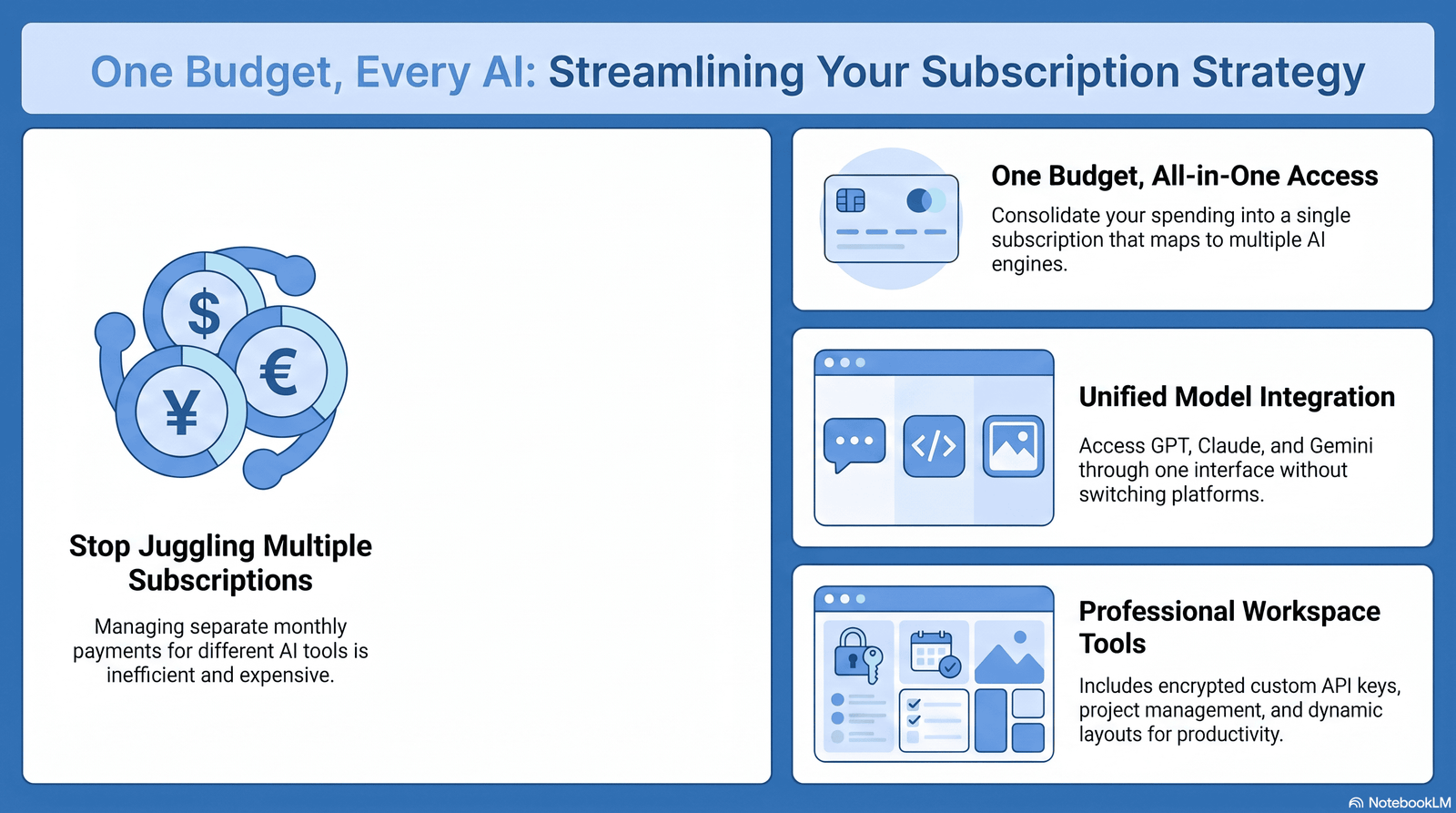
Table of Contents
Introduction
Last year I counted eleven AI tools charging my card every month. I was actively using four. That’s the moment I decided to manage AI subscriptions like a pro instead of collecting them like trading cards.
If this sounds familiar, you’re not alone. Between ChatGPT, Claude, Gemini, image generators, coding copilots, and niche writing assistants, the average knowledge worker now juggles three to six paid AI tools at once. Most people can’t tell you the exact number, let alone the exact cost.
That’s the real problem. It’s not that AI is expensive. It’s that nobody is managing it like a real line item in a budget.
In this guide, you’ll get a complete system: how to audit what you already pay for, how to build an AI subscription budget that actually holds, when multiple subscriptions make sense, when one is enough, and how to build a lean AI tool stack that saves money without slowing you down. This is the same process I use for myself and for teams I’ve helped clean up bloated AI spending.
What Does “Manage AI Subscriptions Like a Pro” Mean?

Managing AI subscriptions like a pro doesn’t mean owning the fewest tools. It means every tool you pay for earns its place every single month.
A pro treats AI subscription management as an ongoing practice, not a one-time decision. That includes:
- Knowing exactly what you’re subscribed to and why
- Reviewing usage against cost on a fixed schedule
- Matching each tool to a specific job, not a vague “just in case”
- Cutting overlap before it becomes a habit
- Re-evaluating every time pricing or features change
Did You Know? OpenAI, Anthropic, and Google have all changed their pricing tiers multiple times within a single year. A subscription that made sense in January can be the wrong choice by June simply because the market moved, not because your needs changed.
This mindset shift — from “subscribing once” to “actively managing” — is the entire foundation of AI subscription optimization.
Why AI Subscription Costs Are Rising
AI subscription costs aren’t rising because of one thing. They’re rising because of several forces stacking on top of each other.
1. Tier fragmentation. Providers used to offer one paid plan. Now most offer four or five, each priced to capture a slightly different budget and usage level. More tiers usually means more upsell pressure.
2. Usage-based add-ons. Deep research sessions, video generation, extended context windows, and agent modes are increasingly gated behind higher tiers or metered separately from the base subscription.
3. Team and seat pricing creep. Businesses adding AI tools per employee often don’t realize seat costs compound fast. Ten seats at $25 a month is $3,000 a year for one tool alone.
4. Subscription stacking. Individuals subscribe to one AI tool for writing, another for coding, another for images, and another “just to try it.” Each purchase feels small. The total often isn’t.
5. Auto-renewal blindness. Annual plans renew quietly. Free trials convert to paid tiers without a reminder. This is one of the biggest hidden drivers of AI spending no one budgets for.
Expert Tip: Before blaming “AI getting more expensive,” check whether your actual model usage grew. Often the subscription didn’t get pricier — you just added more tools around it.
Common Mistakes Users Make
These are the patterns I see again and again, in individuals and in teams.
- Subscribing to every new AI tool that goes viral, then forgetting to cancel after the hype fades.
- Paying for multiple chatbots with nearly identical capability instead of testing which one actually fits the workflow.
- Never checking usage data, so nobody knows if a $20/month plan is being used twice a year or fifty times.
- Ignoring free tiers entirely because “paid must be better,” even when the free tier would fully cover the use case.
- Letting company credit cards absorb AI tool sprawl with no owner responsible for reviewing the list.
- Confusing API costs with subscription costs, leading to double payment for the same capability.
- Assuming annual billing is always cheaper without checking if usage actually justifies a 12-month commitment.
Mistake to Avoid: Signing up for an annual AI plan during a launch promotion without testing the monthly version first. Annual discounts lock you in before you know if the tool fits your workflow long-term.
How to Audit Your Current AI Tools
An audit is the single highest-leverage step in AI subscription management. Most people skip it and go straight to “which tool should I cancel,” which is guessing, not managing.
Step-by-step audit process:
- List every AI tool you’re billed for. Check bank statements, app store subscriptions, and browser-saved payment methods. Most overspending hides in tools people forgot they had.
- Record the monthly or annual cost for each one, converted to a monthly figure for easy comparison.
- Note the primary use case for each tool in one sentence. If you can’t write one, that’s a red flag.
- Check last-used date. Most platforms show this in account settings or usage history.
- Rate each tool 1–5 on actual necessity based on how central it is to your work or business.
- Flag any tool with heavy feature overlap with another tool on your list.
Pro Tip: Do this audit on a recurring calendar reminder, not just once. A one-time audit fixes today’s problem. A recurring audit fixes the ongoing one.
Sample Audit Table
| Tool | Monthly Cost | Primary Use | Last Used | Overlap? | Keep/Cancel |
|---|---|---|---|---|---|
| ChatGPT Plus | $20 | Writing, brainstorming | This week | Yes — Claude | Keep |
| Claude Pro | $20 | Long documents, coding | This week | Yes — ChatGPT | Keep |
| Gemini AI Pro | $19.99 | Google Workspace tasks | 3 weeks ago | Partial | Review |
| Niche AI writing tool | $29 | Blog outlines | 2 months ago | Yes — ChatGPT | Cancel |
| AI image tool #2 | $12 | Social graphics | Rarely | Yes — built-in image tools | Cancel |
Create an AI Subscription Budget

A real AI subscription budget isn’t “whatever I feel like paying.” It’s a number tied to actual value delivered.
How to build one:
- Set a ceiling first. Decide the maximum you’re willing to spend monthly on AI tools before you start adding subscriptions, not after.
- Bucket your needs. Separate categories like general chat, coding, image generation, and specialized business tools. This prevents accidental double-buying in the same category.
- Assign one paid tool per bucket wherever possible. Multiple tools in the same bucket is the most common budget leak.
- Leave 10–15% headroom for testing new tools without blowing the budget.
- Track spend monthly, not just at renewal time, so surprises don’t stack up.
Monthly Budget Planner Table
| Category | Suggested Allocation | Example Tool | Notes |
|---|---|---|---|
| Core AI assistant | $20–$25 | ChatGPT Plus or Claude Pro | Pick one as your daily driver |
| Specialized/coding | $0–$20 | Claude Pro or a coding-specific plan | Only if daily coding workload justifies it |
| Image/creative | $0–$20 | Built-in tools first, dedicated app if needed | Many core plans already include this |
| Team/business tools | Per-seat, reviewed quarterly | Business tier of chosen assistant | Confirm active seat count monthly |
| Testing/experimentation | 10–15% of total budget | Free tiers preferred | Cap trial-to-paid conversions |
Quick Tip: If your AI subscription budget requires a spreadsheet you never open, it’s not a real budget. Build something you’ll actually check.
Free vs Paid AI Plans
Free AI plans in 2026 are genuinely capable for light, occasional use. The gap between free and paid is about volume, model access, and advanced features — not basic competence.
Free vs Paid Features Table
| Feature | Typical Free Tier | Typical Paid Tier |
|---|---|---|
| Access to flagship model | Limited or capped | Full or high-volume access |
| Daily/weekly message limits | Low, resets frequently | Significantly higher |
| Deep research / advanced reasoning modes | Very limited or none | Included, with monthly session caps |
| File uploads and long documents | Restricted | Expanded context windows |
| Priority access during peak times | No | Yes |
| Ads in free tier | Increasingly common on lowest tiers | None |
| Team/admin controls | No | Business/Enterprise tiers only |
When free is genuinely enough:
- Occasional writing help, a few times a week
- Simple research questions
- Testing whether an AI tool fits your workflow before paying
When paid becomes worth it:
- You hit usage caps regularly and it interrupts your work
- You need longer context windows for documents or codebases
- You rely on advanced reasoning or research modes for real output
Warning: Don’t upgrade to a paid plan the first time you hit a limit. Hit the limit three or four times across different weeks first. One busy day doesn’t justify a recurring monthly cost.
When Multiple AI Subscriptions Make Sense
Multiple AI subscriptions aren’t automatically wasteful. They make sense when each tool covers a distinct, high-value job.
Good reasons to run more than one subscription:
- You do heavy long-document analysis (favoring one model’s context handling) and heavy coding work (favoring a different model’s coding strength)
- Your team collaborates inside a specific ecosystem (like Google Workspace) while you personally prefer a different assistant for deep writing
- You’re professionally comparing AI outputs for quality assurance, content strategy, or research purposes
- One subscription covers work use with data governance requirements, and a separate personal subscription covers non-work tasks
Expert Tip: If you can name the specific task each subscription uniquely handles, in one sentence, it’s earning its cost. If you’re describing two subscriptions with the same sentence, you have overlap, not diversification.
When One Subscription Is Enough
For most individuals, one well-chosen subscription covers 80–90% of daily AI needs.
Signs one subscription is enough for you:
- Your work is mostly writing, planning, research, and general problem-solving
- You don’t hit usage caps on your current plan in a normal week
- You’re paying for a second tool “just in case” rather than for a specific recurring task
- You’ve never actually compared outputs side by side to justify the second cost
Pro Tip: Try running your hardest weekly task through your existing subscription for one full month before adding a second one. Most people find their current tool handles it fine once they actually push it.
How Businesses Manage AI Subscriptions
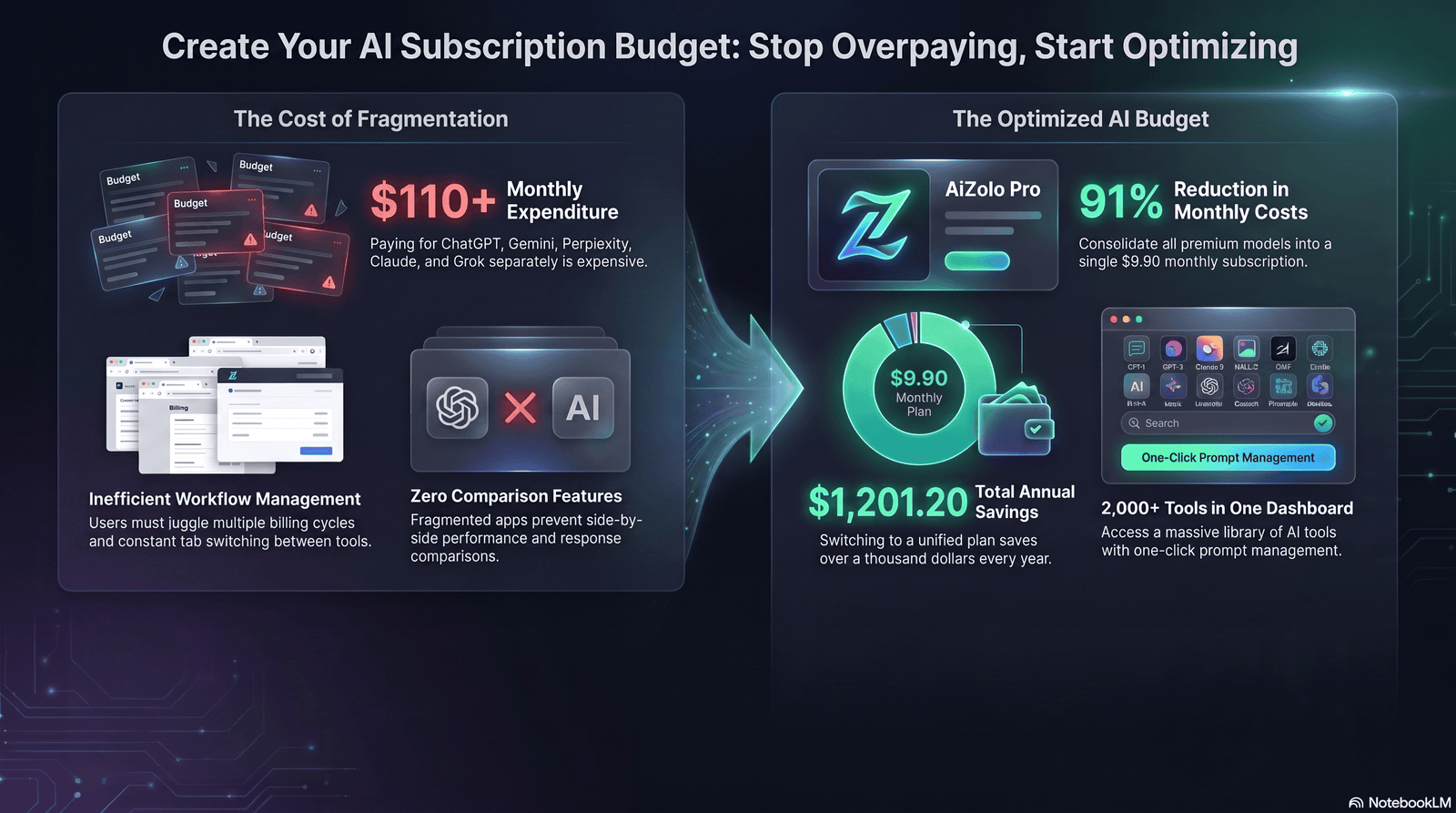
Business AI subscription management has extra layers individuals don’t deal with: seat counts, procurement approval, data governance, and cross-team duplication.
What effective teams do differently:
- Assign one AI subscription owner per department who approves new tool requests instead of letting every employee self-serve.
- Centralize billing so leadership can see total AI spend in one place, not scattered across expense reports.
- Standardize on one core assistant per function (e.g., one tool for customer support drafting, one for engineering) to avoid seat sprawl.
- Review seat utilization quarterly. Unused seats on business or team tiers are one of the most common silent cost leaks.
- Negotiate at renewal, not at signup. Enterprise AI subscriptions often have room to negotiate volume pricing once usage data exists.
Enterprise AI Subscription Decision Matrix
| Team Size | Recommended Approach | Why |
|---|---|---|
| 1–4 people | Individual Pro-tier subscriptions | Business tiers rarely pay off below 5 seats |
| 5–25 people | Team/Business tier, one core tool | Centralized billing and admin controls become worth it |
| 25+ people | Enterprise tier, negotiated pricing | Custom contracts, compliance, and dedicated support matter more |
Did You Know? Many business-tier AI plans include default data-training exclusion that individual paid tiers don’t guarantee automatically. For companies handling client data, that alone can justify the seat cost.
Subscription Tracking Methods
You can’t manage AI subscription costs you can’t see. Pick one tracking method and use it consistently.
Common AI subscription tracker options:
- Spreadsheet tracker: Simple, flexible, free. Best for individuals and small teams.
- Dedicated subscription management apps: Automatically detect recurring charges from linked accounts. Best for people with many scattered personal subscriptions.
- Calendar renewal reminders: Set an alert 3–5 days before each annual renewal so you can cancel or downgrade before the charge hits.
- Company procurement software: For businesses, ties AI subscription costs into the same system as other SaaS spend.
Cost-Saving Checklist
- [ ] List every active AI subscription with monthly cost
- [ ] Mark last-used date for each tool
- [ ] Flag tools with overlapping core features
- [ ] Cancel or downgrade unused tools this week
- [ ] Set a renewal reminder for every annual plan
- [ ] Compare current plan tier against actual usage data
- [ ] Recheck pricing pages quarterly — tiers change often
- [ ] Confirm seat counts match active team members (for business plans)
How to Reduce AI Costs Without Losing Productivity
Cutting AI subscription costs doesn’t have to mean cutting capability. It means cutting waste.
Practical ways to reduce spend:
- Downgrade before you cancel. Many tools have a mid-tier plan that covers 90% of what the top tier does at a fraction of the price.
- Consolidate to one core assistant for daily general use, and only add a second tool for a clearly distinct specialized task.
- Use free tiers for occasional-use categories like basic image generation, if you’re not using them daily.
- Switch to annual billing only after months of confirmed regular use, not before.
- Time cancellations around your renewal date, not randomly, to avoid losing paid days you’ve already covered.
- Reassess after every major pricing change. When providers restructure tiers, the best-value option often shifts.
Quick Tip: Set a recurring 15-minute “AI subscription check” on the same day each month. Small, frequent reviews catch waste faster than big annual audits.
Choosing the Right AI Models
Not all AI subscriptions are interchangeable. Picking the right one starts with matching model strengths to your actual workflow, not brand loyalty.
AI Subscription Comparison Table (2026 Snapshot)
| Provider / Plan | Approx. Monthly Price | Best For | Notes |
|---|---|---|---|
| ChatGPT Free | $0 | Casual, occasional use | Message limits apply; ads on some free/entry tiers |
| ChatGPT Plus | $20 | Daily individual productivity | Broadest feature set: voice, image, coding, agent tools |
| ChatGPT Pro (entry tier) | $100 | Heavy individual power users | Higher usage ceiling than Plus without jumping to the top tier |
| Claude Free | $0 | Light daily use, testing | Solid quality at low volume |
| Claude Pro | $20 | Long documents, careful reasoning, coding | Strong at following detailed instructions and handling long context |
| Claude Max (entry tier) | $100 | Heavy daily professional use | Multiplied usage limits over Pro |
| Google AI Pro (Gemini) | ~$19.99 | Google Workspace–heavy users | Deep Gmail, Docs, Sheets integration plus generous cloud storage |
| Google AI Ultra (entry tier) | ~$99.99 | Power users needing top-tier Gemini access | Includes highest usage limits and extra creative tools |
Prices and tier names change frequently across all providers. Always confirm current pricing directly on each provider’s official pricing page before subscribing.
How to choose:
- If your work is mostly writing, planning, and general assistance — any core $20/month plan will likely satisfy you. Pick the one whose tone and interface you personally like working in.
- If your work is long documents, detailed instructions, or code-heavy — prioritize the model known for careful instruction-following and large context handling.
- If you’re already living inside Google Workspace — the tight integration may outweigh small differences in raw model quality.
- If you’re a heavy daily power user hitting caps constantly — evaluate the mid-tier “power user” plans before jumping straight to the most expensive option.
Expert Tip: Test your actual hardest weekly task on two models side by side for a real week, not a single prompt. Model quality differences show up more in sustained, complex tasks than in one-off questions.
Avoid Duplicate AI Features
Feature duplication is the quiet budget killer. It happens when multiple subscriptions cover the same capability without anyone noticing.
Where duplication commonly hides:
- Image generation built into your core chatbot subscription, while also paying for a standalone image tool
- Voice/transcription features available in a plan you already pay for, duplicated by a separate app
- Research/summarization tools that overlap with the “deep research” mode already included in your main AI subscription
- Multiple coding assistants when one already integrates well with your editor
How to catch it:
- List every feature each subscription offers, not just the one feature you use it for.
- Cross-reference features across all your tools.
- Any feature appearing twice is a candidate to consolidate.
Mistake to Avoid: Paying separately for an image generator when your existing chatbot subscription already includes a capable one. Check your current plan’s full feature list before adding anything new.
Building an Efficient AI Stack
An efficient AI tool stack isn’t the biggest one. It’s the smallest one that fully covers your real workflow.
Framework for building your stack:
- Start with zero and add deliberately. Don’t start from your current messy list — start from your actual weekly tasks and add only what’s needed.
- One core assistant for general writing, planning, and reasoning.
- One specialized tool only if justified by a clearly distinct, recurring, high-value task (heavy coding, heavy design, heavy data work).
- Free tiers fill occasional gaps. Don’t pay for capabilities you use less than a few times a month.
- Revisit the stack every quarter. Pricing, features, and your own workload all shift.
Pro Tip: Write your ideal AI stack on paper before opening any pricing page. Deciding your needs first prevents feature lists from talking you into tools you don’t actually need.
Monthly Review Checklist
Run this every month, ideally on the same date as your first subscription’s billing cycle.
- [ ] Confirm total AI subscription spend for the month
- [ ] Check usage stats against plan limits for each tool
- [ ] Review the audit table for any “Cancel” or “Review” flags
- [ ] Confirm no forgotten free trials converted to paid
- [ ] Check for pricing or tier changes from your providers
- [ ] Re-rate necessity for every tool (1–5 scale)
- [ ] Adjust budget allocation if priorities shifted
Best Practices
- Treat AI subscriptions like any other recurring business expense — track, review, justify.
- Default to monthly billing until a tool proves itself over at least two to three months.
- Assign one person (or yourself, on a calendar reminder) as the accountable reviewer.
- Reassess every time a provider announces new pricing tiers.
- Keep a simple record of why each subscription was approved in the first place.
Common Mistakes
- Subscribing based on hype instead of a defined task
- Never checking actual usage data before renewing
- Letting free trials silently convert to paid plans
- Running two subscriptions that do the same job
- Ignoring seat counts on business plans after employees leave
Expert Recommendations
- Pick one core AI subscription and commit to genuinely testing it for a full month before adding anything else.
- Build your AI subscription budget around tasks, not brand preference.
- Review pricing pages quarterly; the market moves fast enough that “set and forget” guarantees overspending.
- For teams, appoint a single subscription owner instead of decentralized self-serve purchasing.
Future Trends
Expect continued tier fragmentation as providers split single plans into multiple price points aimed at different usage levels. Expect usage-based add-ons (research sessions, agent modes, video generation) to keep growing as separate meters layered on top of flat subscription fees. Bundling is also likely to expand, with AI features increasingly folded into existing productivity suites rather than sold as pure standalone products — meaning part of “managing AI subscriptions like a pro” going forward will be checking whether you already have AI access bundled into tools you pay for anyway, before buying a new one.
Conclusion
Managing AI subscriptions like a pro comes down to a simple habit: treat every subscription as a decision you keep making, not one you made once and forgot about. Audit what you have, build a budget tied to real tasks, cut duplicate features, and review it on a fixed schedule.
Start this week. Pull up your bank statement, list every AI tool you’re paying for, and ask honestly whether each one earned its cost this month. Cancel what didn’t. Keep what did. That’s the entire system — and it’s the difference between AI being a smart investment or a quiet monthly leak.
Frequently Asked Questions
1. How many AI subscriptions should I actually have? Most individuals only need one core AI subscription. Add a second only if you have a clearly distinct, recurring, high-value task it uniquely covers.
2. What’s the best way to track multiple AI subscriptions? A simple spreadsheet with cost, use case, and last-used date works well for most people. Dedicated subscription tracker apps help if you have many scattered personal subscriptions across categories.
3. Is it worth paying for both ChatGPT and Claude? Only if you regularly use both for genuinely different tasks — for example, one for daily writing and one for long-document analysis or coding. If you can’t name the distinct use case for each, you likely have overlap.
4. How do I know if I should upgrade from a free AI plan? Upgrade only after hitting usage limits repeatedly across multiple weeks, not after a single busy day. If caps interrupt your normal workflow consistently, paid access is likely worth it.
5. What’s an AI subscription budget and how do I build one? It’s a set monthly ceiling for AI tool spending, broken into categories like core assistant, specialized tools, and creative tools. Build it by bucketing needs first, then assigning one tool per bucket.
6. How often should I review my AI subscriptions? Monthly for a quick check, quarterly for a deeper audit including pricing changes and feature overlap review.
7. Do businesses need a different approach to AI subscription management? Yes. Businesses need centralized billing, a designated subscription owner, and regular seat utilization reviews to avoid paying for unused licenses.
8. What’s the biggest mistake people make with AI subscriptions? Letting free trials silently convert to paid annual plans, and paying for multiple tools that duplicate the same core feature.
9. Are annual AI subscription plans worth it? Only after confirming consistent monthly use for two to three months. Annual plans lock in savings but also lock in a commitment before you know if the tool truly fits.
10. How do I avoid duplicate AI features across subscriptions? List every feature in each subscription, not just the one you use it for, and cross-reference. Any feature appearing in two tools is a candidate for consolidation.
11. What should be in a monthly AI subscription review checklist? Total spend, usage versus limits, forgotten trials, pricing or tier changes, and a fresh necessity rating for every active tool.
12. Can I manage AI subscriptions without a dedicated tracking app? Yes. A spreadsheet plus calendar renewal reminders covers most individual and small-team needs without extra software cost.
13. How do I decide between a mid-tier and top-tier AI plan? Compare your actual usage against the mid-tier’s limits for at least a few weeks before assuming you need the top tier. Many users overpay for capacity they never use.
14. What’s the difference between subscription cost and API cost? Subscriptions are flat monthly fees for app access with usage limits. API access is pay-per-use, billed by token volume, and is a separate cost from any subscription — useful mainly for developers building custom tools.
15. How do pricing changes affect my AI subscription strategy? Providers frequently restructure tiers and pricing. Re-check official pricing pages quarterly, since the best-value plan for your usage pattern can shift even if your needs haven’t changed.
Author Bio
Author: Jeevesh Tripathi Email: jeevesh@aizolo.com
Author Bio: Jeevesh Tripathi is an AI productivity strategist who has spent years testing, comparing, and optimizing AI subscriptions for individuals and teams. His work focuses on practical AI subscription management, cost-effective tool stacks, and semantic SEO for emerging technology topics. He writes from hands-on experience managing real AI budgets, not theoretical advice, and follows Google’s EEAT principles by grounding every recommendation in tested, current information.

Pingback: AI for Non Profit Budget Management: 5 Ways to Save More
Pingback: best ai for understanding deep cultural memes 2026: 6 Tests 2026
Pingback: 7 best ai tools for generating engaging email subject lines (+45% Opens) 2026
Pingback: Next Billion AI: Access Premium AI Tools from $9.90
Pingback: Best AI Tools for Content Creation 2026 | Ultimate Guide & Reviews
Pingback: how to use multiple ai at once: 7 smart & risky guide