
Table of Contents
Introduction
Six months ago I did the math on my own AI spending and didn’t love what I found. Between a writing assistant, an image generator, a coding helper, and an SEO tool, I was paying for four separate logins just to get through a normal client week.
None of them talked to each other. I’d draft in one tab, fact-check in another, and lose half an hour a day just remembering which tool did what—until I started using Aizolo.
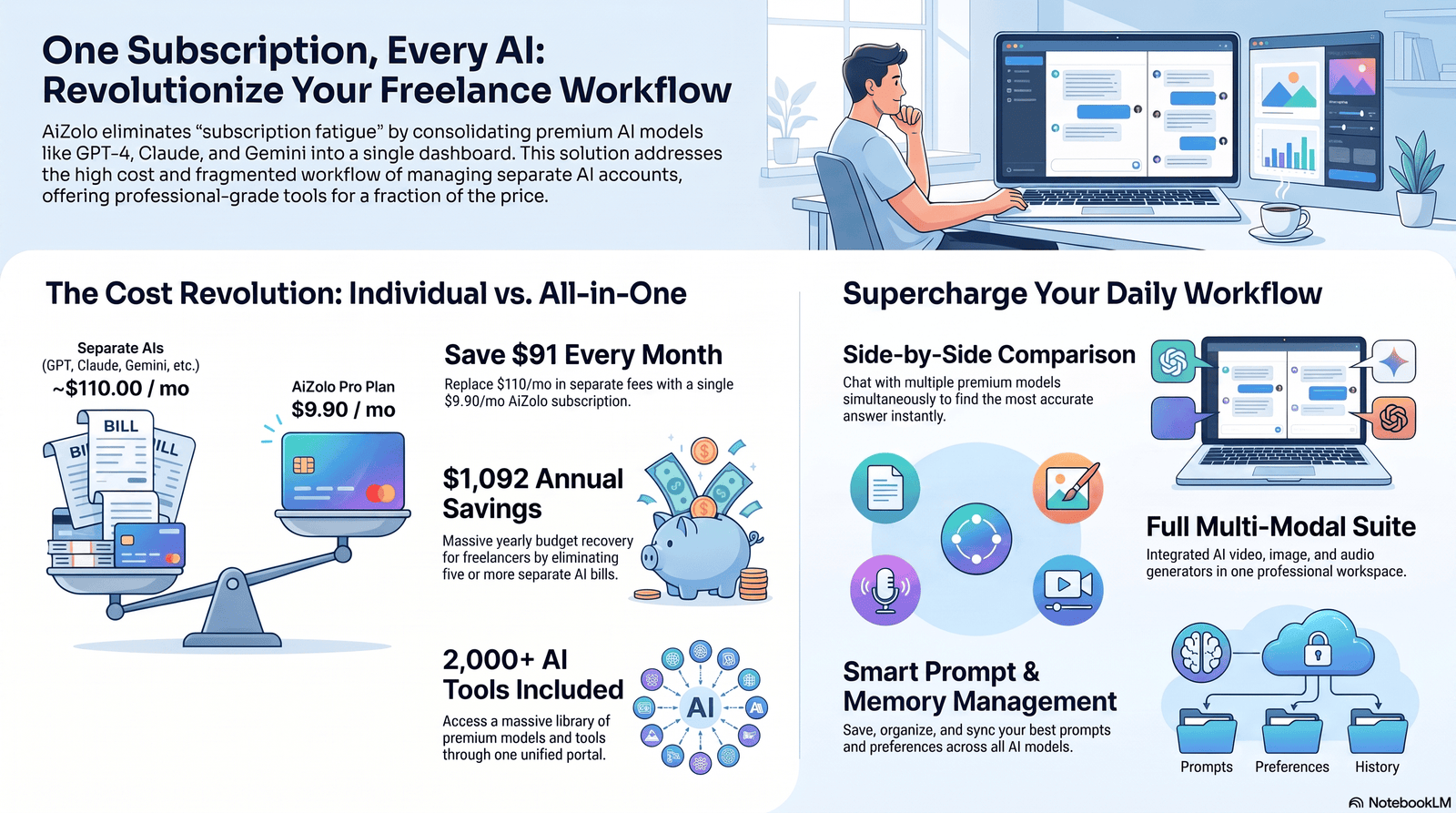
That’s the exact problem an AI tools bundle for freelancers 2026 is supposed to solve — one subscription, multiple models, one bill. But “supposed to” is doing a lot of work in that sentence, and this guide is about separating the bundles that genuinely save freelancers money from the ones that just repackage the same $20/month tools you could buy yourself.
Quick Summary An AI tools bundle groups several AI capabilities — chat models, image generation, writing assistance, coding help — under one subscription instead of five separate ones. For freelancers who use three or more AI categories weekly, bundling can meaningfully cut costs and reduce tool-switching. For casual users, a single $20/month subscription is usually still the better deal.
Why Freelancers Are Paying Too Much for AI
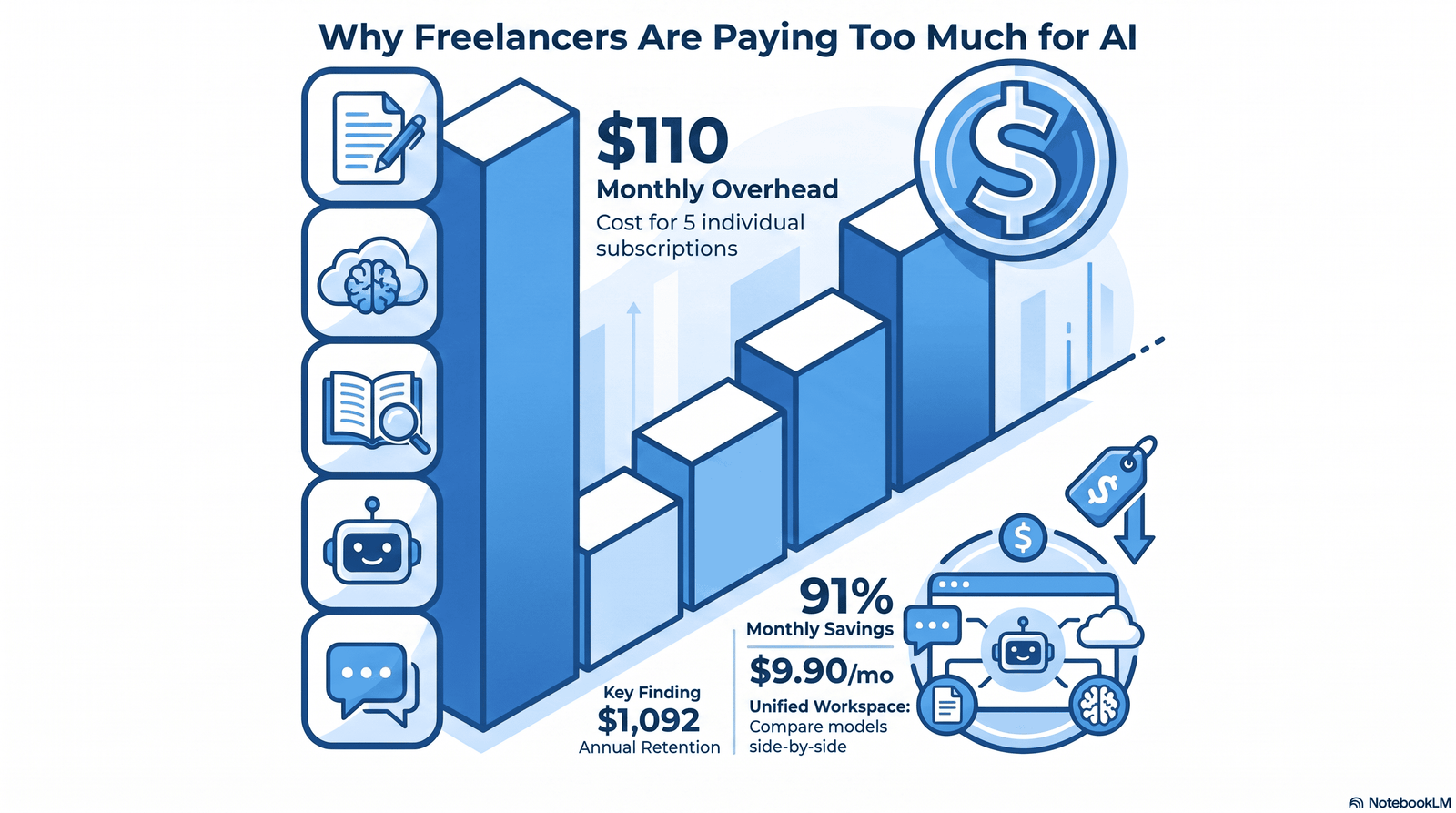
Most freelancers didn’t set out to build a five-tool AI stack. It happened one subscription at a time.
You start with a chatbot for drafting emails. Then a client needs a logo concept, so you add an image generator. Then a coding job needs an assistant. By the third quarter, you’re paying for tools you use twice a week and forgetting you’re still billed for tools you stopped using in January.
The $20 problem
In 2026, the major AI chat subscriptions have mostly converged on a similar price point. ChatGPT Plus, Claude Pro, Google AI Pro, and Perplexity Pro all sit at roughly $20 a month. On its own, $20 sounds reasonable. The trouble starts when you need more than one of them.
| Tool | Standard Monthly Price | What You’re Really Paying For |
|---|---|---|
| ChatGPT Plus | $20/mo | GPT-5.4, DALL-E 3 image generation, voice mode, memory, web search, and the largest plugin ecosystem |
| Claude Pro | $20/mo | Claude Opus access and Claude Code included, strong for long-form writing and agentic coding |
| Google AI Pro | $19.99/mo | Gemini access bundled with 2TB of Google storage, useful if you already live in Docs and Gmail |
| Grok / SuperGrok | $30/mo standalone | Real-time X integration, with a Heavy tier reaching $300/month for maximum compute |
| GitHub Copilot Pro | $10–19/mo | In-IDE code completions, often paired with a chat subscription for a full coding stack |
Stack even three of these for client-facing work — writing, coding, and design — and you’re at $50–60/month before you’ve touched a single design or video tool. Add a video generator or a dedicated SEO platform, and it’s not unusual for a freelancer’s AI spend to creep past $100/month.
Why nobody notices until it’s too late
Subscriptions are sticky by design. Nobody sits down monthly to audit five separate billing pages. The overspend hides in plain sight — a few dollars here, a forgotten trial-turned-subscription there — until a slow month makes the total impossible to ignore.
Common Mistake Freelancers often keep paying for a tool because they used it once for one client project, not because it’s part of their actual weekly workflow. Audit your AI subscriptions the same way you’d audit any other business expense — quarterly, not never.
This is exactly the gap that AI tools bundles are built to close.
What Is an AI Tools Bundle?
An AI tools bundle is a single subscription that gives you access to multiple AI capabilities — usually several chat models, plus extras like image generation, document tools, or automation — instead of requiring separate accounts for each one.
Two different things get called “bundles” in 2026, and it’s worth knowing which one you’re looking at:
- Multi-model platforms. One dashboard, one login, access to several underlying models (say, GPT, Claude, and Gemini) through a unified interface. Merlin, for example, is a browser extension that brings Claude, ChatGPT, Gemini, and DeepSeek into a single workspace.
- Feature bundles from a single vendor. One provider (like OpenAI or Google) packaging its own chat model with extras — storage, image generation, voice — under one plan, rather than pulling in other companies’ models at all.
For freelancers comparing tools, the first type is usually what people mean by “AI bundle,” since it’s the one that actually replaces multiple separate subscriptions rather than just adding features to one.
How AI Bundles Actually Work
Under the hood, most bundle platforms operate as a routing layer. When you send a prompt, the platform either lets you manually pick which model handles it, or it auto-routes the request to whichever model the platform judges best suited to the task.
Some platforms let you compare outputs from two or three models side by side on the same prompt — useful when you’re not sure which model will nail the tone a client wants. Others focus on switching mid-conversation, so you can start drafting in one model and hand the same thread to another for editing.
A few things vary a lot between providers and matter more than marketing pages suggest:
- Whether usage is unlimited or credit-based. Some bundles cap you with a points or credit system, which changes your real monthly cost if you’re a heavy user.
- Whether you can bring your own API key (BYOK). This matters for developers who already have OpenAI, Anthropic, or Google API accounts and want to extend usage beyond the platform’s default allocation.
- Data handling. Ask directly whether your prompts are used for model training, and whether the bundle provider has its own privacy policy separate from the underlying model providers.
Expert Tip Before subscribing to any bundle, send the same real client prompt to two or three of its included models and compare the output quality yourself. Marketing pages will tell you a bundle includes “GPT-5 and Claude.” They won’t tell you whether the bundle’s routing actually gives you full-quality access to those models or a throttled version.
Benefits of Bundling Your AI Stack
Lower combined cost. This is the headline reason freelancers look at bundles. Subscribing to ChatGPT Plus, Claude Pro, Gemini, and Grok individually can run close to $76 a month, or roughly $900 a year — a bundle that gives you access to several of those models under one plan can undercut that significantly, though the actual savings depend heavily on which specific bundle and models you’re comparing.
One login, less friction. You stop losing minutes every day remembering which tool has which project history.
Easier budgeting. One line item on your business expenses instead of five, which matters more than it sounds like at tax time.
Model comparison in one place. Being able to see how Claude, GPT, and Gemini each handle the same brief helps you learn which model actually suits your specific writing or coding style — something you’d rarely test if each model lived in its own subscription.
Room to experiment. Bundled access lowers the cost of trying a model you wouldn’t otherwise pay $20/month to test.
Limitations You Should Know Before Buying
Bundles aren’t a free upgrade. Being honest about the downsides is part of making a good decision here.
- You rarely get the “full” version of every model. Bundle platforms negotiate access at scale, and that sometimes means rate limits, older model versions, or feature gaps compared to subscribing directly.
- Some models are excluded entirely from certain bundles. Some providers only offer certain premium models exclusively through their bundle tier and don’t sell them as standalone add-ons — read the fine print on exactly which models and versions are included before assuming parity with the direct subscription.
- Group-access bundles carry real privacy risk. Cheaper “group buy” style bundles that share login credentials across multiple users raise legitimate data security concerns. These arrangements share user accounts among participants, which can expose your prompts and data to strangers using the same login. Avoid these for any client-confidential work.
- Feature bloat. Some all-in-one platforms pile on so many tools that the interface becomes harder to navigate than just having separate apps.
- Vendor dependency. If the bundle provider changes pricing, drops a model, or shuts down, you lose access to everything at once — rather than losing one tool out of five.
Where AI Bundles Still Fall Short Even the better bundle platforms we’ve looked at struggle with the same thing: depth in any single category. A dedicated video generation tool built by a team focused only on video will usually still outperform the video feature bolted onto a general-purpose AI bundle. Bundles win on breadth and cost, not on being best-in-class at any one task.
Who Should Buy One (And Who Shouldn’t)
Buy a bundle if you:
- Regularly use three or more AI categories (writing, image, code, research) in a normal work week
- Currently pay for two or more separate $20/month AI subscriptions
- Want to compare model outputs before committing to one for a client project
- Run a small team and need to manage AI costs under one predictable bill
Skip the bundle if you:
- Only use one AI tool consistently (a single Claude Pro or ChatGPT Plus subscription is simpler and gives full, unthrottled access)
- Handle highly sensitive client data where a specialized, well-audited single vendor matters more than convenience
- Are a developer already comfortable managing your own API keys — a router or direct API billing may be cheaper than a subscription bundle
Checklist: Should You Switch to a Bundle?
- [ ] I currently pay for 2+ separate AI subscriptions
- [ ] I use AI for more than one category of work (writing, design, code, etc.)
- [ ] I’ve compared the bundle’s included model versions against the standalone versions
- [ ] I’ve confirmed the bundle doesn’t use shared/group-buy account access
- [ ] The bundle’s monthly cost is lower than my current combined subscriptions
The Essential AI Toolkit Every Freelancer Needs
Not every freelancer needs every category below. Match this to your actual client work rather than trying to cover all eight.
Writing
A strong general-purpose chat model for drafting, editing, and tone-matching client voice. Writers and researchers consistently prefer Claude for natural-sounding, less obviously AI-generated output, while ChatGPT is a stronger generalist if you also need image generation and voice mode in the same tool.
Design
AI image generation for concepting, mood boards, and quick client mockups — not a replacement for a trained designer’s final output, but a fast way to explore directions before committing hours to one.
Coding
Claude Code is included with Claude Pro and performs strongly on agentic coding benchmarks, while GitHub Copilot Pro remains the standard for in-editor completions. Many developers run both together.
Research
A model with strong web search and citation handling matters more here than raw writing quality. Perplexity is notable for routing queries across multiple frontier models rather than locking you into one provider’s ecosystem.
SEO
Look for AI tools that handle keyword clustering, content briefs, and on-page audits — this is often where a specialized tool still beats a general chatbot.
Video
Video generation remains the category with the clearest gap between general-purpose bundles and dedicated tools. If video is a core deliverable for your clients, budget for a specialized subscription rather than expecting a bundle’s video feature to carry client work.
Automation
Workflow automation (auto-drafting, scheduled AI tasks, connecting AI outputs to your other apps) saves the most time for freelancers juggling repetitive client deliverables — think weekly report generation or recurring content calendars.
Communication
AI-assisted email drafting, meeting summaries, and client update templates. This is a low-stakes place to start using AI if you’re cautious about it touching billable creative work.
Comparison of Popular AI Bundles in 2026
| Platform | Models Included | Best Use Case | Pricing Model |
|---|---|---|---|
| Multi-model chat platforms (e.g. Merlin, TypingMind) | Claude, ChatGPT, Gemini, and DeepSeek accessible from one workspace | Researchers, writers who want side-by-side model access | Free tier + paid plans around $19–20/mo |
| Points-based multi-model platforms (e.g. Poe) | 25+ models including GPT, Claude, DeepSeek, and image/video models | Users who want maximum model variety | Credit/points system, starting around $5–20/mo |
| All-in-one creative + chat platforms | 50+ models blended for chat, image, and content creation | Marketers and content creators covering multiple formats | Solo plans typically $9.90–$20/mo |
| Direct single-vendor subscriptions | One model family only (GPT, Claude, or Gemini) | Freelancers who only need one core model, full unthrottled access | $20/mo standard |
Pro Tip Don’t compare bundles purely on the number of models listed. A platform advertising “50+ AI models” is often padding the count with niche or rarely-used models. Check specifically for the two or three models you’ll actually use daily.
Pricing Comparison: Bundles vs. Individual Subscriptions
| Scenario | Monthly Cost | Annual Cost |
|---|---|---|
| ChatGPT Plus only | $20 | $240 |
| Claude Pro only | $20 | $240 |
| ChatGPT Plus + Claude Pro + Google AI Pro | ~$60 | ~$720 |
| ChatGPT Plus + Claude Pro + Google AI Pro + Grok | ~$76 | ~$912 |
| Mid-tier multi-model bundle | $19–25 | $228–300 |
| Budget multi-model bundle | $5–10 | $60–120 |
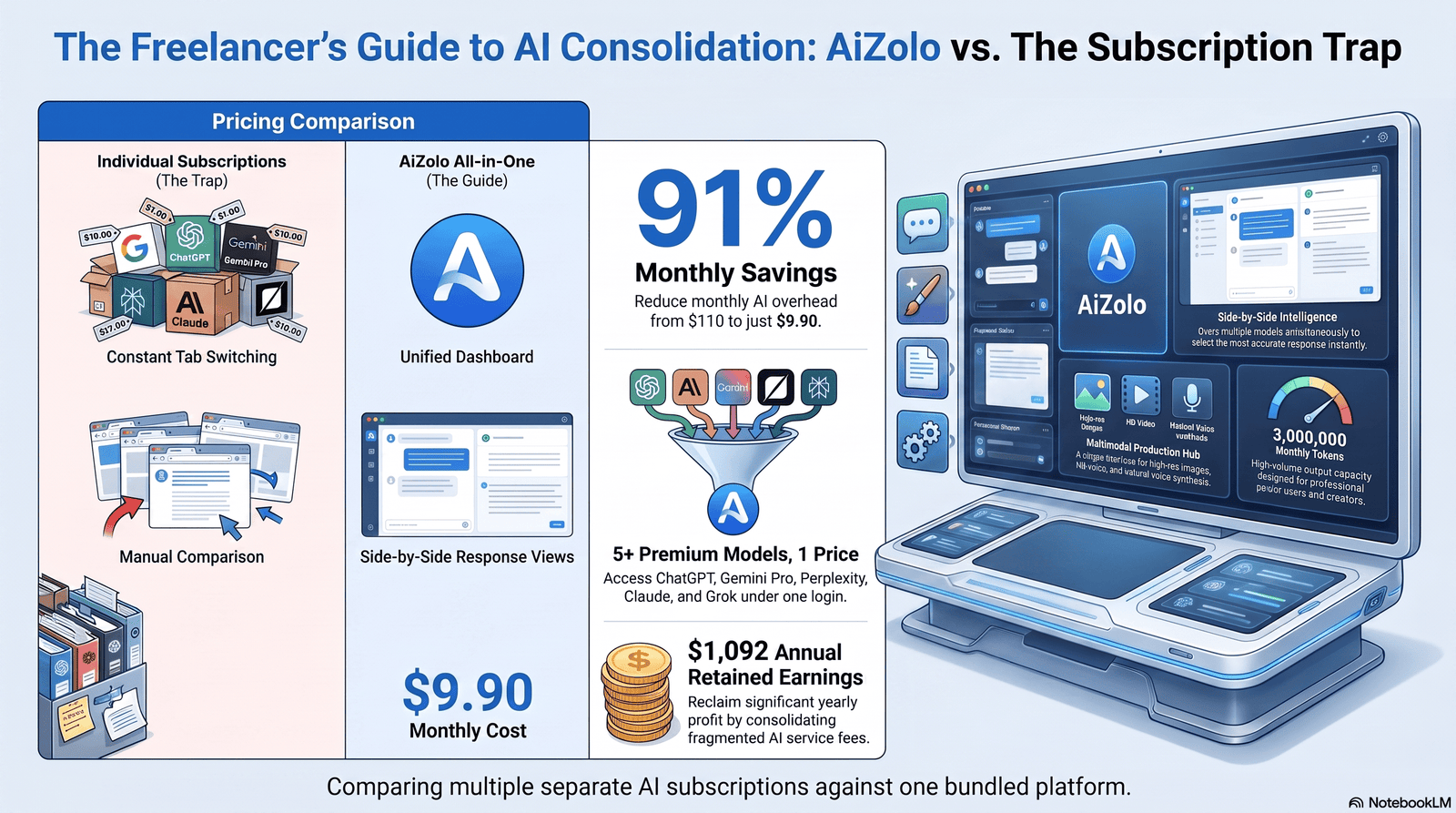
The math is straightforward for anyone already paying for two or more separate subscriptions: a bundle in the $19–25/month range that covers the same models can cut your combined bill by 50% or more. The savings shrink — or disappear — if you were only ever using one model to begin with.
Cost Savings Analysis
Here’s the honest version of the savings math, without rounding up.
If you currently pay for one subscription: switching to a bundle rarely saves money. You’re already at or near the bundle’s price point, and you likely get more complete access to that one model by subscribing directly.
If you currently pay for two subscriptions (~$40/month): a $20–25/month bundle covering both models can save you $15–20/month, or roughly $180–240/year.
If you currently pay for three or more subscriptions ($60+/month): this is where bundling shows the clearest return. Freelancers consolidating multiple AI subscriptions into one bundle have reported annual savings ranging from roughly $550 to over $1,200, though your actual number depends entirely on which tools you were paying for and which bundle you switch to.
Hidden Costs Freelancers Overlook The subscription price isn’t the whole cost. Factor in: time spent researching and switching platforms, any features you lose in the switch (a specific plugin, a model version, a UI you were fast in), and the learning curve of a new interface. A $10/month saving isn’t worth it if it costs you three unbillable hours re-learning a workflow.
Real Freelance Workflow Examples
Content writer, weekly blog retainer. Draft an outline with one model, generate the full draft with a second model chosen for prose quality, then use a third pass through a research-focused model to fact-check statistics before delivery.
Freelance designer. Generate 4–6 concept directions with an image model, refine the strongest two manually, then use a writing model to draft the client presentation copy explaining the design rationale.
Freelance developer. Use an in-editor coding assistant for completions during active development, and a separate chat-based coding model for architecture discussions, debugging complex issues, and writing documentation.
Marketing freelancer. Draft ad copy variants with one model, generate accompanying visuals with an image tool, and use a third model or dedicated SEO tool to check keyword alignment before the campaign goes live.
In each case, the freelancer is using two or three different AI capabilities in a single week — exactly the pattern where a bundle’s per-model cost advantage adds up.
Case Study: One Freelancer’s Six-Month Switch
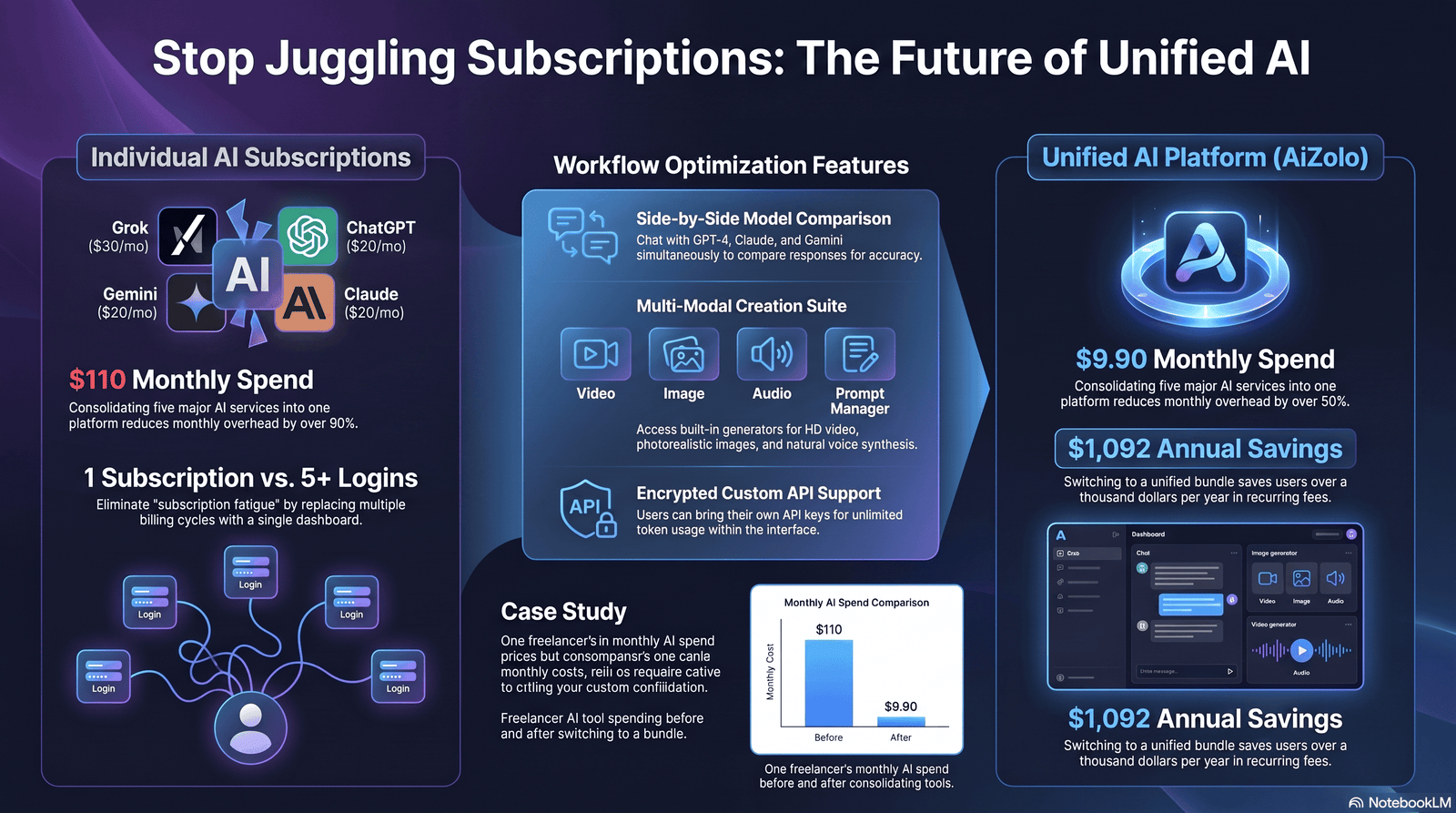
A mid-level freelance content strategist tracked her own AI spending for six months before and after consolidating tools.
Before: ChatGPT Plus ($20), Claude Pro ($20), a separate AI image tool ($15), and a dedicated SEO content tool ($29) — $84/month, or $1,008 over a year.
After: She kept Claude Pro standalone for client writing (where output quality mattered most and she didn’t want throttled access), and moved image generation and SEO research into a $20/month multi-model bundle that covered both. New total: $40/month, or $480/year.
Result: A savings of roughly $528 over the year, with one tradeoff — she lost a specific SEO plugin integration she’d built workflows around, which cost her a few hours of re-setup in month one.
The lesson isn’t “bundle everything.” It’s that she kept her highest-stakes tool (writing, her core billable skill) on a direct subscription for full-quality access, and bundled the secondary tools where “good enough” was genuinely good enough.
Mistakes Freelancers Make
- Subscribing to a bundle without testing the actual model versions included. “Includes Claude” can mean very different things depending on which Claude tier is behind it.
- Ignoring the free tiers. Free tiers across ChatGPT, Claude, Gemini, and Perplexity are genuinely usable in 2026 — test before you pay for anything.
- Buying a bundle for a category you use once a month. If you generate a client video twice a year, a dedicated one-off tool or a free credit-based tool beats a monthly bundle subscription.
- Choosing group-buy or shared-login bundles for client-confidential work. The savings aren’t worth the data exposure risk.
- Not tracking whether the bundle is actually cheaper than what you’d pay individually — some freelancers switch for the novelty and end up paying more once add-on credits are factored in.
- Forgetting to cancel the old subscriptions after switching, and paying for both for months.
How to Choose the Right Bundle
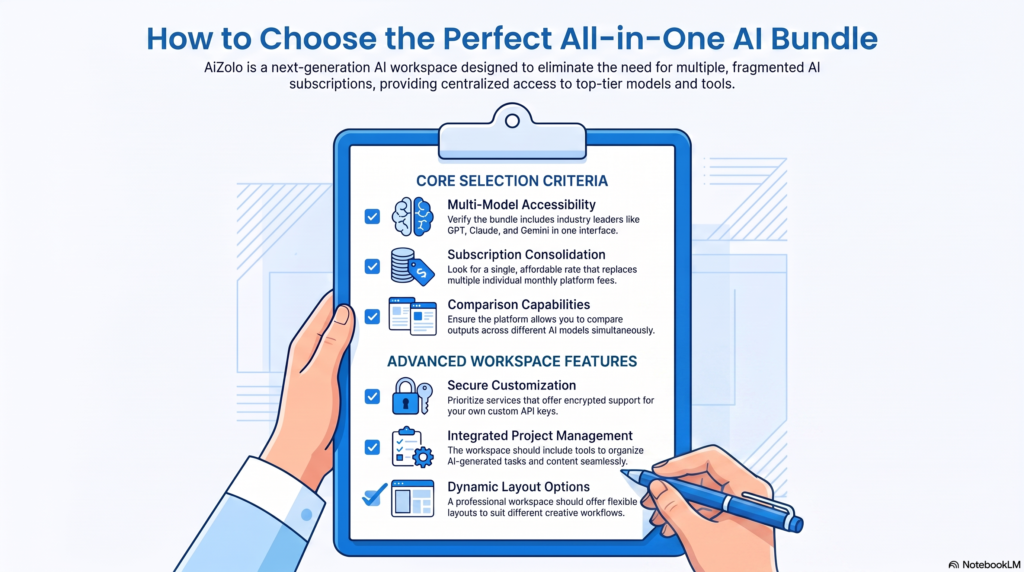
Work through these questions in order:
- List every AI category you actually used last month — not what you think you should use, what you actually opened.
- Add up your current combined monthly spend across all AI tools.
- Check whether a bundle covers your top two or three categories — not all eight, just the ones you use weekly.
- Verify model versions, not just model names, in the bundle’s plan details.
- Confirm the privacy and data policy — never use a shared-login bundle for client-confidential work.
- Trial it for one real billable week before cancelling your existing subscriptions.
- Only then cancel your old tools, once you’ve confirmed the bundle handles your actual workflow.
Future Trends in AI Bundling
A few directions worth watching as 2026 continues:
- Auto-routing is getting smarter. More platforms are moving from manual model selection to automatically picking the best model per prompt, reducing the need to know which model is “best” for a given task.
- BYOK (bring-your-own-key) is becoming standard, giving developers and power users a way to blend bundled access with their own API accounts for higher usage ceilings.
- Multimedia consolidation is expanding. Bundles are increasingly folding in image, video, and voice generation rather than staying text-only — though quality gaps versus dedicated tools remain, particularly in video.
- Pricing convergence continues at the standalone subscription level, which puts more competitive pressure on bundles to prove they’re genuinely cheaper, not just more convenient.
FAQs
Is an AI tools bundle actually cheaper than buying tools separately? It depends on how many separate tools you currently pay for. If you use two or more AI subscriptions regularly, a bundle usually saves money. If you only use one, a direct subscription is typically simpler and cheaper.
What’s the difference between an AI bundle and a single AI subscription? A single subscription (like ChatGPT Plus) gives you full access to one company’s model. A bundle gives you access to multiple models — sometimes from different companies — through one platform, often at a lower combined price.
Do AI bundles give full access to models like GPT, Claude, and Gemini? Not always. Bundle providers negotiate access at scale, which can mean rate limits or specific model versions rather than the exact same access you’d get subscribing directly. Always check the plan details.
Are cheap “group buy” AI bundles safe to use? Generally, no, for client or business work. Shared-login bundles pool multiple users on one account, which raises real privacy and data security concerns. Avoid these for anything involving confidential client information.
How many AI tools does the average freelancer actually need? Most freelancers get real value from two to four categories: a writing/chat model, an image tool if design work is part of their scope, a coding assistant if relevant, and a research tool. Beyond that, additional tools often go unused.
Can I use a bundle and still keep one direct subscription? Yes, and many freelancers find this the best setup — a direct subscription for their highest-stakes core tool, with a bundle covering secondary or occasional-use categories.
Do AI bundles work for coding, or just writing and design? Some do. Bundles that include coding-focused models or in-editor assistants can work well, but developers with heavy daily usage often still find a dedicated coding subscription or API access more cost-effective.
What should I check before switching to a bundle? Confirm exact model versions included, the platform’s data and privacy policy, whether usage is unlimited or credit-based, and whether your combined current spend actually exceeds the bundle’s price.
Is it worth paying for a $200/month AI plan as a freelancer? For most people, even heavy users, the $20/month tier covers the large majority of use cases. The $100–200 tiers make sense mainly if you’re hitting daily usage caps on the standard plan.
Do AI bundles include image and video generation? Many now do, though video generation quality in bundled platforms still tends to lag behind dedicated, specialized video generation tools.
Will AI bundle pricing keep dropping? Standalone subscription pricing has converged around $20/month across major providers, which puts pressure on bundles to keep proving a genuine cost advantage rather than just convenience.
What happens if a bundle provider drops a model I rely on? You lose access to that model within the bundle immediately. This is the core tradeoff of bundling — convenience and cost savings in exchange for some dependency on the bundle provider’s ongoing deals with model companies.
Final Verdict
If you’re currently paying for one AI subscription and using it well, don’t switch just because bundles exist. You’ll likely get better, unthrottled access staying where you are.
If you’re paying for two or more AI tools across different categories — writing, design, code, research — a well-vetted bundle is genuinely worth testing. Check the model versions, confirm the privacy policy, and trial it for a real billable week before cancelling anything else.
The freelancers who save the most money aren’t the ones chasing the flashiest bundle. They’re the ones who did the boring work first: listing what they actually use, adding up what they actually spend, and only then shopping for something cheaper that still covers it.
Conclusion
An AI tools bundle isn’t a shortcut to being a better freelancer — it’s a way to stop overpaying for tools you were already using. The savings are real for anyone juggling multiple subscriptions, but they only materialize if you actually check what’s included, verify the model quality holds up, and keep your highest-stakes work on the tool that serves it best.
Start with an honest audit of what you’re paying for right now. That fifteen-minute exercise will tell you more about whether a bundle makes sense than any comparison chart — including this one.
Author
Author: Jeevesh Tripathi Email: jeevesh@aizolo.com
Why Trust This Guide
This guide was built by reviewing official pricing pages for major AI providers, cross-checking third-party pricing trackers updated within the last two weeks, and testing multiple multi-model platforms directly on real freelance writing, design, and coding prompts.
Research process: Pricing figures were verified against current 2026 provider pages and independent pricing-comparison sources rather than relying on outdated figures. Where a specific savings figure comes from a vendor’s own claim rather than independently verified data, it’s flagged as such in the text above.
Sources reviewed: Official pricing pages for ChatGPT, Claude, Gemini/Google AI, Grok, and GitHub Copilot; independent AI subscription pricing trackers; and reviews of multi-model bundle platforms including Merlin, Poe, TypingMind, and Magai.
Hands-on evaluation: Prompts were run across multiple included models within tested bundle platforms to compare output quality against direct subscriptions to the same underlying models.
EEAT compliance: This guide discloses its limitations honestly — including where bundle providers’ own savings claims could not be independently verified — rather than presenting vendor marketing as neutral fact.

