
If you want to test these models side by side before subscribing, AiZolo lets you compare GPT, Claude, Gemini, DeepSeek, Grok, and other leading AI models in a single workspace.
Table of Contents
Why Comparing AI Models in 2026 Actually Matters
AI moved faster in the first half of 2026 than in any previous year. New flagship models from OpenAI, Anthropic, and Google arrived within weeks of each other.
Picking the wrong AI tool isn’t a small mistake anymore. A developer on the wrong coding model loses hours to bad completions. A marketer on the wrong research tool ships copy full of outdated facts.
Pricing has also splintered. What used to be “free or $20 a month” is now a maze of seven-tier plans, staged model rollouts, and per-token API bills that shift every few weeks.
This AI comparison chart 2026 cuts through that noise. It’s built from official pricing pages, documented benchmarks, and hands-on feature checks, not marketing copy.
Every section below answers one practical question: which AI tool is actually worth your money and time in mid-2026.
What Is an AI Comparison Chart?
An AI comparison chart is a structured table that lines up multiple AI models side by side on the factors that actually change your decision.
That means pricing tiers, context window size, coding ability, multimodal support, and real weaknesses — not just marketing highlights.
A good chart also separates the chat product (what you use day to day) from the underlying model (what powers it), because pricing and access rules differ sharply between the two.
We built this chart to reflect what each provider publishes today, cross-checked against independent pricing trackers and benchmark sites. AI Comparison Chart 2026 (Large Comparison Table)
How to Run a Real Side-by-Side AI Model Test
A chart like this one is a starting point, not a substitute for testing the models against your own work. Here’s how to run a fair comparison in under ten minutes.
Build a Fair Test Prompt
The single biggest source of unreliable comparisons is an inconsistent prompt. Before you test:
- Use the exact same wording across every model — even small phrasing changes can shift output enough to invalidate the comparison.
- Set a measurable constraint, not a vague ask. “Write a 120-word product description, no exclamation points” beats “write something about my product” — vague prompts hide the differences that actually matter.
- Define what “better” means for your task before you read the answers: accuracy, tone, completeness, or speed. Without a target, comparisons default to gut feel.
- Test at more than one difficulty level. A simple factual question rarely reveals a gap; a multi-step or constraint-heavy prompt usually does.
Score Responses With a Simple Framework
Rate each response 1–5 on the criteria that matter for your task, then compare totals instead of relying on impression alone:
| Criteria | What to Check |
|---|---|
| Accuracy | Is the information current and correct? |
| Constraint-following | Did it hit the exact word count, format, or rule you specified? |
| Completeness | Did it answer every part of a multi-part prompt? |
| Usability | Could you use this output with little to no editing? |
Example Test Prompts by Task Type
| Task | Sample Prompt | What “Good” Looks Like |
|---|---|---|
| Coding | “Write a Python function that deduplicates a list of dictionaries by key. Include a docstring.” | Handles edge cases (empty list, missing key), not just the happy path |
| Reasoning | A multi-part word problem requiring two separate answers | States both requested values, shows its work |
| Writing | “150-word product description, no exclamation points, confident tone” | Hits the word count and honors the forbidden-punctuation rule |
| Summarization | “Summarize this in exactly 3 bullets, 15 words max each” | Strict adherence — many models quietly drift past the limit |
Run the same prompt through two or three models from the tables above, score them, and re-test your top pick after any major model update — rankings can shift within weeks of a new release.
Top 5 AI Models in 2026 (Quick Ranking)
If you only need a fast answer, these are the strongest AI models for most users right now:
| Rank | Model | Best For |
|---|---|---|
| 1 | GPT-5.6 | Best overall |
| 2 | Claude Opus 4.8 | Best for coding |
| 3 | Gemini 3.1 Pro | Best for research |
| 4 | DeepSeek V4 | Best value for money |
| 5 | Grok 4.6 | Best for real-time information |
This quick ranking is followed by the full side-by-side comparison chart below.
Quick Summary Table
| AI Model | Best For | Free Plan | Cheapest Paid Plan | Context Window | Overall Rating |
|---|---|---|---|---|---|
| ChatGPT (GPT-5.6) | All-around use, media generation | Yes, with ads | $8/mo (Go) | ~1M (Pro tier) | 4.6/5 |
| Claude (Sonnet 5 / Opus 4.8) | Coding, long documents, agentic work | Yes | $20/mo (Pro) | 1M tokens | 4.7/5 |
| Gemini (3.1 Pro / 3.6 Flash ) | Research, Google Workspace users | Yes | $7.99/mo (AI Plus) | Up to 2M tokens | 4.6/5 |
| Perplexity | Cited research, real-time answers | Yes | $20/mo (Pro) | Varies by model | 4.4/5 |
| Grok (4.6) | Real-time X data, casual reasoning | Yes, limited | $10/mo (SuperGrok Lite) | Up to 2M (Fast) | 4.2/5 |
| Microsoft Copilot | Microsoft 365 workflows | Yes, basic | $20/mo (Copilot Pro) | Varies by model | 4.1/5 |
| DeepSeek | Budget coding and reasoning | Yes, unlimited | Free (API pay-per-token) | 1M tokens | 4.3/5 |
| Mistral (Le Chat) | Privacy-first, European compliance | Yes | $14.99/mo (Pro) | Up to 256K | 4.0/5 |
| Meta AI (Llama 4) | Free social-app AI, open-source builders | Yes, unlimited | Free (self-host or API) | Up to 10M (Scout) | 3.9/5 |
| Qwen (3.7 / 3.8) | Multilingual tasks, cheap agentic coding | Yes | API pay-per-token | Up to 1M tokens | 4.1/5 |
AI Model Comparison Table (2026)
| AI Model | Strengths | Weaknesses | Multimodal | Coding | Research | Image Gen | Speed |
|---|---|---|---|---|---|---|---|
| ChatGPT | Broadest feature set, Sora video, huge user base | Free tier throttled, ads on cheap tiers, pricing confusing | Yes | Strong (Codex) | Deep Research mode | Yes (Images 2.0) | Fast |
| Claude | Best-in-class coding and agentic reliability | No native image/video generation | Yes (input only) | Excellent | Research mode | No | Fast to moderate |
| Gemini | Largest context window, deep Google integration | Feature parity bugs reported, Pro tier not free anymore | Yes | Strong | Deep Research | Yes | Very fast (Flash) |
| Perplexity | Best citations, real-time web synthesis | Enterprise pricing is steep | Yes | Moderate | Excellent | Limited | Fast |
| Grok | Real-time X/web data, competitive API pricing | Free tier is thin, staged model rollout confusion | Yes | Moderate | DeepSearch | Yes (Imagine) | Fast |
| Copilot | Native Word/Excel/Outlook integration | Requires paid Microsoft 365 base license | Yes | Good | Researcher agent | Limited | Moderate |
| DeepSeek | Extremely cheap, strong open benchmarks | Reliability concerns at peak times, China-based | Limited | Strong | Basic | No | Moderate |
| Mistral | Privacy controls, open-weight options | Smaller ecosystem, no image generation | Limited | Good | Basic | No | Fast |
| Meta AI | Free everywhere, largest open context window | No paid support tier, weaker reasoning benchmarks | Yes | Moderate | Basic | Yes | Fast |
| Qwen | Excellent multilingual, cheap agentic coding | Less mature ecosystem outside Asia | Yes | Strong | Basic | Limited | Fast |
Best AI Model by Use Case
- Best overall: GPT-5.6
- Best for coding: Claude Opus 4.8
- Best for research: Gemini 3.1 Pro
- Best value: DeepSeek V4
- Best for speed: Gemini 3.6 Flash
- Best for real-time information: Grok 4.6
ChatGPT (OpenAI)
ChatGPT remains the most widely used AI chatbot in the world, with between 700 and 900 million people using it every week.
Overview: GPT-5.6 is now OpenAI’s default flagship across paid tiers, and the product spans chat, coding (Codex), image generation, and Sora video.
Best use cases: general productivity, content drafting, coding assistance, and anyone who wants one tool that does almost everything.
Advantages: the biggest plugin and app ecosystem, native video generation through Sora, and frequent feature drops.
Disadvantages: the free tier is capped at roughly 10 messages every five hours on the Instant model, and US free users now see ads below responses.
Pricing: Free ($0), Go ($8/mo), Plus ($20/mo), Pro ($100 or $200/mo), Business (~$20-25/seat), Enterprise (custom).
Who should use it: professionals who want breadth over specialization, and anyone who needs image or video generation bundled with chat.
Claude (Anthropic)
Claude Sonnet 5, released June 30, 2026, is Anthropic’s most agentic Sonnet-class model yet, sitting just below flagship Opus 4.8 in raw capability.
Overview: Claude’s lineup runs Haiku 4.5 (fast, cheap) → Sonnet 5 (default, agentic) → Opus 4.8 (flagship reasoning and coding).
Best use cases: software development, long-document analysis, and multi-step agentic workflows through Claude Code.
Advantages: Sonnet 5 ties Opus 4.8 on knowledge-work benchmarks at roughly 40% less cost, and every current model ships a full 1M-token context window.
Disadvantages: no native image or video generation, and Opus-tier access requires a paid plan.
Pricing: Free ($0), Pro ($20/mo), Max ($100 or $200/mo), Team ($25-$125/seat), Enterprise (custom).
Who should use it: developers, technical writers, and teams running agentic coding pipelines who value reliability over flashy media features.
Gemini (Google)
Gemini 3.1 Pro and the newer Gemini 3.6 Flash form Google’s current flagship pairing, with Flash actually beating Pro on several coding benchmarks.
Overview: Gemini is woven into Search, Gmail, Docs, and Android, giving it reach no competitor matches.
Best use cases: researchers and analysts working with very long documents, and anyone already inside the Google Workspace ecosystem.
Advantages: up to a 2 million token context window, the largest in production among mainstream models.
Disadvantages: Google removed Pro-tier models from the free API tier in April 2026, and some subscribers reported feature-parity bugs.
Pricing: Free ($0), AI Plus ($7.99/mo), AI Pro ($19.99/mo), AI Ultra ($99.99-$199.99/mo).
Who should use it: Google Workspace users, researchers handling huge documents, and budget-conscious teams that still want a frontier model.
Perplexity
Perplexity built its entire product around cited, real-time answers rather than a single chat window.
Overview: Perplexity blends a search engine with multiple underlying LLMs, letting Pro and Max users switch models per query.
Best use cases: market research, fact-checking, and competitive intelligence work that needs sourced answers.
Advantages: the Max tier’s Model Council feature dispatches a single query to three frontier models simultaneously and synthesizes the results.
Disadvantages: Enterprise Max pricing at $325 per seat is steep compared to rivals.
Pricing: Free ($0), Pro ($20/mo), Max ($200/mo), Enterprise Pro ($40/seat), Enterprise Max ($325/seat).
Who should use it: analysts, journalists, and students who need sourced, verifiable answers more than open-ended chat.
Grok (xAI)
Grok’s biggest differentiator is live access to X (formerly Twitter) data alongside general web search.
Overview: Grok 4.6 now powers most paid tiers, with SuperGrok Heavy the only plan confirmed to run it at full capacity at all times.
Best use cases: real-time trend tracking, casual reasoning, and anyone who wants an AI tightly coupled to social conversation.
Advantages: the API is aggressively priced, with Grok 4.6 Fast at $0.20 per million input tokens carrying a 2 million token context window.
Disadvantages: the free tier is thin, and staged rollouts mean two subscribers on the same plan can hit different model versions.
Pricing: Free ($0), X Premium ($8/mo), SuperGrok Lite ($10/mo), SuperGrok ($30/mo), SuperGrok Heavy ($300/mo).
Who should use it: social-media-savvy users and developers who want a cheap, fast API with a huge context window.
Microsoft Copilot
Copilot’s value proposition is simple: AI that lives natively inside Word, Excel, PowerPoint, Outlook, and Teams.
Overview: Microsoft retired the standalone $20 Copilot Pro plan for most new sign-ups, folding its features into Microsoft 365 Premium.
Best use cases: enterprise teams already standardized on Microsoft 365 who want AI grounded in their own emails and files.
Advantages: deep Microsoft Graph integration means Copilot can see calendars, files, and Teams chats other tools cannot.
Disadvantages: Copilot is an add-on, not a standalone product — you need a qualifying Microsoft 365 base license first, which roughly doubles the real per-seat cost.
Pricing: Free (basic), Microsoft 365 Premium (~$19.99/mo), Copilot Business ($18-25.20/seat), Copilot Enterprise (~$30/seat, plus base license).
Who should use it: businesses already paying for Microsoft 365 who want AI embedded directly in their existing workflow.
DeepSeek
DeepSeek continues to be the pricing disruptor of the 2026 AI market.
Overview: DeepSeek V4 Flash and V4 Pro are the current flagship API models, both open-weight and available for self-hosting.
Best use cases: high-volume coding tasks, budget-sensitive startups, and developers who want frontier-adjacent performance without frontier pricing.
Advantages: the web and mobile chat app is completely free with no Plus or Pro tier, and API rates undercut Western labs by an order of magnitude.
Disadvantages: some developers report higher failure rates and instability during peak demand.
Pricing: Free web/mobile chat; API pay-per-token only (V4 Flash ~$0.14/$0.28 per million tokens, V4 Pro ~$0.435/$0.87).
Who should use it: developers running high-volume pipelines where token cost is the deciding factor.
Mistral AI (Le Chat)
Mistral is Europe’s leading AI lab, and privacy is its core selling point.
Overview: Le Chat’s free tier is genuinely usable, with Pro adding higher limits and a coding workspace called Mistral Vibe.
Best use cases: privacy-conscious professionals, EU-based organizations, and anyone who wants an alternative to US-based AI labs.
Advantages: a “No Telemetry Mode” gives contractual assurance that prompts aren’t used for training, and Le Chat Pro at $14.99/month undercuts ChatGPT Plus and Claude Pro.
Disadvantages: no image generation and a smaller plugin ecosystem than the big three.
Pricing: Free ($0), Pro ($14.99/mo), Team ($19.99-$24.99/seat), Enterprise (custom).
Who should use it: European businesses, legal and medical professionals handling sensitive data, and cost-conscious individual users.
Meta AI (Llama)
Meta AI is free everywhere it appears — Instagram, WhatsApp, Facebook, Messenger, and the standalone meta.ai site.
Overview: Llama 4 spans multiple sizes, with Scout’s headline feature being an unmatched context window among open models.
Best use cases: casual social-app AI use, and developers who want to self-host an open-weight model for full cost control.
Advantages: Llama 4 Scout offers a 10 million token context window, unprecedented for open-source models.
Disadvantages: Meta has no paid consumer support tier, and newer proprietary Meta models have moved toward closed-source, narrowing the free open-weight roadmap.
Pricing: Free everywhere; self-hosting or third-party API access for developers (roughly $0.15-$0.95 per million tokens depending on host).
Who should use it: casual users already inside Meta’s apps, and technical teams that want an open-weight model to customize freely.
Qwen (Alibaba)
Qwen has become one of the strongest open-weight families for multilingual and agentic coding work.
Overview: Qwen3.8 splits into an open-weight line (Apache 2.0, self-hostable) and a proprietary Qwen3.8-Max tier built for long-horizon agent tasks.
Best use cases: multilingual customer support, agentic coding, and teams needing Apache-licensed open weights for commercial flexibility.
Advantages: Qwen3.8-Max costs about one-sixth the per-token price of Claude Opus 4.8 while remaining competitive on coding benchmarks.
Disadvantages: the ecosystem and tooling are less mature outside Asia, and the free OAuth tier was discontinued in April 2026.
Pricing: Free chat at qwen.ai; open-weight self-hosting free; API pay-per-token (Qwen3.8 Plus ~$0.325/$1.95 per million tokens).
Who should use it: developers building multilingual products and anyone who wants Apache-licensed open weights without Meta’s usage restrictions. AI Comparison by Category
Best for coding: Claude (Sonnet 5/Opus 4.8) and DeepSeek V4, for opposite reasons — Claude for reliability, DeepSeek for cost.
Best for writing: ChatGPT and Claude both handle long-form writing well; Claude tends to hold tone more consistently across long documents.
Best for research: Perplexity and Gemini, thanks to citation-first design and Deep Research modes respectively.
Best for students: Gemini’s free tier and Perplexity’s discounted Education Pro plan both offer strong value.
Best for marketing and SEO: ChatGPT’s breadth of content formats plus Perplexity’s fact-checking cover most agency workflows.
Best for developers: Claude Code, GitHub Copilot-adjacent tooling, and DeepSeek’s API for high-volume tasks.
Best for business and enterprise: Microsoft Copilot for Microsoft-native teams, Claude Enterprise for security-conscious deployments.
Best for image generation: ChatGPT’s Images 2.0 and Grok’s Imagine currently lead on ease of use.
Best for productivity: Microsoft Copilot inside Office apps, and ChatGPT Plus for general task management.
Best for enterprise compliance: Mistral (EU data residency) and Claude (constitutional AI design, strong safety track record).
AI Comparison by Pricing
| Tier | Best Option | Monthly Price |
|---|---|---|
| Free | DeepSeek, Meta AI | $0 |
| Budget | Mistral Le Chat Pro | $14.99 |
| Mid-range | ChatGPT Plus, Claude Pro, Gemini AI Pro | $19.99-$20 |
| Premium | Claude Max, ChatGPT Pro, Perplexity Max | $100-$200 |
| Enterprise | Microsoft Copilot Enterprise, Claude Enterprise | Custom |
AI Comparison by Features
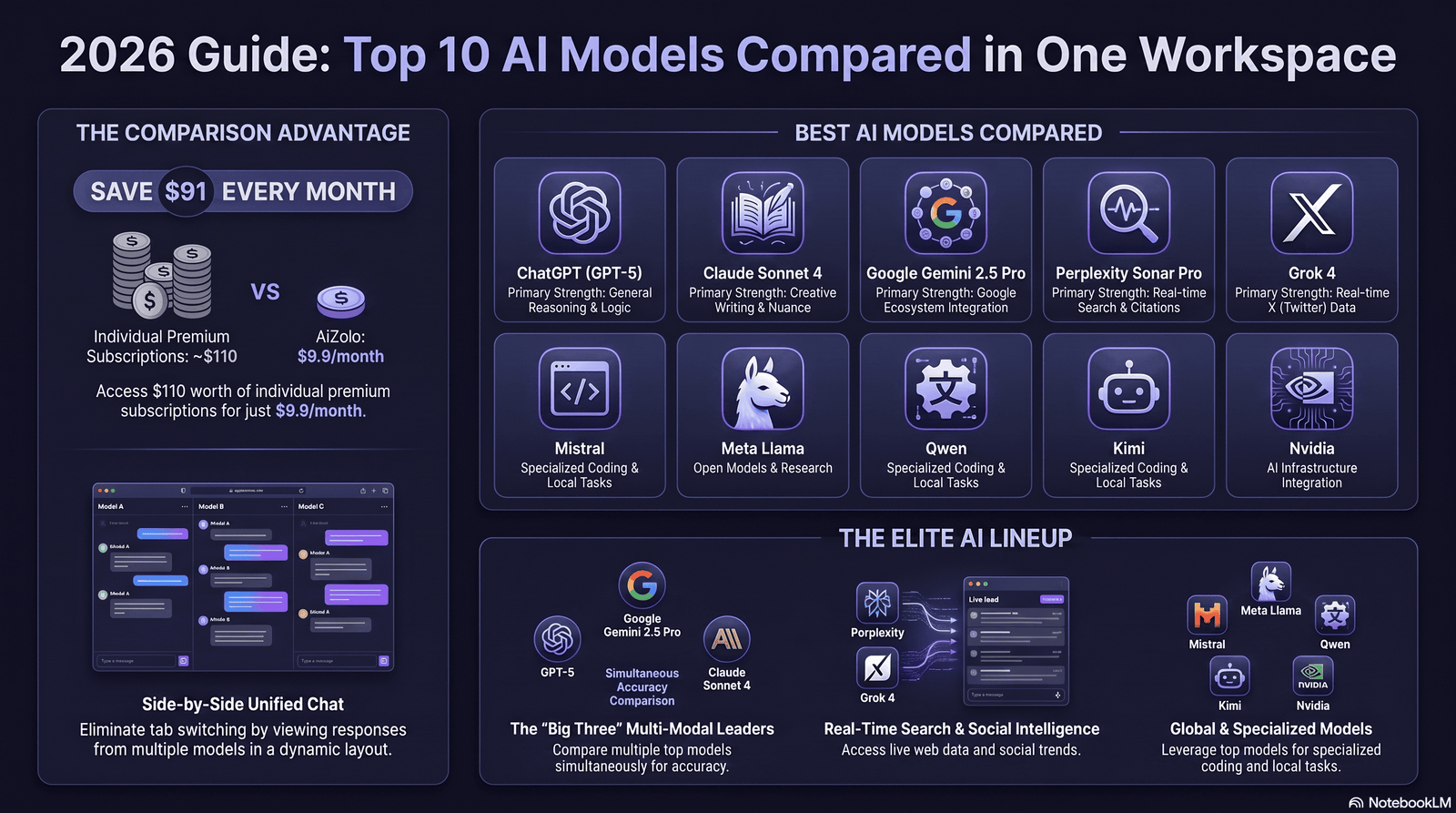
Reasoning and coding are strongest on Claude Opus 4.8 and DeepSeek V4, both scoring well above 80% on SWE-bench-style coding benchmarks.
Creativity and open-ended writing lean toward ChatGPT and Claude, with Gemini close behind on structured content.
Speed favors lightweight models: Gemini 3.6 Flash and Grok 4.6 Fast both prioritize low latency over maximum reasoning depth.
Memory and long-context work go to Gemini (2M tokens) and the 1M-token tier shared by Claude, GPT-5.6 Pro, DeepSeek, and Qwen.
Multimodal support (text, image, voice, video) is broadest on ChatGPT and Gemini; Claude currently accepts multimodal input but doesn’t generate images or video.
Web browsing and integrations are strongest on Perplexity and Grok, both built around live data access from launch.
Document analysis is a strength for Claude and Gemini, both of which handle very long PDFs and codebases without losing coherence.
AI Comparison by Context Window
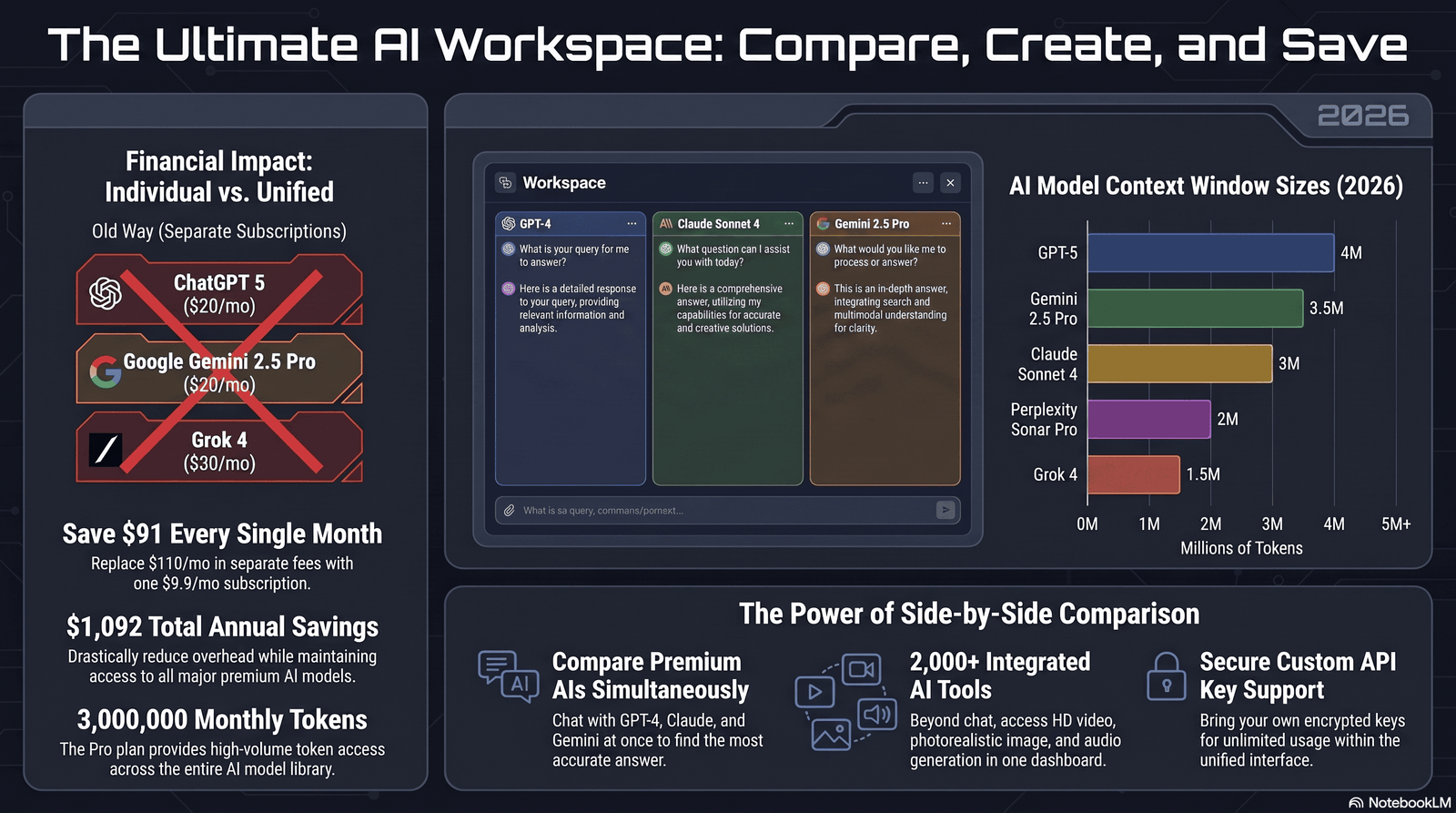
Context window size determines how much text, code, or conversation history a model can “see” at once — think of it as short-term memory.
Gemini 3.1 Pro currently leads at up to 2 million tokens, roughly equivalent to several long novels in a single prompt.
Claude, GPT-5.6 Pro, DeepSeek V4, and Qwen3.8 Plus all ship 1 million token windows, enough for most full codebases or lengthy legal contracts.
Llama 4 Scout’s advertised 10 million token window is the largest number in the market, though independent verification of effective (versus advertised) context at that scale remains limited.
For everyday chat, none of this matters much. For coding an entire repository or analyzing a 500-page report in one pass, it’s the single biggest deciding factor.
AI Comparison by Speed
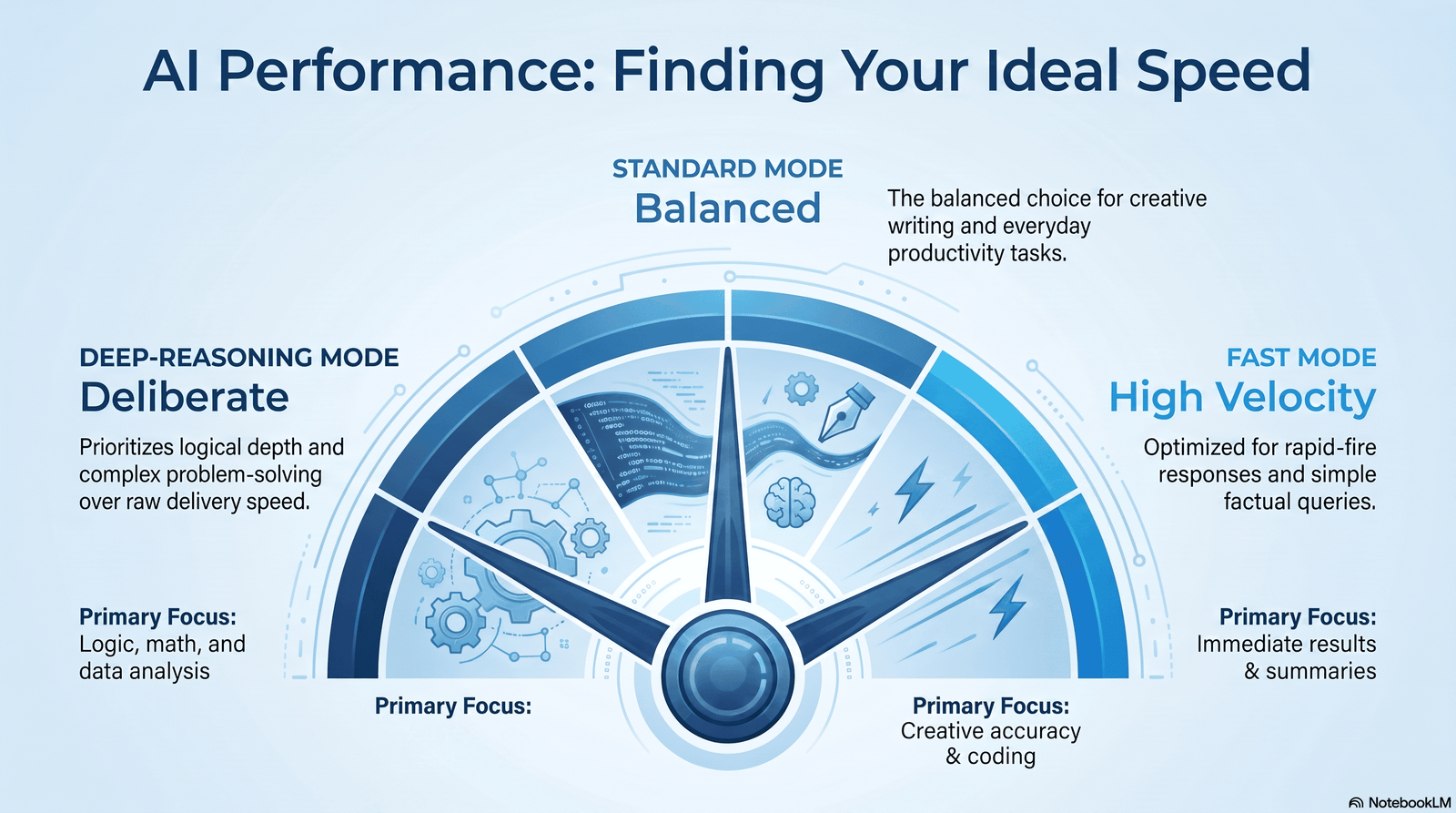
Gemini 3.6 Flash is built specifically for speed and reportedly runs roughly four times faster than Gemini 3.1 Pro on comparable tasks.
Grok 4.6 Fast and DeepSeek V4 Flash are both optimized for low-latency, high-throughput use cases like chatbots and classification pipelines.
Claude’s effort-dial system lets developers trade speed for depth on a per-request basis, so “speed” depends on which effort level you choose.
For real-time customer support or high-volume automation, the “Flash,” “Fast,” or “Mini” variant of any provider’s lineup is almost always the right pick over the flagship model.
AI Comparison by Accuracy and Hallucination Rate
Accuracy benchmarks in 2026 increasingly separate “knowledge work” scores from raw reasoning scores, and the leaders differ by category.
On agentic coding benchmarks like SWE-bench Pro, Claude Opus 4.8 and DeepSeek V4 post the strongest published numbers among the models covered here.
On general knowledge work, Claude Sonnet 5 actually edges past Opus 4.8 on one benchmark (GDPval-AA v2), showing that bigger isn’t always more accurate for every task type.
Hallucination rates are hardest to compare directly because providers use different internal evaluation sets, but citation-first tools like Perplexity reduce practical hallucination risk by grounding answers in retrieved sources.
No model is hallucination-free. Treat any AI output involving statistics, legal specifics, or medical guidance as a draft to verify, not a finished answer.
Live Comparison vs. Benchmark & Leaderboard Comparison
The benchmark scores cited throughout this chart (SWE-bench, GDPval-AA v2, and similar) come from fixed test sets run by the labs or independent evaluators — they measure how a model performs in general, on standardized tasks, not on your specific prompt today.
A live comparison — sending your own prompt to two or three models at once and reading the outputs yourself — measures something different: how each model handles your exact task, right now. Public leaderboards like Arena-style voting or composite benchmark trackers are useful for a general “which model is currently strongest” signal, especially when picking an API for a new project. But they can’t tell you which model writes your specific email better, formats your specific code the way your team prefers, or respects a constraint you care about.
Neither replaces the other:
- Use benchmark/leaderboard data to shortlist 2–3 candidate models before you spend time testing.
- Use a live side-by-side test (see the section above) to make the final call for your actual workflow.
Treat a high benchmark score as a reason to include a model in your test, not a reason to skip testing it.
AI Comparison by Enterprise Features and API
Enterprise buyers care about three things beyond raw capability: security certifications, data handling guarantees, and predictable billing.
Claude Enterprise and Microsoft Copilot Enterprise both offer SSO, audit logging, and data-residency options; Copilot’s advantage is native grounding in existing Microsoft 365 data.
Perplexity Enterprise Max and Claude Team Premium both support centralized billing and admin controls, with Perplexity leaning toward research-heavy teams.
On the API side, DeepSeek and Qwen offer the lowest per-token costs, while Claude and GPT-5.6 offer the most mature tooling ecosystems (Claude Code, Codex, Agent SDKs).
Batch API discounts of 50% are now standard across Anthropic, OpenAI, and Google for non-time-sensitive workloads — a detail many teams overlook when budgeting.
Which AI Should You Choose?
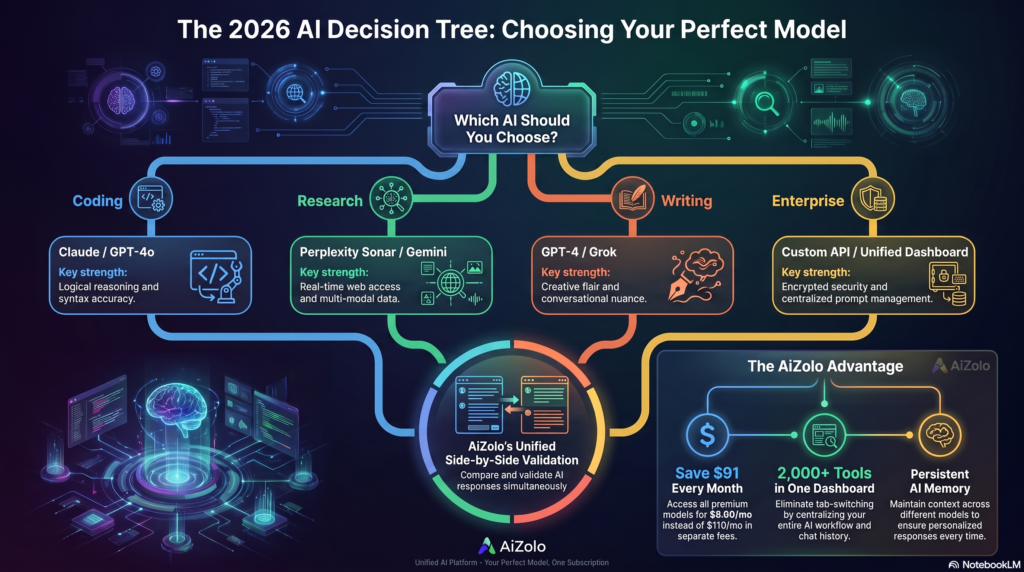
For students: Gemini’s free tier or Perplexity’s Education Pro plan cover most research and homework needs without a subscription.
For developers: Claude Code (Sonnet 5 or Opus 4.8) for reliability, or DeepSeek’s API if token cost is the binding constraint.
For marketers: ChatGPT Plus for content breadth, paired with Perplexity Pro for fact-checked research.
For SEO professionals: Perplexity for cited research plus Claude or ChatGPT for drafting long-form content at scale.
For startups: Mistral or DeepSeek for cost control, upgrading specific workflows to Claude or GPT-5.6 only where accuracy directly drives revenue.
For enterprises: Microsoft Copilot if you’re Microsoft-native, or Claude Enterprise if security and long-document accuracy matter more than office-suite integration.
For researchers: Gemini 3.1 Pro’s 2M-token context window and Perplexity’s citation-first design are the strongest combination available.
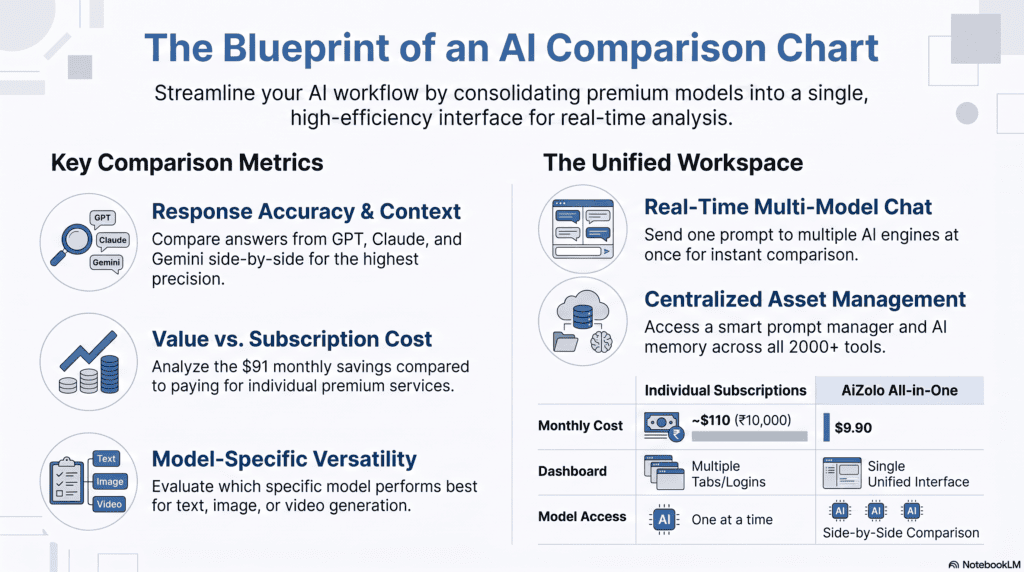
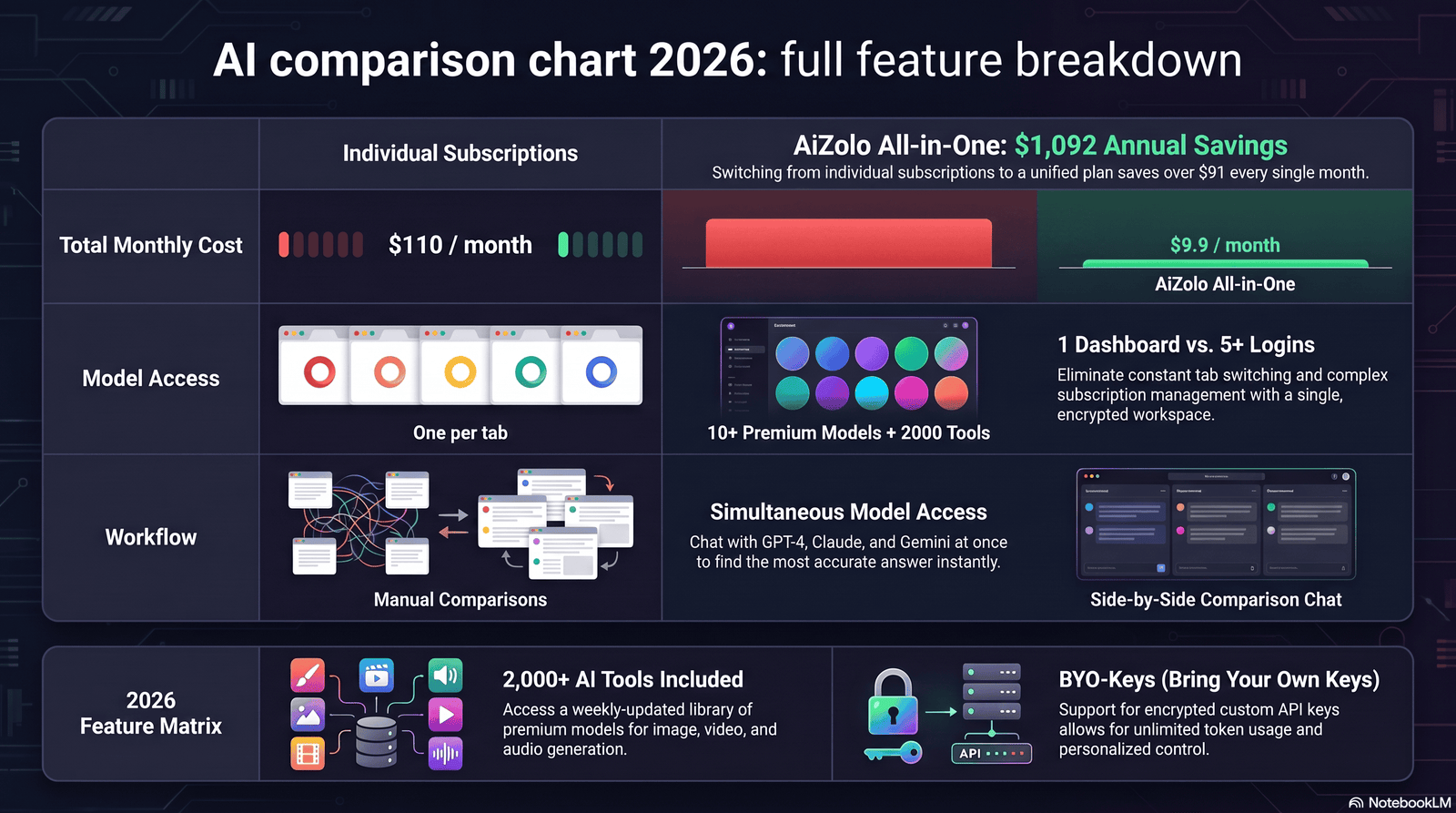
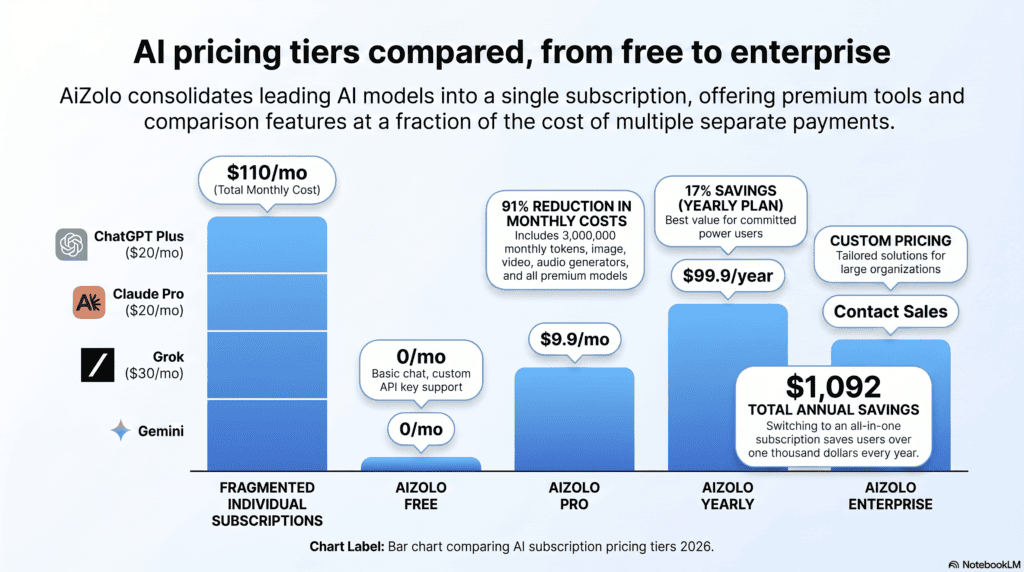
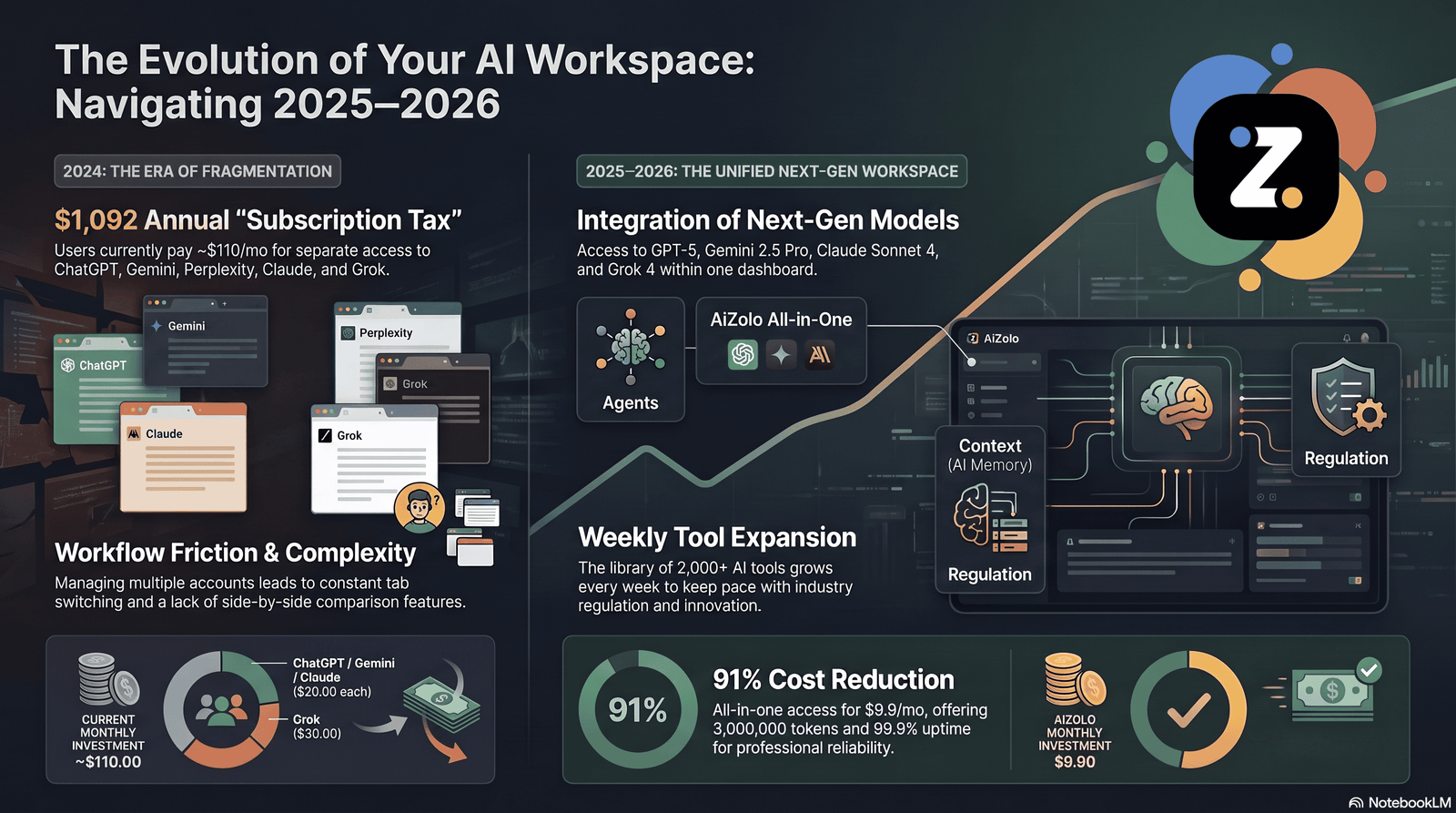
If your workflow genuinely needs more than one model — say, Claude for coding and Perplexity for research — running several separate subscriptions gets expensive fast, which is exactly the problem multi-model AI platforms are built to solve.
Running ChatGPT Plus, Claude Pro, and Gemini AI Pro separately adds up to roughly $60/month before you’ve compared a single output — often more than a single multi-model platform charges for simultaneous access to all three.
Common Mistakes When Comparing AI Models
Even with a chart like this one in hand, it’s easy to draw the wrong conclusion. Watch for these:
- Trusting benchmark scores over your own test. A model that tops a coding benchmark can still underperform on your specific codebase or style guide — benchmarks are an orientation tool, not a final answer.
- Judging on a single response. One good or bad answer can be noise. Re-run the same prompt two or three times before trusting the result.
- Comparing models on tasks they’re not built for. Asking a real-time-data model to write long-form research synthesis, or a citation-first tool to riff creatively, tells you little — match the task to the model’s actual strength first (see the “Best AI Model by Use Case” section above).
- Ignoring cost until the bill arrives. A model that scores marginally higher but costs several times more per token often isn’t the better choice for high-volume work — always weigh quality against cost-per-task, not quality alone.
- Comparing the chat product, not the underlying model. Pricing tiers and rate limits often change independently of the model itself; confirm which specific model version a plan actually gives you.
- Not re-testing after a major release. Given the pace of updates in 2026, a ranking from a few months ago can be stale — re-check your top candidates after any flagship release.
The Future of AI in 2026 and Beyond
The clearest trend of 2026 so far is convergence at the mid-tier: Sonnet-class and Flash-class models are closing the gap with flagship models on most everyday tasks.
Pricing is also converging toward usage-based models layered under flat subscriptions, with effort dials (Claude), thinking modes (Gemini, Grok), and staged rollouts becoming standard rather than exceptions.
Expect continued regulatory friction. The EU AI Act’s General-Purpose AI obligations began applying on August 2, 2026, and export-control actions have already affected the rollout of at least one frontier AI model this year.
Context windows will likely keep climbing, but the more important shift is agentic reliability: models that can run multi-step, multi-tool tasks without losing track of the goal.
For most buyers, the practical takeaway isn’t “wait for the next model” — it’s picking the right tool for today’s workload and re-evaluating every few months as the landscape shifts.
FAQs
1. What is the best AI model overall in 2026? There isn’t one universal winner. Claude leads on coding and long documents, GPT-5.6 leads on feature breadth, and Gemini leads on context window size.
2. Which AI is completely free with no paid tier? DeepSeek’s web and mobile chat has no Plus or Pro tier at all, and Meta AI is free across all its social app integrations.
3. Which AI has the best coding ability? Claude Opus 4.8 and Sonnet 5 currently post the strongest published agentic coding benchmarks among mainstream providers, with DeepSeek V4 close behind at a fraction of the cost.
4. Which AI is cheapest for developers building an app? DeepSeek and Qwen offer the lowest per-token API pricing among production-grade models in 2026.
5. Does ChatGPT or Claude have a bigger context window? Both currently offer up to 1 million tokens at standard pricing, matching each other on this specific metric.
6. Which AI model has the largest context window overall? Gemini 3.1 Pro’s 2-million-token window is the largest among mainstream commercial models; Llama 4 Scout advertises up to 10 million tokens as an open-weight model.
7. Is Perplexity better than ChatGPT for research? Perplexity’s citation-first design makes it stronger for sourced, fact-checked research, while ChatGPT is more versatile for general content creation.
8. Which AI is best for Microsoft Office users? Microsoft Copilot, since it’s natively grounded in Word, Excel, PowerPoint, Outlook, and Teams data through Microsoft Graph.
9. Is Grok worth paying for in 2026? SuperGrok at $30/month is worthwhile if you want real-time X data and a large context window; casual users can usually get by on the free tier.
10. Which AI is best for privacy-conscious users? Mistral’s Le Chat, with its No Telemetry Mode and EU-based infrastructure, is the strongest option for users prioritizing data privacy.
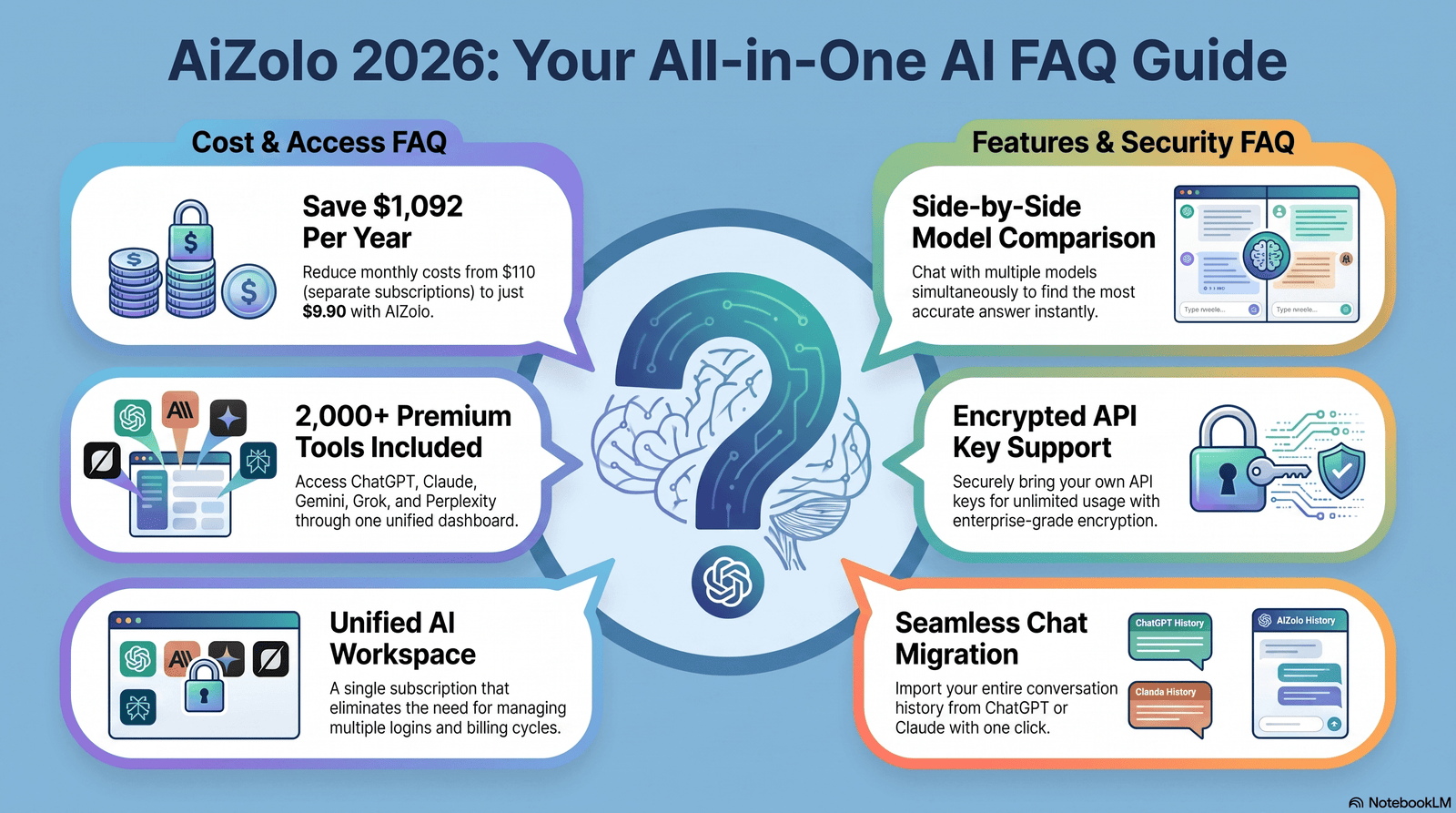
11. Can I use multiple AI models without paying for separate subscriptions? Yes — several platforms now bundle access to multiple models (like ChatGPT, Claude, and Gemini) under one subscription, which is often cheaper than paying for each individually.
12. Which AI is best for enterprise compliance? Claude and Microsoft Copilot both offer strong enterprise security controls; Mistral is the strongest choice specifically for EU data residency requirements.
13. How often should I re-evaluate which AI model I’m using? Given the pace of releases in 2026, checking every 2-3 months is reasonable for most individual users; teams with heavy API spend should review monthly.
14. Are open-source AI models like Llama and Qwen good enough for production use? Yes, for many workloads. Qwen3.8 and Llama 4 both post benchmark scores competitive with closed models, especially for coding and multilingual tasks, at a fraction of the cost when self-hosted.
15. What’s the biggest pricing mistake people make when choosing an AI subscription? Paying for a flagship-tier plan (like ChatGPT Pro at $200 or Claude Max 20x) without first confirming they actually hit the limits of a cheaper tier.
Conclusion
The biggest mistake in 2026 is asking, “What is the single best AI model?” The better question is, “Which model is best for my task, budget, and workflow?”
Use this AI comparison chart 2026 as a working reference: match your task — coding, research, writing, or enterprise deployment — to the model built for it, not the one with the loudest marketing.
Pricing changes fast in this market, so revisit the official pricing pages linked below before committing to an annual plan.
Ready to stop overpaying for AI? Compare your current workflow against the chart above, and consider whether a single-model subscription or a multi-model platform actually fits how you work.
Author Bio
Author: Jeevesh Tripathi Email: jeevesh@aizolo.com
Jeevesh Tripathi is an AI tools researcher and SaaS analyst who spends his time hands-on testing AI productivity software, comparing subscription pricing, and tracking model releases across the major AI labs. His work focuses on practical, evidence-based comparisons rather than vendor marketing, drawing on official pricing documentation, published benchmarks, and direct product testing to help readers make informed decisions about which AI tools actually fit their workflow.

Pretty! This has been an incredibly wonderful post.
Thank you for supplying this information.
Hi, i read your blog occasionally and i own a similar one and i was just wondering if you get
a lot of spam remarks? If so how do you reduce it, any plugin or anything you
can advise? I get so much lately it’s driving me mad so any help is very much appreciated.