
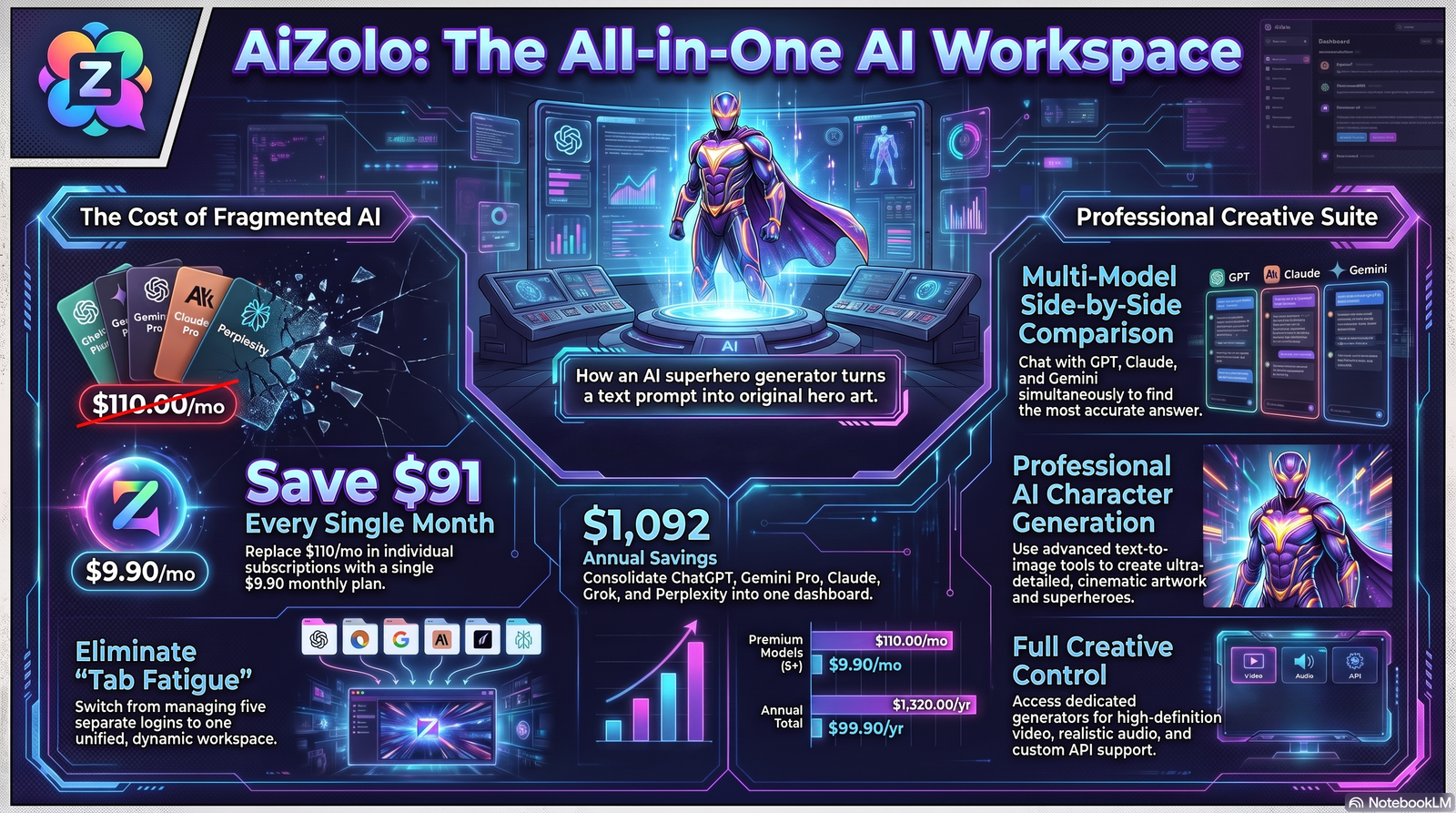
Ever wanted to see yourself as a caped crusader, a neon-armored vigilante, or a mythic guardian without spending years learning to draw? That’s exactly what an AI superhero generator makes possible—and with Aizolo, you can create stunning superhero artwork from a simple text prompt in seconds. It’s no surprise this has become one of the most requested creative AI tools of 2026.
This guide breaks down how these tools actually work under the hood, how to prompt them like a professional concept artist, and how to avoid the mistakes that make 90% of AI hero art look generic. We’ll also cover licensing, ethics, and where this technology is headed next.
Whether you’re a comic artist prototyping a new hero, a YouTuber who needs a channel mascot, or a marketer building a brand character, you’ll find a practical, field-tested workflow here — not marketing fluff.
Table of Contents
What Is an AI Superhero Generator?
An AI superhero generator is an image generation tool that turns written descriptions into original superhero-style artwork. You type a prompt describing a costume, pose, power set, or mood, and a diffusion-based image model renders a finished illustration in seconds.
Unlike a generic AI image generator, tools built or fine-tuned for hero art tend to understand comic-specific vocabulary — terms like “dynamic action pose,” “cape physics,” “cel-shading,” or “Golden Age comic inking.” That specialization is what separates a true AI comic character generator from a general-purpose art tool.
Summary Box: An AI superhero generator combines a text-to-image diffusion model with style conditioning tuned for comic, cinematic, or illustrated hero aesthetics. The output is an original character — not a copy of an existing one — based entirely on your description.
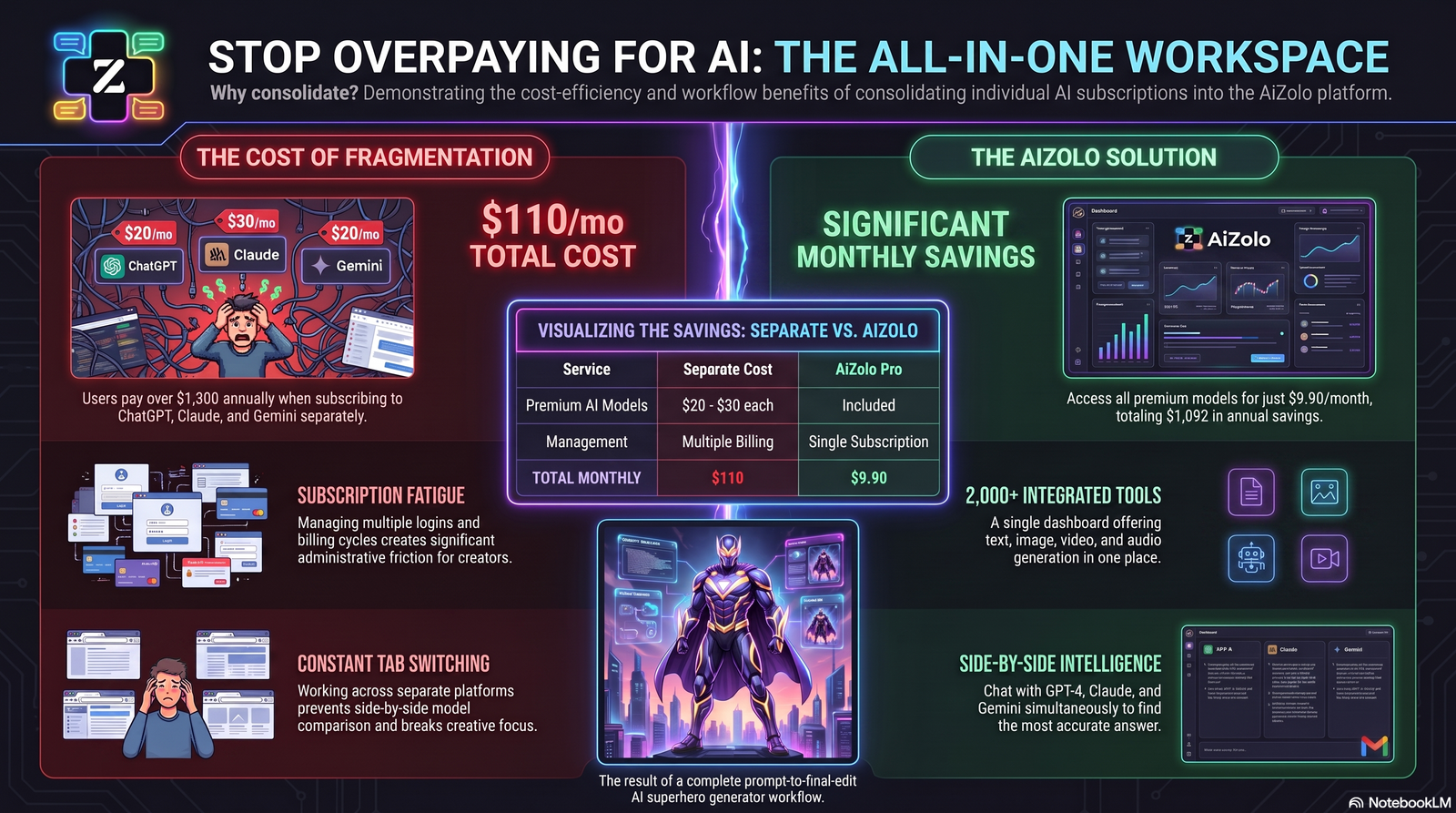
At Aizolo, this capability sits alongside multiple AI models in a single subscription, which matters because different models render armor, lighting, and anatomy differently. Being able to compare outputs from several models on the same prompt is one of the fastest ways to find the aesthetic you actually want.
AI Superhero Creator vs. Traditional Illustration
A traditional illustrator sketches, inks, and colors by hand — a process that can take hours or days per character. An AI superhero creator compresses that into a prompt-and-render loop measured in seconds to minutes. It doesn’t replace illustration skill; it changes where that skill is applied — from the pencil to the prompt.
How AI Superhero Generators Actually Work
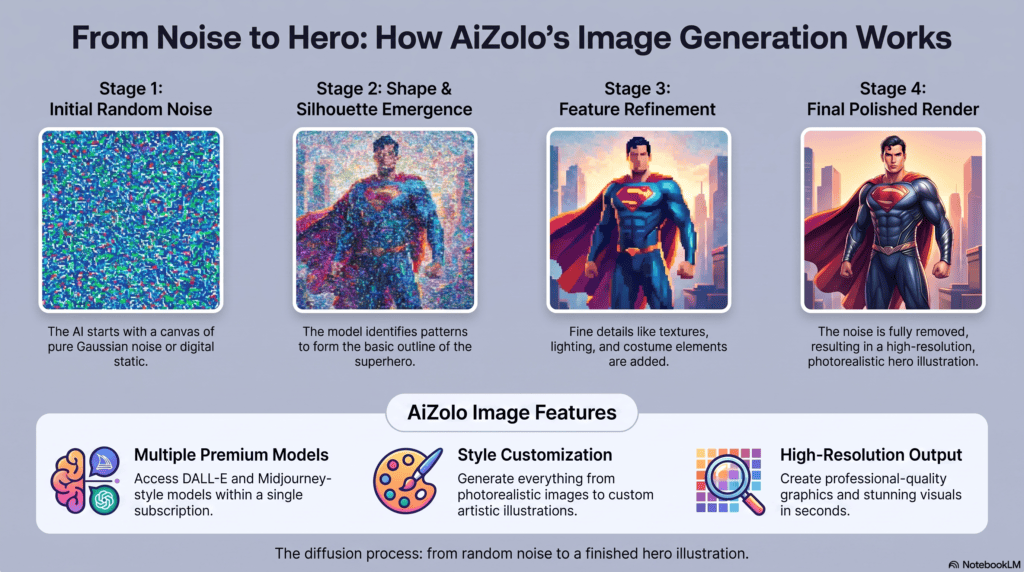
To use these tools well, it helps to understand — even at a high level — what’s happening behind the interface.
Diffusion Models, Explained Simply
Most modern AI image generation tools, including hero generators, are built on diffusion models. Here’s the core idea in plain language:
- The model starts with a canvas of random visual noise.
- It’s trained to gradually “denoise” that canvas, step by step.
- At each step, it references your text prompt to steer what shapes and colors should emerge.
- After dozens of steps, the noise resolves into a coherent image.
This is fundamentally different from how a search engine retrieves an existing picture. A diffusion model isn’t pulling a pre-made superhero out of a database — it’s generating pixels from scratch based on statistical patterns learned during training.
The Role of the Text Encoder
Before diffusion starts, your prompt is converted into a numerical representation by a text encoder (often a CLIP-style model). This is why word order, specificity, and vocabulary matter so much — the encoder is translating your language into the “coordinates” the image model will aim for.
Why Prompting Feels Like a Skill
Because the text encoder and diffusion model were trained together, some phrases produce dramatically better results than others — even when they mean nearly the same thing to a human. This is the entire reason AI prompt engineering has become a real, learnable skill rather than just typing a sentence.
Editing and Refinement Layers
Most platforms add tools on top of the base diffusion model:
- Inpainting — regenerate just one region (fix a hand, change a cape color).
- Upscaling — increase resolution without introducing new artifacts.
- ControlNet-style pose guidance — lock a specific pose or silhouette while changing style.
- Reference/character-lock features — help the same face or costume reappear across images.
These editing layers are often what separates a usable AI hero image generator workflow from a one-shot novelty generator.
Who Should Use an AI Superhero Generator?
This tool category serves a wider audience than most people expect.
| User Type | Primary Use Case |
|---|---|
| Comic artists | Rapid concept sketches before final inking |
| Game developers | Character concept art and mood boards |
| Writers/novelists | Visualizing characters for reference |
| Cosplayers | Costume planning and inspiration boards |
| YouTubers | Channel mascots and thumbnail art |
| Marketers | Branded mascots and campaign visuals |
| Students | Learning composition, color theory, storytelling |
| Social media creators | Original profile pictures and post art |
| Small businesses | Original mascot design without hiring an illustrator |
If you need speed, iteration, and a wide stylistic range — and you’re comfortable doing some manual refinement — an AI character creator built for hero art is worth adding to your workflow.
Benefits and Limitations
Being upfront about weaknesses is part of giving genuinely useful advice, so here’s a balanced look.
Benefits
- Speed: Concepts that took hours now take minutes.
- Iteration: You can explore dozens of costume or pose variations cheaply.
- Accessibility: No drawing skill required to visualize an idea.
- Style range: One prompt can be rendered in comic ink, 3D render, watercolor, or photoreal styles.
- Cost efficiency: Cheaper than commissioning multiple concept sketches.
Limitations
- Consistency across images is still imperfect — the same “character” can subtly change face shape or costume details between generations.
- Hands, insignia, and text on costumes are common failure points.
- Outputs can drift toward generic tropes if prompts are vague.
- Commercial rights vary by platform and must be checked before selling merchandise or NFTs.
- It cannot replace a human illustrator’s intentionality — it’s a drafting and ideation tool, not a finished-product guarantee.
Expert Tip: Treat your first generation as a rough draft, not a final asset. The best results almost always come from a generate → refine → inpaint cycle, not a single lucky prompt.
Best Prompting Techniques
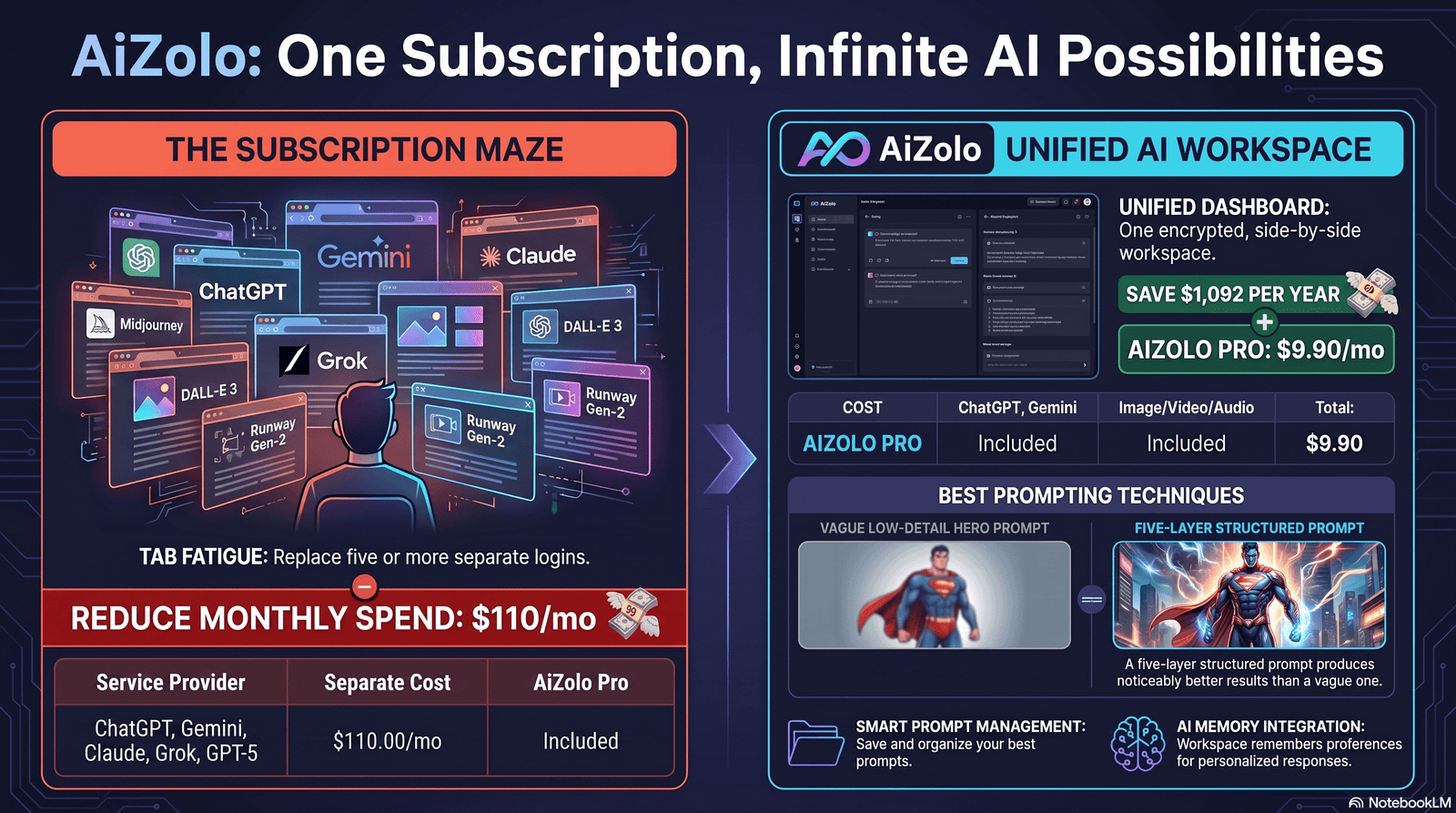
This is where most people either get incredible results or forgettable ones. Good AI prompt engineering for hero art follows a repeatable structure.
The Five-Layer Prompt Structure
- Subject — who/what is the hero (gender-neutral or specific, species, role)
- Costume/Design — armor, cape, colors, materials, insignia style
- Pose/Action — standing, mid-flight, combat stance, close-up
- Environment/Lighting — cityscape, storm, studio lighting, rim light
- Art Style — comic ink, cinematic render, anime, watercolor, 3D
Example structure:
“[Subject] wearing [costume details], [pose], set in [environment] with [lighting], rendered in [art style].”
Best Practices Table
| Do | Avoid |
|---|---|
| Use specific material words (chrome, kevlar, silk) | Vague terms like “cool armor” |
| Specify camera angle (low angle, three-quarter view) | Leaving framing undefined |
| Name a lighting mood (dramatic rim light, golden hour) | Skipping lighting entirely |
| Reference art movements (Art Deco, Ukiyo-e) instead of named characters | Naming copyrighted heroes directly |
| Iterate with small prompt changes | Rewriting the whole prompt each time |
Negative Prompts Matter Too
Many platforms support negative prompts — terms that tell the model what to avoid (e.g., “blurry, extra limbs, text artifacts, watermark”). This is an underused lever for cleaning up AI comic art generator output quality.
Step-by-Step Tutorial
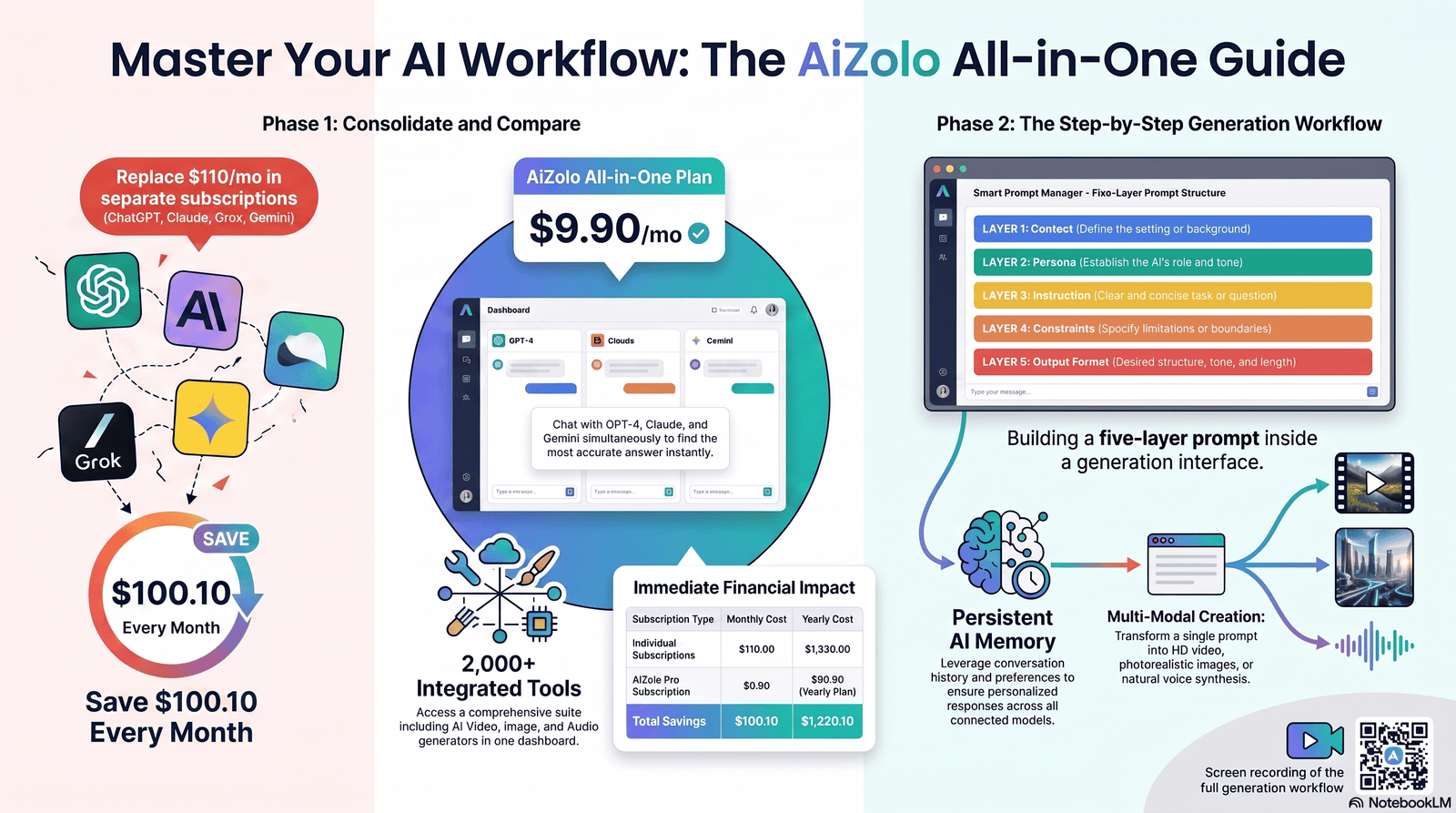
Here’s a practical, repeatable workflow.
Step 1 — Define the character concept. Write one sentence describing your hero’s role, personality, and visual theme before touching a prompt box.
Step 2 — Draft a five-layer prompt. Use the structure above: subject, costume, pose, environment, style.
Step 3 — Generate 4–8 variations. Don’t judge on one image. Batches reveal the model’s range for that prompt.
Step 4 — Select the strongest base image. Pick the version with the best proportions and composition, even if details are imperfect.
Step 5 — Inpaint problem areas. Fix hands, insignia, or costume seams using localized editing rather than full regeneration.
Step 6 — Upscale for final use. Increase resolution before exporting for print, thumbnails, or social use.
Step 7 — Lock the character sheet. Save the exact prompt, seed (if available), and reference image so you can reproduce the same character later.
Common Mistakes to Avoid
- Naming real copyrighted characters directly in prompts — this risks derivative-looking output and licensing issues.
- Over-stuffing the prompt with 40+ adjectives, which confuses the model’s attention.
- Ignoring aspect ratio for the platform you’re publishing to (thumbnails vs. posters vs. avatars need different crops).
- Skipping the editing pass and publishing a first-draft image with visible artifacts.
- Forgetting to save prompts, making it hard to recreate a character later.
How to Create Consistent Superhero Characters
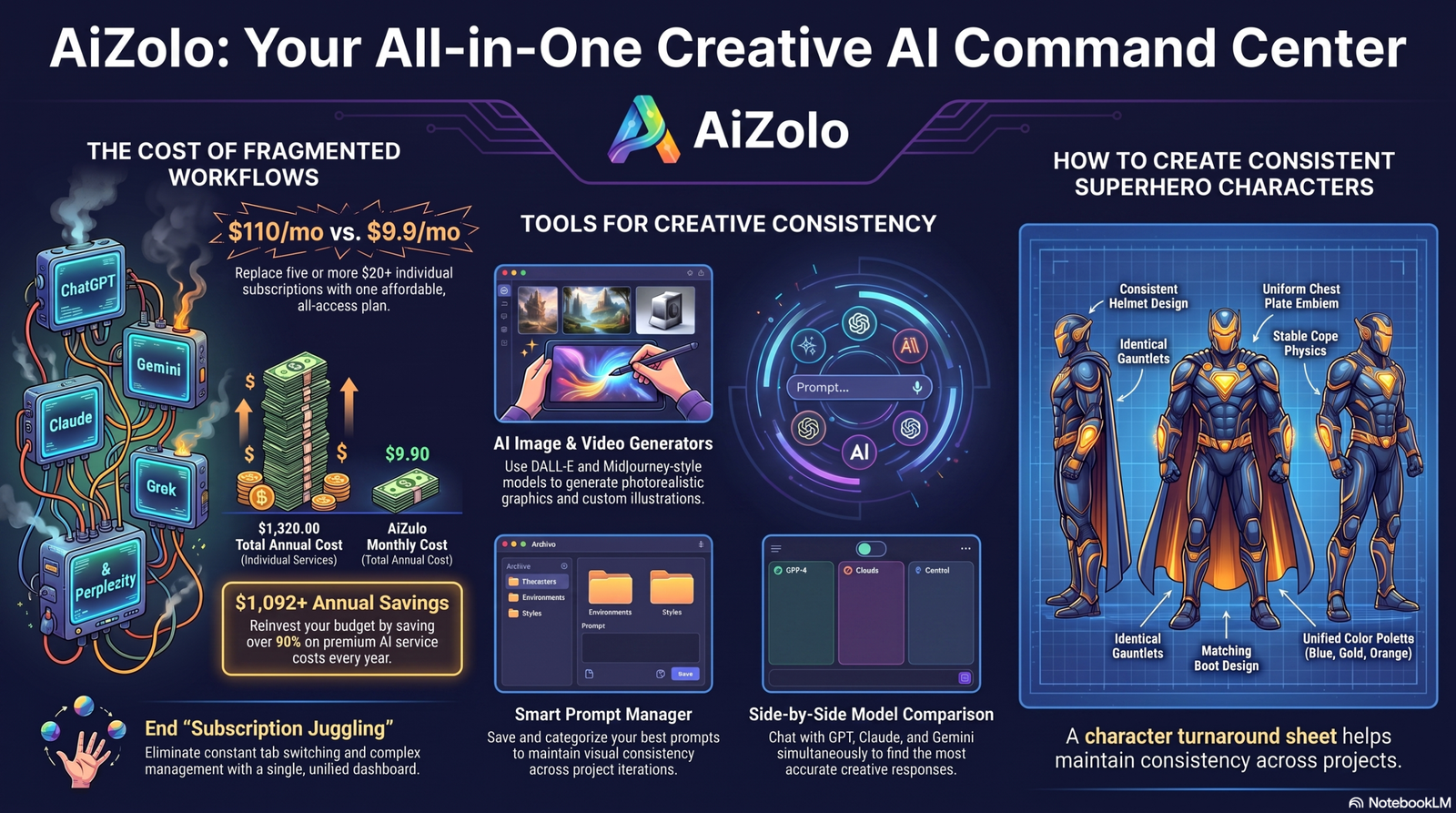
Character consistency is the single biggest technical challenge in this space, and it’s worth addressing head-on.
Techniques That Actually Help
- Reuse the exact same costume description word-for-word across every prompt.
- Use a reference/character-lock feature if your platform offers one, rather than relying on memory alone.
- Fix the seed number when available — this reduces random variation between generations.
- Build a “character bible” — a short document listing exact colors (hex codes if possible), costume materials, and facial features.
- Generate a turnaround sheet (front, side, three-quarter view) early, and reference it in later prompts.
Warning: No current AI model guarantees 100% consistency across unlimited generations. Budget time for manual touch-ups if you need a character to appear across a full comic issue or campaign.
Creative Applications
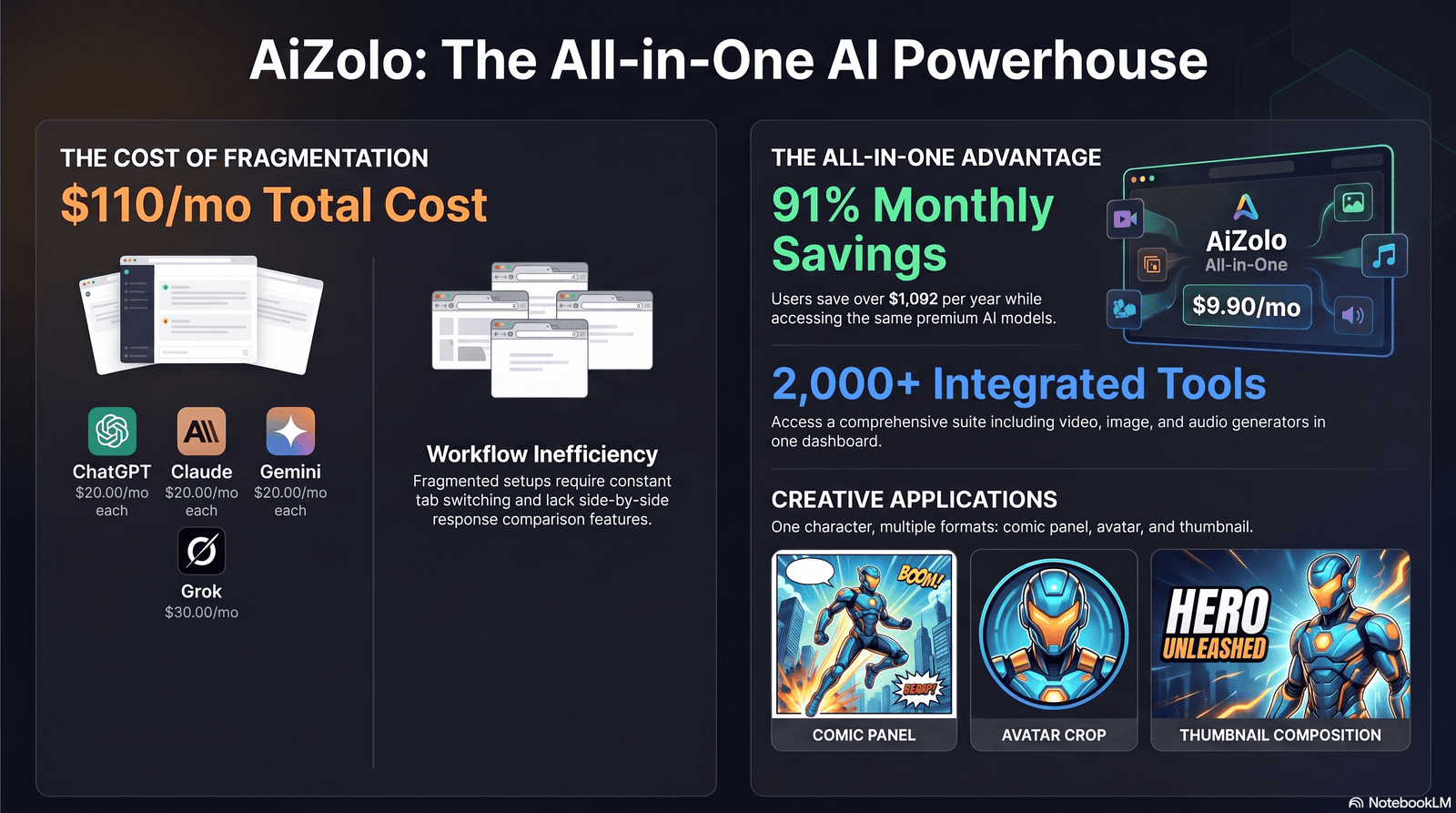
Creating Comics
Use an AI comic illustration workflow to draft panel layouts fast: generate individual character poses, then compose them into panels using standard design software. This is ideation and paneling support, not a replacement for a letterer or a full studio pipeline.
Creating Avatars
An AI avatar generator approach works well for profile pictures — square-crop compositions, close-up framing, and simplified backgrounds tend to perform best for this use case.
Creating YouTube Thumbnails
Thumbnails need high contrast and a clear focal point. Prompt for “close-up, dramatic lighting, bold color contrast, single subject” and leave negative space for text overlays.
Creating Social Media Content
Batch-generate a consistent hero across multiple poses for a content calendar — action shots, close-ups, and environment shots each serve a different post type.
Creating Game Characters
Game studios use this as early superhero concept art, feeding selected outputs to 3D modelers as visual reference rather than final in-game assets.
Creating NFTs
Some creators use AI hero art for NFT collections. Market risk note: NFT markets have been highly volatile, and speculative collections carry real financial risk — this should be approached as a creative or collecting choice, not a guaranteed investment.
Creating Concept Art
For pitch decks and mood boards, AI-generated hero concepts can communicate tone and direction faster than written descriptions alone, speeding up early creative reviews.
Business, Marketing, and Educational Use Cases
Business Use Cases
Companies use an AI character creator to design original mascots for branding — often faster and cheaper than a full illustration commission for early concept rounds.
Marketing Use Cases
Campaign-specific hero characters can support seasonal promotions, app icons, or social campaigns without licensing an existing IP.
Educational Use Cases
Teachers use these tools to illustrate storytelling and character-design lessons, letting students see abstract writing concepts (motivation, visual symbolism) rendered instantly.
Commercial Licensing and Copyright Considerations
This is one of the most misunderstood parts of AI hero generation, so let’s be precise.
- Check your platform’s specific commercial license terms before selling any output — terms vary significantly between tools and change over time.
- Originality matters legally. Prompts that closely imitate a specific copyrighted character’s name, costume, and iconography increase legal risk, even if the image isn’t a pixel-for-pixel copy.
- “Style” is not the same as “character.” Being inspired by a general aesthetic (e.g., “Golden Age comic inking”) is different from recreating a specific trademarked hero.
- Copyright status of AI-generated images is still evolving in many jurisdictions — the U.S. Copyright Office has published guidance stating that works generated with no human creative input generally aren’t eligible for copyright protection on their own.
- Keep records of your prompts, edits, and creative decisions — documenting human creative input can matter for both licensing and authorship questions.
Expert Tip: When in doubt, treat any hero design that closely resembles a specific named copyrighted character as off-limits for commercial use, regardless of how it was generated.
Privacy Considerations
If you use a photo of yourself or someone else as a reference for a “hero-ify me” style generation:
- Only upload photos you have the right to use.
- Avoid uploading identifiable photos of minors for stylized transformations.
- Check whether your platform retains or trains on uploaded reference images, and review its data retention policy before uploading anything sensitive.
Comparing AI Superhero Generator Tools
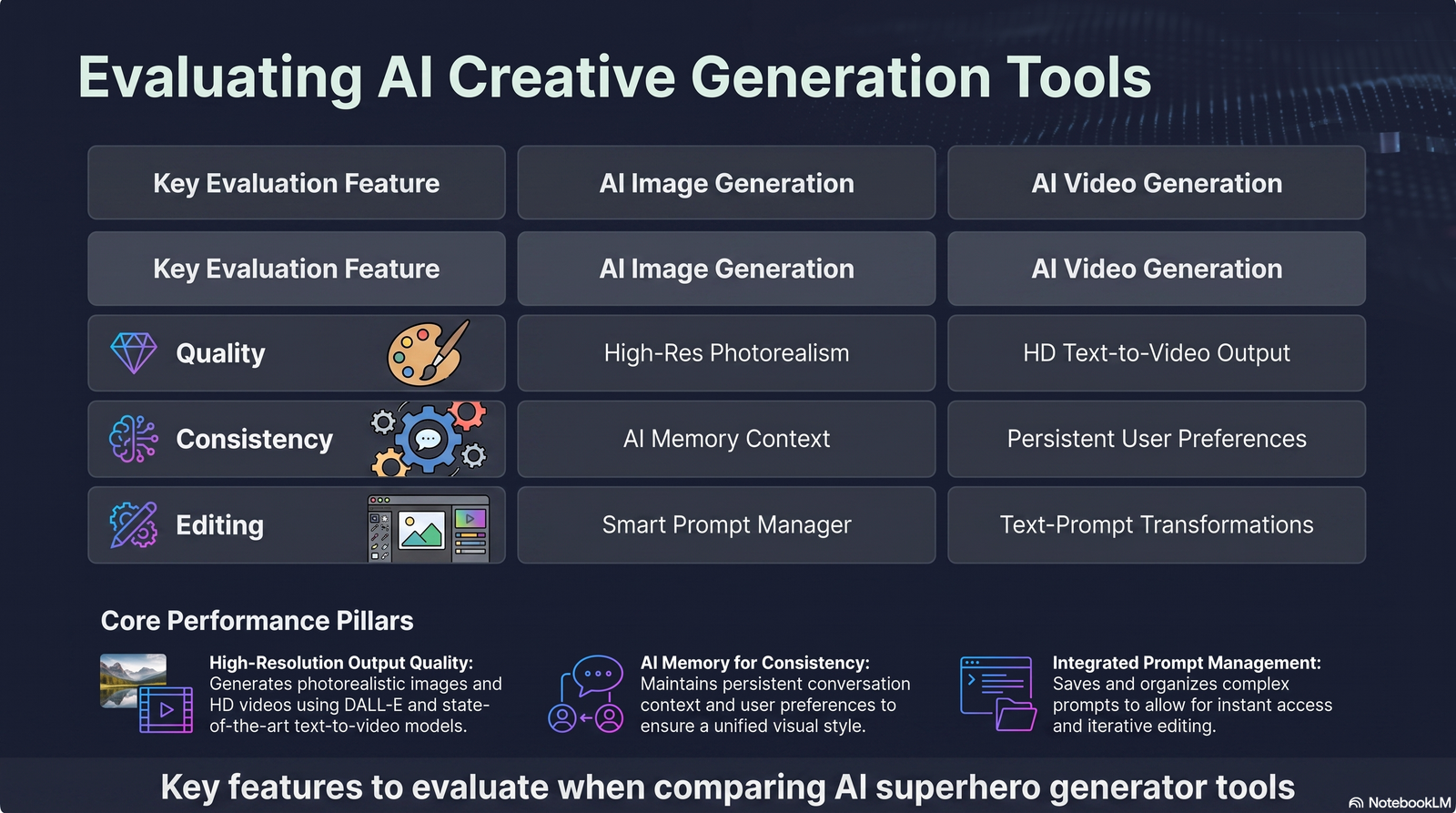
| Feature | Best For | Notes |
|---|---|---|
| Image Quality | Print, posters | Look for upscaling support |
| Character Consistency | Comics, series work | Check for reference-lock features |
| Editing Tools | Fixing hands/details | Inpainting is essential |
| Prompt Understanding | Complex costume detail | Test with a detailed five-layer prompt |
| Style Range | Multi-project studios | Comic, 3D, watercolor, photoreal |
| Speed | High-volume content | Batch generation matters |
| Commercial License | Selling merchandise/NFTs | Always confirm current terms |
| Ease of Use | Beginners | Look for guided prompt builders |
| Pricing Model | Budget-conscious creators | Subscription vs. pay-per-image |
Pros & Cons Snapshot
Pros of using an AI superhero generator:
- Fast iteration on character concepts
- Wide stylistic flexibility
- Lower cost than full commissions for drafts
- Useful across comics, games, marketing, and social content
Cons:
- Consistency requires manual effort
- Licensing terms require careful reading
- Not a substitute for finished professional illustration work
Why Access to Multiple Models Matters
Different underlying models render armor, lighting, and faces differently — one might excel at painterly textures, another at clean vector-style linework. Aizolo’s approach of providing multiple AI models in a single subscription lets you A/B test the same five-layer prompt across models and pick the closest match to your vision, rather than committing to one model’s particular “look.”
The Prompt Library: 30+ Ready-to-Use Prompts
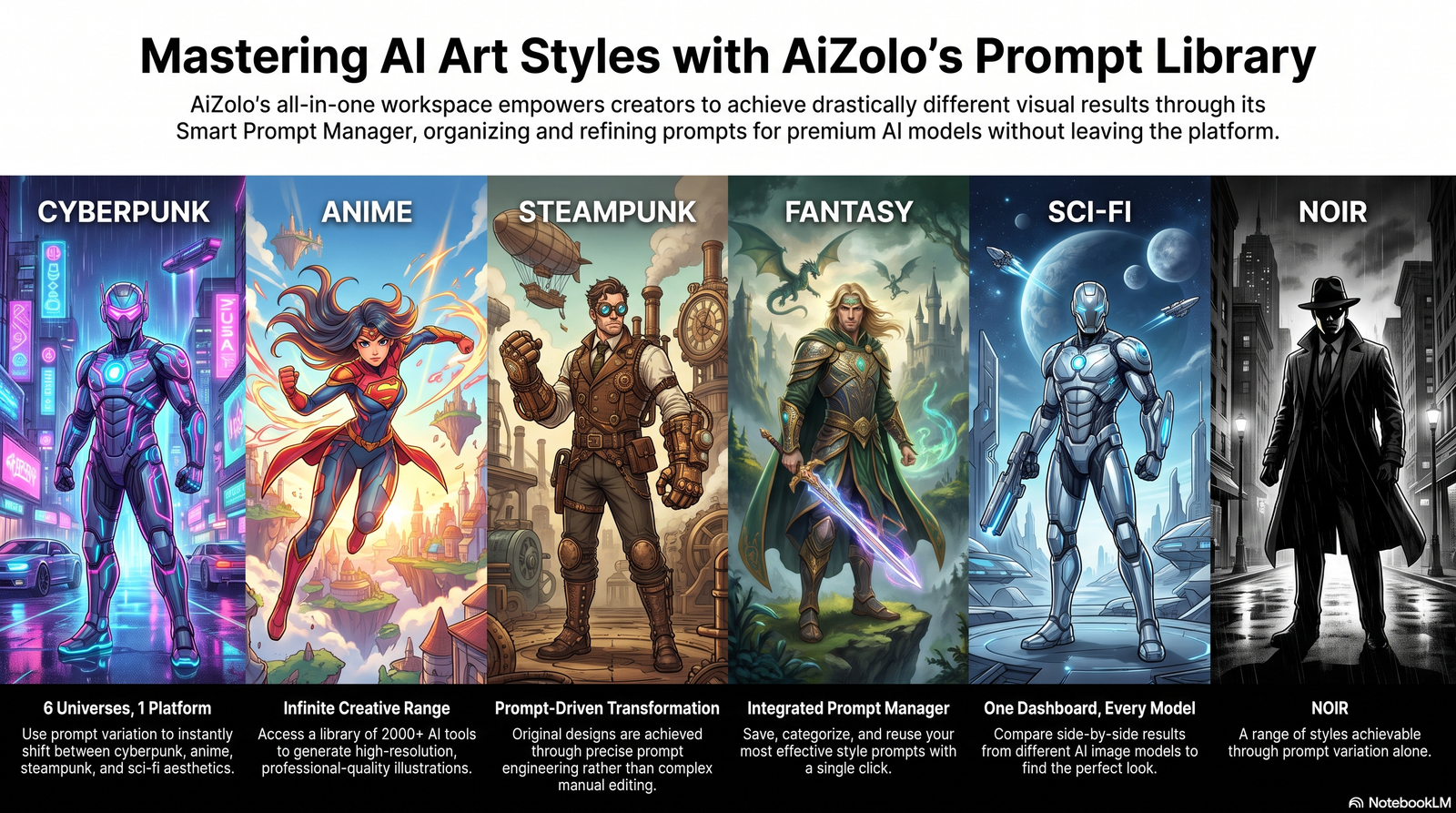
Each prompt below follows the five-layer structure and explains why it works.
- Cinematic armored hero: “A tall armored hero with glowing blue chest emblem, standing on a rain-soaked rooftop at night, cinematic rim lighting, hyperrealistic render.” Works because it pairs a strong light source with a wet-surface reflection cue, which diffusion models render convincingly.
- Cyberpunk superhero: “A cyberpunk vigilante in a matte-black bodysuit with neon circuit patterns, crouched on a neon-lit ledge, foggy city background, digital art style.” Neon-on-matte contrast gives the model clear color anchors.
- Anime superhero: “An anime-style hero with spiked silver hair and a crimson scarf, dynamic mid-air kick pose, speed lines, cel-shaded coloring.” Naming the animation technique (cel-shading) steers the render toward that specific aesthetic.
- Steampunk hero: “A steampunk inventor-hero in brass and leather armor with a mechanical gauntlet, standing beside gears and steam vents, sepia-toned illustration.” Material words (brass, leather) plus environment props reinforce the genre.
- Sci-fi guardian: “A sci-fi guardian in reflective white-and-gold armor, floating above a alien landscape, twin moons in the sky, concept art style.” Environmental worldbuilding details add narrative depth.
- Fantasy warrior: “A fantasy warrior-hero in carved stone-and-vine armor, holding a glowing staff, ancient forest ruins background, painterly digital art.” Nature-based materials differentiate this from sci-fi armor prompts.
- Female superhero: “A confident female hero in aerodynamic violet armor, wind-blown cape, three-quarter view, dramatic studio lighting.” Specifying camera angle improves anatomical coherence.
- Male superhero: “A muscular male hero in matte-grey tactical armor with a torch-orange visor, low-angle heroic pose, overcast sky background.” Low-angle framing reliably produces a “heroic” visual read.
- Child-friendly hero: “A friendly, rounded-proportion cartoon hero in bright primary colors, big smile, simple cape design, flat vector illustration style.” Flat vector style keeps the output appropriately playful rather than gritty.
- Comic cover composition: “A comic book cover featuring a hero mid-leap over a city skyline, bold ink outlines, halftone shading, title-banner space at top.” Reserving banner space produces layouts usable for real cover design.
- Movie poster style: “A cinematic movie-poster composition of a hero standing in silhouette against an orange sunset, dramatic wide shot, high contrast.” Silhouette framing is a classic poster technique the model handles well.
- 3D render: “A 3D-rendered hero in segmented polymer armor, studio three-point lighting, neutral grey background, product-render style.” “Product-render style” cues clean, evenly-lit output good for character sheets.
- Pixel art hero: “A 32-bit pixel art superhero sprite, standing idle pose, limited color palette, retro video game style.” Bit-depth and palette limits keep the aesthetic authentic to the genre.
- Watercolor hero: “A watercolor-style illustration of a hero mid-flight, soft pastel color bleed, textured paper background.” Naming the medium (watercolor) plus a texture cue (paper) improves authenticity.
- Photorealistic hero: “A photorealistic hero in tactical carbon-fiber armor, urban night setting, practical lighting, shallow depth of field.” Camera/lens language (depth of field) pushes toward photographic realism.
- Minimalist hero: “A minimalist flat-design hero silhouette using two-tone color blocking, geometric shapes, clean background.” Restricting color count naturally produces a minimalist look.
- Dark vigilante: “A shadow-cloaked vigilante hero in matte-black leather, illuminated only by a single street lamp, film-noir style.” Single light-source prompts create strong noir contrast.
- Golden Age comic style: “A hero illustrated in Golden Age comic style, bold primary colors, thick ink outlines, halftone dot shading, 1940s poster aesthetic.” Referencing an art era (not a specific character) keeps this original.
- Space hero: “A hero in a sleek silver space suit with a glass helmet, floating against a starfield, nebula colors in the background.” Starfield backgrounds are a reliable sci-fi environment cue.
- Magic hero: “A sorceress-hero channeling glowing violet energy from her palms, flowing enchanted robes, mystical forest clearing.” Describing the energy source visually (glow, color) gives the model something concrete to render.
- Nature guardian: “A hero fused with living bark and moss armor, antlers forming a natural crown, misty woodland background.” Fusing organic textures with armor produces distinctive, non-generic silhouettes.
- Tech superhero: “A hero in a sleek exosuit with holographic HUD projections around the head, glowing circuit lines, futuristic lab background.” HUD/hologram details add technological storytelling without extra words.
- Mythology-inspired hero: “A hero inspired by classical mythology, wearing laurel-and-bronze armor, dramatic marble ruins backdrop, painterly renaissance lighting.” Referencing lighting style from art history (renaissance) adds painterly depth.
- Animal-inspired hero: “A hero with falcon-inspired armor plating and feathered cape details, perched on a skyscraper ledge, golden hour lighting.” Animal-inspired texture words (feathered) create distinctive costume silhouettes.
- Futuristic armor set: “A hero in segmented adaptive armor that shifts color with movement, dynamic action pose, motion blur effects.” Motion blur cues help convey speed and dynamism.
- Alien defender: “A humanoid alien hero with bioluminescent skin patterns, translucent energy wings, alien cityscape background.” Bioluminescence is a strong, model-friendly visual motif for alien designs.
- Team lineup: “A lineup of five original heroes in varied costume styles, standing shoulder-to-shoulder, wide-angle group composition, comic ink style.” Wide-angle framing is essential for legible multi-character compositions.
- Supervillain counterpart: “A menacing villain in jagged obsidian armor with crimson energy cracks, standing amid crumbling ruins, ominous lighting.” Jagged silhouettes read as villainous by contrast with rounded hero shapes.
- Origin story portrait: “A close-up portrait of a hero just after gaining powers, expression of awe, faint energy glow reflected in the eyes.” Emotional direction (awe) plus a lighting detail (eye reflection) adds narrative subtlety.
- Dynamic action pose: “A hero mid-punch, impact shockwave rippling outward, dramatic foreshortening, high-energy comic panel style.” Foreshortening and shockwave cues are classic techniques for conveying motion in a still image.
- Costume redesign variant: “The same hero redesigned in a winter-mission variant: insulated matte armor, fur-lined collar, snow-covered rooftop setting.” Explicitly labeling it a “variant” helps maintain identity while changing context.
- Team logo/emblem concept: “A minimalist emblem design representing a hero team, geometric shield shape, two-color palette, flat vector style.” Useful for branding assets beyond full character art.
Best Practice: Save every prompt that produces a keeper image in a simple spreadsheet with columns for prompt text, model used, and output rating. This becomes your personal AI character prompts library over time.
The Future of AI Superhero Generation
A few developments are already shaping where this space is headed:
- Better consistency tools — reference-locking and character-memory features are improving generation over generation, reducing manual touch-up time.
- Video extension — early tools now animate static hero art into short cinematic clips, extending AI visual storytelling beyond still images.
- Tighter editing integration — inpainting, upscaling, and pose control are converging into single-interface workflows instead of separate tools.
- Clearer licensing frameworks — as adoption grows, expect platforms to publish more explicit commercial-use terms rather than leaving creators to guess.
None of this eliminates the need for human creative judgment — prompt writing, curation, and final editing remain skills that meaningfully shape output quality.
Frequently Asked Questions
1. Is an AI superhero generator free to use? Many platforms offer limited free generations, with paid tiers unlocking higher resolution, more models, and commercial licensing. Check each platform‘s current pricing page for specifics.
2. Can I create a hero based on Marvel or DC characters? You can draw general artistic inspiration from comic art styles, but recreating a specific named, trademarked character risks copyright and trademark issues. This guide’s prompts intentionally avoid naming protected characters.
3. Do I own the copyright to AI-generated superhero art? This depends on your jurisdiction and platform terms. In the U.S., works with no human creative authorship generally aren’t eligible for copyright protection on their own — human-directed edits and curation can matter.
4. Can I sell merchandise using AI-generated hero art? Only if your platform’s commercial license explicitly permits it. Always read the current terms before selling physical or digital products.
5. How do I make the same character appear consistently across multiple images? Reuse identical costume descriptions, use reference-lock or seed-lock features if available, and build a written “character bible” to reference in every prompt.
6. What’s the difference between an AI superhero generator and a general AI image generator? A general tool can create any image type; a hero-focused generator (or a general tool prompted well) is optimized through vocabulary and technique for comic, cinematic, and costume-specific results.
7. Can AI superhero generators create comic book pages, not just single characters? Some workflows support panel-style compositions, but full comic pages with dialogue and lettering usually require combining AI-generated art with traditional design software.
8. Is it ethical to use AI for professional illustration work? It’s generally accepted as a drafting and ideation tool. Many professionals disclose AI involvement and use it alongside — not instead of — human editing and finishing work.
9. What image resolution should I use for print vs. web? Print generally needs 300 DPI at final size; web thumbnails and social posts typically work well at 72–150 DPI and standard platform dimensions (e.g., 1280×720 for YouTube thumbnails).
10. Can I use a photo of myself to generate a superhero version? Many tools support this via image-to-image generation. Only upload photos you have rights to use, and check the platform’s data retention policy first.
11. Why do AI-generated hands sometimes look wrong? Hands have complex, high-variability geometry that’s historically harder for diffusion models to render accurately; inpainting the hand region specifically often resolves this.
12. Which AI model produces the best superhero art? It varies by desired style — some models excel at painterly textures, others at clean linework or photorealism. Testing the same prompt across multiple models is the most reliable way to find your best fit.
Final Verdict
An AI superhero generator is a genuinely useful ideation and drafting tool for anyone who needs original hero-style art quickly. It shines at rapid iteration, style exploration, and lowering the barrier to visualizing a character concept.
It is not a substitute for professional finishing work, and consistency across a full project still requires a documented workflow and manual editing. Used with realistic expectations — and read carefully for licensing terms — it’s a strong addition to a modern creative toolkit.
Conclusion
The core takeaways: understand that these tools generate original pixels via diffusion, not retrieve existing art; prompt with a structured, five-layer approach; budget time for editing and consistency work; and always confirm commercial licensing before selling anything you create. Used this way, an AI superhero generator becomes a practical part of a creator’s workflow rather than a novelty.
Author Bio
Jeevesh Tripathi Email: jeevesh@aizolo.com
Jeevesh Tripathi researches and writes about generative AI platforms, prompt engineering, and emerging AI creative tools for Aizolo. His work focuses on practical, workflow-tested guidance for creators, developers, and businesses evaluating AI image and content tools — with an emphasis on accuracy over hype and on helping readers understand how these systems actually work before they rely on them.
