
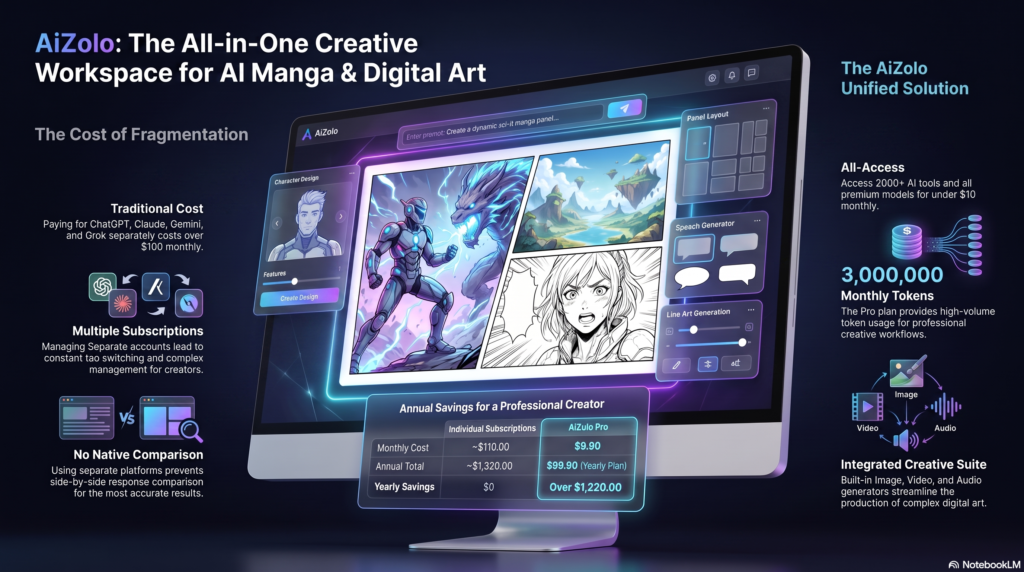
If you’ve ever wanted to draw manga but felt held back by a lack of illustration skills, an AI manga generator can close that gap in seconds.
Aizolo and similar AI tools turn a simple text description — or an uploaded photo — into black-and-white or full-color manga artwork, complete with expressive characters, screentone shading, and panel-ready compositions.
This guide is written for beginners, manga fans, comic artists, YouTubers, game developers, marketers, and indie creators who want a real, practical understanding of how these tools work — not just a list of app names.
By the end, you’ll know how an AI manga generator works under the hood, how to write prompts that actually produce clean results, where these tools fall short, and how to use them responsibly for personal or commercial projects.
Let’s start with the fundamentals.
Table of Contents
What Is an AI Manga Generator?
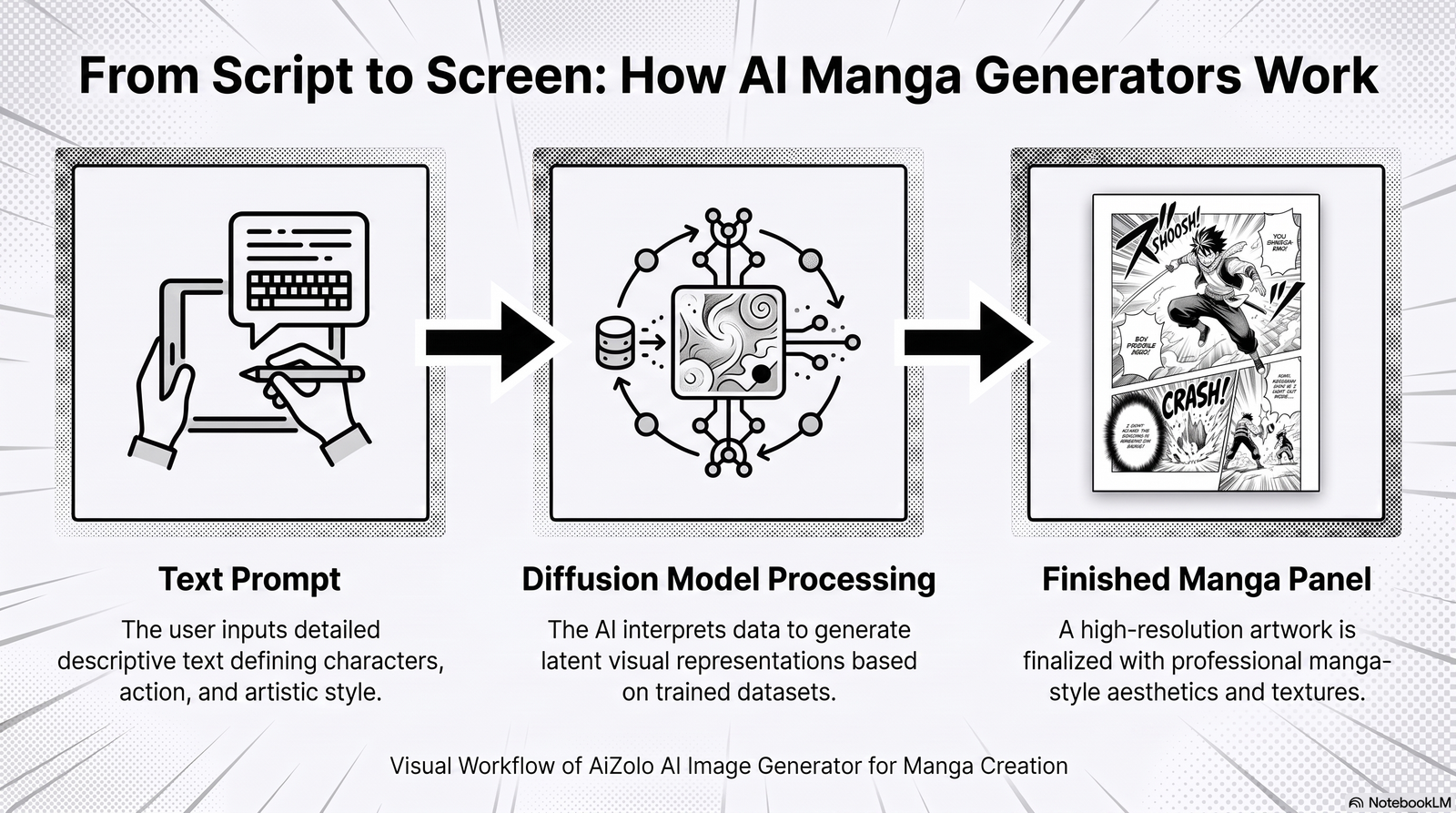
Featured Snippet Answer: An AI manga generator is a software tool that uses machine learning models — typically diffusion models — to create manga-style artwork from text prompts, reference images, or sketches. It automates linework, shading, character design, and panel layout, letting users produce Japanese comic-style art without traditional drawing skills.
At its core, an AI manga art generator is built on the same family of technology that powers general AI image generators, but fine-tuned specifically on manga and anime visual styles: bold linework, high-contrast black-and-white shading, screentone patterns, dynamic action poses, and exaggerated expressions.
The AI Models Behind Manga Generation
Most modern tools rely on one or more of these approaches:
- Diffusion models – The dominant architecture today. These models start with random noise and gradually “denoise” it into a coherent image guided by your text prompt.
- Text-to-image generation – Converts a written description directly into a finished illustration.
- Image-to-image generation – Takes an existing photo or sketch and transforms it into manga style while preserving pose and composition.
- Style transfer – Applies the visual characteristics of manga (linework, tone, contrast) onto an existing image without redrawing it from scratch.
Some platforms combine these techniques, letting you start with a text prompt, refine with image-to-image edits, and then apply style transfer for consistency across a full page or chapter.
Key takeaway: An AI manga generator isn’t one single technology — it’s a pipeline of models working together to turn an idea into finished panel art.
How Does an AI Manga Generator Work? (Step-by-Step)
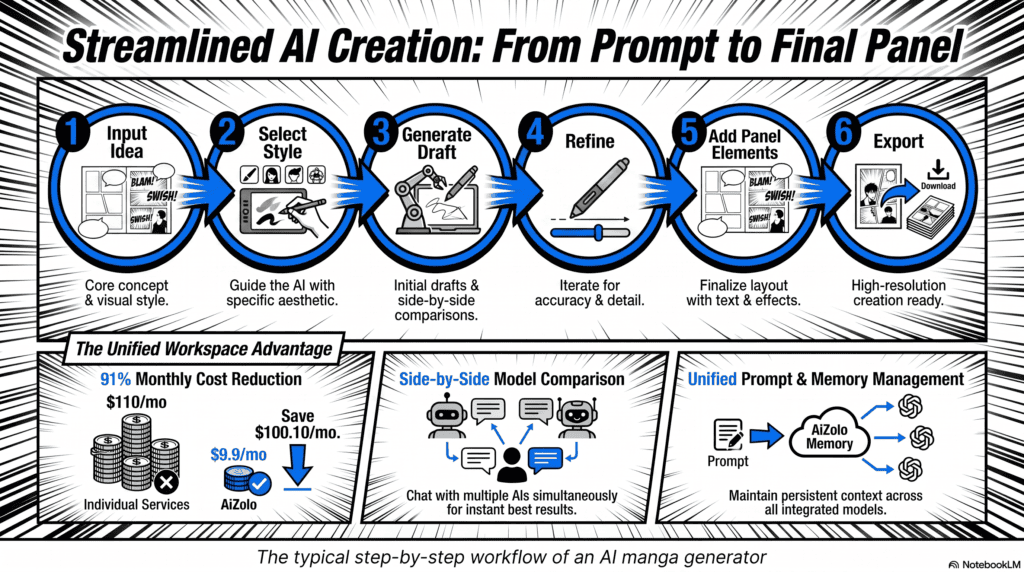
Understanding the workflow helps you get better results faster. Here’s the typical process:
- Input your idea. Type a text prompt describing a character, scene, or panel — or upload a reference photo/sketch.
- Select a style. Choose manga-specific settings such as black-and-white line art, shonen-style action, or shojo-style softness.
- The model generates a draft. The diffusion model interprets your prompt and produces an initial image, usually in seconds.
- Refine with inpainting or re-rolls. Regenerate specific areas (a face, hand, or background) that need correction.
- Add panel elements. Some tools let you insert speech bubbles, panel borders, and sound effect text.
- Export in high resolution. Download the final image for print, web, or video use.
This loop — prompt, generate, refine, export — is the backbone of nearly every manga AI generator on the market today.
Under the hood, each step involves a slightly different process:
- During generation, the model interprets your text through a language-understanding component, then maps those concepts onto visual features it learned during training on manga-style datasets.
- During refinement, most tools use a technique called inpainting, where only a masked region of the image is regenerated while the rest stays untouched — this is how you fix a distorted hand without redoing the whole panel.
- During export, some platforms apply an upscaling model to increase resolution beyond the native generation size, which matters if you plan to print your manga rather than only post it online.
Understanding this breakdown helps explain why certain fixes work better than others: regenerating a small masked area is almost always more effective than typing “fix the hand” into a brand-new prompt.
Key Features of a Modern AI Manga Generator
A capable AI manga creator should offer more than just basic image generation. Look for these core features:
- Prompt-based generation – Create scenes purely from descriptive text.
- Multiple manga styles – Shonen, shojo, seinen, chibi, and retro manga aesthetics.
- Character consistency – The same character maintains consistent facial features and outfits across multiple panels.
- Panel and page layout tools – Arrange generated art into multi-panel comic pages.
- Background generation – Create settings independently or blended with characters.
- Speech bubble and text tools – Add dialogue directly onto panels.
- Authentic line art – Clean, ink-style outlines rather than painterly brushwork.
- Grayscale and screentone shading – Recreate the classic black-and-white manga look.
- High-resolution output – Suitable for print-quality comics, not just social posts.
- Pose and expression control – Adjust body position and facial emotion precisely.
- Post-generation editing – Touch up hands, eyes, and backgrounds after the initial render.
Character consistency and panel tools are the two features that separate a serious AI manga software from a generic art generator repurposed for manga styling.
A few of these features deserve extra explanation because they’re often misunderstood:
Character consistency doesn’t mean the AI “remembers” your character the way a human artist does. Instead, tools achieve it through techniques like reference-image conditioning or fixed random seeds, which nudge the model toward repeating similar facial structure and outfit details across multiple generations. It’s improving fast, but it’s still an approximation rather than a guarantee.
Screentone shading refers to the dot-pattern textures traditionally applied by hand in print manga to simulate shading and gradients without color. A tool that can reproduce convincing screentone — rather than flat greyscale gradients — will generally look more authentic to manga readers.
Pose and expression control varies significantly between platforms. Some rely purely on text description (“arms crossed, angry expression”), while more advanced tools accept a skeletal pose reference or a rough sketch to guide the composition more precisely.
Benefits of Using an AI Manga Generator
Featured Snippet Answer: The main benefits of an AI manga generator include faster content creation, lower production costs, rapid prototyping of story ideas, and easier commercial use for creators without traditional drawing skills.
- Faster workflow – Generate a full page of concept art in minutes instead of days.
- Lower costs – Reduce reliance on hiring illustrators for early-stage projects.
- Rapid prototyping – Test different character designs or scenes before committing to final art.
- Increased creativity – Explore visual ideas you might not have attempted manually.
- Commercial flexibility – Many tools support licensing suitable for merchandise, books, or video content (always check individual terms).
- Social media content – Quickly produce manga-style posts, thumbnails, and short-form video assets.
- Storytelling support – Visualize scripts and storyboards before full production.
Tip: Even professional manga artists increasingly use AI for early storyboarding, then hand-finish the art — treating the AI output as a sketch stage rather than a final product.
Best Use Cases for AI Manga Generators
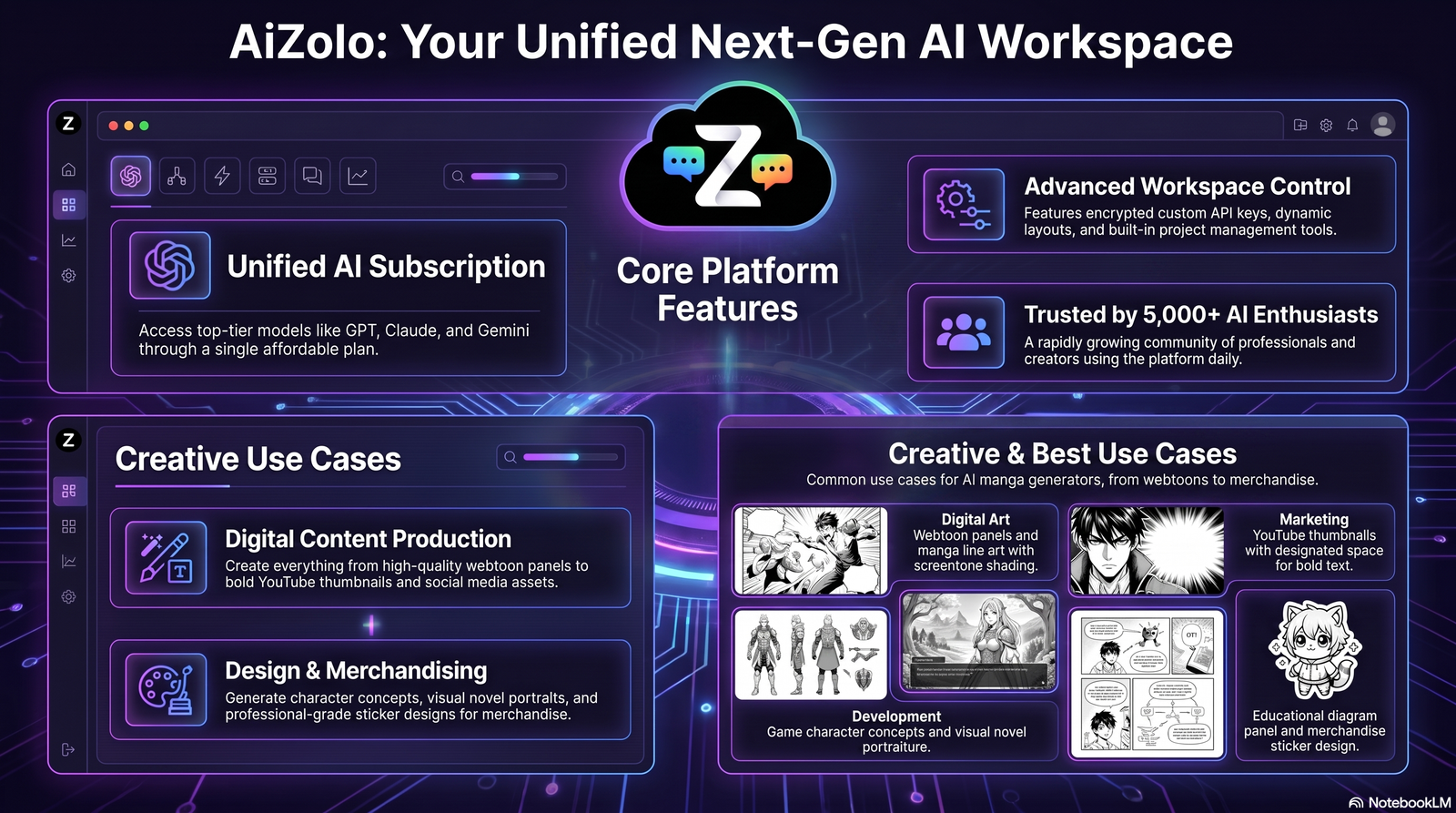
An AI manga art generator serves a wide range of creators:
| Use Case | Why It Works |
|---|---|
| Webtoon creators | Speeds up panel production for episodic releases |
| Manga artists | Useful for concept sketches and background generation |
| YouTube thumbnails | Eye-catching manga-style thumbnails boost click-through |
| Indie comics | Lowers the barrier to entry for solo creators |
| Game art | Quick concept art for character and environment design |
| Visual novels | Generates consistent character portraits at scale |
| Education | Illustrates historical or scientific concepts in an engaging format |
| Marketing | Creates manga-themed campaigns and social content |
| NFTs | Produces stylized digital collectibles (subject to platform policy) |
| Merchandise | Generates print-ready art for stickers, shirts, and prints |
How to Generate Better Manga With AI (Prompt Engineering Tips)
Getting clean, usable results from a text to manga AI tool comes down to prompt structure. Based on hands-on testing across multiple platforms, here’s what consistently improves output quality:
- Be specific about style first. Start prompts with “black and white manga style” or “shonen manga panel” so the model locks the aesthetic before adding details.
- Describe the character before the action. Example order: appearance → outfit → pose → expression → background.
- Use manga-specific vocabulary. Words like “screentone,” “speed lines,” “chibi,” and “linework” guide the model more precisely than generic art terms.
- Limit the number of characters per prompt. Two or three subjects render more reliably than crowded scenes.
- Specify camera angle. Terms like “low-angle shot” or “close-up panel” improve composition control.
- Iterate instead of over-engineering one prompt. Generate a few variations, then refine the best result rather than writing an extremely long single prompt.
- Use negative prompts when available. Explicitly excluding “extra fingers” or “blurry linework” reduces common errors.
Common mistake: Cramming too many descriptive adjectives into one sentence. Short, clear phrases outperform dense paragraphs almost every time.

25+ Best AI Manga Generator Prompt Examples
Use these as templates and swap in your own character details.
Action
- “Black and white manga panel, young warrior mid-jump with sword raised, dynamic speed lines, dramatic low-angle shot.”
- “Shonen manga style, two rivals clashing fists, intense linework, screentone shading, close-up panel.”
- “Manga action scene, ninja leaping between rooftops at night, high contrast ink style.”
Romance 4. “Shojo manga style, two characters standing under cherry blossoms, soft screentone, gentle expression.” 5. “Manga panel, close-up of a couple holding hands, delicate line art, sparkles in background.” 6. “Romantic manga scene, characters facing each other in the rain, black and white ink wash.”
Horror 7. “Dark manga panel, shadowy figure in an abandoned hallway, heavy black ink shading, unsettling atmosphere.” 8. “Horror manga style, distorted facial expression, high-contrast shadows, jagged linework.” 9. “Manga horror scene, cracked mirror reflecting a monstrous silhouette, minimal screentone.”
Fantasy 10. “Fantasy manga panel, elf archer in an enchanted forest, detailed linework, soft screentone shading.” 11. “Manga style, dragon flying over a castle, dramatic clouds, dynamic composition.” 12. “High fantasy manga scene, mage casting a spell, glowing magic circle, black and white ink art.”
Cyberpunk 13. “Cyberpunk manga panel, character with neon-lit jacket in a rainy city street, heavy screentone.” 14. “Manga style, futuristic hacker at a holographic terminal, sharp linework, high contrast shading.” 15. “Cyberpunk manga scene, android character walking through a crowded night market.”
Slice of Life 16. “Slice of life manga panel, students chatting at a café table, soft linework, gentle shading.” 17. “Manga style, character reading a book by a window, warm afternoon light in monochrome.” 18. “Everyday manga scene, friends walking home from school, relaxed poses, clean line art.”
Shonen 19. “Shonen manga panel, determined protagonist clenching fist, bold linework, dramatic background streaks.” 20. “Manga style, training montage panel, sweat details, intense screentone shading.”
Shojo 21. “Shojo manga panel, character with sparkling eyes, floral background, delicate line art.” 22. “Manga style, dreamy expression close-up, soft screentone, pastel-like monochrome shading.”
Medieval 23. “Medieval manga scene, knight kneeling before a castle gate, detailed armor linework.” 24. “Manga style, village marketplace in a fantasy medieval setting, busy background composition.”
Futuristic 25. “Futuristic manga panel, space station interior, character in a sleek suit, clean geometric linework.” 26. “Manga style, robot companion character in a sci-fi cityscape, screentone gradient shading.”
Tip: Save your best-performing prompts in a personal library and reuse the structure — only changing character and setting details — for consistent series-style output.
AI Manga Generator vs. Traditional Drawing
| Factor | AI Manga Generator | Traditional Drawing |
|---|---|---|
| Speed | Seconds to minutes per image | Hours to days per page |
| Skill required | Low to moderate (prompt writing) | High (years of practice) |
| Cost | Often subscription-based, low per-image cost | Time-intensive; may require hiring an artist |
| Originality | Style-guided by training data | Fully original artistic voice |
| Consistency | Improving, but still challenging across panels | Naturally consistent with skilled artists |
| Fine control | Limited to prompt/inpainting adjustments | Complete creative control |
| Best for | Prototyping, high-volume content, hobbyists | Final professional publications, signature art styles |
Neither approach eliminates the other — many creators now use AI for drafts and traditional skills for final polish.
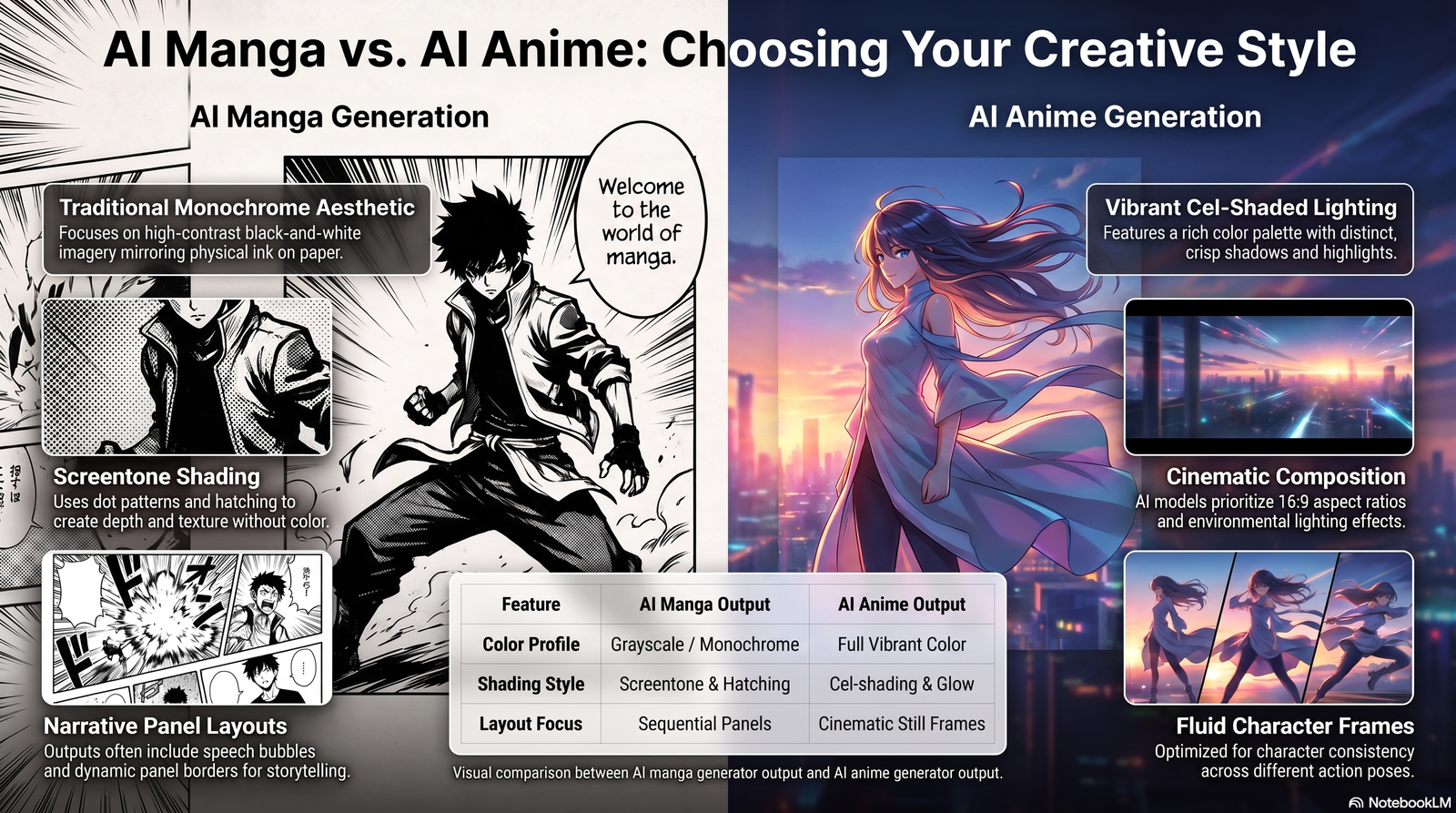
AI Manga Generator vs. AI Anime Generator
| Factor | AI Manga Generator | AI Anime Generator |
|---|---|---|
| Output format | Primarily black-and-white, panel-based | Primarily full-color, frame or video-based |
| Typical use | Comics, webtoons, storyboards | Animated clips, character art, video content |
| Shading style | Screentone, ink linework | Cel-shading, color gradients |
| Motion | Static panels | Often includes animated motion (anime AI video generator tools) |
| Text elements | Speech bubbles, sound effects | Rarely includes in-frame text |
If your goal is comic-style storytelling, a manga-focused tool is the better fit. If you want moving character clips, an anime-focused generator is more appropriate.
Limitations of AI Manga Generators
No tool is perfect. Being upfront about weaknesses is part of using these tools responsibly.
- Anatomy issues – Hands, fingers, and complex poses are still commonly distorted.
- Character consistency – Maintaining identical character appearance across many panels remains difficult.
- Copyright and originality concerns – Output style may resemble training data; always review licensing terms before commercial use.
- Text rendering problems – In-image text (signs, sound effects) often appears garbled.
- Panel continuity – Backgrounds and lighting can shift unexpectedly between generated panels.
- Style drift – Long projects may see gradual, unintended changes in art style.
Each of these issues has a practical root cause worth understanding:
- Anatomy errors happen because hands and fingers involve far more fine-grained variation than faces or clothing, making them statistically harder for a model to learn reliably.
- Consistency issues stem from the fact that most generations are still independent events — the model isn’t referencing “memory” of your character unless the platform explicitly supports reference-locking.
- Copyright uncertainty exists because laws around AI-generated content are still developing in most countries, and outputs can sometimes echo stylistic patterns from training data.
Trust note: These limitations are actively being reduced through model updates, but as of 2026, manual touch-ups are still recommended for any publication-ready project.
Best Practices When Using an AI Manga Generator
- Always review commercial licensing terms before using output for paid products or NFTs.
- Combine AI drafts with manual touch-ups for hands, faces, and text elements.
- Keep a reference sheet of your character’s key features to improve consistency across generations.
- Credit tools appropriately if a platform’s terms require attribution.
- Test multiple platforms since style quality varies significantly between an AI manga art generator and a general-purpose image generator.
- Save successful prompts as templates for future consistency.
- Avoid publishing unedited AI output as a substitute for original authorship without disclosure, especially in professional or competitive contexts.
How to Choose the Right AI Manga Generator
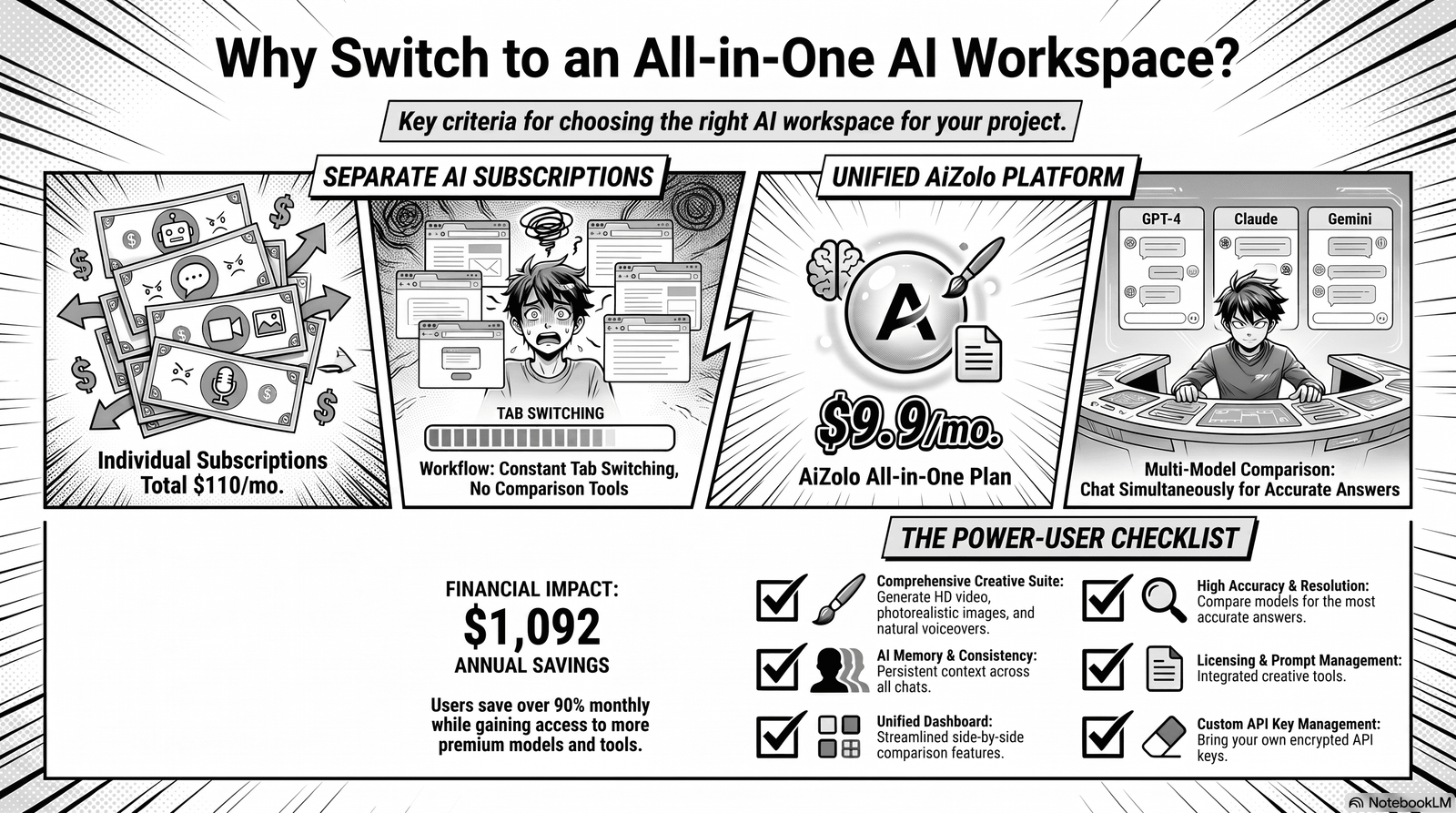
With dozens of platforms on the market, picking the right AI manga generator depends on your specific goals rather than any single “best” option. Use these criteria to narrow your choice:
- Style accuracy. Generate a few test images across styles (shonen, shojo, chibi) and compare how authentically each tool renders manga-specific linework and screentone, rather than a generic anime look.
- Character consistency tools. If you’re building a series or webtoon, prioritize platforms offering character-lock, reference-image upload, or seed-based consistency features.
- Panel and layout support. Some tools stop at single images; others let you arrange multi-panel pages with speech bubbles built in.
- Resolution and export options. Confirm the platform supports print-resolution export if you plan to publish physical books or merchandise.
- Commercial licensing terms. Read the fine print — free tiers often restrict commercial use, while paid tiers may grant broader rights.
- Editing and inpainting controls. Look for the ability to regenerate just a hand, face, or background rather than the whole image.
- Community and template support. Active communities often share proven prompt templates, which shortens your learning curve significantly.
Practical approach: Rather than committing to one platform immediately, run the same three or four prompts across two or three tools. Comparing outputs side by side reveals real differences in style accuracy and consistency far faster than reading marketing pages.
For most beginners, starting with a free tier, testing the prompt examples in this guide, and only upgrading once you hit a specific limitation (resolution, consistency, or commercial rights) is the most cost-effective path.
Frequently Asked Questions
Is an AI manga generator free to use? Many platforms offer free tiers with limited generations per day, while advanced features like high-resolution export or commercial licensing typically require a paid plan.
Can I use AI-generated manga commercially? It depends on the platform’s terms of service. Always check licensing details before selling or publishing AI-generated manga art.
Do I need drawing skills to use an AI manga generator? No. Most tools are designed for prompt-based input, though basic composition knowledge helps you write more effective prompts.
What’s the difference between an AI manga generator and an AI comic generator? An AI manga generator focuses specifically on Japanese comic aesthetics (screentone, ink linework), while an AI comic generator may support a broader range of Western or stylized comic art.
Can AI generate a full manga chapter? Some tools support multi-panel page layouts, but maintaining character and background consistency across a full chapter still typically requires manual editing.
Why do AI-generated hands look wrong? Diffusion models historically struggle with complex, high-detail structures like hands and fingers, though newer models have improved significantly.
Can I turn a photo into manga art with AI? Yes, many tools support image-to-image conversion that transforms uploaded photos into manga-style illustrations.
Is AI manga art copyrighted? Copyright status varies by jurisdiction and is an evolving legal area; purely AI-generated images may not qualify for the same protections as human-authored work in some regions.
What AI models are used for manga generation? Most platforms use diffusion-based models fine-tuned on manga and anime datasets, sometimes combined with style transfer techniques.
Can I control the exact pose of a character? Some advanced tools support pose-guided generation using reference skeletons or sketches for more precise control.
How do I keep the same character across multiple panels? Use consistent, detailed reference descriptions and, where available, reference-image or character-lock features.
Are AI manga generators good for beginners? Yes, they’re an accessible entry point for people without illustration experience, though understanding basic prompt structure improves results significantly.
Can AI manga generators add speech bubbles automatically? Some platforms include built-in text and speech bubble tools; others require manual editing in a separate design tool.
What’s the best manga style to start with as a beginner? Shonen and slice-of-life styles tend to be more forgiving for beginners since they involve simpler poses and fewer complex effects.
Will AI replace manga artists? Most industry observers see AI as a tool that speeds up parts of the workflow — such as backgrounds and prototyping — rather than a full replacement for an artist’s creative vision and finishing skills.
Final Verdict
An AI manga generator is a powerful addition to any creator’s toolkit — whether you’re prototyping a webtoon, designing game characters, or producing manga-style marketing content. It won’t replace the nuance of a skilled human artist, but it dramatically lowers the barrier to entry and speeds up early-stage creative work.
The best results come from treating AI as a collaborator: write clear, structured prompts, iterate rather than over-engineer a single request, and plan for manual touch-ups on hands, text, and continuity.
Ready to try it yourself? Start with a simple character prompt, experiment with the style and prompt examples above, and gradually build a personal library of prompts that consistently produce the manga look you’re going for. From there, explore other AI creative tools to expand your storytelling toolkit even further.
Author Bio
Jeevesh Tripathi Content Researcher & AI Tools Specialist Email: jeevesh@aizolo.com
Jeevesh Tripathi researches and tests emerging generative AI tools, with a focus on prompt engineering, AI art platforms, and SEO content strategy. His work centers on providing accurate, practical, hands-on guidance rather than surface-level tool round-ups, helping creators understand both the capabilities and current limitations of generative AI systems.
