
Table of Contents
Introduction
Type a sentence. Watch a fox appear, or a dragon, or your dog reimagined as a watercolor painting. That is the promise of an AI animal generator, and it is why so many creators are experimenting with one right now.
A few years ago, this kind of image took hours of manual illustration or photo editing. Today it takes a well-written prompt and a few seconds of processing.
This guide covers everything you need to know: how these tools work, which ones are worth your time, how to write prompts that actually work, and what to watch out for with copyright and commercial use.
It is written for designers, hobbyist artists, YouTubers, bloggers, game developers, children’s book authors, pet owners, and marketing teams who want practical, no-fluff answers rather than another shallow listicle.
By the end, you will understand not just what an AI animal generator does, but how to use one skillfully and responsibly.
What Is an AI Animal Generator?
An AI animal generator is a text-to-image tool that creates pictures of animals — real, imagined, or stylized — based on a written description called a prompt.
Instead of drawing or photographing an animal, you describe what you want. The AI model interprets your words and produces a matching image.
Most of these tools are built on general-purpose AI image generators rather than animal-only software. What makes them feel specialized is prompt templates, presets, and interfaces tuned specifically for creatures, pets, and wildlife.
You will see this concept described using related terms like AI animal art, animal image generator, AI pet generator, and AI creature generator — they all point to the same underlying idea.
The appeal is simple: no drawing skill is required, results arrive in seconds, and you can iterate endlessly until the image matches your vision.
How Does an AI Animal Generator Work?
Understanding the mechanics helps you write better prompts and troubleshoot bad results, so it is worth a few minutes.
Diffusion Models
Most modern image generators, including those used for animal art, rely on diffusion models. These systems start with random visual noise and gradually refine it into a coherent image that matches your prompt.
Think of it like a sculptor starting with a rough block and slowly chiseling away noise until a recognizable shape emerges.
Transformers and Language Understanding
Before the image process begins, a transformer-based language component reads your prompt and converts it into a numerical representation the model can use for guidance.
This is why phrasing matters. Vague prompts give the model less to work with, while specific, structured prompts produce more predictable results.
Training Datasets
These models learn patterns from enormous datasets of images and captions. That training is what lets them understand what “a red fox in autumn light” or “a steampunk owl” should generally look like.
Style Transfer
Many tools also support style transfer, letting you apply an artistic style — oil painting, anime, pixel art — onto a generated subject without redrawing it from scratch.
Prompts as the Steering Wheel
Everything else in this guide feeds into one skill: writing prompts. The model does the heavy lifting, but your words decide direction, style, and detail.
Types of AI Animal Generators
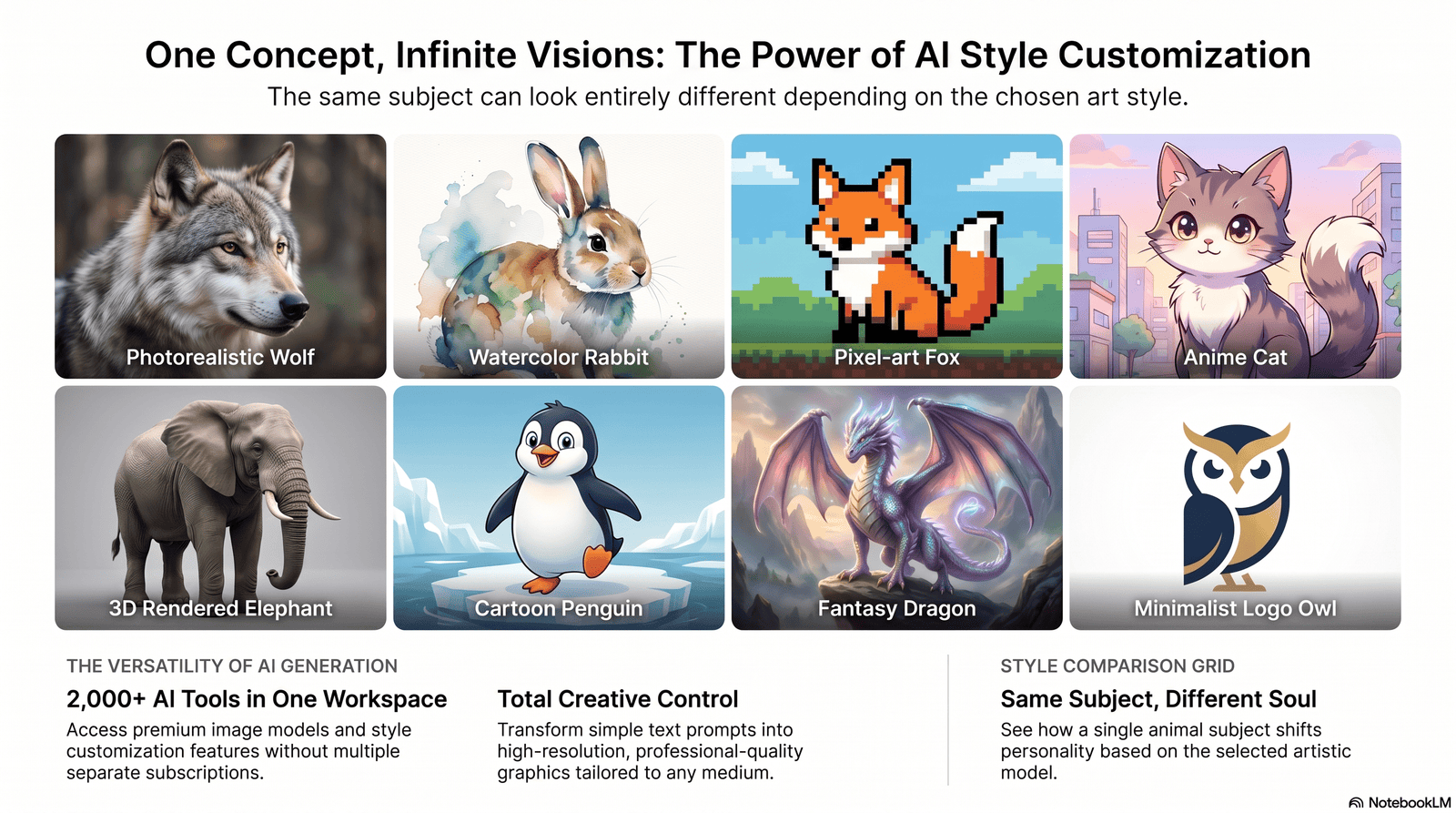
Not all animal generation is the same. Different tools and settings excel at different styles.
| Type | Best For | Typical Use Case |
|---|---|---|
| Realistic wildlife | Nature photography style | Documentaries, education, prints |
| Fantasy creatures | Original monsters, hybrids | Games, books, worldbuilding |
| Cartoon animals | Friendly, simplified characters | Children’s content, mascots |
| Anime animals | Stylized, expressive characters | Anime fan art, merchandise |
| Pixel art animals | Retro, blocky sprites | Indie games, retro branding |
| 3D animals | Depth and rendered lighting | Game assets, product mockups |
| Watercolor animals | Soft, painterly textures | Greeting cards, nursery art |
| Logo-style animals | Simplified, iconic silhouettes | Brand mascots, logos |
Each style pulls from different training patterns, so a prompt that works beautifully for realistic wildlife may need adjusting for pixel art or logo work.
Best AI Animal Generator Tools
There is no single “best” tool for everyone — the right choice depends on your style needs, budget, and whether you need commercial rights. Here is an honest, non-exhaustive comparison of well-known platforms creators currently use for animal and creature art.
| Tool | Strengths | Weaknesses | Ideal User | Supported Styles |
|---|---|---|---|---|
| Midjourney | Strong artistic, painterly aesthetic; great default lighting | Discord-based workflow for some tiers; no free trial | Artists, illustrators | Fantasy, painterly, cartoon |
| DALL·E (via ChatGPT) | Excellent prompt accuracy; easy conversational editing | Less distinctive artistic “look” | Beginners, marketers | Realistic, cartoon, editorial |
| Stable Diffusion | Free to self-host; fully customizable | Requires setup and a capable GPU | Developers, power users | Any style, with fine-tuning |
| Flux (Black Forest Labs) | Strong photorealism; competitive API pricing | Smaller community/support ecosystem | Agencies, developers | Realistic, cinematic |
| Adobe Firefly | Commercially licensed training data | Smaller stylistic range than Midjourney | Enterprise, ad agencies | Clean, commercial-safe |
| Ideogram | Best-in-class text rendering | Less specialized for painterly art | Logo and mascot designers | Logos, typography-heavy art |
| Recraft | Strong at flat vector and icon-style art | Less suited to painterly realism | Brand designers | Vector, flat illustration |
| Leonardo AI / Canva | Accessible, beginner-friendly UI | Fewer advanced controls | Casual creators, marketers | Cartoon, general purpose |
Pricing across these tools varies widely and changes often — expect somewhere between free self-hosted options and roughly $10–$60 per month for premium subscriptions, with API-based pricing for developers. Always check the provider’s current pricing page before committing.
AI Animal Generator vs Traditional Digital Art
| Factor | AI Animal Generator | Traditional Digital Art |
|---|---|---|
| Speed | Seconds to minutes | Hours to days |
| Skill required | Prompt writing | Drawing/illustration skill |
| Consistency | Can vary between generations | Fully controlled by the artist |
| Cost per image | Very low at scale | Higher (time-based) |
| Originality | Derived from training patterns | Fully original by design |
| Fine control | Limited without editing tools | Complete |
| Best for | Rapid iteration, concepting | Final, polished commissioned art |
Neither approach replaces the other outright. Many professional artists now use AI generation for early concepting, then refine or repaint the result manually for final work.
Best Prompt Ideas for an AI Animal Generator
Below are prompt examples organized by skill level. Adjust species, lighting, and style freely.
Beginner Prompts
- A golden retriever puppy sitting in autumn leaves, soft natural light
- A realistic red fox in a snowy forest, morning light
- A cute cartoon panda eating bamboo, flat colors
- A watercolor painting of a hummingbird near flowers
- A simple owl illustration for a children’s book
- A fluffy white cat sitting on a windowsill
- A blue and yellow parrot perched on a branch
- A baby elephant walking with its mother, savanna background
- A cartoon fish swimming in a coral reef
- A friendly cartoon bear waving, mascot style
Intermediate Prompts
- A wolf howling on a cliff at dusk, cinematic lighting, wide shot
- A tabby cat wearing a tiny knitted sweater, cozy indoor lighting
- A hyper-detailed peacock with feathers fanned out, studio lighting
- An anime-style fox spirit with glowing blue eyes, night forest background
- A steampunk owl with brass gear wings, warm sepia tones
- A close-up macro shot style image of a chameleon on a leaf
- A husky running through snow, dynamic motion blur, side angle
- A 3D rendered rabbit character for a mobile game, soft shading
- A minimalist logo of a lion’s head, single color, vector style
- A koi fish swimming beneath cherry blossoms, traditional ink style
Professional / Advanced Prompts
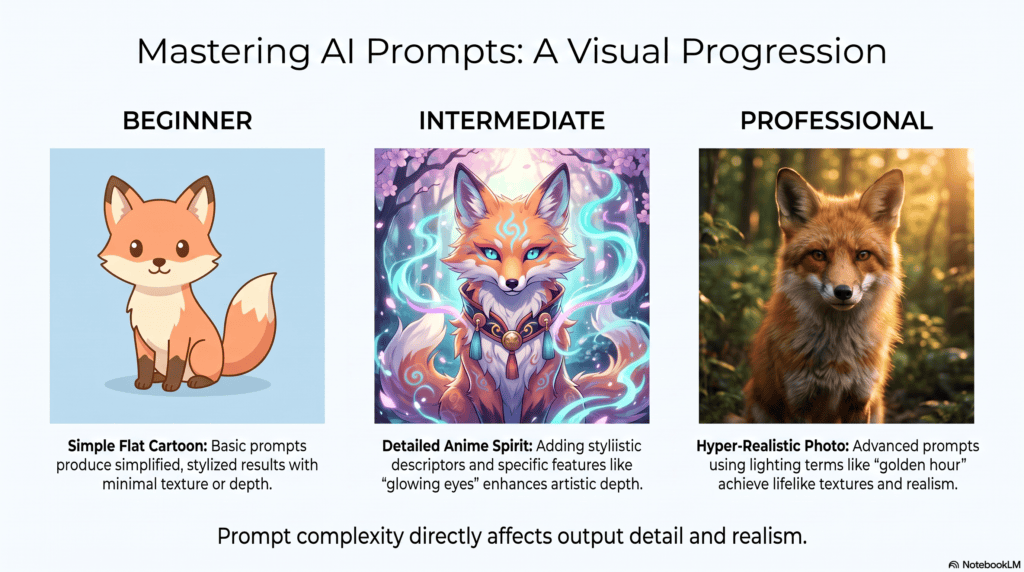
- A hyper-realistic Bengal tiger emerging from tall grass, golden hour lighting, 85mm lens depth of field, National Geographic style
- A fantasy hybrid creature combining a stag and a phoenix, glowing ember particles, dark forest background, cinematic composition
- A brand mascot fox character sheet showing front, side, and 3/4 view, consistent flat design, brand color palette
- A dragon perched on a mountain peak at sunset, dramatic backlighting, epic fantasy illustration, ultra-detailed scales
- A pet portrait of a Border Collie in oil painting style, museum-quality brushwork, dark neutral background
- A bioluminescent deep-sea creature concept for a game, glowing highlights, dark underwater environment
- A photorealistic bald eagle mid-flight, sharp focus on eyes, motion in wings, overcast sky
- A children’s book illustration of a sleepy fox family in a cozy den, warm color palette, storybook style
- A minimalist geometric wolf logo for a tech startup, two-tone color scheme, vector line art
- A hybrid creature design combining an octopus and a dragon for a fantasy card game, dramatic lighting, high detail
- A realistic African elephant herd crossing a river at sunset, wide-angle composition, warm tones
- A Studio-Ghibli-inspired forest spirit animal, soft pastel colors, whimsical lighting
How to Create Amazing Animal Images: Step-by-Step Workflow
- Define your goal. Decide whether you need realism, a cartoon mascot, a game asset, or fine art.
- Choose the right tool. Match the tool to the style — Midjourney for painterly work, Ideogram for text-heavy logos, Stable Diffusion for full control.
- Write a structured prompt. Include subject, setting, lighting, style, and composition.
- Generate multiple variations. Run 3–5 versions before judging quality.
- Refine with negative prompts. Remove unwanted elements like extra limbs or cluttered backgrounds.
- Upscale if needed. Use built-in upscalers for print or large-format use.
- Edit manually if necessary. Touch up small errors in Photoshop, Affinity, or similar software.
- Check licensing. Confirm your plan allows the intended use before publishing commercially.
Prompt Engineering Tips for Better Animal Art
| Element | Why It Matters | Example |
|---|---|---|
| Lighting | Sets mood and realism | “golden hour lighting,” “soft studio light” |
| Camera angle | Controls perspective | “low angle shot,” “aerial view” |
| Style | Defines artistic direction | “watercolor,” “3D render,” “anime” |
| Composition | Guides framing | “close-up portrait,” “wide landscape shot” |
| Color palette | Sets tone and brand fit | “warm autumn tones,” “cool blue palette” |
| Background | Adds context | “misty forest,” “plain white studio background” |
| Resolution/detail | Improves output quality | “ultra-detailed,” “4K,” “sharp focus” |
| Negative prompts | Removes unwanted elements | “no extra limbs, no blurry background” |
A useful habit: write prompts in a consistent order — subject, action, setting, lighting, style, then technical details. This structure reduces confused or contradictory results.
Reference tools like Google’s own documentation on responsible AI use, or Stability AI‘s guidance on prompting, can help you understand model-specific quirks.
Common Use Cases for AI Animal Generators
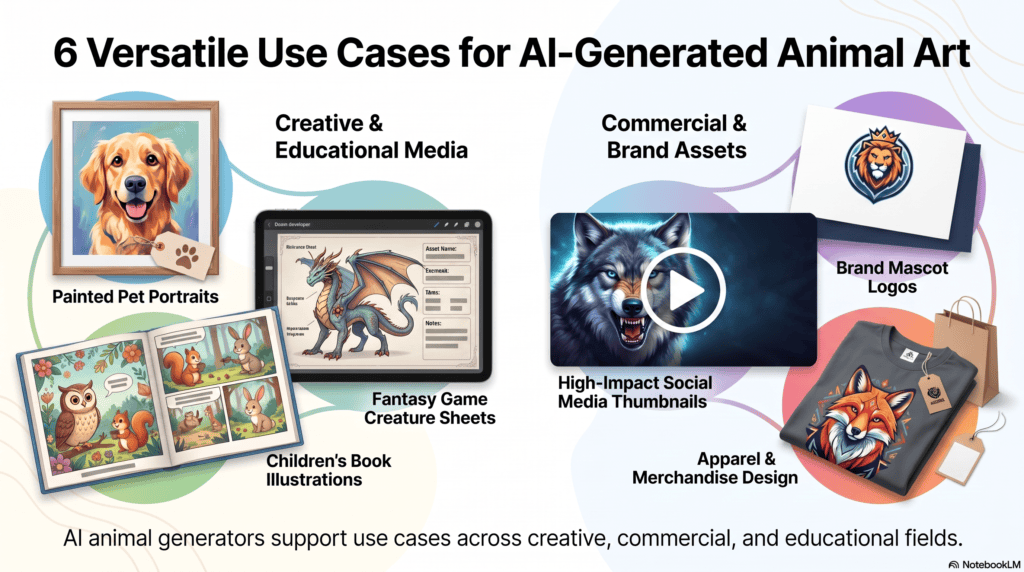
- Pet portraits — turning a photo of your pet into painted or stylized art
- Game assets — creatures, NPCs, and creature concept sheets
- Storybooks — consistent character illustrations for children’s books
- Marketing — animal imagery for campaigns without stock photo licensing
- Brand mascots — original animal characters for logos and packaging
- NFT concepts — early-stage creature designs (verify platform policies)
- YouTube thumbnails — eye-catching animal imagery for higher click-through
- Educational illustrations — anatomy diagrams, habitat visuals for classrooms
- Social media content — daily or themed animal art posts
- Merchandise — animal designs for apparel, stickers, and prints
Benefits of Using an AI Animal Generator
- Dramatically faster than manual illustration or sourcing stock photography
- Lower cost per image at scale
- Unlimited creative variation, including fantasy creatures impossible to photograph
- Accessible to people without traditional drawing skills
- Easy to iterate — regenerate until the result fits your vision
Limitations to Keep in Mind
- Results can be inconsistent between generations of the same prompt
- Fine anatomical details (paws, feathers, extra limbs) sometimes need correction
- Style can feel generic without careful prompt engineering
- Commercial licensing terms vary and require verification
- Cannot fully replace the intentionality of a trained illustrator’s original work
Being upfront about these limitations matters — no tool is perfect, and understanding the trade-offs leads to better creative decisions.
Copyright, Licensing, and Commercial Use
This is one of the most misunderstood areas of AI animal art, so treat it carefully.
Who Owns AI-Generated Animal Images?
Ownership rules differ by platform and jurisdiction. Some services grant you usage rights to what you generate, while copyright law in several countries still debates whether purely AI-generated work qualifies for full copyright protection.
Licensing Varies by Plan
Free tiers often restrict commercial use, while paid subscriptions frequently include broader commercial rights. Always read the specific terms of service for the tool you’re using before publishing commercially.
Training Data Ethics
Some models are trained on licensed datasets (this is a selling point for services like Adobe Firefly), while others use broader, less transparent datasets. If licensing certainty matters for your business, prioritize tools that are explicit about their training data sourcing.
Practical Recommendation
For any client work, advertising, or merchandise, verify current terms directly with the provider and consider consulting legal counsel for high-stakes commercial use. Organizations like WIPO and Creative Commons publish helpful general guidance on how copyright frameworks are evolving around AI-generated content.
Common Mistakes to Avoid
- Vague prompts — “a nice animal” gives the model almost nothing to work with.
- Overloading a single prompt — cramming ten ideas into one sentence confuses the model.
- Ignoring negative prompts — skipping this step leads to more re-generations, not fewer.
- Skipping licensing checks — publishing commercially without confirming usage rights.
- Expecting perfect consistency — character consistency across multiple images often needs dedicated tools or fine-tuning.
- Not iterating — settling for the first result instead of generating a few variations.
The Future of AI Animal Generators
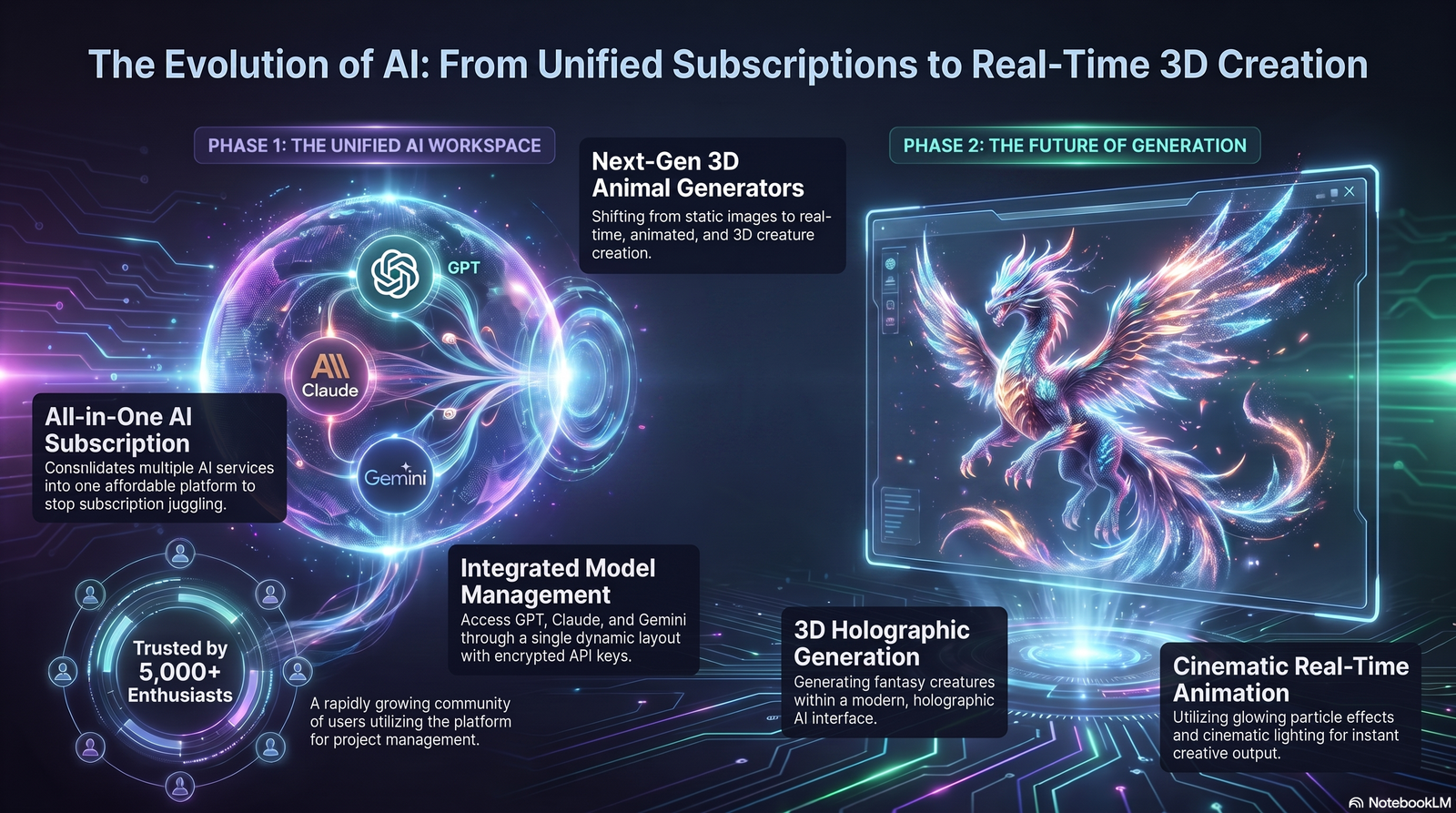
Several trends are shaping where this category goes next:
- Video generation — animated creatures and moving wildlife scenes, extending static image tools into motion.
- 3D generation — direct creation of 3D creature models for games and AR/VR.
- Interactive AI — real-time creature customization inside apps and games.
- Real-time rendering — near-instant generation suitable for live creative sessions.
- Multimodal AI — combining text, image, and voice input to guide creature design more naturally.
Expect the line between “image generator” and “full creative production tool” to keep blurring over the next few years.
Frequently Asked Questions
1. What is an AI animal generator used for? It’s used to create realistic, cartoon, or fantasy animal images from text prompts for art, marketing, games, and personal projects.
2. Is an AI animal generator free to use? Some tools, like self-hosted Stable Diffusion, are free. Most premium platforms offer limited free tiers with paid plans for full features.
3. Can I use AI animal art commercially? Often yes, but it depends entirely on the specific tool’s terms of service and your subscription tier.
4. Do I need drawing skills to use one? No. The core skill involved is prompt writing, not traditional illustration.
5. Which tool is best for realistic wildlife? Tools known for photorealism, such as Flux or Midjourney, tend to perform best for realistic wildlife imagery.
6. Which tool is best for fantasy creatures? Midjourney’s painterly aesthetic is popular for fantasy and hybrid creature concepts.
7. Can I generate a portrait of my own pet? Yes, many tools support image-to-image generation using a reference photo of your pet.
8. What’s the difference between AI animal art and traditional digital art? AI art is generated from text prompts in seconds; traditional digital art is manually created by an illustrator over a longer timeframe.
9. Are AI-generated animals copyrighted? Copyright status varies by country and platform; verify current terms before assuming full ownership.
10. What is a negative prompt? It’s an instruction telling the model what to avoid, such as extra limbs or cluttered backgrounds.
11. Can AI animal generators create logos? Yes, tools like Ideogram and Recraft are particularly strong for logo-style, text-integrated designs.
12. How do I make my animal images look more realistic? Add specific lighting, camera angle, and lens-style details to your prompt, and avoid vague descriptions.
13. Can I create children’s book illustrations with these tools? Yes, cartoon and watercolor styles are commonly used for storybook-style illustrations.
14. Do AI animal generators work for game asset creation? Yes, especially for concept art, creature sheets, and early prototyping before final asset production.
15. What’s the biggest limitation of AI animal generators? Consistency — getting the exact same character to look identical across multiple images still requires extra tools or techniques.
Final Thoughts
An AI animal generator is not magic, but it is a genuinely useful creative tool when you understand how it works and how to guide it.
Start simple, study what works, and build toward more complex prompts as you get comfortable with lighting, style, and composition language.
Whether you’re illustrating a children’s book, designing a brand mascot, or just want a beautiful portrait of your dog, the right prompt and the right tool will get you there faster than ever before.
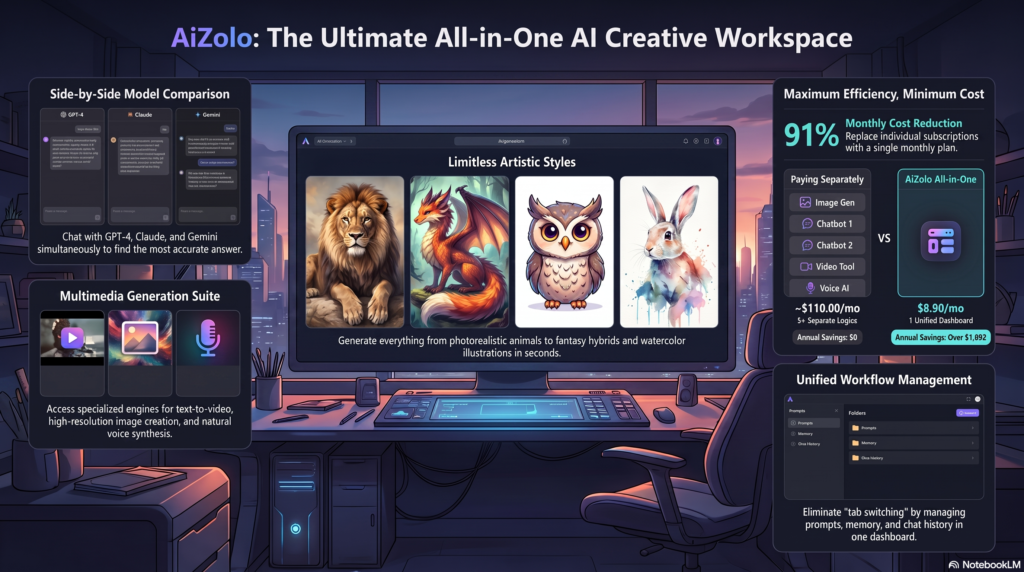
If you’re comparing AI tool costs across your broader workflow — not just image generation — it’s worth exploring platforms where multiple AI models answer the same question or a single subscription for all AI models to reduce overall spend.
Author Bio
Author: Jeevesh Tripathi Email: jeevesh@aizolo.com
Jeevesh Tripathi is an AI researcher and content strategist specializing in generative AI tools, prompt engineering, and applied SEO research. His work focuses on translating fast-moving developments in AI image generation into practical, tested guidance for designers, marketers, and creators. He writes with an emphasis on transparency about tool limitations, licensing nuance, and realistic expectations — prioritizing accuracy over hype in an industry that moves faster than most documentation can keep up with.
