

It’s 11pm. You’ve got ChatGPT open in one tab, Claude in another, and Gemini somewhere behind your email.
You ask the same question three times, in three different windows, because you don’t trust any single answer anymore.
Sound familiar? If you’ve ever wondered how to use multiple AI at once without losing 20 minutes to tab-switching, you’re not alone. This is one of the most common pain points for anyone who relies on AI daily, whether you’re coding, writing, researching, or running a business.
The challenge isn’t finding powerful AI tools—it’s managing them efficiently. Many users open separate tabs for ChatGPT, Claude, Gemini, Perplexity, and other assistants, only to waste time jumping between platforms and comparing responses.
Learning how to use multiple AI at once can dramatically improve productivity by letting you access different strengths without disrupting your workflow. Instead of copying prompts across multiple windows, a unified approach helps you get faster answers, better insights, and more consistent results.
As AI becomes a core part of everyday work, understanding how to use multiple AI at once is quickly turning into an essential skill. The right setup can help you save time, reduce subscription costs, and make smarter decisions without the usual frustration of managing multiple tools.
In this guide, I’ll walk through why this problem exists, why most people handle it badly, and what actually works. By the end, you’ll know exactly how to use multiple AI at once in a way that saves time, money, and your sanity.
Table of Contents
Why people end up juggling multiple AI tools
Here’s the thing nobody tells you when you sign up for your first AI subscription: one model is never enough.
ChatGPT is great at conversational explanations. Claude tends to write cleaner, more careful prose. Gemini is tightly wired into Google’s ecosystem. Perplexity is sharper for research with citations.
This variety is exactly why so many users want to learn how to use multiple AI at once. Each model excels at different tasks, making it difficult to rely on just one tool for everything.
When you understand how to use multiple AI at once, you can use ChatGPT for brainstorming, Claude for writing, Gemini for productivity, and Perplexity for fact-checking and research. Instead of choosing a single AI, you can combine their strengths to get better results faster.
For professionals, creators, and business owners, mastering how to use multiple AI at once can lead to more accurate outputs, improved efficiency, and a smoother workflow.
Each one has a personality. Each one has blind spots. Use only one, and you inherit all of its blind spots without realizing it.
So people start adding more tools. A second subscription here, a free trial there. Pretty soon you’re paying $20 a month for ChatGPT, $20 for Claude, $20 for Gemini, maybe $30 for Grok if you’re feeling fancy.
That’s $90, sometimes $110 a month, just to ask questions in different flavors.
Why most people struggle to use multiple AI at once

The struggle isn’t really about access. Anyone can open five browser tabs.
The struggle is friction.
Every time you switch tools, you lose context. You retype your prompt. You copy-paste your previous question. You try to remember which model said what, and which one you were leaning toward before you got distracted.
This constant back-and-forth is one of the biggest obstacles for people learning how to use multiple AI at once. Instead of focusing on the task itself, you end up managing tabs, conversations, and scattered responses.
The more AI tools you add to your workflow, the harder it becomes to keep track of context and maintain momentum. Important details get lost, prompts become inconsistent, and valuable time disappears into repetitive copy-pasting.
Understanding how to use multiple AI at once isn’t just about accessing more models—it’s about creating a workflow where information moves seamlessly between them. When context stays organized, you can compare outputs faster, make better decisions, and spend more time producing results instead of managing tools.
Multiply that by 10 prompts a day, and you’ve burned an hour just managing your AI tools instead of using them.
There’s also the cost problem. Subscribing to four or five AI platforms separately is expensive, and most people only use a fraction of what each one offers. You’re paying full price for ChatGPT just to use it for 15 minutes a day.
And then there’s the comparison problem. Without a side-by-side view, you’re relying on memory to judge which answer was better. Memory is unreliable. Especially at 11pm.
What “using multiple AI at once” actually means
Before going further, let’s get specific. Knowing how to use multiple AI at once isn’t just about having accounts with different providers. It’s about a workflow.
A real multi-AI workflow looks like this:
- You type a prompt once.
- Multiple models respond at the same time.
- You see the answers side-by-side, not in separate tabs.
- Your context (previous messages, files, instructions) carries across all of them.
That’s the difference between “I have access to 5 AI tools” and “I actually use multiple AI at once.”
Most people have the first. Almost nobody has the second, because the tools weren’t built for it. ChatGPT wasn’t designed to talk to Claude. Gemini doesn’t know Perplexity exists. They’re walled gardens.
That’s one of the biggest reasons people struggle with how to use multiple AI at once. While each platform is powerful on its own, they operate independently, forcing users to manually move prompts, responses, and context between different tools.
As a result, workflows become fragmented. You might generate ideas in one AI, refine them in another, and verify facts in a third, all while repeatedly copying information from one platform to the next.
Learning how to use multiple AI at once requires overcoming these disconnected ecosystems. Without a unified workflow, users spend more time managing tools than benefiting from the unique strengths each AI model brings to the table.
The challenge isn’t a lack of AI capability—it’s the lack of seamless collaboration between AI platforms.
The three approaches to running multiple AI models together
There are basically three ways people try to solve this. I’ve tried all three.
1. The tab-switching method (don’t do this)
This is where most people start. Open ChatGPT, Claude, and Gemini in separate tabs. Paste the same prompt into each one. Read through three answers. Try to synthesize.
It works, technically. But it’s slow, and it doesn’t scale. If your prompt is long, or includes a file, you’re copy-pasting that file three times. If the conversation has 10 messages of context, good luck keeping that in sync across tabs.
This is where many users realize that how to use multiple AI at once is about more than simply opening several chat windows. The real challenge is maintaining consistent context across different AI models without creating extra work.
As conversations grow longer, the process becomes increasingly inefficient. Every update, file upload, or prompt revision must be repeated manually, increasing the risk of missing details or introducing inconsistencies between tools.
For teams and power users, this problem becomes even more noticeable. A workflow that feels manageable with one or two prompts can quickly become overwhelming when multiple documents, research sources, and ongoing conversations are involved.
Understanding how to use multiple AI at once effectively means finding a way to share context, compare responses, and manage information without constantly duplicating effort. Otherwise, the time saved by AI can easily be lost to manual coordination.
2. Build your own API pipeline (for developers)
If you’re technical, you can write a script that calls the OpenAI API, the Anthropic API, and Google’s Gemini API in parallel, then displays the results together. This gives you full control.
The catch: you’re now maintaining infrastructure. API keys, rate limits, error handling, billing across three different providers. For a one-off project, fine. As a daily habit, it becomes its own job.
3. Use a unified AI workspace (the practical middle ground)
This is where platforms built specifically for multi-model use come in. Instead of separate logins, separate billing, and separate chat histories, you get one dashboard.
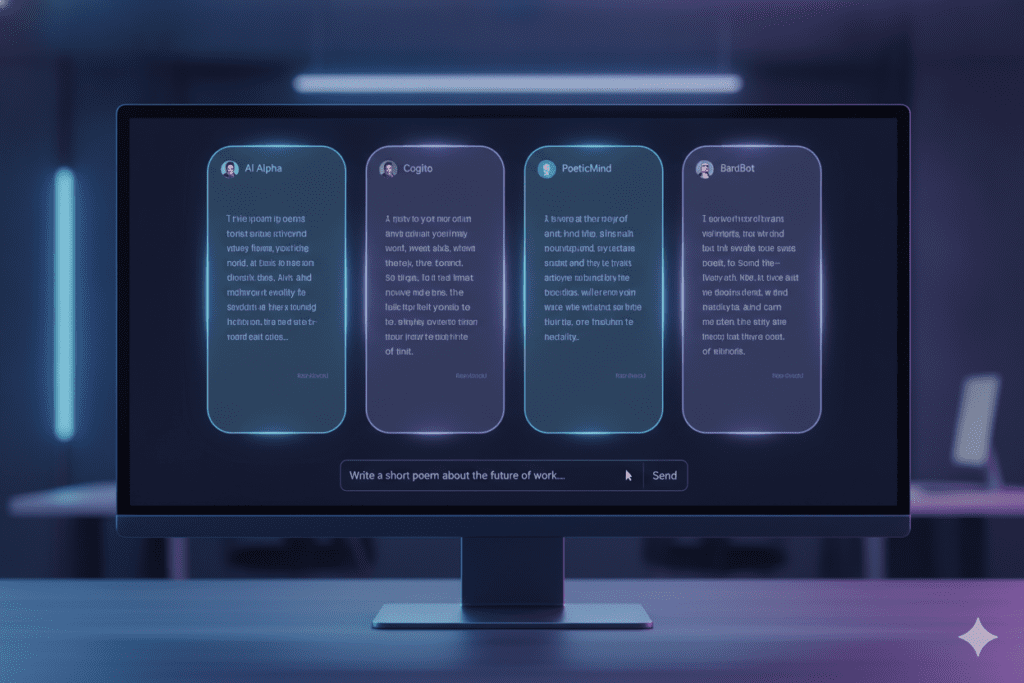
You type your prompt once. It goes to GPT-4, Claude, Gemini, and others simultaneously. You see the responses next to each other. Context carries forward in every follow-up message.
This is, honestly, the only approach that scales for non-developers and developers alike. It’s also where Aizolo fits in.
How Aizolo makes this simple
Aizolo is an all-in-one AI workspace built around exactly this problem: giving people a single place to access, compare, and run multiple AI models at once.
Instead of paying $20 a month for ChatGPT, another $20 for Claude, $20 for Gemini, and $30 for Grok (that’s $90+ a month for separate subscriptions), Aizolo bundles access to GPT-4, Claude, Gemini, Grok, Perplexity, and 2,000+ other AI tools into one subscription starting at $9.9/month.
For anyone researching how to use multiple AI at once, cost is often just as important as convenience. Managing separate subscriptions for different AI models can quickly become expensive, especially when each platform specializes in a different task.
A unified platform simplifies both access and billing by bringing multiple AI models into a single workspace. Instead of switching between accounts, tabs, and payment plans, users can compare responses, test different models, and choose the best output from one place.
This approach makes how to use multiple AI at once far more practical for creators, marketers, developers, researchers, and business owners who rely on several AI tools throughout the day. With centralized access, it’s easier to maintain workflow consistency while reducing subscription costs.
Rather than choosing one model and sacrificing the strengths of others, users can take advantage of multiple AI systems without the complexity that usually comes with managing them separately.
Here’s what that looks like in practice when you want to use multiple AI at once:
- Multi-model chat mode. Type one prompt, get responses from several premium models side-by-side, in the same window.
- Custom API keys. If you already have API access to certain models, bring your own encrypted keys and use them inside the same workspace.
- Prompt manager. Save prompts you use often, so you’re not retyping the same instructions across five different tools.
- AI memory. The workspace remembers your context and preferences, so follow-up questions don’t need to be re-explained to every model.
- Import existing chats. Bring over your ChatGPT and Claude history instead of starting from zero.
If your current routine involves five tabs and constant copy-pasting, this is what “how to use multiple AI at once” looks like when the friction is actually removed.
Real-world ways to use multiple AI at once
Theory is fine, but let’s get into how this actually plays out for different kinds of people. I’ve broken this down by role, because the way you’d use multiple AI at once changes depending on what you’re trying to get done.
For founders
You’re wearing 10 hats. One minute you’re writing investor updates, the next you’re debugging a pricing page, then you’re drafting a hiring post.
In situations like this, learning how to use multiple AI at once can become a major productivity advantage. Different tasks often require different strengths, and no single AI model excels at everything.
You might use one AI for strategic planning, another for content creation, and a third for technical problem-solving. Constantly switching between platforms, however, can slow you down and break your focus throughout the day.
That’s why many founders, marketers, and operators are looking for better ways to manage how to use multiple AI at once. The goal isn’t to use more tools—it’s to get the best output for each task without juggling multiple subscriptions, tabs, and workflows.
When multiple AI models are available in one place, it’s easier to move between responsibilities, compare responses, and stay productive even when your day requires you to wear several different hats.
Running the same prompt through multiple models helps you catch blind spots fast. Ask Claude to draft your investor update for tone and clarity. Ask GPT-4 the same question and check if it surfaces a risk or framing you missed.
For a founder, knowing how to use multiple AI at once means treating each model like a different advisor in the room. One catches your typos. Another catches your weak arguments.
For developers
Code generation is where model differences show up fast. One model might give you cleaner, more idiomatic code. Another might catch an edge case the first one missed.
If you’re debugging a tricky function, running the same error message and code snippet through two or three models at once often surfaces different root causes. You’re not just getting one opinion on a bug, you’re getting a panel.
This is one of the strongest arguments for learning how to use multiple AI at once. Different AI models analyze problems differently, which means they may identify issues, edge cases, or solutions that another model misses.
When developers understand how to use multiple AI at once, they can compare explanations, validate recommendations, and quickly spot patterns across multiple responses. If two or three models point to the same root cause, confidence in the solution increases significantly.
The same approach works beyond coding. Whether you’re reviewing business decisions, researching complex topics, or evaluating content strategies, multiple AI perspectives can reduce blind spots and improve decision-making.
Instead of relying on a single answer, how to use multiple AI at once allows you to leverage a panel of AI experts, giving you broader insights and helping you reach solutions faster.
This is also where API access matters. Developers who already pay for OpenAI or Anthropic API credits can plug those custom keys into a workspace like Aizolo and still get the side-by-side comparison view, without paying twice for the same usage.
For marketers
Marketing copy lives and dies on tone. A headline that sounds punchy from one model might sound generic from another.
Run your ad copy prompt through 3 models at once. Pick the line that actually sounds like your brand, not like every other SaaS landing page on the internet.
This is a practical example of how to use multiple AI at once to improve content quality. Different AI models have different writing styles, strengths, and creative approaches, which means the same prompt can produce surprisingly different results.
When marketers understand how to use multiple AI at once, they can compare headlines, value propositions, CTAs, and ad copy side by side instead of relying on a single output. One model might generate a stronger hook, while another delivers a clearer message or a more persuasive call to action.
The goal isn’t to publish every response. It’s to evaluate multiple perspectives and select the wording that best matches your brand voice, audience, and campaign objectives.
By mastering how to use multiple AI at once, content teams can create more distinctive marketing assets, avoid generic AI-generated language, and consistently produce copy that stands out from competitors.
For campaign research, Perplexity-style models with citations are useful for grounding claims in real data, while a more creative model handles the actual copywriting. Knowing how to use multiple AI at once here means splitting the work: research with one, write with another, polish with a third.
For students
Studying with AI gets risky fast if you only trust one source. If a model gives you a confident-sounding but wrong explanation of a concept, and you don’t double-check, that mistake follows you into the exam.
Cross-checking explanations across two models is a quick sanity check. If both models agree on how, say, a chemical reaction works, you can move on. If they disagree, that’s your cue to dig deeper or ask a professor.
This is one of the most practical examples of how to use multiple AI at once, helping you verify information faster and identify areas that need further research before relying on an answer.
Document tools matter here too. Uploading a PDF of lecture notes and asking multiple models to summarize or quiz you on it, side-by-side, is a faster way to study than reading the same notes five times. This is another effective example of how to use multiple AI at once, allowing students to compare explanations, uncover missed details, and reinforce learning from different perspectives without repeatedly reviewing the same material.
For freelancers
Freelancers live on tight margins. Every subscription cuts into your actual take-home pay.
If you’re a freelance writer, designer, or consultant juggling client work across different niches, you don’t always know which AI model will nail a particular client’s voice. Testing the same brief across multiple models, in one place, without paying for five separate logins, is a direct cost saving.
It also speeds up client revisions. Instead of going back to one model and hoping for a better draft, you compare outputs from several models immediately and pick the strongest one to send.
This is a practical example of how to use multiple AI at once, helping freelancers, agencies, and content teams evaluate different writing styles, improve quality faster, and reduce the time spent on revision cycles.
For SaaS builders
If you’re building a product that uses AI under the hood, you’ve probably already discovered that no single model is best at everything your product needs to do.
Maybe GPT-4 handles your chatbot’s conversational tone well, but Claude is more reliable for your document summarization feature. Maybe Gemini’s pricing makes more sense for a high-volume feature, while a smaller model handles simple classification tasks cheaply.
Testing prompts across multiple models before committing to one in your codebase saves you from a painful migration later.
A workspace that lets you run the same prompt against several models, with your own API keys, is basically a sandbox for this kind of decision-making.
For developers evaluating how to use multiple AI at once, this approach makes it easier to compare performance, response quality, costs, and reliability before building a workflow around a single model, reducing the risk of expensive changes later.
Common mistakes when trying to use multiple AI at once

A few things trip people up once they start experimenting with multiple models.
Mistake 1: Treating every model the same. Each model has strengths. Using GPT-4 for everything just because it’s the most familiar name means you’re missing out on what Claude does better for long-form writing, or what Gemini does better for tasks tied to Google Docs and Sheets.
Mistake 2: Losing context between tools. If you’re pasting the same 500-word prompt into three different chat windows every time, you’re not really comparing models. You’re doing manual labor.
Mistake 3: Ignoring cost. Paying for five subscriptions because each one has “that one feature you need” adds up fast. $110 a month is $1,320 a year, for tools you’re probably using at 20% capacity.
Mistake 4: Not saving good prompts. If you find a prompt that gets great results, and you don’t save it, you’ll rewrite a worse version of it next week. A prompt manager fixes this, and it’s one of the most underrated tools in any AI workflow.
Getting started: a simple first workflow
If you’re new to this and want to try using multiple AI at once today, here’s a simple way to start.
- Pick a task you do often. Writing emails, summarizing documents, debugging code, whatever it is.
- Write one clear prompt for that task.
- Run it through at least two different AI models at the same time.
- Compare the outputs. Note what each one got right or wrong.
- Save the prompt and your notes somewhere you’ll actually look at again.
Do this for a week, and you’ll start to notice patterns. You’ll know which model to reach for, for which kind of task, without thinking twice.
This is exactly the kind of workflow Aizolo’s multi-model chat and prompt manager were built around. Start with one prompt, see how different models handle it, and build from there.
Wrapping up
Learning how to use multiple AI at once isn’t about collecting subscriptions or bragging about how many AI tools you use. It’s about removing friction so you can get better answers, faster, without the mental overhead of managing five different platforms.
The tab-switching method works until it doesn’t. Building your own pipeline works if you’re technical and have time to maintain it. For everyone else, a unified workspace like Aizolo turns “I have access to multiple AI tools” into “I actually use multiple AI at once, every day, without thinking about it.”
If you’re tired of the $90-a-month juggling act, start building smarter with Aizolo and see what a single, unified AI workspace feels like.
For more practical breakdowns like this one, explore more insights on Aizolo’s blog, where we cover real workflows for founders, developers, marketers, and teams figuring out how to get the most out of AI without overspending.
