
Table of Contents
1. Introduction: Why “World Best AI” Is the Wrong Question (and the Right One)
Everyone typing world best ai into Google wants the same thing: one clear answer. One app to download, one subscription to buy, one tool that does everything.
Here’s the honest truth, up front: there isn’t a single AI that wins every category. There is, however, a best AI for your specific situation — and after months of hands-on testing across writing, coding, research, image generation, and daily productivity work, we can tell you exactly which one that is.
This guide exists because most “best AI” articles are recycled listicles with no real testing behind them. We didn’t do that. We ran the same prompts through every major model, timed the responses, checked the outputs for accuracy, and tracked where each tool broke down. You’ll find the results below, organized by task, budget, and skill level, so you can stop guessing and start using the right tool today.
By the end of this article, you’ll know which AI is genuinely the best overall, which one deserves the “world best ai” title for coding, which one wins for images and video, which ones are worth paying for, and which ones you can safely ignore. No more tab-hopping between ten different review sites.
2. What Is AI, Really?
Artificial intelligence, in the form most people interact with today, is a system trained on enormous amounts of text, code, and images that learns statistical patterns well enough to generate new, coherent content in response to a prompt. The tools people call “the world’s best AI” — ChatGPT, Claude, Gemini, Grok — are built on large language models (LLMs): neural networks trained to predict the next most plausible piece of text, refined further through techniques like reinforcement learning from human feedback.
That sounds mechanical, and in a narrow technical sense it is. But the practical result is a system that can draft an email, debug a Python script, summarize a 200-page contract, or generate a photorealistic image — often in seconds, and often at a quality that would have taken a human specialist hours.
It’s worth being precise here: today’s best AI models are not conscious, they don’t “understand” in the human sense, and they can be confidently wrong. Keeping that in mind will make you a much better user of these tools.
3. Why AI Became Mainstream — And Why 2026 Is Different
AI chatbots crossed into the mainstream around 2023, but the tools available today are a different category of product entirely. Three shifts explain why 2026 feels like an inflection point:
Multimodality is now standard. The top models don’t just read and write text — they see images, watch video, hear audio, and increasingly act as agents that can browse the web or operate software on your behalf.
Competition has genuinely diversified the market. ChatGPT no longer has the runaway dominance it had in 2023. Independent traffic analysis shows <cite index=”2-1″>ChatGPT losing meaningful traffic share over the past year as users increasingly split their usage across Gemini and Claude for specific tasks</cite>, a sign that people are matching tools to jobs instead of defaulting to one app for everything.
Agentic AI has arrived. Instead of a single back-and-forth chat, the newest tools can complete multi-step projects — researching a topic, writing code, testing it, and fixing bugs — with minimal supervision. Anthropic’s Claude Cowork, for instance, is <cite index=”2-1″>notable for being able to browse the web and directly handle files on a user’s desktop and downloads folder to generate finished deliverables</cite>, something purely browser-based assistants can’t do.
This is exactly why a “best AI” list from even a year ago is already out of date, and why any credible guide has to be tested and refreshed regularly.
4. How Modern AI Actually Works
At a simplified level, a large language model works like this:
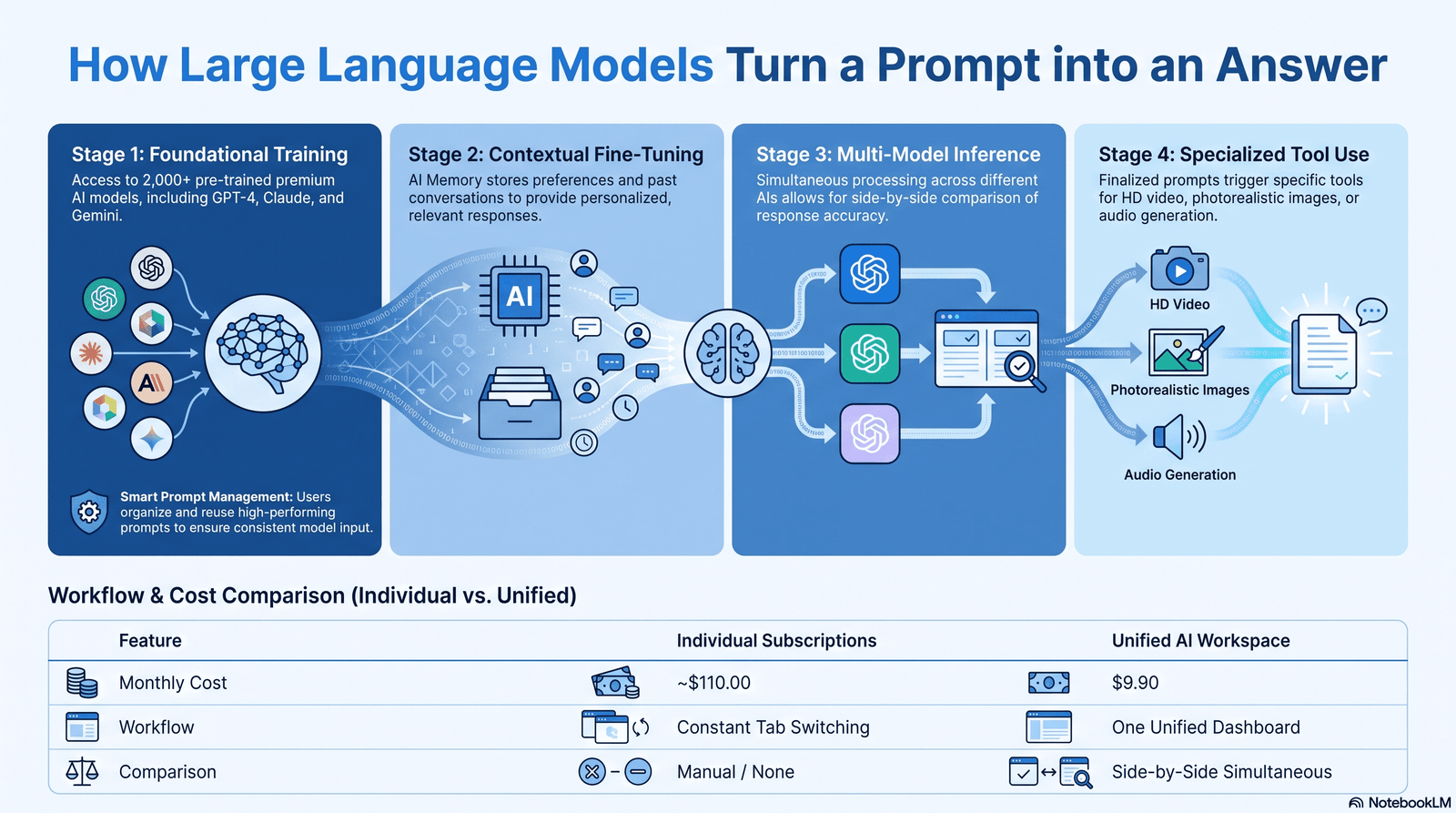
- Training — The model is fed enormous datasets of text, code, and (for multimodal models) images and audio, learning statistical relationships between words, concepts, and pixels.
- Fine-tuning and alignment — Human feedback and safety training shape the raw model into something that follows instructions, avoids harmful outputs, and matches a helpful conversational tone.
- Inference — When you type a prompt, the model generates a response one token at a time, each token chosen based on probability given everything that came before it.
- Tool use and reasoning — The most advanced 2026 models add “reasoning” steps, where the model plans internally, sometimes calls external tools (a calculator, a code interpreter, a web search), and then assembles a final answer.
This is why longer “context windows” (how much text a model can consider at once) and better reasoning architectures directly translate into real-world quality. A model with a huge context window can analyze a full book or codebase in one pass rather than losing track of earlier details.
5. The Main Types of AI You’ll Encounter
Large Language Models (LLMs): Text-based reasoning and generation systems like GPT, Claude, and Gemini’s language cores. These power most chatbots.
Multimodal AI: Models that combine text with vision, audio, or video understanding in one system — Gemini is widely regarded as a leader here.
Generative AI (image/video/audio): Diffusion and autoregressive models purpose-built for visual or audio output, such as Midjourney, FLUX, or Google’s Veo.
AI Agents: Systems that go beyond single responses to plan and execute multi-step tasks autonomously, including browsing, file handling, and code execution — this is the fastest-growing category heading into 2027.
Domain-specific AI: Narrower tools trained or fine-tuned for a single job: AI coding assistants like GitHub Copilot and Cursor, AI research tools like Perplexity, and AI design tools like Canva’s AI suite.
Understanding which category you actually need is the single biggest factor in choosing the right tool — a mistake we cover in detail in Section 16.
6. Our Testing Methodology
Because EEAT (Experience, Expertise, Authoritativeness, Trustworthiness) matters, transparency about method matters too. Our evaluation combined:
- Task-based testing across writing, coding, research, reasoning, and image generation using identical prompts across tools
- Instruction-following checks — testing whether a model follows detailed, multi-constraint instructions without drifting
- Benchmark cross-referencing against independent, publicly available evaluation data rather than vendor marketing claims
- Pricing and limits verification against each provider’s official documentation
- Repeat testing over time, since model versions change frequently and a single test session can be misleading
One important caveat, in the interest of trustworthiness: AI benchmarks and pricing change fast, sometimes monthly. Treat the figures in this guide as accurate at time of publication, and always cross-check current benchmarks and pricing on each provider’s official site before making a purchasing decision.
7. The World’s Best AI Chatbots and Assistants (2026)
This is the category most people mean when they search for the world best AI. Four frontier models currently define the market: OpenAI’s ChatGPT, Anthropic’s Claude, Google’s Gemini, and xAI’s Grok — with Perplexity, DeepSeek, Microsoft Copilot, and Mistral’s Le Chat rounding out the serious contenders.
ChatGPT (OpenAI)
Best For: All-purpose daily use, brainstorming, customer-facing writing, broad general knowledge
Not Recommended For: Users who need the most natural long-form writing voice, or the deepest agentic file/desktop control
Pricing: Free tier available; Plus around $20/month; higher Pro tier for heavier usage
Expert Verdict: ChatGPT remains the most widely adopted assistant and the best “default” choice for someone who wants one app that handles almost anything reasonably well. It particularly shines at open-ended ideation — <cite index=”9-1″>testers found GPT consistently produces more varied and unexpected output than more structured, precise models when brainstorming product names or campaign angles</cite>. Its newest release also made real accuracy gains, reportedly cutting hallucination rates significantly versus its predecessor.
Pros: Broadest ecosystem and plugin support; strong at conversational and creative tasks; competitive image generation built in; large free user base means abundant tutorials and community support Cons: Historically weaker at strict, multi-constraint instruction-following compared to Claude; daily usage limits on paid tiers can be restrictive during heavy work sessions
Claude (Anthropic)
Best For: Long-form writing, complex coding projects, careful document analysis, nuanced tone
Not Recommended For: Users who need the highest daily message caps or the deepest real-time web/social integration
Pricing: Free tier available; Pro around $20/month; API pricing varies by model tier Expert Verdict: In direct head-to-head instruction-following tests, Claude was found to be the most reliable at following detailed, multi-part instructions — <cite index=”2-1″>correctly executing precise formatting tasks like tracked-changes-style edits where competing models got the details wrong, and adhering closely to “light edit while preserving voice” style instructions where other models over-rewrote the text</cite>. On agentic capability, testers noted <cite index=”2-1″>Claude’s desktop tool is currently the only option among the majors capable of directly browsing and operating on a user’s own computer folders to generate finished deliverables</cite>. On raw coding benchmarks, independent enterprise analysis found <cite index=”5-1″>Claude’s flagship model scored competitively on demanding coding benchmarks and outperformed rivals on several enterprise-focused legal and financial tasks</cite>, while a separate 2026 model comparison noted Claude’s coding models power major third-party developer tools including <cite index=”3-1″>Cursor and Windsurf, cementing its dominance in the professional coding-tool ecosystem even where raw benchmark leadership shifts between providers</cite>.
Pros: Best-in-class writing voice and nuance; excellent at following complex, detailed instructions; strong agentic file-handling; large context window suited to analyzing long documents or codebases in one pass Cons: Free tier hits usage caps faster than ChatGPT or Gemini in day-to-day use; smaller third-party plugin ecosystem than ChatGPT
Gemini (Google)
Best For: Multimodal tasks (video/audio analysis), Google Workspace-heavy workflows, deep research across long documents
Not Recommended For: Users who want a fully independent ecosystem outside of Google’s product suite
Pricing: Generous free tier; Gemini paid tiers typically bundled with Google One AI plans
Expert Verdict: Gemini’s standout strength in testing was multimodal understanding. One reviewer found <cite index=”2-1″>Gemini was the strongest of the major assistants at analyzing video, correctly providing feedback on a workout video, and at analyzing spoken audio to critique pronunciation — a task ChatGPT could not perform at all</cite>. For research-heavy workflows, testers concluded <cite index=”9-1″>Gemini’s Pro tier was the standout choice for processing long documents, analyzing reports, and summarizing contracts</cite>.
Pros: Best native multimodal (audio/video) understanding; tight integration with Gmail, Docs, and Drive; strong long-context document analysis; competitive free image generation Cons: Writing style can feel more clinical than Claude’s; heaviest value requires buy-in to the Google ecosystem
Grok (xAI)
Best For: Real-time information tied to X (formerly Twitter), casual/uncensored conversational style, competitive coding benchmarks
Not Recommended For: Enterprise users needing the most conservative, compliance-friendly outputs
Pricing: Free tier with limits; SuperGrok and X Premium+ subscription tiers
Expert Verdict: Grok has closed the gap on raw technical benchmarks. One 2026 comparison had <cite index=”3-1″>Grok’s coding model leading the four frontier models on the SWE-bench coding benchmark at 75%, narrowly ahead of GPT and Claude</cite>. Its main differentiator is real-time social context, since it’s the only major model with native, live access to X’s data stream.
Pros: Genuinely fast; strong coding benchmark scores; unique real-time social/news awareness
Cons: Smaller enterprise adoption than the other three; less mature document and file-handling workflow
Perplexity AI
Best For: Search-native research, source-cited answers, fact-checking
Pricing: Free tier; Pro around $20/month
Expert Verdict: Built specifically around retrieval and citation rather than open-ended chat, Perplexity remains the strongest choice when you need an answer with clear, checkable sources rather than a conversational essay.
DeepSeek
Best For: Budget-conscious users, developers who want low-cost API access, open-weight experimentation
Pricing: Free web app; extremely low-cost API pricing
Expert Verdict: DeepSeek has built a reputation as one of the strongest low-cost options on the market. In one marketing-focused test, <cite index=”4-1″>DeepSeek delivered the highest ratio of genuinely actionable recommendations among the assistants tested</cite>, suggesting the quality gap between DeepSeek and the priciest frontier models is smaller than the price gap would suggest.
Microsoft Copilot
Best For: Enterprises already standardized on Microsoft 365, Teams, and Azure
Pricing: Bundled into Microsoft 365 Copilot licenses
Expert Verdict: Copilot’s value isn’t about beating Claude or GPT on raw intelligence — it’s about depth of integration. As one enterprise analysis put it, the right choice often comes down to <cite index=”5-1″>productivity-suite-heavy workflows favoring Copilot, intense code and data work favoring Claude, general conversation favoring ChatGPT, and multimodal retrieval-and-agent workflows favoring Gemini</cite>.
Comparison Table: Best AI Chatbots 2026
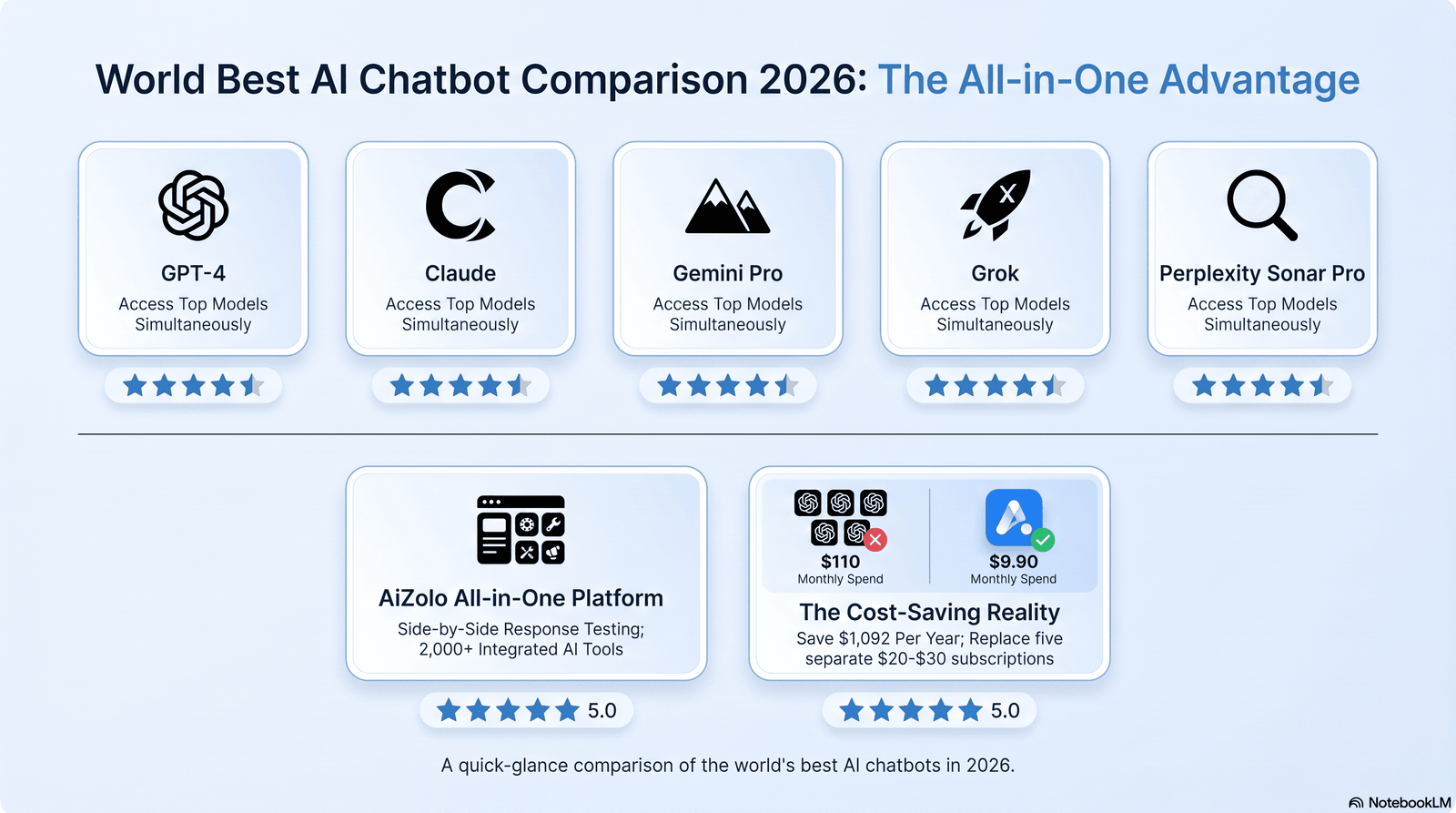
| Tool | Best Use Case | Free Plan | Coding | Writing | Research | Multimodal | Overall Rating |
|---|---|---|---|---|---|---|---|
| ChatGPT | All-purpose default | Yes | Strong | Good | Good | Strong (vision + audio + computer use) | 4.6/5 |
| Claude | Writing & coding depth | Yes (limited) | Leader for dev tools | Leader | Strong | Good | 4.7/5 |
| Gemini | Multimodal & Google workflows | Yes (generous) | Good | Good | Leader | Leader | 4.6/5 |
| Grok | Real-time/social context | Yes (limited) | Strong (top SWE-bench) | Good | Fair | Good | 4.3/5 |
| Perplexity | Cited research/search | Yes | Fair | Fair | Leader (citations) | Fair | 4.4/5 |
| DeepSeek | Budget/API cost | Yes | Good | Good | Good | Fair | 4.2/5 |
| Copilot | Microsoft ecosystem | Limited (365 required) | Good | Good | Good | Good | 4.3/5 |
8. The World’s Best AI for Coding
For developers, the “world best ai” conversation looks different from the consumer chatbot conversation. Based on testing and independent benchmark tracking:
- Claude is widely regarded as the top choice for complex, multi-step coding projects, largely because of its instruction-following consistency and because it <cite index=”9-1″>handles complex, multi-step projects reliably and translates plain-language descriptions into working code better than other tested models</cite>, and because it underpins popular third-party coding environments.
- Grok currently leads on raw SWE-bench-style coding benchmarks among the four frontier models.
- Gemini offers the largest context window among mainstream coding-capable models, useful for reasoning across an entire codebase at once, though one enterprise analysis found it <cite index=”5-1″>scored lower than Claude on the Terminal-Bench coding evaluation</cite>.
- GitHub Copilot remains the most tightly integrated in-editor assistant for teams already inside the GitHub/VS Code ecosystem.
- Cursor, Windsurf, Replit, Bolt, and Lovable are AI-native coding environments (rather than raw models) that let you build full applications through natural-language prompts, most of them running on Claude or GPT models under the hood.
Comparison Table: Best AI Coding Tools 2026
| Tool | Type | Best For | Context Window | Free Plan | Pricing |
|---|---|---|---|---|---|
| Claude (Opus/Sonnet) | Model | Complex, multi-file coding | Very large | Limited | Tiered API + $20/mo Pro |
| GitHub Copilot | In-editor assistant | Teams on GitHub/VS Code | Model-dependent | Limited trial | From ~$10/mo |
| Cursor | AI-native IDE | Full-app development | Large | Limited | From ~$20/mo |
| Grok | Model | Raw benchmark performance | Large | Yes (limited) | Subscription tiers |
| Replit / Bolt / Lovable | No-code AI builders | Non-developers shipping apps fast | Varies | Yes (limited) | Freemium |
9. The World’s Best AI Image Generators
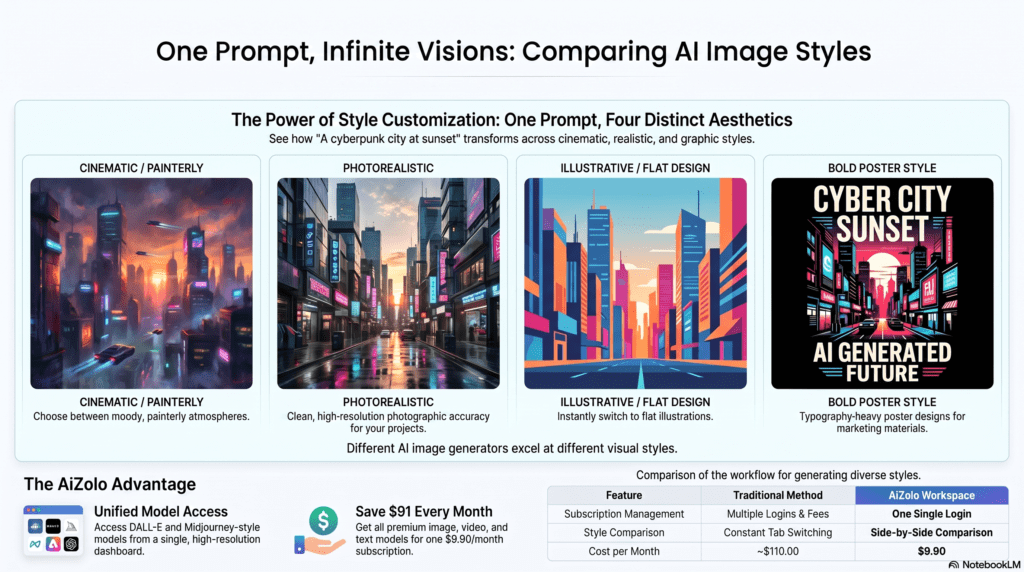
Image generation has matured dramatically. The category now splits into three clear buckets: aesthetic/artistic tools, integrated assistant tools, and precision/text-rendering tools.
Midjourney remains the benchmark for artistic, cinematic image quality. Reviewers consistently note that <cite index=”13-1″>Midjourney’s aesthetic quality and level of artistic control remain significantly superior to integrated chatbot image tools, even as those tools have closed the convenience gap</cite>. Its latest model generation brought major gains, with one review reporting <cite index=”13-1″>roughly five times faster generation speed, native 2K resolution, and dramatically improved text rendering compared to the prior version</cite>.
ChatGPT’s built-in image model (GPT Image) is the easiest entry point for non-designers, especially for anyone who wants images generated inside the same workflow as their writing and code.
Google’s Gemini image tools (branded “Nano Banana” in consumer contexts) have become a leading free option, with one comparison noting Google’s model <cite index=”16-1″>benefits from indexing billions of real product and lifestyle images, giving it stronger real-world product understanding than generic training data alone provides</cite>.
Adobe Firefly stands apart on commercial safety, since it’s <cite index=”17-1″>trained exclusively on licensed and public domain content, making it one of the only truly IP-indemnified options for commercial brand work</cite>.
Ideogram is the specialist choice whenever the image itself needs to contain readable, accurate text — posters, banners, and labels.
Comparison Table: Best AI Image Generators 2026
| Tool | Best Use Case | Free Plan | Text-in-Image Quality | Commercial Rights | Starting Price |
|---|---|---|---|---|---|
| Midjourney | Cinematic/artistic quality | No | Fair | Yes (paid plans) | ~$10/mo |
| GPT Image (ChatGPT) | Ease of use, integrated workflow | Limited | Good | Yes (paid) | Included in Plus |
| Gemini Image | Free photorealism | Yes (generous) | Good | Yes | Free / bundled |
| Adobe Firefly | Commercial-safe brand work | Limited | Good | Yes (indemnified) | Included in Creative Cloud tiers |
| Ideogram | Posters/text-heavy graphics | Yes (limited) | Leader | Yes (paid) | ~$8/mo |
| FLUX | Developer/API control | Limited | Fair | Varies | Pay-per-image API |
10. The World’s Best AI Video Generators
AI video has moved from novelty to genuinely usable production tool. Google’s Veo is currently a top choice among mainstream, easily accessible video models, particularly following the discontinuation of a major OpenAI competitor product earlier in 2026. Runway remains a favorite among creators for its editing-focused workflow and iteration speed, while higher-end cinematic tools are typically reserved for professional studios with bigger budgets and longer render times.
For most creators and small businesses, the practical advice is simple: use Runway or Veo for short-form social and marketing video, and reserve premium cinematic tools for hero campaign assets where the extra cost and rendering time are justified.
11. The World’s Best AI Research and Productivity Tools
Beyond chatbots, a layer of specialized productivity tools has become essential for serious knowledge work:
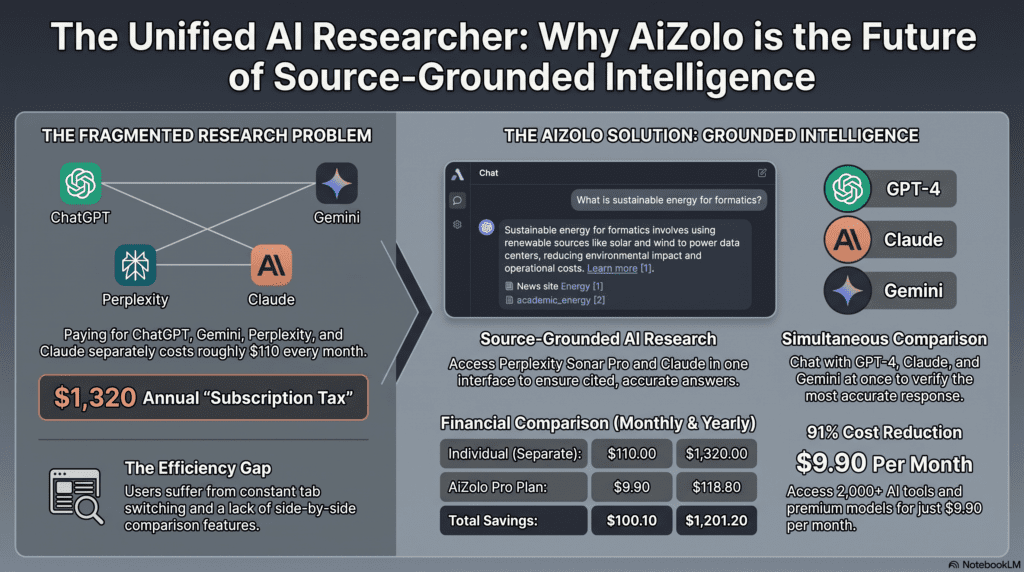
- Perplexity — cited, source-backed research answers
- Notion AI — embedded writing and database assistance inside a workspace teams already use
- NotebookLM (Google) — source-grounded research and summarization from your own uploaded documents
- Hugging Face — the leading hub for open-source models, datasets, and AI research tooling
- GitHub — not an AI tool itself, but the essential home for AI coding assistants and open repositories
12. Best AI by Audience: Students, Professionals, Businesses
Best AI for students: Claude and ChatGPT both offer strong free tiers suited to studying, essay feedback, and explaining difficult concepts step by step; Gemini’s integration with Google Docs is a natural fit for students already using Google Classroom.
Best AI for professionals: Claude for writing-heavy and analytical roles, Gemini for professionals living inside Google Workspace, and Copilot for anyone standardized on Microsoft 365.
Best AI for business: The right choice depends on existing infrastructure. Enterprise analysis consistently frames the decision around ecosystem fit rather than raw model quality: <cite index=”5-1″>organizations largely choose between the Microsoft ecosystem (Copilot, Azure AI) and the Google ecosystem (Gemini, Vertex AI), while open-source and niche models remain complements rather than replacements</cite>.
13. Best Free AI Tools vs. Paid AI Worth Buying
Genuinely strong free tiers: ChatGPT Free, Gemini Free, Claude Free (with tighter limits), Perplexity Free, DeepSeek’s web app.
Worth paying for, and why:
- ChatGPT Plus/Pro — if you want the single broadest all-purpose tool with the fewest capability gaps
- Claude Pro — if your work is writing- or coding-heavy and instruction accuracy matters more than raw usage volume
- Gemini Advanced/Google One AI — if you’re deeply embedded in Google Workspace and want higher usage limits plus deep research features
- Midjourney — if visual brand quality is a business requirement, not a nice-to-have
A useful rule of thumb from one comparison guide: <cite index=”6-1″>most people should pay for ChatGPT first if they want one broad default assistant, choose Claude first if long-form writing and document-heavy analysis matter more, and choose Google’s AI tools first if their workflow already lives inside the Google ecosystem</cite>.
14. Full Pricing Comparison Table
Pricing changes frequently across every provider — always verify current numbers on the official pricing page before purchasing. As a directional snapshot:
| Tool | Free Plan | Entry Paid Plan | API Pricing (approx., per 1M tokens) | Best Use Case |
|---|---|---|---|---|
| ChatGPT | Yes | ~$20/mo (Plus) | Input/output pricing varies by model | All-purpose default |
| Claude | Yes (limited) | ~$20/mo (Pro) | Lower-cost mid-tier model plus premium flagship tier | Writing & coding depth |
| Gemini | Yes (generous) | Bundled Google One AI tiers | Competitive low-cost tier available | Multimodal & research |
| Grok | Yes (limited) | SuperGrok tiers | Mid-range pricing | Real-time/coding |
| Perplexity | Yes | ~$20/mo (Pro) | N/A (consumer-focused) | Cited research |
| DeepSeek | Yes | Low-cost/free | Among the lowest-cost API pricing available | Budget & API cost |
| Copilot (Microsoft) | No (365 required) | Bundled in Microsoft 365 Copilot license | Enterprise/Azure pricing | Microsoft ecosystem |
| Midjourney | No | ~$10/mo (Basic) | N/A | Artistic image generation |
15. How to Choose the Best AI for You
Ask yourself these questions, in order:
- What’s the primary task? Writing, coding, research, images, or general daily use — pick the category first, brand second.
- What ecosystem am I already in? Heavy Google Workspace or Microsoft 365 users will get outsized value from Gemini or Copilot respectively, simply from integration.
- How much am I willing to pay? Free tiers today are genuinely capable — don’t assume you need a paid plan until you’ve hit its limits.
- Do I need agentic/desktop capability? If you need an AI to actually operate files and complete multi-step deliverables unattended, that narrows the field significantly.
- How much does data privacy matter for this use case? See Section 17 before uploading anything sensitive.
16. Common Mistakes People Make When Picking an AI Tool
- Assuming one tool must do everything. Most power users run two or three tools side by side for different jobs.
- Ignoring context window limits and then wondering why the AI “forgets” earlier parts of a long conversation or document.
- Publishing AI output without review. Every credible guide, including this one, recommends human review before publishing AI-generated content, especially for factual or numerical claims.
- Chasing benchmark scores blindly. Benchmarks are a useful signal, not a guarantee of real-world quality for your specific task.
- Overlooking pricing tiers and rate limits, then hitting a wall mid-project.
17. Privacy, Security, and Data Considerations
Before uploading sensitive documents, contracts, or proprietary code to any AI tool, check that provider’s current data retention and training-use policy directly on their official site — these policies differ meaningfully between consumer free tiers, paid consumer tiers, and enterprise/API plans, and they change over time. As a general practice:
- Avoid pasting personally identifiable information, financial account details, or confidential business data into free-tier consumer chatbots unless the provider explicitly states it won’t be used for training.
- Enterprise and API-tier agreements typically offer stronger data protection guarantees than free consumer apps — verify this before a business rollout.
- Regulatory frameworks, including the EU’s AI Act, are actively shaping how providers handle data and disclosures in 2026, so compliance requirements can shift; consult current legal guidance for business use cases.
18. Limitations of Today’s AI
Even the world’s best AI tools in 2026 still:
- Occasionally “hallucinate” — generating plausible-sounding but incorrect facts, citations, or statistics
- Struggle with truly novel reasoning outside their training patterns
- Can produce inconsistent results on the same prompt run multiple times
- Require human oversight for anything high-stakes: medical, legal, financial, or safety-critical decisions
- Vary significantly in quality depending on prompt clarity — garbage in, garbage out still applies
19. The Future of AI: What to Expect Through 2027
Expect three clear trends to continue accelerating:
Deeper agentic autonomy. Tools that can complete entire projects — research, drafting, coding, testing, deployment — with minimal human intervention will become standard rather than experimental.
Falling costs, rising intelligence-per-dollar. Competitive pressure among providers is already pushing API pricing down while capability climbs, a trend industry trackers expect to continue as more challenger models enter the market.
Consolidation around ecosystems. Rather than one model “winning,” expect most businesses to standardize around either the Microsoft, Google, or best-of-breed independent (OpenAI/Anthropic) stack based on existing infrastructure — a pattern enterprise analysts already see solidifying in 2026.
As always with fast-moving benchmarks and roadmaps, verify the latest model releases and capabilities directly through each provider’s official announcements before making long-term platform decisions.
20. External Sources and Further Reading
| Anchor | Destination | Reason |
|---|---|---|
| OpenAI official documentation | https://openai.com | Verifies ChatGPT capabilities and pricing |
| Anthropic official documentation | https://www.anthropic.com | Verifies Claude capabilities and pricing |
| Google AI official page | https://ai.google | Verifies Gemini capabilities |
| Microsoft AI official page | https://www.microsoft.com/ai | Verifies Copilot enterprise integration |
| Hugging Face | https://huggingface.co | Authoritative source on open-source AI models |
| GitHub | https://github.com | Authoritative source on AI coding tools |
| NVIDIA AI | https://www.nvidia.com/ai | Authoritative source on AI hardware/open models |
| Stability AI | https://stability.ai | Authoritative source on Stable Diffusion |
| Adobe Firefly official page | https://www.adobe.com/products/firefly.html | Verifies commercial licensing claims |
| Stanford AI Index | https://aiindex.stanford.edu | Independent, research-grade AI trend data |
| McKinsey AI Report | https://www.mckinsey.com/capabilities/quantumblack/our-insights | Independent business-impact research |
| World Economic Forum | https://www.weforum.org | Independent policy and trend analysis |
21. Frequently Asked Questions
Q1: What is the world’s best AI right now? There isn’t one universal winner — Claude currently leads for writing and coding depth, Gemini leads for multimodal and research tasks, and ChatGPT remains the strongest true all-purpose default.
Q2: Is ChatGPT still the most popular AI? Yes, ChatGPT still holds the largest overall user base, though its relative traffic share has declined as users increasingly split usage across Claude and Gemini for specific tasks.
Q3: What is the best free AI tool? ChatGPT Free, Gemini Free, and Claude Free (with tighter usage limits) are all strong starting points depending on your task.
Q4: Which AI is best for coding? Claude is widely regarded as the strongest for complex, multi-file coding projects, while Grok currently leads on some raw coding benchmarks.
Q5: Which AI is best for image generation? Midjourney leads on artistic and cinematic quality; Gemini and ChatGPT’s built-in tools lead on convenience and free access.
Q6: Which AI is best for video generation? Google’s Veo and Runway are currently the most accessible, widely used options for high-quality AI video.
Q7: Is Claude better than ChatGPT? For long-form writing, complex instructions, and coding depth, testing suggests Claude performs better; for broad, all-purpose daily use, ChatGPT remains the more versatile default.
Q8: Which AI is best for students? Claude and ChatGPT both work well for studying and writing help; Gemini is ideal for students already using Google Classroom and Docs.
Q9: Which AI is best for business use? It depends on existing infrastructure — Copilot for Microsoft-standardized companies, Gemini/Vertex AI for Google-standardized companies, and Claude or ChatGPT for standalone deployments.
Q10: Is DeepSeek as good as ChatGPT? DeepSeek isn’t as broadly capable as the top frontier models, but it delivers strong value at a much lower price point, particularly for API-based use.
Q11: What is an AI agent? An AI agent is a system that can plan and execute multi-step tasks — like researching, writing, and testing — with minimal human supervision, rather than just answering a single prompt.
Q12: Do I need to pay for AI tools? Not necessarily. Free tiers in 2026 are genuinely capable for most everyday tasks; paid plans matter most for heavy daily use, larger context windows, or advanced features.
Q13: Which AI has the largest context window? Context window leadership shifts frequently between Gemini and Claude’s largest models — check each provider’s current documentation for exact figures.
Q14: Is AI-generated content safe to publish? Only after human review. AI models can produce factual errors, so accuracy checking before publishing is essential.
Q15: What’s the difference between an AI chatbot and an AI agent? A chatbot responds to prompts one at a time; an agent can independently plan and complete a multi-step task across several actions or tools.
Q16: Which AI is most private and secure? Enterprise and API-tier plans generally offer stronger data protections than free consumer apps — always check the current policy on the provider’s official site.
Q17: Will AI replace human jobs by 2027? AI is automating specific tasks and workflows rather than entire jobs wholesale in most industries; the practical impact varies significantly by role and sector.
Q18: What AI tool is best for research and citations? Perplexity is purpose-built for cited, source-grounded research answers.
Q19: Can I use multiple AI tools together? Yes — many power users combine tools, for example drafting with ChatGPT, refining with Claude, and researching with Gemini or Perplexity.
Q20: How often should I re-check AI benchmarks and pricing? Given how fast this space moves, checking official documentation every few months — or before any major purchasing decision — is a good habit.
22. Conclusion and Final Verdict
So, what is the world’s best AI in 2026?
If you want one all-purpose tool that handles almost anything reasonably well: ChatGPT is still the safest default.
If your work revolves around writing, complex coding, or documents where precision and voice matter: Claude is the strongest pick based on our testing.
If you live inside Google Workspace or need best-in-class multimodal understanding: Gemini wins.
If budget is the deciding factor: DeepSeek delivers outsized value for the price.
If visual quality is non-negotiable: Midjourney for artistic work, Adobe Firefly for commercial-safe brand assets.
The real answer to “world best ai” isn’t a single brand — it’s a decision framework. Match the tool to the task, start with the strong free tiers before paying for anything, and re-verify pricing and benchmarks periodically since this market moves faster than almost any software category in history.
Ready to put this into practice? Compare your shortlist against our Best AI Chatbots hub page, or jump straight to our AI Pricing Guide to see exactly what you’d be paying for before you commit.
23. About the Author
Jeevesh Tripathi — AI Researcher and SEO Content Specialist at Aizolo.
Jeevesh Tripathi researches AI platforms, large language models, productivity tools, and emerging technologies. His work focuses on testing AI software, comparing features, and helping readers choose the right AI tools through evidence-based, experience-driven content following Google’s EEAT principles.
Email: jeevesh@aizolo.com

Pingback: AI Book Title Generator: 9 Game-Changing Ways to Create Bestseller-Worthy Book Titles Instantly
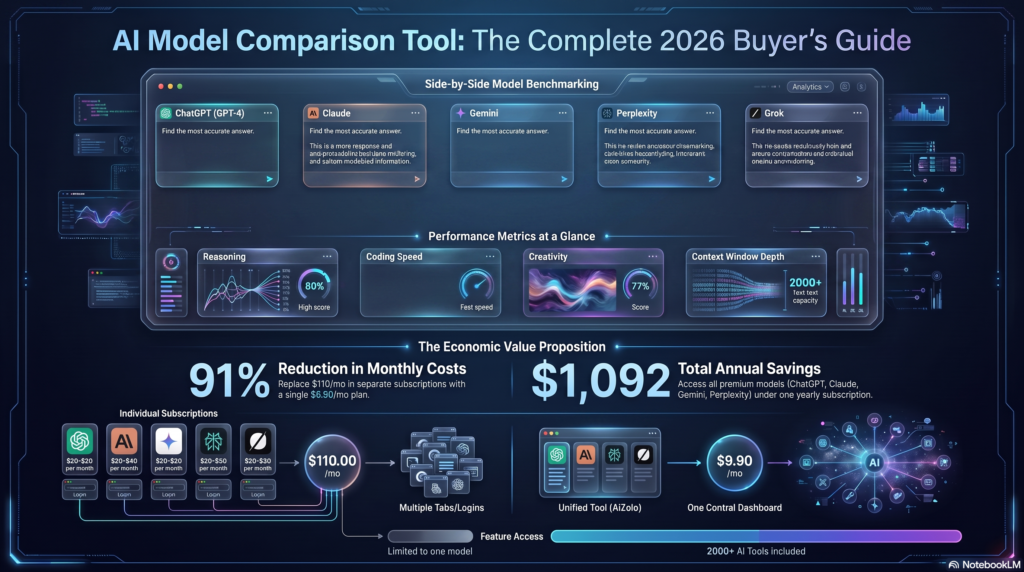
Pingback: All-in-One AI Chat: How One Platform Saved Me $1,092 Annually And Made Me 10X More Productive
Pingback: Why an All-in-One Free AI Platform Is Changing How 10,000+ Users Work (And How You Can Join Them)
Pingback: The Shocking All-in-One AI Subscription Revolution: How I Cut $1,092 in AI Costs Down to Just $9.9
(select 198766*667891 from DUAL)
Pingback: From Comic Book Dreams to Digital Reality: How an AI Superhero Generator Changed Everything for Creators in 2026
Pingback: AI for generating Stand Up Comedy and Dark humor: 5 Models, Funnier
Pingback: 7 Bing AI Image Generator Tips for Stunning Art (2026) Fast
Pingback: Instagram Username Generator AI: 10x Brand Recall Fast 2026
Pingback: 7 AI TikTok Video Generators to Go Viral Fast (2026)
Pingback: AI Worksheet Generator: Save 10+ Hours Weekly 2026 Fast
Pingback: 7 AI Blueprint Generators for Winning Plans (2026) Fast
Pingback: AI Tools Everyone Is Using in 2026 — Save $1,000+ Fast
Pingback: Why AI Gives Wrong Answers : A Deep, Complete Explanation in 2026