
Table of Contents
Introduction
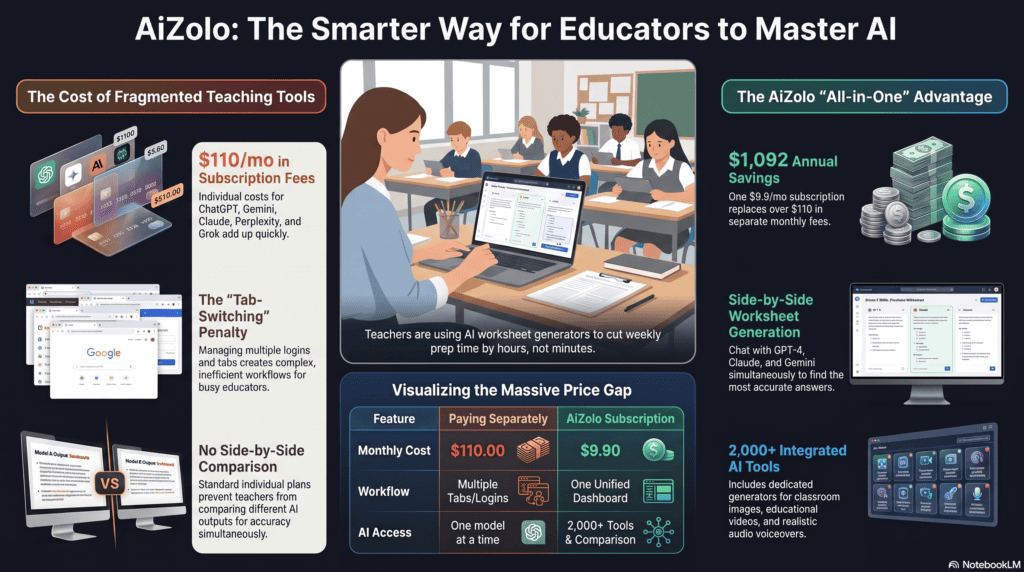
It’s Sunday night, and you’re formatting the tenth question on a worksheet nobody will remember by Wednesday. Sound familiar? The average K-12 teacher spends three to five hours a week just building classroom materials from scratch—Aizolo helps cut that time dramatically.
That’s exactly the gap an AI worksheet generator is built to close. Instead of hand-typing questions, adjusting spacing, and hunting for clip art, you describe what you need and get a print-ready worksheet in under a minute.
This guide covers what these tools actually do, which ones are worth your time in 2026, what they cost, and where they still fall short. We tested and researched the leading platforms so you don’t have to sort through marketing pages to find the truth.
What Is an AI Worksheet Generator?
An AI worksheet generator is software that uses artificial intelligence, usually a large language model, to automatically create educational worksheets, quizzes, and practice activities from a topic, standard, or uploaded document.
You type in something like “6th grade fractions, word problems, 10 questions” and the tool writes the actual questions, not just a blank template. Most also generate an answer key automatically.
This is different from a printable worksheet generator that only offers design templates. A template gives you a blank page to fill in yourself. An AI worksheet maker writes the content for you, then lets you edit it.
For teachers hunting for “worksheet generator AI” or “AI worksheet creator” tools, the category now spans everything from single-purpose apps focused only on worksheets to broad AI teaching tools platforms where worksheet generation is one feature among dozens.
How Does an AI Worksheet Generator Work?
Most tools follow the same basic sequence, even though the interface looks different from one product to the next.
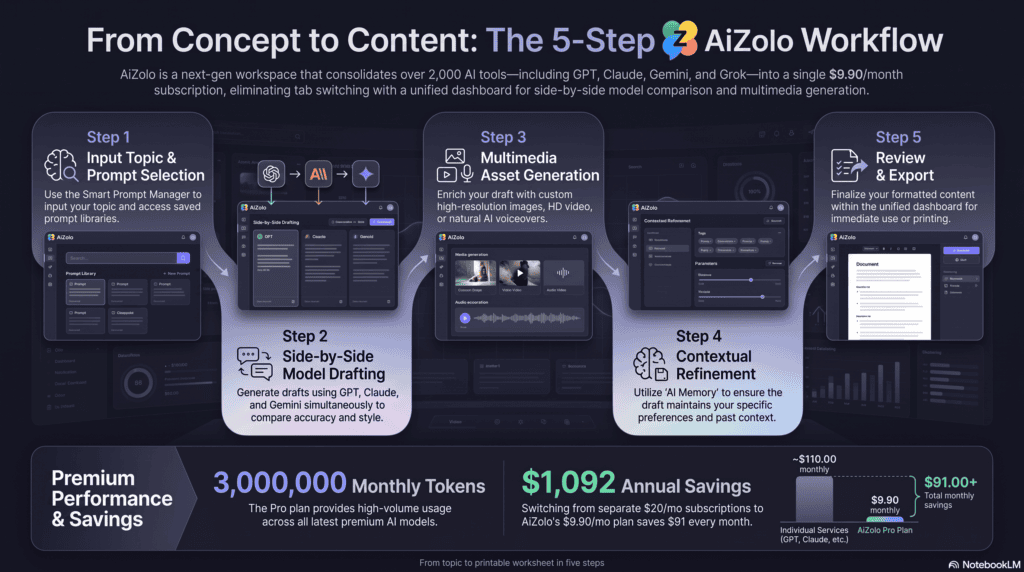
1. You provide the input. This can be a topic (“photosynthesis”), a learning standard, a pasted passage, or an uploaded PDF or image that the tool reads using OCR.
2. The AI drafts the content. A language model generates questions, prompts, or passages that match your subject, grade level, and question type (multiple choice, fill-in-the-blank, short answer, and so on).
3. The tool formats the output. Questions are arranged into a printable or digital layout, often with a name field, instructions, and space for answers.
4. An answer key is generated. Most tools that support AI quiz generator functionality also auto-generate a scoring key, saving a second round of manual work.
5. You review and export. This step matters more than any other. AI output should be treated as a strong first draft, not a finished product, because factual errors and grade-level mismatches do happen.
Prompt quality has a direct effect on output quality. A vague prompt like “make a science worksheet” produces generic content. A specific prompt — grade level, topic, question count, question type, and reading level — produces something closer to classroom-ready.
Who Should Use an AI Worksheet Generator?
These tools help almost anyone who regularly creates practice materials, but the best fit depends on grade level and subject.
Elementary teachers benefit most from tools with strong visual output, like labeled diagrams and word banks, since younger students rely heavily on visual scaffolding. Look for platforms that generate bar graphs, images, or manipulative-style layouts alongside text.
Middle school teachers, especially those managing five or six sections a day, get the most value from speed and differentiation. Generating three versions of the same worksheet at different reading levels in minutes is a real time-saver at this grade band.
High school teachers, particularly in AP or honors tracks, need tools that support longer-form questions, primary source analysis, and standards alignment rather than simple recall questions.
Language teachers benefit from tools with strong multilingual support, since vocabulary drills, conjugation practice, and translation-based worksheets are common weekly tasks.
Math teachers need a generator that formats equations, fractions, and graphs cleanly. This is one of the biggest weak points across the category — formatting breaks more often in math output than in text-based subjects.
Science teachers benefit from tools that can generate labeled diagrams and data tables, not just multiple-choice recall questions, since science instruction leans heavily on interpreting visuals.
Homeschool parents and tutors typically want simple, fast, no-login tools rather than full classroom platforms with grading dashboards and LMS integrations they’ll never use.
College professors and instructional designers often need standards-agnostic tools that support higher-order tasks — essay prompts, case studies, and rubric-aligned assessments — rather than K-12-style worksheets.
Benefits of Using an AI Worksheet Generator
- Speed. A worksheet that takes 45 minutes to build manually can take under a minute with a good AI worksheet generator.
- Differentiation at scale. Generating the same content at multiple reading levels used to mean rewriting it three times. AI tools can do this almost instantly.
- Consistency. Auto-generated answer keys reduce grading errors that creep in when keys are built separately from the worksheet.
- Language access. Many tools translate or generate content in dozens of languages, which helps multilingual learners and their families.
- Reduced burnout. Time saved on repetitive prep work is time available for lesson delivery, feedback, and actual teaching.
Limitations to Know Before You Rely on One
- Accuracy isn’t guaranteed. AI-generated content can include factual errors, especially in science and math. Every worksheet needs a human review pass before it reaches students.
- Generic output on vague prompts. Weak prompts produce shallow questions that don’t push students toward higher-order thinking.
- Formatting issues in math. Equations, exponents, and graphs sometimes break when exported or copied between platforms.
- Standards alignment isn’t automatic everywhere. Some tools claim alignment but only loosely match a standard’s actual language and depth.
- Free tiers have real limits. Daily generation caps, missing export formats, and locked customization options are common below the paid tier.
- Data privacy varies by vendor. Not every tool is FERPA or COPPA compliant, and compliance claims should be verified before classroom-wide or district-wide use.
Best AI Worksheet Generators in 2026
We evaluated tools on content quality, differentiation, export options, pricing transparency, and compliance documentation. Here’s how the leading options compare.
1. MagicSchool AI
Best for: Teachers who want one platform for worksheets, lesson plans, rubrics, and IEP support.
MagicSchool AI is a broad K-12 teaching assistant platform with a dedicated worksheet generator among its 80-plus tools. The platform serves millions of educators across more than 160 countries and works with over 10,000 schools and districts.
Key features: Worksheet generator, lesson plan generator, rubric maker, multiple-choice quiz maker, IEP and accommodation generator, and Google Docs/Classroom export.
AI capabilities: MagicSchool routes requests across multiple large language models, including models from OpenAI, Anthropic, and Google, depending on the task.
Worksheet quality: Strong for text-based subjects and standards-aligned assessments; less specialized for math formatting than dedicated math tools.
Customization: Studio Mode lets teachers edit AI output directly — formatting text, adding structure, and inserting images before export.
Export formats: Google Docs, Google Classroom, and other LMS integrations including Canvas, Clever, and ClassLink on paid tiers.
Integrations: Full SIS/LMS integration with Clever, ClassLink, Canvas, and Schoology is available on paid plans, letting teachers launch MagicSchool directly from their LMS.
Pros:
- Enormous tool library beyond just worksheets
- Strong compliance documentation for districts
- Multi-model AI routing for task-specific quality
Cons:
- Worksheet generation is one feature in a much larger (and sometimes overwhelming) toolset
- Free tier usage limits apply
Pricing: Free tier at $0 for individual educators; Plus tier at $8.33 per user per month billed annually, or $12.99 billed monthly; Enterprise tier at custom pricing for schools and districts.
Free Plan: Yes, with standard usage limits and access to core teacher tools.
Overall Rating: 4.5/5 — best pick for teachers who want a single AI hub rather than a single-purpose tool.
2. Diffit
Best for: Mixed-ability classrooms that need the same content at multiple reading levels.
Diffit is a focused AI worksheet creator built around one job: turning any topic or source text into differentiated, classroom-ready materials.
Key features: Reading-level adaptation, vocabulary lists, comprehension questions, summaries, and multilingual translation.
AI capabilities: Diffit can build a resource from a pasted article, a PDF, a URL, or a topic prompt, then adjust the reading level and language on request through its chat-based refinement tool.
Worksheet quality: Diffit is widely regarded as the strongest tool in its category for differentiated reading materials, and is used by named school districts including Hart, Arlington, and Forsyth County.
Customization: Free-tier customization is limited; premium unlocks longer text inputs and standards alignment.
Export formats: Finished resources can be exported to Google Docs, Slides, Forms, Classroom, Microsoft 365, or downloaded as a printable PDF.
Integrations: Google Classroom integration is available on the paid Schools tier.
Pros:
- Best-in-class differentiation across reading levels
- Genuinely useful free tier with no expiration
- Strong for English Language Learner support
Cons:
- Narrow scope — it’s a differentiation tool, not a full worksheet builder for every subject
- School-level pricing requires a custom quote
Pricing: Individual teacher subscription costs $14.99 per month or $149.99 per year, purchasable only by credit card through an individual account. Schools can purchase a site license providing unlimited staff access, with pricing available on request.
Free Plan: Yes, Diffit offers an always-free Basic plan with ready-to-use differentiated resources and PDF export.
Overall Rating: 4.6/5 — the strongest single tool for differentiation, best paired with a broader platform for other subjects.
3. Canva for Education
Best for: Teachers who want visually polished, print-ready worksheets with custom branding.
Canva is less a dedicated AI worksheet generator and more a design platform with AI features layered in, which makes it the strongest option for visual quality.
Key features: Thousands of worksheet templates, Magic Write for AI-generated text, text-to-image tools, and full drag-and-drop design control.
AI capabilities: Canva’s AI features, Magic Write and text-to-image, are useful but secondary to its core design tools, making it more of a “design anything for education” tool than a pure worksheet generator.
Worksheet quality: Excellent for visual design; weaker for generating original question content compared to purpose-built AI worksheet tools.
Customization: Full design freedom, including branded templates, infographics, and interactive visual activities.
Export formats: PDF and PNG, with real-time collaboration for co-teacher review before export.
Integrations: Google Classroom sharing and standard cloud storage exports.
Pros:
- Best visual quality in the category
- FERPA and COPPA compliant with a dedicated Education privacy program and data processing agreements for districts
- Completely free for verified K-12 educators
Cons:
- Requires more manual assembly than pure AI generators
- Not built for fast, text-only worksheet generation
Pricing: Free — the full Canva for Education suite is free for verified K-12 educators, with optional Canva Pro upgrades available.
Free Plan: Yes, and it’s the full-featured tier for verified educators, not a limited trial.
Overall Rating: 4.3/5 — the top choice when visual polish matters as much as content.
4. EasyClass AI
Best for: Fast, free, no-login worksheet generation with visual elements like graphs baked in.
EasyClass AI focuses on producing a complete worksheet — not just text — from a single topic entry.
Key features: Topic-to-worksheet generation, auto-generated bar graphs and labeled diagrams, built-in answer keys, and differentiated ELL/SPED versions.
AI capabilities: The tool is powered by Anthropic’s Claude, with content calibrated to a specific grade level for each generated worksheet.
Worksheet quality: EasyClass stands out as one of the only free tools that generates visual elements like bar graphs and labeled diagrams directly inside the worksheet, rather than text questions alone.
Customization: Grade-band selection (K–2 through 9–12) and question-type mixing across multiple choice, fill-in-the-blank, short answer, and draw-and-create formats.
Export formats: PDF download after free account creation; instant on-screen preview without an account.
Integrations: No dedicated LMS integration reported at the time of writing.
Pros:
- No login required to preview a worksheet
- Visual elements generated automatically, not manually designed
- Built-in modified versions for ELL and special education students
Cons:
- Newer entrant with a smaller tool ecosystem than MagicSchool or Canva
- PDF download requires free account creation
Pricing: Free, with worksheet generation as one of roughly sixty tools on the platform.
Free Plan: Yes, core worksheet generation is free.
Overall Rating: 4.2/5 — worth trying for math and science worksheets that need graphs or diagrams.
5. Eduaide.ai
Best for: Teachers who want worksheets generated as part of a broader lesson-planning workflow.
Eduaide.ai pairs worksheet generation with lesson plans, rubrics, and graphic organizers in one workspace.
Key features: Lesson plans, instructional materials, worksheets, discussion activities, and rubrics generated from a topic, objective, or source, plus graphic organizers and classroom games.
AI capabilities: Guided workflows reduce the need to write long, detailed prompts — you select structured options instead.
Worksheet quality: Solid for standards-aligned content; supports Common Core, NGSS, and TEKS frameworks, though international standards coverage is limited.
Customization: Six question types and adjustable difficulty levels let teachers assess students individually rather than as one group.
Export formats: No direct Google Classroom or LMS integration, but generated content can be copied into Docs, Slides, or any existing system.
Integrations: Standalone platform; works alongside other tools rather than embedding into them.
Pros:
- Fast, guided worksheet creation without prompt-writing skill
- Reasonable free tier for occasional use
- Broad standards support for U.S. frameworks
Cons:
- Free plan is capped at 15 monthly generations, which is tight for regular weekly use
- No native LMS integration
Pricing: Free plan limited to 15 monthly content generations; Pro plan priced at $5.99 per month with unlimited access. Schools and districts get custom quoted pricing.
Free Plan: Yes, but usage-limited.
Overall Rating: 4.0/5 — a solid budget option if MagicSchool feels too large for your needs.
Comparison Table
| Tool | Best For | AI Quality | Customization | Export Options | Free Plan | Pricing | Rating |
|---|---|---|---|---|---|---|---|
| MagicSchool AI | All-in-one teaching assistant | High (multi-model routing) | High (Studio Mode editing) | Google Docs, Classroom, Canvas, Clever | Yes | Free / $8.33–$12.99 mo | 4.5/5 |
| Diffit | Differentiated reading levels | Very High (specialist) | Moderate on free, high on paid | Google Docs, Slides, Forms, PDF | Yes (always-free) | Free / $14.99 mo or $149.99 yr | 4.6/5 |
| Canva for Education | Visual, printable design | Moderate (design-first) | Very High (full design control) | PDF, PNG | Yes (full suite) | Free | 4.3/5 |
| EasyClass AI | Fast graphs + diagrams | High (Claude-powered) | Moderate | Yes | Free | 4.2/5 | |
| Eduaide.ai | Worksheets + lesson planning | Moderate-High | High (guided workflows) | Copy to Docs/Slides | Yes (15/mo limit) | Free / $5.99 mo | 4.0/5 |
Practical Examples: Before and After
Seeing how AI changes the actual output matters more than reading a feature list. Here’s what improves in five common worksheet types.
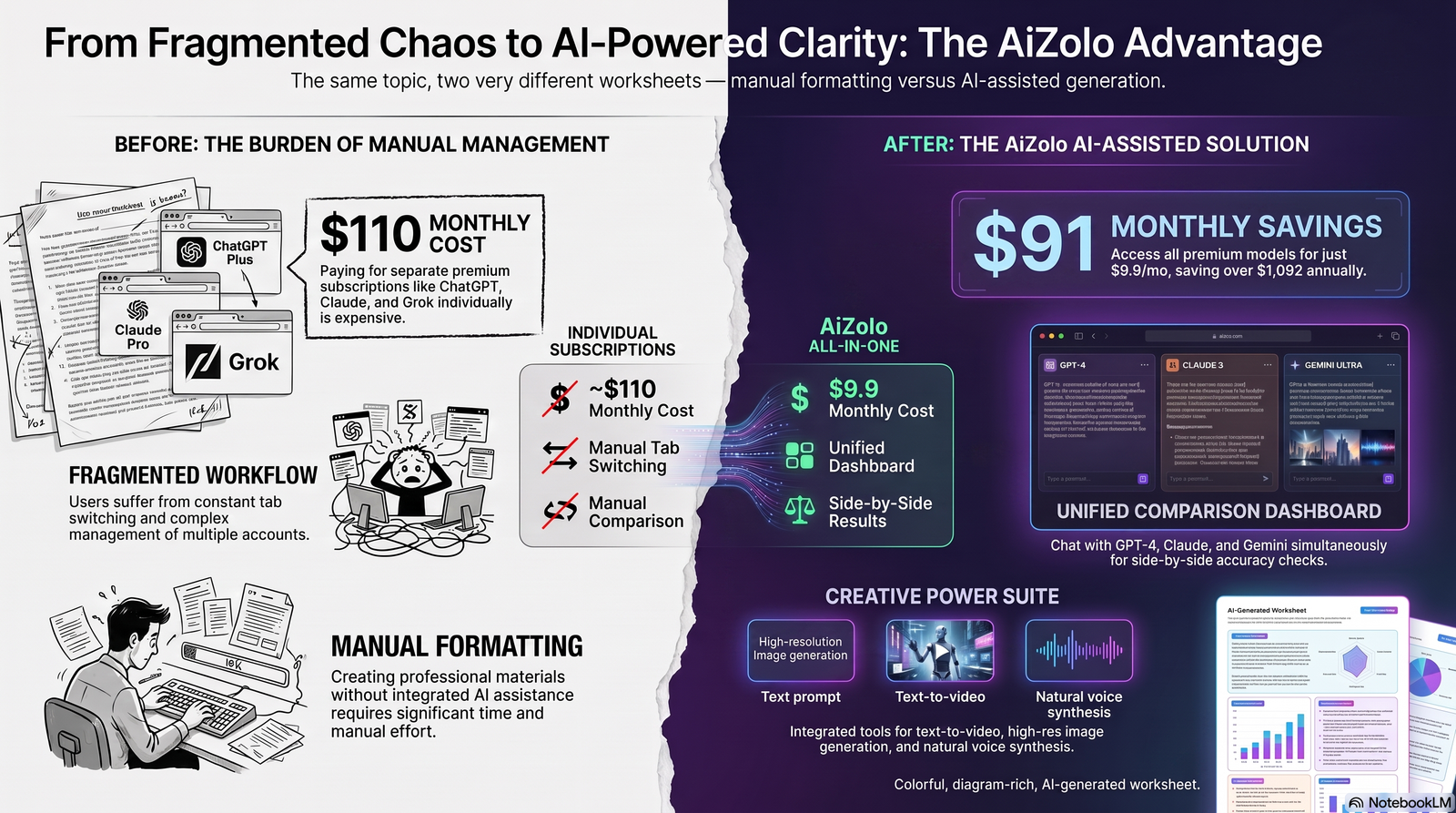
Example Math Worksheet: A manually built fractions worksheet often repeats the same problem structure ten times. An AI worksheet generator can vary problem types (word problems, visual models, equations) while keeping difficulty consistent with the stated grade level.
Example English Worksheet: Instead of one static reading passage, tools like Diffit generate the same passage at three reading levels with matching comprehension questions, so every student engages with the same lesson content.
Example Science Worksheet: AI tools that support labeled diagrams can generate a cell-structure worksheet with an actual labeled image, not just a text description students have to visualize on their own.
Example Vocabulary Worksheet: Language teachers can generate matching, fill-in-the-blank, and sentence-usage sections for the same word list in minutes, rather than building each format separately.
Example Quiz Worksheet: An AI quiz generator can mix question types (multiple choice, short answer, true/false) automatically, which produces more reliable formative assessment data than a single-format quiz.
How to Choose the Right AI Worksheet Generator
Work through these questions before committing to a tool.
What’s your biggest bottleneck? If it’s differentiation, prioritize Diffit. If it’s visual design, prioritize Canva. If you want one tool for everything, prioritize MagicSchool.
Do you need PDF, image, or text input? Not every tool accepts uploaded PDFs or scanned images. Confirm this before assuming you can convert existing materials.
Does your school require FERPA or COPPA compliance documentation? Ask for a Data Processing Agreement before adopting any tool at the school or district level, regardless of what the marketing page claims.
Will you use the free tier long-term, or do you need unlimited generation? Daily or monthly caps on free plans can make a “free” tool effectively unusable for weekly lesson prep.
Do you need LMS integration? If your school runs on Google Classroom or Canvas, prioritize tools with direct integration rather than manual copy-paste workflows.
Common Mistakes Teachers Make
- Using vague prompts. “Make a worksheet about plants” produces generic output. Specify grade level, question count, and question type.
- Skipping the review step. AI-generated content can contain factual errors, especially in math and science, and needs a human check before reaching students.
- Ignoring compliance documentation. Assuming a tool is FERPA-compliant without checking is a common and avoidable district-level risk.
- Sticking with one tool for every need. Most experienced users stack two tools — a broad platform plus a specialist like Diffit for differentiation — rather than expecting one product to do everything well.
- Not saving reusable prompts. Teachers who keep a simple prompt template for each worksheet type save more time than those who rewrite prompts from scratch every week.
Future Trends in AI Worksheet Generation
Expect tighter LMS integration, so worksheets move from generation to grading without leaving the platform. Auto-grading for open-ended answers, not just multiple choice, is already emerging in tools built around interactive digital worksheets.
Standards alignment is likely to get more precise as vendors train models specifically on state and national frameworks rather than general-purpose language models. Multilingual support will keep expanding, following the same trajectory tools like Diffit and MagicSchool have already shown with 70-plus and 90-plus language support respectively.
Frequently Asked Questions
Is an AI worksheet generator free to use? Most platforms offer a free tier. Canva for Education and Diffit’s Basic plan are free with no expiration; others like Eduaide.ai cap free usage at a set number of monthly generations.
Can AI worksheet generators create answer keys automatically? Yes, most tools generate an answer key alongside the worksheet, though it’s worth double-checking accuracy, especially for open-ended or multi-step math questions.
Are AI-generated worksheets accurate? Generally, yes for well-established topics, but errors do happen. Treat AI output as a strong first draft and review it before handing it to students.
Do these tools work for math worksheets with equations and graphs? Some do better than others. EasyClass AI and Monsha are noted for generating clean graphs and diagrams; formatting issues are more common when copying math content between platforms.
Can I upload a PDF or textbook page to generate a worksheet from it? Only certain tools support this. Diffit and TeacherMade-style overlay tools accept PDFs; most others require pasted text or a topic prompt.
Is student data safe with AI worksheet generators? It depends on the vendor. Check for FERPA and COPPA compliance documentation and request a Data Processing Agreement before district-wide adoption.
Do AI worksheet generators support classroom differentiation? Yes — Diffit specializes in this, and MagicSchool and Eduaide.ai also offer standards-aligned differentiation options.
Can I use an AI worksheet generator for homeschooling? Yes. Homeschool parents often prefer simpler, no-login tools since they don’t need classroom management or LMS integration features.
What’s the difference between an AI worksheet generator and a worksheet template site? A template site gives you a blank design to fill in yourself. An AI worksheet generator writes the actual question content for you, which you then edit.
Do AI worksheet generators support multiple languages? Many do. MagicSchool translates into dozens of languages, and Diffit supports translation across more than 70 languages for both content and reading-level adaptation.
Can these tools integrate with Google Classroom or Canvas? Yes, on paid tiers for most platforms. MagicSchool, Diffit for Schools, and Canva for Education all support Google Classroom sharing or integration.
Is there a copyright concern with AI-generated worksheet content? AI-generated original questions are generally safe to use in your classroom. Be cautious if a tool pulls from copyrighted third-party passages without a license — check the vendor’s terms of use.
How much time do these tools actually save? Teachers commonly report cutting worksheet creation from 30–60 minutes down to a few minutes per worksheet, though results vary by subject and how specific the prompt is.
Which AI worksheet generator is best for a tight school budget? Canva for Education and Diffit’s Basic plan are both free and cover most core classroom needs without a paid upgrade.
Do I need technical skills to use an AI worksheet generator? No. Most tools are built for non-technical users — you type a topic or upload a document, and the interface handles formatting.
Conclusion
Key takeaways: AI worksheet generators genuinely cut prep time, but output quality depends heavily on prompt specificity and always needs a human review pass before reaching students.
Best overall: MagicSchool AI, for teachers who want worksheets plus a full suite of lesson-planning and assessment tools in one place.
Best free option: Canva for Education, with a fully free, fully-featured suite for verified K-12 educators.
Best premium option: Diffit’s Individual Teacher subscription, for classrooms where differentiation is the top priority.
Best for schools and districts: MagicSchool AI Enterprise, given its SOC 2 certification and formal FERPA/COPPA documentation.
Best for tutors and homeschoolers: EasyClass AI, for fast, no-friction worksheet generation without classroom management overhead.
The right tool depends on your biggest time sink, not on which platform has the longest feature list. Start with one free tier, test it on a real lesson this week, and see how much time it actually gives back.
Author Bio
Author: Jeevesh Tripathi Email: jeevesh@aizolo.com
Jeevesh Tripathi researches and reviews AI productivity and education technology tools, with a focus on evidence-based analysis over vendor marketing claims. His work centers on testing real classroom workflows — pricing, compliance documentation, and output quality — to give educators practical, trustworthy guidance they can act on immediately.
