
Quick Overview
AI outfit generators make it easier to explore new looks, create outfit ideas, and find styles that match your preferences without spending hours planning what to wear. This guide explains how AI outfit generators work, their key benefits, and how you can use them to create personalized fashion inspiration.
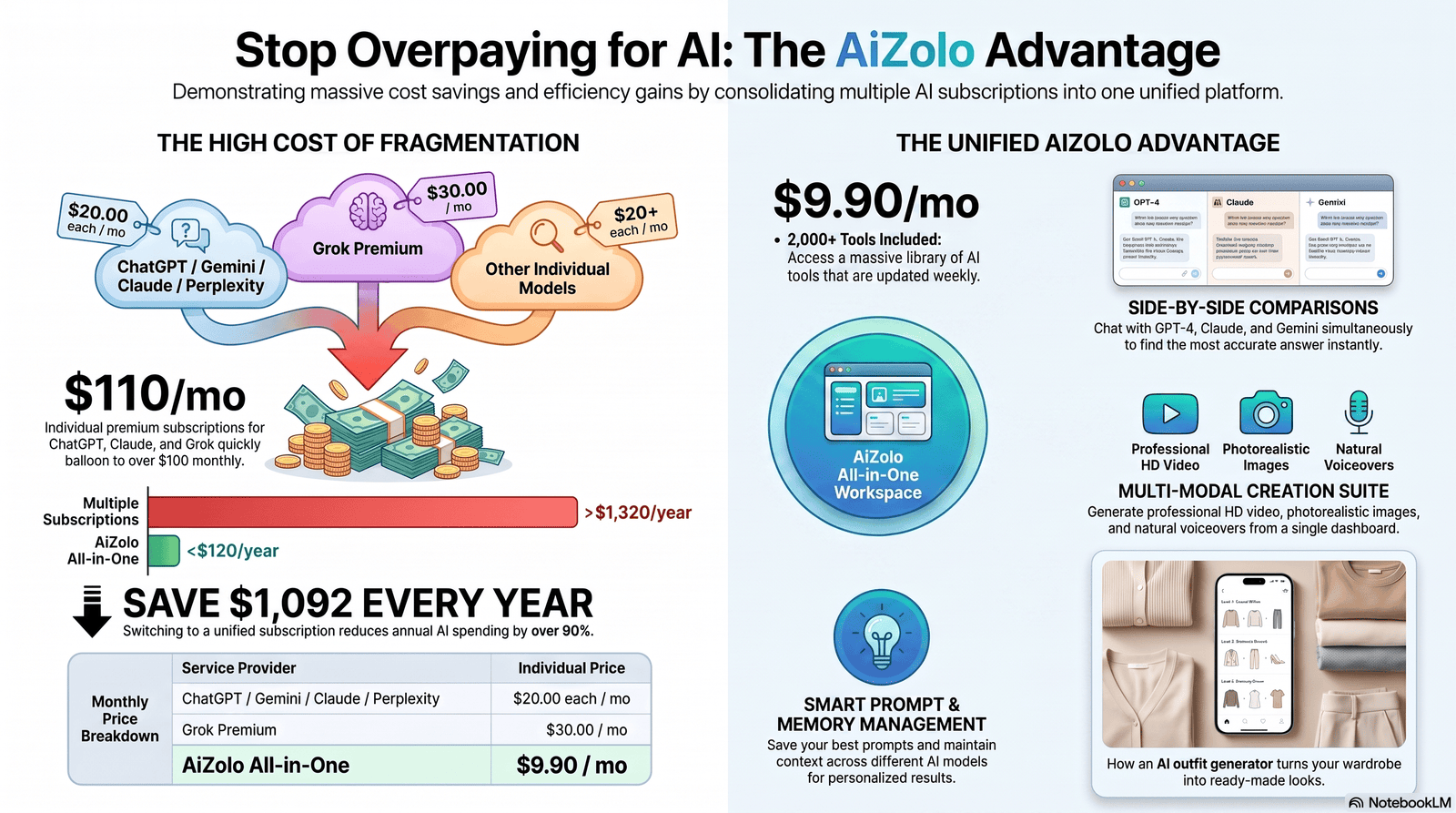
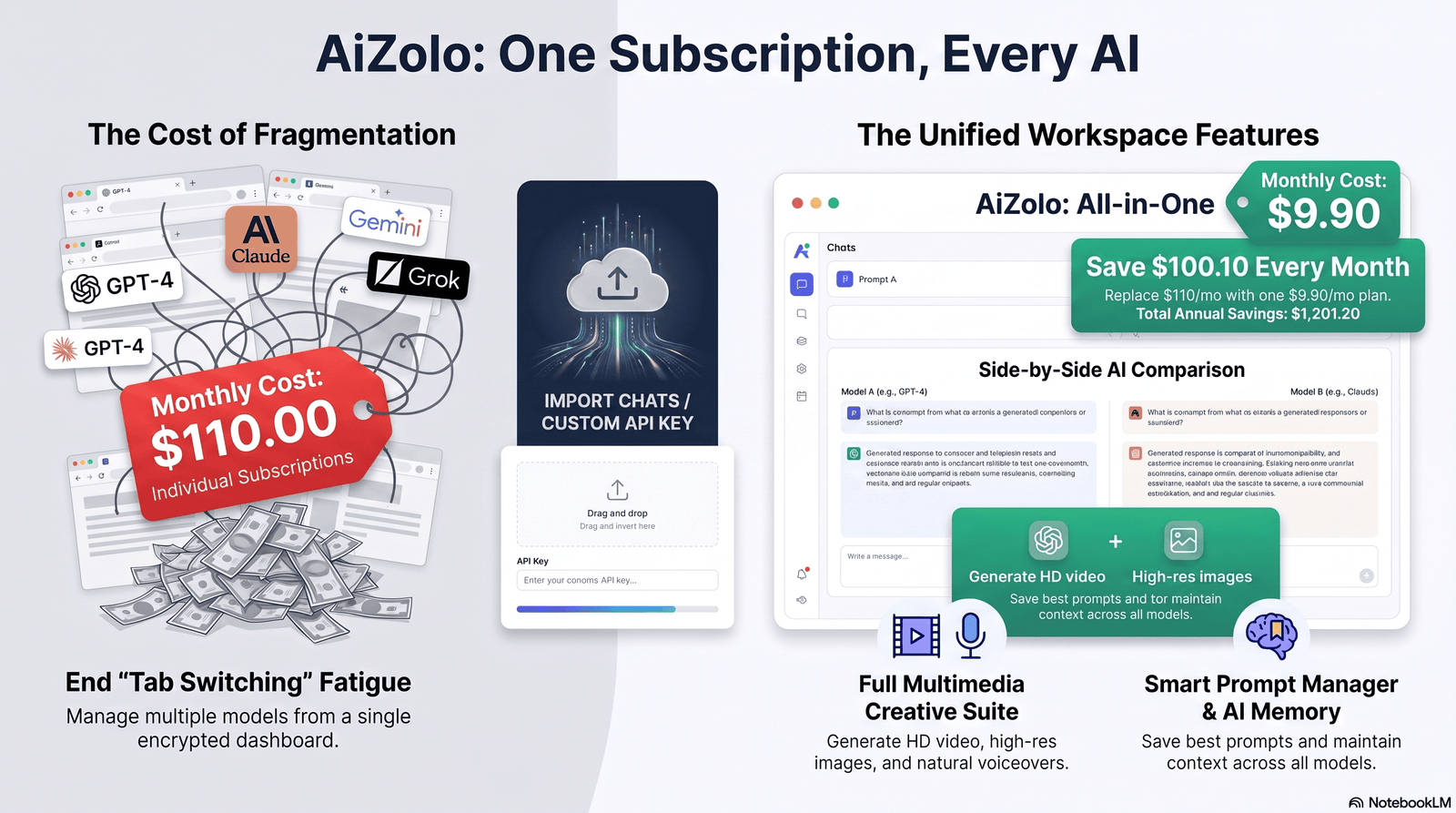
If you also enjoy experimenting with different AI tools, AiZolo can be useful for exploring and comparing multiple AI models from one workspace, making it easier to find the right AI for different creative tasks.
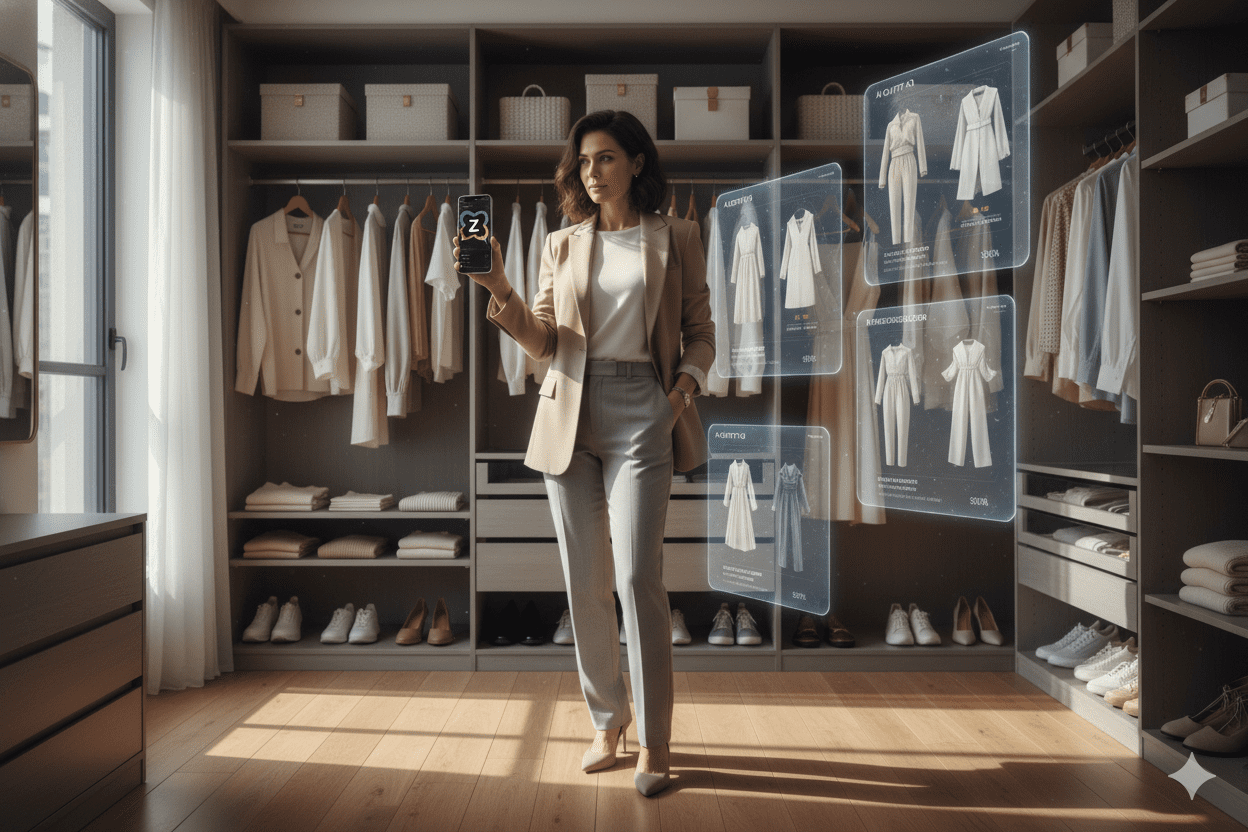
Table of Contents
Introduction
Standing in front of a full closet with “nothing to wear” is one of the most common — and most avoidable — frustrations in modern life. An AI outfit generator, such as Aizolo, solves this by turning your existing wardrobe, or a quick description of your style, into ready-to-wear outfit combinations in seconds.
This guide breaks down exactly how an AI Outfit Generator works, which tools are worth your time, and how to get the best results from them.
You’ll learn how to create stylish outfits in minutes, organize your wardrobe more efficiently, and discover new clothing combinations you may have never considered.
Whether you’re dressing for work, travel, a special event, a date, or simply trying to get ready faster on a busy Monday morning, this guide will help you use AI to make smarter fashion decisions with confidence.
We’ll cover real use cases, honest limitations, privacy considerations, and a step-by-step walkthrough so you can start using an AI outfit generator today with realistic expectations.
What Is an AI Outfit Generator?
An AI outfit generator is a software tool — usually a web app or mobile app — that uses computer vision and machine learning to recommend clothing combinations. Some tools work from photos of your own clothes. Others generate outfit ideas from a text description (“smart casual, warm weather, budget-friendly”).
At its core, it’s a form of AI fashion stylist: instead of scrolling Pinterest for an hour, you get a curated set of outfit suggestions based on color theory, current trends, weather, and your personal preferences.
Related terms you’ll see used interchangeably include virtual outfit generator, AI wardrobe planner, AI styling tool, and digital stylist. They all describe roughly the same category of product, though features vary a lot between them.
Quick Answer: An AI Outfit Generator is an artificial intelligence-powered tool that recommends clothing combinations based on your wardrobe, style preferences, body type, occasion, weather, and color choices.
It analyzes your inputs to create personalized outfit ideas in seconds, helping you save time, reduce decision fatigue, and make better use of the clothes you already own.
Whether you’re dressing for work, travel, a party, or everyday wear, an AI outfit generator simplifies outfit planning without replacing your personal style.
How AI Outfit Generators Work
Most tools follow a similar pipeline, even though the interfaces differ:
- Input collection — you upload photos of clothes, connect a retailer account, or answer a style quiz.
- Computer vision analysis — the AI identifies garment type, color, pattern, and fabric texture from images.
- Style modeling — an algorithm matches items using color theory, silhouette balance, and trend data.
- Context filters — weather, occasion, and personal preferences narrow down the options.
- Output generation — you receive one or more complete outfit suggestions, sometimes with shopping links for missing pieces.
This is the same underlying technology used in virtual try-on tools and AI shopping assistants, just applied to combination logic rather than single-item recommendations.
Expert Tip: The quality of an AI Outfit Generator’s recommendations depends largely on the quality of the photos you upload. Use clear, high-resolution images of individual clothing items placed on a plain background with good lighting.
Avoid dark, blurry, or heavily edited photos, as they can reduce the accuracy of outfit suggestions. Flat-lay images or neatly hung garments help the AI recognize colors, patterns, and textures more effectively than photos of you wearing multiple layered items. Better input photos lead to more accurate, creative, and personalized outfit recommendations.
Benefits of Using an AI Outfit Generator
- Saves time — outfit decisions in seconds instead of minutes of trial and error
- Reduces decision fatigue — especially useful for mornings or travel packing
- Encourages wardrobe reuse — surfaces combinations you hadn’t considered with clothes you already own
- Learns your taste over time — many tools improve suggestions the more you use them
- Supports sustainable fashion — by maximizing use of existing pieces instead of over-shopping
- Useful for travel and capsule wardrobes — quickly plans multiple outfits from a small set of items
Key Takeaway
The biggest real-world benefit of an AI Outfit Generator isn’t just the technology—it’s reducing the mental effort of deciding what to wear every day. Instead of spending valuable time mixing and matching clothes, the AI quickly suggests outfits that fit your style, schedule, and occasion.
This is especially useful on busy mornings, before work, while traveling, or when you’re short on time. By simplifying outfit planning, you can focus on your day with less stress and more confidence.
Who Should Use It?
An AI outfit generator is a good fit for:
- Busy professionals who want faster mornings
- Frequent travelers packing capsule wardrobes
- People rebuilding their style after a big life change
- Anyone who owns a lot of clothes but “never knows what to wear”
- Shoppers who want to buy fewer, better-matching pieces
An AI Outfit Generator may be less effective for people with highly niche, avant-garde, or subculture-specific fashion preferences.
Since most AI models are trained on mainstream fashion trends, they may not fully understand unique aesthetics such as gothic, lolita, cyberpunk, vintage couture, or experimental designer styles.
In these cases, the suggestions can feel generic or miss the creative details that define your personal look. While AI can still provide inspiration, you’ll likely need to customize its recommendations to better match your individual style. We’ll explore these limitations in more detail later in this guide.
Best Use Cases
| Use Case | Why an AI Outfit Generator Helps |
|---|---|
| Daily work outfits | Removes morning decision fatigue |
| Travel packing | Maximizes outfit combinations from fewer items |
| Wardrobe decluttering | Flags rarely-used or hard-to-pair items |
| Special events | Suggests occasion-appropriate looks quickly |
| Seasonal transitions | Adjusts recommendations to weather changes |
| Online shopping | Recommends items that complete existing outfits |
AI Outfit Generator vs Traditional Styling
| Feature | AI Outfit Generator | Traditional Stylist |
|---|---|---|
| Cost | Free to low monthly cost | $75–$300+ per session |
| Speed | Seconds to minutes | Days to weeks (scheduling) |
| Personalization | Data-driven, improves with use | Human judgment and rapport |
| Availability | 24/7, on-demand | Limited to booked hours |
| Shopping Integration | Often built-in | Manual, stylist-dependent |
| Seasonal Suggestions | Automatic, weather-linked | Manual updates |
| Wardrobe Analysis | Automated via photos | Manual closet audit |
Bottom Line: An AI Outfit Generator stands out for its speed, affordability, and convenience. It can create outfit ideas in seconds, help you make better use of your wardrobe, and simplify daily styling without the cost of hiring a professional.
However, human stylists still have an advantage when it comes to understanding body proportions, fabric fit, personal preferences, cultural context, and the subtle “vibe” you’re trying to achieve.
For most people, AI works best as a fast styling assistant, while a professional stylist remains the better choice for highly personalized fashion advice or important occasions.
Step-by-Step Tutorial
- Choose a tool that matches your goal (wardrobe app vs. quiz-based generator vs. shopping-integrated tool).
- Photograph your clothes individually, on a flat surface or hanger, in good natural light.
- Upload and tag items if the app requires manual categorization (top, bottom, outerwear, shoes).
- Set your preferences — style goals, colors to avoid, budget, occasion types.
- Generate outfits and review the suggestions.
- Save or favorite combinations you like for quick access later.
- Refine over time by rating outfits so the algorithm adjusts to your taste.
Best AI Outfit Generator Features to Look For
- Weather integration — adjusts suggestions to local temperature and conditions
- Occasion tagging — work, casual, formal, athletic, etc.
- Shopping integration — suggests items to complete a look
- Wardrobe analytics — shows which items you wear most/least
- Virtual try-on — visualizes the outfit on a model or your photo
- Cross-device sync — access your digital wardrobe from phone or desktop
- Privacy controls — ability to delete photos and data on request
Pros & Cons Table
| Pros | Cons |
|---|---|
| Fast, on-demand suggestions | Can feel generic without enough personal input |
| Reduces shopping duplication | Requires upfront photo/setup effort |
| Learns preferences over time | Style range may skew toward trend-heavy looks |
| Often free or low-cost | Some tools push shopping links aggressively |
Real-Life Examples
- A frequent business traveler used a wardrobe app to plan 10 outfits from just 5 tops, 3 bottoms, and 2 blazers for a week-long trip — cutting her suitcase weight nearly in half.
- A recent graduate starting a new office job used an AI styling tool to bridge the gap between “college casual” and “workplace appropriate” without hiring a stylist.
- A parent with limited time used morning outfit suggestions to cut daily getting-ready time by roughly 10 minutes — which adds up over a year.
These examples reflect common, realistic outcomes rather than guaranteed results, since everyone’s wardrobe and needs differ.
Common Mistakes to Avoid
- Uploading blurry or poorly lit photos — this weakens every suggestion downstream
- Ignoring the feedback loop — not rating or saving outfits means the tool never improves for you
- Treating suggestions as final — use them as a starting point, then adjust for personal comfort and fit
- Overloading the tool with too many similar items — variety in your uploads produces better variety in outputs
- Skipping occasion tags — generic settings produce generic outfits
Privacy & Data Considerations
Because these tools often require photos of your clothing — and sometimes your face or body for virtual try-on — it’s worth checking:
- Whether photos are stored on-device or in the cloud
- Whether your data is used to train the company’s broader AI models
- Whether you can request full data deletion
- Whether the app shares data with advertisers or retail partners
Before uploading personal photos, always read the platform’s privacy policy to understand how your images and data will be stored and used. Choose an AI outfit generator that gives you full control over your uploaded wardrobe photos and personal information.
If possible, select a tool that allows you to permanently delete your wardrobe data, account, and uploaded images whenever you stop using the service.
Avoid sharing sensitive or unnecessary personal details, and only upload the photos required for accurate outfit recommendations.
Taking a few minutes to review these privacy features can help protect your data while enjoying a safer AI styling experience.
Limitations
To be upfront: AI outfit generators are helpful, not perfect.
- They can struggle with niche, vintage, or highly personal style aesthetics
- Fit and body-specific advice is still limited compared to a human stylist
- Suggestions can lean toward currently trending looks rather than timeless personal style
- Photo-based analysis can misjudge fabric texture, pattern scale, or true color in poor lighting
- Cultural and regional style nuances aren’t always well represented in training data
None of this means the tools aren’t useful — it just means they work best as a starting point, not a final authority on your personal style.
The Future of AI Fashion Styling
Expect closer integration between AI fashion assistants, virtual try-on, and real-time shopping. Emerging directions include:
- More accurate body-shape-aware recommendations
- Better handling of layering and texture combinations
- Integration with smart closets and RFID-tagged clothing
- More personalized style learning from long-term wear data rather than just initial quiz answers
These tools are improving quickly, but human taste, context, and comfort will likely remain part of the final decision for the foreseeable future.
Expert Tips
- Start with a small, well-photographed set of “core” items rather than your entire closet at once
- Use occasion and weather filters every time — generic requests produce generic results
- Treat the first few weeks as a training period for the algorithm
- Combine AI suggestions with your own judgment on fit and comfort
- Revisit wardrobe analytics monthly to spot underused items worth donating or reselling
Conclusion
An AI Outfit Generator won’t replace your personal sense of style—but it can make getting dressed much easier. It saves time, reduces decision fatigue, and helps you create more outfits from the clothes you already own.
Whether you’re planning everyday looks, workwear, or vacation outfits, it offers fresh inspiration in seconds. Start with clear photos, experiment with different prompts, and treat its suggestions as a helpful starting point rather than the final decision. Your personal taste will always make the final outfit uniquely yours.
Ready to simplify your mornings? Try an AI outfit generator with a small section of your wardrobe first, and see how much time it saves before committing to a full closet upload.
FAQs
1. What is the best free AI outfit generator? Free options vary by feature set — some focus on wardrobe organization, others on style quizzes. Look for one that matches your main goal (organizing vs. discovering new combinations) rather than picking based on price alone.
2. Do AI outfit generators work with clothes I already own? Yes — most wardrobe-based tools are specifically designed to work with your existing clothing, using photos you upload rather than only recommending new purchases.
3. Is an AI outfit generator accurate for body type? Accuracy varies. Many tools focus more on color and style matching than precise fit for individual body shapes, so treat fit-specific advice with some caution.
4. Are AI outfit generators free? Many offer a free tier with basic features, with premium plans unlocking wardrobe analytics, shopping integration, or virtual try-on.
5. How is my data used? This depends on the provider — always check whether photos are stored, used for model training, or shared with third parties before uploading.
6. Can AI outfit generators suggest what to buy? Yes, many integrate shopping recommendations to fill gaps in your existing wardrobe, such as suggesting a neutral blazer if you lack one.
7. Do these tools consider the weather? Most modern tools include weather integration, adjusting suggestions for temperature and conditions in your location.
8. Can I use an AI outfit generator for professional or formal events? Yes, provided the tool includes occasion tagging — set the context to “formal” or “business” for more appropriate suggestions.
9. How long does it take to set up? Initial setup — photographing and tagging your wardrobe — usually takes 20–40 minutes depending on wardrobe size, but gets faster with practice.
10. Are AI-generated outfits better than a human stylist’s picks? Not necessarily better — they’re faster and more convenient, but a human stylist still offers more nuanced judgment on fit, occasion, and personal history.
11. Can I use it for travel packing? Yes — this is one of the most popular use cases, since it can maximize outfit combinations from a small set of packed items.
12. Does it work for kids’ or plus-size clothing? Coverage varies significantly by tool — check reviews specifically for your sizing category before committing to one platform.
Author Bio
Author: Jeevesh Tripathi Email: jeevesh@aizolo.com
Jeevesh Tripathi researches and writes about emerging AI tools, SEO strategy, and fashion technology, with a focus on translating fast-moving product categories into practical, honest guidance for everyday readers.
