
Quick Summary
- How to make ChatGPT and Gemini talk to each other with AiZolo comes down to four routes: manual copy-paste, no-code automation, a Python/API bridge, or a unified workspace.
- The real bottleneck isn’t the prompt — it’s context. Each tool forgets what the other one knows.
- A simple “handoff template” (covered below) fixes most of that friction in under a minute per session.
- For people who don’t want to build or maintain anything, an all-in-one AI chat platform that supports both models in one window is usually the fastest path.
- This guide covers each method, real prompts, role-based examples, common mistakes, and a full FAQ section.
Table of Contents
Why People Ask How to Make ChatGPT and Gemini Talk to Each Other
You draft something in ChatGPT. It’s decent, but you want Gemini’s take on the research angle.
So you copy the output, open a new tab, and paste it in. Now you’re re-explaining your whole project from scratch.
That’s the moment most people start searching for how to make ChatGPT and Gemini talk to each other — not because they want a novelty chatbot debate, but because retyping context is exhausting.
ChatGPT and Gemini are built by two separate companies with zero incentive to connect. Nothing links them by default, and nothing ever will unless you build the bridge yourself.
The good news: connecting them isn’t actually hard. It just depends on how much control, and how much setup time, you’re willing to trade for convenience.
What “Making ChatGPT and Gemini Talk” Actually Means
There’s no secret setting inside either app that turns on cross-model chat. Neither OpenAI nor Google offers a native handshake between their products.
So when people talk about chatgpt talking to gemini, they usually mean one of three things in practice:
- Manually relaying outputs between the two, acting as the messenger yourself.
- Scripting a loop where each model’s response automatically becomes the other’s next prompt.
- Using a shared workspace where both models sit side by side and you decide what moves between them.
All three achieve the same outcome — a working chatgpt and gemini conversation — but they cost very different amounts of time to set up.
The Four Ways to Connect ChatGPT and Gemini
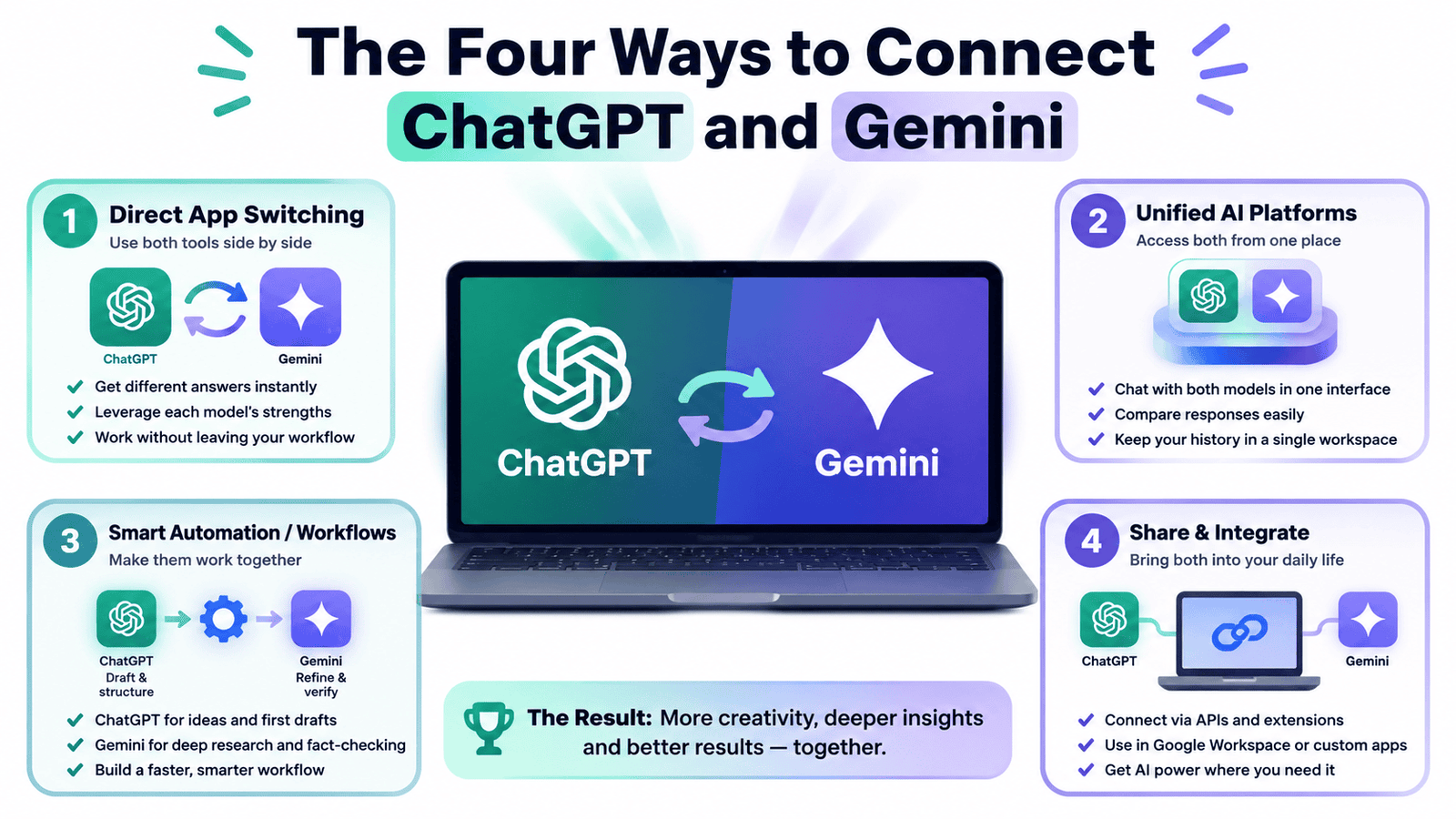
Below are the four practical routes, ranked from zero setup to full automation.
Method 1: The Manual Relay
This is the simplest way to learn how to make ChatGPT and Gemini talk to each other with nothing but two open tabs.
You treat one model as the “researcher” and the other as the “writer,” then pass outputs between them with a short connecting instruction.
Example workflow for a product description:
Ask Gemini: “Pull the top 4 features customers mention in reviews for [product category] and summarize the recurring themes.”
Copy that summary into ChatGPT: “Using this research, write a 150-word product description in a confident, benefit-led tone: [paste Gemini’s summary].”
Send ChatGPT’s draft back to Gemini: “Check this against current competitor listings and flag any claims that sound exaggerated.”
That’s a full chatgpt and gemini conversation — just with you as the router. It costs nothing extra and works today, on any plan.
The downside is obvious: every handoff starts cold, and you’re the one holding the context in your head.
Method 2: No-Code Automation
If you want the relay to run without babysitting it, automation platforms like Zapier or Make can pass outputs between the two APIs automatically.
You set a trigger — say, a new row in a spreadsheet — and define an action: send that row to Gemini, then forward Gemini’s reply to ChatGPT for polishing.
This is a strong option for repeatable jobs like weekly report drafts, content pipelines, or support-ticket triage where the same pattern runs over and over.
The setup takes a few hours the first time. After that, the handoff happens on autopilot, which is genuinely useful once volume picks up.
The catch: you’re still paying for both APIs, and someone has to maintain the automation when either provider changes their API structure.
Method 3: The Python/API Bridge
For developers, connecting the two APIs directly is maybe 40 lines of code, and it gives you full control over how many rounds the models exchange.
import openai
import google.generativeai as genai

openai.api_key = "YOUR_OPENAI_KEY"
genai.configure(api_key="YOUR_GEMINI_KEY")

def ask_chatgpt(text):
    reply = openai.chat.completions.create(
        model="gpt-4o",
        messages=[{"role": "user", "content": text}]
    )
    return reply.choices[0].message.content

def ask_gemini(text):
    model = genai.GenerativeModel("gemini-1.5-pro")
    return model.generate_content(text).text

topic = "What's holding back small teams from adopting AI agents?"
turn_1 = ask_gemini(topic)
turn_2 = ask_chatgpt(turn_1)

print("Gemini:", turn_1)
print("ChatGPT:", turn_2)
# loop for as many rounds as you want
Each response feeds straight into the next prompt, so the two models genuinely build on each other rather than starting fresh each round.
Teams have used this pattern for internal research tools, competitive analysis threads, and generating multiple viewpoints on a single spec before a human makes the final call.
It’s a solid way to explore connect chatgpt with gemini at a technical level, but you’re now maintaining a script, two API keys, and your own error handling — with no visual interface unless you build one.
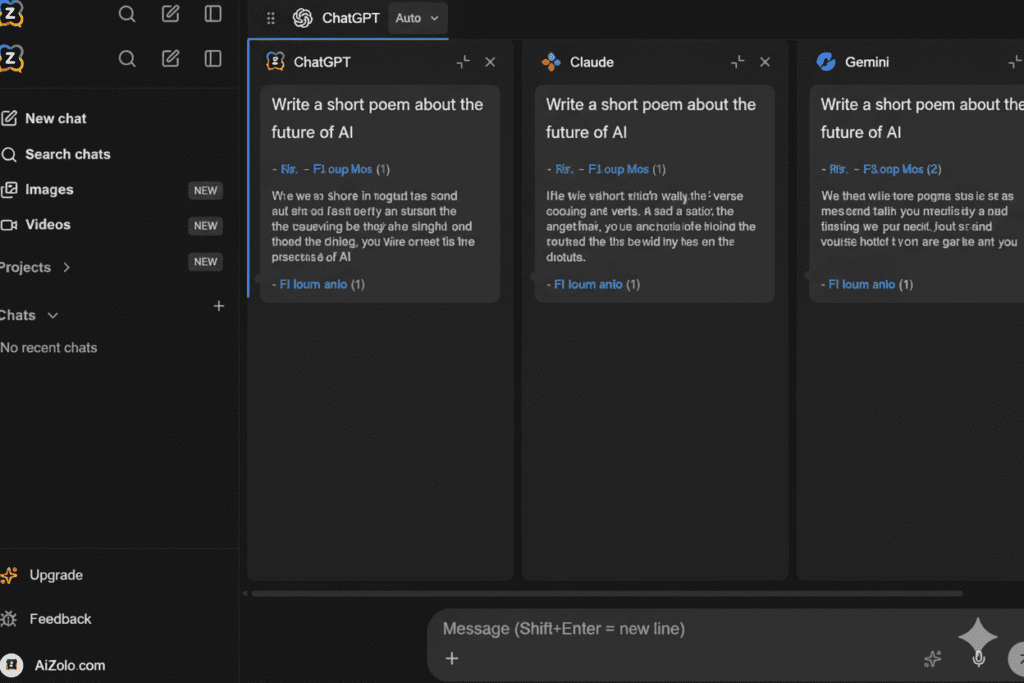
Method 4: A Unified AI Workspace
This is where most people land once methods 1 through 3 start feeling like overhead rather than a solution.
Instead of juggling tabs, scripts, or automation dashboards, a workspace that already includes both models lets you run one prompt and see both answers immediately.
That’s the model Aizolo is built around — one login, one dashboard, ChatGPT and Gemini available in the same window without any API key setup required.
You still decide what moves between the two models, but you’re no longer rebuilding context every time you switch. If you want the fuller comparison of platforms that do this, our guide to AI chat platforms supporting ChatGPT, Claude, and Gemini together breaks down pricing and features side by side.
Which Method Should You Actually Use?
Not every route to connect chatgpt with gemini fits every person. Match the method to how often you’ll actually use it.
| Your situation | Best method |
|---|---|
| One-off task, no budget | Manual relay |
| Repeatable weekly job, no coding | No-code automation |
| Developer building an internal tool | Python/API bridge |
| Daily use across many projects | Unified workspace |
If you’re not sure yet, start with the manual relay for a week. It costs nothing, and it’ll quickly show you whether this is a once-a-month need or a daily habit worth setting up properly.
Most people who ask how to make ChatGPT and Gemini talk to each other for the first time only need Method 1. The other three matter once the workflow becomes routine.
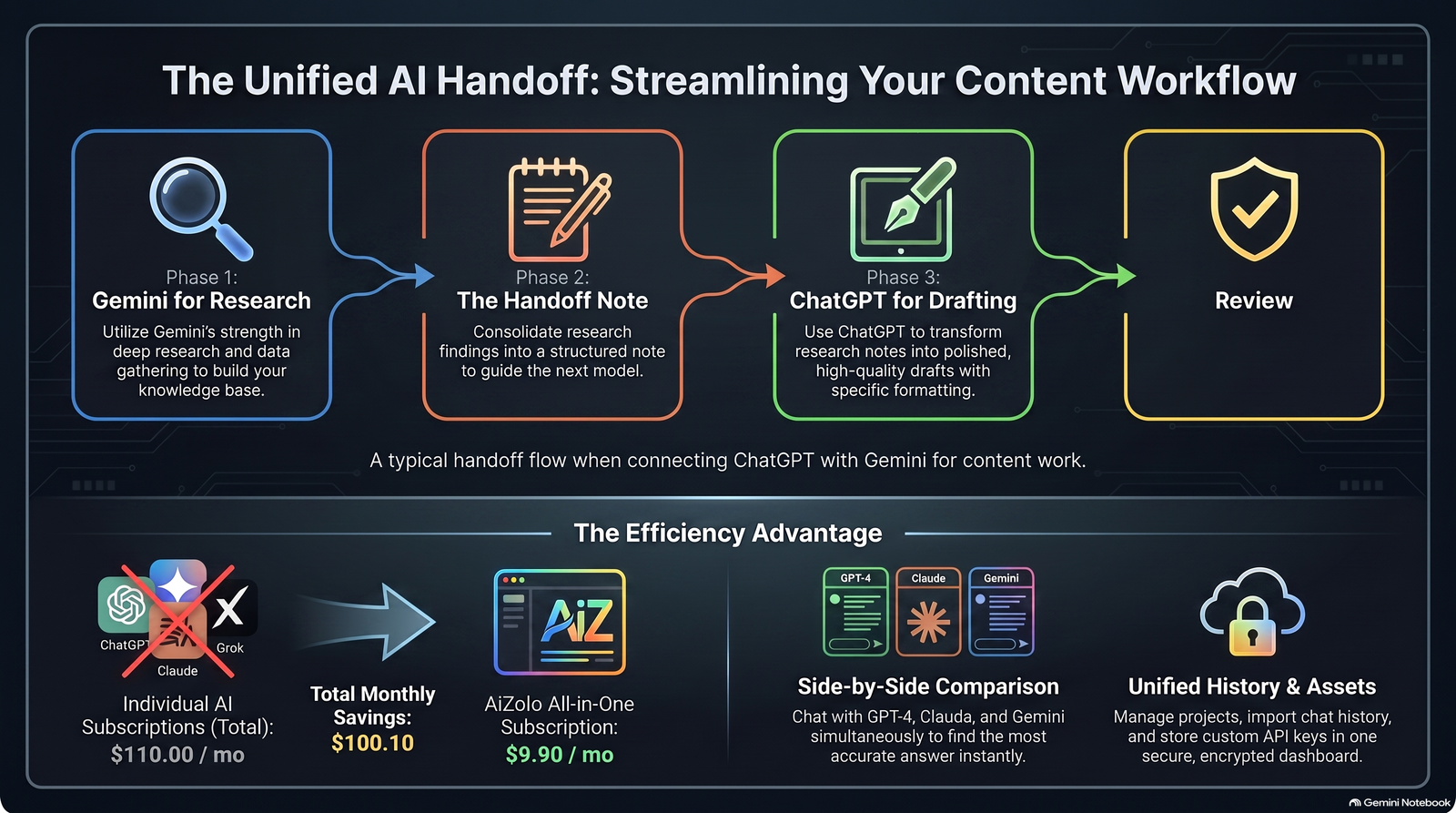
The Handoff Template That Actually Saves Time
Most guides on this topic focus on the prompt wording. The real friction is context, not phrasing.
Before switching models, write a 3-line “handoff note” instead of pasting the entire conversation:
- Goal: What you’re trying to produce.
- Constraints: Audience, tone, length, or format.
- What’s already decided: Anything the next model shouldn’t second-guess.
Paste that note at the top of your next prompt, whichever model you’re switching to. It takes 20 seconds and saves several minutes of re-explaining.
This is the difference between a scattered chatgpt and gemini conversation and one that actually compounds — each round adds value instead of repeating the last one.
If you’re managing this across dozens of sessions, a saved prompt template inside a workspace like Aizolo’s Prompt Manager removes even that 20-second step, since the context header applies automatically.
ChatGPT vs. Gemini: Quick Strengths Snapshot
| Task | ChatGPT | Gemini |
|---|---|---|
| Fast drafting and brainstorming | Strong | Good |
| Long documents and large context | Good | Strong |
| Real-time, search-grounded answers | Limited without browsing on | Strong (Google integration) |
| Conversational tone and editing | Strong | Good |
| Google Workspace file access | Limited | Strong |
Neither model wins across the board, which is exactly why learning how to make ChatGPT and Gemini talk to each other is worth the effort in the first place.
For a deeper breakdown of where Gemini specifically stands out, see our Gemini multimodal AI comparison.
Real Examples by Role
Content Creators
Ask Gemini to pull current search trends and competitor angles for a topic. Feed that into ChatGPT with your brand voice notes and ask for a full draft.
This kind of chatgpt and gemini conversation pairs Gemini’s research reach with ChatGPT’s faster drafting speed, cutting a two-hour outline process down to twenty minutes.
Customer Support Leads
Paste a batch of recurring tickets into Gemini and ask for the three most common root causes. Send that list to ChatGPT and ask it to draft response templates for each.
Comparing both outputs before publishing catches tone issues one model alone might miss.
E-Commerce Sellers
Have Gemini research what competitors emphasize in similar product listings right now. Hand that research to ChatGPT to write benefit-driven copy that doesn’t sound like a spec sheet.
Product Managers
Use ChatGPT to draft a feature spec quickly. Send it to Gemini and ask it to flag anything inconsistent with a linked requirements document or past decisions.
Data and Business Analysts
Gemini’s longer context window handles bulky reports well. Ask it to extract the key figures, then send those to ChatGPT for a plain-language executive summary.
For heavier document work like this, our guide to the best AI for working with PDF documents covers which models handle long files most reliably.
Solo Consultants
Ask ChatGPT for a client-ready outline in minutes. Route it through Gemini for a fact-check pass before it goes out, especially anything with statistics or dates.
Common Mistakes People Make
Pasting the entire conversation instead of a summary. Long pastes bury the actual instruction and confuse the second model.
Skipping a defined role for each model. Without a clear job — “you’re researching” vs. “you’re writing” — both models tend to produce redundant output.
Forgetting the output format. If you want a single answer instead of two competing drafts, say so explicitly, or you’ll get both models defaulting to their own structure.
Treating every task as worth the extra step. A two-model round-trip helps for high-stakes writing, not for a one-line factual question.
Assuming either model remembers the other’s session. They don’t, and they never will natively — that’s exactly why the handoff note above matters so much.
Why a Unified Workspace Solves This Faster
Building your own bridge between ChatGPT and Gemini works. It’s also a genuine time investment, whether that’s an automation flow or a maintained script.
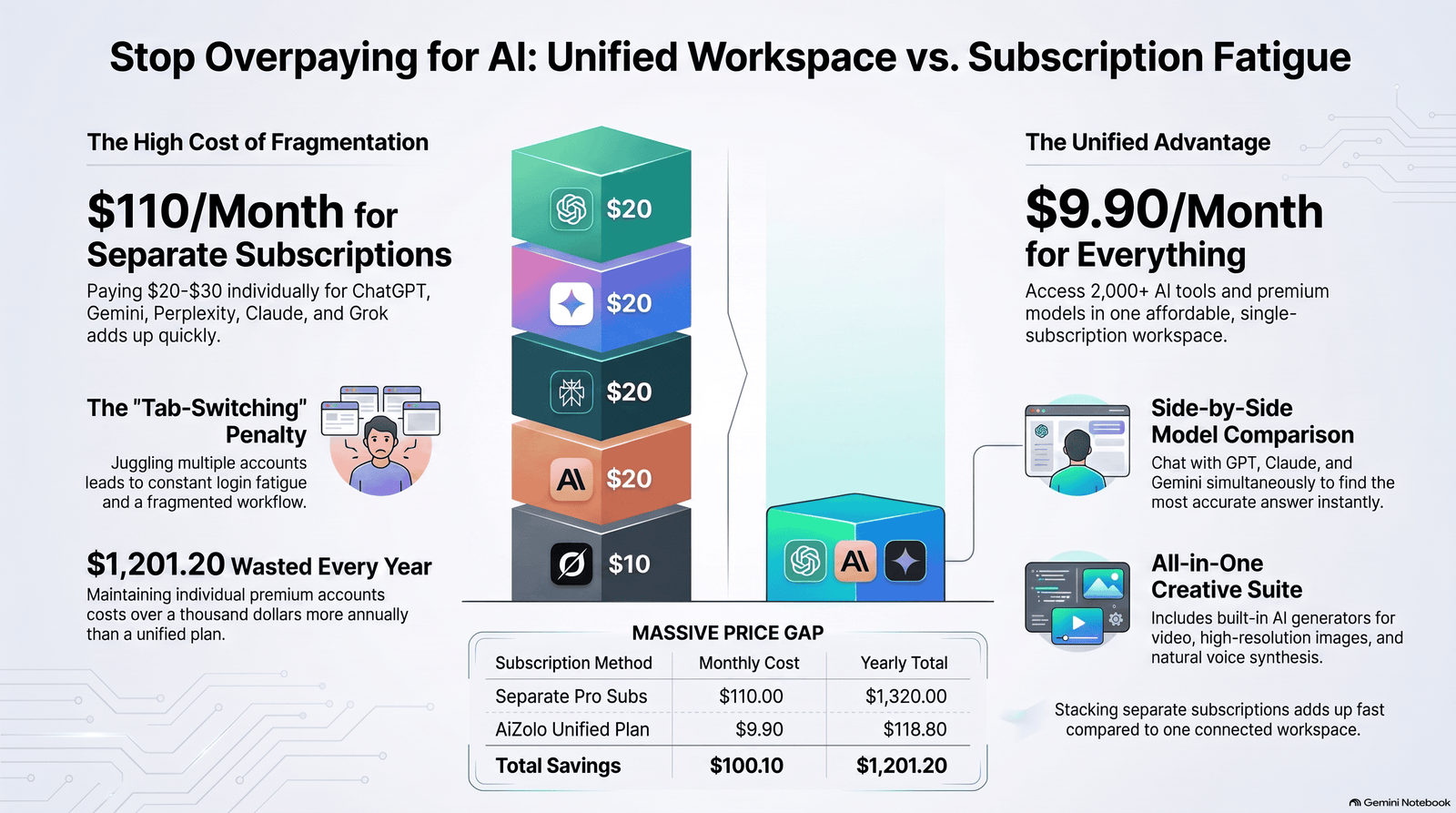
Aizolo removes that setup entirely. For roughly $9.90/month, you get:
- ChatGPT, Gemini, Claude, and more in a single dashboard
- Side-by-side answers to the same prompt, no tab-switching required
- A Prompt Manager for reusable context templates across sessions
- Persistent AI Memory so you’re not re-explaining your project every time
- Optional custom API key support if you want direct-rate billing
That’s the difference between building the plumbing yourself and just turning on the tap. If you’re also curious how this compares to running ChatGPT and Claude together, our guide on using ChatGPT and Claude at the same time walks through that specific pairing in depth.
And if your workflow depends on shared team files rather than chat alone, see our walkthrough on connecting ChatGPT to shared Google Drive folders for the permissions and setup steps involved.
Prompting Tips for Multi-Model Workflows
Assign a role explicitly. “You are researching” or “you are editing” prevents both models from trying to do the whole job.
Use numbered handoffs. Something like: “Below is Gemini’s research (round 1). Add three points ChatGPT would emphasize that Gemini missed.”
Keep the handoff short. Summarize the prior model’s conclusion in a few sentences rather than pasting the raw output.
Specify the format you want. A comparison, a single merged answer, or a ranked list all need to be stated, or you’ll get an inconsistent structure back.
Applying these consistently is what actually turns a one-off chatgpt and gemini conversation into a repeatable system you can reuse weekly.
Privacy and Data Considerations
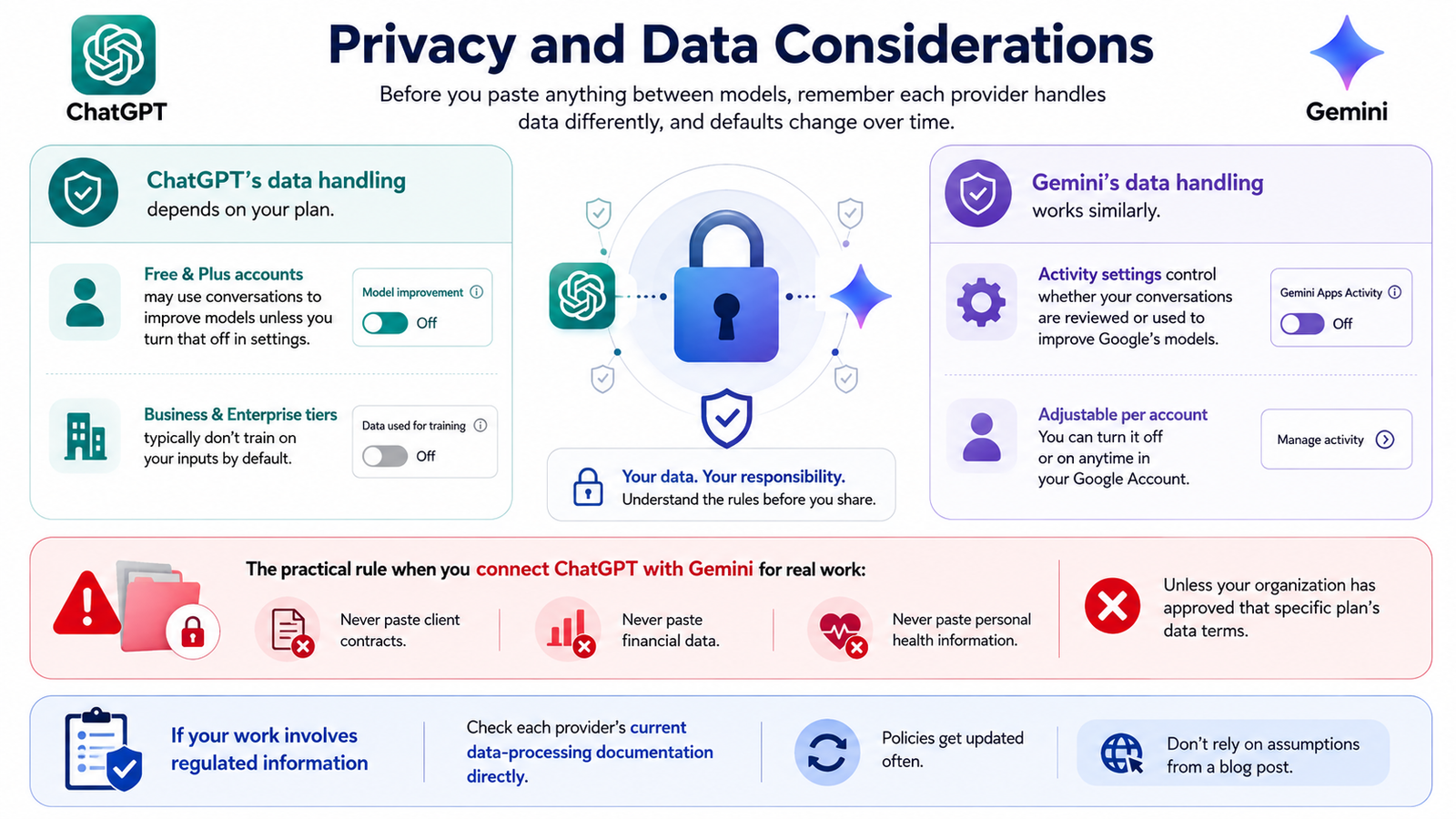
Before you paste anything between models, remember each provider handles data differently, and defaults change over time.
ChatGPT’s data handling depends on your plan. Free and Plus accounts may use conversations to improve models unless you turn that off in settings; Business and Enterprise tiers typically don’t train on your inputs by default.
Gemini’s data handling works similarly — activity settings control whether your conversations are reviewed or used to improve Google’s models, and this is adjustable per account.
The practical rule when you connect chatgpt with gemini for real work: never paste client contracts, financial data, or personal health information into either tool unless your organization has approved that specific plan’s data terms.
If your work involves regulated information, check each provider’s current data-processing documentation directly rather than relying on assumptions from a blog post, since these policies get updated often.
Limitations Worth Knowing
Running two models isn’t a shortcut to guaranteed accuracy. Both can produce confident, well-formatted answers that are still wrong, especially with statistics, dates, or citations.
A chatgpt and gemini conversation roughly doubles your prompting time compared to using one model. That’s a fair trade for high-stakes writing, but overkill for a quick factual lookup.
Model names, context windows, and pricing shift frequently across both companies. Treat any specific figure in this guide as a snapshot, and check each provider’s official page before making a decision that depends on it.
When a Manual Relay Is Actually Fine
Not every task needs automation or a unified dashboard. If you’re doing this once, for a single piece of work, the manual relay from Method 1 is genuinely enough.
Save the setup investment — automation or a subscription — for tasks you’ll repeat weekly or across a growing team. For a broader look at platforms built around comparing multiple models at once, see our guide on comparing AI models side by side.
Frequently Asked Questions
How to make ChatGPT and Gemini talk to each other without coding? Use the manual relay method — paste one model’s output into the other with a short connecting prompt — or use a workspace that already places both models in one window.
Can ChatGPT and Gemini have a real conversation with each other automatically? Yes, through a Python/API script that feeds each model’s response into the other’s next prompt, or through an automation platform like Zapier or Make.
What’s the easiest way to connect ChatGPT with Gemini for daily use? A unified AI workspace is usually fastest, since it removes the copy-paste step and keeps both models’ responses visible in the same screen.
Is there a free way to make ChatGPT and Gemini talk to each other? Yes — the manual relay costs nothing beyond your existing ChatGPT and Gemini access, though it takes more of your own time per session.
Does connecting ChatGPT and Gemini cost extra? Only if you use the API/automation routes, since both providers bill separately for usage. A flat-fee workspace avoids that variable cost.
Can I automate a chatgpt and gemini conversation to run on a schedule? Yes, through automation tools like Zapier or Make, which can trigger the exchange on a set schedule or whenever new data appears.
Which model should go first, ChatGPT or Gemini? It depends on the task. Research-heavy work usually starts in Gemini; drafting and tone-heavy work usually starts in ChatGPT.
Is it safe to paste sensitive data into a chatgpt and gemini conversation? Only on plans with data controls appropriate for that data. Review each provider’s current privacy settings before pasting anything confidential.
Do I need two separate paid subscriptions to make this work? Not necessarily. Free tiers support the manual relay method fine; a unified workspace can also replace two separate paid plans at a lower combined cost.
Can beginners set up the Python bridge, or is it developer-only? Basic Python familiarity helps, but the script above is short enough that someone comfortable with simple scripting can adapt it in an afternoon.
Wrapping Up
How to make ChatGPT and Gemini talk to each other really is a workflow question, not a technical mystery. The manual relay works for one-off tasks. Automation and API scripting work for repeatable, high-volume jobs. A unified workspace works best when you want this running smoothly, daily, without maintaining anything yourself.
Whichever route you pick, the underlying fix is the same: carry context deliberately instead of hoping either model remembers it for you.
If you’d rather skip the setup entirely, explore Aizolo’s unified workspace and see both models answer the same prompt in one place. For more comparisons and workflow guides, browse the Aizolo blog.
Author
Jeevesh Tripathi — AI Researcher & Technical Content Specialist
Jeevesh Tripathi researches multi-model AI workflows, large language model behavior, and productivity tooling, with a focus on hands-on testing rather than surface-level comparisons. His work follows Google’s EEAT principles and current Search quality guidance, prioritizing accuracy and practical, verifiable detail over hype.
Email: jeevesh@aizolo.com
