What if your go-to AI isn’t the best for every task? This AI Playgrounds Multi-Model Comparison 2026 guide shows how to compare different AI models and find what works best. If you want to test multiple models without switching platforms, AiZolo lets you explore them all in one place.

Summary
This guide covers AI playgrounds multi-model comparison 2026 from a developer’s point of view — not a consumer chat app’s point of view.
You’ll find a breakdown of OpenRouter, the Vercel AI SDK Playground, provider-native consoles (Anthropic, OpenAI, Google), speed-focused options like Groq, and blind-benchmarking tools like LM Arena.
Each section covers what the tool actually does, what it costs, and who it fits. There’s a full comparison table, a 2026 model snapshot for API pricing, and practical tips for testing prompts before they hit production.
If you’re looking for a consumer subscription that bundles ChatGPT, Claude, and Gemini into one chat app instead, our best multi AI platform guide covers that separately.
Table of Contents
Who This Guide Is For
If you’re a developer, technical founder, or SaaS builder, you don’t need another chat app comparison.
You need a place to test prompts against raw model output, check token costs, and compare latency before committing to an API in production code.
That’s what AI playgrounds multi-model comparison 2026 means in this guide — testing infrastructure, not a subscription pitch.
What Is a Developer AI Playground in 2026?
A developer AI playground is a browser or API-based environment for testing prompts against a model’s raw output.
Unlike a consumer chatbot, it exposes parameters like temperature, top-p, max tokens, and system prompts directly.
Most also let you export a working prompt as a curl command or SDK snippet, so testing and shipping stay close together.
In 2026, the category has split into two distinct types: aggregator playgrounds that route across many providers, and provider-native consoles built for one model family at a time.
Why Multi-Model Comparison Matters Before You Write Code
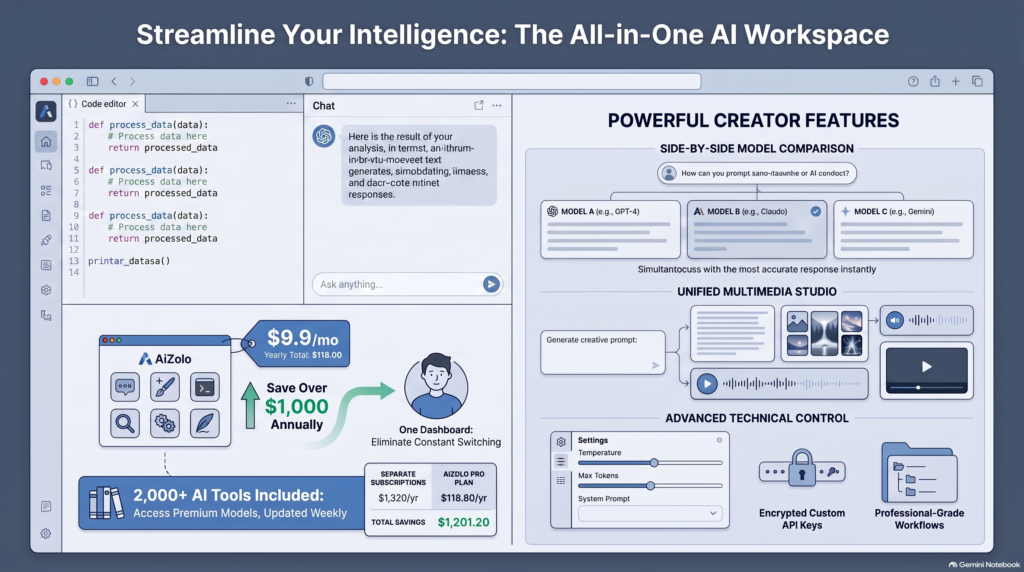
No single model wins every benchmark in 2026, and that gap shows up fast once you’re paying per token.
Running the same prompt across two or three models before committing to one in production catches issues that a single-model test misses entirely.
This is the core reason AI playgrounds multi-model comparison has become a standard step in technical evaluation, not an optional extra.
A model that reads well in isolation can still be the wrong pick once you compare its cost, latency, and failure modes against alternatives.
That comparison step is cheap to run in a playground and expensive to skip once a model choice is wired into production code.
A quick example: a team building a support-ticket summarizer might test the same 200-word ticket across Claude, GPT, and Gemini in a playground first.
One model might summarize accurately but run slower under load. Another might be faster but miss key details in edge-case tickets.
That’s the kind of gap only a side-by-side test surfaces — reading one model’s output in isolation rarely reveals it.
Developer Playgrounds vs. Consumer AI Apps
It’s worth being precise about the distinction, because the two categories genuinely solve different problems.
A consumer AI app — like a subscription chat dashboard — is built for people who want ready answers without touching an API key.
A developer playground is built for people who need to see the exact request-and-response shape before writing integration code.
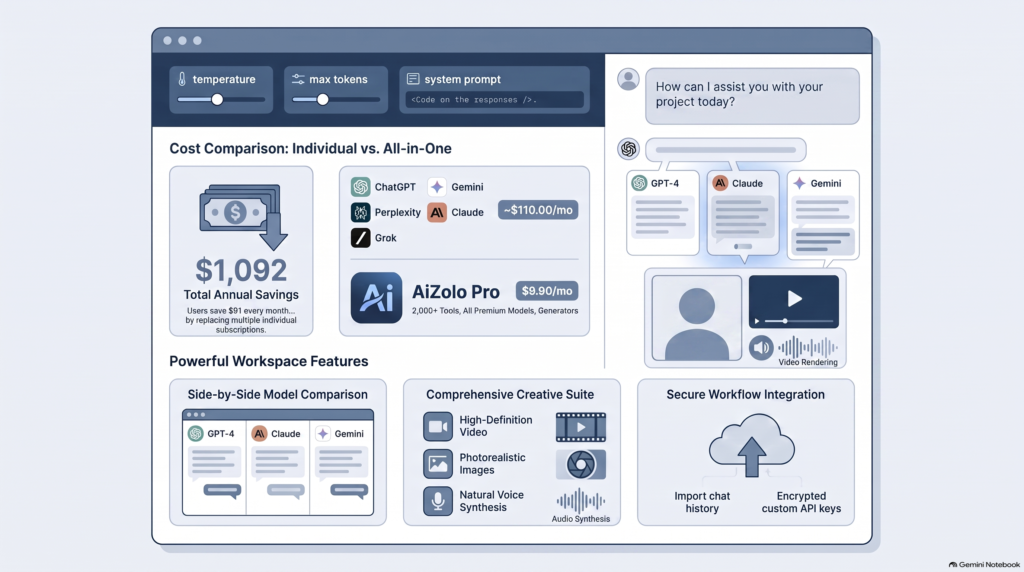
If you’re comparing subscription-based multi-model chat apps instead of developer tooling, that’s a separate decision covered in our best multi AI platform comparison and in the detailed Aizolo vs. OpenRouter breakdown, which lays out exactly where a consumer bundler and a developer API gateway diverge.
OpenRouter: The Aggregator Playground
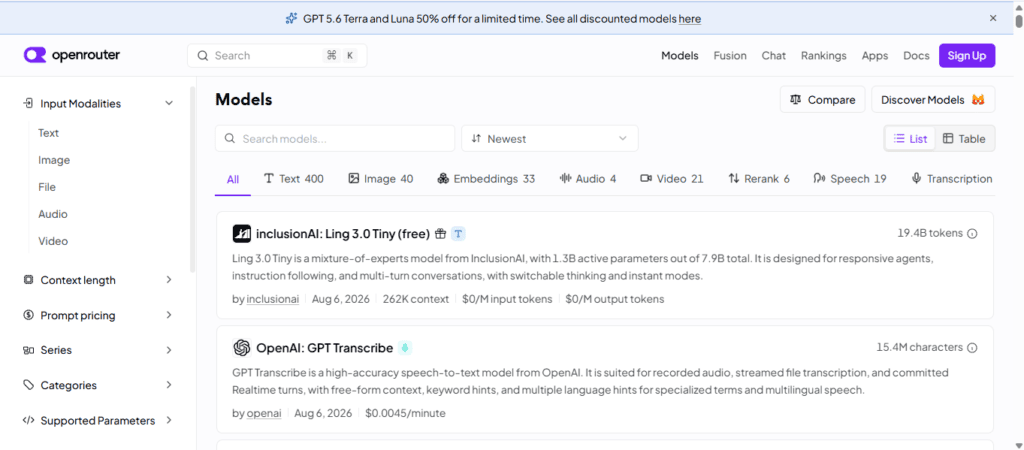
OpenRouter is the largest aggregator playground in this category, routing to 300+ models from over 60 providers through one API key.
How it works: You send a request to an OpenAI-compatible endpoint, specify a model slug, and OpenRouter handles routing, fallback, and billing.
Pricing: Pay-as-you-go, with a roughly 5.5% platform fee on purchased credits and no markup on the underlying provider’s per-token rate.
Free tier: 25+ free models across 4 providers, capped at 50 requests per day and 20 requests per minute.
Best for: Teams that want one integration instead of five, plus automatic failover if a provider has an outage.
Its documented Zero Completion Insurance means failed requests aren’t billed — a detail worth checking against your own provider’s terms before assuming it’s standard across the category.
Vercel AI SDK Playground
The Vercel AI SDK Playground is built specifically for developers already using, or considering, the AI SDK in a Next.js or React app.
How it works: You test a prompt against multiple providers side by side, using the same request shape the SDK uses in code, then copy the working config directly into a streamText or generateObject call.
Pricing: The playground itself is free; you supply your own provider API keys and pay each provider directly.
Best for: Developers who want zero friction between “this works in the playground” and “this works in my deployed app.”
Trade-off: It’s scoped to the SDK’s supported providers, so it’s not a general-purpose comparison tool if you’re not building with it.
For teams evaluating whether Claude specifically is a fit for a given SDK-based workflow, our Claude AI strengths breakdown covers where it tends to outperform on long-form and code-adjacent tasks.
Provider-Native Consoles
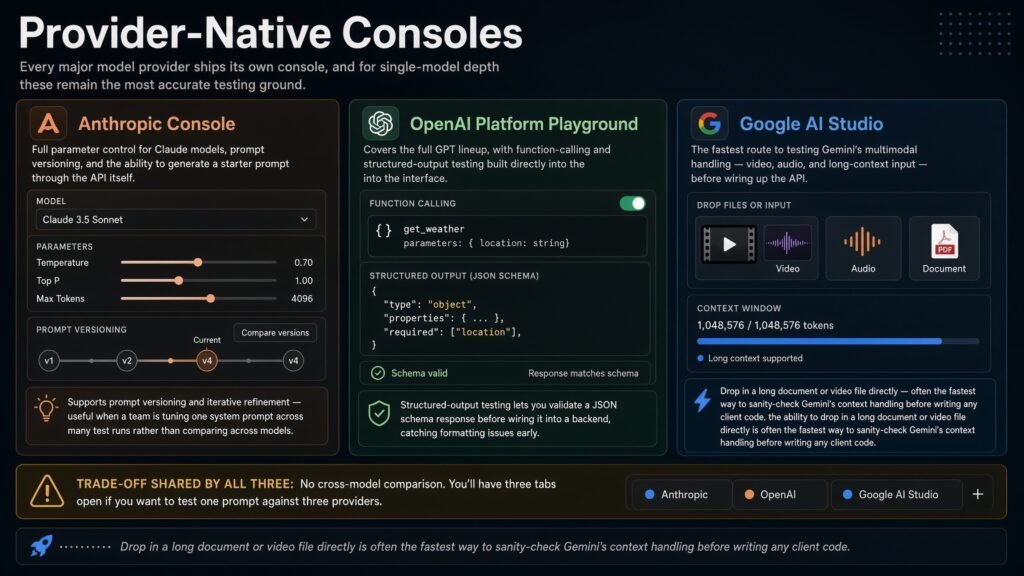
Every major model provider ships its own console, and for single-model depth these remain the most accurate testing ground.
Anthropic Console: Full parameter control for Claude models, prompt versioning, and the ability to generate a starter prompt through the API itself.
OpenAI Platform Playground: Covers the full GPT lineup, with function-calling and structured-output testing built directly into the interface.
Google AI Studio: The fastest route to testing Gemini’s multimodal handling — video, audio, and long-context input — before wiring up the API.
Trade-off shared by all three: No cross-model comparison. You’ll have three tabs open if you want to test one prompt against three providers.
New parameter and feature support typically lands on these native consoles before any third-party aggregator picks it up.
On Anthropic Console specifically: it supports prompt versioning and iterative refinement, which is useful when a team is tuning one system prompt across many test runs rather than comparing across models.
On OpenAI’s Playground: structured-output testing lets you validate a JSON schema response before wiring it into a backend, catching formatting issues early.
On Google AI Studio: the ability to drop in a long document or video file directly is often the fastest way to sanity-check Gemini’s context handling before writing any client code.
Groq and Together AI: Speed-Focused Playgrounds
Groq runs open-weight models — Llama, Mixtral, and others — on custom hardware built specifically for low-latency inference.
Its playground exists mainly to demonstrate token-generation speed, which matters directly for voice agents or any real-time chat feature.
Together AI offers a broader open-source catalog alongside fine-tuning and dedicated deployment, with its playground serving evaluation before you commit to a deployment tier.
Trade-off: Neither includes closed frontier models like GPT or Claude — this is strictly an open-weight-model category.
If latency is a hard product requirement, testing here before assuming any closed-model API will hit your target is worth the extra step.
LM Arena: Blind Model Benchmarking
LM Arena (formerly Chatbot Arena) isn’t a playground in the traditional sense.
You submit a prompt, get two anonymous responses, vote for the better one, and only then see which models you compared.
Best for: Settling an internal debate about which model “feels” stronger for a task type, backed by public human-preference data rather than one person’s opinion.
Trade-off: It’s a research and benchmarking tool, not built for iterating on a specific production prompt.
Self-Hosted Playgrounds
If prototyping needs to stay on infrastructure you control — regulated data, internal-only tooling — LibreChat and similar open-source projects give you a comparison-style UI you deploy yourself.
You connect whichever provider APIs, or local models, you choose, and nothing routes through a third-party server.
Trade-off: You’re now responsible for hosting, patching, and uptime — there’s no managed layer absorbing that work for you.
For teams weighing a self-hosted setup against a managed alternative, the Aizolo vs. LibreChat comparison walks through that trade-off in more depth.
2026 Model Snapshot for API Pricing and Strengths
Model choice in a playground eventually comes down to cost and fit. Here’s where the major 2026 frontier models stand at the API level:
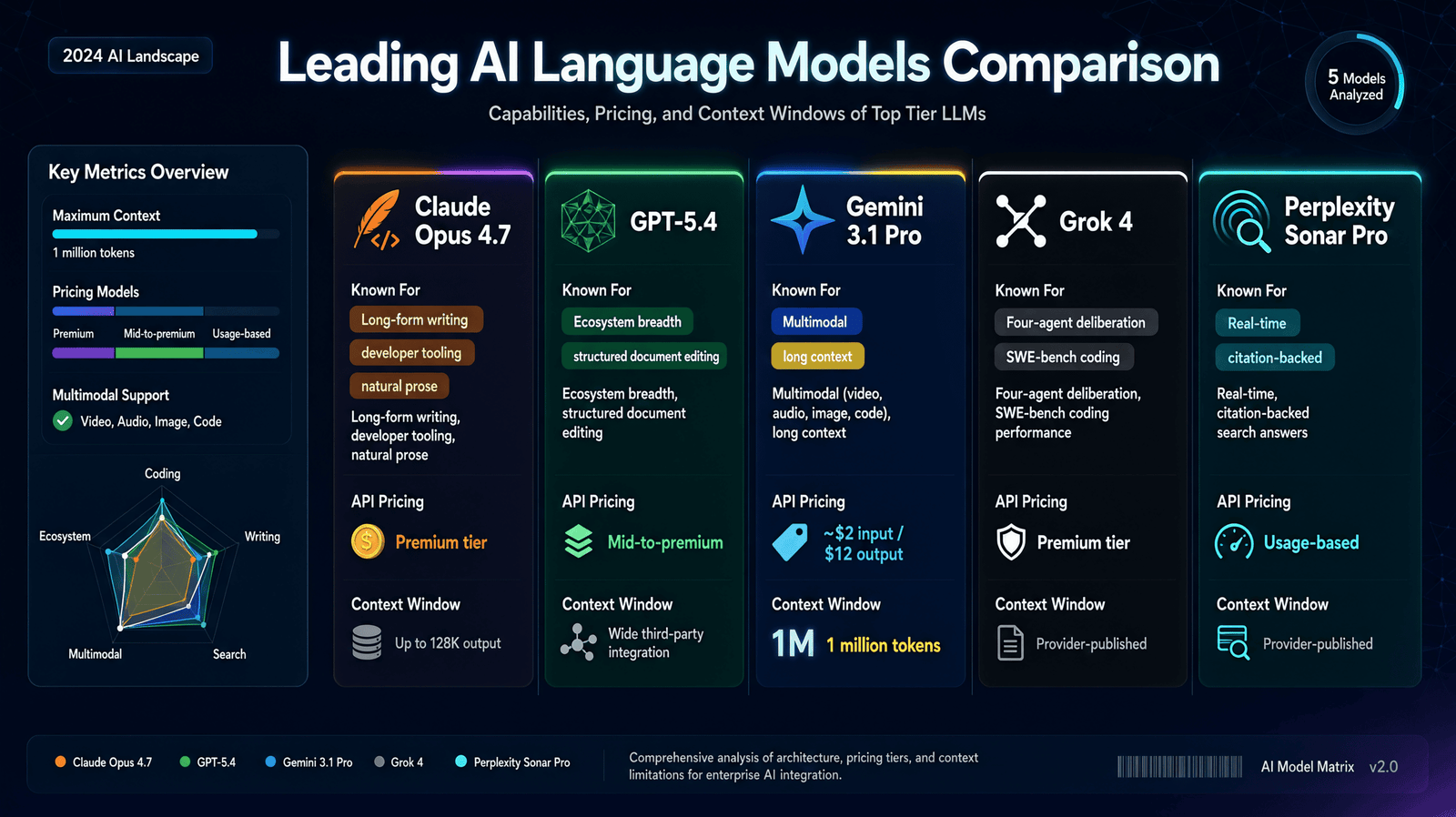
| Model | Known For | API Pricing (per million tokens) | Context Window |
|---|---|---|---|
| Claude Opus 4.7 | Long-form writing, developer tooling, natural prose | Premium tier | Up to 128K output |
| GPT-5.4 | Ecosystem breadth, structured document editing | Mid-to-premium | Wide third-party integration |
| Gemini 3.1 Pro | Multimodal (video, audio, image, code), long context | ~$2 input / $12 output | 1 million tokens |
| Grok 4 | Four-agent deliberation, SWE-bench coding performance | Premium tier | Provider-published |
| Perplexity Sonar Pro | Real-time, citation-backed search answers | Usage-based | Provider-published |
Gemini 3.1 Pro’s published rate makes it the most cost-effective frontier option for large-context, high-volume workloads, based on currently listed API pricing.
Always confirm current per-token pricing directly on each provider’s own pricing page before budgeting — these figures shift as models are updated.
Playground Comparison Table
| Playground | Model Access | Pricing Model | Best For |
|---|---|---|---|
| OpenRouter | 300+ models, 60+ providers | Pay-per-token + 5.5% fee | Production apps routing across providers |
| Vercel AI SDK Playground | Providers supported by the SDK | Free tool, BYOK | Teams building with the AI SDK |
| Anthropic Console | Claude models only | BYOK, standard rates | Deep single-model parameter testing |
| OpenAI Platform Playground | GPT models only | BYOK, standard rates | Function-calling and structured outputs |
| Google AI Studio | Gemini models only | Free tier, then BYOK | Multimodal and long-context testing |
| Groq Playground | Open-weight models | Free tier, pay-per-token | Latency-sensitive inference |
| Together AI Playground | Broad open-source catalog | Pay-per-token, fine-tuning | Open-source model evaluation |
| LM Arena | Rotating, anonymized models | Free | Blind human-preference benchmarking |
| LibreChat (self-hosted) | Any model via API keys | Free software, your own hosting | Data-sovereignty requirements |
Where Aizolo Fits Into a Developer’s Toolkit
Aizolo isn’t a developer API gateway, and it doesn’t try to be one — that distinction matters for an honest comparison.
What it does offer developers is a way to bring your own encrypted API keys into a single chat dashboard, useful for quick side-by-side checks without a full playground setup.
For a developer who mainly writes code against one or two providers but occasionally wants a fast visual comparison, that’s a reasonable secondary tool rather than a replacement for OpenRouter or a provider console.
The full technical trade-offs — API access, BYOK fee structure, privacy controls — are broken down feature-by-feature in the Aizolo vs. OpenRouter comparison, which is worth reading directly if you’re deciding between the two for a production use case.
Real-World Developer Workflows
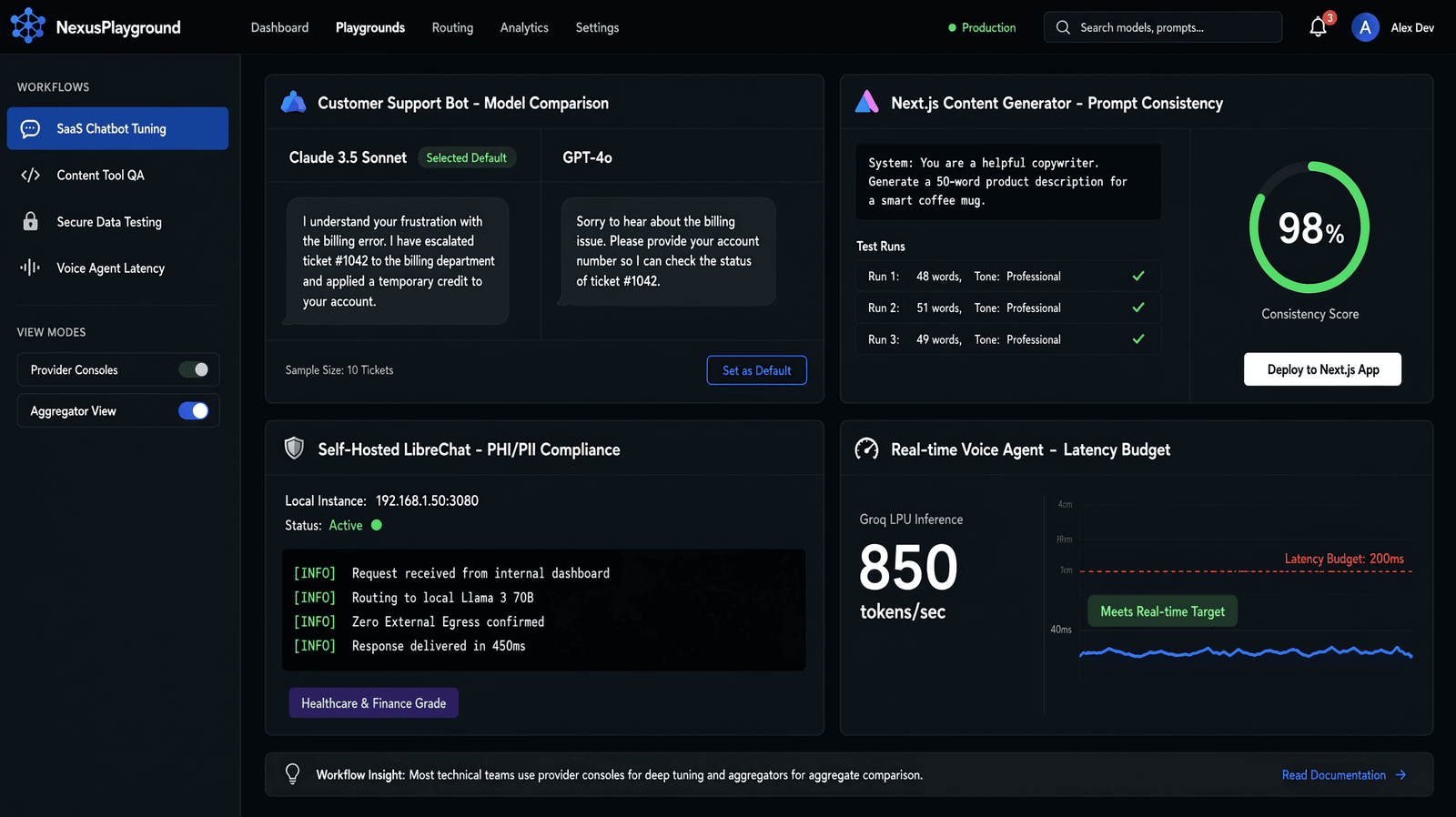
A solo SaaS builder testing a customer-support chatbot might start in OpenRouter, comparing Claude and GPT on the same ten sample tickets before picking a default model.
An agency building client-facing content tools could use the Vercel AI SDK Playground to confirm a prompt behaves consistently before it ships inside a Next.js app.
A data-sensitive team — healthcare, legal, or finance — might skip hosted playgrounds entirely and test inside a self-hosted LibreChat instance, keeping every request on infrastructure they control.
A performance-focused team building a voice agent would likely start with Groq specifically to confirm token-generation speed meets a real-time latency budget before any other comparison matters.
None of these workflows require picking one playground permanently — most technical teams end up using a provider console for deep tuning and an aggregator once they’re ready to compare models in aggregate.
Practical Tips for Getting the Most from a Playground
Match the tool to the job. Use a provider console for deep single-model tuning, an aggregator for cross-model comparison at scale.
Export the working request early. Most playgrounds let you copy a curl command or SDK call the moment a prompt works — do this before you forget the exact parameters.
Test edge cases in the playground, not production. Adversarial inputs and unusual formatting belong in testing, not your first production run.
Track token costs against real volume. A model that looks cheap per-token can still be the expensive choice at production scale — model this before committing.
Re-check pricing pages periodically. Provider rates and free-tier limits shift often enough that a snapshot from a few months ago can be stale.
Common Mistakes to Avoid
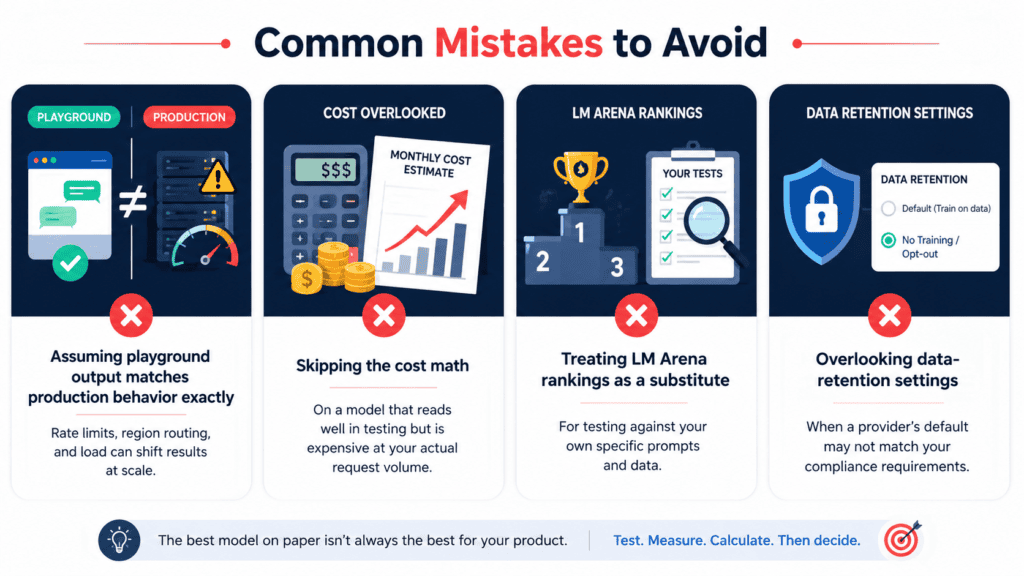
- Assuming playground output matches production behavior exactly — rate limits, region routing, and load can shift results at scale.
- Skipping the cost math on a model that reads well in testing but is expensive at your actual request volume.
- Treating LM Arena rankings as a substitute for testing against your own specific prompts and data.
- Overlooking data-retention settings when a provider’s default may not match your compliance requirements.
FAQs
What is a developer AI playground? A testing environment — usually browser-based — where you can send prompts to one or more AI models with full parameter control before writing integration code.
Is OpenRouter free to use? Its playground is free to try, with 25+ open models available at no cost under rate limits. Paid models are billed per token, close to the provider’s own rate, plus a small platform fee.
Do I need an API key for the Vercel AI SDK Playground? Yes — you bring your own provider keys, and the playground itself doesn’t charge separately for access.
What’s the difference between an AI playground and a multi-model chat subscription? A playground is built for testing raw model behavior with exportable requests and pay-per-token pricing. A subscription platform, like the ones compared in our best multi AI platform guide, is built for everyday chat use at a flat monthly price.
Can I compare models side by side without an API key? Yes — OpenRouter’s chat interface and LM Arena both allow this without any key setup. Provider-native consoles require a key from that specific provider.
Which playground should a developer start with? OpenRouter is a reasonable starting point for broad model access and free experimentation options; the Vercel AI SDK Playground is the better start if you’re already committed to that SDK.
Is Gemini 3.1 Pro really the cheapest frontier model? Based on its currently listed API pricing, yes, relative to the other models in this guide — but confirm current rates directly on Google’s pricing page before budgeting a project around it.
Does Aizolo offer an API for developers? Not currently as a general-purpose developer API — it’s a BYOK-supported chat dashboard. The Aizolo vs. OpenRouter comparison covers this distinction in detail.
Are provider-native consoles ever better than an aggregator? Yes — for deep tuning on one specific model, a native console like Anthropic Console or Google AI Studio typically exposes newer features before any aggregator supports them.
Is LM Arena useful for a production decision, or just research? It’s best treated as supporting evidence, not a substitute for testing your own prompts and data — human-preference rankings don’t always match performance on a specific, narrow task.
Final Verdict
There’s no single best tool across every use case here — the right playground depends on whether you need broad model routing, SDK-native testing, single-provider depth, or raw inference speed.
For most developers building across multiple providers, OpenRouter remains the most practical starting point in 2026, with the Vercel AI SDK Playground a close second for teams already inside that ecosystem.
Provider-native consoles still win for deep, single-model tuning, and LM Arena is worth checking when a team debate needs outside data instead of one opinion.
For further reading on model-specific strengths and multi-model workflows, see our guides on comparing AI models side by side and choosing the best AI model for a given task.
About the Author
Jeevesh Tripathi — AI Researcher & Content Strategist, Aizolo
Jeevesh researches and writes about AI tools, developer infrastructure, and SaaS platforms, with a focus on evidence-based comparisons: reading official documentation, checking pricing pages against real usage, and being explicit about what a tool doesn’t do as well as what it does.
He has covered the multi-model AI category extensively for Aizolo, including detailed platform breakdowns such as the Aizolo vs. OpenRouter comparison.
Contact: jeevesh@aizolo.com