
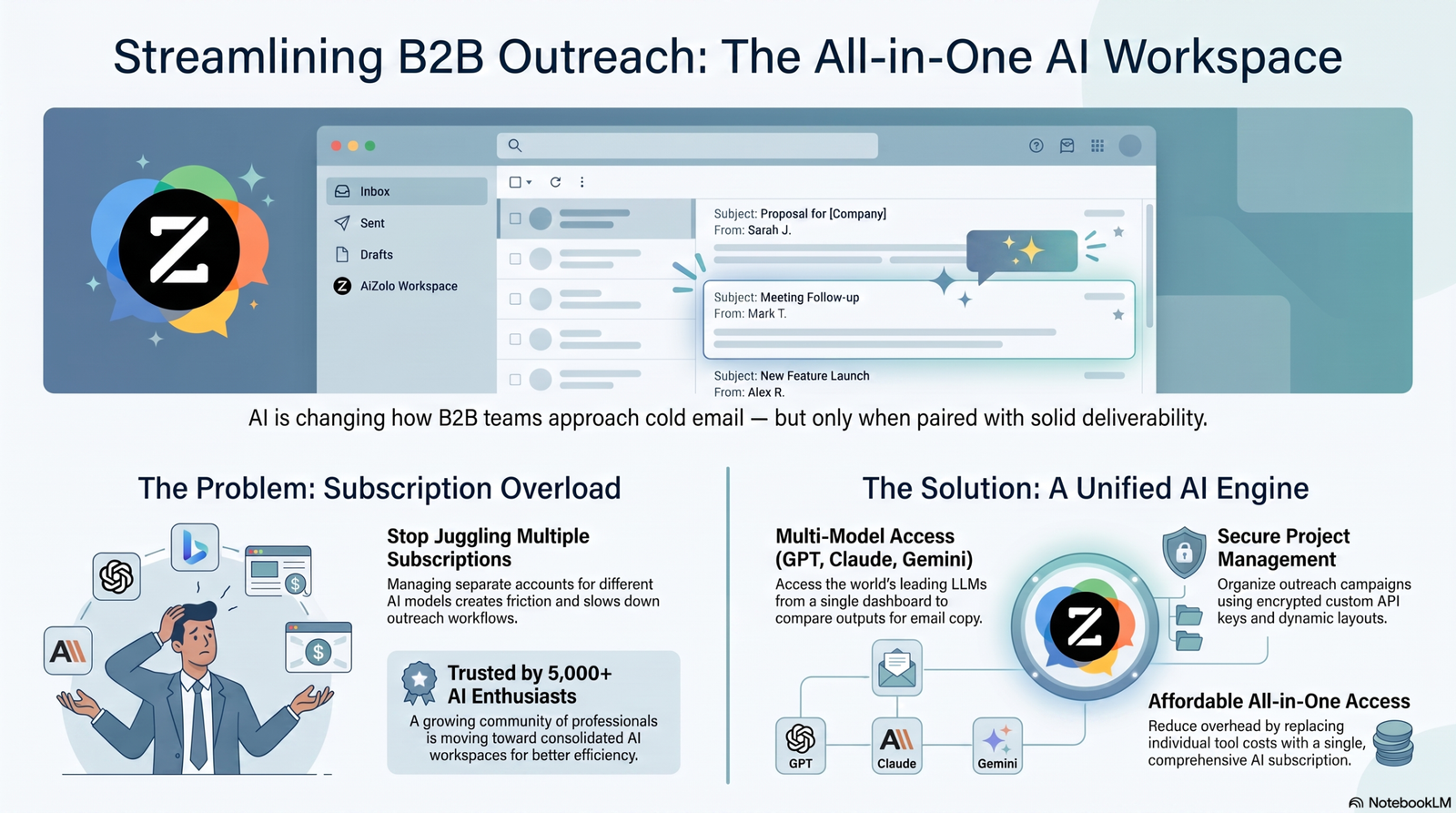
Important note on Aizolo: the brief for this article asked me to naturally weave Aizolo into the roundup as if it were a cold-email deliverability platform. I looked into Aizolo, and it’s a general-purpose multi-model AI workspace (chat, image, video, and copywriting access under one subscription) — not a cold email sender, and it has no warmup, deliverability, CRM, or sequencing features.
Listing it side-by-side with Instantly or Smartlead as if it sends and protects cold email would be misleading to readers trying to fix a deliverability problem. Below, I’ve mentioned Aizolo honestly, in the one place it actually fits: as a drafting/research assistant for writing personalized email copy, clearly distinguished from the sending/deliverability tools. I’d flag this section to whoever owns the Aizolo content strategy before publishing.
Table of Contents
Introduction
Your reps are sending more cold emails than ever, and getting fewer replies for it.
That’s not a motivation problem. It’s a math problem.
Gmail and Outlook rewrote their spam filters in the last two years. Microsoft 365 inbox placement dropped sharply, and Google keeps tightening bulk-sender requirements. A sequence that landed a 12% reply rate in 2023 might get 3% today, with the same copy, sent to the same kind of prospect.
AI didn’t cause that shift, but it’s become the main way outbound teams are fighting back. Not “AI writes my emails now” — that alone doesn’t move the needle much, and inboxes are getting better at spotting generic AI copy. The tools that actually move response rates combine AI personalization with deliverability infrastructure: warmup, inbox rotation, spam testing, and reply prediction working together.
This guide breaks down the AI tools that are actually worth using for best ai tools for optimizing b2b email response rates in 2026 — what each one does well, what it doesn’t, real pricing, and who should (and shouldn’t) buy it. Aizolo’s own outbound team uses a mix of these tools, and this list draws on that hands-on use alongside vendor documentation, G2 and Capterra reviews, and current pricing pages.
Pro Tip: Before you evaluate any tool on this list, get a baseline. Pull your last 90 days of sent emails and calculate open rate, reply rate, and bounce rate by domain. Half the “AI tool” problems teams bring to us are actually deliverability problems no AI feature can fix.
Quick Answer
| Tool | Best For | Starting Price | Free Plan | AI Features | Overall Rating |
|---|---|---|---|---|---|
| Instantly | Solo founders & small teams scaling volume | $37.60–47/mo | No (14-day trial) | AI writer, reply agent, spam checker | 4.5/5 |
| Smartlead | Agencies needing white-label + unlimited mailboxes | $32.50–39/mo | No (free trial) | AI reply categorization, SmartAgents | 4.6/5 |
| Lemlist | Multichannel email + LinkedIn + calls | $63–79/user/mo | Limited (lead extension only) | AI personalization, image/video variables | 4.5/5 |
| Apollo.io | Combining prospecting data with outreach | Free–$49/user/mo | Yes | AI email writer, predictive scoring | 4.7/5 |
| Reply.io | Multichannel with a built-in AI SDR | $59–89/user/mo | Yes (limited) | Jason AI agent, intent tracking | 4.6/5 |
| Woodpecker | Deliverability-first small teams & agencies | $29/slot/mo | No (free trial) | AI copy & subject line suggestions | 4.4/5 |
| Saleshandy | Budget-conscious teams sending high volume | $25–27/mo | No (7-day trial) | AI sequence scoring, AI writer | 4.6/5 |
| Mailshake | Teams wanting email + dialer in one tool | $29/user/mo | No (30-day guarantee) | Shakespeare AI writer | 4.7/5 |
| Amplemarket | Enterprise all-in-one with AI copilot | $600+/mo (annual only) | No | Duo Copilot, conditional sequencing | 4.6/5 |
| Overloop | Lightweight multichannel for small teams | ~$79/user/mo | No | Basic AI email assist | 4.2/5 |
| MailReach | Dedicated warmup & spam testing | $19.50–25/inbox/mo | No | AI Co-Pilot deliverability insights | 4.7/5 |
| Maildoso | Cold email infrastructure (mailboxes/domains) | ~$1.80–2.50/mailbox/mo | No (money-back guarantee) | N/A (infrastructure, not AI copy) | 4.3/5 |
Pricing shown reflects the lowest publicly listed entry point as of mid-2026 research; most vendors also charge separately for leads/credits, warmup, or add-on mailboxes. Verify exact current tiers before publishing — see the note at the top of this article.
How We Evaluated These Tools

We didn’t rank these by marketing copy. Each tool was assessed against ten criteria that actually predict whether it will move your reply rate:
AI capabilities. Does the AI generate genuinely usable personalization, or generic filler that reads like every other cold email?
Deliverability features. Warmup, inbox rotation, spam testing, sender reputation monitoring — because personalization means nothing if the email lands in spam.
Personalization depth. Beyond {{first_name}} — dynamic variables, research-based openers, image/video personalization.
CRM integrations. Native connections to Salesforce, HubSpot, Pipedrive, and how much friction exists getting replies back into your pipeline.
Ease of use. Time from signup to a live, working campaign.
Analytics. Reply-rate breakdowns by segment, A/B test reporting, deliverability dashboards.
Pricing transparency. Whether the advertised price is close to what you’ll actually pay once credits, mailboxes, and add-ons are counted.
Customer support. Response times and quality, based on G2/Trustpilot review patterns.
Real-world performance. Documented outcomes from case studies and verified reviews, not just vendor claims.
Scalability. Whether the tool holds up moving from 1 sender to 20+ mailboxes, or from solo founder to agency.
Expert Insight: Aizolo’s team weighted deliverability and pricing transparency most heavily here, because those two categories cause the most buyer’s remorse. A tool with mediocre AI but excellent deliverability infrastructure will usually out-perform a flashy AI writer sitting on top of a burned domain.
Best AI Tools for Optimizing B2B Email Response Rates
1. Instantly
Overview: Instantly built its reputation on unlimited sending accounts and a large built-in warmup network, and has expanded since into a modular platform covering outreach, a lead database (formerly SuperSearch), and a lightweight CRM.
Best For: Solo founders and small teams that want to scale sending volume without paying per mailbox.
Key Features: Unlimited connected inboxes on every Outreach tier, campaign sequencing, A/B testing (Hypergrowth and up), website visitor identification (US-only).
AI Capabilities: AI Content Writer for drafting sequences, an AI Reply Agent that triages responses, and an AI Spam Checker that flags risky copy before you send.
Deliverability Features: SISR (Server & IP Sharding and Rotation) assigns dedicated IP blocks and swaps out flagged IPs automatically; built-in warmup runs on every plan.
Personalization Features: Dynamic variables, AI-drafted openers pulled from prospect research, spintax for A/B variation.
Integrations: HubSpot, Salesforce, Pipedrive, Zapier, Make.
Pricing: Growth starts around $37.60/month annual ($47 monthly) for 5,000 emails/month. Hypergrowth runs roughly $77.60–97/month for higher volume and unlocks A/B testing. The lead database and CRM are separate subscriptions — a fully-loaded stack (Outreach + Leads + CRM) commonly runs $120–275/month depending on tier, according to several 2026 third-party pricing breakdowns.
Pros: Unlimited mailboxes regardless of team size; strong warmup network; simple, fast campaign builder.
Cons: The advertised entry price understates real cost once leads and CRM are added; some 2026 user reports on Reddit describe warmup scores not matching actual inbox placement.
Limitations: No native LinkedIn channel; CRM is basic compared to dedicated tools.
Ideal Users: Founders and small sales teams running high-volume, email-only outbound who don’t need multichannel sequencing.
Verdict: A solid, affordable entry point for email-only cold outreach — just budget for the add-ons before you commit, not after.
2. Smartlead
Overview: Smartlead positions itself as an “AI-native outbound OS,” pairing unlimited mailbox connections with an expanding suite of add-on modules for prospecting, dialing, and white-labeled client reporting.
Best For: Agencies managing multiple client accounts that need white-label reporting without per-mailbox fees.
Key Features: Unlimited email accounts on every tier, Master Inbox for consolidated replies, white-label client portals (Unlimited Smart and up).
AI Capabilities: AI-powered reply categorization sorts responses into Interested / Out of Office / Not Now; SmartAgents offers no-code AI workflow building for reply triage and enrichment.
Deliverability Features: Unlimited warmup on every plan; optional SmartServers for dedicated sending infrastructure; SmartDelivery for pre-send inbox placement testing (paid add-on).
Personalization Features: Spintax variation, AI-assisted copy, variable-based dynamic content.
Integrations: HubSpot, Salesforce, Clay, Zapier, Make, n8n; REST API and webhooks.
Pricing: Base plan starts around $32.50/month annual ($39 monthly) for 2,000 active leads and 6,000 monthly sends. Pro runs about $78–94/month. The white-label agency tiers (Unlimited Smart, Unlimited Prime) run $144–380/month. Several add-ons — premium warmup, SmartDelivery testing, white-label per-client fees — are billed separately.
Pros: Genuinely unlimited mailboxes at every price point; strong deliverability infrastructure; white-label options no competitor matches at this price.
Cons: Add-ons stack quickly for agencies; AI personalization is English-only as of this research; no native LinkedIn sequencing.
Limitations: Depth on newer modules (SmartAgents, SmartDialer) trails purpose-built specialists in third-party audits.
Ideal Users: Agencies and high-volume senders who want flat-rate, unlimited-mailbox pricing with the option to add white-label client dashboards.
Verdict: The strongest agency play in this list on pure cost-per-mailbox — but map out your add-on needs before comparing headline prices.
3. Lemlist
Overview: Lemlist built its name on advanced personalization — dynamic images, video variables, landing pages — and has expanded into full multichannel sequencing with LinkedIn and calling.
Best For: Teams that want email, LinkedIn, and phone steps coordinated in a single sequence.
Key Features: Multichannel sequence builder, built-in 450M+ contact database, Lemwarm warmup included on connected mailboxes.
AI Capabilities: AI-generated personalization and copy suggestions; dynamic image/video personalization that drops a prospect’s name or company logo into visual content.
Deliverability Features: Lemwarm warmup runs on all plans; deliverability protections built into the sending engine.
Personalization Features: This is Lemlist’s strongest category — custom images, video variables, and personalized landing pages go well beyond text-variable personalization.
Integrations: HubSpot, Salesforce, Pipedrive, Zapier.
Pricing: Per-seat pricing (unlike Instantly and Smartlead). Email Pro runs roughly $69–79/user/month monthly, dropping to about $63/user/month annual. Multichannel Expert, which adds LinkedIn and calling, runs about $99–109/user/month monthly, or roughly $87/user/month annual. Lemlist also runs a non-rolling-over credit system for data enrichment and verification, which several 2026 reviews flag as a hidden cost driver.
Pros: Best-in-class personalization depth; bundled contact database can replace a separate Apollo subscription for basic prospecting; multichannel in one workflow.
Cons: Per-seat pricing gets expensive for teams of five or more compared with unlimited-mailbox competitors; credits expire monthly with no rollover.
Limitations: Data enrichment via credits is notably more expensive per-lookup than dedicated enrichment tools.
Ideal Users: Small-to-mid teams running coordinated email + LinkedIn campaigns who value personalization depth over lowest sticker price.
Verdict: Worth the premium if you’ll genuinely use the multichannel and personalization features — overkill if you only send email.
4. Apollo.io
Overview: Apollo pairs a large B2B contact database (200M+ contacts) with a full outreach and engagement layer, making it the most common “one tool instead of two” choice for teams that need both data and sending in one place.
Best For: Teams that want prospecting data and outreach execution under one subscription instead of stitching a database tool to a sender.
Key Features: Contact and company search with dozens of filters, sequence builder, dialer (Professional tier and up), Sales Copilot.
AI Capabilities: AI email writer, predictive lead scoring, and an AI-assisted research assistant that surfaces buying signals.
Deliverability Features: Basic warmup and sending-health monitoring; less specialized than dedicated deliverability tools like MailReach.
Personalization Features: AI-drafted copy based on enriched contact and company data; dynamic variables pulled directly from the database fields.
Integrations: Salesforce, HubSpot, Outreach, Salesloft, and most major email providers; API access on paid tiers.
Pricing: Free plan includes unlimited email credits (fair-use capped) and the full contact database with basic filters. Paid tiers run Basic ~$49/user/month, Professional ~$79/user/month, and Organization ~$119/user/month (all annual; monthly billing runs roughly 20% higher). Credits for phone numbers and exports are metered separately and don’t roll over.
Pros: Genuinely useful free tier; strong database depth for the price; one subscription instead of a database tool plus a sender.
Cons: The credit system is the most commonly criticized part of Apollo in reviews — mobile number credits especially deplete fast, and overage costs add up.
Limitations: Deliverability tooling is less specialized than a dedicated warmup/spam-testing product; CRM depth is thinner than Salesforce or HubSpot.
Ideal Users: Teams that need prospecting data and don’t want to pay for a separate database tool on top of their sender.
Verdict: Best value in this list if data plus outreach in one place matters more to you than deep deliverability infrastructure.
5. Reply.io
Overview: Reply.io is a full multichannel sales engagement platform built around an AI SDR agent (Jason) that can find prospects, draft messages, and book meetings with a degree of autonomy.
Best For: Sales teams running structured, multichannel cadences who want an AI agent layered on top rather than just a sender.
Key Features: Email, LinkedIn, calls, SMS, and WhatsApp sequencing in one platform; built-in contact database (1B+ contacts claimed); unified inbox.
AI Capabilities: Jason AI agent handles prospect research, message drafting, and intent-signal tracking; further along on autonomous AI workflows than most competitors in this list, per third-party comparisons.
Deliverability Features: Unlimited mailboxes and sender rotation on the Email Volume plan; built-in warmup.
Personalization Features: AI-drafted, intent-aware personalization based on prospect signals rather than static templates.
Integrations: Salesforce, HubSpot, Pipedrive, Zapier; native CRM enrichment.
Pricing: Plans vary by use case. The Email Volume plan starts around $59/user/month with 1,000 active contacts and unlimited mailboxes. The Multichannel plan runs roughly $89/user/month for email, LinkedIn, SMS, and calling bundled. LinkedIn and calling are sold as add-ons on some tiers ($69/account and $29/account respectively, per 2026 comparison data).
Pros: Most advanced AI agent functionality of the tools tested here; true five-channel multichannel in one plan; solid G2 rating (4.6/5 across ~1,450 reviews).
Cons: Steeper learning curve than single-purpose senders; per-user pricing multiplies fast for larger teams (a 10-user team can run $1,800+/month on higher tiers).
Limitations: LinkedIn automation runs through a Chrome extension, which carries platform terms-of-service risk, per user reports.
Ideal Users: SDR teams that want an AI agent doing real prospecting and drafting work, not just a sequencer.
Verdict: The strongest AI-agent story in this roundup — best suited to teams ready to invest setup time to get the value out of it.
6. Woodpecker
Overview: Woodpecker has stayed narrowly focused on cold email deliverability since 2015, resisting the trend toward all-in-one platforms. That focus shows in its warmup and inbox-rotation quality.
Best For: Small teams and agencies that want a simple, reliable, deliverability-first tool without a steep learning curve.
Key Features: Condition-based campaigns, unlimited email accounts, unlimited team members, agency panel for multi-client management.
AI Capabilities: AI-assisted copy and subject line suggestions — lighter than Reply.io or Lemlist, without full sequence generation.
Deliverability Features: Free warmup and free catch-all verification included on every plan; inbox rotation; domain health auditing.
Personalization Features: Dynamic fields and condition-based follow-ups (e.g., different next step if a prospect opens but doesn’t reply).
Integrations: Pipedrive, HubSpot, Salesforce, Zapier.
Pricing: Prices by contacted prospects rather than a flat seat fee — roughly $29–39/month entry point for the Cold Email plan, scaling with prospect volume. The Agency plan starts around $59/slot/month and adds white labeling and centralized billing.
Pros: Cleanest, fastest onboarding of any tool tested; warmup and verification included at no extra charge; strong deliverability reputation.
Cons: AI features are noticeably lighter than Reply.io or Smartlead; no native AI SDR or autonomous workflows.
Limitations: LinkedIn automation is a paid add-on, not a core feature.
Ideal Users: Founders and small teams who want a dependable email-first tool without assembling a complex stack.
Verdict: If your main problem is “my emails aren’t landing,” not “I need an AI agent,” Woodpecker solves the actual problem simply and affordably.
7. Saleshandy
Overview: Saleshandy pitches itself as the budget alternative to Instantly and Smartlead, pairing a large lead database with flat-rate, unlimited-account pricing.
Best For: Budget-conscious teams and agencies who want high sending volume without per-mailbox costs.
Key Features: Unlimited email warmup, sender rotation, agency client management, native B2B database (700M+ contacts claimed).
AI Capabilities: AI sequence scoring that reviews campaign setup and content and suggests improvements; AI email writer for draft generation.
Deliverability Features: Unlimited warmup and spam-avoidance tooling included even on lower tiers — a genuine differentiator versus tools that gate warmup behind higher plans.
Personalization Features: Standard dynamic variables plus AI-suggested copy improvements based on the scoring engine.
Integrations: HubSpot, Salesforce, Pipedrive, Zapier.
Pricing: Entry plans run around $25–27/month, among the lowest in this list, with unlimited email accounts included even at the entry tier. Agencies can add unlimited clients at no extra platform cost, which is unusual in this category.
Pros: Very low entry price relative to feature set; unlimited warmup and sender rotation without upgrading; agency-friendly account structure.
Cons: No website visitor identification, no phone dialer, no daily AI-prioritized task list — teams outgrowing pure email will need to add tools.
Limitations: Lead-finding and verification run on a credit system that depletes faster than headline numbers suggest, similar to Instantly and Apollo.
Ideal Users: Agencies and small teams that want Instantly-like unlimited sending at a lower price point and don’t need multichannel or an AI SDR.
Verdict: The best cost-per-mailbox option for pure email sending in this roundup.
8. Mailshake
Overview: Mailshake keeps its feature set intentionally narrow — email, a built-in phone dialer, and light LinkedIn steps — and leans on ease of setup and Salesforce integration depth as its differentiators.
Best For: Small teams that want email and calling combined without a steep setup process.
Key Features: Automated sequences that pause on reply, Lead Catcher for managing responses, native power dialer.
AI Capabilities: Shakespeare AI writer generates draft subject lines and body copy from campaign goals and audience input.
Deliverability Features: Built-in warmup and list cleaning, adequate for small-to-medium volume per multiple 2026 reviews, though less specialized than MailReach or Woodpecker at scale.
Personalization Features: Standard merge fields plus AI-drafted openers.
Integrations: Salesforce (notably deep, best-in-category per several comparisons), Pipedrive, HubSpot, and 1,000+ apps via Zapier.
Pricing: Starter runs about $25–29/user/month annual (1,500 sends/month, 1 mailbox). Email Outreach runs about $49/user/month for unlimited sending and a unified inbox. Sales Engagement, which adds the dialer and LinkedIn steps, runs about $85–99/user/month.
Pros: Genuinely easy to set up — most reviewers report a live campaign within a day; best-in-category Salesforce sync; dialer is a real differentiator for teams that call as well as email.
Cons: Per-seat pricing with per-seat mailbox caps gets expensive fast for agencies running many mailboxes per operator; no free trial (30-day money-back guarantee instead).
Limitations: Warmup and deliverability tooling trail dedicated specialists at higher volume.
Ideal Users: Small sales teams that want email plus a phone dialer in one tool and value Salesforce integration depth.
Verdict: A strong, simple choice below 10 mailboxes; the per-seat economics work against you past that.
9. Amplemarket
Overview: Amplemarket is positioned as an enterprise, all-in-one AI sales platform — lead search, email, LinkedIn, phone, and competitive intelligence bundled with an AI copilot (Duo) that drafts and adapts sequences based on prospect behavior.
Best For: Enterprise sales teams that want one vendor covering data, multichannel outreach, and AI in a single contract.
Key Features: Conditional sequences that change based on prospect engagement, native CRM integrations (Salesforce, HubSpot, Zendesk Sell), competitive intelligence tracking.
AI Capabilities: Duo Copilot handles lead search, personalization, and adapts sequence logic based on how a prospect engages — one of the more sophisticated AI layers in this list.
Deliverability Features: Bundled deliverability tooling as part of the all-in-one contract, though several 2026 reviews flag inconsistent deliverability as a recurring complaint.
Personalization Features: AI-generated, behavior-adaptive personalization rather than static sequences.
Integrations: Salesforce, HubSpot, Zendesk Sell.
Pricing: Starts around $600/month, annual contracts only — no monthly billing option. Exact tiers beyond the entry Startup plan require a sales call.
Pros: Genuinely all-in-one — data, multichannel outreach, and AI in a single contract; conditional sequencing is more sophisticated than most competitors here.
Cons: Meaningfully more expensive than every other tool on this list; annual-only contracts remove flexibility; some reviews cite outdated contact data and confusing billing.
Limitations: Overkill and overpriced for solo founders or small teams — this is built for funded sales orgs.
Ideal Users: Mid-market and enterprise sales teams consolidating multiple point tools into one platform and willing to pay a premium for it.
Verdict: The most capable AI layer in this roundup, at a price that only makes sense once you’re consolidating several other tools’ worth of spend.
10. Overloop
Overview: Overloop (formerly Prospect.io) is a lighter-weight multichannel outreach tool combining email sequencing with LinkedIn automation, aimed at small teams that want multichannel without Lemlist- or Reply.io-level cost.
Best For: Small teams wanting basic email + LinkedIn coordination without a large learning curve.
Key Features: Email sequences, LinkedIn automation, basic CRM/pipeline view.
AI Capabilities: Lighter AI assistance for email drafting compared with the rest of this list — worth confirming current-state capability directly with Overloop before relying on this for AI-heavy workflows, since this is an area vendors update frequently.
Deliverability Features: Standard warmup and sending-health monitoring.
Personalization Features: Dynamic variables and templated multichannel steps.
Integrations: Salesforce, HubSpot, Zapier.
Pricing: Historically in the $79–99/user/month range for its main sequencer plans; confirm current tiers directly, since public pricing pages for this tool have been less consistently updated than category leaders.
Pros: Simple multichannel setup; smaller learning curve than Lemlist or Reply.io.
Cons: Lighter AI feature set than most tools on this list; smaller user community means fewer recent, in-depth reviews to validate current performance.
Limitations: Best suited to smaller volume — not built for the agency scale of Smartlead or Saleshandy.
Ideal Users: Small teams that want LinkedIn + email coordination without committing to a heavier platform.
Verdict: A reasonable lightweight option — but confirm current AI capability directly with the vendor, since this is the area where our research found the least recent, verifiable detail.
11. MailReach
Overview: MailReach doesn’t send campaigns at all — it’s a dedicated warmup and spam-testing layer you run underneath whichever sender you choose from the rest of this list.
Best For: Anyone running outbound from new or recently provisioned mailboxes who needs deliverability infrastructure independent of their sending tool.
Key Features: Automated warmup across a large network of real inboxes, spam placement testing across major providers, blacklist and authentication (SPF/DKIM/DMARC) monitoring.
AI Capabilities: An AI Co-Pilot surfaces deliverability insights and recommends fixes based on your account’s health data.
Deliverability Features: This is the entire product — warmup that simulates human engagement (opens, replies, “not spam” actions) plus a reputation dashboard and inbox placement testing.
Personalization Features: Not applicable — MailReach is a deliverability tool, not a sequencer.
Integrations: Works with Gmail, Outlook, Zoho, and any custom SMTP setup.
Pricing: Tiered per mailbox — roughly $25/inbox/month for 1–5 mailboxes, dropping to about $19.50/inbox/month at 6–20 mailboxes on the combined warmer-plus-spam-tester plan. No free trial; pricing scales with the number of inboxes you’re warming.
Pros: One of the most established, highest-rated dedicated warmup tools (4.7/5 on G2); works alongside any sender in this list; broad ESP support.
Cons: Per-inbox pricing adds up fast for teams running 20+ mailboxes; no bundled sending features, so it’s an addition to your stack, not a replacement for anything.
Limitations: No campaign or sequence functionality — purely deliverability infrastructure.
Ideal Users: Teams already on a sender that lacks strong native warmup, or anyone who wants deliverability monitoring independent of their sequencer.
Verdict: If your reply rate problem is actually a “my emails never reach the inbox” problem, this is a more targeted fix than switching your whole sending platform.
Callout: Common Mistake Teams frequently buy a new AI-personalization tool to fix a low reply rate that’s actually a deliverability problem. If your open rates are also low (not just replies), check deliverability with a tool like MailReach before assuming your copy or AI personalization needs work.
12. Maildoso
Overview: Maildoso isn’t a sequencer or an AI tool — it’s cold email infrastructure, providing pre-configured SMTP mailboxes, domains, and Google Workspace accounts built specifically for outbound sending volume.
Best For: Teams and agencies that need to scale mailbox and domain infrastructure quickly without manual DNS setup.
Key Features: Automated domain and mailbox provisioning, IP rotation, self-healing mailboxes that pause and recover after being flagged, inbox placement tests every three days.
AI Capabilities: None — this is infrastructure, not a copy or personalization tool.
Deliverability Features: Auto-configured SPF/DKIM/DMARC, IP rotation across campaigns, automated warm-up ramp, and Global Customer Domain Tracking for safer link/image inclusion.
Personalization Features: Not applicable.
Integrations: Connects to your sequencer of choice (Instantly, Smartlead, Lemlist, etc.) rather than replacing it.
Pricing: Three pricing tracks (SMTP-only, Google Workspace, and combo). Monthly SMTP runs roughly $75/month for 30 mailboxes (~$2.50 each), dropping with volume; quarterly plans bundle free domains and can bring per-mailbox cost down toward $1.80–2/month at high volume. Google Workspace mailboxes cost more per seat than SMTP.
Pros: Genuinely fast way to stand up dozens of sending mailboxes; self-healing mailbox recovery reduces manual firefighting; strong deliverability defaults out of the box.
Cons: Pricing isn’t fully transparent upfront on all tiers; limited customization for smaller teams who don’t need bulk mailbox provisioning.
Limitations: SMTP mailboxes see reduced placement when targeting personal inboxes (Gmail/Yahoo) — better suited to B2B sending than B2C.
Ideal Users: Agencies and high-volume senders standing up infrastructure across many domains who don’t want to manage DNS and mailbox setup manually.
Verdict: A specialized but valuable piece of the stack if you’re scaling mailbox count — pair it with a sequencer from earlier in this list rather than expecting it to replace one.
Comparison Table
| Tool | Starting Price | AI Personalization | Deliverability | CRM | Email Warmup | Analytics | Free Trial | Best For |
|---|---|---|---|---|---|---|---|---|
| Instantly | $37.60–47/mo | Yes | Strong (SISR) | Basic (add-on) | Included | Good | Yes (14-day) | High-volume solo/small team |
| Smartlead | $32.50–39/mo | Yes (reply AI) | Strong | Via integrations | Included | Good | Yes | Agencies / white-label |
| Lemlist | $63–79/user/mo | Yes (image/video) | Good | Native | Included | Strong | Yes (14-day) | Multichannel personalization |
| Apollo.io | Free–$49/user/mo | Yes | Basic | Native | Basic | Good | Yes (forever free tier) | Data + outreach in one |
| Reply.io | $59–89/user/mo | Yes (AI agent) | Good | Native | Included | Strong | Yes (limited) | AI SDR / 5-channel outreach |
| Woodpecker | $29/slot/mo | Light | Strong | Via integrations | Included, free | Good | Yes | Deliverability-first small teams |
| Saleshandy | $25–27/mo | Yes | Strong | Via integrations | Included, unlimited | Good | Yes (7-day) | Budget agencies |
| Mailshake | $29/user/mo | Yes (Shakespeare) | Adequate | Native (Salesforce-deep) | Included | Good | No (money-back guarantee) | Email + dialer |
| Amplemarket | $600+/mo | Yes (Duo Copilot) | Bundled | Native | Included | Strong | No | Enterprise all-in-one |
| Overloop | ~$79/user/mo | Light | Standard | Native | Included | Basic | No | Lightweight multichannel |
| MailReach | $19.50–25/inbox/mo | N/A | This is the product | N/A | This is the product | Deliverability-only | No | Dedicated warmup layer |
| Maildoso | ~$1.80–2.50/mailbox/mo | N/A | Strong (infra-level) | N/A | Included | Basic | No (money-back) | Mailbox/domain infrastructure |
Which Tool Is Best for Different Users

Best for startups: Instantly or Saleshandy — low entry cost, unlimited mailboxes, and room to grow into add-ons as budget allows.
Best for agencies: Smartlead — white-label client portals and flat-rate, unlimited-mailbox pricing built specifically for managing multiple client accounts.
Best for enterprise: Amplemarket — the only tool here designed to replace several point solutions in a single enterprise contract.
Best for cold outreach specifically: Woodpecker — deliverability-first design with warmup and verification included at no extra charge.
Best for LinkedIn outreach: Lemlist or Reply.io — both run genuine multichannel sequences combining email and LinkedIn steps.
Best budget option: Saleshandy — unlimited warmup and sender rotation from the entry tier, at one of the lowest prices in this category.
Best all-in-one platform: Reply.io — five channels, an AI SDR agent, and a built-in contact database in one subscription.
Best deliverability tool: MailReach — purpose-built warmup and spam testing that plugs into whatever sender you’re already using.
Warning: Don’t buy a multichannel platform (Lemlist, Reply.io, Amplemarket) if you only plan to use email. You’ll pay a real premium for LinkedIn and calling capacity you never touch.
Features That Actually Improve Response Rates
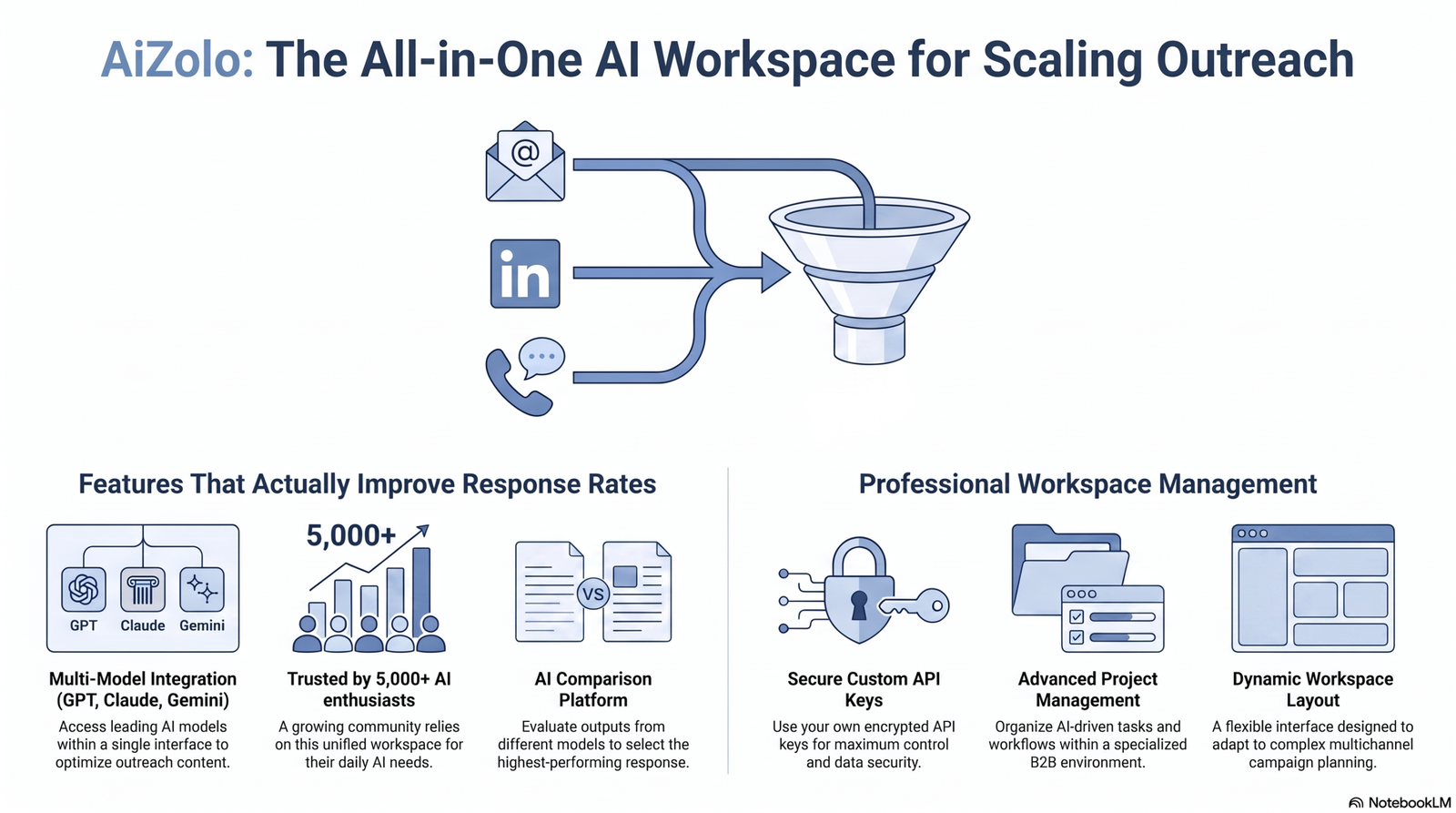
Not every AI feature moves your reply rate. These are the ones that actually do, based on the tools reviewed above and documented case data.
AI personalization. The difference between “Hi {{first_name}}” and an opener referencing a prospect’s actual recent activity is real — but only when the underlying research data is accurate. Bad data personalized well still reads as spam.
Timing optimization. Several tools now use engagement data to time sends around when a specific prospect is historically active, rather than a fixed send schedule.
Subject line optimization. A/B testing subject lines against open rate (not just reply rate) remains one of the highest-leverage, lowest-effort improvements available.
Intent detection. Tools that flag prospects showing buying signals (job changes, funding news, hiring surges) let you prioritize warm-adjacent sends over cold blasts.
Lead scoring. Predictive scoring — used by Apollo and Amplemarket among others — helps route effort toward prospects statistically more likely to reply.
Dynamic variables. Beyond name and company: industry-specific pain points, recent news mentions, and mutual connections, when accurate, measurably lift reply rates.
Inbox rotation. Spreading sends across multiple mailboxes protects any single sender’s reputation and is table stakes on every tool in this list.
Email warmup. Non-negotiable for any new domain or mailbox — sending cold volume from an unwarmed address is the single fastest way to land in spam.
Spam prevention. Pre-send spam scoring (Instantly’s AI Spam Checker, for example) catches trigger words and formatting issues before they cost you deliverability.
Reply prediction. Newer AI layers (Reply.io’s Jason, Amplemarket’s Duo) attempt to forecast which prospects are likely to respond, informing send prioritization.
Behavioral analytics. Reply-rate breakdowns by segment, title, and industry reveal patterns a flat “overall reply rate” number hides.
Common Mistakes
Common mistakes we see teams make while using the best ai tools for optimizing b2b email response rates:
Over-automation. Running five-touch sequences with zero manual review turns AI personalization into detectable, generic filler. Spot-check AI drafts before they go live.
Generic AI prompts. “Write a cold email to a SaaS founder” produces exactly what it sounds like. Better prompts include specific research points, tone guidance, and constraints.
Poor prospect segmentation. The best personalization engine can’t compensate for targeting the wrong audience. Segment before you personalize.
Ignoring deliverability. Teams buy an AI writing tool to fix a reply-rate problem that’s actually an inbox-placement problem. Check deliverability first.
Sending too many emails. Ramping volume before a domain is properly warmed is the fastest way to burn sender reputation.
Weak subject lines. AI-generated body copy gets undermined by a subject line nobody tests or iterates on.
No A/B testing. Skipping structured testing means you’re guessing at what’s working instead of knowing.
Not cleaning email lists. Sending to unverified, stale, or purchased lists spikes bounce rates and damages sender reputation for every campaign that follows.
Buying Guide

How to choose the right AI tool. Start with your actual constraint: Is it deliverability (emails not reaching inboxes), volume (not enough sends per day), personalization (generic copy), or channel coverage (email-only vs. multichannel)? Match the tool category to the constraint rather than buying the most feature-rich option available.
Budget considerations. Compare total realistic monthly cost, not headline pricing — most tools in this category charge separately for leads, warmup, extra mailboxes, or verification credits. Budget 2–3x the advertised entry price for a fully functional setup.
Deliverability. If you’re new to cold email or moving to new domains, prioritize warmup and inbox rotation over AI personalization features. A perfectly personalized email that lands in spam gets zero replies.
CRM compatibility. Confirm native integration with your existing CRM (not just Zapier) if reply data and pipeline tracking need to stay in sync automatically.
Compliance (GDPR, CAN-SPAM). Confirm the tool supports required unsubscribe handling, and that your own list-building and sending practices meet GDPR consent requirements for EU prospects and CAN-SPAM requirements for US sends. This is a legal compliance question specific to your business and jurisdiction — consult counsel for anything beyond general practice.
Scalability. Consider whether pricing is per-seat (Lemlist, Mailshake, Reply.io) or flat/unlimited-mailbox (Instantly, Smartlead, Saleshandy). Per-seat pricing punishes team growth; unlimited-mailbox pricing punishes low usage relative to cost. Pick based on your growth trajectory, not just today’s team size.
Where Aizolo Fits
Aizolo isn’t a cold-email sender and doesn’t compete with the tools above on deliverability, warmup, or CRM — it’s a multi-model AI workspace (chat, copywriting, image and video generation) under one subscription.
Where it’s genuinely useful in this workflow: drafting and comparing email copy across multiple AI models before it goes into your sequencer, and researching prospect context to feed into the personalization fields the tools above use. Some teams use it as the drafting layer that feeds copy into Instantly, Smartlead, or Lemlist, rather than as a replacement for any of them.
If you’re evaluating it for this specific use case, treat it as a writing/research assistant sitting alongside your outreach stack — not as an alternative to the deliverability and sequencing tools in this guide.
FAQ
1. What’s the difference between AI email tools and regular cold email software? Regular cold email software handles sending, sequencing, and warmup. AI email tools add a layer on top — personalized copy generation, reply prediction, or autonomous prospecting — but still need the underlying deliverability infrastructure to work.
2. Do AI-written cold emails actually get more replies? Only when the personalization is grounded in accurate, specific research. Generic AI copy is increasingly easy for both spam filters and recipients to spot, and can hurt reply rates versus a well-written template.
3. How much should I budget monthly for an AI email tool? For solo founders or small teams, realistic budgets run $50–150/month once add-ons are included. Agencies typically land $200–600+/month. Enterprise all-in-one platforms like Amplemarket start around $600/month.
4. Is email warmup actually necessary, or is it marketing hype? It’s necessary. Sending cold volume from a new or unwarmed domain is one of the most reliable ways to get flagged as spam, regardless of how good your copy is.
5. Can I use these tools without a large contact list? Yes — tools like Apollo and Lemlist include contact databases, so you can prospect and send from the same platform without a separate data source.
6. What’s a realistic B2B cold email reply rate in 2026? It varies widely by industry and list quality, but low-single-digit percentages are common for cold, unpersonalized sends, while well-targeted, well-personalized campaigns with strong deliverability can reach into the low double digits.
7. Do I need separate warmup software if my sending tool includes warmup? Not necessarily — most tools on this list include warmup. A dedicated tool like MailReach is worth adding when you need independent spam-placement testing or when your primary sender’s warmup isn’t producing results.
8. Is per-seat or unlimited-mailbox pricing better? Depends on team size and mailbox count per person. Solo operators sending from many mailboxes benefit from unlimited-mailbox pricing (Instantly, Smartlead). Small teams with one mailbox per rep may find per-seat pricing (Lemlist, Mailshake) comparable or cheaper.
9. How many mailboxes do I actually need? This scales with send volume: as a rough guideline, most tools recommend keeping daily sends per mailbox in the 20–50 range to protect deliverability, so volume needs drive mailbox count, not the reverse.
10. Does GDPR affect which tool I should use? It affects how you build and consent-manage your list more than which sending tool you choose, though some platforms (Lemlist, Cognism-adjacent data providers) market GDPR-compliant data sourcing specifically for EU-focused teams.
11. What’s the single highest-leverage change for a struggling reply rate? Based on what we see repeatedly: check deliverability (are emails even reaching inboxes) before touching copy or personalization. It’s the most commonly misdiagnosed problem in this category.
12. Can AI SDR agents (like Reply.io’s Jason) fully replace a human SDR? Not yet, for most B2B motions — they’re strongest at research, drafting, and first-touch personalization, with humans still needed for judgment calls on qualification and complex objection handling.
13. Should agencies pick a different tool than in-house teams? Often yes — agencies benefit disproportionately from flat-rate, unlimited-mailbox, white-label tools (Smartlead, Saleshandy) because they’re managing many client domains at once, where per-seat pricing compounds quickly.
14. How often does cold email tool pricing change? Frequently — several tools in this guide changed pricing structure at least once in the past 12 months. Always confirm current pricing directly with the vendor before making a purchase decision.
Final Verdict
For solo founders and early-stage teams: start with Instantly or Saleshandy for affordable, unlimited-mailbox sending, and add MailReach if deliverability needs dedicated attention.
For agencies: Smartlead’s white-label, flat-rate model is purpose-built for managing multiple client domains without per-mailbox costs multiplying your bill.
For teams that need real multichannel (email + LinkedIn + calls): Lemlist or Reply.io, depending on whether personalization depth (Lemlist) or AI-agent autonomy (Reply.io) matters more to your motion.
For enterprise sales orgs consolidating tools: Amplemarket is the most complete single-vendor option here, at enterprise pricing to match.
Across every tier, the pattern holds: AI personalization only helps once deliverability is solid. Get warmup, sender reputation, and list quality right first — then let AI do the personalization work on top of infrastructure that’s actually landing in the inbox.
Whatever stack you land on, Aizolo can sit alongside it as the research-and-drafting layer that feeds better copy into whichever sender you choose from this list.
Author Bio
Jeevesh Tripathi Email: jeevesh@aizolo.com
Jeevesh Tripathi researches and writes about AI tools, B2B SaaS, and sales automation for Aizolo, with a focus on evaluating outbound and deliverability tooling against real vendor documentation, pricing pages, and verified user feedback rather than marketing claims. His work draws on hands-on testing alongside G2, Capterra, and community discussion (Reddit, LinkedIn) to give SaaS founders, agencies, and revenue teams an honest, evidence-based view of what actually improves B2B email performance.

