There are many repetitive admin tasks to complete in a medical office, from adding new patients, making appointments, keeping records and onboarding new staff.
If processes aren’t properly documented, it can lead to confusion for staff and missing steps in the process.
AI medical office SOP generators can help create SOPs for your processes.
This helps admins create processes from existing information, provides step-by-step instructions, creates checklists, and creates screens to show processes.
Not all AI SOP tools are medical specific. Some provide a dedicated SOP generator whilst others are a generic AI assistant or process documentation tool.
Below we have compared 7 tools looking at the features, cost, security and how suitable they are for medical office administration. Remember that any AI generated procedures should be reviewed by a qualified member of staff.
If you want to understand the broader process first, read our guide on how to use AI to create standard operating procedures. That article covers general SOP creation, while this guide focuses on tools and workflows relevant to medical offices.
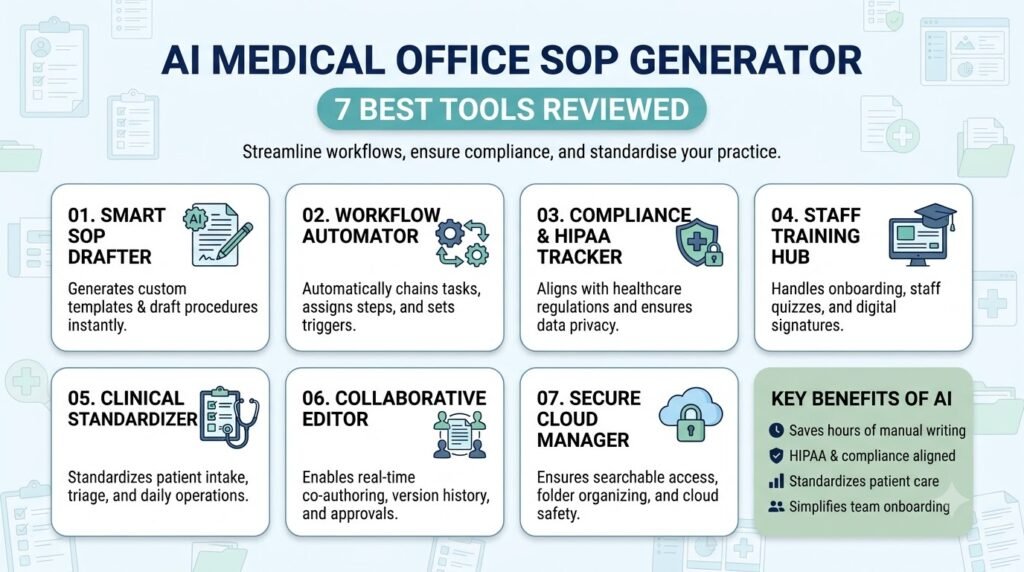
Table of Contents
What to Look for in an AI Medical Office SOP Generator
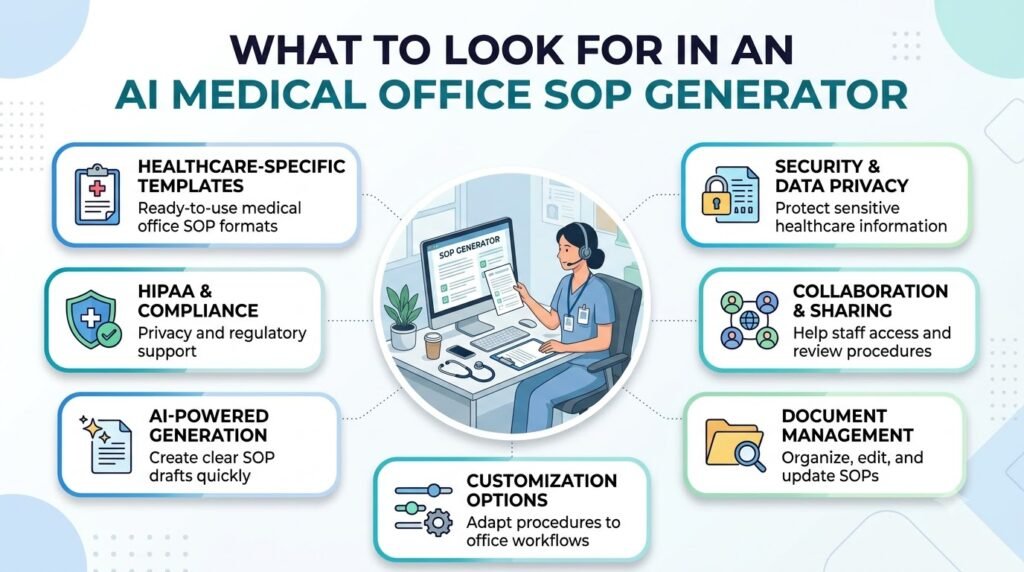
Consider how an AI medical office SOP generator will integrate into your existing administration.
Whilst a tool may produce well written documentation, it may not have version control, approval and secure handling of medical data.
Here are eight important evaluation criteria.
1. SOP Generation Capabilities: Can you build structured processes based on descriptions/notes?
2. Customization: Can you assign tasks, define process steps, set documents and approvals?
3. Healthcare-Specific Templates: Are there any templates for medical offices or will you have to build these?
4. Document Management: Can users organize, update, and retrieve SOPs easily?
5. Collaboration: Can office managers and employees review documents and share feedback?
6. Privacy and Security: Does the provider offer appropriate contractual protections, access controls, and documented security practices? For US healthcare organizations, investigate HIPAA requirements and BAA availability where applicable.
7. Pricing: Does the tool provide a free plan, affordable individual access, or team subscriptions?
8. Ease of Use: If you have non technical admin staff will they be able to produce and manage documentation without much training?
Bear in mind that it is a general purpose AI writing tool and not specific to healthcare compliance.
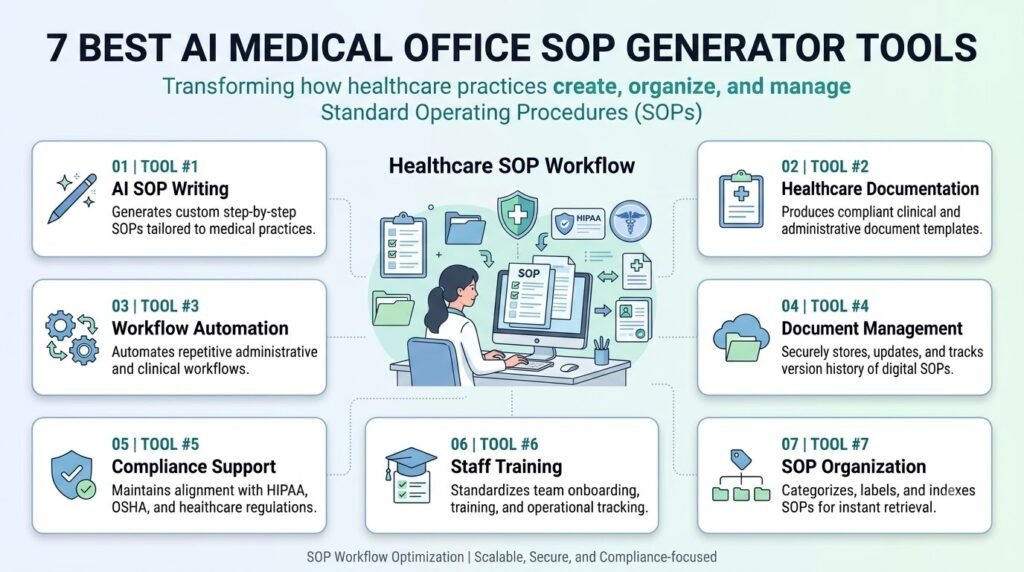
7 Best AI Medical Office SOP Generator Tools
1. Whale – Best Dedicated SOP Generator
Overview
Whale is a SOP and knowledge management tool that helps you document processes, create training and manage your operational knowledge.
Its free AI SOP generator allows users to describe a workflow and turn it into structured, sequential instructions.
Unlike generic AI chatbots, Whale has been created to help you document and share processes.
Key Features
- AI-powered SOP generation from workflow descriptions.
- Step recording and video-to-SOP capabilities.
- Screenshots, videos, and additional context in documentation.
- Training flows and AI-generated quizzes.
- Document sharing and permissions.
- Version history and review intervals.
- Export options on paid plans.
How It Can Help Medical Offices
A practice manager could describe the administrative steps involved in opening a clinic each morning and use Whale to create a first SOP draft.
This can be tailored to include staff roles, task lists and screenshots.
It could also be used for onboarding new staff, managing appointments and non-clinical processes within the office.
Pros
- Dedicated SOP-generation functionality.
- Combines documentation and employee training.
- Free starting plan.
- Enterprise-level approval and access-management features.
Cons
- Healthcare-specific clinical templates are not established by the reviewed product information.
- The free plan has limited AI credits and creator access.
- Larger teams may find paid plans expensive.
Pricing: Free plan available. Scale starts at $249/month billed annually, Advance at $499/month billed annually, and Enterprise has custom pricing. Verify current rates before publication.
Privacy and Security: Whale describes its platform as HIPAA-ready and says a BAA is available on request for Enterprise customers. Do not assume that all accounts agree. Make sure you have their agreement and know exactly what they are agreeing to in terms of services and configuration.
Best For: Medical office teams that need a dedicated SOP creation, training, and documentation platform.
2. ChatGPT – Best for Flexible SOP Drafting
Overview
ChatGPT is a general purpose AI assistant that can be used to help create, structure and improve written processes.
Although ChatGPT isn’t a specific Medical Office SOP tool, it can still be used to help create draft SOPs due to is ability to follow specific instructions and structure information.
Key Features
- Generate structured documents from detailed prompts.
- Rewrite and simplify existing instructions.
- Analyze uploaded documents in supported configurations.
- Create checklists and role-based instructions.
- Organize related work using projects.
- Support team workflows through eligible business and healthcare offerings.
How It Can Help Medical Offices
An administrator could provide a de-identified description of the patient registration process and ask ChatGPT to organize it into:
- Purpose and scope.
- Responsible employees.
- Required administrative materials.
- Step-by-step instructions.
- Escalation responsibilities.
- Review and approval requirements.
The same approach can help draft appointment scheduling, staff onboarding, and office opening procedures.
Pros
- Flexible prompt customization.
- Easy-to-understand document generation.
- Useful for revising existing SOP drafts.
- Free access is available.
Cons
- No dedicated medical office SOP management system in the standard consumer product.
- Does not independently verify regulatory requirements.
- Document approval and ongoing SOP management require additional processes.
Pricing: Free plan available. ChatGPT Plus is $20/month in the US. Business, Enterprise, and healthcare offerings have separate pricing arrangements.
Privacy and Security: OpenAI lists ChatGPT for Healthcare and ChatGPT Enterprise with Regulated Workspace among its HIPAA-eligible offerings under a BAA. This does not extend automatically to ordinary Free or Plus accounts. Ensure that you are using eligible features and configurations.
Best For: For administrators wishing to provide flexible AI assistance for non-clinical procedure writing and revision, or organisations considering an eligible enterprise healthcare deployment.
3. Claude – Best for Long Administrative Documents
Overview
Claude is a general-purpose AI assistant from Anthropic.This can help to take long descriptions of processes, existing policies and notes and create a structured document.
It is particularly worth considering when an office needs to work with substantial amounts of existing documentation.
Key Features
- Generate structured SOP drafts.
- Summarize and rewrite lengthy documents.
- Organize related work through Projects.
- Analyze supported document uploads.
- Create reusable instructions and templates.
- Support team collaboration through organizational plans.
How It Can Help Medical Offices
A practice manager could use Claude to reorganize an existing employee onboarding document into a clearer procedure.
For example, the draft could include:
- New employee preparation.
- Administrative orientation.
- Software access responsibilities.
- Training milestones.
- Supervisor review.
- Completion records.
The process should come from the medical office rather than assumptions made by the model.
Pros
- Useful for lengthy documentation.
- Flexible instructions and rewriting.
- Supports structured, readable outputs.
- Team and Enterprise options are available.
Cons
- Not a dedicated SOP generator.
- Does not provide a complete medical office SOP management system.
- Requires manual review and document management.
Pricing: Free plan available. Claude Pro costs $20/month in the US. Team pricing starts at $25 per member/month billed annually or $30 monthly, with a five-member minimum. Enterprise pricing is customized.
Privacy and Security: Anthropic offers HIPAA-ready Enterprise plans with a BAA. Importantly, not every feature in an enabled Enterprise workspace is covered by that agreement. Standard Pro and Team subscriptions should not be treated as PHI-approved services.
Best For: Medical office managers needing assistance with organising large amounts of admin documentation and comparing different SOPs.
4. Google Gemini – Best for Google Workspace Users
Overview
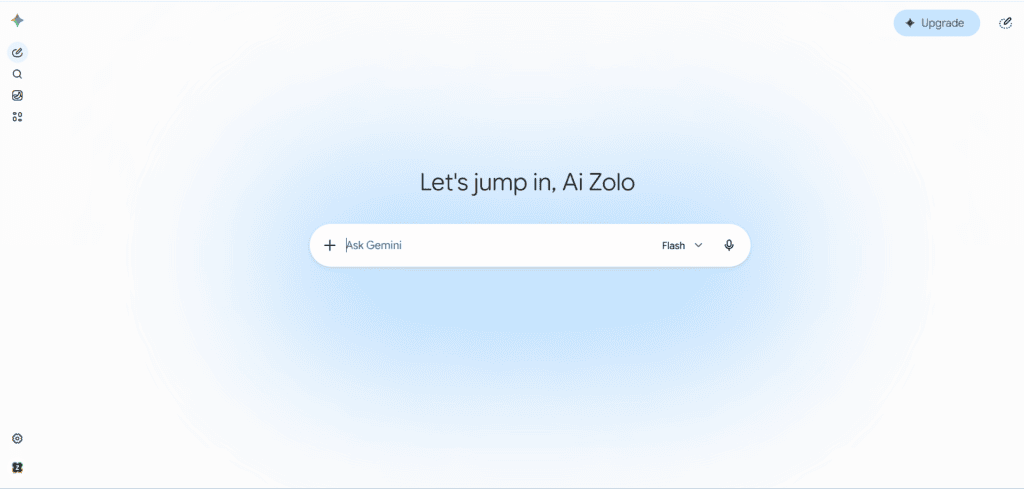
Google Gemini can help you to create and improve your administrative documents. If you’re already using Google Workspace to manage your documents, spreadsheets and internal communications, it may be a good choice for your medical office.
Gemini is a general-purpose assistant rather than a dedicated healthcare SOP generator.
Key Features
- AI-assisted document drafting.
- Summarization and rewriting.
- Assistance within supported Google Workspace applications.
- Collaboration through Google Docs and Drive.
- Document organization and sharing.
- Business admin and access controls.
How It Can Help Medical Offices
An office administrator could use Gemini to prepare a first draft of an appointment scheduling procedure using an approved, de-identified workflow description.
The document can then be edited in Google Docs and shared with the relevant admin reviewers.
It may also help create employee onboarding checklists and office maintenance instructions.
Pros
- Fits into existing Google Workspace workflows.
- Useful for document creation and editing.
- Supports team collaboration.
- Business plans offer enterprise data protections.
Cons
- Not a specialized medical SOP generator.
- Healthcare templates are not guaranteed.
- Some Gemini features have separate compliance restrictions.
Pricing: Google Workspace Business Starter is listed at $7 per user/month with annual billing on the US pricing page. Regional pricing and promotional offers may differ.
Privacy and Security: According to Google Workspace with Gemini can be used for HIPAA workloads if the relevant BAA is in place and configurations are applied. Not every Gemini feature is covered; Gemini in Chrome, for example, does not support the HIPAA BAA.
Best For: Medical office teams already using Google Workspace for administrative documentation and collaboration.
5. Scribe – Best for Visual Workflow Documentation
Overview
Scribe is a process documentation tool which will document activities carried out in supported applications to create step-by-step guides.
The key advantage of the tool is that it demonstrates how to complete an existing process rather than creating an SOP from scratch.
Key Features
- Automatic workflow capture.
- Step-by-step documentation.
- Editable screenshots and instructions.
- Sharing through links and embeds.
- PDF, HTML, and Markdown exports on paid plans.
- Team comments and collaboration.
- Enterprise security features.
How It Can Help Medical Offices
Suppose a practice uses an internal scheduling application. An authorized employee may demonstrate a non-sensitive administrative task and Scribe can be used to record the task as a guide.
This can be useful for:
- Administrative software training.
- Internal system navigation.
- Employee onboarding.
- Documenting repetitive computer-based tasks.
Do not record patient records or screens containing PHI unless it has been agreed that the Scribe Enterprise configuration, permissions and BAA are in place.
Pros
- Documents actual software workflows.
- Reduces manual screenshot preparation.
- Useful for employee training.
- Offers free access.
Cons
- Not a full prompt-based SOP generator.
- Its strongest capabilities concern screen-based workflows.
- Requires an existing process to capture.
Pricing: Free Basic plan. Pro Personal is $25 per seat/month billed annually or $35 monthly. Pro Team is $13 per seat/month annually or $17 monthly, with a five-seat minimum. Enterprise pricing is customized.
Privacy and Security: Scribe states that it can sign a HIPAA BAA for Enterprise customers. Its Enterprise privacy and compliance documentation should be reviewed before any PHI-related deployment.
Best For: Clinics that need visual, step-by-step guides for administrative software and employee training.
6. Tango – Best for Non-Sensitive Software Workflows
Overview
Tango is a workflow documentation platform that captures actions performed in web applications and transforms them into shareable instructions.
It can help medical office teams document how to use their internal administrative software.
However, Tango is not a dedicated AI SOP generator.
Key Features
- Browser-based workflow capture.
- Step-by-step guides.
- Screenshot annotation.
- Workflow sharing and embedding.
- PDF, Markdown, and HTML exports on Pro.
- Version history.
- Enterprise PII detection and redaction features.
How It Can Help Medical Offices
A clinic could use Tango to document how an authorized employee navigates a non-sensitive administrative system.
For example, it could help create visual instructions for internal appointment administration or employee software onboarding.
The documentation should be reviewed to ensure it does not expose confidential patient information.
Pros
- Captures real workflow steps.
- Useful visual documentation.
- Free plan supports up to five shared workflows.
- Provides enterprise-level access and management features.
Cons
- Not a specialized medical SOP writing assistant.
- Does not offer confirmed medical office SOP templates.
- Tango explicitly states that it is not HIPAA compliant.
Pricing: Free plan available. Pro annual pricing starts at $15 per user/month for teams of three or more; Enterprise pricing is customized.
Privacy and Security: Tango explicitly states that it is not HIPAA compliant. Its security features should not be confused with authorization to process PHI. Do not use it for patient-data workflows.
Best For: Teams documenting non-sensitive administrative software workflows.
7. Taskade – Best for Organizing SOP Projects
Overview
Taskade combines AI assistance, project management, documentation, and workflow automation in a shared workspace.
It can help administrators prepare SOP drafts and organize related tasks, making it more of an AI workspace than a dedicated medical SOP generator.
Key Features
- AI-assisted content generation.
- Custom AI agents.
- Shared project documents.
- Reusable templates.
- Workflow automation.
- Team collaboration.
- Integrations with external productivity applications.
How It Can Help Medical Offices
An administrator could use Taskade to organize a non-sensitive onboarding project.
The workspace might contain an SOP draft, a list of assigned reviewers, training tasks, and a schedule for updating the document.
This is useful for managing documentation activities rather than storing regulated patient information.
Pros
- Combines drafting and project management.
- Flexible templates and workspaces.
- Supports collaboration and automation.
- Offers a free plan.
Cons
- Not a dedicated healthcare SOP generator.
- Does not offer verified medical office SOP templates.
- Does not provide a HIPAA BAA.
Pricing: Free plan available, with paid plans offering additional AI credits, collaboration, and automation capabilities. Check the official pricing page for current plan and billing details.
Privacy and Security: Taskade explicitly states that it is not built or certified for regulated data, does not offer a HIPAA BAA, and should not be used to process PHI.
Best For: Small administrative teams organizing non-sensitive SOP drafts, assignments, and documentation projects.
Comparison Table of the 7 Best AI Medical Office SOP Generator Tools
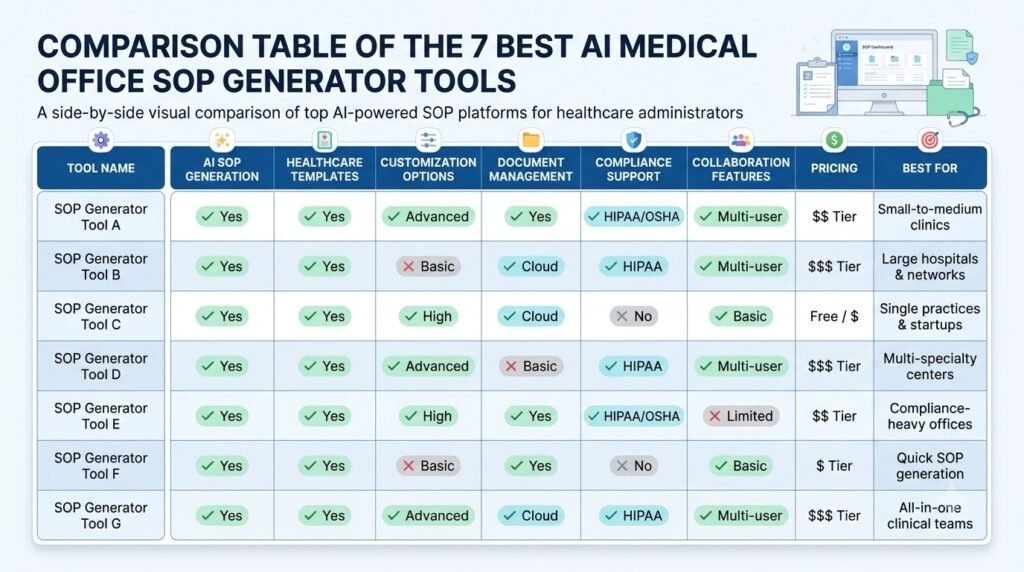
The table below outlines the difference between bespoke SOP creation and generic.
| Tool | SOP Generation | Healthcare-Specific Features | Free Plan | Best For |
| Whale | Direct AI SOP generator | HIPAA-ready Enterprise option; BAA on request | Yes | Dedicated SOP management |
| ChatGPT | AI-assisted drafting | Healthcare-specific Enterprise products | Yes | Flexible SOP writing |
| Claude | AI-assisted drafting | HIPAA-ready Enterprise option | Yes | Long documents |
| Gemini | AI-assisted drafting | Eligible Workspace HIPAA support | Yes, depending on plan | Google Workspace users |
| Scribe | Workflow capture and guides | Enterprise BAA available | Yes | Visual documentation |
| Tango | Workflow capture and guides | No HIPAA compliance | Yes | Non-sensitive workflows |
| Taskade | AI-assisted drafting and organization | No HIPAA BAA | Yes | Team documentation |
Important: A healthcare focused business does NOT mean that all features, account types and integrations will have a BAA. Please confirm with your provider exactly what has been set up so you can process protected information.
How to Choose the Right AI Medical Office SOP Generator
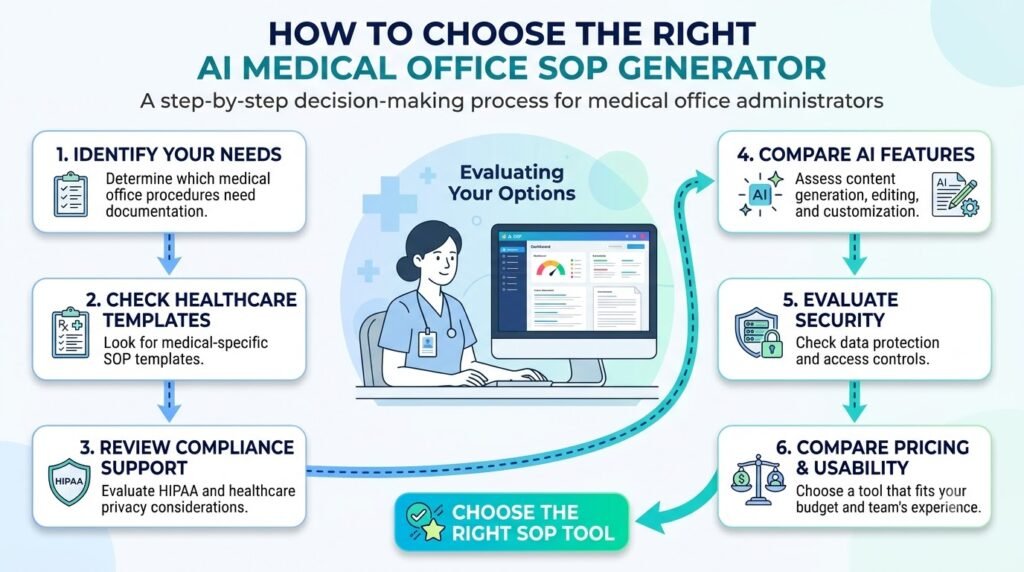
Depending on how your medical office develops, reviews, stores and shares your procedures, you may want different tools.
Consider the following factors when choosing a subscription.
1. Office Size
A small clinic may only need an AI writing assistant and a shared document repository. Larger practices may find it beneficial to have specialised SOP software with team members, approval processes and training tools.
2. Documentation Requirements
List the procedures you need to document. If you’re mainly producing text-based instructions, a general AI assistant may be enough. However, if your staff will require visual instructions for software, you may want to look into Scribe or Tango.
3. Administrative Workflows
Choose a tool that supports your actual documentation process. For example, if you have several receptionists at a clinic you may wish to provide them with standardised instructions for registration.
4. Team Collaboration
Check whether employees can comment on drafts, request corrections, access approved versions, and identify outdated instructions.
5. Budget
Compare the total cost of subscriptions, additional employee seats, and enterprise features.A free AI writing tool may be sufficient for this process. However, if this becomes a common practice, a documentation system may be required.
6. Privacy Requirements
Before uploading internal documents, review data retention, access controls, contractual protections, and third-party processing arrangements.
For US organizations subject to HIPAA, confirm whether a BAA is available and whether the exact product features you intend to use are covered.
7. Human Review and Approval
Choose a process that allows qualified employees to review, approve, and periodically update SOPs. Generating a document is not the same as approving an operational procedure.
How to Create Medical Office SOPs Using AI Tools
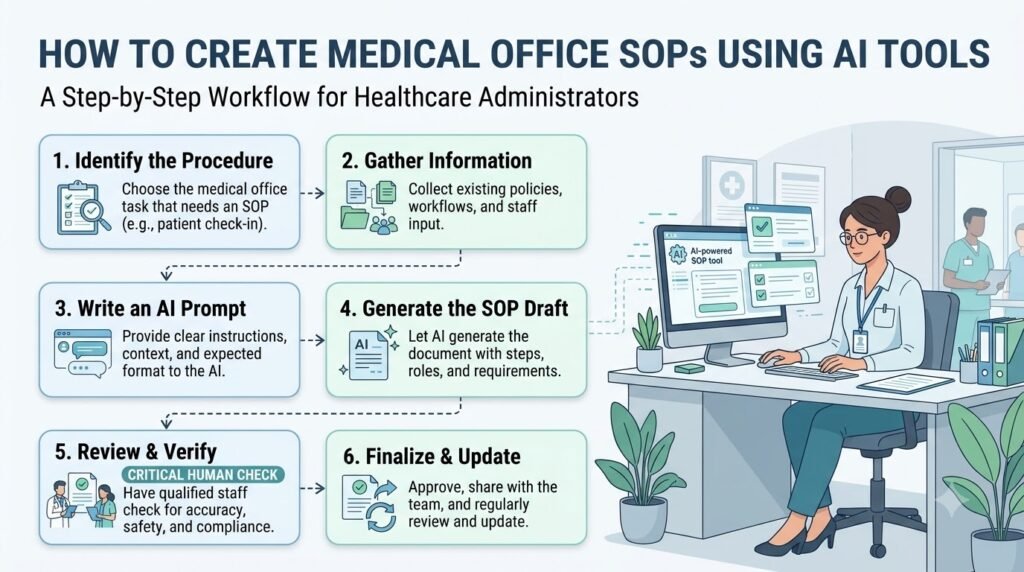
AI can be used to structure your existing information into a coherent document. However, the accuracy of the SOP will depend upon how accurate your information is.
Follow these eight steps.
Step 1: Identify the Procedure
Start with one specific administrative task.
For example, instead of asking AI to create an entire medical office manual, begin with the patient registration process.
Step 2: Collect Existing Process Information
Collect existing instructions, checklists, approved polices and staff knowledge.
Use de-identified information wherever possible. Do not copy patient records into an ordinary AI chatbot.
Step 3: Define Staff Responsibilities
Identify who performs each task.
For example:
- Receptionist: Handles the defined registration steps.
- Office administrator: Reviews administrative documentation.
- Practice manager: Approves the final procedure.
- Designated reviewer: Checks the procedure periodically.
These are example roles, not mandatory staffing requirements.
Step 4: Choose an Appropriate AI Tool
Select a tool based on your requirements.
Whale may suit dedicated SOP generation, ChatGPT or Claude may help draft text, and Scribe may help capture software workflows.
Step 5: Generate the First SOP Draft
Present the approved workflow information and ask for a document containing the roles, processes, any exceptions and review requirements.
Step 6: Review and Correct the Draft
Check every instruction against the medical office’s actual process.
Remove invented steps, incorrect responsibilities, and unsupported regulatory references.
Step 7: Obtain Qualified Approval
Send the draft to the relevant office manager, compliance officer or competent healthcare staff.
Clinical procedures require review by appropriately qualified clinical professionals.
Step 8: Train Staff and Maintain Updated Versions
Publish the approved document in an authorized location. Assign a document owner, record the approval date, and establish a review schedule.
For more ideas about creating structured documentation with AI, see our separate documentation guide.
Comparing AI-Generated SOP Drafts with Multiple Models
Different AI models may give varied results. One AI may give a brief list of tasks whilst another may flag up extra duties and anomalies.
By comparing the different drafts, administrators can see what they may have missed.
AiZolo provides a workspace where users can run the same prompt across multiple AI models and compare responses side by side. This can help with exploring alternative SOP formats and improving your documentation.
For example, an administrator may review two or three versions of their patient registration SOP and ensure that they all have the correct responsibilities and escalation processes approved by the office.
AiZolo is not a dedicated medical SOP generator and does not provide healthcare compliance verification. Use fictional or properly de-identified examples, and independently verify every important instruction.
Best AI Prompts for Creating Medical Office SOPs
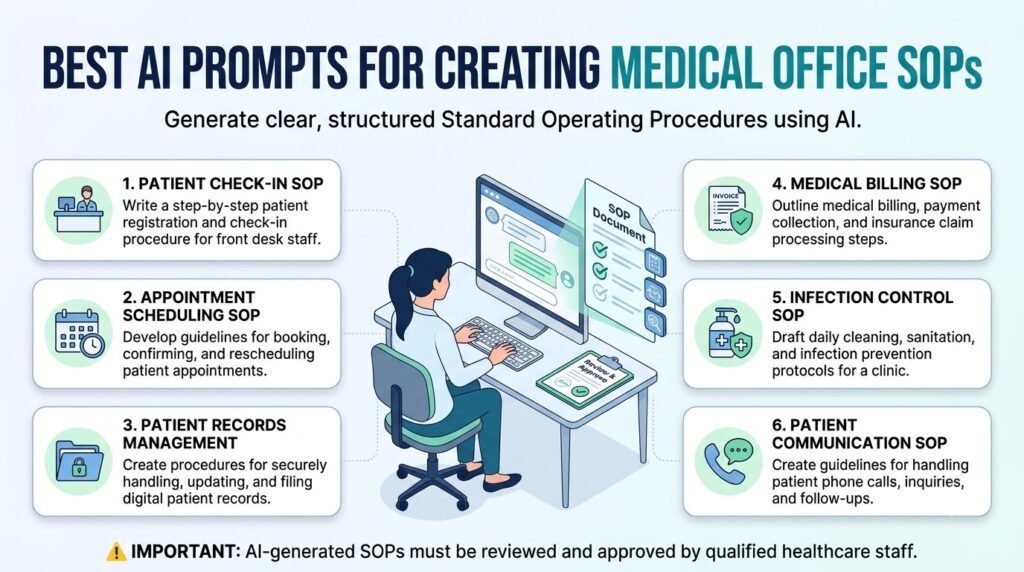
Use the following prompts to create a structured draft.
Include your offices actual procedures in place of those in brackets. Do not include any specific patient information. Do not ask AI to generate clinical instructions.
1. Patient Registration SOP
Act as an administrative documentation assistant.
Create a draft standard operating procedure for patient registration at a medical office.
Use the following verified workflow information:
[Insert approved registration process]
Include:
- Purpose and scope
- Responsible staff members
- Required administrative materials
- Step-by-step registration process
- Administrative exceptions and escalation
- Documentation responsibilities
- Review and approval requirements
Do not invent patient identification requirements, medical instructions, or regulatory obligations.
Clearly mark any missing information as “Requires office confirmation.”
Format the output as a professional SOP.
2. Appointment Scheduling SOP
Create a draft SOP for appointment scheduling at a medical clinic.
Use only the following approved office workflow:
[Insert scheduling process]
Include:
- Purpose and scope
- Staff responsibilities
- Scheduling steps
- Appointment confirmation process
- Rescheduling and cancellation procedures
- Escalation responsibilities
- Documentation requirements
Do not invent clinical triage rules or appointment prioritization policies.
Mark all missing details for review.
3. Medical Records Handling SOP
Prepare a draft administrative SOP for handling medical office records.
Use the following approved records management policy:
[Insert verified policy details]
Organize the document into:
- Purpose
- Scope
- Authorized staff responsibilities
- Record access procedures
- Storage and document handling
- Record correction and escalation
- Retention and disposal references
- Approval and review
Do not invent legal retention periods, privacy requirements, or access permissions.
Flag all regulatory references for verification.
4. Staff Onboarding SOP
Create a structured SOP for onboarding new administrative employees at a medical office.
Use these existing onboarding details:
[Insert office-approved onboarding process]
Include:
- Pre-arrival preparation
- Employee orientation
- Role-specific training
- Authorized system access
- Administrative responsibilities
- Training completion checklist
- Supervisor approval
Separate confirmed procedures from items requiring management approval.
5. Patient Complaint Handling SOP
Draft an administrative SOP for handling patient complaints at a medical office.
Use only this approved complaint management process:
[Insert verified workflow]
Include:
- Complaint receipt
- Documentation responsibilities
- Staff escalation process
- Management review
- Follow-up responsibilities
- Recordkeeping requirements
Do not invent clinical advice, legal deadlines, or mandatory reporting requirements.
Flag sensitive situations for qualified review.
6. Office Opening and Closing SOP
Create a draft office opening and closing SOP for a medical practice.
Use these verified operational instructions:
[Insert approved opening and closing tasks]
Organize the document into:
- Purpose and scope
- Opening responsibilities
- Opening checklist
- Closing responsibilities
- Closing checklist
- Facility and equipment checks
- Escalation procedures
- Supervisor review
Do not make up security codes, login details or clinical equipment processes.
Indicate any missing information.
This is a suggested format only. The staff carrying out each process should check that they understand the instructions.
Are AI-Generated Medical Office SOPs Reliable?
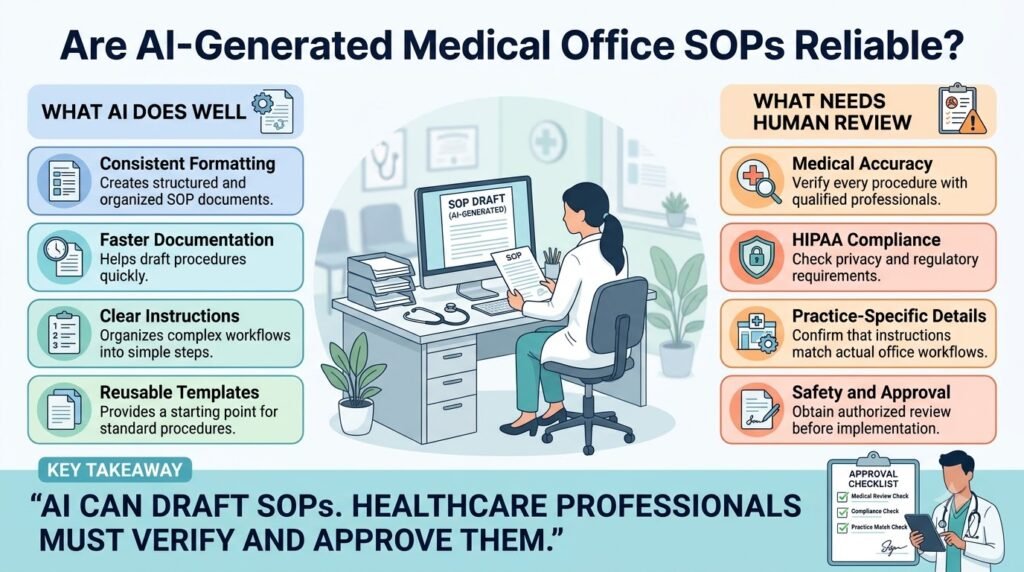
AI SOPs can be useful. However, they should not be considered an official health care document.
An AI assistant may order the information in the correct way however, misunderstand a specific administrative task or make up a new step in the process that is not part of the approved office SOP.
There are five important considerations.
1. AI Can Produce Inaccurate Instructions
AI models generate responses based on patterns in their training and available context. They may be unclear, leave out exceptions, or be out of date.
Always check that the process matches the original policy in the office.
2. Regulatory Information Needs Verification
Healthcare requirements can vary by jurisdiction and organization.
For US medical offices, the US Department of Health and Human Services HIPAA resources provide official information about privacy and security requirements.
A signed BAA is a key contractual requirement, but does not guarantee that the whole AI process will be compliant.
3. Patient Privacy Must Be Protected
Patient names, contact information, medical records, and other identifying health information can constitute protected health information under HIPAA.
Never enter this information into a general-purpose AI account without confirming that the service, configuration, and intended use are appropriately authorized.
4. Healthcare Professionals Must Approve Relevant Procedures
AI can help prepare administrative drafts, but the responsible employees must verify whether the instructions reflect actual office practices.
Clinical protocols must be reviewed by appropriately qualified clinical professionals.
5. Administrative SOPs and Clinical Protocols Are Different
A procedure explaining how reception staff schedule an appointment is an administrative SOP.
A procedure explaining how clinicians diagnose or treat a patient is a clinical protocol.
These documents have different review requirements. A general AI writing assistant should never be allowed to establish clinical instructions independently.
For additional guidance, read AiZolo’s article on how to fact-check AI-generated information before publishing.
You can also explore our AI workflow for reducing hallucinations in research. These approaches can help identify inconsistencies, but they cannot replace authoritative healthcare review.
Frequently Asked Questions
1. What Is the Best AI Medical Office SOP Generator?
Whale is a strong option for dedicated AI SOP generation because it combines procedure drafting, workflow documentation, and training features. ChatGPT, Claude, and Gemini are alternatives for general-purpose drafting. The right choice depends on documentation needs, privacy requirements, and budget.
2. Can ChatGPT Create Medical Office SOPs?
Yes. ChatGPT can be used to create structured SOPs containing accurate administrative process information, including roles, checklists and process steps. It should not be used as a replacement for SOP management and professional sign off.
If you are handling PHI ensure you are using an eligible healthcare set up and have the right contractual protections in place.
3. Are There Free AI SOP Generators for Healthcare?
Yes, several tools offer free starting plans or limited AI SOP generation. Whale provides a free AI SOP generator, while ChatGPT, Gemini, and Taskade offer general-purpose free access. Free availability does not establish healthcare compliance or authorization to process patient information.
4. What SOPs Should Every Medical Office Have?
Some common administrative procedures include patient registration, appointment booking, medical record management, staff induction, complaint escalation, opening and closing of the office and administration documentation.
The processes should be tailored to the services provided at the office, relevant legislation and policies that have been approved.
5. Can AI Generate Healthcare Compliance SOPs?
AI can assist you to structure your draft using valid policies and regulations. However, it cannot guarantee compliance. Healthcare administrators and competent compliance officers must ensure that the required regulations are valid, the language is appropriate and approve the document.
6. How Do I Create an SOP for a Medical Clinic?
Identify one administrative process to follow. Gather all current guidance, outline what staff will be responsible for and use an AI tool to create a framework. This can then be checked against current practice within the office, approved by a competent person, staff trained and kept under version control.
7. Are AI-Generated Medical Office Procedures Safe to Use?
These can be a good starting point, however they may not be reliable. Some steps may have been missed out, or false information added by the AI. Have the relevant office managers and qualified professionals review and approve every procedure before staff members use it.
Conclusion
Choosing the correct AI SOP generator for your clinic will depend on what you need.
Whale is a great choice if you want a dedicated SOP generator and documentation manager.
ChatGPT, Claude and Gemini can all help produce documentation, whilst Scribe and Tango are great for documenting existing workflows within your software.
Taskade is another option for managing non-sensitive documentation and team tasks.
Start by creating one administrative process.
You can also use AiZolo to compare multiple AI models to see different ways of structuring your documentation and what areas need to be reviewed.
Always ensure you are checking any AI generated content against your approved policies, privacy and actual processes within your practice.
The aim is to ensure your SOPs are clear, accurate and approved so staff can follow them consistently.