
Creating Standard Operating Procedures (SOPs) doesn’t have to be time-consuming. AI can help turn existing notes, team knowledge, and process documents into clear, structured instructions.
With AiZolo, you can use multiple AI models and compare their responses side by side to explore different SOP drafts, identify missing details, and improve documentation.
This guide covers seven steps to create SOPs with AI, reusable prompts, practical examples, and essential review tips to ensure your final procedures are accurate and ready for your team.
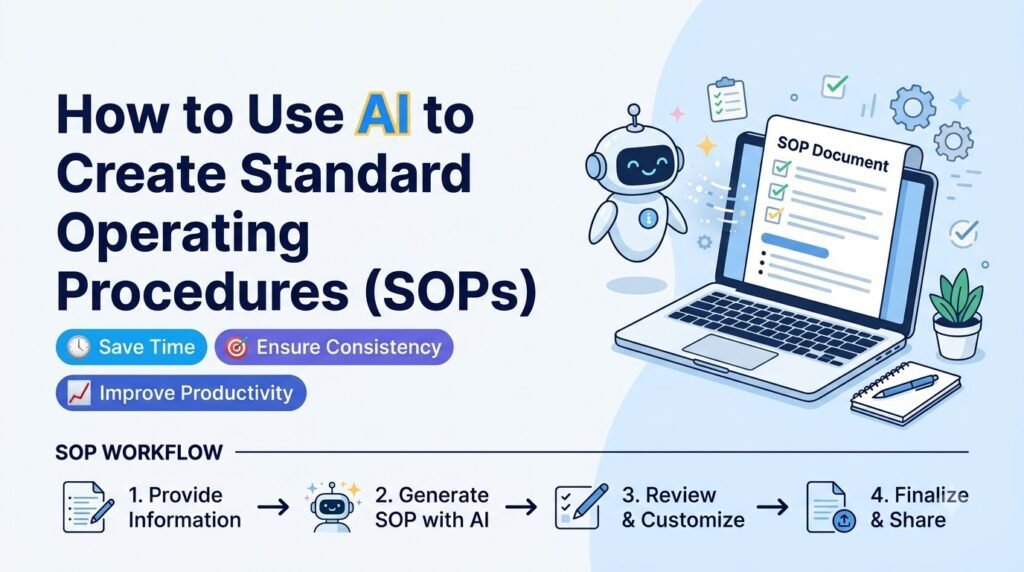
Writing Standard Operating Procedures can take a long time as there is a lot of data gathering required.
However, you can speed up the process using AI tools that will help to turn your notes, documentation and team knowledge into an SOP format.
However, it’s important to understand that AI created SOPs should not be used as they are – they should be used as a framework to help you create your SOPs.
Best practice would be to use AI to create your SOPs and then get the people involved in the process to check each step.
In this guide, you’ll learn how to use AI to create standard operating procedures, what information to provide, which prompts to use, and how to review and maintain your SOPs.
Table of Contents
What Is an AI-Generated SOP?
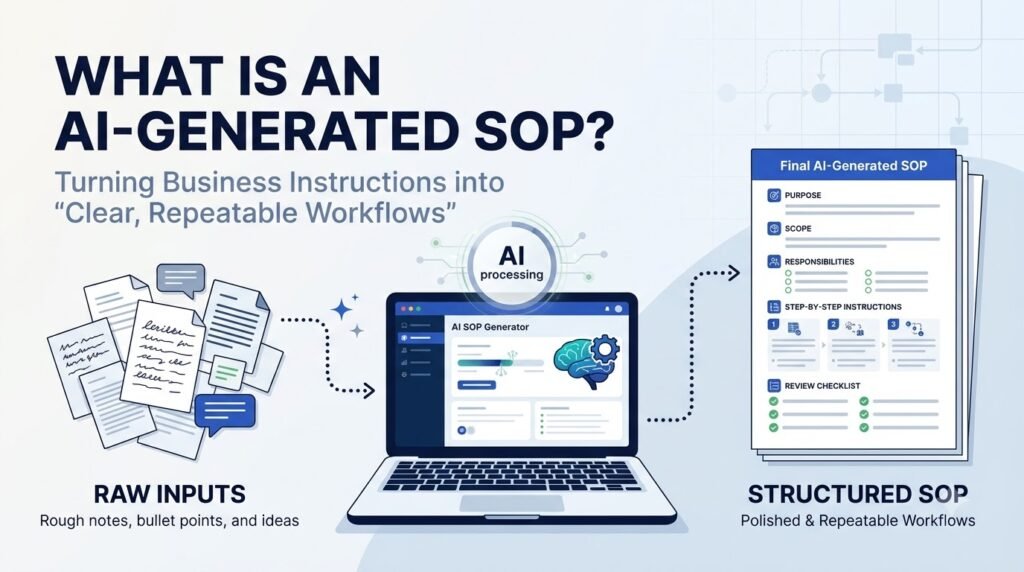
An AI generated SOP is a set of instructions that have been created using an AI to ensure consistency when completing specific tasks or processes.
An example of this could be a company using AI to create a step by step SOP for their onboarding process.
This could include what information is needed, who is responsible for each part, what tools are needed, approval processes and what needs to be completed.
Whilst the AI can help to structure the information, the AI will not know all the rules and processes within your business. Employees and process owners will need to provide accurate information and review the SOP.
What Should a Standard Operating Procedure Include?
A good SOP should provide you with enough information so that you do not have to ask many questions.
Most SOPs contain:
| SOP Component | What It Should Explain |
| Title | The name of the process or task |
| Purpose | Why the procedure exists |
| Scope | Which activities, teams, or situations it covers |
| Responsibilities | Who performs, reviews, or approves each task |
| Required tools | Software, equipment, documents, or resources needed |
| Prerequisites | What must be ready before the process begins |
| Step-by-step instructions | The exact sequence of actions |
| Exceptions | What to do when something does not go as expected |
| Quality checks | How to confirm the work is complete and correct |
| Revision history | When the SOP was updated and who approved it |
Depending on the process, the format will vary. A simple admin task may only require a short check list, whilst a controlled or safety critical process may require detailed controls and formal approval.
Why Use AI to Create SOPs?
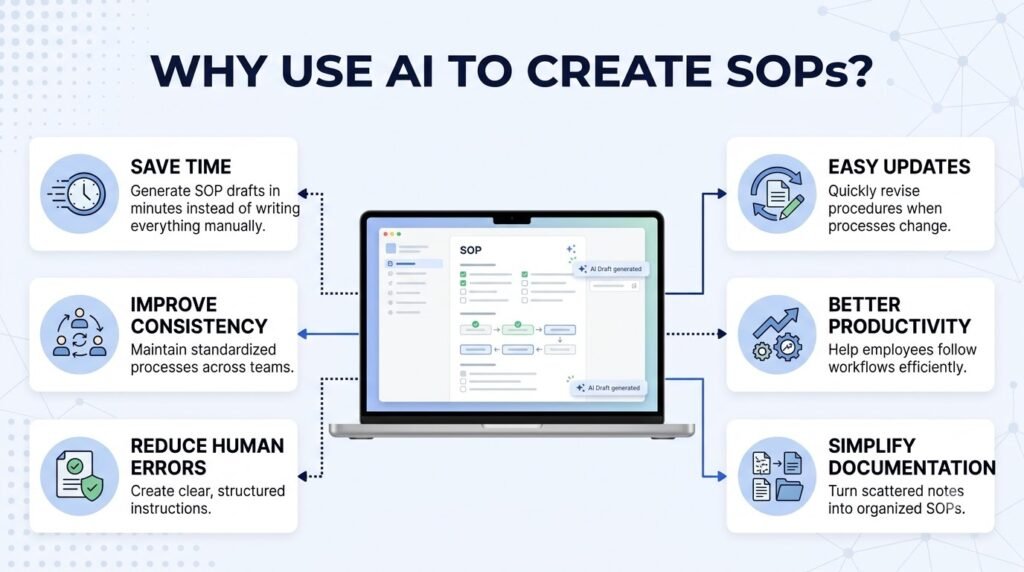
AI can reduce the time spent turning unstructured information into organized documentation. It is particularly useful when a business has many repeatable processes that need consistent instructions.
1. Create First Drafts Faster
Creating an SOP from scratch involves researching, planning and clearly explaining each step in your process. AI can help you create a first draft using your notes or current process descriptions.
The process owner can provide the information needed and ask the AI to structure the information into the required sections.
2. Make Instructions Easier to Understand
Sometimes internal processes documents can be confusing, with jargon and long explanations. AI can help by simplifying these parts.
This could be by asking the AI to convert a paragraph into bullet points or explain technical terms to new staff.
3. Standardize Documentation
Different departments may document their workflows in different formats. AI can help ensure SOPs are written in a consistent way.
You can give them a standard template to use so they will use the same headings, style and formatting for each SOP.
4. Identify Missing Information
AI can help you identify areas of your draft that may require some clarification, such as missing duties, ambiguous sign off procedures or unclear exceptions.
This should be used as a guide to help you review your SOP. It does not mean that your SOP is complete.
5. Simplify SOP Updates
When changes are made to business processes through new tools, policies or responsibilities, AI can be used to bring the new information up-to-date and highlight areas that may need to be changed.
The process owner should still review the new draft against the approved process.
How to Use AI to Create Standard Operating Procedures: 7 Steps
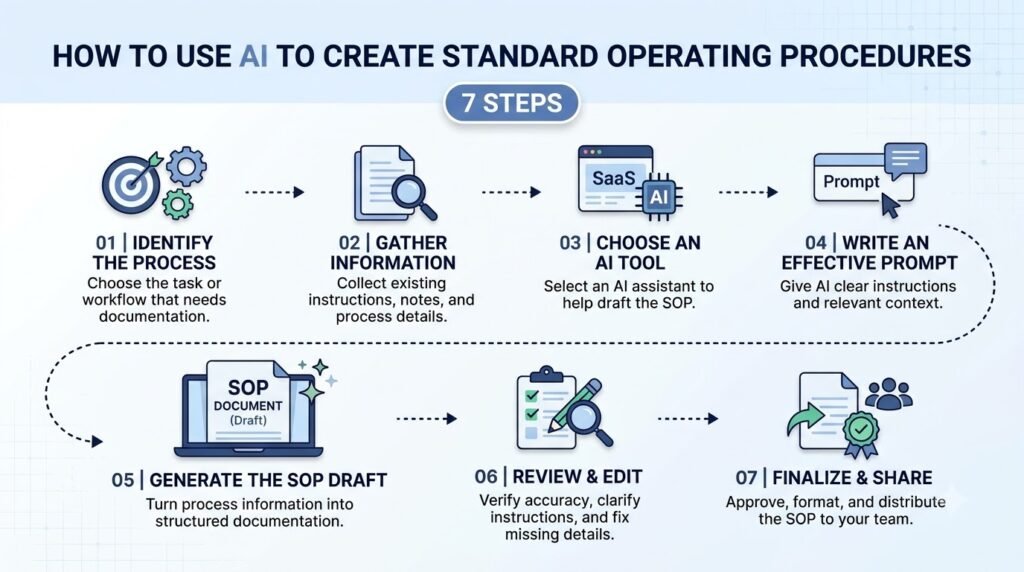
AI can be used to create SOPs. However, how accurate your SOP is will depend on how accurate your information is and how you review it.
Step 1: Choose the Process You Want to Document
Identify one specific process that you want to create an SOP for.
Don’t ask the AI to create an SOP for an entire department. Split larger workflows into smaller procedures with clear start and end points.
Examples include:
- Employee onboarding
- Customer complaint handling
- Processing customer refunds
- Publishing a blog post
- Reviewing software changes
- Managing purchase requests
- Closing monthly accounts
Choose a process that employees perform repeatedly and that would benefit from consistent instructions.
Step 2: Collect Existing Process Information
Before writing the prompt, gather the information AI needs to understand the workflow.
Useful source material includes:
- Existing process documents
- Internal checklists
- Training notes
- Meeting notes
- Employee instructions
- Approved policies
- Screenshots or descriptions of software workflows
- Feedback from employees who perform the task
Ask the people who actually perform the process to explain the steps. They may have knowledge of exceptions, approvals and practicalities not covered by official documentation.
Avoid including passwords, sensitive customer information or sensitive business information in an AI tool unless you are confident the data handling terms of the tool and your organisation’s policies allow this.
Step 3: Choose an AI Tool
Choose an AI tool that can work with the type of information you have.
A simple SOP may only require a text based AI. If your source data contains large documents you may need an AI that can understand your uploaded files or provide more context.
You may also want to use different AI tools to generate different responses. One tool may give you a more structured response whilst another may highlight useful questions or steps missing.
AiZolo allows you to use multiple AI models and compare the responses. This can be useful if you want to compare multiple drafts.
No matter what tool you use the process owner will still need to review the final procedure.
Step 4: Write a Detailed Prompt
A vague prompt usually produces a generic SOP. Give AI enough context to understand the process, its purpose, the people involved, and the expected result.
Include:
- The process name
- The purpose of the procedure
- The employees or departments involved
- Required tools and documents
- The actual steps in their correct order
- Approval requirements
- Possible exceptions
- The preferred SOP format
- The intended audience
If you do not know a detail, tell AI not to invent it. Ask it to mark missing information as a question for the process owner.
Step 5: Generate and Refine the SOP Draft
Ask AI to organize the supplied information into a structured SOP.
Review the first draft and look for:
- Missing steps
- Repeated instructions
- Unclear language
- Incorrect sequence
- Missing responsibilities
- Unsupported assumptions
- Incomplete exception handling
You can use AI to help you rewrite certain parts of your document.
Rather than asking for a completely new SOP, you could ask AI to simplify the approval section, or turn a long paragraph into a numbered list.
Step 6: Verify Every Instruction
This is one of the most important steps.
It may give advice which appears to be accurate but is actually incorrect, incomplete or based on assumptions. A well-written document does not mean it is correct.
Ask those responsible for performing the task and the process owner to confirm:
- Whether each step reflects the real workflow
- Whether the correct people are responsible
- Whether approval requirements are accurate
- Whether tools and systems are named correctly
- Whether exceptions are covered
- Whether any legal, safety, security, or compliance requirements apply
For regulated or high risk processes, ensure the SOP has been formally reviewed and approved according to your organisation’s requirements.
Step 7: Publish, Train, and Maintain the SOP
Publish the SOP in a place that is easily accessible to employees.
Ensure there is a named owner, version number, approval date and review date.
You should also:
- Inform relevant employees that the SOP is available.
- Explain any changes to the workflow.
- Provide training when the procedure requires it.
- Collect feedback from employees using the SOP.
- Review the document when the process changes.
- Retain previous versions as part of your document control process.
An SOP should be treated as a living document, not a one-time writing task.
How to Write SOPs with ChatGPT
You can use ChatGPT to write standard operating procedures (SOPs) by providing clear information about a process, its purpose, the people responsible, and the expected outcome. Instead of writing every instruction manually, you can ask ChatGPT to organize your information into a structured, easy-to-follow document.
Follow these steps to write an SOP with ChatGPT:
Step 1: Gather Process Information
Before using ChatGPT, collect the details of the process you want to document. Include the main objective, required tools, responsible team members, important tasks, and expected results.
For example, if you are creating an employee onboarding SOP, gather information about document verification, account setup, orientation, training, and reporting responsibilities.
Step 2: Write a Clear ChatGPT Prompt
Give ChatGPT specific instructions about the SOP you want to create. Mention the industry, process, intended audience, and preferred format.
Example ChatGPT prompt:
“Act as an experienced operations manager. Create a detailed Standard Operating Procedure (SOP) for employee onboarding at a small company. Include the purpose, scope, responsibilities, required documents, step-by-step instructions, tools, timelines, and quality checkpoints. Use simple language and format the output with clear headings and numbered steps.”
Step 3: Generate the SOP Draft
Submit your prompt and review the generated response. ChatGPT can organize the information into sections such as purpose, scope, responsibilities, required resources, procedures, and documentation.
If the output is too general, provide additional details about your actual workflow and ask ChatGPT to make the instructions more specific.
Step 4: Refine and Improve the Instructions
Ask ChatGPT to improve unclear instructions, remove unnecessary repetition, and organize complicated tasks into smaller steps.
You can also request checklists, tables, role-based responsibilities, or troubleshooting instructions to make the SOP easier for employees to follow.
Step 5: Review and Validate the SOP
Never use an AI-generated SOP without reviewing it. Check every instruction against your company’s actual processes, policies, and compliance requirements. Ask the relevant team members or process owners to verify the steps before approving the document.
Pro tip: You can compare ChatGPT’s SOP draft with outputs from other AI models to identify missing steps, unclear instructions, or alternative approaches. Tools like AiZolo let you run the same prompt across multiple AI models and compare their responses side by side, helping you evaluate the draft before finalizing it.
Example: ChatGPT Prompt for a Customer Support SOP
“Create a Standard Operating Procedure for handling customer support requests. Include ticket assignment, response time expectations, issue prioritization, escalation procedures, resolution steps, and customer follow-up. Present the instructions as a numbered workflow with clear responsibilities.”
This approach helps teams create an initial SOP draft faster while keeping the final document aligned with their real operational requirements.
Reusable AI Prompt to Create a Standard Operating Procedure
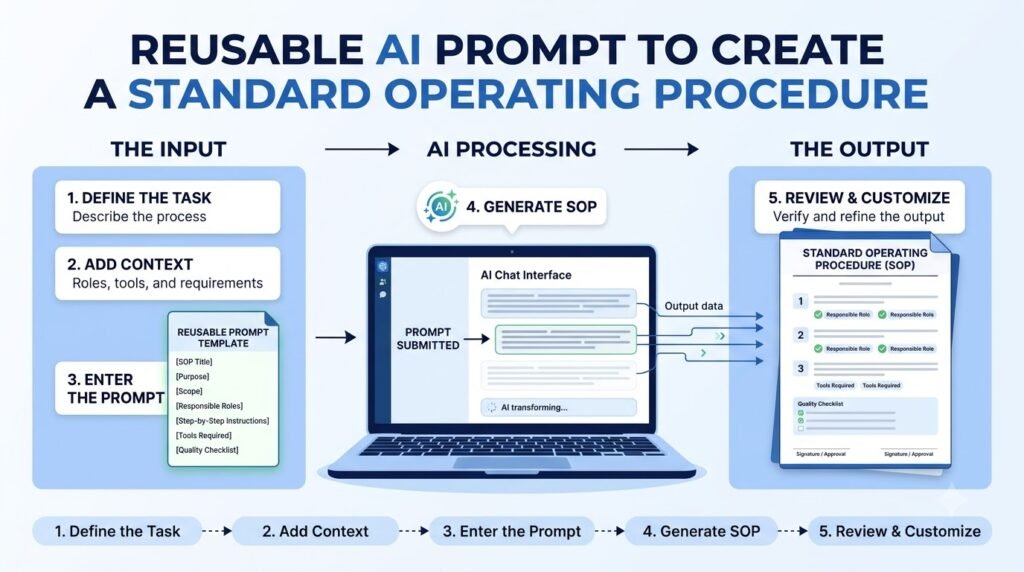
You can use the following prompt with an AI assistant to generate a structured SOP draft.
Copy and customize this prompt:
Act as an experienced operations documentation specialist. Help me create a clear and practical Standard Operating Procedure (SOP) using the information I provide.
Process name: [Enter the process name]
Purpose: [Explain why this process is performed]
Department or team: [Enter the department]
Intended audience: [Who will use this SOP?]
Process owner: [Enter the responsible person or role]
Tools and resources required: [List the tools, software, documents, or equipment]
Existing process information:
[Paste the actual workflow, notes, checklist, or approved instructions]
Known exceptions: [Describe situations where the normal process may change]
Create the SOP using this structure:
- SOP title
- Purpose
- Scope
- Roles and responsibilities
- Required tools and resources
- Prerequisites
- Step-by-step procedure
- Exceptions and troubleshooting
- Quality-control checklist
- Approval and revision history
Important instructions:
- Use simple, professional language.
- Write clear, numbered instructions.
- Keep the steps in the correct sequence based only on the information provided.
- Do not invent policies, responsibilities, approval rules, software features, or process steps.
- If information is missing, mark it as [Information Required].
- Identify unclear or conflicting instructions in a separate section.
- Make the document practical for a new employee to follow.
- Include a final checklist for the process owner to review before approval.
This provides a fully editable SOP format for review and approval.
This is best used when you are able to add in the correct process details. The more accurate your source information is the more useful this will be.
Practical Examples: What SOPs Can AI Help Create?
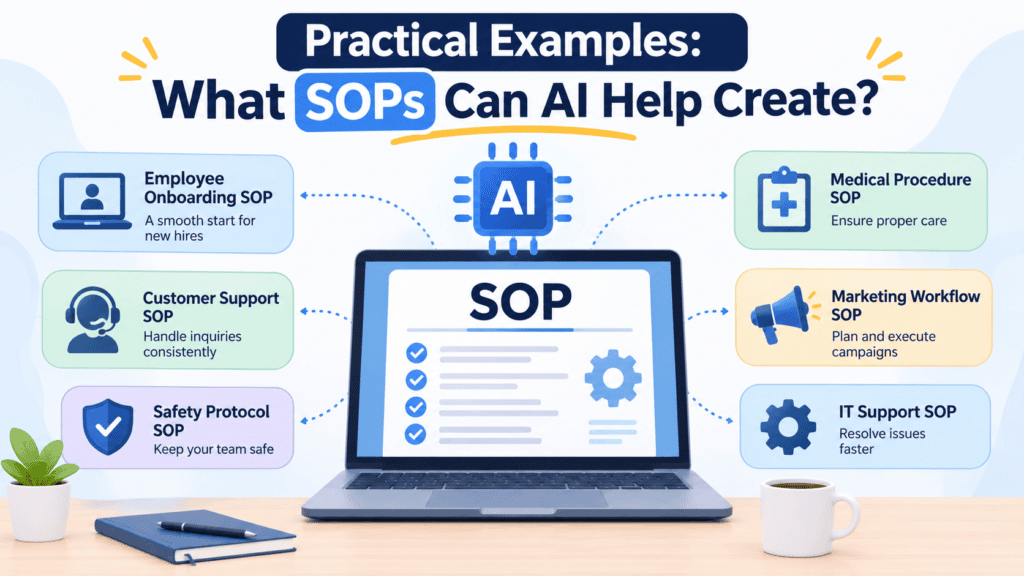
AI can help draft SOPs for many departments. Here are four examples of processes that can be documented with a structured prompt.
1. Employee Onboarding SOP
An employee onboarding SOP explains what should happen after a new employee joins an organization.
It may cover:
- Collecting employee documents
- Creating email and software accounts
- Assigning equipment
- Scheduling orientation
- Introducing team members
- Explaining company policies
- Completing onboarding checklists
Example prompt:
Create an employee onboarding SOP for a small company. Organize the process from the acceptance of the job offer through the employee’s first week.
Include HR responsibilities, IT setup, required documents, manager tasks, and a completion checklist. Do not invent company-specific policies. Mark missing details for review.
2. Customer Support SOP
A customer support SOP helps agents handle common customer questions and complaints consistently.
It may include:
- Receiving customer requests
- Verifying relevant account information
- Categorizing the issue
- Following troubleshooting steps
- Escalating unresolved problems
- Recording the resolution
- Following up with the customer
Example prompt:
Draft a customer support SOP for handling product-related complaints. Include the steps for receiving a complaint, documenting the issue, investigating it, escalating it when necessary, and communicating the resolution.
Use placeholders for response-time commitments and escalation rules that have not been provided.
3. Social Media Publishing SOP
A social media publishing SOP documents how a team prepares, reviews, and publishes content.
It may cover:
- Content planning
- Draft creation
- Brand and factual review
- Approval
- Scheduling
- Publishing
- Monitoring comments
- Reporting performance
Example prompt:
Create a social media publishing SOP for a marketing team. Include content preparation, review, approval, scheduling, publishing, and post-publication monitoring.
Identify the responsibilities of the content writer, editor, and approver. Do not assume specific publishing tools or approval deadlines.
4. IT Support SOP
An IT support SOP explains how employees or support teams should handle common technical issues.
It may cover:
- Receiving support requests
- Recording issue details
- Prioritizing requests
- Troubleshooting
- Escalating complex issues
- Documenting resolutions
- Closing support tickets
Example prompt:
Create an IT support SOP outlining how to manage employee technical support including ticket creation, categorising, basic troubleshooting, escalation, recording resolution and closing tickets.
Highlight any areas where there are no SLA’s or security requirements.
This is an example. You will need to tailor this to your organisation’s systems, roles and approved policies.
How to Review an AI-Generated SOP Before Using It
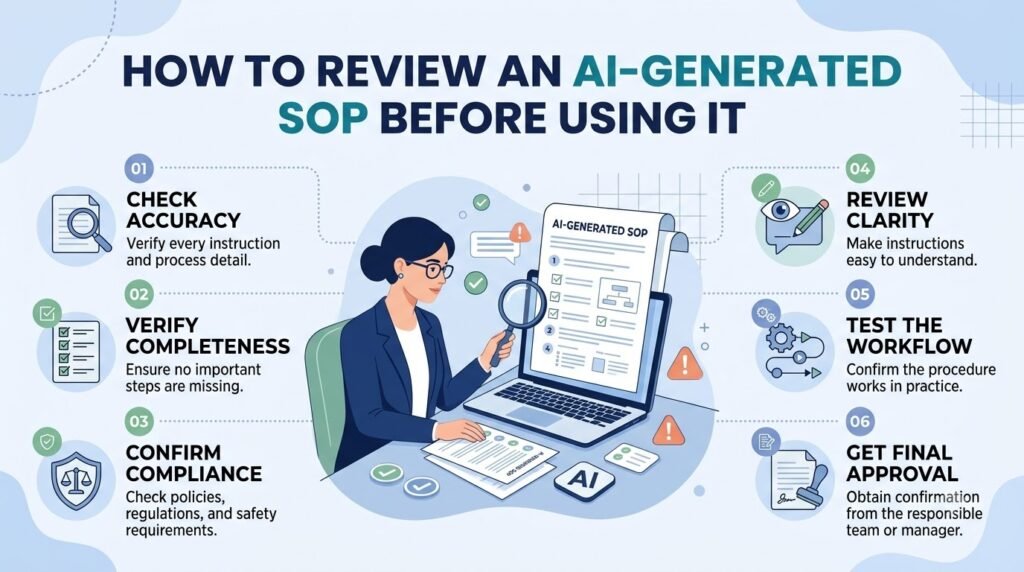
An AI-generated SOP should go through a review process before employees rely on it.
Use this checklist to assess the draft:
| Review Area | Questions to Ask |
| Accuracy | Does every instruction match the actual process? |
| Completeness | Are all required steps included? |
| Sequence | Are the instructions in the correct order? |
| Responsibilities | Is each task assigned to the right role? |
| Clarity | Can the intended employee understand the instructions? |
| Exceptions | Does the SOP explain what to do when something goes wrong? |
| Compliance | Does it follow relevant internal and external requirements? |
| Approval | Has the correct process owner approved it? |
| Version control | Is the document’s version and review date recorded? |
If any answer is no, revise the document before publishing it.
Common Mistakes to Avoid When Using AI for SOP Creation
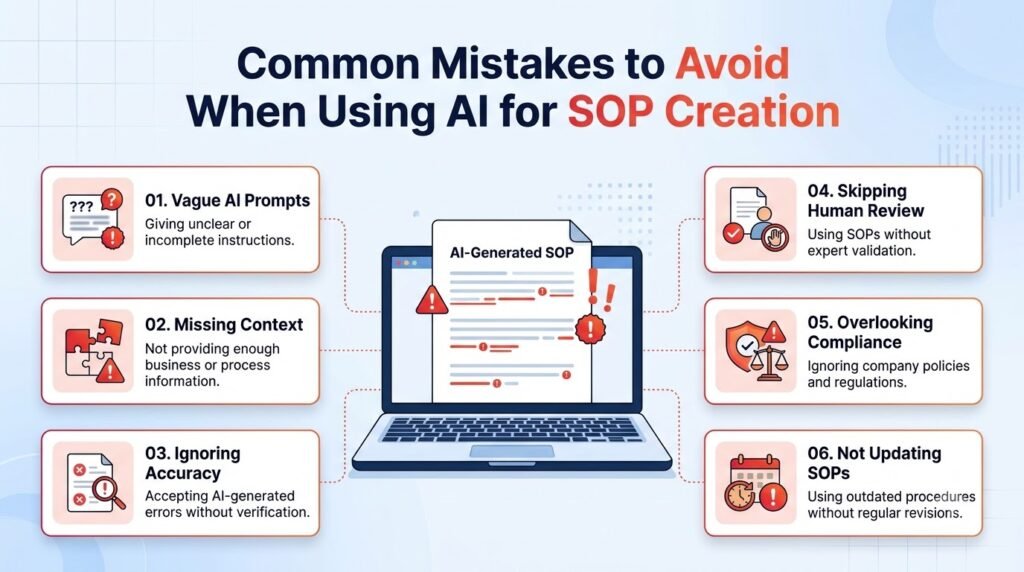
AI can assist with documentation but may create an unreliable SOP if there are some errors.
Providing Too Little Context
A prompt such as “Write an SOP for customer service” does not explain how the organization handles customer requests.
Provide the actual process involved, roles, tools and approval needed.
Treating AI Output as Final
AI-generated content may contain incorrect steps or assumptions. Always have someone familiar with the process verify the instructions.
Ignoring Exceptions
A procedure that only describes the normal process may leave employees in doubt about how to deal with unusual situations. Provide information on known exceptions, escalation procedures and what to do when a human decision is required.
Using the Same SOP Format for Every Process
Some processes may require more detailed instructions than others. For example, a simple process may only need an administrative style checklist whilst a more complex process may require additional cautions, decision points and supporting information.
Use a format appropriate to your process.
Forgetting to Update the Document
An SOP can quickly become outdated if there are changes in tools, policies or team roles.
Ensure someone owns the SOP and that there is a process in place to keep it updated.
What Are the Limitations of Using AI to Create SOPs?
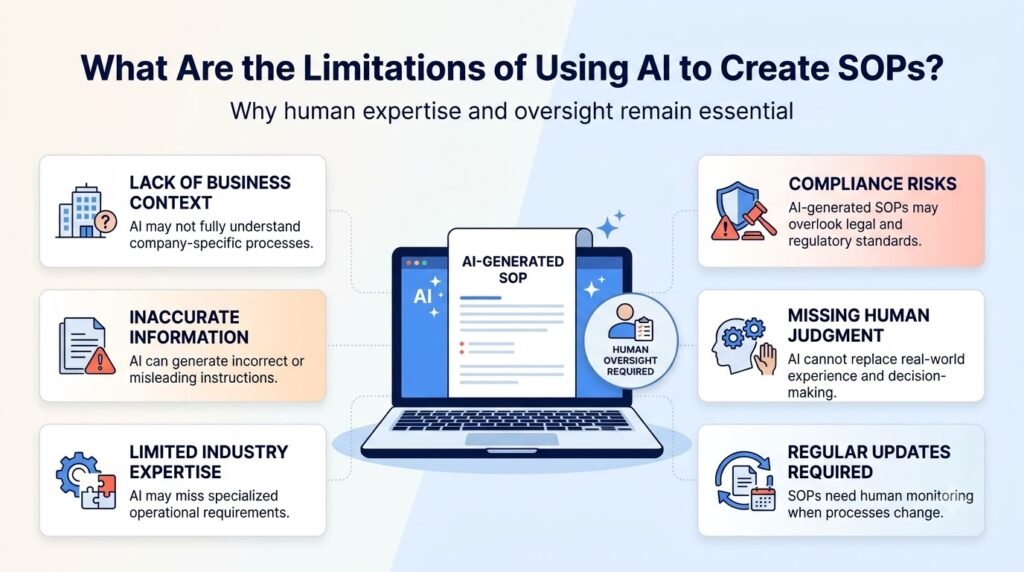
AI is useful for drafting and organizing documentation, but it has limitations.
- It may invent details: AI can fill gaps with plausible-sounding information that was never supplied.
- It may misunderstand workflows: Complex processes can be difficult to interpret from incomplete notes.
- It does not automatically know internal policies: Company-specific rules must be provided and verified.
- It cannot replace process owners: Employees with direct knowledge must confirm that instructions are correct.
- It does not provide automatic compliance approval: Legal, safety, security, and regulatory requirements need appropriate review.
- It may expose sensitive information: Organizations should follow their data protection policies when using external AI tools.
The safest approach is to use AI as a documentation assistant while keeping process validation and approval with the appropriate people.
Frequently Asked Questions
1. Can AI create a standard operating procedure?
Yes. AI can turn process notes, existing documents, and workflow descriptions into a structured SOP draft. It can organize responsibilities, instructions, and checklists. However, a process owner should verify the information and approve the document before employees use it.
2. How do I write an SOP using ChatGPT?
Start by describing the process, its purpose, the people involved, required tools, and the actual steps. Ask ChatGPT to organize the information into a standard SOP format. Review the draft for missing details, incorrect instructions, and unsupported assumptions before approving it.
3. What is the best AI tool for creating SOPs?
The best tool depends on your documentation needs. A general AI assistant may be enough for simple procedures, while teams working with multiple models or larger documents may need additional capabilities. Compare the clarity, accuracy, document handling, and review workflow before choosing a tool.
4. Can AI convert existing documents into SOPs?
AI can help reorganize existing process documents, notes, and checklists into an SOP format when the tool supports the relevant input types. You should check that the original meaning is preserved and that no important instructions are omitted during the conversion.
5. What information should I give AI to create an SOP?
Provide the process name, purpose, scope, intended audience, responsible roles, tools, prerequisites, actual workflow steps, and known exceptions. Include relevant approved policies where appropriate. If a detail is unknown, ask AI to flag it instead of filling the gap with an assumption.
6. Are AI-generated SOPs accurate?
They can be useful starting drafts, but accuracy is not guaranteed. AI may misunderstand incomplete information, omit important steps, or generate unsupported details. Employees who perform the process and the relevant process owner should verify the procedure before it is published.
7. Can small businesses use AI to create SOPs?
Yes. Small businesses can use AI to document repeatable tasks such as employee onboarding, customer support, order processing, and content publishing. Start with one process, provide accurate information, review the draft with the people involved, and maintain the approved SOP as the workflow changes.
Conclusion
Using AI can speed up the creation of standard operating procedures by converting existing knowledge into clear and structured documentation.
It can help you streamline your workflow, simplify processes, produce checklists and provide a draft document.
The most important thing to remember when using AI is to ensure that the information provided is accurate. Select a specific workflow to create a detailed prompt.
Review the draft with those who complete the task and only publish once it has been approved.
By using AI in this way it can be used practically within your organisation to create SOP documentation. It ensures accuracy and accountability with those who know the task.
Author Bio
Anshika Verma is a content writer and researcher at AiZolo, specializing in AI tools, productivity, and practical AI applications for businesses. She creates easy-to-follow guides to help readers make better use of AI.