

Author: Jeevesh Tripathi | jeevesh@aizolo.com
Table of Contents
Introduction
If you’ve ever stared at a blank script wondering how two characters would actually talk to each other, you already understand the problem an AI dialogue generator solves.
These tools turn a simple idea — two strangers, a nervous employee, a suspicious NPC — into a full conversation in seconds.
I’ve spent the last few years testing writing tools for game studios, indie filmmakers, and marketing teams, including platforms like Aizolo. The AI dialogue generator category has moved fast. What used to sound robotic now sounds like something a person might actually say.
This guide walks through what these tools are, how they work, which ones are worth your time, and how to prompt them so the output doesn’t sound like a chatbot wrote it — even though, technically, it did.
Quick answer: An AI dialogue generator is a tool that uses large language models to write realistic back-and-forth conversation between characters, based on a prompt describing who’s talking, their personalities, and the situation. It’s used for games, films, YouTube scripts, chatbots, and training simulations.
What Is an AI Dialogue Generator?

An AI dialogue generator is software built on large language models — the same underlying technology behind tools like ChatGPT, Claude, and Gemini — that specializes in producing multi-turn conversations rather than single blocks of text.
Instead of asking for “a paragraph about coffee,” you’re asking for two named characters to argue, flirt, negotiate, or confess something, and the AI writes both sides of that exchange.
Most tools in this category are built as a layer on top of general-purpose models like GPT-4, GPT-5, Claude, or Llama, with added structure for character names, tone, format (screenplay vs. prose), and turn-taking.
The category spans several distinct use cases:
- AI conversation generator tools for chatbots and customer support scripts
- NPC dialogue generator tools for game studios
- AI script generator tools for film, TV, and YouTube writers
- AI roleplay generator tools for interactive fiction and training simulations
They all share one job: making synthetic conversation sound less synthetic.
How AI Dialogue Generators Work
Quick answer: AI dialogue generators work by feeding character descriptions, scene context, and tone instructions into a large language model, which then predicts realistic conversational turns based on patterns learned from massive text datasets.
Under the hood, most tools follow a similar pipeline:
- You provide inputs — character names, personality traits, setting, goal of the scene.
- The tool converts this into a structured prompt sent to an LLM (OpenAI, Anthropic, Google, or an open model like Llama).
- The model generates dialogue turn by turn, tracking who’s speaking and maintaining consistency.
- Some platforms add memory layers so characters “remember” earlier exchanges across a longer session.
The quality difference between tools mostly comes down to three things: how well they handle character memory, how much formatting control you get (screenplay vs. narrative vs. chat-style), and whether they let you pick which underlying model generates the response.
That last point matters more than most guides mention. GPT-4 tends to write dialogue that’s punchy and quick. Claude tends to produce dialogue with more emotional nuance and internal consistency over long scenes. Gemini often does well with factual or research-heavy dialogue. Depending on your project, one model’s “voice” will simply fit better than another’s — which is why platforms that let you compare models side by side, rather than locking you into one, tend to save writers real revision time.
Benefits of Using an AI Dialogue Generator
- Speed: A first draft of a scene that used to take an hour can take minutes.
- Writer’s block relief: Starting from a rough exchange is easier than starting from nothing.
- Consistency: Well-built tools help keep a character’s voice steady across long projects.
- Iteration: You can generate five versions of the same scene and pick the best lines from each.
- Accessibility: Non-writers — marketers, educators, indie developers — can produce usable dialogue without a screenwriting background.
None of this replaces editing. Every dialogue generator I’ve tested still needs a human pass to cut lines that sound almost right but not quite human.
Best AI Dialogue Generator Tools (2026)
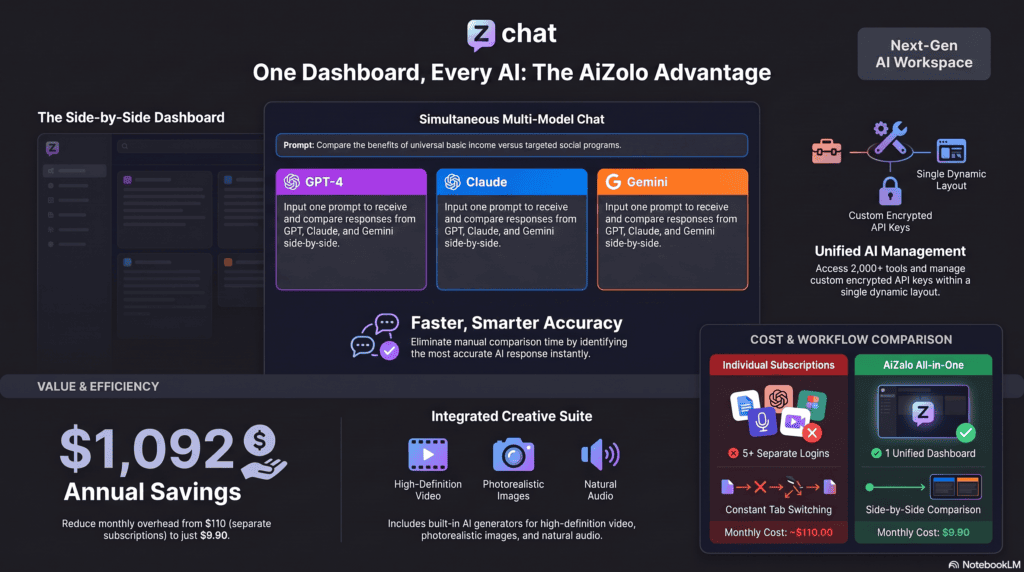
Quick answer: The best AI dialogue generator tools in 2026 include AiZolo (multi-model comparison), Inworld AI (game NPCs), NovelAI (fiction and screenplay), Quillbot (free, quick dialogue), and ElevenLabs (voiced dialogue). The right pick depends on whether you need text, game integration, or spoken output.
AiZolo — Best for Comparing Multiple AI Models Side-by-Side
AiZolo isn’t a single dialogue model — it’s a workspace where you send the same dialogue prompt to several AI models (including OpenAI and Anthropic models) and compare outputs before picking or blending the best lines.
Best for: Writers and teams who don’t want to commit to one model’s “voice” for every scene.
Pros:
- Side-by-side comparison removes a lot of the guesswork in picking a model
- Works for scripts, NPC dialogue, marketing copy, and general writing
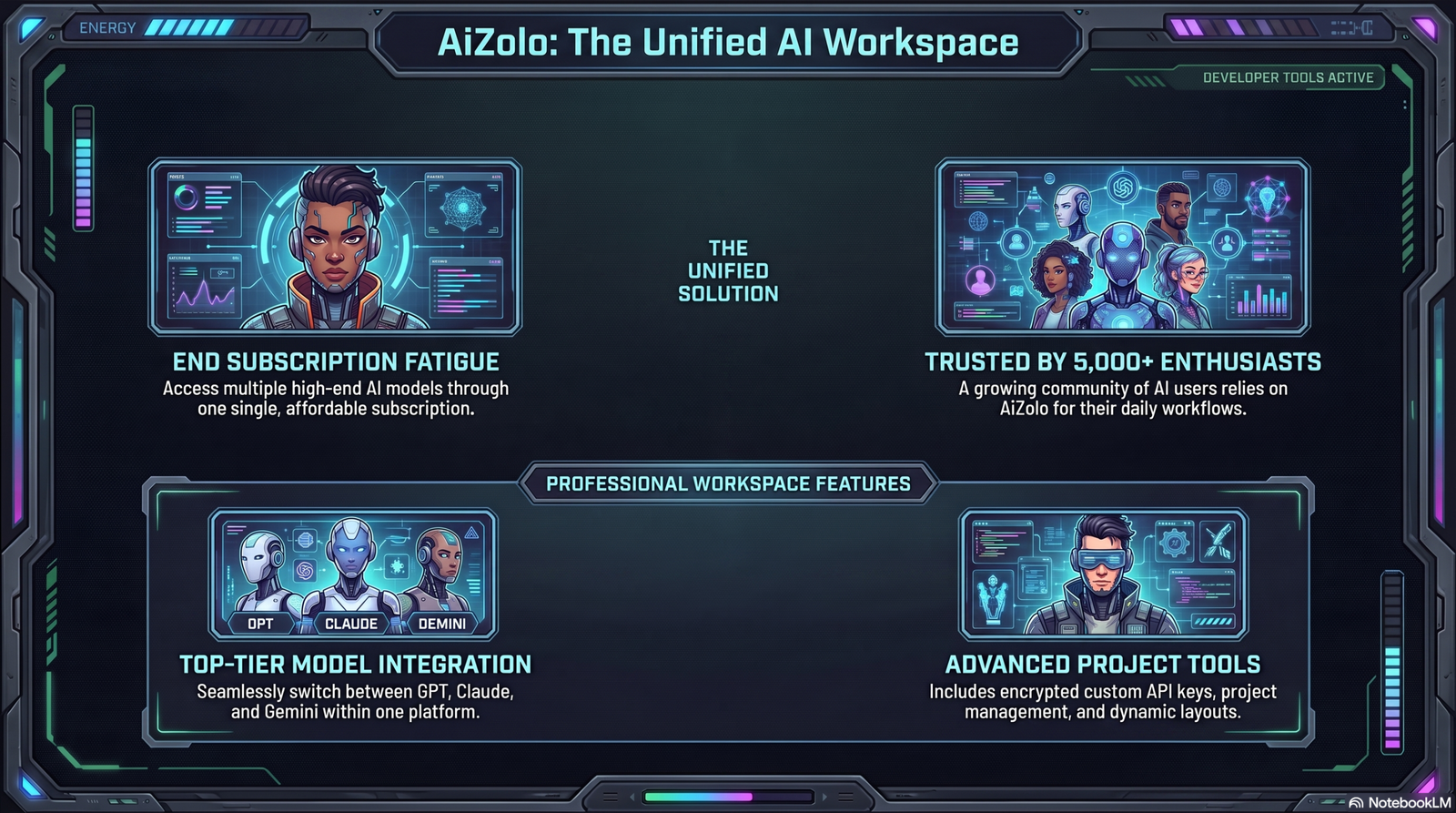
- One subscription instead of paying for multiple separate AI subscriptions
Cons:
- Newer platform, smaller community than legacy single-model tools
- Best value comes from using the multi-model workspace, not just one model
Pricing: Subscription-based, positioned as an affordable alternative to running several separate AI subscriptions at once.
Inworld AI — Best for NPC Dialogue in Games
Inworld builds full character “brains,” giving NPCs persistent memory, goals, emotions, and relationship awareness, and it integrates with Unity, Unreal Engine, and a REST API for custom setups.
Best for: Game studios and indie developers who need NPCs that react differently based on player history.
Pros: Deep memory system, strong engine integrations, built for interactive branching dialogue.
Cons: Steeper learning curve than a simple text-based generator; overkill for a short film script.
NovelAI — Best for Long-Form Fiction and Screenplay Dialogue
NovelAI is purpose-built for long-form fiction and interactive storytelling, with memory systems that maintain character consistency and narrative context across extended dialogue sequences, plus a lorebook feature for world-building and character backstory.
Best for: Novelists and screenwriters working on long projects with recurring characters.
Pros: Strong long-context memory, genre customization, good for maintaining a character’s “voice” across chapters.
Cons: Less suited to short marketing or chatbot dialogue.
Quillbot AI Dialogue Generator — Best Free Option
Quillbot’s dialogue generator lets you type a situation, theme, or setting, then generates back-and-forth exchanges that reflect each character’s perspective and personality, and you can export the result to PDF or Word.
Best for: Beginners or anyone who needs a quick dialogue draft without signing up for a specialized tool.
Pros: Free, simple interface, decent for short scenes.
Cons: Less character memory than dedicated fiction tools; not built for long scripts.
ChatMapper — Best for Branching Narrative Structure
ChatMapper is built around designing, mapping, and managing complex conversation trees, with AI writing assistance now layered into the branching structure.
Best for: Game writers who need to visually map out multi-path conversations, not just generate flat text.
Pros: Strong structural tools for branching dialogue.
Cons: More of a dialogue management tool than a pure generator — you’ll likely pair it with an LLM for the actual writing.
ElevenLabs — Best for Turning Dialogue Into Voice
Once your dialogue is written, ElevenLabs converts it into realistic character voices — useful for game prototypes, YouTube videos, or audiobook-style storytelling.
Best for: Creators who need spoken dialogue, not just text.
Cons: It’s a voice tool, not a dialogue-writing tool, so you’ll need a script generator first.
Comparison Table
| Tool | Best For | Free Plan | Voice Support | Languages | Export Options | Pros | Cons | Rating |
|---|---|---|---|---|---|---|---|---|
| AiZolo | Multi-model comparison | Limited free tier | No (text-focused) | Multiple | Copy/export | Compare models side by side | Newer platform | 4.6/5 |
| Inworld AI | Game NPCs | Trial access | Yes (via integration) | Multiple | API / engine export | Deep memory, engine integration | Learning curve | 4.5/5 |
| NovelAI | Fiction & screenplay | Limited trial | No | English-focused | Text export | Long-context memory | Not built for chatbots | 4.4/5 |
| Quillbot | Quick free dialogue | Yes | No | Multiple | PDF/DOCX | Free, simple | Limited memory | 4.0/5 |
| ChatMapper | Branching dialogue trees | Trial | No | Multiple | Export to engines | Visual conversation mapping | Needs a separate LLM for text | 4.1/5 |
| ElevenLabs | Voiced dialogue | Limited free tier | Yes | 30+ | Audio export | Realistic voice cloning | Not a dialogue writer | 4.5/5 |
Pricing and feature availability change frequently — always check each provider’s site for current plans before subscribing. If you want to test several AI models against the same dialogue prompt without juggling separate logins, platforms where multiple AI models answer the same question can save meaningful time during the drafting stage.
Free vs. Paid AI Dialogue Generators
Quick answer: Free AI dialogue generators are fine for short scenes, social content, and testing ideas. Paid tools are worth it once you need character memory across long projects, engine integration for games, or the ability to compare multiple AI models on the same prompt.
Free tools tend to cap conversation length, limit how much character detail you can feed in, and offer a single underlying model with no choice.
Paid tools typically add: longer memory, multiple model options, export formats built for scripts or game engines, and priority generation speed.
If you’re a hobbyist writing short scenes for social media, a free tool is genuinely enough. If you’re running a studio, an agency, or a serialized project, the paid tier pays for itself in saved revision time.
For teams comparing costs across the wider AI landscape rather than just dialogue tools specifically, it’s worth looking at a best ai subscription comparison 2026 before committing to any single vendor.
How to Use an AI Dialogue Generator (Step-by-Step)
- Define your characters. Name, age, personality, speech quirks, and what they want in the scene.
- Set the scene. Where are they, what just happened, what’s the emotional temperature?
- Choose format. Screenplay format for film/TV, narrative style for prose, chat bubbles for apps.
- Add constraints. Word limits per line, information the character can’t reveal yet, tone boundaries.
- Generate multiple versions. Run the same prompt two or three times and compare outputs.
- Edit for voice. Cut anything that sounds too “balanced” or explains itself — real people rarely do that.
- Read it out loud. This catches unnatural phrasing faster than silent reading.
Best Prompts for AI Dialogue Generation

Generic prompts produce generic dialogue. Specific prompts produce dialogue with personality. Here are templates that consistently work well:
Character-first template:
“Write a conversation between [Name 1], a [trait, trait, motivation], and [Name 2], a [trait, trait, motivation]. They are in [setting]. [Name 1] wants [goal]. Keep each line under [X] words. Format as screenplay dialogue.”
Conflict-driven template:
“Two characters disagree about [topic]. [Name 1] believes [position]; [Name 2] believes [opposite position]. Neither backs down easily. Write 10 exchanges that escalate the tension without either character becoming cartoonish.”
Subtext template:
“Write a conversation where [Name 1] is trying to say goodbye without admitting it, and [Name 2] senses something is wrong but doesn’t ask directly. Keep it understated — no character should state their feelings outright.”
NPC constraint template:
“You are [Character], a [role] in a fantasy village. You distrust outsiders and speak in short sentences. Do not reveal [secret] unless the player says the word ‘[keyword]’. Respond in character to the player’s next line.”
The pattern across all of these: specificity about what the character wants and what they’re avoiding saying produces far better output than describing personality traits alone.
Use Cases
AI Dialogue for Movies and Screenwriting
Screenwriters use AI script generator tools to draft first-pass scenes, test alternate line readings, or get past a stuck moment in a script. It’s a drafting aid, not a replacement for a writer’s ear — most professional use involves heavy rewriting of AI output.
AI Dialogue for Games (NPC Dialogue)
Game studios use NPC dialogue generators to populate large open-world games with characters who don’t repeat the same three lines forever. Branching, memory-aware dialogue is now standard in mid-size and large productions.
AI Dialogue for YouTube and Video Creators
Creators use dialogue generators to script skits, character-driven shorts, and voiceover scenes — often paired with a text-to-speech tool to produce a finished video quickly.
AI Dialogue for Marketing
Marketing teams use conversation generators to prototype chatbot flows, ad scripts with two speakers, and testimonial-style dialogue for social content.
AI Dialogue for Podcasts
Podcast creators use dialogue tools to script interview-style intros, cold opens, or scripted segments between two “hosts” before recording.
AI Chatbot Dialogue Creation
Chatbot builders use dialogue generators to draft sample conversation flows and edge-case responses before wiring up the actual bot logic.
AI Dialogue for Education
Teachers use dialogue generators to build role-play scripts for language learning, historical reenactments, or customer-service training scenarios.
AI Dialogue for Customer Support Scripts
Support teams prototype scripted responses and objection-handling conversations before training human agents or configuring a support bot.
AI Dialogue for Roleplay and Interactive Fiction
Roleplay generator tools power branching interactive fiction, letting a reader’s choices shape how a scene’s dialogue unfolds.
Limitations of AI Dialogue Generators
- Consistency drift: Characters can lose their established voice over long conversations.
- Over-explaining: AI dialogue often has characters state emotions outright instead of implying them — a classic “tell, don’t show” problem.
- Hallucinated details: Dialogue tools can generate nonsensical or out-of-character lines, which requires developers to build in filters and review steps before content reaches players.
- Repetition: Left unchecked, models often reuse similar sentence structures across characters.
- Cultural and tonal blind spots: Dialogue can miss idiom, regional speech patterns, or era-appropriate language without explicit prompting.
- No real understanding of your story: The model doesn’t “know” your world beyond what you tell it in the prompt or feed it as memory.
None of these are disqualifying — they’re just reasons a human editing pass is non-negotiable.
Tips for Better AI-Generated Dialogue
- Give characters something to hide, not just something to say.
- Vary sentence length between characters — one clipped, one rambling, feels more real than two evenly paced speakers.
- Ask the model to cut exposition: “Don’t explain the backstory, just react to it.”
- Use interruptions and trailing sentences deliberately; real conversation is messy.
- Regenerate the same prompt with a different model and compare — tone shifts more than people expect.
Common Mistakes to Avoid
- Accepting the first draft. The first output is rarely the best one; regenerate and compare.
- Vague character prompts. “A tough guy” produces cliché dialogue. “A tired ex-cop who over-explains when nervous” doesn’t.
- Ignoring pacing. AI dialogue can be evenly paced in a way real conversation never is — add interruptions manually if needed.
- Skipping the read-aloud test. Text that reads fine on the page can sound stilted spoken out loud.
- Using one model for everything. Different models have different dialogue strengths; testing more than one often improves the final draft.
Future of AI Dialogue Generation
Expect three shifts over the next couple of years: better long-term memory so characters stay consistent across entire novels or game campaigns, tighter integration between text dialogue and real-time voice generation, and more platforms letting writers compare multiple models on the same prompt instead of locking into one vendor.
Emotional nuance is also improving quickly — the gap between “technically correct dialogue” and “dialogue that sounds like a specific person” is closing faster than most writers expected even a year ago.
FAQs
What is the best free AI dialogue generator? Quillbot’s dialogue generator is a solid free option for short scenes and quick drafts. It won’t match paid tools on long-form memory or model choice, but for a single scene or social post, it’s more than enough to get started.
Can AI dialogue generators write NPC dialogue for games? Yes. Tools like Inworld AI and ChatMapper are built specifically for game NPCs, offering memory, branching conversation trees, and engine integrations with Unity and Unreal Engine that general-purpose chat tools don’t provide.
Is AI-generated dialogue good enough to use without editing? Rarely. AI dialogue is a strong first draft, but it tends to over-explain emotions and lose character consistency over long scenes. A human editing pass almost always improves the final result significantly.
Which AI model writes the most natural dialogue? It depends on the scene. GPT-4/GPT-5 tends to write punchy, fast-paced exchanges; Claude often handles emotional nuance and long-scene consistency well; Gemini can be strong for factual or research-driven dialogue. Testing more than one model on the same prompt is the most reliable way to find the best fit.
Can I use an AI dialogue generator for a screenplay? Yes. Many tools support screenplay formatting directly, and even general-purpose models can output properly formatted script dialogue if you specify the format in your prompt.
Do AI dialogue generators support multiple languages? Many do, though quality varies by language and tool. If multilingual dialogue is critical, test the specific tool in your target language before committing to a workflow.
What’s the difference between an AI dialogue generator and a regular chatbot? A chatbot is built to converse with a user in real time. A dialogue generator is built to write conversation between two or more characters as a piece of content — for a script, game, or story — rather than to hold a live conversation itself.
How do I stop AI dialogue from sounding robotic? Give characters contrasting speech patterns, avoid letting them state their feelings outright, and ask the model to cut exposition. Regenerating with more specific character prompts also helps significantly.
Can AI dialogue generators create voiced conversations, not just text? Not directly — most are text-only. You typically pair the generated script with a separate text-to-speech tool like ElevenLabs to produce spoken dialogue.
Is it worth paying for a dialogue generator subscription? If you’re producing dialogue regularly — for a game, a serialized story, or client work — yes. Paid tools save meaningful revision time through longer memory and better model options. Casual or one-off use rarely justifies a subscription.
Can AI dialogue generators handle branching conversations? Some can. Tools built for games, like ChatMapper and Inworld AI, are specifically designed for branching dialogue trees where player choices change the conversation path.
What information should I give an AI dialogue generator for the best results? Character names, personalities, goals, what they’re avoiding saying, the setting, and formatting requirements. The more specific the prompt, the less generic the output.
Conclusion
Key takeaways:
- An AI dialogue generator drafts realistic conversation for games, scripts, chatbots, and video — but it works best as a first draft, not a finished product.
- Tool choice depends on your project: Inworld AI for game NPCs, NovelAI for long fiction, Quillbot for quick free drafts, and multi-model workspaces like AiZolo when you want to compare outputs before committing to one voice.
- Specific, constraint-driven prompts consistently outperform vague personality descriptions.
- Every AI-generated conversation still needs a human editing pass for voice, pacing, and consistency.
Expert recommendation: Don’t marry yourself to one model. The biggest quality jump I’ve seen in dialogue work over the past year came from comparing outputs across models on the same prompt, rather than trusting any single one to nail a character’s voice on the first try.
Next step: Pick one scene from your current project, run it through two different tools or models with the same detailed prompt, and compare the results side by side before you write a single line yourself.
Author Box
Jeevesh Tripathi | jeevesh@aizolo.com
Jeevesh Tripathi writes about AI tools, generative AI workflows, and SaaS research, with a focus on practical software evaluation for writers, developers, and marketing teams. His work centers on testing AI writing and dialogue tools hands-on and comparing them against real production workflows rather than surface-level feature lists, with particular attention to how different AI models perform on the same creative task.
