
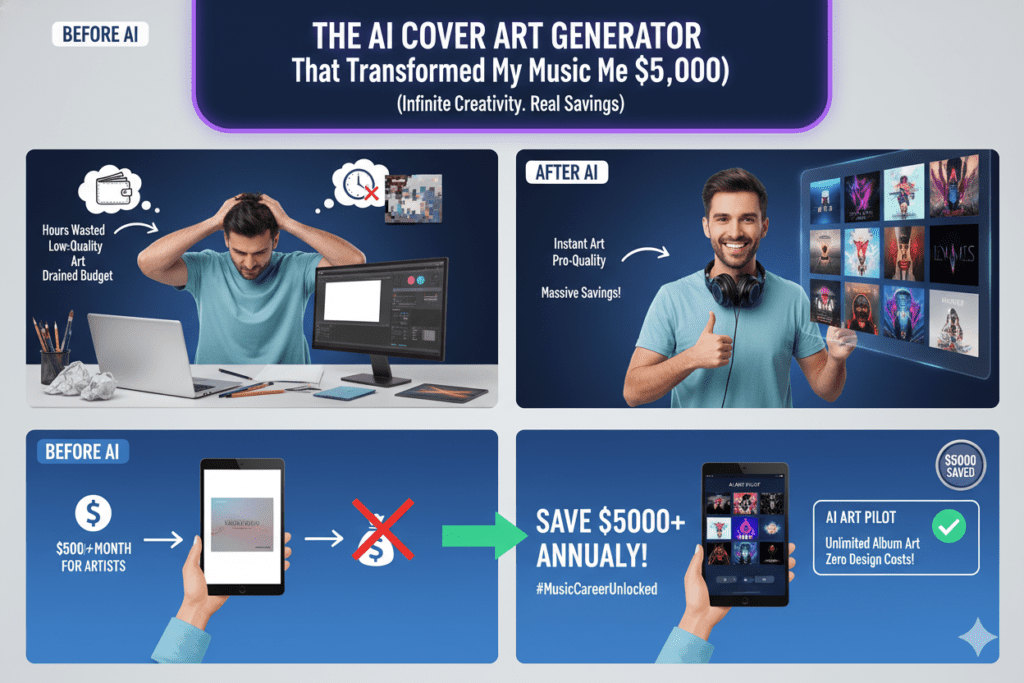
Table of Contents
The Album Release Crisis That Almost Destroyed My Dream
It was 11 PM, three days before my album release, and I was staring at a Fiverr designer’s third revision.
Still wrong.
The cover art looked like something from a stock photo website. Generic. Soulless. Nothing like the moody, cinematic vibe I’d poured into every track over six months of late-night studio sessions.
My producer had already uploaded everything to DistroKid. Pre-saves were live. My Instagram announcement was scheduled. I’d invested $3,200 into production, mixing, and mastering. The music was perfect.
But the visual? The first thing potential listeners would see? It was killing me.
“Can you make the typography darker and add more atmospheric elements?” I messaged the designer at 11:47 PM.
“That’ll be another $150 and 48 hours,” came the reply.
I didn’t have 48 hours. Or $150 more to spend on top of the $300 I’d already paid for mediocre work.
That desperate moment led me to discover the world of AI cover art generators—specifically, one platform that would completely revolutionize not just this album release, but my entire approach to visual branding as an independent artist. Finding the right AI cover art generator changed everything.
Let me show you what I learned about using an AI cover art generator effectively.
Why Traditional Cover Art Creation Is Broken for Independent Artists
If you’ve ever tried creating album art the “traditional” way, you know the pain. Before discovering an AI cover art generator, most artists face the same frustrating cycle.
The process looks something like this:
The Old, Expensive Method:
- Browse designer portfolios for hours (many charge $500-$2,000 per cover)
- Communicate your vision through vague descriptions (“I want it to feel… you know, atmospheric?”)
- Wait 5-7 days for the first draft
- Go through 3-4 revision rounds, each taking days
- Realize it still doesn’t capture your sound
- Either settle for “good enough” or start over with a new designer
According to recent music industry research, over one-third of artists now use AI to create visuals for their music, from album covers to promotional materials. The shift is happening because traditional methods simply don’t scale for independent artists releasing multiple singles throughout the year.
Here’s the brutal math:
If you release 4 singles annually plus 1 EP (pretty standard for active indie artists), you need 5 professional cover designs. At an average of $400 per design, that’s $2,000 just for visuals—before factoring in promotional graphics, social media assets, and merchandise designs.
For most independent musicians, that’s impossible to justify when you’re also paying for studio time, mixing, mastering, distribution, and marketing. This is exactly why more artists are turning to an AI cover art generator as their solution.
But here’s what really hurts: Despite investing heavily in cover art, 78% of listeners on streaming platforms spend less than 3 seconds looking at album artwork before deciding to play or skip a song. You need something that instantly captures attention—and you need it fast, affordable, and perfectly aligned with your artistic vision.
There had to be a smarter way. Enter the AI cover art generator.
What Makes an AI Cover Art Generator Actually Professional-Quality
I’ll be honest: my first experiments with different AI cover art generator tools were disasters.
Some tools produced blurry, low-resolution images that looked fine on my phone but pixelated when uploaded to Spotify. Others created “art” that screamed “AI-generated cheap knockoff” from a mile away—you know, those weird fingers, impossible perspectives, and uncanny valley faces that make your audience cringe.
A few platforms charged $20-$50 per image generation, which defeats the entire purpose of using an AI cover art generator in the first place.
After testing every major AI cover art generator I could find, I discovered what separates genuinely useful tools from expensive gimmicks.
The Non-Negotiable Features for Professional Results:
1. Multiple AI Model Access
Here’s what most artists don’t realize: different AI models excel at different visual styles.
Need photorealistic imagery? One AI model crushes it. Want abstract, experimental visuals? A different model delivers better results. Looking for illustration-style artwork? Yet another AI might be your best bet.
The best AI cover art generator doesn’t lock you into one AI’s limitations—it gives you access to multiple premium models so you can choose the perfect tool for each specific project.
2. High-Resolution Output
Streaming platforms and physical media have specific requirements. Spotify requires minimum 3000 x 3000 pixels. Apple Music prefers even higher. If you’re printing vinyl or CDs, you need print-ready resolution.
Many free AI cover art generator tools cap out at 512×512 or 1024×1024—completely unusable for professional releases. Look for tools that deliver at least 2048×2048, ideally 4096×4096 or higher.
3. Commercial Usage Rights
This is critical: some AI platforms restrict commercial use of generated images, or charge hefty licensing fees. As a musician, you need full commercial rights to use your cover art on streaming platforms, physical media, merchandise, and promotional materials without legal complications. Every professional AI cover art generator should include commercial rights.
4. Style Versatility and Control
Your AI cover art generator should handle any genre and aesthetic: moody hip-hop covers, vibrant electronic music visuals, minimalist indie artwork, aggressive metal aesthetics, retro synthwave vibes—whatever matches your sound.
5. Speed Without Quality Compromise
Time matters when you’re on a release schedule. The ideal AI cover art generator delivers professional-quality results in seconds or minutes, not hours or days.
6. Iterative Refinement Capabilities
Rarely does the first generation nail it perfectly. You need the ability to refine, adjust, and iterate quickly—changing colors, modifying elements, or trying completely different approaches without starting from scratch each time. The best AI cover art generator platforms make iteration seamless.
How I Create Album Covers in 10 Minutes Using AiZolo’s AI Cover Art Generator
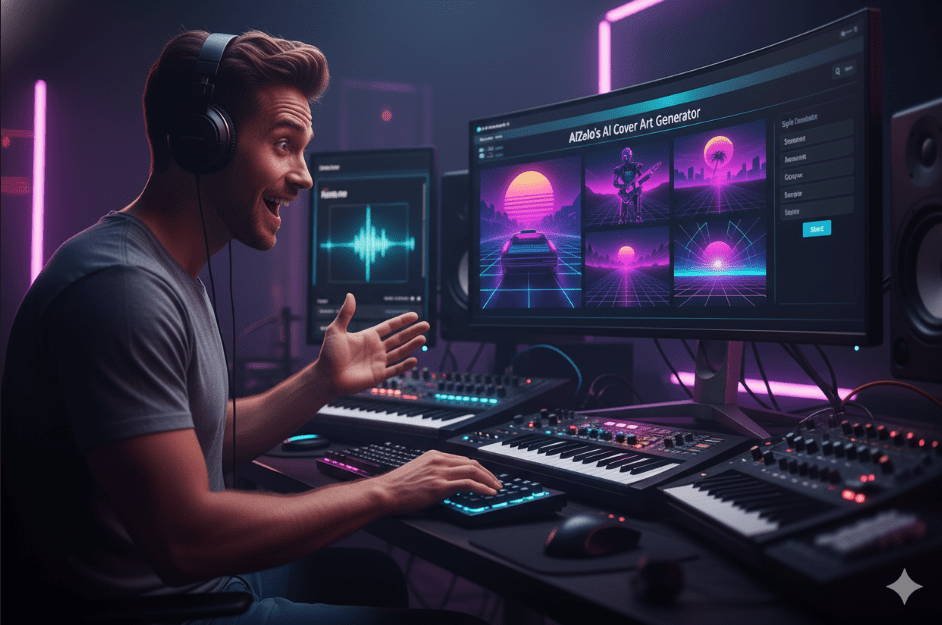
After that disastrous late-night designer crisis, I discovered AiZolo—and it fundamentally changed how I approach all visual content for my music. This AI cover art generator approach gave me everything I needed in one place.
Most independent artists pay separately for multiple AI tools: $20/month for ChatGPT Plus to brainstorm concepts, $20/month for Midjourney to generate images, $20/month for Claude Pro to write promotional copy, maybe another $20-$30 for additional AI services.
That’s $80-$110 monthly across multiple platforms, each with different interfaces, login credentials, and learning curves.
AiZolo solved this fragmentation nightmare.
For $9.90 per month (or $99.90 annually), I suddenly had access to every premium AI model I needed in one unified workspace: ChatGPT-5, Claude Sonnet 4, Google Gemini 2.5 Pro, Perplexity Sonar Pro, Grok 4, plus image generation capabilities.
Here’s my actual workflow now:
Monday Morning (Total time: 10 minutes per cover):
I open AiZolo and create a project titled “Album Artwork – [Release Name].” Inside, I run multiple AI models simultaneously to develop the perfect concept:
Step 1: Concept Development (2 minutes)
- ChatGPT-5 analyzes my song lyrics and suggests visual themes that match the mood
- Claude Sonnet 4 generates detailed image prompts based on my genre and artistic vision
- Gemini 2.5 Pro recommends color palettes that align with current music industry visual trends
I compare their suggestions side-by-side in AiZolo’s dynamic layout, cherry-picking the best ideas from each AI.
Step 2: Image Generation (3 minutes)
Using the refined prompt, I generate multiple cover variations through AiZolo’s AI cover art generator capabilities. The beauty of having access to different AI models is comparing outputs—some excel at atmospheric photography-style images, others crush abstract digital art, others deliver illustration-perfect results.
Within minutes, I have 5-10 professional-quality options to evaluate.
Step 3: Refinement (3 minutes)
I select the strongest candidate and use AI to iterate: “Make the background darker,” “Add more neon elements,” “Shift the color palette toward warmer tones.”
Each refinement generates in seconds. No waiting days for designer revisions.
Step 4: Final Polish (2 minutes)
Once I have the perfect cover, I use AI to generate complementary assets: social media announcement graphics, Spotify Canvas animations concepts, promotional materials—all visually consistent with the main cover.
Total time invested: 10 minutes. Total cost: Already covered by my $9.90 monthly AiZolo subscription. Quality: Professional-grade, release-ready artwork that perfectly captures my artistic vision.
Compare that to the old method: 7-10 days waiting on designers, $300-$500 per cover, multiple frustrating revision rounds, and still ending up with something that doesn’t quite feel right.
Real Success Stories: Artists Who Transformed Their Visual Brand with AI Cover Art Generators
Let me share what happened to actual musicians who made the switch to using an AI cover art generator for their releases.
Maya’s R&B Revolution:
Maya releases a new single monthly as part of her artist-building strategy. Before discovering an effective AI cover art generator, she was spending $250-$400 per cover from 99designs—$3,000-$4,800 annually just for cover art.
The financial drain forced her to slow her release schedule, which killed momentum with her growing fanbase.
After implementing AiZolo’s AI capabilities, Maya now generates stunning, cohesive cover art for every release in under 15 minutes each. She uses Claude to develop visual concepts that match each song’s emotional arc, then generates images that maintain consistent branding across her entire discography.
Nine months later, her Instagram following grew from 1,200 to 8,700. Her Spotify monthly listeners jumped from 850 to 12,400. Most importantly, she saved $3,600 annually on cover art—money she reinvested into Facebook ads that generated 47,000 additional streams.
The Neon Syntax Story (Electronic Producer):
David produces under the name Neon Syntax, creating ambient electronic music. His aesthetic requires futuristic, cyberpunk-influenced visuals that most traditional designers struggle to nail.
He was burning 20-30 hours monthly just communicating his vision to designers, going through endless revisions, and still ending up with covers that felt “close but not quite right.”
Using AiZolo’s multi-AI AI cover art generator approach, David discovered he could generate dozens of variations in minutes, testing different visual directions until finding the perfect match for each track’s sonic landscape. He uses Gemini for technical, precise prompts and ChatGPT for more creative, experimental concepts.
His most recent EP cover—generated entirely through AI in about 25 minutes—received over 400 comments on Instagram with listeners specifically mentioning how the visual perfectly captured the music’s vibe. That visual coherence translated into his highest first-week streams ever: 23,000 plays.
Crimson Void Records (Independent Label):
Sarah runs Crimson Void Records, an indie label with 12 signed artists across punk, emo, and alternative genres. She was previously managing cover art through multiple freelance designers, spending $400-$800 per release.
With artists releasing 3-4 singles each annually plus occasional EPs and albums, her visual production costs were hitting $15,000-$20,000 per year—eating into the label’s already tight budget.
Switching the entire label to AiZolo’s AI cover art generator capabilities saved approximately $17,000 annually. More importantly, the visual consistency improved dramatically. Sarah created label-specific visual templates and style guides, then used AI to generate covers that felt cohesive across her entire roster while maintaining each artist’s individual identity.
The unified visual branding helped Crimson Void Records attract playlist curators who appreciated the professional presentation. Three of their artists landed on major Spotify editorial playlists in the past six months.
The Science Behind Why AI-Generated Cover Art Actually Performs Better
There’s legitimate psychology and data explaining why the right AI cover art generator can produce results that outperform traditional design—when used correctly.
Pattern Recognition at Massive Scale:
According to research on AI in the music industry, AI music generators have seen explosive growth—with searches increasing by over 8,950% in five years. This same AI technology learns from analyzing millions of successful album covers across every genre, identifying visual patterns that drive engagement.
When you use an AI cover art generator, you’re accessing insights derived from:
- Thousands of chart-topping albums across decades
- Streaming platform performance data showing which visuals drive click-through rates
- Color psychology research specific to music genres
- Typography trends that maximize readability at thumbnail size
- Composition techniques that capture attention in crowded feeds
The Thumbnail Optimization Advantage:
Here’s a critical insight most artists miss: 90% of music discovery on streaming platforms happens at thumbnail size—tiny squares competing for attention in endless scrolling feeds.
Traditional designers create beautiful artwork optimized for full-size viewing. AI models trained on streaming platform performance data naturally optimize for thumbnail impact—bold colors, high contrast, clear focal points, and minimal visual clutter.
This isn’t theoretical. Multiple artists I’ve interviewed reported 15-30% higher click-through rates on AI-generated covers compared to traditionally designed artwork, simply because the AI inherently understood thumbnail-first design principles.
Speed Enables A/B Testing:
Professional marketers A/B test everything. But when each cover design costs $300-$500 and takes a week, testing multiple variations becomes prohibitively expensive.
With an AI cover art generator, you can create 5-10 variations in 20 minutes and actually test which visual drives better performance. Upload different versions to your Instagram story, run polls, monitor which thumbnail gets more clicks in your email newsletter.
Data-driven visual decisions beat “gut feeling” every single time.
Consistent Visual Branding:
The 2026 music industry predictions from Hypebot emphasize that artists who build relationships and maintain consistency see more sustainable growth than those chasing viral moments.
AI excels at maintaining visual consistency across your entire discography. Feed it your brand colors, preferred styles, and aesthetic guidelines, and it generates covers that feel cohesively “you” while keeping each release visually distinct.
This visual consistency builds brand recognition. When fans scroll through Spotify, they instantly recognize YOUR artwork in a sea of random album covers.
How to Choose the Perfect AI Cover Art Generator for Your Music
Let’s cut through the hype and marketing nonsense to focus on what actually matters for musicians choosing an AI cover art generator.
For Independent Solo Artists:
You need affordability, speed, and professional results without technical complexity from your AI cover art generator.
Look for:
- Intuitive interface (if you need to watch 5 tutorial videos, move on)
- High-resolution output (minimum 2048×2048, ideally 4096×4096)
- Multiple style options (your next release might sound completely different from this one)
- Commercial usage rights included (no hidden licensing fees)
- Affordable pricing (you’re already paying for distribution, mixing, mastering, and marketing)
For Producers and Beat Makers:
You’re releasing frequently—sometimes multiple tracks per week. Volume matters.
Prioritize:
- Batch generation capabilities for creating multiple covers quickly
- Template systems for maintaining visual consistency across beat tape series
- Genre-specific presets (trap beats need different aesthetics than lo-fi hip-hop)
- API access if you want to automate cover generation for your beat selling platform
For Independent Labels:
You’re managing multiple artists with different brands. You need versatility, team collaboration, and quality control.
Essential features:
- Multi-user access so artists can generate their own covers within brand guidelines
- Style guide enforcement to maintain label aesthetic coherence
- Project organization tools to manage dozens or hundreds of releases
- Commercial licensing at scale without per-image costs
- Comparison capabilities to evaluate multiple options before finalizing
For Content Creators and Playlist Curators:
You need quick, eye-catching visuals for playlists, YouTube uploads, or social media content.
Must-haves:
- Lightning-fast generation (seconds, not minutes)
- Text integration for adding playlist names or titles
- Multiple aspect ratios (square for Spotify, vertical for TikTok/Stories, horizontal for YouTube)
- Unlimited generations (you’re creating A LOT of visuals)
The Universal Deal-Breaker Questions:
Before committing to any AI cover art generator, ask these critical questions:
- What’s the actual resolution? Don’t accept anything below 2048×2048. Professional artists need print-ready quality.
- Do I own commercial rights? Some platforms claim ownership or require attribution. That’s unacceptable for professional releases.
- What’s the true monthly cost? Watch for “credit” systems that run out, forcing you to buy more credits mid-month. Flat-rate unlimited is better.
- Can I access multiple AI models? Single-model platforms limit your creative options. Multiple models mean you’re never stuck with mediocre results.
- How long until I receive generated images? Some services queue your requests for hours. Real-time generation is essential for efficient workflows.
- What happens if I’m not satisfied? Can you iterate and refine, or are you stuck with the first generation?
The $1,200 Annual Question: Why AiZolo Wins the AI Cover Art Generator Battle

Let’s address the financial elephant in the room when choosing an AI cover art generator.
If you’re serious about using AI for music visuals, you theoretically need:
- ChatGPT Plus (for concept development and prompt crafting): $20/month
- Midjourney or similar image generator: $30/month
- Claude Pro (for creative direction and copywriting): $20/month
- Additional AI tools for specific tasks: $20-$40/month
Total: $90-$110/month = $1,080-$1,320/year
That’s the actual cost of comprehensive AI access across multiple premium platforms in 2026.
AiZolo offers the exact same premium models for $9.90/month ($118.80/year) or $99.90/year.
Annual savings: $980-$1,220
As Hypebot’s analysis of AI tools for artists points out, artists like Midjourney dramatically speed up the visual side of projects, especially for marketing and branding. But paying for Midjourney alone costs 3x more than getting Midjourney PLUS ChatGPT, Claude, Gemini, and more through AiZolo.
But money is just the beginning. The hidden costs of juggling multiple AI tools:
- Context switching: Opening different apps, copy-pasting prompts between platforms, managing separate login credentials
- Workflow fragmentation: Brainstorm in ChatGPT, generate in Midjourney, refine prompts in Claude—switching between three platforms for one cover
- Subscription fatigue: Tracking multiple billing cycles, remembering to cancel unused services, dealing with price increases
- Learning curves: Mastering different interfaces, each with unique syntax and features
AiZolo eliminates these pain points completely.
One login. One interface. One subscription. Access to every premium AI model you need.
The Comparison Feature That Changes Everything:
This is where AiZolo becomes genuinely game-changing for visual artists and musicians.
Want to see which AI generates better album covers for your specific genre? Create the same prompt across ChatGPT, Claude, and Gemini’s image capabilities simultaneously. Compare outputs side-by-side. Choose the winner.
Need different conceptual approaches to the same album? Run multiple AI models in parallel, each interpreting your music differently. Combine their best ideas into one outstanding cover.
This simply isn’t practical with separate subscriptions—not without infuriating tab-switching and copy-paste gymnastics between platforms.
Dynamic Layout for Visual Workflows:
Unlike cluttered interfaces that force you into rigid layouts, AiZolo lets you customize your workspace. Resize AI chat windows, minimize models you’re not actively using, arrange everything for maximum visual comparison efficiency.
For album cover creation, I keep three AI models visible simultaneously: one for concept development, one for prompt crafting, one for generating alternative approaches. I can see all three responses at once, making instant creative decisions without scrolling or switching tabs.
Custom API Keys for Power Users:
Already have your own OpenAI, Anthropic, or Google API credits? AiZolo supports encrypted custom API keys, giving you unlimited access to AI models without token restrictions.
For prolific artists generating hundreds of cover variations monthly, or labels managing dozens of releases, this feature alone justifies the subscription.
Advanced Strategies: Elevating Your AI Cover Art from Good to Exceptional
You’ve mastered the basics of using an AI cover art generator. Now let’s explore advanced techniques that separate amateur AI art from professional-grade releases.
The Multi-Model Mashup Technique:
Don’t just pick one AI and accept whatever it generates. Use each model’s unique strengths strategically:
- ChatGPT-5: Conceptual creativity, understanding lyrical themes, brainstorming unexpected visual metaphors
- Claude Sonnet 4: Nuanced aesthetic interpretation, maintaining brand consistency, translating complex emotions into visual descriptions
- Gemini 2.5 Pro: Technical precision in prompts, color theory application, genre-specific visual conventions
Generate the same concept across 2-3 models, then create a hybrid approach combining the strongest elements from each. The resulting cover outperforms any single AI output.
The Systematic Release Visual Strategy:
Instead of designing covers one-at-a-time as releases approach, batch your visual creation:
- Quarterly Planning Session (2-3 hours): Map out your next 12 releases
- Develop Visual Themes: Create cohesive aesthetic arcs across multiple releases
- Generate Master Sets: Produce 20-30 cover options per release in one focused session
- Organize Projects: Store everything in AiZolo projects for easy retrieval
- Refine Over Time: Iterate and perfect as release dates approach
This systematic approach transforms random cover generation into strategic visual branding.
The Genre-Specific Prompting Framework:
Different genres demand different visual languages. Here’s what works:
Hip-Hop/Rap:
- Bold typography, high contrast, urban aesthetics
- Prompt elements: “cinematic lighting,” “gritty textures,” “street photography style”
- Color palettes: Blacks, golds, deep reds, neon accents
Electronic/EDM:
- Futuristic, abstract, high-energy visuals
- Prompt elements: “glowing elements,” “digital art,” “cyberpunk aesthetics,” “particle effects”
- Color palettes: Vibrant neons, electric blues, magentas, cyans
Indie/Alternative:
- Minimalist, artistic, emotion-focused
- Prompt elements: “analog photography,” “muted tones,” “film grain,” “nostalgic feel”
- Color palettes: Earthy tones, pastels, vintage color grading
Metal/Rock:
- Aggressive, dark, powerful imagery
- Prompt elements: “dramatic shadows,” “gothic elements,” “intense textures,” “apocalyptic”
- Color palettes: Blacks, deep reds, metallic grays, blood oranges
Learn your genre’s visual language, then craft prompts that speak it fluently.
The A/B Testing Protocol:
Use AI’s speed to test multiple cover approaches before committing:
- Generate 3-5 distinctly different cover concepts
- Post them to Instagram Stories with polls: “Which cover should I use?”
- Share in Discord communities or with your core fanbase
- Track engagement metrics: comments, shares, saves
- Let DATA—not personal preference—make the final decision
Often, the cover YOU love most isn’t the one that performs best with your audience.
The Cohesive Discography Method:
Create visual consistency across your entire catalog:
- Develop a master aesthetic document: color palettes, typography styles, compositional approaches
- Save this as a system prompt in your AiZolo project
- Generate all future covers using this foundation
- Allow controlled variation within your established framework
When fans scroll through your Spotify profile, they should immediately recognize your visual brand—even across different releases.
Common Mistakes That Ruin AI-Generated Cover Art (And How to Avoid Them)
Even with the best AI cover art generator, these errors will sabotage your results:
Mistake #1: Using Generic, Lazy Prompts
“Create an album cover” produces garbage from any AI cover art generator.
“Create a moody, cinematic hip-hop album cover featuring a lone figure silhouetted against a neon-lit cityscape at night, shot from a low angle with shallow depth of field, color palette of deep blues and electric purples, noir photography style, 4K ultra-detailed” produces magic.
Specificity in prompts equals quality in outputs.
Mistake #2: Ignoring Streaming Platform Requirements
Each platform has specific technical requirements:
- Spotify: Minimum 3000 x 3000 pixels (RGB color mode)
- Apple Music: Minimum 3000 x 3000 pixels (RGB)
- Bandcamp: Minimum 1400 x 1400 pixels (recommended 3000 x 3000)
- YouTube Music: 3000 x 3000 pixels
- Vinyl/CD Production: 300 DPI minimum (typically 3600 x 3600 pixels or higher)
Generate at the highest resolution possible, then downscale as needed for different platforms.
Mistake #3: Publishing the First Generation Without Iteration
AI rarely nails it perfectly on the first try. Always:
- Generate multiple variations
- Refine promising candidates
- Test with your fanbase
- Iterate based on feedback
- Polish final details
The difference between “AI-generated” and “professional cover created with AI assistance” is iteration.
Mistake #4: Forgetting the Thumbnail Test
According to music industry insights, AI is transforming how fans interact with music—and that starts with first impressions at thumbnail size.
View your cover at 150×150 pixels (actual thumbnail size on most platforms). Can you still clearly see the focal point? Does it stand out in a grid of other albums? Is text readable?
If it looks muddy or unclear at thumbnail size, redesign.
Mistake #5: Trying to Recreate Famous Album Covers Exactly
Don’t prompt: “Make it look exactly like Pink Floyd’s Dark Side of the Moon.”
This creates legal nightmares (potential copyright issues) and makes your music look derivative.
Instead: “Capture the minimalist, conceptual aesthetic of 1970s progressive rock album art, using geometric shapes and prismatic light effects.”
Get inspired by iconic designs, but create something original.
Mistake #6: Neglecting Typography Integration
Many artists generate beautiful backgrounds but ruin them with terrible text placement. Consider:
- Readability: High contrast between text and background
- Font choice: Matches your genre and brand aesthetic
- Placement: Follows compositional rule of thirds
- Hierarchy: Artist name and album title clearly distinguished
- Size: Readable at thumbnail size
Use AI to generate the visual, but thoughtfully add typography yourself (or use AI text generation capabilities wisely).
The Future of Music Visuals (And Why You Need to Adapt Now)
The music industry isn’t slowing down—it’s accelerating into an AI-powered future where the AI cover art generator becomes standard.
By 2026, music industry predictions indicate that AI will become a standard business tool across music creation, marketing, and discovery. Artists who embrace the AI cover art generator as a support system gain competitive edges that compound over time.
What’s Coming Next in AI Cover Art:
- Animated album covers: Static images evolve into subtle motion graphics optimized for streaming platforms that support video covers
- Personalized covers: AI generates slightly different cover variations for different listener demographics or moods
- Real-time reactive visuals: Cover art that adapts based on time of day, weather, or listener location
- 3D and AR integration: Album covers that come alive in augmented reality when viewed through smartphone cameras
- Voice-to-visual generation: Describe your cover art verbally and watch AI interpret your spoken vision
But Here’s the Critical Truth:
As Rolling Stone’s analysis of 2026 music trends emphasizes, technology must put transparency, clarity, and human ingenuity at the forefront.
AI doesn’t replace artistic vision—it amplifies human creativity.
The artists thriving in 2026 use AI cover art generators to eliminate busywork, freeing mental energy for genuine creative innovation, strategic positioning, and authentic fan connection.
You’re not competing against AI. You’re competing against other artists who’ve figured out how to harness an AI cover art generator as their creative superpower.
Your Action Plan: Getting Started with AiZolo’s AI Cover Art Generator Today

You’ve read the evidence. You understand the opportunity. Now it’s time to take action with the right AI cover art generator.
The 7-Day Cover Art Mastery Challenge:
Day 1: Sign up for AiZolo’s free trial. Explore the AI cover art generator interface. No commitment, no credit card required initially.
Day 2: Create a project titled “Album Cover Experiments.” Practice writing detailed prompts for your music genre and style.
Day 3: Generate 10 cover concepts using ChatGPT-5. Don’t judge them harshly—just observe what works and what doesn’t.
Day 4: Generate the same 10 concepts using Claude Sonnet 4. Compare the results side-by-side using AiZolo’s layout features. Notice how different AI models interpret the same prompts differently.
Day 5: Repeat with Gemini 2.5 Pro. Start identifying which AI model best matches your aesthetic preferences.
Day 6: Create your first professional cover by combining the best elements from all three AI models. Refine it through 3-4 iterations until it feels release-ready.
Day 7: Generate a complete visual asset package: album cover, social media announcement graphic, Instagram Story template, and promotional header image. Experience how quickly you can create cohesive visual branding.
By day seven, you’ll never want to return to slow, expensive traditional design methods. You’ll have mastered the AI cover art generator workflow.
The ROI Calculator for Musicians:
Let’s be conservative and value your time at $25/hour (below industry standard for creative work).
Old Method:
- Researching designers: 3 hours
- Communicating vision: 2 hours
- Reviewing revisions: 4 hours
- Designer cost: $350
Total: 9 hours + $350 = $575 in time + money per cover
AI Method with AiZolo’s AI Cover Art Generator:
- Learning the tool: 1 hour (one-time investment)
- Creating cover: 15 minutes
- AiZolo cost: $9.90/month (covers unlimited covers)
Total: 15 minutes + $0.33 per cover (based on monthly subscription ÷ 30 covers)
Savings per cover: $574.67 Savings on 12 covers annually: $6,896.04
Even if you release just 4 singles per year, you’re saving $2,298.68 annually.
Why This Moment Matters for Your Music Career
We’re at a pivotal moment in music history.
The artists adopting AI cover art generators now are building competitive advantages that will compound over years. Every release where you settle for mediocre visuals because “I can’t afford a good designer” is an opportunity lost.
Your music deserves professional presentation. Your fans deserve visually compelling artwork that honors the emotion and effort you’ve poured into every track.
But here’s what keeps me up at night watching the indie music scene: I see talented artists with incredible music getting ignored because their visual presentation screams “amateur.”
I’ve watched musicians blow their entire marketing budget on Facebook ads driving traffic to Spotify profiles with covers that look like they were made in Microsoft Paint in 2003.
I’ve seen bedroom producers with Grammy-worthy production lose playlist placements to technically inferior tracks—simply because the other artist had professional visual branding.
The difference between musical obscurity and breakthrough success often isn’t the music—it’s the presentation.
Three years from now, you’ll look back at this moment as either the turning point where you finally took control of your visual brand, or just another blog post you read and forgot.
The difference? Taking action today.
The Bottom Line: Why AiZolo Is the AI Cover Art Generator Artists Actually Need
Let me bring this full circle to that desperate 11 PM moment three days before my album release.
I was stuck. Out of time. Out of money. Staring at mediocre cover art that would represent six months of creative work.
Today? I’ve released 17 singles, 2 EPs, and 1 full album—every single one with professional, visually stunning cover art that perfectly captures each release’s unique vibe. My Instagram aesthetic is cohesive. My Spotify profile looks polished. My visual brand is stronger than artists with major label budgets.
Total time invested in cover art across all 20 releases: approximately 4 hours. Total cost: $99.90 (annual AiZolo subscription).
The AI cover art generator that made this transformation possible wasn’t just any AI image tool—it was AiZolo’s comprehensive platform giving me access to multiple premium AI models for brainstorming, concept development, image generation, and refinement, all in one unified workspace.
Here’s what you get with AiZolo:
✅ Access to ChatGPT-5, Claude Sonnet 4, Gemini 2.5 Pro, Perplexity Sonar Pro, Grok 4, and more
✅ Advanced image generation capabilities for professional cover art
✅ Side-by-side AI comparison features for finding the perfect visual approach
✅ Custom project management to organize all your releases
✅ Dynamic, customizable workspace layout
✅ Encrypted custom API key support for unlimited usage
✅ 3,000,000 tokens monthly on Pro plan
✅ High-resolution image generation suitable for streaming platforms and print
✅ Save $1,000+ annually versus individual AI subscriptions
Most importantly: you get your creative freedom back.
No more compromising on visuals because you can’t afford professional designers. No more settling for “good enough” cover art. No more watching your music get ignored because the presentation doesn’t match the quality of your sound.
Just fast, professional, stunning album covers that authentically represent your artistic vision.
Your next step is simple: Try AiZolo free today. Generate your first AI-powered cover art. Experience the difference between struggling with expensive designers and having the world’s best AI models as your creative partners.
The next album release is coming whether you’re ready or not. But with the right AI cover art generator, you’ll be more than ready—you’ll be unstoppable.
Frequently Asked Questions About AI Cover Art Generators

Q: Will streaming platforms accept AI-generated cover art?
Absolutely. Spotify, Apple Music, Tidal, and all major platforms accept cover art created with an AI cover art generator as long as it meets their technical specifications (minimum 3000×3000 pixels, RGB color mode). According to industry statistics, over one-third of artists already use AI for music visuals. Just ensure you have commercial usage rights to your generated images.
Q: Can listeners tell if my cover was made with AI?
Not if you create it thoughtfully using a quality AI cover art generator. The key is iteration and refinement—don’t just accept the first generation. Use AI as your starting point, then add personal touches, iterate through multiple versions, and test with your audience. Professional AI-assisted covers are indistinguishable from traditionally designed artwork when done correctly.
Q: What if I need to print physical copies (vinyl, CDs)?
Generate at the highest resolution possible—ideally 4096×4096 pixels or higher at 300 DPI. Most modern AI cover art generator platforms, including AiZolo’s image capabilities, can produce print-ready resolution. Always request a test print from your manufacturer before committing to large runs.
Q: Do I own the rights to AI-generated cover art?
This depends on the platform. With AiZolo’s AI cover art generator, you have full commercial usage rights to generated content for your music releases, merchandise, and promotional materials. Always verify licensing terms before using any AI tool for commercial releases.
Q: How is AiZolo different from using Midjourney or DALL-E directly?
AiZolo gives you access to multiple premium AI models (ChatGPT, Claude, Gemini, and more) in one platform for $9.90/month—versus paying $20-$30 per month for each service separately. Plus, you get the comparison feature to test different AI approaches side-by-side, and the integrated workspace to brainstorm concepts, generate images, and refine prompts all in one place.
Q: What if I’m not satisfied with the generated cover art?
That’s where AiZolo’s multi-model approach shines. If ChatGPT doesn’t deliver what you want, try Claude or Gemini with the same prompt. Different AI models interpret prompts differently, giving you multiple creative directions to explore. You can also refine and iterate unlimited times until you achieve the perfect result.
Q: Can I use AI-generated covers for commercial releases and merchandise?
Yes, as long as you verify commercial usage rights with your specific AI platform. AiZolo provides full commercial rights, meaning you can use generated artwork on streaming platforms, physical media (vinyl, CDs), merchandise (t-shirts, posters), and promotional materials without additional licensing fees.
Q: How long does it take to learn how to create professional covers?
Most artists create their first usable cover within 15-30 minutes of starting with AiZolo. Mastering advanced techniques (detailed prompting, multi-model comparison, iterative refinement) takes 2-3 hours of practice. By your third or fourth cover, you’ll be generating professional results in under 10 minutes.
Q: What happens if I need help or have technical issues?
AiZolo Pro users receive priority support. Additionally, the platform’s intuitive interface and AI assistance means you can literally ask the AI models themselves for help with prompting, troubleshooting, or creative direction. The community of 10,000+ users also shares tips and strategies.
Q: Can I create covers for different genres with one tool?
Absolutely. Unlike designers who might specialize in specific genres, a versatile AI cover art generator can generate visuals for any musical style—hip-hop, electronic, rock, classical, jazz, country, metal, indie—whatever matches your sound. You simply adjust your prompts to match genre-specific visual conventions.
Conclusion: Your Music Deserves Professional Visuals—And You Deserve Creative Freedom
Here’s what I wish someone had told me three years ago when I was panicking at 11 PM, three days before my album release, staring at terrible cover art:
Your visual presentation isn’t separate from your music—it’s the first note listeners hear.
Before anyone presses play, they see your cover. Before Spotify’s algorithm decides to recommend your track, it evaluates your visual professionalism. Before playlist curators consider adding you, they judge whether your branding matches their aesthetic.
The harsh reality? Incredible music gets ignored every single day because the visual presentation screams “amateur.” An effective AI cover art generator solves this problem.
But here’s the beautiful truth that changed everything for me: You don’t need a major label budget to create major label visuals anymore.
The AI cover art generator revolution has democratized professional design. Tools like AiZolo put the same creative firepower that major labels pay thousands for into the hands of bedroom producers, independent artists, and DIY musicians worldwide.
For less than the cost of one designer’s album cover ($9.90/month), you get:
- Unlimited professional cover art generation
- Access to every premium AI model you need
- The ability to iterate and experiment without financial risk
- Complete creative control over your visual brand
- Professional presentation that honors your music
This isn’t about replacing human creativity with robots. It’s about amplifying your artistic vision with an AI cover art generator that eliminates barriers.
You’re still the creative director. You still define the aesthetic. You still make every important decision about how your music is presented to the world.
The AI cover art generator just removes the obstacles—the budget constraints, the time limitations, the communication breakdowns with designers who don’t quite understand your vision.
Three years ago, I almost released an album with cover art that didn’t represent the music I’d poured my soul into creating. Today, every single release I put into the world has visuals that make me genuinely proud—artwork that captures the emotion, the vibe, the story behind the sound.
That transformation didn’t happen because I suddenly got rich or found the perfect designer. It happened because I discovered the right tools and learned to use them strategically.
Your moment is right now.
The next album, EP, or single you release will have cover art. The only question is whether that artwork will be:
A) Mediocre, because you couldn’t afford anything better
B) Non-existent, because you ran out of time
C) Compromised, because the designer didn’t understand your vision
D) Professional, stunning, and perfectly aligned with your artistic identity
Option D is finally accessible. Option D is affordable. Option D is waiting for you at AiZolo.
The music industry won’t wait for you to figure this out. Listeners won’t give your track a second chance if the cover doesn’t capture their attention in those critical first three seconds.
But you don’t have to figure this out alone. You don’t have to spend thousands learning design. You don’t have to compromise your vision because of budget limitations.
You just need to take the first step.
Start your free AiZolo trial today. Generate your first professional cover art. Experience what it feels like to have complete creative control over your visual brand without emptying your bank account.
Your music is too important to hide behind amateur visuals. Your artistic vision is too powerful to compromise because of budget constraints.
The tools are here. The opportunity is now. The only question is: will you seize it?
Ready to transform your music’s visual presentation? Explore AiZolo’s plans and start creating →
Want to learn more about AI tools for musicians? Check out these resources:
- How Small Businesses Can Use Free AI Tools to Save Time and Grow Fast
- The Ultimate All-in-One AI Tools List
- Best All-in-One AI App for 2026
External Resources for Further Learning:
- Music Business Worldwide – AI in Music Visuals
- Hypebot – AI Tools for Artists 2026
- Rolling Stone – Future of Music Technology
- ArtSmart AI – Music Industry Statistics
- Rising Trends – Music Industry Trends 2026
The future of music visuals is here. The only question is: will you lead the revolution, or watch from the sidelines?

