Picture this. You’ve got a deadline. You need a solid first draft, a technical plan, 3 ad copy variations, and a code snippet — all before lunch.
This is where learning how to use ChatGPT and Claude together can completely change your workflow. Instead of relying on a single AI model, you can use ChatGPT for brainstorming, research, and rapid idea generation while leveraging Claude for detailed writing, editing, and long-form reasoning.
By understanding how to use ChatGPT and Claude together, marketers, freelancers, and creators can produce higher-quality work faster, reduce revision time, and get more accurate results from their AI-powered workflow.
You open ChatGPT. Then you open Claude. Then you’re copying text between 2 tabs, losing your train of thought, and paying for 2 subscriptions you barely use efficiently.
If you’re wondering how to use ChatGPT and Claude together, this back-and-forth process is exactly what slows most people down.
A smarter workflow lets you combine the strengths of both AI models without constantly switching contexts. By learning how to use ChatGPT and Claude together, you can save time, improve output quality, and get more value from your AI tools.
Sound familiar?
You’re already using the right tools. You just don’t know how to use ChatGPT and Claude together in a way that multiplies your output instead of complicating it. That’s what this guide is for.
Most people use both models interchangeably and end up getting overlapping answers. The real advantage comes from giving each AI a specific role in your workflow.
When one model handles planning and idea generation while the other focuses on refinement and critical analysis, the quality of the final output improves significantly.
This approach reduces repetitive work, speeds up decision-making, and helps you get more value from both tools.
By the end of this guide, you’ll have a practical framework for combining ChatGPT and Claude to produce faster, clearer, and more reliable results.
Table of Contents
Why most people misuse ChatGPT and Claude
The biggest mistake? Treating them as alternatives.
People pick one. Ignore the other. Or try both, get frustrated with the tab-switching, and default back to whatever they started with.
The result is that they never experience the real advantage of using multiple AI models together. Each model has different strengths, but those strengths only become useful when they’re applied intentionally. Instead of creating a workflow where one AI complements the other, most users end up duplicating effort and comparing similar outputs.
A simple division of responsibilities is the secret behind how to use ChatGPT and Claude together effectively. Instead of treating them as competing tools, assign each one a specific role.
This approach turns two separate AI assistants into a much more powerful system for research, writing, coding, planning, and problem-solving. When you understand how to use ChatGPT and Claude together, you can combine ChatGPT’s broad ideation and planning strengths with Claude’s detailed analysis and refinement capabilities to produce better results in less time.
The truth is ChatGPT and Claude are genuinely different. They think differently, write differently, and excel at different things. When you learn how to use ChatGPT and Claude together, you’re not doubling your workload. You’re building a 2-person AI team with complementary strengths.
ChatGPT is often great for brainstorming, rapid ideation, structured workflows, and generating multiple options quickly. Claude, on the other hand, tends to shine when handling long documents, nuanced editing, and detailed reasoning tasks. When you combine their strengths, you can move from idea to polished output much faster.
That’s why more marketers, freelancers, developers, and business owners are exploring how to use ChatGPT and Claude together. Instead of choosing one AI over the other, they use both strategically to create better content, solve complex problems, and streamline their daily work.
ChatGPT is fast, versatile, and great at broad ideation. It’s the brainstormer. The quick-turn content machine. The one that gives you 10 options fast so you can pick 1.
Whether you’re generating blog outlines, social media captions, email subject lines, or marketing angles, ChatGPT helps you move from a blank page to a workable draft in minutes. Its ability to produce multiple ideas quickly makes it especially valuable during the early stages of content creation.
When learning how to use ChatGPT and Claude together, many professionals start with ChatGPT for ideation and research before passing the best output to Claude for refinement. This workflow combines speed with depth, helping you create higher-quality work without sacrificing efficiency.
Claude is methodical, context-aware, and excellent at nuanced reasoning. It holds longer instructions without drifting. It writes with more restraint. It’s the editor, the strategist, the “slow down and think about this properly” voice.
Use them both. Use them for the right jobs.
The core framework: Role assignment
Before diving into specific workflows, here’s the mental model that makes everything click.
Give each model a role. Never mix them.
When you know how to use ChatGPT and Claude together with clear role separation, the output quality jumps. Overlap creates confusion. Separation creates clarity.
Each model can focus on what it does best instead of repeating the same work. This reduces unnecessary revisions and makes the entire workflow more efficient.
Teams and solo creators alike benefit from having a structured process rather than relying on trial and error. The result is faster execution, better consistency, and higher-quality final outputs.
Think of it like a kitchen. You don’t have 2 chefs doing the same thing. You have a sous chef (ChatGPT: fast prep, high volume) and a head chef (Claude: quality control, final execution).
Workflow 1: Content creation (for marketers and freelancers)

This is where learning how to use ChatGPT and Claude together pays off fastest.
Step 1 — Generate with ChatGPT. Give it a brief. Ask for 5 angle ideas, 3 hook variations, or a full rough draft. ChatGPT moves fast. You want volume here, not perfection. Ask it to be messy.
Step 2 — Refine with Claude. Take the best output and paste it into Claude with specific editing instructions. “Tighten this. Remove any filler. Make the tone more direct.” Claude is a sharper editor than ChatGPT for most text. It’ll catch inconsistencies ChatGPT glosses over.
Step 3 — Iterate with context. Claude holds instructions well across a long conversation. Tell it your brand voice once, and it applies it throughout. Use this for long-form content where tone consistency matters.
A freelance copywriter I know uses this exact flow for client blog posts. ChatGPT drafts, Claude edits, then she does a final pass. She’s gone from 4 hours per post to under 90 minutes.
Workflow 2: Software development (for developers and SaaS builders)
Knowing how to use ChatGPT and Claude together is a genuine competitive edge for anyone building software.
ChatGPT for architecture and planning. Ask it to sketch system designs, suggest tech stacks, or map out an MVP feature list. It’s excellent at breadth. It’ll give you 3 different approaches to the same problem in seconds.
This makes it particularly useful during the early planning phase when you’re exploring possibilities rather than committing to a single direction.
Instead of getting stuck evaluating one idea, you can quickly compare multiple solutions and identify the most practical path forward. The ability to generate diverse perspectives helps teams make better decisions before investing time in development.
Claude for implementation and review. Once you have a plan, Claude is better at writing code that stays consistent across longer files. Its context window handles big chunks of code without losing track of earlier logic. Paste your entire file and ask it to review for edge cases.
The specific split that works:
- ChatGPT: “What’s the best way to structure authentication for a multi-tenant SaaS app? Give me 3 options.”
- Claude: “Here’s the approach we picked. Write the middleware for JWT verification and token refresh. Keep it under 80 lines.”
One developer building a B2B analytics tool told me this split saved him from a major architectural mistake. ChatGPT flagged 3 options he hadn’t considered. Claude implemented the chosen one without drifting from the original spec.

Workflow 3: Research and decision-making (for founders and students)
Founders and students both face the same core problem: too much information, not enough synthesis.
Here’s how to use ChatGPT and Claude together for research:
ChatGPT: broad scan. Ask it to summarize a topic, list the major arguments on both sides, or pull the 5 most important things to know about a subject. It’s great at giving you a landscape view fast.
Claude: deep analysis. Once you have the landscape, give Claude your notes, the problem context, and ask it to reason through a specific decision. “Given these 3 options, which makes most sense for a bootstrapped SaaS with under 500 users?” Claude tends to reason more carefully when stakes are high.
For students specifically: Use ChatGPT to understand a concept you’re struggling with (it explains well with analogies). Then use Claude to quiz you on it or help you apply it to a specific problem.
A founder I worked with used this for a pricing strategy decision. ChatGPT gave her a quick scan of pricing models. Claude reasoned through which made sense for her specific user base and churn risk. She made her decision in an afternoon, not a week.
Workflow 4: Marketing campaigns (for growth teams)
How to use ChatGPT and Claude together for marketing comes down to volume vs. precision.
ChatGPT for ideation sprints. “Give me 20 headline ideas for a cold email campaign targeting SaaS founders.” Don’t overthink the prompt. Let it run.
Claude for refinement and A/B versions. Take your top 5. Ask Claude to write 3 variations of each with different emotional triggers: urgency, curiosity, social proof. Claude is better at intentional tone modulation.
For ad copy specifically: ChatGPT generates the raw ideas. Claude trims them to platform constraints without losing punch. Facebook ads, LinkedIn posts, email subject lines — Claude’s editing is surgical in a way that ChatGPT’s often isn’t.
Workflow 5: Learning and skill-building
Students and career-switchers who figure out how to use ChatGPT and Claude together accelerate dramatically.
The pattern:
- ChatGPT as tutor — explain a concept plainly, use analogies, make it digestible.
- Claude as Socratic coach — give it your draft answer or understanding and ask it to find gaps. Claude pushes back thoughtfully. It won’t just validate your answer.
This combination works for technical subjects (learning Python, studying for certifications) and strategic ones (business strategy, product design). The key is that ChatGPT lowers the entry barrier. Claude raises the ceiling.
The tool-switching problem nobody talks about
Here’s the part that kills productivity even when you’ve got the workflow right: the actual mechanics of using 2 separate tools.
Constant tab-switching. Different interfaces. Separate conversation histories. 2 subscription charges. Prompts you meant to save but didn’t.
If you’re serious about knowing how to use ChatGPT and Claude together, the container matters as much as the strategy.
That’s exactly the problem Aizolo was built to solve.
How Aizolo makes this workflow actually usable
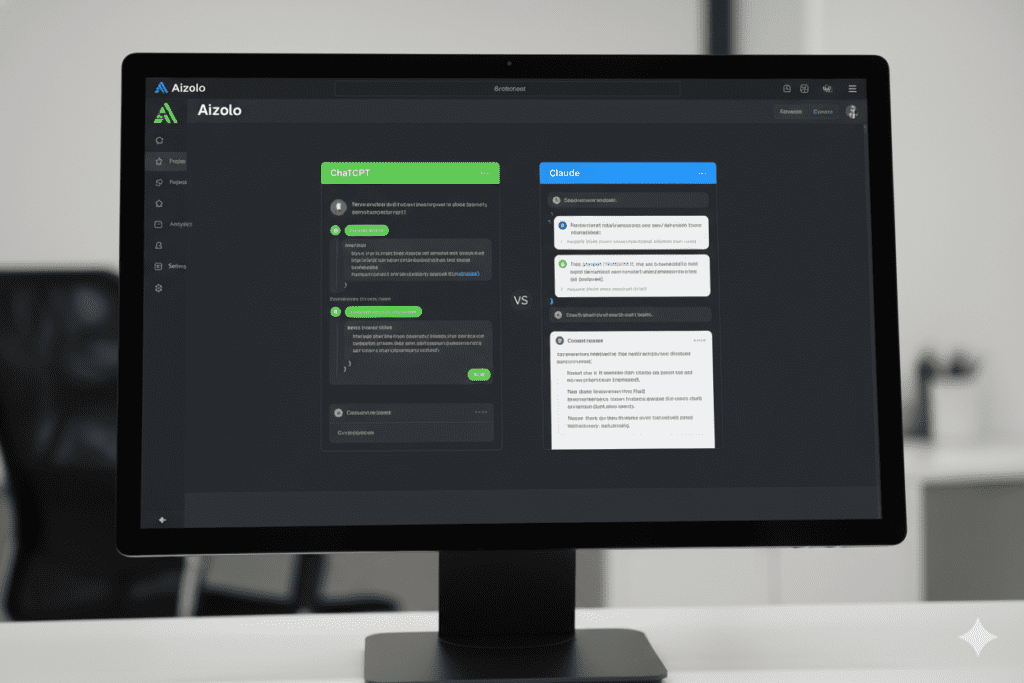
Aizolo is an all-in-one AI workspace where you can run ChatGPT, Claude, Gemini, and others from a single dashboard. Side by side. Same screen. No tab switching.
A few things that matter for the workflows above:
Side-by-side comparison. Run the same prompt through ChatGPT and Claude simultaneously. See both outputs. Pick the better one, or combine them. This alone cuts the comparison time from 10 minutes to 30 seconds.
Smart Prompt Manager. The prompts you built for your content workflow? Save them. Your “ChatGPT draft + Claude edit” system becomes a saved template you can reuse across projects without rebuilding it every time.
Bring your own API keys. If you already have ChatGPT or Claude API keys, plug them in. Aizolo stores them encrypted. You get Aizolo’s unified interface without paying for duplicate model access.
Import from ChatGPT or Claude. Switch to Aizolo without losing your conversation history. One-click import.
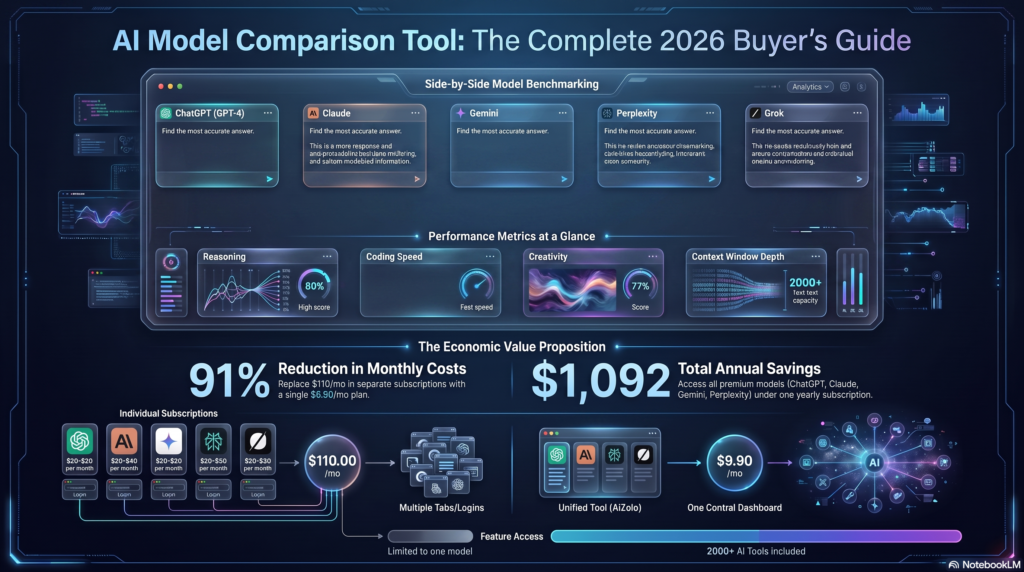
Price: $9.9/month for access to all premium models. Compare that to $20 for ChatGPT Pro + $20 for Claude Pro separately. You’re saving $30 a month, and you get a better workflow on top of it.
Over 5,000 AI users are already running their workflows through Aizolo. Read more expert guides on Aizolo to see how other builders, marketers, and developers are putting this into practice.
Real use cases by role

Here’s a quick snapshot of how to use ChatGPT and Claude together depending on what you do:
Founders: ChatGPT for market research breadth, investor pitch drafts, and product brainstorming. Claude for strategic reasoning, long-form memos, and nuanced competitive analysis.
Developers: ChatGPT for architecture planning, boilerplate generation, and quick code snippets. Claude for code review, long file implementation, and debugging logic errors.
Marketers: ChatGPT for ideation volume, content calendars, and rough campaign concepts. Claude for tone refinement, A/B copy variations, and brand voice consistency.
Students: ChatGPT for concept explanations and analogies. Claude for gap analysis on your understanding and application problems.
Freelancers: ChatGPT for first drafts and client brief responses. Claude for editing, polishing, and delivering client-facing output.
SaaS builders: ChatGPT for user story generation and feature ideation. Claude for product spec writing, PRD drafting, and edge case reasoning.
Common mistakes when using ChatGPT and Claude together
Even with a good framework, people get tripped up. Here’s what to watch for.
Asking both the same question and picking the “winner.” This creates inconsistency. If you’re using both, assign roles. Don’t run parallel and cherry-pick randomly.
Using ChatGPT for tasks requiring nuance. ChatGPT is fast and agreeable. Claude is more likely to push back when something doesn’t make sense. Use Claude for decisions that matter.
Ignoring context window differences. Claude handles larger context better. If your task involves reviewing a 10,000-word document, Claude is the right tool. Don’t fight ChatGPT’s tendency to lose the thread halfway through.
Not saving prompts. If you figure out a prompt sequence that works, write it down. Or use Aizolo’s Prompt Manager so it’s there every time you need it.
Putting it together
Knowing how to use ChatGPT and Claude together isn’t about picking the “better” model. Both are genuinely excellent. The gains come from knowing what each one is built for, and then building a system that routes the right work to the right model.
ChatGPT generates. Claude refines. ChatGPT explores. Claude commits. ChatGPT gives you 10 options fast. Claude helps you think through which 1 is right.
Run that system consistently, and you’ll produce better work in less time than most people using either tool alone.
The only friction left is the logistics: 2 tabs, 2 subscriptions, no shared memory. That’s what Aizolo removes. One dashboard. All models. One affordable subscription.
Start building smarter with Aizolo at aizolo.com. The free plan is live. No credit card required.

Suggested internal links
- Aizolo blog homepage — for readers who want to explore more practical AI guides
- How to use ChatGPT and Claude at the same time — related tool-access post (link as a related article, not competing keyword)
Suggested external links
- OpenAI ChatGPT — official product reference
- Anthropic Claude — official product reference
- Zapier’s Claude vs ChatGPT comparison — credible third-party benchmark reference
- Stanford research on task-switching and productivity — supports the context-switching productivity claim