

Table of Contents
The Blog Post That Almost Never Ranked
Priya had been writing for her SaaS blog for nearly a year. She published consistently — two posts a week, every week. She researched her topics. She used relevant keywords. She even added meta descriptions, which most beginners forget.
And yet, Google barely noticed her.
Her organic traffic hovered around 140 visits per month. Most of it came from her own team clicking through. When she finally ran her first step by step AI SEO audit for beginners, she discovered something that changed everything: her site had 47 broken internal links, three pages competing for the same keyword, a page speed score of 38 out of 100, and zero structured data markup.
She wasn’t failing because her content was bad. She was failing because Google couldn’t properly read, crawl, or trust her website — a problem clearly revealed through a step by step ai seo audit for beginners approach.
Sound familiar?
If you’re a founder, freelancer, developer, marketer, student, or SaaS builder who has been creating content without doing a proper SEO audit, this guide is for you — especially if you need a step by step ai seo audit for beginners to follow.
We’re going to walk through a complete step by step ai seo audit for beginners — the kind that actually moves the needle, using AI tools to speed up what used to take agencies weeks.
And throughout this guide, you’ll see exactly how platforms like Aizolo give you access to multiple AI models in one place — so you can run smarter audits, generate better content, and build your authority without juggling ten different subscriptions.
Let’s dig in.
What Is an AI SEO Audit (And Why Most Beginners Skip It)
An SEO audit is essentially a health check for your website. It tells you what’s working, what’s broken, and what’s invisibly blocking your rankings — exactly what a step by step ai seo audit for beginners is designed to uncover.
An AI SEO audit takes that a step further. Instead of manually checking each page for issues, you use AI-powered tools — and increasingly, large language models like ChatGPT, Claude, or Gemini — to analyze your site at scale, spot patterns humans would miss, and generate prioritized recommendations in minutes rather than days.
Most beginners skip audits for three reasons:
- They assume audits are for “advanced” SEOs with technical backgrounds
- They don’t know which tools to use or in what order
- They run one free audit, see 200 red errors, and freeze from overwhelm
Here’s the truth: a step by step ai seo audit for beginners doesn’t require you to understand server logs or write regex. It requires structure, the right tools, and the patience to fix one layer at a time.
The good news? AI makes every single step faster and more actionable than ever before.
Why Your Site Isn’t Ranking (The Root Causes)
Before jumping into the steps, it helps to understand why most beginner sites struggle in search:
1. Crawlability problems — If Google’s bots can’t crawl your pages efficiently, those pages simply don’t get indexed. Broken links, incorrect robots.txt settings, and poor site architecture are silent killers.
2. Thin or duplicate content — Google penalizes pages that say very little, or that repeat the same ideas across multiple URLs. Many beginners accidentally create duplicate pages without knowing it.
3. Keyword cannibalization — When two of your own pages compete for the same keyword, you split authority and confuse Google about which page to show. Neither ranks well.
4. Missing structured data — Schema markup helps search engines understand what your content actually means. Pages with schema are significantly more likely to appear in rich results and AI-generated answers. Without it, you’re invisible in an increasingly AI-driven search landscape.
5. Poor Core Web Vitals — Page speed and user experience aren’t just UX concerns anymore. Google uses these signals as ranking factors.
A proper AI SEO audit surfaces all of these problems — and tells you exactly what to fix first.
Step by Step AI SEO Audit for Beginners: The Complete Framework
Step 1: Set Up Your Baseline — Check Your Organic Traffic
Before you touch anything, you need to know where you stand.
Open Google Search Console (free) and go to Performance → Search Results. Look at your total clicks, impressions, and average position over the last three months — a core step in a step by step ai seo audit for beginners. Identify:
- Which pages are getting impressions but low clicks (CTR problem)
- Which pages rank between positions 5–15 (these are your “quick win” pages)
- Any sharp drops in traffic that might indicate a Google algorithm update hit you
Then open Google Analytics and check your organic traffic trend. Are you growing, flat, or declining? This is your audit baseline in a step by step ai seo audit for beginners.
AI shortcut: Paste your GSC data into an AI model (like Claude or ChatGPT, both accessible through Aizolo) and ask it to identify your top opportunities based on impression-to-click ratios. You’ll get a prioritized list in seconds.

Step 2: Run a Technical Crawl
This is where most beginners find the buried treasure — and the buried landmines.
Use a free tool like Screaming Frog SEO Spider (free up to 500 URLs) or Google’s URL Inspection Tool in Google Search Console — both key steps in a step by step ai seo audit for beginners. You’re looking for:
- Broken links (404 errors) — Internal broken links waste crawl budget and frustrate users
- Redirect chains — Multiple redirects slow down your site and dilute link equity
- Missing or duplicate title tags and meta descriptions — Each page should have unique, optimized metadata
- Pages returning incorrect status codes — Pages that should be live but return errors
Once you have your crawl export, paste the error list into an AI model and ask: “Which of these technical errors are highest priority to fix for SEO? Organize them by impact.” You’ll get a clear action plan instead of a terrifying spreadsheet.
Step 3: Audit Your Core Web Vitals and Page Speed
Google’s Core Web Vitals measure how your pages actually feel to users. The three metrics that matter most are:
- LCP (Largest Contentful Paint) — How fast does your main content load? Target: under 2.5 seconds
- FID / INP (Interaction to Next Paint) — How quickly does your page respond to interaction? Target: under 200ms
- CLS (Cumulative Layout Shift) — Does your page jump around while loading? Target: under 0.1
Use Google PageSpeed Insights (free) to test your homepage and top five pages. For images specifically, compress all images using a tool like Squoosh before uploading. Oversized images are one of the most common speed killers on beginner sites.
For developers and SaaS builders: Run Lighthouse audits in Google Chrome DevTools. The Opportunities and Diagnostics sections give you code-level fixes you can implement directly — an essential step in a step by step ai seo audit for beginners.
Step 4: Fix Keyword Cannibalization
Keyword cannibalization is surprisingly common on blogs that have been publishing for more than six months.
Here’s how to find it: Export your full list of pages from Google Search Console. Then use an AI model — ask: “Review this list of page titles and URLs. Identify any pages that appear to be targeting the same or very similar keywords.”
Alternatively, use Semrush or Ahrefs Organic Research tool to see which keywords multiple pages on your site are ranking for simultaneously — a practical step in a step by step ai seo audit for beginners.
When you find cannibalizing pages, you have three options:
- Merge the weaker page into the stronger one (and redirect the old URL)
- Differentiate the content so each page targets a distinct angle
- Noindex the weaker page if it doesn’t serve a distinct search intent
This single step can lift rankings significantly. When two pages stop competing with each other, the stronger one often climbs several positions within weeks — a key win you’ll often see in a step by step ai seo audit for beginners.
Step 5: Conduct an On-Page SEO Audit
For each of your top 20 pages, check the following:
- Title tag — Does it include your target keyword naturally? Is it under 60 characters?
- H1 tag — Every page should have exactly one H1, and it should match or closely align with the title tag
- H2/H3 headings — Do your subheadings include semantic keywords (related terms Google associates with your topic)?
- Content depth — Does this page fully answer the searcher’s question? Or does it leave obvious subtopics unexplored?
- Internal links — Does this page link to at least 3–5 related pages on your site? And do other pages link back to it?
- Image alt text — Every image should have descriptive alt text that includes natural keyword variations
AI shortcut for marketers and freelancers: Paste your page content into an AI model and ask: “What subtopics or questions should this article also cover to be more comprehensive than competing pages? What semantic keywords am I missing?” This single prompt can reveal content gaps that would take hours to identify manually.
Step 6: Add Structured Data (Schema Markup)
This step is frequently ignored by beginners, but it’s one of the highest-leverage actions you can take in 2026.
Pages implementing comprehensive structured data are significantly more likely to be cited or surfaced in AI-generated answers. As search increasingly shifts toward AI Overviews, ChatGPT, and Claude-powered answers, schema markup is the difference between being invisible and being the source that AI cites.
For most beginner blogs and SaaS sites, the most valuable schema types are:
- Article (for blog posts)
- FAQ (for posts that answer multiple questions — these often capture featured snippets)
- HowTo (for step-by-step guides like this one)
- Organization (for your homepage)
Use Schema.dev to create the JSON-LD code, then validate it in Google Rich Results Test before adding it to your pages — an important step in a step by step ai seo audit for beginners.
One quick case study: adding FAQ schema to a set of informational blog posts has been documented to generate millions of additional impressions in under 60 days — without changing a word of the underlying content.
Step 7: Audit Your Backlink Profile
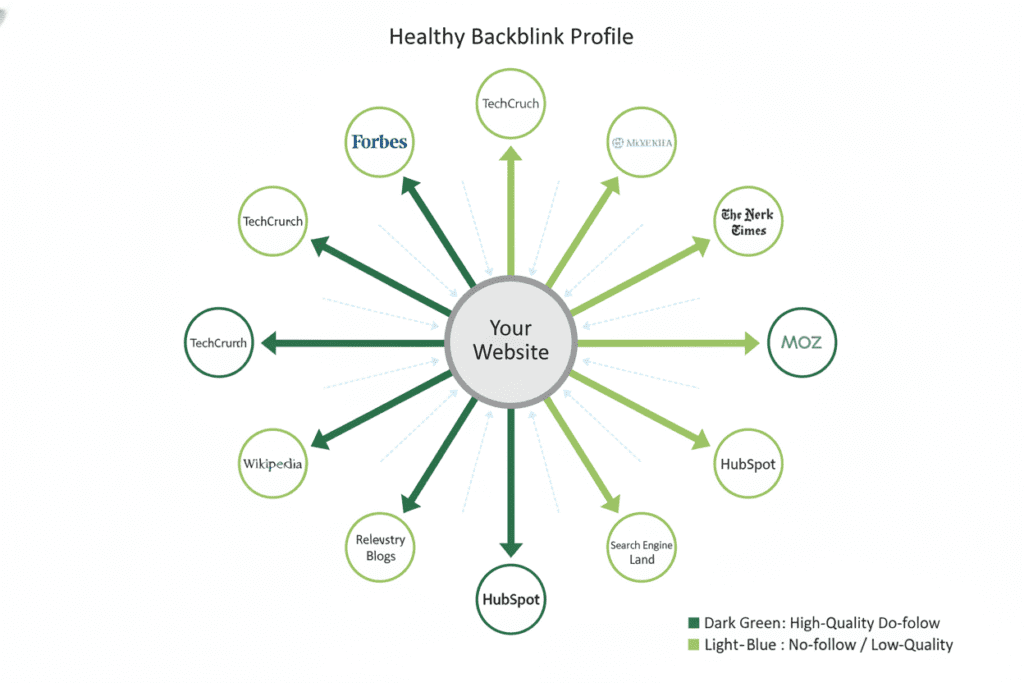
Backlinks remain one of Google’s most important ranking signals. But not all links are equal — and toxic backlinks can actively hurt your rankings, which is why evaluating them is essential in a step by step ai seo audit for beginners.
Use Ahrefs Webmaster Tools (free) or Google Search Console’s Links report to review:
- Total referring domains — How many unique websites link to you?
- Domain authority of linking sites — Are your links coming from trusted, relevant sources?
- Anchor text distribution — A healthy profile mixes branded anchors, naked URLs, and some keyword-rich anchors. If 80%+ of your anchors are exact-match keywords, that’s a red flag.
- Toxic links — Links from private blog networks, irrelevant foreign-language spam sites, or obviously low-quality directories
If you find toxic links, you can submit a Disavow file through Google Search Console. Use this tool sparingly — most spam links are ignored by Google — but it’s worth using if you’ve received a manual action, a step highlighted in a step by step ai seo audit for beginners.
Step 8: Check Your Content for E-E-A-T Signals
E-E-A-T stands for Experience, Expertise, Authoritativeness, and Trustworthiness. It’s not a direct ranking factor, but it heavily influences how Google evaluates your content quality — especially for topics in health, finance, tech, and education — which is why assessing it is important in a step by step ai seo audit for beginners.
For beginners building their first website or blog, E-E-A-T improvements include:
- Adding an author bio with credentials or real-world experience to every post
- Linking out to high-authority external sources when making factual claims
- Having an About page that clearly explains who you are and why your audience should trust you
- Ensuring your contact information is visible and your privacy policy and terms of service exist
For students and founders: E-E-A-T is your competitive edge. A personal story, a documented experiment, or a real case study makes your content 10x more trustworthy than generic information recycled from other sites. AI can help you write at scale — but your real experience is what makes that content rank.
Step 9: Audit for AI Search Visibility
This is the step that most older SEO guides completely miss — and in 2026, it might be the most important one.
Search has fundamentally changed. People now search on ChatGPT, Claude, Gemini, and Google’s AI Overviews — not just traditional blue links — which is why adapting your strategy is essential in a step by step ai seo audit for beginners.
Searches are no longer limited to just Google. People are increasingly turning to ChatGPT, Gemini, and Claude to find information, research products, and get recommendations — which is why visibility matters in a step by step ai seo audit for beginners.
This means your SEO audit needs to assess your AI visibility, not just your Google rankings.
To do this:
- Ask ChatGPT and Claude questions in your niche that you should be appearing for. Does your brand or content get mentioned?
- List the main categories, topics, and use cases your site covers. Then systematically ask AI platforms questions about each — note where you appear and where you’re invisible.
- Check whether your content uses clear, structured formatting (headers, bullet points, short paragraphs, FAQ sections) — this is the format AI systems prefer when summarizing content.
If AI doesn’t know you exist, create content that directly, authoritatively answers the questions your audience is asking. Structure it for humans first — but format it so AI can extract and cite it easily, a core principle in a step by step ai seo audit for beginners.
Explore more insights on Aizolo about building AI-ready content strategies that position you for this new era of search, especially if you’re following a step by step ai seo audit for beginners.
Step 10: Build Your Priority Fix List
The final step of a step by step AI SEO audit for beginners isn’t actually fixing everything — it’s knowing what to fix first.
A simple prioritization framework:
- P1 (Fix this week): Crawl errors, broken links, indexing problems, missing title tags. These are foundational. Nothing else works well until these are clean.
- P2 (Fix this month): Page speed, keyword cannibalization, thin content, missing schema. These have high impact but require more time.
- P3 (Fix this quarter): E-E-A-T improvements, backlink building, AI visibility optimization, content gap filling. These are ongoing strategies, not one-time fixes.
Paste your entire priority list into an AI model and ask it to help you build a 12-week execution plan — a practical move within a step by step ai seo audit for beginners that turns insights into structured action.
You’ll have a structured calendar in minutes, something that used to require a full agency engagement.
Real-World Use Cases: Who Benefits Most from an AI SEO Audit
Founders: You built a product — now you need organic distribution. A step by step AI SEO audit reveals whether your landing pages are even indexable, whether your blog is helping or hurting your domain authority, and which keyword opportunities your competitors are exploiting that you’re not.
Developers: You understand technical architecture better than anyone. Use that advantage. Crawl your site with Screaming Frog, fix status codes and redirect chains, implement schema markup programmatically. The AI part? Use an LLM to interpret your audit data and write the structured data code for you.
Marketers: Your job is traffic and conversion. An AI audit tells you which high-impression, low-CTR pages just need a better title tag to send significantly more traffic — and which content needs to be merged, expanded, or killed.
Students: Building a portfolio site or monetizing a niche blog? A clean SEO audit is what separates the sites that grow from the ones that plateau. The learning curve is real, but following this guide step by step puts you ahead of 95% of beginners.
Freelancers: Offering SEO audits as a service? Knowing how to use AI tools to run audits faster and present prioritized recommendations more clearly is how you charge premium rates. Learn from real-world experience at Aizolo.
SaaS builders: Your SEO is your inbound pipeline. Auditing not just your blog but your product pages, comparison pages, and integration pages — with AI-powered gap analysis — is how you capture high-intent organic traffic that converts to trials.
How Aizolo Makes the Entire Process Smarter and Faster
Here’s where things get practical.
Founders: You built a product — now you need organic distribution. A step by step ai seo audit for beginners reveals whether your landing pages are even indexable, whether your blog is helping or hurting your domain authority, and which keyword opportunities your competitors are exploiting that you’re not.
You’re switching between Google Search Console, Screaming Frog, PageSpeed Insights, a keyword tool, and then also trying to get useful AI analysis from ChatGPT, Claude, or Gemini — each in separate tabs, with separate subscriptions.
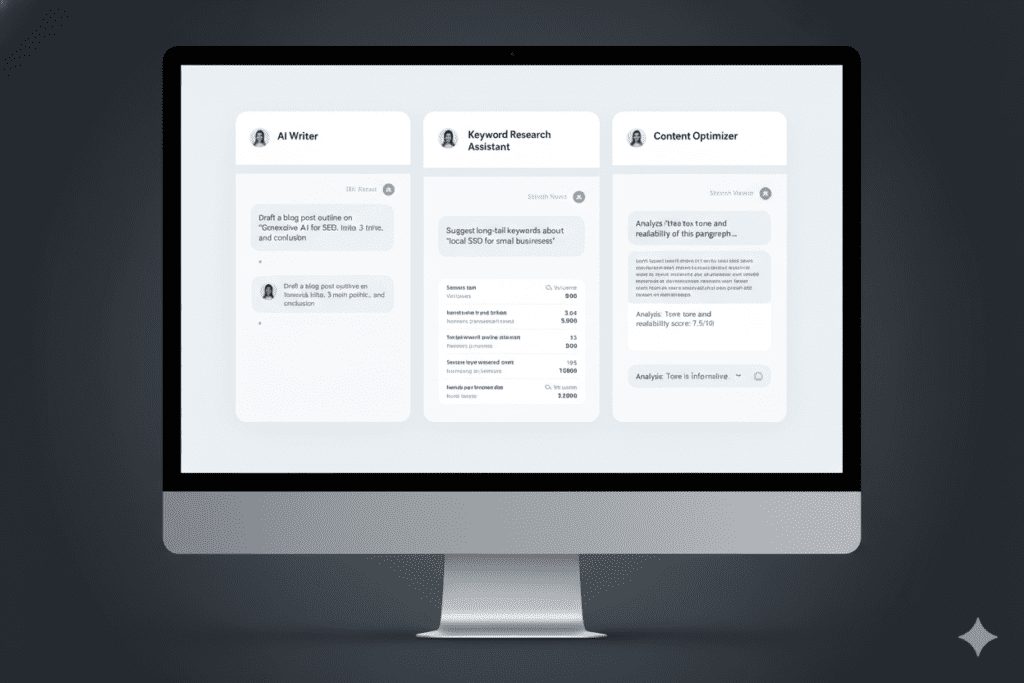
Aizolo solves this at the root. It’s an all-in-one AI workspace that gives you access to ChatGPT, Claude, Gemini, Grok, Perplexity, and more — in a single interface, for $9.9/month. Instead of paying $110/month across five separate subscriptions, you compare AI responses side by side, get multiple perspectives on the same audit data, and find the most accurate analysis without tab-switching chaos.
For SEO specifically, this matters because different AI models have different strengths:
- Claude tends to excel at structured analysis and nuanced content recommendations
- ChatGPT is strong on breadth and first-pass content generation
- Gemini has direct Google integration and can be powerful for understanding search intent
- Perplexity is ideal for real-time web research on competitors and trending topics
With Aizolo, you run all of them at once — compare their outputs, synthesize the best insights, and make faster, smarter SEO decisions as part of a step by step ai seo audit for beginners.
Start building smarter with Aizolo — and stop paying for five subscriptions when one will do.
Common Mistakes Beginners Make During an AI SEO Audit
Even with a step by step guide, beginners tend to trip on a few recurring issues:
Fixing everything at once? Don’t. Prioritize P1 issues first, execute, measure, then move to P2 — a disciplined approach recommended in a step by step ai seo audit for beginners. Trying to change 50 things simultaneously makes it impossible to know what’s working.
Ignoring crawl budget. If your site has hundreds of low-quality or duplicate pages that Google is wasting time crawling, your important pages get less attention — a critical issue uncovered in a step by step ai seo audit for beginners. Pruning weak content is often more powerful than creating new content.
Trusting a single tool. No single SEO tool catches everything. Use at least two for crawl analysis, and use AI to interpret and contextualize the data each one surfaces — a best practice in a step by step ai seo audit for beginners.
Auditing once and calling it done. SEO is not a one-time project. For most beginner and mid-sized sites, a full audit annually with quarterly “mini-audits” on content performance and Core Web Vitals is the right cadence.
Read more expert guides on Aizolo’s blog to stay current as search algorithms and AI systems continue to evolve.
Conclusion: Your Site Deserves to Be Found
Running a step by step AI SEO audit for beginners isn’t about becoming a technical SEO expert overnight. It’s about giving your website — and the work you’ve already put into it — a fair chance to be discovered.
The steps in this guide — built around a step by step ai seo audit for beginners — have been used by founders to launch their first 10,000-visit months, by freelancers to build portfolio sites that win them clients, and by marketers to recover from algorithm penalties that felt catastrophic in the moment.
The process is learnable. The tools are accessible. And with AI platforms like Aizolo putting ChatGPT, Claude, Gemini, and more into a single workspace at a fraction of the cost, there’s never been a better time to run your first serious audit.
Start with Step 1 today in this step by step ai seo audit for beginners. Fix one layer at a time, and come back to this guide each time you’re ready for the next phase.
Follow Aizolo for practical tech and startup insights — and explore the full library of expert guides at aizolo.com/blog.
Suggested Internal Links
- How to Compare Gemini vs Claude vs ChatGPT in One App — relevant to Step 9 and the Aizolo section
- The Ultimate AI Workspace for Long Form Content with Multiple Models — relevant for the content audit steps
- How to Use AI for Rewriting Low Conversion Product Pages — relevant to on-page SEO and conversion sections
Suggested External Links
- Google Search Console — Step 1 baseline setup
- Google PageSpeed Insights — Step 3 Core Web Vitals testing
- Schema.dev Markup Generator — Step 6 structured data creation
- Google Rich Results Test — Step 6 schema validation
- Screaming Frog SEO Spider — Step 2 technical crawl
- Ahrefs Webmaster Tools — Step 7 backlink audit (free tier)
- Squoosh Image Compressor — Step 3 image optimization


Thanks for another informative site. Where else may just I am
getting that kind of information written in such a perfect
manner? I have a venture that I’m simply now working on, and I have been at the look out for such info.
Thanks for the auspicious writeup. It in truth was once a enjoyment account
it. Glance complicated to more added agreeable from you!
By the way, how can we keep in touch?
Pingback: Unlock the Ultimate Multi LLM AI Workspace for Teams — Stop Wasting Time and Boost Productivity | AiZolo Guide 2026