
Gemini 4 Argon API errors may disrupt application workflows, automate processes, and deprive developers of the anticipated response from Google’s AI model.
The error triggers due to an invalid request parameter, authentication failure, quota limits, or model-endpoint incompatibility.
The simplest solution involves identifying the error code, analyzing the response message, and examining the configuration before resubmitting the request.
This article breaks down 7 Gemini 4 Argon API errors and fixes, including their descriptions, solutions, and prevention methods, with code examples in Python.
When troubleshooting an AI workflow, fixing the API error is only part of the process; you may also need to decide which model produces the most useful results for your task.
AiZolo lets you compare responses from multiple AI models in one workspace, making it easier to test the same prompt, review different approaches, and choose an output based on your needs rather than assumptions.
The examples are based on Gemini 4 Argon through Google’s Gemini Enterprise Agent Platform, as the behavior, authentication, and parameters may vary between Google’s services and third-party APIs.
If you’re still getting familiar with the model’s capabilities and API access options, read our guide to Gemini 4 Argon’s features and practical uses before troubleshooting your implementation.
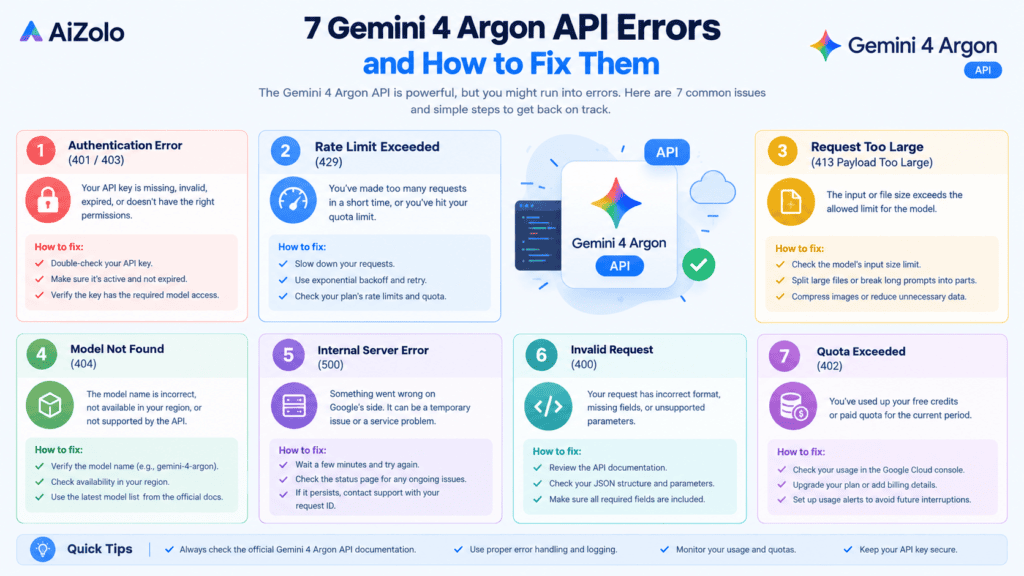
Table of Contents
1. Gemini 4 Argon 400 Bad Request Error
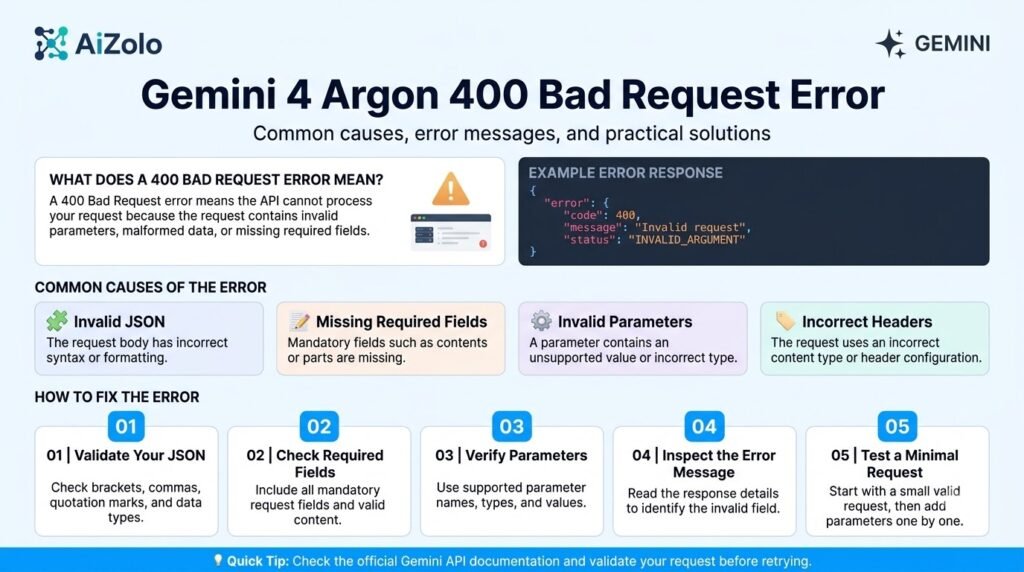
A 400 Bad Request error means the server has rejected your request because it fails validation or contains an unsupported configuration.
For Gemini 4 Argon, this is particularly relevant when migrating an application from an older Gemini model. A request that worked previously may contain parameters that the newer model does not accept.
Why does the error occur?
Common causes include:
- Sending an unsupported generation parameter.
- Using an invalid thinking-level setting.
- Setting an output-token limit above the permitted maximum.
- Sending malformed JSON or an incorrectly structured request.
- Using a configuration copied from another model.
Google specifically documents that Gemini 4 Argon rejects thinking_budget and thinking_level=”MINIMAL” with an HTTP 400 error.
How to fix a 400 error
Step 1: Read the complete error response. Look for the parameter name or validation message that identifies the problem.
Step 2: Check the model-specific documentation. Don’t assume that all the parameters that worked with a previous model will behave the same way in Gemini 4 Argon.
Step 3: Remove or replace the invalid setting. For reasoning configuration, use the documented LOW, MEDIUM, or HIGH thinking levels.
Step 4: Test a minimal request. Once the basic request works, add other supported options one at a time.
For example, this is a basic Python request using the Google Gen AI SDK:
from google import genai
from google.genai import types
client = genai.Client(
enterprise=True,
project=”YOUR_PROJECT_ID”,
location=”global”
)
response = client.models.generate_content(
model=”gemini-4-argon”,
contents=”Explain how an API request works.”,
config=types.GenerateContentConfig(
thinking_config=types.ThinkingConfig(
thinking_level=”MEDIUM”
)
)
)
print(response.text)
Before running this example, configure the authentication required by your environment and replace YOUR_PROJECT_ID with your Google Cloud project ID.
The current Gemini 4 Argon developer guide provides the supported parameters and configuration requirements.
How to prevent it: Anytime you change models or update your SDK, make sure to validate request parameters to avoid model-specific issues.
2. Gemini 4 Argon API Authentication Error (401 or 403)
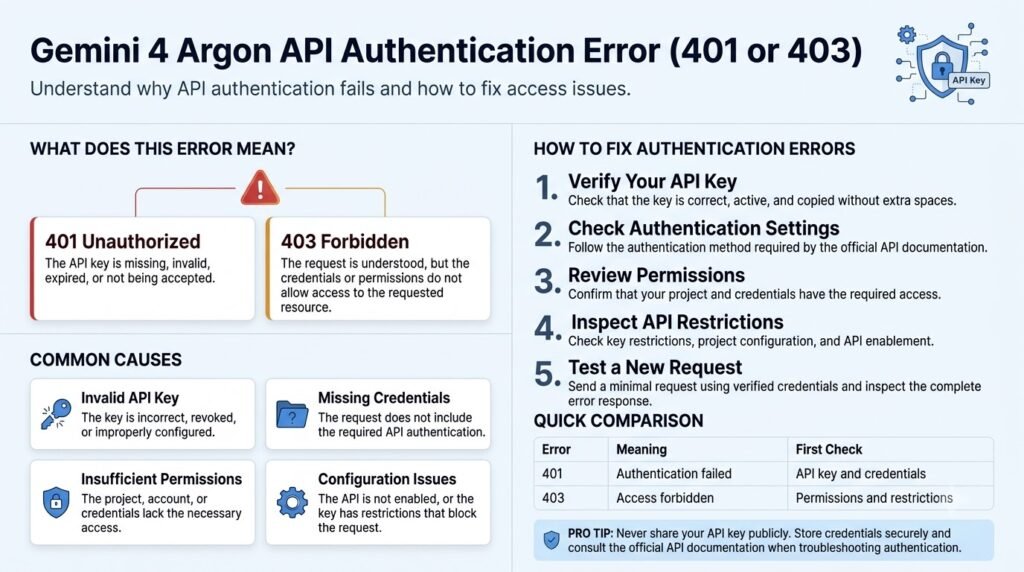
Authentication errors occur when an application cannot establish valid access to the requested resource.
A 401 Unauthorized response generally indicates an authentication problem, such as missing or expired credentials. A 403 Forbidden response generally indicates that the request lacks the required permissions or access.
Why does the error occur?
Typical causes include:
- Missing or invalid API credentials.
- Expired access tokens.
- Incorrect project configuration.
- Insufficient permissions.
- A disabled API or unavailable model entitlement.
The appropriate fix depends on whether your integration uses an API key, Application Default Credentials (ADC), or another supported authentication method.
How to fix authentication errors
- Verify that your application uses the authentication method required by its endpoint.
- Confirm that your credentials are valid and available to the running application.
- Check the active Google Cloud project and the permissions assigned to the account.
- Verify that the required API is enabled and that the model is accessible to your project.
- If you use ADC locally, refresh your credentials when necessary.
For example, developers using the Google Cloud CLI can inspect their active accounts with:
gcloud auth list
For local development using ADC, the authentication command is:
gcloud auth application-default login
These commands apply to the corresponding Google Cloud authentication workflow; they are not universal fixes for every Gemini integration.
How to prevent it: Keep credentials in environment variables or a secrets manager. Never expose API keys in frontend applications, public repositories, or application logs.
If the credentials are valid but access is still denied, investigate permissions and model availability instead of repeatedly generating new keys.
3. Gemini 4 Argon API Rate Limit Error (429)
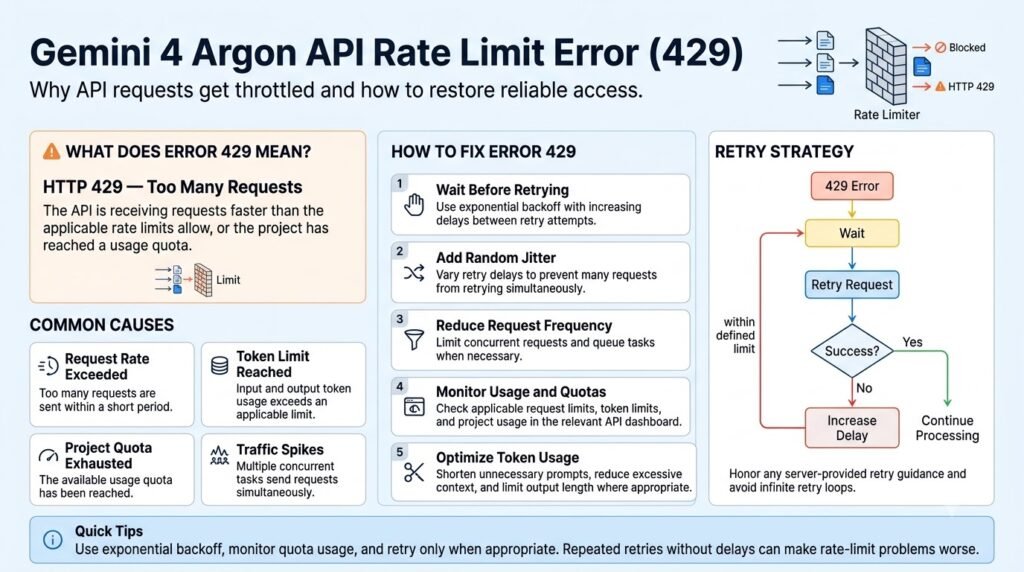
429 Too Many Requests indicates that the request failed because it exceeded an applicable rate limit or resource quota.
This could be the case if a script is sending too many requests in too short of a time frame, multiple workers are using the same project quota, or an application is using up its tokens.
Why does the error occur?
Possible causes include:
- Sending requests too quickly.
- Exceeding a request-per-minute limit.
- Exceeding a token or usage quota.
- Running too many concurrent requests.
- Retrying failed requests without controlling the retry rate.
The specific limits vary by service, project, model, and quota.
How to fix a 429 error
1. Check your quota and usage. View the relevant Google Cloud quota documentation and the error message to identify the exceeded quota.
2. Reduce request concurrency. If multiple workers are making requests at the same time, consider adding a queue or limiting the number of concurrent requests.
3. Use exponential backoff. For transient rate limits, increase the waiting period between retries rather than immediately repeating the request.
4. Respect retry guidance. If the response provides a retry delay, follow it where applicable.
5. Investigate exhausted quotas separately. Waiting will not necessarily fix a daily quota restriction, billing issue, or insufficient allocation.
For instance, if your application is in the scenario where hundreds of requests need to be sent, it would be a good idea to implement a queue that will handle several requests at a time. It helps to avoid the traffic surge and easier to detect failures.
Applications need to limit the number of retries, as otherwise, there is a risk of creating an infinite loop that will spam the service with requests even when it is already overwhelmed.
This issue can be solved by implementing rate limiting and quota monitoring, throttling the requests, and ensuring retries have a maximum threshold.
4. Gemini 4 Argon Model Not Found Error (404)
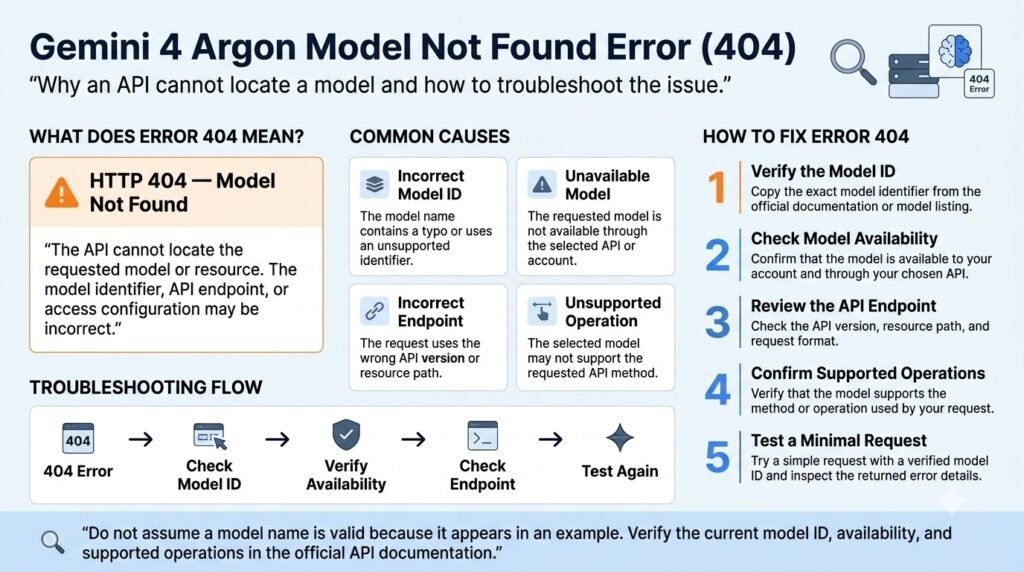
A 404 Not Found error can indicate that the requested model or API resource cannot be located.
When integrating Gemini 4 Argon, the model identifier, endpoint URL, API version, and project configuration should be checked before changing the application logic.
Why does the error occur?
Common causes include:
- A misspelled model identifier.
- An incorrect API endpoint or resource path.
- An unsupported project or location configuration.
- A model that is unavailable to the current integration.
- A mismatch between the requested resource and API version.
For the Google Cloud integration covered here, the documented model identifier is:
model = “gemini-4-argon”
That identifier should not automatically be assumed to work with every third-party provider or API gateway.
How to fix a model-not-found error
Step 1: Compare the model ID in your request with the official documentation.
Step 2: Verify that the endpoint matches the integration you are using.
Step 3: Confirm that the selected project and location are supported. Google’s current developer guide lists the global, us, and eu endpoint options for Gemini 4 Argon.
Step 4: Check whether the model is available to your project.
Step 5: Retry with a minimal request using the documented model ID and endpoint.
A useful diagnostic approach is to verify the full resource path rather than checking only the model name. A correct model ID cannot compensate for an incorrect project, location, or endpoint.
How to prevent it: Store model IDs, project settings, and endpoint configuration in one place. This reduces mistakes when deploying an application to different environments.
5. Gemini 4 Argon Unsupported Parameter or Configuration Error
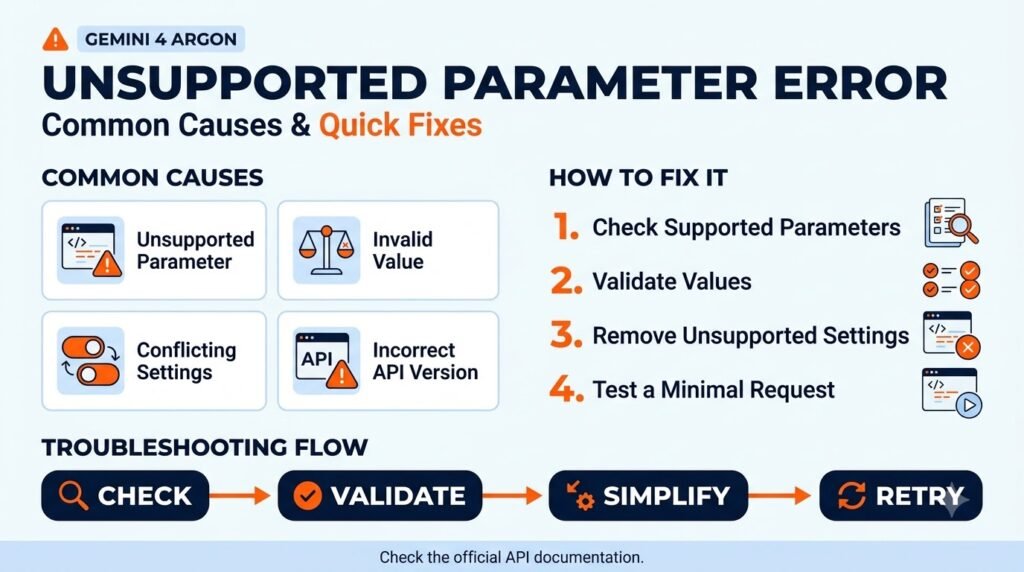
Unsupported parameter errors often appear during model migrations, when developers reuse request configurations without checking the new model’s requirements.
Gemini 4 Argon has specific configuration differences that can cause otherwise valid requests to fail or behave differently.
Which parameters should developers check?
According to Google’s current Gemini 4 Argon documentation, developers should account for the following restrictions:
- thinking_budget is not supported.
- thinking_level=”MINIMAL” is not supported.
- temperature, top_p, and top_k have no effect and should be removed.
- candidate_count, frequency_penalty, and presence_penalty should be removed.
- Explicit context caching is not supported.
These are model-specific conventions, not universal rules for every Gemini model.
How to fix unsupported parameters
1. Identify the rejected or ineffective parameter. Read the error message and compare your request with the current documentation.
2. Remove legacy settings. Delete unsupported parameters rather than continuing to pass them from an older configuration.
3. Use the documented alternative. For reasoning control, Gemini 4 Argon uses thinking_level with LOW, MEDIUM, or HIGH.
4. Upgrade the SDK when necessary. Google’s current guide specifies google-genai version 2.30.1 or later for Python.
5. Test the revised request. Start with the basic request, then restore supported configuration options.
Fixing an API configuration issue is only one part of maintaining a reliable application.
After correcting the request, review the surrounding code for incorrect assumptions, missing error handling, and related bugs. Our guide to code review with multiple AI models explains how to examine code from different perspectives and verify potential issues before applying changes.
For example, the following configuration uses a supported thinking level:
from google.genai import types
config = types.GenerateContentConfig(
thinking_config=types.ThinkingConfig(
thinking_level=”LOW”
)
)
LOW may be suitable for classification, summarization, and metadata extraction. More complex tasks may benefit from MEDIUM or HIGH, depending on the workload.
When evaluating whether an API configuration issue is specific to Gemini 4 Argon or part of a broader model-integration problem, it can help to understand how other models approach technical tasks.
AiZolo’s GPT-6 Astra review examines another model’s capabilities, limitations, and practical use cases, providing useful context when choosing a model for your workflow.
How to prevent it: Maintain separate configuration profiles for different models. Before migrating an application, compare the old and new parameter requirements instead of copying the entire request unchanged.
6. Gemini 4 Argon Timeout or Incomplete Response Error
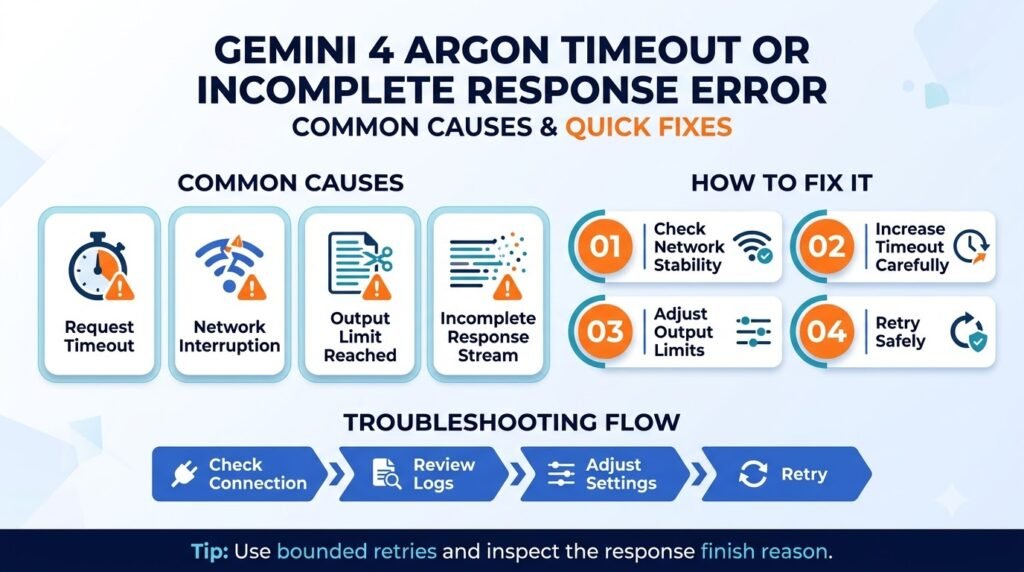
Timeouts and incomplete responses can be similar from the user’s perspective but might have different root causes.
For example, the client-side timeout occurred because the application stopped waiting for the response.
On the other hand, the incomplete generation might mean that the output had a specific limit or needed to continue.
It is worth emphasizing that the second scenario is more likely for the applications that involve lengthy documents, code, and other sophisticated tasks.
Why does the error occur?
Possible causes include:
- A client timeout that is too short.
- A network interruption.
- An output-token limit.
- A long-running generation.
- An API-version mismatch.
- Incorrect handling of continuation tokens.
Gemini 4 Argon has a unified input-and-output token limit of 1,048,576 tokens. However, the default single-request output limit is 65,536 tokens, or 32,768 tokens for non-streaming direct HTTP requests. Longer generation can be supported through the documented continuation workflow.
If your application depends on code generation or debugging, comparing how different models handle the same task can help you assess response quality alongside reliability.
AiZolo’s Claude 5.5 Sonnet vs Gemini 3.1 Pro coding comparison explores practical differences between these models in software-development workflows.
How to fix timeout or incomplete response errors
Step 1: Inspect the response or exception. Determine whether the client timed out, the server reported an error, or the generation had a limit.
Step 2: Review output configuration. Make sure that max_output_tokens is both suitable for your task and does not go over the applicable limit.
Step 3: Check the SDK version. Google’s current guide requires google-genai version 2.30.1 or later for Python to use its documented automatic continuation support.
Step 4: Handle long generations correctly. The Google Gen AI SDK can automatically continue supported GenerateContent requests. Developers implementing their own REST loop must handle continuation_token as documented.
Step 5: Verify the API version. Google documents long decoding through the GenerateContent API as supported on v1beta1, not v1.
For direct REST integrations, check the official long-decode documentation before implementing continuation manually.
Do not blindly repeat a long generation after a client timeout. The original request may have completed on the server even though the client did not receive the response.
A successful API response does not automatically mean the returned information is accurate or complete. For research or other fact-sensitive tasks, validate important claims against reliable sources instead of relying on the response alone.
Our guide to the best AI workflow for reducing hallucinations in research explains how to check AI-generated findings more systematically.
How to prevent it: You can test different timeout values against various maximum lengths of output texts and make sure that the generated output is not artificially capped.
7. Gemini 4 Argon API Server Error (500, 503, or 504)
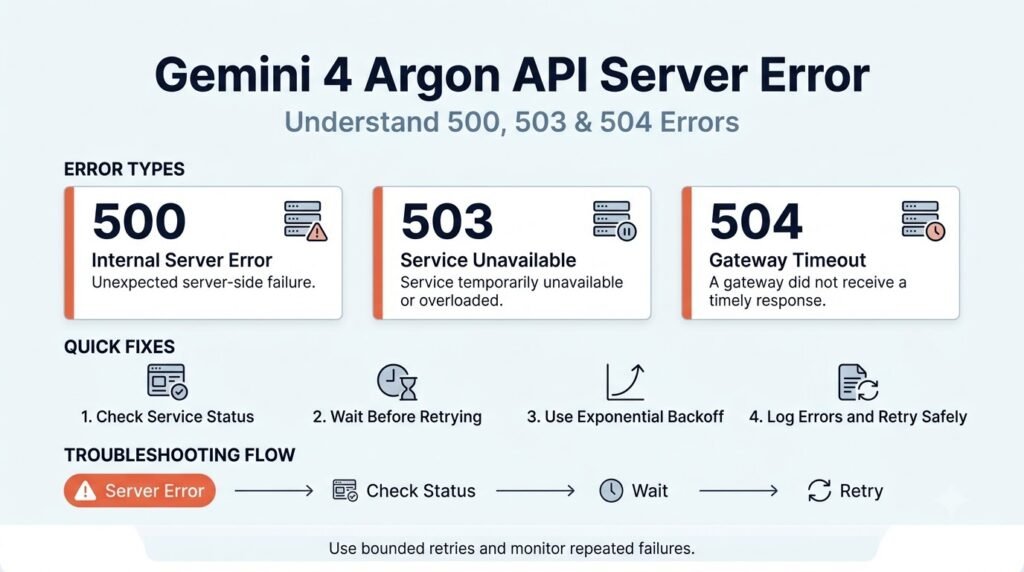
Server errors signify that the request was malformed or that a transient server error or deadline occurred.
Unlike a malformed request, a temporary server error can be resolved without changing your application.
What do these error codes mean?
| Error code | Meaning | First action |
| 500 | Internal server error | Inspect the response and retry if transient |
| 503 | Service unavailable | Check service status and retry appropriately |
| 504 | Deadline exceeded or gateway timeout | Check request duration and timeout settings |
The exact cause depends on the response and the service handling the request.
How to fix server errors
- Check the official service status and relevant error details.
- Verify that the model, endpoint, and request configuration are correct.
- Retry transient failures using exponential backoff and jitter.
- Limit retries to a reasonable number of attempts.
- Log status codes, timestamps, and relevant diagnostic information.
- Contact the provider’s support team if the error persists.
Do not retry automatically for each error. For example, a 400 error usually means you need to fix the request, whereas a 401 or 403 response means you need to re-authenticate or fix permissions.
In the case of a server-side error, retrying the call might help, but make sure that the action is idempotent (safe to repeat). Applications that cause side effects or charge money should consider this before repeating a request.
How to avoid it: Use retries with safeguards in place, such as limits, logging, and timeouts.
Quick Gemini 4 Argon API Troubleshooting Checklist
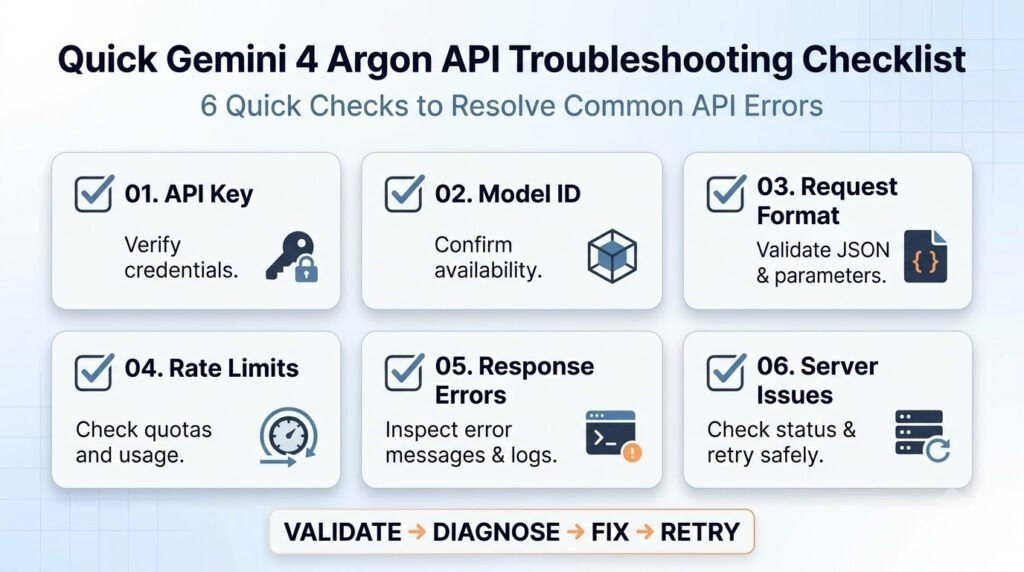
If you are unsure where to start, use this checklist before rewriting your integration.
- Verify the model ID and endpoint.
- Confirm authentication and project permissions.
- Read the full error message and HTTP status code.
- Check for unsupported request parameters.
- Review quotas, billing, and rate limits.
- Check output limits and continuation handling.
- Confirm that your SDK supports the required model configuration.
- Retry only errors that are appropriate for retrying.
- Test a minimal request before restoring the full application configuration.
- Keep credentials and sensitive request data out of logs.
The idea is to narrow the scope of the problem before changing multiple variables at once. Simple test will demonstrate whether the issue is caused by the request, authentication, model configuration or service availability.
Before using an AI-generated response in production documentation, reports, or published content, follow a consistent verification process; our guide to fact-checking AI-generated answers before publishing offers practical steps.
FAQs: Gemini 4 Argon API Errors and Fixes
1. What is the correct Gemini 4 Argon API model ID?
For Google’s Gemini Enterprise Agent Platform, the documented model ID is gemini-4-argon. Confirm that your endpoint and provider are compatible with this identifier. A model ID that is valid in one environment will not necessarily work against a third-party API gateway.
2. Why does Gemini 4 Argon return a 400 error?
A 400 Bad Request usually means the request fails validation. For Gemini 4 Argon, unsupported thinking parameters such as thinking_budget and thinking_level=”MINIMAL” are documented causes. Check the complete error message, correct the rejected configuration, and test a minimal request.
3. How do I fix a Gemini 4 Argon 429 rate limit error?
You should check your project’s quota and usage, reduce the number of concurrent requests, and implement exponential backoff to remedy temporary rate limits. If your project has exceeded a quota or billing limit, resolve that issue before retrying. Retrying will not succeed in all cases where a project’s quota has been exceeded.
4. Why is Gemini 4 Argon returning a 404 error?
A 404 error can indicate an invalid model ID, endpoint, or resource path, or that the requested resource was not available. Check that the model ID, project, location, and API version are correct. If the configuration is correct, check whether your project has access to the requested model.
5. Does Gemini 4 Argon support long outputs?
Yes. Its documented GenerateContent workflow supports long decodes up to the unified 1,048,576-token limit, subject to input and output constraints. The SDK can handle continuation automatically when configured appropriately. Long decoding requires the documented v1beta1 API version.
6. Which thinking levels does Gemini 4 Argon support?
Gemini 4 Argon supports LOW, MEDIUM, and HIGH thinking levels. MEDIUM is the default for gemini-4-argon. The model does not support MINIMAL or thinking_budget, so developers migrating older configurations should replace those settings.
7. Should I retry every Gemini 4 Argon API error?
No. Selected 429 and 5xx errors may justify a retry with backoff, but malformed requests, authentication failures, and permission errors usually need correction first. Check whether the operation is safe to repeat, especially when it triggers external actions or additional costs.
Conclusion
Corrective measures for Gemini 4 Argon API errors in the context of deep learning research are initially advanced through the identification of the underlying cause rather than repetitive submission of identical requests.
Investigation of request validation issues should be performed for 400 errors, authentication and permission settings for 401 or 403, and model configuration for 404 responses. In the case of 429, quota and request rate limitations should be considered.
Server timeouts and failures in 5xx response codes commonly require adjustments to output constraints, API version, and retries.
The recommended protocol in Gemini 4 Argon API error fixing is the sequential initialization using a reduced set of inputs, consultation of the model-specific documentation, and gradual reintroduction of additional elements.
If you are exploring Gemini 4 Argon for coding, research, or other AI workflows, you can also read AiZolo’s guide to Gemini 4 Argon features and capabilities. Understanding the model’s supported configuration can help you distinguish a genuine API problem from an integration issue.
When an error concerns the quality or format of a response rather than API connectivity, comparing outputs from different AI models can also help clarify whether the behavior is model-specific. AiZolo’s guide to comparing AI models offers a useful framework for evaluating outputs against your actual task requirements.
About the Author
Anshika Verma is a content researcher and writer focused on AI tools, language models, and creator technologies. Her work aims to explain technical concepts clearly, connect product documentation with practical use cases, and help readers make informed decisions about AI-powered workflows.
This article draws on official Google Cloud developer documentation for Gemini 4 Argon, including its model-specific API conventions, authentication requirements, configuration restrictions, and error-handling guidance. Readers should consult the current documentation before deploying changes to production systems.
