
Table of Contents
Why This Comparison Matters
If you work with large PDFs, you already know the problem. A 300-page credit agreement, a 500-page research corpus, or a decade of financial filings doesn’t fit neatly into a chat box.
You need a model that can hold the whole document in memory, find the right clause on page 214, and not quietly invent a number it never actually read.
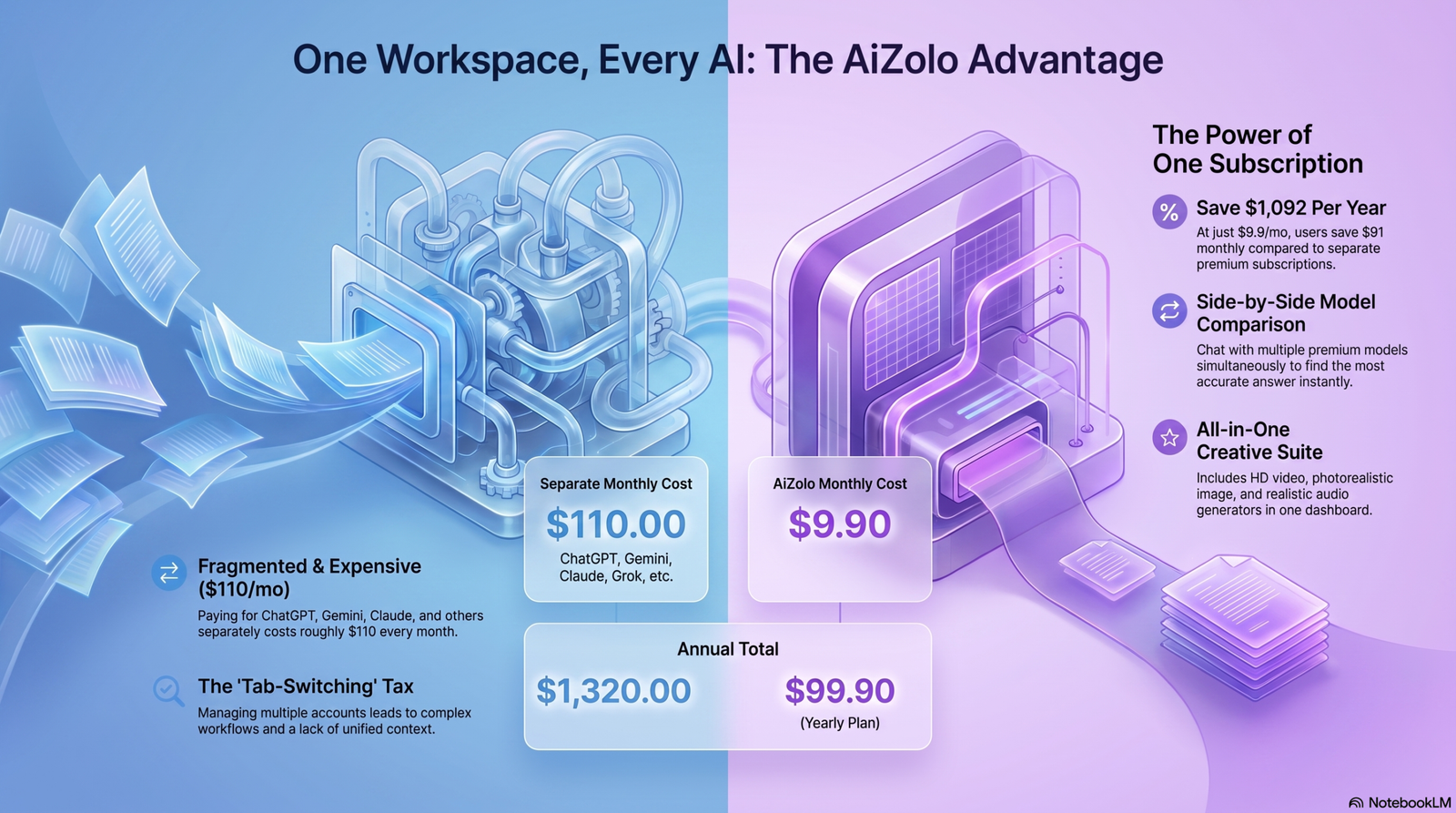
That’s why so many people search to compare Gemini 3.1 pro and Claude 5 for large PDFs before committing to one tool for their workflow. Aizolo makes this evaluation easier by letting users compare multiple AI models in one place, helping them choose the right model for each document.
The wrong choice costs hours of re-checking work an AI was supposed to save, while using Aizolo to test responses side by side can reduce unnecessary switching and improve confidence in your workflow.
Quick Summary: Both models now ship a 1-million-token context window as standard, so raw capacity is no longer the deciding factor. Gemini 3.1 Pro still leads on native multimodal OCR and chart reasoning (charts, scanned pages, mixed media). Claude Sonnet 5 leads on instruction-following precision, structured extraction, and consistency across long, repetitive document-review tasks — and now does so at a lower price than Gemini on output tokens. Neither model is a universal winner — the right pick depends on your document type.
Typical large-PDF use cases
- Legal contracts — 100 to 600+ pages, dense cross-references, defined terms scattered across sections.
- Research papers and academic journals — footnotes, citations, equations, and multi-column layouts.
- Financial reports — 10-Ks, prospectuses, and annual reports full of tables and footnoted figures.
- Medical documents — clinical guidelines, patient records, and regulatory submissions.
- Books and technical manuals — hundreds of pages that must be summarized without losing structure.
- Enterprise documentation — internal wikis, compliance policies, and engineering specs exported as PDF.
- Government documents — regulatory filings, court records, and procurement documents, often scanned.
The common frustration across all of these: documents get truncated, tables get garbled, and the AI often “forgets” something you told it fifty pages earlier. This guide addresses that problem directly.
What Makes Large PDF Analysis Genuinely Hard
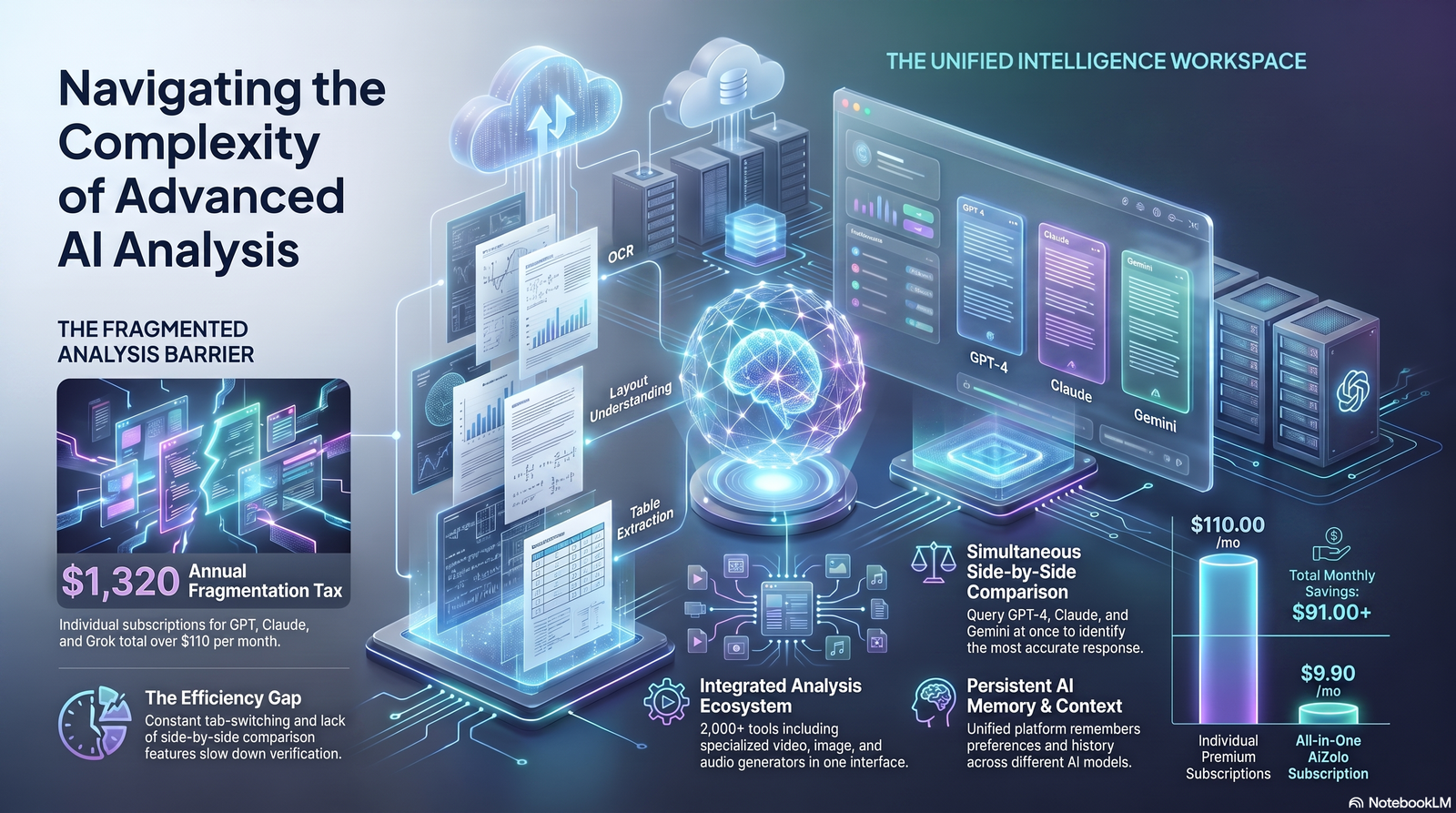
Before comparing models, it helps to understand what actually breaks AI document analysis. PDFs are a presentation format, not a data format — that’s the root of most problems.
Context window and token limits
Every model has a maximum number of tokens it can process in one request. A token is roughly four characters of English text, so a single page averages 500–700 tokens depending on density.
Once a document plus your instructions exceed that limit, older content gets truncated or ignored. This is the single biggest reason large PDFs fail with weaker models.
OCR quality on scanned and low-resolution pages
Scanned contracts, old court filings, and faxed medical records aren’t machine-readable text — they’re images of text. The model has to run optical character recognition internally before it can reason about the content at all.
Poor OCR quietly corrupts numbers, misreads similar characters (like “5” and “S”), and drops footnotes. This is dangerous specifically because the output still looks confident.
Multi-column layouts and reading order
Academic papers, newspapers, and some legal filings use multi-column layouts. A model that reads left-to-right across the full page width instead of column-by-column will scramble the logical order of the text.
Tables, charts, and embedded images
Tables inside PDFs are rarely stored as structured data — they’re visually laid out text and lines. Extracting a table correctly means understanding row and column relationships, not just reading text top to bottom.
Charts and graphs require a further step: the model must infer numerical relationships from visual elements, not from text at all.
Footnotes, appendices, and cross-references
Long documents constantly refer back to earlier definitions (“as defined in Section 4.2”) or push detail into appendices. A model with weak long-context retrieval will miss these connections entirely.
Handwritten pages
Handwriting recognition is its own, much harder problem than printed OCR. Most models, including both compared here, still struggle meaningfully with cursive or informal handwriting.
Expert Tip: Before uploading any large PDF, run a quick manual check on 2–3 random pages of the model’s output against the original. This single habit catches the majority of silent extraction errors.
Gemini 3.1 Pro and Claude Sonnet 5 at a Glance
| Feature | Gemini 3.1 Pro | Claude Sonnet 5 |
|---|---|---|
| Context window | 1,000,000 tokens (standard, all tiers) | 1,000,000 tokens (standard, no beta flag) |
| Approx. pages in context | ~1,500 pages | ~1,500 pages |
| Max PDF pages per request | Up to ~1,000 pages via File API on supported tiers | Comparable ceiling at 1M context; verify current per-request file limits before high-volume use |
| Native multimodal input | Text, images, audio, video, PDF in one window | Text, images, PDF (no native audio/video) |
| OCR benchmark (OmniDocBench, lower is better) | ~0.115 | Not yet independently re-benchmarked against Sonnet 5 — figure below is from the Claude 4.5 generation |
| Chart reasoning (CharXiv) | ~81% | Not yet independently re-benchmarked against Sonnet 5 — figure below is from the Claude 4.5 generation |
| Output ceiling | ~64,000–66,000 tokens | 64,000 tokens |
| Pricing (per 1M tokens, standard tier) | $2 input / $12 output (doubles to $4/$18 above 200K tokens) | $2 input / $10 output (flat, no long-context surcharge) |
| Strongest at | Multimodal breadth, chart/visual reasoning, native audio/video | Structured, repeatable extraction; instruction-following precision; price at scale |
This table is a starting point, not the whole story — benchmark scores don’t always predict which model will handle your 340-page contract better. The sections below go deeper.
Note on benchmarks: The OCR and chart-reasoning figures above were measured against the Claude 4.5 generation, not Claude Sonnet 5. We’ve kept them in for directional reference but flagged them — treat any specific gap as provisional until fresh numbers exist. If you’re making a decision that hinges on this specific gap, test both models against a sample of your own documents rather than relying on the older scores.
Context Windows and Upload Limits Compared

This used to be the first, most decisive question people asked when comparing these two models. It isn’t anymore — both now ship the same headline number, so the real questions have moved one level deeper.
Gemini 3.1 Pro’s context window
Gemini 3.1 Pro ships with a 1 million token context window as standard, across every access tier — API, AI Studio, Vertex AI, and the consumer app. That’s large enough to hold roughly 1,500 pages of text in a single request, and Gemini natively accepts PDFs, images, audio, and video inside that same window, so a PDF with embedded charts doesn’t need to be split into separate uploads.
You may see older sources cite a 2-million-token figure for Gemini. That number traces back to Gemini 1.5 Pro, which Google retired in 2026 — it doesn’t apply to any currently shipping Gemini model. As of Gemini 3.1 Pro, 1M tokens is the figure to use.
Claude Sonnet 5’s context window
Claude Sonnet 5 ships with a 1 million token context window as standard — no beta flag, no waitlist, no separate high-context tier to opt into. This closes the gap that used to define this comparison: Claude’s previous generation (Sonnet 4.5) topped out at 200,000 tokens by default, which meant Gemini’s context advantage shaped most of the “choose Gemini for X” guidance on this page. That’s no longer accurate for the current model generation.
At the API level, Claude Sonnet 5 supports PDF and image inputs within that 1M window at standard pricing, with no long-context surcharge — a meaningful difference from Gemini’s tiered pricing above 200K tokens (see the Pricing section below).
Important: “Context window” and “what the model actually uses well” are two different numbers. Independent long-context research (including NVIDIA’s RULER benchmark and Adobe’s NoLiMa study) has repeatedly found that models use somewhere between 50–65% of their advertised window effectively before accuracy degrades. Now that both models advertise the same 1M ceiling, this effective-use gap — not raw capacity — is the more useful thing to test if your workflow depends on very long documents.
What this means practically
With context parity, the decision no longer splits along document size. It splits along these lines instead:
- Single massive document, one pass, no splitting → Either model now handles this comfortably. Gemini’s native multimodal ingestion (PDFs, charts, embedded media in one pass) still gives it a workflow edge for visually complex files; Claude’s instruction-following consistency matters more once you’re asking for structured output from that same document.
- Long document broken into a structured, multi-step review workflow → Both models fit this easily now. Claude Sonnet 5’s consistency across repetitive extraction tasks is still the stronger fit here.
- Multiple related documents in one session (a contract plus its amendments, or ten years of annual reports) → Both models fit comparable volumes now. This is no longer a Gemini-favoring scenario by default — check current per-request file-count limits on each platform, since those can differ even when the token budget is the same.
- Budget-sensitive, high-volume processing → This is where the two models now genuinely diverge. Claude Sonnet 5’s flat $2/$10 pricing with no long-context surcharge is cheaper than Gemini 3.1 Pro’s tiered $2/$12 (rising to $4/$18 above 200K tokens) for any workload that regularly crosses the 200K threshold.
OCR, Scanned Pages, and Handwriting
Scanned PDFs are where large-document AI tools most often fail quietly, so this deserves its own section.
Printed text OCR
On OmniDocBench 1.5, a standard OCR evaluation, Gemini 3.1 Pro has scored measurably lower error rates (better) than Claude 5 Sonnet on document-to-text conversion accuracy. Gemini’s native multimodal architecture treats scanned pages as a first-class input type rather than a secondary conversion step.
Claude 5 handles OCR competently for clean scans but shows a higher error rate on dense, low-contrast, or skewed pages compared to Gemini 3.
Multi-column and complex layouts
Both models handle standard single-column scanned text well. Gemini 3.1 Pro has a modest edge on multi-column academic layouts and documents mixing text with inline figures, largely due to stronger native visual grounding.
Handwritten pages
Neither model should be trusted for legally or medically significant handwritten content without human verification. Gemini 3.1 Pro performs somewhat better on clear block handwriting; both struggle with cursive, medical shorthand, or heavily annotated pages.
Warning: For scanned contracts, medical charts, or handwritten notes with legal or clinical significance, treat AI-extracted text as a first draft only. Always verify against the source image before relying on it.
Tables, Charts, and Numerical Data
Financial analysts, researchers, and consultants live and die by this category.
Table extraction
- Gemini 3.1 pro tends to preserve table structure more reliably in single-pass extraction, especially for wide tables that span the page width or include merged cells.
- Claude 5 is strong at converting extracted tables into clean, structured output formats (Markdown, JSON, CSV) once the raw data is captured — its instruction-following makes it easier to specify exactly the output schema you want.
Chart and graph reasoning
On CharXiv, a benchmark specifically testing reasoning over complex charts, Gemini 3.1 Pro scores meaningfully higher than Claude 5 Sonnet. If your PDFs are full of line charts, scatter plots, or infographics that require inferring trends visually, Gemini 3.1 Pro currently has the stronger track record.
Math inside documents
Claude’s newer generations have closed much of the historical gap on math-heavy content, but for PDFs containing dense mathematical notation (physics papers, engineering calculations), both models benefit from explicit prompting to show their work step-by-step rather than just stating a final figure.
| Task | Better Choice | Why |
|---|---|---|
| Extracting a wide financial table | Gemini 3.1 | Stronger native table structure preservation |
| Converting a table into a specific JSON schema | Claude 5 | More reliable instruction-following on output format |
| Interpreting a trend from a scatter plot | Gemini 3.1 | Higher CharXiv chart-reasoning score |
| Cross-referencing figures across 50 pages | Claude 5 | More consistent long-document recall on repetitive tasks |
Comparing Gemini 3.1 pro and Claude 5 by Document Type
Large research papers and academic journals
Research PDFs mix dense prose, citations, equations, and multi-column layouts. Gemini 3.1’s stronger OCR and chart reasoning help with figure-heavy papers; Claude 5’s precision helps when you need consistent citation formatting across dozens of references.
Best fit: Gemini 3.1 pro for figure-heavy STEM papers; Claude 5 for citation-heavy humanities and social science papers.
Legal contracts
Contracts reward precision over breadth — missing one indemnification clause matters more than processing speed. Claude 5’s instruction-following consistency across repetitive, structured extraction tasks (e.g., “list every defined term and its section number”) is a genuine strength here.
Best fit: Claude 5 for clause-level extraction and structured legal review; Gemini 3.1 Pro when the contract set is scanned and OCR quality is the bottleneck.
Financial statements
10-Ks, prospectuses, and annual reports are table-dense. Gemini 3’s table and chart handling gives it an edge on raw extraction; Claude 5 is often preferred for the analysis and narrative-summary step afterward.
Best fit: A combination workflow — Gemini 3.1 Pro for extraction, Claude 5 for structured financial narrative and ratio analysis.
Medical reports and clinical guidelines
Accuracy is non-negotiable. Neither model should be used as a sole source for clinical decisions. For summarizing published clinical guidelines (not patient-specific diagnosis), both models perform reasonably, with Gemini 3.1 Pro 3 slightly ahead on scanned guideline documents.
Best fit: Claude 5 for careful, hedge-aware summarization; Gemini 3.1 Pro when documents are scanned and OCR fidelity matters most. Human clinical review is required either way.
Books and long-form manuscripts
For a full novel or nonfiction book, Gemini 3.1 Pro’s larger native window means fewer chunking steps. Claude 5 handles chunked, chapter-by-chapter summarization very consistently if you’re willing to split the document.
Best fit: Gemini 3.1 Pro for single-pass whole-book analysis; Claude 5 for structured, chapter-level literary analysis.
Technical manuals and engineering drawings
Manuals combine long text with embedded diagrams and occasionally CAD-style drawings. Gemini 3’s multimodal strength gives it an advantage reading embedded schematics.
Best fit: Gemini 3.
Business reports and compliance documentation
Internal reports are often less visually complex than legal or financial filings, and reward consistent formatting more than raw multimodal power.
Best fit: Claude 5, particularly for recurring compliance-review templates.
Government documents
Frequently scanned, sometimes poorly, and layout-inconsistent across decades of filings.
Best fit: Gemini 3.1 Pro3 for OCR-heavy scanned archives.
Real-World Test Scenarios
The scenarios below describe how each model’s documented capabilities translate into practical outcomes for common large-PDF tasks. They’re based on each model’s published specs and benchmark behavior rather than a single proprietary test run, and results will vary with your specific document quality and prompting.
Scenario 1: 300-page legal agreement (born-digital PDF)
Expected outcome: Both models fit this comfortably within their context windows. Claude 5 is likely to produce more consistent clause-by-clause extraction if you ask for a structured table of obligations.
Both models now have enough headroom to also paste in related amendments in the same session, so this is no longer a Gemini-specific advantage.
Strength: Claude 5 — instruction consistency.
Weakness to watch: Both models can miss a defined term used inconsistently across sections; spot-check key definitions.
Scenario 2: 500-page research corpus (multiple papers combined)
Expected outcome: Both models can now handle the combined corpus in a single pass at 1M tokens; Gemini’s edge here comes from chart-heavy papers benefiting from its stronger visual reasoning, not from context size.
Chart-heavy papers benefit from Gemini’s stronger visual reasoning.
Best model: Gemini 3.
Weakness to watch: Cross-paper citation consistency should be manually verified.
Scenario 3: Annual report (financial statements, 150+ pages)
Expected outcome: Gemini 3.1 Pro extracts wide tables more cleanly; Claude 5 produces more reliably formatted output once you specify an exact schema (e.g., “return revenue by segment as JSON”).
Best approach: Use Gemini 3.1 Pro for initial extraction, Claude 5 for structured formatting and narrative summary.
Scenario 4: Scanned contract (poor-quality fax scan)
Expected outcome: This is where OCR quality dominates the outcome. Gemini 3’s lower OmniDocBench error rate should produce cleaner raw text, reducing downstream correction work.
Best model: Gemini 3.
Weakness to watch: Low-resolution scans still require human verification regardless of model.
Scenario 5: Full book manuscript (350 pages, single file)
Expected outcome: Both models can now process the whole manuscript in one pass without chunking; the choice comes down to whether you want single-pass convenience or Claude’s more consistent chapter-by-chapter structured analysis if you choose to split it anyway.
Claude 5 handles it well if split into 3–4 sections, and its consistency across sections tends to be very high.
Best model: Gemini 3.1 pro for convenience; Claude 5 if you prefer chapter-level structured analysis.
Scenario 6: Clinical guideline document (100 pages, tables and dosage charts)
Expected outcome: Table and chart-heavy medical guidelines favor Gemini 3’s extraction strength. Claude 5’s more cautious, hedge-aware language style is often preferred for summarizing clinical content responsibly.
Best approach: Gemini 3.1 Pro for data extraction, Claude 5 for careful narrative summary — with mandatory expert review before any clinical use.
Scenario 7: Tax documentation (multi-year, mixed forms and schedules)
Expected outcome: Structured, repetitive forms reward Claude 5’s consistency across a long series of similar-but-not-identical documents.
Best model: Claude 5.
Scenario 8: Engineering manual with embedded diagrams
Expected outcome: Gemini 3’s multimodal reasoning over embedded technical diagrams gives it a clear practical edge.
Best model: Gemini 3.
Reasoning, Citation Quality, and Hallucination Rate

Long documents are where hallucination risk compounds. A model that’s 98% accurate per page will still make several errors across a 300-page document.
Reasoning over long context: Independent long-context decay research (including work often referred to as the “context rot” problem) suggests both model families lose some accuracy on information buried deep in the middle of a long document, not just at the very end. Explicitly pointing the model to a section number or page range measurably improves accuracy for both models.
Citation quality: Claude 5 tends to be more conservative — it’s more likely to say “I don’t see that in the document” rather than guess, which reduces hallucination risk for citation-sensitive work like legal or academic review.
Hallucination rate: Neither published, directly comparable, third-party hallucination benchmark exists for large-PDF-specific tasks at the time of writing. Treat any single hallucination percentage you see quoted online with caution — methodology varies widely between test sets.
Common Mistake: Assuming a lower general-benchmark hallucination score means fewer document-specific errors. Benchmark hallucination rates are usually measured on open-ended Q&A, not on grounded document extraction, which behaves differently.
Speed, Latency, and Multi-File Workflows
For large PDFs, generation speed matters less than most people expect — the bottleneck is usually the initial ingestion and reasoning pass, not token-by-token output speed.
- Gemini 3.1 pro tends to have faster raw ingestion for very large single files due to its native multimodal pipeline handling PDFs without a separate conversion step.
- Claude 5 is competitive on smaller-to-mid-size documents and multi-turn conversations where you’re iterating on the same document repeatedly.
- Multi-file analysis: Both models support uploading multiple documents in one session. Gemini 3’s larger window gives you more headroom before hitting limits when combining many files.
Enterprise Security, Privacy, and Compliance
Enterprise buyers evaluating either model for sensitive documents (legal, financial, medical) should verify current data-handling terms directly, since API and data-retention policies change over time.
- Anthropic offers enterprise agreements with configurable data retention and does not train on customer API data by default under standard commercial terms.
- Google offers similar enterprise-grade data governance through Vertex AI, with configurable retention and access controls under Google Cloud’s compliance framework.
- Both providers support standard enterprise compliance certifications (SOC 2 and similar), but exact current certifications and regional data residency options should be confirmed directly with each vendor before processing regulated documents (HIPAA-covered health data, for example, requires specific contractual terms with either provider).
Key Takeaway: Don’t rely on general marketing claims for compliance-sensitive workloads. Request the current Business Associate Agreement (BAA) or Data Processing Addendum (DPA) directly from Anthropic or Google before uploading regulated documents.
Pricing and API Capabilities
Pricing for both providers is usage-based and has changed multiple times through 2025–2026, so treat any specific per-token figure as a snapshot rather than a permanent number — always check the official pricing pages linked in the sources section below before budgeting.
General pattern:
- Gemini 3.1 Pro is priced at $2 per million input tokens and $12 per million output tokens for prompts up to 200,000 tokens. Cross that threshold and the rate doubles for input and rises further for output — $4/$18 per million tokens. For large-PDF workflows, that threshold is easy to cross, so most genuinely large-document use cases land in the higher tier.
- Claude Sonnet 5 is priced at $2 per million input tokens and $10 per million output tokens — flat, with no long-context surcharge, whether the request is 10,000 tokens or 900,000 tokens. Anthropic also offers cheaper cached-input pricing for repeated queries against the same document.
- Net effect: for high-volume workloads that regularly exceed 200K tokens — which describes most “large PDF” use cases by definition — Claude Sonnet 5 is now the cheaper option on a per-token basis, reversing the framing from the previous model generation.
API capability differences:
| Capability | Gemini 3.1 pro | Claude 5 Sonnet |
|---|---|---|
| Native PDF understanding | Yes | Yes |
| Native audio/video in same request | Yes | No |
| Prompt caching for repeated large documents | Yes (context caching) | Yes (automatic prompt caching) |
| Batch processing discount | Yes | Yes |
| Structured output / JSON mode | Yes | Yes |
If your workflow involves running the same large PDF through many different queries, caching support on both platforms can meaningfully cut cost — this is worth setting up regardless of which model you choose.
Ecosystem Integration: Google vs Anthropic
- Gemini 3.1 Pro integrates natively with Google Workspace (Docs, Sheets, Drive) and Vertex AI, which matters if your large PDFs already live in Google Drive or need to feed into Sheets-based analysis.
- Claude 5 integrates with Anthropic’s Claude Platform, Claude Code, and a growing set of connectors (Google Drive, Slack, and others), and is available through AWS Bedrock and Google Cloud’s own Vertex AI Model Garden as well.
- Neither ecosystem lock-in is absolute anymore — both models are accessible through multiple cloud platforms, so the “ecosystem” decision matters most if you’re already deep in one vendor’s tooling.
Decision Matrix: Which Model Should You Use

| Your Priority | Recommended Model |
|---|---|
| Single document over 500 pages, born-digital | Either — both fit in one pass at 1M tokens; pick Gemini if it’s chart/media-heavy, Claude if you need structured output |
| Scanned or low-quality PDFs | Gemini 3.1 Pro |
| Heavy tables and charts | Gemini 3.1 pro (extraction) + Claude 5 (formatting) |
| Legal clause extraction, structured schemas | Claude 5 |
| Repetitive multi-document review with a fixed template | Claude 5 |
| Already inside Google Workspace | Gemini 3.1 Pro |
| Need audio/video alongside PDFs in one session | Gemini 3.1 Pro |
| Prioritize conservative, hedge-aware summarization | Claude 5 |
| Budget-sensitive, high-volume extraction | Claude Sonnet 5 (flat $2/$10 pricing with no long-context surcharge, vs Gemini’s tiered pricing above 200K tokens) |
Pros and cons
Gemini 3.1 pro — Pros
- Largest native context window (1M tokens)
- Strongest OCR and chart-reasoning benchmarks
- True native multimodal input in a single request
Gemini 3.1 pro — Cons
- Table-to-structured-output formatting sometimes needs a follow-up prompt
- No dedicated “conservative mode” for high-stakes hedging
Claude 5 — Pros
- Excellent instruction-following consistency across long, repetitive tasks
- More conservative, less likely to guess when uncertain
- Strong structured-output formatting (JSON, tables, schemas)
Claude 5 — Cons
- No native audio/video input
- OCR benchmarks not yet independently re-tested for this generation — treat any specific gap against Gemini as provisional
- Slightly higher output-token cost than Gemini’s under-200K tier if your workload never crosses the long-context threshold
Want to Compare Multiple AI Models Side-by-Side?
Choosing between Gemini 3.1 Pro and Claude 5 doesn’t have to be an either-or decision. Many document-heavy workflows genuinely benefit from running the same PDF through both models and comparing the output before finalizing a summary or extraction.
Aizolo is a dashboard that gives you access to multiple premium AI models — including Gemini and Claude — from a single subscription, so you can send the same large PDF to more than one model and see how their extractions differ without juggling separate accounts.
For teams still deciding which model fits their specific document types, this kind of side-by-side testing is often more useful than relying on any single benchmark table, including this one.
Frequently Asked Questions
1. Which model is better when you compare Gemini 3.1 pro and Claude 5 for large PDFs overall? There’s no single winner. Gemini 3.1 pro leads on context size and OCR/chart accuracy; Claude 5 leads on structured, repeatable extraction consistency. The right choice depends on your document type.
2. What’s the maximum PDF size Gemini 3.1 pro can handle? Gemini 3.1 Pro’s 1-million-token context window supports roughly 1,500 pages of text in a single request, though exact page limits vary by platform (AI Studio vs Vertex AI) and file size.
3. What’s the maximum PDF size Claude 5 can handle? Claude Sonnet 5 ships a 1-million-token context window as standard, comfortably handling roughly 1,500 pages of text in a single request — the same order of magnitude as Gemini 3.1 Pro. Check current per-request file-count limits on the platform you’re using, since those can differ even at equal token budgets.
4. Is Gemini 3.1 Pr3 or Claude 5 better for scanned legal contracts? Gemini 3.1 pro generally performs better on scanned documents due to stronger OCR benchmark scores, but both models require human verification for legally significant scanned content.
5. Which model handles financial tables more accurately? Gemini 3.1 Pro tends to preserve wide, complex table structures more reliably during extraction; Claude 5 is often better at converting that extracted data into a precise output format you specify.
6. Does either model hallucinate on large PDFs? Both can, especially with information buried deep in a long document. Claude 5 tends to be more conservative about admitting uncertainty rather than guessing, which can reduce hallucination risk for citation-sensitive tasks.
Q7. Can I upload multiple PDFs at once to either model? Yes, both support multi-file uploads in a single session. With both models now offering a 1M-token window, the practical limit is more often the platform’s per-request file count than raw token capacity — check current limits before combining many large files.
Q8. Which model is cheaper for large-scale PDF processing? For workloads that regularly exceed 200K tokens — common for large PDFs — Claude Sonnet 5’s flat $2/$10 per-million-token pricing is currently cheaper than Gemini 3.1 Pro’s tiered pricing, which rises to $4/$18 above that threshold. Pricing changes frequently on both platforms, so check official pricing pages before budgeting for high-volume use.
9. Is Claude 5 or Gemini 3.1 Pr3 better for research papers? Gemini 3.1 pro tends to do better on figure- and chart-heavy STEM papers; Claude 5 often performs more consistently on citation-heavy papers with structured reference formatting requirements.
10. Which model is better for medical document summarization? Neither should be used as a sole source for clinical decisions. For general guideline summarization, Gemini 3.1 Pro has an edge on scanned documents, while Claude 5’s more cautious tone is often preferred for narrative summaries.
11. Does Gemini 3.1 Pro support audio and video alongside PDFs? Yes. Gemini 3.1 Pro can process PDFs, images, audio, and video within the same context window in a single request — a capability Claude 5 does not currently offer natively.
Q12. How does context window size actually affect PDF accuracy? Both Gemini 3.1 Pro and Claude Sonnet 5 now offer a 1-million-token window, so document size alone rarely forces chunking on either platform anymore. Independent research still shows models don’t use 100% of their advertised window with equal accuracy — recall degrades somewhat for content buried deep in a very long document on both platforms — so effective retrieval quality, not the headline number, is now the more useful thing to compare.
13. Which model is better integrated with enterprise tools? Gemini 3.1 pro integrates natively with Google Workspace and Vertex AI; Claude 5 integrates with the Claude Platform and is also available through AWS Bedrock and Vertex AI Model Garden.
14. Can I use both Gemini 3.1 Pro and Claude 5 in the same workflow? Yes, and for complex document sets (like a financial report needing both table extraction and narrative analysis), a combined workflow using each model’s strengths is often the most reliable approach.
15. What’s the biggest mistake people make when comparing these models for PDFs? Relying on a single benchmark score instead of testing with their actual document type. A model that wins on chart reasoning may not be the better choice for a text-heavy legal contract, and vice versa.
16. Do I need to verify AI-extracted data from large PDFs manually? Yes, for any legally, financially, or medically significant document. Spot-check a sample of pages against the original output before relying on either model’s extraction for decision-making.
Conclusion
When you compare Gemini 3.1 pro and Claude 5 for large PDFs, the honest answer is that both are genuinely capable, and the “better” model depends entirely on what you’re feeding it.
Choose Gemini 3.1 Pro if: your documents are very large, scanned, chart-heavy, or mix PDFs with other media types like audio or video presentations.
Choose Claude 5 if: you need consistent, structured extraction across many similar documents, conservative handling of uncertainty, or precise output formatting for downstream systems.
Use both if: your workflow includes distinct stages — extraction from messy source documents, followed by structured analysis and reporting — since each model’s strengths map cleanly onto different parts of that pipeline.
Whichever you choose, the same rule applies to every large-document AI workflow: verify a sample of the output against the original source before trusting it for anything consequential.
Author Bio
Jeevesh Tripathi — AI Researcher & Technical Writer at Aizolo
Jeevesh Tripathi writes about AI model evaluation, prompt engineering, and enterprise AI adoption, with a focus on practical benchmarking of large language models for document-heavy workflows. His work centers on comparing how frontier models like Claude and Gemini perform on real document types — contracts, research papers, and financial reports — rather than relying solely on published benchmark scores. He can be reached at jeevesh@aizolo.com.
