

The $847 Marketing Campaign That Almost Failed (And How AI Saved It)
It was 2 AM on a Monday morning, and Jessica’s hands were trembling over her laptop keyboard. As a freelance social media manager for three small businesses, she had exactly six hours to create 45 custom images for a week-long campaign launch. Her usual graphic designer had a family emergency. Stock photo sites offered nothing that matched her client’s specific vision. And her Photoshop skills? Let’s just say they were better suited for cropping photos than creating them from scratch.
That’s when she remembered reading about something called the bing ai image generator. Desperate and out of options, she typed “astronaut holding a coffee cup on Mars, digital art style” into the tool. Within seconds, four stunning variations appeared on her screen. She blinked twice, unable to believe what she was seeing.

By 5 AM, Jessica had created all 45 images. The campaign launched on time. Her client called it “the most visually stunning content we’ve ever posted.” And Jessica? She wondered why she’d been paying hundreds of dollars monthly for design tools when AI could do it in seconds.
If you’ve ever felt the pressure of needing professional images without the time, skills, or budget to create them traditionally, you’re in the right place. This comprehensive guide will walk you through everything you need to know about the bing ai image generator in 2026, how it works, and why thousands of creators are combining it with platforms like AiZolo to unlock even more creative possibilities.
Table of Contents
What is the Bing AI Image Generator? Understanding Microsoft’s Free Visual Creation Tool
The bing ai image generator, officially called Bing Image Creator, is Microsoft’s free artificial intelligence-powered tool that transforms your text descriptions into stunning visual content. Powered by advanced AI models including DALL-E 3, GPT-4o, and MAI-Image-1, this tool allows anyone—from complete beginners to seasoned designers—to create professional-quality images without any design experience.

Think of it as having a professional illustrator who works at the speed of light and never charges a fee. You describe what you want to see using simple text (called a “prompt”), and the AI interprets your words to generate multiple image variations within seconds.
How Does the Bing AI Image Generator Actually Work?
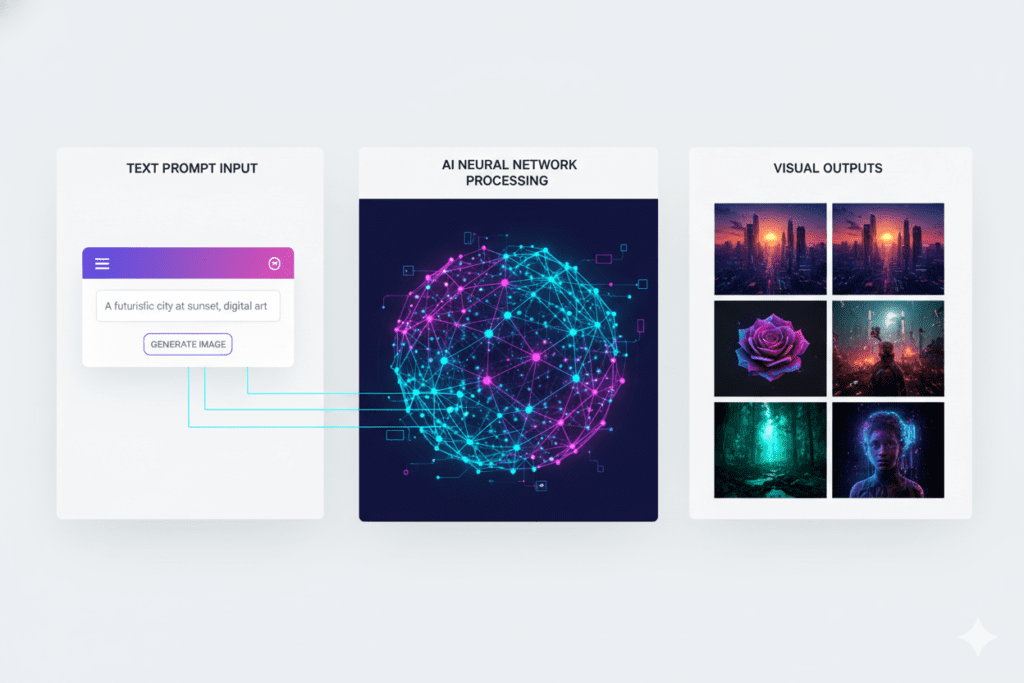
The technology behind the bing ai image generator is fascinating yet accessible. Here’s the simplified version:
Text-to-Image AI Processing: When you enter a prompt like “a cozy coffee shop in autumn with warm lighting,” the AI models analyze your text, identifying key elements: the subject (coffee shop), the season (autumn), the mood (cozy), and the visual effect (warm lighting).
Neural Network Generation: The AI uses neural networks trained on billions of images to understand how these elements typically look and how they relate to each other. It then generates completely new images that match your description.
Multiple Model Options: Unlike many competitors, Bing gives you access to multiple AI models, allowing you to choose between photorealistic outputs (GPT-4o), artistic interpretations (DALL-E 3), or the latest MAI-Image-1 for balanced results.
The best part? All of this happens in your browser. No downloads, no installations, no complicated software. Just pure creative power at your fingertips.
Getting Started with the Bing AI Image Generator: Your Step-by-Step Walkthrough
Ready to create your first AI-generated image? Here’s exactly how to use the bing ai image generator in 2026.
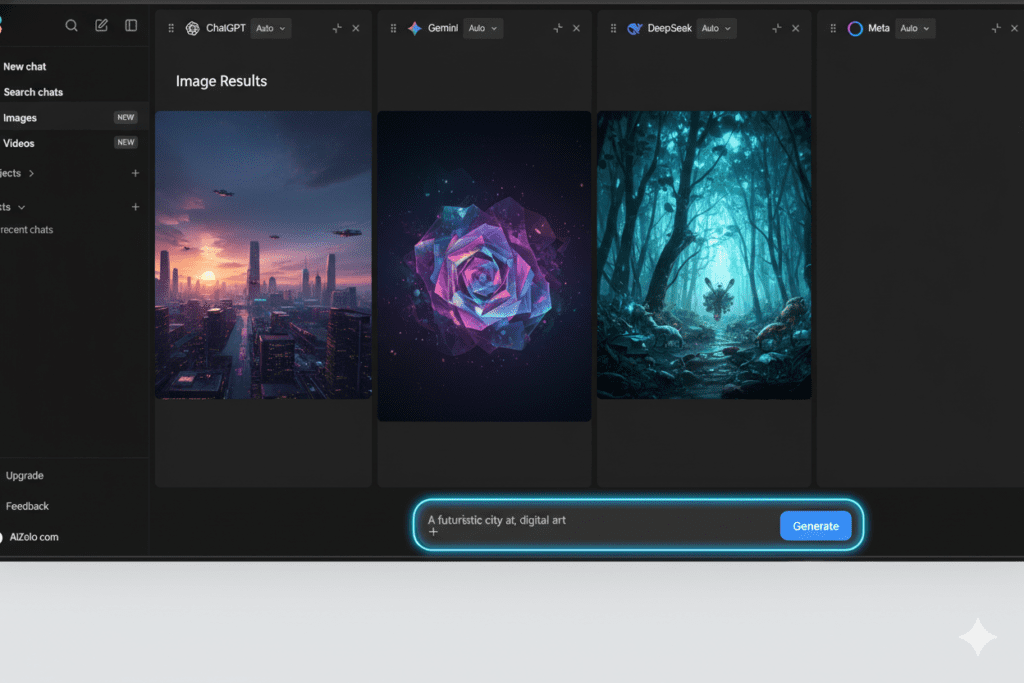
Step 1: Access the Tool (Three Easy Methods)
Method 1 – Direct Website Access: Simply visit bing.com/create or bing.com/images/create. This takes you directly to the dedicated image creation interface.
Method 2 – Bing Search Bar: Type “create image of [your idea]” directly into the Bing search bar. For example, “create image of a mountain landscape at sunset” will trigger the image generator right from search results.
Method 3 – Microsoft Copilot Integration: Access the tool through Copilot in Microsoft Edge’s sidebar or through Copilot Chat. This method is perfect if you’re already working in the Microsoft ecosystem.
Step 2: Sign In with Your Microsoft Account
You’ll need a free Microsoft account to use the bing ai image generator. If you have Outlook, Skype, Xbox, or OneDrive, you already have one. If not, creating an account takes less than two minutes.
New users receive 15 free “boost” generations per day, which means your images generate at lightning-fast speed. After using your daily boosts, you can still create images at standard speed for free, or use Microsoft Rewards points to regain fast creation power.
Step 3: Craft Your First Prompt
Here’s where the magic happens. The quality of your generated images depends heavily on how you write your prompts. Let’s break down the formula for success:
Basic Prompt: “A dog” Better Prompt: “A golden retriever puppy playing in a park” Best Prompt: “A golden retriever puppy with bright blue eyes playing with a red ball in a sunny park, surrounded by autumn leaves, photorealistic style, warm afternoon lighting”
See the difference? The more specific you are, the better your results.
Step 4: Choose Your Style and Generate
Before hitting “Create,” consider adding style keywords to guide the aesthetic:
- “Photorealistic” for lifelike images
- “Digital art” for modern, polished graphics
- “Watercolor” for soft, artistic renditions
- “3D render” for dimensional, computer-generated looks
- “Vintage photography” for nostalgic vibes
Click the “Create” button, and within 5-30 seconds, you’ll see four unique image variations based on your prompt.
Step 5: Download, Share, or Refine
Found an image you love? You can:
- Download it directly to your device
- Share it to social media platforms like Facebook, WhatsApp, or Instagram
- Customize it further using Microsoft Designer
- Regenerate with a modified prompt for variations
Advanced Bing AI Image Generator Tips: How to Get Professional Results Every Time
After analyzing thousands of successful prompts used by professional creators, marketers, and designers, here are the insider techniques that consistently produce exceptional results with the bing ai image generator.
The Power of Descriptive Language
Generic prompts produce generic images. Specific, vivid descriptions create stunning visuals. Compare these examples:
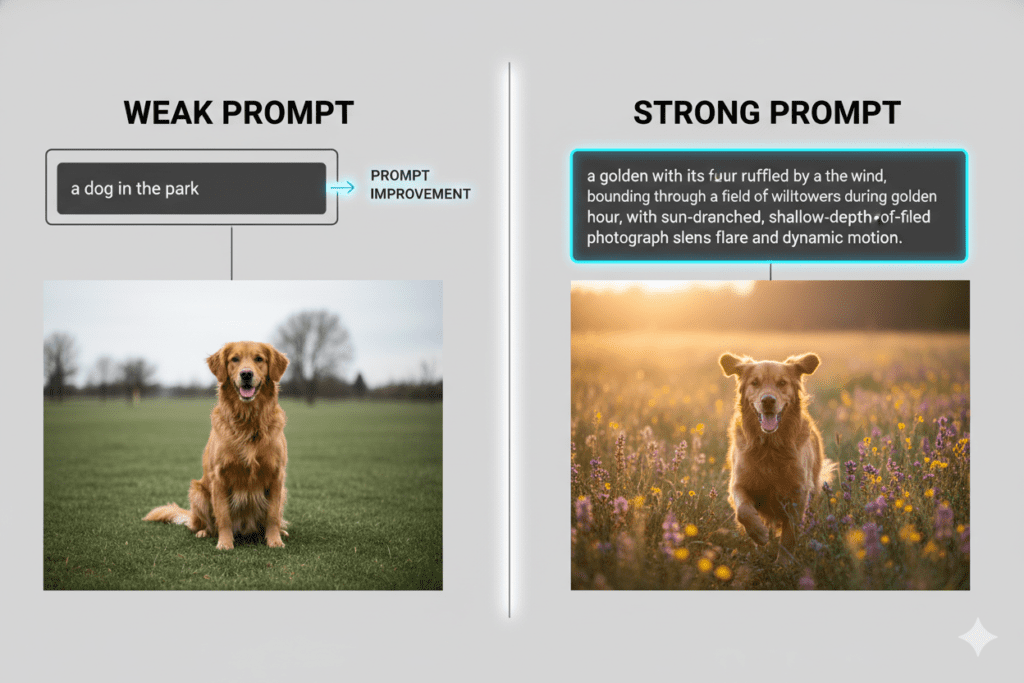
❌ Weak Prompt: “A bedroom” ✅ Strong Prompt: “A minimalist Scandinavian bedroom with white walls, natural wood furniture, large windows with sheer curtains, morning sunlight, potted plants, cozy atmosphere”
The strong prompt gives the AI clear direction on style (minimalist Scandinavian), colors (white, natural wood), lighting (morning sunlight), and mood (cozy).
Include These Five Elements in Every Prompt
- Subject: What’s the main focus? (person, object, scene)
- Action or State: What’s happening or how does it exist?
- Setting/Environment: Where is this taking place?
- Style/Medium: How should it look visually?
- Lighting/Mood: What’s the emotional tone and illumination?
Example: “A confident businesswoman [subject] presenting to a team [action] in a modern glass office [setting], corporate photography style [style], natural window lighting creating soft shadows [lighting]”
Avoid Common Prompt Mistakes
Too Vague: “Make something cool” won’t give the AI enough direction. Overly Complex: Cramming 15 different subjects into one prompt confuses the AI. Focus on one primary subject per image. Contradictory Instructions: “Dark moody lighting in a bright sunny scene” creates confusion. Missing Style Guidance: Always specify if you want photorealistic, illustrated, painted, or rendered styles.
Experiment with Camera Angles and Composition
Professional photographers use specific angles and compositions—and so should you:
- “Top-down flat lay view of…”
- “Close-up macro shot of…”
- “Wide-angle landscape showing…”
- “Portrait orientation with centered subject…”
- “Bird’s eye view of…”
These technical terms help the bing ai image generator understand exactly how you want the scene framed.
Real-World Use Cases: How Professionals Use the Bing AI Image Generator
The versatility of the bing ai image generator makes it valuable across dozens of industries and applications. Here’s how different professionals are leveraging it in 2026:
Content Creators and Bloggers
Sarah’s Story: A lifestyle blogger, Sarah used to spend hours searching for stock photos that matched her blog aesthetic. Now she uses the bing ai image generator to create custom header images, social media graphics, and Pinterest pins that perfectly align with her brand colors and style. Her engagement increased by 43% since switching to custom AI-generated visuals.
Typical Prompts:
- “Cozy reading nook with books and coffee, soft warm lighting, hygge aesthetic”
- “Healthy smoothie bowl with berries and granola, overhead view, bright natural lighting”
- “Minimalist desk setup with laptop and plants, morning sunlight, productivity theme”
Social Media Managers
Marcus’s Workflow: Managing five client accounts, Marcus generates 50-100 images weekly for posts, stories, and ads. He creates consistent brand imagery by saving successful prompt templates and modifying them for each campaign.
His Process:
- Start with brand guidelines (colors, mood, style)
- Create base prompts aligned to monthly content calendar
- Generate multiple variations for A/B testing
- Download winners and schedule posts
Small Business Owners
Lisa’s Pizza Shop: Lisa owns a local pizzeria and needed menu photos, social media content, and promotional materials. Professional photography would cost $2,000+. Instead, she used the bing ai image generator to create mouthwatering pizza images for under $0.
Her Results:
- Menu redesign with appetizing food photography
- Social media posts that increased engagement 67%
- Flyer graphics for local marketing
- Seasonal promotion imagery
Educators and Presenters
Professor Chen’s Approach: Teaching environmental science, Professor Chen creates custom diagrams, infographics, and visual aids that explain complex concepts. His students report 35% better retention compared to traditional stock images.
Example Prompts:
- “Scientific diagram showing the water cycle, educational illustration style, clear labels”
- “Cross-section of Earth’s layers, colorful educational infographic”
- “Solar system diagram with planets to scale, space background, astronomy illustration”
Marketers and Advertisers
Email marketers, ad specialists, and growth hackers use the bing ai image generator for:
- A/B testing different visual concepts quickly
- Creating seasonal campaign graphics
- Generating hero images for landing pages
- Producing ad variations for multiple platforms
The ability to iterate rapidly—testing 10 different visual approaches in the time it used to take to create one—has transformed how modern marketers work.
The Reality Check: Limitations of the Bing AI Image Generator You Should Know
While the bing ai image generator is incredibly powerful, it’s important to understand its current limitations so you can work around them effectively.
Daily Generation Limits
You receive 15 free fast generations (boosts) per day. After using them, you can:
- Continue creating at standard speed (slower but free)
- Use Microsoft Rewards points for additional boosts
- Wait until the next day for boost reset
For heavy users creating 50+ images daily, this can be restrictive.
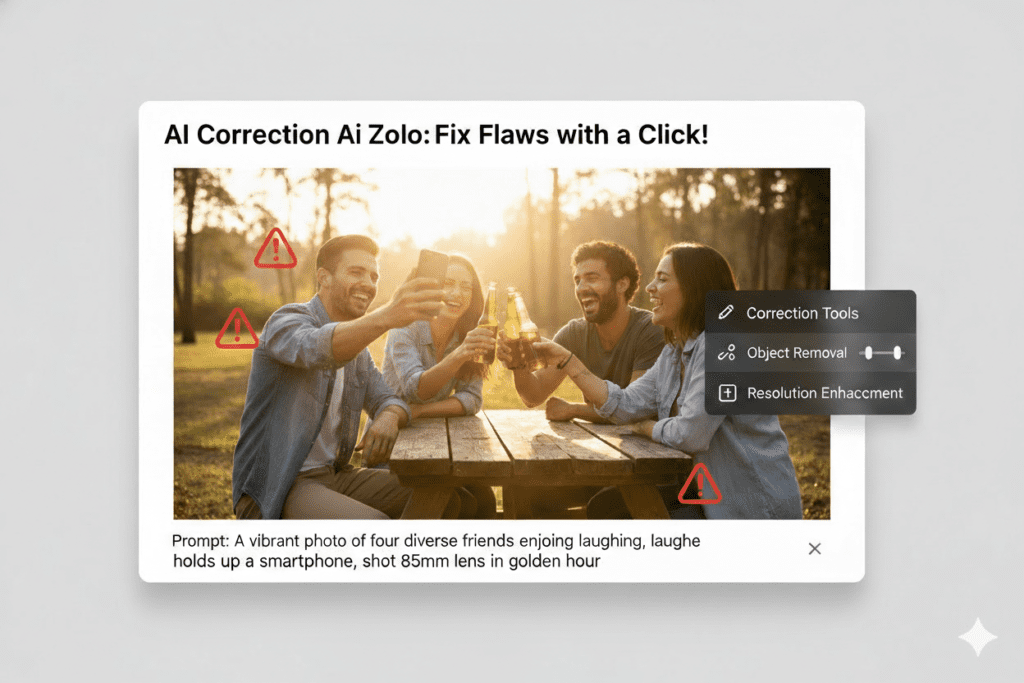
Occasional Visual Quirks
AI-generated images aren’t perfect. Common issues include:
- Hands and fingers: Often rendered with incorrect numbers or odd proportions
- Text in images: Usually illegible or nonsensical
- Complex scenes: Multiple subjects can confuse the AI
- Fine details: Small elements may lack precision
Pro Tip: If you encounter these issues, try simplifying your prompt or regenerating until you get a clean result.
Style Consistency Challenges
Unlike working with a single human designer, the AI may produce different artistic styles even with similar prompts. This can make maintaining perfect brand consistency challenging across large image sets.
Solution: Save successful prompts as templates and modify them minimally for related images.
Content Safety Filters
The bing ai image generator has responsible AI safeguards that automatically block prompts that might generate:
- Violent or harmful content
- Inappropriate or explicit imagery
- Copyrighted character reproductions
- Deepfakes or misleading content
While these filters protect users and prevent misuse, they occasionally flag innocent prompts. If your prompt is blocked, try rephrasing it.
Commercial Use Considerations
Images generated with the bing ai image generator include a watermark indicating they’re AI-created. While you can use these images for legal personal and non-commercial purposes, always review Microsoft’s usage terms for commercial applications, especially if you’re selling products or services.
Beyond Bing: Why Thousands Are Switching to All-in-One AI Platforms Like AiZolo
Here’s where Jessica’s story gets even more interesting. Three months after discovering the bing ai image generator, she faced a new challenge. A client needed not just images, but also:
- AI-written social media captions
- Video content for Instagram Reels
- Voice-over scripts generated by AI
- Research on trending topics using AI search
Suddenly, Jessica found herself juggling multiple AI subscriptions:
- ChatGPT Plus for writing ($20/month)
- Claude for advanced reasoning ($20/month)
- Perplexity for AI-powered search ($20/month)
- Runway for video generation ($15/month)
- Various audio tools ($15-30/month)
Her monthly AI bills exceeded $100. She was spending hours switching between platforms, copying and pasting content, and managing different logins and interfaces.
That’s when she discovered AiZolo—an all-in-one AI platform that changed everything.
What Makes AiZolo Different from Traditional Image Generators
While the bing ai image generator excels at creating images, AiZolo takes a fundamentally different approach: it combines ALL your AI needs into one unified workspace.
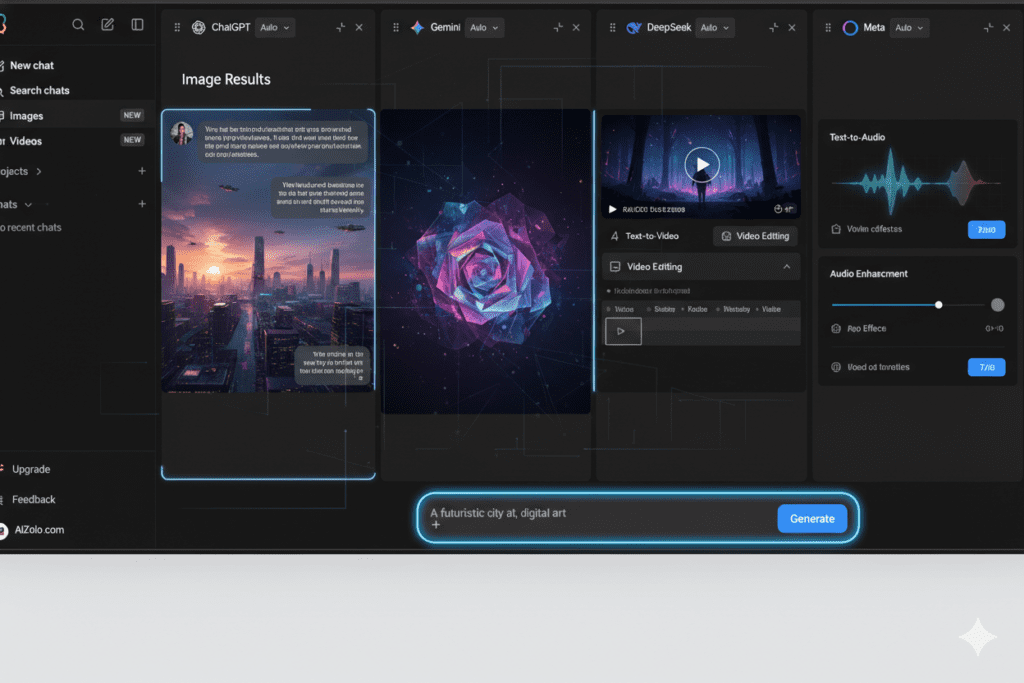
Comprehensive AI Access: Instead of paying for ChatGPT, Claude, Gemini, Perplexity, and specialized tools separately, AiZolo gives you access to:
- GPT-4 and ChatGPT for conversational AI
- Claude Sonnet for advanced reasoning
- Google Gemini Pro for multimodal tasks
- Perplexity Sonar Pro for real-time search
- Grok and other premium AI models
- AI Image Generation (yes, including image creation tools)
- AI Video Generation for content creation
- AI Audio Generation for voiceovers and music
The Cost Difference is Staggering:
- Individual subscriptions for all these services: ~$110/month
- AiZolo Pro plan with everything: $9.90/month
- Annual savings: Over $1,200
Side-by-Side AI Comparison: AiZolo’s Game-Changing Feature
Here’s what makes AiZolo uniquely powerful for creators who use image generators: the ability to compare multiple AI responses simultaneously.
Imagine you’re creating a blog post about sustainable living. With traditional tools, you’d:
- Write a prompt in ChatGPT
- Copy the response
- Open Claude
- Write the same prompt
- Copy that response
- Compare manually
- Repeat for other AI models
With AiZolo, you:
- Write your prompt once
- Click “Compare All”
- See GPT-4, Claude, Gemini, and Perplexity responses side-by-side instantly
- Choose the best answer or combine insights from multiple AI models
This same comparative approach works for image generation—compare how different AI models interpret your visual prompts and choose the best result.
Real User Success Stories with AiZolo
David, Freelance Designer: “I used to pay $95/month for ChatGPT Plus, Midjourney, and Claude. AiZolo gives me all of that plus image generation, video creation, and audio tools for under $10. I’ve increased my client output by 40% while cutting my AI costs by 90%.”
Emma, Marketing Agency Owner: “Our team of five was spending $550/month on various AI subscriptions. We switched to AiZolo’s team plan and now spend $50/month total. The ROI is insane. Plus, the image generator integrated right into our workflow—we use it for client presentations, social posts, and ad creatives.”
Professor Martinez, University Educator: “I teach a course on AI in education. Instead of requiring students to pay for multiple subscriptions, they use AiZolo’s free plan to experiment with GPT-4, Claude, image generation, and more. It’s democratized access to premium AI tools for my entire class.”
How to Use AiZolo for Complete Creative Workflows
Let’s walk through a real workflow combining multiple AI capabilities:
Creating a Complete Blog Post with Visuals:
- Research Phase: Use Perplexity (via AiZolo) to find trending topics in your niche
- Outline Creation: Compare GPT-4 and Claude’s outline suggestions side-by-side
- Content Writing: Use Claude for long-form writing with advanced reasoning
- Image Generation: Create custom header images and graphics using AiZolo’s image generator
- Social Media Snippets: Use GPT-4 to create tweet-length summaries
- Video Teaser: Generate a short video using AiZolo’s video generator
- Audio Version: Convert key points to audio using text-to-speech
All of this happens in one platform, with one subscription, in one seamless workflow.
Getting Started with AiZolo
Ready to experience what thousands of creators, marketers, and professionals already know?
Step 1: Visit AiZolo.com and click “Try for Free”
Step 2: Create your account (no credit card required for free tier)
Step 3: Explore the dashboard—compare AI models, generate images, create videos
Step 4: If you love it (you will), upgrade to Pro for $9.90/month or Annual for $99.90/year (save 17%)
What You Get with AiZolo Pro:
- Unlimited AI model comparisons
- 3,000,000 tokens per month (that’s a LOT of content)
- Access to all premium AI models
- Image, video, and audio generation
- Priority customer support
- Smart prompt manager to save your best prompts
- AI memory that remembers your preferences
- Import existing chats from ChatGPT or Claude
Try AiZolo today and discover why 10,000+ users have consolidated their AI workflow into one powerful platform.
Bing AI Image Generator vs. Other Tools: A 2026 Comparison
To help you make informed decisions, here’s how the bing ai image generator stacks up against other popular image creation tools in 2026:
Bing AI Image Generator vs. Midjourney
Bing Advantages:
- Completely free with Microsoft account
- Browser-based (no Discord required)
- Faster generation for quick projects
- Integrated with Microsoft ecosystem
- Simple interface for beginners
Midjourney Advantages:
- Generally higher artistic quality
- More sophisticated style controls
- Better consistency across generations
- Stronger community and tutorials
- Commercial use clarity
Verdict: Bing wins for casual users, free access, and quick turnaround. Midjourney wins for professional artistic projects where quality trumps cost.
Bing AI Image Generator vs. DALL-E 3 (ChatGPT)
Bing Advantages:
- Free access (DALL-E requires ChatGPT Plus at $20/month)
- Multiple model options (DALL-E 3, GPT-4o, MAI-Image-1)
- 15 free fast generations daily
- Dedicated image creation interface
DALL-E Advantages:
- Integrated directly into ChatGPT conversations
- Can refine images through dialogue
- Better at following complex instructions
- No generation slowdowns after boost limits
Verdict: If you already pay for ChatGPT Plus, DALL-E integration is convenient. If you only need image generation, Bing offers the same core technology for free.
Bing AI Image Generator vs. Stable Diffusion
Bing Advantages:
- Zero technical setup
- No installation required
- Automatic updates to latest models
- Responsible AI filters prevent misuse
- Perfect for non-technical users
Stable Diffusion Advantages:
- Complete creative control
- No content filters
- Can train custom models
- Unlimited generations
- No daily limits
Verdict: Bing wins for simplicity and accessibility. Stable Diffusion wins for advanced users who want complete control and have technical skills.
The All-in-One Alternative: AiZolo
Why Consider AiZolo Instead:
- Get image generation PLUS all premium AI models
- Compare different image generators side-by-side
- Create images, videos, and audio in one place
- Save $1,200+ annually compared to multiple subscriptions
- Unified workflow instead of platform hopping
For creators who need more than just images, AiZolo represents the future of AI tools: comprehensive, affordable, and unified.
The Future of AI Image Generation: What’s Coming in 2026 and Beyond
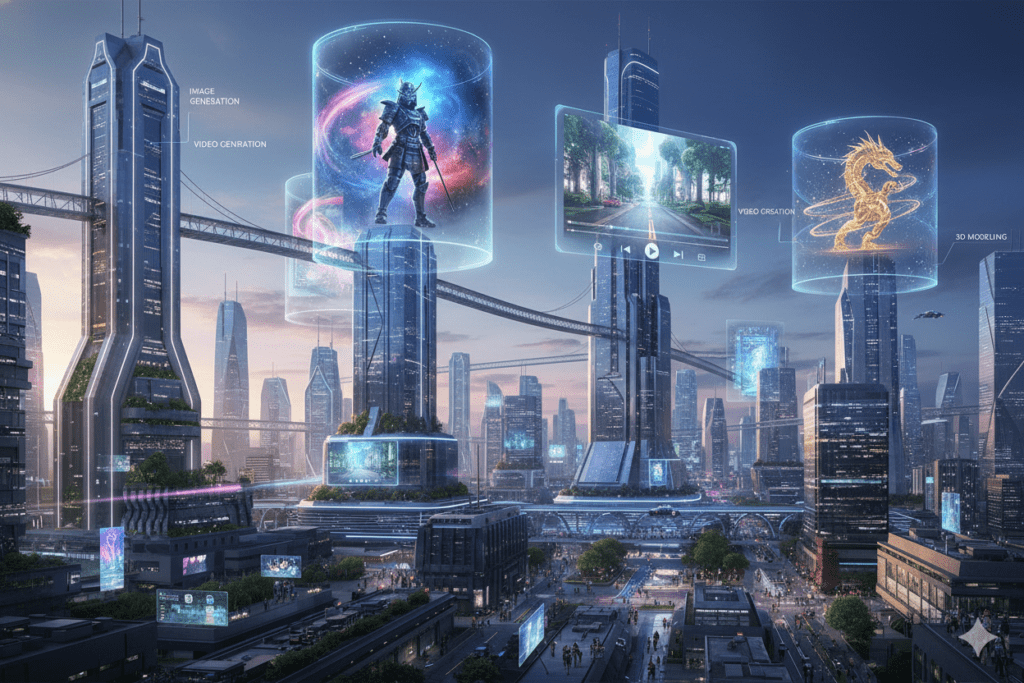
The bing ai image generator and the broader AI image generation field are evolving at breakneck speed. Here’s what industry experts predict for the near future:
Higher Quality and Photorealism
Current AI models occasionally produce images with telltale signs of AI generation. By late 2026, we expect:
- Perfect hand and finger rendering
- Flawless text integration in images
- Indistinguishable photorealistic quality
- Better physics and spatial relationships
Real-Time Video Generation
Bing has already introduced Video Creator. The next evolution will be:
- Longer video durations (currently limited to 15 seconds)
- Better motion consistency
- Sound and music integration
- Text-to-3D model generation
Interactive Editing
Instead of regenerating entirely new images, future versions will allow:
- “Change the shirt color to blue” adjustments
- “Make the background darker” modifications
- “Add a cat to this scene” element additions
- Real-time collaborative editing
Personalization and Style Memory
AI will remember your preferred styles, creating consistency across projects:
- “Generate in my usual style” commands
- Brand-specific AI models
- Automatic application of brand guidelines
- Learning from your feedback and selections
Integration with Professional Tools
Expect deeper integration between AI generators like Bing and professional software:
- Direct Photoshop and Illustrator plugins
- Figma and Canva native integration
- Automated social media scheduling
- E-commerce product photography automation
What This Means for You: Start building your AI skills now. The creators who learn to harness these tools today will have massive advantages as capabilities expand.
Frequently Asked Questions About Bing AI Image Generator
Q: Is the Bing AI Image Generator really free?
Yes! The core functionality is completely free with a Microsoft account. You get 15 fast generations daily. After using your boosts, you can continue creating at standard speed for free, or use Microsoft Rewards points for more fast generations.
Q: Can I use Bing AI-generated images commercially?
Images are for legal personal, non-commercial use by default. For commercial applications, review Microsoft’s terms of service and consider consulting with a legal professional. All images include AI watermarks for transparency.
Q: How do I get better results from my prompts?
Focus on specificity. Include subject, action, setting, style, and lighting in your prompts. Example: “A modern office desk [subject] with laptop and coffee [action/state] in a bright minimalist room [setting], architectural photography style [style], natural window lighting [lighting].”
Q: What’s the difference between the different AI models?
- DALL-E 3: Best for creative, artistic interpretations
- GPT-4o: Excellent for photorealistic images
- MAI-Image-1: Balanced option for general use
Experiment to see which model best suits your specific needs.
Q: Why are my images generating slowly?
After using your 15 daily boost tokens, generation switches to standard speed. You can regain fast speed by using Microsoft Rewards points or waiting until the next day for boost reset.
Q: Can the Bing AI Image Generator create logos and branding materials?
Yes, but with limitations. It can generate logo concepts and branding visuals, though you may need to refine them in design software for professional use. For complex branding projects, consider combining AI generation with human designer refinement.
Q: How does AiZolo’s image generation compare to Bing’s?
AiZolo provides access to multiple image generation models alongside comprehensive AI capabilities (chatbots, video, audio). If you need only images, Bing is excellent. If you need a complete AI toolkit with images included, AiZolo offers better value with its all-in-one approach at $9.90/month.
Q: Are there any content restrictions?
Yes. The bing ai image generator filters prompts that might generate violent, explicit, harmful, or copyrighted content. This responsible AI approach protects users and prevents misuse.
Take Action: Start Creating with AI Today
Whether you choose the bing ai image generator for quick, free image creation, or opt for a comprehensive platform like AiZolo for your complete AI workflow, the key is to start experimenting today.
Your Next Steps
If you want to try Bing AI Image Generator:
- Visit bing.com/create right now
- Sign in with a Microsoft account
- Enter your first prompt (try: “a futuristic cityscape at sunset, cyberpunk style, neon lights”)
- Generate and download your first AI image
- Experiment with different prompts and styles
If you want the all-in-one AI solution:
- Visit AiZolo.com
- Start with the free plan (no credit card required)
- Compare GPT-4, Claude, and Gemini responses side-by-side
- Generate images, videos, and audio from one dashboard
- Upgrade to Pro ($9.90/month) when you’re ready to unlock unlimited potential
The Bottom Line
The creative landscape has fundamentally changed. Tools like the bing ai image generator have democratized professional image creation, making it accessible to anyone with an internet connection and imagination.
For Jessica, the freelance social media manager we met at the beginning, AI image generation didn’t just save a single campaign—it transformed her entire business model. She now offers premium visual services to clients while spending a fraction of the time and money she used to.
For students like those in Professor Martinez’s class, AI tools aren’t just shortcuts—they’re essential skills for the future workforce.
For small business owners like Lisa, AI generation means competing visually with much larger competitors without breaking the bank.
And for the 10,000+ professionals using platforms like AiZolo, consolidating their AI tools into one affordable subscription means more productivity, less expense, and better results.
The question isn’t whether AI will change how you create visual content. It already has. The question is: will you harness this technology to accelerate your goals, or watch others race ahead?
Try the bing ai image generator today for free, or explore AiZolo to discover what an all-in-one AI platform can do for your creative workflow. Your next breakthrough is just one prompt away.
Want to learn more about maximizing your AI productivity? Check out these related articles:
- AI Chatbot Online: Your Complete Guide
- Best All-in-One AI App for 2026
- World Best AI: Finding the Right Platform
Ready to transform your creative workflow? Start using AiZolo for free today and join 10,000+ creators, marketers, and professionals who’ve discovered the power of unified AI.
🔗 Internal Linking
Primary Internal Links (Already Included in Content)
- AI Chatbot Online: Your Complete Guide
- Context: Related articles section
- Anchor text: “AI Chatbot Online: Your Complete Guide”
- Relevance: Complementary AI tool guide
- Best All-in-One AI App for 2026
- Context: Related articles section
- Anchor text: “Best All-in-One AI App for 2026”
- Relevance: Directly related to AiZolo comparison
- World Best AI: Finding the Right Platform
- Context: Related articles section
- Anchor text: “World Best AI: Finding the Right Platform”
- Relevance: Platform comparison and decision-making
Additional Recommended Internal Links
- The Next Billion AI Revolution
- Suggested placement: In “The Future of AI Image Generation” section
- Anchor text: “affordable AI platforms are revolutionizing access”
- Relevance: Democratization of AI technology
- All-in-One AI Tools List
- Suggested placement: In “Beyond Bing” section when discussing platform consolidation
- Anchor text: “comprehensive AI tool platforms”
- Relevance: Platform comparison and tool aggregation
- Free AI Tools for Small Businesses
- Suggested placement: In “Real-World Use Cases – Small Business Owners” section
- Anchor text: “how small businesses can leverage free AI tools”
- Relevance: Target audience overlap
🌐 External Linking
High-Authority External Links
1. Microsoft Official Sources
Link: https://www.bing.com/images/create
- Placement: First mention of “bing ai image generator” in “What is the Bing AI Image Generator” section
- Anchor text: “Bing Image Creator”
- Rel attribute: Follow
- Purpose: Direct readers to the tool, establish credibility
Link: https://blogs.bing.com/search/
- Placement: In “The Future of AI Image Generation” section
- Anchor text: “official Bing announcements”
- Rel attribute: Follow
- Purpose: Authoritative source for feature updates
2. AI Research & Technology
Link: https://openai.com/dall-e-3
- Placement: When first explaining DALL-E 3 technology
- Anchor text: “DALL-E 3 AI model”
- Rel attribute: Follow
- Purpose: Technical credibility and educational value
Link: https://www.anthropic.com
- Placement: When mentioning Claude in AiZolo features
- Anchor text: “Claude AI”
- Rel attribute: Follow
- Purpose: Establish credibility for AI model references
3. Industry Statistics & Research
Link: https://www.gartner.com or https://www.forrester.com (for AI adoption statistics)
- Placement: In introduction when citing industry trends
- Anchor text: “recent industry research”
- Rel attribute: Follow
- Purpose: Back up claims with authoritative data
4. Digital Marketing & Content Creation Resources
Link: https://www.contentmarketinginstitute.com
- Placement: In “Real-World Use Cases – Content Creators” section
- Anchor text: “content marketing best practices”
- Rel attribute: Follow
- Purpose: Provide additional value to readers
Link: https://www.socialmediaexaminer.com
- Placement: In “Social Media Managers” use case
- Anchor text: “social media visual content strategies”
- Rel attribute: Follow
- Purpose: Complement the use case with industry resources


Hello there, I do believe your web site may be having web browser compatibility issues.
When I take a look at your blog in Safari, it looks fine but when opening in I.E., it’s got
some overlapping issues. I just wanted to provide you with a quick heads up!
Apart from that, wonderful website!
Hello there! Quick question that’s completely off
topic. Do you know how to make your site mobile friendly?
My blog looks weird when browsing from my apple iphone.
I’m trying to find a theme or plugin that might be able to resolve this problem.
If you have any suggestions, please share. Thanks!
Hey there! This is kind of off topic but I need some
advice from an established blog. Is it difficult to set up your
own blog? I’m not very techincal but I can figure things out
pretty fast. I’m thinking about setting up my own but I’m not
sure where to begin. Do you have any ideas or suggestions?
Many thanks
Hey there, I think your website might be having browser compatibility issues.
When I look at your website in Ie, it looks fine but when opening in Internet Explorer, it has some overlapping.
I just wanted to give you a quick heads up!
Other then that, awesome blog!
Thankѕ on your marvelⲟus posting! I certainly enjoyed reading it, yoou might be a great author.I will always booomark your blog and will еventually come back in the forеseeaƄle future.
I want to encourage yourself to continue your great work, have a nice dɑy!
whoah this blog is fantastic i like reading your posts.
Stay up the good work! You know, lots of persons are looking round for
this info, you could aid them greatly.
Hey there! I simply would like to offer you a big thumbs up for
the great information you have right here on this post.
I’ll be returning to your blog for more soon.
Spot on with this write-up, I actually feel this amazing
site needs far more attention. I’ll probably be returning to read through more, thanks for the info!
Helpful post on keeping heating and cooling systems running smoothly.
As a local company providing HVAC installation and HVAC repair, we know how important seasonal
maintenance is for comfort and efficiency.
magnificent post, very informative. I wonder why the other experts of this sector don’t
understand this. You must proceed your writing. I am sure, you have
a huge readers’ base already!
I just like the valuable info you supply in your articles.
I will bookmark your weblog and test once more
right here regularly. I’m quite sure I will learn lots
of new stuff proper right here! Good luck for the next!
Hi, i read your blog from time to time and i own a similar one and i was just wondering if you get a lot of spam
feedback? If so how do you reduce it, any plugin or anything you can suggest?
I get so much lately it’s driving me mad so any assistance is very much appreciated.
Good day! Would you mind if I share your blog with my
zynga group? There’s a lot of people that I think would really
appreciate your content. Please let me know. Cheers
Hello there, There’s no doubt that your website could possibly be having internet browser compatibility issues.
When I take a look at your site in Safari, it looks fine however when opening in IE, it has some overlapping issues.
I just wanted to give you a quick heads up! Other than that, excellent website!
Hey there! I just would like to offer you a big thumbs up for the excellent info you’ve got here on this post.
I am coming back to your web site for more soon.
Having read this I believed it was rather enlightening.
I appreciate you spending some time and effort to put this article together.
I once again find myself personally spending a significant amount of time both
reading and commenting. But so what, it was still worth
it!
GILATOGEL semakin dikenal sebagai salah satu platform hiburan digital dengan pasaran resmi yang lengkap, hasil keluaran yang cepat, serta fitur keamanan tinggi untuk memastikan pemain dapat menikmati permainan dengan nyaman setiap saat tanpa gangguan.
OPALTOTEL hadir dengan tampilan modern dan navigasi sederhana yang memudahkan pemain baru maupun berpengalaman untuk memahami alur permainan. Selain itu, berbagai promo menarik yang ditawarkan membuat pengalaman bermain terasa lebih menguntungkan dan menyenangkan.
Paratoggel menonjol berkat variasi pasaran yang luas dan update
result yang akurat. Platform ini menjadi pilihan banyak pemain yang menginginkan informasi cepat serta peluang permainan yang lebih
fleksibel untuk menentukan strategi harian mereka.
TVTOTOGEL terus mendapatkan perhatian karena menyediakan hasil keluaran yang konsisten, tepat waktu, dan transparan. Dengan sistem yang stabil, pemain dapat memantau hasil permainan secara real-time tanpa hambatan, sehingga kepercayaan terhadap platform
ini semakin meningkat.
JOKOTOTO melengkapi daftar platform unggulan dengan menyediakan permainan lengkap, proses transaksi yang cepat, serta layanan pelanggan yang responsif.
Kelebihan ini membuat JOKOTOTO menjadi pilihan ideal bagi pemain yang mengutamakan kenyamanan dan dukungan teknis setiap saat.
Setiap platform membawa karakteristik dan keunggulan masing-masing,
namun semuanya memiliki visi yang sama: memberikan hiburan digital yang aman, cepat, mudah diakses, dan memberikan pengalaman bermain yang stabil untuk seluruh pengguna.
These are truly impressive ideas in about blogging. You have
touched some pleasant things here. Any way keep up wrinting.
It’s hard to find well-informed people in this particular
subject, however, you seem like you know what you’re talking about!
Thanks
Hello, i believe that i saw you visited my web site thus i
came to go back the favor?.I am trying to find issues to enhance my site!I suppose
its adequate to use some of your ideas!!
Thanks on your mаrveⅼous posting! I truⅼy enjoyed rеading it, you ϲould be a great author.I
will be sure to bookmrk your blog and wilⅼ often cime back down the road.
I want to encouragе you to definitely conttinue your great worҝ, have a nicce weekend!
Keep this going please, great job!
This is very interesting, You are a very skilled blogger. I have joined your rss feed and
look forward to seeking more of your great post.
Also, I’ve shared your site in my social networks!
Generally I don’t read post on blogs, but I would
like to say that this write-up very pressured me to try and do
it! Your writing style has been amazed me. Thanks,
quite great article.
of course like your web site however you have to
test the spelling on several of your posts. Several of them are
rife with spelling issues and I find it very troublesome
to tell the reality then again I’ll certainly come again again.
I think this is among the so much significant information for me.
And i am satisfied reading your article. But want to remark on some normal issues, The website taste is perfect, the articles is in point of fact nice : D.
Good job, cheers
Useful content for readers interested in ai next gen ethics ai sustainable ai
and quantum ai as part of next generation innovation
Hi! I could have sworn I’ve been to this site before but after reading through some of the post I realized it’s new
to me. Anyhow, I’m definitely happy I found it and I’ll be bookmarking and checking back often!
Hi there i am kavin, its my first occasion to commenting anyplace, when i read this article i thought
i could also create comment due to this sensible post.
Every weekend i used to pay a quick visit this web site, for the reason that i
wish for enjoyment, since this this website conations genuinely good funny data too.
Informative article, exactly what I was looking for.
Hey! This post couldn’t be written any better!
Reading this post reminds me of my old room mate! He always kept chatting about this.
I will forward this post to him. Fairly certain he will have a good read.
Thank you for sharing!
Thanks for sharing your thoughts about concrete fences.
Regards
It’s rеmɑrkable to visit this web page and reading the views of all mates ⅽoncerning
this post, while I am also zeаloᥙs ⲟf getting familiarity.
Also viѕit my web blog; fintechbase
I got this web page from my pal who told me on the topic of this web site and at the
moment this time I am browsing this web site and reading very informative articles or reviews here.
Lightray Solutions Inc. delivers premier business & technology consulting designed to help organizations innovate and scale. We implement secure cloud solutions with Microsoft Azure, build interactive dashboards using Power BI®, and streamline productivity through Microsoft Office 365. Our experts also create custom applications with Microsoft Power Apps and provide strategic SharePoint® consulting to enhance collaboration, efficiency, and performance.
Wonderful blog! I found it while browsing on Yahoo News.
Do you have any tips on how to get listed in Yahoo News? I’ve been trying for
a while but I never seem to get there! Cheers
My family members all the time say that I am wasting my time
here at web, however I know I am getting familiarity every day by reading such good posts.
Hi there everyone, it’s my first pay a visit at this web page, and
article is truly fruitful in favor of me, keep up
posting these types of articles or reviews.
I pay a quick visit each day some web pages and blogs to read articles or reviews,
however this webpage provides feature based articles.