

Table of Contents
What Is an AI Chatbot Subscription?
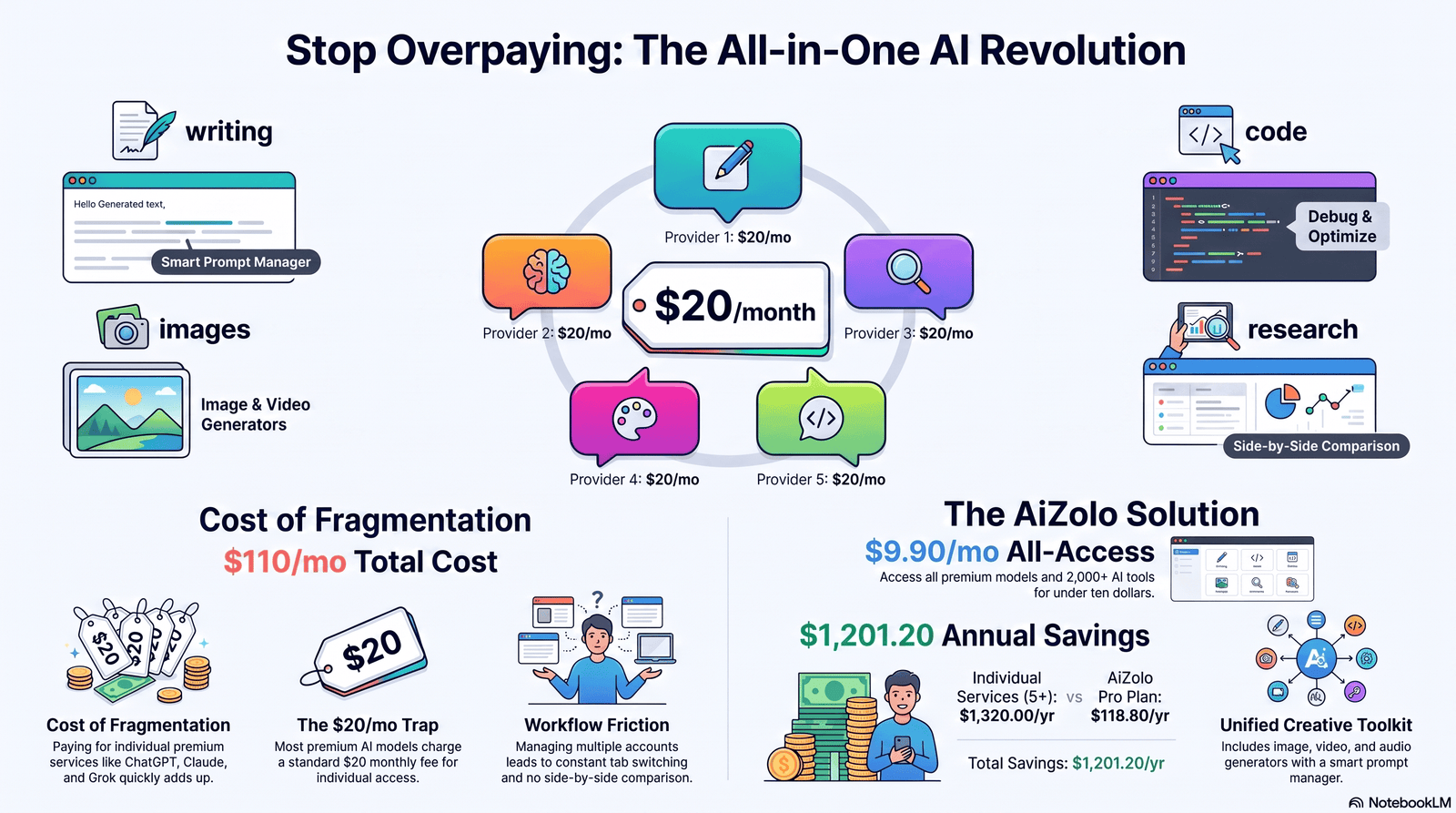
An AI chatbot subscription is a recurring monthly or annual payment that unlocks a company’s most capable AI models.
Free tiers exist almost everywhere. But they run older or smaller models, and cap how much you can ask.
A subscription typically buys three things: access to flagship models, higher usage limits, and extra tools like file uploads, image generation, or coding agents.
Pricing across the industry has converged hard. As of July 2026, ChatGPT Plus, Claude Pro, and Google AI Pro all sit within a dollar of $20/month, while Perplexity Pro matches at $20/month too.
That convergence is why the best AI chatbot subscription isn’t the one with the lowest price. It’s the one whose strengths match what you actually do every day.
Who Should Actually Buy One?
Not everyone needs a paid AI subscription. Free tiers cover casual, occasional use just fine.
Why pay: you hit daily message caps, need longer context windows, or rely on features like coding agents, file analysis, or deep research reports.
When to upgrade: the moment a free-tier limit interrupts real work more than once a week, the math usually favors paying.
Who benefits most: students juggling coursework, developers shipping code, writers producing daily content, researchers synthesizing sources, and small business owners replacing several point tools.
Who can skip it: people who ask a chatbot the occasional question, check a fact, or draft a short email once in a while. Free tiers on ChatGPT, Claude, and Gemini all now run genuinely capable models, just with caps.
Free vs. Paid AI Chatbots: What Changes When You Pay
The gap between free and paid used to be about raw intelligence. In 2026, it’s mostly about volume, context length, and extra tools.
Free plans now often run recent flagship-class models — Claude’s free tier defaults to Claude Sonnet 5, and ChatGPT Free runs a current GPT-5-class model — but throttle you hard on message counts and cut off features like deep research or coding agents entirely.
Paid plans raise those caps by 5x to 20x, unlock longer context windows for large documents, and add capabilities free tiers don’t get at all: coding agents, memory across sessions, agentic browsing, and priority access during peak load.
Hidden cost to watch: on Free and some entry paid tiers, your conversations may be used for model training by default unless you manually opt out — worth checking in account privacy settings before you paste anything sensitive.
Best AI Chatbot Subscriptions in 2026 (Top Picks)
We ranked these by real-world value per dollar, not by brand recognition. Every price below was checked against each provider’s official pricing page in July 2026.
ChatGPT
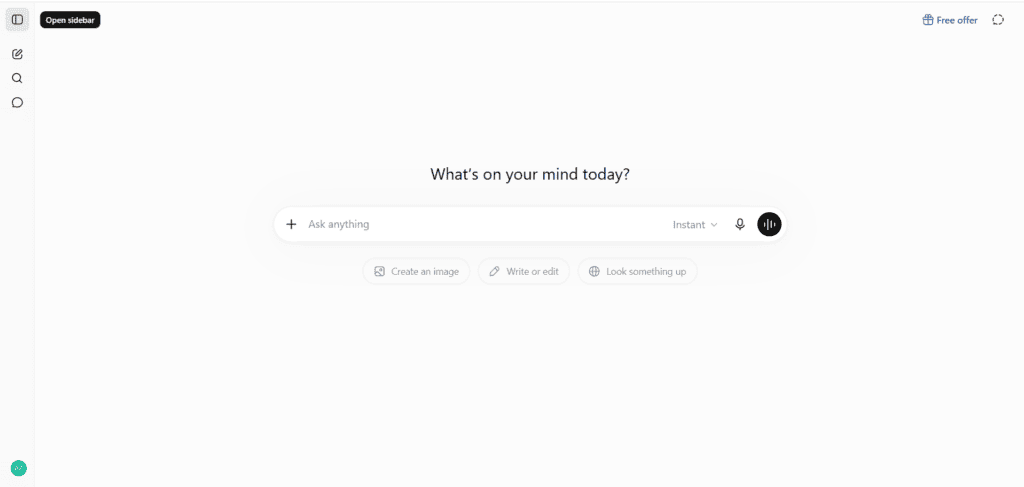
Overview: OpenAI’s ChatGPT remains the broadest all-rounder, with the widest feature set of any single-provider subscription — voice, image and video generation, coding agents, and a genuine ecosystem of connectors.
Best For: Users who want one tool that does almost everything reasonably well, especially anyone who values Sora video generation or Advanced Voice Mode.
Pros
- Widest feature breadth: Sora video, Advanced Voice, Canvas, Codex, Agent Mode, 60+ connectors
- Seven pricing tiers means there’s a price point close to almost any budget
- Largest user base means the most third-party tutorials, plugins, and community support
Cons
- Free and Go tiers now show ads in the US, which some users find intrusive
- Deep Research is capped even on Plus (10 sessions/month), a real limit for research-heavy users
- Jump from Plus ($20) to Pro ($100/$200) is steep if you outgrow the mid-tier
Key Features: GPT-5.6-class models (Sol, Terra, Luna), Canvas, Custom GPTs, Codex coding agent, Sora video, Advanced Voice Mode, Agent/Operator mode.
Supported Models: GPT-5.6 Sol (flagship), Terra (mid-tier), Luna (fast/cheap), with older GPT-5.x models on lower tiers.
Reasoning capability: Strong, especially on Pro tiers with the dedicated “Thinking” and o1 Pro-style modes for multi-step problems; widely regarded as competitive with Claude and Gemini’s top reasoning modes.
Coding quality: Solid general-purpose coding via Codex, though independent reviewers and developer communities frequently rate Claude’s coding agent as stronger for large codebases.
Writing quality: Versatile and fast, good for first drafts and structured content, though many writers find Claude’s prose more natural for long-form work.
Image generation: A genuine strength — ChatGPT Images 2.0 is frequently cited as a leaderboard leader for AI image quality.
File analysis: Strong, with generous file upload limits on Plus and higher tiers.
Memory: Persistent memory across chats on paid tiers.
Voice: The most mature voice product of the three majors, including video-capable Advanced Voice Mode.
Context window: Up to 1M tokens on the $200 Pro tier only; Plus has a smaller working context.
Integrations: 60+ connectors including Slack, Google Drive, and Salesforce on Business/Enterprise.
Pricing: Free ($0, ads in US), Go ($8/mo), Plus ($20/mo), Pro ($100 or $200/mo), Business (~$20–25/seat/mo), Enterprise (custom).
Limitations: No annual discount on Plus; API access is billed completely separately from any subscription.
Who should avoid it: Anyone whose main use case is long-document analysis or coding in large repos, where Claude tends to be the stronger pick.
Overall verdict: The safest general-purpose choice for most people, but not the best specialist tool for coding or long-form writing.
Claude
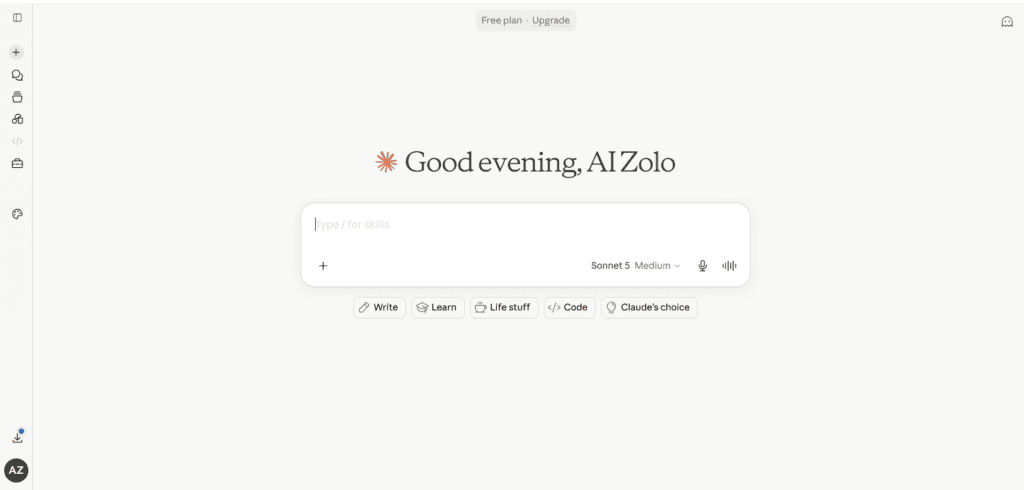
Overview: Anthropic’s Claude is consistently the pick of professional writers, developers, and researchers who prioritize output quality over feature count.
Best For: Long-form writing, document-heavy analysis, and software development — particularly through the Claude Code terminal agent, included on every paid tier.
Pros
- Claude Code, Claude Cowork, Claude Design, and Claude Science all included starting at Pro ($20/mo) — no extra coding-agent fee
- Free tier now defaults to Claude Sonnet 5, a genuinely capable model, not a stripped-down one
- Strong reputation for lower hallucination rates and more careful sourcing in independent benchmarking write-ups
Cons
- No dedicated image or video generation model of its own
- Anthropic doesn’t publish exact message caps, only vague “rolling budget” language, which frustrates users trying to plan usage
- No $8-a-month budget tier the way ChatGPT Go exists
Key Features: Claude Code (terminal coding agent), Claude Cowork (agentic desktop app), 200K–1M token context depending on tier, Projects for organizing long-running work.
Supported Models: Claude Opus 4.8 (top reasoning/coding), Claude Sonnet 5 (balanced, now the free-tier default), Claude Haiku 4.5 (fast/cheap).
Reasoning capability: A regular top pick among developers for multi-step reasoning and instruction-following, especially on Opus.
Coding quality: Frequently cited as the strongest of the major chatbots for coding, particularly for large codebases and long, iterative debugging sessions via Claude Code.
Writing quality: Widely regarded as the most natural, least “AI-sounding” prose among the major models, especially for long-form business or narrative writing.
Image generation: Not a native strength; Claude doesn’t ship its own image generator the way ChatGPT and Gemini do.
File analysis: Strong, with a context window that scales up to 1M tokens on higher tiers for large document sets.
Memory: Available via Projects and, on some tiers, persistent memory across sessions.
Voice: Limited compared to ChatGPT; not a primary focus of the product.
Context window: Up to 200K tokens standard, with some Enterprise tiers reaching 500K–1M tokens.
Integrations: Google Workspace, Slack, Microsoft 365, and enterprise search tools on Team/Enterprise tiers.
Pricing: Free ($0, Sonnet 5 with usage limits), Pro ($20/mo), Max 5x ($100/mo), Max 20x ($200/mo), Team Standard (~$25/seat), Team Premium (~$125/seat), Enterprise (custom).
Limitations: Usage limits are described qualitatively rather than as a hard number, which makes budgeting harder than with point-based systems like Poe’s.
Who should avoid it: Users who want an all-in-one hub for image/video generation and voice chat — ChatGPT or Gemini cover that ground better.
Overall verdict: The strongest specialist choice for writers and developers, at the same $20/month price as its main rivals.
Gemini (Google AI)
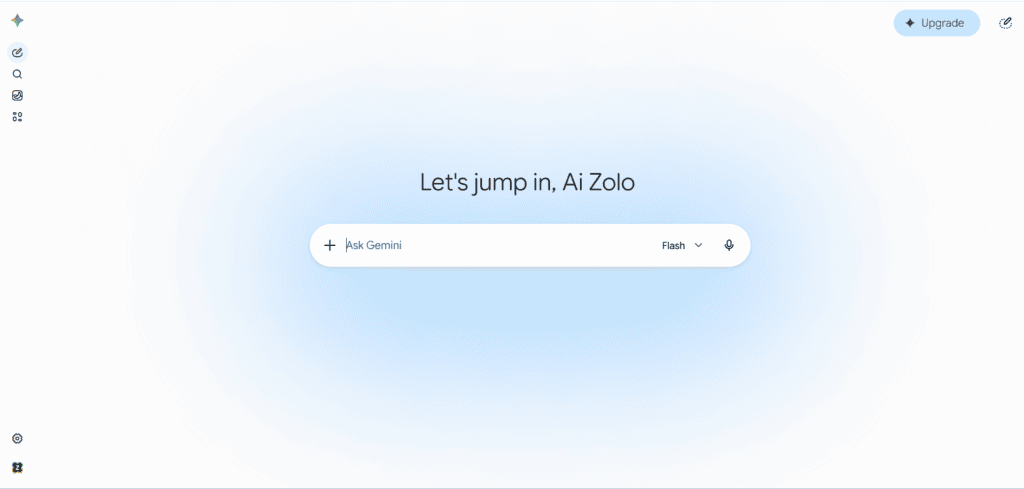
Overview: Google’s Gemini plans are the most tightly integrated with an existing productivity ecosystem — Gmail, Docs, Sheets, and Drive — making it the practical default for anyone already living inside Google Workspace.
Best For: Google Workspace users, and anyone who needs the largest practical context window for document-heavy work.
Pros
- Genuinely the cheapest entry point among the “big three,” with Google AI Plus at $7.99/month
- 1M-token context window included even on the mid-tier Google AI Pro plan
- Bundles real Google One cloud storage (5TB+ depending on tier) — a meaningful extra most rivals don’t offer
Cons
- Feature rollouts (Gemini Spark, Project Genie, Deep Think) are often US-only or English-only at launch
- Plan naming has changed multiple times (Gemini Advanced → Google AI Pro), which confuses returning buyers
- Ultra tier pricing has moved twice in 2026 alone, making long-term budgeting harder
Key Features: Deep Research, Gems (custom personas), NotebookLM integration, Nano Banana image generation, Veo video generation on Ultra.
Supported Models: Gemini 3.1 Pro (deep reasoning), Gemini 3.5 Flash (fast, strong at coding/agentic tasks), Gemini Omni (multimodal, video-capable).
Reasoning capability: Gemini 3.1 Pro remains a strong deep-reasoning option, and Gemini 3.5 Flash has been reported to beat it on some coding and agentic benchmarks despite being the faster, cheaper model.
Coding quality: Competitive, especially with the newer 3.5 Flash model, though it lacks the dedicated terminal-agent maturity of Claude Code or Codex.
Writing quality: Solid and workmanlike, with a clear edge when writing directly inside Docs or Gmail thanks to native integration.
Image generation: Strong via Nano Banana, particularly for quick in-context edits inside Google apps.
File analysis: A standout strength thanks to the 1M-token context window available from the Pro tier up.
Memory: Present across the Gemini app, tied to your Google account.
Voice: Present but not the product’s primary focus.
Context window: 1M tokens on Google AI Pro and above — the largest standard context window among the mainstream subscriptions.
Integrations: Deepest native integration of any option: Gmail, Docs, Sheets, Slides, Drive, Meet.
Pricing: Free ($0), Google AI Plus ($7.99/mo), Google AI Pro ($19.99/mo), Google AI Ultra ($99.99/mo for 5x, $199.99/mo for 20x).
Limitations: Some flagship features (Gemini Spark, Project Genie) are geographically restricted, so headline features may not be available in every country.
Who should avoid it: Users outside the Google ecosystem who don’t need Workspace integration — the price advantage shrinks if you never touch Docs or Gmail.
Overall verdict: The best value pick for anyone already inside Google Workspace, and the strongest context window for document-heavy work at this price.
Microsoft Copilot
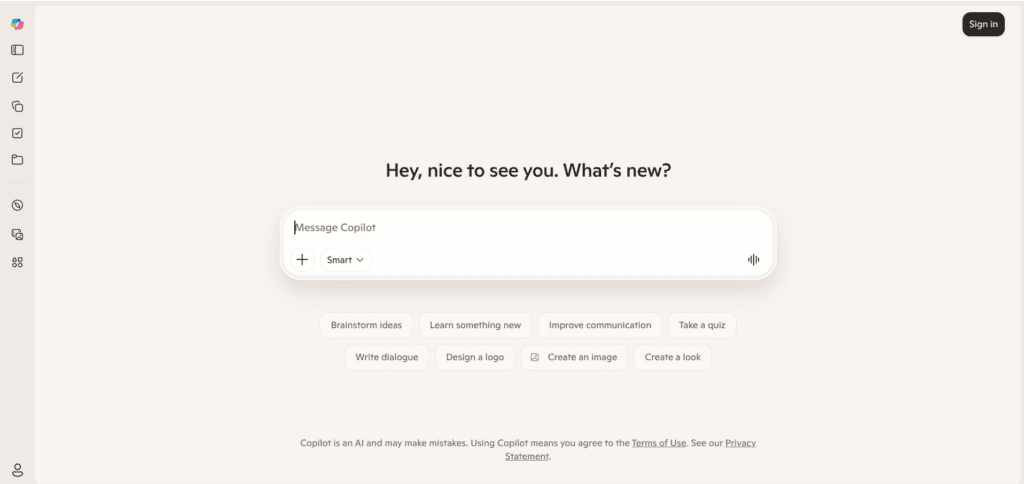
Overview: Copilot’s real value isn’t the standalone chatbot — it’s Copilot embedded directly inside Word, Excel, PowerPoint, and Outlook for people already paying for Microsoft 365.
Best For: Microsoft 365 users who want AI assistance inside the documents and spreadsheets they already work in daily.
Pros
- Native access to open Office files — Copilot can read and edit an open spreadsheet or document directly
- Bundled with Microsoft 365 Premium/Family means you also get the full Office suite and 1TB+ storage
- Free consumer chat tier is genuinely usable for basic questions with no subscription required
Cons
- The standalone $20/month Copilot Pro plan is being phased out in favor of Microsoft 365 Premium bundling, adding confusion for existing users
- Weak as a general-purpose chatbot outside the Office ecosystem compared to ChatGPT, Claude, or Gemini
- Business tiers require a qualifying Microsoft 365 base license, so the “real” all-in cost is often 2–3x the headline add-on price
Key Features: In-app AI in Word, Excel, PowerPoint, Outlook, and Teams; Copilot Notebooks for research; Copilot Studio for building custom agents (business tiers).
Supported Models: A mix of OpenAI GPT-class models and Microsoft’s own models, routed depending on task.
Reasoning capability: Adequate for document and spreadsheet tasks; not positioned as a frontier reasoning tool the way Claude Opus or GPT-5.6 Pro are.
Coding quality: Present via GitHub Copilot as a related but separate product; the Microsoft 365 Copilot chat itself isn’t a coding-first tool.
Writing quality: Strong specifically for business documents, meeting summaries, and email drafts inside Outlook and Word.
Image generation: Available through Designer integration, though not the primary use case.
File analysis: A genuine strength — Copilot can read and act on files you already have open, not just uploaded copies.
Memory: Improving, with “Work IQ” adding context awareness across a user’s Microsoft 365 activity.
Voice: Limited compared to ChatGPT or Gemini.
Context window: Not consistently published; varies by task and app.
Integrations: The deepest possible integration with Microsoft 365 apps; weaker outside that ecosystem.
Pricing: Free (basic web chat), Copilot Pro (~$20/mo, being phased out for new signups), Microsoft 365 Premium (~$19.99/mo, personal), M365 Copilot Business (~$21/seat/mo annual, ~$25/seat/mo monthly), Enterprise/E7 (custom, from ~$99/seat/mo).
Limitations: Real cost for business users is the add-on price plus a required base Microsoft 365 license — easy to underestimate.
Who should avoid it: Anyone not already invested in Microsoft 365 — you’re paying for ecosystem lock-in, not just the AI.
Overall verdict: Excellent value only if you’re already a heavy Microsoft 365 user; a weak standalone choice otherwise.
Perplexity Pro
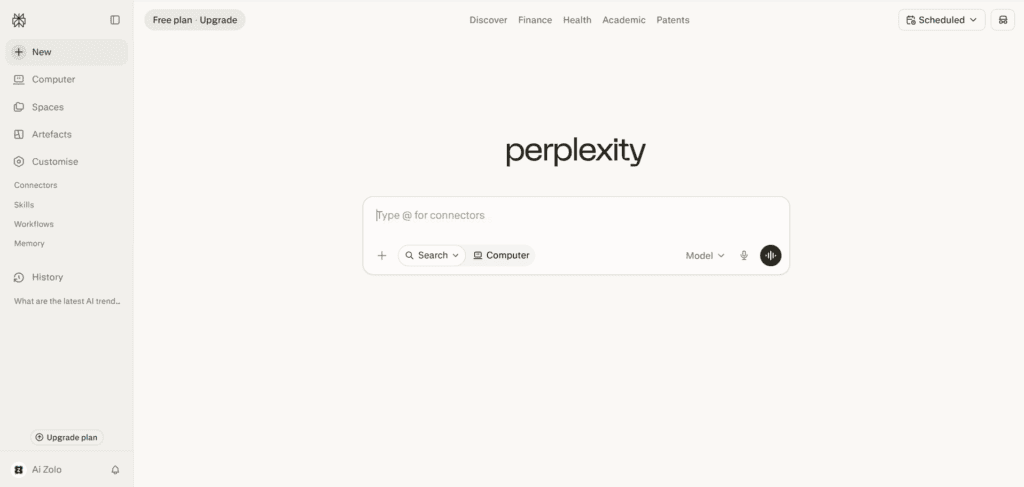
Overview: Perplexity is built around sourced, citation-backed answers rather than open-ended conversation, making it the strongest pick for research and fact-checking.
Best For: Research-heavy work where you need answers with verifiable sources, not just fluent prose.
Pros
- Lets you pick which underlying model answers your query (including Claude and GPT-class models) inside one subscription
- Every answer comes with inline source citations by default, which is unusual among general chatbots
- Perplexity Max ($200/mo) offers effectively unlimited queries for the heaviest research users
Cons
- 2026 restructuring sharply cut Deep Research quotas — from 500+ daily runs in late 2025 down to around 20/month on Pro
- Less suited to open-ended creative writing or brainstorming than ChatGPT or Claude
- Pro Search queries are now capped weekly (around 200/week), a real limit for constant researchers
Key Features: Source-cited answers, Deep Research reports, model picker (choose the underlying LLM per query), Pages for publishing research as shareable documents.
Supported Models: Routes queries to GPT-class, Claude, and other underlying models depending on the plan and your selection.
Reasoning capability: Strong specifically for research synthesis; less built for freeform multi-step reasoning outside a search context.
Coding quality: Not a primary strength or focus.
Writing quality: Functional and factual rather than stylistically polished — it’s optimized for accuracy over voice.
Image generation: Limited compared to the major chatbots.
File analysis: Solid for research documents, less developed than Claude or Gemini for very large files.
Memory: Present but not a headline feature.
Voice: Basic.
Context window: Competitive but not published as a standout figure the way Gemini’s is.
Integrations: Browser extensions and a research-focused API; fewer productivity-suite integrations than Copilot or Gemini.
Pricing: Free (limited), Pro ($20/mo or ~$17/mo annually), Max ($200/mo, near-unlimited).
Limitations: The February 2026 Deep Research quota cut was a real step down in usage limits for existing subscribers — worth checking current caps before committing to research-heavy workflows.
Who should avoid it: Anyone who wants a single tool for casual conversation, creative writing, and general chat — Perplexity is a specialist, not a generalist.
Overall verdict: The best AI chatbot subscription specifically for sourced research and fact-checking, at the same $20/month price point as the generalists.
Poe
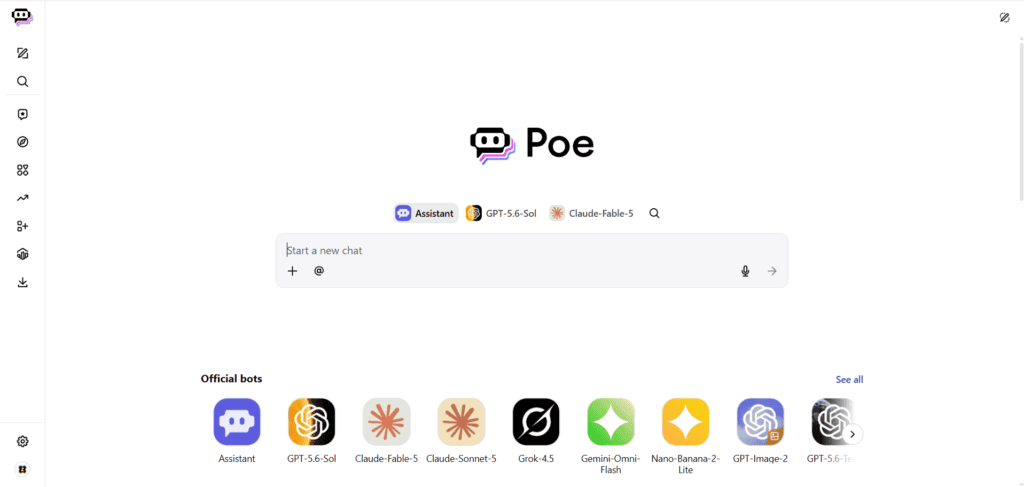
Overview: Poe, built by Quora, is a genuine multi-model aggregator — one login gives you access to models from OpenAI, Anthropic, Google, xAI, and hundreds of community-built bots.
Best For: People who already know they want to switch between specific named models (GPT-5.5, Claude Opus, Gemini 3.5 Flash) rather than a single provider’s ecosystem.
Pros
- Genuinely broad model access — GPT, Claude, Gemini, and 200+ models including image, video, and audio generators, from one subscription
- Entry price is low: Starter plans begin around $4.99/month
- New models are typically added the same day a provider releases them publicly
Cons
- The points/compute-credit system is widely reported as confusing, with some bots consuming far more points per message than advertised
- Multiple independent reviews and user reports describe points running out faster than expected on paid plans, and no rollover of unused points
- You’re getting each model through a routed, sometimes-reduced version rather than the provider’s native interface — features and message limits can lag native apps
Key Features: Multi-bot comparison threads (query several models with one prompt), a no-code custom bot builder, a library of 1M+ community-built bots, cross-device sync.
Supported Models: GPT-5.5-class, Claude Opus 4.7-class, Gemini 3.5 Flash, plus dozens of open-source and specialty models for image, video, and audio.
Reasoning capability: Depends entirely on which underlying model you select — Poe itself doesn’t add reasoning capability beyond the model chosen.
Coding quality: Same principle — you get whichever model’s native coding ability, routed through Poe’s interface.
Writing quality: Variable by model selection; the multi-bot comparison feature is genuinely useful for picking the best stylistic fit per task.
Image generation: A real strength — FLUX, Ideogram, and Stable Diffusion-class models are available in the same interface as the text bots.
File analysis: Present, with a stated knowledge-base limit per custom bot (around 5GB), though less refined than a native ChatGPT or Claude upload flow.
Memory: Basic compared to Claude’s Projects or ChatGPT’s persistent memory.
Voice: Limited.
Context window: Varies significantly by which underlying model you pick; Poe advertises “full context length” up to 2M tokens on some bots.
Integrations: Primarily a standalone chat app; fewer productivity-suite integrations than Copilot or Gemini.
Pricing: Free (limited daily points), Starter (~$4.99/mo), Premium (~$19.99/mo), Premium Plus (~$49.99/mo), Pro (~$99.99/mo), Pro Max (~$249.99/mo).
Limitations: Read the point-cost table for each bot before subscribing — user reports describe some bots costing far more per message than the advertised rate, which can drain a plan quickly.
Who should avoid it: Users who want one predictable model and simple, transparent usage limits — the points system adds real cognitive overhead.
Overall verdict: A legitimate way to sample multiple frontier models cheaply, but the points system requires more attention than a flat per-model subscription.
Aizolo
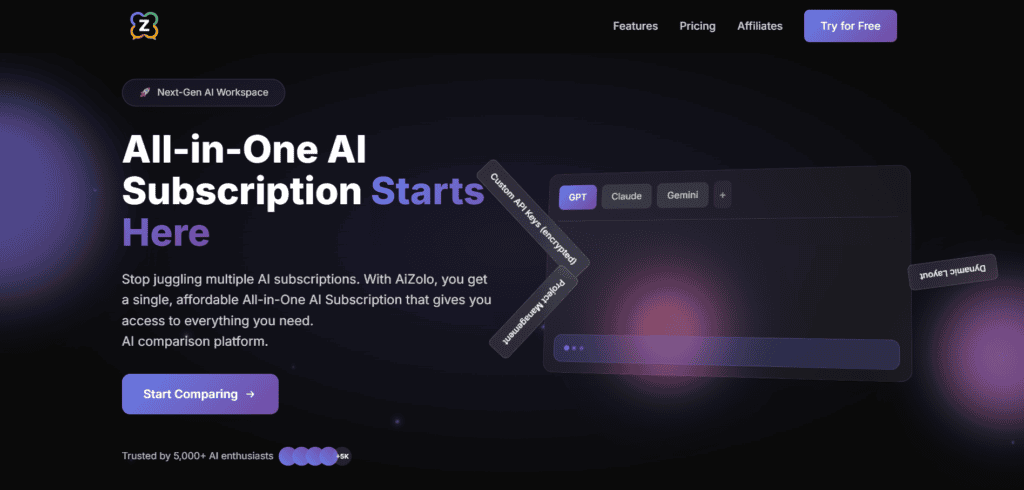
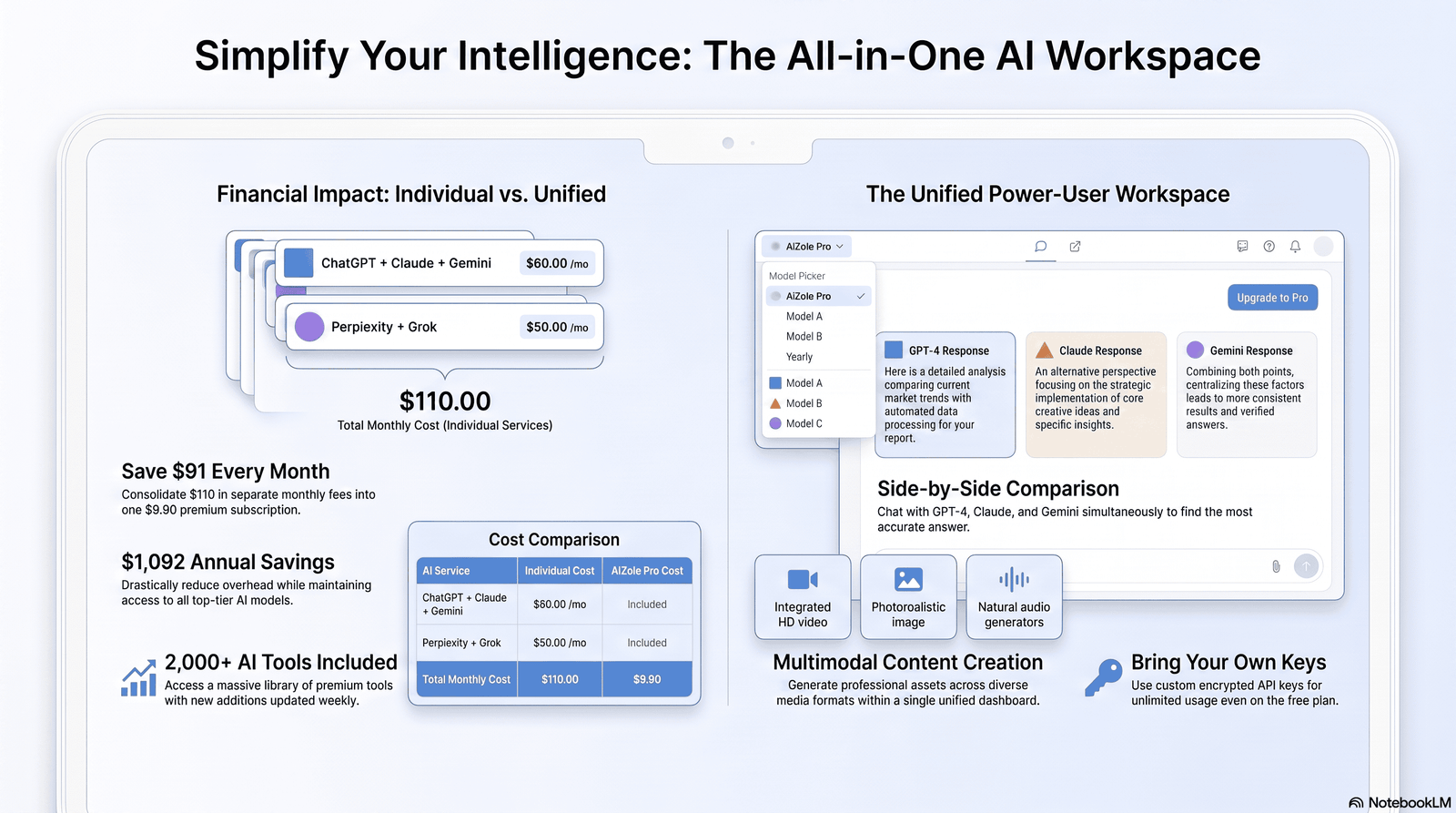
Overview: Aizolo is a multi-model AI workspace positioned as a lower-cost alternative to Poe — one subscription for chat access across several major model families, plus built-in image, video, and audio generation.
Best For: Budget-conscious professionals, students, and freelancers who want to compare outputs across ChatGPT-, Claude-, and Gemini-class models without paying for each provider separately.
Pros
- Pro plan is priced at $9.90/month (or $99.90/year), meaningfully cheaper than most multi-model competitors
- Side-by-side comparison lets you run one prompt across multiple models and view responses together
- Bundles image, video, and audio generation into the same plan rather than charging separately
Cons
- As a routing platform, Aizolo depends on the underlying providers’ APIs — it doesn’t train or own the models it gives you access to, so capability ceilings match those providers, not Aizolo itself
- Smaller user base and shorter track record than Poe, ChatGPT, or Claude, so less independent, third-party review coverage currently exists
- A free tier exists but with limited model access and token allowance, similar to other aggregators
Key Features: Side-by-side multi-model comparison, AI Memory across sessions, a Prompt Manager for saving reusable prompts, bring-your-own-API-key support for developers, one-click import of existing ChatGPT/Claude conversation history.
Supported Models: Access to ChatGPT-, Claude-, Gemini-, Grok-, and Perplexity Sonar Pro-class models, routed through the platform.
Reasoning capability: Inherits the reasoning strength of whichever underlying model you select for a given prompt.
Coding quality: Depends on the underlying model chosen; the platform itself doesn’t add a dedicated coding agent comparable to Claude Code or Codex.
Writing quality: Benefits from the side-by-side comparison feature specifically for picking the best stylistic output per task.
Image generation: Included in the Pro plan via third-party image models, alongside text-to-video and text-to-speech/music tools.
File analysis: Supported, with a stated monthly token allowance (3M tokens on Pro) shared across all connected models.
Memory: A named feature (AI Memory) designed to persist preferences and context across sessions and models.
Voice: Available through the audio generation toolset rather than a live conversational voice mode.
Context window: Depends on the underlying model selected per conversation.
Integrations: Supports connecting your own API keys for direct provider billing if you prefer that over Aizolo’s bundled pricing.
Pricing: Free (limited), Pro ($9.90/mo or $99.90/year).
Limitations: Because pricing and routed-model access can change quickly on any aggregator, verify current model coverage and token limits on Aizolo’s official pricing page before subscribing — the same caution that applies to Poe and any multi-model platform.
Who should avoid it: Enterprise buyers needing formal compliance certifications, or anyone who specifically needs a provider’s native app features (like Claude Code’s terminal integration) rather than routed chat access.
Overall verdict: Worth considering if your priority is the lowest-cost way to sample multiple model families side by side — [platforms where multiple ai models answer the same question] have grown into a real category, and Aizolo is one of the more affordable entries in it.
Full Pricing & Feature Comparison Tables
Monthly Cost at a Glance (July 2026)
| Platform | Free Tier | Entry Paid Tier | Mid Tier | Top Consumer Tier |
|---|---|---|---|---|
| ChatGPT | Yes (ads, US) | Go — $8/mo | Plus — $20/mo | Pro — $100–$200/mo |
| Claude | Yes | — | Pro — $20/mo | Max — $100–$200/mo |
| Gemini (Google AI) | Yes | Plus — $7.99/mo | Pro — $19.99/mo | Ultra — $99.99–$199.99/mo |
| Microsoft Copilot | Yes (basic) | — | M365 Premium — ~$19.99/mo | Business/E7 — $21–$99/seat/mo |
| Perplexity | Yes (limited) | — | Pro — $20/mo | Max — $200/mo |
| Poe | Yes (limited) | Starter — $4.99/mo | Premium — $19.99/mo | Pro Max — $249.99/mo |
| Aizolo | Yes (limited) | — | Pro — $9.90/mo | — |
Feature Comparison
| Platform | Coding Agent | Native Image Gen | Voice Mode | Largest Context Window | Multi-Model in One Plan |
|---|---|---|---|---|---|
| ChatGPT | Codex | Yes (Images 2.0) | Yes (video-capable) | 1M tokens (Pro $200) | No |
| Claude | Claude Code | No | Basic | 200K–1M tokens | No |
| Gemini | Via Antigravity | Yes (Nano Banana) | Yes | 1M tokens (Pro+) | No |
| Copilot | Via GitHub Copilot (separate) | Via Designer | Basic | Not published | No |
| Perplexity | No | Limited | Basic | Not a headline spec | Yes (model picker) |
| Poe | Depends on model | Yes (FLUX, Ideogram) | Limited | Up to 2M (model-dependent) | Yes |
| Aizolo | Depends on model | Yes (bundled) | Via audio tools | Model-dependent | Yes |
Best For, By Use Case
| Use Case | Strongest Pick | Why |
|---|---|---|
| General everyday use | ChatGPT Plus | Broadest feature set at $20/mo |
| Long-form writing | Claude Pro | Most natural prose quality |
| Coding & large repos | Claude Pro / Max | Claude Code is a standout agent |
| Google Workspace users | Google AI Pro | Native Gmail/Docs/Sheets integration |
| Sourced research | Perplexity Pro | Citations built into every answer |
| Microsoft 365 users | Microsoft 365 Premium | AI inside Word/Excel/Outlook directly |
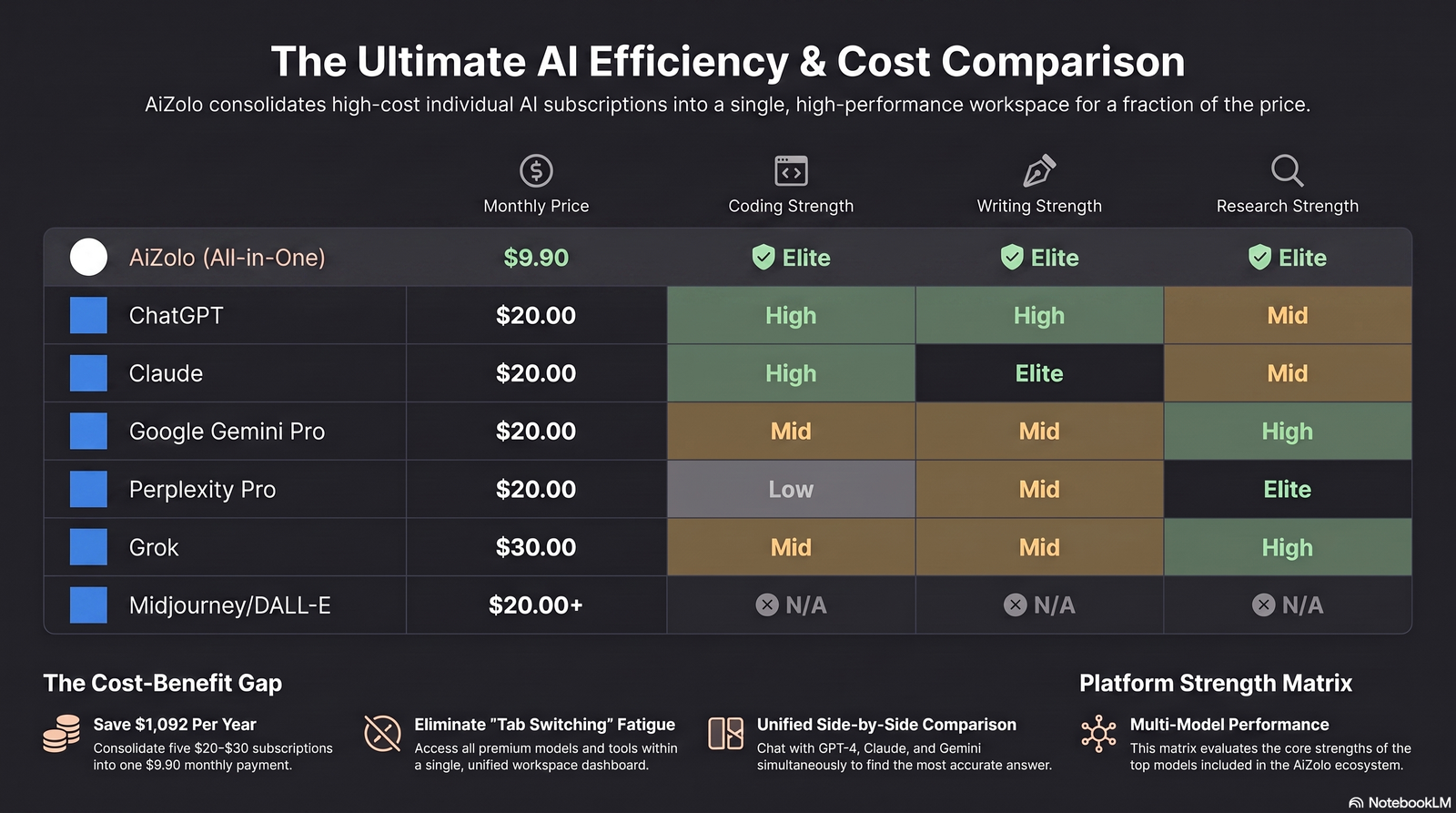
| Trying many models cheaply | Poe or Aizolo | [one subscription for all ai models] instead of five separate bills |
Buying Guide: How to Choose the Right AI Chatbot Subscription
Students: Start with free tiers — Claude’s free plan now runs Sonnet 5, and ChatGPT Free is a real GPT-5-class model. If you need more, Aizolo or Poe’s Starter plan gives access to several models under $10/month, useful on a tight budget. Some providers, including Perplexity, also offer education-specific discounted plans, so check for a student rate before paying full price.
Businesses: Match the tool to the workflow before the brand. If your team lives in Microsoft 365, Copilot Business is the pragmatic pick despite the base-license requirement. If your team writes and codes heavily, Claude Team or individual Max seats are worth the premium.
Freelancers: A single $20/month plan usually beats stacking three. If you regularly switch between writing and coding, Claude Pro alone often covers both better than combining two cheaper tools.
Developers: Claude Code (included from Pro, $20/mo) or ChatGPT’s Codex (Plus, $20/mo) are the two serious options. Compare them directly rather than assuming — see [is claude cheaper than chatgpt] for the exact current numbers.
Content Creators: ChatGPT Plus or Gemini AI Pro cover image generation natively; if you also need video and audio in the same plan, Aizolo or Poe’s bundled generation tools can replace two or three separate subscriptions.
Researchers: Perplexity Pro is purpose-built for this, but its 2026 Deep Research quota cuts mean heavy researchers should test the actual monthly cap before committing, not just the marketing description.
Agencies: Team plans (Claude Team, ChatGPT Business, Copilot Business) add admin controls, SSO, and centralized billing that individual plans lack — worth the premium once you’re managing more than two or three seats.
Common Mistakes People Make Buying AI Subscriptions
Buying the wrong plan tier. Jumping straight to a $100–$200/month “Pro” or “Max” tier without first testing whether the $20/month entry tier’s limits actually bother you.
Ignoring usage limits until they hit. Several providers, including Claude, don’t publish exact message caps — read community reports or test the free tier first if predictability matters to you.
Overpaying by stacking full-price subscriptions. Paying full price for three or four single-provider plans when best value ai subscription 2026 options exist that bundle multiple models for a fraction of the combined cost.
Ignoring privacy settings. Free and some entry paid tiers use conversations for model training by default on several platforms — check and opt out if that matters to your work.
Ignoring API pricing confusion. No major consumer subscription includes API credits. If you’re building an app or automation, budget for API costs separately — subscriptions and API billing never overlap.
Not checking usage caps before a big project. Perplexity’s 2026 Deep Research quota cut caught many existing users off guard mid-project — always re-check current limits before relying on a plan for a deadline-critical task.
Ignoring cancellation terms. Annual plans and some team tiers lock you in for the full term even if usage drops; monthly billing costs more per month but adds real flexibility.
Frequently Asked Questions
1. What is the best AI chatbot subscription overall in 2026? There’s no single universal winner. ChatGPT Plus is the best general-purpose pick, Claude Pro is strongest for writing and coding, and Google AI Pro wins for Workspace users and context window size — all at roughly the same $20/month price.
2. Is Claude cheaper than ChatGPT? Claude Pro and ChatGPT Plus are both $20/month with no meaningful price gap at the entry tier; the real difference is in features and usage limits, not price. See [is claude cheaper than chatgpt] for the current side-by-side.
3. Is it worth paying for more than one AI subscription? Only if you regularly use distinct strengths — for example, Claude for writing and Perplexity for research. Otherwise, [platforms to ask same question to multiple ai models] like Poe or Aizolo often cost less than two full-price subscriptions combined.
4. What’s the cheapest way to access multiple AI models? Multi-model aggregators are generally the [cheapest ai chatbot subscription 2026] path if you want several providers’ models without paying each one $20/month separately.
5. Do I need ChatGPT Plus if I already have Gemini AI Pro? Usually not, unless you specifically need a ChatGPT-only feature like Sora video generation or Advanced Voice Mode with video — the core chat capabilities overlap significantly.
6. Are free AI chatbot plans good enough for students? Often yes for coursework and study help, since free tiers on Claude and ChatGPT now run genuinely capable models — the main limits are message caps and missing advanced features like deep research.
7. What’s the difference between ChatGPT Plus and ChatGPT Pro? Plus ($20/mo) covers standard daily use; Pro ($100 or $200/mo) adds significantly higher usage ceilings and, at $200, unlimited Sora video and the largest context window.
8. Does Microsoft Copilot require a separate Microsoft 365 subscription? For the deepest integration (in-app AI inside Word, Excel, and Outlook), yes — Copilot’s business tiers require a qualifying Microsoft 365 base license, which adds to the real total cost.
9. Is Perplexity Pro worth it just for research? Yes, if sourced, citation-backed answers matter to your work — just confirm the current Deep Research monthly quota first, since it was cut significantly in the 2026 restructuring.
10. Can I switch between AI models without paying for each one separately? Yes — platforms like Poe and Aizolo exist specifically to give [access all ai models in one place] under a single subscription instead of five separate bills.
11. What is the best AI subscription for coding? Claude Pro, largely because of Claude Code’s reputation for handling large codebases and long debugging sessions; ChatGPT’s Codex is a strong second option.
12. Are AI chatbot subscriptions tax-deductible for freelancers or businesses? In many jurisdictions, software subscriptions used for business purposes can be deductible business expenses — confirm with a tax professional, since Claude isn’t a tax advisor and rules vary by country.
13. Do AI subscriptions include API access? No. Every major provider bills API usage completely separately from consumer subscriptions, even at the highest tiers.
14. What happens to my data on the free plan? On several providers’ free and entry tiers, conversations may be used for model training by default — check account privacy settings if this matters, and opt out where available.
15. Is it better to pay monthly or annually? Annual billing usually saves 10–20%, but locks you in for the year; monthly billing costs more per month but lets you downgrade or cancel anytime.
16. Which AI chatbot has the largest context window? Google’s Gemini currently offers the largest standard context window among mainstream plans, at 1M tokens from the Pro tier up.
17. Can I use one AI subscription for both personal and business use? Technically yes on individual plans, but most providers’ terms of service prohibit account sharing across multiple people — teams need Team or Business tier seats instead.
18. Do multi-model platforms like Poe and Aizolo replace individual subscriptions entirely? For many users, yes — especially if you value comparing outputs across models more than any single provider’s most advanced exclusive feature (like Claude Code’s terminal integration or ChatGPT’s Sora).
Conclusion
There is no single “best” AI chatbot subscription — only the best one for what you actually do.
If you want one dependable, broadly capable tool, ChatGPT Plus remains the safest $20/month choice.
If your work is writing- or code-heavy, Claude Pro is the stronger specialist at the same price.
If you already live inside Google Workspace, Google AI Pro’s Workspace integration and 1M-token context window make it the most practical value.
If sourced research is your priority, Perplexity Pro is purpose-built for that job, quota changes and all.
And if your real problem is subscription sprawl — paying $20 each to three or four providers just to compare their answers — a multi-model platform like Poe or Aizolo is worth serious consideration before you renew everything separately.
Whatever you choose, re-check the official pricing page before subscribing. Every plan on this list has changed at least once in 2026, and it will likely change again.
Author Bio
Jeevesh Tripathi Email: jeevesh@aizolo.com
Jeevesh Tripathi researches and writes about AI software, SaaS platforms, and emerging AI technologies, with a focus on evaluating subscription pricing, feature sets, and real-world usability across the major AI chatbot providers. His work centers on comparing official pricing documentation against actual usage limits and feature availability, aiming to give readers a clear, currently accurate picture in a market where plans and pricing change frequently. He verifies claims against official provider pricing pages and documentation before publishing, and updates comparisons as platforms evolve.
