
You open LinkedIn and see another headline about layoffs tied to automation. You wonder if your job is next. That worry is fair, and it’s shared by millions of people right now.
Here’s a fact that puts things in perspective: the World Economic Forum’s Future of Jobs Report 2025 found that AI and information-processing technologies are expected to disrupt the equivalent of 22% of today’s jobs by 2030, displacing around 92 million roles while also creating 170 million new ones.
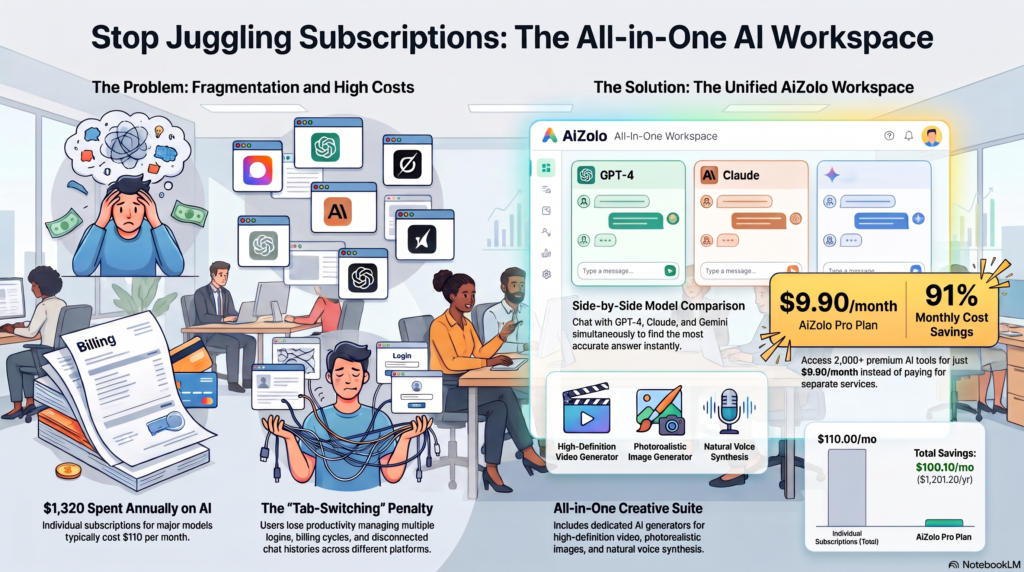
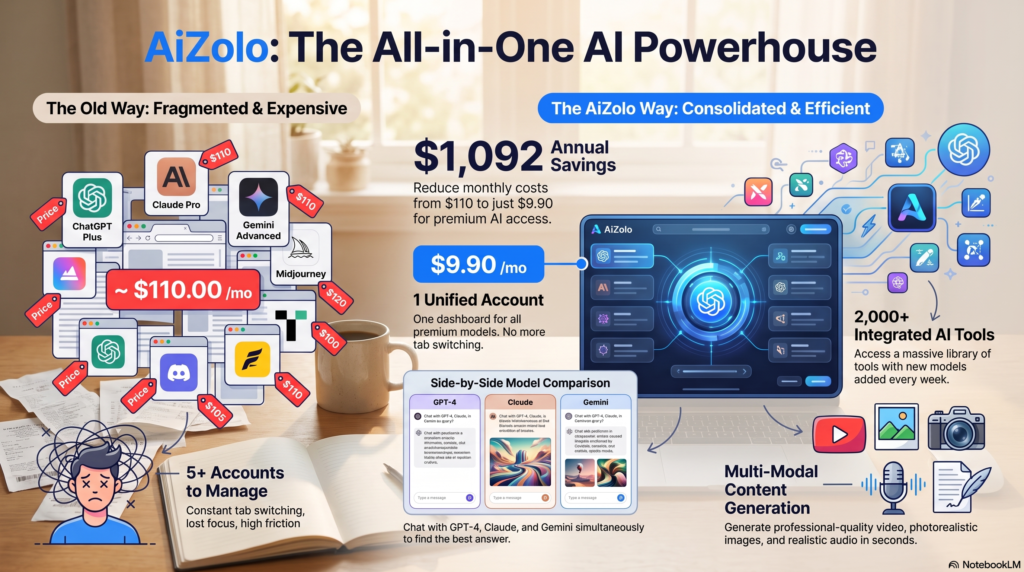
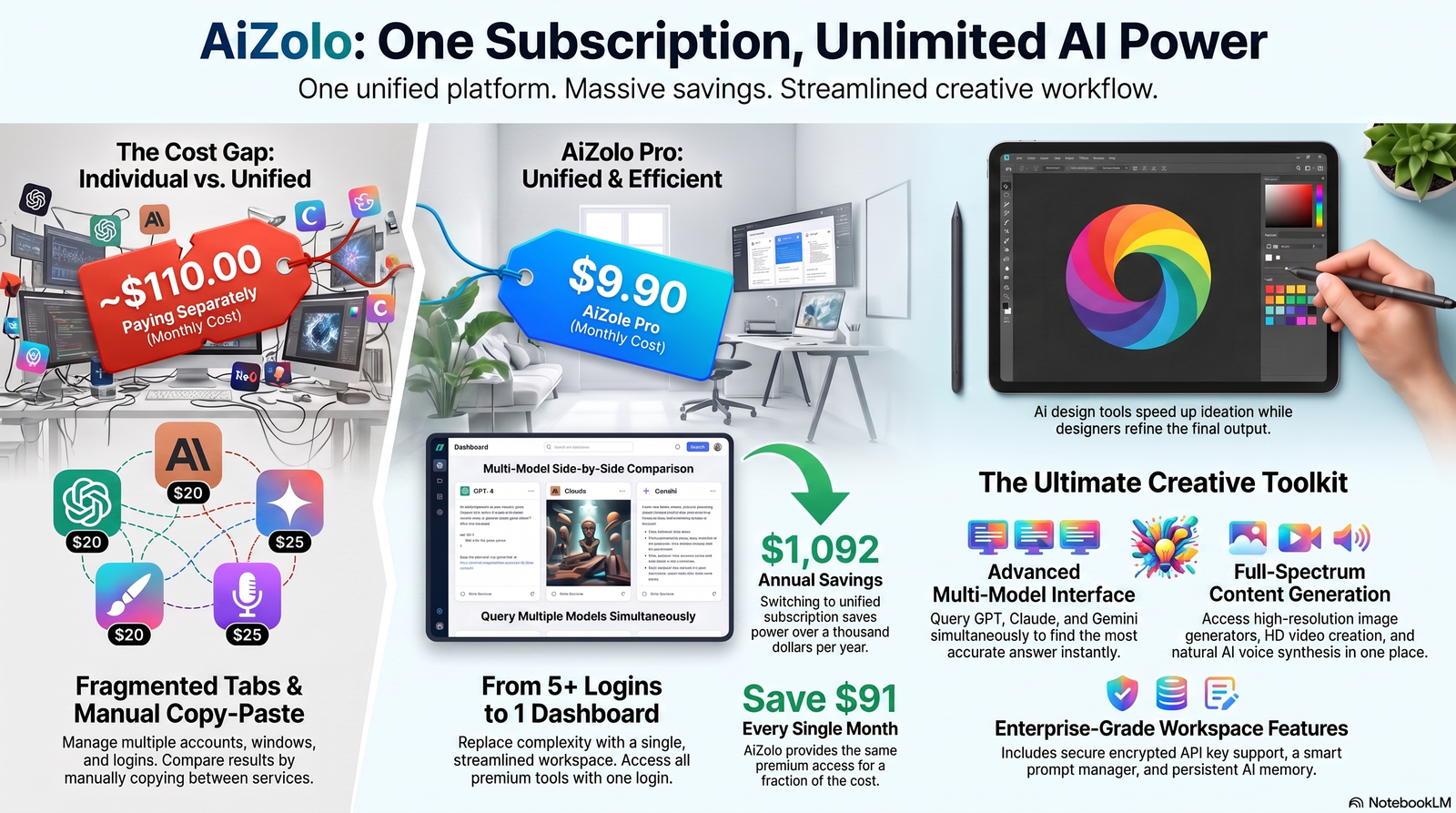
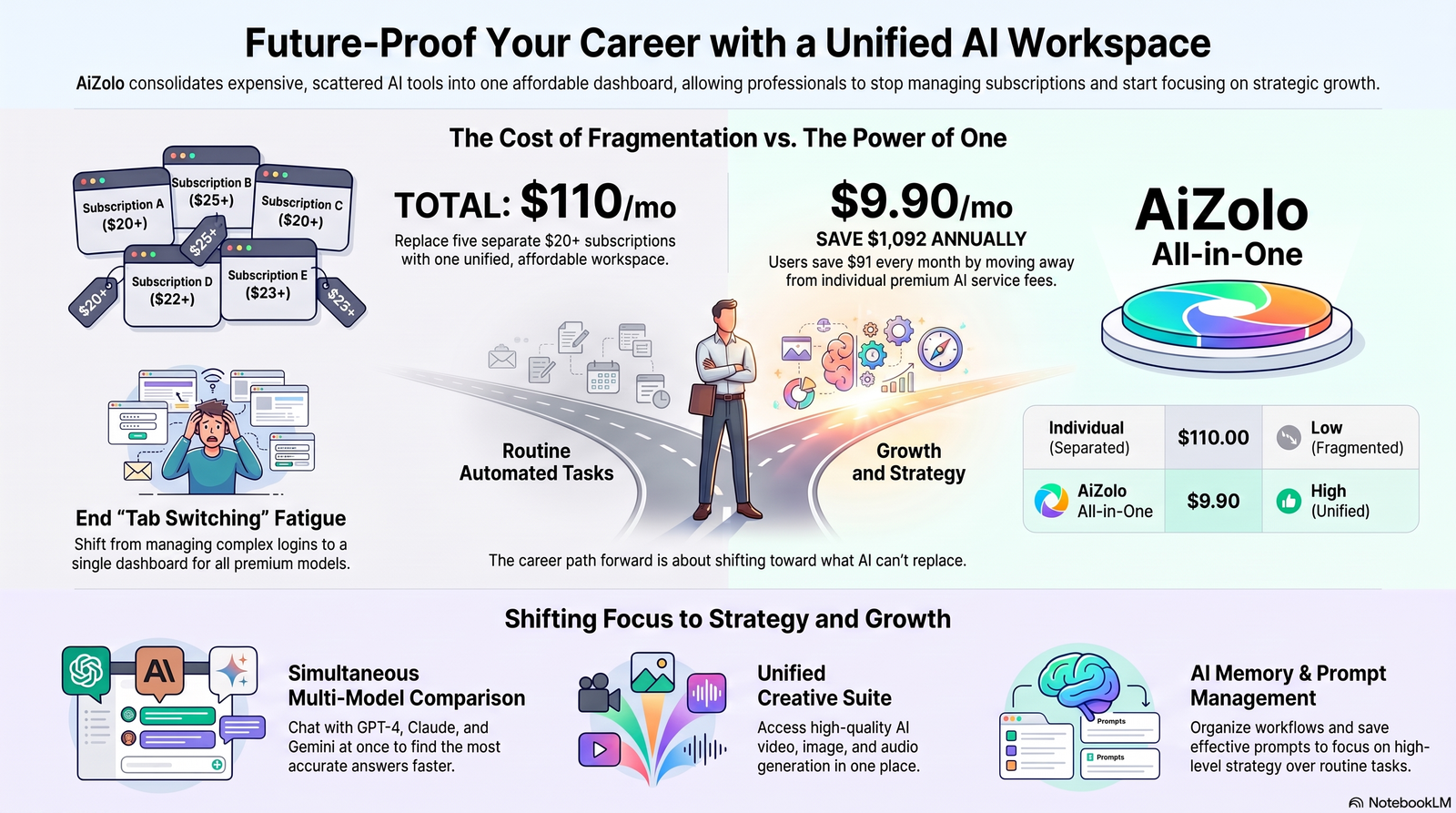
As AI adoption accelerates, platforms like Aizolo help professionals adapt by bringing multiple leading AI models into one workspace.
That’s not a simple story of “robots take over.” It’s a story of transformation, and this guide breaks it down honestly.
In this article, you’ll learn exactly which AI tools that replace 5 popular jobs are already in daily use, how each tool works, which tasks are genuinely at risk, which skills stay valuable, and what you can do this year to future-proof your career — whether you’re a business owner, a freelancer, a student, or an HR manager trying to plan ahead.
No hype. No scare tactics. Just what the data actually shows.
Table of Contents
Why AI Is Replacing Certain Jobs
AI doesn’t replace entire professions overnight. It replaces tasks first, and jobs later — only when enough of the underlying tasks are automatable.
Three forces are driving this shift right now:
1. Generative AI got good enough for real work. Since ChatGPT launched in November 2022, investment in generative AI has grown nearly eightfold, according to WEF analysis, pushing adoption from a novelty into standard business infrastructure.
2. The tasks most exposed are repetitive and text-based. The U.S. Bureau of Labor Statistics has flagged 18 occupations as AI-related, and BLS employment projections through 2034 explicitly cite generative AI as a factor limiting growth for roles like graphic designers, translators, paralegals, and administrative support workers, because their core tasks involve structured, digital, repeatable work.
3. The economics favor automation. Gartner research cited across the customer service industry shows self-service AI interactions cost roughly $1.84 per contact versus $13.50 for an agent-assisted interaction — a gap large enough that most companies can’t ignore it.
This doesn’t mean every job in a category disappears. BLS researchers themselves note that exposure to AI is not the same as destiny — many highly exposed occupations are still projected to grow because AI augments the work rather than replacing the worker entirely.
The honest takeaway: the jobs most at risk are the ones built almost entirely around routine, structured, digital tasks. The jobs that survive are the ones where judgment, relationships, and physical presence matter.
How AI Tools Automate Human Work
Modern AI tools automate work in four main ways:
- Natural Language Processing (NLP): Lets AI read, understand, and generate human language — powering chatbots, writing assistants, and translation tools.
- Computer Vision: Lets AI “see” and interpret images, which powers design tools and automated data extraction from documents.
- Machine Learning (ML) pattern recognition: Lets AI learn from historical data to classify, sort, and predict — the backbone of data entry and fraud-detection automation.
- Agentic workflows: Newer AI systems don’t just respond to one prompt; they chain steps together and complete multi-part tasks with minimal supervision, which is why 2026 discussions increasingly use the term “AI agents” instead of “chatbots.”
Below, we go tool-by-tool through the five jobs most affected by these capabilities in 2026: customer support representatives, content writers, graphic designers, data entry operators, and translators.
AI Tool #1: Customer Support — Chatbots and AI Agents
Job Replaced: Customer service representative (tier-1 support)
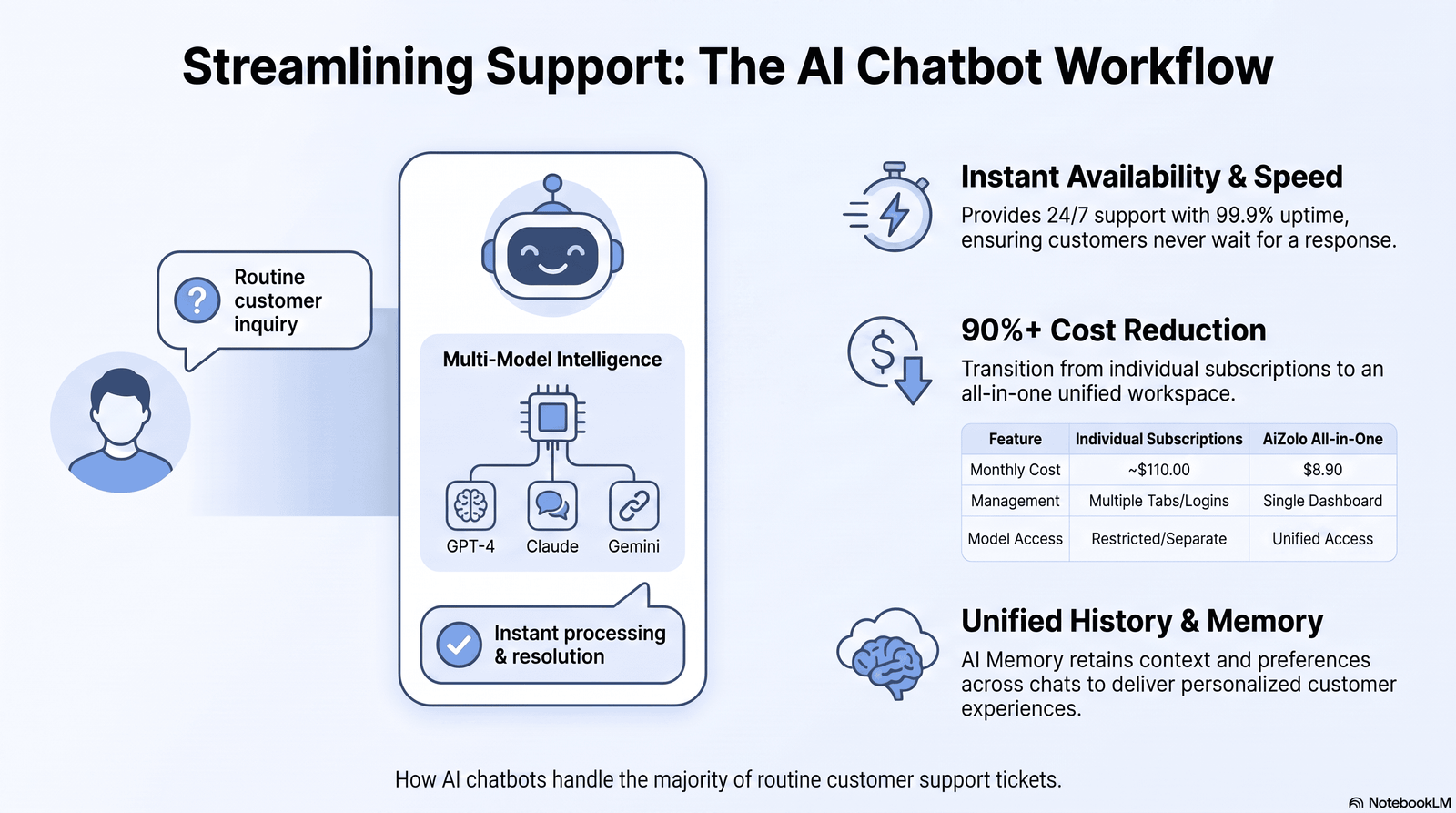
Leading Tools: Intercom Fin, Zendesk AI, Salesforce Agentforce, Bank of America’s Erica, plus general-purpose assistants like ChatGPT and Claude embedded into support platforms.
How It Works
AI customer support tools read a customer’s message, pull relevant account or order data, and generate a natural-language response — often resolving the issue without routing it to a human. Newer “agentic” systems can also take actions, like issuing a refund or updating a shipping address, not just answer questions.
The Numbers
Adoption has moved fast. In 2020, only about 5% of customer service teams used AI-powered chatbots; by 2025, that had passed 80%. Industry benchmarking in 2026 puts AI-driven, human-free resolution rates for tier-1 tickets in the 65–80% range for routine inquiries.
Bank of America’s Erica illustrates the scale: by 2025, it had handled roughly 2 billion customer interactions and resolved 98% of queries within 44 seconds.
On the labor side, BLS wage data shows customer service representative employment fell by about 130,180 positions (a 4.8% year-over-year drop) between May 2024 and May 2025 — one of the clearest AI-linked declines the agency has recorded.
Pros
- 24/7 availability with no wait times
- Consistent answers, no bad-day variance
- Dramatically lower cost per resolved ticket
- Frees human agents for complex, emotional, or high-value cases
Cons
- Struggles with ambiguous, emotional, or multi-issue conversations
- Can frustrate customers who specifically want a human
- Requires ongoing tuning to avoid inaccurate answers
- Full automation still tops out well below 100% resolution for complex support
Real Example
H&M’s generative AI chatbot cut response times by 70% compared with human agents, according to H&M Group’s own reporting, while still routing complicated cases to live staff.
Future Outlook
Gartner projects that agentic AI could autonomously resolve up to 80% of common customer service issues by 2029, but the same research shows only about 25% of contact centers have fully integrated automation today — adoption is still catching up to ambition.
Should People Worry?
Entry-level, high-volume, low-complexity support roles are genuinely shrinking. But complex escalations, relationship-based B2B account management, and roles that blend support with sales or retention are holding steady or growing, because customers still want a human when the stakes are high.
AI Tool #2: Content Writer — Generative AI Writing Assistants
Job Replaced: Entry-level content writer, copywriter, blog writer
Leading Tools: ChatGPT, Claude, Jasper, Copy.ai, Google Gemini
How It Works
Large language models generate drafts, headlines, product descriptions, and social captions from a prompt, then let a human edit, fact-check, and refine the output. Most professional workflows in 2026 use AI for the first draft and human editors for accuracy, tone, and originality.
The Numbers
Adoption among content marketers has reached near-saturation. Industry surveys found that 97% of content marketers planned to use AI to support content marketing in 2026, up from 90% in 2025 and just 64.7% in 2023. Even so, only about 1% of marketers say their content is 100% AI-generated — most treat it as an assistant, not a replacement.
An Ahrefs-based analysis found that roughly 74% of newly created web pages contained some AI-generated content, while separate research estimated about 57% of all online text now involves AI generation or translation in some form.
On the employment side, some marketing agencies have already responded: reporting in 2026 found 23% of agencies reduced junior copywriting headcount in 2025, with more cuts planned.
Pros
- Cuts drafting time dramatically — marketers report saving multiple hours per piece
- Scales content production without scaling headcount
- Useful for outlines, SEO structuring, and first-pass research summaries
Cons
- Prone to factual errors (“hallucinations”) without human fact-checking
- Generic, templated tone unless heavily edited
- Google’s spam policies explicitly penalize mass-produced, low-value AI content — a practice it calls “scaled content abuse”
- Cannot replicate lived experience, original reporting, or genuine expertise
Real Example
Marketers using AI-generated landing page content have reported a 36% higher conversion rate compared with non-AI-assisted pages, according to industry benchmarking — but this success depends heavily on human strategy and editing layered on top.
Future Outlook
The competitive edge is shifting from “using AI” to “using AI well.” As AI writing becomes commoditized, brands that add original data, real interviews, and subject-matter expertise are outperforming pure AI output in both search rankings and reader trust.
Should People Worry?
Junior, generic, high-volume writing roles (basic product listings, templated blog posts) face real pressure. Writers who bring original research, strategic thinking, editing judgment, and subject-matter authority are, if anything, more valuable now — because they’re the ones who catch what AI gets wrong.
AI Tool #3: Graphic Designer — AI Design and Image Generators
Job Replaced: Entry-level and freelance graphic designer
Leading Tools: Canva AI (Magic Studio), Adobe Firefly, Midjourney
How It Works
These tools use diffusion-model image generation and template-based design AI to create logos, social graphics, marketing visuals, and rough layout concepts from a text prompt — turning what used to take hours into a task that takes minutes for a first draft.
The Numbers
The U.S. Bureau of Labor Statistics projects graphic designer employment will grow just 2% from 2024 to 2034 — far slower than the average for all occupations — and explicitly attributes part of that slowdown to generative AI tools reducing the need for outsourced freelance design work.
BLS’s Monthly Labor Review notes that designers can now use generative AI to explore concepts and create first drafts far faster, shifting their time toward later-stage refinement instead of early ideation.
Despite slower growth, the BLS still projects around 20,000 graphic design job openings per year through 2034, mostly from workers leaving the field rather than the field itself shrinking dramatically.
Pros
- Speeds up ideation and first-draft concepts significantly
- Lowers the cost barrier for small businesses that couldn’t previously afford a designer
- Useful for rapid prototyping, mockups, and A/B testing visual concepts
Cons
- Struggles with precise brand consistency and exact specifications
- Copyright and ownership questions remain unresolved in many jurisdictions
- Cannot replace client discovery, creative direction, or brand strategy
- Output often needs significant human refinement for professional use
Real Example
BLS labor market analysis explicitly names graphic designers among the occupations “whose tasks have a high potential to be automated or streamlined by generative AI systems,” alongside technical writers and broadcast announcers.
Future Outlook
Design roles are shifting up the value chain: less time spent on production-level execution, more time spent on creative direction, brand strategy, and reviewing AI-generated concepts for quality and originality.
Should People Worry?
Production-heavy, template-based freelance design work faces the most pressure. Designers who own strategy, brand identity, and client relationships — the parts of the job that require taste and judgment — remain in demand.
AI Tool #4: Data Entry Operator — RPA and AI Document Processing
Job Replaced: Data entry clerk, administrative data processor
Leading Tools: UiPath, Automation Anywhere, Google Document AI, Microsoft Power Automate
How It Works
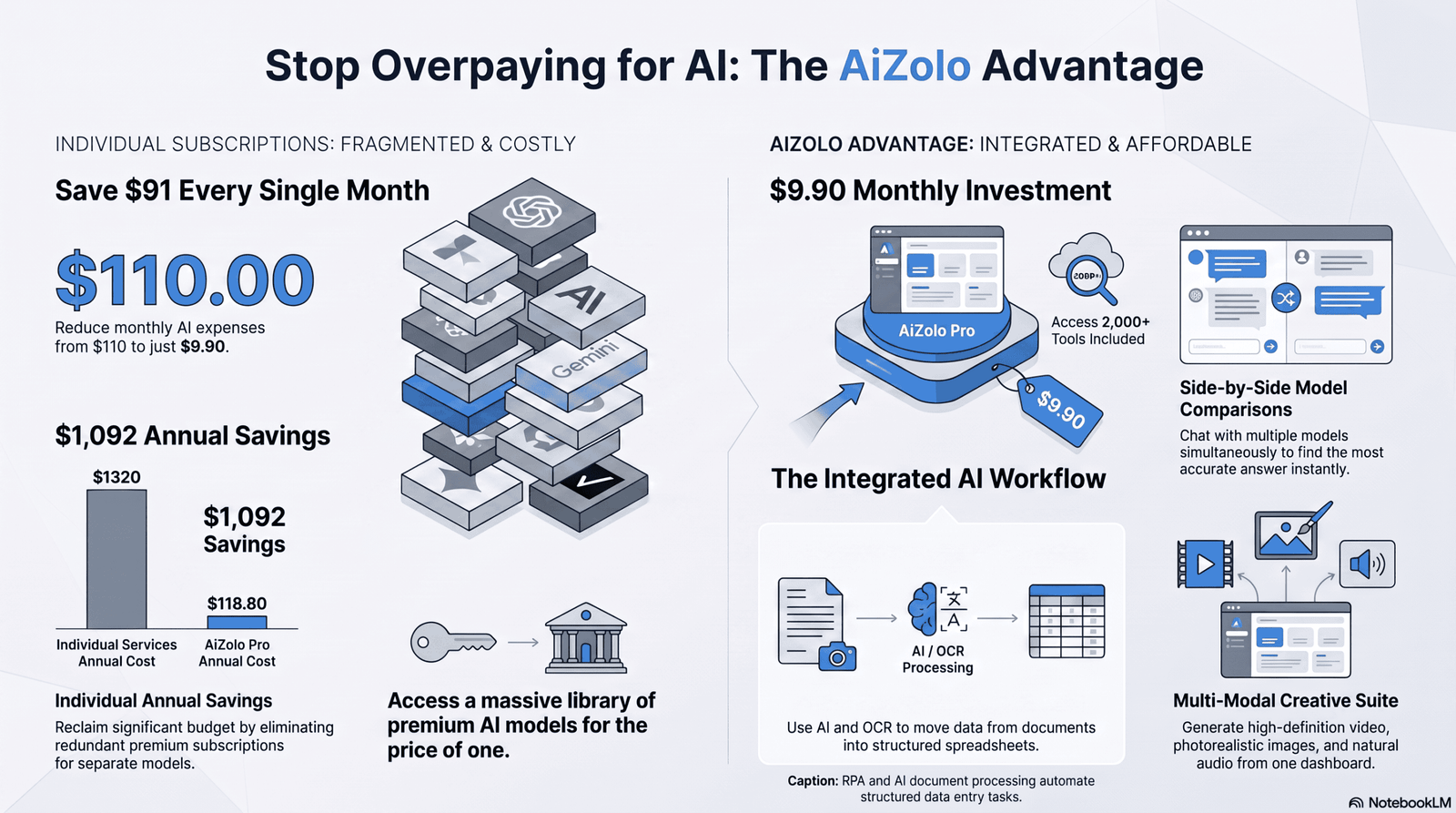
Robotic Process Automation (RPA) combined with AI-based Optical Character Recognition (OCR) reads scanned documents, extracts structured data, and enters it directly into databases or spreadsheets — a task that used to require manual typing.
The Numbers
Data entry is consistently flagged as one of the most exposed roles in every major labor-market study. The WEF’s Future of Jobs Report 2025 names data entry clerks among the clerical roles expected to see the largest absolute employment decline through 2030, alongside bank tellers and postal service clerks. Research from the Upjohn Institute notes that declines in roles like data entry keyers and file clerks predate the generative AI boom — they reflect a longer-running wave of process automation and enterprise software adoption that generative AI is now accelerating.
A public research tool built on BLS Occupational Outlook data classifies data entry clerks at the maximum end of digital AI exposure, describing the role as routine information processing that current AI can already perform.
Pros
- Near-elimination of manual keying errors
- Massive speed advantage over human data entry
- Frees staff for data validation, exception-handling, and analysis instead of typing
Cons
- Struggles with poor-quality scans, handwriting, or unusual document formats
- Requires setup and maintenance by skilled automation specialists
- Exception cases still need human review
Real Example
BLS’s 2024–34 projections note that as AI-powered automation tools expand, demand is expected to decline or show little change for a cluster of office and administrative support occupations, including billing clerks, procurement clerks, and data-entry-adjacent roles.
Future Outlook
Pure data-entry roles will keep shrinking. What’s growing instead are “automation oversight” roles — people who manage RPA systems, handle exceptions, and audit data quality.
Should People Worry?
Yes, more than any other job on this list. Data entry is the clearest case of a role built almost entirely around a task AI already performs well. The realistic path forward is retraining toward data validation, systems administration, or analytics.
AI Tool #5: Translator — Neural Machine Translation
Job Replaced: Entry-level and generalist human translator
Leading Tools: DeepL, Google Translate, Microsoft Translator
How It Works
Neural machine translation models are trained on massive bilingual datasets to translate text while preserving grammar and, increasingly, tone and context — a major leap from the word-for-word translation of older systems.
The Numbers
BLS’s 2024–34 employment projections state plainly that interpreters and translators have become more productive as AI translation capabilities improve, and that this productivity gain is expected to keep employment growth for the occupation slower than the all-occupation average.
The same pattern was already visible in BLS’s 2023–33 projections a year earlier, which noted translators “have used AI for years” and are increasingly focused on higher-level tasks while AI handles routine translation.
The global machine translation market itself is projected to grow to $7.5 billion by 2032, reflecting how deeply embedded these tools have become in business workflows.
Pros
- Near-instant translation across dozens of languages
- Massive cost savings for routine business communication
- Constantly improving accuracy through model updates
Cons
- Still struggles with idioms, humor, legal nuance, and cultural context
- Errors in high-stakes documents (legal, medical, diplomatic) carry real consequences
- Cannot fully replace human judgment in literary or highly technical translation
Real Example
BLS researchers specifically cite AI translation productivity gains as a reason interpreter and translator employment growth is projected to lag behind the broader labor market average through 2034 — not because the job disappears, but because each translator can now handle more volume.
Future Outlook
Machine translation will keep handling routine business and website content. Human translators will increasingly specialize in legal, medical, literary, and diplomatic translation, where precision and cultural nuance can’t be automated away.
Should People Worry?
Generalist, high-volume translation work is under real pressure. Specialists in legally or medically sensitive translation, plus those who can post-edit and quality-check AI translations, remain in strong demand.
Comparison Table: AI Tools That Replace 5 Popular Jobs
| Job | AI Tool(s) | Replacement Level | Human Still Needed? | Future Outlook |
|---|---|---|---|---|
| Customer Support | Intercom Fin, Zendesk AI, Erica | High (65–80% of routine tickets) | Yes, for complex/emotional cases | Agentic AI expanding further by 2029 |
| Content Writer | ChatGPT, Claude, Jasper, Gemini | Medium (drafting stage) | Yes, for editing, strategy, originality | Human + AI hybrid becomes the norm |
| Graphic Designer | Canva AI, Adobe Firefly, Midjourney | Medium (ideation and first drafts) | Yes, for brand strategy and client work | Slower job growth (2%), not disappearance |
| Data Entry Operator | UiPath, Automation Anywhere, Document AI | Very High (structured, digital tasks) | Only for exceptions and validation | Steepest decline of all five roles |
| Translator | DeepL, Google Translate, Microsoft Translator | Medium-High (routine translation) | Yes, for legal, medical, literary work | Productivity gains outpace job losses |
Jobs AI Cannot Replace Easily
Not every job bends to automation the same way. Roles that combine physical presence, high-stakes judgment, deep relationships, or genuine creativity are far more resistant.
- Skilled trades (electricians, plumbers, HVAC technicians): require physical dexterity and unpredictable, on-site problem-solving.
- Nurses and healthcare providers: the WEF explicitly forecasts significant growth for nursing and care-economy roles through 2030, driven by aging populations.
- Therapists and counselors: trust, empathy, and accountability can’t be outsourced to a model.
- Teachers (especially early education): classroom management and mentorship remain deeply human.
- Skilled negotiators and senior salespeople: the WEF lists salespersons among the fastest-growing frontline roles, not the fastest-declining.
- Construction workers and farmworkers: both are named among the WEF’s fastest-growing occupations by volume through 2030.
- Executives and strategic decision-makers: accountability, vision, and stakeholder trust remain human responsibilities.
The common thread: these jobs require a body in the room, a relationship built over time, or a decision someone is willing to be held accountable for.
Skills That Will Stay Valuable
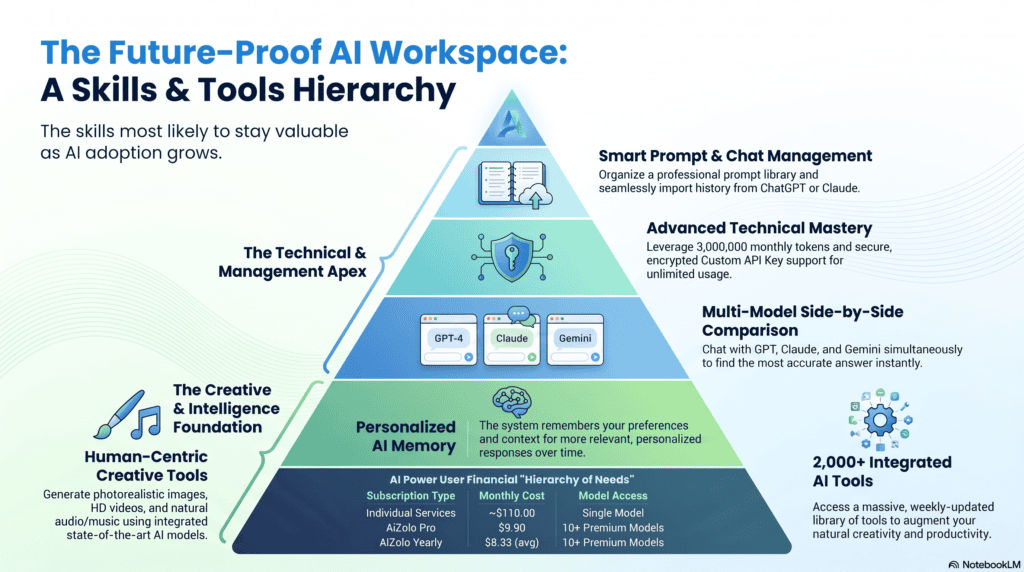
The WEF’s Future of Jobs Report 2025 projects that on average, 39% of workers’ existing skill sets will be transformed or become outdated between 2025 and 2030. That’s a strong argument for building skills that age well.
Human-centered skills:
- Critical thinking and complex problem-solving
- Creativity and original ideation
- Emotional intelligence and empathy
- Communication and negotiation
- Leadership and people management
AI-complementary technical skills:
- Prompt engineering and AI tool fluency
- Basic data literacy and analytics
- AI oversight, auditing, and quality control
- Systems thinking (understanding how automated workflows connect)
Enduring professional skills:
- Adaptability and continuous learning
- Domain expertise (legal, medical, financial, technical)
- Client and stakeholder relationship management
WEF data backs this up directly: technological skills, AI and big data, and technological literacy rank among the top three fastest-growing skill categories for 2030 — but so do human skills like cognitive flexibility and collaboration. The winning combination isn’t “human skills instead of AI skills.” It’s both, together.
How Professionals Can Stay Relevant
- Learn to work with AI, not around it. Fluency with tools like ChatGPT, Claude, or Copilot is becoming a baseline expectation, not a specialty. Research shows workers with demonstrable AI skills earn roughly 25% more on average than peers without them.
- Move up the value chain in your field. If your role includes both routine tasks and judgment-based tasks, deliberately shift your time toward the judgment-based half.
- Specialize. Generalist, high-volume work is what AI automates first. Deep expertise in a narrow, high-stakes domain is harder to replicate.
- Build real relationships. Client trust, institutional knowledge, and reputation are assets AI cannot copy.
- Treat upskilling as ongoing, not one-time. The WEF reports that 85% of employers plan to prioritize workforce upskilling through 2030 — get ahead of that curve rather than waiting for your employer to mandate it.
- Audit your own role honestly. List your weekly tasks and mark which are routine/repetitive versus which require judgment, creativity, or relationships. That list tells you where to invest your learning time.
Expert Take: Balancing AI Adoption With Human Skill
The businesses and professionals thriving in 2026 aren’t the ones resisting AI, and they aren’t the ones outsourcing every task to it either. They’re the ones who treat AI as a force multiplier for judgment-heavy work while automating the repetitive parts without hesitation.
EY’s December 2025 research found that among organizations experiencing real AI-driven productivity gains, only 17% actually reduced headcount as a result — most reinvested those gains into growth, new roles, or training instead. That’s a meaningfully different story than the “AI destroys jobs” narrative suggests.
The practical advice for almost anyone reading this: don’t ask “will AI replace my job?” Ask “which parts of my job will AI absorb, and what will I do with the time that frees up?” That reframe changes career planning from defensive to strategic.
Common Myths About AI and Jobs
| Myth | Fact-Based Reality |
|---|---|
| “AI will replace all jobs within a few years.” | WEF projects net job growth of 78 million by 2030 (170 million created vs. 92 million displaced) — disruption, not annihilation. |
| “Only low-skill jobs are at risk.” | BLS and WEF data show white-collar roles like paralegals, translators, and graphic designers are also exposed, alongside clerical roles. |
| “AI-written content always ranks better on Google.” | Google’s spam policies explicitly penalize mass-produced AI content with no added value, calling it scaled content abuse. |
| “If a task is AI-exposed, the job will disappear.” | BLS researchers state exposure is not destiny — many highly exposed occupations are still projected to grow as AI augments rather than replaces workers. |
| “AI adoption always means layoffs.” | EY research found only 17% of organizations with real AI productivity gains actually cut headcount; most reinvested the gains. |
| “Freelancers are more at risk than employees.” | Risk depends on task type, not employment status — a freelance data entry operator and a salaried one face the same underlying exposure. |
Pros and Cons of AI Replacing Jobs
| Pros | Cons |
|---|---|
| Lower operational costs for businesses | Displacement risk for routine, entry-level roles |
| Faster turnaround on repetitive tasks | Reduced early-career entry points in some fields |
| 24/7 availability (support, translation) | Quality risks without human oversight |
| New job categories emerging (AI ethics, prompt engineering) | Skills-gap pressure on workers who don’t reskill |
| Frees humans for higher-value, judgment-based work | Uneven impact across income levels and demographics |
| Productivity gains reinvested into growth in many firms | Short-term disruption even when long-term outlook is positive |
Frequently Asked Questions
1. What are the AI tools that replace 5 popular jobs in 2026? The main tools are AI chatbots (customer support), generative writing assistants like ChatGPT and Claude (content writing), Canva AI and Midjourney (graphic design), RPA and document AI platforms like UiPath (data entry), and neural machine translators like DeepL (translation).
2. Will AI completely replace human workers? No. The World Economic Forum projects a net gain of 78 million jobs globally by 2030, even as 92 million existing roles are displaced. AI reshapes work more than it eliminates it outright.
3. Which jobs are safest from AI automation? Roles requiring physical presence, high-stakes judgment, and deep human relationships — skilled trades, healthcare, therapy, teaching, and senior leadership — are the most resistant to automation.
4. Is data entry the most at-risk job on this list? Based on BLS and WEF data, yes. Data entry clerks are consistently named among the fastest-declining occupations because the role is built almost entirely around structured, repetitive digital tasks.
5. Can AI tools completely replace content writers? Not yet, and current data suggests not soon. Most professional workflows use AI for drafting while humans handle editing, fact-checking, and original expertise — and Google actively penalizes low-value, mass-produced AI content.
6. How can I future-proof my career against AI? Build AI tool fluency, specialize in a domain, strengthen human-centered skills like communication and judgment, and commit to continuous upskilling rather than one-time training.
7. Do employers expect workers to know AI tools now? Increasingly, yes. Workers with demonstrable AI skills earn roughly 25% more on average than those without, according to industry research.
8. Are freelancers more at risk than full-time employees? Risk depends more on the type of work than the employment structure. Routine, templated freelance work (basic design, generic copywriting) faces more pressure than specialized freelance work.
9. Which AI tools should I actually learn in 2026? Start with a general-purpose assistant (ChatGPT, Claude, or Gemini) for writing and research, then add a design tool (Canva AI) and, if relevant to your field, an automation platform (Power Automate) or translation tool (DeepL).
10. Will new jobs really replace the ones AI eliminates? Historically, yes, though not always in the same location or for the same workers. The WEF projects 170 million new roles by 2030, including AI-specific jobs like prompt engineers and AI ethics officers.
Conclusion
AI is genuinely changing the job market, but the picture is more nuanced than “robots are coming for your job.” The AI tools that replace 5 popular jobs — customer support chatbots, generative writing assistants, AI design tools, RPA data entry systems, and neural machine translators — are automating specific, repetitive tasks, not entire professions.
Customer support and data entry face the steepest pressure. Content writing, graphic design, and translation are shifting rather than disappearing, with AI handling first drafts and routine work while humans focus on judgment, strategy, and quality control.
The professionals who come out ahead won’t be the ones who ignore AI or the ones who let it replace their thinking entirely. They’ll be the ones who learn to use it as a tool, double down on the human skills AI can’t replicate, and keep adapting as the technology keeps changing.
If this guide helped you understand where things stand, share it with a colleague who’s asking the same questions — and start auditing your own role today, before the decision gets made for you.
Author Bio
Jeevesh Tripathi Email: jeevesh@aizolo.com
Jeevesh Tripathi is an AI tools researcher and SEO strategist who has spent years testing, comparing, and writing about SaaS platforms, workflow automation software, and generative AI products. His work focuses on unbiased, hands-on software reviews and practical guidance for business owners, freelancers, and professionals navigating rapid technological change. He combines direct product testing with data from primary sources — including government labor statistics and peer-reviewed industry research — to keep his analysis grounded in verifiable evidence rather than hype. Jeevesh regularly covers the intersection of artificial intelligence, workplace automation, and career strategy, aiming to help readers make informed decisions rather than fear-driven ones.

