Table of Contents
The Photo That Almost Made Her Cry
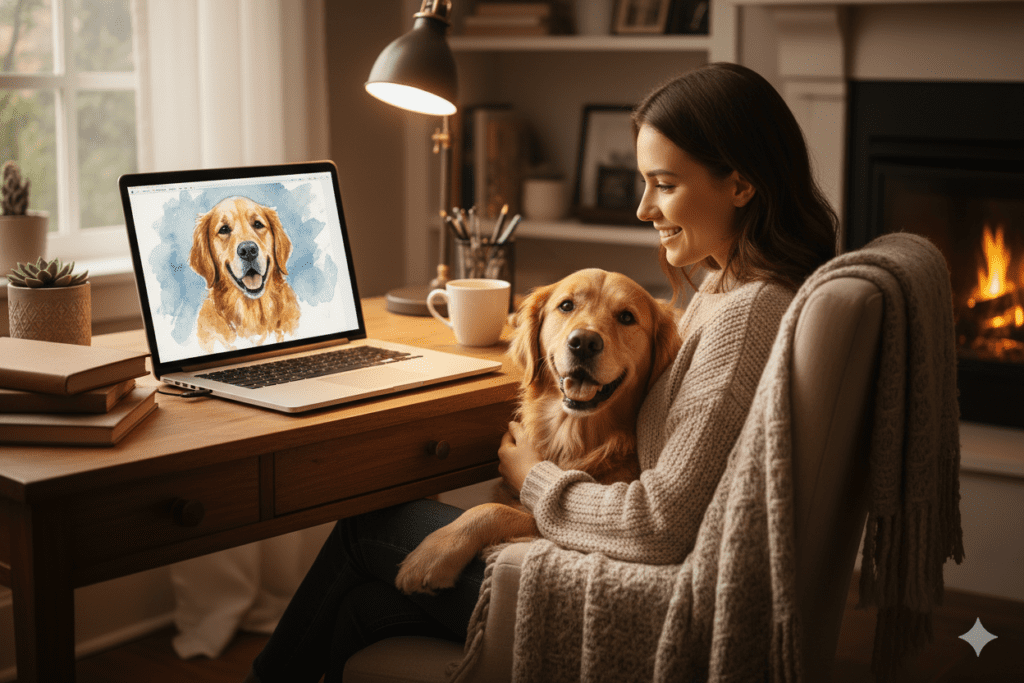
It was Priya’s dog’s tenth birthday — a milestone she wanted to mark with something more than a store-bought frame. She had hundreds of photos of Bruno on her phone: mid-jump at the park, flopped across the couch, caught mid-yawn on a Sunday morning. That’s when she discovered an ai pet portrait generator free, a simple way to turn her favorite snapshots into a beautiful custom artwork she could treasure forever.
But she wanted art. Something that looked like a painting. Something she could actually hang on a wall.
She Googled “AI pet portrait generator free” and what followed was two hours of tab-switching chaos. One tool watermarked everything. Another gave her three free credits, then asked for a credit card. A third produced something that looked more like a smudged fingerprint than her beloved Labrador.
She finally got a result she loved — but it took navigating five different platforms, three failed downloads, and one accidental subscription she had to cancel the next morning.
Sound familiar?
This guide is for every pet owner, creator, freelancer, and digital enthusiast who has typed “ai pet portrait generator free” into a search bar and ended up more frustrated than inspired. We’re breaking down exactly how these tools work, which ones are worth your time, what most comparison guides miss — and how platforms like AiZolo are solving the bigger, messier problem underneath it all.
What Is an AI Pet Portrait Generator, and Why Are They Everywhere Right Now?
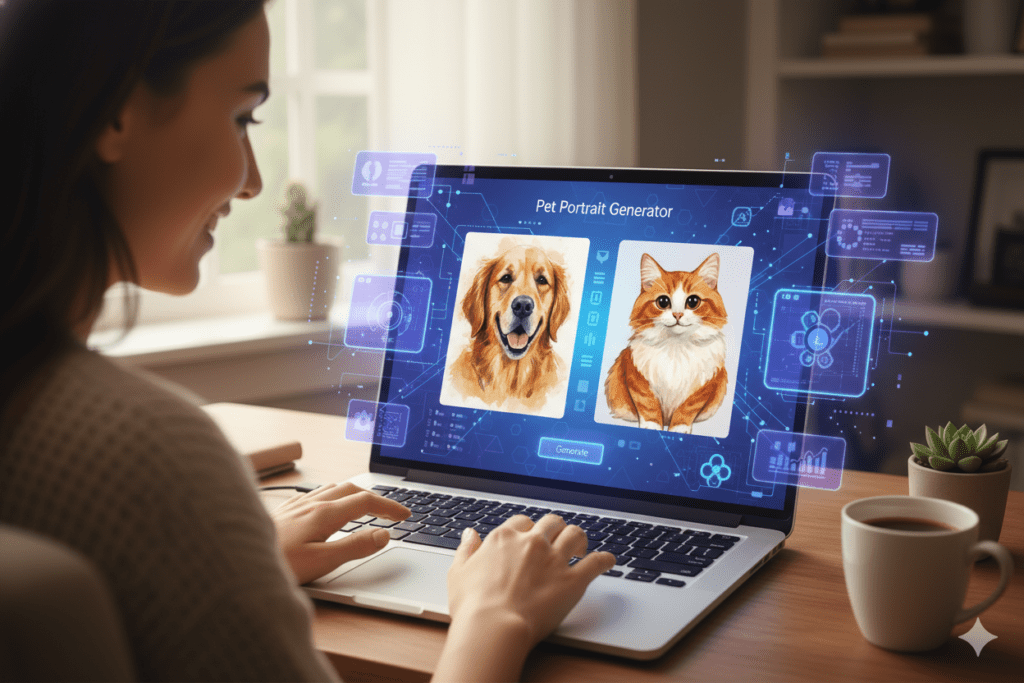
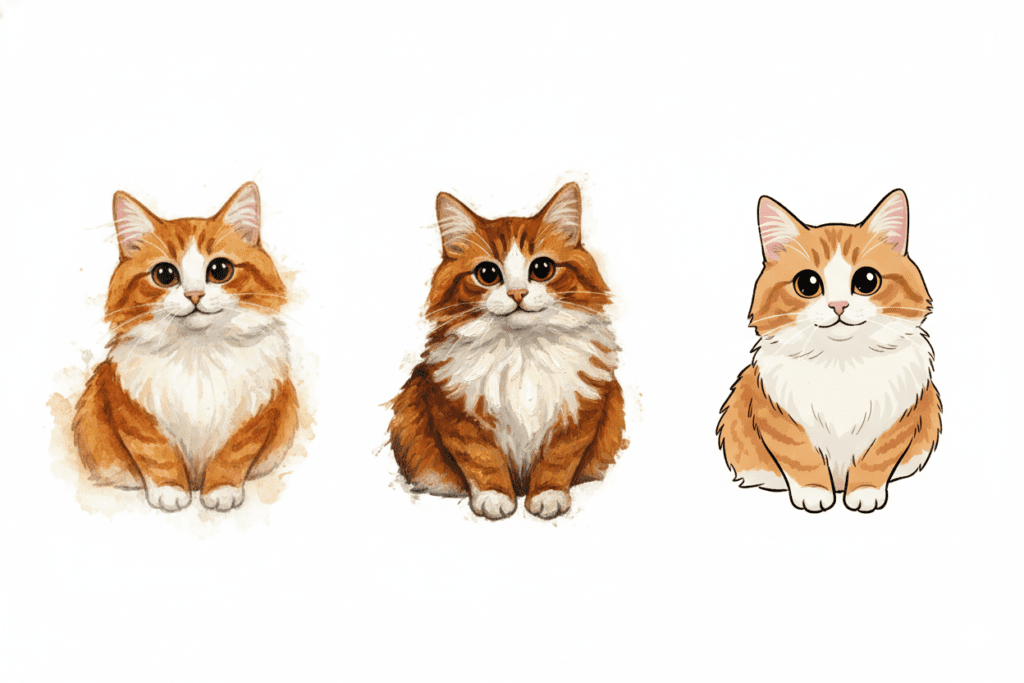
An AI pet portrait generator is a tool that takes an ordinary photo of your animal — dog, cat, rabbit, parrot, bearded dragon, you name it — and transforms it into stylized digital artwork. The AI analyzes fur texture, eye shape, body posture, and color palette, then “redraws” your pet in whatever style you choose: watercolor, oil painting, cartoon, Studio Ghibli, Renaissance royal portrait, pop art, and more.
The reason these tools exploded in popularity comes down to a perfect storm of factors. Generative AI image models have become dramatically more powerful. The barrier to creating professional-quality art has dropped to near zero. And people — especially pet owners — have an almost infinite appetite for creative, personalized content about their animals.
According to the American Pet Products Association, Americans spent over $143 billion on their pets in 2023, a number that keeps climbing. Pet-related content consistently ranks among the highest-performing categories on every social platform. It makes sense that the AI industry responded with an avalanche of pet portrait tools.
But here’s where it gets complicated.
The Real Problem: Too Many Tools, Too Much Friction
The phrase “ai pet portrait generator free” gets searched thousands of times a day. And yet most of the top results lead to the same experience: a tool that teases you with free access before hitting you with limits, watermarks, account requirements, or a subscription wall after the first or second generation.
This isn’t necessarily dishonest — running image generation models costs real money. But it creates a deeply frustrating loop for users who just want to try something creative without committing to yet another monthly subscription, which is why many people search for an ai pet portrait generator free to experiment without paying upfront.
Here’s what the landscape actually looks like:
- Tools like Fotor and Adobe Firefly offer genuinely good quality but require sign-up and gate the best styles behind paid plans.
- Platforms like NightCafe give you five free credits per day — useful, but limited for anyone who wants to experiment across styles.
- PixelBin offers three free portraits per month (or ten if you register), which is fine for casual use but disappears fast.
- Tools like Bylo.ai and Vheer offer no sign-up required — but the free tier often lacks resolution or style depth.
- CapCut’s AI image generator (powered by models like Seedream) has expanded into pet portraits and is genuinely free-to-use, but it’s buried inside a video editing app that many users didn’t download for this purpose.
The deeper issue isn’t which tool is “the best” — it’s that evaluating, testing, and iterating across all of them requires maintaining separate accounts, remembering different interfaces, and managing completely inconsistent quality standards. Every tool has a different upload limit, a different set of styles, a different definition of “free.”
If you’re a pet owner doing this for fun, that’s annoying. If you’re a freelance designer, content creator, or pet business owner doing this professionally, it’s a genuine productivity drain — which is why many people actively look for an ai pet portrait generator free that removes cost barriers and saves time.
What Makes a Great AI Pet Portrait Generator Free?
Before you commit to any tool, here’s what to actually evaluate. Most comparison articles skip these nuances.
1. Likeness Preservation
The biggest failure mode for AI pet portraits is producing something that looks like a dog, not your dog. The best tools — including a reliable ai pet portrait generator free — analyze the pet’s specific facial structure, markings, and eye shape and preserve those even when applying a dramatic art style. Ask yourself: after the transformation, would a stranger recognize your pet from the portrait?
2. Style Range and Depth
There’s a massive difference between a tool that offers “cartoon” as a single option and one that lets you specify Disney-style, Studio Ghibli, comic book ink, flat vector art, or Pixar 3D. A powerful ai pet portrait generator free with a rich style library makes the tool far more useful for creative applications.
3. Resolution and Download Quality
A portrait you can’t print is a portrait you can’t use. Watermarks and low-resolution outputs are the two most common ways “free” tools actually aren’t free — they’re trial demos. When choosing an ai pet portrait generator free, check whether the free tier gives you an actual downloadable, print-quality image.
4. No Account Required (Or Low Friction Sign-Up)
For casual users, the ideal tool requires no account at all. For professionals, a quick sign-up is acceptable if it unlocks meaningful additional features. What’s unacceptable is being forced into a subscription before you’ve even seen what the tool can do — which is why many users prefer an ai pet portrait generator free that allows them to test results first.
5. Privacy and Data Handling
You’re uploading photos of your pet — but those photos often include metadata, home locations, and recognizable backgrounds. When using an ai pet portrait generator free, read the privacy policy carefully. Reputable tools process images securely and don’t train on your uploads without consent.
Best Free AI Pet Portrait Generators Worth Trying in 2026
Here’s a practical breakdown of the tools that currently deliver the best free experience:
Adobe Firefly remains one of the most powerful options, particularly for users who want text-to-image control. You can describe the style in natural language — “golden retriever as a medieval knight, oil painting, dramatic lighting” — and Firefly interprets it with impressive fidelity. The free plan gives you a limited number of generative credits per month. The quality is genuinely professional-grade.
NightCafe is excellent for users who want to explore artistic style transfers — think Van Gogh, Monet, or abstract expressionism applied to your pet’s photo. As an ai pet portrait generator free, the interface is approachable, and five free credits per day is enough for regular casual use.
Fotor stands out for its accessibility across desktop and mobile. The drag-and-drop interface is genuinely simple, the AI pet portrait output is solid, and the free tier lets you experiment before committing. Holiday-themed portraits (your cat in a Santa hat, your dog with birthday balloons) are a particular strength.
Bylo.ai is worth bookmarking for its no-sign-up approach. Upload, pick a style, download. For quick social media content or gifting purposes, it’s often all you need.
LightX takes an interesting angle by letting you add accessories and prompts directly — royal robes, glitter leashes, themed backgrounds — rather than just applying a flat art style. As an ai pet portrait generator free, it’s great for users who want more control over the narrative of the portrait.
ViualGPT’s AI Pet Portrait Generator is a solid option for users who prioritize clarity and recognizability. It’s designed to preserve your pet’s features even in dramatic style transformations, and the browser-based experience requires no installation.
The Smarter Problem Underneath: Why You’re Juggling Too Many AI Tools
Here’s the insight most pet portrait guides don’t bother to share.
The frustration of hunting for a free AI pet portrait generator is a symptom of a much larger problem: the current AI tool landscape is completely fragmented. There are hundreds of specialized AI tools — for image generation, video creation, writing, audio synthesis, research — and each one exists behind its own paywall, its own interface, its own learning curve.
The average person interested in AI creativity doesn’t want five separate subscriptions. They don’t want to maintain five accounts, remember five login passwords, or switch between five interfaces to accomplish one creative project — which is why many prefer using an ai pet portrait generator free that keeps everything simple in one place.
This is exactly the problem that AiZolo was built to solve.
How AiZolo Changes the Game for AI Creators
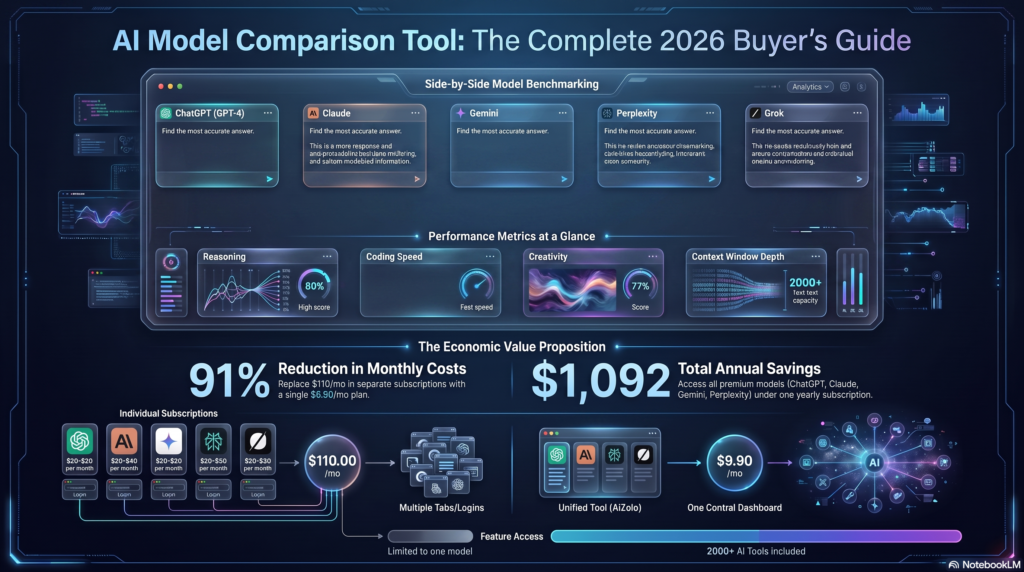
AiZolo is an all-in-one AI platform that gives you access to every major AI model and tool — ChatGPT, Claude, Gemini, Perplexity, Grok, and more — plus image generation, video generation, and audio generation, all from a single dashboard for just $9.90 a month, making it a convenient option if you’re looking for an ai pet portrait generator free experience alongside other creative tools.
That’s less than the cost of a single ChatGPT subscription. And it includes everything.
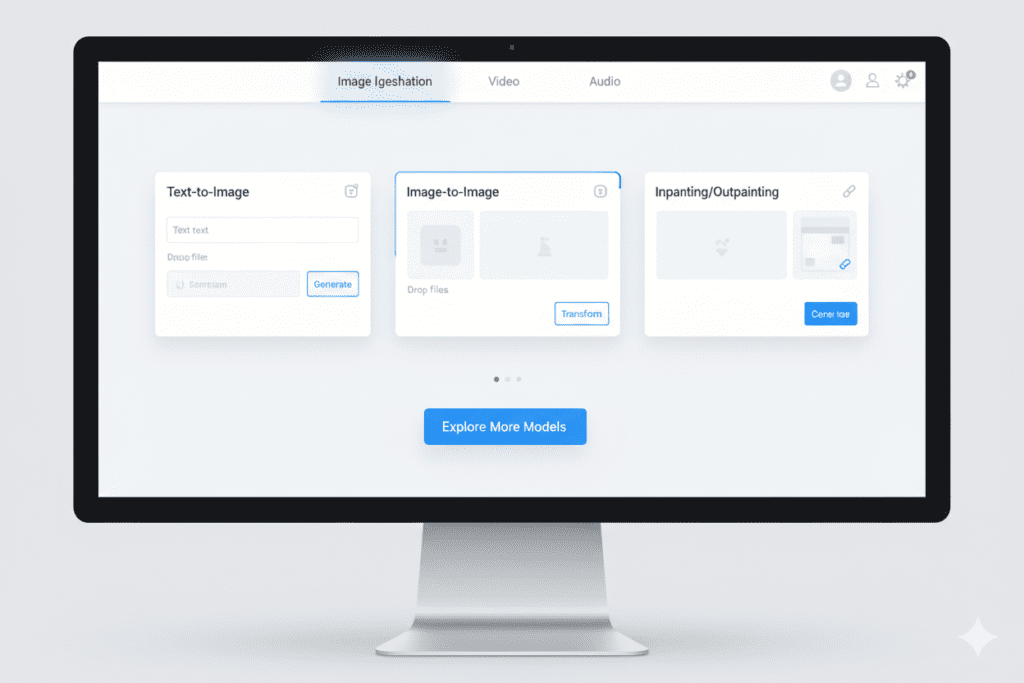
Think about what that means in practice for the people most likely to be searching for an AI pet portrait generator free:
For the pet owner who just wants beautiful art: Instead of testing five different portrait tools with inconsistent quality, you can use AiZolo’s built-in AI Image Generator — powered by multiple models including DALL-E and Midjourney-style options — to create portraits exactly the way you want them. No watermarks, no credit limits after three uses, no surprise subscription emails.
For the freelance designer or content creator: Creating pet portrait commissions, pet business branding, or animal rescue social media content becomes genuinely efficient when your image generation, AI writing assistance, and research tools all live in one place. Run the same prompt through multiple image models simultaneously and compare results side by side — something no standalone portrait tool offers.
For the SaaS builder or developer: If you’re building a pet-related product and need AI image generation integrated into your workflow, AiZolo’s support for custom API keys (all encrypted) lets you bring your own keys for unlimited usage while still benefiting from the unified interface and prompt management features — making it a practical solution if you want to power an ai pet portrait generator free within your own product.
For the student or hobbyist: The free tier lets you start immediately. And when you’re ready to unlock everything — all image models, all video tools, all audio generation — the $9.90/month Pro plan costs less than a single boutique pet portrait commission.
For the marketer working on a pet brand: The ability to generate variants of the same portrait in different styles, compare outputs from different AI models, and store your best prompts in the Smart Prompt Manager dramatically accelerates creative iteration — especially when using an ai pet portrait generator free to scale content production efficiently.
Explore more insights on AiZolo to see how the platform handles the full creative stack — not just images, but video, audio, and AI research tools that work together.
Tips for Getting the Best AI Pet Portrait Results
Whether you’re using a standalone tool or AiZolo’s image generator, these practical strategies consistently produce better results:
Start with the right photo. The single biggest factor in portrait quality is input quality. When using an ai pet portrait generator free, use a photo where your pet’s face is clearly visible, well-lit, and not motion-blurred. A front-facing or three-quarter angle with natural lighting outperforms dark, candid, or heavily cropped shots every time.
Be specific with your style prompt. “Cartoon dog” is a weak prompt. “Golden retriever in a Studio Ghibli watercolor style, soft warm lighting, forest background, highly detailed fur texture” is a strong one. The more precisely you describe the aesthetic, the closer the output will match your vision.
Iterate, don’t settle. The first generation is rarely the best one. Adjust the prompt slightly — change the lighting, add or remove a background element, specify the color palette — and regenerate. Most tools that offer free credits reset daily, so spreading your experimentation across multiple sessions gives you more to work with.
Check the resolution before downloading. Always confirm that what you’re downloading is high-resolution. A 512×512 pixel image looks fine on a phone screen but falls apart when printed. For wall art or canvas prints, you want at least 1024×1024, ideally higher.
Use semantic prompts for memorial portraits. If you’re creating a portrait of a pet that has passed, prompts like “peaceful,” “golden hour light,” “soft focus,” and “painterly” tend to produce results that feel emotionally resonant rather than sharp or clinical — especially when working with an ai pet portrait generator free that supports detailed prompt styling.
Real-World Use Cases That Go Beyond “Just for Fun”
The creative applications for AI pet portrait generation extend well beyond personal keepsakes:
Animal rescue organizations use AI portraits to create more compelling adoption listings. A shelter dog photographed under fluorescent lighting becomes a vibrant watercolor character that stops scrollers mid-feed. Studies consistently show that visual appeal dramatically increases adoption inquiry rates.
Pet photographers use AI portrait styles as upsell add-ons — clients get their standard photo session plus a set of AI-generated art prints for a modest additional fee. The production cost is near zero; the perceived value is high, especially when created using an ai pet portrait generator free that keeps overhead minimal.
Social media creators and pet influencers use AI portraits for branded content, seasonal campaigns, and milestone posts. A pet’s “birthday portrait” as a Renaissance oil painting is the kind of content that gets shared.
Greeting card and gift businesses have found that AI-generated pet portraits on mugs, phone cases, and canvas prints sell consistently well on platforms like Etsy. The turnaround time is minutes, not days.
Veterinary clinics and pet wellness brands use stylized animal illustrations for social media, signage, and marketing materials — often generated from stock animal photos with AI portrait tools.
Read more expert guides on Aizolo’s blog to explore how AI tools are reshaping creative workflows across industries.
Common Mistakes to Avoid
Even the best tools — including an ai pet portrait generator free — can produce disappointing results when users make these common errors:
Uploading group photos. If your pet is surrounded by other animals or people, the AI may struggle to identify which subject to focus on. Crop to your pet before uploading.
Choosing overly complex backgrounds. Busy backgrounds compete with your pet for the AI’s attention. When using an ai pet portrait generator free, a simple, clean backdrop helps the model focus on what matters.
Ignoring the prompt entirely. Many free tools allow text prompts but users skip them. When using an ai pet portrait generator free, even a simple descriptor like “watercolor, soft, warm tones” dramatically improves output consistency.
Expecting photorealism from artistic style tools. If you want a realistic portrait, choose a tool with a “photorealism” or “lifelike” mode — not a cartoon or painting generator. Match your tool to your intent.
The Bigger Picture: AI Image Generation as a Creative Skill
One thing that separates truly effective AI creators from casual users is treating prompting as a learnable skill. The same way a photographer learns to understand light, or a writer learns sentence rhythm, a prompt engineer learns how to speak to image models in ways that reliably produce excellent results.
This is why platforms that let you compare outputs across multiple AI models — and save and refine your best prompts — offer such a meaningful advantage. When you can run the same pet portrait prompt through DALL-E, a Midjourney-style model, and a Stable Diffusion variant simultaneously, you learn faster what language each model responds to. You build a mental library of what works.
That’s the philosophy behind AiZolo: not just giving you access to AI tools, but creating the conditions for you to genuinely get better at using them.
Start building smarter with AiZolo — and stop paying separately for every tool you need.
Conclusion: The Best AI Pet Portrait Generator Free Is the One That Fits Your Workflow
The search for the perfect ai pet portrait generator free is really a search for two things: a tool that produces genuinely beautiful, likeness-preserving art from your pet’s photo, and a way to do that without the subscription fatigue, credit limits, and watermark frustration that plagues so many free tools.
For casual, one-off portraits, tools like NightCafe, Bylo.ai, and Fotor deliver solid results within their free tiers. Adobe Firefly and CapCut’s AI design tools offer more creative control for users willing to invest a little more time in the prompting process.
But for anyone who uses AI tools with any regularity — for creative work, business, content creation, or just personal projects across multiple domains — the smarter move is consolidation. One subscription. One platform. Every major AI model and every major creative tool, working together.
That’s what AiZolo offers. And at $9.90 a month, it costs less than a single specialty AI subscription while delivering everything you’d otherwise need to pay for five times over.
Your pet deserves a portrait that actually looks like them — and you deserve a workflow that doesn’t make that a two-hour project.
Follow Aizolo for practical tech and startup insights at aizolo.com/blog — and learn from real-world experience at Aizolo every time you create.
Suggested Internal Links
- All in One AI Free – What You Actually Get (And the Smarter Way to Start in 2026)
- All in One AI Software: Why Smart Professionals Are Done Paying for 5 Tools
- Why Every Professional Needs an All-in-One AI App in 2026
- AI Workspace Subscription Review 2026
- Best All-in-One AI Platform
Suggested External Links
- American Pet Products Association (APPA) Industry Data — for pet spending statistics
- Adobe Firefly AI Pet Portrait Generator — credible external tool reference
- NightCafe AI Pet Portrait Creator — credible external tool reference
- Fotor AI Pet Paintings from Photos — credible external tool reference
- OpenAI DALL-E documentation — for readers interested in the underlying image generation technology