
Table of Contents
Introduction
A flag used to take a graphic designer, a mood board, and a week of back-and-forth revisions. Now it takes a sentence.
That shift is why the AI flag generator has quietly become one of the most searched design tools of 2026. Gamers want a clan banner before tonight’s match. Startups want a brand emblem before a pitch deck is due. Teachers want a flag for a classroom project on world cultures. None of them have a week to spare.
An AI flag generator compresses that entire design cycle into a prompt, a few seconds of rendering, and a handful of variations to choose from. You describe the flag — colors, symbols, mood, style — and the model produces finished artwork you can refine, export, and use.
This guide covers what these tools actually do, how they work under the hood, where they shine, where they fall short, and how to get professional-looking results on your first try. You’ll find real prompt examples, tool comparisons, a step-by-step tutorial, common mistakes to avoid, and answers to the questions people ask most.
Whether you’re designing a flag for a business, a Discord server, a fantasy nation, a sports team, or a political campaign, you’ll leave this article knowing exactly how to do it well.
Key takeaway: An AI flag generator uses text-to-image models trained on design and heraldic patterns to turn a written description into a finished flag design — no drawing skill required, though prompt skill matters a lot.
What Is an AI Flag Generator?
Featured snippet answer: An AI flag generator is a text-to-image tool that creates flag designs from a written prompt. It combines colors, symbols, layout, and style based on your description, then outputs a finished image you can download, edit, or print.
Under the surface, it’s a specialized application of AI image generation. Instead of producing open-ended art, the model is guided — through fine-tuning, prompt templates, or built-in presets — toward flag-shaped compositions: rectangular canvases, centered emblems, bold color blocks, and balanced symmetry.
Most tools let you control several layers of the design at once:
- Prompts — the text description that drives the overall concept
- Styles — minimalist, heraldic, military, retro, futuristic, national
- Symbols — animals, shields, stars, mountains, weapons, plants, letters
- Colors — either named (“navy and gold”) or via a palette picker
- Typography — mottos, initials, or team names layered onto the design
- Heraldry rules — some tools understand classic heraldic conventions like the “rule of tincture” (not placing color on color or metal on metal)
The output isn’t just decorative art — it’s meant to function as a flag: readable at a distance, recognizable when small, and balanced when flown or printed.
How Does an AI Flag Generator Work?
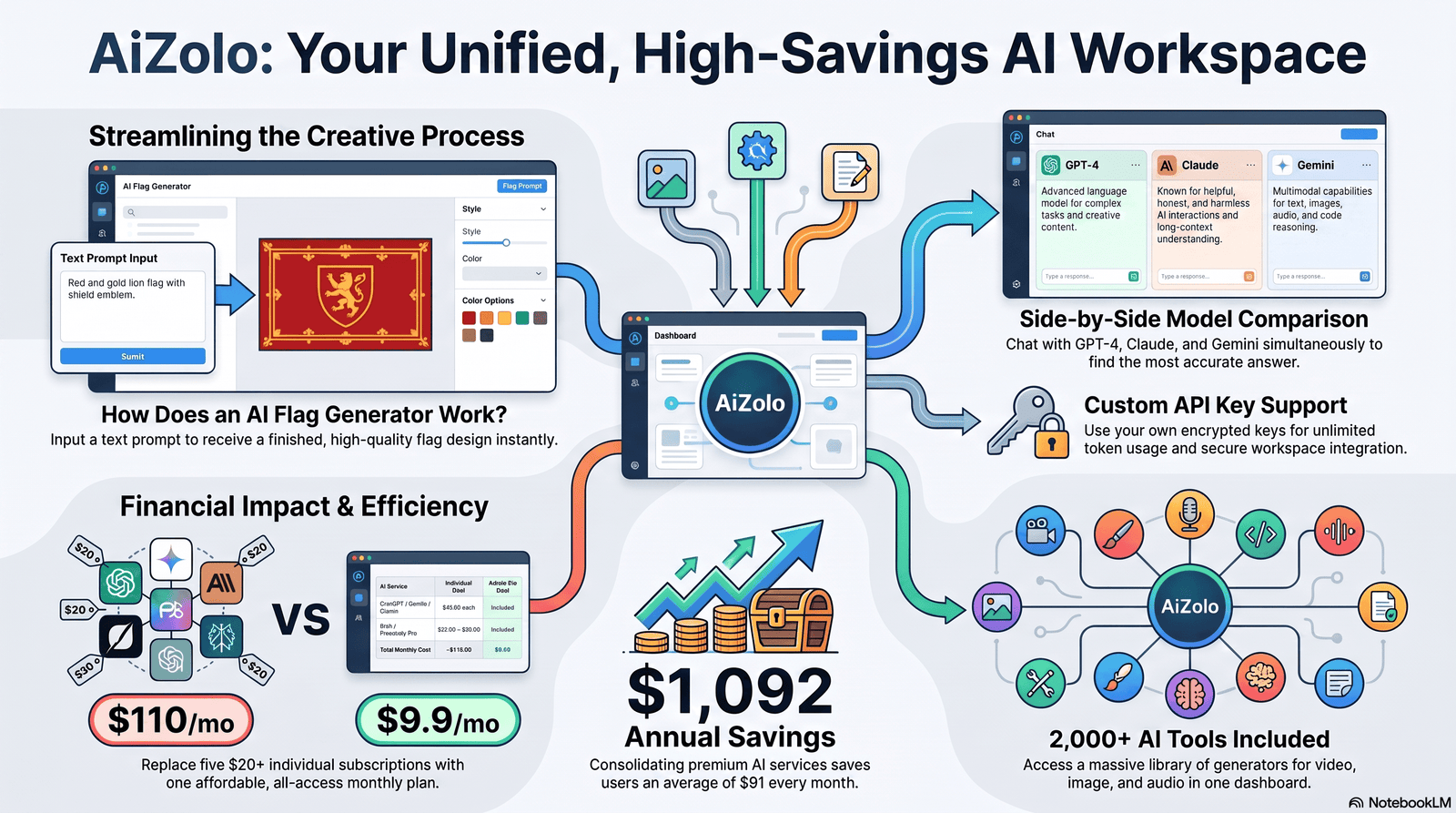
Featured snippet answer: An AI flag generator works in four steps: you enter a text prompt describing the flag, the model interprets style and symbol cues, it generates several image variations, and you select, refine, and export your favorite as a high-resolution file.
Here’s the typical workflow, step by step:
- Choose a starting point. Most tools offer a blank prompt box or a template gallery (national-style, gaming, corporate, fantasy).
- Write your prompt. Describe the mood, symbol, and colors — for example, “a bold crimson flag with a golden lion silhouette in the center.”
- Select a style preset. This narrows the aesthetic: heraldic, flat/minimalist, 3D emblem, pixel-art, or vintage military.
- Generate variations. The tool produces 2–4 options in seconds based on the same prompt.
- Refine the result. Adjust colors, reposition the emblem, or regenerate specific elements while keeping the parts you like.
- Upscale for quality. Higher-tier tools offer HD or 4K upscaling so the flag doesn’t pixelate when printed large.
- Export. Download as PNG, JPG, SVG, or a print-ready PDF depending on the platform.
- Apply to a mockup (optional). Many tools show your flag rendered on a flagpole, fabric, or building for a realistic preview.
Why Use AI Instead of Traditional Flag Design?
Featured snippet answer: AI flag generators are faster and cheaper than hiring a designer, offer unlimited variations in seconds, and don’t require design software skills — but traditional design still wins for official, legally-registered, or highly symbolic flags that require human judgment and heraldic precision.
Comparison Table: AI vs. Traditional Design
| Factor | AI Flag Generator | Traditional Design |
|---|---|---|
| Speed | Seconds to minutes | Days to weeks |
| Cost | Free–$30/month typically | $100–$2,000+ per project |
| Skill required | Prompt writing | Vector design software |
| Variations | Unlimited, instant | Limited by designer’s time |
| Heraldic accuracy | Inconsistent, needs review | High, if designer is trained |
| Best for | Personal, gaming, small business, drafts | Official, national, ceremonial flags |
| Revisions | Free, instant regeneration | Often billed hourly |
| Vector/print output | Varies by tool | Always available |
Best Features Worth Knowing
- Prompt-based creation — describe instead of draw
- Style presets — jump straight to a genre (medieval, esports, corporate)
- Color customization — swap palettes without regenerating the whole design
- Symbol generation — request specific icons (dragons, anchors, wolves)
- Multiple variations — compare options side by side
- HD output — many tools now support 2K–4K exports
- Commercial licensing — check per-tool; not all free plans include it
- Brand consistency — some platforms let you lock a color palette across multiple assets
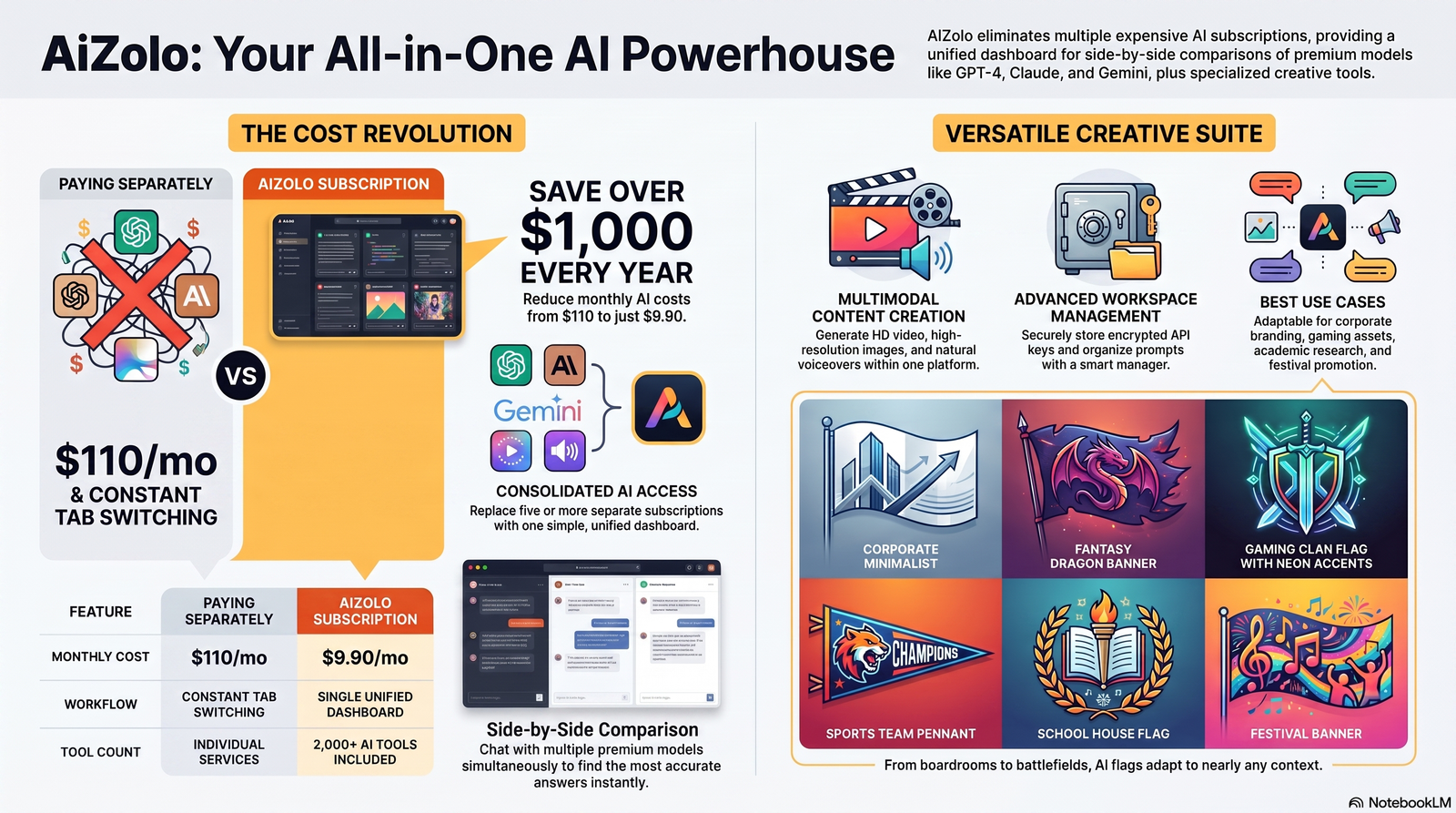
Best Use Cases for AI-Generated Flags
AI flag generators fit an unusually wide range of situations:
- Business — trade show banners, brand flags, office decor
- Gaming & Discord — clan emblems, guild banners, server icons
- Sports teams — amateur leagues, fan flags, tailgate banners
- Schools & universities — clubs, house systems, spirit week
- Fantasy kingdoms — worldbuilding for novels, tabletop RPGs, D&D campaigns
- YouTube & Twitch — channel branding, stream overlays, merch designs
- Events — festivals, conferences, weddings, reunions
- Political campaigns — local and grassroots campaign materials (see copyright section below)
- Communities & NGOs — cause-based banners and awareness campaigns
- Startups — quick brand exploration before hiring a designer
- Military simulations & role-playing games — faction and unit banners
- National celebrations — festive, decorative flags for cultural events (not official state flags)
Best Prompt Examples for AI Flag Generation
Good prompts describe mood + symbol + color + style in one or two sentences. Here are 25+ examples organized by category.
Business & Branding
- “A minimalist navy flag with a single gold compass icon centered, flat design, corporate style.”
- “A clean white flag with a green leaf emblem and the initials ‘EV’, modern startup aesthetic.”
- “A bold black-and-orange flag with a geometric fox logo, tech company branding style.”
Gaming & Discord
- “A dark purple clan flag with a silver wolf howling at a crescent moon, esports style.”
- “A neon-green pixel-art flag with a skull emblem for a battle royale gaming guild.”
- “A crimson banner with a crossed-swords icon and jagged edges, MMO faction flag.”
Sports Teams
- “A red and white flag with a roaring lion and the number ‘7’, amateur soccer club style.”
- “A blue pennant-shaped flag with a golden eagle and ‘Est. 2020’ text, college sports team.”
Schools & Universities
- “A maroon and gold flag with an open book icon and laurel wreath, university house flag.”
- “A light blue flag with a friendly owl mascot for an elementary school reading club.”
Fantasy Kingdoms & RPGs
- “A weathered burgundy flag with a black dragon coiled around a sword, medieval heraldry style, torn fabric edges.”
- “A forest-green banner with a silver stag and Celtic knotwork border, elven kingdom flag.”
- “A stormy grey flag with a lightning bolt through a mountain peak, dwarven clan banner.”
YouTube & Twitch
- “A vibrant purple and pink flag with a play-button emblem and lightning bolt, streamer brand flag.”
- “A black flag with a glowing blue fox silhouette, gaming YouTube channel banner style.”
Events & Festivals
- “A pastel rainbow flag with a sun icon and ‘Summer Fest’ banner ribbon, festival flag style.”
- “A gold and cream flag with intertwined rings for a wedding celebration banner.”
Political & Grassroots Campaigns
- “A red, white, and blue flag with a torch icon and clean sans-serif typography space, campaign rally flag.”
- “A green flag with a tree emblem representing an environmental advocacy campaign.”
Communities & NGOs
- “A teal flag with joined hands forming a heart shape, community outreach organization flag.”
- “A warm orange flag with a rising sun and dove, peace advocacy banner.”
Military Simulation & Historical Style
- “A weathered olive-drab flag with a star and crossed rifles, military simulation faction banner.”
- “A vintage sepia-toned flag with an anchor and rope border, naval historical reenactment flag.”
National-Style / Cultural Celebration (non-official)
- “A festive flag inspired by autumn harvest colors with a wheat sheaf emblem, cultural celebration banner.”
- “A tropical-themed flag with a palm tree and sun for an island community festival.”
Heraldry & Medieval Style
- “A quartered shield flag in red and gold with a rampant lion, classic heraldic composition.”
- “A midnight-blue flag with a silver crescent moon and three stars, noble house banner.”
Prompt tip: Add lighting and texture words like “matte fabric texture,” “slightly worn,” or “flat vector style” to control realism versus illustration.
Best AI Flag Design Tips
Featured snippet answer: Good AI flag design follows the same rules as traditional vexillology: use 2–3 colors, keep symbols simple enough to recognize at a distance, ensure strong contrast, and avoid text-heavy designs that don’t scale down well.
- Color psychology — red signals energy and urgency, blue signals trust and stability, gold signals prestige. Choose colors that match the emotion you want.
- Minimalism wins — the best flags in history (and the best AI outputs) use 2–3 colors and one central symbol.
- Contrast matters — dark symbols on light backgrounds (or vice versa) stay legible at a distance and in thumbnails.
- Simple shapes over detailed art — a detailed illustration looks great as a poster but muddy as a small flag icon.
- Symbolism should be intentional — pick icons that mean something to your audience, not just what looks cool.
- Typography sparingly — most flags avoid heavy text; if you need a name, keep it short and bold.
- Accessibility — check that your color combination is distinguishable for color-blind viewers (avoid red-green as the only differentiator).
- Scalability — test how the design looks shrunk to a thumbnail size before finalizing.
- Printing considerations — request vector or high-DPI exports if the flag will be physically printed.
- Digital-first use — for profile pictures or overlays, square crops of the emblem often work better than the full rectangular flag.
Common Mistakes to Avoid
- Overloading the prompt with too many unrelated symbols
- Using more than 3–4 colors, which muddies the design
- Requesting photorealistic detail that won’t scale down well
- Ignoring contrast between background and emblem
- Forgetting to specify orientation (landscape flag vs. square banner)
- Not requesting a transparent background when needed for overlays
- Skipping the upscale/HD step before printing
- Assuming the first generation is final — always generate variations
- Using generic prompts like “cool flag” without descriptive detail
- Mixing too many art styles in one prompt (e.g., “realistic and cartoon and pixel art”)
- Forgetting commercial license terms before using it for a business
- Copying an existing national flag’s design too closely
- Not checking print bleed/margins for physical flags
- Overcomplicating heraldic elements without understanding their meaning
- Not testing the design at small sizes (favicon, profile picture) before finalizing
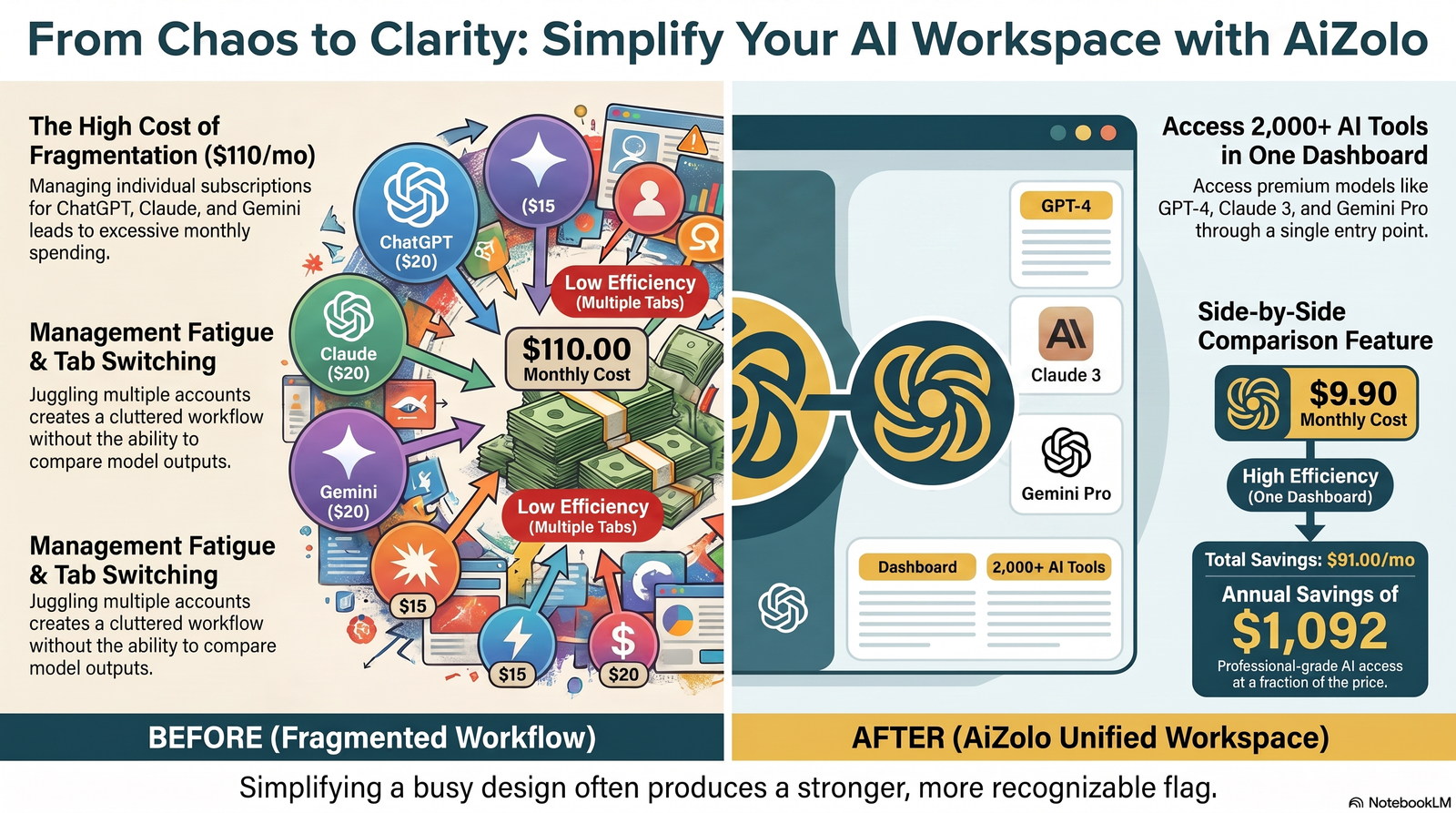
AI Flag Generator vs. Graphic Designer
| Factor | AI Flag Generator | Professional Graphic Designer |
|---|---|---|
| Turnaround | Seconds–minutes | Days–weeks |
| Cost | Low/free | Higher, project-based |
| Customization depth | Good, template-guided | Excellent, fully bespoke |
| Understanding of brand nuance | Limited | High |
| Best for | Drafts, personal projects, quick needs | Official branding, high-stakes launches |
Verdict: Use AI for speed and exploration; bring in a designer when the flag represents a serious brand, institution, or long-term identity.
AI Flag Generator vs. Canva
Canva offers manual, template-based flag design with drag-and-drop icons and fonts — you assemble the design yourself. An AI flag generator creates the composition for you from a prompt.
Use Canva if: you want precise manual control over every element and already have a design concept. Use an AI flag generator if: you want fast concepting or don’t have a clear visual idea yet.
Many users actually combine both — generate a concept with AI, then fine-tune text and layout in Canva.
AI Flag Generator vs. Midjourney
Midjourney is a general-purpose AI art generator capable of producing flag-like images, but it isn’t flag-specific — you’ll need detailed prompting to get proper flag proportions and centered symmetry.
Dedicated AI flag generators bake in flag-appropriate templates, aspect ratios, and export formats (like transparent PNG or vector), saving prompt-engineering effort.
Choose Midjourney for: highly artistic, painterly flag concepts. Choose a dedicated flag tool for: faster, more consistent, flag-ready output.
AI Flag Generator vs. DALL·E
DALL·E, accessible through various interfaces, is strong at literal interpretation of prompts and works well for simple, symbol-focused flag concepts. Like Midjourney, it isn’t purpose-built for flags, so symmetry and vector-readiness often need manual cleanup afterward.
Dedicated flag tools typically win on speed-to-finished-asset; general image generators win on creative flexibility.
AI Flag Generator vs. Stable Diffusion
Stable Diffusion offers the most control for advanced users — custom fine-tuning, specific heraldic style models, and local/offline generation. It requires more technical setup than a plug-and-play flag generator.
Choose Stable Diffusion if: you’re comfortable with technical tools and want maximum customization. Choose a dedicated AI flag generator if: you want a simple, browser-based experience with no setup.
Best AI Flag Generator Tools Compared
| Tool Type | Best For | Free Plan | Commercial License | Difficulty | Speed | Image Quality |
|---|---|---|---|---|---|---|
| Dedicated flag generator apps | Beginners, quick results | Often yes (limited) | Varies — check terms | Easy | Very fast | Good–High |
| General AI art tools (Midjourney-style) | Artistic, custom concepts | Limited/trial | Varies by plan | Moderate | Fast | High |
| Open-source image models | Advanced users, full control | Yes (self-hosted) | Yes, typically | Hard | Moderate | High (with tuning) |
| Design suites with AI features (Canva-style) | Manual + AI hybrid workflows | Yes (limited) | Yes on paid tiers | Easy | Fast | Good |
Note: Specific pricing, free-tier limits, and licensing terms change frequently — always check the current terms on each tool’s official pricing page before committing to commercial use.
Is AI Flag Design Copyright Safe?
Featured snippet answer: AI-generated flags are generally safe to use commercially if the tool grants a commercial license and the design doesn’t copy an existing trademarked emblem or official national flag too closely. Always check each platform’s specific terms, since policies vary.
Key points to consider:
- Commercial rights depend entirely on the platform’s terms of service — some free plans restrict commercial use.
- Trademark risk exists if your AI-generated symbol closely resembles an existing registered brand mark.
- Public domain symbols (basic shapes, common heraldic elements like stars or stripes) are generally safe to use.
- National flags are protected by various national laws regarding official use, alteration, and display — don’t recreate or modify one for commercial branding.
- Ethical considerations include avoiding culturally sensitive symbols without understanding their significance.
- Licensing clarity — always download the platform’s terms page or license certificate if you plan to sell merchandise using the design.
This is general information, not legal advice — consult a qualified intellectual-property attorney for high-stakes commercial use.
Can AI Create Official Flags?
Featured snippet answer: AI tools can create flag concepts, but they cannot create legally “official” flags — official status requires adoption by a government, institution, or governing body through a formal process, regardless of how the design was made.
AI is excellent for early-stage concepting — generating dozens of directions for a committee to review — but the final adopted design typically goes through human refinement, heraldic review, and formal approval. Think of AI as a rapid sketchpad, not a final authority.
Step-by-Step Tutorial: Build a Flag From Scratch
HowTo Schema Content
Total time: 10–15 minutes Tools needed: Any AI flag generator with export options
- Define the purpose. Decide who the flag represents — a business, team, or fictional nation — and what feeling it should convey.
- Pick 2–3 colors. Choose colors tied to your brand or story (e.g., forest green + gold for a nature-themed guild).
- Choose one central symbol. Pick a single strong icon rather than several competing ones.
- Write a descriptive prompt. Combine mood + symbol + color + style, e.g., “A forest-green flag with a golden stag emblem, minimalist heraldic style.”
- Generate 3–4 variations. Compare compositions and pick the strongest base.
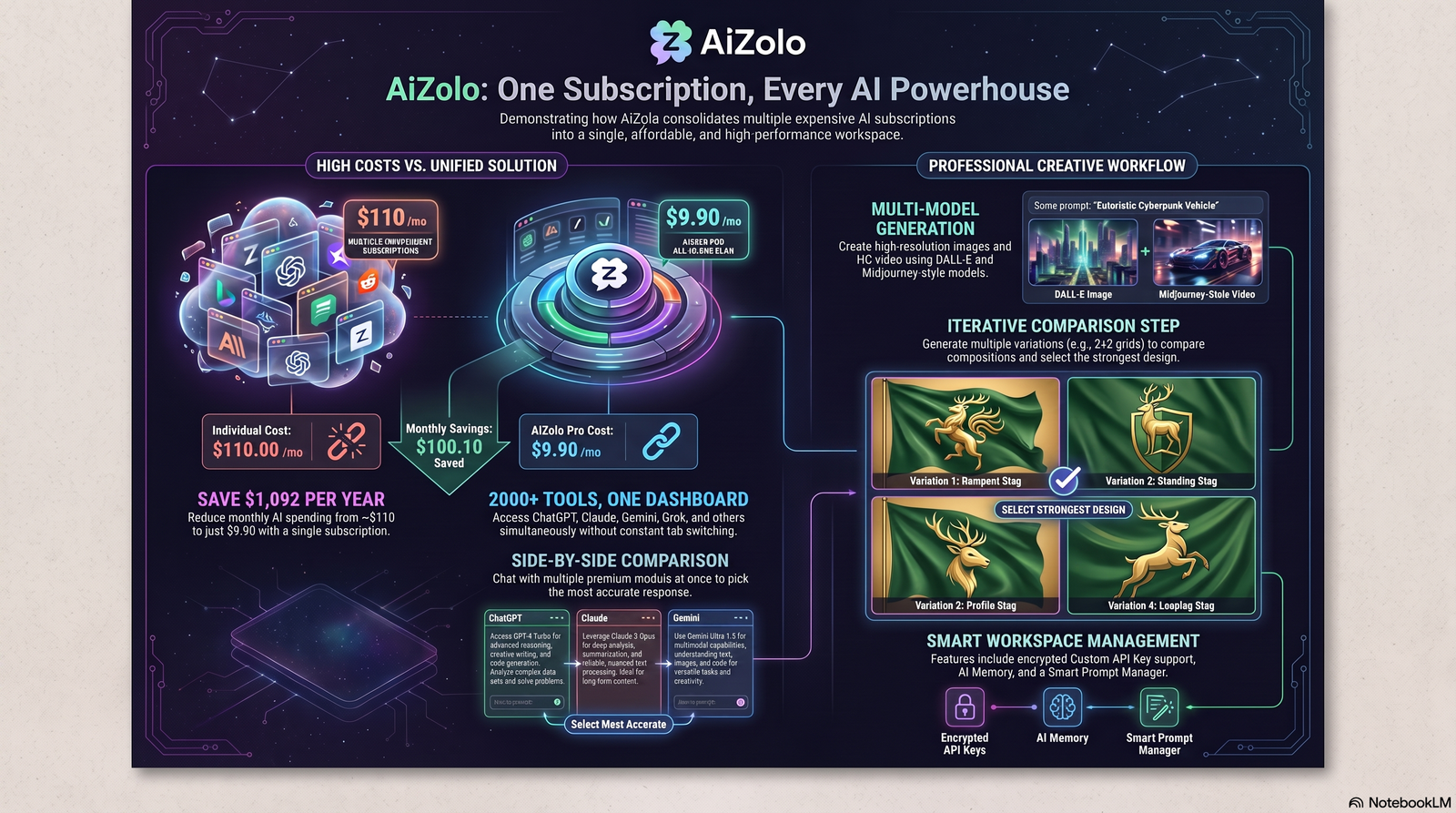
- Refine details. Adjust symbol size, position, or color saturation using the tool’s edit options.
- Test at small size. Shrink the image to check legibility as a thumbnail or profile picture.
- Upscale to HD. Export at the highest resolution the tool offers.
- Export the right format. Use PNG with transparency for overlays, or vector/PDF for printing.
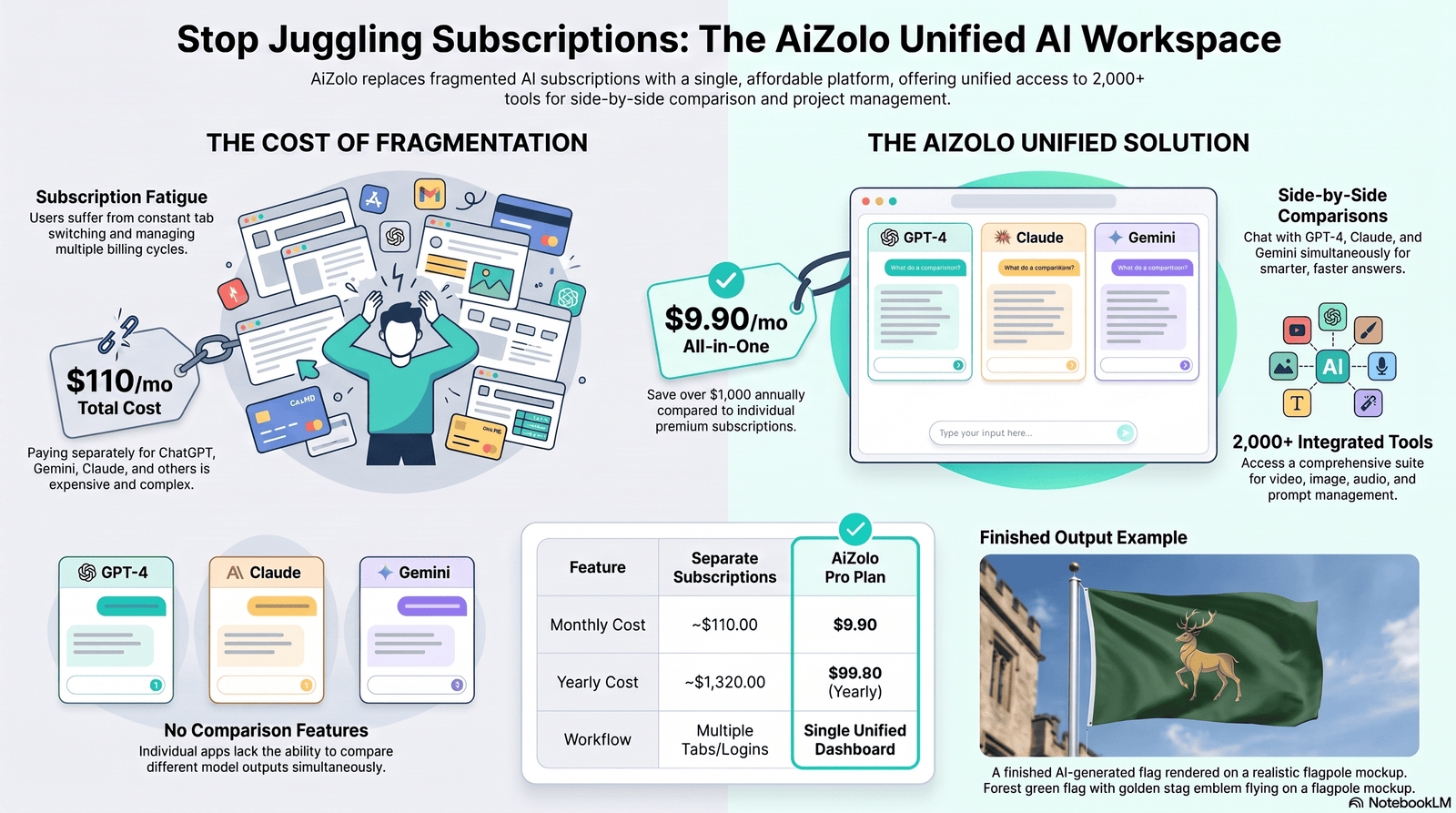
- Preview on a mockup. If available, view the flag on a pole or fabric mockup before finalizing.
Frequently Asked Questions
1. What is the best AI flag generator for beginners? Look for a tool with simple prompt fields, style presets, and instant previews. Beginners generally do best with guided templates rather than fully open-ended prompt boxes, since presets reduce the trial-and-error needed to get a clean result.
2. Are AI-generated flags free to use? It depends on the platform. Many tools offer free generation but restrict commercial use to paid tiers. Always check the specific license terms before using a design for business, merchandise, or public campaigns.
3. Can I make a flag for my Discord server with AI? Yes. Gaming and community flags are one of the most popular use cases — describe your server’s theme, color scheme, and mascot in the prompt for a quick custom banner.
4. Can AI create heraldically accurate flags? Some tools understand basic heraldic conventions, but results are inconsistent. If historical accuracy matters, review the output against heraldic guidelines or consult a vexillology resource afterward.
5. What file format should I export my flag in? Use PNG with a transparent background for digital overlays, and vector (SVG) or high-DPI PDF for physical printing. Check what formats your chosen tool actually supports before committing.
6. How much does an AI flag generator cost? Pricing varies widely — from free tiers with watermarks to subscription plans around $10–$30/month for HD, commercial-use exports. Compare current pricing directly on each platform.
7. Can I use AI to redesign my country’s flag? You can generate concept art inspired by national colors and symbols, but you cannot create a legally official version — that requires government adoption through a formal process.
8. Is it legal to sell merchandise with an AI-generated flag design? Only if your license permits commercial use and the design doesn’t infringe existing trademarks. Read the specific commercial-use clause of your chosen tool’s terms of service.
9. What makes a flag design “good” according to design experts? Simplicity, strong contrast, meaningful symbolism, and legibility at a distance — most flag design principles come from classic vexillology guidelines used by design and heraldry associations.
10. Can AI flag generators create 3D flag mockups? Many tools include a mockup feature that renders your flat design on a waving flag, flagpole, or fabric texture for a realistic preview before printing.
11. What’s the difference between a flag generator and a logo generator? A logo generator focuses on standalone brand marks for digital use, while a flag generator considers flag-specific proportions, symmetry, and how the design reads when flown or printed at scale.
12. Can I edit an AI-generated flag after it’s created? Yes, most platforms allow regenerating specific elements, adjusting colors, or exporting to an external editor for manual touch-ups.
13. Do AI flag generators support fantasy or medieval themes? Yes, this is one of the most requested categories — many tools include heraldic, medieval, and fantasy-kingdom style presets specifically for worldbuilding and tabletop gaming.
14. Can businesses use AI flags for trade shows and events? Yes, as long as the license covers commercial and print use. Businesses often use AI to explore concepts quickly, then send the final file to a professional printer.
15. How do I make my AI-generated flag look less “AI-generated”? Simplify the design, reduce excessive detail, add subtle fabric texture, and review it against classic flag design principles — busy, hyper-detailed compositions are the biggest giveaway.
16. Can AI generate a flag from a photo or logo I already have? Some advanced tools support image-to-image generation, letting you upload an existing logo as a style reference for the new flag design.
17. What resolution do I need for a printed flag? For large printed flags, request the highest resolution or vector export available — low-resolution files will look blurry or pixelated at full flag size.
Key Takeaways
- An AI flag generator turns a text prompt into a finished flag design in seconds.
- Good prompts combine mood, symbol, color, and style in one clear sentence.
- Simplicity and contrast matter more than photorealistic detail.
- AI is excellent for concepting but can’t create legally “official” flags.
- Always confirm commercial licensing terms before using a design for business or merchandise.
- Combine AI speed with human review for anything high-stakes or officially adopted.
Conclusion
The best flags — AI-made or hand-drawn — share the same DNA: a clear idea, a few well-chosen colors, and one symbol that means something. An AI flag generator doesn’t replace that thinking; it just removes the technical barrier between the idea in your head and a finished design on screen.
Start simple. Pick a mood, a color pair, and one symbol, and write it into a prompt the way you would describe it to a friend. Generate a few variations, simplify wherever the design feels busy, and export at the highest quality your project needs.
Whether you’re branding a startup, building a fantasy world, or designing a banner for tonight’s game, the fastest way to a great flag is to just start generating — you’ll learn more from three quick iterations than from an hour of planning.
Ready to design your own? Try describing your flag idea in one sentence right now, and see what comes back.
Author Bio
Jeevesh Tripathi AI Researcher & SEO Content Strategist 📧 jeevesh@aizolo.com
Jeevesh Tripathi is an AI researcher and SEO content strategist specializing in practical, hands-on guides to emerging AI design tools. With a background spanning technical content writing and search optimization, he focuses on translating fast-moving AI capabilities into clear, actionable advice for creators, businesses, and hobbyists alike. His work emphasizes honest, balanced coverage — highlighting both the strengths and current limitations of AI tools — so readers can make informed decisions rather than relying on hype. Jeevesh regularly tests new AI platforms firsthand before writing about them, grounding his recommendations in real workflows rather than marketing claims.
