

Introduction
Technical product documentation is the set of guides, references, and manuals that explain how a product works—from API references and user manuals to release notes, installation guides, and troubleshooting content. Aizolo helps teams generate and maintain these technical product docs faster with AI while improving accuracy and consistency.
It’s the difference between a customer who solves their own problem in five minutes and one who files a support ticket in frustration.
For years, writing this documentation meant technical writers manually interviewing engineers, reading source code, and drafting content line by line. That process still works, but it doesn’t scale.
Product teams now ship features weekly. Engineering docs go stale within days. Support teams field the same questions because the knowledge base can’t keep up.
This is exactly why understanding how to use AI for generating technical product docs has become a core skill for technical writers, DevRel teams, and SaaS product teams in 2026.
Done right, AI doesn’t replace your writers — it removes the blank-page problem, accelerates first drafts, and frees up humans to focus on accuracy, structure, and judgment.
Done wrong, it produces confident-sounding documentation that’s subtly incorrect, which is worse than no documentation at all.
In this guide, you’ll learn the exact workflow experienced documentation teams use: how to prepare source material, which prompts actually work, how to catch AI hallucinations before they ship, and how to build a sustainable, governed documentation pipeline around AI — not just a one-off experiment.
Table of Contents
What Is AI Documentation, Really?
AI documentation refers to using large language models (LLMs) — like Claude, GPT-4-class models, or fine-tuned internal models — to draft, structure, summarize, or update technical content.
It’s not a single tool. It’s a category that includes:
- Generative drafting: turning source material (code, tickets, transcripts) into readable docs.
- Retrieval-augmented generation (RAG): grounding AI answers in your actual product data so responses stay accurate.
- Automated API doc generation: parsing OpenAPI/Swagger specs into reference pages.
- AI-assisted editing: improving clarity, tone, and structure of existing docs.
- Conversational documentation: AI-powered search and chat layered on top of a knowledge base.
The common thread: AI handles pattern recognition and first-pass generation. Humans handle judgment, accuracy, and accountability.
Expert Tip: Think of AI as a very fast, very literal junior technical writer. It will do exactly what you ask — including confidently making things up if you don’t give it enough real information to work with.
Why Technical Documentation Is Changing Right Now
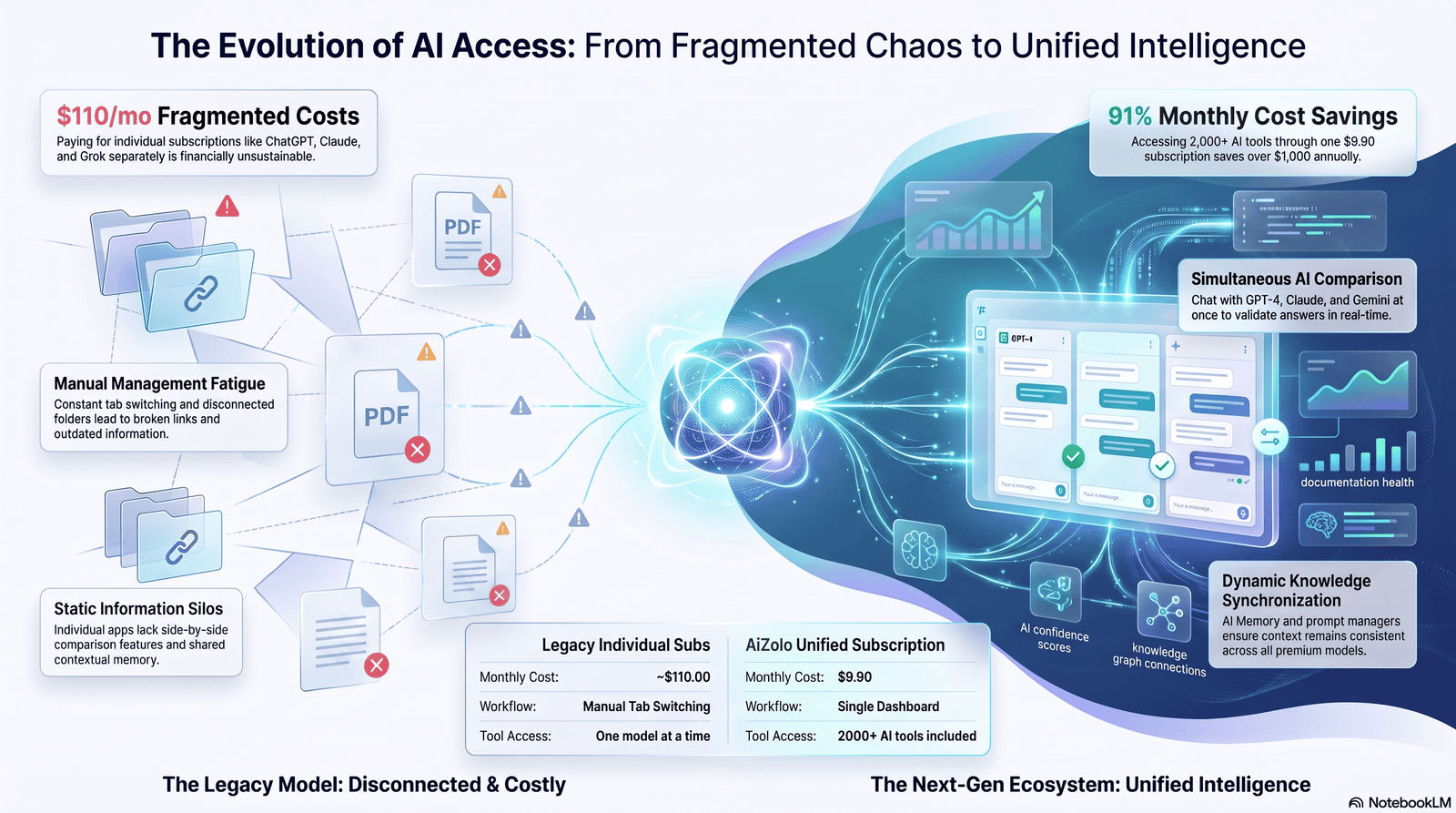
The Traditional Documentation Workflow
The classic workflow looked like this:
- A feature ships.
- A technical writer interviews the engineer.
- The writer drafts content in a doc tool (Confluence, Notion, a static site generator).
- A reviewer checks it.
- It gets published — sometimes weeks after the feature shipped.
This works fine when release cycles are slow. It breaks down when engineering ships continuously and documentation can’t keep pace.
Where Manual Documentation Breaks Down
A few patterns show up again and again in SaaS and product teams:
- Writer-to-engineer ratios are lopsided. Many companies have one technical writer for every 15–30 engineers.
- Docs lag releases. By the time an article is published, the feature has already changed.
- Tribal knowledge stays tribal. Critical context lives in Slack threads and pull request comments, never in the docs.
- Duplicate effort across teams. Support, product, and engineering each write their own version of the same explanation.
- Inconsistent structure and tone. Without a style guide enforced at scale, docs read like they were written by ten different people — because they were.
AI doesn’t fix broken processes automatically. But it does remove the single biggest bottleneck: the time it takes to go from “here’s the raw information” to “here’s a structured first draft.”
How AI Transforms Technical Documentation
The real shift isn’t that AI writes docs instead of humans. It’s that AI changes where human effort goes.
| Task | Old Allocation of Time | AI-Assisted Allocation of Time |
|---|---|---|
| Drafting from scratch | High | Low |
| Formatting and structuring | Medium | Low |
| Fact-checking and validation | Low | High |
| SME interviews | High | Medium |
| Editing for voice/clarity | Medium | Medium |
| Updating stale content | Rarely done | Automated + reviewed |
Writers spend less time staring at a blank page and more time verifying accuracy, which is the part of documentation that actually requires deep product knowledge.
This reallocation is why teams that adopt AI documentation workflows well tend to report faster publishing cycles — but only when they also strengthen their review process. Speed without review just means faster mistakes.
Types of Technical Documentation AI Can Generate
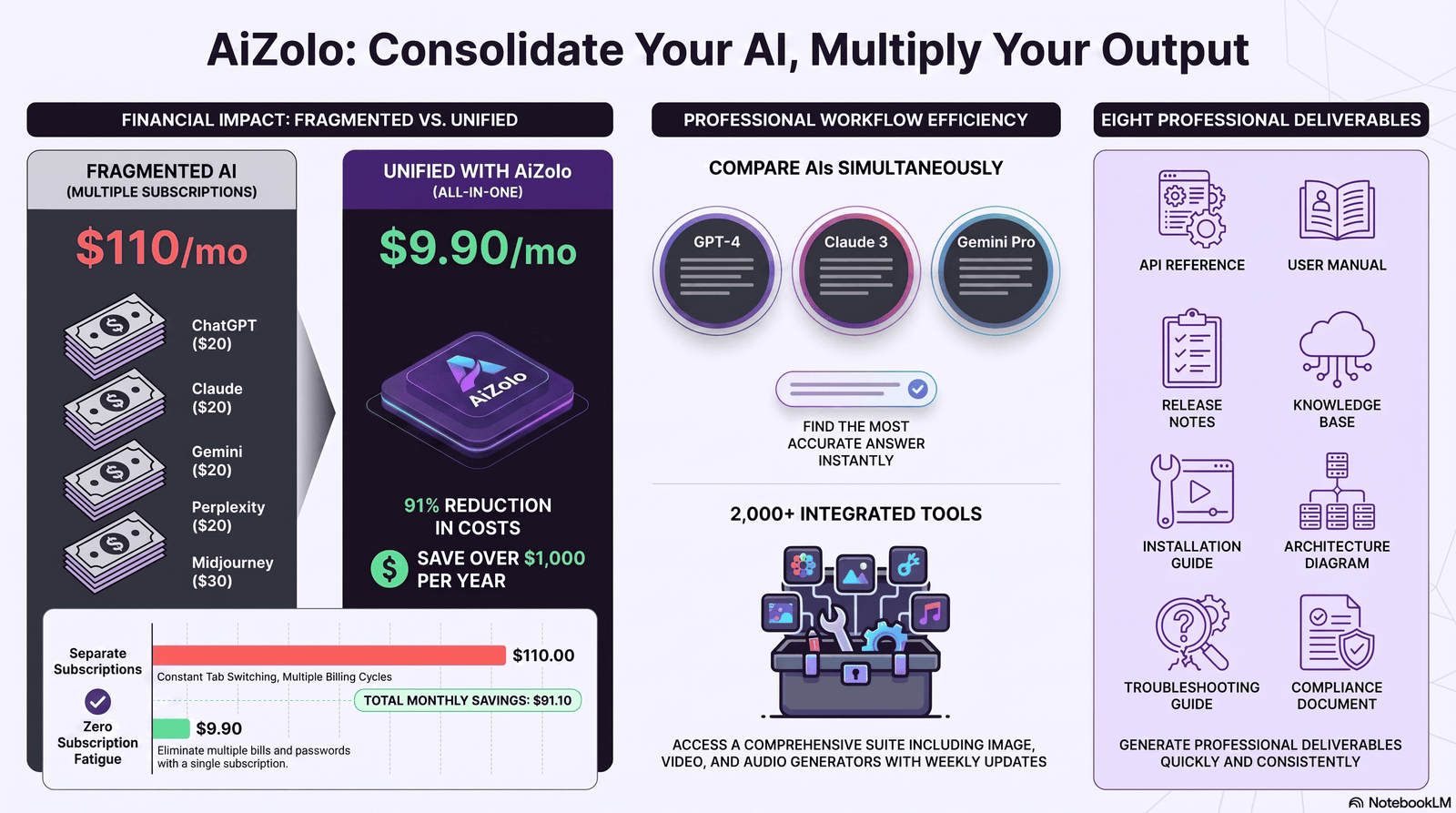
Not all documentation types are equally suited to AI generation. Here’s a realistic breakdown.
API and SDK Documentation
AI is genuinely strong here, especially when paired with structured input like OpenAPI/Swagger specs or docstrings.
Tools can parse endpoint definitions, parameters, and response schemas, then generate consistent reference pages, code samples in multiple languages, and even changelogs.
Best practice: Never let AI invent parameter behavior it can’t see in the spec or source code. Feed it the actual schema, not a description of the schema.
Knowledge Base Articles
AI is excellent at converting support tickets, Slack threads, and call transcripts into structured how-to articles.
This is one of the highest-ROI use cases because the raw material (real customer questions) already exists — AI just needs to structure it.
Release Notes
AI can summarize pull requests, Jira tickets, and commit messages into user-facing release notes.
This works well for volume but needs human judgment for tone and prioritization — not every merged PR deserves a customer-facing bullet point.
User Manuals and Developer Guides
AI can produce solid first drafts of step-by-step guides, especially when given a real workflow to describe (e.g., “here’s the actual click path a user takes”).
Long-form conceptual explanations still benefit heavily from human editing to avoid generic, textbook-sounding language.
Installation and Architecture Documentation
AI can draft installation guides well when given accurate command sequences and environment requirements.
Architecture documentation is riskier — it requires deep, current understanding of system design, and AI has no way to verify it’s describing the actual current architecture unless you feed it accurate diagrams or specs.
Internal and Troubleshooting Documentation
AI is strong at turning postmortems, incident reports, and internal runbooks into searchable troubleshooting content.
Compliance and Training Documentation
Use AI cautiously here. Compliance documentation often has legal weight, and an AI hallucination in a compliance doc isn’t just embarrassing — it can be a liability issue.
Best practice: Compliance and legal-adjacent documentation should always go through a compliance officer or legal review, regardless of how the draft was produced.
How to Use AI for Generating Technical Product Docs: Step-by-Step Workflow
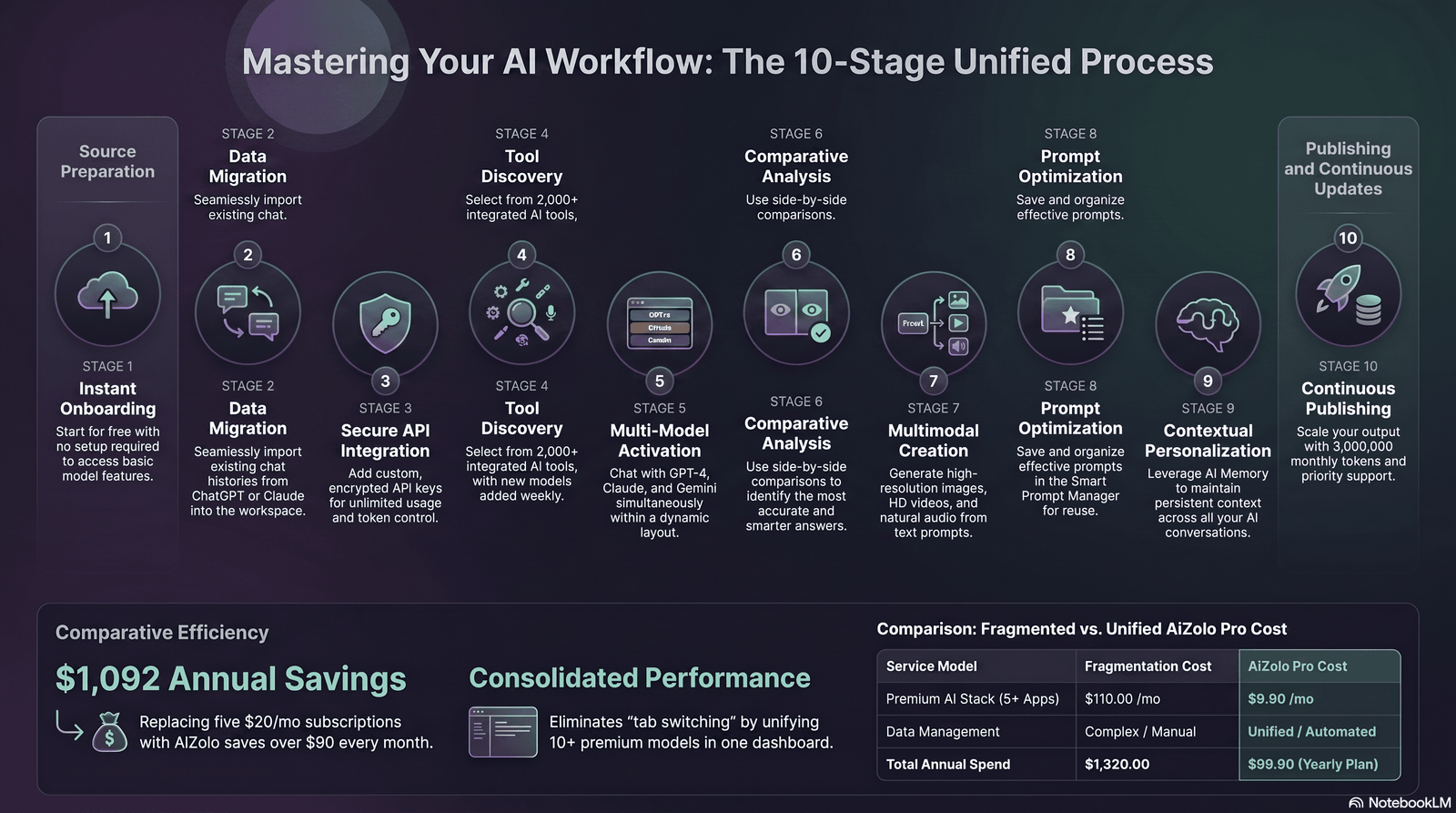
This is the core workflow. Skipping steps is the single biggest reason AI documentation projects fail.
Step 1: Choose the Right AI Setup
You have three broad options:
- General-purpose LLM (Claude, GPT-class models) — flexible, good for drafting, requires strong prompting and source material.
- Documentation-specific AI tools (built into platforms like Document360, Heretto, or Fluid Topics) — narrower scope, but tightly integrated with your content repository.
- RAG-based internal systems — an LLM connected to your actual codebase, tickets, and docs via retrieval, so answers are grounded in real, current data.
For most SaaS teams, the winning setup is a general-purpose LLM for drafting, connected to your real source systems through RAG or direct file input — not a model working from memory alone.
Warning: Never rely on an LLM’s general training knowledge to describe your specific product. It has no idea what your API actually returns unless you tell it.
Step 2: Preparing Your Source Information
This is the step teams skip, and it’s the one that determines whether your output is trustworthy.
Good source material includes:
- Actual code, docstrings, and OpenAPI specs
- Existing (even outdated) documentation as a style reference
- Support ticket transcripts for real user language
- Product requirement docs (PRDs)
- Recorded SME interviews or transcripts
- Style guide and terminology glossary
Checklist before you prompt:
- [ ] Do I have the actual technical source (code/spec), not just a description of it?
- [ ] Do I have an existing style guide to enforce tone and formatting?
- [ ] Do I know which audience this doc is for (developer, end user, admin)?
- [ ] Have I flagged anything confidential that shouldn’t go into a third-party AI tool?
Step 3: Prompt Engineering for Documentation
Generic prompts produce generic docs. Specific prompts produce usable drafts.
Weak prompt: “Write documentation for our login API.”
Strong prompt: “Using the OpenAPI spec below, write a developer-facing API reference page for the /v1/auth/login endpoint.
Include: description, request parameters with types, a sample request in cURL and Python, possible response codes with explanations, and one common error scenario. Match the tone and heading structure of the attached example page. Do not invent parameters not present in the spec.”
The difference: the strong prompt supplies real source data, defines the audience, specifies format, and explicitly constrains the model from inventing details.
Pro Insight: Always add an explicit “do not invent” instruction when working with factual, technical content. It measurably reduces hallucination rates because it directs the model to flag gaps instead of filling them.
Step 4: Generate the First Draft
Generate in sections, not as one giant document. Shorter, scoped generations are easier to fact-check and produce more consistent structure.
For long documents (full user manuals, multi-endpoint API references), generate section by section and stitch together, rather than asking for the entire document in one pass.
Step 5: Fact-Check Against Source Systems
Every factual claim — parameter names, default values, error codes, UI labels, version numbers — needs to be checked against the actual product, not assumed correct because it “sounds right.”
This is non-negotiable. AI models optimize for plausible-sounding text, not verified accuracy.
Practical method: Keep the source spec or code open side-by-side with the draft and check each factual claim line by line before it goes to SME review.
Step 6: Subject Matter Expert (SME) Review
Even after fact-checking, have the engineer or product owner who built the feature review the draft.
SMEs catch things fact-checking against a spec can’t: outdated behavior, edge cases, and nuance that isn’t written down anywhere.
Step 7: Edit for Voice, Structure, and Clarity
This is where a human editor makes AI-generated content feel like it belongs in your docs — trimming repetition, adjusting tone, and tightening structure.
AI drafts often over-explain simple concepts and under-explain complex ones. A human editor rebalances that.
Step 8: Version Control
Treat documentation like code. Store it in Git or a docs-as-code platform, track changes, and require review before merging.
This gives you an audit trail — critical for regulated industries and useful for everyone else.
Step 9: Publish
Publish through your existing pipeline — Document360, Confluence, a static site generator, or a docs-as-code CI/CD pipeline.
Step 10: Set Up Continuous Updates
The highest-leverage use of AI in documentation isn’t the first draft — it’s catching drift.
Set up automated checks that flag when source code, API specs, or product behavior changes so documentation gets re-reviewed, not left to rot.
Manual vs. AI Documentation: A Side-by-Side Comparison
| Factor | Manual Documentation | AI-Assisted Documentation |
|---|---|---|
| Speed of first draft | Slow (days) | Fast (minutes to hours) |
| Consistency of structure | Depends on writer discipline | High, if prompts are standardized |
| Risk of factual errors | Lower (if writer has direct access) | Higher without fact-checking |
| Scalability across many docs | Limited by headcount | High |
| Handling of nuance and edge cases | Strong | Weak without SME input |
| Cost per document | Higher (writer time) | Lower (compute + review time) |
| Maintenance/update speed | Often neglected | Can be automated with triggers |
| Best use case | Complex conceptual/strategic docs | High-volume reference and how-to content |
Neither column wins outright. The best documentation teams in 2026 run a hybrid: AI for volume and first drafts, humans for judgment, nuance, and final accuracy.
Popular AI Tools for Documentation (Comparison Table)
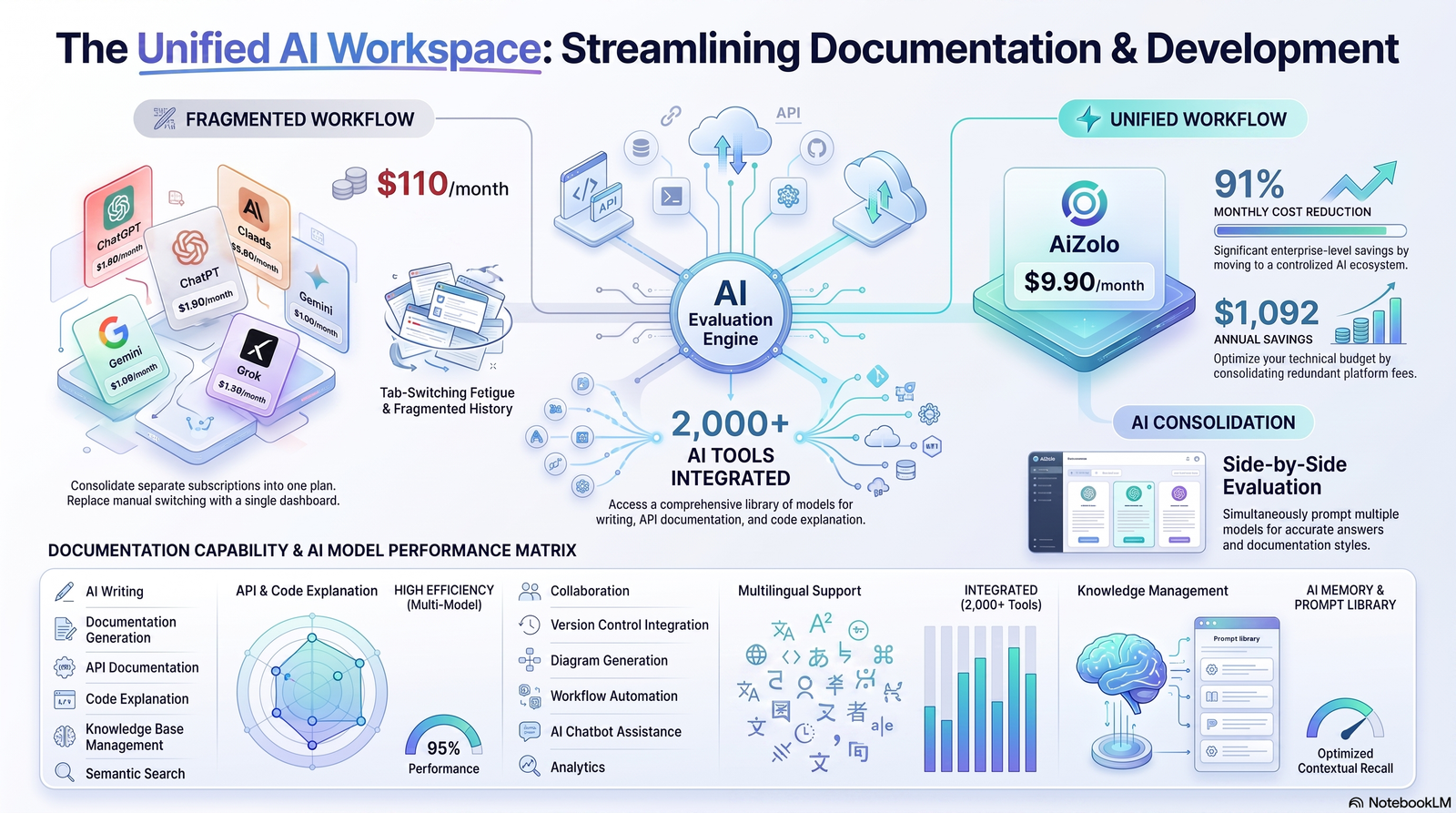
| Tool/Platform | Best For | Strength | Limitation |
|---|---|---|---|
| Claude / GPT-class LLMs | Drafting, editing, summarization | Flexible, strong reasoning | Needs source material fed in; no memory of your product by default |
| Document360 | Knowledge base management | Built-in AI writer + versioning | Best suited to KB-style content |
| Heretto | Structured/DITA documentation | Enterprise-grade structured authoring | Steeper learning curve |
| Fluid Topics | Content delivery + AI search | Strong content reuse and delivery | Less focused on first-draft generation |
| GitHub Copilot / code-doc tools | Inline code documentation | Tight IDE integration | Narrow scope (code-level, not product-level) |
| RAG-based internal systems | Grounded, accurate answers at scale | Reduces hallucination significantly | Requires engineering investment to set up |
Quick Win: If you’re just starting out, don’t build a custom RAG pipeline on day one.
Start with a general-purpose LLM, feed it real source documents manually, and standardize your prompts. Automate later once the workflow is proven.
Prompt Engineering Patterns That Actually Work
A few patterns consistently outperform generic prompting for documentation work:
1. The “constrained source” pattern Always attach or paste the actual source material and instruct the model to use only that material.
2. The “format lock” pattern Give the model an example of your existing doc structure and ask it to match heading hierarchy, tone, and formatting exactly.
3. The “audience lock” pattern Specify who’s reading this — a first-time user, an experienced developer, an enterprise admin — since the same feature needs very different explanations for each.
4. The “gap flagging” pattern Instruct the model to explicitly mark anything it’s uncertain about with a flag like [NEEDS SME REVIEW] instead of guessing.
5. The “section-by-section” pattern For long documents, generate one section at a time rather than the whole document in a single pass — this dramatically improves factual density and reduces drift.
Prompt Comparison Table
| Prompt Type | Example | Result Quality |
|---|---|---|
| Vague | “Write docs for our API” | Low — generic, likely to hallucinate |
| Source-grounded | “Using this OpenAPI spec, write…” | High — factually anchored |
| Source-grounded + format-locked | “…matching this example page’s structure” | Highest — accurate and consistent |
| Source-grounded + gap-flagged | “…flag anything not in the spec as [NEEDS REVIEW]” | Highest — accurate and audit-ready |
Automation, Integrations, and RAG for Documentation
Connecting AI to GitHub, Notion, and Confluence
Most modern documentation stacks connect AI tools directly to where the source of truth lives:
- GitHub: pull code, docstrings, PR descriptions, and commit history to trigger doc updates.
- Notion: pull PRDs and internal specs as source material for external-facing docs.
- Confluence: sync internal engineering wikis with structured documentation for customer-facing content.
RAG-Based Documentation Systems
Retrieval-Augmented Generation (RAG) connects an LLM to a live knowledge base, so instead of relying on the model’s training data, it retrieves your actual current documentation and product data before generating a response.
This is the single biggest lever for reducing hallucinations in AI documentation, because the model is grounded in verified, current content rather than guessing from general training data.
CI/CD-Triggered Documentation Updates
Mature teams trigger documentation review whenever:
- An API endpoint changes in the codebase
- A feature flag is toggled to general availability
- A breaking change is merged
This turns documentation from a manual afterthought into part of the release pipeline itself.
Mistakes to Avoid When Using AI for Documentation
Common Mistake #1: Skipping fact-checking because the draft “reads well.” Fluent writing is not the same as accurate writing. AI is optimized to sound confident regardless of correctness.
Common Mistake #2: Feeding AI a description of the product instead of the actual source. “Describe our login flow” produces generic text. Feeding the actual code or spec produces accurate text.
Common Mistake #3: Publishing without SME review. Even a well-fact-checked draft can miss nuance only the feature owner knows.
Common Mistake #4: No version control or audit trail. If you can’t tell who approved a doc change or when, you have a governance gap.
Common Mistake #5: Pasting confidential or regulated data into a public AI tool. Always check your data handling policy before pasting proprietary code, customer data, or unreleased feature details into a third-party AI tool.
Common Mistake #6: Treating AI docs as “set and forget.” Documentation needs a maintenance owner — AI doesn’t know when your product changes unless you tell it.
Security, Governance, and Compliance Considerations
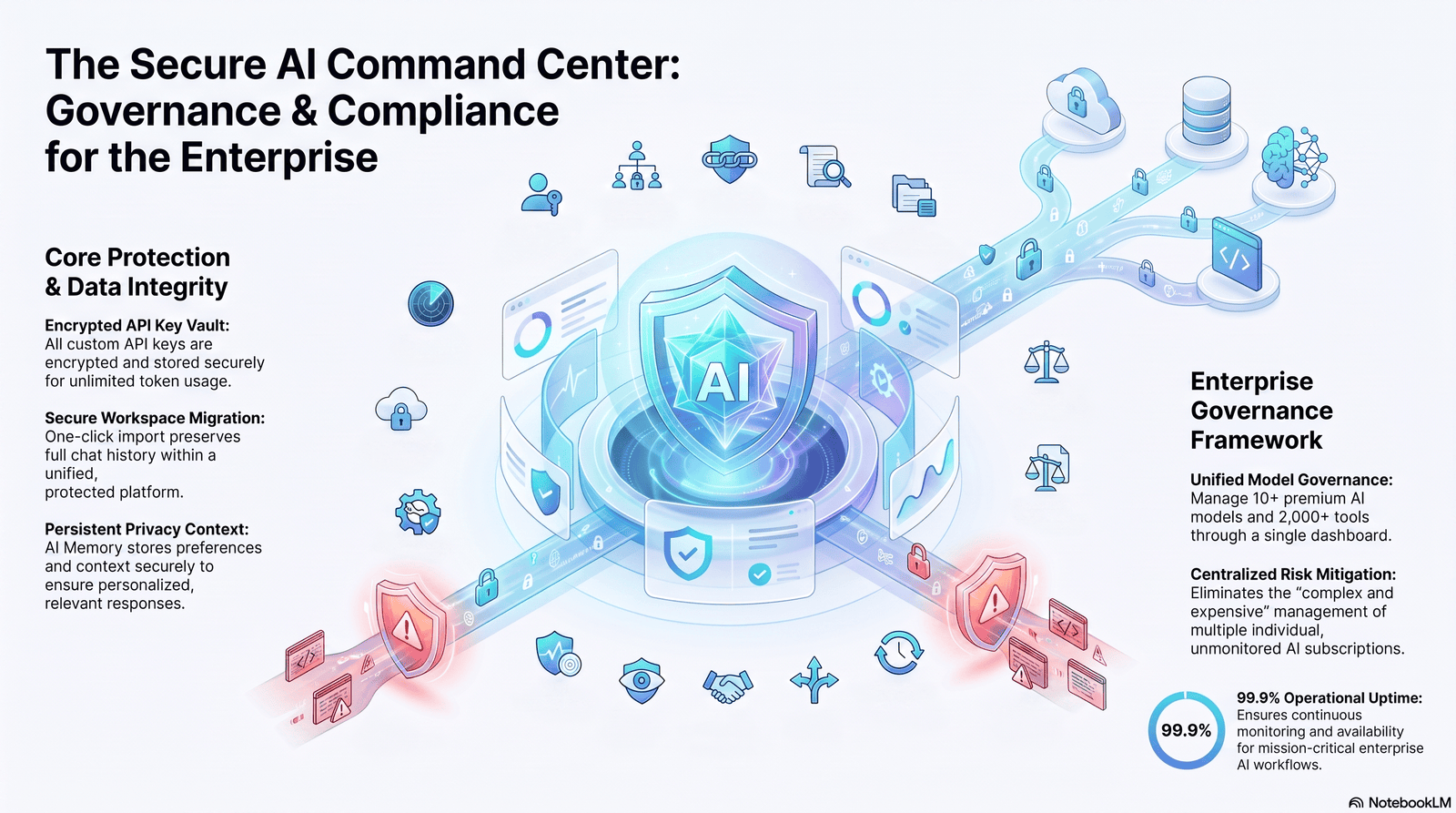
Documentation often contains sensitive information — unreleased features, internal architecture, customer data examples, security configurations.
Governance checklist for AI documentation:
- [ ] Confirm which AI tools are approved for use with confidential data (check your vendor’s data retention and training policy).
- [ ] Use enterprise/API tiers with zero data retention where required, rather than free consumer tools.
- [ ] Maintain a documented review and approval workflow (who approves what, and when).
- [ ] Keep an audit trail of AI-assisted vs. human-authored content, especially for regulated industries.
- [ ] Redact or exclude customer PII from any source material fed into AI tools.
- [ ] Define escalation paths for compliance-sensitive documentation (legal/compliance sign-off required).
Warning: Many free-tier consumer AI tools may use submitted content for model training by default.
Always check the specific data usage policy before pasting proprietary or customer information into any AI tool.
For regulated industries (finance, healthcare, government-adjacent SaaS), compliance documentation should never be published purely on AI output — human legal or compliance review is mandatory, not optional.
AI Hallucinations in Documentation: Why They Happen and How to Catch Them
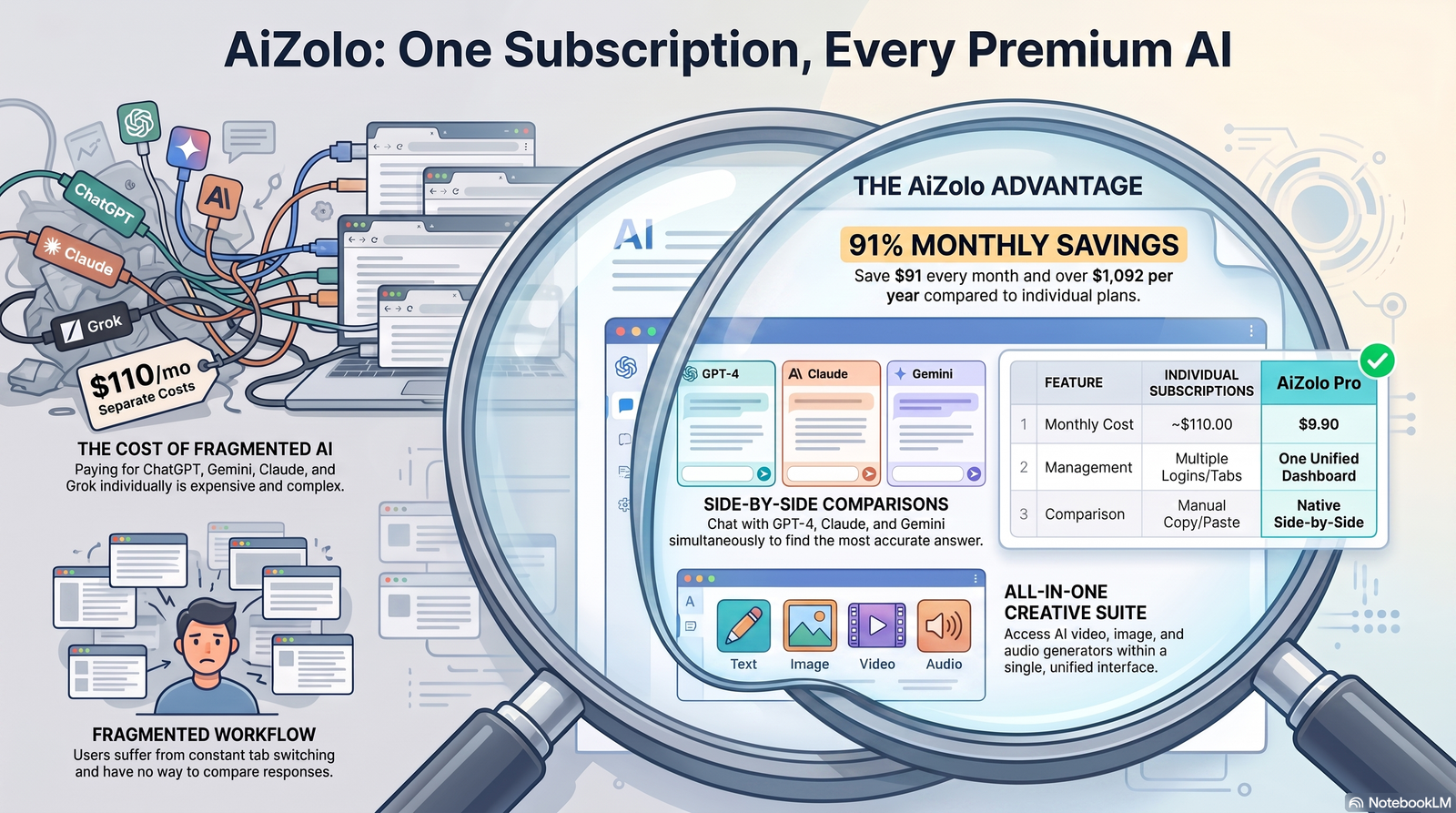
Hallucinations happen because LLMs generate the statistically likely next words, not verified facts. When source material is incomplete, the model fills gaps with plausible-sounding — but invented — details.
In documentation, this shows up as:
- Invented API parameters or response fields
- Incorrect default values
- Confidently wrong version numbers or compatibility claims
- Fabricated error codes or messages
- Made-up configuration options
How to catch them:
- Cross-reference every technical claim against the actual source (code, spec, product UI).
- Use the “gap flagging” prompt pattern so the model marks uncertain areas instead of guessing.
- Run a second AI pass as a checker — ask a separate prompt to review the draft specifically for claims not present in the source material.
- Require SME sign-off on anything involving parameters, defaults, limits, or pricing.
- Spot-test generated code samples by actually running them.
Best Practice: Never publish AI-generated code samples without executing them first. A syntactically correct sample that doesn’t actually run is worse than no sample at all.
Limitations of AI Documentation (Where Humans Still Win)
Be honest about where AI falls short:
- Deep conceptual explanations that require true product philosophy and reasoning, not just structure.
- Edge cases and tribal knowledge that were never written down anywhere AI can access.
- Judgment calls about what to include, what to omit, and how to prioritize for a specific audience.
- Brand voice nuance that goes beyond a style guide — the subtle judgment of an experienced technical writer.
- Cross-referencing organizational context — knowing that a feature is being deprecated next quarter, for example, isn’t in any spec.
AI accelerates production. It doesn’t replace the accumulated product knowledge that senior technical writers and engineers carry.
Future Trends in AI-Generated Documentation
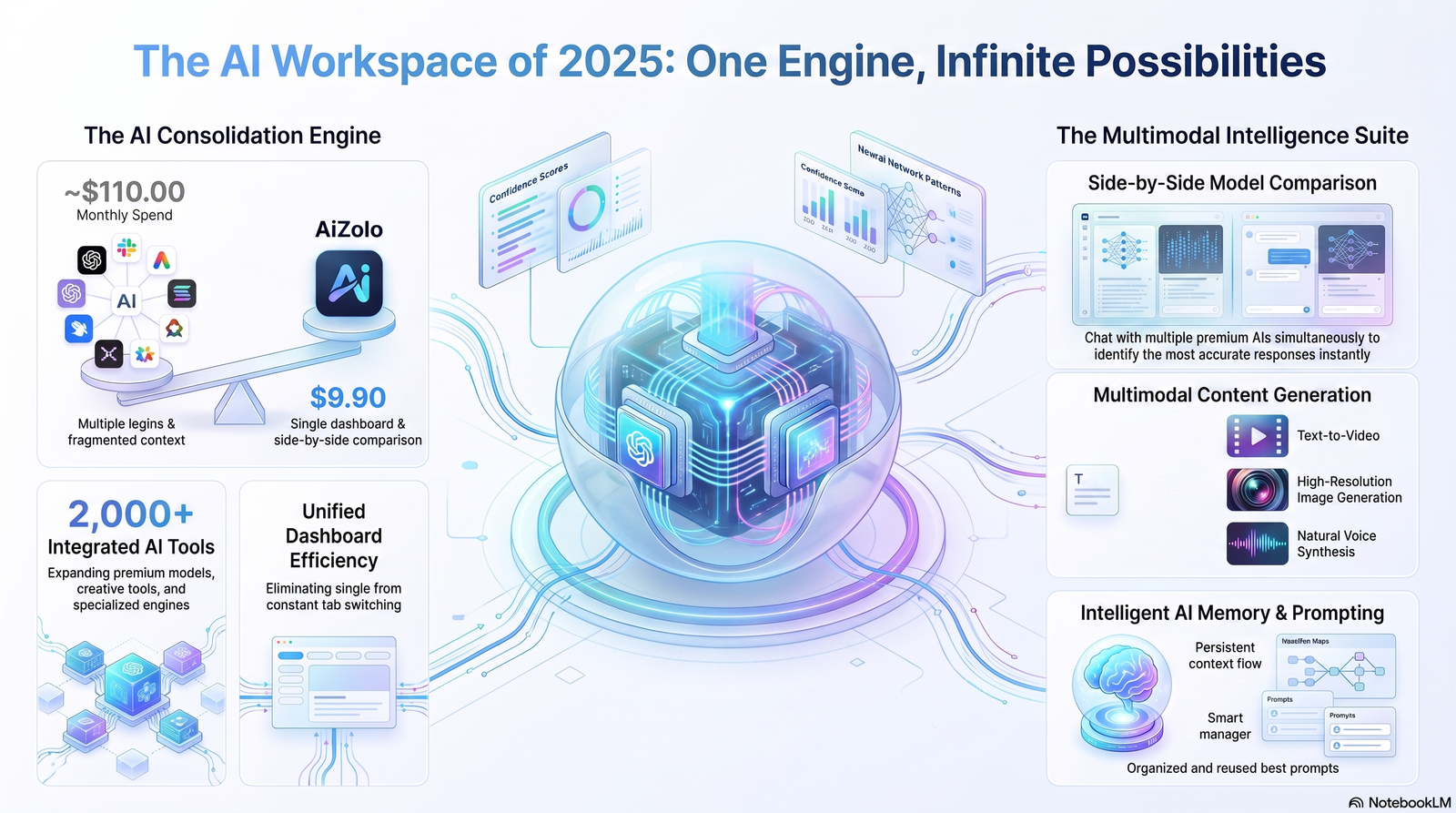
A few directions worth watching as this space matures:
- Docs that update themselves via CI/CD triggers tied directly to code changes, with human approval gates.
- Conversational documentation layers — AI-powered search that answers questions directly instead of just linking to articles.
- Multi-modal documentation — AI generating diagrams and annotated screenshots alongside text, not just prose.
- Personalized documentation — the same feature explained differently depending on whether the reader is a developer, admin, or end user.
- Tighter RAG grounding — documentation platforms increasingly build retrieval directly into their AI writing tools, reducing hallucination risk by default.
Best Practices Checklist
- [ ] Always feed AI real source material — never rely on general model knowledge for product specifics
- [ ] Standardize prompts across your team with format and audience locks
- [ ] Fact-check every technical claim against source systems
- [ ] Require SME review before publishing
- [ ] Use version control for all documentation, AI-assisted or not
- [ ] Set up drift detection so docs get flagged when source code changes
- [ ] Never paste confidential data into unapproved AI tools
- [ ] Run generated code samples before publishing them
- [ ] Keep a human editor in the loop for tone and structure
- [ ] Maintain an audit trail of who approved what, and when
- [ ] Revisit and update your prompt library quarterly as tools evolve
Frequently Asked Questions
1. How do I use AI for generating technical product docs without hallucinations? Ground every prompt in real source material (code, specs, tickets), use a “gap flagging” instruction so the model marks uncertain claims, and always fact-check before SME review.
2. What is the best AI tool for generating technical product docs? There’s no single best tool — general-purpose LLMs like Claude work well for flexible drafting, while platforms like Document360 or Heretto suit teams that want AI built directly into their content management workflow.
3. Can AI completely replace technical writers? No. AI accelerates drafting and structuring, but human writers and SMEs remain essential for accuracy, nuance, and judgment calls AI can’t make.
4. Is it safe to use AI for generating technical product docs with confidential information? Only with approved, enterprise-grade tools that have clear data retention and non-training policies. Never paste confidential or customer data into unapproved consumer AI tools.
5. How do I generate API documentation with AI? Feed the AI your actual OpenAPI/Swagger spec or code, not a verbal description of the API, and instruct it not to invent parameters that aren’t present in the source.
6. What’s the difference between AI documentation and RAG-based documentation? Standard AI documentation generation uses a prompt and whatever source you provide manually. RAG systems automatically retrieve current, verified content from your knowledge base before generating a response, which significantly reduces hallucination risk.
7. How often should AI-generated documentation be updated? Ideally, updates are triggered automatically whenever the underlying code, API, or feature changes — not on a fixed schedule that risks falling behind releases.
8. What types of documentation should NOT rely heavily on AI? Compliance, legal, and safety-critical documentation should always go through human/legal review regardless of how the draft was produced.
9. How do I fact-check AI-generated technical documentation? Cross-reference every factual claim against the actual source system — code, spec, or live product — line by line, before it goes to SME review.
10. Can AI generate release notes automatically? Yes — AI can summarize pull requests and tickets into release notes efficiently, though a human should still decide which changes are customer-relevant enough to include.
11. What’s a good first prompt for generating technical product docs with AI? Include the actual source material, define the audience, specify the desired format/structure, and add an explicit instruction not to invent information not present in the source.
12. How do I maintain consistency across AI-generated documentation? Use a standardized prompt library with format-lock and style-guide references, and route every doc through the same review and editing process.
13. Does using AI for documentation help with SEO? It can, by enabling faster, more consistent publishing of comprehensive content — but only if the output is genuinely helpful, accurate, and edited for quality, not thin or AI-generated-sounding.
14. What is a RAG-based documentation system? A setup where an AI model retrieves current, verified content from your actual knowledge base or codebase before generating an answer, rather than relying only on its general training data.
15. How long does it take to set up an AI documentation workflow? A basic prompt-driven workflow can start within days. A fully automated, RAG-connected, CI/CD-triggered system typically takes weeks to months of engineering investment.
Conclusion
Learning how to use AI for generating technical product docs isn’t about finding a magic prompt that writes perfect documentation.
It’s about building a workflow: real source material in, structured prompting, fact-checking, SME review, version control, and continuous maintenance.
Use AI to eliminate the blank page and handle high-volume, structured content like API references, knowledge base articles, and release notes.
Keep humans firmly in charge of accuracy, nuance, compliance, and anything where being wrong has real consequences.
The teams getting real value from AI documentation in 2026 aren’t the ones that removed writers from the process — they’re the ones that gave writers better tools and redirected their time toward the judgment calls AI still can’t make.
If you’re building or refining your own AI documentation workflow, start small: pick one documentation type, standardize your prompts, and build the fact-checking and review steps in from day one — not as an afterthought.
Author Bio
Author: Jeevesh Tripathi Email: jeevesh@aizolo.com
Jeevesh Tripathi is a technical documentation and AI content strategist specializing in helping SaaS and product-led companies build scalable, accurate documentation workflows.
With hands-on experience implementing AI-assisted documentation pipelines, prompt engineering standards, and governance frameworks for engineering and product teams, Jeevesh focuses on the intersection of AI capability and editorial accuracy — ensuring that speed never comes at the cost of trust.
His work draws on direct experience integrating AI tools with real-world documentation systems, including version-controlled docs-as-code pipelines, SME review workflows, and RAG-based knowledge retrieval, giving him firsthand insight into what actually works versus what merely sounds good in theory.

Pingback: Best ai chat platform that supports chatgpt claude gemini together in 2026
Pingback: Cheap Alternative to Jasper Copy AI and Magai (2026)