
Table of Contents
Introduction
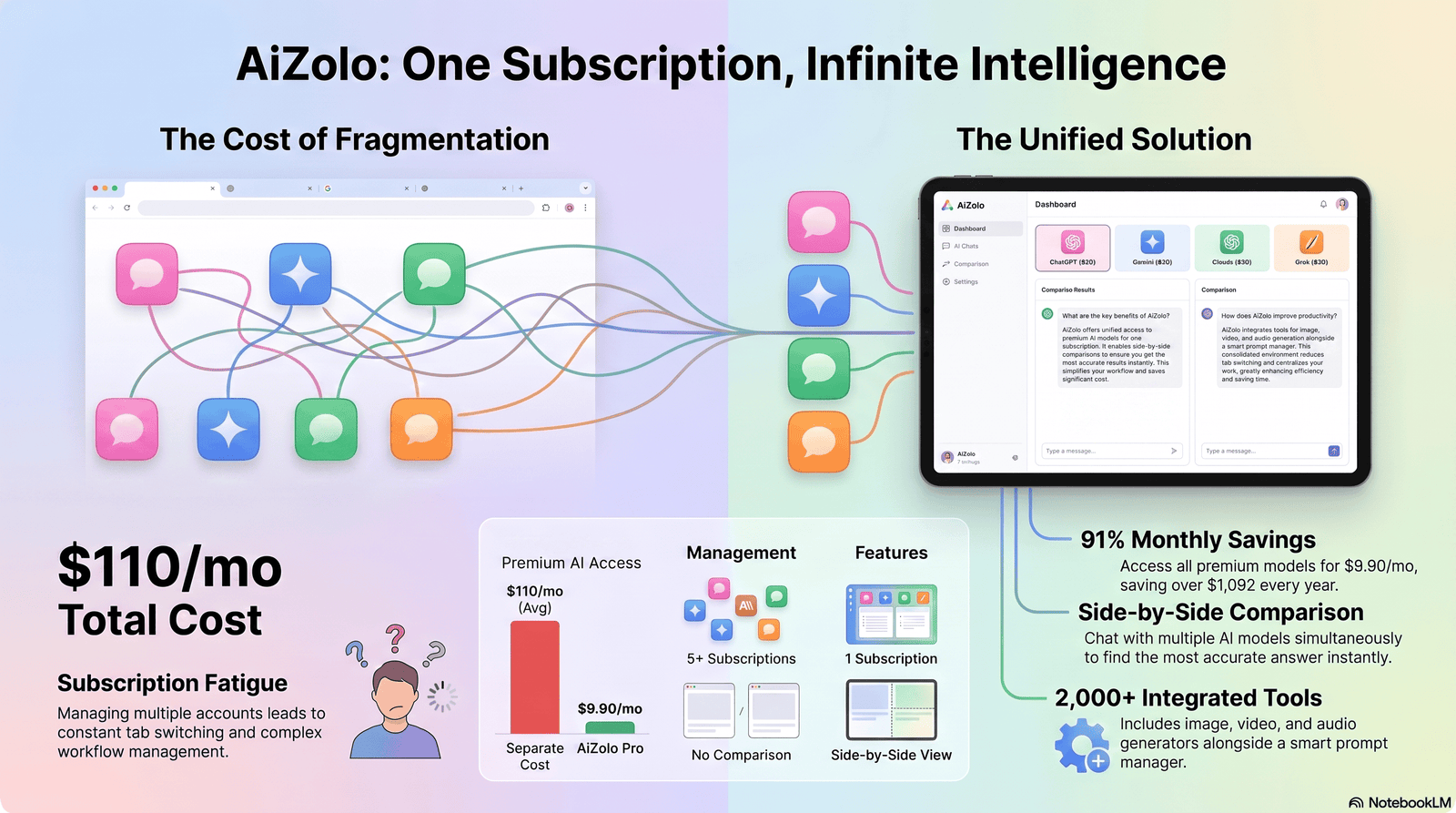
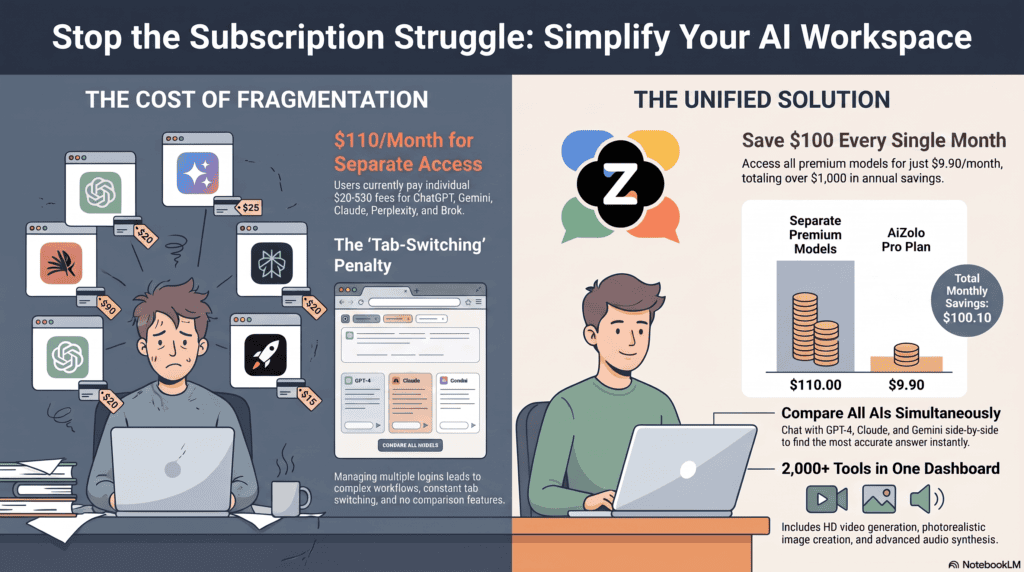
Six months ago, I was paying for four separate AI tools. ChatGPT Plus for writing. Claude Pro for coding. Gemini for research inside Google Docs. And a niche image generator for client work.
That added up to roughly $90 a month, and I was still switching tabs constantly.
That personal frustration is exactly why AI subscription bundles have become one of the fastest-growing categories in AI software in 2026. People don’t want five logins. They want one AI workspace that does most of what they need.
This guide breaks down what AI subscription bundles actually are, how they work, what they cost, and whether they’re worth it for your specific situation. It’s based on hands-on comparison of pricing pages, feature sets, and real usage patterns across the major standalone AI platforms and the bundle services built on top of them.
By the end, you’ll know exactly how to decide between an all-in-one AI subscription and paying for individual tools separately.
What Are AI Subscription Bundles?
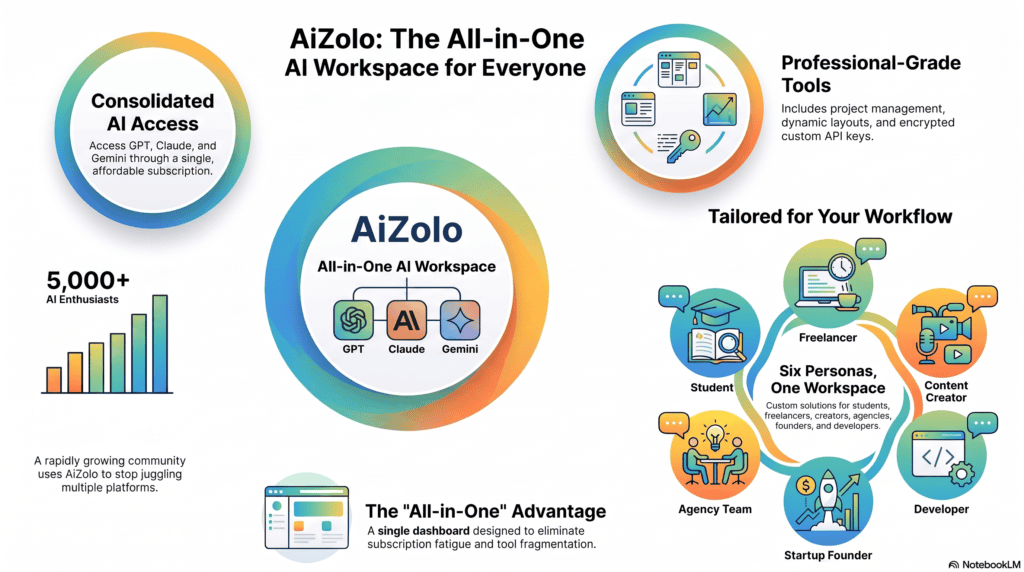
AI subscription bundles are single paid plans that give you access to multiple AI models or AI tools through one account, one dashboard, and one monthly bill.
Instead of separately subscribing to a chatbot, a writing assistant, an image generator, and a coding tool, you pay one AI subscription platform that packages several of these capabilities together.
There are two distinct types of AI bundles on the market, and confusing them is the single biggest mistake buyers make.
Type 1: Multi-Model Aggregators
These platforms give you one login that lets you switch between multiple AI models — for example, GPT-5.x, Claude, and Gemini — inside a single interface. You’re still using the original models, just through a unified front end.
Type 2: Multi-Tool Suites
These bundles combine different functions under one AI membership: a chatbot, a writing tool, an image generator, a video generator, and sometimes automation features, often built on a mix of proprietary and licensed models.
Understanding this distinction matters because it changes what you’re actually paying for. A multi-model aggregator sells you convenience and comparison. A multi-tool suite sells you breadth of features.
Expert Tip: Before buying any AI bundle, check whether it gives you access to the actual flagship models (like Claude Opus or GPT-5.x) or a smaller, cheaper model dressed up with a similar name. This is the most common way bundle providers cut costs without telling you.
Why People Are Choosing Bundled AI Platforms
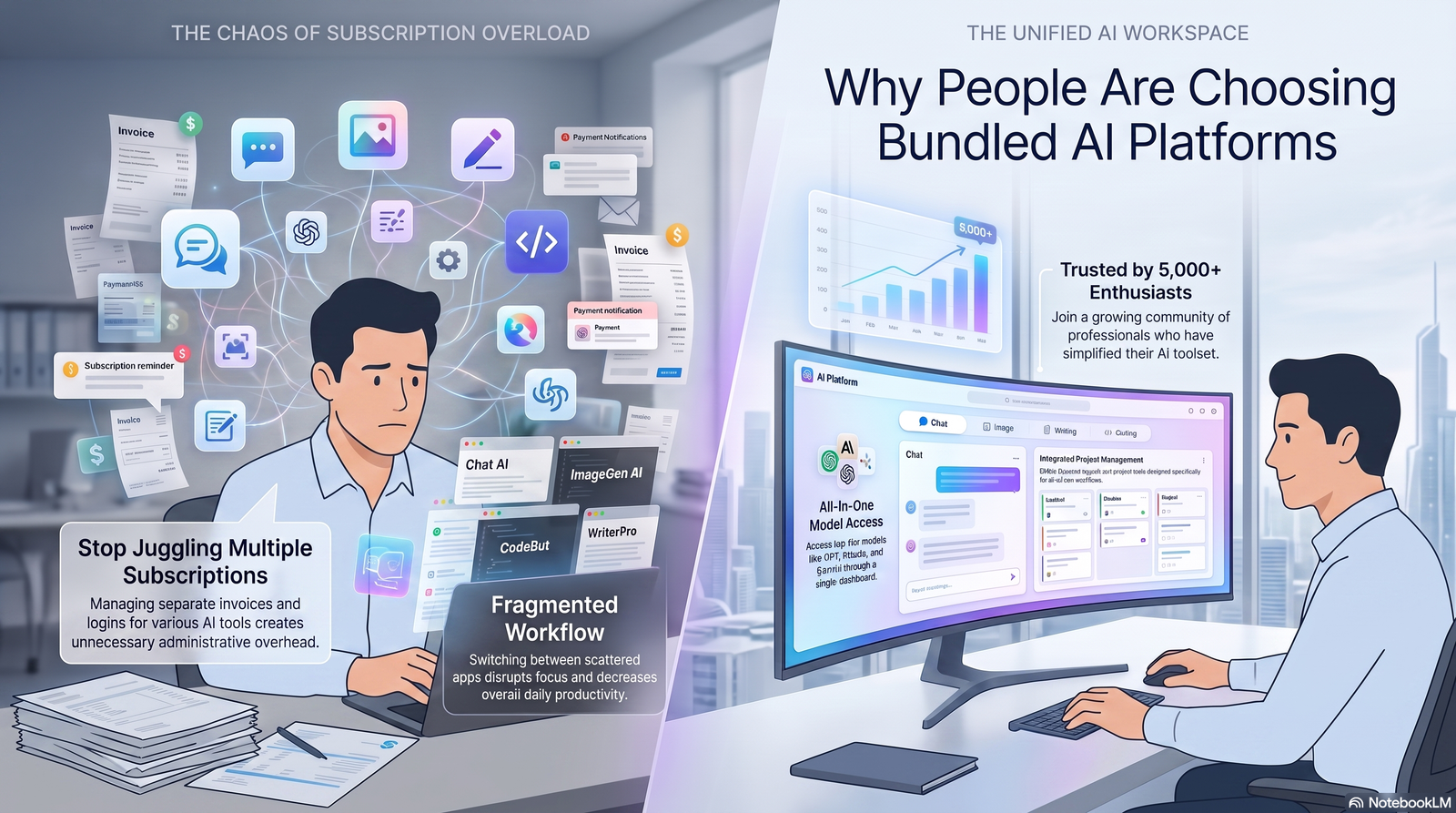
The rise of AI bundle subscriptions isn’t random. It tracks a very specific shift in how people actually use AI day to day.
- Subscription fatigue is real. The average professional now juggles multiple SaaS logins, and adding three or four separate $20/month AI tools on top of that is a budgeting headache.
- No single model wins everything. Claude tends to lead on long-form writing and coding precision. Gemini often has the largest context window and the deepest integration with Google Workspace. GPT-based tools remain the broadest ecosystem for plugins and voice features. Nobody wants to lose access to any of these strengths.
- Teams need shared billing. A single invoice for “AI tools” is far easier for a finance department to approve than five separate vendor line items.
- Casual users don’t want to pick a side. Someone using AI for occasional writing help doesn’t want to research which model is “best” — they want something that works well enough, in one place.
This is the same pattern that drove the rise of bundled streaming services and bundled software suites in previous decades. AI is simply the newest category to go through it.
How AI Subscription Bundles Work
Most AI subscription platforms operate on one of three technical models:
- Direct API relay — the bundle provider has commercial agreements or API access with model makers (OpenAI, Anthropic, Google, xAI, etc.) and routes your requests to whichever model you select.
- Reseller access — some bundles resell access to existing consumer accounts, which is where things get legally and practically murky (more on this in the risks section).
- Native multi-model orchestration — more advanced platforms let you send a single prompt to several models at once and compare outputs side by side, or auto-route your prompt to whichever model is best suited to the task.
Billing is almost always monthly or annual, with annual plans typically discounted 15–25%. Most platforms use either seat-based limits (for teams) or usage-based credits (a pool of “AI credits” you draw down as you send prompts, generate images, or run automations).
Benefits of AI Subscription Bundles
| Benefit | Why It Matters |
|---|---|
| Lower combined cost | One bundle price is often cheaper than three or four separate $20/month plans |
| Single login and billing | Easier expense tracking, especially for freelancers and small teams |
| Model flexibility | Switch models per task instead of being locked into one AI’s weaknesses |
| Faster workflow | No tab-switching between five different AI tools |
| Easier onboarding | New team members learn one interface instead of several |
| Built-in comparison | Some platforms let you run the same prompt across models to compare quality |
The AI cost savings angle is the one most people care about first, so let’s put real numbers on it later in this guide rather than leaving it abstract.
Limitations and Risks
Bundles aren’t automatically the smarter choice. Here’s what competitor articles on this topic tend to gloss over.
Pros & Cons Box
| Pros | Cons |
|---|---|
| Often cheaper than paying for each tool separately | You may lose access to the newest flagship model the day it launches |
| One dashboard, one bill | Usage caps can be stricter than official plans |
| Good for exploring which model fits your work | Some bundles use shared or reseller accounts, which can violate the AI provider’s terms of service |
| Simple for teams to manage | Feature parity with official apps (voice mode, custom GPTs, native app integrations) is often missing |
| Lower learning curve | Data handling policies can be less transparent than the original AI provider’s own policy |
Expert Insight: The single biggest limitation buyers underestimate is feature lag. When a model provider ships a new flagship model or a major new feature, aggregator bundles usually take days or weeks to integrate it — if they integrate it at all. If you rely on being at the cutting edge (for example, coding with the newest reasoning model), a bundle can quietly hold you back.
Individual AI Subscriptions vs. AI Subscription Bundles
This is the core decision most readers are actually trying to make, so let’s be direct about it.
| Factor | Individual AI Subscriptions | AI Subscription Bundles |
|---|---|---|
| Cost for 1 tool | Cheapest option if you only need one model | Rarely worth it for single-tool use |
| Cost for 3+ tools | Expensive — costs stack fast | Usually significantly cheaper |
| Access to newest features | Immediate, direct from the provider | Often delayed |
| Usage limits | Set directly by the provider, generally generous | Varies widely; some are stricter |
| Best for | Power users focused on one model | People who need variety and value convenience |
| Risk level | Low — official, provider-backed account | Depends heavily on the bundle provider’s legitimacy |
Pricing Comparison Table
Prices below reflect standard published consumer pricing as of mid-2026. Providers update pricing periodically, so always verify the current price on the official page before subscribing.
| Platform / Plan | Type | Approx. Monthly Price | What You Get |
|---|---|---|---|
| ChatGPT Plus | Single AI subscription | ~$20 | Flagship GPT model, image generation, voice mode |
| ChatGPT Go | Single AI subscription (budget) | ~$8 | Entry-level tier with expanded free-tier limits |
| Claude Pro | Single AI subscription | ~$20 | Flagship Claude model, Claude Code, expanded usage |
| Claude Max | Single AI subscription (power tier) | $100–$200 | 5x to 20x the Pro usage allowance |
| Google AI Pro | Single AI subscription | ~$19.99 | Flagship Gemini model, large context window, cloud storage |
| Google AI Ultra | Single AI subscription (power tier) | ~$249.99 | Maximum usage, video generation, full Google ecosystem |
| Perplexity Pro | Single AI subscription | ~$20 | Multi-model research answers with citations |
| SuperGrok | Single AI subscription | ~$30 | Real-time X/Twitter data, image generation |
| Typical multi-model AI bundle | AI subscription bundle | $15–$40 | Access to several models (varies by provider) in one interface |
| Team/business AI bundle | AI subscription bundle (team) | $20–$40/seat | Shared billing, admin controls, several models per seat |
Note: Bundle pricing varies significantly between providers because the underlying access model (official API partnership vs. reseller access) is different. Always confirm which models are truly included before comparing price per dollar.
Who Should Use AI Subscription Bundles
Not every user profile benefits equally. Here’s a breakdown by use case.
Students
Students juggling research, writing, and study help benefit from bundles because usage is broad but light — a single mid-tier bundle usually covers a semester’s worth of needs without hitting caps.
Freelancers
Freelancers working across writing, coding, and design often need two or three different model strengths in the same week. A bundle avoids paying for three full-price plans just to cover occasional tasks.
Creators
Creators who need writing, image generation, and video ideation in one place get the most direct value from multi-tool suites, since juggling separate creative AI apps is genuinely inefficient.
Agencies
Agencies serving multiple clients benefit from centralized billing and the ability to switch models based on each client’s brand voice or technical requirement.
Startups
Early-stage startups with tight budgets often use bundles to give the whole team baseline AI access, then add individual power-user subscriptions only for the people who need them (e.g., a lead developer keeping a dedicated Claude Pro or ChatGPT Plus seat).
Developers
This is the group that benefits least from generic bundles. Developers doing serious coding work usually want direct, unthrottled access to one flagship coding model rather than a shared pool split across several tools.
Enterprise Teams
Large teams generally outgrow consumer bundles quickly and move to official enterprise agreements with individual providers, which offer SSO, compliance certifications, and dedicated support that most bundle platforms don’t provide.
| User Type | Bundle Recommended? | Why |
|---|---|---|
| Student | Yes | Broad, light usage across subjects |
| Freelancer | Yes | Needs variety without full-price stacking |
| Creator | Yes | Needs writing + image + video in one place |
| Agency | Yes | Centralized billing across clients |
| Startup (whole team) | Often, for baseline access | Budget-conscious, broad needs |
| Solo developer (heavy coding) | Usually not | Needs unthrottled access to one top coding model |
| Enterprise team | Rarely as primary solution | Needs compliance and support bundles don’t offer |
Best AI Subscription Bundles in 2026
Rather than naming and ranking specific commercial products (which change frequently and vary heavily by region), here’s how the current market breaks down by category, so you can evaluate whatever options are available to you.
Multi-Model Aggregator Bundles
These focus purely on giving you switchable access to several major chat models in one interface. Best for people who want to compare outputs or avoid being locked into one AI’s writing style.
Multi-Tool Creative Suites
These combine a chatbot with image generation, video tools, and sometimes voice synthesis. Best for content creators and marketers producing varied media.
Developer-Focused Bundles
A smaller category that pairs a coding assistant (like an IDE plugin) with a general chatbot, usually priced lower than buying both a coding-specific tool and a general AI subscription separately.
Team/Business Bundles
Seat-based plans with admin dashboards, usage reporting, and shared billing — built for agencies and small companies rather than individuals.
Expert Tip: When evaluating any named bundle product, look for three things on their pricing page: (1) which specific model versions are included, (2) whether usage is measured in messages or credits, and (3) whether there’s a published refund or trial policy. Platforms that hide any of these three details tend to be reselling access rather than operating official partnerships.
Evaluation Criteria for Choosing a Bundle
Use this checklist before subscribing to any AI subscription bundle:
- Model transparency — Does the provider clearly state which model versions you get access to?
- Usage limits — Are limits published in specific numbers, or vague terms like “generous usage”?
- Data policy — Is there a clear, published privacy policy explaining how your prompts are used?
- Refund/trial policy — Can you test the platform risk-free before committing to a year?
- Update cadence — Does the provider have a track record of adding new models quickly after launch?
- Support quality — Is there real customer support, or only a contact form?
- Team features — If buying for a team, does it include admin controls and usage reporting?
Security & Privacy Considerations
This is the area competitor articles on this topic cover the least — and it’s genuinely important.
Reseller-model bundles (Type 2 aggregators built on shared consumer accounts rather than official API partnerships) carry real risk:
- They frequently violate the original AI provider’s terms of service, which can result in account suspension with no warning.
- Sharing login credentials across multiple users on one account increases exposure if that account is compromised.
- Your prompts may pass through an additional third-party server before reaching the model provider, adding a layer you can’t audit.
Official-partnership bundles (built on genuine API access) are generally safer, but you should still check:
- Whether the provider states it does not use your prompts to train its own models.
- Whether data is encrypted in transit and at rest.
- Whether the provider has any published security certifications (SOC 2, ISO 27001) for business use.
Expert Insight: For any bundle handling sensitive business data — client information, proprietary code, financial figures — treat the security checklist above as non-negotiable, not optional. The few dollars saved by an unverified reseller bundle are not worth a data exposure incident.
Performance Comparison
Performance in AI bundles depends heavily on which underlying model is actually being called, not the bundle brand itself. As a general pattern across current flagship models:
- Writing and long-form reasoning: Claude-family models tend to produce the most natural, least formulaic prose.
- Coding: Claude-family and the newest GPT-family reasoning models both perform strongly, with Claude generally favored for large codebase refactors.
- Multimodal and long-context tasks: Gemini-family models tend to lead, particularly with very large context windows.
- Real-time information: Grok is the only major model family with native, live social-data integration.
When comparing bundles, ask which specific model family handles which task — a bundle is only as good as its weakest included model for the task you care about most.
Features Comparison
| Feature | Typical Single AI Subscription | Typical AI Subscription Bundle |
|---|---|---|
| Number of models included | 1 | 2–6+ |
| Voice mode | Often included | Sometimes included, varies |
| Image generation | Model-dependent | Frequently included |
| Video generation | Rare on standard tiers | Increasingly common on premium bundles |
| Custom automations/workflows | Provider-dependent | Common differentiator for higher-tier bundles |
| Native mobile app | Usually yes | Varies by provider |
| Team seat management | Provider-dependent | Common, often a core selling point |
Real Cost Savings Examples
Numbers make this decision concrete. Here are three real-world scenarios based on standard published pricing.
Scenario 1: The Solo Freelancer Paying separately for one writing-focused AI subscription (~$20) and one research-focused subscription (~$20) costs roughly $40/month. A comparable multi-model bundle covering both use cases at $20–$25/month saves roughly $180–$240 per year.
Scenario 2: The Small Creative Agency (4 people) Four separate individual subscriptions at $20/month each costs $80/month, or $960/year, with no shared billing or admin visibility. A team bundle at $25/seat/month costs $100/month — slightly more in this specific case, but adds centralized billing, usage reporting, and admin controls that individual plans don’t include. This is a case where the bundle isn’t cheaper, but the operational value can still justify it.
Scenario 3: The Startup Founder Testing Multiple Models Subscribing individually to three flagship AI tools to figure out which one fits the company’s workflow costs roughly $60/month during the evaluation period. A multi-model bundle at $20–$30/month covers the same comparison process for a fraction of the cost, then can be cancelled once the team picks a primary tool.
Expert Insight: The real savings from bundling show up most clearly when you need three or more distinct AI capabilities regularly. If you only ever need one model for one core task, a bundle rarely beats the official single subscription on price or feature completeness.
AI Workflow Examples: Bundles in Real Use
Numbers only tell part of the story. Here’s what an actual week looks like for three different profiles using a bundle instead of separate subscriptions.
Example 1: Content Marketer
Monday: drafting a blog outline with one model, then switching to a second model to punch up the intro paragraph. Wednesday: generating three header images for the same post inside the same dashboard. Friday: running the draft through a research-focused model to fact-check statistics before publishing.
None of these steps require leaving one interface, and all three tasks would otherwise require three separate logins and three separate monthly bills.
Example 2: Small Agency Account Manager
Client A wants copy in a formal, corporate tone. Client B wants something punchier and more casual. Rather than trying to force one model to switch styles convincingly, the account manager routes Client A’s copy to a model known for structured, professional writing and Client B’s copy to a model known for more natural, conversational tone — both inside the same bundle account, both billed to the same seat.
Example 3: Solo SaaS Founder
Early-stage building means constant context switching: writing landing page copy in the morning, debugging a backend script at lunch, and drafting an investor update in the evening. A bundle covering general writing, coding assistance, and research in one place removes the friction of remembering three separate app passwords across a single working day.
Expert Tip: Track which model you actually reach for over a two-week period before renewing any AI subscription bundle. It’s common to discover you’re only using one or two of the included models consistently — which is a strong signal to reconsider whether a bundle is still the right fit.
Total Cost of Ownership: Beyond the Sticker Price
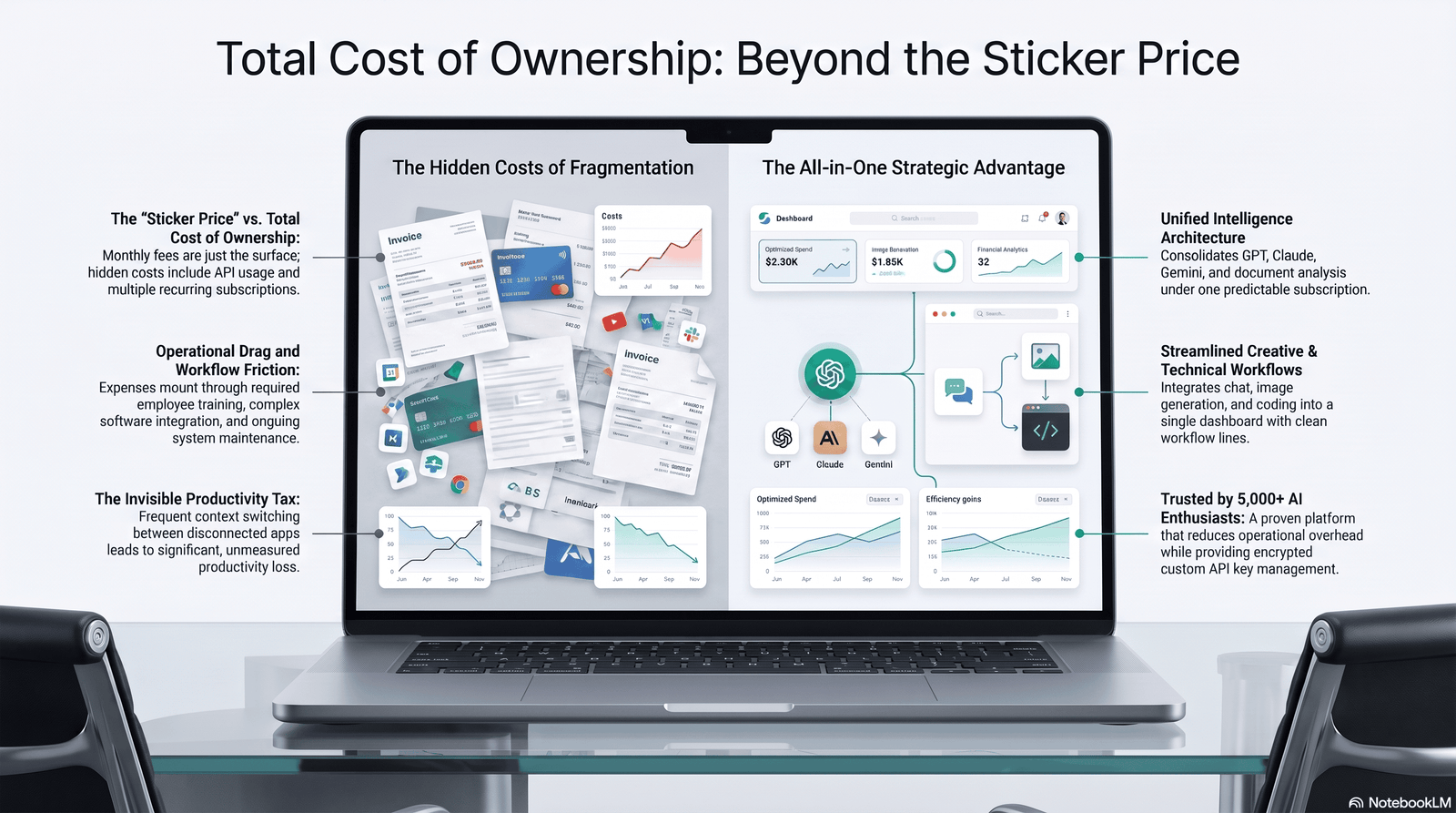
The monthly price on a pricing page is rarely the full cost of an AI subscription bundle. A more complete picture includes:
- Onboarding time. Learning a new interface, even a well-designed one, costs real working hours the first few weeks.
- Workflow switching cost. If your team already has habits built around one official app (voice mode, custom GPT-style agents, IDE plugins), moving to a bundle’s generic interface can slow output temporarily.
- Overage or credit-refill costs. Usage-based bundles can charge extra once your monthly credit pool runs out — read the fine print on what happens when you hit the ceiling.
- Downgrade risk. If a bundle provider loses its official API partnership with a model maker (this does happen), you may be silently switched to a lower-quality substitute model with no notice.
Weighing these softer costs against the advertised monthly price is what separates a genuinely well-informed decision from a decision based purely on the number at the top of a pricing page.
Common Mistakes to Avoid
- Assuming “bundle” always means “cheaper.” As Scenario 2 above shows, that’s not always true once team seats are involved.
- Not checking which model version is actually included. Some bundles quietly downgrade you to an older or smaller model to control costs.
- Ignoring the provider’s terms-of-service risk. Reseller-based bundles can get suspended without warning, taking your work history with them.
- Overbuying capacity you won’t use. A $40/month bundle with six models is wasted money if you only ever use one of them.
- Skipping the trial period. Always test real workflows — not just a demo prompt — before committing to an annual plan.
- Forgetting to reassess after a few months. Usage patterns change. What made sense at signup may not make sense six months later.
Expert Buying Guide
Here’s the decision framework I actually use when advising teams on this:
Step 1 — Count your actual needs. List every distinct AI task you do weekly: writing, coding, research, image generation, and so on.
Step 2 — Map needs to models, not brands. Identify which model family tends to be strongest for each task using the performance comparison section above.
Step 3 — Price it both ways. Add up individual subscription costs for your top 2–3 needs. Compare that total against a bundle covering the same needs.
Step 4 — Weight non-price factors. Factor in feature lag risk, data security, and team management needs — not just the monthly price.
Step 5 — Start with a trial, not a year-long commitment. Run your real workflow for two to four weeks before locking into annual billing.
| Your Situation | Recommended Path |
|---|---|
| Need only 1 core AI tool | Individual subscription |
| Need 2–3 AI capabilities regularly | AI subscription bundle |
| Heavy daily coding workload | Dedicated coding-focused subscription |
| Small team, tight budget | Team bundle |
| Enterprise compliance needs | Direct enterprise agreement with provider |
The Future of AI Subscription Bundles

A few trends are shaping where this category goes next:
- Usage-based credits are replacing flat message limits, giving providers more flexibility but making comparison shopping harder for consumers.
- Official model providers are starting to bundle their own ecosystems (cloud storage, productivity apps, and AI access together), which puts pressure on third-party aggregator bundles to prove their value.
- Enterprise-grade bundles with compliance certification are emerging, closing the gap that currently pushes serious businesses toward direct provider agreements instead.
- Price convergence around a standard tier has already happened at roughly $20/month across most major providers, which means bundle providers increasingly compete on breadth and reliability rather than price alone.
Expect the market to keep consolidating: fewer, more trustworthy multi-model platforms with verified official partnerships, and a shrinking pool of risky reseller-based bundles as providers tighten enforcement of their terms of service.
Frequently Asked Questions
1. What exactly is an AI subscription bundle? It’s a single paid plan that gives access to multiple AI models or AI tools through one login and one bill, instead of subscribing to each tool separately.
2. Are AI subscription bundles cheaper than paying for ChatGPT, Claude, and Gemini separately? Usually yes if you need three or more AI capabilities regularly. If you only need one tool, an individual subscription is typically cheaper and more feature-complete.
3. Is it safe to use an AI bundle that resells access to official accounts? Not always. Reseller-based bundles can violate the original provider’s terms of service and risk sudden account suspension. Always check whether a bundle has an official API partnership.
4. Do AI subscription bundles include the newest AI models immediately? Not always. Many bundles take days or weeks to integrate a newly released flagship model, which is a common drawback for power users.
5. Can businesses use AI subscription bundles for teams? Yes. Many providers offer seat-based team bundles with shared billing, admin dashboards, and usage reporting, which is often a better structural fit for small teams than individual accounts.
6. What’s the difference between a multi-model aggregator and a multi-tool suite? A multi-model aggregator lets you switch between different AI chat models in one interface. A multi-tool suite combines different functions — chat, image generation, video — often built on a mix of models.
7. Do AI subscription bundles affect output quality? Not directly, since output quality depends on which underlying model handles your request. But if a bundle uses an older or lower-tier version of a model, quality can be noticeably lower than the official flagship version.
8. How do I know if a bundle provider has genuine official model access? Look for explicit statements about API partnerships, published model version numbers, and transparent usage limits. Vague marketing language is a red flag.
9. Are AI subscription bundles good for students? Generally yes. Student usage tends to be broad but light, which fits well within typical bundle usage caps.
10. Should developers use AI subscription bundles? Usually not as a primary tool. Developers doing heavy coding work typically benefit more from a dedicated, unthrottled subscription to one top-performing coding model.
11. What should I check before subscribing to any AI bundle? Model transparency, published usage limits, data privacy policy, refund/trial availability, and how quickly the provider adds new models after launch.
12. Will AI subscription bundle pricing keep changing? Yes. Pricing across this category shifts often as model providers update their own plans. Always verify current pricing directly on the provider’s official page before subscribing.
Final Verdict
AI subscription bundles are worth it for a specific type of user: someone who regularly needs two or more distinct AI capabilities and values convenience and predictable billing over having the single newest flagship model the moment it ships.
They are not automatically worth it for someone who only needs one core AI tool, or for a developer running serious daily coding workloads that benefit from unthrottled access to one top model.
The right move isn’t picking a side in the “bundle vs. individual subscription” debate in the abstract. It’s counting your actual weekly AI tasks, pricing both paths honestly, and choosing the option that matches how you really work — not how a pricing page wants you to think about it.
Compare Your Options Before You Commit
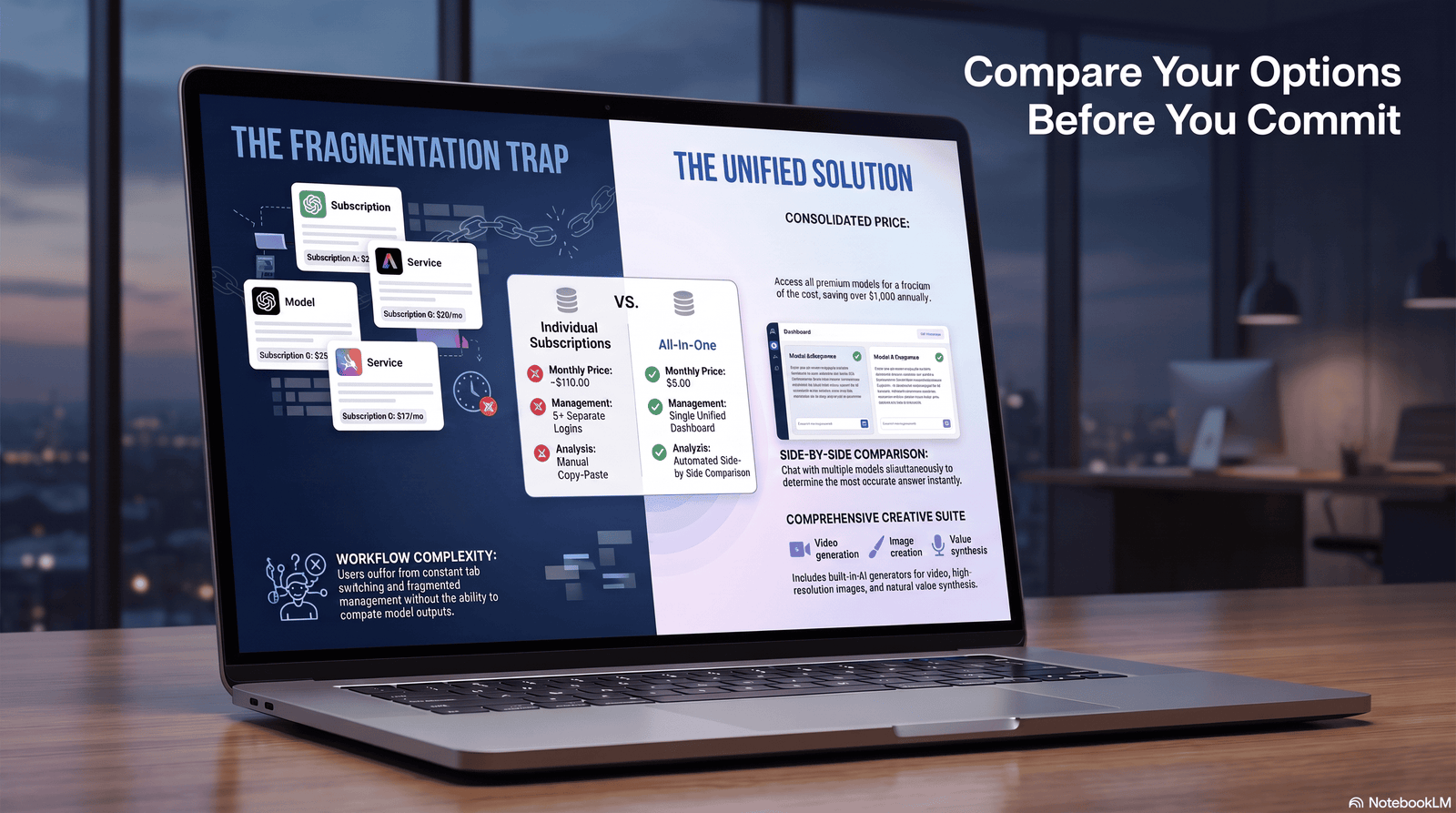
Before subscribing to anything, map out exactly which AI tasks you do every week, then price an AI subscription bundle against your top individual tools side by side.
If the bundle covers your real workflow at a lower total cost — and comes from a provider with transparent model access and a clear privacy policy — it’s worth trying with a short trial period first.
If you only need one core AI tool, skip the bundle and go straight to the official subscription.
Author
Jeevesh Tripathi Email: jeevesh@aizolo.com
Jeevesh Tripathi researches AI platforms, SaaS pricing models, and emerging AI technologies, with a focus on practical, hands-on comparisons of subscription tools used by freelancers, creators, and small businesses. His work centers on cutting through marketing claims to evaluate what AI subscription products actually deliver in day-to-day use.
External Linking Recommendations (Additional)
Anchor Text: OpenAI’s official pricing page Suggested URL: https://openai.com/chatgpt/pricing Reason: Authoritative primary source for current ChatGPT plan pricing.
Anchor Text: Anthropic’s Claude pricing page Suggested URL: https://www.anthropic.com/pricing Reason: Authoritative primary source for current Claude plan pricing.
Anchor Text: Google AI subscription plans Suggested URL: https://gemini.google/subscriptions/ Reason: Authoritative primary source for current Google AI Pro/Ultra pricing.
Anchor Text: Stanford HAI AI Index Report Suggested URL: https://hai.stanford.edu/ai-index Reason: High-authority independent research source for citing broader AI adoption and market trends.
Anchor Text: Google Search Central Helpful Content guidance Suggested URL: https://developers.google.com/search/docs/fundamentals/creating-helpful-content Reason: Supports the article’s own EEAT and helpful-content positioning for readers interested in SEO context.

Pingback: Compare Grok 4.1 and Claude 4.5 for Creative Risk | 2026 Guide
Pingback: Unified AI Subscription vs Separate Subscriptions | Save $1,200+
Pingback: Best Affordable AI Subscription Platform: Save 90% (2026)
Pingback: Save Money on AI Tools Subscription Platform | Cut 90% Costs
Pingback: Top AI Models Compared: 7 Best Performers You Need 2026
Pingback: The Ultimate All in One AI Tools List: Stop Juggling Subscriptions and Start Winning in 2026