

The $10,000 Mistake That Changed Everything
Marcus woke up to a notification that would haunt him for months: “Your AWS bill for this month is $9,847.32.”
As a solo developer building his dream SaaS product, Marcus had been using multiple AI APIs—ChatGPT for content generation, Claude for code review, and Gemini for data analysis. To make development faster, he’d committed his API keys directly to his GitHub repository. Just a private repo, he thought. What could go wrong?
Everything.

A former contractor still had access. Within hours of Marcus pushing his latest update, someone downloaded the repository, extracted the API keys, and went on a crypto-mining spree using his accounts. By the time Marcus caught it, thousands of dollars had been charged to his accounts, and his API access was suspended.
Marcus’s story isn’t unique. A recent search on GitHub reveals over 30,000 commits potentially exposing API keys and secrets. The question isn’t whether you need to learn how to set up Secrets Store for API Keys—it’s how quickly you can implement it before disaster strikes.
Why API Key Security Matters More Than Ever in 2025
If you’re working with AI tools—whether you’re using ChatGPT, Claude, Google Gemini, or platforms like AiZolo that aggregate multiple AI models—you’re juggling numerous API keys. Each one is a potential vulnerability.
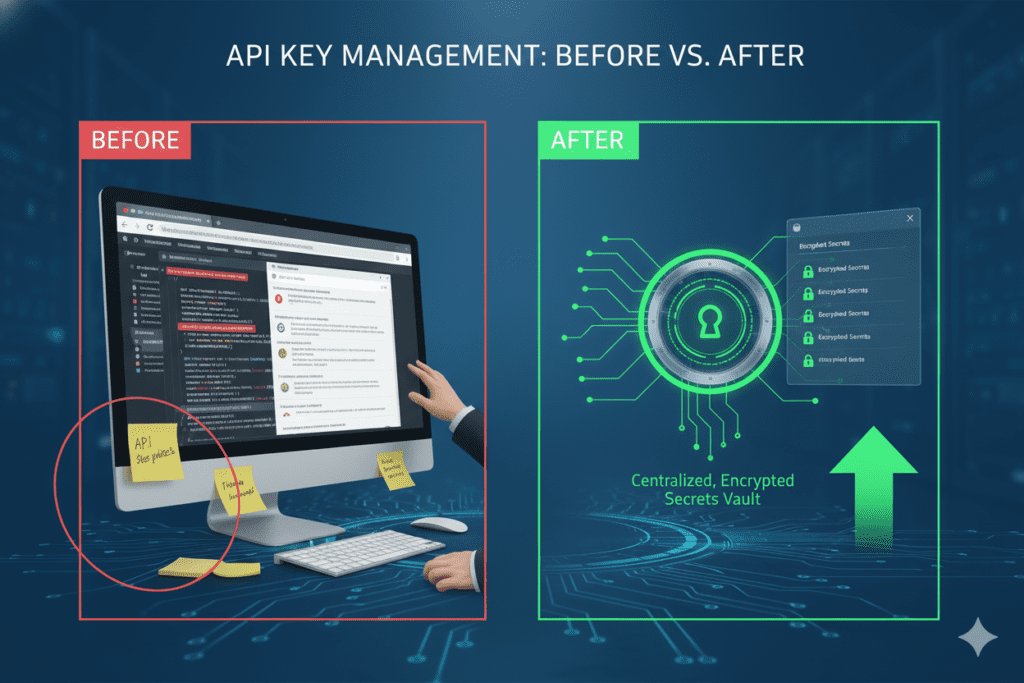
The Real Cost of Exposed API Keys
When API keys fall into the wrong hands, the consequences extend far beyond unauthorized charges:
- Financial damage: Attackers can rack up thousands in API usage fees within hours
- Data breaches: Compromised keys may expose sensitive customer information
- Service suspension: API providers like OpenAI and Anthropic will revoke access if they detect misuse
- Reputation damage: Security incidents erode customer trust and can destroy your business
- Legal liability: Depending on your industry, exposed credentials could violate compliance regulations
The good news? Learning how to set up Secrets Store for API Keys properly can prevent all of these nightmares.
Understanding Secrets Store: Your First Line of Defense
Before we dive into how to set up Secrets Store for API Keys, let’s understand what a secrets store actually is.

A secrets store (also called a secrets manager or vault) is a centralized, encrypted system designed specifically to store, manage, and distribute sensitive information like:
- API keys and tokens
- Database passwords
- SSL certificates
- OAuth credentials
- Encryption keys
- Service account credentials
Think of it as a high-security vault for your digital keys—except this vault can automatically rotate keys, track who accesses what, and integrate seamlessly with your applications.
Popular Secrets Management Solutions
Several robust solutions exist for managing secrets:
- HashiCorp Vault: Open-source, highly configurable, supports dynamic secrets and automatic rotation
- AWS Secrets Manager: Cloud-native solution with tight AWS integration and automated rotation
- Azure Key Vault: Microsoft’s encrypted repository for keys, secrets, and certificates
- Google Cloud Secret Manager: Secure storage with built-in versioning and access controls
- Environment Variables: Simple but less secure option for development environments
- AiZolo’s Encrypted API Key Storage: Purpose-built for AI workspaces with custom API key support
How to Set Up Secrets Store for API Keys: Step-by-Step Guide
Now let’s walk through the process of setting up a secrets store. We’ll cover multiple approaches so you can choose what works best for your needs.
Method 1: Using Environment Variables (Development Environments)
This is the simplest approach for local development, though not recommended for production.
Step 1: Create Your .env File
In your project root directory, create a file named .env:
# AI API Keys
OPENAI_API_KEY=sk-proj-xxxxxxxxxxxxx
ANTHROPIC_API_KEY=sk-ant-xxxxxxxxxxxxx
GOOGLE_API_KEY=AIzaxxxxxxxxxxxxx
Step 2: Add .env to .gitignore
Critically important—never commit your .env file to version control:
# Add to .gitignore
.env
.env.local
.env.*.local
Step 3: Access Keys in Your Application
// Node.js example
require('dotenv').config();
const openaiKey = process.env.OPENAI_API_KEY;
Limitations: While this prevents keys from appearing in your codebase, environment variables aren’t encrypted and can be accessed by anyone with system access.
Method 2: AWS Secrets Manager (Production-Ready)
For production applications, AWS Secrets Manager provides enterprise-grade security.
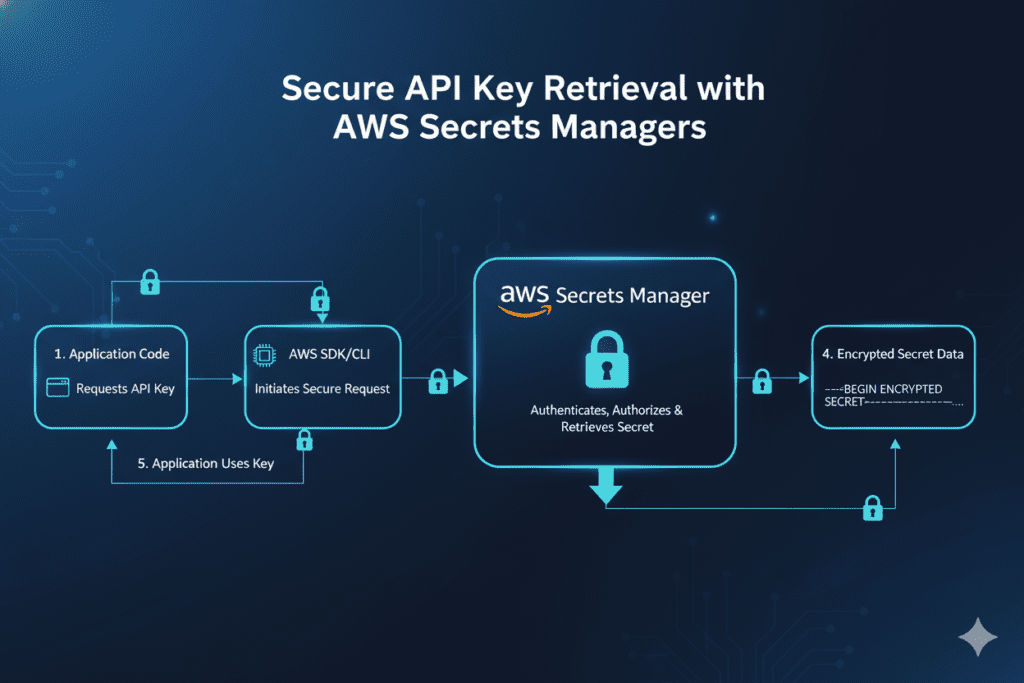
Step 1: Install AWS CLI and Configure Credentials
aws configure
Step 2: Create a Secret
aws secretsmanager create-secret \
    --name MyAIAPIKeys \
    --description "API keys for AI services" \
    --secret-string '{
        "openai_key":"sk-proj-xxxxx",
        "anthropic_key":"sk-ant-xxxxx",
        "gemini_key":"AIzaxxxxx"
    }'
Step 3: Retrieve Secrets in Your Application
import boto3
import json

def get_api_keys():
    client = boto3.client('secretsmanager')
    response = client.get_secret_value(SecretId='MyAIAPIKeys')
    return json.loads(response['SecretString'])

keys = get_api_keys()
openai_key = keys['openai_key']
Benefits:
- Automatic encryption at rest and in transit
- Detailed audit logs showing who accessed what and when
- Automatic key rotation capabilities
- Fine-grained access controls using IAM policies
- Integration with AWS services
Costs: AWS Secrets Manager charges $0.40 per secret per month, plus $0.05 per 10,000 API calls.
Method 3: HashiCorp Vault (Self-Hosted Enterprise Solution)
HashiCorp Vault offers maximum flexibility and control, perfect for teams with complex security requirements.
Step 1: Install and Initialize Vault
# Install Vault
brew install vault  # macOS
# or
sudo apt-get install vault  # Linux

# Start Vault server
vault server -dev
Step 2: Enable KV Secrets Engine
vault secrets enable -path=secret kv-v2
Step 3: Store Your API Keys
vault kv put secret/ai-apis \
    openai_key=sk-proj-xxxxx \
    anthropic_key=sk-ant-xxxxx \
    gemini_key=AIzaxxxxx
Step 4: Retrieve Secrets Programmatically
import hvac

client = hvac.Client(url='http://localhost:8200')
client.token = 'your-vault-token'

secret = client.secrets.kv.v2.read_secret_version(
    path='ai-apis',
    mount_point='secret'
)

openai_key = secret['data']['data']['openai_key']
Advanced Features:
- Versioned secrets with rollback capabilities
- Dynamic secrets that are generated on-demand
- Detailed audit logging
- Multiple authentication methods
- Secret leasing and renewal
Method 4: AiZolo’s Built-in Encrypted API Key Storage
Here’s where things get interesting for AI power users. If you’re working with multiple AI models, AiZolo offers a streamlined solution that’s purpose-built for AI workflows.
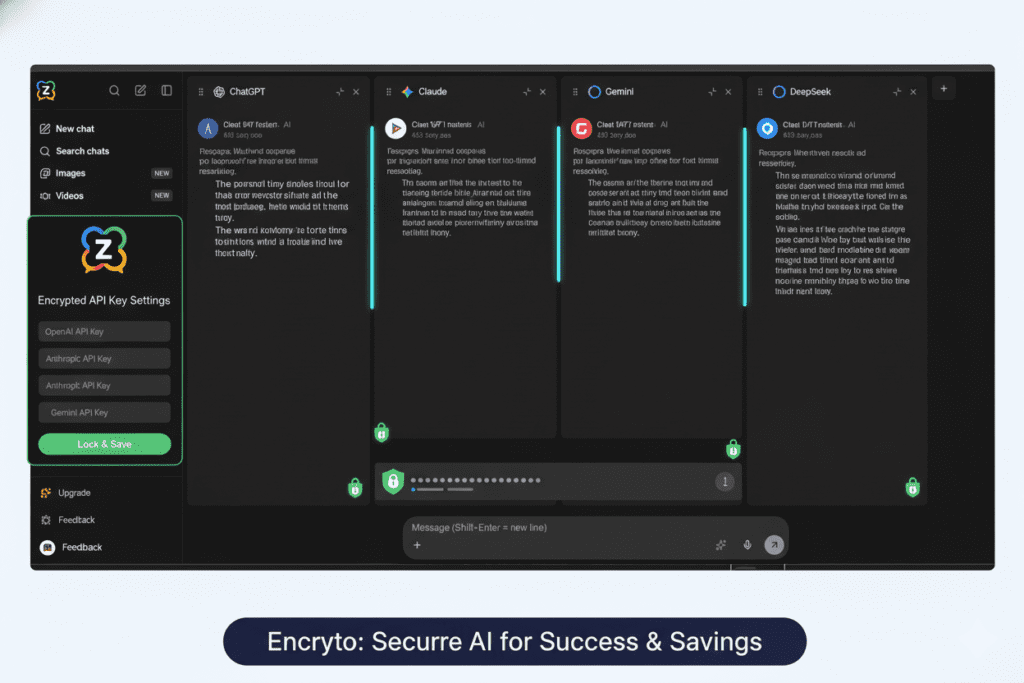
Why AiZolo’s Approach Is Different
Rather than managing separate API keys across multiple platforms, AiZolo provides:
- Encrypted Custom API Key Support: Store your own API keys securely within the platform
- Centralized Management: Access ChatGPT, Claude, Gemini, and other AI models from one dashboard
- No Multiple Subscriptions Needed: Get access to premium AI models for $9.9/month instead of paying $110+ for individual subscriptions
- Secure Token Storage: All API keys are encrypted and never exposed in client-side code
- Unlimited Token Usage: When using your own custom API keys, enjoy unlimited access without platform restrictions
Setting Up Custom API Keys in AiZolo
- Sign up for a free AiZolo account at chat.aizolo.com
- Navigate to Settings → API Keys
- Add your encrypted API keys for services you want to use
- Start chatting with multiple AI models simultaneously
- Compare responses side-by-side to get the best results
The beauty of this approach? You’re not just learning how to set up Secrets Store for API Keys—you’re getting a complete AI workspace that handles security, aggregation, and comparison all in one place.
Best Practices for API Key Management
Regardless of which secrets management solution you choose, follow these critical best practices:
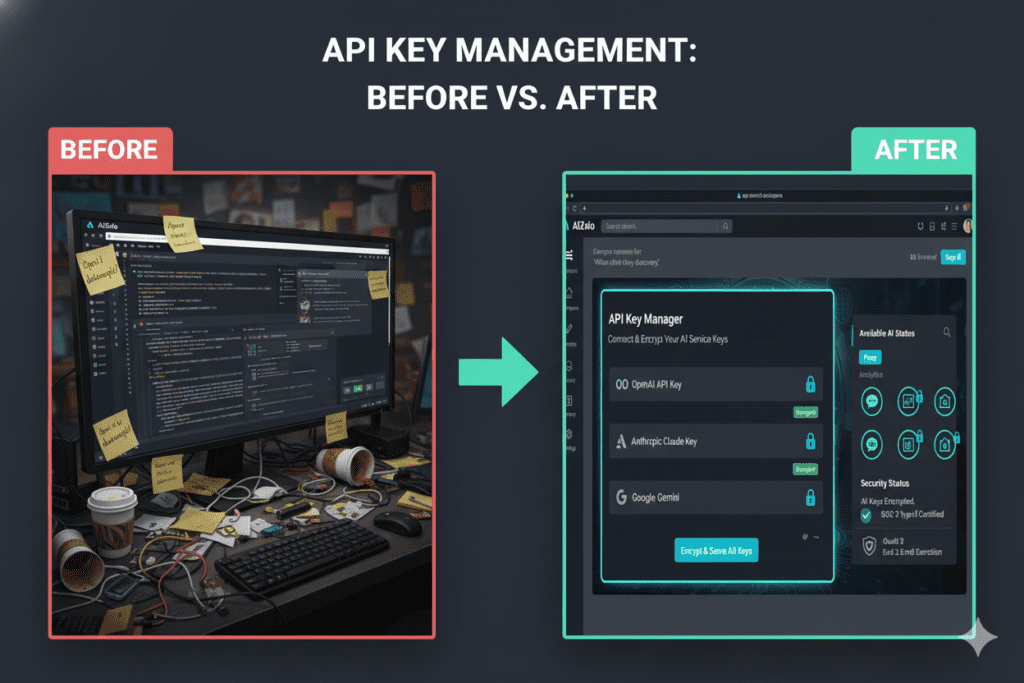
1. Never Hardcode Keys in Source Code
This bears repeating: never put API keys directly in your code. Even in private repositories. Even “just for testing.”
2. Implement the Principle of Least Privilege
Grant each API key only the permissions it absolutely needs. If a service only needs read access, don’t give it write permissions.
3. Rotate Keys Regularly
Set up automatic rotation for your API keys every 3-6 months. Many secrets management tools can handle this automatically.
4. Monitor and Audit Access
Track who’s accessing which keys and when. Set up alerts for:
- Unusual access patterns
- Failed authentication attempts
- API usage spikes
- Access from unexpected IP addresses or locations
5. Use Different Keys for Different Environments
Never use the same API key across development, staging, and production environments. If a development key is compromised, your production systems remain secure.
6. Implement Rate Limiting
Configure rate limits on your API keys to prevent abuse even if they’re compromised.
7. Set Expiration Dates
When possible, configure your API keys to expire automatically. This forces regular review and renewal.
Real-World Use Cases: How Users Secure Their AI Workflows

Case Study 1: Sarah, the Content Creator
Sarah creates content for multiple clients, using ChatGPT for ideation, Claude for technical writing, and Gemini for research. She was paying $60/month for separate subscriptions and constantly switching between platforms.
Her Solution: Sarah switched to AiZolo’s Pro plan for $9.9/month. She uses AiZolo’s built-in encrypted API key storage for her custom needs while accessing all premium AI models through one interface. She saves over $600 annually while improving her workflow efficiency.
Case Study 2: Dev Team at TechStart Inc.
A 15-person development team was managing API keys through a shared Google Doc (scary, right?). After a security audit, they needed to implement proper secrets management.
Their Solution: They implemented HashiCorp Vault for their infrastructure secrets and use AiZolo for their AI model access. Developers can now access ChatGPT 5, Claude Sonnet 4, and other models without managing individual API keys. The company saves $1,500+ monthly compared to individual subscriptions.
Case Study 3: Marcus’s Redemption
Remember Marcus from our opening story? After his $10,000 AWS bill nightmare, he completely restructured his security approach.
His Solution: Marcus now uses AWS Secrets Manager for infrastructure secrets and AiZolo for AI model access. He set up automated key rotation, implemented strict access controls, and enabled comprehensive audit logging. He also uses AiZolo’s project management features to organize his AI conversations with proper access controls.
Common Mistakes to Avoid When Setting Up Secrets Store
Even when implementing secrets management, developers often make these critical errors:
Mistake 1: Storing Secrets in Configuration Files
Don’t store API keys in config.json, settings.xml, or similar files that might accidentally get committed to version control.
Mistake 2: Sharing Keys Through Chat or Email
Never send API keys via Slack, email, or other messaging platforms. These messages persist in logs and backups indefinitely.
Mistake 3: Using the Same Key Everywhere
Different services, environments, and team members should use different API keys for better security and accountability.
Mistake 4: Forgetting About Old Keys
When you rotate keys, make sure to actually revoke the old ones. Expired keys sitting unused are still attack vectors.
Mistake 5: Not Testing Secret Retrieval
Always test that your application can successfully retrieve secrets before deploying to production. A misconfigured secrets manager can take down your entire application.
How AiZolo Simplifies API Key Management for AI Users
While enterprise secrets management solutions like Vault and AWS Secrets Manager are powerful, they’re often overkill for individuals and small teams working primarily with AI tools.
This is where AiZolo shines. Instead of juggling multiple approaches for how to set up Secrets Store for API Keys across different AI services, you get:
Unified AI Access
- Chat with ChatGPT, Claude, Gemini, Perplexity, and Grok in one place
- Compare responses side-by-side to get the best answers
- No need to manage separate subscriptions or API keys for each service
Custom API Key Support (Encrypted)
- Bring your own API keys for unlimited usage
- All keys are encrypted and securely stored
- Never exposed in client-side code
Cost Savings
- Pay $9.9/month instead of $110+ for individual AI subscriptions
- Save over $1,000 annually while accessing premium features
- Free tier available with limited access to get started
Additional Features
- Dynamic layout customization
- Project management with custom system prompts
- Real-time responses from multiple AI models
- Access to the latest models as soon as they’re released
- 3,000,000 tokens per month on Pro plan
Try AiZolo today and see how much simpler API key management becomes when you have a platform built specifically for AI workflows: Start your free trial
Advanced Security Considerations
As you become more sophisticated in how you set up Secrets Store for API Keys, consider these advanced practices:
Implementing Secret Rotation Automation
# Example: Automated key rotation script
import boto3
from datetime import datetime, timedelta

def should_rotate_secret(secret_metadata):
    created_date = secret_metadata['CreatedDate']
    rotation_period = timedelta(days=90)
    return datetime.now() - created_date > rotation_period

def rotate_api_key(secret_name):
    # Generate new API key through provider's API
    new_key = generate_new_api_key()

    # Update secret in AWS Secrets Manager
    secrets_client = boto3.client('secretsmanager')
    secrets_client.update_secret(
        SecretId=secret_name,
        SecretString=new_key
    )

    # Revoke old key
    revoke_old_api_key()
Setting Up Alerts and Monitoring
Configure monitoring for suspicious activity:
- Multiple failed authentication attempts
- API calls from unexpected geographic locations
- Unusual spikes in API usage
- Access attempts during off-hours
- Requests to sensitive endpoints
Implementing Backend Proxy Pattern
For web applications, never expose API keys to the frontend. Instead, proxy requests through your backend:
// Frontend makes request to your backend
fetch('/api/chat', {
    method: 'POST',
    body: JSON.stringify({ message: 'Hello AI' })
});

// Backend server handles API key
app.post('/api/chat', async (req, res) => {
    const apiKey = await getSecretFromVault('openai_key');
    const response = await fetch('https://api.openai.com/v1/chat', {
        headers: { 'Authorization': `Bearer ${apiKey}` },
        body: req.body
    });
    res.json(await response.json());
});
This pattern ensures clients never see your API keys while still enabling frontend functionality.
Compliance and Regulatory Considerations
Different industries have specific requirements for secrets management:
Healthcare (HIPAA)
- Encrypt secrets both at rest and in transit
- Maintain detailed audit logs for at least 6 years
- Implement strict access controls based on roles
- Regular security assessments and penetration testing
Finance (PCI DSS)
- Store cryptographic keys separately from encrypted data
- Implement dual control and split knowledge for key management
- Regular key rotation with documented procedures
- Quarterly vulnerability scans
General Data Protection (GDPR)
- Document where secrets are stored and who has access
- Implement data subject access request procedures
- Maintain data processing agreements with third-party services
- Conduct data protection impact assessments
Tools like AWS Secrets Manager, Azure Key Vault, and HashiCorp Vault all provide compliance features that can help meet these requirements.
Frequently Asked Questions About Setting Up Secrets Store for API Keys
Q: How often should I rotate my API keys? A: Best practice is every 3-6 months for most applications. However, rotate immediately if you suspect a key has been compromised or when team members with key access leave the organization.
Q: Can I use the same secrets manager for development and production? A: While you can use the same tool, always maintain completely separate secrets stores for different environments. Use different keys, different access policies, and ideally different AWS accounts or Vault namespaces.
Q: What happens if my secrets manager goes down? A: This is why availability is crucial. Cloud-based solutions like AWS Secrets Manager have 99.99% uptime guarantees. For self-hosted solutions like Vault, implement high-availability configurations with multiple nodes.
Q: How do I securely share secrets with team members? A: Never share secrets through email or chat. Instead, grant team members direct access to the secrets manager with appropriate permissions. They can retrieve secrets programmatically or through secure CLI commands.
Q: Is AiZolo’s custom API key feature secure enough for production use? A: Yes, AiZolo encrypts all custom API keys and follows industry-standard security practices. The keys are never exposed in client-side code and are stored securely on the platform.
Q: Do I need a secrets manager if I’m just a solo developer? A: Absolutely. Even solo developers can have their API keys compromised through repository leaks, compromised development machines, or accidental exposure. The barrier to entry is low enough that there’s no excuse not to use proper secrets management.
Taking Action: Your Next Steps to Secure API Key Management

Now that you understand how to set up Secrets Store for API Keys, here’s your action plan:
Immediate Actions (Today)
- Audit your current setup: Search your codebase for hardcoded API keys
- Add .env to .gitignore: Ensure secret files aren’t committed to Git
- Create a .env file: Move any hardcoded keys to environment variables
- Sign up for AiZolo: Try the free plan to see how centralized AI access simplifies key management (Start free trial)
This Week
- Choose your secrets management solution: Based on your needs (AWS Secrets Manager for AWS users, HashiCorp Vault for on-premise, or AiZolo for AI-specific workflows)
- Migrate production keys: Move keys from environment variables to your chosen secrets manager
- Update your application code: Modify code to retrieve secrets from the secrets manager
- Document your process: Create runbooks for your team on accessing and managing secrets
This Month
- Implement key rotation: Set up automated rotation policies
- Configure monitoring and alerts: Set up notifications for suspicious activity
- Conduct a security audit: Review who has access to which secrets
- Train your team: Ensure everyone understands proper secrets management practices
- Explore AiZolo’s Pro features: If managing multiple AI subscriptions, calculate your potential savings with AiZolo’s all-in-one plan
Ongoing
- Review access logs monthly: Look for unusual patterns or unauthorized access attempts
- Rotate keys quarterly: Even with automated rotation, conduct manual reviews
- Update documentation: Keep your security procedures current
- Stay informed: Follow security best practices as they evolve
Conclusion: Security Doesn’t Have to Be Complicated
Learning how to set up Secrets Store for API Keys is one of the most important security practices you can implement. Whether you’re a solo developer building the next big SaaS product, a content creator working with multiple AI tools, or a development team managing complex infrastructure, proper secrets management protects you from devastating security breaches.
The good news? With modern tools and platforms, securing your API keys doesn’t have to be complicated or expensive. Solutions like AWS Secrets Manager, HashiCorp Vault, and purpose-built platforms like AiZolo make it easier than ever to implement enterprise-grade security.
Marcus, our developer from the beginning of this article, learned this lesson the expensive way—a $10,000 mistake that could have been prevented with proper secrets management. Don’t let that be your story.
Ready to simplify your AI workflow while keeping your API keys secure?
AiZolo offers the perfect combination of security, convenience, and cost savings. Instead of managing separate subscriptions and API keys for ChatGPT, Claude, Gemini, and other AI models, you get:
- One affordable subscription ($9.9/month) instead of $110+ for individual services
- Encrypted custom API key support for unlimited usage
- Multi-AI comparison in a single dashboard
- Project management with custom system prompts
- Access to all the latest premium AI models

Try AiZolo for free today and experience how much easier API key management becomes when you have the right tools: Get started now
Remember: The best time to implement proper secrets management was before you wrote your first line of code. The second-best time is right now.
Have questions about setting up your secrets store or want to share your own API key security story? Drop a comment below or reach out to our team at support@aizolo.com. We’re here to help you secure your AI workflows.
Internal Links
- How to Save Money on AI Subscriptions
- How to Chat with Multiple AI Models
- How to Use ChatGPT and Claude at the Same Time
- How to Manage AI Subscriptions Like a Pro
- Platform to Compare AI Models
External Links (Authority Sources)
- AWS Secrets Manager Documentation
- HashiCorp Vault Tutorials
- Azure Key Vault Best Practices
- OWASP API Security Top 10
- GitHub Security Best Practices
- Google Cloud Secret Manager

