
Podcast production used to mean hours of manual editing, a separate transcription service, and a freelancer for show notes. That’s changed fast. The best AI podcast tools now handle editing, transcription, voice cleanup, and publishing inside a single workflow.
But “AI-powered” gets slapped on everything these days, and not every tool deserves the label. Picking the wrong one means wasted subscription money and hours re-learning a new workflow.
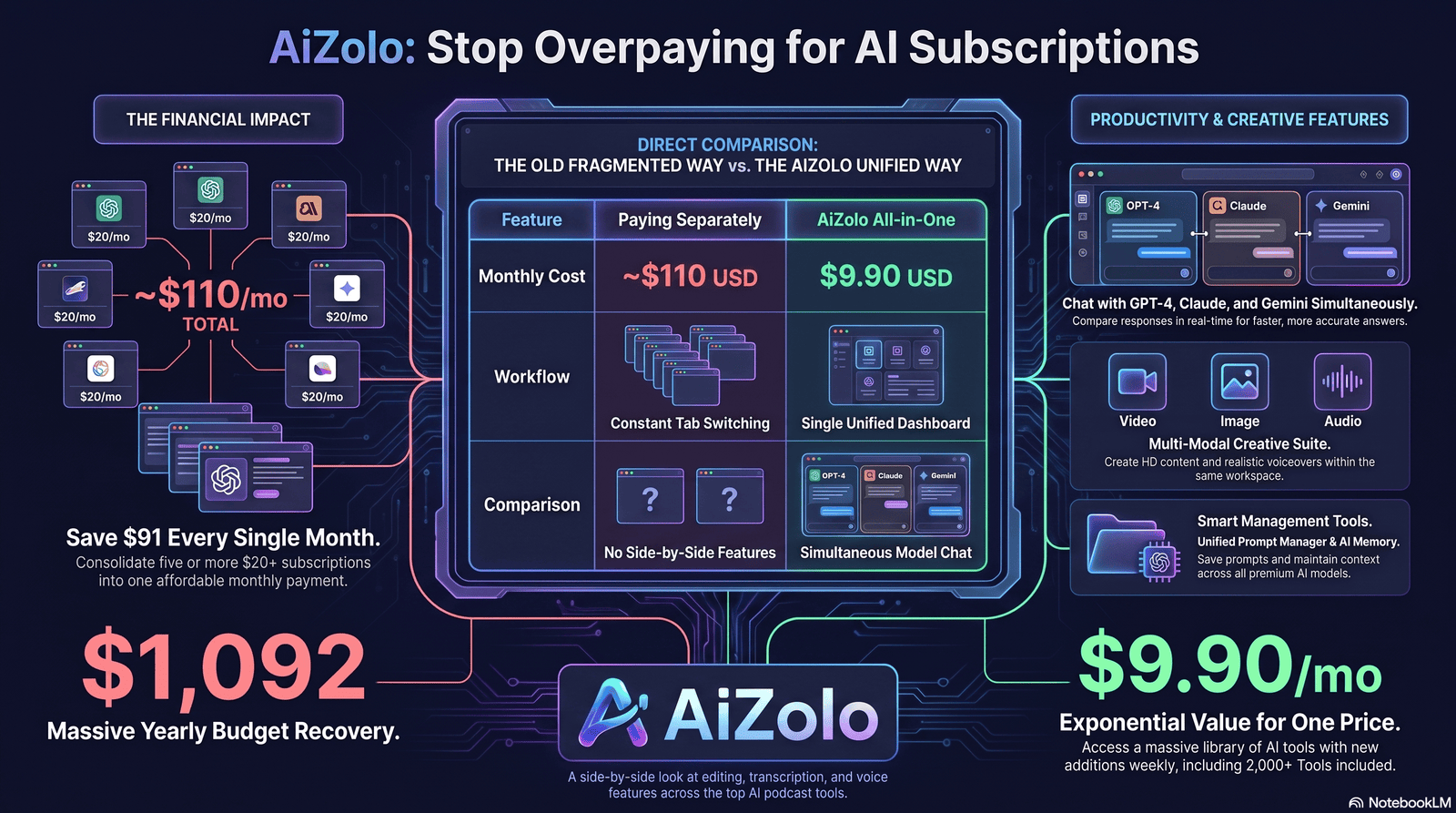
This guide breaks down 11 AI podcast tools — what each one actually does well, where it falls short, and who it’s built for. We also look at how Aizolo fits into modern AI workflows alongside these tools, with no hype or affiliate-driven rankings—just a straight comparison based on public pricing, documented features, and real user feedback.
You’ll walk away knowing exactly which tool matches your show, your budget, and your team size.
Table of Contents
What Makes a Great AI Podcast Tool?
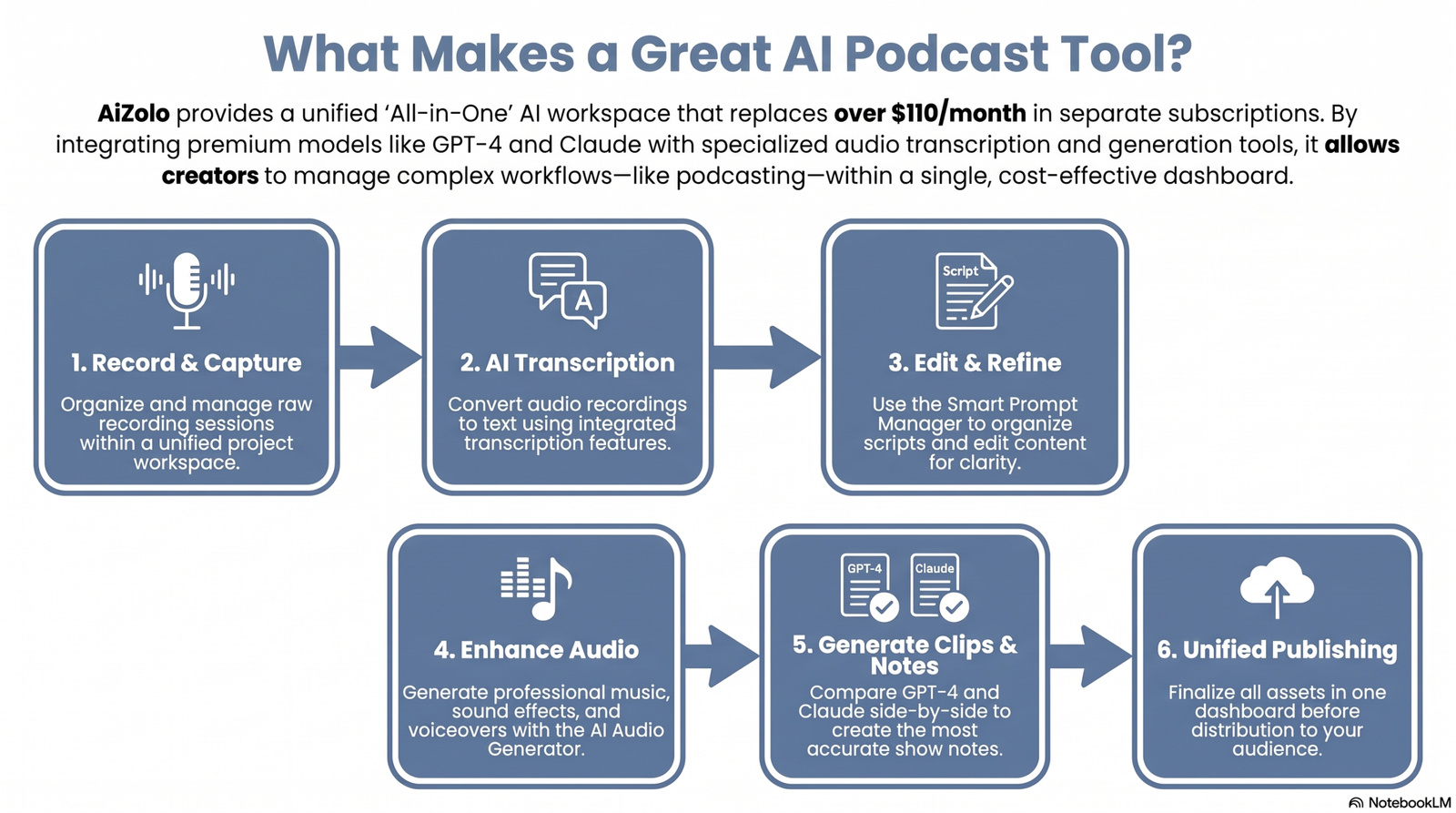
A genuinely useful AI podcast tool touches more than one part of the workflow. Here’s what to look for.
Transcription. Accurate speaker labels and timestamps matter more than raw word-error rate. A transcript riddled with misattributed lines creates more cleanup work than it saves.
Editing. Text-based editing — where deleting a word from the transcript deletes it from the audio — has become the industry standard. It’s faster than waveform editing for dialogue-heavy shows.
Voice enhancement. Tools like Adobe Podcast’s Enhance Speech and Descript’s Studio Sound clean up room echo and background noise from imperfect recordings.
AI clips. Automatically pulling short, shareable moments from a long episode saves the single most time-consuming part of social promotion.
Show notes and summaries. Good AI show notes include timestamps, key topics, and guest bios — not just a generic paragraph restating the episode title.
Publishing and automation. The strongest platforms push finished audio, clips, and transcripts to your host or social channels without manual exporting.
Integrations. Look for direct connections to Google Drive, Dropbox, Zapier, and your podcast host — this is what actually removes busywork.
Multilingual support. If you have an international audience, translation and multilingual voice generation stop being a nice-to-have.
How We Evaluated These Tools
We looked at each platform across 11 factors: transcription accuracy, audio quality, editing workflow, breadth of AI features, processing speed, integrations, pricing transparency, export options, team collaboration, customer support, and ease of use.
Pricing and feature details below are based on each vendor’s public pricing pages and independent reviews as of mid-2026. AI pricing tiers change often, so confirm current numbers on the vendor’s site before you buy.
We didn’t rank tools by feature count. A tool with fewer features that does its core job well beats a bloated dashboard that’s slow to learn.
Tool Reviews
1. Riverside
Overview: Riverside is a browser-based remote recording studio that captures separate local audio and video tracks from every participant, then layers AI editing tools on top.
Best for: Remote interview podcasts and video podcasts that need broadcast-quality output without a physical studio.
Key features: Local recording up to 4K video, AI transcription, Magic Clips (automatic highlight detection), Magic Audio noise cleanup, an AI Co-Producer, and live streaming on higher tiers.
Pros:
- Local recording means bad internet doesn’t ruin the take
- Strong clip-generation for repurposing long interviews
- Scales from solo free tier to enterprise SSO
Cons:
- Deeper editing features are locked behind Pro and above
- AI credits (used for translation, B-roll, and some clip features) run out and require top-ups
- Free plan adds a watermark and caps recording at 2 hours
Pricing: Free tier available. Paid plans start around $15–19/month billed annually for Standard, with Pro around $24–29/month adding 4K video and more transcription hours. Business tier is custom-priced.
AI capabilities: Transcript-driven editing, automated highlight clips, noise reduction, AI-generated show notes and translations (credit-based).
Workflow: Record remotely in-browser → AI transcribes and suggests clips → edit via transcript → export or publish directly.
Limitations: Advanced AI features (B-roll, translation) consume a separate credit pool, which can catch new users off guard.
Verdict: The strongest choice if your show is built around remote guest interviews and you want video output alongside audio.
2. Swell AI
Overview: Swell AI focuses on repurposing existing podcast audio into written content — show notes, blog posts, and social posts — rather than recording or editing.
Best for: Podcasters and agencies who already have finished audio and need fast, SEO-ready written assets.
Key features: Automated show notes with timestamps, long-form blog post generation in the podcast’s tone, social post drafts for LinkedIn and X, an episode chatbot, and an API for bulk processing.
Pros:
- Genuinely strong show notes and blog post quality
- RSS and Apple Podcasts import for backfilling an entire catalog
- REST API useful for agencies managing many shows
Cons:
- Doesn’t record or edit audio — it’s a repurposing layer, not a full production tool
- Free tier requires a credit card in some sign-up flows
- No native audio enhancement
Pricing: Pay-as-you-go options exist alongside monthly plans; mid-tier plans commonly land in the $29–49/month range depending on transcription minutes included. Enterprise is custom-quoted.
AI capabilities: Transcript-based content generation, brand-voice tuning per show, multilingual output.
Workflow: Upload or import an episode → get a transcript → generate show notes, articles, and social posts from templates.
Limitations: You’ll still need a separate recording and editing tool alongside Swell AI.
Verdict: One of the better dedicated options if show notes and content repurposing — not editing — are your bottleneck.
3. PodSqueeze
Overview: PodSqueeze repurposes podcast episodes into transcripts, show notes, blog posts, and short video clips, and includes basic AI audio cleanup.
Best for: Solo podcasters and small agencies who want repurposing and light audio enhancement in one place.
Key features: Speaker-labeled transcription with SRT export, timestamped show notes, text-based video clip editing, AI audio enhancement (filler word and noise removal), and per-show voice tuning.
Pros:
- Combines repurposing with basic audio cleanup, unlike most pure repurposing tools
- Minutes-based pricing rolls over unused minutes on some plans
- Straightforward for non-technical users
Cons:
- No native integrations with third-party publishing tools
- Clip customization is more limited than dedicated video editors
- Support is primarily email and chat, without phone support
Pricing: Entry plans start under $10/month for limited minutes; mid-tier plans commonly run $18–39/month, with agency tiers around $60+/month. Enterprise is custom.
AI capabilities: Transcription, show notes generation, filler-word and noise removal, automated video clip and audiogram creation.
Workflow: Upload episode → AI transcribes and cleans audio → generate show notes, blog content, and clips from the same dashboard.
Limitations: Best suited to podcasters who don’t need deep, timeline-level video editing.
Verdict: A solid budget-friendly pick for solo creators who want repurposing plus basic audio cleanup without paying for a full editing suite.
4. Descript
Overview: Descript is a text-based audio and video editor — you edit the transcript, and the underlying media updates automatically.
Best for: Creators who record their own episodes and want to edit quickly without learning a traditional timeline editor.
Key features: Transcript-based editing, Studio Sound audio enhancement, Overdub AI voice cloning, filler-word removal, an AI co-editor called Underlord, and multi-track Rooms recording.
Pros:
- The fastest editing workflow for dialogue-heavy content once you learn it
- Studio Sound genuinely improves rough recordings
- Strong collaboration tools for teams sharing a project
Cons:
- Pricing is per-editor seat, so team costs add up quickly
- Not built for advanced color grading or complex motion graphics
- Free tier is limited to short, watermarked exports
Pricing: Free plan available. Paid tiers commonly run from around $16/month (billed annually) for a solo Hobbyist/Creator-level plan up to roughly $50/month for Business, with custom Enterprise pricing above that.
AI capabilities: Transcript-driven editing, AI voice cloning, automatic translation into 20+ languages, AI-generated titles and show notes via Underlord.
Workflow: Record or import → automatic transcript → edit by deleting/rearranging text → clean audio with Studio Sound → export or publish.
Limitations: Team costs scale per seat, and it’s not designed for cinematic-level video production.
Verdict: The best all-around choice for podcasters who record themselves and want editing speed above everything else.
5. Adobe Podcast
Overview: Adobe Podcast is a free, browser-based audio toolkit built around Enhance Speech — an AI tool that strips background noise and room echo from any recording.
Best for: Podcasters recording in imperfect environments (home offices, remote guests on phone lines) who need clean-sounding audio without new equipment.
Key features: Enhance Speech noise and reverb removal, a basic AI-assisted editor called Podcast (in beta rollout), and integration with the broader Adobe Creative Cloud ecosystem.
Pros:
- Enhance Speech quality is genuinely industry-leading for a free tool
- No learning curve — upload, enhance, download
- Works well as a companion tool alongside other editors
Cons:
- Not a full production suite on its own — no repurposing, show notes, or clip generation
- Deeper features require a Creative Cloud subscription
- Less useful if your recordings are already clean
Pricing: Free tier for core Enhance Speech features. Expanded access comes bundled with Creative Cloud subscriptions.
AI capabilities: Speech enhancement (noise and echo removal) as the primary AI feature.
Workflow: Upload rough audio → Enhance Speech processes it → download cleaned file → continue editing elsewhere.
Limitations: It solves one problem — audio quality — and doesn’t attempt to be an all-in-one platform.
Verdict: Worth using as a free companion tool specifically for cleaning up rough recordings, even if your main workflow lives in another platform.
6. Castmagic
Overview: Castmagic is an AI content repurposing platform built around a large library of podcast-specific prompt templates.
Best for: Agencies and creators who want to turn one episode into a full month of marketing content — blog posts, newsletters, social threads — with minimal manual prompting.
Key features: Speaker diarization, a prompt template library (show notes, LinkedIn posts, YouTube descriptions, TikTok scripts), Zapier integration, and per-client workspaces for agencies.
Pros:
- Template library is deeper than most repurposing competitors
- Strong speaker attribution, which matters for accurate quote pulling
- Workspace separation makes it genuinely usable for agencies with multiple clients
Cons:
- Doesn’t record or edit audio — purely a post-production content layer
- Output quality still needs a human editing pass for brand voice
- No built-in clip/video editor comparable to dedicated tools
Pricing: Plans typically scale with monthly minutes processed; check current tiers directly, as they’re adjusted often.
AI capabilities: Transcript-based content generation using large language models, customizable brand-voice prompts, multi-workspace management.
Workflow: Upload audio or video → automatic transcript with speaker labels → run prompt templates → export content to your CMS or scheduler.
Limitations: Best paired with a separate recording/editing tool, since Castmagic starts after the episode is already recorded.
Verdict: A strong pick specifically for agencies managing repurposing across multiple podcast clients.
7. Wondercraft
Overview: Wondercraft is an AI audio studio that generates scripted, multi-voice podcast episodes from a topic, outline, or source document, with a timeline editor for fine control.
Best for: Marketing, L&D, and internal-comms teams producing branded audio content without recording a human host.
Key features: AI script generation from topics or URLs, a library of 300+ voices across 30+ languages, voice cloning, a timeline editor, royalty-free background music, and a two-host “conversational” generation mode.
Pros:
- Genuine editorial control over generated dialogue before rendering — rare among generator tools
- Broad language and voice coverage for global content
- Works for more than podcasts: audiobooks, ads, training content
Cons:
- Credit-based pricing means cost per episode varies with length and regenerations
- AI-generated hosts still lack the unpredictability of a real conversation
- Less useful if your show depends on a real host’s personality
Pricing: Entry-level Creator/Starter plans commonly start around $21–25/month billed annually.
AI capabilities: Script generation, multi-voice synthesis, voice cloning, timeline-based audio editing.
Workflow: Provide a topic or source → AI drafts a script → choose voices → edit dialogue on the timeline → render and export.
Limitations: Best suited to scripted, informational content rather than personality-driven interview shows.
Verdict: The most production-ready option if you’re generating branded audio at scale without a human host.
8. Podcastle
Overview: Podcastle (rebranded as Async for parts of its platform) combines browser-based recording, editing, and AI voice tools aimed at podcasters getting started.
Best for: New podcasters who want an easy learning curve across recording, editing, and voice cleanup in one app.
Key features: Studio-quality recording, AI voice cloning, real-time voice API, Magic Dust audio cleanup, and multi-track editing.
Pros:
- Genuinely approachable for beginners compared to more feature-dense competitors
- Combines recording and editing rather than requiring a second tool
- Reasonable entry pricing
Cons:
- Feature depth trails Descript and Riverside for advanced production needs
- Brand transition (Podcastle to Async) has created some confusion around plan names and features
- Fewer third-party integrations than repurposing-focused competitors
Pricing: Entry-level Essentials plans commonly start around $12/month billed annually.
AI capabilities: Voice cloning, audio cleanup, AI-assisted transcription.
Workflow: Record in-browser → AI cleans and enhances audio → edit on a simplified multi-track timeline → export.
Limitations: Better suited to solo and small-team podcasters than agencies needing bulk content generation.
Verdict: A sensible first tool for someone starting a podcast who doesn’t want to juggle four separate apps on day one.
9. ElevenLabs
Overview: ElevenLabs is a voice AI platform, not a podcast editor — its strength is the most natural-sounding synthetic voice generation and cloning currently available.
Best for: Narrated or scripted podcasts, audiobook-style shows, and anyone who needs realistic AI narration or voice cloning as a building block.
Key features: High-fidelity text-to-speech, voice cloning, a GenFM-style podcast generation mode, multilingual voice support, and a developer API/SDK.
Pros:
- Widely regarded as the most natural-sounding AI voice generator on the market
- Strong API for developers building custom audio pipelines
- Free tier available for testing voice quality before committing
Cons:
- Not a full production suite — no transcript editing, show notes, or clip generation
- Credit-based pricing means cost scales with character count and voice quality tier
- Requires more manual orchestration to build a full episode compared to purpose-built generators
Pricing: Free tier with limited monthly characters. Paid tiers commonly start around $5/month for a Starter plan, with Creator tiers around $22/month and Pro around $99/month.
AI capabilities: Neural text-to-speech, voice cloning, multilingual narration, programmatic API access.
Workflow: Write or import a script → generate narration in a chosen voice → export audio → assemble the episode in a separate editor.
Limitations: Best used as one component of a pipeline rather than a standalone podcast tool.
Verdict: The clear choice when voice quality is the priority and you’re comfortable pairing it with another tool for editing and publishing.
10. NotebookLM
Overview: Google’s NotebookLM turns uploaded documents, PDFs, or web links into a conversational two-host audio summary through its Audio Overviews feature — useful for research workflows even if it isn’t built for public podcast publishing.
Best for: Turning research notes, reports, or long documents into a listenable summary, or as a brainstorming aid for scripting episodes based on source material.
Key features: Document-grounded Audio Overviews, source citation within generated summaries, free access, and mobile app availability.
Pros:
- Genuinely impressive at turning dense documents into a natural-sounding conversation
- Free, with no separate subscription required
- Useful research and pre-production tool even for shows produced elsewhere
Cons:
- No voice customization, segment editing, or fixed two-host format control
- No direct publishing integration to podcast hosts
- Not intended or licensed for commercial podcast publishing
Pricing: Free, with an optional NotebookLM Plus tier offering expanded usage limits.
AI capabilities: Document analysis and synthesis into a scripted, conversational audio summary.
Workflow: Upload source documents → generate an Audio Overview → use it for internal research, or extract themes and structure for your own scripted episode.
Limitations: A research and pre-production aid, not a publishing-ready podcast generator.
Verdict: Worth using in the research and scripting phase before recording, even though it isn’t a substitute for a dedicated production tool.
11. Aizolo
Overview: Aizolo is an AI workspace that gives creators access to multiple AI models in one place for tasks like scripting, brainstorming episode angles, and repurposing podcast content into other formats.
Best for: Podcasters and content teams who want a single workspace to draft scripts, brainstorm topics, and adapt existing episode content, without switching between separate AI chat tools.
Key features: Access to multiple underlying AI models from one interface, script and outline drafting, and content repurposing assistance for turning podcast material into other written formats.
Pros:
- Useful as a pre-production and repurposing companion alongside a dedicated recording/editing tool
- Model flexibility can help when one model handles a particular writing task better than another
Cons:
- Not a recording, editing, or transcription tool — it complements a production stack rather than replacing it
- As with any workspace built on general-purpose AI models, output for show notes or scripts still benefits from a human editing pass
Pricing: Check the provider’s current pricing page for up-to-date plan details.
AI capabilities: Multi-model access for text generation, brainstorming, and content repurposing workflows.
Workflow: Draft or refine a script or outline → brainstorm episode angles → repurpose existing transcripts or notes into new formats.
Limitations: Best treated as a scripting and ideation layer rather than an end-to-end podcast production tool.
Verdict: A reasonable addition to a podcaster’s toolkit specifically for the writing and brainstorming side of production, used alongside — not instead of — a recording and editing platform.
Comparison Table
| Tool | Best For | AI Editing | Transcription | Voice Cloning | Show Notes | Audio Cleanup | Video Support | Free Plan | Starting Price | Overall Rating |
|---|---|---|---|---|---|---|---|---|---|---|
| Riverside | Remote video/audio interviews | Yes | Yes | No | Yes (AI-generated) | Yes | Yes (4K) | Yes | ~$15–19/mo | 4.5/5 |
| Swell AI | Show notes & content repurposing | No | Yes | No | Yes (strong) | No | No | Limited | ~$29/mo | 4.2/5 |
| PodSqueeze | Budget repurposing + cleanup | Text-based clips | Yes | No | Yes | Yes | Clips only | Yes | ~$6–18/mo | 4.1/5 |
| Descript | Self-recorded editing | Yes (text-based) | Yes | Yes (Overdub) | Yes | Yes (Studio Sound) | Yes | Yes | ~$16/mo | 4.6/5 |
| Adobe Podcast | Audio cleanup only | No | No | No | No | Yes (industry-leading) | No | Yes | Free / CC bundle | 4.3/5 |
| Castmagic | Agency content repurposing | No | Yes | No | Yes (template-driven) | No | No | Trial | Custom | 4.3/5 |
| Wondercraft | Scripted branded audio | Timeline editor | N/A | Yes | Yes | Yes | Video studio add-on | Trial | ~$21–25/mo | 4.2/5 |
| Podcastle | Beginner-friendly production | Yes | Yes | Yes | Basic | Yes (Magic Dust) | Yes | Yes | ~$12/mo | 4.0/5 |
| ElevenLabs | Voice quality / narration | No | No | Yes (industry-leading) | No | No | No | Yes | ~$5/mo | 4.5/5 |
| NotebookLM | Research-to-audio summaries | No | N/A | No | No | No | No | Yes (free) | Free | 4.2/5 |
| Aizolo | Scripting & brainstorming workspace | No | No | No | Assist only | No | No | Check site | Check site | N/A |
Internal Link Opportunity — Anchor Text: “AI transcription accuracy guide” — Target URL: [internal transcription guide URL] — Reason: supports the transcription claims made throughout this table with a deeper resource.
Feature-by-Feature Comparisons
AI Editing
Descript and Riverside lead here, both built around transcript-driven editing. Wondercraft takes a different approach with a timeline editor for AI-generated scripts, which suits scripted content better than interviews.
AI Transcription
Descript, Riverside, PodSqueeze, and Castmagic all offer speaker-labeled transcription with SRT export. Accuracy across all four sits in a similar range on clear audio, and drops with heavy accents or background noise.
AI Audio Enhancement
Adobe Podcast’s Enhance Speech remains the benchmark for stripping noise and reverb from rough recordings. Descript’s Studio Sound and PodSqueeze’s audio cleanup are close competitors built directly into an editing workflow.
AI Show Notes
Swell AI and Castmagic produce the most detailed, SEO-aware show notes, including timestamps and key topics. Riverside and PodSqueeze generate solid notes as part of a broader feature set rather than as the core product.
AI Clips
Riverside’s Magic Clips and PodSqueeze’s text-based clip editor both automate the most tedious part of social promotion. Castmagic focuses on written social content rather than video clips.
AI Voice Generation
ElevenLabs is the clear leader on voice naturalness, with Descript’s Overdub and Podcastle’s cloning as strong alternatives built inside a broader editor. Wondercraft’s 300+ voice library wins on breadth and language coverage.
Publishing, Automation & Integrations
Swell AI and Castmagic support RSS import and Zapier-style automation for agencies managing multiple shows. Descript and Riverside focus more on direct export and a smaller set of native publishing integrations.
Pricing
Entry pricing spans from free (NotebookLM, Adobe Podcast core features) to around $99/month for top voice tiers on ElevenLabs. Most solo-creator budgets land comfortably in the $15–30/month range for one core tool.
How to Choose the Right AI Podcast Software
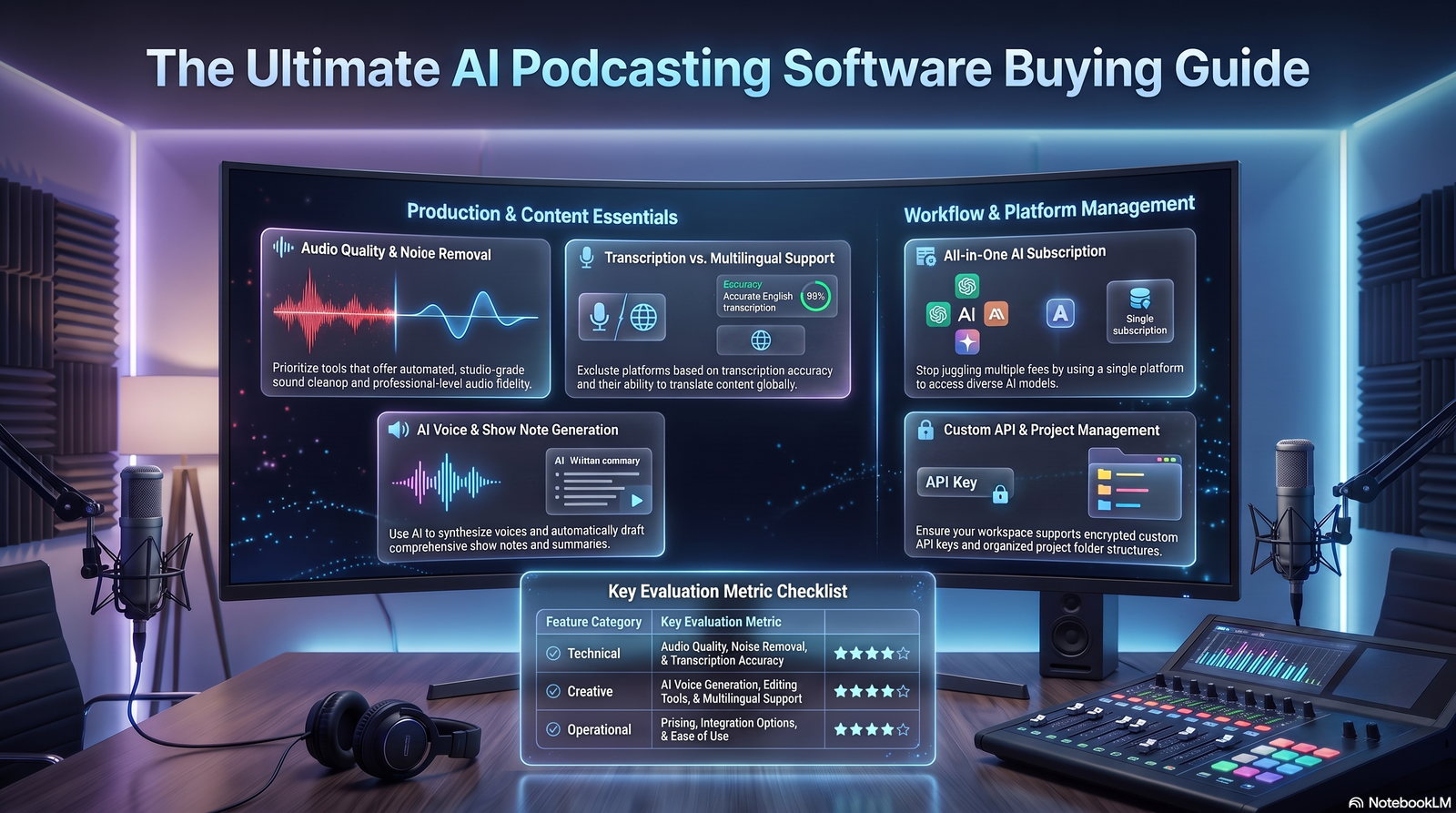
Solo creator on a tight budget: Start with Adobe Podcast (free cleanup) plus PodSqueeze or Swell AI for repurposing. Add Descript once editing time becomes the real bottleneck.
Remote interview show: Riverside is the strongest starting point, since local recording protects you from bad guest internet.
Agency managing multiple client shows: Castmagic or Swell AI, both built around multi-workspace management and bulk content generation.
Business or branded podcast without a dedicated host: Wondercraft handles scripted, multi-voice episodes without recording a human speaker.
Multilingual audience: Prioritize Wondercraft or Descript, both of which support translation and dozens of languages.
Video podcast: Riverside and Descript both support 4K video alongside audio, unlike audio-only repurposing tools.
Common Mistakes to Avoid When Using the Best AI Tools for Generating High Quality Podfics
Buying based only on AI features. A long feature list means nothing if the core editing or transcription workflow is clunky day to day.
Ignoring transcription accuracy. Poor speaker labeling creates more manual cleanup than it saves, especially for interview-format shows.
Ignoring export quality. Some tools cap free-tier exports at 720p with a watermark — check this before assuming a plan covers your needs.
Ignoring editing workflow. Text-based editing suits dialogue-heavy shows; timeline editing suits music-heavy or highly produced audio. Match the tool to your format.
Ignoring collaboration. Per-seat pricing on tools like Descript can make team plans more expensive than expected — calculate total editor seats before committing.
Ignoring integrations. A tool without RSS import or Zapier support means more manual exporting every single week.
FAQ
What are the best AI tools for producing high-quality podcasts? Riverside and Descript lead for recording and editing, ElevenLabs leads for voice quality, and Swell AI or Castmagic lead for show notes and repurposing.
Which AI tool creates podcast show notes? Swell AI, Castmagic, PodSqueeze, and Riverside all generate AI show notes, with Swell AI and Castmagic offering the most detailed output.
Can AI fully edit a podcast episode? AI can handle filler-word removal, noise cleanup, and rough cuts, but most creators still review AI edits before publishing, especially for pacing and tone.
Which AI podcast tool has the best transcription? Descript, Riverside, and Castmagic all perform well on clear audio; accuracy drops for all of them with heavy accents or noisy recordings.
Can AI improve poor audio quality? Yes. Adobe Podcast’s Enhance Speech and Descript’s Studio Sound both remove background noise and room echo effectively.
Which AI tool is best for beginners? Podcastle offers the gentlest learning curve for someone recording, editing, and cleaning up audio for the first time.
Are free AI podcast tools worth using? Yes, within limits. Adobe Podcast’s core enhancement and NotebookLM’s Audio Overviews are genuinely useful free tools, though most paid platforms cap free-tier exports.
How accurate is AI transcription in 2026? Most leading tools score in the 90%+ range on clear audio with native speakers, dropping meaningfully with background noise or strong accents.
What’s the difference between an AI podcast generator and an AI podcast editor? A generator (like Wondercraft or NotebookLM) creates audio from a script or document. An editor (like Descript or Riverside) edits audio you’ve already recorded.
Is ElevenLabs a full podcast production tool? No. It’s a voice generation platform best paired with a separate editor for transcript work, show notes, and publishing.
Do I need separate tools for recording, editing, and repurposing? Not always. Descript and Riverside combine recording and editing. Repurposing (show notes, social posts) usually still benefits from a dedicated tool like Swell AI or Castmagic.
Which tool is best for a video podcast? Riverside and Descript both support 4K video recording and editing alongside audio.
Can AI podcast tools handle multiple languages? Wondercraft and Descript both offer multilingual voice generation and translation; ElevenLabs supports multilingual narration through its voice engine.
How much does an AI podcast tool typically cost? Entry-level paid plans commonly range from $10–30/month for solo creators, with agency and enterprise tiers priced separately or custom-quoted.
Conclusion
There’s no single best AI podcast tool — there’s a best tool for your specific workflow. If you’re recording remote interviews, Riverside is hard to beat. If editing speed is your bottleneck, Descript wins. If you already have finished audio and need show notes and social content fast, Swell AI or Castmagic will save the most time.
The smartest approach for most podcasters is a small stack rather than one all-in-one platform: a recording/editing tool, a voice or audio-cleanup layer if needed, and a repurposing tool for show notes and social content.
Test the free tier of whichever tool matches your primary bottleneck first. Voice naturalness, transcription accuracy, and editing feel are all things you’ll judge differently than a review can tell you.
Author Bio
Jeevesh Tripathi AI Researcher & Content Strategist 📧 jeevesh@aizolo.com
Jeevesh Tripathi researches and evaluates AI tools across podcasting, workflow automation, and content production, with a focus on SEO-driven content strategy. This review draws on publicly available product documentation, pricing pages, and independent user feedback rather than unverifiable first-party claims.

