
Introduction
Search “Trump AI generator” on any given day and you’ll find a flood of new tools.
That’s not an accident. Political figures are among the most parodied people on the internet, and Donald Trump’s exaggerated speech patterns and instantly recognizable voice make him a favorite subject for AI-generated content creation. Platforms like Aizolo make it easier to explore and compare AI tools for creating voice, image, and video content efficiently.
Creators use a Trump AI generator for a few clear reasons: viral memes, satire skits, voiceovers, and creative video projects that would take a professional impressionist years to master.
Behind the trend sits a fast-growing corner of generative AI — voice cloning, AI avatars, lip-sync engines, and text-to-speech models that can now produce startlingly realistic results in minutes.
This guide breaks down what a Trump AI generator actually is, how the underlying technology works, which tools are worth your time in 2026, and — just as important — how to use them without crossing into misinformation, impersonation, or platform violations.
We tested the leading tools, compared pricing and output quality, and put together a step-by-step tutorial you can actually follow. We also cover the legal and ethical guardrails that most “best of” lists skip entirely.
Table of Contents
What Is a Trump AI Generator?
A Trump AI generator is any AI tool or combination of tools that produces Trump-themed content using generative AI — typically an AI-cloned voice, an AI-animated avatar, or both.
Most tools fall into one of three categories:
- AI voice generators — text-to-speech engines trained to reproduce a Trump-style voice pattern for narration, memes, or dubbing.
- AI video/avatar generators — tools that animate a photo or digital avatar so it appears to speak, using lip-sync technology.
- AI image generators — tools that create Trump-style illustrations, caricatures, or meme templates from text prompts.
Definition Box Trump AI Generator: A general term for AI software that produces synthetic voice, video, or image content styled after Donald Trump, using techniques such as voice cloning, text-to-speech, and AI lip-sync.
Some of these tools are dedicated “celebrity voice” apps. Others are general-purpose AI avatar generators (like the platforms marketers already use for training videos and explainer content) that happen to work well for this kind of parody content too.
How Does a Trump AI Generator Work?
Understanding the mechanics helps you pick the right tool — and understand its limits.
1. Voice Cloning and Text-to-Speech
Most tools rely on neural text-to-speech (TTS) models trained on publicly available audio samples. The AI learns pitch, cadence, pauses, and pronunciation patterns, then generates new speech from typed text.
This is the same underlying technology companies like ElevenLabs built for audiobook narration and dubbing — repurposed by hobbyists for celebrity-style voices.
2. AI Lip Sync
Lip-sync engines map generated audio onto a still photo or video, animating the mouth and facial muscles to match the audio track. Tools like HeyGen and Synthesia popularized this for corporate avatars; the same tech drives Trump-style talking-photo memes.
3. AI Avatars
An avatar generator builds a fully animated digital character — sometimes photorealistic, sometimes cartoonish — that can be puppeted with a script, saving creators from needing a real photo at all.
4. Image and Meme Generation
Text-to-image models (built on diffusion architecture, the same family behind tools from OpenAI and others) generate stylized or caricatured Trump artwork from a written prompt.
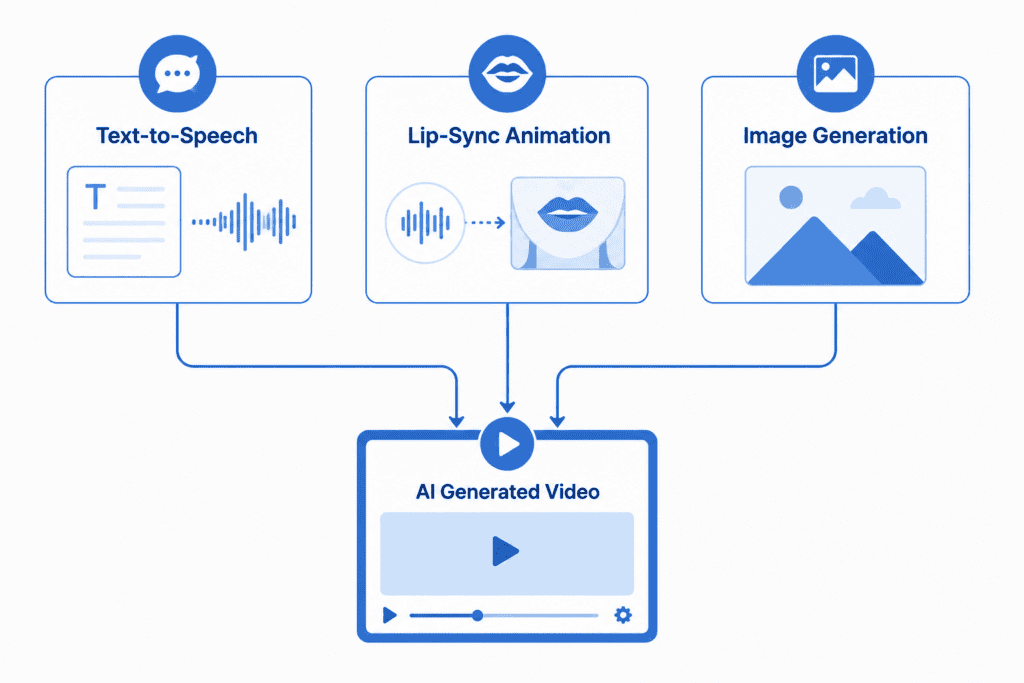
Key Takeaway: Every “Trump AI generator” is really a combination of three building blocks — voice synthesis, lip-sync animation, and image generation — stitched together into one workflow.
Types of Trump AI Generators
Not every tool does everything. Here’s how they break down:
- Voice-only generators — type text, get an audio file. Best for podcasts, memes, and voiceovers.
- Video/avatar generators — upload a photo or choose an avatar, add a script, get a talking video.
- Full-suite platforms — combine voice, lip-sync, and editing in one dashboard.
- Meme/image generators — produce static images and cartoon-style art, no audio or video.
Knowing which category you need before you start saves a lot of wasted sign-ups.
Best Trump AI Generator Tools (2026 Comparison)
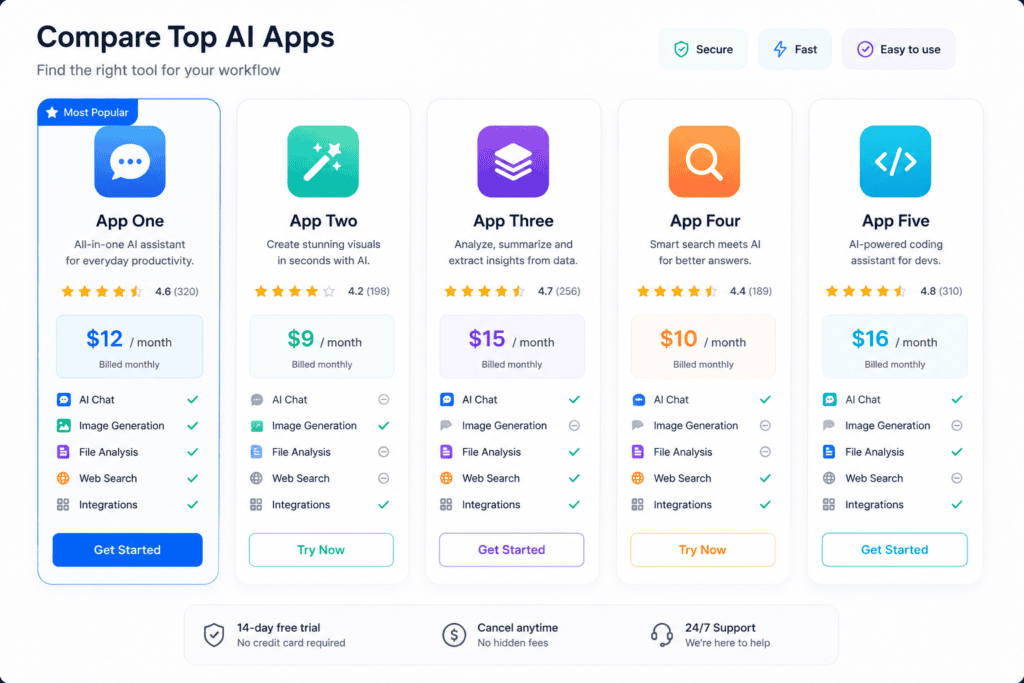
We evaluated tools based on realism, ease of use, free-tier availability, and how clearly each platform handles parody/synthetic-media labeling.
Expert Tip: Don’t judge a tool purely on voice realism. Check whether it watermarks or labels AI content by default — that’s a strong trust signal for staying compliant with platform rules.
| Tool | Best For | Voice Quality | Video Support | Free Plan | Pricing | Ease of Use | Pros | Cons | Overall Rating |
|---|---|---|---|---|---|---|---|---|---|
| ElevenLabs | High-fidelity voice generation | Excellent | No (voice only) | Limited free tier | From ~$5/mo | Very easy | Industry-leading voice realism, fast exports, robust API | No native video/lip-sync, celebrity-voice cloning restricted by policy | 4.6/5 |
| HeyGen | AI avatar videos | Good | Yes | Limited free credits | From ~$29/mo | Easy | Strong lip-sync, avatar library, business-friendly UI | Monthly credit limits, premium features locked behind paid tiers | 4.4/5 |
| Synthesia | Professional-style avatar videos | Good | Yes | Trial only | From ~$29/mo | Easy | Polished output, multi-language support, enterprise trust | Avatars skew corporate, less meme-friendly styling | 4.3/5 |
| CapCut | Meme editing & quick clips | Fair (via TTS plugins) | Yes (basic) | Yes, generous | Free / Pro upgrade | Very easy | Free, mobile-friendly, huge template library | Voice tools less specialized, more manual editing needed | 4.2/5 |
| Niche “celebrity voice” apps | Quick parody voice clips | Varies widely | Rarely | Sometimes | Free–low cost | Easy | Fast, fun, no learning curve | Inconsistent quality, unclear data/privacy policies, easy to misuse | 3.4/5 |
| General AI image generators | Trump-style artwork & memes | N/A | No | Often free | Free–low cost | Easy | Fast, creative range, no video skills needed | Some platforms restrict political-figure image generation | 4.0/5 |
Features to Look For in a Trump AI Generator
- Voice accuracy — natural pacing beats robotic pronunciation every time.
- Lip-sync precision — poor sync is the fastest way to make content look fake in a bad way.
- Content labeling tools — built-in watermarks or AI disclosure tags.
- Export quality — 1080p minimum if you’re posting to YouTube or TikTok.
- Usage policy clarity — read the platform’s rules on political and celebrity content before you commit time to a project.
- Data privacy — check what happens to uploaded photos or scripts.
Free vs Paid Trump AI Generator Tools
| Factor | Free Tools | Paid Tools |
|---|---|---|
| Voice realism | Basic to moderate | High to excellent |
| Watermarks | Usually present | Often removable |
| Export limits | Strict (length/resolution) | Higher or unlimited |
| Commercial use | Frequently restricted | Usually included |
| Support | Minimal | Priority support |
Pros & Cons Box Free Tools ✅ No cost, fast to try ❌ Watermarks, quality caps, limited exports
Paid Tools ✅ Higher quality, commercial rights, more features ❌ Monthly cost, learning curve for advanced features
If you’re testing the waters, start free. If you’re building a channel or client work around this content, budget for a paid tier — the realism gap is noticeable.
How to Create Trump AI Videos (Step-by-Step Tutorial)
This walkthrough uses general steps that apply across most AI avatar platforms.
Step 1: Choose a Tool
Pick a platform based on your goal. Voice-only project? Start with a TTS tool. Full talking-head video? Choose an avatar/lip-sync platform.
Step 2: Write Your Own Script
Write original, clearly satirical or parody-labeled text yourself. Avoid presenting AI-generated speech as something the real person actually said.
Step 3: Generate the Voice
Paste your script into the voice generator, adjust pacing and tone sliders, and preview before exporting.
Step 4: Upload an Image or Choose an Avatar
Use a clear, front-facing photo (or an illustrated/cartoon avatar to keep things obviously stylized) and let the tool animate it.
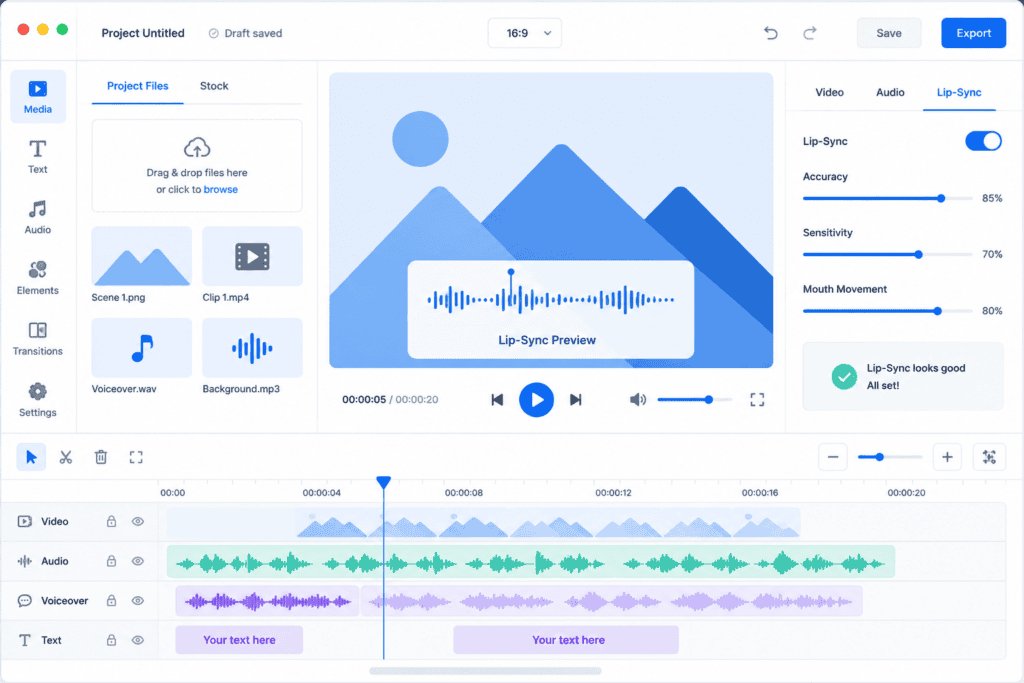
Step 5: Apply Lip-Sync
Run the voice track through the lip-sync engine. Preview the output and adjust timing if the mouth movement looks off.
Step 6: Edit and Export
Trim, add captions, and export in the resolution your target platform recommends (1080p for YouTube, 1080×1920 vertical for Reels/TikTok/Shorts).
Step 7: Label and Share Responsibly
Add an on-screen or caption disclosure such as “AI-generated parody” before publishing. Check the platform’s synthetic media policy first.
Warning Box Never present AI-generated audio or video as an authentic, unaltered recording of a real statement. Doing so can violate platform policies and, in some jurisdictions, the law.
How to Generate Trump AI Voice
Voice is one of the three building blocks covered in this guide, but if you’re focused specifically on voice cloning and TTS — tool comparisons, legal considerations like the ELVIS Act, and a full step-by-step workflow — we’ve covered that in depth separately.
→ Read the complete Trump AI Voice Generator guide
In short: pick a voice-focused platform (see the tool comparison table above), start with a short test script to check pacing, then layer the finished audio under your video or meme.
How to Make Trump AI Memes
- Start with a text-to-image generator and describe the scene, style, and tone you want.
- Keep the style obviously exaggerated or cartoonish if your goal is comedic parody rather than realism.
- Add captions using a meme editor or tool like CapCut.
- Export in the aspect ratio matching your platform (square for Instagram feed, vertical for Stories/Reels/TikTok).
Use Cases
- Comedy sketches and satire channels
- Political commentary and parody content
- Meme creation for social media
- Voiceover experiments and creative storytelling
- Marketing teams studying AI avatar capabilities for their own (non-political) campaigns
- Educators demonstrating how deepfake technology works
Advantages
- Extremely fast content production compared to hiring impressionists or animators
- Low barrier to entry — most tools need no editing experience
- Wide creative range across voice, video, and image formats
- Useful as a hands-on way to understand generative AI capabilities and risks
Limitations
- Voice and lip-sync realism still varies by tool and can look uncanny
- Free tiers often cap length, resolution, or usage
- Platform and legal restrictions are inconsistent and changing quickly
- Overuse of the same voice/avatar style leads to viewer fatigue online
Ethical and Legal Considerations
This is the section most “best of” articles skip — and it matters.
- Right of publicity: Many jurisdictions restrict commercial use of a person’s voice or likeness without consent, even for public figures.
- Platform policies: YouTube, TikTok, and Instagram all require clear labeling of realistic AI-generated or altered media, especially involving real people.
- Election and political-speech laws: Some countries and U.S. states have specific rules around AI-generated political content, particularly close to elections.
- Defamation risk: Putting false statements in someone’s mouth — even as “satire” — can cross into defamation if it’s presented as real.
Definition Box Deepfake: AI-generated media that convincingly depicts a real person saying or doing something they never actually said or did.
Key Takeaway: Parody and satire have legal protection in many places, but that protection depends heavily on clear labeling, context, and intent. When in doubt, disclose.
Safety Tips
- Always disclose AI-generated content in captions or on-screen text.
- Avoid attributing real, false quotes to real people.
- Read each platform’s synthetic and manipulated media policy before publishing.
- Avoid using AI-generated political content for advertising or fundraising without legal review.
- Keep a record of your original script in case you need to demonstrate parody intent.
Common Mistakes
- Skipping AI disclosure labels
- Presenting fabricated statements as real quotes
- Ignoring platform-specific synthetic media rules
- Using low-quality lip-sync that looks more misleading than funny
- Assuming “it’s just a meme” removes all legal risk
Best Practices
- Write your own original scripts rather than copying viral soundbites
- Keep content clearly satirical in tone and presentation
- Add visible AI/parody labels
- Credit the tools you used when relevant
- Review results critically before publishing — don’t auto-post
Trump AI Generator vs General AI Voice Tools
| Aspect | Trump AI Generator | General AI Voice Tools |
|---|---|---|
| Purpose | Parody/celebrity-style content | Any voice, any use case |
| Voice options | Limited to specific character styles | Broad library, custom cloning |
| Legal sensitivity | Higher (real public figure) | Lower for generic voices |
| Typical users | Meme creators, comedians | Marketers, educators, narrators |
| Customization | Style-locked | Fully flexible |
General-purpose tools like ElevenLabs, HeyGen, and Synthesia are the same engines powering both categories — the difference is entirely in how the voice or avatar is styled and used.
Future of AI Celebrity Generators
Expect three trends to accelerate:
- Stricter labeling requirements as platforms respond to regulatory pressure.
- Better detection tools designed to flag synthetic media automatically.
- More realistic, harder-to-spot outputs, which raises the stakes on responsible use even further.
The tools will keep improving. The responsibility for how they’re used stays with the creator.
FAQs
1. What is a Trump AI generator? A Trump AI generator is an AI tool or set of tools that creates Trump-styled voice, video, or image content using text-to-speech, lip-sync, and image generation technology. It’s commonly used for memes, parody skits, and creative video projects rather than for producing authentic recordings.
2. Is it legal to use a Trump AI generator? Generally, parody and satire enjoy legal protection in many places, but laws vary by country and state, especially around political speech and right-of-publicity claims. Always label content as AI-generated and avoid presenting fabricated statements as real quotes.
3. Are there free Trump AI generator tools? Yes. Several voice and video platforms offer limited free tiers, often with watermarks, shorter export lengths, or lower resolution. Paid plans typically unlock higher quality, longer exports, and commercial usage rights.
4. Which tool has the most realistic AI voice? Voice realism depends on the specific model and platform, but tools built on advanced neural TTS technology, like ElevenLabs’ engine, are generally considered top-tier for natural-sounding speech synthesis.
5. Can I use a Trump AI generator for YouTube videos? Yes, as long as the content complies with YouTube’s synthetic and altered content policies, which require clear disclosure when realistic AI-generated media features a real person.
6. Do I need video editing experience to use these tools? No. Most Trump AI generators are built for beginners, with drag-and-drop interfaces, preset avatars, and one-click exports. Some manual editing helps polish the final result but isn’t required.
7. What’s the difference between an AI voice generator and an AI avatar generator? An AI voice generator only produces audio from text. An AI avatar generator animates a photo or digital character to visually “speak” that audio, using lip-sync technology.
8. Can AI-generated Trump content get flagged or removed from social media? Yes. Platforms increasingly detect and label or remove synthetic media that violates their manipulated-content policies, particularly if it lacks disclosure or spreads misleading claims.
9. Is voice cloning the same as text-to-speech? Not exactly. Text-to-speech converts written text into spoken audio using a pre-built voice model. Voice cloning trains a new model specifically to mimic a particular person’s voice from sample recordings.
10. What file formats do these tools export? Most export MP4 video and MP3 or WAV audio, with resolution options typically ranging from 720p to 1080p depending on the plan.
11. Can businesses use Trump AI generator content in marketing? This carries real legal risk around right of publicity and potential trademark or endorsement implications. Businesses should consult legal counsel before using any real public figure’s likeness or voice in commercial marketing.
12. How do I make my content look less “uncanny valley”? Use higher-resolution source photos, moderate lip-sync speed settings, and avoid overly long scripts in a single take, since longer clips are more likely to reveal sync drift.
13. What’s the best free Trump AI generator for beginners? Mobile-friendly editors like CapCut are a good starting point for beginners since they combine free templates, basic AI voice plugins, and simple export tools in one app.
14. Do these tools store my uploaded photos or scripts? Data retention policies vary by platform. Always check the specific tool’s privacy policy before uploading personal images or sensitive scripts.
15. Will AI celebrity generators keep improving? Yes. Voice cloning and lip-sync quality have improved significantly year over year, and that trend is expected to continue, alongside parallel improvements in AI-content detection and platform labeling requirements.
Conclusion
A Trump AI generator can be a genuinely fun creative tool — for memes, parody skits, and experimenting with how far generative AI has come.
The technology itself is neutral. The tools we covered here — voice synthesis engines, lip-sync platforms, and AI image generators — all have legitimate, everyday uses well beyond political content.
What separates a fun project from a real problem is intent and disclosure. Write your own scripts, label your content clearly, respect platform rules, and treat realism as a creative challenge, not a way to deceive anyone.
Used thoughtfully, these tools are one of the more approachable ways to get hands-on with modern AI — just make sure “approachable” doesn’t turn into “irresponsible.”
Author Bio
Jeevesh Tripathi AI Researcher & Technical Content Writer
Email: jeevesh@aizolo.com
Jeevesh Tripathi is an AI researcher and technical content writer specializing in generative AI tools, applied machine learning trends, and evidence-based SEO content. His work focuses on translating fast-moving AI developments into clear, practical guidance for creators, marketers, and everyday users, with an emphasis on responsible and compliant AI use.


I all the time used to study post in news papers but
now as I am a user of internet therefore from now I am using net for articles or reviews, thanks
to web.