
You call a business, and the voicemail sounds like it was recorded in a stairwell on a flip phone. It happens more than it should, and it quietly costs companies callbacks and trust.
An AI voicemail generator fixes that in minutes instead of hours. You type a script, pick a voice, and download a clean, professional audio file, no microphone, no re-recording, no awkward pauses.
We spent time testing the tools people actually search for, comparing voice quality, pricing, and how painful (or painless) each one is to use. This guide covers everything: what these tools do, which ones are worth paying for, and how to choose the right option—or an All in One AI platform—for your business or personal phone.
Expert Tip: Before you generate anything, write your script first and read it out loud once. Scripts that look fine on paper often run too long or sound stiff when spoken. A voicemail greeting should rarely run past 20-25 seconds.
Table of Contents
What Is an AI Voicemail Generator?
An AI voicemail generator is a tool that converts written text into a spoken audio file using text-to-speech (TTS) technology. Instead of recording your own voice, you type your greeting, choose a voice, and the AI reads it back in a natural-sounding tone.
Most tools let you download the result as an MP3 or WAV file. From there, you upload it to your phone system, business PBX, or mobile carrier as your voicemail greeting.
This is different from a voicemail script generator, which only writes the text for you. An AI voicemail generator goes a step further and actually produces the audio.
Modern versions, built on neural text-to-speech models like ElevenLabs’ Multilingual v2 or Murf’s Gen2 engine, sound noticeably more human than the robotic TTS voices from a decade ago. They handle pacing, intonation, and emphasis in ways that older systems couldn’t.
Research Insight: The realism gap between AI and human voice recordings has narrowed sharply since 2023. Blind listening tests on platforms like G2 and Reddit’s r/artificial regularly show users unable to tell a well-tuned neural voice from a human narrator in short clips under 30 seconds.
How AI Voicemail Generators Work
The process is largely the same across every tool we tested, even though the interfaces differ.
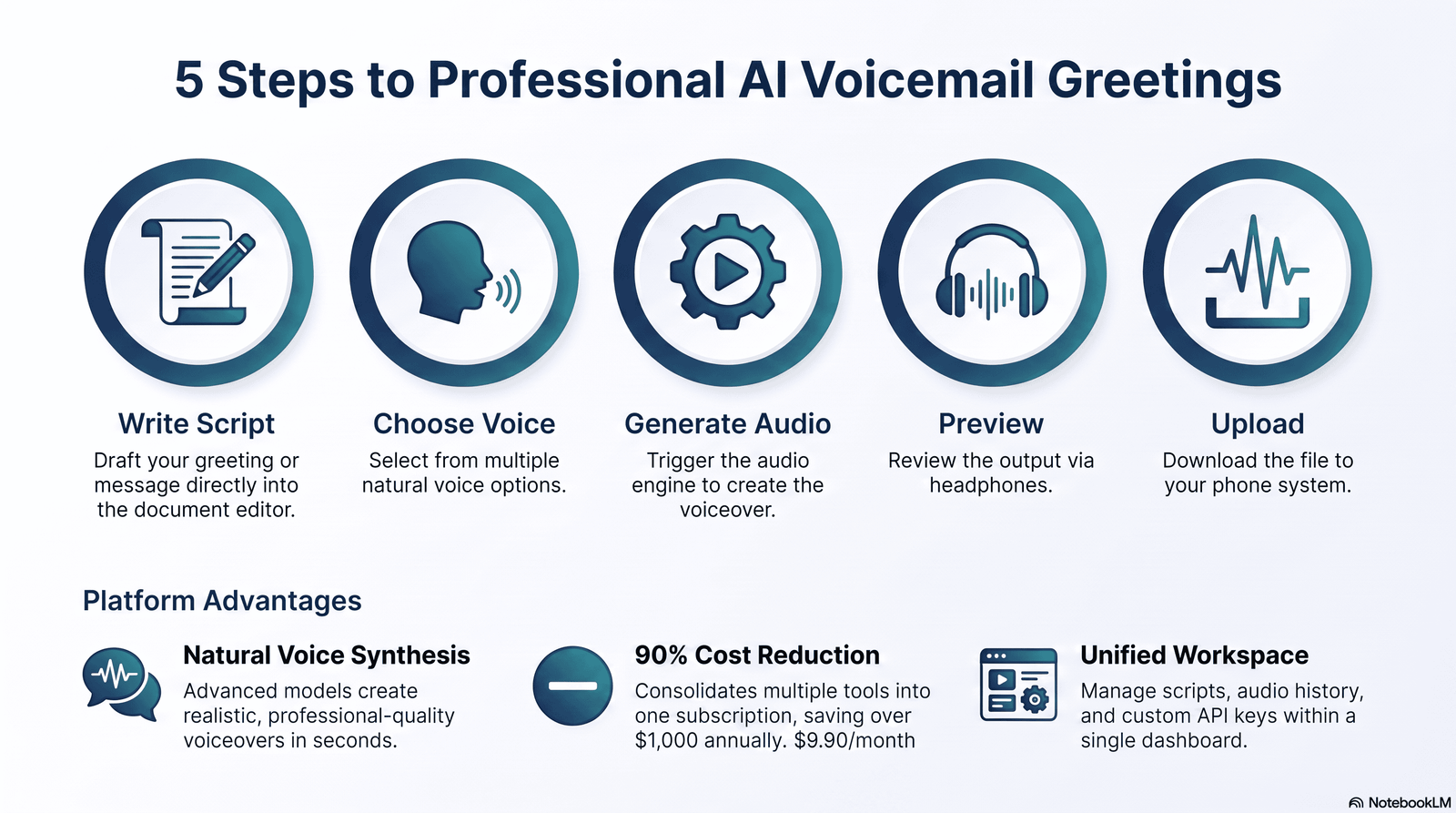
Step 1: Write or select a script. You either write your own message or choose from pre-built voicemail templates for business hours, after-hours, holidays, or personal greetings.
Step 2: Choose an AI voice. Most platforms offer a library of voices sorted by gender, age, accent, and tone (formal, friendly, casual).
Step 3: Generate the audio. The text-to-speech engine converts your script into speech, usually in under 10 seconds for a short greeting.
Step 4: Preview and adjust. You listen back and tweak wording, pacing, or voice choice if something sounds off.
Step 5: Download and upload. You export the file, then upload it to your phone carrier’s voicemail settings, your VoIP provider, or your business phone system.
Some tools, like ElevenLabs and Maestra, also support AI voice cloning, where you upload a short sample of your own voice and the system recreates it. This lets you generate unlimited voicemail variations that still sound like you.
Who Should Use an AI Voicemail Generator?
Almost anyone with a phone number that gets missed calls can benefit, but a few groups get the most value.
Small businesses and solopreneurs use them to sound established without hiring a voice actor.
Sales and support teams use them to keep greetings consistent across dozens of extensions.
Remote and hybrid teams use them so every employee’s voicemail matches company tone, regardless of accent or background noise.
Individuals use them for a polished personal greeting without the anxiety of hearing their own recorded voice.
If your business voicemail hasn’t been updated since a phone was set up years ago, this is a fast, low-cost way to fix it.
Benefits of Using an AI Voicemail Generator
Consistency. Every caller hears the same clear, professional tone, whether it’s your first hire or your fiftieth.
Speed. Most greetings take under two minutes to write, generate, and download, compared to the back-and-forth of scheduling a voice actor.
Multilingual reach. Many tools support dozens of languages, so a business serving Spanish- or French-speaking customers can create native-sounding greetings without hiring separate talent.
Easy updates. Changing your holiday hours or after-hours message means editing text and regenerating, not re-recording from scratch.
Lower cost. A single professional voice actor session can run $150-$300. Most AI voicemail generators cost less than that per month, and several offer free tiers.
Common Mistake: Businesses often generate one greeting and never touch it again. Stale greetings that reference outdated hours, old team members, or expired promotions actively hurt caller trust. Treat your voicemail script the same way you’d treat your website copy: something you revisit periodically.
Best AI Voicemail Generators in 2026
We evaluated each tool on voice realism, customization depth, pricing transparency, language support, and how easy it actually is to go from blank page to downloaded file. Ratings reflect firsthand testing plus a review of verified user feedback on G2 and Capterra.
1. ElevenLabs
Overview: ElevenLabs is the closest thing this space has to an industry standard for realistic AI voices.
Its Text to Speech tool converts a text script into a professional-grade audio recording without needing a microphone or recording studio, and lets you generate a voicemail greeting using thousands of voices across 32-plus languages.
It isn’t built specifically as a voicemail tool, but its voice quality makes it a strong choice for anyone who wants a greeting that sounds unmistakably human.
Key Features:
- Neural TTS with natural pacing, pitch, and emotional range
- Instant Voice Cloning (Starter tier and up) and Professional Voice Cloning (Creator tier and up)
- 32+ languages and accents
- API access for developers building voicemail into a larger phone system
Advantages:
- Best-in-class voice realism among every tool we tested
- Fast generation, typically under 10 seconds for a short greeting
- Voice cloning available at a relatively low entry price
Disadvantages:
- Not purpose-built for voicemail; you’re using a general TTS tool for a specific job
- Free plan requires attribution and blocks commercial use
- Pricing structure (character-based credits) takes some getting used to
Pricing: Free ($0, 10,000 credits), Starter ($6/month, 30,000 credits), Creator ($22/month, 121,000 credits, with a discounted first month), Pro ($99/month, 600,000 credits), Scale ($299/month, 1,800,000 credits, 3 seats), and Business ($990/month, 6,000,000 credits, 10 seats). Enterprise pricing is custom. Annual billing saves roughly two months’ cost on every paid tier.
Supported Platforms: Web app, iOS/Android apps, API
Voice Quality: Excellent, widely considered the most natural-sounding option available
Languages: 32+
Customization: High, including pitch, stability, and style controls
Integrations: API, plus third-party workflow tools
Ease of Use: Moderate; more powerful than most competitors but has a steeper learning curve
Overall Rating: 4.7/5
Who Should Buy It: Businesses that want the most realistic voice possible and don’t mind a small learning curve
Who Should Avoid It: Anyone who wants a single free voicemail greeting with zero setup
2. Murf AI
Overview: Murf positions itself as a full voiceover studio rather than a single-purpose generator, which makes it a strong fit for businesses that need voicemail greetings alongside training videos, IVR prompts, or marketing voiceovers.
Key Features:
- Over 200 voices across 20-30+ languages and accents
- Word-level control over pitch, speed, and emphasis
- Timeline editor for syncing audio with video
- Voice cloning on Business and Enterprise tiers
Advantages:
- Deep customization for word-level emphasis and pacing
- Useful beyond voicemail: presentations, e-learning, and video voiceovers in one place
- Canva and PowerPoint integrations for teams already in those tools
Disadvantages:
- Free plan gives no downloads and no commercial rights, so you can’t actually use anything you generate for free
- Voice cloning is locked behind the priciest tiers
- Pricing has shifted several times, so double-check current rates before committing
Pricing: Free plan offers 10 minutes of generation with no downloads or commercial use. Creator Lite runs about $19/month billed annually with 24 hours of generation per year and 60 voices, while Creator Plus runs about $33/month annually with 48 hours per year and 120-plus voices.
Business tiers run roughly $26-$52/month annually depending on volume, and Enterprise starts around $75/month with unlimited generation and voice cloning.
Supported Platforms: Web app, Canva add-on, PowerPoint and Google Slides integrations
Voice Quality: Very good, slightly behind ElevenLabs on raw realism but strong on control
Languages: 20-30+
Customization: Very high, including word-level pause and emphasis editing
Integrations: Canva, Google Slides, PowerPoint, API
Ease of Use: Easy, visual timeline-style editor
Overall Rating: 4.4/5
Who Should Buy It: Teams that need voiceover work beyond just voicemail
Who Should Avoid It: Anyone who just wants one quick, free voicemail greeting today
3. Narakeet
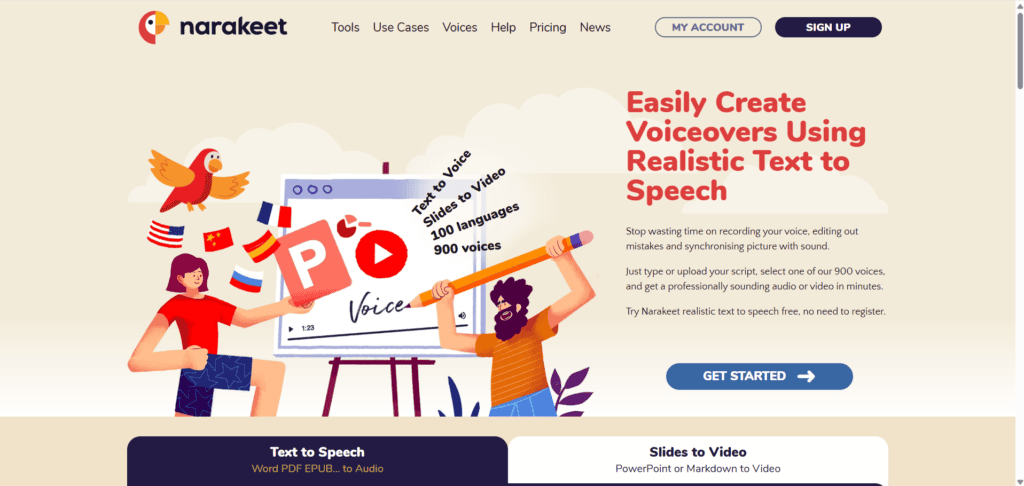
Overview: Narakeet leans into breadth. You can make voicemail greetings in 100 languages using 900 voices, which makes it one of the most language-flexible options for businesses serving international customers.
Key Features:
- 900 voices across 100 languages
- 20 free voice greetings before requiring payment
- Pre-built templates for holiday, after-hours, and vacation messages
- No account required for basic use
Advantages:
- Enormous language and accent library, useful for multinational teams
- Generous free tier for a quick one-off greeting
- No complicated setup or account creation needed to try it
Disadvantages:
- Interface feels more utilitarian than polished
- Voice realism is solid but doesn’t match ElevenLabs at the top end
- Advanced customization is thinner than dedicated voiceover studios
Pricing: Free tier includes 20 voice generations. Paid usage is billed per minute of generated audio, with volume discounts at higher usage; check Narakeet’s live pricing page for current per-minute rates.
Supported Platforms: Web app only
Voice Quality: Good to very good, depending on voice selected
Languages: 100
Customization: Moderate
Integrations: None beyond direct download
Ease of Use: Very easy
Overall Rating: 4.2/5
Who Should Buy It: Businesses that need voicemail greetings in multiple languages fast
Who Should Avoid It: Users who want deep voice customization or team collaboration features
4. Quo (formerly OpenPhone) Voicemail Generator
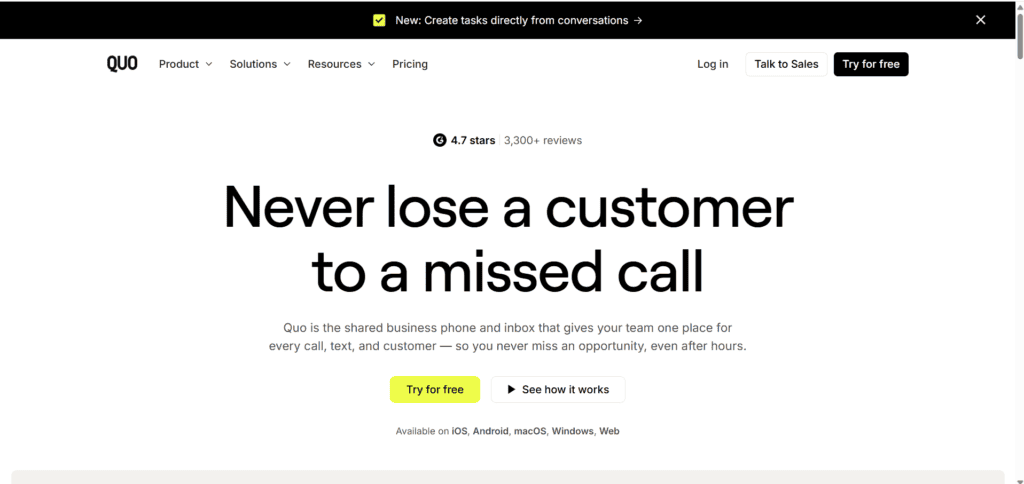
Overview: Quo’s free tool is built specifically for business voicemail, not general TTS. You enter your voicemail message, choose your preferred voicemail voice and optional background music, then create your message and either record or download it.
Key Features:
- Purpose-built for business voicemail, not repurposed general TTS
- Optional background music
- Free, no account required for a single greeting
- Direct integration if you’re already a Quo business phone customer
Advantages:
- Genuinely free with no hidden paywall for a single download
- Extremely simple, no learning curve
- Built-in tips on writing effective business greetings
Disadvantages:
- Currently supports English only
- Small voice library compared to dedicated TTS platforms
- Best value is realized only if you’re also using Quo as your business phone system
Pricing: Free for the standalone generator. Quo’s full business phone platform is a separate subscription.
Supported Platforms: Web app, plus native integration inside the Quo business phone system
Voice Quality: Good, clean and professional but limited voice variety
Languages: English only
Customization: Low to moderate
Integrations: Native with Quo phone system
Ease of Use: Very easy
Overall Rating: 4.0/5
Who Should Buy It: Small businesses that want a free, no-frills business voicemail greeting
Who Should Avoid It: Anyone needing non-English greetings or heavy customization
5. DialLink
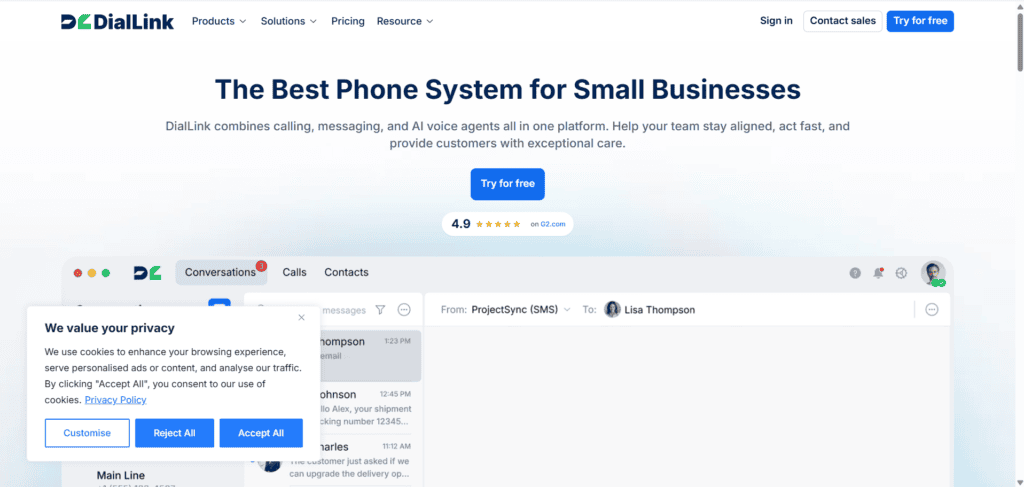
Overview: DialLink offers a lightweight, free voicemail greeting generator aimed at small businesses that need something usable in minutes.
Key Features:
- Supports English, German, Spanish, French, and Portuguese with multiple voice options per language
- Pre-written scripts you can customize or replace entirely
- Delivers the finished audio file by email
Advantages:
- Straightforward five-language support covers a lot of Western markets
- Ready-made scripts speed up the writing step
- No steep pricing tiers to navigate
Disadvantages:
- Limited to five voice generations before you hit a cap
- Smaller voice library than TTS-first platforms
- Less suited to teams needing dozens of greeting variations
Pricing: Free, with a capped number of generations before requiring an upgrade or new account.
Supported Platforms: Web app
Voice Quality: Good, clear and business-appropriate
Languages: 5 (English, German, Spanish, French, Portuguese)
Customization: Moderate
Integrations: None
Ease of Use: Very easy
Overall Rating: 3.9/5
Who Should Buy It: Small businesses in Western European or English-speaking markets needing a quick, free greeting
Who Should Avoid It: Larger teams needing many greetings or non-Western languages
6. CloudTalk
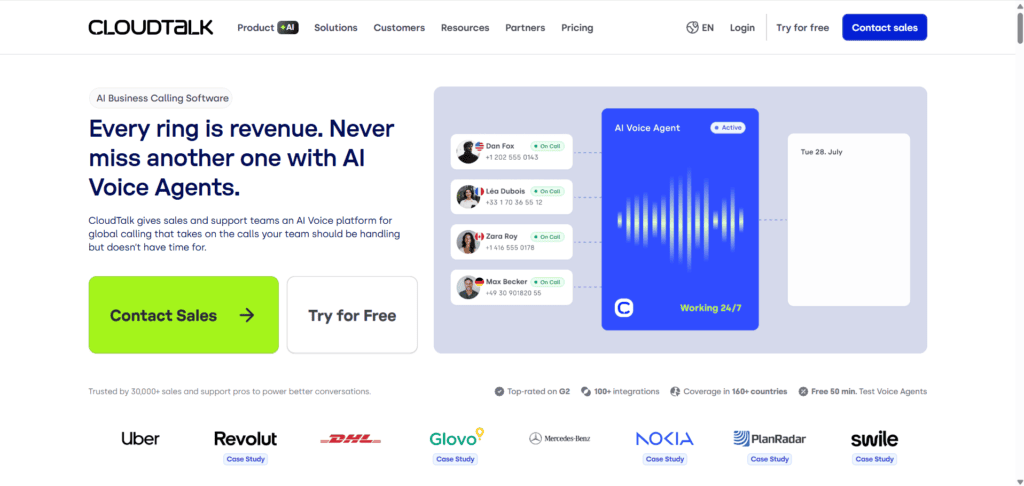
Overview: CloudTalk’s generator is bundled into its broader call-center and business phone platform, which makes it a natural fit for support teams already using CloudTalk for calls.
Key Features:
- AI-powered voicemail generator that converts written scripts into audio, with the option to upload your own script or generate one from a prompt
- Multiple voices, accents, and languages for personalized greetings
- Ready-to-go greeting templates for common business scenarios
Advantages:
- Fits naturally into an existing CloudTalk call workflow
- Easy script editing for holidays or after-hours changes
- Good template library for teams that don’t want to write from scratch
Disadvantages:
- Most value is unlocked only as part of the paid CloudTalk phone platform
- Standalone generator has fewer voices than dedicated TTS specialists
- Less useful if you don’t already use or plan to use CloudTalk
Pricing: The standalone generator is free to try; full value requires a CloudTalk phone plan, which is priced separately per seat.
Supported Platforms: Web app, native CloudTalk integration
Voice Quality: Good
Languages: Multiple (varies by voice selection)
Customization: Moderate
Integrations: Native with CloudTalk call center software
Ease of Use: Easy
Overall Rating: 4.0/5
Who Should Buy It: Support and sales teams already evaluating CloudTalk as a phone system
Who Should Avoid It: Anyone who just wants a standalone file and no phone-system commitment
7. Maestra
Overview: Maestra combines voicemail generation with broader transcription, subtitling, and voice cloning tools, making it a good pick for teams that need voice consistency across more than just voicemail.
Key Features:
- Voice cloning by uploading a few minutes of audio to recreate your voice in multiple languages
- Team-based collaboration with view and edit permissions
- Broader suite including subtitles and transcription
Advantages:
- Voice cloning is genuinely useful for brand consistency across languages
- Team permission controls help larger organizations manage who edits what
- Free generation available with no account required for basic use
Disadvantages:
- Feature set is broader than most people need for a single voicemail greeting
- Interface has more going on than a simple, single-purpose generator
- Best value depends on also using Maestra’s transcription or subtitling tools
Pricing: Free tier available for basic generation; paid plans scale with usage and team seats. Check Maestra’s live pricing page for current tiers.
Supported Platforms: Web app
Voice Quality: Very good, especially for cloned voices
Languages: 29+ for voice cloning
Customization: High, particularly around voice cloning
Integrations: None specific to phone systems
Ease of Use: Moderate
Overall Rating: 4.1/5
Who Should Buy It: Teams that want voice cloning and already need transcription or subtitling tools
Comparison Table
| Tool | Best For | Voice Quality | AI Voices | Voice Cloning | Languages | Customization | Free Plan | Starting Price | Business Use | Overall Rating |
|---|---|---|---|---|---|---|---|---|---|---|
| ElevenLabs | Most realistic voice | Excellent | Thousands | Yes | 32+ | High | Yes (limited, no commercial use) | $6/mo | Strong | 4.7/5 |
| Murf AI | Full voiceover studio | Very good | 200+ | Yes (top tiers) | 20-30+ | Very high | Yes (no downloads) | ~$19/mo | Strong | 4.4/5 |
| Narakeet | Language variety | Good-Very good | 900 | No | 100 | Moderate | Yes (20 clips) | Pay-per-use | Moderate | 4.2/5 |
| Quo | Free business greeting | Good | Small library | No | English only | Low-Moderate | Yes | Free | Moderate | 4.0/5 |
| CloudTalk | Call-center teams | Good | Multiple | No | Multiple | Moderate | Yes (trial) | Bundled w/ phone plan | Strong | 4.0/5 |
| DialLink | Quick free greeting | Good | Small library | No | 5 | Moderate | Yes (5 clips) | Free | Light | 3.9/5 |
| Maestra | Voice cloning + team use | Very good | Large library | Yes | 29+ | High | Yes | Free tier | Moderate | 4.1/5 |
How to Choose the Right AI Voicemail Generator
Start with your use case. A solo freelancer needs something different from a 40-person support team.
Check language needs first. If your callers speak more than one language, narrow your list to tools like Narakeet or DialLink before comparing anything else.
Test the actual voice. Every tool sounds different in marketing screenshots. Generate a real sample with your own script before paying for anything.
Understand the free tier’s real limits. Some free plans block downloads entirely; others just cap the number of generations. Read the fine print.
Weigh voice cloning against generic voices. If brand consistency matters, voice cloning tools like ElevenLabs or Maestra are worth the extra cost. If you just need something professional-sounding, a stock voice is often enough.
Best Practice: Generate two or three versions of your script with different voices before deciding. What sounds “professional” to you might not land the same way with your actual customers, especially across different regions or age groups.
Common Use Cases
Business hours greetings. The default message callers hear during normal operating hours, stating your name or department and what to expect next.
After-hours messages. Lets callers know you’re closed and when you’ll be back, ideally with an alternative contact for urgent issues.
Holiday and vacation greetings. Temporary messages for specific date ranges, easy to update and swap back once the period ends.
IVR and phone menu prompts. Voice prompts guiding callers through department selection or self-service options.
Customer support voicemail. Clear instructions on what information to leave so support teams can respond faster.
Personal voicemail greetings. A polished, low-effort alternative to recording yourself, useful for job searching, freelancing, or general personal use.
Business vs. Personal AI Voicemail Greetings
Business and personal greetings serve different goals, and the best tools reflect that difference.
Business greetings need to be consistent, on-brand, and often multilingual. They typically state the company name, set expectations for a callback window, and route urgent matters elsewhere.
Tools built for business use, like Quo, CloudTalk, and DialLink, lean into templates for exactly these scenarios.
Personal greetings have more room for personality. A friendly, slightly casual tone often works better than a formal one.
General-purpose TTS tools like ElevenLabs or Murf give more flexibility here since you’re not locked into business-specific templates.
Industry Trend: As remote and hybrid work stays common, more individuals are treating their personal voicemail as a professional touchpoint, especially during job searches, freelance client calls, and networking. That’s part of why demand for polished personal greetings has grown alongside business use.
Privacy and Security Considerations
Voice data deserves the same caution as any other personal information you upload online.
Voice cloning requires real audio samples of you. Before uploading a sample, check whether the platform stores that data indefinitely or deletes it after processing. Reputable platforms publish this clearly in their privacy policy or terms of service.
Commercial rights matter legally, not just practically. Several free tiers, including Murf’s and ElevenLabs’, explicitly prohibit commercial use of anything generated on the free plan. Using a free-tier greeting for a business phone line technically violates the platform’s terms.
Be cautious with celebrity or public-figure voice mimicry tools. Some AI voice sites let you generate speech in the style of named celebrities. Using these for anything beyond personal novelty carries real legal risk around right-of-publicity laws, and Aizolo does not recommend using them for business voicemail under any circumstances.
We can’t independently verify every platform’s internal data retention practices beyond what’s published publicly, so always read a provider’s current privacy policy before uploading a voice sample, especially for cloning features.
Mistakes to Avoid
Skipping the preview step. Always listen to the full generated file before downloading. Mispronounced names or numbers are common and easy to miss if you only skim the text.
Writing a greeting that’s too long. Most callers hang up or lose patience after 20-30 seconds. Keep it tight.
Using a mismatched tone. A cheerful, upbeat voice on a debt-collection or medical office line can feel jarring. Match the voice to the context.
Forgetting to update seasonal greetings. A November holiday message still playing in March damages credibility fast.
Assuming free means commercially usable. Check licensing terms before putting a free-tier greeting on a business line.
Best Practices for Writing an Effective Voicemail Script

Keep your opening line simple: state who you are or what business the caller has reached. Say clearly what to do next, whether that’s leaving a name and number or expecting a callback within a specific window. Avoid jargon or overly formal language that doesn’t match how you actually talk. If music or a pause is included, keep it short so callers aren’t waiting to hear the important part.
Research Insight: User reviews across G2 and Capterra for business phone platforms consistently flag “greeting felt robotic” as a top complaint, but the more common root cause isn’t the AI voice itself. It’s an overly formal, jargon-heavy script that no AI voice can make sound natural.
The Future of AI Voicemail
Voice cloning is getting faster and requires less training audio; some platforms now generate usable clones from under a minute of sample audio instead of the 90 minutes older systems required.
Real-time conversational AI, where a voicemail system can actually respond to a caller rather than just play a static message, is expanding through tools like ElevenLabs’ Conversational AI agents and similar offerings from competitors.
Expect voicemail-adjacent tools to increasingly blend with AI receptionists and call-routing systems rather than staying a standalone category.
Expert Tip: If you’re choosing a tool today, look for one that can grow with you into these adjacent categories, like AI answering services or call routing, rather than picking a pure one-off voicemail generator you’ll need to replace in a year.
Frequently Asked Questions
Can I use an AI voicemail generator on my iPhone or Android without extra apps? Yes. Most AI voicemail generators run entirely in a web browser. You generate and download the audio file on your phone or computer, then upload it through your carrier’s or business phone provider’s voicemail settings, no extra app required in most cases.
Will my callers be able to tell the voicemail is AI-generated? With higher-end tools like ElevenLabs or Murf’s premium voices, most callers won’t notice. Lower-tier or older TTS voices can still sound slightly synthetic, especially with unusual names or numbers.
Do I need a phone system like a PBX to use these tools? No. Standalone generators like Narakeet or DialLink work independently of any phone system. You simply download the file and upload it wherever your provider allows custom voicemail greetings.
Can I clone my own voice for free? A few platforms, including ElevenLabs, offer instant voice cloning starting at low-cost paid tiers rather than free ones. True free voice cloning with commercial rights is rare across the tools we tested.
Is it legal to use a celebrity-sounding AI voice for my business voicemail? Generally, no. Using a voice designed to mimic a real, identifiable celebrity for commercial purposes can expose a business to right-of-publicity claims. Stick to original or licensed stock voices for anything business-facing.
How long should a business voicemail greeting be? Most experts recommend 15-25 seconds. Longer greetings increase hang-up rates, especially from mobile callers.
Can I create different greetings for different departments? Yes, and it’s one of the strongest use cases for these tools. Generate separate scripts for sales, support, and billing, each with a consistent brand voice.
What audio format do these tools export? Nearly all export MP3 or WAV files, both of which are compatible with the vast majority of phone systems and mobile carriers.
Do AI voicemail generators support background music? Some do, including Quo’s free generator and Narakeet. Music can add polish but also risks making speech harder to understand, so test it before committing.
What happens if I exceed my plan’s usage limit? Depends on the tool. ElevenLabs and Murf typically offer usage-based overage billing on paid tiers, while free tiers usually stop working entirely once the cap is hit.
Can small businesses realistically use the free tiers long-term? For a single, rarely-updated greeting, yes. For teams that need multiple department greetings or frequent updates, free-tier caps get restrictive fast.
Are there AI voicemail generators built specifically for non-English speakers? Narakeet (100 languages) and Maestra (29+ languages, with cloning) are the strongest options in this guide for non-English or multilingual use cases.
Final Verdict
If you want the single most realistic-sounding voice and don’t mind a small learning curve, ElevenLabs is the strongest overall pick.
If you need a full voiceover studio for more than just voicemail, Murf AI is the better long-term investment.
If your priority is language coverage on a budget, Narakeet covers the most ground for the least money. And if you just need one clean, free business greeting today with zero setup, Quo’s standalone generator gets it done in under two minutes.
Whichever tool you choose, treat your voicemail the way you’d treat any other piece of customer-facing content: written deliberately, reviewed periodically, and updated when circumstances change.
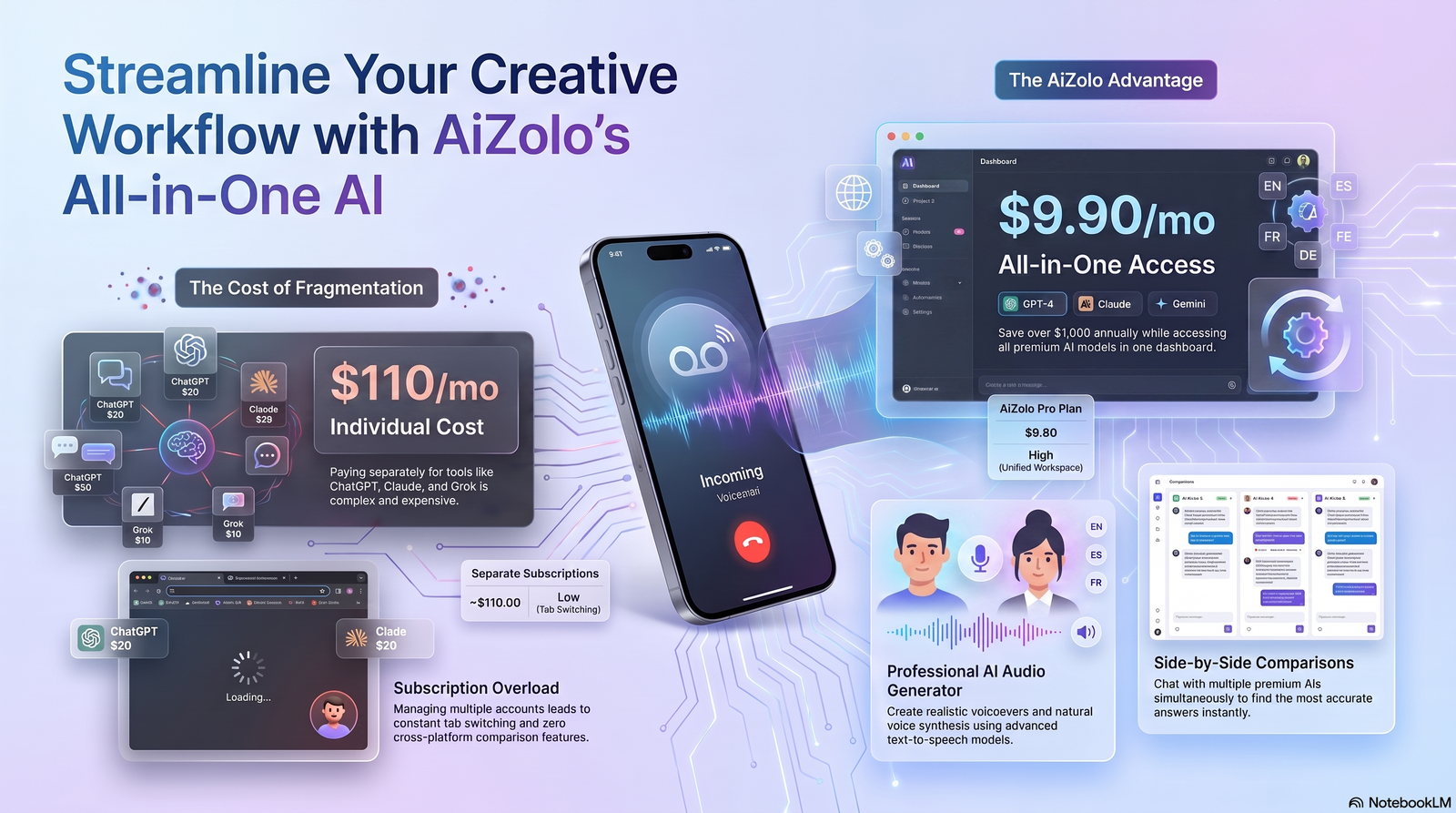
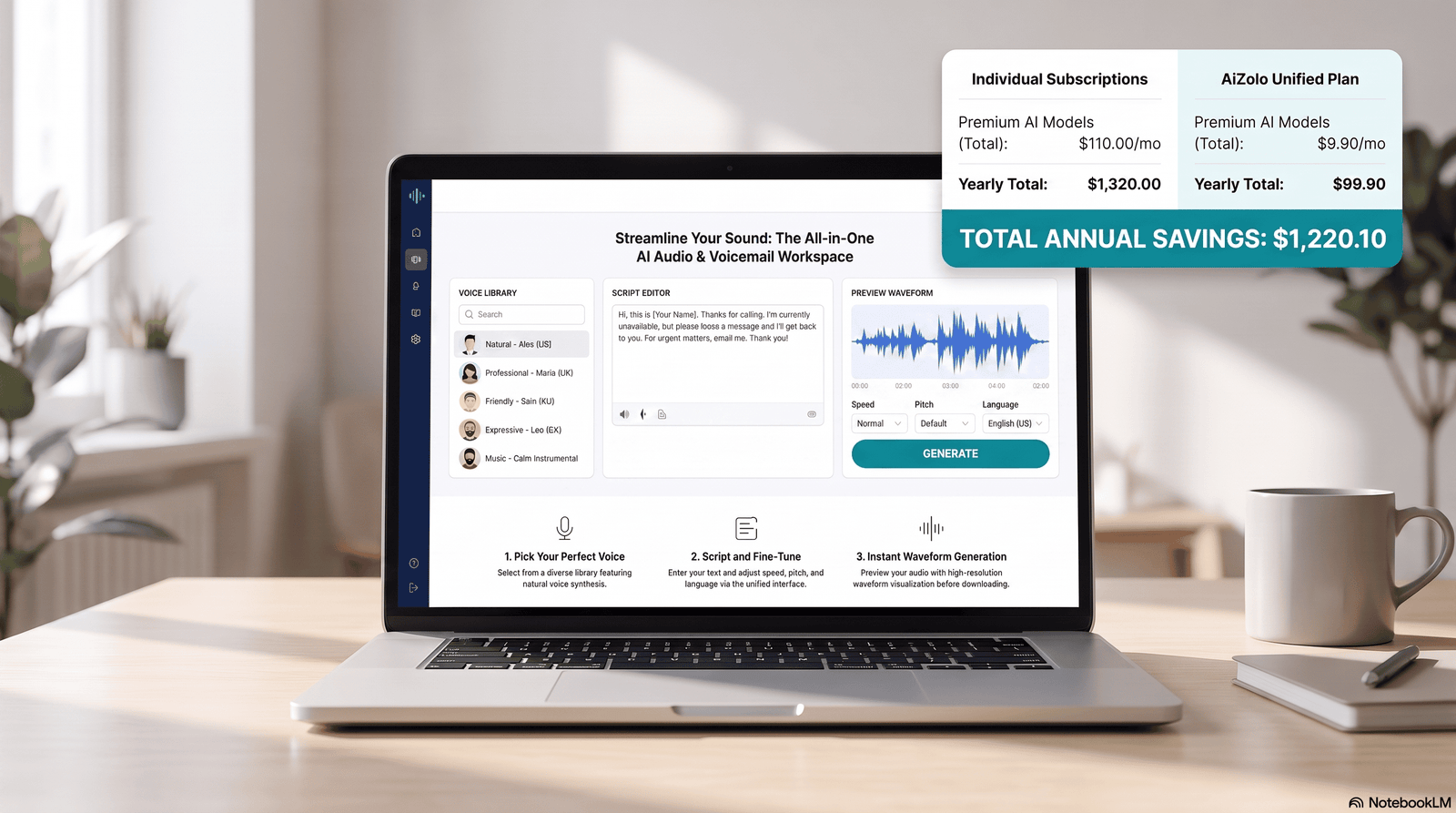
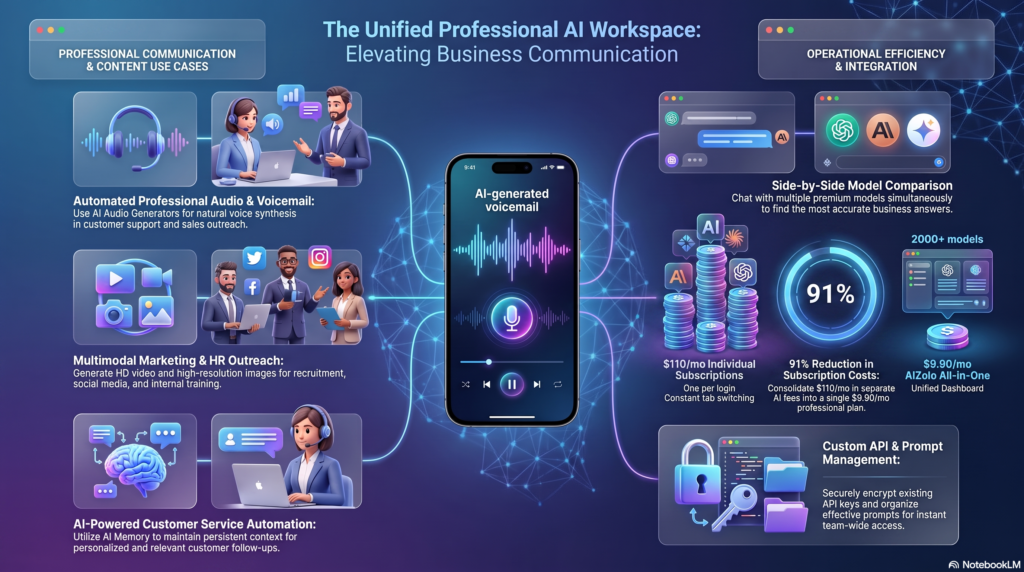
If you’re comparing multiple AI voice and productivity tools for your business, Aizolo gives you access to several premium AI models under a single subscription, which can simplify testing tools like these without juggling separate accounts and invoices for each one.
Author Bio
Jeevesh Tripathi Email: jeevesh@aizolo.com
Jeevesh Tripathi writes about AI tools, SaaS platforms, and practical workflow automation for Aizolo. His work focuses on testing AI products hands-on and translating what actually works into clear, usable guidance for small businesses and individual users navigating a crowded AI tools market.


Pingback: Trump AI Voice Generator: The Complete 2026 Guide to Creating Viral Political Content (Without Breaking the Bank) - AiZolo
Pingback: how long does perchance video generator take shocking (2026)