
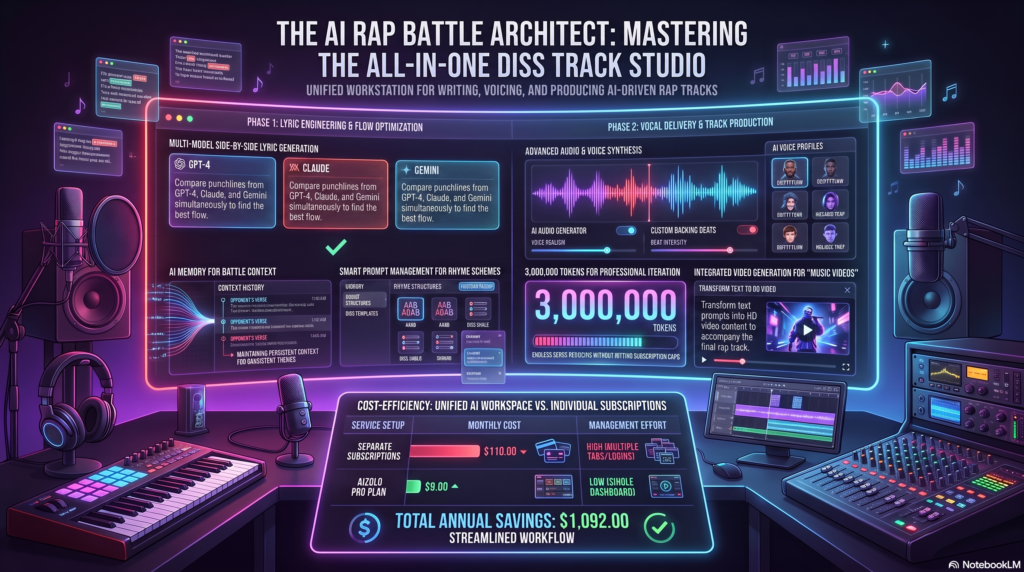
Rap battles used to demand hours in a notebook and even more time in a booth. An AI diss track generator now compresses that entire process into minutes, turning a short prompt into rhyming verses, a beat, and in many cases a fully sung vocal.
That shift is why the category has exploded over the past two years. YouTubers script rap battles between fictional characters, streamers fire off comeback bars mid-broadcast, and creators use Aizolo as a starting point rather than a finished product. Independent artists then refine the results into their own unique style.
This guide breaks down what an AI diss track generator actually does under the hood, which tools are worth your time in 2026, and how to get results that sound sharp instead of generic. We tested lyric-only tools, full-song generators, and voice-focused platforms to see where each one actually earns its keep.
You’ll also find a legal section that most “best of” roundups skip, because a diss track aimed at a real, named person raises copyright and platform-policy questions that are worth understanding before you hit publish.
Table of Contents
Who Should Use an AI Diss Track Generator?
Not everyone reaching for one of these tools wants the same thing, which is part of why the category has splintered into lyric-only tools and full-production platforms.
Content creators want a repeatable format they can turn around quickly, often multiple times a week, without burning out on writing.
Streamers and gamers need something fast enough to use mid-broadcast, where a Discord call beef or a live reaction demands bars in seconds, not after a writing session.
Aspiring rappers use these tools differently. They’re less interested in a finished product and more interested in skeleton verses they can rewrite in their own voice, treating the AI as a sparring partner rather than a ghostwriter.
Marketers and comedy writers sit somewhere in between, using a diss track generator as a novelty format for campaigns, podcast segments, or live roast events where the goal is entertainment rather than a real feud.
Knowing which of these you are before you start changes which tool on this list is actually worth your time.
What Is an AI Diss Track Generator?
An AI diss track generator is software that produces rap-style lyrics, and often a full musical track, aimed at a specific target using large language models trained on rhyme patterns, wordplay, and battle-rap structure.
Most tools ask for three inputs: who or what you’re roasting, the tone you want, and a style reference. From there, the AI diss track generator assembles a hook, one or two verses, and sometimes an outro.
The category splits into two tiers. Lyric-only generators hand you text you can perform yourself or hand to a producer. Full-stack platforms go further, pairing those lyrics with an instrumental and an AI-sung or AI-rapped vocal, so the output is a finished audio file rather than a script.
Either way, the appeal is speed. A verse that might take a beginner an evening to draft can come back in under a minute, giving you something to edit rather than a blank page to stare at.
How AI Diss Track Generators Work
Understanding the mechanics helps you write better prompts and set realistic expectations for the output.
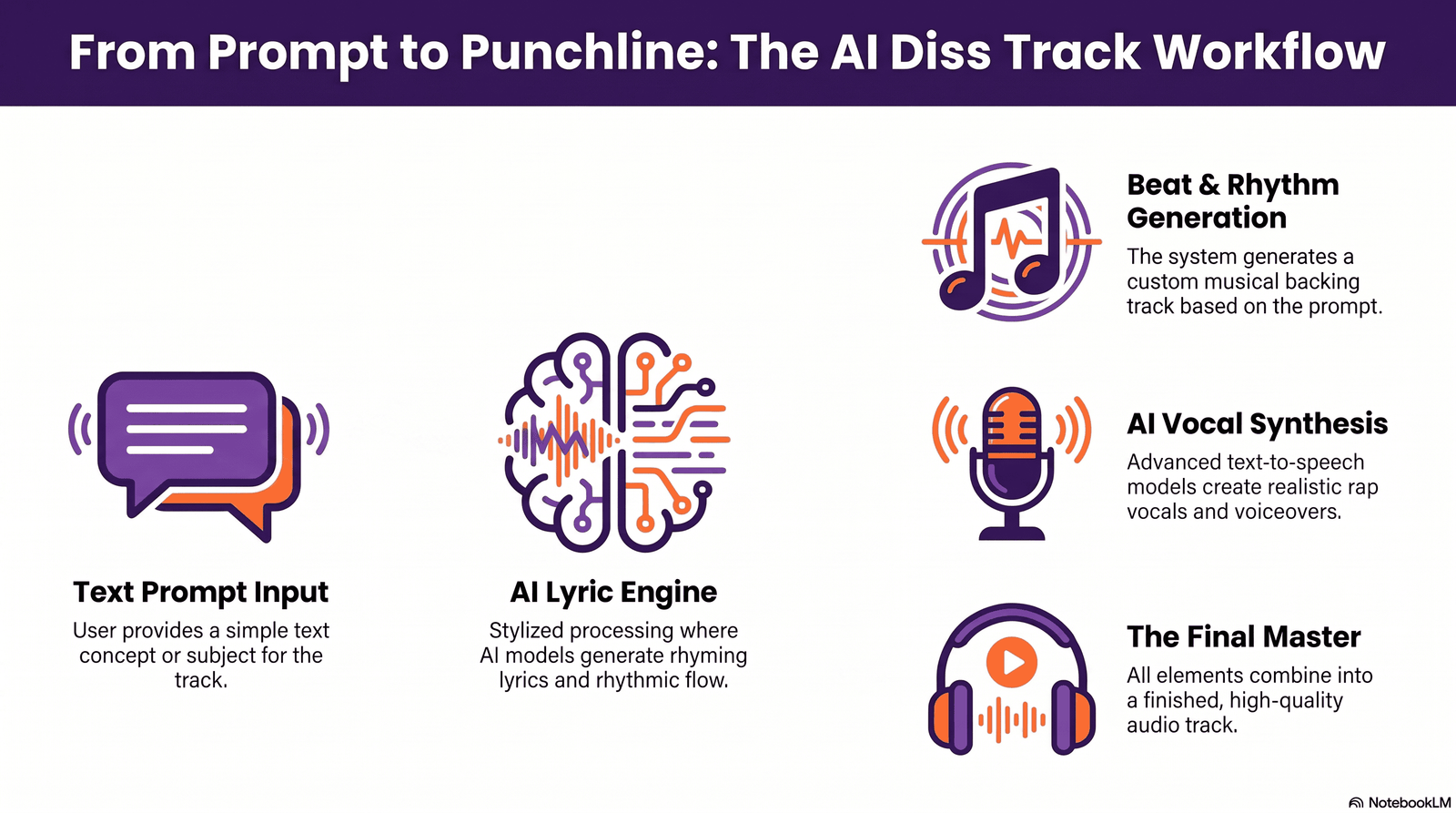
Natural Language Processing and Lyric Generation
The lyric layer runs on large language models trained on vast amounts of text, including rap lyrics, poetry, and everyday speech patterns. The model predicts the next word or phrase based on everything that came before it.
For a diss track generator, that model is typically fine-tuned or heavily prompted toward battle-rap conventions: direct address, boastful comparisons, and punchlines that land on a strong syllable.
Rhyme Detection and Flow Matching
Good rap writing depends on rhyme density and syllable counting, not just end rhymes. Modern tools score candidate lines for internal rhyme, multisyllabic matches, and how well the line scans against a target beats-per-minute.
Some platforms let you set a BPM range directly, then adjust bar length so your lyrics naturally sit on a trap, boom-bap, or drill tempo without extra editing.
Beat Generation
Full-stack generators pair lyrics with an instrumental created by a separate audio model trained on hip-hop production elements: 808 bass, hi-hats, snares, and sample-style loops.
You typically pick a subgenre, like trap, boom bap, or drill, and the system generates a compatible instrumental rather than pulling a licensed sample from an existing song.
AI Vocals and Style Transfer
Voice synthesis models convert generated lyrics into a rapped or sung performance. Style transfer lets the platform apply a chosen delivery, aggressive double-time, laid-back melodic flow, or a specific cadence, to that vocal.
This is the layer where output quality varies most. Cadence and rhythm often sound convincing, while breath control and ad-libs are where AI vocals still give themselves away.
Audio Rendering and Export
The final step mixes vocals, beat, and any effects into a downloadable file, usually MP3 or WAV. Paid tiers commonly unlock higher bitrate exports and, on some platforms, individual stems for further mixing.
Benefits of Using an AI Diss Track Generator
- Speed. A rough draft that used to take hours now takes minutes, which matters when you’re reacting to something timely.
- Lower barrier to entry. Beginners can experiment with rhyme schemes and structure without years of freestyle practice.
- Content for creators. YouTube channels, TikTok accounts, and Twitch streams use diss tracks as recurring, shareable content formats.
- Practice tool. Freestylers use generated verses as skeletons to riff on, rather than final scripts.
- Parody and comedy. Roast battles between friends, mock rivalries, and parody songs are a natural fit for a rap battle AI.
- Idea generation. Even experienced writers use an AI rap lyrics generator to break through writer’s block on a single stuck line.
- Consistent structure. Beginners often struggle with hook-verse-outro pacing. A rap diss track generator enforces that structure by default, which teaches the shape of a song even to someone who’s never written one.
- Cost savings. Studio time, session musicians, and mixing engineers add up fast. Testing an idea with an AI music generator before committing real budget to it avoids wasted studio hours on a concept that doesn’t land.
- Multilingual reach. Several platforms generate lyrics in more than one language, which opens diss-track content to non-English rap communities that most beginner tutorials ignore.
None of this replaces genuine songwriting skill. The tools are best understood as a fast first draft, not a finished single. Where they consistently deliver value is in removing the two biggest blockers for new writers: an empty page and an unfamiliar song structure.
Why the Category Is Growing So Fast
Search interest in AI music tools has climbed steadily since general-purpose text-to-song platforms went mainstream. Rap and hip-hop in particular translate well to AI generation because the genre already relies on identifiable structural patterns: consistent bar counts, predictable rhyme placement, and a call-and-response hook format that’s easier for a model to learn than freeform melody.
Diss tracks specifically benefit from a built-in audience hook. A named target, a clear conflict, and a punchy hook are naturally shareable, which is exactly the kind of short-form content that performs well on TikTok and YouTube Shorts. That combination, easy for AI to generate and easy for platforms to reward, is why the niche has grown faster than AI music generation as a whole.
Best AI Diss Track Generators in 2026
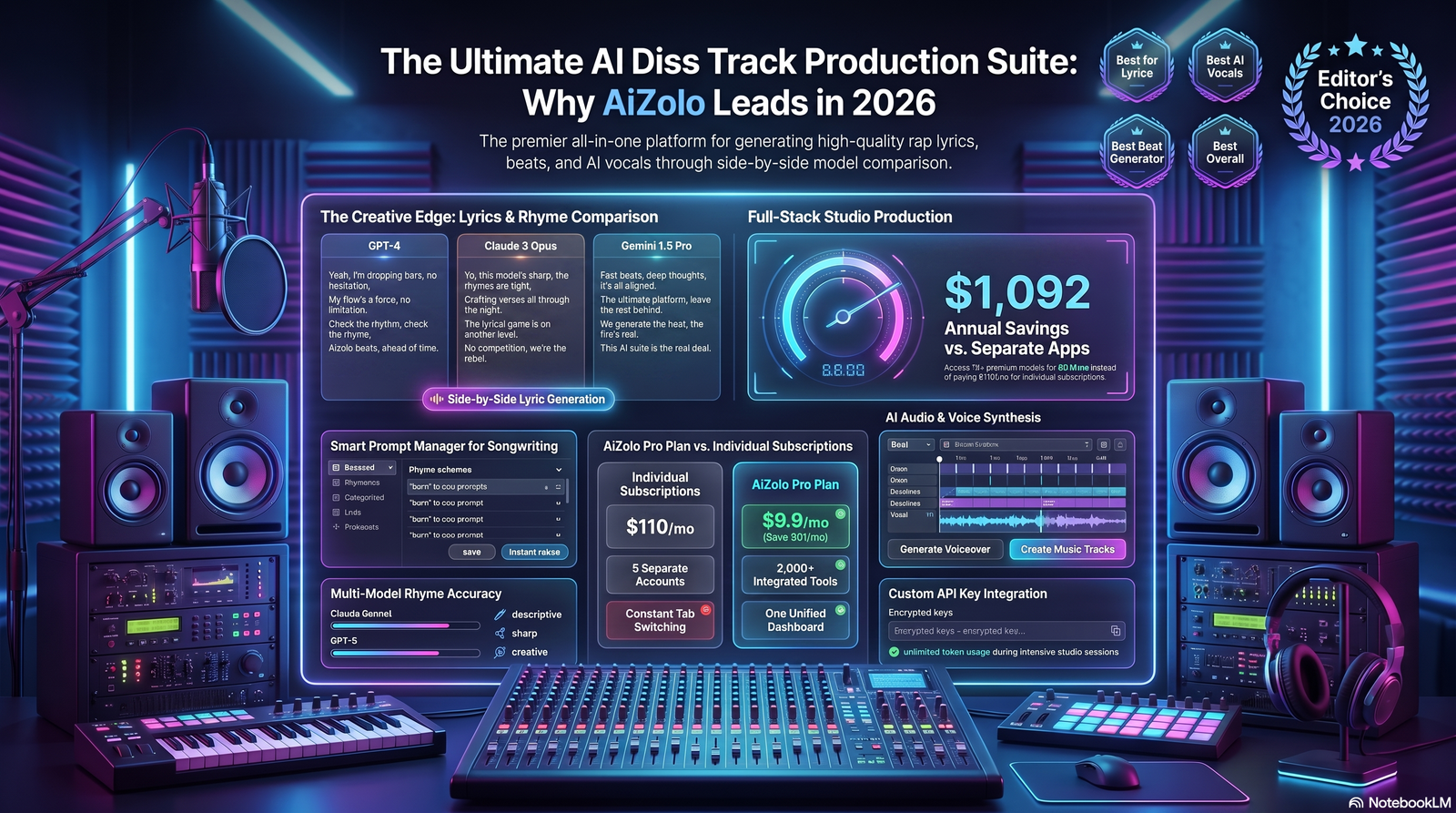
We evaluated each tool hands-on across lyric creativity, output quality, ease of use, and whether the final product sounds usable without heavy editing. Ratings reflect our testing and are necessarily a snapshot of a fast-moving category, so double-check current features before subscribing.
1. Suno
Overview: Suno is a general-purpose AI music generator that produces complete songs, including rap and hip-hop, from a text prompt. It’s not diss-track-specific, but its lyric and vocal quality make it a strong option for a full track.
Best for: Creators who want a polished, radio-style finished song rather than raw battle bars.
Features: Full song generation, style tagging across 400+ genres, vocal cloning options, multi-minute song length, a dedicated lyrics workspace.
Pros: Strong vocal realism, wide genre control, active community for sharing tracks.
Cons: Not purpose-built for diss-track structure, so you’ll often need to steer the prompt hard toward battle-rap conventions.
Pricing: Free tier with limited daily generations; paid plans unlock commercial use and more credits.
Ease of use: High. The simple prompt tab gets a track out in under a minute.
Output quality: Among the strongest AI vocals we tested in this category.
Voice quality: High realism, though breath control and ad-libs can still sound synthetic on close listens.
Commercial use: Available on paid tiers, subject to Suno’s terms.
Overall rating: 4.5 / 5
2. BasedLabs Diss Track Generator
Overview: A purpose-built diss track generator focused purely on lyrics, structured around the classic three-movement battle-rap skeleton: open, escalate, closer.
Best for: Writers who want structured bars rather than a produced audio file.
Features: BPM-matched bar lengths, multiple export formats including beat-aligned scripts, and prompts tuned specifically for callouts and punchlines.
Pros: Genuinely diss-track-specific structure, useful for Discord battles and freestyle prep.
Cons: Lyrics only, no audio output, so you’ll need a separate tool for beats and vocals.
Pricing: Free to use for basic generations.
Ease of use: Very high, minimal setup.
Output quality: Strong structural coherence for a text-only tool.
Voice quality: Not applicable.
Commercial use: Check current terms before monetized use.
Overall rating: 4 / 5
3. HitPaw VoicePea AI Music Generator
Overview: A text-to-melody tool that builds a full diss track, lyrics, beat, and AI vocals, from a short prompt and mood selection.
Best for: Beginners who want one-click, full-track output.
Features: Mood selection, text-to-melody conversion, straightforward three-step workflow.
Pros: Genuinely beginner-friendly, fast turnaround.
Cons: Less granular control over rhyme scheme or structure compared to text-first tools.
Pricing: Free option available; paid tiers unlock higher-quality export.
Ease of use: Very high.
Output quality: Solid for short-form platforms like TikTok and YouTube Shorts.
Voice quality: Good but not the most nuanced in this list.
Commercial use: Varies by plan.
Overall rating: 4 / 5
4. Musely Rap Voice Generator
Overview: A rap-specific voice and beat generator with 18+ subgenre options, including trap, boom bap, and drill.
Best for: Creators who already have lyrics and want authentic-sounding rap vocals fast.
Features: Subgenre selection, adjustable flow and delivery, integrated beat production with 808s and hi-hat rolls.
Pros: Rap-specific tuning outperforms generic text-to-speech tools for cadence and rhythm.
Cons: Fewer voice options for some styles, and output still benefits from light mixing before release.
Pricing: Free preview generations with paid plans for full downloads.
Ease of use: High, generation completes in under a minute.
Output quality: Strong for short-form content and demos.
Voice quality: One of the more convincing rap deliveries among voice-focused tools.
Commercial use: Available on paid tiers.
Overall rating: 4 / 5
5. Mureka.ai Disstrack Generator
Overview: A free, fast diss-track and battle-lyric generator aimed squarely at rappers and producers who want competitive bars quickly.
Best for: Quick freestyle and battle-lyric ideas without an account.
Features: Rapid lyric generation, freestyle verse mode, no-cost access.
Pros: Zero friction to try, decent punchline density.
Cons: Lyrics only, quality is more variable than paid, purpose-built platforms.
Pricing: Free.
Ease of use: Very high.
Output quality: Good for brainstorming, less consistent for finished verses.
Voice quality: Not applicable.
Commercial use: Check platform terms.
Overall rating: 3.5 / 5
6. Junia AI Diss Track Generator
Overview: A mode-based lyric generator offering Clean Comedy, Battle Rap, Storytelling, and Freestyle Flow modes, with intensity controls for platform-safe content.
Best for: Creators who need to keep content advertiser-friendly for YouTube or TikTok.
Features: Multiple tone modes, intensity slider, multi-language output, hook-and-verse structure.
Pros: Built-in guardrails make it easier to stay platform-compliant.
Cons: Some premium modes (like the “Savage” tier) are gated behind a paid plan.
Pricing: Free tier with premium modes available on upgrade.
Ease of use: High.
Output quality: Consistent hook-and-verse cohesion.
Voice quality: Not applicable, lyrics only.
Commercial use: Generally fine for content creation; verify specifics.
Overall rating: 4 / 5
7. Easy-Peasy.AI Diss Track Generator
Overview: A general AI writing platform’s dedicated diss track template, offering tone selection like aggressive, sarcastic, or humorous.
Best for: Casual users who want quick, editable lyric drafts.
Features: Tone and style controls, advanced model option for more sophisticated output.
Pros: Simple interface, good for first-time users.
Cons: Output leans generic without detailed prompts.
Pricing: Free with usage limits; paid plans expand access.
Ease of use: Very high.
Output quality: Decent as a starting draft.
Voice quality: Not applicable.
Commercial use: Suitable as inspiration or a starting point per platform guidance.
Overall rating: 3.5 / 5
8. MusicSeed
Overview: A full diss track platform that generates instrumental music and vocals from text prompts, aimed at creators who want a complete, shareable track rather than raw lyrics.
Best for: Content creators who want a complete diss track without touching a separate beat-making or vocal tool.
Features: Text-to-full-track generation, instrumental and vocal pairing, straightforward prompt-based workflow.
Pros: One-stop workflow, decent output for social content.
Cons: Less lyrical nuance than dedicated lyric-first tools, so punchlines can feel generic without a detailed prompt.
Pricing: Free tier available, paid plans expand generation limits.
Ease of use: High.
Output quality: Good for short-form content, less suited to a polished single.
Voice quality: Serviceable, not the strongest in this list.
Commercial use: Check current plan terms.
Overall rating: 3.5 / 5
9. DeepBeat AI
Overview: A rhyme-focused rap-writing assistant that suggests lines, rhyme matches, and verse endings based on keywords rather than generating a complete polished song.
Best for: Writers who want inspiration and rhyme suggestions rather than a finished, ready-to-post track.
Features: Keyword-based line suggestions, rhyme matching, verse structuring.
Pros: Genuinely useful for learning rhyme patterns and building verses manually.
Cons: Requires more manual assembly than full-stack generators; not built for one-click output.
Pricing: Free to use.
Ease of use: Moderate, best suited to users comfortable editing raw suggestions.
Output quality: Strong for rhyme ideas, weaker for cohesive full verses.
Voice quality: Not applicable.
Commercial use: Lyrics require your own arrangement and rights consideration.
Overall rating: 3.5 / 5
Comparison Table: Best AI Diss Track Generators
| Tool | Full Track or Lyrics Only | Best For | Free Tier | AI Vocals | Commercial Use | Rating |
|---|---|---|---|---|---|---|
| Suno | Full track | Polished finished songs | Yes | Yes | Paid tiers | 4.5/5 |
| BasedLabs | Lyrics only | Structured battle bars | Yes | No | Check terms | 4/5 |
| HitPaw VoicePea | Full track | Beginner one-click tracks | Yes | Yes | Paid tiers | 4/5 |
| Musely | Vocals + beat | Authentic rap vocal delivery | Limited | Yes | Paid tiers | 4/5 |
| Mureka.ai | Lyrics only | Fast freestyle bars | Yes | No | Check terms | 3.5/5 |
| Junia AI | Lyrics only | Platform-safe content | Yes | No | Check terms | 4/5 |
| Easy-Peasy.AI | Lyrics only | Casual quick drafts | Yes | No | Check terms | 3.5/5 |
| MusicSeed | Full track | One-stop social content | Yes | Yes | Check terms | 3.5/5 |
| DeepBeat AI | Lyrics only | Rhyme suggestions and inspiration | Yes | No | N/A | 3.5/5 |
How to Create a Diss Track With AI: Step-by-Step
- Pick your target and angle. Decide who or what you’re roasting and what specific behavior or claim you’re calling out. Vague prompts produce vague bars.
- Choose a tone. Aggressive, sarcastic, comedic, or storytelling. This single choice shapes almost every line the generator writes.
- Set your style reference. Trap, boom bap, drill, or a BPM range if the tool supports it, so the flow matches the beat you’ll use.
- Generate a first draft. Run the prompt and read the output aloud before judging it. Lyrics that look fine on screen sometimes don’t scan when spoken.
- Regenerate selectively. Most platforms let you regenerate a single verse or line rather than the whole track. Use that instead of starting over.
- Edit for specificity. Swap generic insults for details tied to your actual target or storyline. This is where AI drafts turn into something that actually lands.
- Add or generate a beat. If your tool is lyrics-only, pair the verse with an instrumental from a full-stack platform or your own production.
- Generate or record vocals. Use AI vocals for speed, or record the AI-written lyrics yourself for a more personal delivery.
- Mix and export. Balance vocal and instrumental levels, then export at the highest quality your plan allows.
- Review for platform and legal fit. Check the target audience, platform content rules, and whether you’re naming a real person before publishing.
20+ Best Prompts for an AI Diss Track Generator
Use these as templates. Replace the bracketed detail with something specific to get sharper output.
- Write a diss track about [a rival streamer] who copies my content ideas.
- Write a battle rap verse mocking someone who brags about a job they don’t actually have.
- Create a comedic diss track about a roommate who never does the dishes.
- Write a trap-style diss track calling out someone who talks big but never follows through.
- Generate a boom-bap verse about a friend who’s always late to everything.
- Write a diss track roasting someone’s fake designer style.
- Create a sarcastic diss track about a coworker who takes credit for other people’s work.
- Write a drill-style diss track with a chantable hook about someone all talk, no action.
- Generate a storytelling diss track about a rivalry that started over a small argument.
- Write a freestyle-flow diss track for a friendly roast battle, no real names.
- Create a diss track about someone who name-drops connections they don’t really have.
- Write a double-time diss track verse with heavy internal rhyme about an online troll.
- Generate a clean-for-YouTube diss track about a gamer who rage quits every match.
- Write a diss track with a call-and-response hook for a live audience.
- Create a diss track about a rival gym-goer who only lifts for photos.
- Write a melodic diss track about someone who ghosted a group project.
- Generate a diss track with a storyline structure: setup, betrayal, comeback.
- Write a battle rap verse with three escalating punchlines about a copycat rapper.
- Create a diss track roasting someone’s excuses for always canceling plans.
- Write a diss track with a repeated theme word, like “fake,” tying every verse together.
- Generate a birthday roast rap for a friend, playful not mean-spirited.
- Write a diss track for a mock rap battle between two fictional characters.
Tips for Getting Better Results
- Be specific, not generic. “Fake flexer who borrows a friend’s car for photos” beats “someone who lies.”
- Pick one to three themes and let every punchline circle back to them. Scattershot insults feel less intentional.
- Read lyrics aloud before finalizing. Written rhyme and spoken flow aren’t always the same thing.
- Reuse a key phrase from the hook inside your verses for cohesion.
- Match BPM to your beat if the tool supports it, so bars don’t feel cramped or dragged out.
- Keep it clean for monetized platforms. Intensity in wordplay usually beats profanity for avoiding demonetization.
- Regenerate one line at a time instead of the whole track once you find a verse you like.
- Layer tools instead of relying on one. A common workflow is drafting lyrics in a text-focused generator, then feeding the finished verse into a voice-and-beat tool for production. Each layer does one job well instead of asking a single tool to do everything.
- Save versions as you go. Because regeneration overwrites the previous draft on many platforms, copy strong lines into a separate document before generating again.
- Test the hook out loud with someone else. A hook that lands for you might not land for a listener hearing it cold. A quick outside read catches lines that only make sense in your head.
Common Mistakes to Avoid
- Publishing the first draft unedited. AI output is a starting point, not a finished product.
- Naming a real private individual without their consent, which raises both ethical and legal risk.
- Overloading punchlines so density replaces clarity, leaving listeners unsure what’s even being said.
- Ignoring platform content policies, which can result in demonetization or takedowns regardless of how the track was made.
- Assuming AI vocals sound finished without any mixing. A quick level balance goes a long way.
- Skipping the flow check. Lines that scan on paper sometimes stumble when actually rapped.
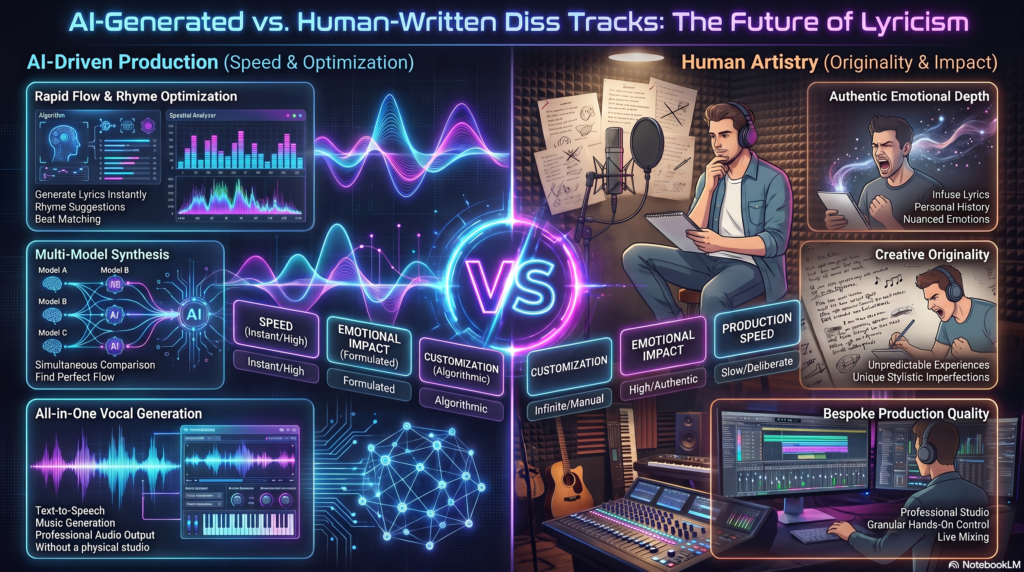
AI-Generated vs. Human-Written Diss Tracks
| Factor | AI-Generated | Human-Written |
|---|---|---|
| Speed | Minutes | Hours to days |
| Structural consistency | High, follows learned patterns | Varies by writer skill |
| Personal specificity | Requires detailed prompting | Naturally specific and lived-in |
| Emotional nuance | Limited, can feel generic | Typically stronger |
| Originality of wordplay | Can lean on common patterns | Higher ceiling with skill |
| Cost | Often free or low-cost | Studio time and writing effort |
| Best use case | Fast drafts, content, practice | Releases meant to carry real weight |
The realistic takeaway: AI is a fast collaborator, not a replacement for a skilled writer’s ear.
Copyright and Legal Considerations
This is the section most guides skip, and it matters more than most people assume.
AI-Generated Lyrics and Ownership
Copyright rules around AI-generated text are still developing. In the United States, the Copyright Office has generally indicated that works must involve meaningful human authorship to qualify for protection, which means purely AI-generated lyrics may sit in a gray area unless a person substantially edits or arranges them.
Training Data Disputes
Some AI music platforms have faced legal action over how their underlying models were trained. Major labels pursued infringement claims against leading AI music generators, alleging their systems were trained on copyrighted recordings without permission, and at least one of those disputes has resulted in a licensing settlement with a major label. That history is worth knowing before you assume a platform’s output is legally uncomplicated.
Naming a Real Person
Directing a diss track at a real, identifiable individual, especially a private person rather than a public figure, can raise defamation or harassment concerns depending on the content and jurisdiction. Keeping content clearly comedic, avoiding false factual claims, and steering clear of threats reduces that risk considerably.
Platform Terms of Service
Commercial use rights vary widely between tools. Some free tiers explicitly prohibit monetized use, while paid tiers unlock commercial rights. Always check the specific platform’s current terms before publishing for profit.
Fair Use Misconceptions
Calling something “parody” doesn’t automatically grant legal protection, and fair use is a fact-specific defense decided case by case rather than a blanket exemption. If a project has real commercial stakes, that’s a conversation for a lawyer, not a generator’s FAQ page.
Use Cases for AI Diss Track Generators
- Content creators scripting recurring rap-battle series for YouTube or TikTok.
- Gamers and streamers trading bars live during Discord calls or Twitch streams.
- Independent musicians using generated verses as a springboard for real songwriting sessions.
- Comedy writers building roast segments for podcasts or live shows.
- Marketing teams creating playful, branded rap content for campaigns.
- Music educators demonstrating rhyme scheme and structure to students learning to write bars.
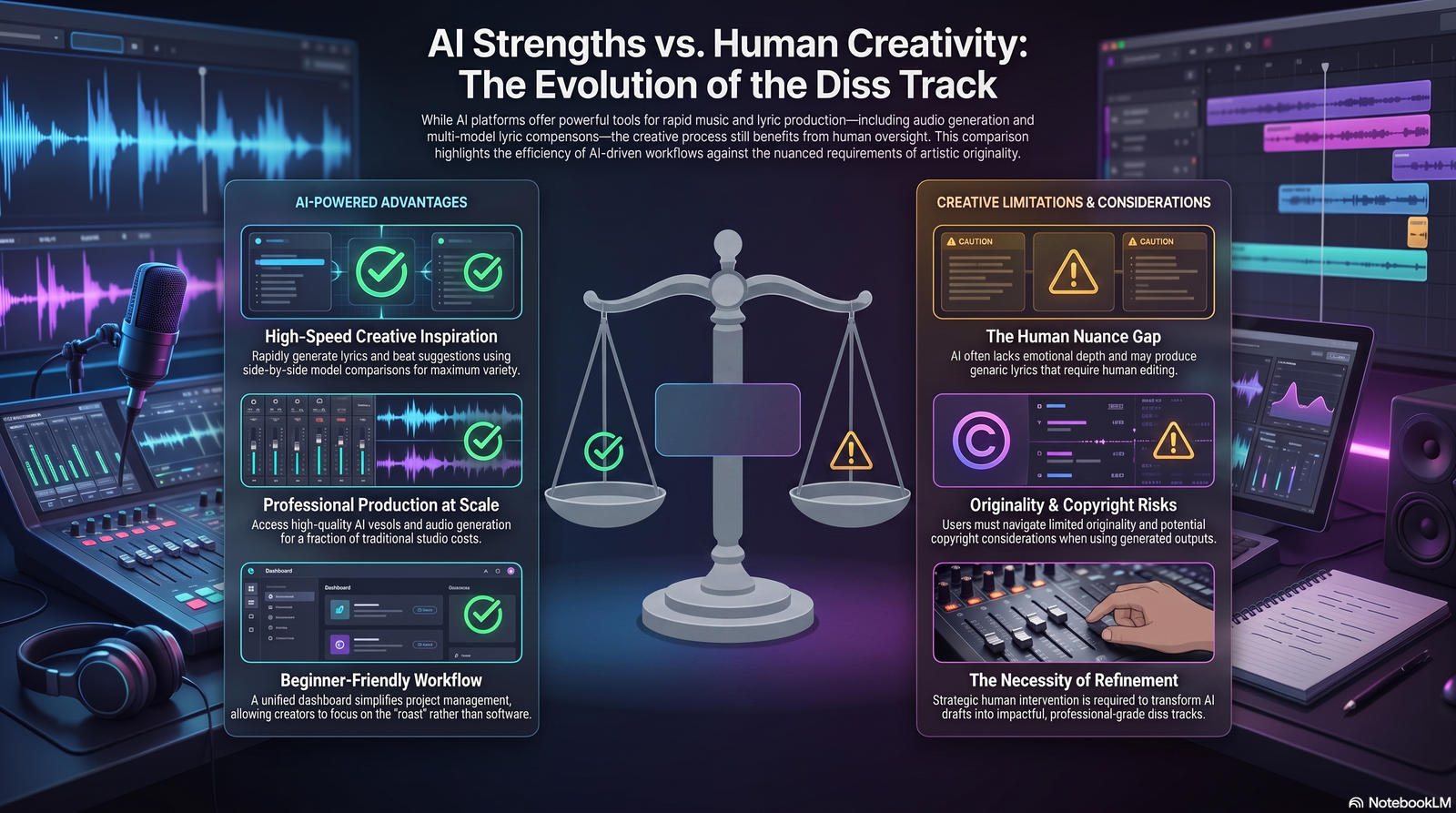
Pros and Cons of AI Diss Track Generators
| Pros | Cons |
|---|---|
| Fast first drafts, minutes instead of hours | Can sound generic without detailed prompting |
| Lowers the barrier for beginners | AI vocals still reveal themselves on close listens |
| Useful for high-volume content schedules | Copyright and ownership questions remain unsettled |
| Many tools are free to start | Naming real people carries legal and ethical risk |
| Good for practice and idea generation | Rarely a substitute for a skilled human writer |
Frequently Asked Questions
What is an AI diss track generator? It’s a tool that uses AI to write rap-style lyrics aimed at a target, and in many cases also generates a beat and vocals to produce a finished track.
Are AI diss track generators free? Many offer a free tier for basic lyric generation, while full-track audio, higher quality exports, and commercial rights are usually gated behind a paid plan.
Can I use an AI diss track generator to make fun of a real person? You can, but naming a real private individual carries legal and ethical risk. Keeping content clearly comedic and avoiding false claims lowers that risk, though it doesn’t eliminate it.
Do AI-generated diss tracks sound real? Full-stack tools like Suno produce convincing vocals and beats, though close listening can still reveal AI artifacts in breath control and ad-libs.
Can I make money from an AI-generated diss track? It depends entirely on the platform’s terms. Some free tiers prohibit commercial use, while paid plans typically unlock it.
What’s the best AI rap lyrics generator for beginners? Tools with guided modes and tone selection, like Junia AI or Easy-Peasy.AI, tend to be easiest for first-time users.
Do I need to know how to rap to use these tools? No. Many creators use the generated lyrics purely as content or as text for someone else to perform.
Can AI diss track generators write in other languages? Some platforms support multi-language output, which is useful for creators targeting non-English rap communities.
Is AI-generated rap content copyrighted? It’s unclear in many cases. Purely AI-generated lyrics without meaningful human editing may not qualify for full copyright protection under current guidance.
What’s the difference between a diss track generator and a general AI rap generator? A diss track generator is specifically tuned toward callouts, punchlines, and battle-rap structure, while a general AI rap generator covers broader hip-hop songwriting.
Can these tools match a specific beat’s BPM? Some do. Tools built for freestyle prep let you set a target BPM so bar length scans naturally to that tempo.
What file formats can I export? Most platforms export MP3 or WAV, with some paid tiers offering stems for further mixing.
Are there free AI diss track generators with no signup required? Yes, several lyric-focused tools allow generation without creating an account, though full-track audio usually requires signing up.
How do I make AI-generated bars sound less generic? Add specific, concrete details about your target instead of generic insults, and edit punchlines after generation rather than using the raw output.
Can I use these tools for a friendly roast, not a real conflict? Yes. Many platforms are explicitly built for lighthearted roast battles between friends rather than genuine disputes.
Conclusion
An AI diss track generator won’t replace a skilled battle rapper’s instincts, but it removes the biggest barrier most beginners face: the blank page.
Whether you want structured lyrics from a tool like BasedLabs, a full produced track from Suno, or authentic-sounding vocals from Musely, the right choice depends on whether you need text, audio, or both.
Start with a specific target and a clear tone, edit the output instead of publishing it raw, and keep the legal considerations in mind before naming anyone real. Pick one tool from this guide, run through the step-by-step process above, and see what your first AI-assisted diss track sounds like.
Author Bio
Jeevesh Tripathi AI Researcher & SEO Content Specialist 📧 jeevesh@aizolo.com
Jeevesh Tripathi is an AI researcher and SEO content specialist with hands-on experience testing generative AI tools across music, writing, and voice synthesis categories. His work focuses on evaluating real output quality rather than repeating marketing claims, combining technical research into how large language models and audio models function with practical, tool-by-tool testing. He writes to help creators and marketers choose AI tools with realistic expectations about what they can and can’t do, grounded in current search quality and EEAT best practices.

Thanks for your article on this site. From my own experience, many times softening upwards a photograph may possibly provide the photographer with a little an creative flare. Often however, the soft cloud isn’t just what you had planned and can frequently spoil an otherwise good photograph, especially if you anticipate enlarging this.