

Table of Contents
Introduction
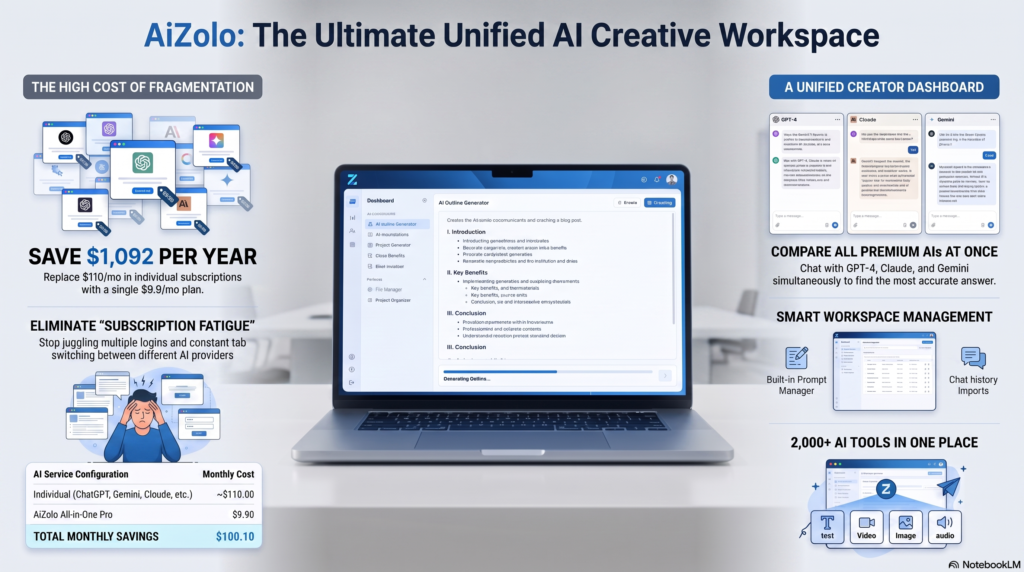
You know the feeling. You open a blank document, you know roughly what you want to say, and twenty minutes later you’ve written three different intros and deleted all of them.
That’s not a writing problem. It’s a planning problem.
Writer’s block rarely comes from not having ideas — it comes from not having structure. With Aizolo, once you know what comes first, second, and third, the actual writing becomes dramatically easier.
This is exactly the gap an AI outline generator fills. It takes a topic, a keyword, or even a messy paragraph of notes, and turns it into a clean hierarchy of headings and subpoints you can start writing from immediately.
Over the past year, we’ve tested outline generation across blogging, SEO content planning, academic essays, and business documentation. This guide covers what these tools actually do well, where they struggle, and how to choose one that fits your workflow — not just the one with the flashiest homepage.
What Is an AI Outline Generator?
An AI outline generator is a writing tool, usually powered by a large language model (LLM), that converts a topic or prompt into a structured content skeleton — headings, subheadings, and key talking points — before you write a single sentence of the final piece.
Think of it as the difference between a GPS route and driving with no map. You still do the driving (the writing), but the tool tells you which turns to take.
How It Works Under the Hood
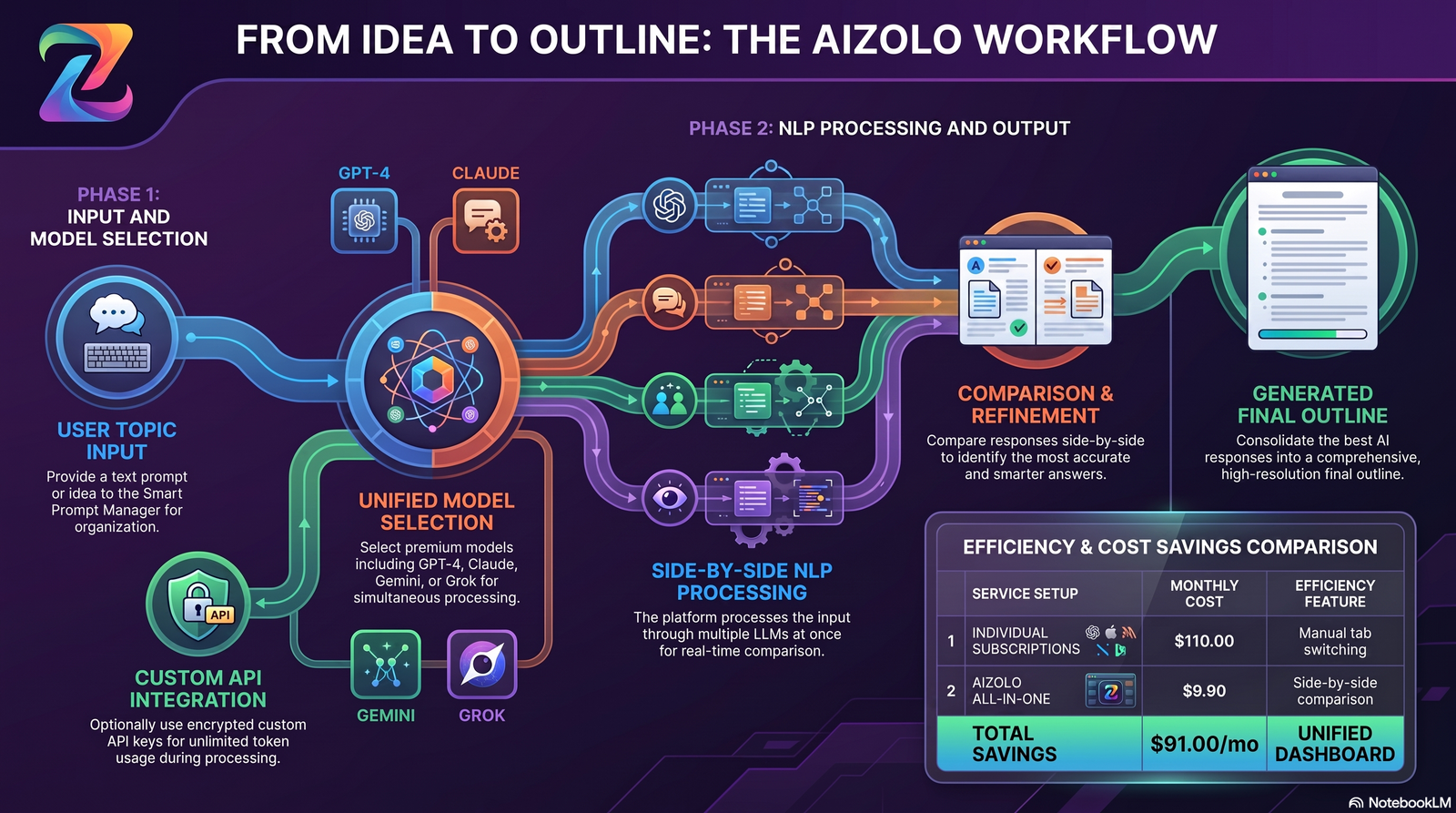
Most AI outline generators rely on three technical layers:
- Natural Language Processing (NLP) — parses your topic or prompt to understand intent, entities, and scope.
- Large Language Models (LLMs) — models like GPT, Claude, or Gemini generate the logical structure based on patterns learned from enormous text datasets.
- Prompt engineering — the specific instructions (explicit or built into the tool’s interface) that shape how detailed, SEO-focused, or academic the outline turns out to be.
Some tools also layer in semantic SEO analysis — checking top-ranking pages for a keyword and reverse-engineering the heading structure that tends to perform well in Google Search.
How AI Outline Generators Work: Step-by-Step Workflow
Here’s the typical process, whether you’re using ChatGPT, Claude, or a dedicated tool like Aizolo:
- Input your topic or keyword — e.g., “AI outline generator” or “climate change effects on agriculture.”
- Set parameters — audience, tone, word count, and intent (informational, comparison, persuasive).
- The AI analyzes context — pulling in related entities and, in research-grounded tools, live search data.
- Outline generation — the model proposes H2s, H3s, and bullet points under each section.
- Human review and editing — you reorder, merge, or cut sections based on your actual expertise.
- Export — to Google Docs, Word, Markdown, or directly into a CMS.
Real-World Example
A content marketer planning a comparison post might prompt: “Create an outline for a blog comparing project management tools for remote teams, targeting small business owners.” Within seconds, the AI proposes sections like introduction, evaluation criteria, tool-by-tool breakdown, pricing table, and a decision framework — a structure that would otherwise take 15–20 minutes to sketch manually.
Benefits of Using an AI Outline Generator
An AI outline maker isn’t just a novelty — it changes how fast and how consistently you can produce structured writing.
- Saves time — cuts planning time from roughly 20 minutes to under 2 minutes for most topics, which adds up fast across a weekly publishing schedule.
- Better organization — enforces a logical flow (intro → body → conclusion) automatically, so readers aren’t left guessing where an argument is headed.
- SEO optimization — many tools suggest headings aligned with what’s already ranking, reducing the guesswork in matching search intent.
- Academic writing support — helps structure theses, essays, and research papers around a clear argument before a single citation is pulled.
- Marketing efficiency — speeds up campaign briefs, landing page structures, and email sequences that would otherwise be drafted from scratch each time.
- Blogging consistency — keeps a content calendar’s structure uniform across multiple writers, which matters for brand voice and reader trust.
- Team collaboration — a shared outline becomes a single source of truth before drafting starts, cutting down on revision cycles later.
- Faster ideation — surfaces subtopics and angles a single writer might not think of alone, especially under deadline pressure.
- Consistent structure — especially valuable for teams publishing at scale, where uneven formatting hurts both readability and SEO performance.
- Improved productivity — less time spent on planning means more time on the parts only a human can do well: original insight, voice, and lived experience.
AI Outline Generators for SEO Content Planning
For SEO teams, an outline isn’t just about organization — it’s a ranking strategy in miniature.
A well-built outline maps your target keyword and its related entities onto a heading structure that search engines can parse easily. This matters more than it used to: Google’s Search Central guidance emphasizes creating content that’s genuinely useful and well-organized for readers, rather than structured purely to game rankings.
In practice, that means a good AI outline generator should:
- Suggest H2s that mirror common searcher questions (useful for People Also Ask and featured snippet targeting).
- Flag opportunities for comparison tables, which tend to perform well for commercial-intent queries.
- Recommend FAQ sections that align with related searches, supporting AI Overviews and voice search visibility.
- Avoid keyword stuffing in headings — natural phrasing consistently outperforms robotic, repetitive heading structures.
Used this way, outline generation becomes the first step of SEO content planning, not a separate task bolted on afterward.
Using an AI Outline Generator for Academic Writing
Students and researchers use an academic outline generator slightly differently than marketers do. The priority shifts from search intent to argument integrity.
A strong academic outline typically includes:
- A clearly stated thesis or research question up top.
- Supporting sections mapped to evidence types (data, case studies, prior literature).
- A dedicated counterargument or limitations section, which strengthens credibility.
- A logical build toward the conclusion rather than a list of disconnected points.
AI tools are genuinely useful here for structure, but most academic institutions require the actual analysis, argumentation, and citations to be original human work — the outline is a planning aid, not a substitute for research.
AI Brainstorming and Note Organization
Before outlining even begins, many writers use AI as a brainstorming and note organization layer — dumping raw, unstructured thoughts into a prompt and asking the model to cluster them into themes.
This works well when you already have research, interview notes, or a stream-of-consciousness draft but no clear structure yet. Rather than asking for an outline from scratch, try: “Here are my raw notes on [topic]. Group these into logical sections and suggest a heading for each group.”
This approach tends to preserve more of your original thinking than a cold-start outline prompt, since the AI is organizing your ideas rather than generating its own from a bare topic.
Best Use Cases for AI Outline Generators
An AI content outline generator flexes across a wide range of writing tasks:
| Use Case | Why It Helps |
|---|---|
| Blog writing | Speeds up ideation and keeps posts scannable |
| SEO articles | Aligns headings with search intent and target keywords |
| Essays | Structures thesis, arguments, and counterpoints |
| Research papers | Organizes literature review, methodology, findings |
| Business reports | Standardizes sections like executive summary and recommendations |
| Business proposals | Ensures no critical section (budget, timeline) is missed |
| Marketing campaigns | Maps out multi-channel messaging structure |
| YouTube scripts | Breaks a video into hook, body, and CTA segments |
| Social media | Plans carousel or thread structure before writing copy |
| Product documentation | Keeps technical docs consistent across features |
| Email sequences | Maps out a logical nurture or onboarding flow |
| Course creation | Structures modules and lessons in a learning path |
Best AI Outline Generator Tools in 2026
We tested general-purpose AI assistants and dedicated planning tools side by side. Here’s a balanced breakdown — no tool is universally “best,” and the right pick depends on your workflow.
| Tool | Best For | Free Plan | Pricing (Approx.) | Strengths | Weaknesses |
|---|---|---|---|---|---|
| ChatGPT | General-purpose outlining, brainstorming | Yes (limited) | Free / $20/mo Plus | Fast, flexible, strong reasoning | No native SEO scoring |
| Claude | Long-form, nuanced outlines with context retention | Yes (limited) | Free / from $20/mo | Excellent at structuring long documents and following detailed briefs | No built-in keyword research |
| Gemini | Outlines tied to Google Search context | Yes (limited) | Free / bundled with Google One AI plans | Deep Google ecosystem integration | Structure can be less consistent on niche topics |
| Perplexity | Research-backed outlines with citations | Yes (limited) | Free / from $20/mo | Pulls live sources while outlining | Less focused on creative structuring |
| Jasper | Marketing-specific outline templates | Trial only | From ~$39/mo | Built-in brand voice and marketing templates | Pricier for solo users |
| Copy.ai | Quick marketing and social outlines | Yes (limited) | Free / from $36/mo | Fast templates for short-form content | Less depth for long-form/academic use |
| Writesonic | SEO-focused article outlines | Yes (limited) | Free / from $19/mo | Built-in SEO scoring | Interface can feel cluttered |
| Notion AI | Outlines inside existing docs/workspace | No (add-on) | From $10/mo add-on | Seamless if you already use Notion | Requires a Notion subscription |
| Grammarly | Light structural suggestions during editing | Yes (limited) | Free / from $12/mo | Great for polishing an existing outline | Not a dedicated outline generator |
| Aizolo | All-in-one AI content and outline planning | Yes (limited) | Varies by plan | Combines outline generation with broader content workflows | Newer tool, smaller community than legacy players |
Note: Pricing changes frequently — always check each provider’s official pricing page before purchasing.
How to Choose the Best AI Outline Generator
Not every tool fits every workflow. Weigh these factors:
- Accuracy — does the structure actually match your topic’s search intent or academic requirements?
- Speed — how many seconds/minutes from prompt to usable outline?
- Cost — free tier limits vs. what you actually need monthly.
- Templates — does it offer presets for blogs, essays, scripts, or proposals?
- Export options — Word, Google Docs, Markdown, or CMS-direct.
- Collaboration — can teammates comment or edit the outline together?
- SEO features — keyword and heading optimization built in, or manual?
- Integrations — does it connect with your existing writing assistant or CMS?
- AI models — some tools let you pick between GPT, Claude, or Gemini under the hood.
- Privacy — how is your input data stored or used for training?
- Ease of use — a powerful tool nobody wants to open isn’t actually useful.
Step-by-Step Guide: How to Generate an Outline with AI
- Open your chosen tool (ChatGPT, Claude, Aizolo, etc.).
- Write a specific prompt — include topic, audience, tone, and intent. Vague prompts produce vague outlines.
- Specify format — ask for H2/H3 structure explicitly if the tool doesn’t default to it.
- Generate the first draft outline.
- Review for gaps — check whether your own expertise or unique angle is missing.
- Reorder sections for logical flow — most tools let you drag-and-drop or simply ask for a revision.
- Export to your writing environment.
Prompt Examples That Actually Work
The quality of an AI-generated outline is almost entirely a function of the prompt behind it. Weak prompts produce generic, forgettable structures. Here are a few patterns worth borrowing:
- Blog post: “Create a detailed H2/H3 outline for a blog post titled ‘[topic]’ targeting [audience]. Cover [specific angles]. Include a comparison table and FAQ section. Search intent is [informational/commercial/comparison].”
- Essay: “Outline a five-paragraph argumentative essay on [topic]. State a clear thesis, three supporting arguments with evidence types, and one counterargument with rebuttal.”
- Business proposal: “Draft an outline for a business proposal for [project], including executive summary, problem statement, proposed solution, timeline, budget, and risk assessment.”
- YouTube script: “Outline a 10-minute YouTube script on [topic] with a hook in the first 15 seconds, three main segments, and a call-to-action close.”
Notice the pattern: audience, format, and intent are always specified. That’s the difference between a usable outline and one you’ll end up rewriting from scratch.
Free vs. Paid AI Outline Generators

Most people start on a free plan and upgrade once volume or complexity increases. Here’s how the trade-off typically breaks down.
| Free Plans | Paid Plans | |
|---|---|---|
| Usage limits | Capped daily/monthly prompts | Higher or unlimited usage |
| Outline depth | Basic H2/H3 structure | Detailed H2/H3/H4 with rationale |
| SEO features | Rarely included | Keyword and heading analysis common |
| Export options | Limited (copy-paste only) | Word, Docs, CMS-direct exports |
| Collaboration | Usually single-user | Team seats, shared workspaces |
| Support | Community/self-serve | Priority or dedicated support |
If you’re outlining occasionally — a handful of posts a month — a free tier is often enough. Teams publishing weekly or managing multiple writers usually see the paid tiers pay for themselves in saved editing time.
Common Mistakes When Using AI Outline Generators
- Vague prompts — “write about marketing” produces generic, unusable structure.
- No editing — publishing the raw AI outline without adding your own expertise or examples.
- Ignoring the audience — a technical outline for a beginner audience (or vice versa) misses the mark.
- Poor structure acceptance — not reordering sections even when the logical flow is off.
- Over-reliance on AI — treating the outline as the finished product instead of a starting scaffold.
AI Outline Generator vs. Manual Outlining
| Factor | AI Outline Generator | Manual Outlining |
|---|---|---|
| Speed | Seconds to minutes | 15–40+ minutes |
| Consistency | High across topics | Varies by writer’s mood/energy |
| Creativity/nuance | Good but generic without editing | Fully original, reflects real expertise |
| SEO alignment | Often built-in | Requires separate keyword research |
| Learning curve | Low | None (but time-intensive) |
| Best for | Speed, first drafts, teams at scale | Deeply original thought leadership pieces |
The most effective approach for most writers is a hybrid: let AI handle the first structural pass, then apply human judgment for nuance, examples, and voice.
AI Outline Generator vs. AI Writing Generator: What’s the Difference?
These terms get used interchangeably, but they solve different problems.
An AI outline generator focuses narrowly on structure — headings, subpoints, and logical flow — before any full sentences are written.
An AI writing generator (or full AI content generator) goes further and drafts complete paragraphs, sentences, and finished copy.
In practice, many tools now do both. But treating them as separate steps — outline first, draft second — tends to produce better-organized, less repetitive final content than asking an AI to write a full article in one pass.
Pros and Cons of AI Outline Generators
Pros
- Dramatically faster planning
- Reduces writer’s block
- Improves consistency across a team
- Often includes SEO-aware heading suggestions
- Easy to iterate — regenerate in seconds if the first pass misses the mark
Cons
- Can produce generic structures without a detailed prompt
- Doesn’t replace subject-matter expertise
- Free tiers often cap usage or depth
- Requires editing to avoid a “templated” feel across your content
- Privacy considerations when inputting proprietary business information
Expert Tips for Better AI-Generated Outlines
- Be hyper-specific in your prompt. Include audience, goal, tone, and word count — this single habit fixes most of the “generic AI outline” complaints we’ve seen.
- Ask for reasoning, not just headings. Request a one-line rationale under each H2 to check the logic before you start writing full paragraphs.
- Iterate at least twice. The second pass, after you flag gaps or ask the model to go deeper on a weak section, is usually noticeably better than the first.
- Combine tools when needed. Use a research-grounded tool like Perplexity for facts and citations, then a reasoning-strong model like Claude or ChatGPT to structure the argument around them.
- Keep your own expertise in the loop. The outline is scaffolding, not the finished house — the sections that make an article genuinely useful usually come from firsthand experience the AI doesn’t have.
- Test the outline against search intent. Before writing, check whether the proposed headings actually match what someone searching the topic would expect to find — not just what sounds structurally clean.
- Save reusable outline templates. If you publish similar content types repeatedly (product reviews, comparison posts, how-to guides), save a refined prompt template rather than starting from zero every time.
The Future of AI Outline Generators
Outline generation is shifting from a single-shot tool into part of a broader AI workflow.
- Agentic AI — tools that don’t just outline but also research, draft, and format in one continuous process.
- Better reasoning — newer models increasingly explain why a section belongs where it does, not just what goes there.
- Personalized planning — outlines adapted to a specific brand voice or a writer’s past published work.
- Multimodal AI — generating outlines that account for accompanying images, video, or interactive elements from the start.
- Workflow automation — direct handoff from outline to CMS draft to SEO check, without manual copy-pasting between tools.
According to industry analysis from firms like Gartner and McKinsey, AI-assisted content workflows are expected to keep expanding across marketing and knowledge-work functions through the back half of this decade, though both firms caution that human oversight remains essential for quality and accuracy.
Key Takeaways
- An AI outline generator turns a topic into structured headings in seconds, not minutes.
- It’s useful across blogging, SEO, academic writing, business docs, and scripting.
- No single tool is best for everyone — match the tool to your workflow (research-heavy, SEO-heavy, or team collaboration).
- Always edit the AI’s output — it’s a scaffold, not a finished product.
- The most effective process combines AI speed with human judgment.
Reader Checklist Before You Start
- [ ] Defined your topic and target audience
- [ ] Chosen a tool that fits your budget and workflow
- [ ] Written a specific, detailed prompt
- [ ] Reviewed the outline for logical gaps
- [ ] Added your own expertise, examples, or data
- [ ] Exported into your writing environment
Frequently Asked Questions
1. What is an AI outline generator used for? It’s used to turn a topic or keyword into a structured set of headings and subpoints before writing begins, saving planning time for blogs, essays, reports, and scripts.
2. Is an AI outline generator free? Many tools, including ChatGPT, Claude, and Gemini, offer free tiers with usage limits. Dedicated SEO-focused tools often require a paid plan for full features.
3. Can AI outline generators replace human writers? No. They speed up planning and structure, but original insight, voice, and fact-checking still require human input and editing.
4. Which AI outline generator is best for SEO articles? Tools with built-in keyword and heading analysis, such as Writesonic or Aizolo, tend to work well for SEO-specific outlining, though general models like ChatGPT and Claude can also produce strong SEO structures with the right prompt.
5. Can I use an AI outline generator for academic essays? Yes. Many students use these tools to structure thesis statements, arguments, and evidence sections, though most institutions require final writing and analysis to be original human work.
6. How detailed should my prompt be? The more specific — audience, tone, intent, and word count — the better the outline. Vague prompts produce generic, less useful structures.
7. Do AI outline generators support team collaboration? Some do, especially workspace-integrated tools like Notion AI, allowing multiple people to comment on and edit a shared outline.
8. What’s the difference between an outline generator and a full AI writer? An outline generator focuses on structure only; a full AI writing generator drafts complete paragraphs and sentences based on that structure.
9. Are AI-generated outlines good for YouTube scripts? Yes. They’re commonly used to map out a video’s hook, body segments, and call-to-action before scripting the full dialogue.
10. How accurate are AI outline generators for niche topics? Accuracy varies. Highly technical or niche subjects sometimes need extra human input to fill knowledge gaps the AI’s training data doesn’t fully cover.
11. Can AI outline generators help with business proposals? Yes, they help ensure no critical section — like budget, timeline, or executive summary — is missed, though final numbers and strategy still need expert review.
12. Do outline generators check for plagiarism? Most do not. Outline generators focus on structure, not originality checking, so plagiarism review should happen separately during final drafting.
13. What’s the ideal workflow: outline first or draft first? Outlining first generally produces more organized, less repetitive final content than asking an AI to draft a full piece in a single pass.
14. Is my data private when I use an AI outline generator? It depends on the provider. Always check a tool’s privacy policy, especially before inputting proprietary business or client information.
15. How do I pick between ChatGPT, Claude, Gemini, and dedicated tools? Match the tool to your priority: ChatGPT and Claude for flexible reasoning, Gemini for Google ecosystem integration, Perplexity for research grounding, and dedicated tools like Aizolo or Writesonic for built-in SEO and workflow features.
Related Reading on Aizolo
If you’re building out a full AI-assisted writing workflow, you may also want to explore how different AI models for writing compare, since the model behind your outline generator affects tone and structure quality.
For teams also handling social content, tools like the AI Facebook Post Generator can extend your outline into ready-to-publish captions.
If your content plan includes visuals, the AI Movie Poster Generator and AI Manga Generator are worth a look for creative asset generation.
Writers exploring personal branding sometimes pair content planning with tools like the AI Outfit Generator for on-brand visual consistency across profiles.
Budget-conscious teams comparing subscription costs across their AI stack may find the Cheapest AI Subscription breakdown useful.
For a broader look at writing support beyond outlining, see our roundup of AI language tools.
And if you’re producing video content alongside written posts, the AI image generator for faceless YouTube channels covers a related workflow worth bookmarking.
Conclusion

An AI outline generator won’t write your article for you — and it shouldn’t. What it does is remove the slowest, most frustrating part of writing: staring at a blank page trying to figure out where to start.
Whether you’re planning a blog post, an essay, or a business proposal, the fastest workflow in 2026 looks the same: let AI handle the structural first pass, then bring your own expertise, voice, and judgment to the parts that actually make content worth reading.
Ready to plan your next piece faster? Try generating an outline with your preferred AI tool today, and see how much writing time you get back.
Author Bio
Jeevesh Tripathi AI Researcher & Content Strategist, Aizolo 📧 jeevesh@aizolo.com
Jeevesh Tripathi researches AI productivity tools, large language models, and emerging automation workflows. His content focuses on testing AI software, simplifying complex technologies, and helping readers choose the best AI solutions through practical, experience-based guidance.


Отличный центр обслуживания Siemens! Обращались с неисправностью стиральной машины. Специалист прибыл точно в срок, диагностику сделали оперативно и ясно разъяснили ситуацию. Починка выполнен качественно, гарантию оформили. Остались очень доволен. Рекомендую этот сервис!
إن عملية نقل عفش رخيص العفش ليست بالمهمة السهلة، وهي تتطلب التنسيق الدقيق، بالإضافة إلى الكثير من الجهد والوقت.