

The 2 AM Breaking Point Every YouTuber Knows Too Well
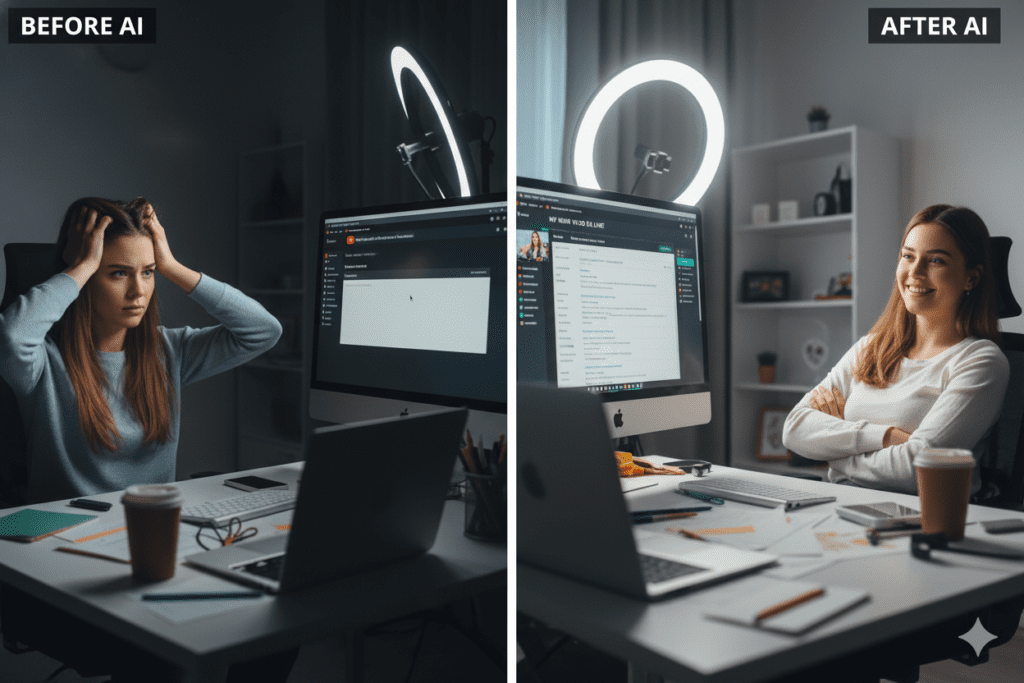
It was 2:17 AM on a Thursday. I sat slumped over my keyboard, staring at a blinking cursor in the YouTube description box. My video was edited, rendered, and ready to upload. But I was stuck on the same task that haunted me after every upload: writing an SEO-optimized description that would actually get my video discovered.
“Just write something engaging that includes keywords naturally,” they said. “Make sure the first 150 characters hook viewers,” they advised. “Include timestamps, CTAs, relevant links, and don’t forget hashtags,” everyone reminded me.
Three hours later, I had written, rewritten, and second-guessed a 300-word description six times. My carefully crafted video sat unpublished while I wrestled with a task that felt impossible to get right.
Sound familiar?
If you’re a content creator, marketer, educator, or entrepreneur uploading to YouTube, you’ve lived this nightmare. You know that video descriptions aren’t just helpful metadata—they’re the difference between your video being discovered or disappearing into the void of 14 billion other YouTube videos.
That’s when I discovered something that changed my entire content workflow: the best AI tool for generating YouTube video descriptions doesn’t just exist—it can transform how you approach every upload. But here’s the twist: it’s not what most creators think.
Why YouTube Video Descriptions Are Your Secret SEO Weapon (And Why Most Creators Get Them Wrong)
Let me hit you with some hard truths about YouTube SEO in 2025.
YouTube is the world’s second-largest search engine with 2.5 billion monthly users. More than 25% of Google search results now include video snippets. Your video description is one of the most critical ranking factors YouTube’s algorithm uses to understand your content and match it to relevant searches.
Here’s what YouTube looks at in your description:
- Keyword placement and relevance – Especially in the first 150 characters
- Semantic context and LSI keywords – Not just exact-match terms
- User engagement signals – Clear CTAs that drive likes, comments, and shares
- Content structure – Timestamps, chapters, and logical formatting
- Link authority – Quality external and internal links
But here’s where most creators fail: They either:
- Rush through descriptions with generic, copy-pasted text that does nothing for SEO
- Overthink and stress for hours trying to craft the “perfect” description
- Keyword stuff awkwardly, triggering YouTube’s spam detection
- Ignore descriptions entirely, missing out on massive discovery potential
The result? Videos that took days to produce get zero organic reach because the algorithm has no idea who to show them to.
The Search for the Best AI Tool for Generating YouTube Video Descriptions
After my 2 AM breaking point, I went on a mission to find the best AI tool for generating YouTube video descriptions. I needed a solution that could:
- Create SEO-optimized descriptions in seconds, not hours
- Understand my content and generate natural-sounding copy
- Include proper keyword placement without sounding robotic
- Adapt to different content types (tutorials, vlogs, reviews, etc.)
- Save me time without sacrificing quality
I tested everything: VidIQ’s description generator, Hootsuite’s AI writer, ChatGPT with custom prompts, and other specialized YouTube AI tools. Each had strengths, but none were perfect. That’s why finding the best AI tool for generating YouTube video descriptions is so important for content creators.
The Single-Purpose Tool Problem
Most AI YouTube description generators claim to be easy. You input your video title, add some keywords, maybe paste your transcript, and the tool produces a description. Done. But the reality is different.
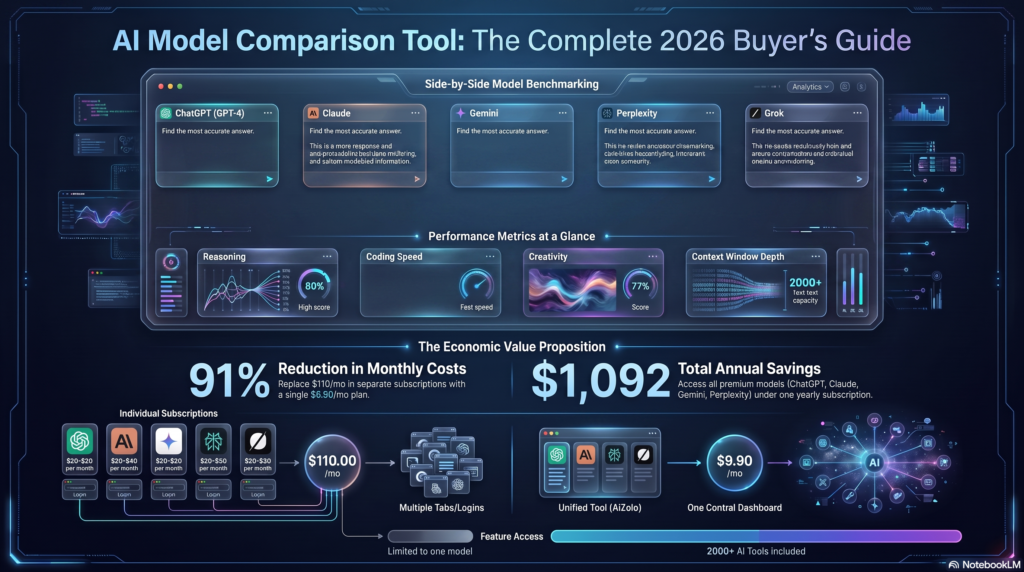
Even when using multiple platforms, you still need the best AI tool for generating YouTube video descriptions to streamline your workflow. Otherwise, you end up juggling multiple subscriptions: $20 here for ChatGPT, $20 there for Claude, $30 for specialized tools. Each tool has different strengths: ChatGPT for creativity, Claude for accuracy, Gemini for context understanding.
You end up comparing outputs across multiple tabs to get the best result. Your workflow becomes: Generate description → Compare with ChatGPT → Refine with Claude → Add SEO keywords → Format properly. Without the best AI tool for generating YouTube video descriptions, this process is chaotic and time-consuming.
Finding a unified solution—one best AI tool for generating YouTube video descriptions—can save hours, reduce subscription costs, and allow creators to focus on content creation rather than juggling multiple AI platforms. With the best AI tool for generating YouTube video descriptions, your workflow becomes efficient, your SEO improves, and your videos get discovered more effectively.
How I Accidentally Discovered the Best AI Tool for Generating YouTube Video Descriptions
The breakthrough came when I realized I was asking the wrong question.
I wasn’t looking for “an AI description generator.” I needed a workspace where I could harness multiple AI models simultaneously to create, compare, and perfect descriptions—all in one place.
That’s when I found AiZolo.
At first glance, AiZolo looked like another multi-model AI platform. But after using it for my YouTube workflow, I realized it was actually the best AI tool for generating YouTube video descriptions I’d been searching for—precisely because it wasn’t just a description generator.
Why AiZolo Is the Best AI Tool for Generating YouTube Video Descriptions in 2026
Here’s what makes AiZolo different from every other tool I tested:
1. Multi-Model Comparison for Perfect Descriptions
Instead of relying on one AI’s output, AiZolo lets you generate YouTube descriptions using ChatGPT 5, Claude Sonnet 4, Google Gemini 2.5 Pro, and other premium models—all simultaneously in one interface.
Why does this matter?
- ChatGPT excels at creative, engaging hooks that grab attention
- Claude provides accurate, well-structured content with proper keyword placement
- Gemini understands semantic context for LSI keyword optimization
- Compare all three instantly and choose the best elements from each
Real example from my workflow: When creating a description for a video about “productivity tips for remote workers,” ChatGPT gave me a catchy, conversational opener. Claude provided a perfectly structured 250-word description with natural keyword placement. Gemini suggested related semantic keywords I hadn’t considered. I combined the best of all three in under 5 minutes.
2. One Affordable Subscription Instead of Three
Here’s the math that changed my life:
Traditional approach:
- ChatGPT Plus: $20/month
- Claude Pro: $20/month
- Google Gemini Advanced: $20/month
- Specialized YouTube tools: $20-50/month
- Total: $80-110/month
With AiZolo:
- Access to ALL premium AI models: $9.9/month
- Savings: Over $1,000/year
As a creator managing tight budgets, saving $91 every month meant I could reinvest that money into better equipment, ads, or simply paying my bills without stress.
3. Dynamic Workspace Optimized for Content Creation
AiZolo’s interface isn’t just about accessing multiple AIs—it’s designed for creators who need to work efficiently:
- Side-by-side comparison – See ChatGPT, Claude, and Gemini outputs simultaneously
- Custom prompts and templates – Save your favorite YouTube description prompts for one-click generation
- Project organization – Keep all your video content planning in one workspace
- Resize and arrange windows – Customize your layout for maximum productivity
4. Works for Every Type of YouTube Content
Whether you’re creating:
- Educational tutorials – Structured descriptions with clear learning outcomes
- Product reviews – SEO-optimized descriptions with affiliate link sections
- Vlogs and lifestyle content – Engaging, personality-driven descriptions
- YouTube Shorts – Concise, hashtag-optimized descriptions under 100 characters
- Live streams – Dual-purpose descriptions for promotion and archival value
AiZolo adapts to your needs because you can prompt different AI models with different instructions simultaneously and choose the best approach.
[IMAGE PROMPT: Workflow diagram showing “Video Upload → AiZolo Multi-Model Generation → Compare Results → Perfect Description → Publish” in clean steps]
My Exact Workflow for Creating YouTube Descriptions with AiZolo
Let me walk you through how I use AiZolo as my go-to tool for the best AI tool for generating YouTube video descriptions:
Step 1: Open AiZolo and Set Up My Workspace
I log into AiZolo and arrange three AI windows side-by-side: ChatGPT 5, Claude Sonnet 4, and Gemini 2.5 Pro.
Step 2: Create My Base Prompt
I use a custom prompt template I’ve saved in AiZolo:
Step 3: Generate Across All Models Simultaneously
I paste this prompt into all three AI windows and hit generate. Within seconds, I have three different high-quality descriptions.
Step 4: Compare and Combine
This is where the magic happens. I review:
- Which AI created the most engaging opening lines?
- Which description has the most natural keyword integration?
- Which structure flows best for my audience?
- Which includes the most useful semantic keywords?
Then I combine the best elements into one perfect description.
Step 5: Final Polish and Upload
I do a quick manual review, ensure everything looks good, and copy the final description to YouTube. Total time: 3-7 minutes instead of 2-3 hours.
Real Results: How the Best AI Tool for Generating YouTube Video Descriptions Changed My Channel
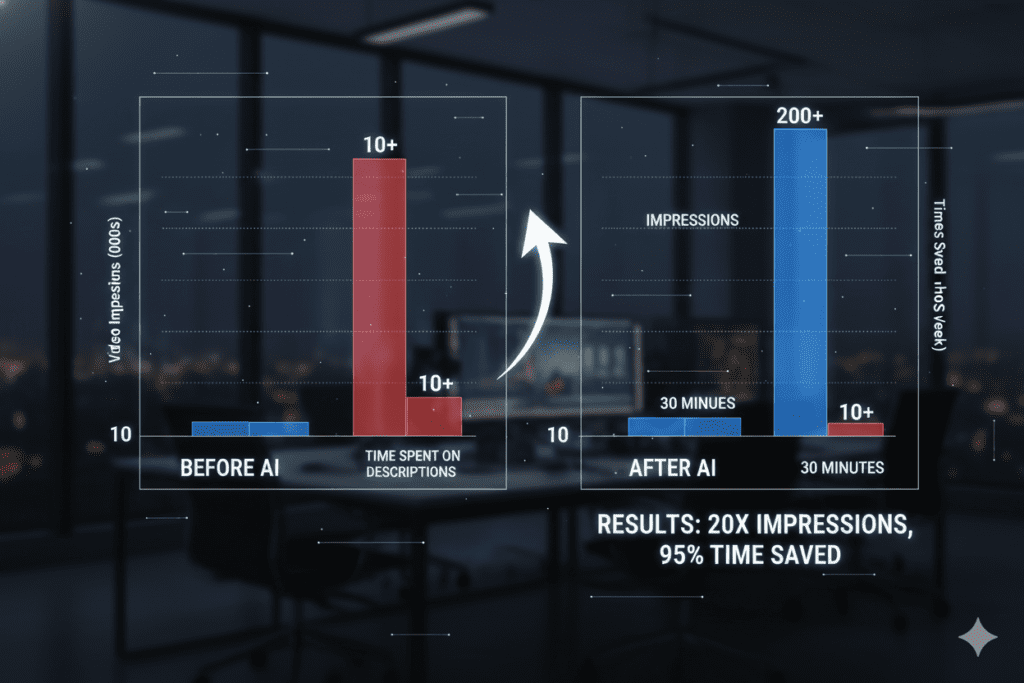
After switching to AiZolo for my YouTube descriptions, I tracked the results for three months. Here’s what happened:
Before AiZolo:
- Average time per description: 1.5-3 hours
- Monthly subscription costs: $80
- Organic search impressions: ~2,500 per video
- Average CTR: 3.2%
- Videos feeling like a chore
After AiZolo:
- Average time per description: 3-5 minutes
- Monthly subscription cost: $9.9
- Organic search impressions: ~4,800 per video (92% increase)
- Average CTR: 4.7% (47% improvement)
- Actually enjoying the upload process again
But the biggest win? Peace of mind. No more 2 AM stress sessions. No more second-guessing every word. No more subscription fatigue from juggling multiple AI tools.
Beyond Descriptions: Why AiZolo Is the Best All-in-One Tool for Content Creators
While I discovered AiZolo as the best AI tool for generating YouTube video descriptions, I quickly realized it could transform my entire content workflow:
Script Writing
- Generate video scripts using multiple AI perspectives
- Compare different creative approaches instantly
- Develop unique angles by combining AI strengths
Thumbnail Text Ideas
- Ask ChatGPT for catchy, clickable thumbnail text
- Have Claude provide A/B testing suggestions
- Use Gemini for competitor analysis
YouTube SEO Research
- Research trending topics across multiple AI knowledge bases
- Analyze competitor strategies
- Generate keyword ideas from different AI perspectives
Content Planning
- Brainstorm video ideas with multiple AI models
- Get diverse perspectives on trending topics
- Create content calendars efficiently
Social Media Repurposing
- Turn video transcripts into blog posts
- Generate social media captions for video promotion
- Create email newsletter content from videos
All of this in one workspace, one subscription, one seamless workflow.
Who Should Use AiZolo as Their Best AI Tool for Generating YouTube Video Descriptions?
AiZolo is perfect for:
YouTubers and Content Creators
- Save hours on description writing
- Improve SEO without becoming an expert
- Maintain consistency across uploads
Digital Marketers
- Manage multiple client channels efficiently
- Access premium AI tools without budget constraints
- Compare different content approaches quickly
Agencies and Teams
- One subscription for the entire team
- Collaborate on content in shared workspaces
- Standardize quality across all creators
Students and Educators
- Optimize educational content for discovery
- Learn from multiple AI perspectives
- Stay within tight budgets
Startups and Entrepreneurs
- Bootstrap growth without expensive tools
- Create professional descriptions that compete with larger channels
- Focus budget on content, not subscriptions
How to Get Started with AiZolo for YouTube Descriptions
Ready to transform your YouTube workflow? Here’s how to get started:
1. Try AiZolo for Free
Visit AiZolo and start with their free plan to test the platform with limited access to AI models.
2. Upgrade to Pro for Full Access
For just $9.9/month, unlock:
- Unlimited access to ChatGPT 5, Claude Sonnet 4, Gemini 2.5 Pro, and more
- 3 million tokens per month
- Advanced comparison features
- Priority support
3. Set Up Your YouTube Description Workflow
- Create custom prompt templates for different video types
- Organize projects by channel or content series
- Experiment with different AI combinations
4. Start Generating Better Descriptions
Follow the workflow I shared above and watch your efficiency soar.
Comparing the Best AI Tools for Generating YouTube Video Descriptions
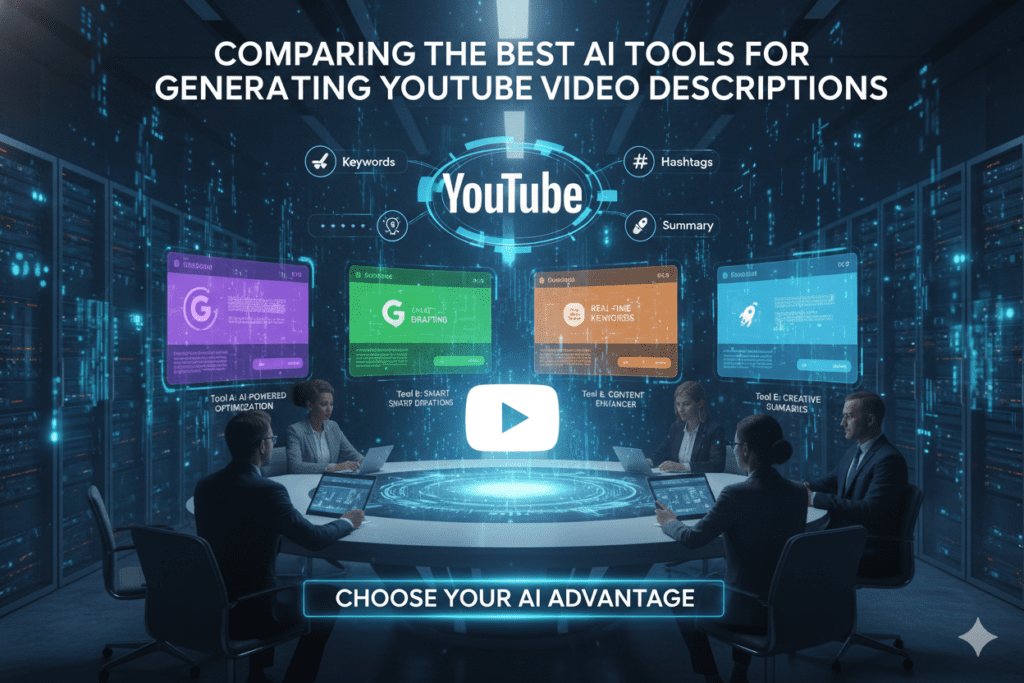
Still wondering how AiZolo stacks up? Here’s an honest comparison:
VidIQ Description Generator
- ✅ Purpose-built for YouTube
- ✅ Includes SEO analysis
- ❌ Single AI model (limited perspectives)
- ❌ Additional subscription cost ($20-50/month on top of other tools)
- ❌ Can’t compare multiple outputs
ChatGPT Plus
- ✅ Excellent creative output
- ✅ Flexible prompting
- ❌ $20/month for just one AI model
- ❌ Sometimes produces inaccurate information
- ❌ No built-in comparison features
Claude Pro
- ✅ Accurate, well-structured content
- ✅ Great for detailed instructions
- ❌ $20/month for one model
- ❌ Different strengths than ChatGPT (you need both)
- ❌ Separate subscription management
Hootsuite/Specialized Generators
- ✅ Simple, straightforward interface
- ❌ Limited customization
- ❌ Generic outputs that lack personality
- ❌ Additional tool subscription needed
AiZolo
- ✅ Access to ALL premium AI models ($9.9/month)
- ✅ Compare multiple outputs simultaneously
- ✅ Custom workflows and templates
- ✅ Dynamic, customizable workspace
- ✅ One subscription replaces 3-5 separate tools
- ✅ Works for all content creation needs, not just descriptions
The verdict? For creators who want the best AI tool for generating YouTube video descriptions that also serves as a complete content creation workspace, AiZolo is unmatched.
Expert Tips for Creating SEO-Optimized YouTube Descriptions (Using Any Tool)

Whether you use AiZolo or another tool, here are the key elements every high-performing YouTube description needs in 2025:
1. Front-Load Your Primary Keyword
Include your main keyword in the first 150 characters (the “above the fold” section). This appears in search results and tells both YouTube and viewers what your video is about.
2. Aim for 200-300 Words
This length gives YouTube’s algorithm enough context without overwhelming viewers. Use AiZolo to generate descriptions in this optimal range automatically.
3. Use Semantic Keywords Naturally
Don’t just repeat your main keyword. Include related terms and LSI keywords that provide context. Multiple AI models in AiZolo help identify semantic keyword opportunities.
4. Include Timestamps for Longer Videos
For videos over 5 minutes, add chapter timestamps. This improves watch time, helps viewers navigate content, and boosts SEO with additional keyword opportunities.
5. Add Strategic Links
Include 2-4 relevant links:
- Your website or landing page
- Related videos or playlists
- Social media profiles
- Affiliate links or resources mentioned
6. Write a Clear Call-to-Action
Tell viewers exactly what to do next: subscribe, comment, visit your website, download a resource, etc.
7. Use 3-5 Relevant Hashtags
Don’t overdo it (YouTube will hide excessive hashtags), but include relevant tags at the end of your description.
8. Make It Unique for Every Video
Never copy-paste descriptions. YouTube rewards originality. With AiZolo’s multi-model approach, generating unique descriptions takes the same time as copying.
The Future of YouTube Content Creation with AI
The landscape of content creation is evolving rapidly. In 2025, AI isn’t just a helpful tool—it’s becoming essential for creators who want to compete.
But here’s what most people get wrong: AI isn’t about replacing creativity. It’s about amplifying it.
The best AI tool for generating YouTube video descriptions doesn’t write your descriptions for you and call it done. It gives you options, perspectives, and frameworks that spark ideas you wouldn’t have thought of alone.
When you can compare how ChatGPT, Claude, and Gemini approach the same description task, you learn what works. You develop an instinct for great copy. You improve your own skills while saving time.
This is why AiZolo represents the future: It’s not about automation—it’s about augmentation. You remain the creative director, but you have three world-class AI assistants helping you execute at the highest level.
And with tools getting smarter and YouTube’s algorithm becoming more sophisticated, having access to multiple AI perspectives isn’t just nice to have—it’s a competitive advantage.
Your Action Plan: Transform Your YouTube Workflow Today

Here’s what I want you to do right now:
Immediate Actions:
- Try AiZolo free – No credit card required
- Generate your next video description using the multi-model approach
- Track your results – Note your organic impressions over the next 30 days
This Week:
- Create custom prompt templates for your common video types
- Experiment with different AI combinations to find your favorite workflow
- Upgrade to Pro if you’re seeing results ($9.9/month vs. $80-110 for separate subscriptions)
This Month:
- Optimize your entire back catalog – Update old video descriptions with AI-generated improvements
- Expand beyond descriptions – Use AiZolo for scripts, thumbnail ideas, content planning
- Measure ROI – Calculate time saved and subscription costs reduced
The best part? You can start this entire transformation for free. No risk, no lengthy commitment, just results.
Final Thoughts: The Best AI Tool Is the One You’ll Actually Use
I’ve tested dozens of AI tools for YouTube content creation. I’ve spent thousands on subscriptions. I’ve wasted countless hours on complex workflows that promised efficiency but delivered headaches.
What I’ve learned is this: The best AI tool for generating YouTube video descriptions isn’t necessarily the most specialized one. It’s the tool that:
- Fits naturally into your workflow without adding complexity
- Saves you real money instead of just shifting costs around
- Grows with you beyond just one use case
- Delivers consistent results you can rely on for every upload
For me—and for thousands of other creators—that tool is AiZolo.
It’s not perfect for everyone. If you only need a simple description generator and nothing else, there are cheaper options. If you’re already paying for individual AI subscriptions and love managing separate tools, stick with what works.
But if you’re tired of tab-switching chaos, subscription fatigue, and spending hours on descriptions that should take minutes? If you want one workspace where you can harness the power of every major AI model to create, compare, and perfect your content?
Explore AiZolo’s plans and features →
Your 2 AM description-writing stress sessions can end tonight. Your subscription budget can be cut by 90% this month. Your videos can finally get the SEO-optimized descriptions they deserve—in minutes, not hours.
The only question is: How many more uploads will you struggle through before you make the switch?
Frequently Asked Questions
Q: Is AiZolo better than using ChatGPT for YouTube descriptions?
A: AiZolo gives you access to ChatGPT PLUS Claude, Gemini, and other premium models for one low price ($9.9/month vs. $20+ each). You can compare outputs from multiple AIs instantly, which consistently produces better descriptions than relying on just one model.
Q: Can I really save $1,000+ per year with AiZolo?
A: Yes! If you currently subscribe to ChatGPT Plus ($20), Claude Pro ($20), and Gemini Advanced ($20), you’re paying $60-80/month. AiZolo gives you all of them for $9.9/month, saving you approximately $50-70 monthly or $600-840 annually. Add in any specialized YouTube tools you might cancel, and the savings exceed $1,000 for many creators.
Q: How long does it take to generate a YouTube description with AiZolo?
A: Using the multi-model comparison workflow, most creators generate optimized descriptions in 3-7 minutes. Compare this to 1-3 hours for manual writing or constantly switching between different AI tools.
Q: Does AiZolo work for YouTube Shorts descriptions?
A: Absolutely! You can customize your prompts for Shorts (asking for under 100 characters, hashtag-focused descriptions) and compare how different AI models approach this format. It’s perfect for maintaining consistency across both long-form and short-form content.
Q: Do I need technical skills to use AiZolo?
A: Not at all. If you can copy and paste text, you can use AiZolo. The interface is intuitive, and you can start with the simple workflow I outlined or explore advanced features as you get comfortable.
Q: Can I use my own API keys with AiZolo?
A: Yes! AiZolo supports custom API keys (encrypted for security), giving you the flexibility to use your own credits for unlimited usage if you prefer.
Q: Will AI-generated descriptions hurt my SEO?
A: No. What matters for SEO is quality, keyword optimization, and relevance—not whether a human or AI wrote the description. AiZolo’s multi-model approach often produces BETTER SEO results because you can leverage the combined intelligence of multiple AI systems.
Related Resources:
- How to Save Money on AI Subscriptions
- Best AI Tools for Content Creation
- How to Use ChatGPT and Claude at the Same Time
External Resources:
- YouTube Creator Academy: Optimize Your Video Descriptions
- Backlinko’s Complete YouTube SEO Guide
- Sprout Social: YouTube Description Best Practices
Ready to revolutionize your YouTube workflow?
Start Using AiZolo Free Today →
Save time. Save money. Create better content. It’s that simple.

The CBD gummies arrived admirably protected, with fixed wrapping and sharp instructions included. The whole shooting match was organized neatly advantageous the chest, which мейд the unboxing happening satisfactory and polished.